
DMR-HW220 - Blu-ray player PANASONIC - Free user manual and instructions
Find the device manual for free DMR-HW220 PANASONIC in PDF.


Pick your language and provide your email: we'll send you a specifically translated version.
| Product Type | Blu-ray Player |
| Brand | Panasonic |
| Model | DMR-HW220 |
| Dimensions (W x H x D) | 430 x 49 x 249 mm |
| Weight | 2.1 kg |
| Power Supply | AC 220-240 V, 50/60 Hz |
| Power Consumption | 25 W (typical), 0.5 W in standby |
| Playback Disc Formats | BD-ROM, BD-R/RE, DVD-Video, DVD-R/RW, CD, CD-R/RW |
| Video Output | HDMI, Composite |
| Audio Output | HDMI, Digital Optical, Analog Stereo |
| USB Port | 1 x USB 2.0 (front) |
| Network Connectivity | Ethernet, Wi-Fi (built-in) |
| Supported Video Formats | MPEG-2, MPEG-4, H.264, VC-1 |
| Supported Audio Formats | Dolby Digital, DTS, MP3, AAC |
| Maintenance & Cleaning | Wipe with a soft, dry cloth. Do not use liquids or abrasive cleaners. |
| Safety Precautions | Do not disassemble. Keep away from moisture and heat sources. |
| Spare Parts & Repairability | Contact Panasonic service center for replacement parts. Repairs should be performed by qualified personnel. |
| General Information | Energy efficiency class: A. Operating temperature: 5°C to 40°C. |
Frequently Asked Questions - DMR-HW220 PANASONIC
What disc formats can the Panasonic DMR-HW220 play?
The DMR-HW220 supports playback of BD-ROM, BD-R/RE, DVD-Video, DVD-R/RW, CD, and CD-R/RW discs.
Does this Blu-ray player support Wi-Fi connectivity?
Yes, it has built-in Wi-Fi for wireless network access, in addition to an Ethernet port.
Can I play media files from a USB drive?
Yes, you can connect a USB 2.0 drive to the front USB port and play compatible video, audio, and photo files.
How do I connect the DMR-HW220 to my TV?
Use an HDMI cable for the best video and audio quality. Alternatively, you can use composite video and analog audio cables.
What video formats are supported for USB playback?
Supported video formats include MPEG-2, MPEG-4, H.264, and VC-1.
Why is my disc not playing?
Check that the disc is compatible and clean. Ensure the disc is inserted correctly, label side up. For region-coded discs, confirm the player's region matches.
How do I reset the player to factory settings?
Go to Setup > Others > Default Settings and confirm. This will reset all settings to factory defaults.
Can I use this player to stream online content?
Yes, the DMR-HW220 supports streaming services like Netflix and YouTube when connected to the internet.
How to clean the Blu-ray player?
Unplug the unit and wipe the exterior with a soft, dry cloth. Do not use liquids, polishes, or abrasive cleaners.
What is the power consumption in standby mode?
Standby power consumption is approximately 0.5 W.
User questions about DMR-HW220 PANASONIC
0 question about this device. Answer the ones you know or ask your own.
Ask a new question about this device
No questions yet. Be the first to ask one.
Download the instructions for your Blu-ray player in PDF format for free! Find your manual DMR-HW220 - PANASONIC and take your electronic device back in hand. On this page are published all the documents necessary for the use of your device. DMR-HW220 by PANASONIC.
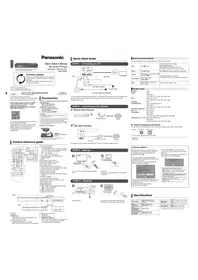
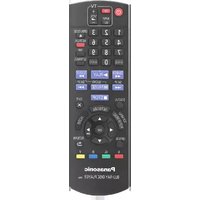
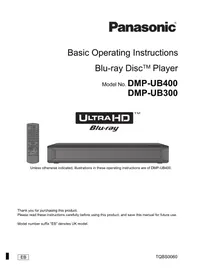
USER MANUAL DMR-HW220 PANASONIC

Manual assistant
Powered by Anthropic
Waiting for your message
Product information
Brand : PANASONIC
Model : DMR-HW220
Category : Blu-ray player