
DMR-PWT520 - Blu-ray player PANASONIC - Free user manual and instructions
Find the device manual for free DMR-PWT520 PANASONIC in PDF.
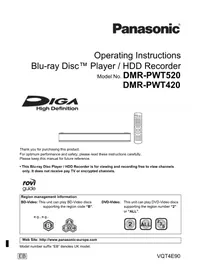


Pick your language and provide your email: we'll send you a specifically translated version.
| Product Type | Blu-ray Disc Player |
| Model Number | DMR-PWT520 |
| Brand | Panasonic |
| Dimensions (W x H x D) | 430 x 49 x 199 mm |
| Weight | 2.1 kg |
| Power Supply | AC 110-240V, 50/60Hz |
| Power Consumption (Standby) | 25 W (0.3 W in standby) |
| Disc Playback | Blu-ray, DVD, CD, BD-R/RE, DVD-R/RW, CD-R/RW |
| Video Output | HDMI, Composite |
| Audio Output | HDMI, Optical digital, Analog audio |
| Other Connectors | USB 2.0, Ethernet, SD card slot |
| Network Features | Wireless LAN (built-in), DLNA, VIERA Connect |
| Video Features | 3D playback, 1080p upscaling |
| Audio Formats | Dolby Digital, DTS, MP3, AAC, WMA |
| Maintenance | Clean exterior with soft dry cloth; lens cleaner disc recommended periodically |
| Safety | Do not open case; avoid moisture and heat; use supplied power cord |
| Spare Parts / Accessories | Remote control (N2QAJB000001), power cord, HDMI cable (optional) |
| Region Code | Blu-ray: Region A; DVD: Region 1 |
| Repairability | Refer to qualified service personnel; user-replaceable parts: remote control batteries |
Frequently Asked Questions - DMR-PWT520 PANASONIC
How do I connect the DMR-PWT520 to my TV?
Use an HDMI cable to connect the HDMI OUT port on the player to an HDMI input on your TV. Ensure both devices are powered off before connecting, then turn them on and select the correct HDMI input on your TV.
Can I play movies from a USB drive?
Yes, insert a USB drive with compatible video, audio, or photo files into the USB port. Use the remote to select Media Player from the home menu and navigate to USB to play files.
Why is there no sound from my Blu-ray player?
Check that the HDMI cable is securely connected to both devices and that the TV is set to the correct input. Also verify the player's audio output settings (e.g., PCM or Bitstream) via the setup menu.
How do I reset the DMR-PWT520 to factory settings?
Press HOME on the remote, go to Setup > System > Factory Default. Confirm the reset. This will erase all custom settings but not saved content on USB.
Can I watch 3D Blu-ray discs on this player?
Yes, the DMR-PWT520 supports 3D playback when connected to a compatible 3D TV via HDMI. Ensure 3D glasses are used and the TV's 3D mode is activated.
How do I update the firmware?
Connect the player to the internet (wired or Wi-Fi). Go to Setup > System > Firmware Update and select Update via Network. Follow on-screen instructions.
What discs are compatible?
The player supports Blu-ray discs (BD-ROM, BD-R/RE), DVDs (DVD-Video, DVD-R/RW, DVD+R/RW), and CDs (CD-DA, CD-R/RW). Check the manual for full details.
How do I clean the Blu-ray lens?
Use a lens cleaning disc designed for Blu-ray players. Insert the disc and follow the instructions. Do not use liquid cleaners or compressed air.
The player shows 'No Disc' error. What should I do?
Ensure the disc is inserted with the label facing up. Clean the disc with a soft cloth (from center to edge). If the issue persists, try another disc to rule out disc damage.
How do I stream content from my PC using DLNA?
Make sure both the player and PC are on the same network. On the PC, enable media streaming (e.g., Windows Media Player). On the player, select Media Player > DLNA and choose your PC.
User questions about DMR-PWT520 PANASONIC
0 question about this device. Answer the ones you know or ask your own.
Ask a new question about this device
No questions yet. Be the first to ask one.
Download the instructions for your Blu-ray player in PDF format for free! Find your manual DMR-PWT520 - PANASONIC and take your electronic device back in hand. On this page are published all the documents necessary for the use of your device. DMR-PWT520 by PANASONIC.
USER MANUAL DMR-PWT520 PANASONIC
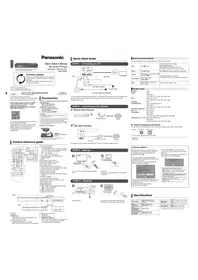

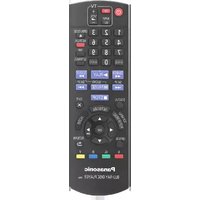
Manual assistant
Powered by Anthropic
Waiting for your message
Product information
Brand : PANASONIC
Model : DMR-PWT520
Category : Blu-ray player