
Battlefield 4 - Naval Strike (PS3) - Video game SONY - Free user manual and instructions
Find the device manual for free Battlefield 4 - Naval Strike (PS3) SONY in PDF.
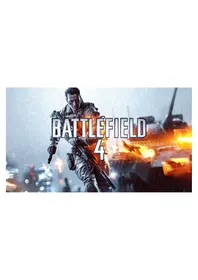


| Product Type | Video Game (PS3) |
| Platform | PlayStation 3 |
| Genre | First-person Shooter |
| Publisher | Electronic Arts |
| Release Year | 2014 |
| ESRB Rating | M (Mature 17+) |
| Game Disc Format | Blu-ray Disc |
| Number of Players | Up to 64 (Multiplayer) |
| Online Features | Yes (Internet connection required) |
| Languages | English, French, Spanish, German, Italian |
| Storage Space Required | At least 10 GB free hard disk space |
| System Requirements | PlayStation 3 console with HDD |
| Dimensions (Case) | Approx. 17.3 x 13.6 x 1.4 cm |
| Weight (Case & Disc) | Approx. 110 g |
| Power Supply | Powered by PlayStation 3 console |
| Maintenance & Cleaning | Clean disc with a soft, dry cloth; avoid scratches; store in case when not in use |
| Safety Precautions | Keep away from magnets, extreme temperatures, and moisture |
| Spare Parts & Repairability | Not applicable (software product) |
| Additional Content | Includes Naval Strike expansion map pack for Battlefield 4 |
Frequently Asked Questions - Battlefield 4 - Naval Strike (PS3) SONY
User questions about Battlefield 4 - Naval Strike (PS3) SONY
0 question about this device. Answer the ones you know or ask your own.
Ask a new question about this device
Download the instructions for your Video game in PDF format for free! Find your manual Battlefield 4 - Naval Strike (PS3) - SONY and take your electronic device back in hand. On this page are published all the documents necessary for the use of your device. Battlefield 4 - Naval Strike (PS3) by SONY.
USER MANUAL Battlefield 4 - Naval Strike (PS3) SONY
Battlefield 4™ is the genre-defining action blockbuster made from moments that blur the line between game and glory. Fueled by the next-generation power and fidelity of DICE's Frostbite™ 3 engine, Battlefield 4 provides a visceral, dramatic experience unlike any other shooter.
BATTLEFIELD 4
DICE
BASIC INFANTRY CONTROLS
4
PlayStation®3

NOTE: For a full overview of controls, or to choose your preferred controls configuration, please select OPTIONS in the game menu.
BATTLEFIELD 4
DICE
CAMPAIGN
GAME SCREEN
5

CAMPAIGN
STORY
6
China is in turmoil. There are riots in the streets of Shanghai. People are enraged because of the assassination of Jin Jié. He was on deck for the presidency — a progressive man of the people who pushed the government for transparency, fairness, and freedom of speech. Admiral Chang, who controls the lion's share of the Chinese forces, is accusing the United States of the killing.
To balance the scales, the USS Valkyrie is positioned in the waters outside of Shanghai, and Tombstone – the most reliable squad of Marines on board the Valkyrie — is sent inland on a very delicate mission to extract VIPs out of the burning city.
BATTLEFIELD 4
JICE
CAMPAIGN
DIFFICULTY
7
- Easy – If you are new to first-person shooters, select Easy. Enemy bullets will do less damage and they are easier to defeat. Normal – If you are familiar with first-person shooters, select Normal. Enemies will provide a balanced experience where they are moderately accurate and are challenging to defeat.
- Hard – If you are a hardened veteran, select Hard. Enemies have quicker reactions, and enemy bullets will do more damage.
MISSIONS
After completing a mission during a Campaign, you may replay it on any level of difficulty.
BATTLEFIELD 4
JICE
CAMPAIGN
GAMEPLAY
8
TACTICAL VISOR
The Tactical Visor is an effective tool for evaluating tactical options. It automatically spots enemies near the center of the screen. Spotted enemies will remain marked when you leave the Visor. The Visor also highlights important elements in the environment, like Weapon Crates or explosive oil barrels.
ENGAGE COMMAND
Order your squad to focus their fire on a group of enemies. Use this to take down enemies, or distract them for an opportunity to flank or retreat.
STEALTH GAMEPLAY
The Detection Indicator shows how close an enemy is to spotting you. The brighter the Detection Indicator, the closer the enemy is to discovering where you are. Stay out of sight, stay low, and move slowly to avoid detection.
BATTLEFIELD 4
JICE
CAMPAIGN
GAMEPLAY
9
MISSION SCORING
Each kill earns you a score, with extra points awarded for effective takedowns:
- Melee Kill – Kill an enemy with the knife. Headshot – Kill an enemy with a headshot.
- Multi-kill – Killing two enemies or more with one action, e.g. one grenade. Adrenaline Kill – Kill an enemy while your health is less than 31%.
- Kill-streak – Kill one enemy after another with a maximum of 3 seconds between each kill.
You also get awarded a score when a squad mate kills an enemy. Go online to match your best score for each mission against those of your friends'. Unlock mission-specific assignments to earn weapons, accessible in the weapon crates, to use in the Campaign. The current score can be viewed at any time in the game menu, along with the assignments unique to the current mission.
BATTLEFIELD 4
JICE
CAMPAIGN
GAMEPLAY
10
ASSIGNMENTS
Unlock assignments to earn weapons for the Campaign. There are three levels of difficulty for assignments in the Campaign: Bronze, Silver, and Gold. Each Campaign mission has three unique weapons to unlock for use in the Campaign.
All assignments, their unlock criteria, and awards can be viewed in My Soldier found in the game menu.
BATTLEFIELD 4
JICE
CAMPAIGN
GAMEPLAY
WEAPON CRATES
Use the Weapon Crates to access your growing collection of weapons in the Campaign. Once unlocked, a weapon is accessible from any weapon crate during any mission. Pick up enemy weapons, or find hidden weapons and they will be available in the crates. Complete mission assignments to further fill out your arsenal. Once you have had a weapon in your hand, it will always be waiting for you in a Weapon Crate. Accessing a Weapon Crate will also fill up ammunition for all weapons that you have acquired.
GADGET STASH
Each Gadget Stash found during a mission holds a specific selection of explosive gadgets for use in the Campaign. The Gadget Stash also fills up ammunition for all gadgets that you have already acquired.
BATTLEFIELD 4
JICE
MULTIPLAYER
GAME SCREEN
Battlelog widget

BATTLEFIELD 4
JICE
MULTIPLAYER
CONNECTING TO A SERVER
You can connect to Multiplayer via QUICK MATCH where you are randomly matched with other players, via the SERVER BROWSER for more control over your preferences, or by connecting through a Friend via the XMB™ menu.
There are three different server types for Battlefield 4:
- Official - Official servers have strict default settings that are tailored for new players. E.g. an official server that hosts the Defuse game mode must have the max-player-limit set to 10 players. Ranked - Ranked servers can use settings that are slightly different than default servers. E.g. a ranked server that hosts the Defuse game mode can have the max-player-limit set to 6 players.
- Unranked - Unranked servers use settings that are considered to drastically change how the game is played. Therefore no soldier progression is awarded on unranked servers. E.g. an unranked server that hosts the Defuse game mode can have the max-player-limit set to 16 players.
BATTLEFIELD 4
JICE
MULTIPLAYER
SQUAD
14
Whenever you connect to a Multiplayer session you are automatically placed in a squad. You can also manually join a squad or create a new squad. A squad can at most consist of five players. The members of a squad can deploy on each other, so-called squad-deploy.
PRIVATE SQUAD
A squad can be made private if you lock it. Only friends of the members of a private squad can join it.
SQUAD LEADER
All squads have a Squad Leader. The Squad Leader is identified by a star next to the player name. The Squad Leader is the only one who can give orders to the squad. The Squad Leader is also the only one who can request orders or a variety of assets from the Commander.
BATTLEFIELD 4
MULTIPLAYER
FIELD UPGRADES
15
There is a squad version of most scoring events. The squad version gives you a higher score than the regular version, e.g. you are rewarded 10 points for healing an ally, but you are rewarded 15 points for healing a squad mate.
Squad scoring events help you unlock so called Field Upgrades for your soldier. You can select your Field Upgrade in the kit customization screen. Each Field Upgrade contains a series of four different benefits which are unlocked in sequence as your squad performs squad scoring events. Whenever all your squad members are dead at the same time you lose progress towards the next Field Unlock benefit, so stay down when you are the last man standing to let your squad deploy on you.
BATTLEFIELD 4
MULTIPLAYER
COMMOROSE
16
CommoRose consists of a set of pre-chosen messages with which you can communicate with your allies. CommoRose messages are uttered by your soldier, and some, e.g. requests, are also displayed on the mini-map as icons.
The CommoRose messages are different depending on if you are in a squad, without a squad, or is a Squad Leader. E.g. a player without a squad cannot request orders, a player in a squad can request orders from the Squad Leader, and a Squad Leader can request orders from the Commander.
BATTLEFIELD 4
MULTIPLAYER
GAME MODES
17
Battlefield 4 has seven game modes:
Domination, Team Death Match (TDM), Obliteration, Rush, Conquest, Squad Death Match (SQDM), Defuse
NOTE: If you are new to Battlefield, or to first-person shooters, we suggest that you first play Domination or Team Death Match. When you have accustomed yourself to the game it will be much easier for you to face more complex game modes such as Conquest and Defuse.
BATTLEFIELD 4
JICE
MULTIPLAYER
GAME MODES
18
DOMINATION
Goal – Cause the enemy team to lose all their tickets.
How – Capture flags by being close to them. The team with the most soldiers close to a flag will capture the flag. The enemy team will bleed tickets when you control the majority of the flags. The more flags you control the faster the enemy bleeds tickets. You can also kill enemies to have them lose tickets.
This mode uses no vehicles. You can deploy randomly or next to a squad mate.
BATTLEFIELD 4
JICE
MULTIPLAYER
GAME MODES
19
TEAM DEATH MATCH
Goal – Kill enemies.
How – Kill more of the enemy team than they kill of your team. You can only deploy randomly in TDM.
BATTLEFIELD 4
JICE
MULTIPLAYER
GAME MODES
20
OBLITERATION
Goal – Destroy the enemy's targets with the bomb before they destroy your targets.
How – Find the bomb, pick it up by walking over it, and bring it to an enemy target. To arm the bomb, hold the interact button next to the target. Defend the armed target from being disarmed until it detonates and destroys the target. Stop the same from being done to your target. If the enemy arms your target, disarm it! A target is disarmed by standing next to it while you hold the interact button. Note that the bomb carrier, if on foot, is slowed down by the weight of the bomb.
You can deploy either at your forward base or at your headquarters, which contains medium and heavy vehicles.
Note that the bomb will kill anyone close to it when it explodes.
BATTLEFIELD 4
DICE
MULTIPLAYER
GAME MODES
21
RUSH
Goal – As attacker you should destroy the Mobile Communication Boxes (M-COMs) before your team runs out of tickets or time. As defender you should defend the M-COMs and cause the attacking team to lose all their tickets.
How – As attacker, arm an M-COM by standing next to it while you hold the interact button. Kill all defenders before they are able to reach and disarm your armed M-COM. As defender, stop the attackers from reaching your M-COMs and disarm any armed M-COMs. An M-COM is disarmed by standing next to it while you hold the interact button. Kill the enemy until they are out of tickets.
Defenders have an unlimited amount of tickets while attackers have a limited amount. The Rush layout consists of multiple M-COM sectors and each sector has a set of two M-COMs. Whenever a set is destroyed the defender's base and combat area is moved back, the attacker's combat area and base is moved forward, and the attacker's tickets are reset to the original amount. An exploding M-COM will not cause harm to those standing near it.
BATTLEFIELD 4
DICE
MULTIPLAYER
GAME MODES
22
CONQUEST
Goal – Cause the enemy team to lose all their tickets.
How – Capture flags by being close to them. The team with the most soldiers close to a flag will capture the flag. The enemy team will bleed tickets when you control the majority of the flags. The more flags you control the faster the enemy bleeds tickets. You can also kill enemies to have them lose tickets.
You can deploy right next to the flags controlled by your team and some flags will have vehicles deploy next to them. Both teams have headquarters which cannot be captured. Vehicles will also be available at each team's headquarters.
BATTLEFIELD 4
JICE
MULTIPLAYER
GAME MODES
23
SQUAD DEATH MATCH
Goal – Kill enemies.
How – Kill more enemies than they can kill in your squad. If you are the last person in your squad, ensure that you stay alive so that your squad mates can deploy next to you.
Four squads fight against each other in SQDM. Some SQDM layouts can deploy Infantry Fighting Vehicles (IFVs).
BATTLEFIELD 4
JICE
MULTIPLAYER
GAME MODES
24
DEFUSE
Goal – As attacker, destroy one of the opposite team's targets with the bomb before your team runs out of tickets and/or kill all defenders. As defender, defend the targets and/or kill all attackers.
How – As attacker, arm a target by standing next to it while you hold the interact button. Kill all defenders before they are able to reach and disarm your armed target. As defender, stop the attackers from reaching your targets and disarm any armed target. A target is disarmed by standing next to it while you hold the interact button.
A Defuse match consists of two sets. Each set consists of multiple mini-rounds (MR).
Note that the bomb will kill anyone close to it when it explodes.
BATTLEFIELD 4
JICE
MULTIPLAYER
GAME MODES
25
DEFUSE
MR
The teams deploy in close proximity to their allies at predefined locations at the start of a mini-round. The bomb deploys close to the attackers at the start of each mini-round. ■ Only one player can carry the bomb at a time. ■ Only the bomb carrier can arm a target. The team that wins the most mini-rounds wins the match.
SET
The teams switch roles between sets. Attackers become defenders and vice versa. The destruction is reset between the sets.
BATTLEFIELD 4
JICE
MULTIPLAYER
GAME MODE RULES
26
Game modes share some common rules.
ROUND TIME LIMIT
All game modes can have a Round Time Limit. The default time limit varies depending on the game mode. The larger the game the longer the round time limit.
TEAMS
Unless otherwise specified there are always two teams fighting against each other.
SQUAD DEPLOY
You can always, unless stated otherwise, deploy next to a squad mate.
BATTLEFIELD 4
JICE
MULTIPLAYER
GAME MODE RULES
27
DRAW & SUDDEN DEATH
The following game modes can end in a draw. For TDM and SQDM the draw is resolved through sudden death:
- Conquest and Domination – Ends in a draw if both teams have the same amount of tickets at the Round Time Limit.
- Obliteration – Ends in a draw if both teams have destroyed the same amount of targets.
- Team Death Match – Enters sudden death if both teams have the same amount of kills when time runs out. The first team to reach one more kill wins.
- Squad Death Match – Enters sudden death if two or more squads have the same amount of kills when time runs out. The first squad to reach one more kill wins.
BATTLEFIELD 4
JICE
MULTIPLAYER
COMMANDER MODE GAME SCREEN
28
![ASSETS US SCAN UAV EMP UAV EVAC ORDER VEHICLE SCAN CRUISE MISSILE INFANTRY SCAN STATUS US 396 CN 400 FIXED VEHICLE DROP SQUAD A 11 EMP UAV 91 SCAN UAV 13 ENTER 3D VIEW 82 ZOOM IN HIDE MENU SELECT [TAG] Player-2](/content/2026/06/1319430/images/254b051df8a786d68a257a6b2d1b33fa2208e4bc8bd9a89ec772ad6d3fc29856.jpg)
BATTLEFIELD 4
JICE
MULTIPLAYER
COMMANDER MODE
29
BECOMING COMMANDER
You need to be a certain rank or higher to play as Commander. As Commander you fill a strategic role on the battlefield by giving orders to your soldiers and providing them with equipment and information. Commander mode is available for the Conquest, Obliteration, and Rush game modes. The mode is always available on social servers. Ranked and unranked servers can disable Commander mode.
You can join a server as Commander via the SERVER BROWSER screen, or apply to become Commander in-game by selecting "OPTIONS > TEAM SETUP > TAKE COMMAND". Commander is decided on a first come first serve basis. However, if you connect to the server as Commander you will have a small window of opportunity where you can apply before those applying in-game.
BATTLEFIELD 4
JICE
MULTIPLAYER
COMMANDER MODE
30
THE COMMANDER'S ROLE
As Commander you interact with your own soldiers and the enemy soldiers, as well as the enemy Commander. You give your soldiers orders on what to attack or defend. You deploy assets that provide your soldiers with equipment and information. You kill enemy soldiers, destroy their Commander's assets and hide information.
The Game Mode widget provides you with information about the status of the round. If you select the Live Camera the widget will show you a view of an area. Selecting a Squad Leader will give you a first-person view. Selecting an objective shows you a top-down view of the objective and surrounding area, while the cruise missile will show you a view from its nose camera onboard. The UAV and Gunship show a view of the area they are circling.
BATTLEFIELD 4
JICE
MULTIPLAYER
COMMANDER MODE
31
MUTINY
If the Commander does a poor job, and you are a Squad Leader, you can disapprove of the Commander via the TEAM SETUP screen, "OPTIONS > TEAM SETUP > CHANGE RATING". If the majority of Squad Leaders disapproves of the Commander, a mutiny will start.
If a mutiny is taking place, the Commander will be kicked out within a short amount of time unless the majority of Squad Leaders toggles the rating back to "Approve". A mutiny cannot be started against a player who recently became Commander.
BATTLEFIELD 4
JICE
MULTIPLAYER
COMMANDER MODE
32
SQUAD ASSET BAR
When your squads work together they are awarded squad scores. All your Commander scores contribute to your Squad Asset Bar, with which you can award your squads with assets. When a squad asset is deployed, the Squad Asset Bar is drained. The amount drained depends on the value of the deployed asset.
SQUAD ORDERS
As Commander, if you select a Squad Leader, his squad mates will appear in green. Selecting a Squad Leader also displays any orders given to the squad as a green line. If you give the Squad Leader an order it is displayed as a dotted line, and if the order is accepted it turns into a full line. An accepted Commander order replaces any prior Squad Leader order.
BATTLEFIELD 4
JICE
MULTIPLAYER
COMMANDER MODE
33
ASSETS
Most assets have in common that they need to have a cool-down before they can be used again, i.e. they have a short delay before they are deployed. When assets are deployed tactically and used by the team, they increase the Commander's score.
The Asset Overview displays all assets that are available in a mission, and distinguishes between those you currently have access to and those you can gain access to. It also displays the amount of time left until you can deploy an asset.
BATTLEFIELD 4
JICE
MULTIPLAYER
COMMANDER MODE
34
ASSETS
Assets fall into three different categories:
- Default – Always available to the Commander, used for gathering information and denying enemies information.
- Squad – Earned by Commander scoring. Squad assets allow you to award squads with equipment or increased squad progression.
- Objective – Vary between missions, contain powerful means for gathering and denying enemies information, as well as providing your team with equipment and directly attacking the enemy team.
BATTLEFIELD 4
JICE
MULTIPLAYER
COMMANDER MODE
35
DEFAULT ASSETS

Scan UAV
Deploy an Unmanned Aerial Vehicle (UAV), which spots enemies in the area.

EMP UAV
Deploy an Electromagnetic Pulse (EMP) UAV, which hides activity in the area from enemy Commander. This causes damage to the enemy cruise missiles and gunship.

High Value Target
Marks an enemy, that has a high kill-streak, as a High Value Target (HVT). The enemy is spotted on the mini-map and in the 3D world for allied soldiers.

Evac Order
Warn allied soldiers in the area of incoming danger.

Order
Give an order to a Squad Leader to either attack or defend an objective.
BATTLEFIELD 4
ICE
MULTIPLAYER
COMMANDER MODE
36
SQUAD ASSETS

Promote Squad
Promote your squad.

Supply Drop
Deploy crate via parachute, which automatically heals and gives ammo to nearby soldiers. Allied soldiers can also switch kits by interacting with the crate.

Rapid Deploy
Reduces affected squads' deploy time.

Vehicle Drop
Context-sensitive parachute vehicle drop – Personal Water Craft (PWC) or a quad bike.
BATTLEFIELD 4
JICE
MULTIPLAYER
COMMANDER MODE
37
OBJECTIVE ASSETS

Infantry Scan
Spot all enemy soldiers on the mini-map.

Vehicle Scan
Spot all enemy vehicles on the mini-map.

Cruise Missile
Launch a cruise missile at an area, destroying all enemies in the area.

Gunship
When the gunship is deployed it will circle the base that it is assigned to. Your team can deploy in the gunship and parachute from it. The gunship is equipped with various powerful weapons which allies can use.
BATTLEFIELD 4
JICE
MULTIPLAYER
MY SOLDIER
38
STATS & PROGRESSION
Battlefield 4 allows you to progress while you play in Multiplayer mode online. Various actions, kills, assists, resupplies, assignments, and much more count towards your progression and earns you statistics over the course of your career. The better you perform, the faster you move up the ranks, and as you move up the ranks, you gain access to new guns and gadgets.
NOTE: For a full overview of the progression, please visit balelog.com.
BATTLEFIELD 4
JICE
MULTIPLAYER
MY SOLDIER
39

RIBBONS
You will earn a Ribbon when you accomplish an in-game objective such as getting a certain number of Kill Assists or Headshots. Ribbons are earned on a per-match basis and can be received multiple times.

MEDALS
You will be awarded with a Medal once you have collected a certain amount of Ribbons of the same type. Medals represent milestones for good performance and can be earned multiple times.
BATTLEFIELD 4
JICE
MULTIPLAYER
MY SOLDIER
40

DOG TAGS
Every player in Battlefield 4 has a pair of Dog Tags. The Standard Dog Tag has your name written on it. The Advanced Dog Tag will feature an etching and a statistic, such as your headshot count. You can also unlock the customizable Dog Tags through Battle Packs. You can collect the Dog Tags of other players by killing them.

SERVICE STARS
A Service Star is awarded for completing a "Tour of Duty" for every weapon, killing gadget, vehicle class, soldier class and game mode. The stars vary depending on class and difficulty. Each Service Star can be obtained 100 times.
BATTLEFIELD 4
JICE
MULTIPLAYER
MY SOLDIER
41

ASSIGNMENTS
There are three levels of difficulty for assignments in Multiplayer: Basic, Advanced, and Expert. As you progress through different ranks, new assignments will be unlocked. Fulfilling the Assignments will unlock Dog Tags, Weapon Paint, and more.

EMBLEM
The Emblem is a feature that gives you an additional identity marker. The Emblem will be displayed on vehicles, weapons, and characters. Create your unique Emblem with the Emblem Editor on battlelog.com. You can create several Emblems and then choose between them before entering a server.
BATTLEFIELD 4
JICE
MULTIPLAYER
MY SOLDIER
42
BATTLE PACKS
Through the course of your multiplayer career, you will receive Battle Packs containing combinations of new Camos, Dog Tags, Knives, XP Boosts, and more! These items are designed to add customization options and give you some personalization on the Battlefield. Battle Packs can be earned through progression or promotion.
There are four types of Battle Packs:
Weapon-specific Bronze Silver Gold
BATTLEFIELD 4
JICE
MULTIPLAYER
MY SOLDIER
43
CUSTOMIZATION
As you play online your progress depends on how you play the game. Every point you get will contribute to your ranking, but depending on what you do to get the point, also allows you to specialize in different areas. E.g. if you regularly use a certain vehicle, you will gain the ability to unlock attachments or accessories for that vehicle type. If you prefer to be a certain class while you play, you will unlock the opportunity to use certain weapons or gadgets for that class. Being consistent with your gameplay choices gives you more freedom for customization.
BATTLEFIELD 4
TEST RANGE
PRACTICE
44
You can train your aim or driving skills at the online Test Range. At the Test Range you can get acquainted with all weapons and gadgets that you have so far unlocked in Multiplayer, as well as practice your handling of all the main vehicle types that you will find on the battlefield. This is the perfect environment for setting your preferred kit and vehicle Loadout, as well as setting your preferred controls and sensitivity of input, both for your soldier and the different vehicles.
BATTLEFIELD 4
BATTLEFIELD 4 STORE
EXTRAS
45
There is a wide selection of options from which to choose within the in-game store. You can access all the latest information for available and upcoming Battlefield 4 content, redeem codes for in-game content, and purchase additional downloadable content.
BATTLEFIELD 4
BATTLELOG
BATTLELOG.COM
Battlelog extends your Battlefield 4 experience by enhancing your gameplay, tracking your progression throughout your Battlefield 4 career, and allowing you to compete with millions of Battlefield players all around the world. Battlelog is available in-game, on the web, and through tablet and smartphone apps.
Battlelog can track all rounds you have played, your unlocks, stats, awards, assignments, and much more. You can do missions and compete with your friends to see who the best tank driver is, or use the Geo Leaderboards to compete against people in your city or country.
Customize your Loadout and find a server in the SERVER BROWSER that is right for you.
BATTLEFIELD 4
JICE
BATTLELOG
MOBILE & TABLET APPLICATION
Battlelog is available on iPhone and iPad, as well as Android phones and tablets running Android 4.0 or higher. You can find and download the free Battlelog app from the relevant store for your device. Launch the app and login with your Origin account, email address, or by using the QR Code from the in-game Battlelog.
With the Battlelog app, you can access most of the features available from battlelog.com and take it with you on the go.
Battlelog can also act as a companion while you play. Access BattleScreen to have a full screen mini-map from the game shown on your device (tablets and PC only), or customize your Loadout and have it synced directly to the game. You can also find friends or new servers from your phone or tablet, and instantly switch to another game server.
BATTLEFIELD 4
JICE
BATTLELOG
IN-GAME
48
You can always bring up Battlelog in-game by pressing the Select button. You can check your stats, your friends' stats, see how your suggested or tracked unlocks are progressing, create and join missions, see how you are doing in the Geo Leaderboards, and much more.
Please visit battlelog.com for a full overview of Battlefield 4.
BATTLEFIELD 4
JICE
ORIGIN ACCOUNT
ORIGIN
49
At home and on the go, Origin is the gateway to your entire gaming universe. Use your Origin Account to log in to EA games, apps, and sites. If you do not have an Origin Account, you can sign up for free in Battlefield 4.
BATTLEFIELD 4
JICE
SUPPORT
QUICK HELP
50
Problem
Explanation
The connection with EA Online was lost.
There has been a problem interrupting your online connection with the EA servers. Please ensure you are connected to the Internet and have a valid Origin account (EA). If this issue persists, please contact EA's Customer Experience at help.ea.com.
You were kicked from the game because it requires premium access.
Some content in Battlefield 4 requires the additional purchase of our Premium access. Please see the game store to purchase this content. If you believe you own this content, please ensure your game is updated or contact EA's Customer Experience team at help.ea.com.
The server is now running content that you do not have. Look in the store for additional available content or make sure that all your content is installed.
As game updates are released, new content will become available. If you have not purchased this new content, you will not be able to join servers where it is in use. If you believe you own this content, please ensure your game is updated or contact EA's Customer Experience team at help.ea.com.
BATTLEFIELD 4
JICE
SUPPORT
QUICK HELP
51
Problem
You need to join the server again. You have been kicked out for being idle too long.
You have been kicked out due to the player count on the server having been changed.
Explanation
Battlefield 4 uses a system to prevent inactive players from occupying server space that others may wish to play on. After a short period of time without receiving button presses, you will be disconnected from the server.
Game modes in Battlefield 4 have a varying player count. If you are on a server that changes game mode and lowers the number of active players in a round, you will be disconnected once the maximum number of players is reached.
BATTLEFIELD 4
JICE
SUPPORT
HELP.EA.COM
52
For help and support regarding Battlefield 4, please contact help.ea.com.
BATTLEFIELD 4
JICE


- BASIC INFANTRY CONTROLS
- CAMPAIGN
- GAME SCREEN
- STORY
- DIFFICULTY
- MISSIONS
- GAMEPLAY
- TACTICAL VISOR
- ENGAGE COMMAND
- STEALTH GAMEPLAY
- MISSION SCORING
- ASSIGNMENTS
- WEAPON CRATES
- GADGET STASH
- MULTIPLAYER
- CONNECTING TO A SERVER
- SQUAD
- PRIVATE SQUAD
- SQUAD LEADER
- FIELD UPGRADES
- COMMOROSE
- GAME MODES
- DOMINATION
- OBLITERATION
- RUSH
- CONQUEST
- SQUAD DEATH MATCH
- DEFUSE
- MR
- SET
- GAME MODE RULES
- ROUND TIME LIMIT
- TEAMS
- SQUAD DEPLOY
- DRAW & SUDDEN DEATH
- COMMANDER MODE GAME SCREEN
- COMMANDER MODE
- BECOMING COMMANDER
- THE COMMANDER'S ROLE
- MUTINY
- SQUAD ASSET BAR
- SQUAD ORDERS
- ASSETS
- DEFAULT ASSETS
- SQUAD ASSETS
- OBJECTIVE ASSETS
- STATS & PROGRESSION
- RIBBONS
- MEDALS
- DOG TAGS
- SERVICE STARS
- EMBLEM
- MY SOLDIER
- BATTLE PACKS
- CUSTOMIZATION
- TEST RANGE
- PRACTICE
- BATTLEFIELD 4 STORE
- EXTRAS
- BATTLELOG
- BATTLELOG.COM
- MOBILE & TABLET APPLICATION
- IN-GAME
- ORIGIN ACCOUNT
- ORIGIN
- SUPPORT
- QUICK HELP
- PROBLEM
- EXPLANATION
- HELP.EA.COM
Brand : SONY
Model : Battlefield 4 - Naval Strike (PS3)
Category : Video game