
Ride Racer 7 (PS3) - Video game SONY - Free user manual and instructions
Find the device manual for free Ride Racer 7 (PS3) SONY in PDF.
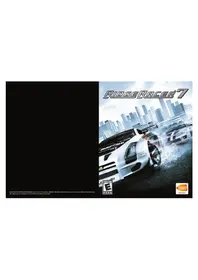


| Product Type | Video Game |
| Platform | PlayStation 3 |
| Genre | Racing |
| Publisher | Sony Computer Entertainment |
| Release Year | 2006 |
| ESRB Rating | Everyone (E) |
| Language | English |
| Manual Format | PDF (16 pages) |
| Game Modes | Single Player, Multiplayer (Split-screen & Online) |
| Save Game Slots | Multiple automatic and manual saves |
| Trophy Support | Yes |
| Online Features | Online multiplayer, leaderboards, replays |
| Storage Requirement | Minimum 700 MB hard drive space for game data |
| Input Devices | DualShock 3 controller, Logitech Driving Force GT (optional) |
| Video Output | 720p, 1080i, 1080p via HDMI |
| Audio | Dolby Digital 5.1, DTS |
| Disc Care | Keep disc clean, store in case, avoid scratches and extreme temperatures |
| Safety Precautions | Use only on PS3, avoid liquid contact, take breaks every hour |
| Warranty | Limited warranty against defects (see retail packaging) |
Frequently Asked Questions - Ride Racer 7 (PS3) SONY
User questions about Ride Racer 7 (PS3) SONY
0 question about this device. Answer the ones you know or ask your own.
Ask a new question about this device
Download the instructions for your Video game in PDF format for free! Find your manual Ride Racer 7 (PS3) - SONY and take your electronic device back in hand. On this page are published all the documents necessary for the use of your device. Ride Racer 7 (PS3) by SONY.
USER MANUAL Ride Racer 7 (PS3) SONY
WARNING: PHOTOSENSITIVITY/EPILEPSY/SEIZURES
A very small percentage of individuals may experience epileptic seizures or blackouts when exposed to certain light patterns or flashing lights. Exposure to certain patterns or backgrounds on a television screen or when playing video games may trigger epileptic seizures or blackouts in these individuals. These conditions may trigger previously undetected epileptic symptoms or seizures in persons who have no history of prior seizures or epilepsy. If you, or anyone in your family, has an epileptic condition or has had seizures of any kind, consult your physician before playing. IMMEDIATELY DISCONTINUE use and consult your physician before resuming gameplay if you or your child experience any of the following health problems or symptoms:
- dizziness
- altered vision
- eye or muscle twitches
- loss of awareness
- disorientation
- seizures, or any involuntary movement or convulsion.
RESUME GAMEPLAY ONLY ON APPROVAL OF YOUR PHYSICIAN.
Use and handling of video games to reduce the likelihood of a seizure
- Use in a well-lit area and keep as far away as possible from the television screen.
- Avoid large screen televisions. Use the smallest television screen available.
- Avoid prolonged use of the PLAYSTATION®3 system. Take a 15-minute break during each hour of play.
- Avoid playing when you are tired or need sleep.
Stop using the system immediately if you experience any of the following symptoms: lightheadedness, nausea, or a sensation similar to motion sickness; discomfort or pain in the eyes, ears, hands, arms, or any other part of the body. If the condition persists, consult a doctor.
WARNING TO OWNERS OF PROJECTION TELEVISIONS:
Do not connect your PLAYSTATION®3 system to a projection TV without first consulting the user manual for your projection TV, unless it is of the LCD type. Otherwise, it may permanently damage your TV screen.
HANDLING YOUR PLAYSTATION®3 FORMAT DISC:
- Do not bend it, crush it or submerge it in liquids.
- Do not leave it in direct sunlight or near a radiator or other source of heat.
- Be sure to take an occasional rest break during extended play.
- Keep this disc clean. Always hold the disc by the edges and keep it in its protective case when not in use. Clean the disc with a lint-free, soft, dry cloth, wiping in straight lines from center to outer edge. Never use solvents or abrasive cleaners.

CONTENTS
GETTING STARTED 2 SETTING UP 4 DEFAULT CONTROLS 5 MAIN MENU 7 THE GAME SCREEN 8 PLAYING THE GAME 9 RIDGE STATE GRAND PRIX (1) 11 RIDGE STATE GRAND PRIX (2) 12 RIDGE STATE GRAND PRIX (3) 14 ONLINE BATTLE (2) 15 ONLINE BATTLE (3) 17 UFRA SPECIAL EVENT 18 MACHINE CONNECTOR (1) 19 MACHINE CONNECTOR (2) 20 CREDITS 21

GETTING STARTED

GETTING STARTED
PLAYSTATION®3 system front
Starting a game: Before use, carefully read the instructions supplied with the PLAYSTATION®3 computer entertainment system. The documentation contains information on setting up and using your system as well as important safety information.
Check that the MAIN POWER switch (located on the system rear) is turned on. Insert the RIDGE RACER™7 disc with the label facing up into the disc slot. Select the icon for the software title under RIDGE RACER™7 in the PLAYSTATION®3 system's home menu, and then press the ✗ button. Refer to this manual for information on using the software.
Quitting a game: During gameplay, press and hold down the PS button on the wireless controller for at least 2 seconds. Then select "Quit Game" from the screen that is displayed.
Hint
To remove a disc, touch the eject button after quitting the game.
Using the SIXAXIS™ wireless controller (for PLAYSTATION®3)
* The L3 and R3 buttons function when the sticks are pressed.
Note: To use the controller, you must first register or "pair" the controller with the PLAYSTATION 3 system and assign a number to the controller. For details, refer to the instructions supplied with the system.
Saved data for PLAYSTATION®3 format software
Saved data for PLAYSTATION 3 format software is saved on the system's hard disk. The data is displayed under "Saved Game Utility" in the Game menu.

SETTING UP
Set up the PLAYSTATION3 system according to the instructions in its instruction manual. At start-up, the [I]/[STANDBY] indicator light will glow red to indicate that the PLAYSTATION3 system is in Standby Mode. Press the [I]/[STANDBY]/RESET button and the [I]/[STANDBY] indicator light will turn green.
Insert the RIDGE RACER™ 7 disc into the disc slot with the label side facing upwards. RIDGE RACER™ 7 will then commence loading. Do not insert or remove accessories once the power is turned on.
The minimum amount of free space required to save RIDGE RACER™ 7 data will vary depending on the capacity and type of media storage device in use.
RIDGE RACER™ 7 only supports the use of the Wireless Controller. Please refer to the PLAYSTATION®3 system Instruction Manual for details about setting up and recharging a Wireless Controller.
PLEASE NOTE: the information in this manual was correct at the time of going to print, but some minor changes may have been made late in the product's development. All screenshots for this manual have been taken from the English version of this product.
USING MENU SCREENS
Press the ↑, ↓, ← or → directional buttons to highlight an option, then press the ⊗ button to confirm.
To return to the previous menu screen, press the Ⓧ button.

DEFAULT CONTROLS
Steering (when assigned to the left stick):
←/→ / Left stick
Steer
SELECT
Camera tracking mode on/off
Roll
Camera horizontal tracking (with camera mode ON)
Pitch
Camera vertical tracking (with camera mode ON)
Steering (when assigned to the motion sensor):
Roll Steer
Changing gears (when assigned to the motion sensor):
Tilt forward Upshift
Tilt away from player
Downshift
The controls listed in this manual refer to the Type A default control configuration. Alternative controller configurations for the Wireless Controller can be selected via the Controller section of the Options Menu. Depending on the setup and whether a machine uses automatic or manual transmission, certain controls may vary.
NOTE: motion sensor steering and motion sensor gear changing can be utilised together. The R1 button and L1 button can still be used to change gear, even with motion sensor gear changing enabled.
REPLAY/SPECTATOR SCREEN CONTROLS
←/→
Change viewpoint
↑/↓
Change viewed machine (only in spectator mode)
Right stick
Control driver camera
R1 button
Fast forward
L1 button
Normal play speed
- Button: Toggle screen display
× button
Exit replay/spectator screen
SELECT button: Toggle help ON/OFF
START button
Pause (only in spectator mode)

RiSaiBaiCai7
DEFAULT CONTROLS

GETTING STARTED
On start-up, enjoy the Xevious "mini-game" while RIDGE RACER™ 7 loads. Press the START button to access the Title Screen.
If playing for the first time, press the START button again to access the Setup Screen to change various game settings, or input data to create a Ridge State ID Card – your personal ID used when playing the game online. Once setup has been completed, the Main Menu will be displayed.


MAIN MENU
The options on the Main Menu are as follows: Ridge State Grand Prix, Online Battle, Global Time Attack, Arcade, UFRA Special Event, Machine Connector, Ranking Browser, Save, and Options.

RIDGE STATE GRAND PRIX
Race in the global capital of motor racing, Ridge State. Upgrade and customize your machine and set your sights on winning the Ridge State Grand Prix Championship.
ONLINE BATTLE
Connect to PLAYSTATION® Network and race against players from around the world.
GLOBAL TIME ATTACK
It's just you and your machine against the clock. Your top times will be logged on the network, allowing you to compete for the global record against other real-life racers.
ARCADE
Enter a single race with the course and machine of your choosing.
UFRA SPECIAL EVENT
Download and play some extra special race events.
MACHINE CONNECTOR
Customize your machine or buy a new one. Make your machine unique by changing a vast array of parts, including wings and wheels, or by giving it a paint job.
RANKING BROWSER
Connect to the network and view various player rankings.
SAVE
Save or delete your progress. Game data will be loaded automatically on start-up. Data will be saved automatically after every race and whenever settings are changed. Select Save from the Main Menu to save data manually.
OPTIONS
Change button assignments, sound options and other game settings, or edit your Ridge State ID Card.

THE GAME SCREEN
1 Course Map 2 Rearview Mirror 3 Current Position 4 Lap Time 5 Nitrous Gauge 6 Time Limit 7 Multimeter 8 Camera Mode Display 9 Slipstream Indicator

Information displayed on-screen varies depending on the game mode and race conditions. In Multi-Battle mode and Pair Time Attack mode, the screen will be split into two sections, one for each player. On-screen information may include:
Course Map
Shows the location of each machine (blue triangle = your machine,
red circle = lead computer-controlled machine,
transparent black triangle = ghost machine).
Rear-view Mirror
See what's happening behind your machine.
Current Position
Your current position and the number of machines in the race.
Lap Time
The time for each lap.
Nitrous Gauge
Your remaining nitrous supply.
Race Info
Displays the starting countdown and warnings when applicable.
Info Window
Context sensitive information, including interval times, the time
difference between you and the race leader and the course record.
Time Limit
In some races, the remaining time will be displayed.
Multimeter
Shows engine RPM, speed and gear.
Camera Mode Display
If Camera Mode is on, this indicates when the camera can be
controlled by the motion sensor.
Slipstream Indicator
Indicates that your machine is in the slipstream of another
machine.

PLAYING THE GAME
USING DRIFT
Use drift to slide your machine sideways around corners without losing speed and simultaneously recharge your nitrous levels.

As your machine approaches the corner, steer into it as normal. As it begins to turn, ease up on the accelerator.
The machine will start to drift sideways. Step on the accelerator again, turning the steering wheel against the curve of the corner in order to maintain the angle of the drift.
Once through the corner safely, point the machine in the right direction and accelerate smoothly away.
DRIFT TYPES
Each machine has its own drift type. Choose the one that best suits your driving style.
Standard (STD) A balanced, versatile style that allows anyone to experience drift driving.
Dynamic (DYN) Holds the drift well and lets you change direction quickly, but takes a gentle touch to bring the machine out of the drift. For experienced drivers only.
Mild (MLD) Changing direction isn't easy, nor is holding the drift for a long time, but this style allows for solid control when coming out of corners.

PLAYING THE GAME


PLAYING THE GAME
USING NITROUS
When the nitrous gauges are full, activate the nitrous for a boost in acceleration and top speed.
Depending on the kind of nitrous in use, up to four canisters can be charged. Activating a double nitrous consumes two canisters and a triple nitrous uses three. The more nitrous you use at once, the bigger and longer the speed boost.
CHARGING NITROUS
The more high-speed drifts you perform (degree of the corner affects charging as well), the more nitrous is recharged. If you perform a drift using the speed you have left over from a nitrous boost, you will be rewarded with an 'Ultimate Charge' – the nitrous gauge will flash red, allowing a huge nitrous charge. As a general rule, the nitrous gauge cannot be recharged whilst it is in use.
NITROUS TYPES
The recharging and use of nitrous depends on the machine and how it is customized.


RIDGE STATE GRAND PRIX (1)
Compete against rivals in this one-player mode to win the crowning race in the leading motor sports nation Ridge State!
RSGP MENU
Select "RIDGE STATE GRAND PRIX" on the Main Menu to display the RSGP Menu. Choose a type of race event to participate in. You can check your credits and fame points on this screen, or view control instructions and other tips by selecting "TIPS."
When playing for the first time, an introduction movie will play, demonstrating how to play this mode. Since you do not possess a machine when first starting out, you must try to win one in the "Manufacturer's Trial."
*You can view the introduction movie at any time by selecting "INTRODUCTION" on the RSGP Menu.

RACE EVENT TYPES
| Ridge State Grand Prix (RSGP) | The ultimate grand prix race events in all of Ridge State. The purpose of this mode is to win all the grand prix races held here. |
| Manufacturer's Trial | Races sponsored by machine and parts manufacturers. By winning these races you can establish relationships with the sponsors, and purchase parts and machines from them. |
| UFRA Single Event | This mode features various official UFRA race events, such as races in which the parts you can equip are restricted, and time trials in which you race alone. |
*As you advance in the game, you can participate in more race events not listed here.

RIDGE STATE GRAND PRIX (2)
RACE EVENT MENU
Select a race event type to proceed to the race event menu. Choose a race or grand prix to participate in.
Race Icon
Race Description
Detailed information is shown about the race icon the cursor is on.
RACE ICONS
The shapes of race icons indicate the type of the race event, while the rules of the races are shown within the icons. Icons for races you have cleared appear in solid colors, icons for races you have not yet cleared are semi-transparent, and icons for new races that you can select are animated.

RACE RULES
Regardless of each race's specific rules, the player generally begins in the last position, and clears the race by finishing first. (The start position changes according to the player's current standing for all races after the first one in grand prix races.) When the leading machine reaches the goal, a 3-minute countdown begins. If the player does not reach the goal before the countdown ends, the time is up and the race ends.

RIDGE STATE GRAND PRIX (2)
RULE TYPES
| Overtake 13 | Race against 13 other machines. |
| One-Make Race | Race against 13 other machines of the same make and model. |
| Grand Prix | Race against seven other machines over a series of courses.Final results are determined by overall standings. |
| Standard Race | Race against seven other machines. |
| Quad Battle | Race against three other machines. |
| Duel | Race one-on-one with a single opponent. |
| Time Trial | Race alone. Finish the course within the set time limit. |
CHOOSE A MACHINE
Select a machine to use. You can also select your transmission type on this screen, and proceed to "Machine Connector" to customize your machine.

| Confirm Machine (Purchase Machine) | Accept the selected machine and proceed to the Race Confirmation Screen. If you do not possess the machine selected, the menu option will be displayed as "Purchase Machine," and you can use CR (credits) to buy the machine. |
| Machine Connector | Proceed to the Machine Connector Menu to customize the selected machine. |
| Transmission | Switch the machine's transmission to AT/MT. |

RIDGE STATE GRAND PRIX (3)
Information on the selected machine and race is shown here. When you're ready, select "Start Race" to begin.
You can also change the background music played during races by selecting "Select BGM," or use CR (credits) to purchase nitrous and start the race with up to three charged canisters. (The amount charged depends on how many credits you spend and the type of nitrous purchased.)

ACQUIRING POINTS
Points are acquired in Ridge State Grand Prix, Global Time Attack, and Online Battle events.
CREDITS (CR)
Prize money is earned by winning races and achieving certain goals. Use this money to acquire machines and parts and to place bets in Racer's Stakes events in Online Battle mode.
FAME POINTS (FP)
Fame Points are an indicator of your reputation as a racer, accumulated by winning races and moving up the online rankings. The more Fame Points you earn, the more races you can participate in.
MANUFACTURER POINTS
Manufacturer Points indicate how close your relationship is with the companies that make machines and parts. Manufacturer Points are accumulated by winning manufacturer-sponsored races (sponsored trials) and by buying a company's parts and using them in races. As you accumulate Manufacturer Points, you will be rewarded with a greater selection of parts in the Machine Connector.

ONLINE BATTLE (2)
ROOM SCREEN
You can view information about other participants and chat with them in the Room Screen.
The room owner (host) can select the Owner Menu and configure the race rules. Once you're ready, press the START button and stand by. The race will begin when the owner selects 'Start Race.'
1 No Block indicator
Appears when the owner prohibits Blocking (intentionally impeding machines that try to pass from behind).
2 Course Map
The positions of participant machines are displayed on the course as icons when a race is in progress.
3 Lap Number
Shows the number of laps in the race.
4 Race Rules
5 Room Menu
6 Chat Record
7 Participant Info
Shows the name and overall results (total victories/number of races) of room participants and machine names.

Owner

Friend

Marked player

Players who are ready


ONLINE BATTLE (2)
ROOM MENU
| Start Race (0) | Begin the race. Note that players who have not pressed the START button to complete their preparations cannot participate in the race. |
| Select Machine | Choose a machine to use in the race. You can also proceed to the Machine Connector menu to customize your machine. |
| Owner Menu (0) | Show the owner's menu screen. |
| Change Team | Change the team setup. |
| Chat | Chat with participants. |
| Invite | Invite players in your Friends list or players you have previously raced against. |
| Spectator/Enter | Switch between Spectator Mode and Enter Mode. |
| Exit Room | Leave the room and return to the Online Menu. When the owner selects this, the room disappears and all participants return to the Online Menu. |
*Items marked with (O) can only be chosen by the owner.
OWNER MENU
| Change Rules | Choose the online battle rules |
| Race Settings | Configure course and machine categories, as well as detailed race settings such as tuning ON/OFF various special modes. |
| Status | Select "Open" to allow new players to participate or "Closed" to prohibit new participants. |
| Remove Member | Remove the selected player from the room. |
MACHINE ATTRIBUTES
Attributes for machine groups and such are shown alphabetically in the machine names displayed in the Room Screen and in the Global Time Attack Rankings. Complete machines come with preset appearances and performances, while rental machines are temporarily lent to players for special races.
| A | Arcade Machine |
| CU | Customizable User Machine |
| CO | Complete User Machine |
| R | Rented Machine |

ONLINE BATTLE (3)
ONLINE BATTLE RULES
Online battles can be played according to the following rules:
RULE TYPES
| Standard Race | A standard race in which all participants compete for position. |
| Team Battle | Players are divided into two teams, and all race together. Points are awarded to players according to their position, and the team with the most points overall wins. |
| Pair Battle | Players are paired in groups of two, and all race together. The first pair to reach the goal wins. |
| Pair Time Attack | The owner and a member in the room are paired together, and race three laps around the course competing to achieve the best time. |
VIEW/MARK RIDGE STATE ID CARD
Move the cursor over a participant's information in the Room Screen and press the ▲ button to view the player's Ridge State ID Card, which shows the player's nationality and detailed stats.


UFRA SPECIAL EVENT
This mode allows you to connect to the network and download special race events. Winners get to upload their comments in "UFRA Special Event Interview" for other players to read online.
UFRA SPECIAL EVENT MENU Select "UFRA SPECIAL EVENT" from the Main Menu to display the UFRA SPECIAL EVENT Menu.
| Select Event | Choose an event to race in. |
| UFRA Special Event Interview | View player interviews. |
| What are UFRA Special Events? | View an explanation of this mode, and detailed instructions on how to download race events. |
SELECT A RACE EVENT AND A MACHINE
Choose a race event to participate in. The number of races you can select will increase when you download new race events. Certain machines and parts cannot be used in some race event types.
View information on the machine and race you selected, and change music settings. Once your settings are finished, select "Start Race" to begin the race.
RESULTS
When the race is over, the Results Screen appears, showing rankings, lap times and total times for the current race. You can select "Retry," "View Replay," "Save Replay" and "Menu" from the "UFRA SPECIAL EVENT" Results Screen.
UFRA SPECIAL EVENT INTERVIEW
If your race results are good enough, the Interview Screen will appear and you can leave a comment. Comments left here will be reflected in your Ridge State ID Card and in the Online Rankings.

MACHINE CONNECTOR (1)
This mode allows you to purchase machines and customize them by changing their parts. Use this mode to create your own personal machine.
SELECT A MACHINE
Choose a category by pressing the directional button or the left analog stick up/down, select a machine type by pressing the directional button or the left analog stick left/right, and press the ✗ button to enter your selection.
MACHINE CONFIRMATION
A confirmation screen will appear when you select a machine. Select "Confirm" to proceed to the next screen. If you do not possess the machine selected, the option name will display as "Buy," and you can use CR (credits) to buy the machine.
MACHINE CONNECTOR MENU
Choose the part you want to customize. Only parts from manufacturers you have made a connection with are available for purchase.
EXTERIOR PARTS
Fit parts that change the machine's external look. Choose one of six areas, and select a part to fit.
ENGINE TUNE-UP
Fit parts that improve the engine's performance. These affect the machine's maximum speed and acceleration.
TIRES & SUSPENSION
Fit parts that affect the steering response and prevent deceleration while drifting. Drift tendencies can be adjusted depending on which parts you attach.
NITROUS
Attach parts that improve nitrous performances. Nitrous charge characteristics and nitrous types can be changed depending on which parts you attach.

MACHINE CONNECTOR (2)
PLUG-IN UNIT
Attach various parts that produce special effects.
PAINT
Change body and wheel colorings and the body design.
| Body Design | Change the machine's body design. If you do not possess the selected body design, you can purchase it. |
| Body Color 1 | Change the body color. Choose a color from the color palette. Press the L1 or R1 button to switch the color palette to RGB bars, and move each bar to adjust the color. |
| Body Color 2 | Change the body color. Controls are identical to those for Body Color 1. This item may not be available for some body designs. |
| Wheel | Change the wheel color. Controls are identical to those for Body Color 1. |
| Number | Change the number attached to the machine. Use the directional button or the left analog stick to change the number. |
TRANSMISSION
Switch the machine's transmission to AT/MT.
MACHINE VIEWER
View your machine.
DECALS
Apply decals to your machine, or remove decals that are already applied.
PURCHASABLE MACHINES AND PARTS
When first starting the game, you cannot purchase any machines or parts. By winning events in the Manufacturer's Trial you can establish connections with the sponsors and become able to purchase products from them.

CREDITS
DEVELOPMENT STAFF
Producer
ISAO NAKAMURA
Associate Producer
HIDEO TERAMOTO
GAME DESIGN TEAM
Game Director
MASAYA KOBAYASHI
Gameplay Architect
HISASHI KAWAMURA
Game Designers
KAZUC YAMAMOTO
KENICHI SHIMADA
VO Script (JPN) &
Recording Management
KAZJO YAMAMOTO
Process Manager
KAZUYA MARUYAMA
Marketing Manager
YASUHIKO SOGA
PROGRAMMING TEAM
Programming Director
SATORU OUCHI
SYSTEM PROGRAMMING
UNIT
Lead Programmer
TOSHIAKI TAMURA
Programmers
TATSURO IDO
TATSUYA MAKINO
III Programmers
NAOMI MATSUNOBE
TAKAHIRO ANDO
MASAHIRO NABUSE
ISAOWATANARE
GUINORUYAMADA
SHINSDU TA
KEITA NOTO
2D Graphic Programmer
TOMONORI NAITO
Replay Camera
Programmer
TATSUYA MAKINO
GRAPHIC RENDERING
UNIT
Lead Programmer
KENJI SAITCH
Programmers
SHIGEBU KITSUTAKA
HIDENORUKONDO
HIDENORONDO UIDEKAZULUKUNAGA
HIDERALU FORON AMROVILVERONI
MASAKI WASAKI
TAKAHIRO TANAKA
KEITA NOTO
PHYSICS PROGRAMMING
UNIT
Lead Programmer
KAZUHITO BANDO
Programmers
TOMOAKI YASUDA
MASAKI IWASAKI
SHINJI MOTOKI
SOUND & MOVIE
PROGRAMMING UNIT
Lead Programmer
NARUMI AOYAMA
Programmers
SHOGO NAKAMURA
YOSHIHIRO KUPOHATA
HA UME OTANI
METALYST
NETWORK
PROGRAMMING UNIT
Lead Programmer
NAUFUKI KOTAMA
Programmers
KENŞÜKE NAKANISHI
NOBUYUKI YASLE
HIROYUKI OKINOL
YOSHIHITO NAKAGAWA
GRAPHIC DESIGN TEAM
Art Director
HIDEKI NAKAMURA
VEHICLE MODELING UNIT
Lead Artist
YOSHINORI WAGATSUMA
Car Designers
NAOYA HIRAI
MAKOTO WATABAI
SHUNSUKE OTSUKA
Cockpit Designer
SHUNSUKE OTSUKA
Coloring Designers
SHUNSUKE OTSUKA
RYUTA JUJUKU
1101A05P0K
CHIHARU SOZUKI
SAYAKA NOJIMA
Sticker & Logo Designers
KAZUTAKA KAGEYAMA
3D Modellers & 2D Graphics
RYUTAJUFUKU
JUSTIN POTTER
KOUKI KANBE
KAZUHITO FUJII
KAZUTAKA KAGEYAMA
DAIGO KORAYASHI
UIDKLSAWADA
HINOKI SAWADA
MORIHIRO OKAMOTO
TAKURO KANEKO
TOSHIAKI ABE
TOSHIAKI ABE
TAKAYUKI IZUMI
Color & Texture
Cordinators
CHIHABU SUZIKI
SAVAKA NOUMA
SHIN JLTANAKA
TAKASHIYAMANAKA
TOLIUSURO TARA
TOMOHIRO TADA
Cockpit Modellers
YOSHIYUKI TAKAGO
HISAKO KITAO
TAKASHIYAMANAKA
Wheel Modellers
CHIHARU SUZUKI
SAVAKA NOUMA
CHIN JITANAKA
SHINDYANANA
Cinematics Car Designers
MAKOTO WATARAI
TAKESHI KIKKAWA
Car Effect Designers
ATSUSHIHANAOKA
TADATSUGU MOTOMIYA
Data Optimizer
ATSUSHI HANACKA
Designers for All Courses
JUN TAKARABE
KEN MIYAJIMA
Replay Camera Designers
TOMOYUKI ISHIMARU
"You've Got a New
You've got a New Machine! Services
Machine
Designers
MANABU OKANO
YOSHIYUKI TAKAGO
TAKALIDO KINOSUITA
TAKAHIRU KINOSHITA
SOUND TEAM
Sound Director
Sound Director HIROGULOKURO
HIROSHI OKUBO
Sound Effect Designers
RYO WATANABE
Engine Sound Effect
Designers
RYUICHI TAKADA
TETSUKAZU NAKANISHI
VO Editor
RYUICHI TAKADA
Movie Sound Effect
Designers
Designers DVO WATA
RTO WATANABE
KEIKI KOBAYASHI
BGM Composers &
Bam composers & Remixers
HEIMIXERS HIROGULO
HIROSHI KORUBO
RYUICHI TAKADA
AKITAKA TOYAMA
DIO HUMAMOTO
RIO HAMAMOTO
JUNICHI NAKATSURU
TETSUKAZU NAKANISHI
KEIKI KOBAYASHI
RYO WATANABE
HIO WATANADE
Technical Sound Support
TETSUKAZU NAKANISHI
Engine Sound Synthesizer
Team
TETSUKAZU NAKANISHI
TETSUO NARA
NARUMI AOYAMA
Sound Library Team (NU)
SOUND
YOSHIHIRO KUROHATA
RUBBO NOKAMU
SHOGU NAKAMURA
NARUMI AOYAMA
HIROYUKI HIBAISHI
TOMOTON HINKISHI
TSUYOSHI FUKUTOMI
CG TECHNICAL SUPPORT
CG TECHNICAL SUPPORT Lead Resverance
Lead Programme
HIROYUKI KATO
Car Model Converter
Programmer
HIDENORUSATO
HIDENORI SATO
Course Environment Tool
Programmer
HIROYUKI KATO
CHINA CONVENTION
QUALITY ASSURANCE
QA Lead
RYO TANAKA
Tortava
Testers NORIHI
NORIHIPO YOSHINARI
KEIGO HONMA
SHINYA KATAVAMA
SHIN A KAT ATAN
KAZUHIRO HANDA
TAKASHI ICHIHARA
TSUTOMU MAKIOKA
13010MO MARJOR
MICHIO CKABE
YUTAKATO
SAWAKO A
JAHAKA ARAHA
LOCALIZATION TEAM
Localization Specialists
SEIJI SUGIMOTO
SUM TAK H
SOM TAKHAO EMLTAVEHOU
EMI TAKEUCHI
INTERNATIONAL
MARKETING STRATEGY
SEIKO ELISAWA
SEIKO FOSIJAWA
TATŠUYA KUEOTA
NORIKO ICHIKAWA
EXTERNAL PRODUCTION
EXTERNAL PRODUCTION
STAFF
UL DESIGN
OF DESIGN KELEUKURO
Sean Wood (Motion I.d.)
Minority Nitta / Motion
i.d'MARS INC
TJAMARS INC.)
BGM COMPOSERS
SHIN II SamplingMasters
Minor Sampling Masters MECALHOSO5 (Cvsq-Quant
MEGA HOSUE (Super Sweep
Co.,Ltd.
AYAKO "SamplingMasters
AYA® SASO / Super Sweep
Co Ltd)
60,Lfd.
NOBUYOSHI "sanodg" SAND
(cavia inc.)
UNRAF ESTP PARK
SINDBAL L&T PARK
Ending
Soprano Sax Performance
Soprano Sax Performance ORAMILVOSIUDA
OSAMO TOSHIDA
Guitar Performance
TAKANORI GOTO
MUSIC SUPERVISOR
HISA ISHICKA
(III) King Street Survey, Inc.
(King Street Sounds? a
Division of HI's Production
Inc.)
PGM MIXING ENGINEER
BGM MIXING ENGINEER CHICO SAKURAL ONKIO
WATARU ISHII (ONKIO HAUS)
ENGLISH VOICE OVER
ENGLISH FOR PRODUCTION
PRODUCTION
Voice Director
KEITH AREM (PCB
Productions)
Voice Actors
VOICE ACTORS JAMES C. MATHIS III
GAMES C. MATIAS III
ERIN MATTHEWS
Recording Facilities
PCB PRODUCTIONS
PUB PRODUCTIONS
Signatory Services
DIGITAL SYNAPSE
Voice Post Production
JESSE KOVAROVICS /PCB
Production(s)
PRODUCTIONS
JAMIE VANU
Productions)
BYRON FVORA (PCB
Productions
Productions
STAFFING SERVICES
STAFFING SERVICES DIGITAL SCARE Co. Ltd
DIGITALSOPPE CO., Ltd.
FONT CREDITS
(*Alphabetical Order)
(1) Alphabetical Order, Fonts used in-game area
Fonts used in-game are provided by Pitchroom Inc. All
provided by Bilstream Inc. All
rights reserved.
The typefaces included herein
are developed by
Dura/Sotinova
Dynacomware
Special Thanks_Fontworks
Japan, Inc.
©RYOBI LIMITED
OFFICE LIMITED
NAMCO BANDAI Games
America Inc. STAFF
American Inc. START Product Group Director
Product Group Director VOCULNIKI
YOSHI NIK
Localization Manager
HIROSHI TANAKA
Localization Producer
Localization Support
JOHN KENZO HICKEY
Marketing Director
Marketing Director YOKO NAKAO
TOKO NAKAO
Associate Product
Marketing Manager
WAYNE SHII
PP-Monosson
PR Manager
MELODY ANN PFEIFFER
National Sales Manager
BRIANSCHORE
Publishing Support
Publishing Support
Director
GLEN A. CURETON
OA and Customer Services
OA and Customer Services Manager
Manager
CHUCK MCFADDEN
QA Supervisor
DARYLÉ TUMACDER
QA Load
QA Lead
GENE BANG
QA Assistant Lead
Scott Hartz
OA Texters
QA Testers Tom Atmosis
Tom Arrowicz
Darren Agellon
James Cho
James Chu William Pd Poor
William Dal Porto
Abhra Dasqupta
Jeffrey Davis
Benney Davis
Leticia Duenas
Alex Freeman
Mario Gonzale
Mario Gonzalez
Erika Hays
Blake Hoffmann
Wisdom Hora
Wisdom Hong
Saiho Kwan
Bryan Maxwell
David Miller
David Miller
Tim Olson
Ricky Ortiz
Armie Porapa
Amin Farang
Ben Pascua
Sam Sandy
Patrick Sarmiento
Patrick Sandmiento A. 19 Di
Arif Sinan
Mark Sudano
Victor Teao
Victor Tsao
Abelina Villegas
Shaun Woo
Chin Young
Shin Young
Mitch Zamara
SPECIAL THANKS
SPECIAL THANKS
AYANO SEKI
SHINJI TAKEHARA (mozoo,
inc.)
SAKUDA MUNAKATA (mara)
SARORA MONAKATA (196205)
inc.)
SHINJI WATANABE (mozoo)
inc)
HENSCHWALDATA
KENICHI HAHADA
(DIGITALSCAPE)
BYOSUKE MAMIYA
(DIGITAL SCARE)

NOTES

NOTES

Ruiqun BaoB7
NOTES

This End-User License Agreement (this "Agreement") is a legal agreement between you (either an individual or a legal entity) and NAMCO BANDAI Games America Inc. ("NBGA") for the NBGA interactive entertainment product identified above (the "Online Game").
LICENSE AGREEMENT AND TERMS OF USE: Online Game Terms
1. USE OF THE ONLINE GAME
1.1 Usage of the Online Game is available only to adults or, in their discretion, their minor child. If you are a minor, your parent(s) or guardian(s) must complete the responsibility for all obligations under this Agreement. You are responsible for all activity and parents or guardians are liable for the activities of their child. You are responsible for maintaining the confidentiality of any password connected with your usage.
1.2 Usage of the Online Game is free of charge to you. To play the Online Game, you must purchase a box copy of the game software (the "Software") and have all applicable or required hardware and software to operate the Game (which we do not provide). You are responsible for paying all fees and taxes for the Software, any hardware and other costs you may incur to access the Online Game. Neither this Agreement nor use of the Online Game entitles you to any subsequent releases of the Software, nor to any expansion packs or similar ancillary products. You understand that we may update or otherwise enhance the Software at any time and in doing so incur no obligation to furnish such updates to you pursuant to this Agreement.
1.3 Subject to the terms and conditions hereof, this Agreement grants you a non-exclusive, non-transferable, revocable license to Use the Online Game. For the purposes of this Agreement "Use" means executing, displaying or accessing the Online Game on a video game console, handheld device, or computer. You may not customize or otherwise modify the Online Game or any part thereof in any manner. The Online Game is protected by copyright laws and international copyright treaties, as well as other intellectual property laws and treaties. This Agreement confers no title or ownership in the Online Game. NBGA, its licensors and suppliers shall retain all rights, title and interest, including, without limitation, ownership of all intellectual property rights relating to or residing in the Software and the Online Game. You acknowledge and agree that you have not and will not acquire or obtain any intellectual property or other rights, including any right of exploitation, of any kind in or to the Software or the Online Game, and that all such property, material and items are exclusively owned by NBGA.
1.4 NBGA may provide you with support services related to the Online Game ("Support Services"). Use of Support Services, if any, is governed by the NBGA policies and programs described in online documentation and/or other NBGA-provided materials applicable to such services. With respect to technical information you provide to NBGA as part of the Support Services, NBGA may freely use such information for its business purposes, including for product support and development. NBGA will not utilize such technical information in a form that personally identifies you.
1.5 Without prejudice to any other rights, the license granted herein will automatically terminate if you fail to comply with the terms and conditions of this Agreement. Upon any termination of your license, you will no longer be able to Use the Online Game. Furthermore, NBGA reserves the right to terminate this Agreement if it decides, in its sole discretion, to discontinue offering the Software and/or the Online Game.
2. ONLINE CONDUCT
2.1 NBGA does not pre-screen all content that may be posted and does not assume any responsibility or liability for content that is generated by users in the Online Game. We reserve the right to remove content that is objectionable to us for any reason. This determination is in our sole discretion, and is final. If NBGA removes content that you created, NBGA may send you a warning. If it is a serious offense or you have violated our rules before, we may ban you from participating in the Online Game. NBGA does not assume any liability for any failure to remove, or any delay in removing, content.
2.2 NBGA may in its sole discretion: (i) remove content; (ii) give warnings; (iii) restrict your access when you break the rules; or (iv) suspend or terminate your use without any notice to you. In addition, NBGA may, in its sole discretion, terminate this Agreement immediately and without notice if you breach this Agreement or infringe any third party intellectual property rights, or if we are unable to verify or authenticate any information you provide to us. If we terminate this Agreement under these circumstances, you will lose access to the Online Game.
2.3 You agree that you will be personally responsible for your use of the Online Game and for all of your communication and activity in the Online Game, including any content you contribute, and that you will indemnify and hold harmless NBGA, its affiliates, employees, officers, and directors from any liability or damages arising from your conduct in the Online Game, including any content that you contribute.
2.3 You will violate the Terms of Use if you (or others using your account) do any of the following:
• Post, transmit, promote, or distribute content that violates any law or regulation. • Harass, threaten, embarrass, or do anything else to another user that is unwanted. • Transmit or facilitate distribution of content that is harmful, abusive, racially or ethnically offensive, vulgar, sexually explicit, defamatory, infringing, invasive of personal privacy or publicity rights, or in a reasonable person's view, objectionable. Hate speech is not tolerated. • Promote or encourage any illegal activity including hacking. • Modify any part of the Online Game. • You violate any applicable laws, regulations and rules wherever you are Using the Online Game. This includes rules for use of third-party technology and content, rules of interactive service providers, and federal, state, local and foreign laws where applicable. Ignorance of the law is no excuse. • You do anything that interferes with the ability of other users to enjoy playing the Online Game, in accordance with its rules, or that materially increases the expense or difficulty of NBGA in maintaining the Online Game for the enjoyment of all its users.
3. WARRANTY AND LIMITATION OF LIABILITY
3.1 TO THE MAXIMUM EXTENT PERMITTED BY APPLICABLE LAW, IN NO EVENT SHALL NBGA, ITS PARENT, SUBSIDIARIES, SUPPLIERS OR LICENSORS OR THEIR RESPECTIVE DIRECTORS, OFFICERS, EMPLOYEES, CONTRACTORS, OR AGENTS BE LIABLE FOR ANY SPECIAL, INCIDENTAL, INDIRECT, OR CONSEQUENTIAL DAMAGES WHATSOEVER ARISING OUT OF THE USE OF OR INABILITY TO USE THE ONLINE GAME OR THE FAILURE TO PROVIDE SUPPORT SERVICES. EVEN IF A PARTY HAS BEEN ADVISED OF THE POSSIBILITY OF SUCH DAMAGES. IN ANY CASE, NBGA'S ENTIRE LIABILITY UNDER ANY PROVISION OF THIS AGREEMENT SHALL BE LIMITED TO THE AMOUNT ACTUALLY PAID BY YOU FOR THE ONLINE GAME.
3.2 NBGA AND ITS LICENSORS MAKE NO PROMISE OR WARRANTY THAT THE SOFTWARE OR ONLINE GAME WILL WORK PROPERLY. YOU ACKNOWLEDGE AND AGREE THAT NBGA IS NOT RESPONSIBLE OR LIABLE FOR (1) ANY VIRUSES OR OTHER DISABLING FEATURES THAT AFFECT YOUR ACCESS TO OR USE OF THE ONLINE GAME. (2) ANY INCOMPATIBILITY BETWEEN THE ONLINE GAME, AND OTHER SERVICES, SOFTWARE AND HARDWARE, OR (3) ANY DELAYS OR FAILURES YOU MAY EXPERIENCE IN INITIATING, CONDUCTING OR COMPLETING ANY TRANSMISSIONS OR TRANSACTIONS IN CONNECTION WITH THE ONLINE GAME IN AN ACCURATE OR TIMELY MANNER. THE SOFTWARE, THE ONLINE GAME AND ALL OTHER SERVICES ARE PROVIDED "AS IS." EXCEPT AS DESCRIBED HEREIN. NBGA AND OUR SUPPLIERS EXPRESSLY DISCLAIM ALL WARRANTIES OR CONDITIONS OF ANY KIND, EXPRESS, IMPLIED OR STATUTORY INCLUDING WITHOUT LIMITATION, THE IMPLIED WARRANTIES OF TITLE, NON-INFRINGEMENT, MERCHANTABILITY AND FITNESS FOR A PARTICULAR PURPOSE. NBGA DOES NOT ENSURE CONTINUOUS, ERROR-FREE, SECURE OR VIRUS-FREE OPERATION OF THE ONLINE GAME OR CONTINUED OPERATION OR AVAILABILITY OF ANY GIVEN SERVER. SOME STATES DO NOT ALLOW LIMITATIONS AS TO HOW LONG AN IMPLIED WARRANTY LASTS AND/OR EXCLUSIONS OR LIMITATIONS OF CONSEQUENTIAL DAMAGES, SO THE ABOVE LIMITATIONS AND/OR EXCLUSIONS OF LIABILITY MAY NOT APPLY TO YOU. THIS WARRANTY GIVES YOU SPECIFIC LEGAL RIGHTS AND YOU MAY ALSO HAVE OTHER LEGAL RIGHTS WHICH VARY FROM STATE TO STATE.
3.3 NBGA IS NOT LIABLE FOR ANY DELAY OR FAILURE TO PERFORM RESULTING FROM ANY CAUSES BEYOND OUR REASONABLE CONTROL. FURTHER, NBGA CANNOT AND DOES NOT PROMISE OR ENSURE THAT YOU WILL BE ABLE TO ACCESS THE ONLINE GAME WHENEVER YOU WANT, AND THERE MAY BE EXTENDED PERIODS OF TIME WHEN YOU CANNOT ACCESS THE ONLINE GAME.

4. PRIVACY
NBGA RESPECTS THE PRIVACY RIGHTS OF OUR ONLINE VISITORS AND IS COMMITTED TO PROTECTING YOUR PERSONAL INFORMATION. ANY PERSONAL INFORMATION SUPPLIED BY YOU TO NAMCO BANDAI GAMES WILL BE SUBJECT TO OUR PRIVACY POLICY POSTED AT HTTP://WWW.NAMCO.COM/PRIVACY/INDEX.PHP. NAMCO BANDAI GAMES WILL NOT SELL, RENT, TRANSFER OR OTHERWISE DISCLOSE YOUR PERSONAL DATA TO ANY THIRD PARTY.
5. GENERAL
5.1 This Agreement is governed in all respects by the laws of the State of California as such laws are applied to agreements entered into and to be performed entirely within California between California residents. The UN Convention on Contracts for the International Sale of Goods is expressly disclaimed. Both parties submit to personal jurisdiction in California and further agree that any cause of action relating to this Agreement shall be brought in the proper state or federal court in the County of Santa Clara, State of California. If any provision of this Agreement is held to be invalid or unenforceable, such provision shall be struck and the remaining provisions shall be enforced. Our failure to act with respect to a breach by you or others does not waive our right to act with respect to subsequent or similar breaches. You may not assign or transfer this Agreement or your rights hereunder, and any attempt to the contrary is void. This Agreement sets forth the entire understanding and agreement between us and you with respect to the subject matter hereof.
5.2 Except for any action by NBGA seeking injunctive relief with respect to any violation of NBGA's intellectual property rights by you (including in connection with any use by you of the Online Game in an authorized manner), any dispute between you and NBGA involving this Agreement shall be settled by binding arbitration in accordance with the then-in-effect Comprehensive Arbitration Rules and Procedures of JAMS (the "Rules"). The venue of the arbitration and any related proceedings shall be Santa Clara County, California. There shall be a panel of three neutral arbitrators, selected in accordance with the Rules. In addition to the information exchanges facilitated by the Rules, the parties shall be entitled to discovery in accordance with the Federal Rules of Civil Procedure for a period of 60 days after the last responsive pleading is filed. Any unresolved discovery disputes may be brought to and disposed of by the chair of the arbitration panel. Disputes with respect to the admission, rejection and consideration of evidence shall be governed by the Federal Rules of Civil Procedure and applicable Federal law. The arbitration panel shall choose California law as the applicable substantive law and its award and decision shall conform to such law. The decision and award of the arbitration panel may be by majority. The arbitration award and decision shall be in writing and shall specify the factual and legal bases for the award and decision. The arbitrators may award costs and fees to the prevailing party, including the arbitrators' and administrative fees, cut-of-pocket expenses, witness, expert and attorneys' fees. The prevailing Party may enforce the award and decision in any court of competent jurisdiction.
NAMCO BANDAI Games America Inc., is located at 4565 Great America Parkway, Suite 201, Santa Clara, CA 96054. You may e-mail us at Support@NamcoBandalGames.com.
Ever get stuck and just need that extra edge to beat the level? Having problems getting your game to work properly?
Now you can get one-on-one help from NAMCO BANDAI Games America Inc. using your web browser!
Simply go to livehelp.namco.com for more details. Live Counselors available from 9am-5pm Monday-Friday Pacific Time.
NAMCO BANDAI Games America Inc. ATTN: Customer Service
4555 Great America Parkway, Suite 201 Santa Clara, CA 95054
Before returning any defective materials to us, please contact us for a Return Merchandise Authorization (RMA) number. You can reach us at the address above, via e-mail at support@namcobandalgames.com or contact us at (408) 235-2222. Please note that any materials sent to us without an RMA number will be refused and returned. We highly recommend that you use a traceable and / or insured method of shipping the materials to us.
NAMCO BANDAI Games America Inc. Online: www.namcobandaigames.com Visit our Website to get information about our new titles.
LIMITED WARRANTY
NAMCO BANDAI Games America Inc. warrants to the original purchaser that this NAMCO BANDAI Games America Inc. game pack shall be free from defects in material and workmanship for a period of ninety (90) days from the date of purchase. If a defect covered by this limited warranty occurs during this 90-day limited warranty period, NAMCO BANDAI Games America Inc. will repair or replace the defective game pack or component part, at its option, free of charge.
This limited warranty does not apply if the defects have been caused by negligence, accident, unreasonable use, modification, tampering, or any other cause not related to defective material or workmanship.
LIMITATIONS ON WARRANTY
Any applicable implied warranties of merchantability and fitness for a particular purpose, are hereby limited to ninety (90) days from the date of purchase and are subject to the conditions set forth herein. In no event shall NAMCO BANDAI Games America Inc. be liable for consequential or incidental damages resulting from the possession or use of this product. The provisions of the limited warranty are valid in the United States only. Some states do not allow limitations on how long an implied warranty lasts, or exclusion of consequential or incidental damages, so the above limitation or exclusion may not apply to you. This limited warranty provides you with specific legal rights. You may have other rights which vary from state to state.
To register product online go to WWW.NAMCOREG.COM


- WARNING: PHOTOSENSITIVITY/EPILEPSY/SEIZURES
- USE AND HANDLING OF VIDEO GAMES TO REDUCE THE LIKELIHOOD OF A SEIZURE
- WARNING TO OWNERS OF PROJECTION TELEVISIONS
- HANDLING YOUR PLAYSTATION®3 FORMAT DISC
- CONTENTS
- GETTING STARTED
- SAVED DATA FOR PLAYSTATION®3 FORMAT SOFTWARE
- SETTING UP
- USING MENU SCREENS
- DEFAULT CONTROLS
- REPLAY/SPECTATOR SCREEN CONTROLS
- MAIN MENU
- RIDGE STATE GRAND PRIX
- ONLINE BATTLE
- GLOBAL TIME ATTACK
- ARCADE
- UFRA SPECIAL EVENT
- MACHINE CONNECTOR
- RANKING BROWSER
- SAVE
- OPTIONS
- THE GAME SCREEN
- PLAYING THE GAME
- USING DRIFT
- DRIFT TYPES
- USING NITROUS
- CHARGING NITROUS
- NITROUS TYPES
- RIDGE STATE GRAND PRIX (1)
- RSGP MENU
- RIDGE STATE GRAND PRIX (2)
- RACE EVENT MENU
- RACE DESCRIPTION
- RACE ICONS
- RACE RULES
- CHOOSE A MACHINE
- RIDGE STATE GRAND PRIX (3)
- ACQUIRING POINTS
- CREDITS (CR)
- FAME POINTS (FP)
- MANUFACTURER POINTS
- ONLINE BATTLE (2)
- ROOM SCREEN
- NO BLOCK INDICATOR
- COURSE MAP
- LAP NUMBER
- ROOM MENU
- CHAT RECORD
- PARTICIPANT INFO
- MACHINE ATTRIBUTES
- ONLINE BATTLE (3)
- ONLINE BATTLE RULES
- VIEW/MARK RIDGE STATE ID CARD
- SELECT A RACE EVENT AND A MACHINE
- RESULTS
- UFRA SPECIAL EVENT INTERVIEW
- MACHINE CONNECTOR (1)
- SELECT A MACHINE
- MACHINE CONFIRMATION
- MACHINE CONNECTOR MENU
- EXTERIOR PARTS
- ENGINE TUNE-UP
- TIRES & SUSPENSION
- NITROUS
- MACHINE CONNECTOR (2)
- PLUG-IN UNIT
- PAINT
- TRANSMISSION
- MACHINE VIEWER
- DECALS
- PURCHASABLE MACHINES AND PARTS
- CREDITS
- DEVELOPMENT STAFF
- GAME DESIGN TEAM
- VO SCRIPT (JPN)
- PROGRAMMING TEAM
- SYSTEM PROGRAMMING
- GRAPHIC RENDERING
- PHYSICS PROGRAMMING
- SOUND & MOVIE
- NETWORK
- GRAPHIC DESIGN TEAM
- VEHICLE MODELING UNIT
- D MODELLERS & 2D GRAPHICS
- CINEMATICS CAR DESIGNERS
- DESIGNERS FOR ALL COURSES
- LICENSE AGREEMENT AND TERMS OF USE: ONLINE GAME TERMS
- USE OF THE ONLINE GAME
- ONLINE CONDUCT
- WARRANTY AND LIMITATION OF LIABILITY
- PRIVACY
- GENERAL
- LIMITED WARRANTY
- LIMITATIONS ON WARRANTY
Brand : SONY
Model : Ride Racer 7 (PS3)
Category : Video game