
Fittypet TX-46 - Smartwatch TECHNAXX - Free user manual and instructions
Find the device manual for free Fittypet TX-46 TECHNAXX in PDF.


| Product Type | Smartwatch |
| Brand | Technaxx |
| Model | Fittypet TX-46 |
| Dimensions | Approx. 45 x 38 x 11 mm |
| Weight | Approx. 50 g |
| Display | 1.3-inch TFT LCD |
| Battery Capacity | 200 mAh |
| Charging Time | Approx. 2 hours |
| Operating System Compatibility | iOS 9.0+ / Android 4.4+ |
| Bluetooth Version | BLE 5.0 |
| Water Resistance | IP67 (splash proof, not for swimming) |
| Heart Rate Monitor | Yes, optical |
| Pedometer | Yes |
| Sleep Monitor | Yes, automatic tracking |
| Notifications | Call, SMS, app alerts |
| Sedentary Reminder | Yes |
| Stopwatch | Yes |
| Alarm Clock | Yes |
| Find My Phone | Yes |
| Camera Remote | Yes |
| Strap Material | Silicone |
| Cleaning | Wipe with a dry, soft cloth. Do not use abrasive cleaners. |
| Safety Note | Do not disassemble. Avoid extreme temperatures. Remove if skin irritation occurs. |
| Spare Parts / Repairability | Strap replaceable. Battery not user-serviceable. Contact support for repairs. |
Frequently Asked Questions - Fittypet TX-46 TECHNAXX
User questions about Fittypet TX-46 TECHNAXX
0 question about this device. Answer the ones you know or ask your own.
Ask a new question about this device
Download the instructions for your Smartwatch in PDF format for free! Find your manual Fittypet TX-46 - TECHNAXX and take your electronic device back in hand. On this page are published all the documents necessary for the use of your device. Fittypet TX-46 by TECHNAXX.
USER MANUAL Fittypet TX-46 TECHNAXX
This device complies with the requirements of the standards referred to the Directive R&TTE 1999/5/EC. The Declaration of Conformity you find here: www.technaxx.de/ (in bar at the bottom “Konformitätserklärung”). Before using the device the first time, read the user manual carefully.
Turn OFF nearby Bluetooth devices to avoid signal interference!
Service phone No. for technical support: 01805 012643 (14 cent/minute from German fixed-line and 42 cent/minute from mobile networks). Free Email: support@technaxx.de
Features
- Connection via Bluetooth 4.0 with transmission distance of \~10m
● Taxable via free iOS and Android APP, easy to install the APP and to use it - Track your dog's activity, sleep rhythm and physical condition
- Reminder function of deworm and vaccinum schedule
- Enter your dog's medical records
● Supports Apple devices: iPhone 4s and higher, iPod touch 5, iPad 3/4, iPad Air / mini / mini2 and later version of Apple devices with iOS 7.0
● Supports Android devices: Samsung S3 / S4 / S5 / Galaxy Note 2 / Galaxy Note 3 - Pleasant fitting on your dog's collar
● No risk for your dog of getting stuck
● Compete and share your success with friends via Facebook & Twitter
● Protection class IP67 - Ideal for making friends with other dog lovers
Technical Specifications
| Bluetooth version Bluetooth 4.0 / BLE technic / transmission distance ~10m | |
| Storage One week data storage | |
| LED indicator light Shows the status of synchronization | |
| Battery Replacable cell battery CR2032 with 220mAh | |
| Weight / Dimensions 9 g / (L) 40 x (W) 33 x (H) 4 mm | |
| Weight / Dimensions of the rubber band | 1 g / (L) 40 x (W) 15 x (H) 1 mm |
| Package Contents | Fittypet TX-46, Opener, Cell battery CR2032, 2 rubber bands, User Manual |
1. Installation
01 Put CR2032 into battery compartment.
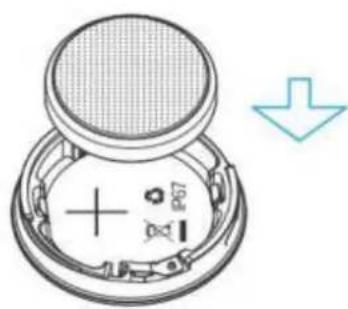
03 Screw the battery cover with the opener clockwise to the end.

02 Align the battery compartment at the front cover as below.

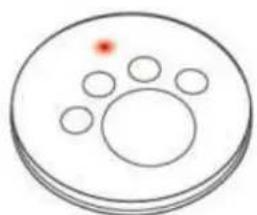
04 After battery cover was complete closed, the LED indicator in the front will blink three times. That means P1 start working.
2. Put the FITTYPET (= P1) on the collar
01 Put one side of P1 into loop
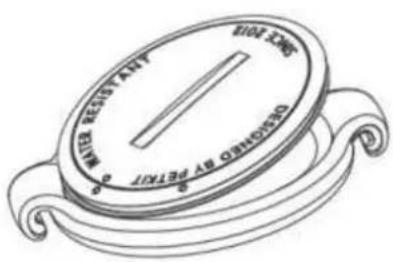
02 Push the other side of P1 till hearing the sound of click.
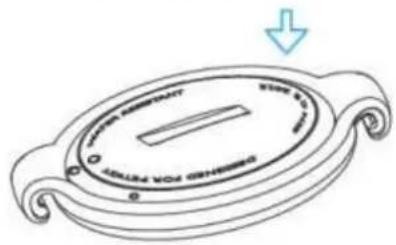
03 Put an appropriate band in one side of loop as shown.

04 Pull the band cross over the pet collar and end at the other side of loop.

3. Software
3.1. Download and install Fittypet APP
Download Fittypet APP from App store for iOS devices or Google Play Store for android devices.
3.2. Register a new account

3.2.1. Open the application, click on the "Register" button, if you have no Account to login. If you forgot your password then click on "Forget my password" and a temporarily password will be sent to your email account automatically. Check your email account which you already registered for Fittypet. Input the temporarily password to login and then you can insert your new password.
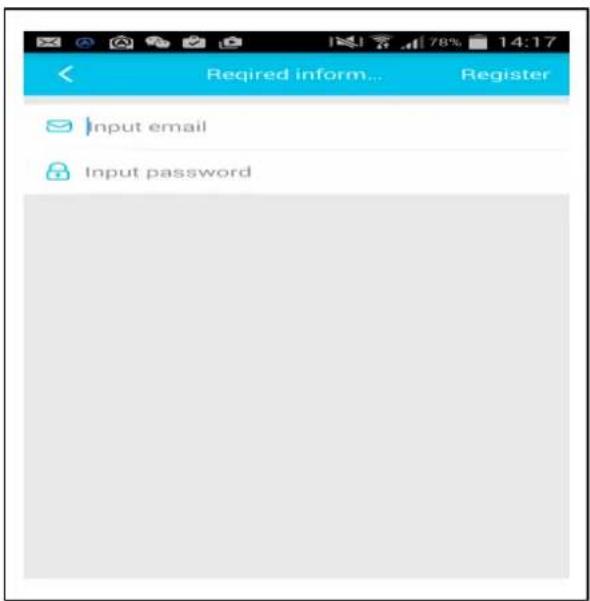
3.2.2. Fill in Email account and password, and then click on "Register".

3.2.3. Continue to fill in your data like First Name, Last Name, Picture Profile, Gender, and then click on "Done".
4. Binding


4.1. Click on "Fittypet Setup" and then on "Fittypet convection". Then fill in the relevant information of your dog.

4.2. Click on "Done" to proceed.

4.3. Searching the devices around you, all what you see on the pictuer as "orange dot's" are all Fittypet in your area.

4.4. Choose one to bind. During binding process, you will see at first the red light of the device flashes 3 times. Click on "Bind" to complete the binding. Then you will see this picture.
5. Synchronize data

5.1. Make sure your Fittypet is nearby your mobile phone. Then click on "Synch" to start synchronizing data from your Fittypet. When finished, you see the last synchronizing time.
5.2. When synchronizing your phone, it will scan your Fittypet, then connect it. The LED in the Fittypet will blink twice times RED when the connection was successfully.


5.3. After synchronizing successfully, the data will be analyzed in the cloud and then you can see the result like in the picture below.

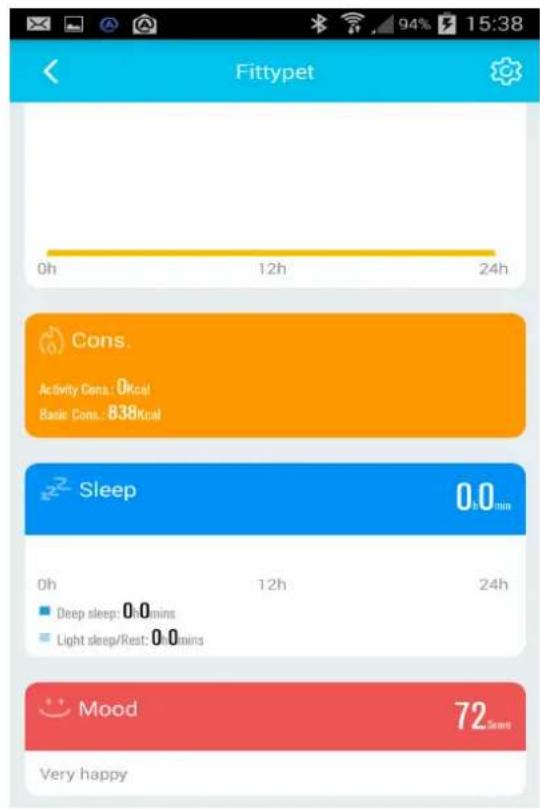
NOTE that the first time you use this device, the index data about "Mood" will come out after approx. 3 hour later. Because this device has to collect enough activity information from your dog to analyse it, and after that the index will come out.
6. Add one more dog (optional)
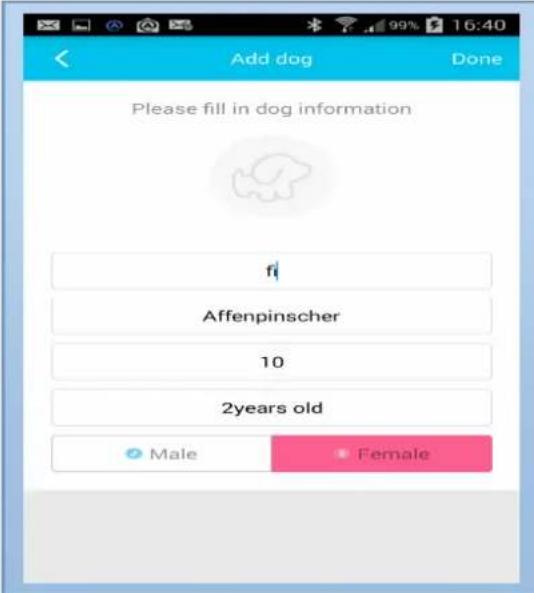
6.1. "My Profile" → "My Dog"
Click on the icon to add one more dog.

6.2. HOME: After Login was successfully, you will see the main page (see picture) with the following sub pages:
(a) Fittypet setting
(b) Deworm
(c) Medical record
(d) Vaccinum
Read the detailed explanations of these sub pages now in the below text.

(a) Fittypet: Press the button "Fittypet" to enter to Fittypet setting. In this menu you can add dogs and bind or unbind the Fittypet. When you click on the button "Bind now" your mobile device starts automatically searching for the Fittypet near to you. If the Fittypet is not belonging to somebody, then you can bind to your Fittypet. If founded Fittypet is already registered under other person, then you must unbind the Fittypet from this person and register or unbind to the Fittypet.
(b) Deworm: Here you can set a reminder time for Deworming your dog. You will be informed via Email and PIP tone 2 hours before your appointment.


(c) Medical record: Under this menu you can add the medical record or see the medical history of your dog.


(d) Vaacinum: Here you can set a reminder time for vaacination of your dog. You will be informed via Email and PIP tone 2 hours before your appointment.


6.3. DISCOVER = COMMUNITY: Here you can comment or LIKE the posts from your friends, or chat with your friends of the community. Before you do this, you must add some friends.
This sub menu is almost the same as chatting under Facebook or WeChat.

6.4. MESSAGES: Here you can see posts from yourself or from your added friends.
The message can be edited or commented.

6.5. PROFILE: Here you find 6 Sub menus:
(a) My Pets = My Dogs
(b) My Followers
(c) My Fans
(d) My Posts
(e) My Collects
(f) System Settings
My Pets: Here you can edit the profile of your dog like Nickname, Category, Birthday, Gender and Weight of the dog or you can add a new pet. Fill all the data of your new pet.
My Followers: Here will be collected the persons you are following. You can comment or send a new message. You can also chat with persons following you.
My Fans: These are persons which are following you. You can chat with these people when they are online or leave a message.
My Posts: Here you can see your own posts & edit them, comment, like or chat with this groups.
My Collects: Your favorite posts can be collected here. You can comment, like or chat with the person you collect.
System settings: Here you can change the password, delete the cache or read the information about the company.
Security and Disposal Hints for Batteries: Hold children off batteries. When a child swallowed a battery go to a doctors place or bring the child into a hospital promptly! Look for the right polarity (+) and (−) of batteries! Always change all batteries. Never use old and new batteries or batteries of different types together. Never short, open, deform or load up batteries! Risk of injury! Never throw batteries into fire! Risk of explosion!

Hints for Environment Protection: Packages materials are raw materials and can be recycled. Do not disposal old devices or batteries into the domestic waste. Cleaning: Protect the device from contamination and pollution (use a clean drapery). Avoid using rough, coarse-grained materials or solvents or aggressive cleaner. Wipe the cleaned device accurately. Important Notice: Should battery fluid leak from a battery, wipe the battery case with a soft cloth dry. Distributor: Technaxx Deutschland GmbH & Co.KG, Kruppstr. 105, 60388 Frankfurt a.M., Germany


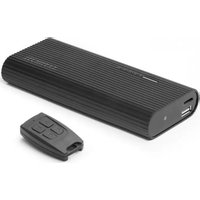
Brand : TECHNAXX
Model : Fittypet TX-46
Category : Smartwatch