
FCS-0020 - Surveillance Camera LEVELONE - Free user manual and instructions
Find the device manual for free FCS-0020 LEVELONE in PDF.


| Product Type | Surveillance Camera |
| Brand | LevelOne |
| Model | FCS-0020 |
| Image Sensor | 1/4" CMOS |
| Resolution | 720p (1280x720) @ 30fps |
| Lens | 3.6mm fixed |
| Night Vision | Up to 20m with IR LEDs |
| Motion Detection | Yes, with email alert |
| Compression | H.264 / MJPEG |
| Audio | Two-way audio support |
| Network | Ethernet 10/100 Mbps, Wi-Fi (802.11 b/g/n) |
| Power Supply | DC 12V 1A or PoE (802.3af) |
| Power Consumption | Max 6W |
| Dimensions (WxHxD) | 70x70x150 mm |
| Weight | 350g |
| Housing | Weatherproof IP66 |
| Operating Temperature | -10°C to 50°C |
| Memory Slot | MicroSD up to 32GB |
| Management | Web browser, CMS, mobile app (LevelOne Surveillance) |
| Maintenance | Clean lens with soft cloth; check connections periodically |
| Safety | Use only supplied adapter; keep away from water |
| Spare Parts / Reparability | No user-serviceable parts; contact support for repair |
Frequently Asked Questions - FCS-0020 LEVELONE
User questions about FCS-0020 LEVELONE
0 question about this device. Answer the ones you know or ask your own.
Ask a new question about this device
Download the instructions for your Surveillance Camera in PDF format for free! Find your manual FCS-0020 - LEVELONE and take your electronic device back in hand. On this page are published all the documents necessary for the use of your device. FCS-0020 by LEVELONE.
USER MANUAL FCS-0020 LEVELONE
Wired/Wireless Network Camera
Quick Installation Guide
English
Deutsch
Français
Español
Nederlands
Italiano
Português
Dansk
Ελληνικά
Svenska
Slovenščina
한국어
繁體中文
Русский

Magyar
This guide covers only the most common situations. All detail information is described in the user manual.
Viewing System Requirements
● Windows 98SE, 2000, XP operating systems
- Browser: Internet Explorer 5.5 or above
NOTE:
All the captured images of installation mentioned in this user manual were based on Windows XP operating system. For installation on other Windows OS, e.g. Windows 98SE, all the procedures remains the same.
Figure 1-1

Copyright (c) 2007 Digital Data Communication Co., Ltd. All Rights Reserved

Figure 1-2

Figure 1-3

Figure 1-4

Figure 1-5

Figure 1-6
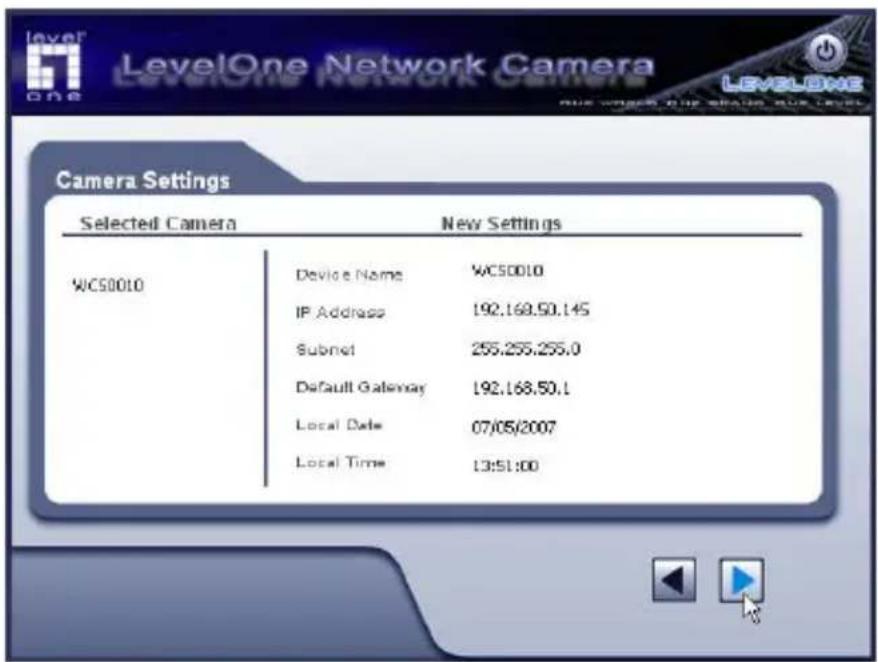
Figure 1-7

Your are about to change the settings.
Press "OK" to save new settings.
Press "Cancel" if you want keep
current setting.
OK
Cancel
Figure 1-8

Configuration have saved successfully!
OK
Figure 2-1

LevelOne
Network Camera
Camera Wizard
IP CamSecure
Users manual
Explore the CD
Exit

one world one brand one level
Copyright (c) 2007 Digital Data Communications Co., Ltd. All Rights Reserved.

English
Using the Software CD to configure the camera
■ Power on your PC and insert the CD-ROM
■ The setup page should load automatically. If it does not, please select your CD-ROM drive manually to open the setup page.
■ select "Camera Wizard"->"Setup Camera" to initiate the installation. (Figure1-1)
■ The screen will list all the Network Cameras on the LAN. Select the desired camera from the list on the left. The settings for the camera will be displayed on the right, then click (Figure1-2)
■ Enter “administrator” for the name, and leave the password blank. (Figure1-3)
■ Enter a suitable Description, and set Date, Time, and Time Zone. (Figure1-4)
■ Choose Fixed IP Address or Dynamic IP Address. (Figure1-5)
■ The screen displays all details of the Network Camera. Click ▶ if the settings are correct, or click ▶ to modify any incorrect values. (Figure1-6)
- Click OK to save the new settings. Or click Cancel to cancel your changes, (Figure1-7)
■ The configurations have been saved. Click OK to quit the program. (Figure1-8)
Installing IP CamSecure
Click "IP CamSecure" and follow the onscreen instruction or refer to the user's manual to complete installation.(Figure 2-1)
Deutsch
Using the Software CD to configure the camera
"IP □□□ □□"□ □□□□ □□□□ □□□ □□□□, □□□
☐☐☐ ☐☐☐ ☐☐☐ ☐☐☐☐. (Figure 2-1)
繁體中文
軟體安裝
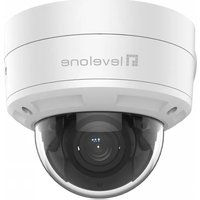


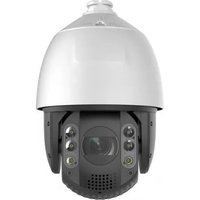

Brand : LEVELONE
Model : FCS-0020
Category : Surveillance Camera