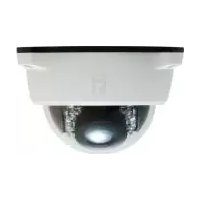
FCS-4102 - Surveillance Camera LEVELONE - Free user manual and instructions
Find the device manual for free FCS-4102 LEVELONE in PDF.


| Type de produit | Surveillance Camera |
| Brand | LevelOne |
| Model | FCS-4102 |
| Resolution | 1 MP (720p) HDTV |
| Lens | Fixed 3.6mm |
| Day/Night Mode | Yes, with IR LEDs |
| Power Source | PoE (IEEE 802.3af) |
| Dimensions (LxWxH) | 67 x 55 x 103 mm |
| Weight | 210 g |
| Video Compression | H.264 / MJPEG |
| Network Interface | 10/100 Ethernet |
| Field of View | 67° horizontal |
| Minimum Illumination | 0.5 lux (color), 0 lux (IR on) |
| Audio Support | Two-way audio via built-in mic/speaker |
| Storage | MicroSD card slot (up to 32GB) |
| Motion Detection | Yes, with email notification |
| Operating Temperature | 0°C to 40°C |
| Mounting | Wall or ceiling mount |
| Compliance | CE, FCC |
Frequently Asked Questions - FCS-4102 LEVELONE
User questions about FCS-4102 LEVELONE
0 question about this device. Answer the ones you know or ask your own.
Ask a new question about this device
Download the instructions for your Surveillance Camera in PDF format for free! Find your manual FCS-4102 - LEVELONE and take your electronic device back in hand. On this page are published all the documents necessary for the use of your device. FCS-4102 by LEVELONE.
USER MANUAL FCS-4102 LEVELONE
LevelOne IP Camera
Wired/Wireless Network Camera
Quick Installation Guide
English Ελληνικά
Deutsch Svenska
This guide covers only the most common situations. All detail information is described in the user manual.
Viewing System Requirements
● OS: Windows 2000, XP, VISTA, Windows 7
- Browser: IE 6.0 or above, Firefox, Chrome, Safari
NOTE:
All the captured images of installation mentioned in this user manual are based on Windows 7 operating system. For installation on other Windows OS, e.g. Windows XP, all the procedures remain the same.

Figure 1-1
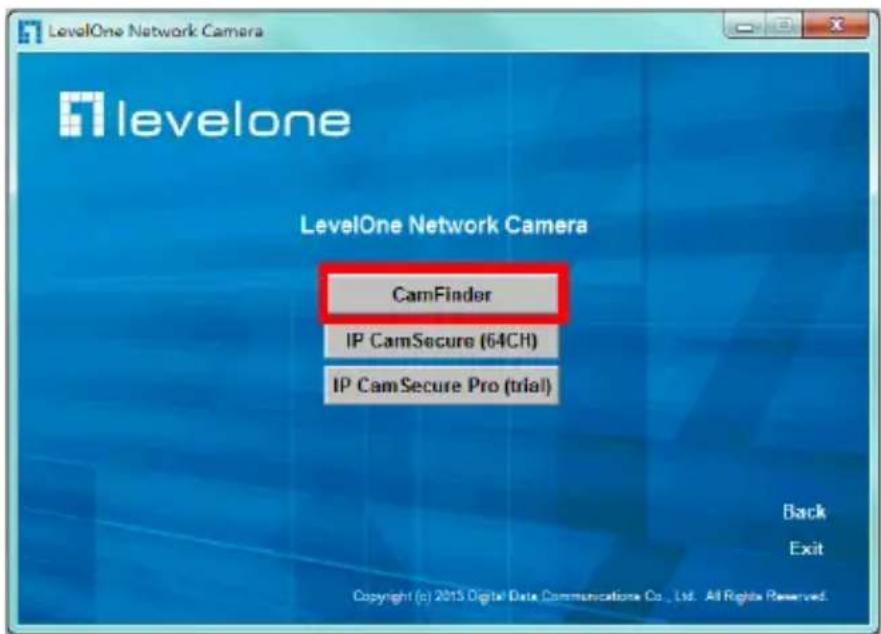
Figure 1-2

Figure 1-3

Figure 1-4

Figure 1-5

Figure 1-6

Figure 1-7
![graph TD A["Internet"] --> B["Cable/DSL Modem"] B --> C["Router"] C --> D["PC"]](/content/2026/06/1280333/images/e65090ef8e3ea9aa6cb2707de90912996c0f122f2b4815e624476d1e4ffdcf44.jpg)
Figure 1-8
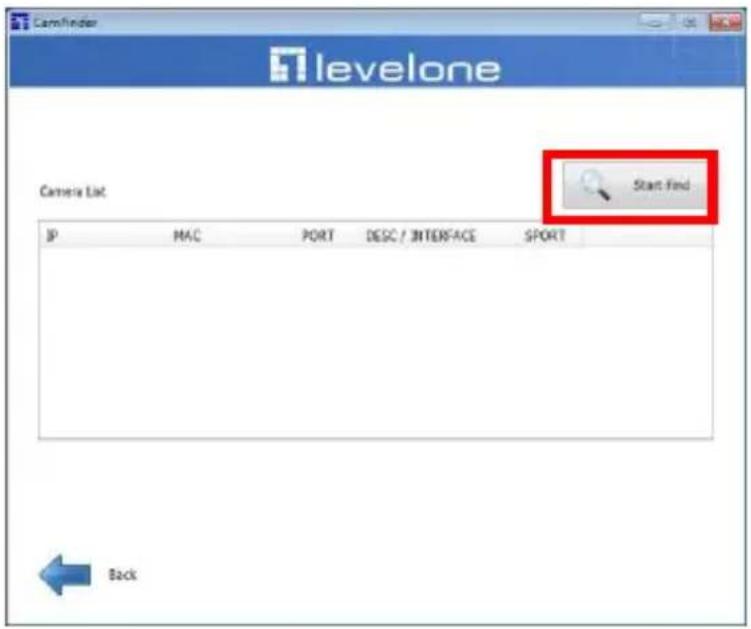
Figure 1-9

Figure 1-10

Figure 2-1
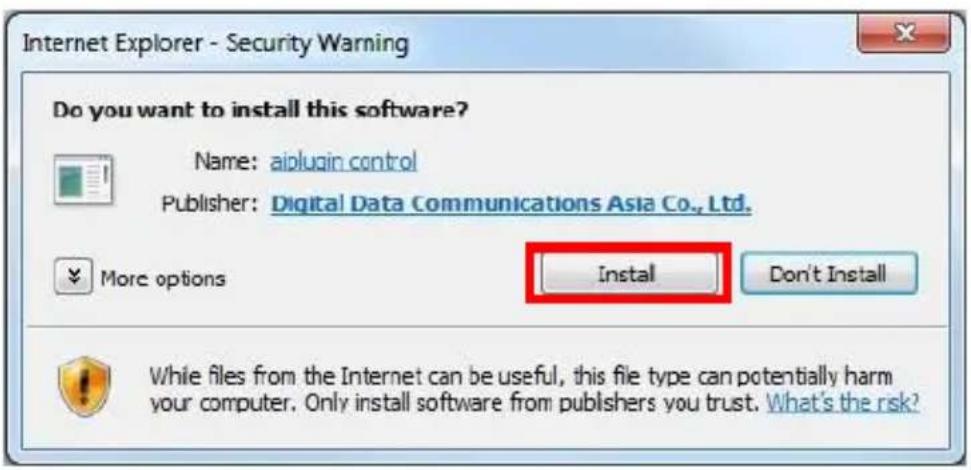
Figure 2-2

Figure 2-3

Figure 3-1
English
Using the Software CD to configure the camera
■ Power on your PC and insert the CD-ROM.
■ The setup page should load automatically. If it does not, please select your CD-ROM drive manually to open the setup page.
■ Select "Install Software" → "CamFinder". (Figure 1-1 \~ 1-2)
■ Click "Next" to start the installation. (Figure 1-3 \~ 1-5)
- Click on "Finish" to complete the software installation. (Figure 1-6)
■ Run "CamFinder". (Figure 1-7 \~ 1-9)
■ The CamFinder will show MAC address and an IP Address of available LevelOne Network Cameras. Highlight the MAC address and double click to link to the selected device. (Figure 1-10)
■ Enter "root" for the name, and leave the password blank. (Figure 2-1)
■ The following screen would appear automatically. Click "Install" and proceed. (Figure 2-2)
■ Congratulations, you can use the camera through the network to view the video.(Figure 2-3)
Installing IP CamSecure
Click "IP CamSecure" and follow the onscreen instruction or refer to the user's manual to complete installation. (Figure 3-1)
Deutsch
Using the Software CD to configure the camera
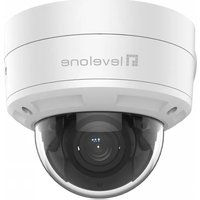



Brand : LEVELONE
Model : FCS-4102
Category : Surveillance Camera