
SEGA Superstars tennis (Xbox 360) - Game MICROSOFT - Free user manual and instructions
Find the device manual for free SEGA Superstars tennis (Xbox 360) MICROSOFT in PDF.


| Product Type | Video Game |
| Platform | Xbox 360 |
| Genre | Sports (Tennis) |
| Number of Players | 1-4 (local), 2-4 (online) |
| Release Date | 2008 |
| ESRB Rating | E (Everyone) |
| Developer | Sega |
| Publisher | Sega |
| Language | English |
| Manual Pages | 9 |
| Dimensions (Case) | 13.5 x 19 x 1.5 cm |
| Weight | Approx. 100 g |
| Storage Recommendations | Keep in original case away from direct sunlight and heat |
| Cleaning Instructions | Wipe disc with a soft, dry cloth from center to edge |
| Safety Warnings | Keep away from magnets and liquids; avoid prolonged gameplay without breaks |
| Compatibility | Xbox 360 console only |
Frequently Asked Questions - SEGA Superstars tennis (Xbox 360) MICROSOFT
User questions about SEGA Superstars tennis (Xbox 360) MICROSOFT
0 question about this device. Answer the ones you know or ask your own.
Ask a new question about this device
Download the instructions for your Game in PDF format for free! Find your manual SEGA Superstars tennis (Xbox 360) - MICROSOFT and take your electronic device back in hand. On this page are published all the documents necessary for the use of your device. SEGA Superstars tennis (Xbox 360) by MICROSOFT.
USER MANUAL SEGA Superstars tennis (Xbox 360) MICROSOFT
WARNING Before playing this game, read the Xbox 360® Instruction
Manual and any peripheral manuals for important safety and health information.
Keep all manuals for future reference. For replacement manuals, see
www.xbox.com/support or call Xbox Customer Support.
Important Health Warning About Playing Video Games
Photosensitive Seizures
A very small percentage of people may experience a seizure when exposed to certain visual images, including flashing lights or patterns that may appear in video games. Even people who have no history of seizures or epilepsy may have an undiagnosed condition that can cause these "photosensitive epileptic seizures" while watching video games.
These seizures may have a variety of symptoms, including lightheadedness, altered vision, eye or face twitching, jerking or shaking of arms or legs, disorientation, confusion, or momentary loss of awareness. Seizures may also cause loss of consciousness or convulsions that can lead to injury from falling down or striking nearby objects.
Immediately stop playing and consult a doctor if you experience any of these symptoms. Parents should watch for or ask their children about the above symptoms—children and teenagers are more likely than adults to experience these seizures. The risk of photosensitive epileptic seizures may be reduced by taking the following precautions: Sit farther from the screen; use a smaller screen; play in a well-lit room; do not play when you are drowsy or fatigued.
If you or any of your relatives have a history of seizures or epilepsy, consult a doctor before playing.
Thank you for purchasing SEGA SUPERSTARSTM TENNIS.
Please note that this software is designed only for use with the XBOX 360® video game and entertainment system. Be sure to read this instruction booklet thoroughly before you start playing.
CONTENTS
GETTING STARTED 2 TOURNAMENT 11
CONTROLS 3 GAMES 12
VIEWING THE GAME SCREEN .... 4 XBOX LIVE ^ .... 13
BASIC TECHNIQUES .... 4 OPTIONS .... 14
SUPERSTAR STATE 6 XBOX LIVE OPTIONS 15
STARTING THE GAME 7 CREDITS 16
QUICK PLAY 8 WARRANTY 17
PLANET SUPERSTARS 8 PRODUCT SUPPORT 17
MATCH 10
GETTING STARTED CONTROLS
Setting Up Your XBOX 360 ^® VIDEO GAME AND ENTERTAINMENT SYSTEM
- Set up your Xbox 360 video game system according to the instructions in its Instruction Manual.
- Press the Power button and the Ring of Light will light up.
- Press the Eject button and the disc tray will open.
- Place SEGA Superstars™ Tennis disc on the Disc tray with the label side facing up and close the disc tray.
- Follow on-screen instructions and refer to this manual for more information about playing SEGA Superstars™ Tennis.
To avoid damage to discs or the disc drive
- Insert only Xbox 360-compatible discs into the disc drive.
- Never use oddly shaped discs, such as star-shaped or heart-shaped discs.
- Do not apply labels, stickers, or other foreign objects to discs.
Saving Data
To save game data, you must have either a Hard Drive or a Memory Unit for your Xbox 360 console.
Xbox LIVE®
Play anyone and everyone, anytime, anywhere on Xbox LIVE ^v . Build your profile (your gamer card). Chat with your friends. Download content at Xbox LIVE Marketplace. Send and receive voice and video messages. Get connected and join the revolution.
Connecting
Before you can use Xbox LIVE ^® , connect your Xbox 360 console to a high-speed Internet connection and sign up to become an Xbox LIVE member. For more information about connecting, and to determine whether Xbox LIVE is available in your region, go to www.xbox.com/live/countries.
Family Settings
These easy and flexible tools enable parents and caregivers to decide which games young game players can access based on the content rating. For more information, go to www.xbox.com/familysettings.
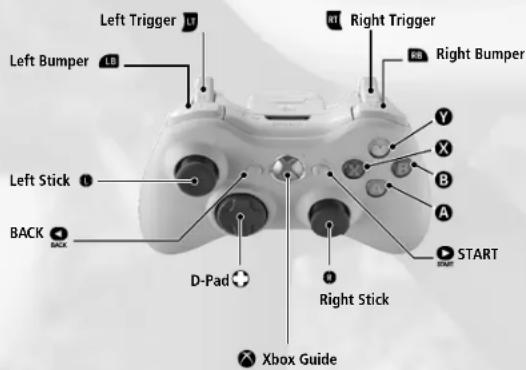

The following are the controls used in this game. Please note that all explanations assume a type A configuration. Configuration can be changed via Options (p.14) and the Pause Menu.
BASIC TECHNIQUES
SERVE
Press the A or X button to throw the ball into the air. Press the A or X button to hit the ball. To perform a powerful serve, time the hit when the Serve Meter is full.
natural_image
Black-and-white photo of a person playing on a tennis court with trees and flowers in the background (no visible text or symbols)SHOT STRENGTH
The power with which you can hit a shot is determined by your position in relation to the ball.
natural_image
Black-and-white outdoor photo of a tennis court with a net and two figures on the field (no visible text or symbols)BALL DIRECTION
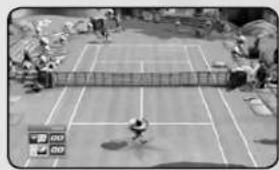
When striking a ball, you can control the direction of the shot using the Left Analog Stick.
natural_image
Black-and-white photo of a tennis court with players and netting (no visible text or symbols)SMASH
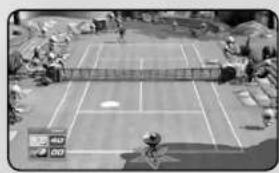
When a high ball is delivered, the 'Smash Chance' marker will appear. Move quickly to it, and press the Ⓐ or Ⓧ button.
natural_image
Aerial view of a tennis court with multiple lanes and surrounding terrain (no visible text or symbols)DROP SHOT
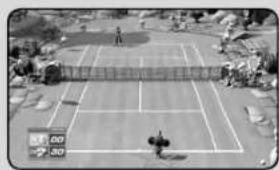
When you hit a Drop Shot, the ball falls gently just over the net. This makes it a handy option for times when the opponent is at the back of the court. To perform a Drop Shot tap the ✗ button then ⚠ button quickly.
natural_image
Aerial view of a tennis court with two players on the sidelines and a net, surrounded by trees and grass (no visible text or symbols)INSTRUCTING YOUR COM PARTNER
In Doubles matches with a COM partner, press the button to switch your partner's play style as detailed below. The COM partner's position is displayed at the top of the screen.
BASELINE ....Back of the court (defensive)
NORMAL .... Regular position
NET PLAY ....Front of the court (offensive)


SUPERSTAR STATE
natural_image
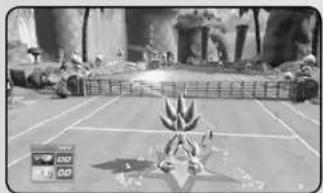
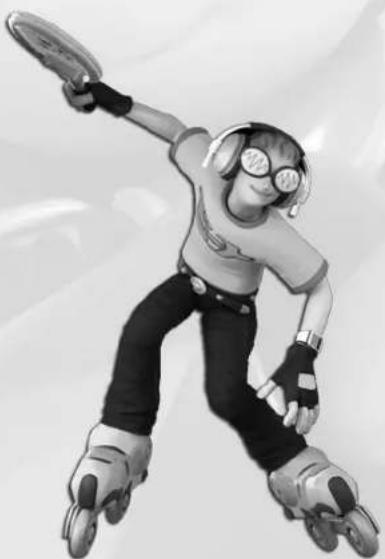
Black-and-white photo of a character standing on a grid with trees and a small fence in the background (no visible text or symbols)Every character has a Superstar meter in the form of a star beneath their feet, which is slowly filled whenever you perform well. When this star is filled, your character will transform into their Superstar State! The Superstar State is triggered by pressing the ☐ or ☑ button.
While the character is in their own unique Superstar State, they run faster, hit the ball harder, or even call down the power of the skies!
Each characters' powers are different, so try them all!
natural_image
Black-and-white illustration of a cartoon character in rollerblading pose, wearing goggles and headgear (no text or symbols)STARTING THE GAME
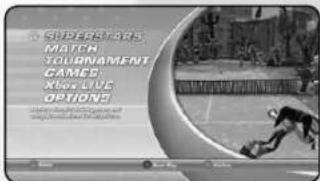
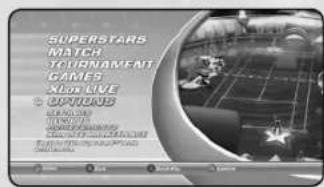
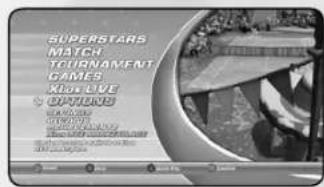
Press the START button at the Title Screen to bring up the Main Menu, and use the D-pad and the Ⓐ button to select from the following modes:
PLANET SUPERSTARS
Planet Superstars allows you to take on over 100 challenges in some of SEGA's most recognized worlds where you will meet some familiar and well loved names along the way. Challenges include tournaments, ball games, special events and more, and allow you to unlock additional content.
MATCH
A player-designed match for up to four players. The court and all game settings can be decided by the players.
TOURNAMENET
Play alone or with a friend in a sequence of matches against randomly selected computer opponents. Tournament mode comprises five Singles matches, or three Doubles matches.
GAMES
A collection of eight fun new games based on famous SEGA titles! Play alone or with up to three friends.
XBOX LIVE
Connect to Xbox LIVE® and join matches or start one of your own with up to three friends.
OPTIONS
Modify game options and view records.


QUICK PLAY
Jump straight into single-player Quick Play with a randomly-generated opponent, court and game settings.
STARTING QUICK PLAY:
To begin a Quick Play match, press the Ⓧ button while on the Main Menu screen.
PLANET SUPERSTARS
Planet Superstars allows you to compete in over 100 challenges including Exhibition matches, Tournaments and Party Games, as well as unlock additional characters, courts, games, music and other content.
natural_image
Black-and-white illustration of a cityscape with buildings, roads, and a checkered floor (no readable text or symbols)PLANET SUPERSTARS
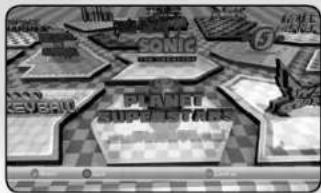
Navigate around the Planet Superstars Map using the left analog stick. The map contains a number of Game Zones, each representing a famous SEGA title. Game Zones are represented on the Planet Superstars Map as logos. As the cursor hovers over an unlocked SEGA Game Zone, the HUD will change with information regarding the selected zone. Pressing the A button will take you into the chosen Game Zone, where you will be presented with further information and shown available challenges. Game Zones that are presently locked will appear as silhouettes.

SEGA GAME ZONES
Within each SEGA Game Zone, you are presented with information related to the original SEGA game title, and a list of challenges available within the zone. You will be shown whether challenges will provide you with unlockable content, and what conditions you must achieve to gain that content.
Navigate the Zone menu by using the left analog stick and select a challenge by pressing the Ⓐ button while the desired challenge is highlighted. Press the Ⓑ button to return to the map.
If you have already attempted to complete a challenge, your previous rank will be displayed beside the challenge details. If there is a prize available for a challenge that has already been unlocked, the prize will be displayed.
CHALLENGES
When taking on challenges within a Game Zone, you will have the opportunity to play special Exhibition matches, whole Tournaments and a host of unique Party Games, each tailored to the particular Game Zone you have entered. You will be presented with detailed gameplay instructions or objectives via an on-screen message before a challenge begins.

• TOURNAMENT

- MATCH

• MISSIONS

Match games may be played with up to four players, and take place on any unlocked courts using any unlocked players. You can also select from a range of other options including number of games, number of sets and more.
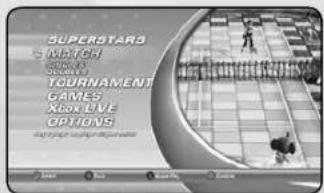
Navigate between available characters on the Character Select screen, using the D-pad. Pressing the A button will select the highlighted character, and the B button will return to the previous screen.
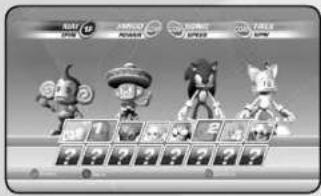
Once all players have selected their character, the characters can then be placed in the desired position on the court using the D-pad to move them and the A button to confirm their position. Return to the Character Select screen by pressing the B button.
After all players have selected their characters and positions, you are given a selection of advanced options, including courts, number of games, difficulty, etc. Navigate this list and toggle the options with the directional pad. Once the options have been set to your satisfaction, the A button will confirm the selection. Pressing the B button will return you to the Position Select screen.

TOURNAMENTI
MATO
In Tournament mode, you may play a sequence of Singles or Doubles matches, and compete against increasingly difficult COM opponents to finally claim the title of SEGA Superstars Champion!
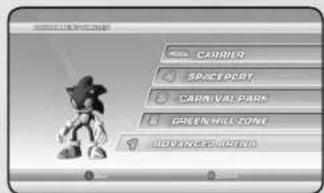
Navigate between available characters on the Character Select screen using the D-pad. Pressing the A button will select the highlighted character, and the B button will return the player to the previous screen.
Once you have selected your character, a Stage Display screen will appear, showing the current stage reached. You may continue from this screen by pressing the Ⓐ button.

natural_image
Cartoon monkey character wearing a wide-brimmed hat and holding a mallet (no text or symbols)
GAMES
Games mode allows you to play alone in single player mode or with friends in a series of games that can be unlocked within Superstars.
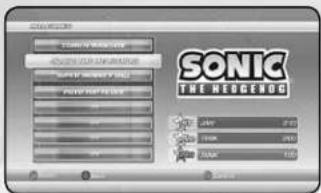
After you select Single or Multiplayer, a screen displaying available games will appear. Navigate this menu using the D-pad and select your desired game by pressing the A button. Return to the Main Menu by pressing the B button.
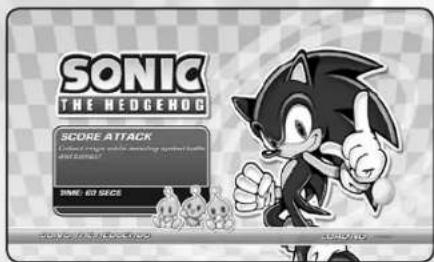
After selecting a game, you will be given specific instructions and objectives relating to that particular game.

XBOX LIVE
RANKED
Play online against players around the world in ranked competitions.
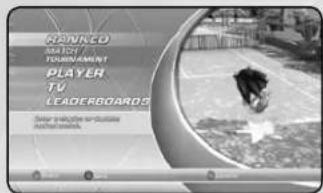
PLAYER
In Player mode, you can create or join online matches and tournaments free from the pressures of a ranking system.
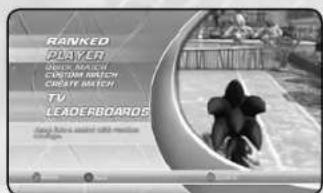
TV
Watch footage of some of the world's best SEGA Superstars Tennis players, or look back over your own replays, or those of your friends.
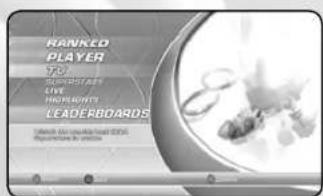
LEADERBOARDS
The leaderboards display the ratings of the world's best players.
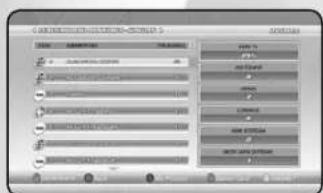

OPTIONS
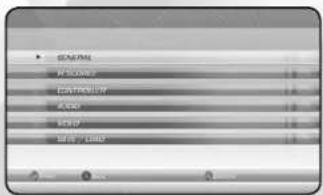
Make changes to a variety of game settings as detailed below. Use the D-pad to select a category, and press the A button to open the settings. When settings are open, use the D-pad to select an option, and the A button to make changes. Press the B button to return to the Main Menu when finished.
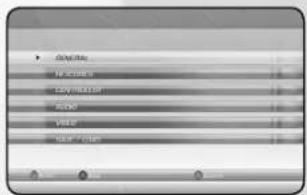
Settings:
General
Game Difficulty
Set for Arcade and Exhibition modes. Game difficulty ranges from easy to hard.
Superstar Mode
Toggle character special effects On or Off.
Fix Camera
Toggle camera fixed on the player at the bottom of the screen.
Speed
Toggle the ball speed display on the players HUD On or Off.
Controller
Controller Type
Change between the available controller configurations.
Vibration
Toggle controller vibration On and Off.
Audio
Music Volume
Control the volume of the in-game music. Default 70%.
Sound Effects Volume
Control the volume of the in-game sound effects. Default 70%.
Video
Brightness
Control the brightness of the screen.
Save / Load
Autosave
Toggle autosave option On and Off.
Save
Save the current game.
Autosave
Load a previously saved game.
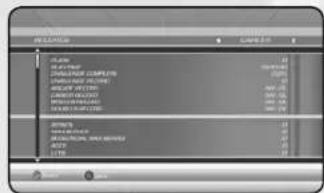
RECORDS
On the Records screen, you can view saved high scores and statistics relating to their previous gameplay.
XBOX LIVE OPTIONS
ACHIEVEMENTS
The Achievement screen shows Xbox 360 Achievements that are available within SEGA Superstars Tennis. The difficulty of the Achievement is rated between A and AAA.
MARKETPLACE
The download section allows the player to link to the relevant section of the online store where they can download demos and additional content.


CREDITS
"Samba De Janeiro"
Written by Gottfried Engels, Arito Moreira and Ramon Zenker
Performed by Bellini
Courtesy of Tiger Records
Published by Universal Music-MGB Songs obo Edition God's Heaven/Arabella Musikverlag GmbH,
Good Morning Music (ASCAP), Upright Songs GmbH (GEMA)
"Al Compas Del Mambo"
Written by Perez Prado
© 1950 EMMI, admin. by Peer International Corp. (BMI)
"El Bimbo"
Written by C. Morgan
Sugar Melodi, Inc. (ASCAP)
- Important Health Warning About Playing Video Games
- Photosensitive Seizures
- CONTENTS
- GETTING STARTED CONTROLS
- Setting Up Your XBOX 360 ® VIDEO GAME AND ENTERTAINMENT SYSTEM
- To avoid damage to discs or the disc drive
- Saving Data
- Xbox LIVE®
- Connecting
- Family Settings
- BASIC TECHNIQUES
- SERVE
- SHOT STRENGTH
- BALL DIRECTION
- SMASH
- DROP SHOT
- INSTRUCTING YOUR COM PARTNER
- SUPERSTAR STATE
- STARTING THE GAME
- PLANET SUPERSTARS
- MATCH
- TOURNAMENET
- GAMES
- XBOX LIVE
- OPTIONS
- QUICK PLAY
- STARTING QUICK PLAY:
- SEGA GAME ZONES
- CHALLENGES
- TOURNAMENTI
- RANKED
- PLAYER
- TV
- LEADERBOARDS
- Settings:
- General
- Game Difficulty
- Superstar Mode
- Fix Camera
- Speed
- Controller
- Controller Type
- Vibration
- Audio
- Music Volume
- Sound Effects Volume
- Video
- Brightness
- Save / Load
- Autosave
- Save
- RECORDS
- ACHIEVEMENTS
- MARKETPLACE
- CREDITS
Brand : MICROSOFT
Model : SEGA Superstars tennis (Xbox 360)
Category : Game