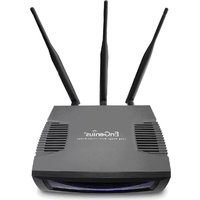
ECB9500 - Access Point ENGENIUS - Free user manual and instructions
Find the device manual for free ECB9500 ENGENIUS in PDF.


Pick your language and provide your email: we'll send you a specifically translated version.
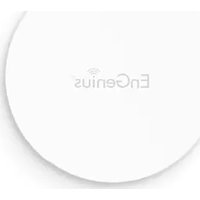
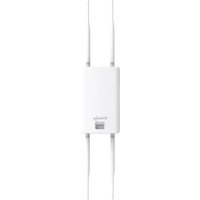
| Product Type | Wireless Access Point |
| Model | EnGenius ECB9500 |
| Wireless Standard | 802.11a/b/g/n/ac Wave 2 |
| Frequency Bands | Dual-band 2.4 GHz and 5 GHz |
| Maximum Data Rate | 2.6 Gbps (Combined) |
| PoE Support | 802.3at PoE+ (Power over Ethernet) |
| Ethernet Ports | 1 x 10/100/1000 Mbps Gigabit Ethernet Port |
| Dimensions | 195 x 195 x 35 mm |
| Weight | 450 g |
| Power Supply | 12V DC, 2A or PoE+ |
| Management | Web Interface, CLI, SNMP, ezMaster Cloud Management |
| Security | WPA/WPA2/WPA3, 802.1X, MAC Filtering, VLAN |
| MIMO | 4x4 MU-MIMO |
| Antennas | Integrated Omni-directional, 4 x 2.4 GHz, 4 x 5 GHz |
| Operating Temperature | 0°C to 50°C |
| Humidity | 5% to 95% (Non-condensing) |
| LED Indicators | Power, LAN, WLAN 2.4G, WLAN 5G |
| Mounting | Ceiling or Wall Mountable (Kit Included) |
| Certifications | FCC, CE, IC |
| Warranty | 2 Years Limited |
| Spare Parts Availability | Power Adapter, Mounting Kit |
| Repairability | User replaceable power supply; professional repair for internal components |
Frequently Asked Questions - ECB9500 ENGENIUS
How do I reset the EnGenius ECB9500 to factory defaults?
Press and hold the reset button on the back of the device for about 10 seconds until the LED flashes. Release the button and the AP will reboot with factory settings.
Can the ECB9500 be powered via PoE?
Yes, it supports 802.3at PoE+. Use a PoE injector or a PoE switch to supply power and data over a single Ethernet cable.
What is the maximum range of the ECB9500?
Indoor range is approximately 100-150 meters depending on obstacles. Outdoor range can exceed 300 meters with clear line of sight.
How do I configure multiple SSIDs on this access point?
Access the web interface, go to Wireless Settings, and create up to 8 SSIDs per band. You can assign different VLANs and security settings to each.
Does the ECB9500 support WPA3?
Yes, the ECB9500 supports WPA3 for enhanced security. Enable it in the Security settings under each SSID.
How can I manage multiple ECB9500 units centrally?
You can use EnGenius ezMaster cloud management or SNMP for centralized monitoring and configuration of multiple access points.
What are the LED indicators on the ECB9500?
There are four LEDs: Power (green), LAN (green/amber), WLAN 2.4G (green), and WLAN 5G (green). Solid means active, flashing indicates data activity.
Can I mount the ECB9500 on a wall?
Yes, the package includes a mounting plate and screws for wall or ceiling mounting. Attach the plate, then slide the AP onto it.
How do I update the firmware on the ECB9500?
Download the latest firmware from the EnGenius support site. In the web interface, go to System > Firmware Upgrade, upload the file, and click Upgrade. Do not power off during upgrade.
What is the difference between the 2.4 GHz and 5 GHz bands on this AP?
The 2.4 GHz band offers longer range and better penetration through walls but lower speeds. The 5 GHz band provides faster speeds and less interference but shorter range. The ECB9500 supports band steering to help clients choose the best band.
User questions about ECB9500 ENGENIUS
0 question about this device. Answer the ones you know or ask your own.
Ask a new question about this device
No questions yet. Be the first to ask one.
Download the instructions for your Access Point in PDF format for free! Find your manual ECB9500 - ENGENIUS and take your electronic device back in hand. On this page are published all the documents necessary for the use of your device. ECB9500 by ENGENIUS.
USER MANUAL ECB9500 ENGENIUS
Manual assistant
Powered by Anthropic
Waiting for your message
Product information
Brand : ENGENIUS
Model : ECB9500
Category : Access Point