
HD32-U2S-3 - Docking Station Gembird - Free user manual and instructions
Find the device manual for free HD32-U2S-3 Gembird in PDF.


| Product Type | Docking Station |
| Brand | Gembird |
| Model | HD32-U2S-3 |
| USB Ports | 3 x USB 3.0 ports (including 1 BC 1.2 charging port) |
| Video Output | 1 x HDMI, 1 x VGA (supports dual monitor mirror/extend) |
| Ethernet Port | 1 x Gigabit Ethernet (RJ-45) |
| Audio Ports | 1 x 3.5mm headphone/microphone combo jack |
| Card Reader | SD / microSD card slot (supports SDHC, SDXC) |
| Host Interface | USB 3.0 Type-A (male) cable, 30 cm |
| Power Supply | USB bus powered (5V / 900mA) or optional external power adapter (5V / 2A, not included) |
| Dimensions (L x W x H) | 12 x 5 x 2 cm (4.7 x 2.0 x 0.8 inches) |
| Weight | 150 g (5.3 oz) |
| Operating System Support | Windows 10/11, macOS 10.12+, Linux (kernel 3.x+) |
| Supported Display Resolutions | HDMI: up to 1920x1080@60Hz; VGA: up to 1920x1080@60Hz |
| LED Indicators | Power (blue), Activity (green) |
| Cooling | Passive (no fan) |
| Material | ABS plastic |
| Storage Temperature | -10°C to 70°C |
| Operating Temperature | 0°C to 40°C |
| Certification | CE, FCC, RoHS |
| Package Contents | Docking station, quick start guide, driver CD (optional download) |
Frequently Asked Questions - HD32-U2S-3 Gembird
User questions about HD32-U2S-3 Gembird
0 question about this device. Answer the ones you know or ask your own.
Ask a new question about this device
Download the instructions for your Docking Station in PDF format for free! Find your manual HD32-U2S-3 - Gembird and take your electronic device back in hand. On this page are published all the documents necessary for the use of your device. HD32-U2S-3 by Gembird.
USER MANUAL HD32-U2S-3 Gembird
natural_image
Abstract logo design with a stylized arrow and 'GE' text, no readable text or symbols beyond the graphic elements.GEMBIRD®
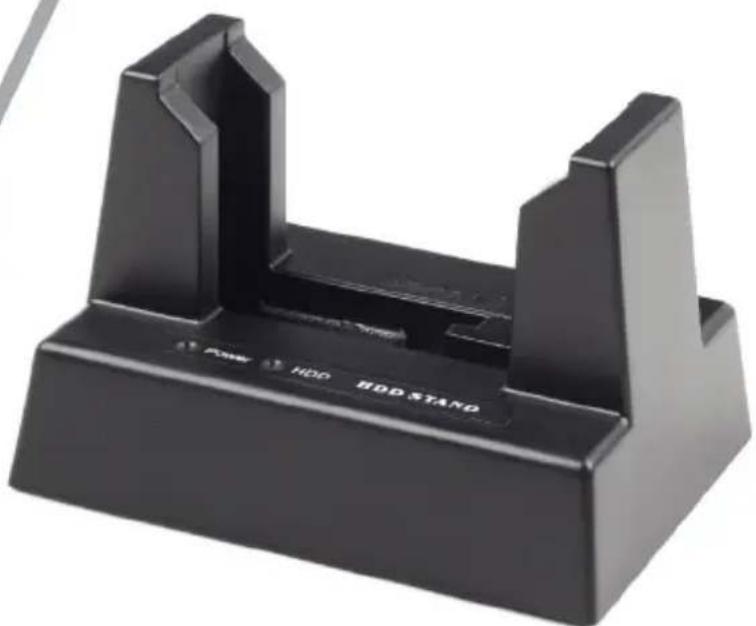
natural_image
Black plastic electronic device with two ports and a base labeled 'HDD HDD STAND' (no additional text or symbols visible)USB DOCKING STATION FOR 2.5 AND 3.5 INCH SATA HARD DRIVES
USB DOCKING-STATION FÜR 2.5" AND 3.5" SATA-FESTPLATTEN
USB DOCKING STATION VOOR 2.5 EN 3.5 INCH SATA HARD DRIVES
STATION D'ACCUEIL USB POUR 2,5 ET 3,5 POUCES DISQUES DURS SATA
ВНЕШНЯЯ USB ДОК-СТАНЦИЯ ДЛЯ ЖЕСТКИХ ДИСКОВ SATA 2.5 И 3.5 ДЮЙМА
• Supports 2.5 and 3.5 inch SATA hard disk drives of any capacity
- Fast external access to the hard drive via USB port: real speed up to 33 MB/s
Specifications
• Supports USB 2.0 and USB 1.1 interfaces
- Supports Serial ATA 3.5" and 2.5" hard drives (only one HDD at a time)
• Does not require any driver
• AC-DC adapter: 100-240VAC input, 12VDC/2A output
- Material: plastic
• Product net weight: 0.26 kg
• Product dimensions: 172 x 90 x 75 mm




①

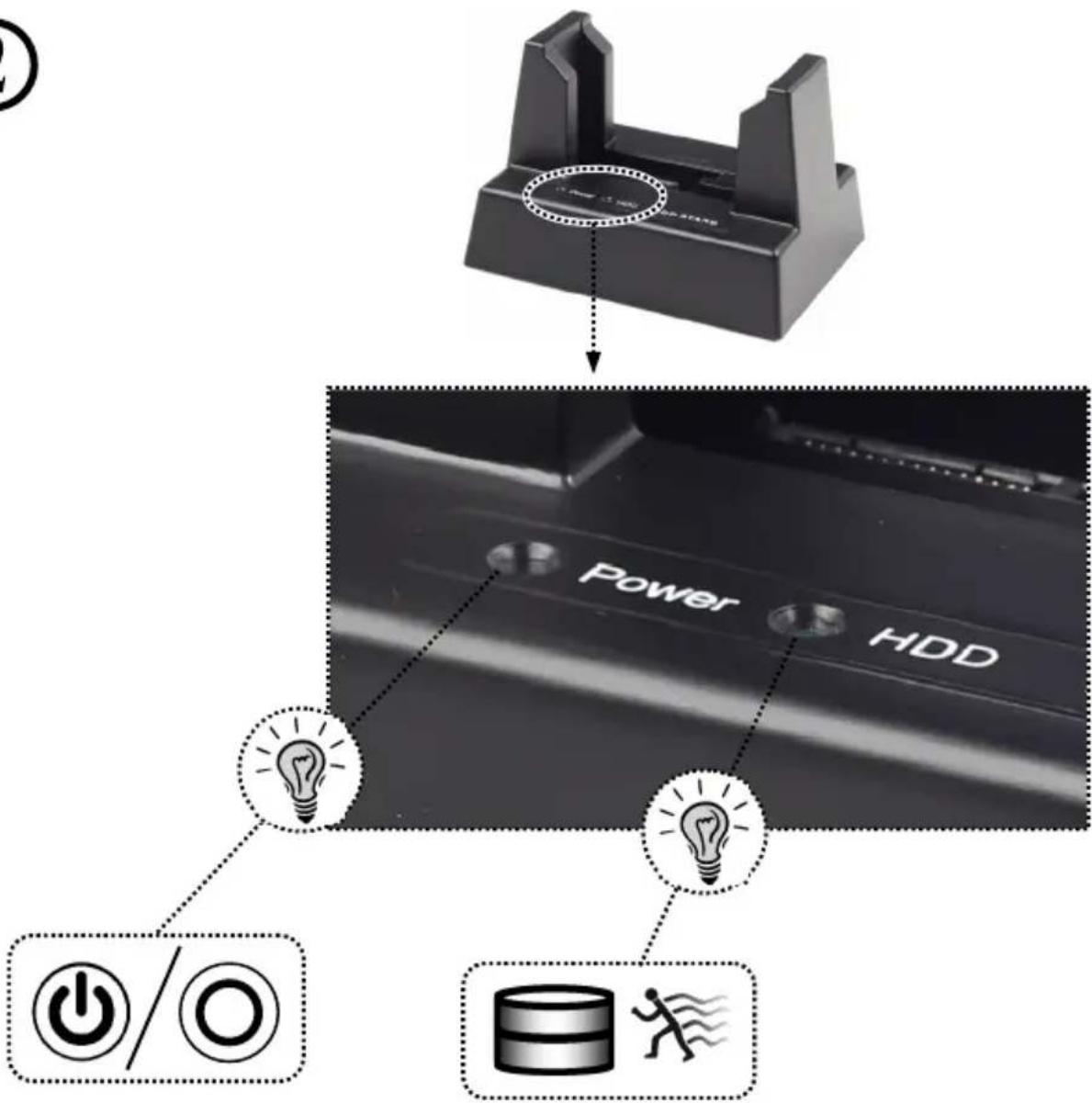
②
③


GEMBIRD®
HD32-U2S-3
USB DOCKING STATION FOR 2.5 AND 3.5 INCH
SATA HARD DRIVES

a

b

C

natural_image
Close-up of a hard disk drive holder with a black base (no visible text or symbols on the device body)This product is tested and complies with the essential requirements of the laws of member states concerning LVD(2006/95/EC), EMC(2004/108/EC). The CE declaration can be found under www.gembird.eu
natural_image
Simple line drawing of a hand washing a cup with water droplets falling (no text or symbols)

natural_image
Simple line drawing of a hand using a tool to cut a screwdriver into a screwdriver (no text or symbols)
natural_image
Simple line drawing of a hand holding a cup with a diagonal line crossing through it, no text or symbols present.Waste disposal:

Do not deposit this equipment with the household waste. Improper disposal can harm both the environment and human health. For Information about waste collection facilities for used electrical and electronic devices, please contact your city council or an authorized company for the disposal of electrical and electronic equipment.

Brand : Gembird
Model : HD32-U2S-3
Category : Docking Station