
Dolphin CT50 - Barcode Reader HONEYWELL - Free user manual and instructions
Find the device manual for free Dolphin CT50 HONEYWELL in PDF.


| Product Type | Rugged Mobile Computer / Barcode Reader |
| Brand | Honeywell |
| Model | Dolphin CT50 |
| Operating System | Android 6.0 Marshmallow |
| Dimensions (H x W x D) | 200 mm x 81 mm x 28 mm |
| Weight | 395 g |
| Display | 5.5 inch capacitive touchscreen, 1280 x 720 pixels |
| Battery | 3.7 V Li-Ion, 3200 mAh (removable) |
| Barcode Scanner | Integrated 2D imager (Honeywell Adaptus 6.0) |
| Processor | 2.2 GHz Octa-Core (Qualcomm Snapdragon 660) |
| Memory | 4 GB RAM / 64 GB Flash |
| Connectivity | Wi-Fi 802.11 a/b/g/n/ac, Bluetooth 5.0, USB-C, NFC |
| Camera | 13 MP rear autofocus with LED flash |
| GPS | Autonomous GPS and GLONASS |
| Environmental Sealing | IP67 (dustproof and water-resistant) |
| Drop Specification | 1.8 m (5.9 ft) on concrete |
| Operating Temperature | -10°C to 50°C (14°F to 122°F) |
| Audio | Speaker, microphone, 2 noise-cancelling microphones |
| Keypad | 48-key alphanumeric backlit keypad |
| Included Accessories | Rechargeable battery, hand strap, stylus |
| Maintenance | Clean with a dry, soft cloth; avoid solvents |
| Safety Information | Do not immerse in water; use only approved chargers |
| Spare Parts | Battery pack (CB-ACE300-01), charger (AC power adapter), holster |
Frequently Asked Questions - Dolphin CT50 HONEYWELL
User questions about Dolphin CT50 HONEYWELL
0 question about this device. Answer the ones you know or ask your own.
Ask a new question about this device
Download the instructions for your Barcode Reader in PDF format for free! Find your manual Dolphin CT50 - HONEYWELL and take your electronic device back in hand. On this page are published all the documents necessary for the use of your device. Dolphin CT50 by HONEYWELL.
USER MANUAL Dolphin CT50 HONEYWELL
Dolphin™ CT50
Mobile Computer
contents
charging 2
mounting 3
mobile 4
cables and adapters....5
battery pack....5
accessories 6
charging
| PRODUCT NAME | SKU | DESCRIPTION |
Quad Battery Charger | Four-slot battery charging station for recharging up to 4 batteries. Kit includes dock, power supply and power cord. | |
| CT50-QBC-0 Includes dock and power supply. Must order power cord separately. | ||
| CT50-QBC-1 Includes above kit and NA power cord. | ||
| CT50-QBC-2 Includes above kit and EU power cord. | ||
| CT50-QBC-4 | Includes above kit and China power cord. | |
NetBase | Four-bay terminal charging cradle for Ethernet communications and recharging up to 4 computers. Kit includes dock, power supply and power cord. | |
| CT50-NB-0 Includes dock and power supply. Must order power cord separately. | ||
| CT50-NB-1 Includes above kit and NA power cord. | ||
| CT50-NB-1 Includes above kit and EU power cord. | ||
| CT50-NB-4 Includes above kit and China power cord. | ||
ChargeBase | Four-bay terminal charging cradle for recharging up to 4 computers. Kit includes dock, power supply and power cord. | |
| CT50-CB-0 Includes dock and power supply. Must order power cord separately. | ||
| CT50-CB-1 Includes above kit and NA power cord. | ||
| CT50-CB-2 Includes above kit and EU power cord. | ||
| CT50-CB-4 Includes above kit and China power cord. | ||
PRODUCT NAME SKU DESCRIPTION
HomeBase
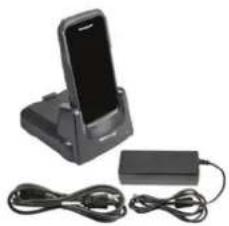
Charging cradle for recharging computer and battery. Kit includes dock, power supply and power cord. Supports USB client via USB Type B connector. USB Type B to Type A cable (321-576-004) sold separately.
CT50-HB-0 Includes dock and power supply. Must order power cord separately.
CT50-HB-1 Includes above kit and NA power cord.
CT50-HB-2 Includes above kit and EU power cord.
CT50-HB-4 Includes above kit and China power cord.
eHomeBase
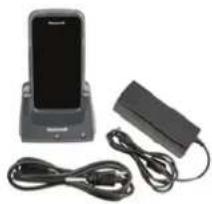
Charging cradle for recharging computer, battery and Ethernet communications. Kit includes dock, power supply and power cord. Supports USB client via USB Type B connector. USB Type B to Type A cable (321-576-004) sold separately.
CT50-EB-0 Includes dock and power supply. Must order power cord separately.
CT50-EB-1 Includes above kit and NA power cord.
CT50-EB-2 Includes above kit and EU power cord.
CT50-EB-4 Includes above kit and China power cord.
mounting
PRODUCT NAME SKU DESCRIPTION
RAM Mount
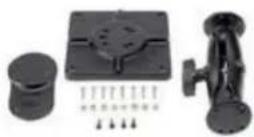
805-611-001
Consists of one 12.07 cm (4.75 in) adjustable pivot arm with two 3.81 cm (1.5 in) stainless steel balls and assembly hardware. Due to wide range of possible applications, this kit doesn't include hardware for securing mount to vehicle.
mobile
| PRODUCT NAME | SKU | DESCRIPTION |
Mobile Base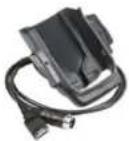 | CT50-MB-0 | Vehicle dock with hard-wired 3-pin power cable and a standard USB Type A cable.Mounting (805-611-001) and vehicle power connection (226-109-003 or -004) kits sold separately. |
Mobile Base & Power Adapter | CT50-MB-1 | Vehicle dock with hard-wired 3-pin power cable and a standard USB Type A cable. Kit includes cigarette adapter power cable. Mounting kit (805-611-001) sold separately. |
| Power Cable, Dock to Fuse Block | 226-109-003 | A 182.88 cm (72 in) power cable with spade lugs and 3-pin connector to be used for connection of Mobile Base to fuse block or similar connection point. Supports input voltage of 12-30V DC. (Note: If direct connection to fuse block not available, requires use of 203-803-001 Fuse Block Power Kit. This kit is optional.) |
| Power Cable, Dock to Fuse Block | 226-109-004 | A 55.8 cm (22 in) power cable with spade lugs and 3-pin connector to be used for connection of Mobile Base to fuse block or similar connection point. Supports input voltage of 12-30V DC. (Note: If direct connection to fuse block not available, requires use of 203-803-001 Fuse Block Power Kit. This kit is optional.) |
Mobile Adapter | CT50-MC | Snap on cup with 10-30V cigarette lighter plug. |
Mobile Base CigaretteAdapter Power Cable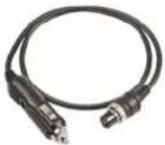 | CT50-MC-Cable | Cable with 3-pin plug and 10-30V cigarette lighter adapter for use with Mobile Base. |
cables and adapters
| PRODUCT NAME | SKU | DESCRIPTION |
Power Plug Adapter Kit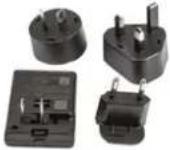 | 213-029-001 | Kit includes AC power plugs for US, EU, UK, ANZ and USB cable. |
USB Adapter | CT50-USB | Snap-on cup with Standard Type A connector.Supports USB client. (Note: For AC charging,the power plug adapter kit 213-029-001 is required.) |
Cable Ass'y - USB Type A to Type B | 321-576-004 | A 1.8 m (6 ft) USB Type B to Type A cable for use with CT50 HomeBase and eHomeBase. |
battery pack
| PRODUCT NAME | SKU | DESCRIPTION |
| Standard Battery Pack | 318-055-001 | Replacement battery for CT50. |
 |
accessories
| PRODUCT NAME | SKU | DESCRIPTION |
Stylus | 213-048-001 | Pack of five CT50 replacement styluses. |
Handstrap | 213-049-001 | Pack of three CT50 replacement handstraps. |
For more information:
www.honeywellaidc.com
Honeywell Scanning & Mobility
9680 Old Bailes Road
Fort Mill, SC 29707
800-582-4263
www.honeywell.com
CT50 Accessory Catalog Rev B 08/15
© 2015 Honeywell International Inc.


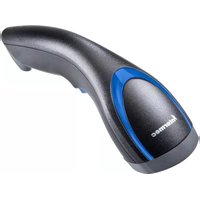

Brand : HONEYWELL
Model : Dolphin CT50
Category : Barcode Reader