
NAS-3108D - Loudspeaker Naxa - Free user manual and instructions
Find the device manual for free NAS-3108D Naxa in PDF.


| Product Type | Portable Bluetooth Speaker |
| Model | NAS-3108D |
| Brand | Naxa |
| Dimensions (W x H x D) | Approx. 6.5 x 8.0 x 6.5 inches (165 x 203 x 165 mm) |
| Weight | Approx. 2.2 lbs (1.0 kg) |
| Power Source | Built-in rechargeable lithium-ion battery (3.7V 1200mAh) or USB DC 5V |
| Battery Life | Up to 6 hours at moderate volume |
| Charging Time | Approx. 3 hours |
| Wireless Connectivity | Bluetooth 5.0 |
| Bluetooth Range | Up to 33 ft (10 meters) |
| Speaker Driver | Single 3-inch full-range driver |
| Output Power | 5W RMS |
| Frequency Response | 100 Hz - 20 kHz |
| Audio Inputs | Bluetooth, 3.5mm AUX |
| Controls | Power, Volume +/-, Play/Pause, Next/Previous track, Pairing button |
| Indicators | LED power and Bluetooth status indicator |
| Microphone | Built-in for hands-free calling |
| Water Resistance | Not specified (assumed splash-resistant only) |
| Included Accessories | USB charging cable, 3.5mm audio cable, user manual |
| Storage Temperature | -20°C to 60°C |
| Operating Temperature | 0°C to 45°C |
| Care and Cleaning | Wipe with a soft dry cloth. Do not use abrasive cleaners or immerse in water. |
| Safety | Do not disassemble. Keep away from heat sources and liquids. Use only approved chargers. |
| Repairability | Battery can be replaced by qualified technician. No user-serviceable parts inside. |
Frequently Asked Questions - NAS-3108D Naxa
User questions about NAS-3108D Naxa
0 question about this device. Answer the ones you know or ask your own.
Ask a new question about this device
Download the instructions for your Loudspeaker in PDF format for free! Find your manual NAS-3108D - Naxa and take your electronic device back in hand. On this page are published all the documents necessary for the use of your device. NAS-3108D by Naxa.
USER MANUAL NAS-3108D Naxa
Dual TWS Bluetooth® Speakers
NAS-3108D

natural_image
Two black cylindrical objects with rounded tops, no visible text or symbolsInstruction Manual
Please read before operating product
Thank You
We know you have many choices when it comes to technology; thank you for choosing us here at Naxa Electronics. Established in 2001 in Los Angeles, California, we are dedicated to delivering products that entertain and delight. We trust that you will be happy with your purchase. Please read this manual carefully and save it for refer and other product material at our website. Come visit us on the web at www.naxa.com and see all that we have to offer!
In The Box
Please take a moment to make sure that you have everything in the list below. Although we make every effort to ensure that each Naxa device is securely packed and sealed, we know a lot can happen in between us and you. If anything is missing, check back with your local retailer to get immediate assistance. If they can not help you, please contact our Naxa Support team at www.naxa.com/supportcenter/.
• NAS-3108D (Two Speakers)
- USB charging cable
Features
- 2-in-1 speaker bundle gives you two high-quality Bluetooth speakers with TWS function
- Bluetooth® 5.0 functionality allows you to seamlessly connect to your Bluetooth-enabled media devices with ease, giving you full access to countless high-quality entertainment
- Connect speakers with ease thanks to TWS function, allowing you to sync speakers across various rooms in your house
- Auto pairing makes syncing the speakers an even easier user experience
- Portable design allows you to take your true wireless speakers with you wherever you go
• High-power speakers easily fill any room with peerless audio for all to enjoy - Stylish tripod design will serve as a welcome addition to the aesthetic of any modern home
- Set the mood for any occasion with speaker lighting according to music
- Long-lasting battery life offers up to 3 hours of play time from a full charge
- Accessories included: USB charge cable, user manual
Connecting Power
Works on internal rechargeable Lithium battery. Please charge your speaker fully before first use. To charge the battery :
- Using a Micro USB cable (included), insert the jack into Charging jack located at the back of the units and then plug the USB connector into the USB port on a computer for charging.
- A red light aside will indicate the charging situation. When battery is full, the red light will turn off automatically.
Bluetooth® Mode
Single Speaker Pairing:
- Turn on one unit ONLY by sliding the switches on the back to "ON". The device will go to SINGLE SPEAKER MODE after 20 seconds
- Turn on BT mode in Mobile/Device Bluetooth menu. Next, search the model name “NAS-3108D” click to connect. Then, after a few seconds, the blue light will flash slowly following a successful connection.
If connection fails, restart device and do steps 1 & 2 again.
Twin Speaker Pairing:
- Turn on both units AT THE SAME TIME by sliding the switches on the back to “ON”, the blue indicator lights flash quickly and start pairing.
- Wait for 5-10 seconds, a tone will prompt out and two speakers paired automatically. After paired successfully, Bluetooth Blue light on one unit will flash slowly, on the other unit is still flash quickly.
- Turn on BT mode in Mobile/Device Bluetooth menu. Next, search the model name “NAS-3108D” click to connect. Then, after a few seconds, the blue light will flash slowly following a successful connection.
NOTE: When the twin speakers have been paired once, they will automatically reconnect in the future.
Music Playback
Once you have paired an external media device with the twin speakers via Bluetooth®, you can play all of your favorite songs over the speakers. To do so:
- Open the music library on your connected Bluetooth® media device.
- Choose a song and begin playback to stream music through the connected twin speakers.
Answering Phone Calls
Once you have paired an external media device with the twin speakers via Bluetooth®, you can answer, end, or make calls via your twin speakers. To do so:
- To answer an incoming call, press the play/pause button once.
- To end an ongoing call, press the play/pause button once again.
- To redial a number, press the play/pause button twice.
Specifications
- Bluetooth Version: 5.0V
- Power: 3W*2
- Driver: 2"
• Frequency Range: 33ft / 10m
• Frequency Response: 100Hz-18KHz - Battery: 350mAh x 2
- Play Time: Up to 2 hours at 80% volume
- Charge Time: Up to 1 hour and 10 minutes
- Charging voltage: 5V
- Support: TWS
FCC Notice
This device complies with Part 15 of the FCC Rules.
Operation is subject to the following two conditions:
(1) this device may not cause harmful interference, and
(2) this device must accept any interference received,
including interference that may cause undesired operation.
Note: This equipment has been tested and found to comply with the limits for a class B digital device, pursuant to part 15 of the FCC Rules.
These limits are designed to provide reasonable protection against harmful interference in a residential installation. This equipment generates, uses and can radiate radiate radio
frequency energy and, if not installed and used in accordance with the instructions, may cause harmful interference to radio communications.
However, there is on guarantee that interference, will not occur in a particular installation. If this equipment does cause harmful interference to radio or television reception reception, which
can be-terminated by turning the equipment off and on, the user is encouraged to try to correct the interference by one or more of the following measures:
- Reorient or relocate the receiving antenna.
- Increase the separation between the equipment and receiver.
- Connect the equipment into an outlet on a circuit different from that to which the receiver is connected.
- Consult the dealer or an experienced radio/TV technician for help.
CAUTION ON MODIFICATIONS
Any changes or modifications not expressly approved
by the grantee of this device may void the authority
granted by the FCC to operate the equipment.
Support
If you have problems with your device, please consult the instructions in this manual. Please also visit us on the web at www.naxa.com to get up to the minute news, alerts, and documentation for your device. For additional assistance, please contact Naxa Technical Support.
NAXA Technical Support
2320 East 49th St.
Vernon, CA 90058
http://www.naxa.com/naxa_support/
MADE IN CHINA
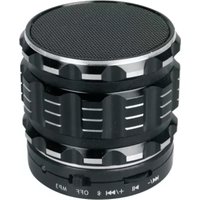



Brand : Naxa
Model : NAS-3108D
Category : Loudspeaker