
TW844 Canteen - Wristwatch TW Steel - Free user manual and instructions
Find the device manual for free TW844 Canteen TW Steel in PDF.


| Product Type | Wristwatch |
| Brand | TW Steel |
| Model | TW844 Canteen |
| Movement | Quartz |
| Case Diameter | Approx. 45 mm |
| Case Material | Stainless Steel |
| Crystal | Mineral Crystal |
| Water Resistance | 50 meters (5 ATM) with crown properly screwed |
| Crown | Screw-down crown with crown cap |
| Functions | Hours, minutes, seconds, date, chronograph (1/1 second, up to 1 hour) |
| Power Source | Battery (replaceable) |
| Display | Analog (hands) |
| Strap | Leather strap (typical) |
| Clasp | Buckle |
| Weight | Approx. 180 g |
| Special Features | Oversized design, chronograph function, crown cap protection |
| Care Instructions | Clean with soft cloth; ensure crown is pressed in and screwed to maintain water resistance |
| Safety Warning | Water resistance is only guaranteed when crown is properly pressed in and/or screwed |
Frequently Asked Questions - TW844 Canteen TW Steel
User questions about TW844 Canteen TW Steel
0 question about this device. Answer the ones you know or ask your own.
Ask a new question about this device
Download the instructions for your Wristwatch in PDF format for free! Find your manual TW844 Canteen - TW Steel and take your electronic device back in hand. On this page are published all the documents necessary for the use of your device. TW844 Canteen by TW Steel.
USER MANUAL TW844 Canteen TW Steel
TW STEEL®
BIG IN OVERSIZED WATCHES
MANUAL
INSTRUCTIONS FOR THE USE OF THE TW STEEL MODELS/ CANTEEN STYLE
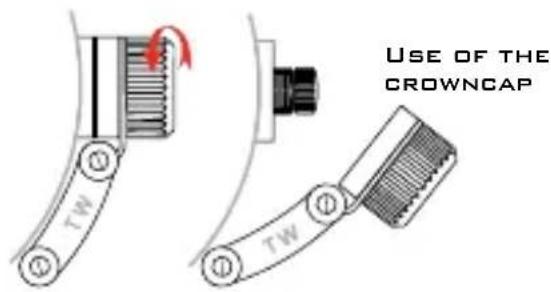
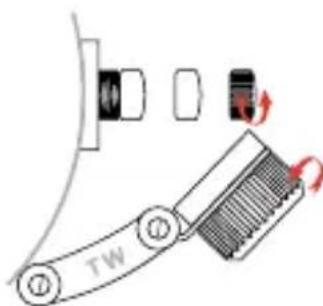
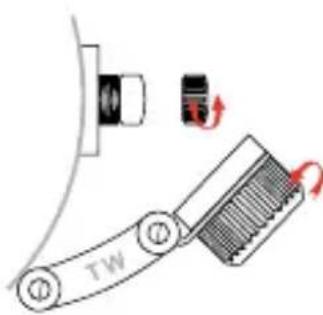
To adjust the time or set the date you first have to unscrew the crowncap anti clockwise. If you have unscrewed it, you will see the [small] crown. Follow the next instructions to adjust the time and date. After adjusting it, screw the crowncap clockwise back.
ADJUSTING THE TIME ADJUSTING THE DATE
USING THE CHRONOGRAPH
CHANGING THE TIME
ADJUSTING THE TIME
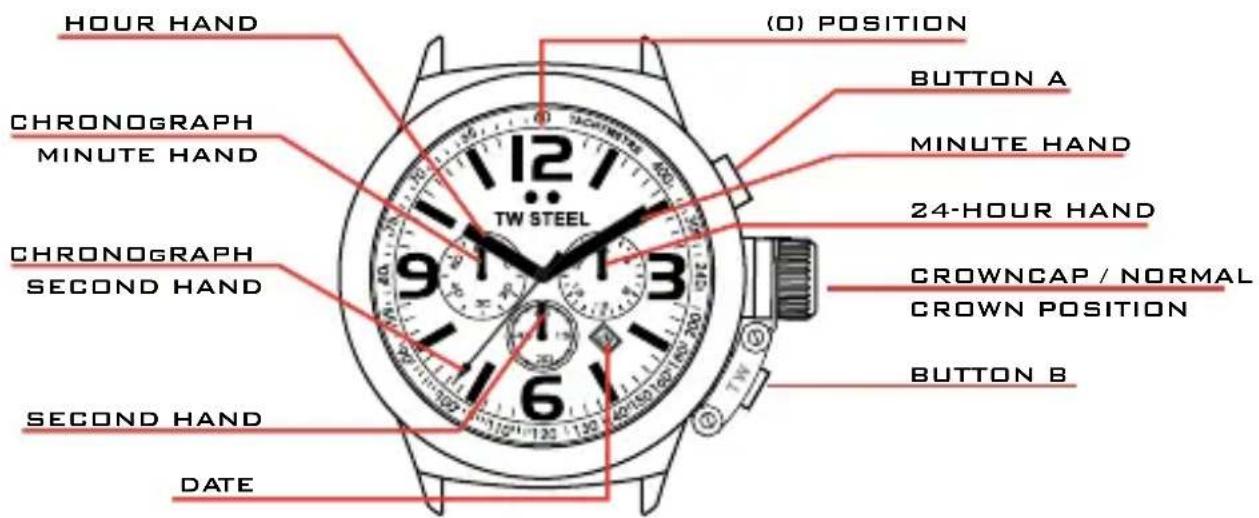
Pull the crown out to the 2nd click position so that the second hand stops at (O) position. Turn the crown to set the hour and minute hands.
ADJUSTING THE DATE
ADJUSTING THE DATE
Pull the crown out to the 1st position. Turn the crown to the left to set the date. After the date has been set, push the crown back to the normal position.
USING THE CHRONOGRAPH
The chronograph is able to measure and display the time in 1/1 second united up to an maximum of 1 hour. The chronograph can be started and stopped each time button A is pressed. Pressing button B resets the chronograph. All hands return to their (O) position. If the chronograph second hand does not return to the (O) second position after the chronograph has been reset or after replacing the battery, you should do the following: Pull the crown out to the 2nd position. Press button A to set the chronograph second hand to the (O) position. The chronograph hands can be advanced rapidly by continuously pressing button A or B. Once the chronograph second hand has returned to the (O) position, return the crown to its normal position.
NSTRUCTIONS FOR GRANDEUR DIVER / GOLIATHGRANDEUR COLLECTION / TECH COLLECTION
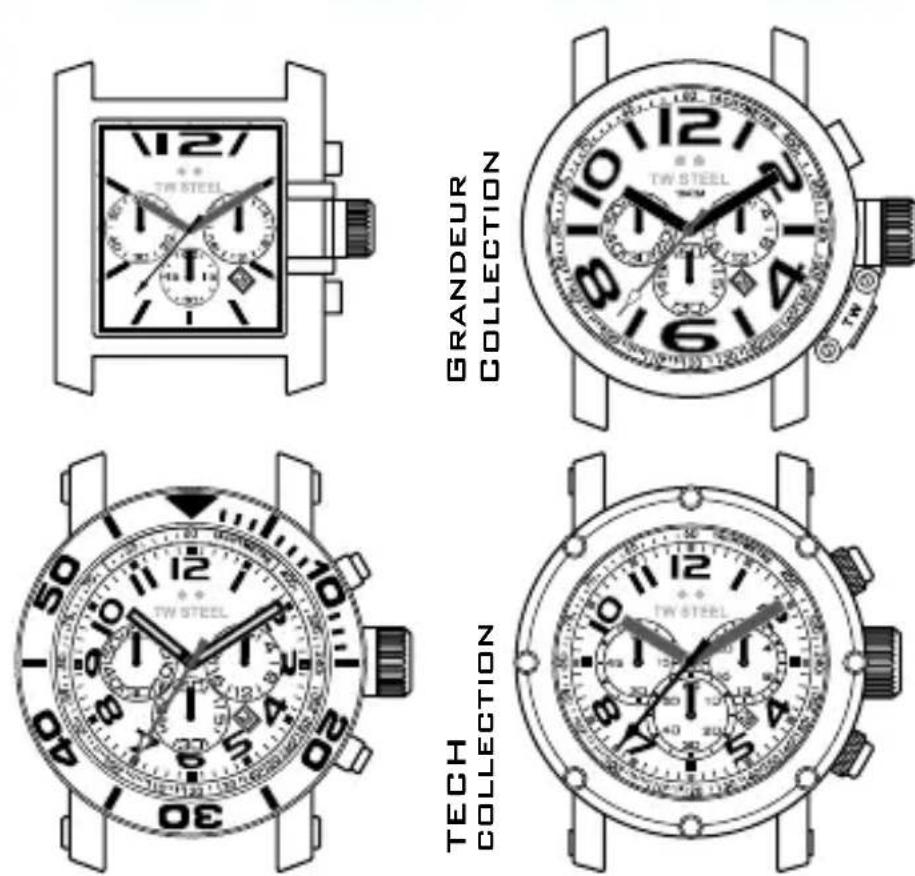
GOLIATH
To set the time and date you can directly pull out the big crown its 1st or 2nd position.
GRANDEUR COLLECTION
If your model has a crowncap, please follow the instructions of the Canteen style. If your model has NO crowncap, you can directly pull out the big crown to its 1st or 2n position to set the time and date.
GRANDEUR DIVER
To set the time and date you first have to unscrew the big crown an clockwise. You can now pull out the crown to its 1st or 2nd position.
For al models follow the instructions of the Canteen Style for the use of the chronograph.
USING THE CHRONOGRAPH OF THE TECH MODELS
TECH COLLECTION
To adjust the time and date of the Tech, you first have to unscrew the big crown anti clockwise. You can now pull out the crown to its 1st or 2nd position. Check the manual of the Canteen Style for further instructions on how to set the time and date.
for 30 seconds after starting and then stops at (o) position. Press button B to change the watch to the chronograph mode. The second hand stops at the (O) position and changes to the chronograph 1/20 second hand. The chronograph can be started and stopped each time button A is pressed. Pressing button B resets the chronograph. the following: Pull the crown out to the 2nd position. Press button A to set the chronograph second hand to the (O) position. Press button B to set the chronograph 1/20 second hand to (O) position. The chronograph hands can be advanced rapidly by continuously pressing button A or B. Once the hands have returned to the (O) position, return the crown to its normal position an screw the crown clockwise back on to the case.
USE OF THE CHRONGRAPH FOR ALL TECH MODELS
The chronograph is able to measure and display the time in 1/20 second united up to a maximum of 59 min and 59 sec. The retrograde chronograph 1/20 second hand keeps running continuously
All hands return to their (O) position. If the chronograph second hand and the chronograph 1/20 second hand do not return to the (O) second position after the chronograph has been reset or after replacing the battery, you should do
CAUTION: IF THE CROWN IS NOT PRESSED IN PROPERLY, THE WATCH IS NO LONGER WATER-PROOF AND THE MOVEMENT CAN BE SERIOUSLY DAMAGED!




- TW STEEL®
- BIG IN OVERSIZED WATCHES
- INSTRUCTIONS FOR THE USE OF THE TW STEEL MODELS/ CANTEEN STYLE
- ADJUSTING THE TIME ADJUSTING THE DATE
- USING THE CHRONOGRAPH
- ADJUSTING THE TIME
- ADJUSTING THE DATE
- NSTRUCTIONS FOR GRANDEUR DIVER / GOLIATHGRANDEUR COLLECTION / TECH COLLECTION
- GOLIATH
- GRANDEUR COLLECTION
- GRANDEUR DIVER
- USING THE CHRONOGRAPH OF THE TECH MODELS
- TECH COLLECTION
- USE OF THE CHRONGRAPH FOR ALL TECH MODELS
Brand : TW Steel
Model : TW844 Canteen
Category : Wristwatch