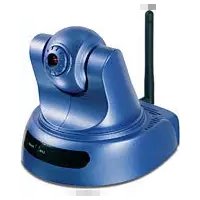
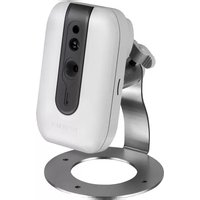
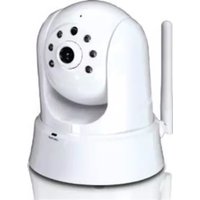
TV-IP400W - Surveillance Camera TRENDNET - Free user manual and instructions
Find the device manual for free TV-IP400W TRENDNET in PDF.


| Product Type | Wireless IP Camera |
| Model | TV-IP400W |
| Brand | TRENDnet |
| Wireless Standard | IEEE 802.11b/g (2.4 GHz) |
| Antenna | 1 x 2dBi detachable antenna |
| Ethernet Interface | 10/100Mbps RJ-45 |
| Image Sensor | CMOS (VGA resolution) |
| Maximum Resolution | 640 x 480 pixels |
| Video Compression | MJPEG |
| Power Supply | AC Power Adapter (5V DC) |
| Mounting | Flat surface or wall mount with included plate |
| System Requirements | CPU 1GHz+, 256MB RAM, CD-ROM drive, Internet Explorer 5.0+ |
| Default IP Address | 192.168.0.20 |
| Wireless Security | WEP, WPA (TKIP), WPA2 (AES) - depends on router |
| Compliance | FCC, CE |
| Dimensions (approx.) | 4.7 x 3.5 x 2.2 inches (120 x 90 x 56 mm) |
| Weight (approx.) | 0.5 lb (225 g) without accessories |
| Operating Temperature | 0°C to 40°C (32°F to 104°F) |
| Package Contents | Camera, Quick Installation Guide, mounting plate, CD-ROM, AC adapter, antenna (TV-IP400W) |
Frequently Asked Questions - TV-IP400W TRENDNET
User questions about TV-IP400W TRENDNET
0 question about this device. Answer the ones you know or ask your own.
Ask a new question about this device
Download the instructions for your Surveillance Camera in PDF format for free! Find your manual TV-IP400W - TRENDNET and take your electronic device back in hand. On this page are published all the documents necessary for the use of your device. TV-IP400W by TRENDNET.
USER MANUAL TV-IP400W TRENDNET
natural_image
Two blue industrial control switches with visible ports and a wireless signal unit (no text or symbols)Quick Installation Guide





Table of Contents
English 1
- Before You Start 1
- Hardware Installation 2
- Configure the Internet Camera 3
Troubleshooting 5
1. Before You Start

natural_image
Two blue industrial control knob holders with a vertical antenna, shown from different angles (no text or symbols visible)Package Contents
- TV-IP400/TV-IP400W
- Quick Installation Guide
- Mounting plate
• Utility CD-ROM - AC Power Adapter
- 1 x 2dBi Detachable Antenna (TV-IP400W)
System Requirements
- CD-ROM Drive
• 10/100Mbps Ethernet - CPU: 1GHz or above
• Memory: 256MB or above
• VGA Resolution: 800 x 640 or above
• Web Browser: Internet Explorer 5.0 or above
Application
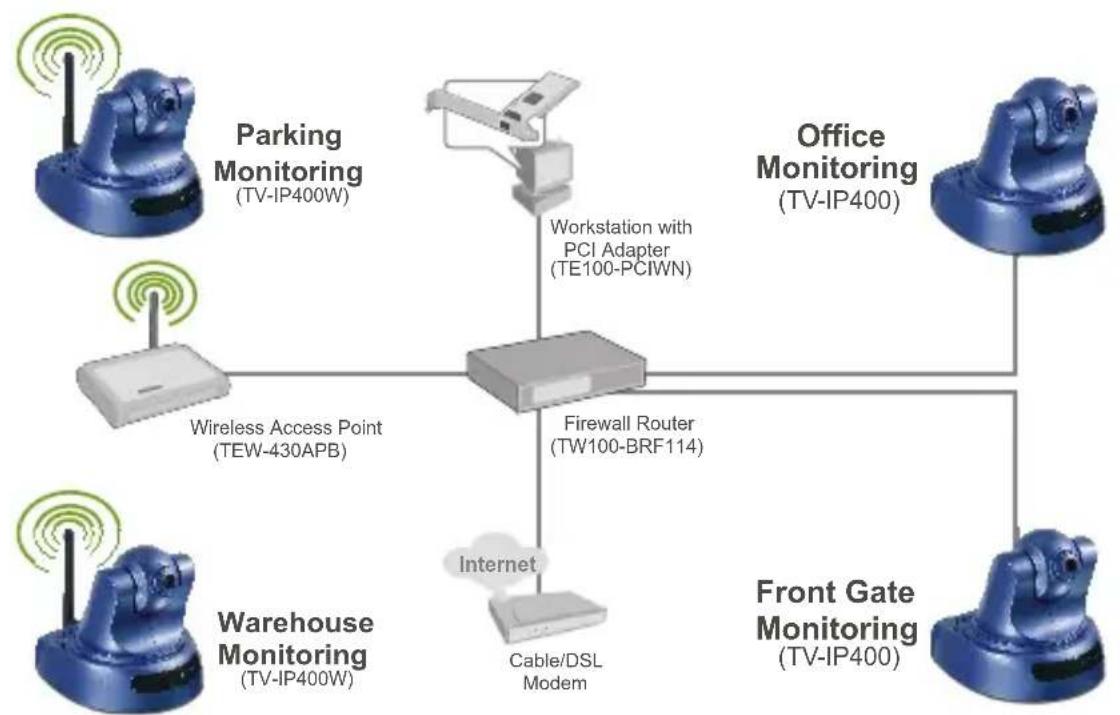
flowchart
graph TD
    A["Parking Monitoring (TV-IP400W)"] --> B["Workstation with PCI Adapter (TE100-PCIWN)"]
    C["Office Monitoring (TV-IP400)"] --> B
    D["Wireless Access Point (TEW-430APB)"] --> E["Firewall Router (TW100-BRF114)"]
    F["Warehouse Monitoring (TV-IP400W)"] --> G["Internet"]
    H["Cable/DSL Modem"] --> I["Front Gate Monitoring (TV-IP400)"]
2. Hardware Installation
- Place the camera on a flat, level surface.
- Attach the Antenna. (TV-IP400W)
- Connect the AC Power Adapter to the back of the camera.
- Connect the AC Power Adapter to a power outlet.
- Connect a RJ-45 network cable from a Switch/Hub to the Ethernet port of the Internet Camera.

natural_image
Blue TP device with antenna and ports, no visible text or symbols on body3. Configure the Internet Camera
Note: It is recommended that you configure the Internet Camera from a wired computer. Before the Internet Camera can be configured, a Static IP address must be assigned on your computer's network adapter in the subnet of 192.168.0.x. Since the Internet Camera's default IP address is 192.168.0.20, make sure no other network devices are assigned an IP address of 192.168.0.20. (Refer to the Troubleshooting section on how to configure TCP/IP settings on your PC.)
- Open your web browser, type http://192.168.0.20 in the Address bar, and press Enter.

- Click Administration.

- Click Configuration and then click Network. Configure the network settings to be in the same subnet as your network. Then click Save.

- Click Wireless. Configure your wireless settings to match your wireless network's settings and then click Save. (TV-IP400W only)

- Click ActiveX or Java Mode.

Your installation is now complete.
Note: For detailed information regarding the TV-IP400/TV-IP400W configuration and advanced settings, please refer to the Troubleshooting section, User's Guide on the Utility CD-ROM, or TRENDnet's website at http://www.trendnet.com.
Q1: How do I configure TCP/IP settings on my computer?
- Go into the Control Panel and double-click the Network Connections icon, and then right-click the Local Area Connection icon and then click Properties.

Local Conne
Disable
Status
Repair
Bridge Connections
Create Shortcut
Delete
Rename
Properties
- Click Internet Protocol (TCP/IP) and then click Properties. Then click on Use the following IP address, and make sure you assign your network adapter an IP address in the subnet of 192.168.0.x.
Obtain an IP address automatically
- Use the following IP address:
P address
Subnet mask:
Default gateway
192.168.0.50
255.255.255.0
A
Q2: When I click on ActiveX or Java, the image does not load?
A2: First, make sure that you are using a browser that supports ActiveX or Java. Second, make sure that ActiveX or Java is installed and enabled.
Q3: How do I connect the TV-IP400W to my wireless router or access point?
A3: Make sure that you configure the camera to have the same SSID, encryption mode and key (if enabled). Follow the instructions in section 2 to configure the camera with the SSID and encryption key.
Q4: After I successfully configured the TV-IP400/TV-IP400W to match my wireless network settings, I can not connect to the camera.
A4: First, verify that the wireless settings match your wireless network settings. Second, verify that the LINK LED is lit orange. Third, press on the reset button using a paper clip for 15 seconds, then let go. Then reconfigure the camera.
If you still encounter problems or have any questions regarding the TV-IP400/TV-IP400W, please contact TRENDnet's Technical Support Department.
Certifications
This equipment has been tested and found to comply with FCC and CE Rules. Operation is subject to the following two conditions:
(1) This device may not cause harmful interference.
(2) This device must accept any interference received. Including interference that may cause undesired operation.


Waste electrical and electronic products must not be disposed of with household waste. Please recycle where facilities exist. Check with you Local Authority or Retailer for recycling advice.

NOTE: THE MANUFACTURER IS NOT RESPONSIBLE FOR ANY RADIO OR TV INTERFERENCE CAUSED BY UNAUTHORIZED MODIFICATIONS TO THIS EQUIPMENT. SUCH MODIFICATIONS COULD VOID THE USER'S AUTHORITY TO OPERATE THE EQUIPMENT.
ADVERTENCIA
TRENDnet Technical Support
US·Canada
Toll Free Telephone: 1(866) 845-3673
24/7 Tech Support

Europe (Germany • France Italy Spain Switzerland UK)
Toll Free Telephone: +00800 60 76 76 67
English/Espanol - 24/7
Francais/Deutsch - 11am-8pm, Monday - Friday MET
Worldwide
Telephone: +(31) (0) 20 504 05 35
English/Espanol - 24/7
Francais/Deutsch - 11am-8pm, Monday - Friday MET
Product Warranty Registration
Please take a moment to register your product online.
Go to TRENDnet's website at http://www.trendnet.com
- Table of Contents
- English 1
- Troubleshooting 5
- Before You Start
- Package Contents
- System Requirements
- Hardware Installation
- Configure the Internet Camera
- Your installation is now complete.
- Q1: How do I configure TCP/IP settings on my computer?
- Q2: When I click on ActiveX or Java, the image does not load?
- Q3: How do I connect the TV-IP400W to my wireless router or access point?
- Q4: After I successfully configured the TV-IP400/TV-IP400W to match my wireless network settings, I can not connect to the camera.
- Certifications
- ADVERTENCIA
- TRENDnet Technical Support
- Worldwide
- Product Warranty Registration
Brand : TRENDNET
Model : TV-IP400W
Category : Surveillance Camera