PPA-360 - Remote control Vogel's - Free user manual and instructions
Find the device manual for free PPA-360 Vogel's in PDF.


| Product Type | Four-button infrared remote for projector lift |
| Brand | Vogel's |
| Model | PPA-360 |
| Power Supply | 5 V DC, 100 mA; 2x AA alkaline batteries |
| Range | 5 to 10 meters |
| Infrared Frequency | 38 kHz |
| CE Compliance | EN 61000-6-1:2001 and EN 61000-6-3:2007 |
| Number of Buttons | 4 (UP, DOWN, STOP, HIDDEN) |
| Operating Modes | Automatic and Manual |
| Basic Functions | UP (raise), DOWN (lower), STOP (halt) |
| Functions in Manual Mode | Setting operating and maintenance positions, exiting Manual Mode |
| Green Indicator Light | Off in Automatic mode; slow flashing in Manual mode; fast flashing when pressing Hidden button or confirming |
| Red Indicator Light | Indicates the lift codes (identical to the lift codes) |
| Error Correction | Stop error flashing by holding STOP for 10 s; bypass for 7 flashes |
| Pin Assignment (DB9) | 1 Black UP, 2 Red DOWN, 3 Green STOP, 4 Blue SETTING, 5 Yellow BYPASS, 6 White Common, 7 Purple Indicator, 8 Orange Safety Bypass, 9 Brown +5V |
| Warranty | 2 years on remote (5 years on product except motorized modules, electronic boards and remote) |
| Maintenance and Cleaning | Do not use solvents or acids; follow WEEE disposal instructions |
| Safety | Do not discard with household waste; complies with CE standards |
| Spare Parts and Repairability | Repair guaranteed by Vogel's in case of manufacturing defect; battery not covered |
Frequently Asked Questions - PPA-360 Vogel's
User questions about PPA-360 Vogel's
0 question about this device. Answer the ones you know or ask your own.
Ask a new question about this device
Download the instructions for your Remote control in PDF format for free! Find your manual PPA-360 - Vogel's and take your electronic device back in hand. On this page are published all the documents necessary for the use of your device. PPA-360 by Vogel's.
USER MANUAL PPA-360 Vogel's
GB operatinG instructions
reMote control
Fr Mode d'eMpLoi
coMMande À distance
PPA-350
PPA-360
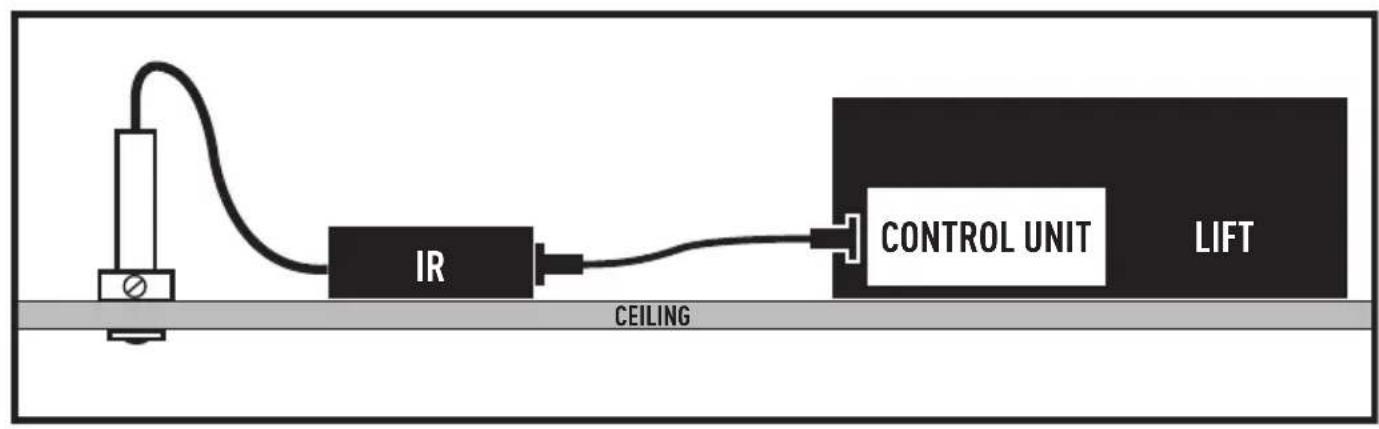


ENGLISH
Four Button Infrared Remote – Instructions for use
Projector Lift Version
Operation
When power is applied to the control box the IR Remote will boot up. The green LED will blink 20 times. The Red LED provides projector lift codes. Consult the Projector Lift Manual for LED lift codes.
The IR remote will default to automatic mode (Up, Down, Stop). Basic functions (UP, DOWN, STOP) activate by pressing the button for 1 second.
NOTE: For accurate programming of lift show and service positions we recommend using the hardwired remote provided with the lift. The electronic Lower Limit cannot be reset with the IR Remote.
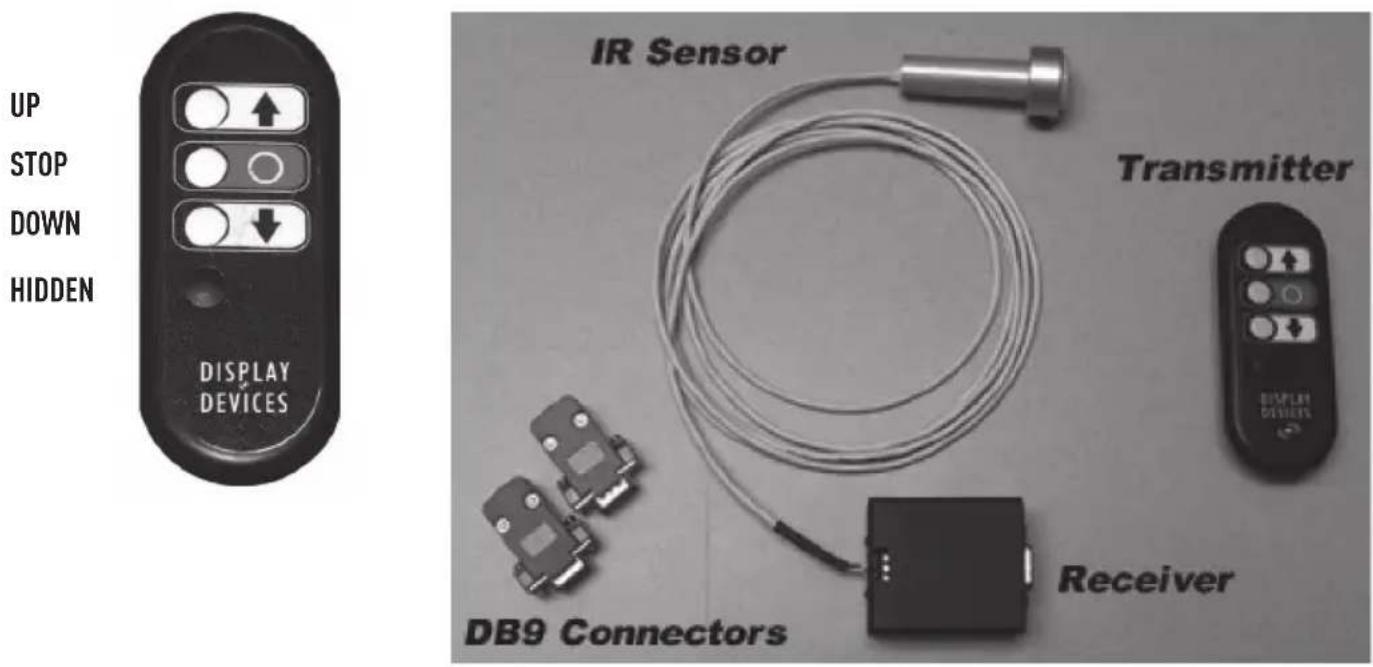
Basic Control
Function Button
Go to Home position (all the way up) UP ARROW
Go to Show position (1st programmed position) DOWN ARROW
Stop Movement STOP Button (Red)
Go to Service Position (2nd programmed position) Hold HIDDEN for one second, release, then press and release DOWN
Enter Manual Mode Press HIDDEN for 5 seconds, release, then press STOP for 5 seconds
(Green LED will blink slowly)
Manual Mode Control
The following functions will work only after entering Manual Mode.
Function Button
Set Show position (all the way up) Hold HIDDEN for one second, release, then press and release UP
Set Maintenance position Hold HIDDEN for one second, release, then press and release DOWN
Exit Manual Mode Hold HIDDEN for one second, release, then press and release STOP
Error Correction
Stop Error blinks Press and hold STOP for 10 seconds
Override 7 Blinks Press and hold STOP for 10 seconds, release, then press and hold HIDDEN for five seconds, release, press UP. Lift will raise, release the limit switch and stop.
LED Indicators
RED LED Same as Lift codes
GREEN LED OFF In Automatic Mode
Slow Blink In Manual Mode
Fast Blink Hidden button pressed for 5 seconds, waiting for next button push – or-
Fast Blink Confirmation of Set Show/Maintenance
Intermittent Blinking Reception of IR signal
Fast Blink 20 times Powered up
Pin Assignments: DB9 Male to DB9 Female
1 Black - UP
2 Red - DOWN
3 Green - STOP
4 Blue - SET
5 Yellow - OVERRIDE
6 White Common
7 Purple - LED
8 Orange – Safety Switch Override
9 Brown +5V
Programming Mode
The following functions will work only after entering Manual Mode.
Function
Button
Set Show position (all the way up) then press UP button Press HIDDEN for 1 second, release,
Set Maintenance position Press HIDDEN second, release, then press DOWN button
Exit Manual Mode Press HIDDEN for 1 second, release, then press STOP Button (Red)
Error Correction
Stop Error blinks Press & hold STOP button for 10 seconds Override 7 Blinks Press & hold STOP button for 10 seconds, Release, then press & hold HIDDEN for press UP button.
5 seconds, release,
Specifications
CE tested according compliance test EN 61000-6-1:2001& EN 61000-6-3: 2007
Operation: 5-10 meter Power: 5 Volts DC, 100mA Battery : 2 x type AA Alkaline IR: 38Khz
FRENCH
Commandes de base
Fonction Bouton
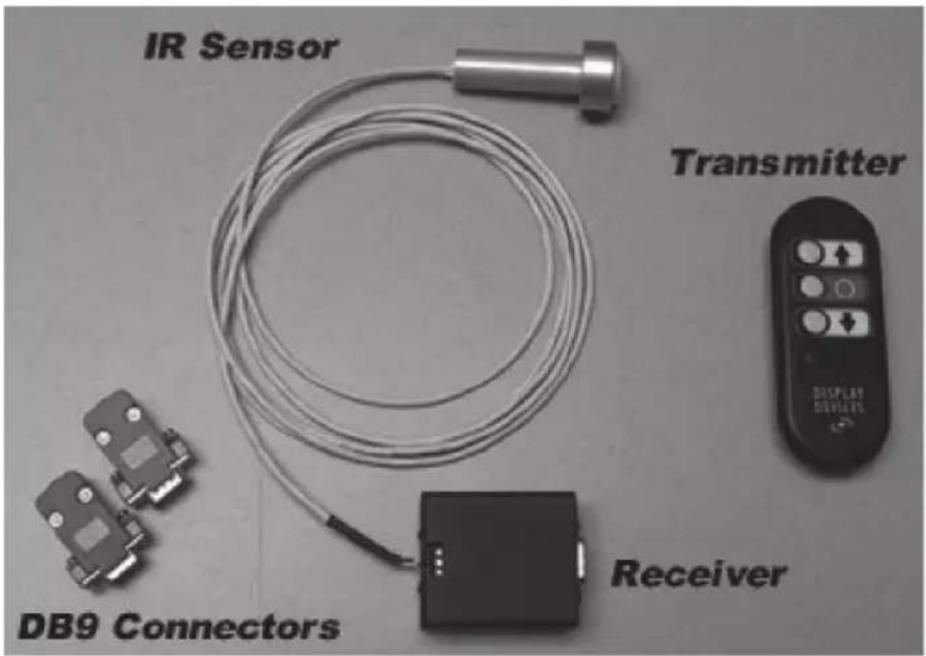
Controlli di base
Funzione Pulsante

Control básico
Función Botón
Alcance: 5-10 metros
WEEE DISPOSAL INSTRUCTIONS, GUARANTEE TERMS AND CONDITIONS
EN WEEE disposal instructions
Do not dispose of this device, the remote control or it's battery with unsorted household waste. Improper disposal may be harmful to the environment and human health. Please refer to your local waste authority for information on return and collection systems in your area.
Guarantee terms and conditions
Congratulations on the purchase of this Vogel's product! The product you now have in your possession is made of durable materials and is based on a design, every detail of which has been meticulously thought-out. That is why Vogel's gives you a 5-year guarantee for defects in materials or manufacturing. The guarantee is limited to 2 years for the motorized modules, electronic boards and the remote control (the battery is not covered by a guarantee).
- Vogel's guarantees that if during the guarantee period of a product, faults arise due to defects in manufacturing and/or materials, it will, at its discretion, repair or if necessary replace the product, free of cost. A guarantee for normal wear and tear is hereby expressly excluded.
- If the guarantee is invoked, the product should be sent to Vogel's together with the original purchase document (invoice, sales slip or cash receipt). The purchase document should clearly show the name of the supplier and the date of purchase.
-
Vogel's guarantee shall lapse in the following cases:
-
If the product has not been installed and used in accordance with the Instructions for use;
- If the product has been altered or repaired by someone other than Vogel's;
- If a fault arises due to external causes (outside the product) such as for example lightning, water nuisance, fire, scuffing, exposure to extreme temperatures, weather conditions, solvents or acids, wrong use or negligence;
- If the product is used for different equipment than is mentioned on or in the packing.
EN Printing errors and the right to make technical modifications reserved.
- ENGLISH
- Four Button Infrared Remote – Instructions for use
- Projector Lift Version
- Operation
- Basic Control
- Function Button
- Manual Mode Control
- Error Correction
- LED Indicators
- Pin Assignments: DB9 Male to DB9 Female
- Programming Mode
- Function
- Button
- Specifications
- FRENCH
- Commandes de base
- Fonction Bouton
- Controlli di base
- Funzione Pulsante
- Control básico
- WEEE DISPOSAL INSTRUCTIONS, GUARANTEE TERMS AND CONDITIONS
- EN WEEE disposal instructions
- Guarantee terms and conditions
Brand : Vogel's
Model : PPA-360
Category : Remote control