
WNP-RP-002 - Wi-Fi repeater Gembird - Free user manual and instructions
Find the device manual for free WNP-RP-002 Gembird in PDF.


| Product Type | Wi-Fi Repeater (300 Mbps) |
| Brand | Gembird |
| Model | WNP-RP-002 |
| Wireless Standards | IEEE 802.11b/g/n (2.4 GHz) |
| Maximum Data Rate | 300 Mbps |
| Ports | 1 x 10/100M RJ45 Ethernet |
| Frequency Band | 2.4 - 2.4835 GHz |
| Channels | 1-13 (Europe) |
| RF Power | 14 dBm (max EIRP) |
| Antenna Gain | 3 dBi ±1 dBi (internal) |
| Security | WEP 64/128-bit, WPA/WPA2-PSK |
| Operating Modes | Router, Repeater, AP Client |
| WPS Button | Yes |
| Signal Strength Indicator | Yes (practical) |
| Power Consumption | Up to 3 W |
| Dimensions (W x D x H) | 90 x 40 x 60 mm |
| Net Weight | 150 g (approx) |
| Operating Temperature | 0°C to 40°C |
| Storage Temperature | -40°C to 70°C |
| Operating Humidity | 10% - 90% (non-condensing) |
| Storage Humidity | 5% - 95% (non-condensing) |
| Max Transmission Distance | Up to 100 m indoors, 300 m outdoors |
| Cleaning | Wipe with a dry, soft cloth |
| Safety | Do not expose to water; unplug before cleaning |
Frequently Asked Questions - WNP-RP-002 Gembird
User questions about WNP-RP-002 Gembird
0 question about this device. Answer the ones you know or ask your own.
Ask a new question about this device
Download the instructions for your Wi-Fi repeater in PDF format for free! Find your manual WNP-RP-002 - Gembird and take your electronic device back in hand. On this page are published all the documents necessary for the use of your device. WNP-RP-002 by Gembird.
USER MANUAL WNP-RP-002 Gembird
natural_image
Abstract logo design with a stylized arrow and 'GE' text, no readable text or symbols beyond the graphic elements.GEMBIRD®
natural_image
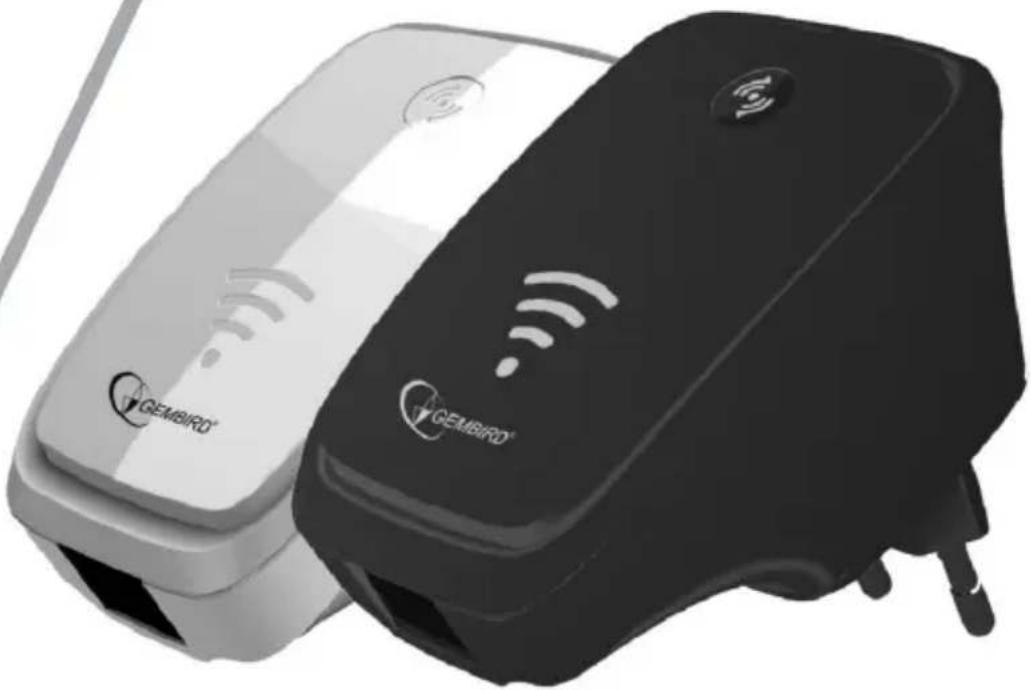
Two GEMBIRO devices with wireless signal icons, one white and one black, shown without any text or symbols.WIFI REPEATER, 300 MBPS
WIFI-REPEATER, 300 MBPS
WIFI VERSTERKER, 300 MBPS
RÉPÉTEUR WIFI, 300 MBPS
• 300 Mbps WiFi repeater with integrated antennas
• Supports all IEEE802.11b/g/n WiFi standards (2.4GHz networks)
- Up to 300 Mbps data transfer rate via the wireless 802.11n protocol
• Maximum WLAN security with WPA2, WPA and WEP(128/64)
• WPS button for easy WPS security setup
- Can also be used as a normal wireless router
- In 'repeater' mode the LAN port can be used as wired network connection
• Practical signal strength indicator
Specifications
- Supported standards: IEEE 802.11n, IEEE 802.11g, IEEE 802.11b, IEEE 802.3, IEEE 802.3u
• Wireless transmission rate: max. 300 Mbps - Ports: 1 x 10/100M RJ45
-
Chipset: Realtek 8196E
• Frequency band: 2.4\~2.4835 GHz
• Channels: 1-13 (Europe)
• Power class: RF power 14 dBm (max. EIRP)
• Internal antenna gain (typical): 3 dBi ±1 dBi -
Receive sensitivity 11n : -70dBm@10% PER; 11g : -70dBm@10% PER; 11b: -85dBm@8% PER
- Spread Spectrum: DSSS
- Modulation: BPSK, QPSK, CCK and OFDM (BPSK/QPSK/16-QAM/64-QAM)
- Transmission distance: up to 100 m (indoor), 300 m (outdoor open air), depending on the environment
• Power consumption: up to 3 W
• Supports 64/128bit WEP, complies with 128 bit WPA/WPA2
• Supported modes: Router mode, repeater mode, AP client mode - Cascading: up to 5 levels (depending on usage environment)
• Dimensions: 90 x 40 x 60 mm (W x D x H) - Net weight: 150 ~g
- Operating temperature: 0 40^ C
• Storage temperature: -40 \~ 70 °C - Operating humidity: 10 \~ 90% non-condensing
• Storage humidity: 5 \~ 95% non-condensing

①


GEMBIRD®
WNP-RP-002 WIFI REPEATER, 300 MBPS
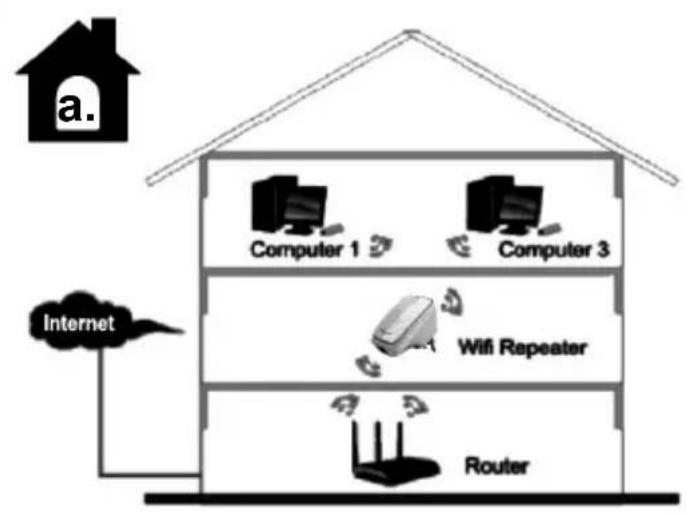
flowchart
graph TD
    A["Internet"] --> B["Router"]
    B --> C["Wifi Repeater"]
    C --> D["Computer 1"]
    C --> E["Computer 3"]
    C --> F["Router"]
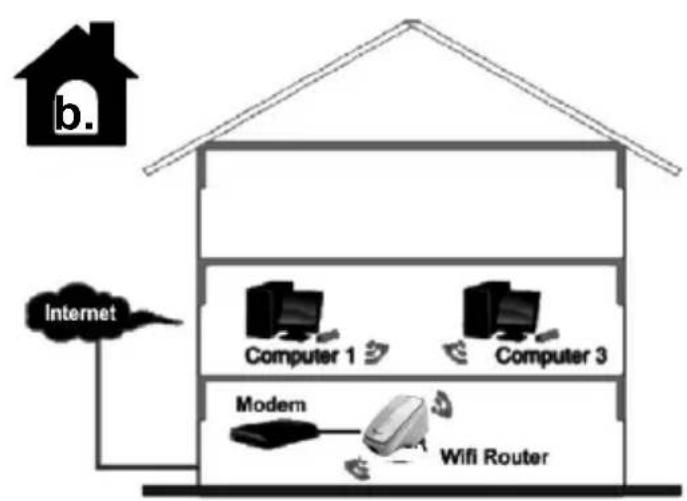
flowchart
graph TD
    A["Internet"] --> B["Computer 1"]
    A --> C["Computer 3"]
    A --> D["Modern"]
    D --> E["WiFi Router"]
    style A fill:#f9f,stroke:#333
    style B fill:#ccf,stroke:#333
    style C fill:#ccf,stroke:#333
    style D fill:#cfc,stroke:#333
    style E fill:#fcc,stroke:#333
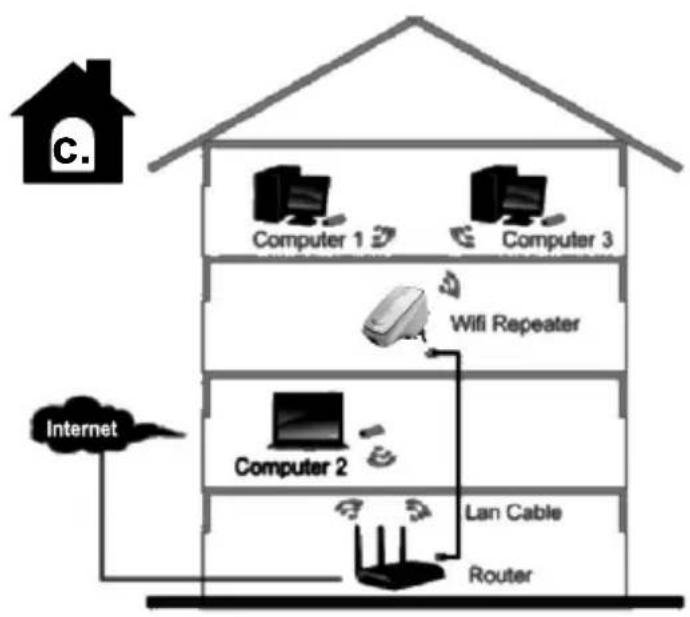
flowchart
graph TD
    A["Internet"] --> B["Computer 1"]
    A --> C["Computer 2"]
    A --> D["Computer 3"]
    B --> E["Router"]
    C --> F["Lan Cable"]
    D --> G["Wifi Repeater"]
    style A fill:#f9f,stroke:#333
    style B fill:#ccf,stroke:#333
    style C fill:#ccf,stroke:#333
    style D fill:#ccf,stroke:#333
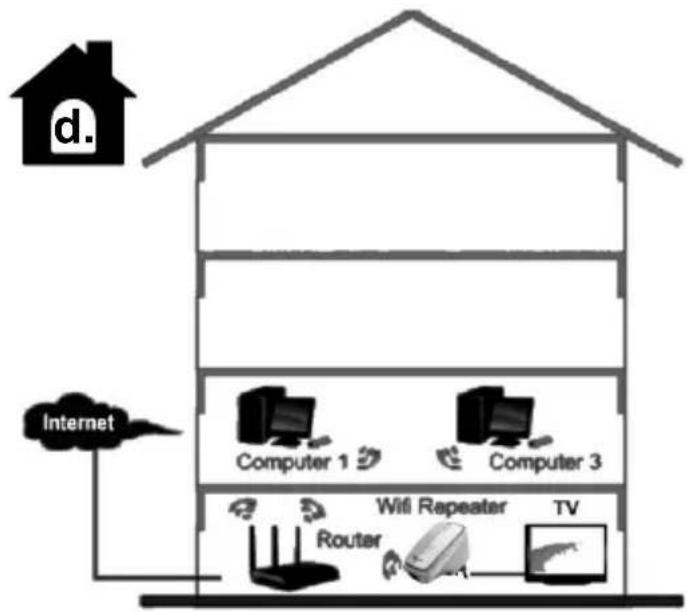
flowchart
graph TD
    A["Internet"] --> B["Computer 1"]
    A --> C["Computer 3"]
    A --> D["Router"]
    B --> E["WiFi Repeater"]
    C --> F["TV"]
    D --> G["Radio"]

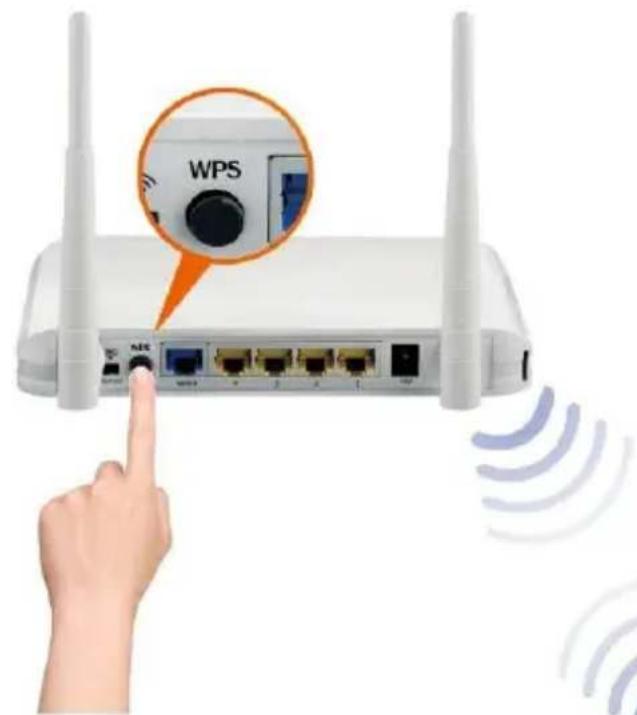


manual manuel handmatig

⑤

natural_image
Five grayscale logos: Google Chrome browser, Earth globe, Firefox browser, compass, and letter '0' (no text or symbols beyond logos)6a.
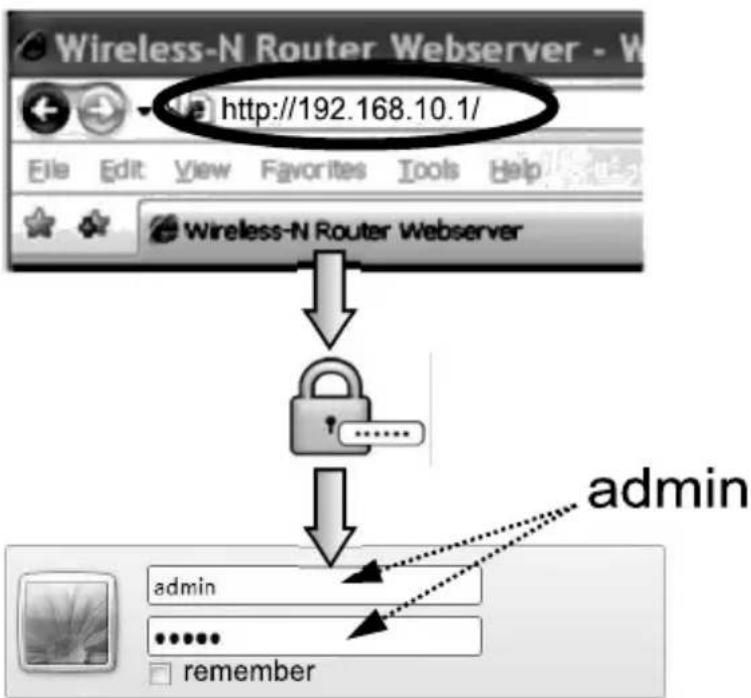
flowchart
graph TD
    A["Wireless-N Router Webserver"] --> B["http://192.168.10.1/"]
    B --> C["Lock"]
    C --> D["admin"]
    D --> E["admin"]
    E --> F["......"]
    F --> G["remember"]
6b.





| SSID | BSSID | Channel | Type | Auth. and Encryption | Signal | Select |
| Home router | 00:e0:61:45:73:cd | 11 (B+G+N) | AP | WPA-PSK/WPA2-PSK | ||
| Network 4 | 00:15:70:ad:e3:ec | 6 (B+G) | AP | WPA-PSK/WPA2-PSK | ○ | |
| Neighbours Net | 00:15:70:ad:e3:ed | 6 (B+G) | AP | WEP | ○ | |
| Public | 80:3f:5d:92:4a:14 | 11 (B+G+N) | AP | WPA2-PSK | ○ | |
| Router 23487ZXL | 00:e0:4b:a6:15:78 | 11 (B+G+N) | AP | WPA2-PSK | ○ | |
| WIN63963 Home | 00:23:68:a3:38:91 | 6 (B+G) | AP | WEP | ○ |


http://192.168.10.1/countDownPage

Rebooting...
The operation is in progress, please wait for 39 seconds...
WARNING: Please DO NOT turn off or reboot the device during this time, otherwise your device may be damaged.

natural_image
Simple line drawing of a classic stopwatch with no text or symbols
(10



Access Point
○ Repeater

○ Client
Auto. Setup:
Network Name (SSID):
Key Value:

U25

Connection Type:
HostName:
MAC Address Clone:
○ Fixed IP
U25
000000000000
Auto Config (DHCP)
(AABBCDDDEEFF)
○ PPPoE Dial-Up
Auto Fill
Clear

This product is tested and complies with the essential requirements of the laws of member states concerning R&TTE(1999/5/EC). The CE declaration can be found under www.gembird.eu
natural_image
Simple line drawing of a hand washing a cup with water droplets falling (no text or symbols)
natural_image
Simple line drawing of a hand using a tool to cut a screwdriver into a screw (no text or symbols)
natural_image
Simple line drawing of a hand holding a bag with a crossed-out arrow and flag, no text or symbols present.Waste disposal:

Do not deposit this equipment with the household waste. Improper disposal can harm both the environment and human health. For Information about waste collection facilities for used electrical and electronic devices, please contact your city council or an authorized company for the disposal of electrical and electronic equipment.
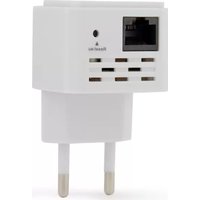
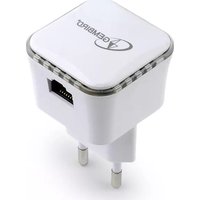
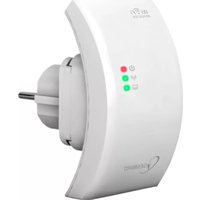
Brand : Gembird
Model : WNP-RP-002
Category : Wi-Fi repeater