
PlayStation Move Navigation Controller PS3 - Controller SONY - Free user manual and instructions
Find the device manual for free PlayStation Move Navigation Controller PS3 SONY in PDF.


| Product Type | Navigation Controller for PlayStation Move |
| Brand | Sony |
| Model | PlayStation Move Navigation Controller (PS3) |
| Compatibility | PlayStation 3 console |
| Connectivity | Bluetooth (2.0 EDR) |
| Power Consumption | DC 3.2 V, 5 mA |
| Power Source | Built-in rechargeable lithium-ion battery (via USB) |
| Battery Life | Approximately 30 hours (typical) |
| Charging Time | Approximately 2.5 hours |
| Buttons | D-pad (4-way), Analog stick (L), L1, L2, R1, R2, PS button, Start, Select |
| Motion Sensing | Not included; use with PlayStation Move motion controller |
| Weight | Approx. 100 g |
| Warranty | 12 months from date of purchase |
| Manufacturer | Sony Computer Entertainment (manufactured by Weifang Goertek Electronics) |
| Country of Origin | China |
| Cleaning | Wipe with soft dry cloth; do not use solvents or chemicals |
| Safety | Do not expose to high temperatures, humidity, or liquids; do not disassemble |
| Included Accessories | Wrist strap |
| Usage | Requires PlayStation Move motion controller for full functionality |
Frequently Asked Questions - PlayStation Move Navigation Controller PS3 SONY
User questions about PlayStation Move Navigation Controller PS3 SONY
0 question about this device. Answer the ones you know or ask your own.
Ask a new question about this device
Download the instructions for your Controller in PDF format for free! Find your manual PlayStation Move Navigation Controller PS3 - SONY and take your electronic device back in hand. On this page are published all the documents necessary for the use of your device. PlayStation Move Navigation Controller PS3 by SONY.
USER MANUAL PlayStation Move Navigation Controller PS3 SONY
Front View

Figures

Precautions
Before using this product, carefully read this manual and retain it for future reference. Read also the instructions for the PlayStation®3 system, the PlayStation®Move motion controller and the PlayStation®Move navigation controller. Parents or guardians should read these manuals for children.
Caution
- The sharp shooter attachment can only be used with the PlayStation®Move motion controller and PlayStation®Move navigation controller (sold separately) inserted. It cannot be used separately. Do not insert anything other than the motion controller and the navigation controller.
Use and handling
- Do not expose the product to high temperatures, high humidity or direct sunlight.
- Do not allow the product to come into contact with liquids.
- Do not place any objects on top of the product. Do not stand on the product.
- Do not throw or drop the product, or otherwise expose it to strong physical impact.
- Follow the instructions below to help prevent the product exterior from deteriorating or becoming discoloured.
- Wipe with a soft, dry cloth.
- Do not place any rubber or vinyl materials on the product exterior for an extended period of time.
- Do not use solvents or other chemicals. Do not wipe with a chemically-treated cleaning cloth.
- Never disassemble or modify the product.
Inserting the motion controller and navigation controller
Notice: Do not attempt to insert either controller while a USB cable is attached.
1 Slide the RELEASE latch on both sides simultaneously to remove the top cover of the barrel guide (figure A).
2 Insert the motion controller into the barrel guide (figure B).
- Thread the motion controller's wrist strap through the slot in the barrel guide.
- Place the sphere over the edge of the barrel guide and align the motion controller's extension connector with the connector in the barrel guide.
- Firmly seat the motion controller into the barrel guide; be sure that the motion controller's extension connector meets securely with the connector in the barrel guide.
3 Attach the top cover.
4 Insert the navigation controller into the navigation controller holder (figure C).
- Open the navigation controller holder cover.
- Position the navigation controller so that the two small holes at the bottom of the casing line up with the holder's pegs. Holding the navigation controller diagonally, insert the top of it into the holder and then push the bottom down so it is firmly seated onto the holder's pegs.
5 Close the navigation controller holder cover.
Using the sharp shooter
1 To adjust the length of the stock, press the release button and pull the stock out or push it in to your desired length (figure D). When you pull the stock out, listen for the clicks that indicate the secure stop locations.
2 Use either hand to operate the navigation controller and the free hand to operate the T button trigger (figure E). Wear the motion controller's wrist strap around the hand which you are using to operate the navigation controller.
(Optional) To lock the Move button trigger so it cannot be pressed, slide the Safety Lock located on either side of the sharp shooter to the down position. (The button on the other side should automatically slide to the down position) To unlock the Move button trigger, return the Safety Lock to the up position.
3 For information about in-game button control, please consult your game manual.
Removing the motion and navigation controllers
1 Remove the navigation controller from the navigation controller holder (figure F).
- Open the navigation controller holder cover.
- Push your finger through the hole in the underside of the holder to release the navigation controller.
- Close the navigation controller holder cover.
2 Remove the motion controller from the barrel guide.
- Slide the RELEASE latch on both sides simultaneously to remove the top cover of the barrel guide.
- Lifting the sphere end of the motion controller first, pull to remove the motion controller.
- Unthread the motion controller's wrist strap from the slot in the barrel guide.
- Replace the top cover.
Specifications
Power Consumption DC 3.2 V, 5 mA
External dimensions
479.18mm x 211.57mm x 56.91mm
(with retractable stock closed)
(length x height x depth)
Mass Approx. 630g (22.2 oz)
Design and specifications are subject to change without notice.
GUARANTEE
This product is covered for 12 months from date of purchase by the manufacturer's warranty set out in the PS3 ^TM system manual.
Please refer to the PS3 ^™ system manual for full details.
The manufacturer of this product is Weifang Goertek Electronics Co., Ltd., Dongfang North Road, Hi-Tech Industry Development District, Weifang, Shandong, China.
Distributed in Europe by Sony Computer Entertainment Europe Ltd, 10 Great Marlborough Street, London, W1F 7LP, United Kingdom.
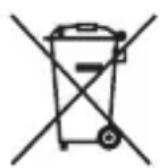

Where you see either symbol on any of our electrical products, batteries or packaging, it indicates that the relevant electrical product or battery should not be disposed of as general household waste in Europe. To ensure the correct waste treatment of the product and battery, please dispose of them in accordance with any applicable local laws or requirements for disposal of electrical equipment/batteries. In so doing, you will help to conserve natural resources and improve standards of environmental protection in treatment and disposal of electrical waste.
and "PlayStation" are registered trademarks of Sony Computer Entertainment Inc.
“”is a trademark of Sony Computer Entertainment Inc.
“SONY” and “are registered trademarks of Sony Corporation.

Brand : SONY
Model : PlayStation Move Navigation Controller PS3
Category : Controller