
Y10P026-S1 - USB Drive Rocstor - Free user manual and instructions
Find the device manual for free Y10P026-S1 Rocstor in PDF.


| Product Type | 13-in-1 USB-C Triple Display Docking Station |
| Brand | Rocstor |
| Model | Y10P026-S1 (RD11) |
| Dimensions (L x W x H) | 225 x 85 x 25 mm (8.8 x 3.3 x 0.9 in) |
| Weight (Net) | 446 g (15.7 lbs) |
| Power Supply | DC 100W (max 65W to host) or DC 134W (max 96W to host) |
| Video Outputs | 5 video ports: HDMI (DP Alt mode), DP/HDMI (USB Mode) x2; supports 3 simultaneous 4K/60Hz displays |
| USB Ports | 1x USB-C 10G, 1x USB-A 10G, 3x USB-A 5G; USB-C and USB-A 10G support 1.5A charging |
| Ethernet | RJ45 2.5G Ethernet with Wake-On-LAN |
| Audio | 3.5mm combo audio jack (CTIA, mic+headphone) |
| Host Connection | USB-C (upstream); compatible with USB-A via converter |
| Data Transfer Speed | Up to 10 Gbps (USB 3.2 Gen2) |
| Display Support | HDMI 2.0/DP 1.4 (max 4K/60Hz, HDR, HDCP 2.2&1.4); DisplayPort DP++ |
| Operating System Compatibility | Windows 10/8.1/8/7, macOS, Android, Chrome OS, Ubuntu |
| Driver Requirement | DisplayLink USB Graphics Driver (download from displaylink.com) |
| Security Features | Kensington anti-theft lock and standard Nano anti-theft lock |
| Warranty | 3 Years Limited Warranty |
| Operating Temperature | 0°C to 45°C (32°F to 113°F) |
| Storage Temperature | 0°C to 70°C (32°F to 158°F) |
| Certifications | FCC, CE |
| Package Contents | Main unit, user manual, DC power adapter (134W or 100W), DC power cable, USB-C to USB-C cable (10G, 5A) |
| Maintenance & Cleaning | Disconnect power before cleaning; wipe with dry cloth; avoid water and moisture |
Frequently Asked Questions - Y10P026-S1 Rocstor
User questions about Y10P026-S1 Rocstor
0 question about this device. Answer the ones you know or ask your own.
Ask a new question about this device
Download the instructions for your USB Drive in PDF format for free! Find your manual Y10P026-S1 - Rocstor and take your electronic device back in hand. On this page are published all the documents necessary for the use of your device. Y10P026-S1 by Rocstor.
USER MANUAL Y10P026-S1 Rocstor
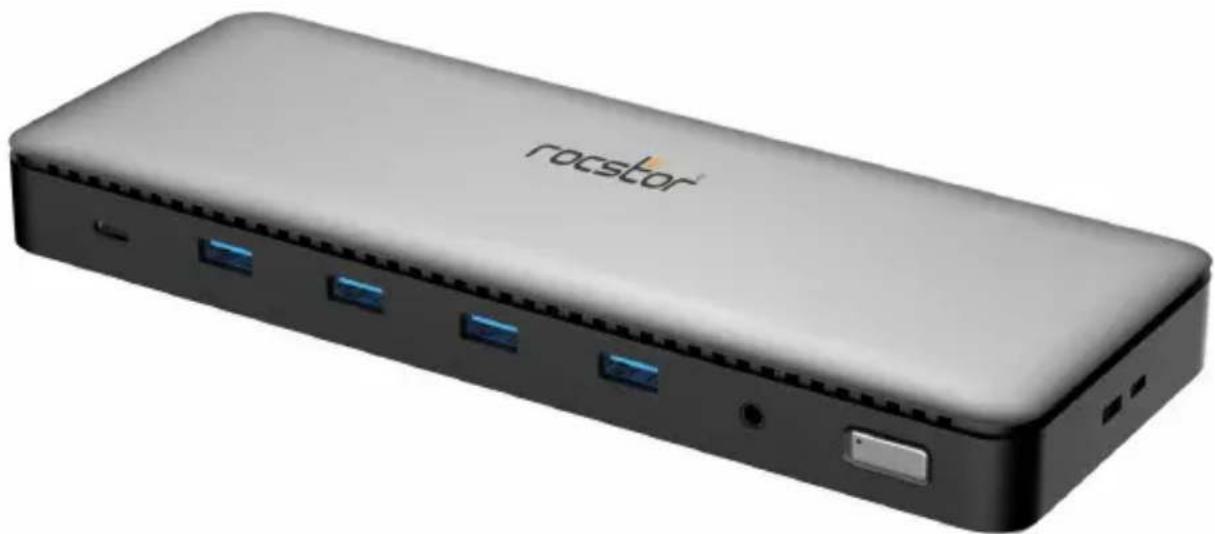
Rocstor ThunderConnect RD11 USB-C 13-in-1 Triple Display Docking Station with DisplayLink and DP 1.4 Alt Mode
natural_image
Exterior view of a modern rectangular electronic device labeled 'rocstor' with four blue USB ports and a black top panel (no additional text or symbols visible)User Manual
Y10P026-S1
Important Safety Notice
WARNING:
Please follow these safety instructions. Failure to do so may result damages or injury. It is normal that the device becomes very warm during use.
Please note that:
Continuous contact with warm surfaces for extended time may cause discomfort or injury. In order to reduce the possibility of overheating or heat-related injuries, always allow needed ventilation around the device and use care when handling it. Avoid instances where your skin is in extended contact with the device when plugged into the host computer. It is not recommended to sleep with the device when plugged into a host computer. Avoid placing the device under a pillow, blanket, or your body when connected to a host computer. If you have a medical condition that affects your ability to detect heat against the body, extra care should be used. Never use the device in locations with water, such as a sink, bathtub, or shower stall. Never connect or disconnect the device with wet hands.
Introduction
Rocstor RD11 Docking Station is a versatile 13-in-1 Type-C Triple Displays Docking Station, featuring DP Alt mode and a displaylink solution. This docking station is designed to extend the capabilities of a Type-C port or USB-A port (via a USB to Type-C converter), offering multiple video, data, audio, Ethernet, and power ports to meet the diverse needs of users. With 5 video outputs (capable of simultaneously outputting 3 videos under MST mode), this docking station ensures seamless video transmission. It also boasts 5 USB data ports (including 1 Type-C 10G and 1 USB-A 10G, along with 3 USB-A 5G ports) for efficient data transfer. Experience super-fast Ethernet connectivity with the 2.5G Ethernet port, enabling swift network access. Enjoy your favorite music or audio content through the dedicated 3.5mm audio port. Furthermore, this dock is equipped with a DC power jack, offering maximum power supply of up to 134W or 100W for uninterrupted performance. Compatible with all Type-C, Thunderbolt, or USB-A hosts that support USB mode, this docking station is the perfect solution for extending your connectivity options.
Package Contents
Before utilizing this unit, kindly inspect the packaging to ensure the following items are included:
- Main Unit x1
- User Manual x1
• DC Power (134W or 100W) x1 - DC Power Cable x1
• Type-C M to Type-C M Cable (10G,5A) x1
Features
• Supports DP1.4 Alt mode and DisplayLink USB mode
- Designed for extending Type-C port or USB-A port (by connecting a USB-A to Type-C converter) to be multiple video, data, audio, Ethernet, and power ports
• HDMI all supports max 4K/60Hz
• DP all supports max 4K/60Hz
- Support to output 3 videos (Stream 1: HDMI 1; Stream 2: DP2 or HDMI 2; Stream 3: DP3 or HDMI 3) simultaneously with max 4K/60Hz under MST mode
- DisplayPort supports DP++ which enables connecting a passive DP to HDMI port to connect HDMI display
• RJ45 supports 2.5G Ethernet
• Supports USB 3.2 Gen2 with max 10Gbps data transfer
• Max 134W or 100W power supply from DC Adapter
Operation Note
- Before using this product, ensure to install the DisplayLink USB Graphics Driver on your computer. Failure to do so may result in no output from the DP, HDMI (USB Mode), and audio ports. You can download the corresponding driver from the official DisplayLink website at www.displaylink.com.
- After installing the driver, Apple systems require checking "DisplayLink" in the "Security and Privacy" and "Screen Recording" sections.
- The Audio Graphics card can be switched among the PC, DP Alt mode port connected display, and the DL-DOCK. If the Audio Graphics card is switched to the docking station, no audio will be output from the display when a headset is connected.
- Please note that the video ports of this product do not support the iPad.
Panel Description
Front Panel
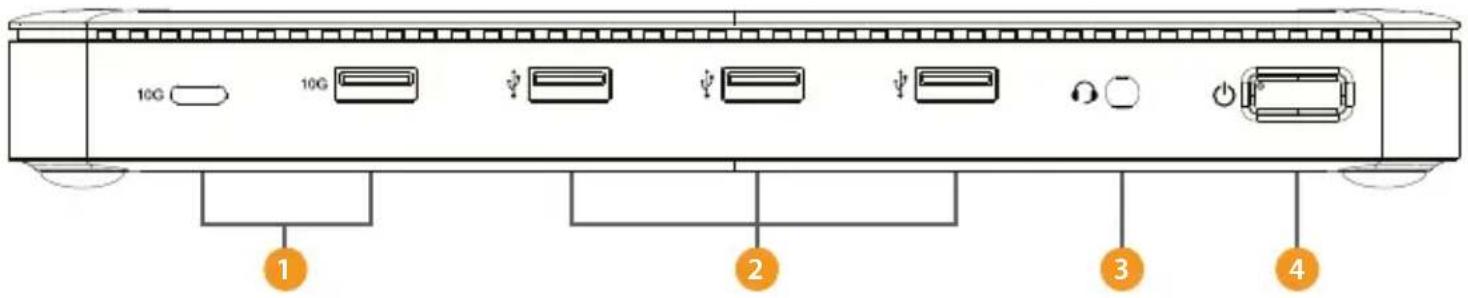
1 USB-C Max 10G
2 USB-A Max 5G
3 3.5mm Audio
4 LED/Power Switch
Back Panel
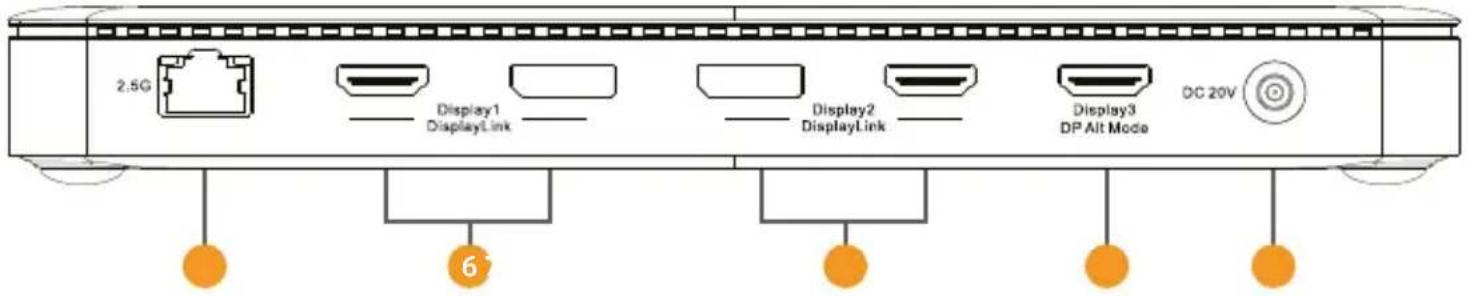
5 RJ45 Max 2.5G
6 Stream3: HDMI or DP USB Mode (Max 4K/60Hz)
7 Stream2: HDMI or DP USB Mode (Max 4K/60Hz)
8 Stream1: HDMI DP Alt Mode (Max 4K/60Hz)
9 20V Power Supply
Panel Description
Side Panels
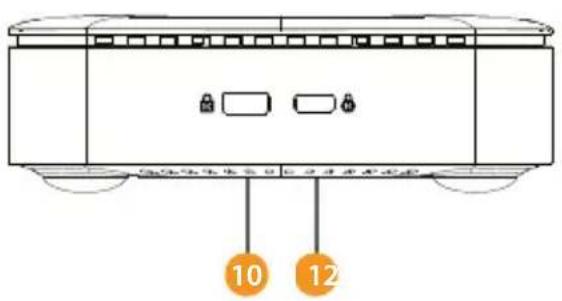
10 Kensington Anti-Theft Lock
11 Standard Nano Anti-Theft Lock

12 USB-C or USB-A Host (Through a cable to host)
Input/Output Connector
| Upstream | USB-C Female (Connect to Host) x1 |
| Downstream Stream1:HDMI (DP1.4 Alt mode) x1 | |
| Stream2:DP or HDMI (USB Mode) | |
| Stream3:DP or HDMI (USB Mode) | |
| USB-C Gen 2 10G x1 | |
| USB-A Gen 2 10G x1 | |
| USB-A Gen 1 5G x3 | |
| 3.5mm Audio x1 | |
| RJ45 x1 | |
| DC Jack x1 | |
Mechanical
| Size (L-W-H) | 8.8x3.3x0.9in - (225x85x25mm) |
| Weight (Net) | 15.7lbs - (446g) |
Warranty
| 3 Years Limited Warranty |
Environmental
| Operating Temperature | 0°C to 45°C (32°F to 113°F) |
| Operating Humidity | 10% to 85% RH (no condensation) |
| Storage Temperature | 0°C to 70°C (32°F to 158°F) |
| Storage Humidity | 5% to 90% RH (no condensation) |
Regulatory Approvals
| Certifications FCC, CE | |
| Power | |
| Standby Power Consumption <30mA@20V | |
| DC Jack | Option 1: DC 100W, max 65W to host |
| Option 2: DC 134W, max 96W to host | |
Accessory
User Manual English Version
Port Specs
Type-C Female X1(to host)

• Supports DP1.4 Alt mode and Displaylink USB mode
- Allow to connect to a USB-A host via a USB-A to Type-C converter for extending USB-A port to be multiple ports
USB-C 10G X1

• Max 10Gbps data transmission
• Max 1.5A downstream charging
- Support short-circuit, over-current protection
USB-A 10G X1 (close to Type-C port)

• Max 10Gbps data transmission per port
• Supports max 1.5A downstream charging
• Supports short-circuit, over-current protection
USB-A 5G X3

• Max 5Gbps data transmission per port
- One port (close to 3.5mm Audio Jack) supports max 1.5A downstream charging and another 2 ports support max 900mA downstream charging per port
• Supports short-circuit, over-current protection
Video Ports:
Stream1:HDMI x1 (DP1.4 Alt mode)
Stream2:DP or HDMI (USB Mode)
Stream3:DP or HDMI (USB Mode)
Support to output 3 videos (Stream 1: HDMI 1; Stream 2: DP2 or HDMI 2; Stream 3: DP3 or HDMI 3) simultaneously with max 4K/60Hz with different picture under both windows and MacOS system (including M1).
Note: The above resolution combination is for reference, the actual video output resolution depends on the connected host and displays. When the product is connected to the host through a USB-A port, the HDMI that supports DP alt mode has no output. Supported platforms: Microsoft Windows (Windows 10/8.1/8/7) / Mac OS / Android / Chrome OS / ubuntu.
Stream1: HDMI X1
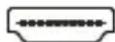
• Supports max 4K/60Hz video output
• Supports HDR
• Supports HDCP2.2&HDCP1.4
- Supports RGB 8/10/12bpc; YCbCr 4:4:4/ YCbCr 4:2:2/ YCbCr 4:2:0 8/10/12bpc
- When the product connect to a USB-A host, this port will no output
Stream2&3: DP or HDMI
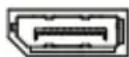
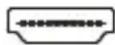
• Supports HDMI max 4K/60Hz video output
• Supports DP max 4K/60Hz video output
- DisplayPort supports DP++ which enables to connect a passive DP to HDMI port to connect HDMI display
Port Specs
RJ45 X1

• Supports 10M/100M/1000M/2.5G bandwidth
• Supports Wake-On-LAN
• Supports full duplex flow control
• Light indicates the state, no light when no Internet connected, orange light turns on when network connection is established, green light flashes when transmitting data
Power Switch & Power indicator LED

• The product Power Switch turns on by default
- Only after connecting power adapter and the switch is turns on, the Power indicator LED will turn blue. Otherwise, the LED will turns off
3.5mm Audio Jack X1

• Supports Microphone and headphone for audio in and out
• Supports CTIA
DC Power Jack X1

- Dual power specification for options: Option 1: DC 100W, max 65W to host,35W will delicate the functioning of the product. Option 2: DC 134W, max 96W to host, 38W will delicate the functioning of the product.
Note: The dock will work only when it is connected to DC power supply. If it is not connected to DC power supply, the dock will not work.
Connection Diagram (Front Panel)

Connection Diagram (Back Panel)

Contact Information
Corporate Headquarters
12979 Arroyo St
San Fernando, CA 91340 - USA
Office: +1 (818) 727-7000
Email: info@rocstor.com
Technical Support / Sales Info / RMA
Hours: 9:00 am - 5:00 pm PST
Mon - Fri (excluding holidays)
Tell: +1 (818) 727-7000 (DOM/INTL)
Email: support@rocstor.com
Corporate, Government and Academic Customers
Our Corporate Sales Team's goal is to help our U.S.A. and Canadian customers find a storage solution that best serves their needs. We will help you determine your best purchasing options. For more information please contact the appropriate department below or call us at +1 (818) 727-7000.
General Sales Information: sales@rocstor.com
Corporate sales information: corporate_sales@rocstor.com
Educational sales information: academic_sales@rocstor.com
Federal, State & Local government sales information: government_sales@rocstor.com
Resellers/Business Development/OEM Partners
All Channel National and International Resellers, VARs, Consultants...
Contact Rocstor Channel Sales:
Call: +1 (818) 727-7000
Email: reseller_info@rocstor.com
Disclaimer
©2024 Rocstor, Inc. All rights reserved. Rocstor is registered trademark of Rocstor, Inc. Apple ® , the Apple logo, Mac ® , MacBook ® , MacBook Pro ® , MacBook Air ® , iPad ® , iPad Air ® , iPad mini ® , iPad Air ® , iPhone ® , MacOS ® are registered trademarks of Apple, Inc. Google ® and Chromebook ™ are registered trademarks of Google, LLC. Microsoft ® is registered trademarks of Microsoft corporation. AI other product names and logos mentioned herein may be trademarks of their respective companies. Thunderbolt is a trademark of Intel Corporation or its subsidiaries. USB Type-C ® and USB-C ® are registered trademark of USB Implementers Forum. The terms HDMI, HDMI High-Definition Multimedia Interface, HDMI Trade dress and the HDMI Logos are trademarks or registered trademarks of HDMI Licensing Administrator, Inc. Feature and specification are subject to change without notice. All trademarks and registered trademarks are the property of their respective. All rights reserved.
- Rocstor ThunderConnect RD11 USB-C 13-in-1 Triple Display Docking Station with DisplayLink and DP 1.4 Alt Mode
- Important Safety Notice
- WARNING:
- Please note that:
- Introduction
- Package Contents
- Features
- Operation Note
- Panel Description
- Port Specs
- Type-C Female X1(to host)
- USB-C 10G X1
- USB-A 10G X1 (close to Type-C port)
- USB-A 5G X3
- Video Ports:
- Stream1: HDMI X1
- Stream2&3: DP or HDMI
- RJ45 X1
- Power Switch & Power indicator LED
- 3.5mm Audio Jack X1
- DC Power Jack X1
- Connection Diagram (Front Panel)
- Connection Diagram (Back Panel)
- Contact Information
- Corporate Headquarters
- Technical Support / Sales Info / RMA
- Corporate, Government and Academic Customers
- Resellers/Business Development/OEM Partners
- Disclaimer
Brand : Rocstor
Model : Y10P026-S1
Category : USB Drive