
DS-LEDTK-45VX5S - Audiovisual support Peerless-AV - Free user manual and instructions
Find the device manual for free DS-LEDTK-45VX5S Peerless-AV in PDF.


| Product Type | Trim kit for video wall mounting |
| Brand | Peerless-AV |
| Model | DS-LEDTK-45VX5S |
| Material | Steel (components) |
| Color | Black (typical for trim kits) |
| Mounting Surface | Plywood walls (min 0.5" thick, can be covered by up to 0.625" drywall) |
| Compatibility | Unilumin UpanelS and standard video wall panels |
| Included Components | Solid cover, perforated cover, wall brackets, corner cover assembly, nut bar, screws, allen wrench, vinyl sticker, cutting jigs, spacer, shim |
| Installation Tools Required | Saw, drill, screwdriver, pencil, measuring tape |
| Max Load Capacity | Not explicitly stated; designed for standard video wall panels (refer to panel weight) |
| Dimensions (Trim) | Customizable to fit video wall dimensions |
| Weight (Kit) | Estimated 5-10 lbs (2.3-4.5 kg) based on parts |
| Indoor Use Only | Yes |
| Safety Features | Includes warning not to exceed load, use assistant, secure screws properly |
| Cutting Required | Yes, to match video wall dimensions |
| Warranty | Refer to www.peerless-av.com/warranty |
| Country of Origin | USA (Peerless-AV based in Aurora, IL) |
Frequently Asked Questions - DS-LEDTK-45VX5S Peerless-AV
User questions about DS-LEDTK-45VX5S Peerless-AV
0 question about this device. Answer the ones you know or ask your own.
Ask a new question about this device
Download the instructions for your Audiovisual support in PDF format for free! Find your manual DS-LEDTK-45VX5S - Peerless-AV and take your electronic device back in hand. On this page are published all the documents necessary for the use of your device. DS-LEDTK-45VX5S by Peerless-AV.
USER MANUAL DS-LEDTK-45VX5S Peerless-AV
natural_image
Isometric view of a rectangular panel with a diagonal edge and side connectors (no text or symbols)WARNING
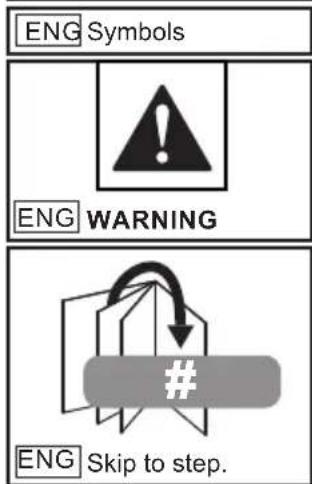
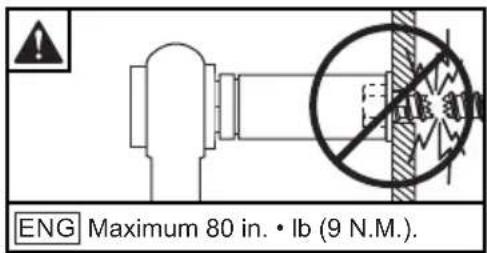
ENG - This product is designed to be installed on plywood walls. Hardware is included for plywood installation. This product is designed to be installed on flat, unobstructed, vertical walls. Do not install on curved or angled walls. Before installing make sure the supporting surface will support the combined load of the equipment and hardware. Screws must be tightly secured. Do not overtighten screws or damage can occur and product may fail. Never exceed the Maximum Load Capacity. Always use an assistant or mechanical lifting equipment to safely lift and position equipment. This product is intended for indoor use only. Use of this product outdoors could lead to product failure or personal injury. Be careful not to pinch fingers when operating the mount. For support please call customer care at 1-800-865-2112.

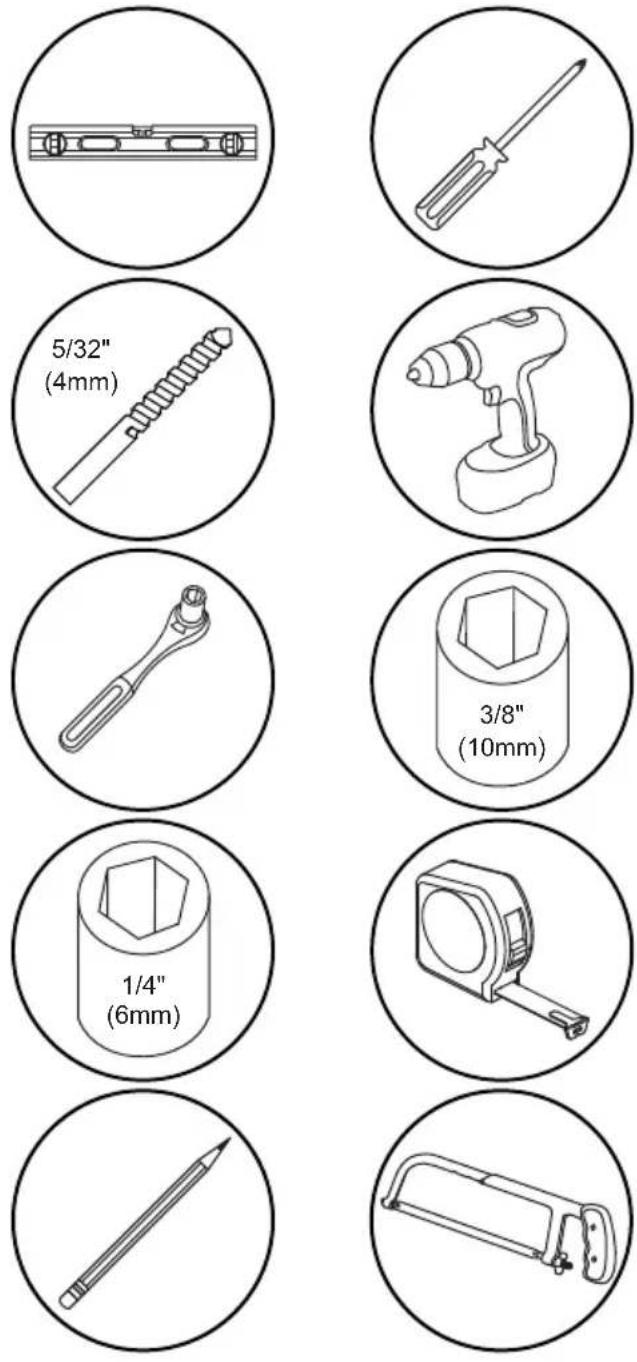
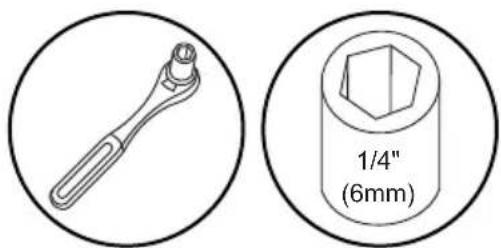
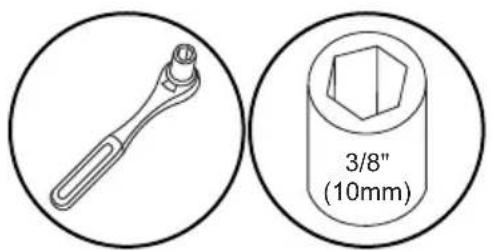
ENG Tools Needed for Assembly.
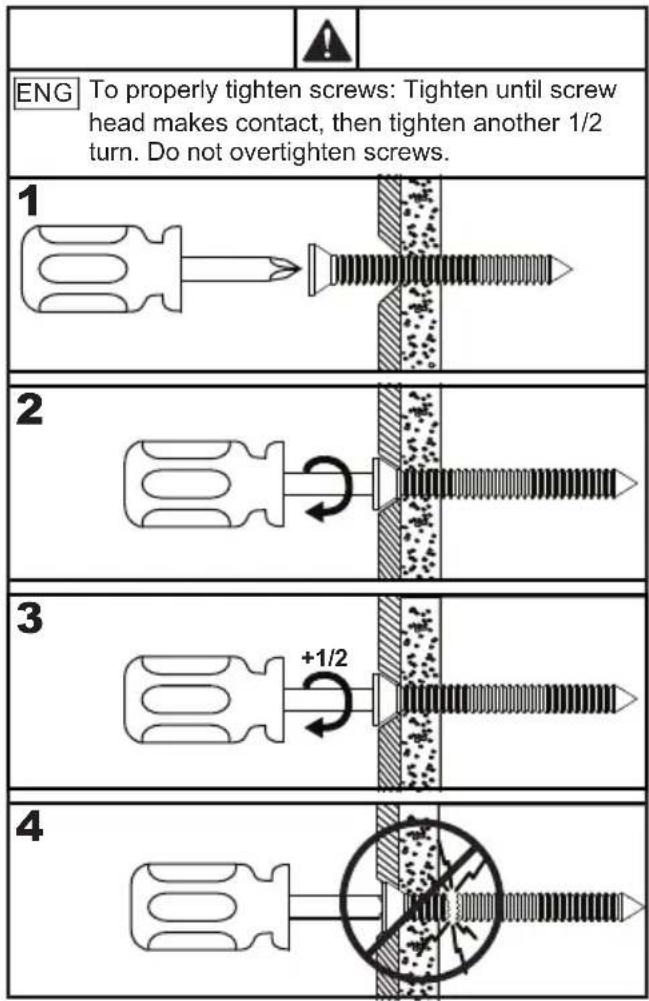
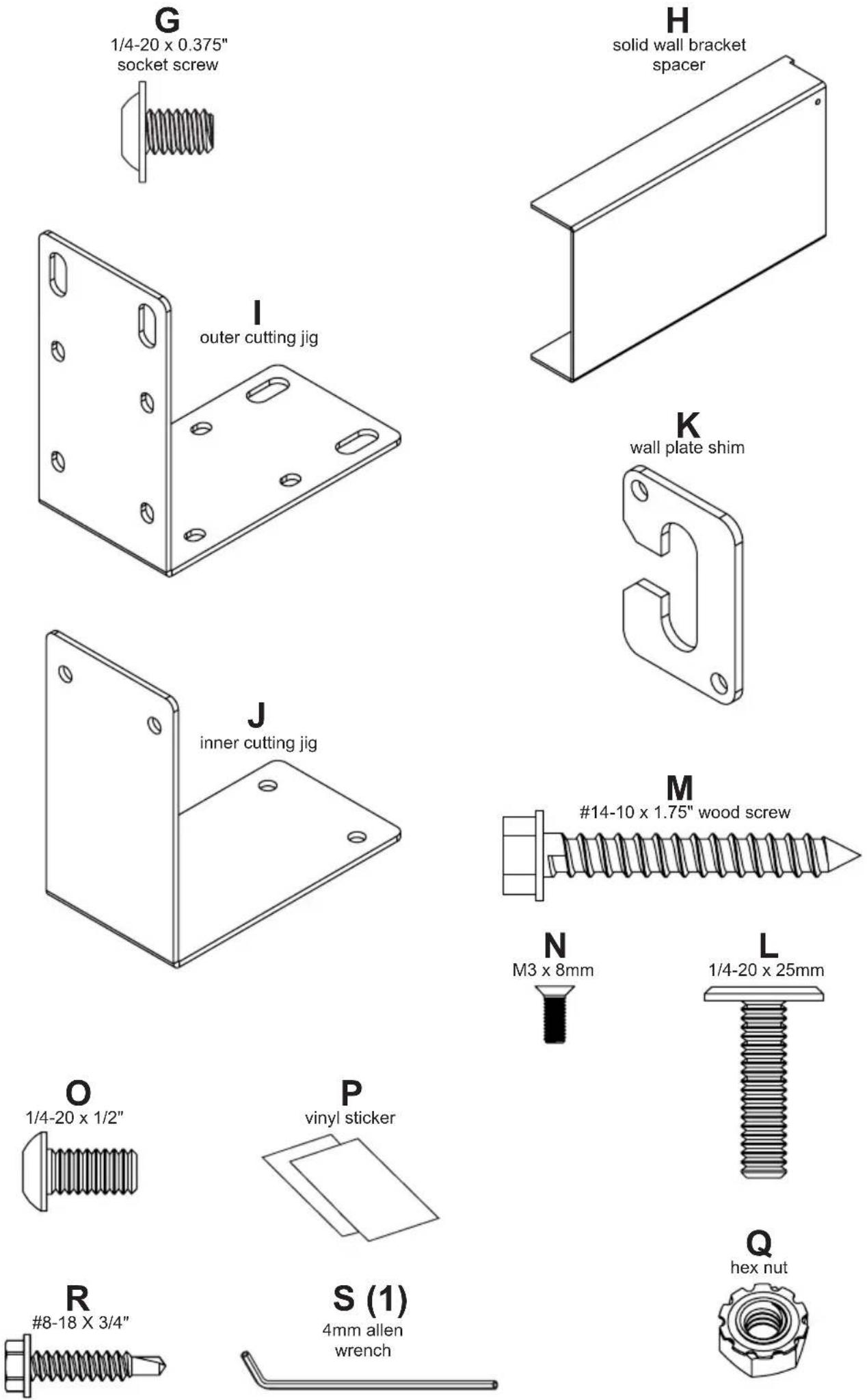
ENG Parts (Before beginning, make sure you have all parts shown below).
Parts List
Description Part #
| A solid cover - | |
| B perforated cover - | |
| C right solid wall bracket - | |
| D perforated wall bracket - | |
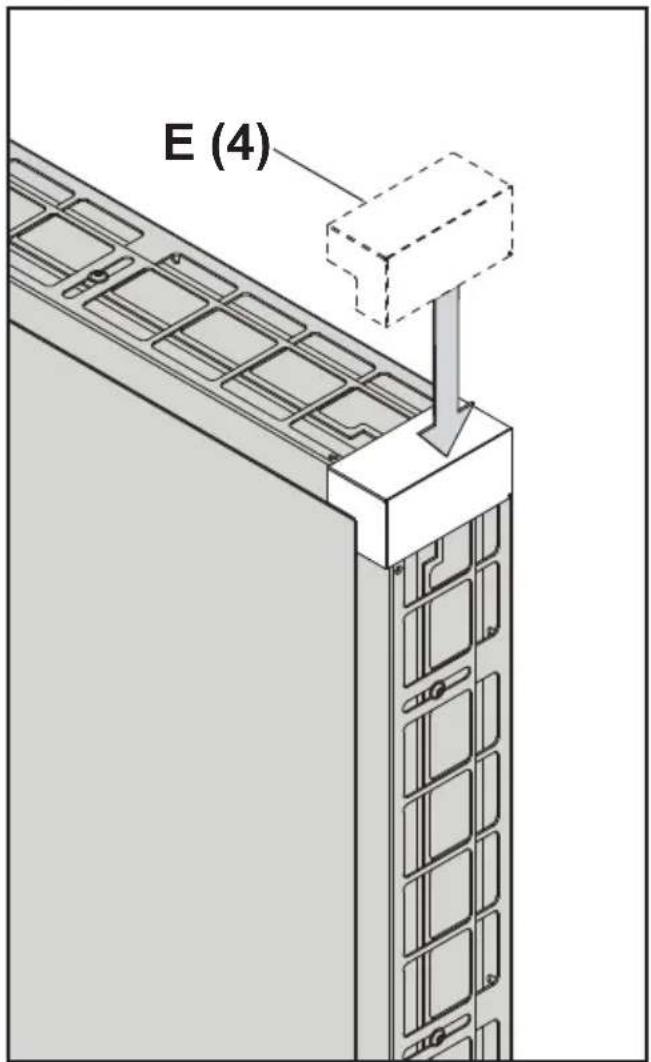
| E corner cover assembly 147-1876 | |
| F nut bar 147-T1881 | |
| G 1/4-20 x 0.375" socket screw 10007616 | |
| H solid wall bracket spacer 147-T1880 | |
| I outer cutting jig 147-T1882 | |
| J inner cutting jig 147-T1883 | |
| K wall plate shim 147-1891 | |
| L 1/4-20 x 25mm screw | 521-0710 |
| M #14-10 x 1.75" wood screw | 521-1688 |
| N M3 x 8mm phillips | 521-0711 |
| O 1/4-20 x 1/2" socket screw | 520-1169 |
| P vinyl sticker | 580-0535 |
| Q 1/4-20 hex nut | 10010403 |
| R #8-18 X 3/4" self drilling screw | 521-0714 |
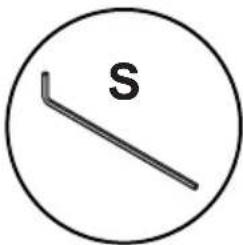
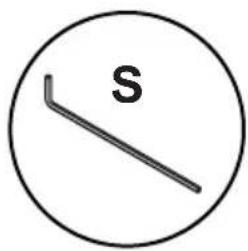
| S 4mm allen wrench | 560-9646 |
| T left solid wall bracket | - |

1
natural_image
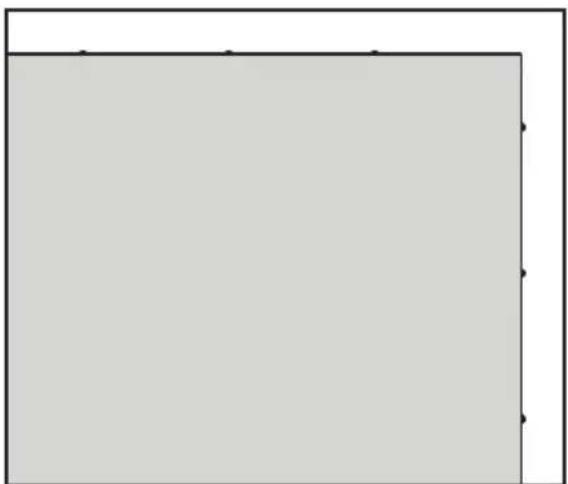
Blank gray rectangle with black border and corner markers (no text or symbols)ENG Standard steps for solid or perforated trim kits.

natural_image
Simple line drawing of a rectangular frame with corner markers (no text or symbols)ENG Steps for Unilumin UpanelS sides with bump-outs.

natural_image
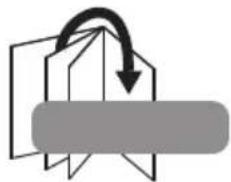
Simple line drawing of a folded paper or document with an arrow indicating upward motion (no text or symbols)1a-1
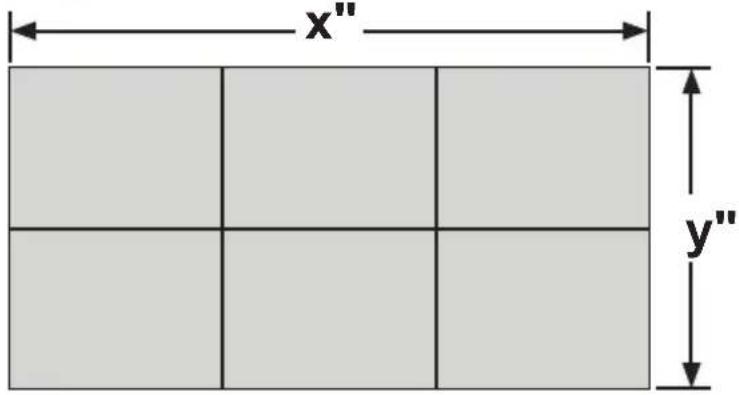
ENG Measure video wall dimensions.

natural_image
Line drawing of a measuring tape inside a circle (no text or symbols)1a-2
ENG Mark cutting line on covers and wall brackets.

natural_image
Simple line drawing of a pencil inside a circle (no text or symbols)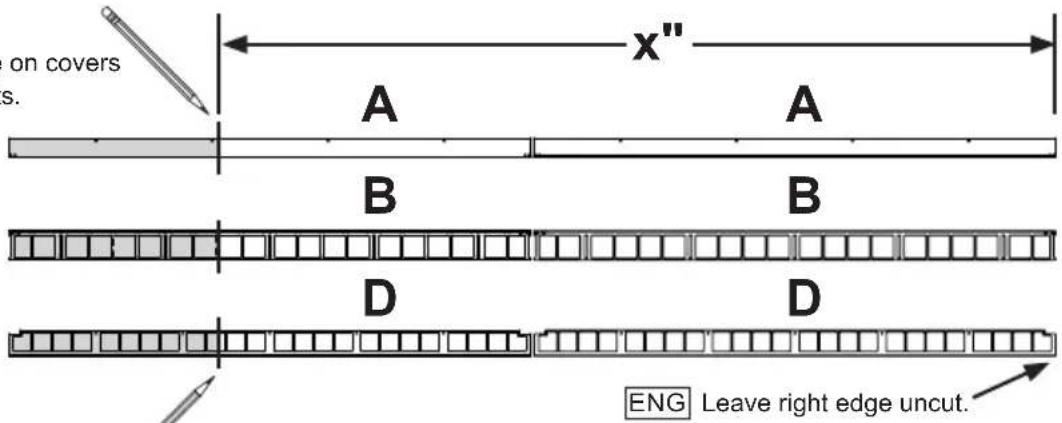



1a-3
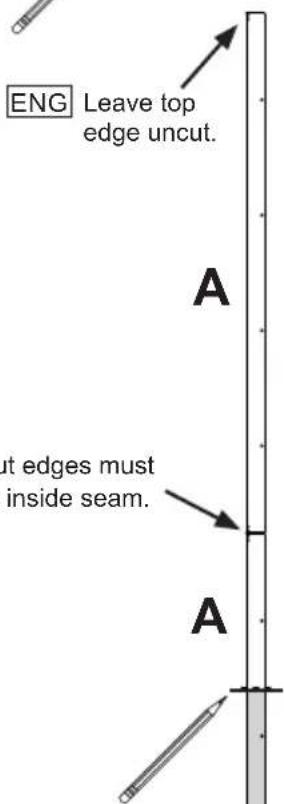
ENG Do not join covers until installing covers to the wall. Leave top and right cover edges uncut for proper alignment.
2a-1
ENG
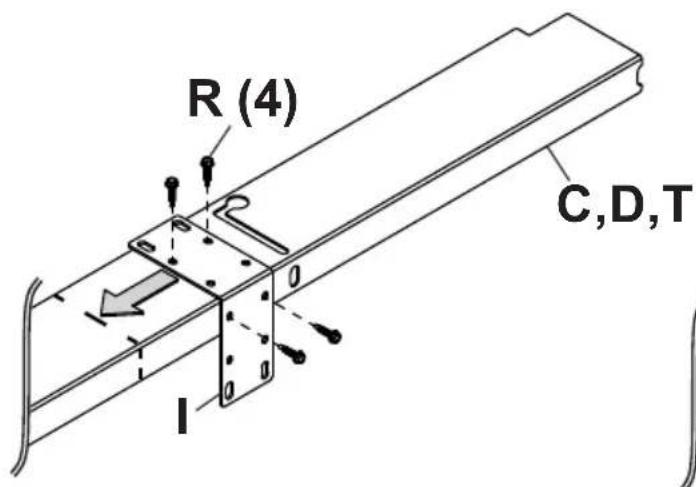
Optional: Clamp or fasten cutting fixture to side of wall bracket or cover being discarded.
R (4)

2a-2
natural_image
Simple line drawing of a mechanical tool or bracket inside a circle (no text or symbols)

WARNING
ENG - When installing Peerless wall mounts on a wood stud wall covered with plywood, verify that the wood studs are a minimum of 2" x 4" nominal size and plywood is a minimum Grade BC, 1/2" (13mm) thick. Plywood may be covered by gypsum board (drywall) up to 5/8" thick.
3a-1
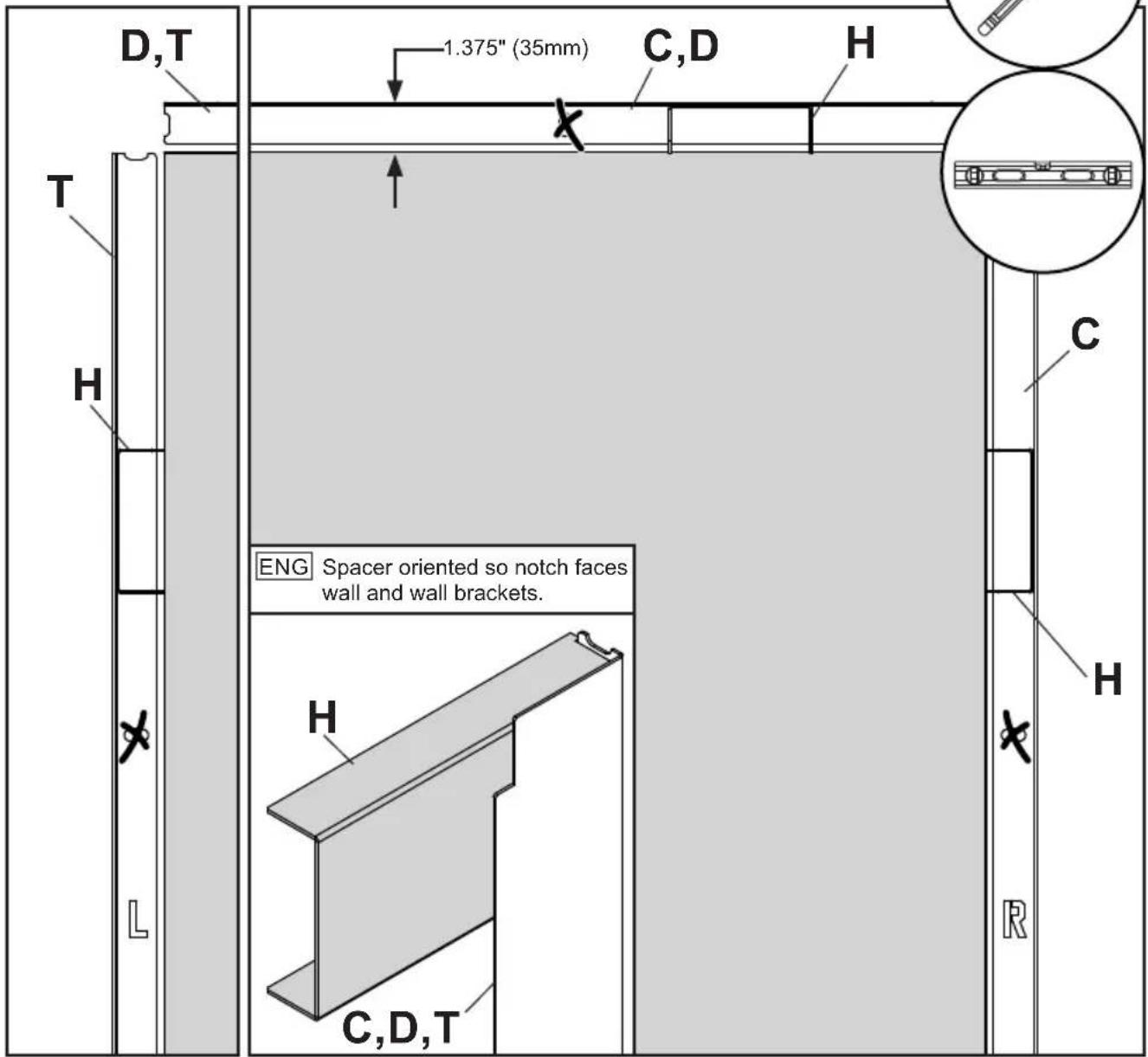
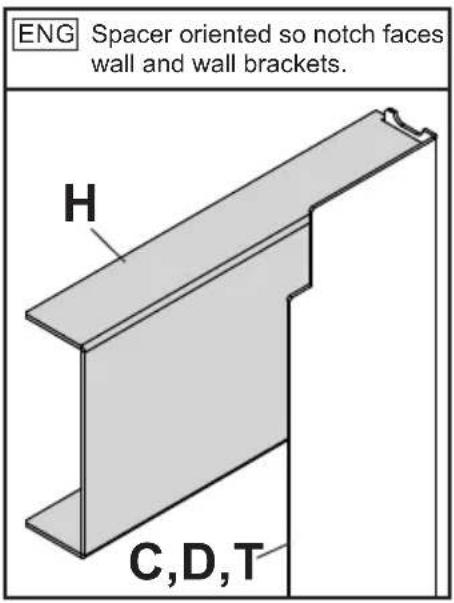
ENG Align wall bracket with edge of video wall. Use spacer to set final position. Mark mounting holes.
3a-2

natural_image
Line drawing of a handheld electric tool inside a circle (no text or symbols)

ENG Drill mounting holes into supporting surface (1.75" (44mm) minimum depth required).
3a-3
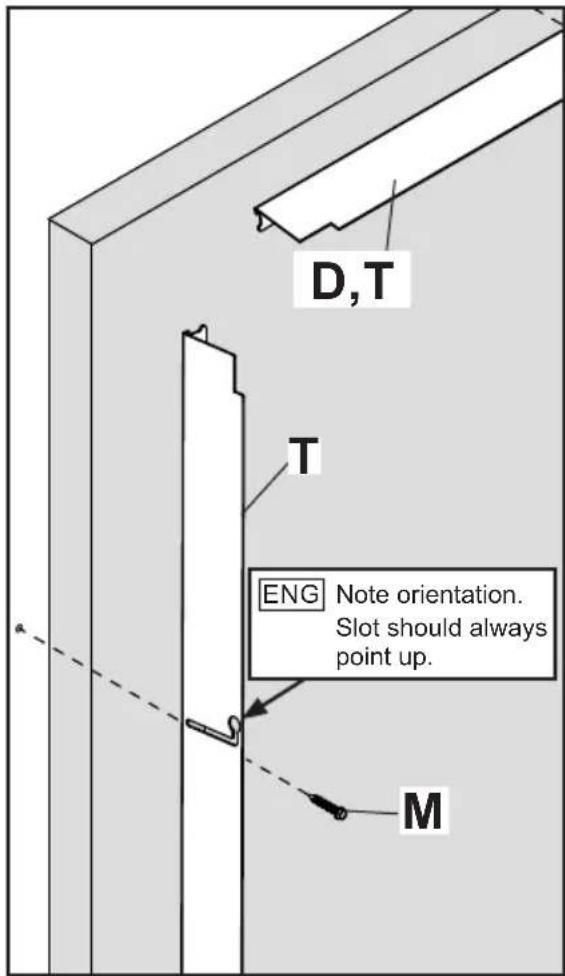
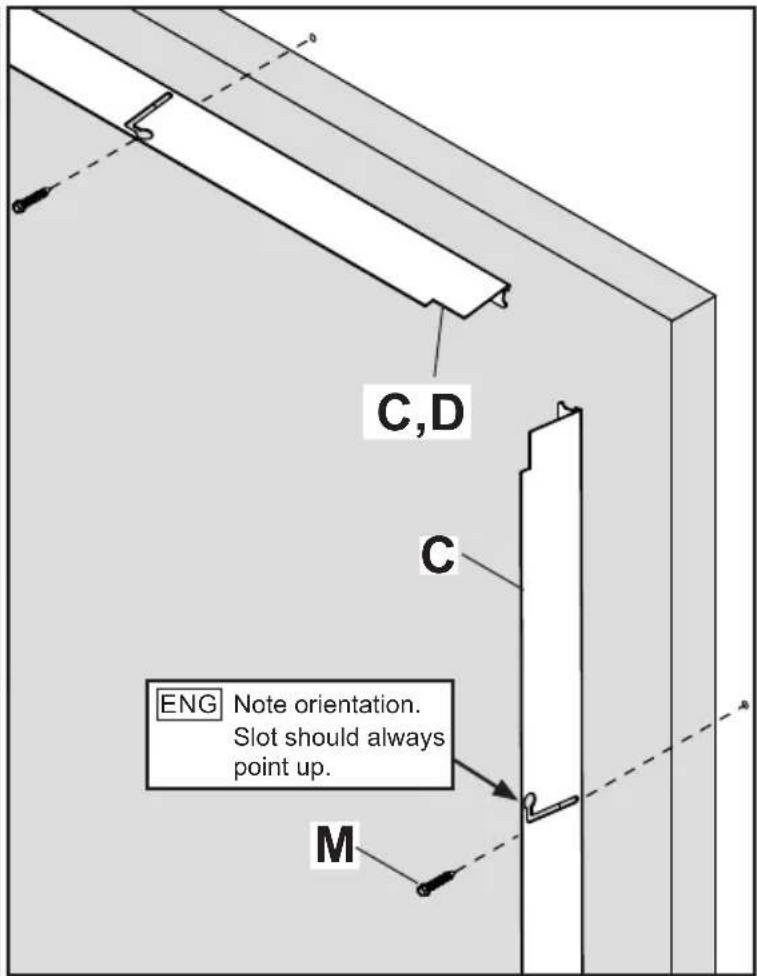
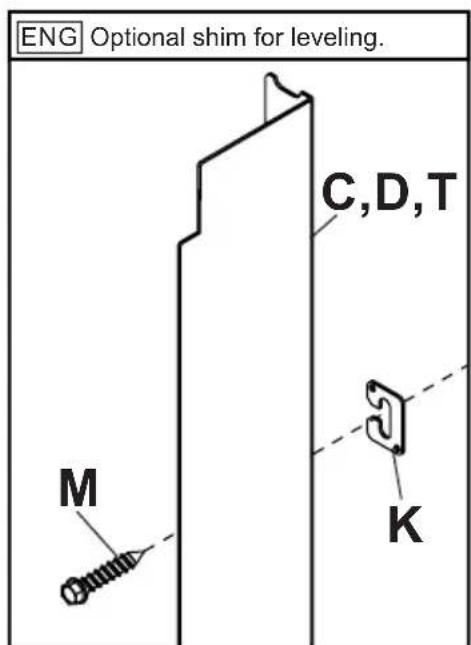
ENG Install using wood screws provided. Use spacer to set final position of wall bracket.
4

Follow steps for solid or perforated trim kits.


4a-1
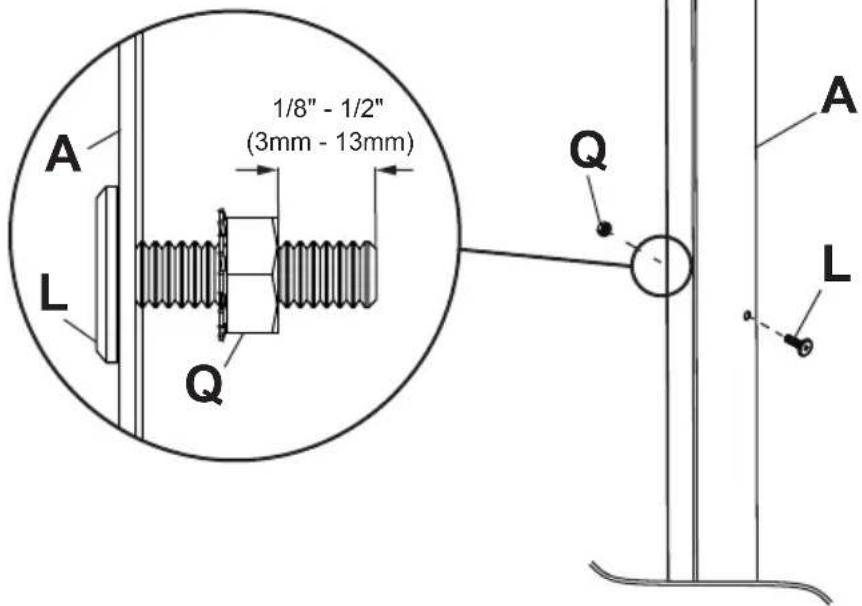
ENG Do not tighten hardware to solid cover.

4a-2
ENG Place wall plate cover over wall bracket. Slide back until flush with front of video wall.
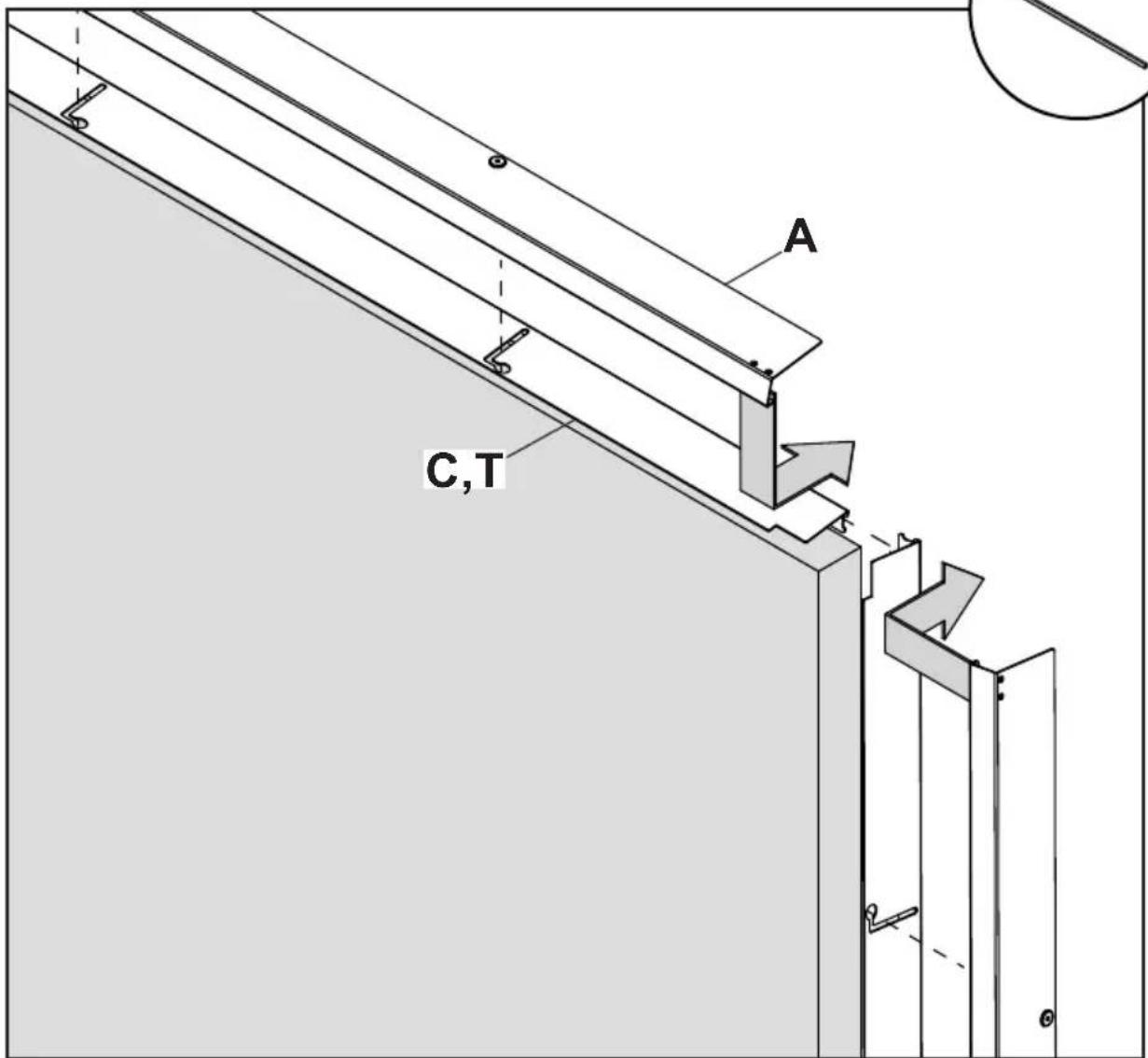
4a-3
ENG
Attach covers with nut bar inside cover. Displays not shown for clarity.
4a-4
ENG
Slide cover back flush with video wall. Tighten screws.

4a-5
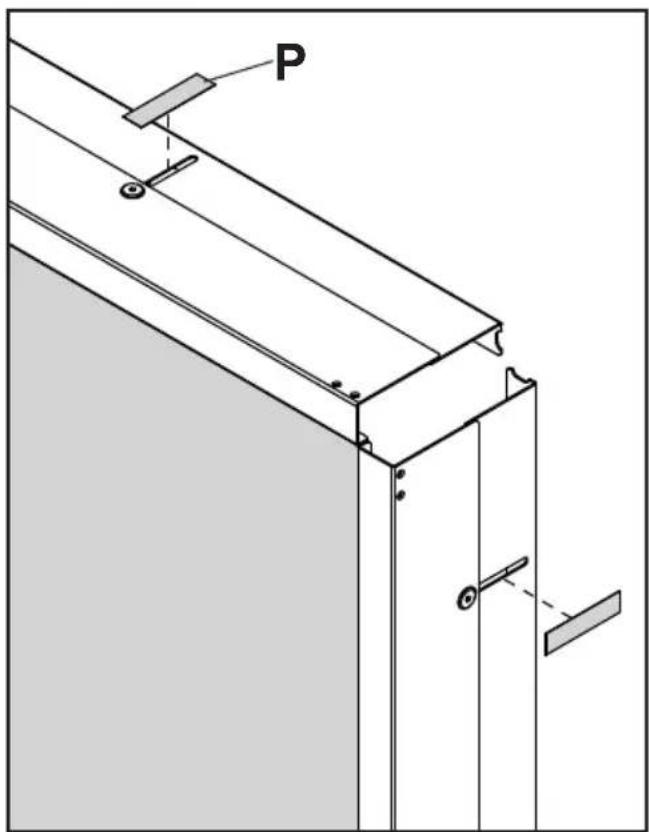
natural_image
Technical line drawing of a structural frame with labeled component 'P' and connection points (no text or symbols beyond label)4b-1
ENG Place cover over wall bracket. Slide back until flush with front of video wall.


4b-2

Attach covers with nut bar inside cover. Displays not shown for clarity.

natural_image
Line drawing of a screwdriver inside a circle (no text or symbols)4b-3

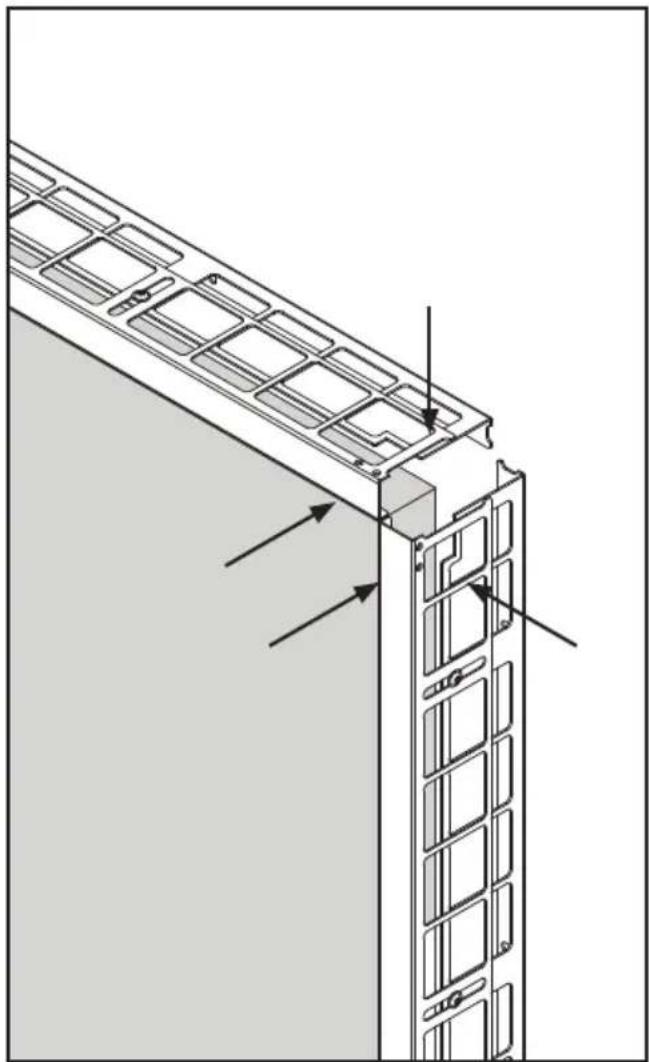
Tighten screws.


natural_image
Technical line drawing of a structural panel with grid-like cutouts and mounting brackets (no text or symbols)4b-4
ENG
Place corner cover against wall and mark cutting line.

natural_image
Simple line drawing of a circular frame with a horizontal bar and two small circular elements inside (no text or symbols)
natural_image
Architectural diagram showing a window frame structure with a pencil inserted, labeled 'E' (no text or symbols beyond label)4b-5
ENG
Slide corner cutting fixture into place and clamp onto side of cover being discarded.


4b-6
ENG
Cut excess corner cover off.

natural_image
Simple line drawing of a mechanical tool or bracket inside a circle (no text or symbols)
natural_image
Technical line drawing of two mechanical bracket assemblies with no visible text or symbols
Do not clamp fixture on wrong side of cutting line.
4b-7

File sharp edges of corner cover. Remove adhesive backing.
x4

4b-84

Clean surfaces before applying VHB.
natural_image
Architectural diagram of a building facade with window grilles and structural elements, showing directional arrows (no text or symbols)
Attach four corner covers with VHB.

ENG This page intentionally left blank.
ENG This page intentionally left blank.
Alternate steps for Unilumin UpanelS sides with bump-outs
1d-1
ENG To begin installing solid trim on Unilumin UpanelS edges with bump-outs, create guiding line for the top and right side of the unit using spacer provided.
natural_image
Simple line drawing of a pencil inside a circle (no text or symbols)


2d-1
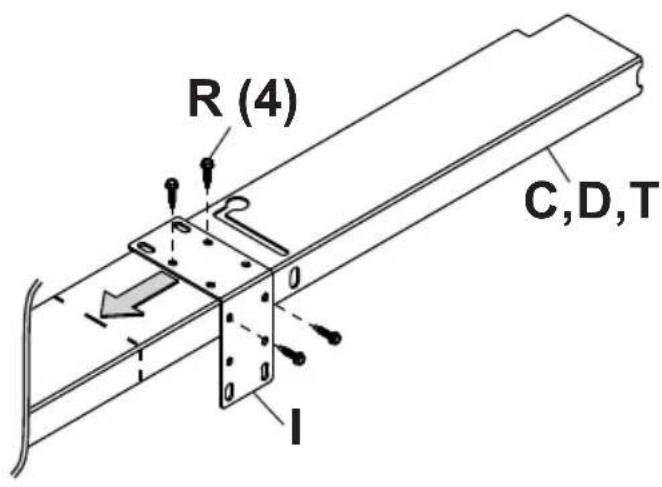
ENG
Optional: Clamp or fasten cutting fixture to side of wall bracket or cover being discarded.


2d-2

natural_image
Simple line drawing of a saw blade inside a circle (no text or symbols)

3d
WARNING
ENG - When installing Peerless wall mounts on a wood stud wall covered with plywood, verify that the wood studs are a minimum of 2" x 4" nominal size and plywood is a minimum Grade BC, 1/2" (13mm) thick. Plywood may be covered by gypsum board (drywall) up to 5/8" thick.
3d-1
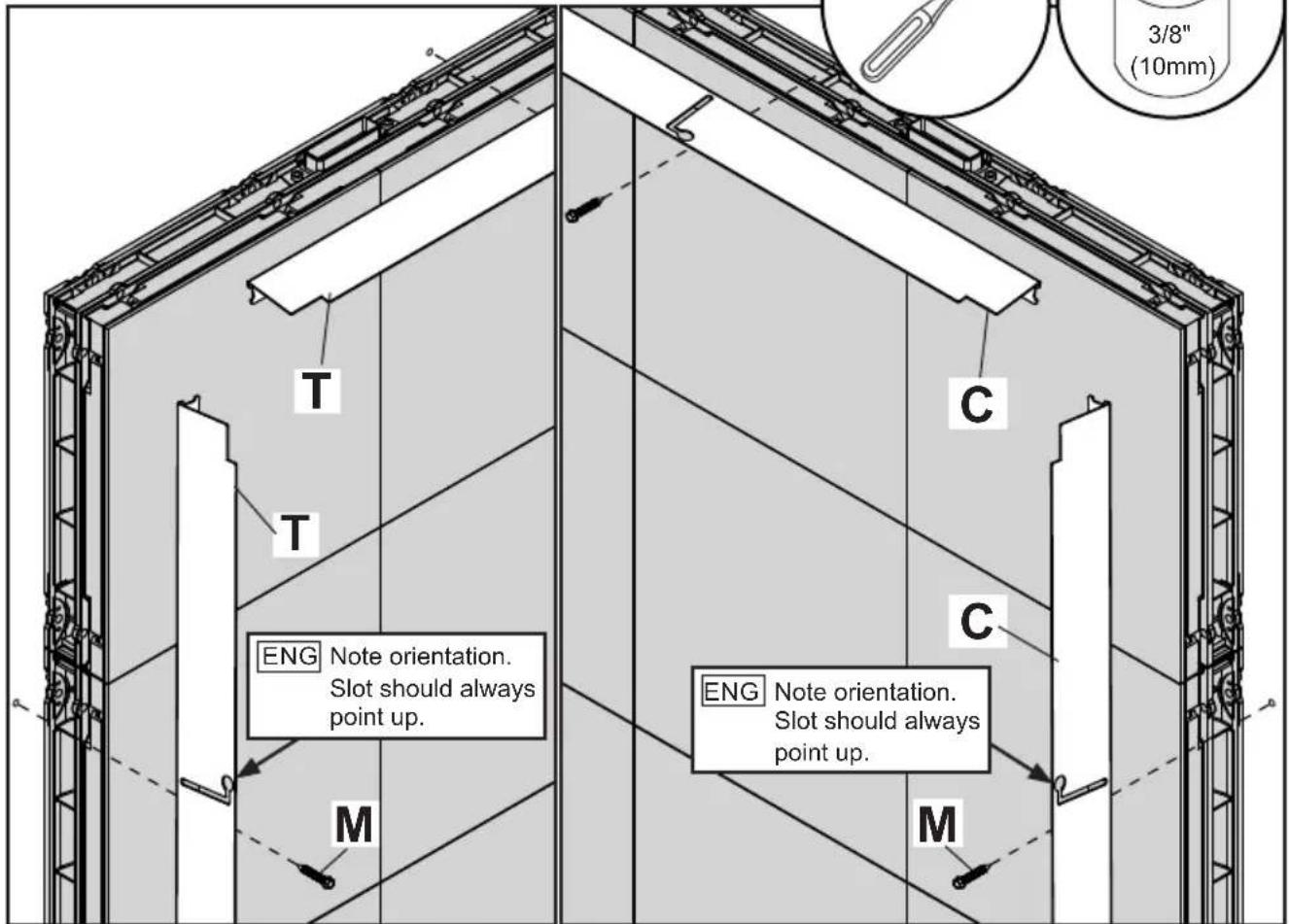
ENG Align top and right wall brackets with display guiding lines. Mark mounting holes. For left and bottom wall brackets, align wall bracket with edge of video wall. Use spacer to set final position. Mark mounting holes.


3d-2

natural_image
Line drawing of a handheld electric tool inside a circular frame (no text or symbols)

ENG Drill mounting holes into supporting surface (1.75" (44mm) minimum depth required).
3d-3
ENG Install using wood screws provided. Do not fully tighten.

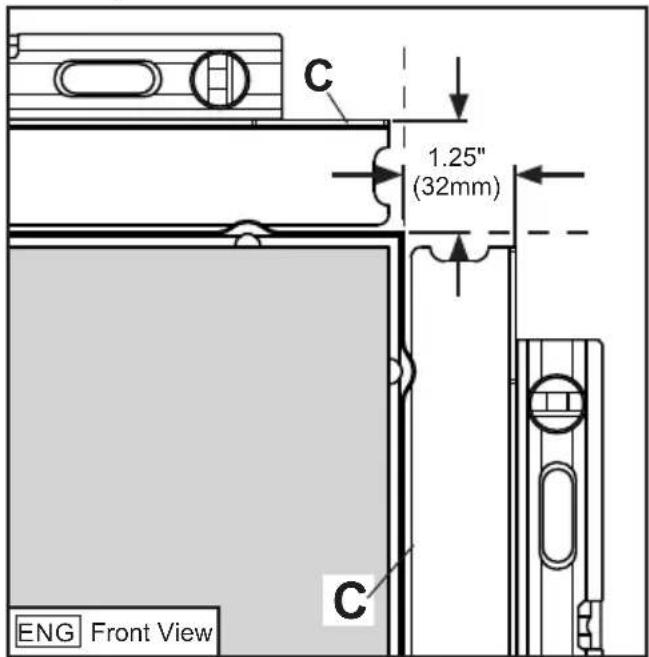
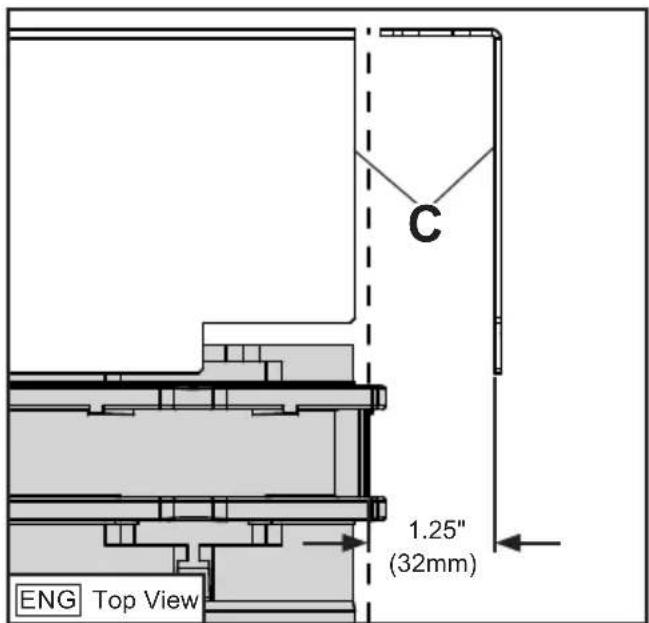
ENG Slide wall brackets in slot until they sit 1.25" from display guiding lines. Level and tighten wood screws. Repeat for left side.
4

Follow steps for solid or perforated trim kits.

4a-1
ENG Do not tighten hardware to solid cover.
4a-2
ENG Place wall plate cover over wall bracket. Slide back until flush with front of video wall.

4a-3
ENG
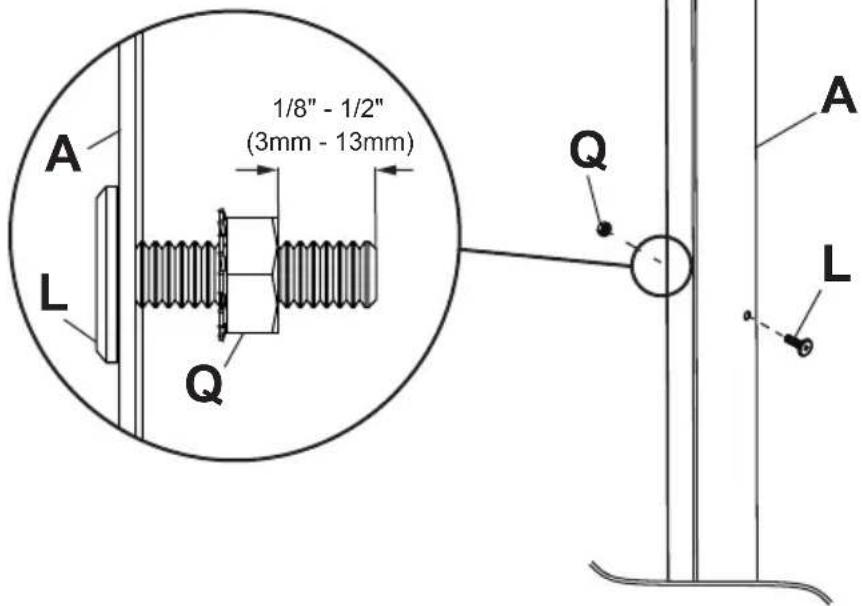
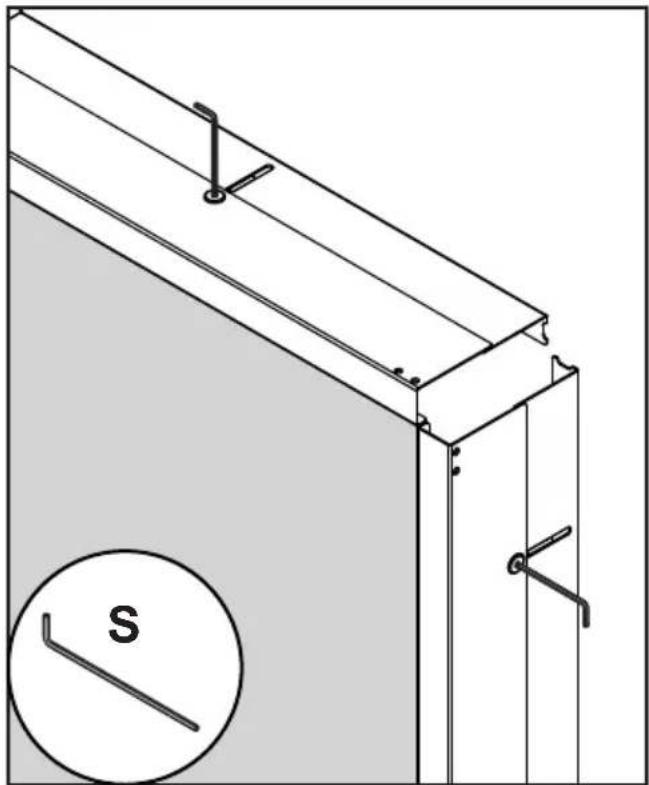
Attach covers with nut bar inside cover. Displays not shown for clarity.
4a-4
ENG
Slide cover back flush with video wall. Tighten screws.

natural_image
Technical line drawing of a structural panel with mounting brackets and a circular inset showing a labeled 'S' (no text or symbols beyond the label)4a-5

natural_image
Technical line drawing of a structural frame with labeled component 'P' and mounting bracket (no text or symbols beyond label)4b-1
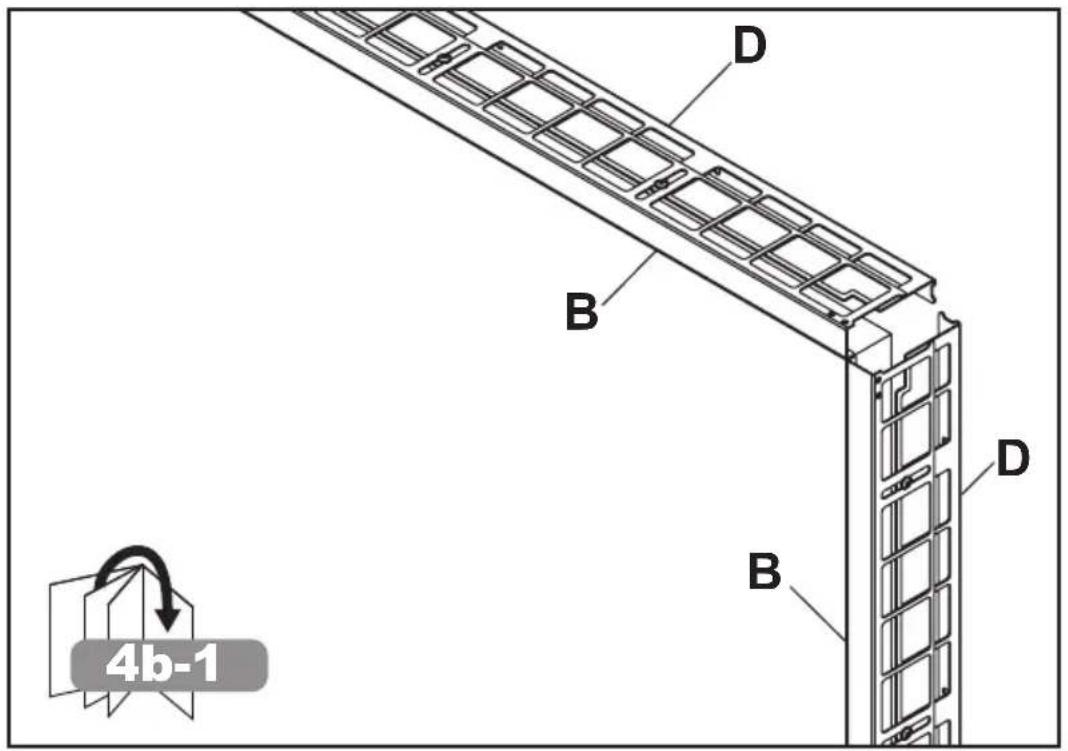
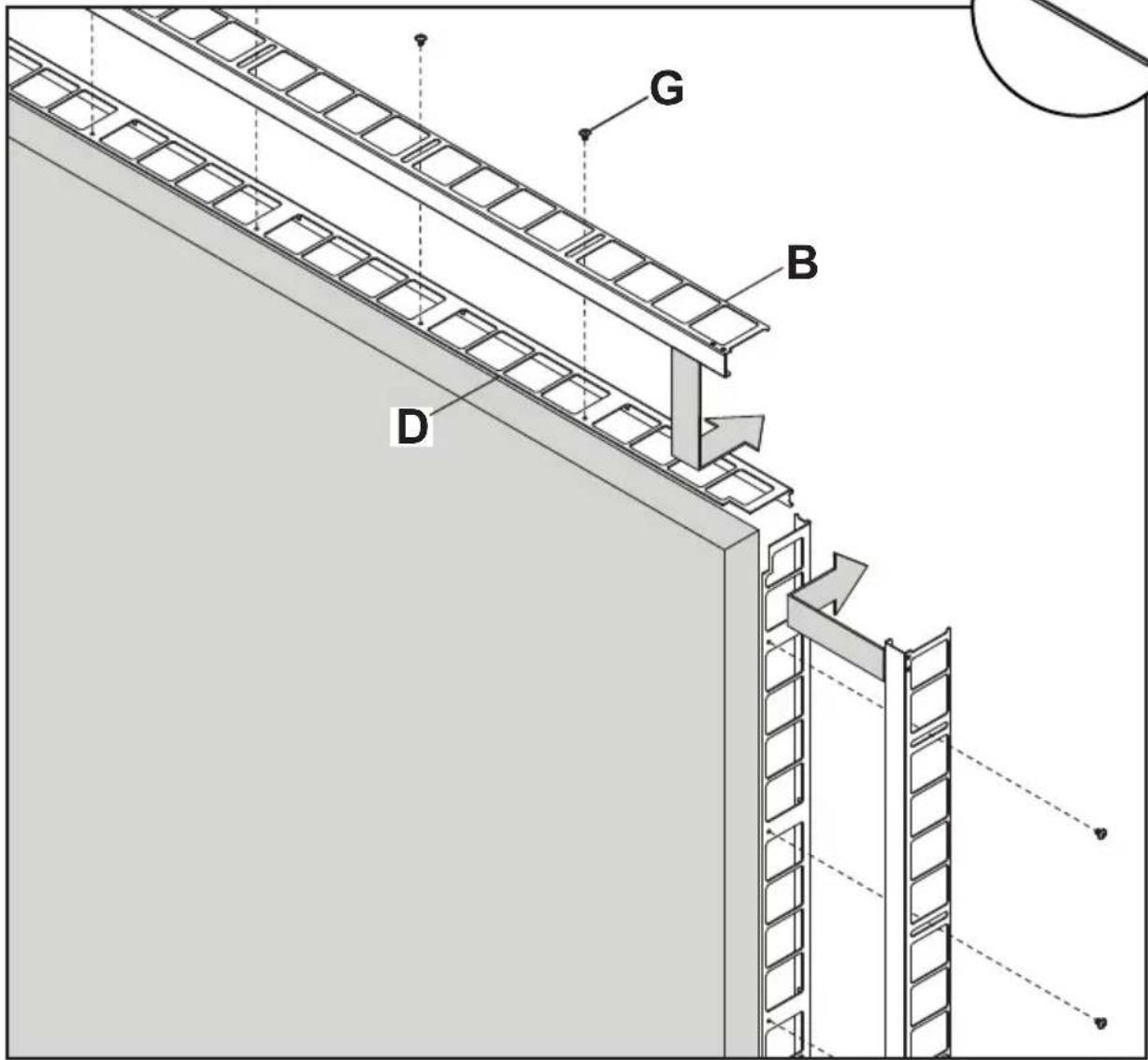
ENG Place cover over wall bracket. Slide back until flush with front of video wall.
4b-2

Attach covers with nut bar inside cover. Displays not shown for clarity.

natural_image
Line drawing of a screwdriver inside a circle (no text or symbols)4b-3

Tighten screws.


natural_image
Technical line drawing of a structural panel with grid-like cutouts and mounting brackets (no text or symbols)4b-4
ENG
Place corner cover against wall and mark cutting line.
natural_image
Simple line drawing of a circular frame with a horizontal bar and two small circular elements inside (no text or symbols)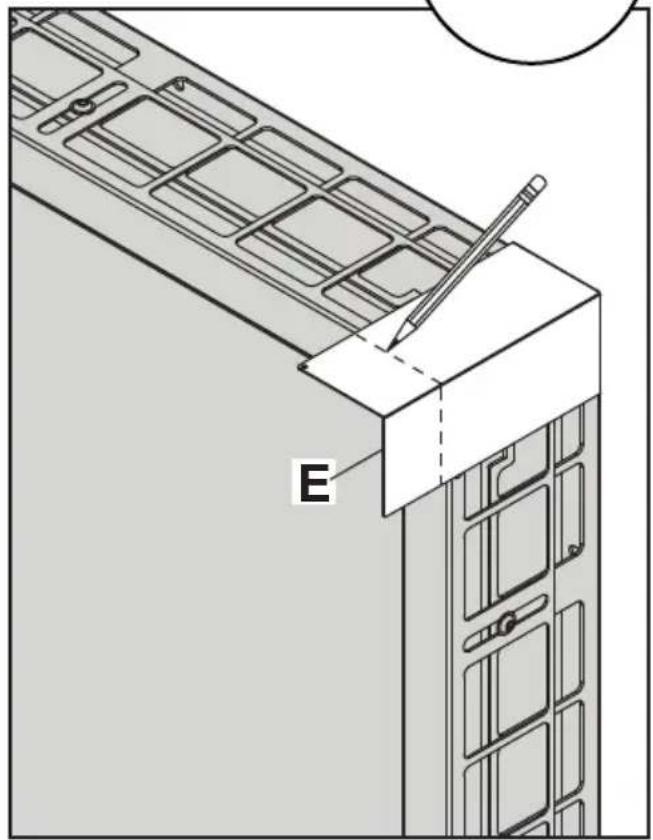
natural_image
Architectural diagram showing a window frame structure with a pencil inserted, labeled 'E' (no text or symbols beyond label)4b-5
ENG
Slide corner cutting fixture into place and clamp onto side of cover being discarded.
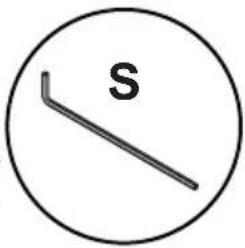
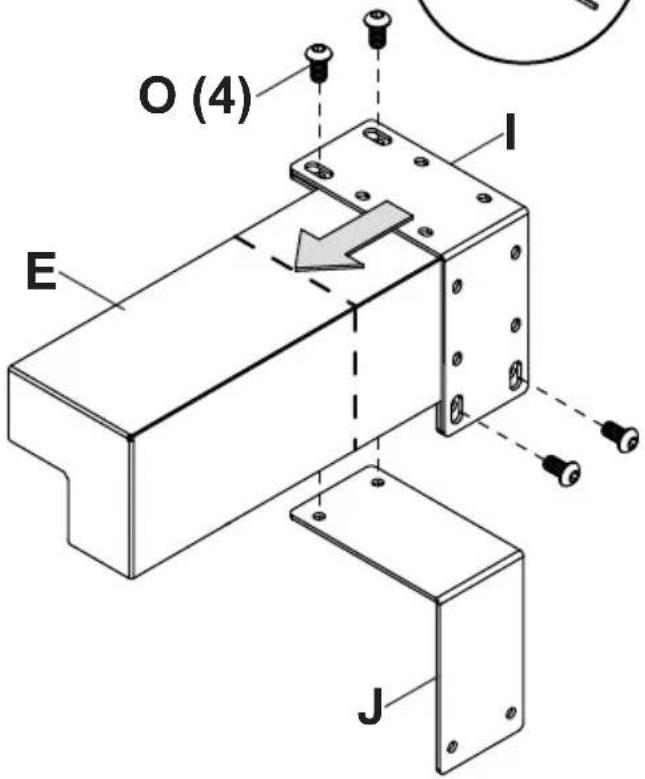
4b-6
ENG
Cut excess corner cover off.

natural_image
Simple line drawing of a mechanical tool or bracket inside a circle (no text or symbols)
natural_image
Technical line drawing of two mechanical bracket assemblies with no visible text or symbols
Do not clamp fixture on wrong side of cutting line.
4b-7

File sharp edges of corner cover. Remove adhesive backing.
x4

4b-84

Clean surfaces before applying VHB.
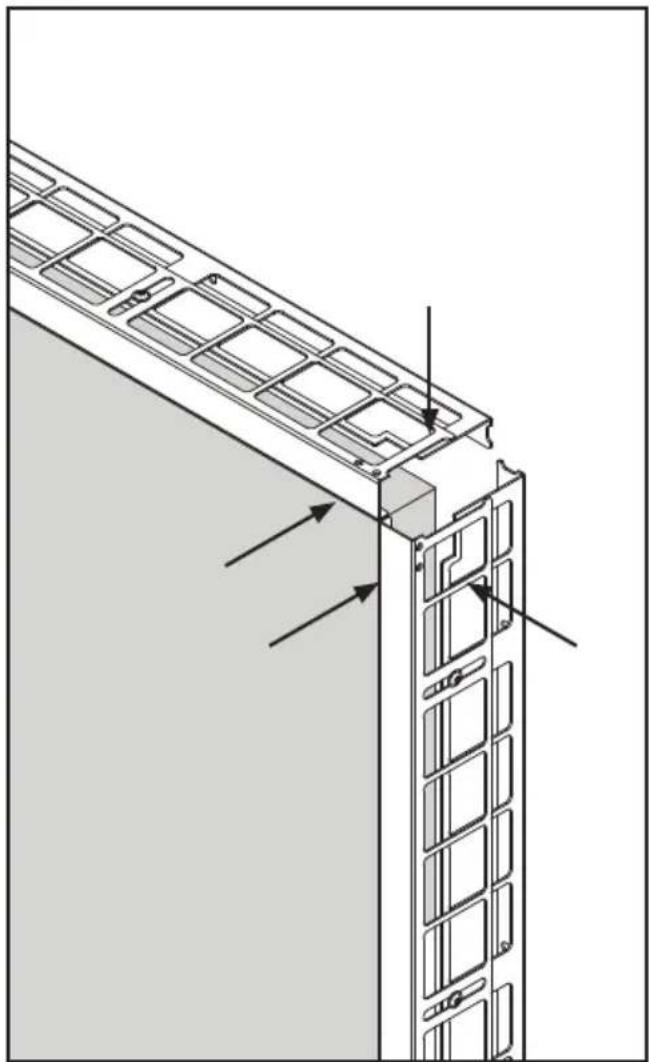
natural_image
Architectural diagram of a building facade with window grilles and structural elements, showing directional arrows (no text or symbols)
Attach four corner covers with VHB.
www.peerless-av.com/warranty
peerless-AV®
Peerless-AV
2300 White Oak Circle
Aurora, IL 60502
Email: tech@peerlessmounts.com
Ph: (800) 865-2112
Fax: (800) 359-6500
www.peerless-av.com
Peerless-AV Europe
Unit 3 Watford Interchange,
Colonial Way, Watford, Herts,
WD24 4WP, United Kingdom
Customer Care
44 (0) 1923 200 100
www.peerless-av.com
Peerless-AV América Latina


- WARNING
- 1a-1
- 1a-2
- 1a-3
- 2a-1
- 2a-2
- 3a-1
- 3a-2
- 3a-3
- 4
- 4a-1
- 4a-2
- 4a-3
- 4a-4
- 4a-5
- 4b-1
- 4b-2
- 4b-3
- 4b-4
- 4b-5
- 4b-6
- 4b-7
- 4b-84
- Alternate steps for Unilumin UpanelS sides with bump-outs
- 1d-1
- 2d-1
- 2d-2
- 3d
- 3d-1
- 3d-2
- 3d-3
- www.peerless-av.com/warranty
- peerless-AV®
- Peerless-AV
- Peerless-AV Europe
- Peerless-AV América Latina
Brand : Peerless-AV
Model : DS-LEDTK-45VX5S
Category : Audiovisual support