
ALPB80-0724 - Wall Mount Bauhn - Free user manual and instructions
Find the device manual for free ALPB80-0724 Bauhn in PDF.


| Product Type | Low Profile TV Wall Mount |
| Brand | Bauhn |
| Model | ALPB80-0724 |
| VESA Compatibility (max) | 800 x 400 mm |
| Maximum TV Weight | 65 kg |
| Suitable TV Size | 42" to 80" (106-203 cm) |
| Distance from Wall | Approx. 30 mm |
| Product Weight (with accessories) | 2.4 kg |
| Material | Steel (black powder-coated) |
| Mounting Types | Brick/Concrete wall or Wood stud wall |
| Included in Box | Wall mount plate, installation pack (screws, plugs, washers, spacers, bolts), installation guide, warranty card, safety warnings |
| Required Tools (not included) | Pencil, Phillips head screwdriver, stud detector, measuring tape, hammer, power drill, 10 mm masonry bit, 6 mm drill bit |
| Warranty | 1 year |
| Intended Use | Indoor domestic use only |
| Safety Note | Installation requires two people; ensure wall is structurally sound; avoid drilling into mortar joints or near electrical/gas/water lines. |
| Compliance | Australian Consumer Law, RoHS |
Frequently Asked Questions - ALPB80-0724 Bauhn
User questions about ALPB80-0724 Bauhn
0 question about this device. Answer the ones you know or ask your own.
Ask a new question about this device
Download the instructions for your Wall Mount in PDF format for free! Find your manual ALPB80-0724 - Bauhn and take your electronic device back in hand. On this page are published all the documents necessary for the use of your device. ALPB80-0724 by Bauhn.
USER MANUAL ALPB80-0724 Bauhn
Low Profile TV Wall Mount

natural_image
Black metal shelving unit with vertical supports and a green indicator marker (no text or symbols)MODEL: ALPB80-0724
Installation Guide
Welcome
Congratulations on your purchase!
This installation guide tells you all you need to know about using your new BAUHN® product.
Please take special note of any important safety and usage information presented with the ⚠ symbol.
All products brought to you by BAUHN ® are manufactured to the highest standards of performance and safety and, as part of our philosophy of customer service and satisfaction, are backed by our comprehensive 1 Year Warranty.
Domestic use only: This product is intended for indoor domestic use only. It is not suitable for commercial, industrial or outdoor use. Do not use this product for anything other that its intended purpose, and only use it as described in this guide.
We hope you will enjoy using your purchase for many years to come.
WARNING
Fixing a TV to a wall mount requires specialist knowledge. We assume no liability for any injury or material damage incurred due to incorrect assembly or use. Make sure to follow all instructions and if you require professional advice, please consult a relevant tradesperson.
Contents
Welcome 2
Unpack and Prepare 4
What's in The Box 4
Parts List 5
Product Overview 5
Installation Pack (Assembly Hardware) 6
Installation 7
Preparation (for a Brick or Concrete Wall) 8
Preparation (for a Wood Stud Wall) 10
Attaching the Monitor Brackets to the TV 12
Securing the TV 13
Specifications 14
Compliance and
Responsible Disposal 15
Warranty Information 16
Repair and Refurbished
Goods or Parts Notice 17
Unpack and Prepare
What's in The Box

natural_image
Simple line drawing of a two-segment cable structure with no text or symbolsBefore setting up your new product, check you have everything:
A. Low Profile TV Wall Mount
B. Installation Pack (see page 6 for information)
C. Installation Guide
D. Warranty Certificate
E. General Safety Warnings


Parts List
Product Overview
• Supports 800 x 400mm max VESA Hole pattern.
- Suitable for TVs sized 42-80" (106-203cm), weighing up to 65kg.
- Low profile, extending only 30mm (approx.) from the wall.

PARTS LIST| 5
Installation Pack (Assembly Hardware)
The illustration below shows the contents of the installation pack. These are the parts that you will need to assemble this wall mount. Some parts are not shown at the same scale.

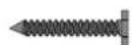
(A)
Self-Tapping Screw
ST8 x 50mm
(6pcs)

(B)
Masonry Plug
10 x 50mm
(6pcs)

(C)
Flat Washer
M5-M6-M8
(4pcs)

(D)
Plastic Spacer
D8 x 3mm (4pcs)
D8 x 14mm (4pcs)

(E)
Washer
ø 20 x ø 8.51 x
1.6mm (6pcs)

(F)
Bolt
M5 x 12mm
(4pcs)

(G)
Bolt
M5 x 25mm
(4pcs)

(H)
Bolt
M6 x 12mm
(4pcs)
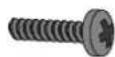
(1)
Bolt
M6 x 25mm
(4pcs)

(J)
Bolt
M8 x 15mm
(4pcs)
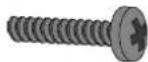
(K)
Bolt
M8 x 30mm
(4pcs)
Installation
Make sure you read and understand all instructions. Handle and use all materials strictly according to the instructions. If you do not understand these directions, or have any questions in relation to the safety of the installation, we recommend you contact a qualified professional.
Installation steps:
1 Preparation
2 Drilling the holes
3 Attaching to the wall
4 Attaching the Monitor Brackets to the TV
5 Securing the TV
TIP: Installation of the Wall Mount will be easier with two people.
WARNING: Be sure to choose a structurally sound wall area that is strong enough to hold the weight of the TV as well as the wall mount. Mount the wall plate far away from any water source and direct sunlight.
WARNING: DO NOT attach the wall mount to a hollow wall or decorative cardboard.
Tools Required: To complete the following steps you will need:
A. Pencil
B. Phillips Head Screwdriver
C. Stud Detector
D. Measuring Tape
E. Hammer
F. Power Drill
G. Masonry Bit (10mm)
H. Drill Bit (6mm)

INSTALLATION | 7
1A
Preparation (for a Brick or Concrete Wall)

Using the wall base plate as a template, mark six holes in locations as shown above.
NOTE: Ensure that you align the bracket so that the spirit level is flat and even.
Attaching to the Wall
3A
Hold the wall plate against the wall and align the holes in the plate to the holes drilled into the wall.
Screw the wall plate to the wall with the self-tapping screws (A): insert them through the washers (E) into each masonry plug (B) in the wall and then tighten the screws.
![[E] [A]](/content/2026/06/1228197/images/15ea82fab603397d1f4ffa3c2cd7b485f633d0f1560313427478fbc91c8e2707.jpg)
2A
Drilling the Holes

On the marked holes, drill holes of 50mm depth into the concrete or brick wall.
Wedge the masonry plugs (B) into the holes, gently tap each plug with a hammer until they are flush with the wall as illustrated on the left.
WARNING: Do not drill into mortar joints. Please pay attention to the electrical lines and also the location of gas and water lines when drilling holes.
1B
Preparation (for a Wood Stud Wall)
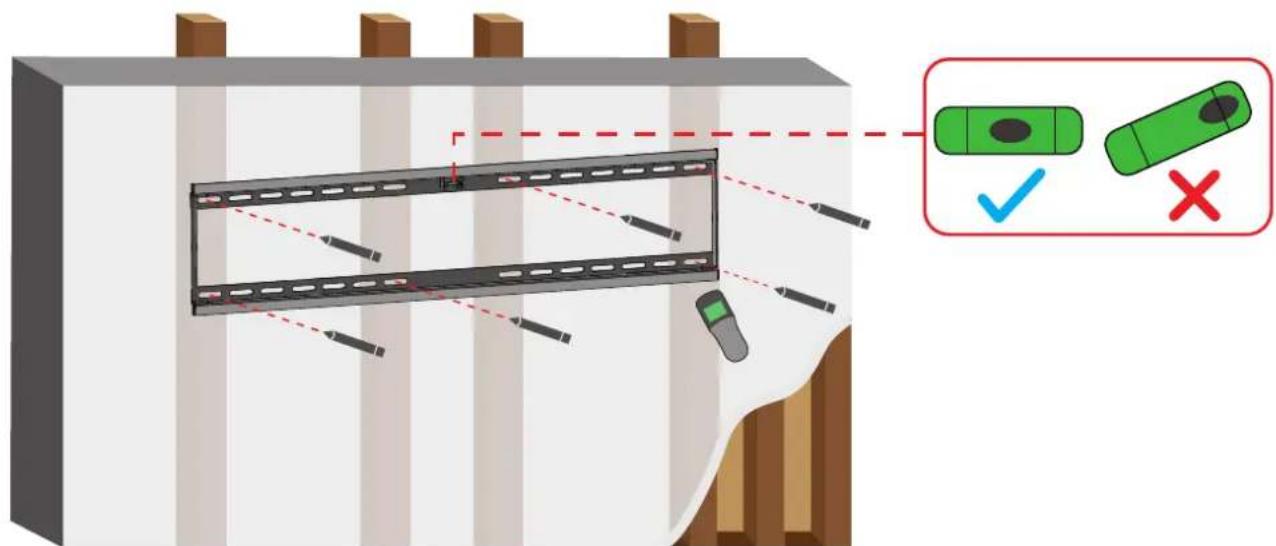
Use a stud detector to locate the centre of the framing studs.
Mark six holes in the locations as shown above. Use the wall base plate as a template.
NOTE: When you are installing the wall mount to a wood stud wall, consult your builder for advice. The wall must be strong enough for the weight of the wall mount and the TV.
WARNING: You must spread the wall plate across two studs.
Hold the wall plate to the wall and align the holes in the plate to the holes drilled into the wall.
Screw the wall plate to the wall with the self-tapping screws (A), inserting them through the washers (E).
Make sure the upper and lower raised sections of the plate sit away from the wall.
Attaching to the Wall
![[E] [A]](/content/2026/06/1228197/images/3df0afc788809683fa4b54a8d77142ebaf3561ed7cc88440e0976fbd78463f5e.jpg)
3B
2B
Drilling the Holes

natural_image
Illustration of a handheld electric drill with light rays projecting onto a screen (no text or symbols)On the marked holes, drill small diameter pilot holes into the wood stud wall.
WARNING: Please pay attention to the electrical lines and also the location of gas and water lines when drilling holes.

Attaching the Monitor Brackets to the TV
- Lay the TV face down. Check the back of the TV to find the appropriate mounting pattern.
- Select the appropriate bolts (F/G/H/I/J/K) that fit the thread holes at the back of the TV (refer to the TVs manual to determine the correct bolt sizes). Due to the many varieties of TVs, you may need to visit your local hardware supplier to find the correct bolt and washer sizes.
- Position the left and right bracket over the thread holes, ensuring the hooks of the bracket (with the square holes in either side) are towards the top of the TV (see illustration on the right).
- Insert the correct bolts through the flat washers (C), as illustrated on the right. Use the plastic spacers (D) if necessary (check the TV's back panel).
- Tighten the bolts and ensure the brackets are firmly bolted into place.
- When affixing the monitor brackets, make sure that the sides of the brackets with the hooks are towards the top of the display. Use the holes in the centre, ensuring that the mounting holes are at the same level.
![TV [D][C][F-K]](/content/2026/06/1228197/images/7101b9f411023e40e07f1e3b72a781e4219c96653973e80572210aa89437d85d.jpg)
5
Securing the TV
- Loosen the bolts on the bracket so that the bracket can sit securely on the wall plate.
- Safely lift the TV and hook the mounting brackets onto the top edge of the wall plate.
- Gently allow the screen to sit against the wall plate.
- Tighten the bolts on the brackets to lock it to the wall plate.
NOTE: At least two people are required to finish this mounting procedure. Do not attempt to assemble this wall mount independently, as it may result in incorrect assembly or injury.


natural_image
Two stylized human figures holding a rectangular block with a warning triangle (no text or symbols)Specifications
| VESA Support Max. 800 x 400mm | |
| Maximum Load 65kg | |
| Distance From Wall 30mm Approx. | |
| Product Weight (including accessories) | 2.4kg |
Compliance and Responsible Disposal

Packaging
The packaging of your product has been selected from environmentally friendly materials and can usually be recycled. Please ensure these are disposed of correctly. Plastic wrapping can be a suffocation hazard for babies and young children, please ensure all packaging materials are out of reach and are safely disposed of. Please recycle these materials rather than throwing them away.
Product
At the end of its working life, do not throw this product out with your household rubbish. An environmentally friendly method of disposal will ensure that valuable raw materials can be recycled. Electrical and electronic items contain materials and substances which, if handled or disposed of incorrectly, could potentially be hazardous to the environment and human health.

BAUHN®
Warranty Information
The product is guaranteed to be free from defects in workmanship and parts for a period of 12 months from the date of purchase. Defects that occur within this warranty period, under normal use and care, will be repaired, replaced or refunded at our discretion, solely at our option with no charge for parts and labour. The benefits conferred by this warranty are in addition to all rights and remedies in respect of the product that the consumer has under the Competition and Consumer Act 2010 and similar state and territory laws.
Our goods come with guarantees that cannot be excluded under the Australian Consumer Law. You are entitled to a replacement or refund for a major failure and to compensation for any other reasonably foreseeable loss or damage. You are also entitled to have the goods repaired or replaced if the goods fail to be of acceptable quality and the failure does not amount to a major failure.

BAUHN®
Repair and Refurbished Goods or Parts Notice
Unfortunately, sometimes faulty products are manufactured, which need to be returned to the supplier for repair.
Please be aware that if your product is capable of retaining user-generated data (such as files stored on a computer hard drive, telephone numbers stored on a mobile telephone, songs stored on a portable media player, games saved on a games console or files stored on a USB memory stick) during the process of repair, some or all of your stored data may be lost. We recommend you save this data elsewhere prior to sending the product for repair.
You should also be aware that rather than repairing goods, we may replace them with refurbished goods of the same type or use refurbished parts in the repair process.
Please be assured though, refurbished parts or replacements are only used where they meet ALDI's stringent quality specifications.
If at any time you feel your repair is being handled unsatisfactorily, you may escalate your complaint. Please telephone us on 1300 002 534 or write to us at:
Tempo (Aust) Pty Ltd ABN 70 106 100 252
PO BOX 6097, North Sydney NSW 2059, Australia
Telephone: 1300 002 534 (Aust) Fax: (02) 8977 3765
Tempo Help Desk: 1300 002 534 (Aust)
(Operating Hours: Mon-Fri 8:30am-6pm; Sat 9am-6pm AEST)
Email: tempo.org/support
Notes
Notes
Online support
Visit bauhn.com.au for the latest Installation Guide for information on the updated features.
Warranty returns
Should you for any reason need to return this product for a warranty claim, make sure to include all accessories with the product.
Product does not work?
If you encounter problems with this product, or if it fails to perform to your expectations, please contact our After Sales Support Centre on 1300 002 534.
ALDI guarantees that our products are developed to our stringent quality specifications. If you are not entirely satisfied with this product, please return it to your nearest ALDI store within 60 days from the date of purchase for a full refund or replacement, or take advantage of our after sales support by calling the supplier's Customer Service Hotline.

natural_image
Green icon showing a person reading a document with an exclamation mark, no text or symbols present.Please read the guide
It will help you get the best out of your product.
Still have questions?
Call After Sales Support
1300 002 534
Or visit tempo.org/support
- Low Profile TV Wall Mount
- Welcome
- WARNING
- Contents
- Unpack and Prepare
- Parts List
- Product Overview
- Installation Pack (Assembly Hardware)
- Installation
- Attaching to the Wall
- Drilling the Holes
- Preparation (for a Wood Stud Wall)
- Attaching the Monitor Brackets to the TV
- 5
- Securing the TV
- Specifications
- Compliance and Responsible Disposal
- Packaging
- Product
- BAUHN®
- Warranty Information
- Repair and Refurbished Goods or Parts Notice
- Online support
- Warranty returns
- Product does not work?
Brand : Bauhn
Model : ALPB80-0724
Category : Wall Mount