
12.301300-02 - Audio Installation Kit PIONEER - Free user manual and instructions
Find the device manual for free 12.301300-02 PIONEER in PDF.


| Product Type | Car Audio Installation Kit |
| Brand | Pioneer |
| Model | 12.301300-02 |
| Compatibility | Toyota Corolla 2003-2007 |
| Kit Components | Double DIN Trim Plate, Double DIN Brackets |
| Material | Plastic, Metal |
| Color | Black |
| Dimensions (Trim Plate) | 178 x 100 mm (Double DIN) |
| Weight | 0.3 kg |
| Installation Location | Dash, Double DIN or Stacked ISO Units |
| Tools Required | Small Flat Blade Screwdriver, Panel Removal Tool, Phillips Screwdriver, Socket Set |
| Features | Factory-like fit, Easy snap-in installation |
| Includes | Trim plate, mounting brackets, installation notes |
| Assembly Required | Yes |
| Usage | Aftermarket radio installation |
| Maintenance | Wipe with dry cloth; avoid harsh chemicals |
| Safety | Disconnect battery before installation |
| Warranty | 1 year limited |
| Spare Parts | Contact Pioneer support |
| Repair | Not user-serviceable; replace kit if damaged |
Frequently Asked Questions - 12.301300-02 PIONEER
User questions about 12.301300-02 PIONEER
0 question about this device. Answer the ones you know or ask your own.
Ask a new question about this device
Download the instructions for your Audio Installation Kit in PDF format for free! Find your manual 12.301300-02 - PIONEER and take your electronic device back in hand. On this page are published all the documents necessary for the use of your device. 12.301300-02 by PIONEER.
USER MANUAL 12.301300-02 PIONEER
natural_image
Interior view of a car dashboard with air filters and a mounted electronic device (no visible text or symbols)KIT COMPONENTS
A) Double DIN Trim Plate B) Double DIN Brackets

natural_image
Line drawing of a rectangular frame with rounded corners and a flat top edge, labeled 'A' at the bottom left (no other text or symbols)

B
TOOLS REQUIRED:
Small Flat Blade Screwdriver • Panel Removal Tool
- Phillips Screwdriver - Socket Set
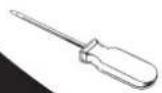


TABLE OF CONTENTS
Dash Disassembly
- Totota Corolla 2003-2007 .... 1
Kit Assembly
- Double DIN Radio Provision .... 2
- Stacked ISO Units Provision....3
Final Assembly 4
*Note:
Refer also to the instructions included with the aftermarket radio.
TOYOTA COROLLA 2003-2007
1 Disconnect the negative battery terminal to prevent an accidental short circuit.
2 Unclip and remove the gear shifter trim panel. (Figure A)
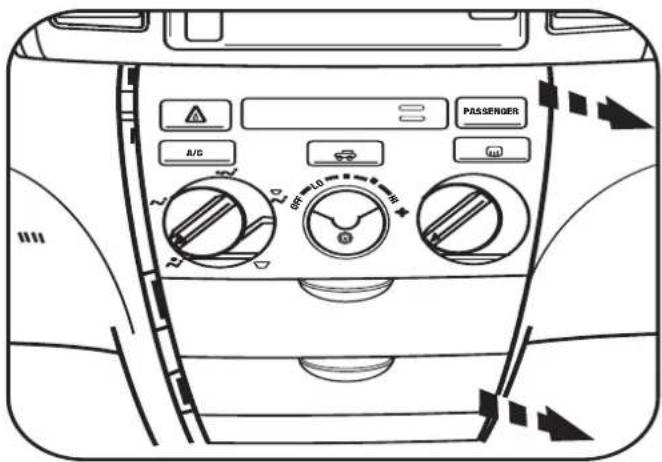
3 Remove the center a/c knob and (1) Phillips screw exposed behind it. (Figure B)
4 Unclip and remove the a/c-pocket assembly. (Figure C)
5 Remove (4) 10 MM bolts from the bottom of the radio then unclip and remove the factory radio and trim panel together. Unplug radio from factory harness. (Figure D)
6 Unclip and remove the radio trim panel including the a/c vents from the factory radio.
Continue to kit assembly.
A

natural_image
Line drawing of a refrigerator interior with door, air conditioner unit, and control panel (no text or symbols)B

C
D

DOUBLE DIN RADIO PROVISION
*Note: Refer also to the instructions included with the aftermarket radio.
1 Snap the Double DIN trim plate into the factory trim panel. (Figure A)
2 Slide the Double DIN radio into the Double DIN brackets and secure the radio to the brackets using the screws supplied with the radio. (Figure B)
Continue to final assembly.

natural_image
Technical line drawing of a car dashboard with internal components and mounting bracket (no text or symbols)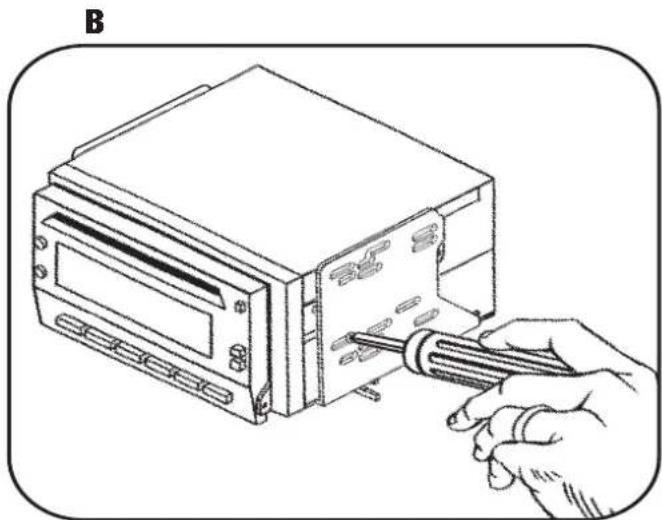
natural_image
Illustration of a hand using a screwdriver to adjust or install a computer drive into a hard drive (no text or symbols visible)STACKED ISO UNITS PROVISION
*Note: Refer also to the instructions included with the aftermarket radio.
1 Snap the Double DIN trim plate into the factory trim panel. (Figure A)
2 Slide the stacked ISO units into the Double DIN brackets and secure the units to the brackets using the screws supplied with the units. (Figure B)
Continue to final assembly.

natural_image
Diagram of a car air intake manifold showing internal structure and airflow direction (no text or labels)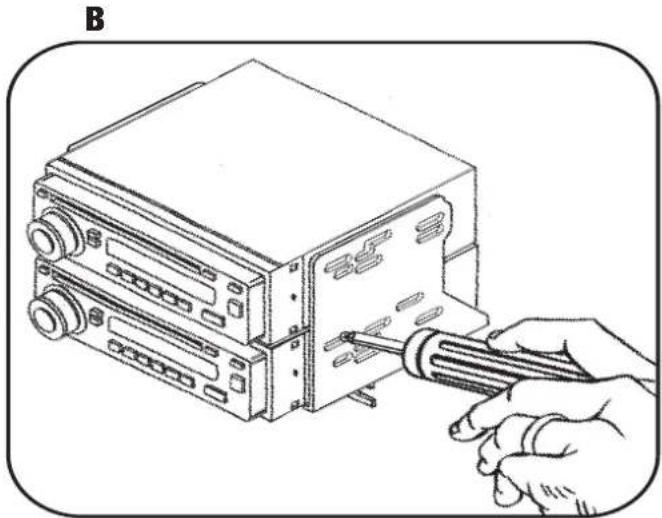
natural_image
Illustration of a hand using a screwdriver to adjust or install a device into a rack (no text or symbols visible)Brand : PIONEER
Model : 12.301300-02
Category : Audio Installation Kit