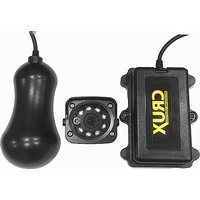
CTR-01Q - Security Camera CRUX - Free user manual and instructions
Find the device manual for free CTR-01Q CRUX in PDF.


| Product Type | Wireless Reverse Camera System |
| Brand | CRUX |
| Model | CTR-01Q |
| Application | Trucks, SUVs, RVs, Buses, and other vehicles |
| Camera Image Sensor | NEXTCHIP NVP2080 (PELICAN-S) |
| Effective Pixels (NTSC) | 768 x 494 |
| Effective Pixels (PAL) | 752 x 582 |
| Angle of View | 120° |
| IR LEDs | 8 pcs 850nm IR, CDS Sensor (approx. 10m visibility) |
| Wireless Frequency | 2.4 GHz, 20 Channel Frequency Hopping |
| Video Compression | MPEG4 |
| Frame Rate | 30 fps |
| Communication Distance | Over 100m (open area) |
| Camera Operating Voltage | 12V ~ 24V DC |
| Camera Power Consumption | 170mA (12V) / 80mA (24V) (on); 120mA (12V) / 60mA (24V) (off) |
| Transmitter/Receiver Power Consumption | 165mA (12V) / 90mA (24V) (transmitter); 130mA (12V) / 80mA (24V) (receiver) |
| Operating Voltage (Transmitter/Receiver) | +12V ~ +24V DC |
| Camera Waterproof Rating | IP 69K |
| Operating Temperature | -20°C to 60°C |
| Operating Humidity | 85% RH, Non-Condensing |
| Image Output | NTSC, VGA |
| Installation Method | Bracket mount (camera), adhesive mount (transmitter/receiver) |
| Included Accessories | Cable ties, L brackets, double-sided tape, pushbutton switch |
Frequently Asked Questions - CTR-01Q CRUX
User questions about CTR-01Q CRUX
0 question about this device. Answer the ones you know or ask your own.
Ask a new question about this device
Download the instructions for your Security Camera in PDF format for free! Find your manual CTR-01Q - CRUX and take your electronic device back in hand. On this page are published all the documents necessary for the use of your device. CTR-01Q by CRUX.
USER MANUAL CTR-01Q CRUX
Use on trucks, SUVs, RVs, Buses and other vehicles that require wireless reverse camera solution.
FEATURES:
- 2.4 GHz, 20 Channel Frequency Hopping Method for clear image.
- 120° effective viewing angle.
- 8 IR LEDs for up to 10M visibility at night.
- Waterproof camera and transmitter (IP 69K).
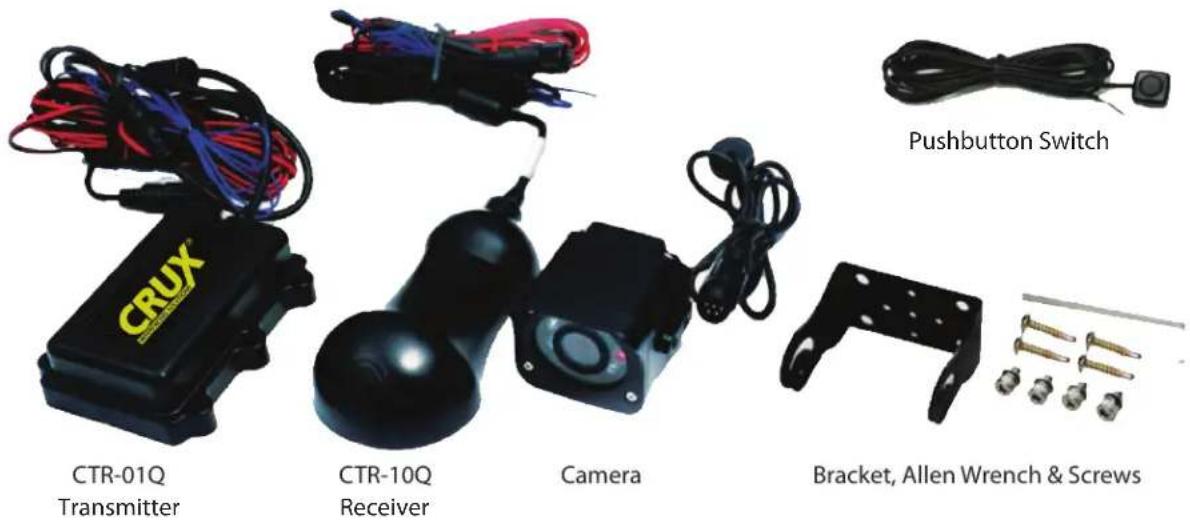
PARTS INCLUDED:

Cable Ties
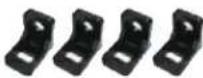
L Brackets

Double Sided Tape
1 / 6 rev.071317
INSTALLATION INSTRUCTIONS:
- Find a suitable place to install a camera. 2. Test fit the bracket to make sure there is enough space.
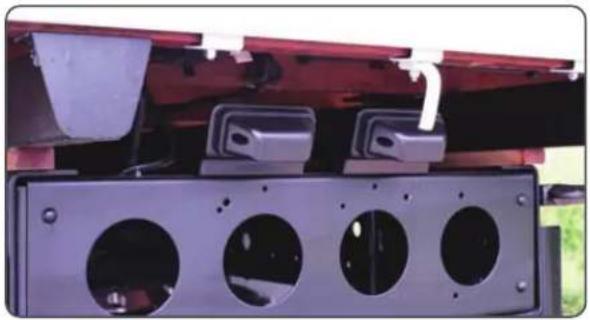
- Use the screws provided to mount the bracket.

- Install the camera to the bracket. Do not completely tighten the screws yet.
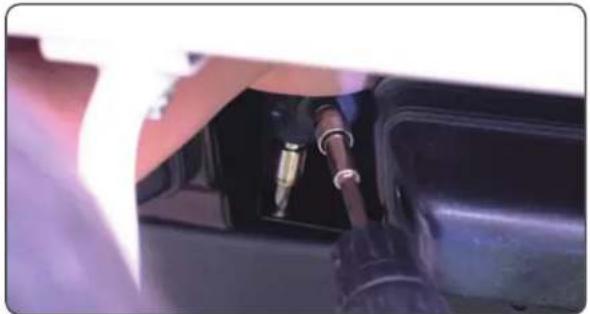

- Below is how the camera should be installed. 6. Mount the transmitter no more than 3 feet from the camera.
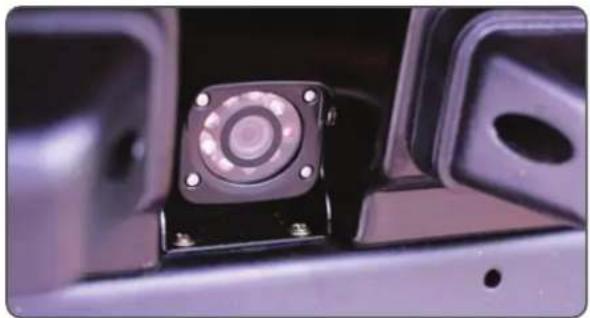

- Clean the surface where the transmitter will be mounted. 8. Attach the double sided adhesive tape to transmitter.


2 / 6 rev.071317
- Press down on the transmitter to adhere to the surface.
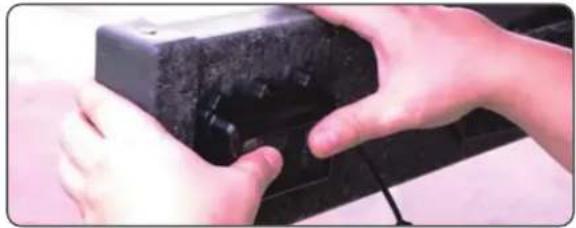
- Attach the 4 L brackets to surface using the screws provided.

- Use the cable ties to securely fasten the transmitter.

- We recommend putting silicone sealant around the base of the transmitter to prevent dirt from going behind the transmitter.

- Disconnect the reverse light connector. 14. Strip the power and ground wires of the reverse light.
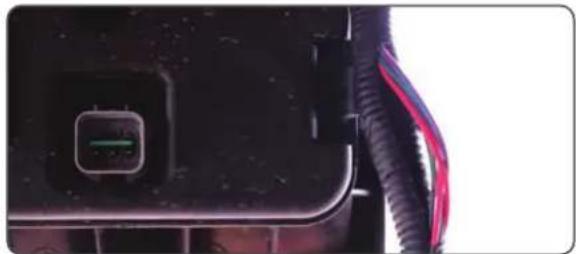

- Tap the red and black wires of the CTR-01Q camera cable to the positive and negative wires.

- Reconnect the reverse icon connector.

- Organize the cable using zip ties and cable clamps.

- Connect receiver's red wire to ACC and black wire to ground. Plug the Yellow video RCA to the monitor (not included).

- Attach the double sided adhesive tape under the receiver. Do not remove the bottom liner of the double sided tape yet.

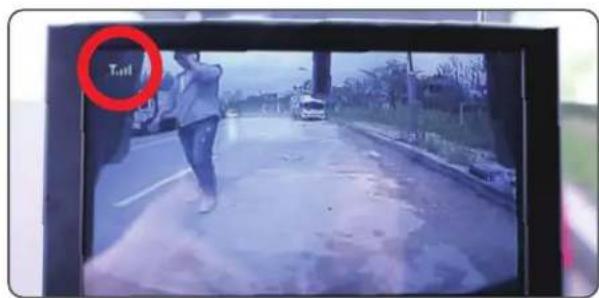
- With the ignition turned to ACC, put the vehicle in reverse. Turn on the monitor and find the best direction for the receiver turning it until you see atleast 3 bars on the monitor.

HOW TO PAIR TRANSMITTER AND RECEIVER:
The transmitter and receiver are already paired by default during production. There is no need to pair it again unless the pairing was deleted for some reason.
- Turn off the transmitter. Connect the pushbutton switch included in the kit to the receiver pairing connector.
- Turn on the monitor and receiver. The monitor will show "NO VIDEO SIGNAL" for 2 seconds.
- Before the message disappears, press the toggle switch for more than 5 seconds. The monitor will show the message "PLEASE PRESS PAIR KEY ON TX SIDE". It will also start a count down to 30.
- Turn on the transmitter by putting the vehicle in reverse gear before the count down goes to "0".
- The monitor will not show "WAITING FOR SIGNAL..." then "PAIR OK". Pairing is not complete.
- Unplug the pushbutton switch and keep in a safe place.
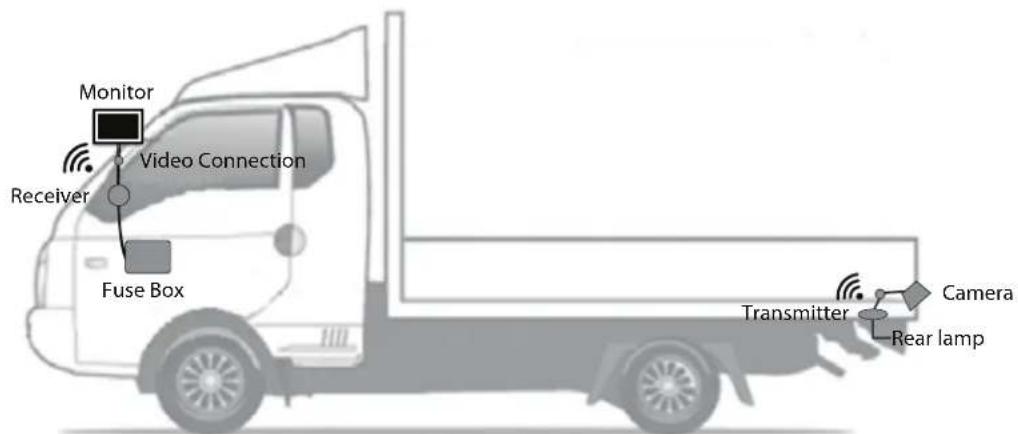
INSTALLATION EXAMPLES:


5 / 6 rev.071317
TROUBLESHOOTING:
Q: No image is displayed once the vehicle is put in reverse.
A: Check if the receiver is properly connected to power.
Check if the cables between the monitor and the receiver are plugged in tight.
Q: No image is shown on the monitor and shows a message "No Video Signal".
A: Check if the transmitter is properly connected to the reverse light wires.
Check the strength of the wireless connection displayed by 3 antenna bars on the monitor. Move the receiver to find the best signal strength. Avoid areas where the receiver is blocked from receiving signals from the transmitter.
Q: Picture is distorted.
A: Make sure that the cable connections between the camera and transmitter are correctly linked. Make sure that the cable connections between the monitor and receiver are correctly linked.
Q: No image displays even though the antenna bar shows 3-4 bars.
A: Check the cable connections between the camera and transmitter and the camera power cable."
Q: Transmitter and receiver are not pairing.
A: The transmitter and receiver have already been paired during production. Incase the pairing has been deleted, please refer to the "How to pair transmitter and receiver" section on page 5.
SPECIFICATIONS:
| Camera | |
| Effective pixels | NTSC : (H)768x(V)494PAL : (H)752x(V)582 |
| Angle of view | 120° |
| IR LED | 8PCS of 850mn IR , CDS Sensor 1EA (Approximately 10m visible) |
| Image sensor | NEXTCHIP Image Signal Processor NVP2080 (PELICAN-S) |
| Operating voltage | 12V (On:170mA/Off:120mA) ~ 24V (On:80mA/Off:60mA) |
| Operating Temp./Humi. | -20°~60°85%RH, Non-Condensing |
| Waterproof | IP 69K |
| Transmitter Receiver | ||
| Frequency | 2.4 GHz, 20 Channel Frequency Hopping Method | |
| Image input | NTSC, VGA | |
| Power consumption | ~165mA (+12V DC) /~90mA (+24V DC) | ~130mA (+12V DC) /~80mA (+24V DC) |
| Operating voltage | +12V ~ +24V DC | |
| Communication distance | Over 100m (Open area) | |
| Video compression | MPEG4 | |
| Frame | 30 Frame | |
6 / 6 rev.071317
Brand : CRUX
Model : CTR-01Q
Category : Security Camera