
SCT400g - Fitness BodyCraft - Free user manual and instructions
Find the device manual for free SCT400g BodyCraft in PDF.


| Product Type | Seated Elliptical Trainer |
| Brand | BodyCraft |
| Model | SCT400g |
| Max User Weight | 400 lbs / 180 kg |
| Resistance System | Self-powered flywheel with motor tension cable |
| Resistance Levels | 20 levels (display shows 10 rows representing 20 levels) |
| Computer Display | Dot matrix profile window, 8 data displays (Speed, Time, Distance, Calories, RPM, Level, Watts, Pulse), alphanumeric message window |
| Programs | Quick Start, Manual, Random, Intervals, Hill Climb, Strength, Target HR, HR Interval, Custom |
| Heart Rate Monitoring | Dual contact handgrip pulse sensors and built-in 5 kHz wireless receiver (chest strap compatible, not included) |
| Power Source | Self-generating (pedal to power console) |
| Seat | Adjustable saddle frame with upholstered seat and backrest |
| Pedals | Adjustable foot pedals with cushion pads and foot straps (optional) |
| Handlebars | Stationary and dual action upper handlebars with pulse grips |
| Frame Warranty | Lifetime (Residential), 10 years (Light Commercial) |
| Parts Warranty | 7 years (Residential), 3 years (Light Commercial) |
| Labor Warranty | 2 years (Residential), 1 year (Light Commercial) |
| Wear Items Warranty | 1 year (both Residential and Light Commercial) |
| Assembly Required | Yes, 2 persons recommended |
| Leveling Feet | 4 adjustable foot pads to level the machine |
| Dimensions (approx) | Not specified; typical seated elliptical: ~50" L x 25" W x 55" H |
| Weight (approx) | Not specified; typical: ~150 lbs |
| Water Bottle Holder | Included |
| USB Port | For software updates only |
Frequently Asked Questions - SCT400g BodyCraft
User questions about SCT400g BodyCraft
0 question about this device. Answer the ones you know or ask your own.
Ask a new question about this device
Download the instructions for your Fitness in PDF format for free! Find your manual SCT400g - BodyCraft and take your electronic device back in hand. On this page are published all the documents necessary for the use of your device. SCT400g by BodyCraft.
USER MANUAL SCT400g BodyCraft
Seated Elliptical Trainer

natural_image
Line drawing of a stationary stationary bike with visible components and motion path (no text or symbols)OWNERS MANUAL
CONGRATULATIONS! And THANK YOU for selecting the BODYCRAFT SCT400g Seated Elliptical Trainer!
Your choice reflects a wise investment in you and your family's health and wellness. We hope you use it for many healthy years!
For your safety and benefit, please read this entire manual. Please keep the manual in a convenient place for quick reference when needed.
Bodycraft offers a complete array of high quality fitness equipment. Please refer to our web site at www.bodycraft.com to view more ways to enhance your lifestyle.
Your Bodycraft SCT400g has all the quality and design elements to make your workout extremely efficient and comfortable. Your new Seated Elliptical Trainer is a serious cardio fitness machine that will keep you motivated, challenged and within reach of your fitness goals. The Bodycraft SCT400g will provide an efficient, low impact cardiovascular workout that will help improve energy levels and your quality of life. Cardiovascular training is vital for all ages and the Bodycraft SCT400g will provide an effective workout, producing results that will encourage you to reach your fitness goals and maintain the body you have always wanted. Spending 15 to 30 minutes a day, three times a week is all you need to start seeing the benefits of a regular exercise program.
As a premium exercise equipment manufacturer we are committed to your complete satisfaction. If you have questions, suggestions or find missing or damaged parts, we guarantee your complete satisfaction through our authorized dealer network or by contacting us directly. Please call your local dealer or Bodycraft.
Phone: 800-990-5556 9 am - 5 pm EST Email: service@bodycraft.com
Recreation Supply, Inc.
7699 Green Meadows Dr.
Lewis Center, OH 43035
Purchaser's Reference Information:
IT IS IMPERATIVE THAT YOU FILL INTHE FOLLOWING INFORMATION ANDREFER TO IT SHOULD THE NEED FORSERVICE ARISE.
Product Name: SCT400g Elliptical Cross Trainer
Serial Number: SC ____
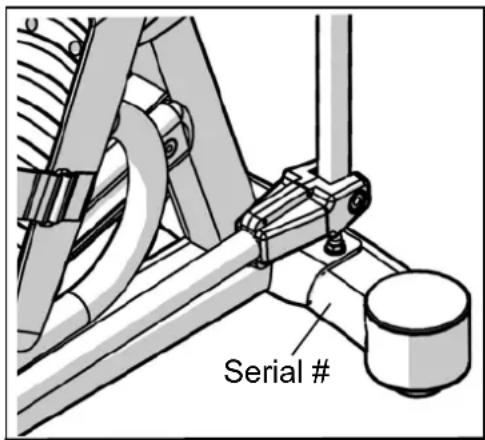
Proof of purchase must be supplied to validate warranty and the product must have been registered with Bodycraft via online at www.bodycraft.com or by calling 800-990-5556 or 740-965-2442 M-F 9 a.m. - 5 p.m. EST.
TABLE OF CONTENTS
Product Safety 1
Parts Drawing & Contents.... 2
Hardware & Tools 3
Assembly 4
Troubleshooting & Adjustment 9
Stretching 11
Computer Operation.... 12
Part List 18
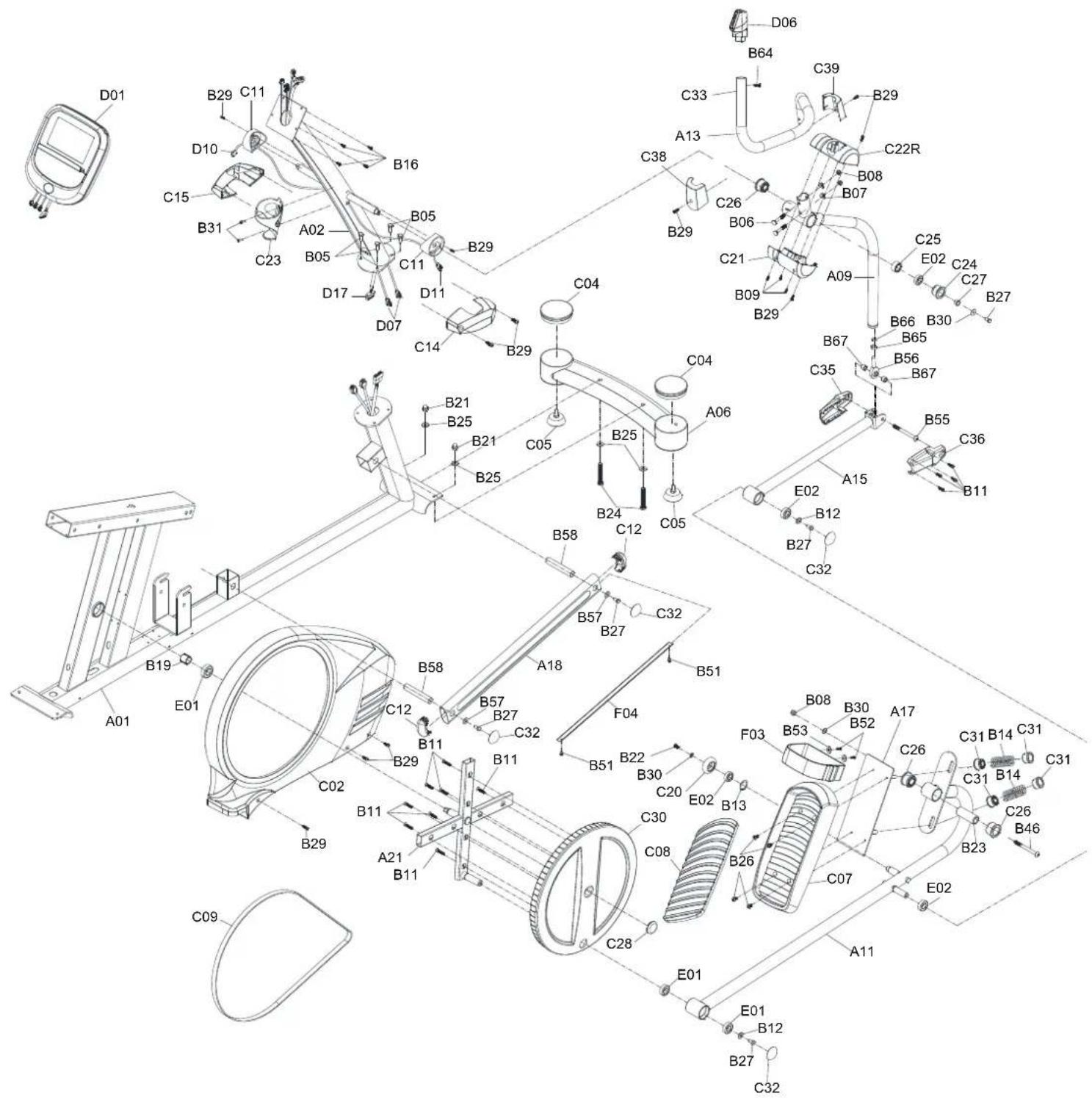
Exploded View 20
Warranty 23
Product Safety
Basic precautions should always be followed, including the following safety instructions when using this equipment:
Read all instructions before using this equipment.
- It is recommended that you perform warm up exercises before using this equipment.
- Please make sure all components are not damaged and in working order before use.
- This equipment should be placed on a flat surface while in use. Using a mat or other material on the ground is recommended.
- Please wear proper clothes and shoes when using this equipment; do not wear clothes that might catch in any part of the equipment.
- Do not attempt any maintenance or adjustments other than those described in this manual. Should any problems arise, discontinue use and consult an Authorized Service Representative.
- Use caution when stepping on and off the machine. During the workout it is recommended that you always hold onto the stationary or upper body handle bars. To ensure the pedals run smoothly, you may need to push or pull on the upper body handlebars first, then follow with the leg motion.
- Do not use the equipment outdoors.
- This equipment is for household or light commercial use only.
- Only one person should be on the equipment while in use.
- Keep children and pets away from the product while in use. This machine is designed for adults only. If you feel any chest pains, nausea, dizziness, or shortness of breath, you should stop exercising immediately and consult your physician before continuing.
- If you feel chest pains, nausea, dizziness, or shortness of breath, you should stop exercising immediately and consult your physician before continuing.
- The maximum weight capacity for this product is 400 lbs /180 kgs.
WARNING: Before beginning any exercise program consult your physician. This is especially important for the persons who are over 35 years of age or who have pre-existing health problems. Read all instructions before using any fitness equipment.
CAUTION: Read all instructions carefully before operating this product.
Retain this Owner's Manual for future reference.
| A01 1Set A04 1Set A05 1Set A06 1Set A12/A13 1Set | ||||
 |  | 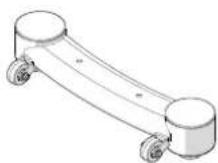 |  |  |
| Main Frame Backrest Tube Rear Stabilizer Front Stabilizer | Handrail L/R | |||
| A07 1Set C10 1PC D01 1PC C07 2PC C08 2PC | ||||
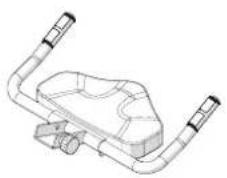 | 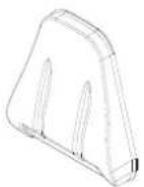 | 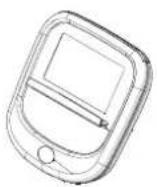 |  |  |
| Saddle Frame Upholstered, Backrest | Computer | Foot Pedal | Cushion Pad | |
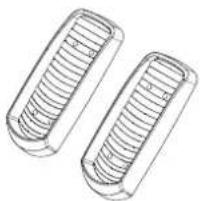
| C21/C22L.R 2Set | C38/C39 2Set | C14/C15 1Set | C35/C36 2Set | C23 1PC |
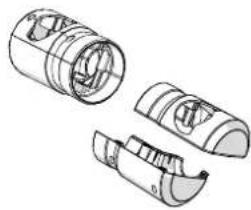 | 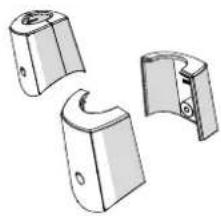 |  | 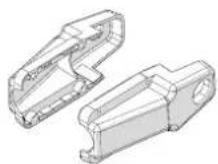 | 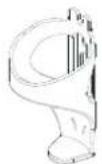 |
| Lower Pivot Cover -A/B | Upper Pivot Cover -A/B | Upright Post Decorative Cover | Upright Joint Cover L/R | Water Bottle Holder |
Hardware & Tools
B05 4PC B06 4PC 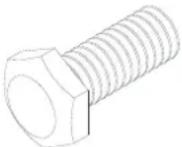 | B08 5PC B07 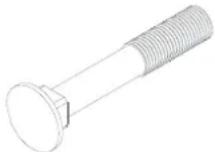 | 4PC B29 10PC  |  |  |
| Hexagon Head Bolt M8x16mm | Bolt M8x50mm Nylon Nut M8 Curve | Washer M8x20x1.5T | Screw M5x16mm | |
B26 8PC B50 4PC 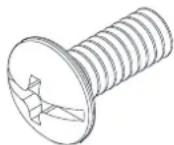 | B53 8PC B52  | 4PC B57 1PC 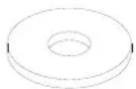 | 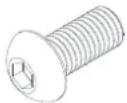 | 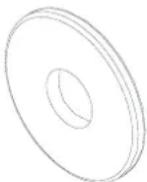 |
| Screw M6*15 mm | Screw 5/16"*15mm | Washer 5/16"*16*1.5t | Screw M8*16 mm | Washer 5/16"x30x2.0T |
B61 1PC 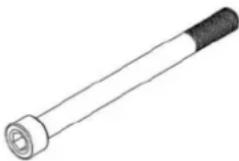 | B11 8PC 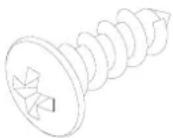 | B09 6PC  | ||
| Bolt M8x100mm | Screw 3/16*18mm | Screw M3*16mm | ||
| 1PC | 1PC | 1PC | ||
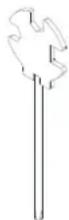 |  | 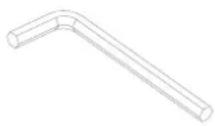 | ||
| Hex Tool with Phillips Screwdriver (13/14/15mm) | Allen Key (M5) | Allen Key (M6) | ||
Assembly
1. PREPARATION
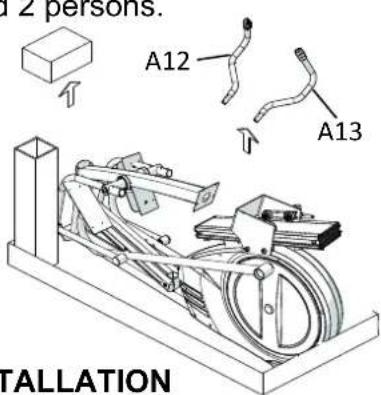
1.1 Open the top carton and remove the style foam block and the Upper Handrail Tube L/R (A12/A13) to the ground.
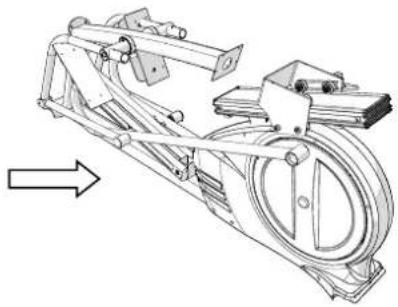
1.2 Move the Elliptical Cross Trainer away from the carton.
1.3 The assembly steps will required 2 persons.
natural_image
Technical line drawing of a mechanical device with a circular component and directional arrow (no text or symbols)2. FRONT STABILIZER TUBE INSTALLATION
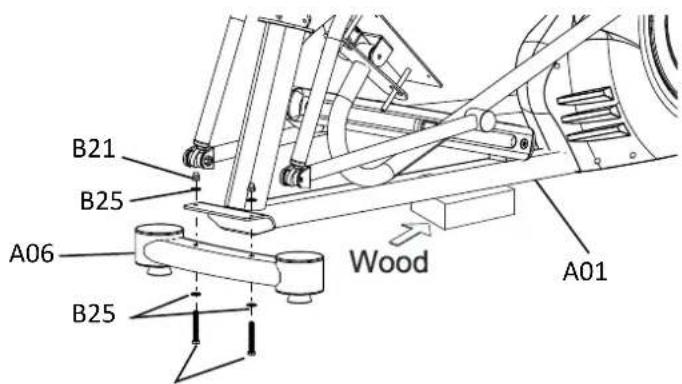
2.1 Use the Style Foam Block or a block of Wood to lift up the front of Main Frame (A01).
2.2 Remove Two 3/8" Screws (B24) and Four Washers 3/8" (B25) and Two 3/8" Dome Nuts (B21) from the Main Frame (A01).
2.3 Assemble the Front Stabilizer Tube (A06) under the bracket of Main Frame (A01) with Two 3/8" Bolts (B24), Four 3/8" Washers (B25) and Two 3/8" Dome Nuts (B21) which were
removed from step .2.2
[Tighten bolts and nuts with the Hex
Tool with Phillips Screw Driver provided.]
3. REAR STABILIZER TUBE INSTALLATION
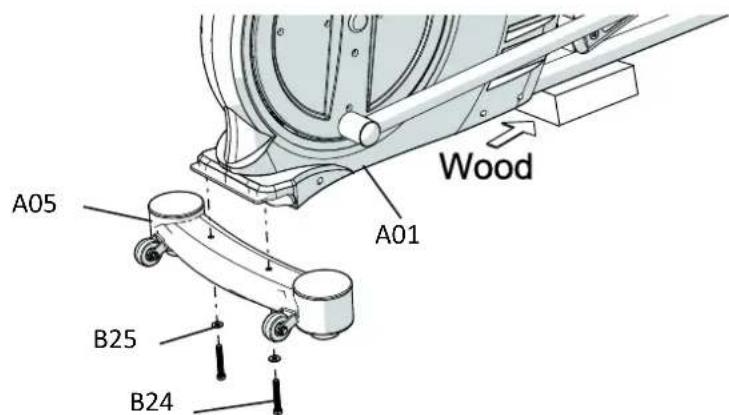
3.1 Use the Style Foam Block or a block of Wood to lift up the rear of Main Frame (A01).
3.2 Remove Two 3/8" Screws (B24) and Two Washers 3/8" (B25) from the Main Frame (A01).
3.3 Assemble the Rear Stabilizer Tube (A05) at rear of Main Frame (A01) with Two 3/8" Bolts (B24), Two 3/8" Washers (B25) which were removed from step .3.2
[Tighten bolts and nuts with the Hex Tool with Phillips Screw Driver provided.]
Assembly
4. UPRIGHT POST INSTALLATION
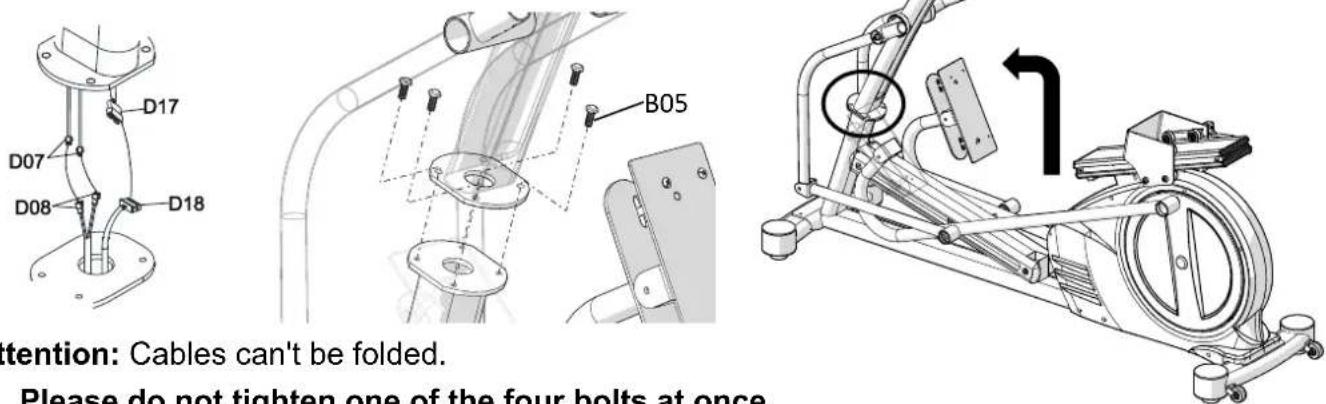
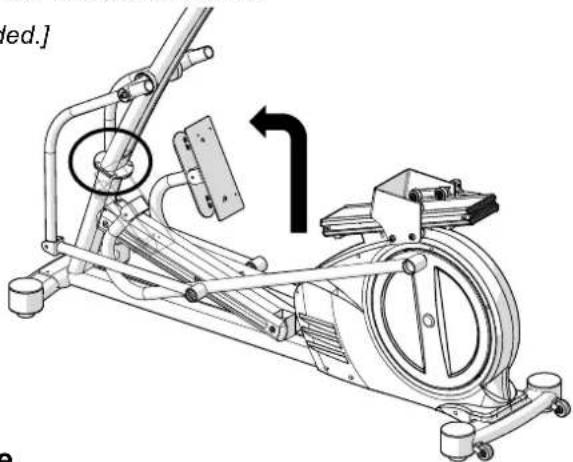
4.1 Lift up the Upright Post (A02) and connect the Cable I (D17 and D07) from Upright Post to the Cable II (D18 and D08) from Main Frame (A01). then slide the extra length of cables into opening hole of Main Frame (A01)
4.2 Slide the wires into the opening hole of Main Frame (A01) carefully and use Four M8 Screws (B05) by fingers first for aligning the punched holes and threaded holes.
[Tighten screws with the Hex Tool with Phillips Screw Driver provided.]
natural_image
Technical line drawing of a stationary exercise machine with rotating wheel and arm mechanism (no text or symbols)Attention: Cables can't be folded.
Please do not tighten one of the four bolts at once.
Please tighten all four bolts simultaneously by turning the treads of each bolt one by one.
5. ADJUSTING THE ADJUSTABLE FOOT PADS
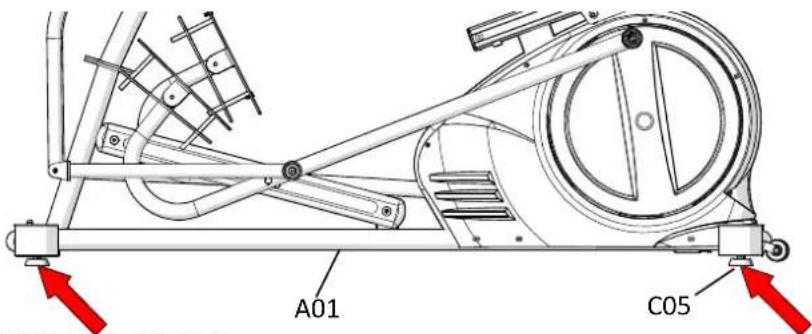
5.1 Adjust the Adjustable Foot Pads (C05) on the Main Frame (A01) as needed to level the Seated elliptical trainer
5.2 The Seated elliptical trainer has to be leveled to prevent from wobble or shaking during the exercise.
[Tighten screws with the Hex Tool with Phillips Screw Driver provided.]
6. UPRIGHT JOINT COVER INSTALLATION
6.1 Assemble the Left and Right Upright Joint Covers (C15/C14) onto the brackets of Upright Post (A02) and the Main Frame (A01) with 2 Screws M5 (B29).
[Tighten screws with the Hex Tool with Phillips Screwdriver provided.]

Assembly
7. FOOT PEDAL INSTALLATION
7.1 Assemble Right Foot Pedal [C07] on Foot Pedal Tube [A17] with 4 Screws M6 [B26].
7.2 Peel off the plastic cover of the foam tape under the Cushion Pad [C08] and attach the Cushion Pad [C08] on Foot Pedal [C07].
7.3 Repeat the same step to assemble the Left Foot Pedal [C07]
[Tighten screws with the Hex Tool with Phillips Screwdriver provided.]
Note: Foot straps appear on the illustration are optional accessories. Contact BODYCRAFT for purchasing details
![Pedal [C07] Provided.] A17 C07 B26 C08](/content/2026/06/1226360/images/643a2ec18208dbfa66f751c5c96a36e2065f6837a5a3fe1cfd025aad8c6c5dcd.jpg)
8. PIVOT CAPS INSTALLATION
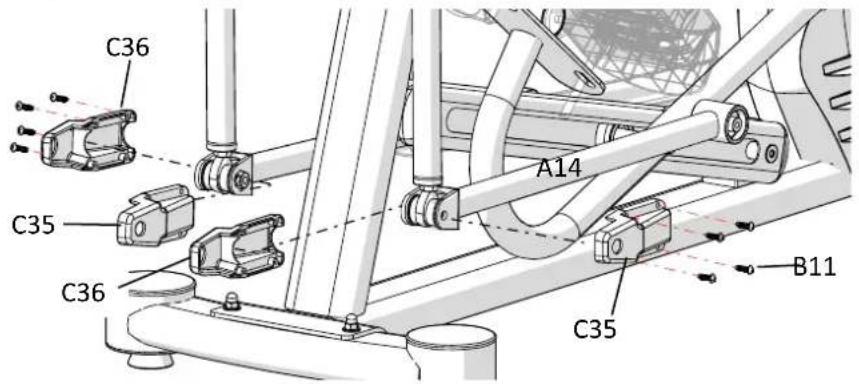
8.1 Assemble the Left/Right Pivot Caps -A/B (C35/C36) onto the Right Handrail Arm (A15) with Four M5 Screws (B11).
8.2 Repeat the same step to assemble the Pivot Caps of Right Lower Handlebar (A14).
[Tighten screws with the Hex Tool with Phillips Screwdriver provided.]
9. UPPER HANDRAIL TUBE INSTALLATION
9.1 Assemble the Upper Handrail Tube (A12/A13) into the Handrail Arm (A08/A09) with Two M8 Bolts (B06), Two M8 Curve Washers (B07) and Two M8 Nylon Nuts (B08).
9.2R Refer above step to assemble left side part.
9.3 Connect all connectors (D05/D06) from L/R Upper Handrail (A12/A13) to the matching connectors (D10/D11) from Handrail Arm (A08/A09)
[Tighten screws with the Hex Tool with Phillips Screwdriver provided.]
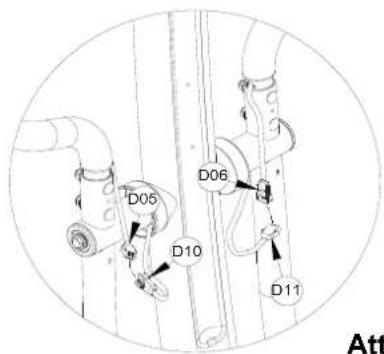
![L/R Upper ectors driver provided.] A08 A09 C22R A13 B08 B07 B06 not pinch cables.](/content/2026/06/1226360/images/d3fe3468ce860d0c362ae451d48ada5b6965b9d813871ef2a569020ba1c2516d.jpg)
Attention: Do not pinch cables.
Assembly
10. PIVOT COVER INSTALLATION
10.1 Assemble the Pivot Covers -A/B (C21/C22R) to the pivot of Right Lower Handlebar (A09) with Three M3 Screws (B09). Repeat the same procedure to the Left.
10.2 Assemble the Pivot Covers -A/B (C38/C39) to the pivot of Right Lower Handlebar (A09) with Four M5 Screws (B29). Repeat the same procedure to the Left.
10.3 Repeat the same step to assemble the pivot covers of the left side.
[Tighten screws with the Hex Tool with Phillips Screwdriver provided.]
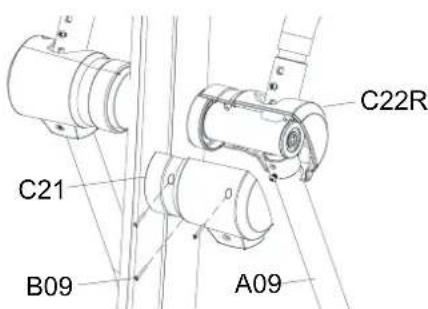

Attention: Do not pinch cables.
11. WATER BOTTLE HOLDER INSTALLATION
11.1 Remove Two M5 Screws (B31) from the Upright Post (A02).
11.2 Assemble the Water Bottle Holder (C23) onto the Upright Post (A02) with Two M5 Screws (B31)
which were removed from step 11.1.

COMPUTER INSTALLATION
11.3 Remove Four M5 Screws (B16) from the bottom of Computer (D01).
11.4 Connect the Hand Pulse Cable (D07) and L/R Quick Key Cables (D10/D11) to all cables that come from the Computer (D01).
11.5 Assemble the Computer (D01) onto the plate of Stationary Handlebar (A02) with Four M5 Screws (B16) which were removed from step 12.1.
[Remove/Tighten screws with the Hex Tool with Phillips Screwdriver provided.]


Attention: Do not pinch cables.
Assembly
13. UPHOLSTERED BACKREST INSTALLATION
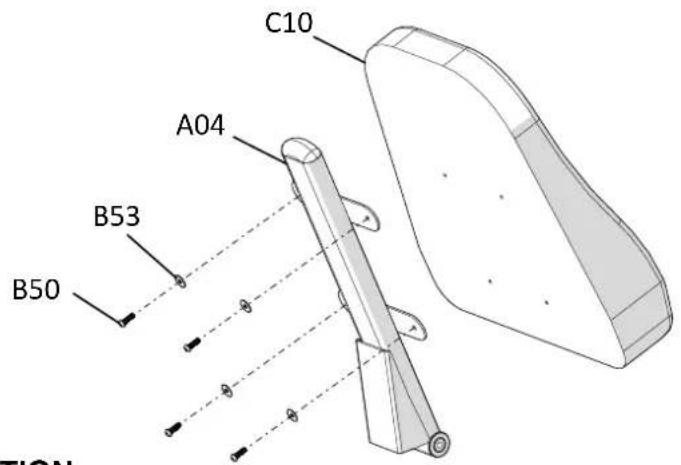
13.1 Assemble the Backrest (C10) to the Backrest Tube (A04) and align the four screw holes to the holes at the bracket of the Backrest Tube. Use Four 5/16" Washers (B53) and Four 5/16" Bolts (B50) and tighten the bolts on the Backrest Tube.
[Tighten screws with the Hex Tool with Phillips Screwdriver provided.]
14. SADDLE FRAME INSTALLATION
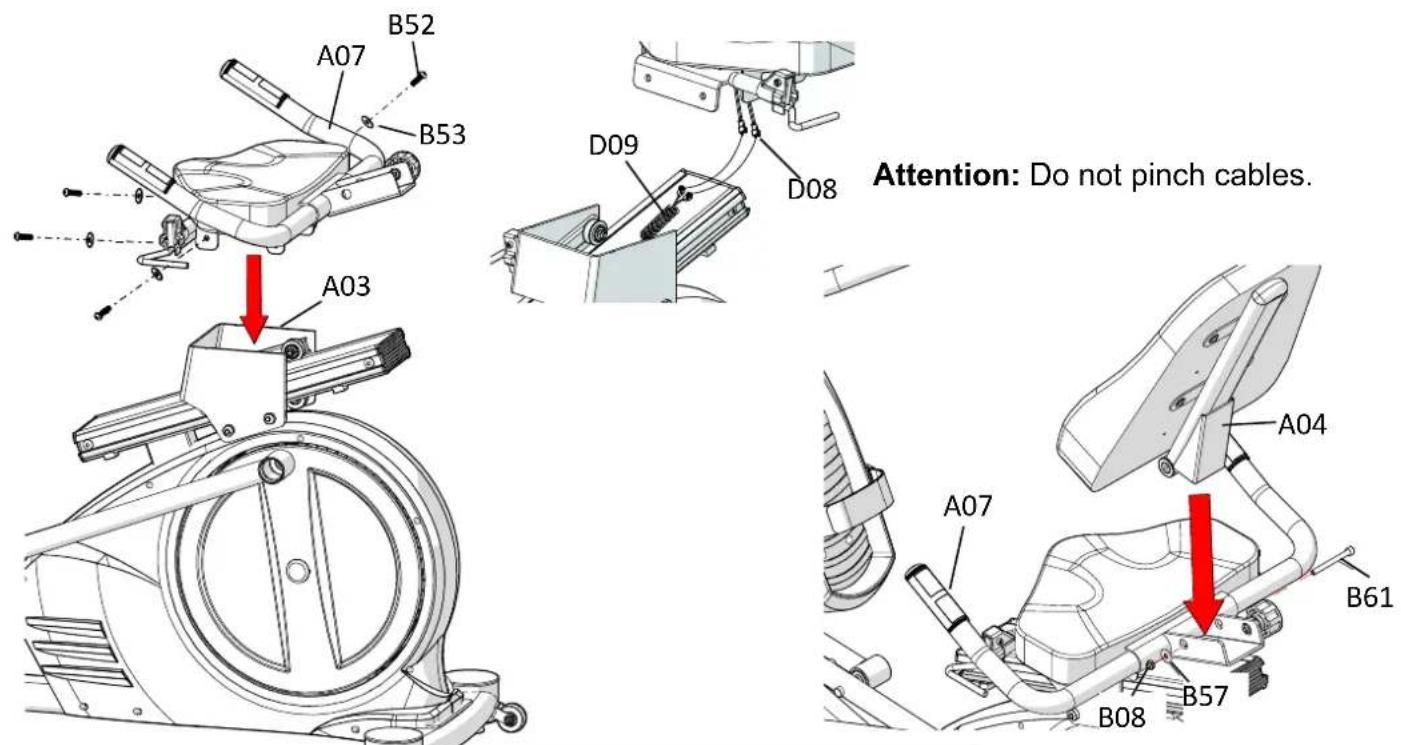
14.1 Connect the Hand Pulse Cable (D09) and Cables (D08) to all cables that come from the Saddle Frame (A07).
14.2 Assemble the Saddle Frame (A07) to the Moveable Seat Bracket (A03) and align the four screw holes to the holes at the bracket of the Moveable Seat Bracket [A03]. Use Four M8 Bolts (B52) and Four Washers (B53)
14.3 Assemble the Backrest Tube (A04) to the Saddle Frame (A07) and align the four screw holes to the holes at the bracket of the Saddle Frame (A07). Use One M8 Bolts (B61) One M8 Washers (B57) and One M8 Nylon Nuts (B08)
[Tighten screws with the M6 Allen Key provided.]
Troubleshooting
Computer not working correctly
Check all connections to the computer at the top and base of the Mast. It is a good idea to unplug and reconnect the connectors during your inspection to ensure all of the computer cables are connected securely.
The Seated elliptical trainer wobbles when in use
If you have recently relocated your machine or if the jam nuts on the levelers have worked loose, you may need to re-adjust the levelers. Follow the procedure for leveling the machine in this manual.
Squeaking noise when in use
Inspect all frame bolts that may have worked loose on the Seated elliptical trainer. Re-tighten any loose bolts.
No, inconsistent, or erratic heart rate reading
Your Seated Elliptical Trainer is equipped with dual contact handgrip pulse and a wireless 5 kHz heart rate receiver. You should first try to determine which is causing the problem. If you are seeing a reading without holding onto the contact sensors, it is likely the wireless receiver that is the problem.
Wireless:
Unusually high, low or random numbers in the heart rate display indicate a problem.
Try moistening the electrodes on the heart rate belt.
The batteries in the belt may be failing. Replace the batteries or the Heart Rate belt.
The problem may be caused by interference. Televisions, microwaves, wireless alarms and electric fences are just a few items that can cause interference. You can try relocating the machine to a different part of the room. If you continue to have problems, please contact Bodycraft for additional troubleshooting of wireless heart rate issues.
Contact Heart Rate:
Always hold on to the handlebar grip sensors with two hands instead of just one.
Try to maintain moderate pressure while holding onto the hand pulse sensors.
Make sure that the wire connections for the hand pulse sensors are secure.
Compare the stationary grip pulse to the grip pulse on the dual action arms. If you get a accurate readout out with the stationary grips, the problem is that your hands are losing grip during the workout.
Troubleshooting
Attention:
When the Seat Bracket (A03) wobbled, use a wrench to adjust the gap between the Plastic Pulley (C16) and the Aluminum Rail (F01 & F02). Turn the Pulley Shaft (B48) with a wrench counter-clockwise with smaller gap.

STRETCHING
Quadriceps Stretch
With one hand against a wall for balance, reach behind you and pull your left foot up. Bring your heel as close to your buttocks as possible. Hold for 15 counts and repeat with right foot up.

natural_image
Line drawing of a person in athletic attire performing a standing exercise (no text or symbols)Inner Thigh Stretch
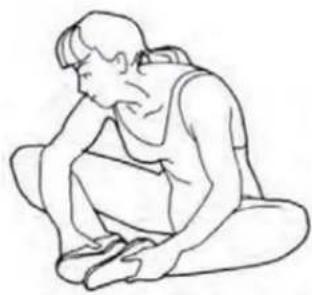
Sit with the soles of your feet together with your knees pointing outward. Pull your feet as close into your groin as possible. Gently push your knees towards the floor. Hold for 10 counts.
natural_image
Line drawing of a person sitting cross-legged, resting chin on their head (no text or symbols)Toe Touches
Slowly bend forward from your waist, letting you back and shoulders relax as you stretch toward your toes. Reach down as far as you can and hold for 15 counts.

natural_image
Line drawing of a person bending forward with hands on hips (no text or symbols)Hamstring Stretches
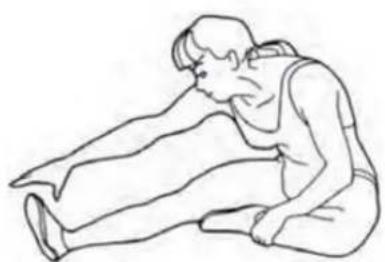
Sit with your right leg extended. Rest the sole of your left foot against your right inner thigh. Stretch toward your toe as far as possible. Hold for 15 counts Relax and then repeat with left leg extend
natural_image
Line drawing of a person kneeling and stretching (no text or symbols)COMPUTER
Console Operation Instruction
Please thoroughly read the console operation instructions before use. It is important that you get familiar with the computer console and understand the functions. Below is the console layout and detailed operation instructions.
Layout:
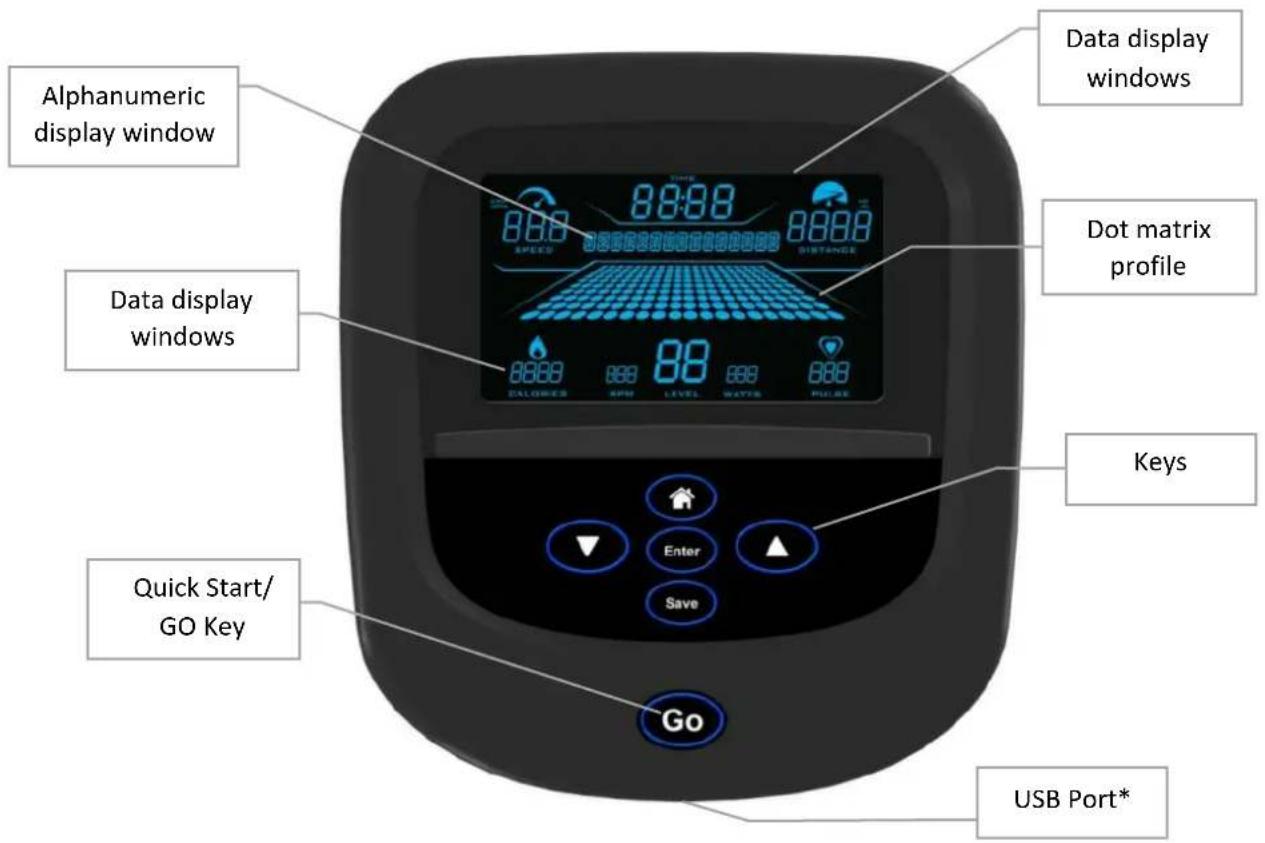
--- *The USB port is for software updates only, please do not use for charging or other software usages. ---
Displays
- Dot matrix profile window:
Displays program profile during program setting and execution. The program profile will be different according to which program is selected. Except HR programs, all other program profiles will follow display rules below.
There are 20 columns of Dots representing 20 segments of time; each segment time = total program time divided by 20 columns, except Quick Start program which represents 1 minute per column. During exercising, a column of Dots will blink to indicate the time segment you are currently in and show your workout progress.
There are also 10 rows of Dots representing 20 levels of resistance. Each row represents 2 levels of resistance. The appropriate row of Dots will light up when you adjust the resistance level.
COMPUTER
• Data display windows:
There are 8 data display windows displaying pulse" during exercising.
“speed, time, distance, calories, rpm, level watts, and
• Alphanumeric display window:
This display will prompt instruction messages to assist you setting up the program and during exercising.
Keys
- Go key: Pressing this key during idle mode before you select a program will activate the Quick Start program immediately with default user values. Or pressing this key during the program setup after a program is selected will start the selected program.
- ▲/▼ keys: Used for toggle between different programs during idle mode, user data adjusting during program setup and resistance level/ heart rate adjustment while a program is running.
- Enter key: Used to confirm program and data entry.
• Home key: Used to exit the current activities and go back home/idle mode. - Save key: Pressing this key while a program is running to save current program profile as well as user personal data into the custom program for later use with the exception of heart rate control programs. Heart rate control program can't be saved as a custom program. After saving message, it will return to previous activities.
Basic Operation
- Power up: If this is a self-generating product, user must pedal the product to power up the console.
- Pause a program: If a program is running and there is no RPM for 10 seconds, the console will pause and stop accumulating data. The pause time is 3 minutes. After that, the console will reset back to idle mode. Within pause mode, pedal again to resume the program.
- Power save function: This console is equipped with power save function. If there is no RPM, the console screen will be off and enter power save mode.
- Start a program: To begin a workout program during idle mode, press the "Go" key to quick start the program or "▲/▼" key to toggle through different programs and "Enter" key to select a program. Then follow the instruction on the alphanumeric window to set up the personal data. When finished entering data, press the "Go" key to begin the workout. (You may press "Go" key anytime during setup to bypass and start the workout immediately.)
- Default values: Initially the console is coded with a set of defaults for express quick start. If you didn't adjust these values before the program started, they will be used for data calculations, such as calories. It is recommended you adjust these values with your own personal data to get the most accurate workout feedbacks. The factory defaults are:
COMPUTER
○ Age - 35
○ Weight – 150lbs or 70kg
- Program time – 30 minutes
○ Target HR & Work HR – 70% max HR (Max HR is calculated as 220-age)
- End a program and review summary: When program time is reached, it will end the program and enter summary review mode. There are 30 seconds for you to review and record the workout summary before it resets and back home.
- Units switching: The default units setting is English. To switch this to Metric system, first, press and hold both “▲ &▼” keys at the same time in idle mode for 2 seconds to go to “engineering mode”; second, when message window shows “UNITS: ENGLISH”, press “▲ &▼” key to switch. Afterwards press Enter key to confirm. Anytime in “engineering mode”, you may press “Home” key to return home.
Workout Programs
In addition to the Quick Start function, there are 8 program options for your selection: Manual, Random, Interval, Hill Climb, Strength, Target HR, HR Interval and Custom.
Quick Start: Pressing "GO" key during idle mode will quick start the console. The program will use factory defaults for calculation and display. The time will count up and each segment of progress profile equals 1 minute. You may stop pedaling at any time or press "Home" key to end the program.
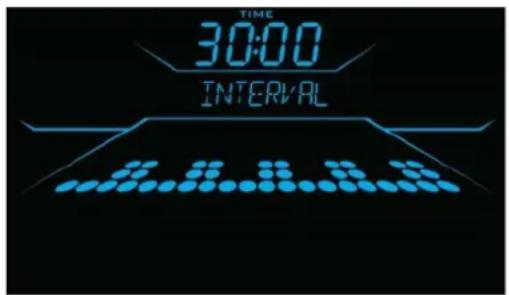
Classic Programs: This group includes Manual, Random, Intervals, Hill Climb & Strength program.
These programs are preset profile programs and behave similar. When the desired program appears on the screen, press Enter key to confirm. Then follow the instruction to set up the user data and start the program. You may adjust the resistance level by pressing “▲/▼” key during program. The dot matrix profile will update accordingly.
- Manual program: The default resistance level for Manual program is L1.
- Random program: This is a computer generated profile program and it is different each time.
• Intervals program profile:
• Hill Climb program profile:
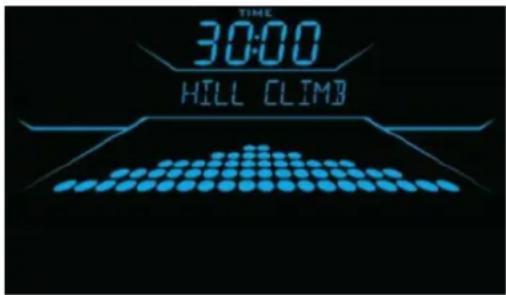
COMPUTER
• Strength program profile:

HR programs: The Heart Rate programs are designed to keep you training at the chosen heart rate level. These programs will only work when there is a valid heart rate signal. For your safety, the program will start with a warm up session to get the heart rate up within 20% of the target before it begins the heart rate training session.
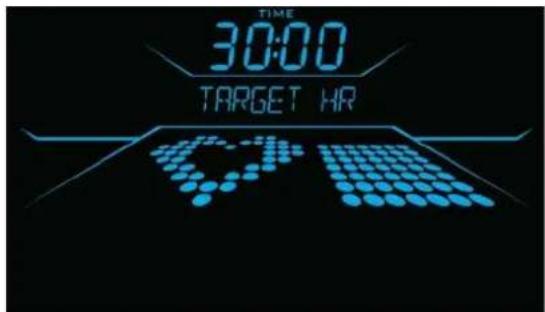

During warm up, user may press “▲/▼” key to adjust the resistance and get the heart rate up. As soon as the heart rate training session begins, the console will take control and adjust the resistance level automatically to ensure your target heart rate is achieved and maintained during the entire program.
- Target HR program: Default heart rate target is set at 70% max HR (calculated as 220-Age). You may also press "▲/▼" key to adjust the target heart rate setting during heart rate control session of the exercise.
- HR Interval program profile: There are two phases of this training: Work Interval and Rest Interval. After warm up, the console will take the default target setting to begin Work interval and adjust the resistance automatically. When the target setting is reached the Work Interval lasts for 30 seconds, it will then enter Rest interval and reduce the resistance down to level 2 for 2 segments of time for resting. It will repeat this process throughout the entire program.
- During exercise, the profile on the Dot Matrix display will show your selected target heart rate setting and your progress so far. The pulse data display window will show the actual heart rate. Example: HR interval program exercising screen
COMPUTER

Custom program: This program is a space for you to build your own workout profile and store it for future use. If you have previously saved a custom program, you may recall it and press "Go" key to begin immediately without the hassle of entering user information again because it has been stored along with the program profile you created. However if you desire, you may still go through the program setting and change it as well. Follow the message prompts to operate this program the same way as the original program.
Heart Rate Monitoring Devices & Exercise Tips
Pulse Hand Grips
This product comes standard with stainless steel pulse handgrips. To activate, gently grasp both handgrips to obtain a heart rate reading. (Note: It is recommended to wear a chest strap for Heart Rate control program, as it is more accurate. If you wear a chest strap and use hand grips at the same time for heart rate monitoring purpose, please note the console will take the measurement of the chest strap.)
Pulse Grip Operating Tips: If you are not getting a consistent reading while using the hand pulse option, we recommend the following suggestions:
• Make sure that the palms of the hands are touching the contact area of each hand pulse grip.
- Maintain an even pressure on the grips.
- Do not hold the hand pulse grips too tightly.
Built in Wireless Heart Rate Receiver
Note: Chest strap transmitter does not come with this unit; contact BODYCRAFT, or your dealer for purchase. This product is equipped with a built-in receiver for your heart rate monitoring. Any heart rate telemetry strap that transmits at 5 kHz is compatible. To get an accurate reading using these devices, you will need to be within three feet of the console, and a minimum of four feet from others using a heart rate monitoring device.
(Note: The transmitter may fluctuate erratically if you are too close to other heart rate monitoring equipment or there is other electronics near by, such as TV, Radio...)
While using heart rate control modes, the computer monitors the exact measurement of your pulse. IT is highly recommended that you use a Heart Rate Belt for these programs. Your heart rate is displayed while the computer continually compares heart rate to the preprogrammed personal data. The computer adjusts the resistance to maintain heart rate at the preprogrammed level.
How to Wear Your Sensor/ Transmitter (Chest Strap)
- Buckle one end of the chest strap onto the transmitter.
COMPUTER
- Adjust the band length so that the fit is snug, but not too tight.
- Buckle the other end of the chest strap onto the transmitter.
- Center the transmitter on your chest below the pectoral muscle (breasts).
- Stretch the transmitter away from your chest and moisten the conductive electrode strips located next to the buckles with water.
(Note: The transmitter is on automatically when being worn. It is off when it is not connected to your body.
However, as moisture may activate the transmitter, thoroughly dry the transmitter to prolong battery life.)
Erratic Heart Rate Readings:
Erratic readings on the receiver can be caused by electromagnetic disturbances. If the heart rate readings appear to be abnormal, check that your product is not within range of other strong electromagnetic signals. Common sources are televisions, computers, cars, cell phones, TV antennas and high voltage power lines (both above and below ground). Please note: Static electricity in clothing or a flapping shirt can cause electrical interference, so some items of clothing, i.e. man-made fibers, can also be the cause. Please try wetting the t-shirt in the area where the transmitter is.
(In rare cases some people may be need to purchase Electrode gel. This is available online or at a local medical supply. We recommend the brand Signa Gel brand).
If the battery of the transmitter is running low, the transmission range decreases and may cause errors similar to the ones listed above in this document.
Heart rate is an important key to your exercise
Medical research has shown us that there is an amount of exercise, which is enough to condition the cardio respiratory system and the muscles of the body. This amount of exercise is between 60% and 85% of your maximum heart rate measured during a training session. This range allows enough exercise to achieve fitness, but not an excessive amount to cause injury. Your heart rate is an excellent indicator of the amount of stress placed on the cardiovascular system.
If exercise intensity is too low or too high, no gains will be made in fitness. If the intensity is too low, the stress levels are ineffective. If the intensity is too high, injury or fatigue may set your exercise program back as you try to recover. Your target heart rate, the intensity needed to improve cardiovascular fitness, depends primarily on your age and not your state of fitness. It is calculated as a percentage of your maximum heart rate, estimated as 220 minus your age. It is most effective to train at your target heart rate between 60% and 85% of your maximum heart rate.
Get a smart start on exercising.
Anyone over the age of 35, as well as younger persons whom are overweight, should check with his/her physician before beginning any type of exercise program. People who have diabetes or high blood pressure, a family history of heart disease, high cholesterol or have lead a sedentary lifestyle should protect themselves with a medical check-up and a stress test, preferably administered during exercise by a healthcare professional.
• Always stretch before your workout to loosen muscles, and afterwards to cool down.
- The first few minutes of your workout should be devoted to warming up muscles before a vigorous workout, and building your heart rate slowly.
- After your aerobic workout of about 24-32 minutes, spend 10 minutes gradually reducing your heart rate with a lower resistance level.
Remember, to start slow, with intensity low, until you build endurance and strength. And always consult your physician before beginning any exercise program.
| Part No. Description Qty Part No. Description Qty | ||||||
| SC40-A01 MainFrame 1 SC40-B18 M3 Screw 4 | ||||||
| SC40-A02 UprightPost 1 SC40-B19 Spacer 1 | ||||||
| SC40-A03 Moveable Seat Bracket 1 SC40-B20 M20 Nut 1 | ||||||
| SC40-A04 Backrest Tube 1 SC40-B21 Cap Nut 3/8" | 2 | |||||
| SC40-A05 Rear Stabilizer | 1 | SC40-B22 Bolt M8x16mm | 6 | |||
| SC40-A06 | Front Stabilizer | 1 | SC40-B23 | Shaft ∅20 | 2 | |
| SC40-A07 Saddle Assembly | 1 | SC40-B24 3/8" Bolt | 4 | |||
| SC40-A08 Dual Action Arm /L | 1 | SC40-B25 3/8" Washer | 6 | |||
| SC40-A09 Dual Action Arm /R | 1 | SC40-B26 Bolt M6x15mm | 8 | |||
| SC40-A10 Foot Pedal Tube /Left | 1 | SC40-B27 Hex Head Bolt M8x16mm | 10 | |||
| SC40-A11 Foot Pedal Tube /Right | 1 | SC40-B28 M5 Self Tap Screw | 2 | |||
| SC40-A12 Dual Action Handlebar Tube /L | 1 | SC40-B29 M5 Screw | 29 | |||
| SC40-A13 | Dual Action Handlebar Tube /R | 1 | SC40-B30 | 5/16" Washer | 8 | |
| SC40-A14 Picot Link/L | 1 | SC40-B31 M5 Screw 2 | ||||
| SC40-A15 Picot Link/R | 1 | SC40-B32 M8 Rivet Nut | 5 | |||
| SC40-A16 Pedal Adjustment Frame/L | 1 | SC40-B33 M6 Rivet Nut | 3 | |||
| SC40-A17 Pedal Adjustment Frame/R | 1 | SC40-B34 Lock Pin Plate | 1 | |||
| SC40-A18 Guide Rail Tube | 2 | SC40-B35 M6 Screw 3 | ||||
| SC40-A19 Seat Bracket | 1 | SC40-B36 Lock Pin Spacer | 3 | |||
| SC40-A20 Cross Main Frame /L | 1 | SC40-B37 M8 Bolt | 5 | |||
| SC40-A21 Cross Main Frame /R | 1 | SC40-B38 Spacer 5 | ||||
| SC40-B01 1/4" Bolt | 2 | SC40-B39 M4 Screw 4 | ||||
| SC40-B02 1/4" Washer | 4 | SC40-B40 M6 Nylon Nut | 2 | |||
| SC40-B03 1/4" Nylon Nut | 2 | SC40-B41 M5 Bolt | 2 | |||
| SC40-B04 | Thrust Bearing | 1 | SC40-B42Y | Seat Position Locking Handle | 1 | |
| SC40-B05 M8 | Bolt | 4 | SC40-B42R Seat Swivel | Locking Handle | 1 | |
| SC40-B06 M8 | Carriage Bolt | 4 | SC40-B43 M5 Nylon Nut | 2 | ||
| SC40-B07 M8 | Curve Washer | 4 | SC40-B44 Spring | 2 | ||
| SC40-B08 M8 | Nylon Nut | 4 | SC40-B45 Lock Pin | 2 | ||
| SC40-B09 M3 | Screw | 6 | SC40-B46 M8 Nylon Nut | 4 | ||
| SC40-B10 Thrust Bearing | 1 | SC40-B47 M8 Bolt | 4 | |||
| SC40-B11 | 3/16" Screw | 24 | SC40-B48 | Pulley Shaft | 4 | |
| SC40-B12 Washer 5/16" | 4 | SC40-B49 M6 Bolt | 2 | |||
| SC40-B13 C-ring R-34 | 2 | SC40-B50 Screw 5/16" | 8 | |||
| SC40-B14 Spring | 4 | SC40-B51 Bolt M5 | 4 | |||
| SC40-B15 Pulley Spacer | 4 | SC40-B52 M8 Bolt | 8 | |||
| SC40-B16 | Screws For Computer | 4 | SC40-B53 | Washer 5/16" | 12 | |
| SC40-B17 M8 | Bolt | 1 | SC40-B54 Shaft | 1 | ||
Part List
| Part No. | Description Qty Part No. Description Qty | |||||
| SC40-B55 M1 | 0 Allen Key Screw 2 SC40-C26 Bushing 6 | |||||
| SC40-B56 Rod End Bearing 2 SC40-C27 Spacer for 6003 Bearing 2 | ||||||
| SC40-B57 Washer 5/16" 4 SC40-C28 Disk Cover Plug 2 | ||||||
| SC40-B58 Bolt M4x16mm | 6 SC40-C29 Upholstered,Seat 1 | |||||
| SC40-B59 Nut M10 | 1 SC40-C30 Disk Cover/R 2 | |||||
| SC40-B60 Nut M10 | 1 SC40-C31 Bushing 8 | |||||
| SC40-B61 M8 Allen Key Bolt | 1 SC40-C32 Nut Cap 8 | |||||
| SC40-B62 M16 Knob | 1 SC40-C33 Foam Grip 2 | |||||
| SC40-B63 Nut M20 | 1 SC40-C34 Bushing 2 | |||||
| SC40-B64 M3 Bolt | 2 SC40-C35 Upright Joint Cover/L 2 | |||||
| SC40-B65 Nut M10 | 2 SC40-C36 Upright Joint Cover/R 2 | |||||
| SC40-B66 Spring Washer M10 | 2 SC40-C37 Plug 2 | |||||
| SC40-B67 Spacer | 4 SC40-C38 Left Upper Pivot Cover(Front 2 | |||||
| SC40-C01 | Plug 1-1/4" | 2 | SC40-C39 | Right Upper Pivot Cover(Front 2 | ||
| SC40-C02 | Main Cover /R | 1 | SC40-D01 | Computer 1 | ||
| SC40-C03 | Main Cover /L | 1 | SC40-D02 | Self powered Flywheel 1 | ||
| SC40-C04 | End Cap 4" | 4 SC40-D03 Hand Pulse Sensor 1set | ||||
| SC40-C05 | Adjustable Foot Pad M8 | 4 | SC40-D04 | Motor with Cable 1 | ||
| SC40-C06 | Wheel-Stabilizer Front | 2 | SC40-D05 | Quick Key /L (Cable) GO 1 | ||
| SC40-C07 | Right Foot Pedal | 2 | SC40-D06 | Quick Key /R (Cable) UP/DOWN 1 | ||
| SC40-C08 | Cushion Pad | 2 | SC40-D07 | Hand Pulse Sensor Cable I 1 | ||
| SC40-C09 | Belt | 1 | SC40-D08 | Hand Pulse Sensor Cable II 1 | ||
| SC40-C10 | Upholstered, Backrest | 1 | SC40-D09 | Hand Pulse Sensor Cable III 1 | ||
| SC40-C11 | Upright Tube Spacer | 2 | SC40-D10 | Quick Key Cable /L 1 | ||
| SC40-C12 | Plug | 5 | SC40-D11 | Quick Key Cable /R 1 | ||
| SC40-C13 | Rubber Grip 2 SC40-D12 Motor Tension Cable 1 | 1 | ||||
| SC40-C14 | Upright Post Joint Cover-Right | 1 | SC40-D13 | Control Board Cable 1 | ||
| SC40-C15 | Upright Post Joint Cover-Left | 1 | SC40-D14 | Control Board (CB.) 1 | ||
| SC40-C16 | Plastic Pulley | 8 | SC40-D15 | Sensor Cable 1 | ||
| SC40-C17 | Gripping Sheath | 2 SC40-D16 Generator Cable 1 | ||||
| SC40-C18 | Pvc Pad | 4 | SC40-D17 | Upper Cable 1 | ||
| SC40-C19 | Plug | 2 SC40-D18 Lower Cable 1 | ||||
| SC40-C20 | Rotate Bar Wheel | 2 | SC40-E01 | Bearing 6004 6 | ||
| SC40-C21 | Lower Rear Pivot Cover | 2 | SC40-E02 | Bearing 6003 8 | ||
| SC40-C22L | Right Lower Front Pivot Cover-L | 1 | SC40-E03 | Bearing 608 16 | ||
| SC40-C22R | Right Lower Front Pivot Cover-R | 1 | SC40-F01 | Aluminum Rail /L 1 | ||
| SC40-C23 | Water Bottle Holder | 1 | SC40-F02 | Aluminum Rail /R 1 | ||
| SC40-C24 | Bearing Bushing | 2 | SC40-F03 | Ribbon 2 | ||
| SC40-C25 | Bearing Housing | 2 | SC40-F04 | Aluminum Guide Rail 2 | ||
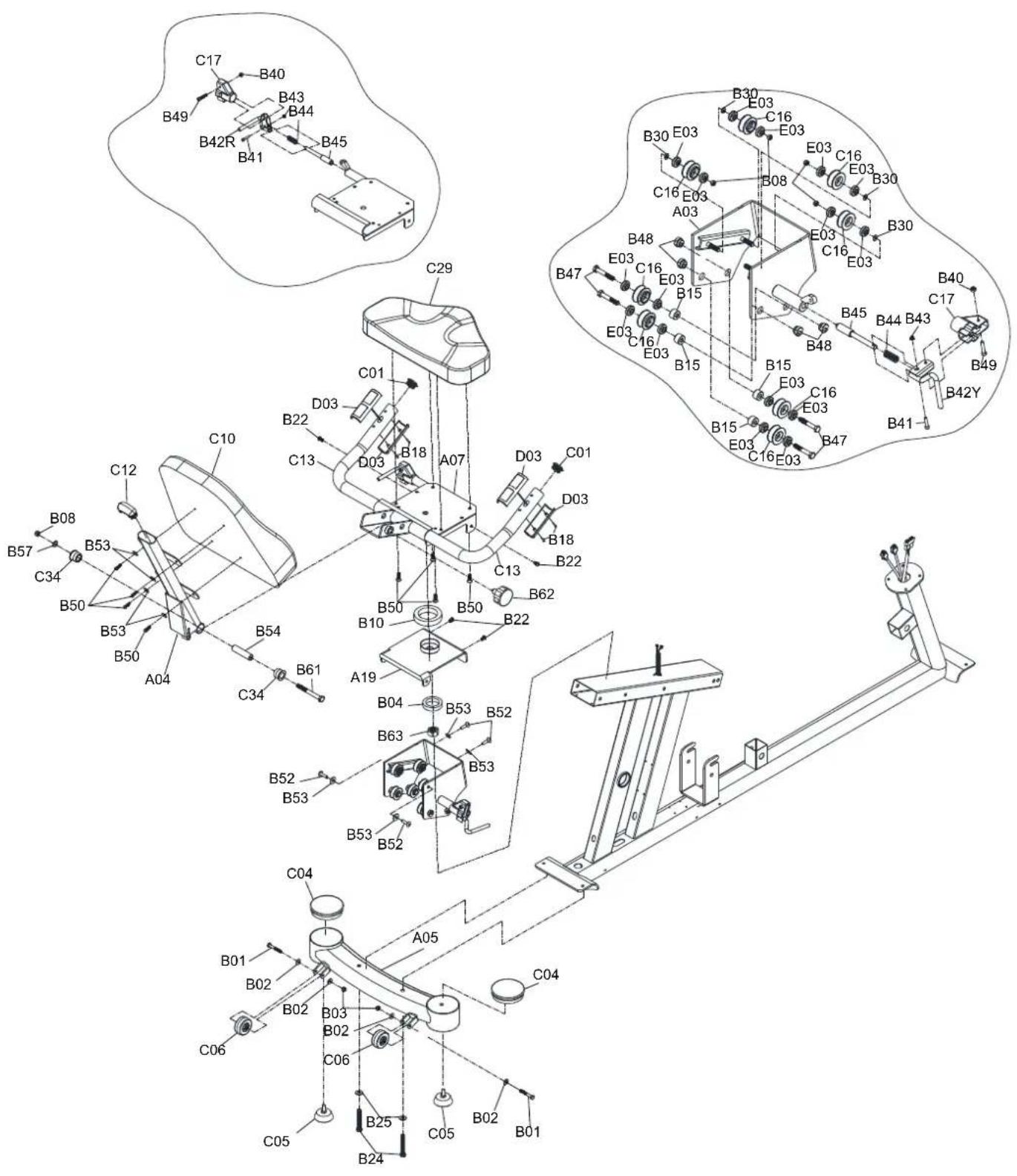
EXPLODED VIEW
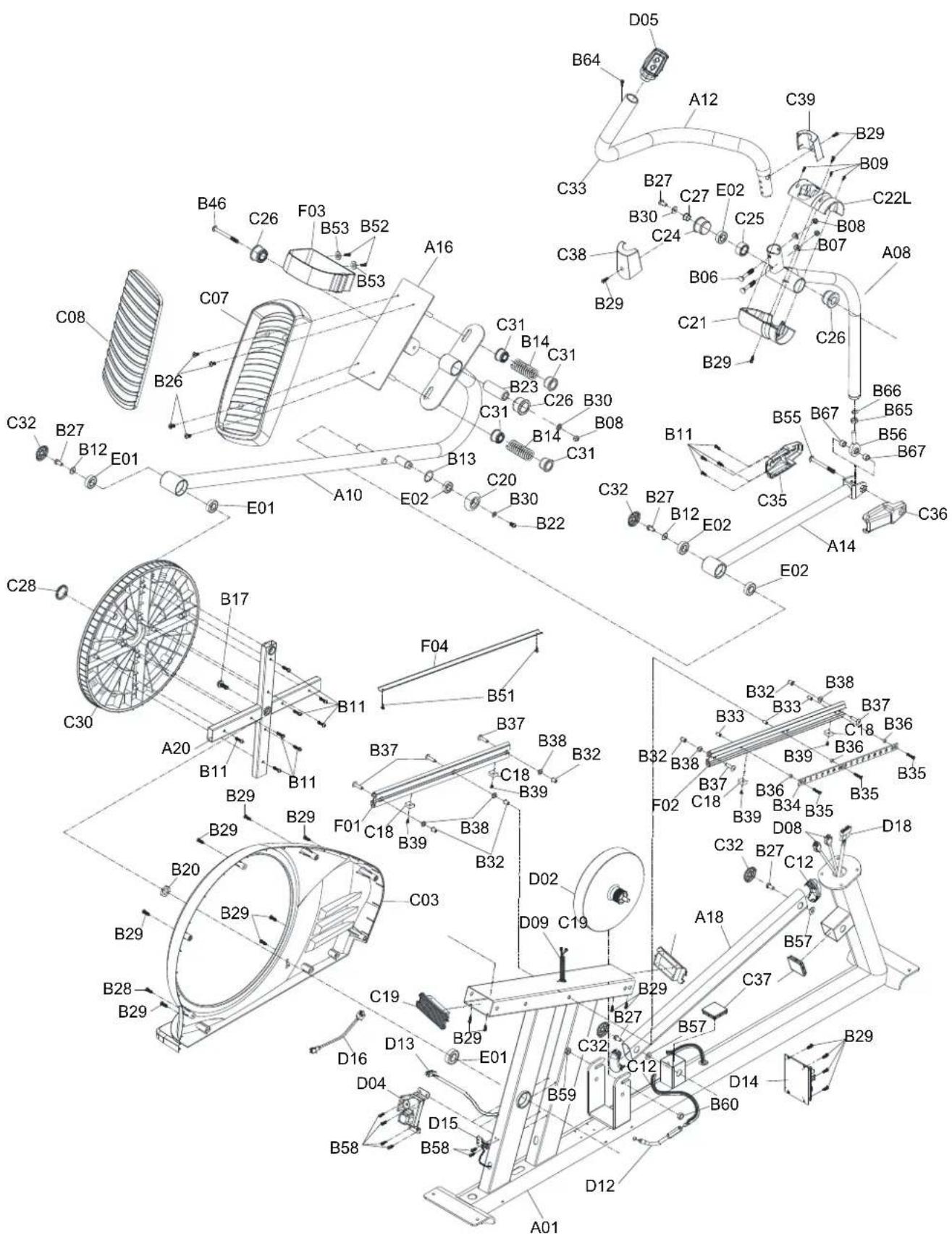
EXPLODED VIEW
Memo
Memo
SCT400g WARRANTY
VALID FOR USA AND CANADA ONLY
(Please consult with your local distributor for warranty info specific to your region).
BODYCRAFT warrants its products to be free of defects in materials and workmanship for the time stated below to the original purchaser.
REGISTER your product at www.bodycraft.com or call our customer service department at 800-990-5556.
This warranty applies to Residential and Light Commercial use only.
Residential Warranty: Lifetime Frame, [7] Year(s) Parts, [1] Year(s) Wear Items and [2] Year(s) Labor.
Light Commercial Warranty: [10] Year(s) Frame, [3] Years Parts, 1 Year(s) Wear Items and [1] Year Labor.
This warranty is valid only in accordance with the following conditions:
- The warranty begins on the original purchase date at retail and ends when the original owner disposes of it, either through sale, gift, or otherwise. This warranty is not transferable and is only valid to the original purchaser.
- This warranty is available only for purchases made within and the original purchaser currently residing in the USA and Canada. Please consult with your local distributor for warranty info specific to your region.
- The product must have been registered within 30 days of the original purchase date or supply proof of purchase to validate warranty (original sales invoice).
- This warranty does not cover damage resulting from accident, misuse, water, tampering, unreasonable use, unauthorized repairs, improper repairs, alterations or normal wear and tear.
This warranty excludes the following:
- The warranty does not cover normal maintenance or labor charges unless labor terms are listed above.
- Normal cosmetic wear on parts such as paint, seat coverings, walk belts, pedal straps, wheels, foot rails, labels and logos.
- Consumables such as batteries and heart rate belts that do not have a replaceable battery.
- Eprom/Software version upgrades unless determined as necessary.
- Any accessories not included in the original packaging.
If the item exhibits such a defect, BODYCRAFT will, at its option, repair or replace it without cost for parts. Shipping and handling charges may apply. (BODYCRAFT may require return of the part(s) or photographic evidence of the damaged part(s) prior to replacement). Serial number may be required. Parts repaired or replaced will be warranted for the remainder of the original warranty period only.
- Seated Elliptical Trainer
- CONGRATULATIONS! And THANK YOU for selecting the BODYCRAFT SCT400g Seated Elliptical Trainer!
- Your choice reflects a wise investment in you and your family's health and wellness. We hope you use it for many healthy years!
- Purchaser's Reference Information:
- TABLE OF CONTENTS
- Product Safety
- Basic precautions should always be followed, including the following safety instructions when using this equipment:
- Read all instructions before using this equipment.
- Hardware & Tools
- Assembly
- PREPARATION
- FRONT STABILIZER TUBE INSTALLATION
- REAR STABILIZER TUBE INSTALLATION
- UPRIGHT POST INSTALLATION
- ADJUSTING THE ADJUSTABLE FOOT PADS
- UPRIGHT JOINT COVER INSTALLATION
- FOOT PEDAL INSTALLATION
- PIVOT CAPS INSTALLATION
- UPPER HANDRAIL TUBE INSTALLATION
- PIVOT COVER INSTALLATION
- WATER BOTTLE HOLDER INSTALLATION
- COMPUTER INSTALLATION
- UPHOLSTERED BACKREST INSTALLATION
- SADDLE FRAME INSTALLATION
- Troubleshooting
- Computer not working correctly
- The Seated elliptical trainer wobbles when in use
- Squeaking noise when in use
- No, inconsistent, or erratic heart rate reading
- Wireless:
- Contact Heart Rate:
- Attention:
- STRETCHING
- Quadriceps Stretch
- Inner Thigh Stretch
- Toe Touches
- Hamstring Stretches
- COMPUTER
- Console Operation Instruction
- Displays
- - Dot matrix profile window:
- Keys
- Basic Operation
- Workout Programs
- Heart Rate Monitoring Devices & Exercise Tips
- Pulse Hand Grips
- Built in Wireless Heart Rate Receiver
- How to Wear Your Sensor/ Transmitter (Chest Strap)
- Erratic Heart Rate Readings:
- Heart rate is an important key to your exercise
- Get a smart start on exercising.
- EXPLODED VIEW
- Memo
- SCT400g WARRANTY
- VALID FOR USA AND CANADA ONLY
- This warranty is valid only in accordance with the following conditions:
- This warranty excludes the following:
Brand : BodyCraft
Model : SCT400g
Category : Fitness