
KASMSLRPNLA - Solar panel Kogan - Free user manual and instructions
Find the device manual for free KASMSLRPNLA Kogan in PDF.


| Product Type | Solar Panel |
| Brand | Kogan |
| Model | KASMSLRPNLA |
| Series | SmarterHome™ |
| Cable Length | 3 m |
| Operating Voltage | 5 V DC |
| Operating Temperature Range | -20.5°C to 48.5°C |
| Compatible Cameras | KA2KVDBELA, KABASCAMAOA, KABASCAMS2A, KASMDBL2PGA, KASMDBL2PWA, KSOBCAMWGAB, KSOBCAMWGAC |
| Facing Recommendation | North (for optimum sunlight) |
| Angle Adjustment Range | Up to 90° vertical |
| Recommended Tilt Angle | 30° upwards |
| Mounting Surfaces | Drywall, plaster, timber, concrete, masonry |
| Components Included | Solar panel, stand, nut, spinlock collar, base, M5 30mm screws (x4), 7.5 x 24.5mm wall anchors (x3) |
| Connection Type | Micro-USB |
| Cleaning Instructions | Wipe with soft, damp cloth regularly |
| Safety Warnings | Keep clean and dry; not for use by children or impaired persons; avoid damage; do not use if damaged |
| Manual Availability | Free download at help.kogan.com |
Frequently Asked Questions - KASMSLRPNLA Kogan
User questions about KASMSLRPNLA Kogan
0 question about this device. Answer the ones you know or ask your own.
Ask a new question about this device
Download the instructions for your Solar panel in PDF format for free! Find your manual KASMSLRPNLA - Kogan and take your electronic device back in hand. On this page are published all the documents necessary for the use of your device. KASMSLRPNLA by Kogan.
USER MANUAL KASMSLRPNLA Kogan
natural_image
Close-up of a solar panel with grid pattern and mounting base (no visible text or symbols)KOGAN SMARTERHOME™ SOLAR PANEL
KASMSLRPNLA
SAFETY & WARNINGS
Ensure to read all instructions in this user guide prior to first use. Retain this user guide for future reference.
- Keep the solar panel clean and away from liquids at all times.
- This solar panel should not be used by children as well as adults with reduced physical or mental capabilities, or those under the influence of drugs or alcohol.
• Take care when setting up the solar panel to prevent damage. - When transporting the solar panel, ensure the panel is firmly secure so it will not move around or collide with other objects.
- Do not use the solar panel if it is damaged or compromised in any way.
- Images used in this user guide are for reference only.
COMPONENTS

natural_image
Illustration of a solar panel with grid lines and coiled cable (no text or symbols)A Solar panel (x1)
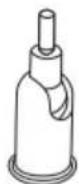
B Stand (x1)

C Nut (x1)

D Spinlock collar (x1)
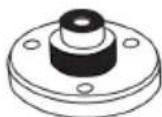
E Base (x1)

F M5 30mm screws (x4)
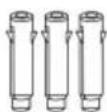
G 7.5 x 24.5mm wall anchors (x3)
INSTALLATION
Location
- Place the solar panel in an area with consistent sunlight. The panel needs at least a few hours of sunlight per day to keep the camera's battery charged.
- For optimum results, ensure the solar panel is facing north
Note:
The amount of energy produced by the panel can vary based on weather conditions, seasonal changes, geographic location, and other factors.
If installing on drywall, plaster, or timber walls
- Using a stud finder (not supplied), locate a safe and secure mounting location for the panel.
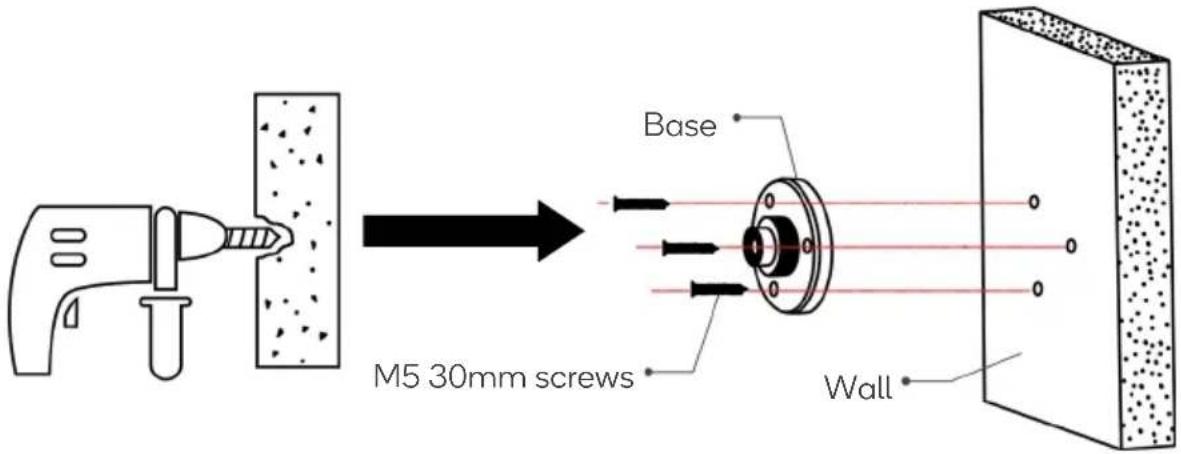
- Place the base against the walls and mark the locations of the holes.
- Using a drill, drill the holes and then secure the base in place using M5 30mm screws.
If installing on concrete or masonry walls
- Place the base against the wall and mark the locations of the holes on the base. Using a drill, drill holes at the marked locations.
- Insert the wall anchors into the drilled holes, then place the base against the wall anchors.

-
Using a drill, secure the base with M5 30mm screws.
-
Secure the spinlock collar into the stand, then screw the nut onto the stand.

- Screw the stand onto the back of the solar panel. Tighten the nut firmly.
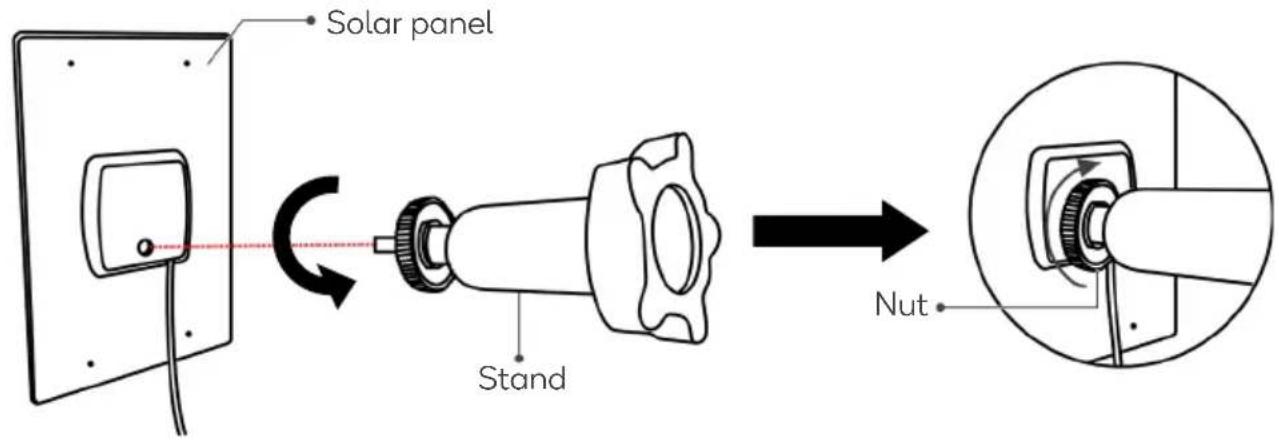
- Secure the spinlock collar into the base, then angle the joint on the stand upwards. It is recommended to angle the solar panel 30^ upwards.

- Connect the Micro-USB cable from the solar panel to the Micro-USB port on the camera to charge.
Adjusting the angle of the solar panel
The solar panel can be adjusted vertically up to 90°.

To adjust the angle:
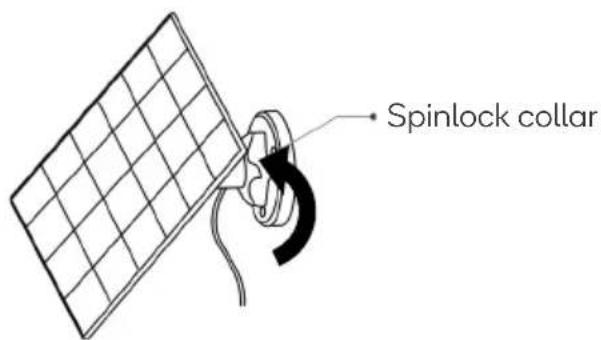
- Loosen the spinlock collar.
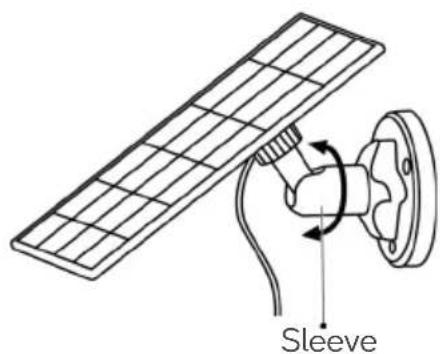
- Rotate the sleeve on the stand, then adjust the positioning/angle of the solar panel.
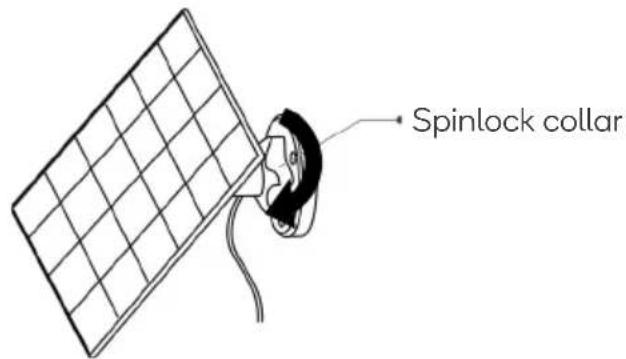
- When the solar panel is in the desired position, tighten the spinlock collar.
CLEANING & CARE
Wipe the face of the solar panel with a soft, damp cloth regularly to clear any dust or debris.

natural_image
Technical line drawing of a mechanical assembly with a cylindrical component and a grid-patterned mounted component (no text or symbols)SPECIFICATIONS
Cable length 3m
Operating voltage 5V DC
Operating temperature -20.5°C-48.5°C
Compatibility with cameras
This solar panel is compatible with the following cameras at the time of printing. Other products may be compatible in the future. Please refer to help.Kogan.com for the most up to date user guides and support.
| SKU Name | |
| KA2KVDBELA | Kogan Smart Doorbell 2S (SmarterHomeTM, 2K Camera) |
| KABASCAMAOA | Add-on Camera for Kogan SmarterHomeTM Outdoor Security Camera System |
| KABASCAMS2A | Kogan SmarterHomeTM Outdoor Wireless Security Camera System (2 Cameras + Base Station) |
| KASMDBL2PGA, KASMDBL2PWA | Kogan SmarterHomeTM Security Camera Doorbell 2 Pro |
| KSOBCAMWGAB, KSOBCAMWGAC | Kogan SmarterHomeTM Outdoor Battery Powered Wireless Security Smart Camera |
Need more information?
We hope that this user guide has given you the assistance needed for a simple set-up.
For the most up-to-date guide for your product, as well as any additional assistance you may require, head online to help.kogan.com
kogan.com
- KOGAN SMARTERHOME™ SOLAR PANEL
- SAFETY & WARNINGS
- COMPONENTS
- INSTALLATION
- Location
- Note:
- If installing on drywall, plaster, or timber walls
- If installing on concrete or masonry walls
- Adjusting the angle of the solar panel
- CLEANING & CARE
- SPECIFICATIONS
- Compatibility with cameras
- Need more information?
Brand : Kogan
Model : KASMSLRPNLA
Category : Solar panel