
KAMMTGASSAA - Handrail Support Kogan - Free user manual and instructions
Find the device manual for free KAMMTGASSAA Kogan in PDF.


| Product Type | Full Motion Gas Spring Single Monitor Mount |
| Brand | Kogan |
| Model | KAMMTGASSAA |
| Compatible Screen Size | 17" to 32" |
| VESA Compatibility | Standard VESA patterns (75x75mm, 100x100mm) |
| Weight Capacity | Up to 10 kg (22 lbs) typical for this mount class |
| Materials | Steel and aluminum construction with gas spring mechanism |
| Mounting Options | Clamp (desktop 10-80mm) or grommet (support plate) |
| Arm Type | Single arm with full motion (tilt, swivel, rotation, height adjustment) |
| Gas Spring Tension Adjustment | Yes, via hex screw to balance arm movement |
| Cable Management | Built-in channels (implied by design) |
| Installation Required Tools | Allen keys (included) |
| Room for Monitor Depth | Not specified; typical mounts allow up to 5 cm |
| Indoor Use Only | Yes |
| Safety Features | Over-tightening prevention warning, tip-over restraint recommended |
| Maintenance Interval | Every 3 months: check tightness and stability |
| Package Contents | Spring arm, desk bracket, clamp, top plate, support plate, hex screws, spacers, 2 Allen keys |
| Warranty | Standard Kogan warranty (check website) |
| Spare Parts Availability | Contact Kogan support for replacement parts |
| Repairability | Consumer repairable for simple adjustments; complex repairs by professional |
| Environmental Rating | Indoor, dry location only |
Frequently Asked Questions - KAMMTGASSAA Kogan
User questions about KAMMTGASSAA Kogan
0 question about this device. Answer the ones you know or ask your own.
Ask a new question about this device
Download the instructions for your Handrail Support in PDF format for free! Find your manual KAMMTGASSAA - Kogan and take your electronic device back in hand. On this page are published all the documents necessary for the use of your device. KAMMTGASSAA by Kogan.
USER MANUAL KAMMTGASSAA Kogan
FULL MOTION GAS SPRING SINGLE MONITOR MOUNT
17"-32"
KAMMTGASSAA
SAFETY & WARNINGS
Read the entire user guide before you commencing installation and assembly. If you do not understand these directions or if you have any doubts about the safety of the installation, contact a qualified technician.
CAUTION: Use with products heavier than the rated weights indicated may result in instability causing possible injury.
- Ensure that you have received all parts according to the component checklist prior to installation. If any parts are missing or faulty, contact help.Kogan.com for support.
- Closely follow the assembly instructions. Improper installation may result in property damage or serious personal injury.
- Do not use this product for any purpose that is not explicitly specified in this guide.
- Do not exceed the weight capacity.
- Serious or fatal injuries can occur from tip over. To prevent tip over:
- Never allow children to climb, stand, hang or play on any part or monitor or stand.
- Use tip over restraint or anchor stand to wall.
- Use the mounting screws provided and DO NOT OVER TIGHTEN mounting screws.
- This product contains small items that could be a choking hazard if swallowed. Keep these items away from children.
- This product is intended for indoor use only. Using this product outdoors could lead to product failure and personal injury.
IMPORTANT: Ensure that you have received all parts according to the component checklist prior to installation. If any parts are missing or faulty, contact your place of purchase for a replacement.
MAINTENANCE: Check that the product is secure and safe use at regular intervals (at least every three months).

COMPONENTS
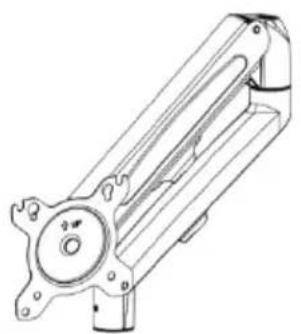
A Spring arm
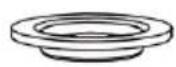
D Top plate

G Long hex screw

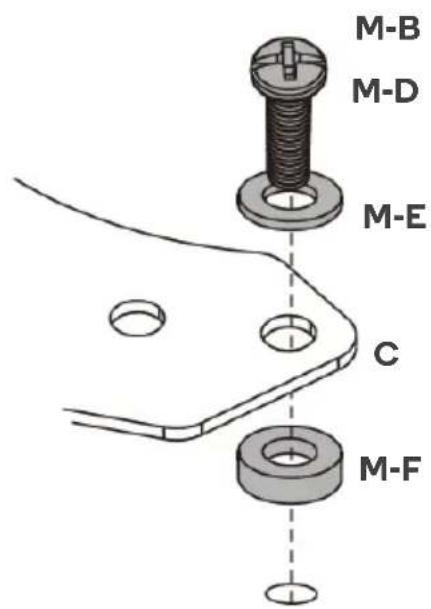
M-A M4x12 (x4)

M-D M5x30 (x4)
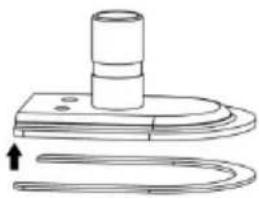
B Desk bracket

E Support plate

H Allen key

M-B M4x30 (x4)
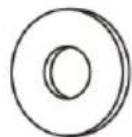
M-E D5 Washer (x4)

C Clamp

F Short hex screw (x2)
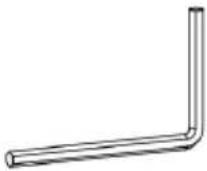
I Allen key

M-C M5x12 (x4)
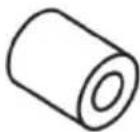
M-F Spacer (x4)
INSTALLATION
Step 1.
Clamp Installation:
- Connect the clamp (C) to the desk bracket (B) by inserting x2 short hex screws (F) into the holes on the desk bracket (B) and tighten the screws using the Allen key (I).
- Insert the long hex screw (G) into the clamp (C) by turning the Allen key (I) clockwise.
- Attach the top plate (D) to long hex screw (G).
- Tighten the screws on the clamp (C) using the Allen key (I).
Note:
o For desktops 10-50mm the clamp bracket must be installed in the two upper holes.
o For desktops 40-80mm the clamp bracket must be installed in the two lower holes.
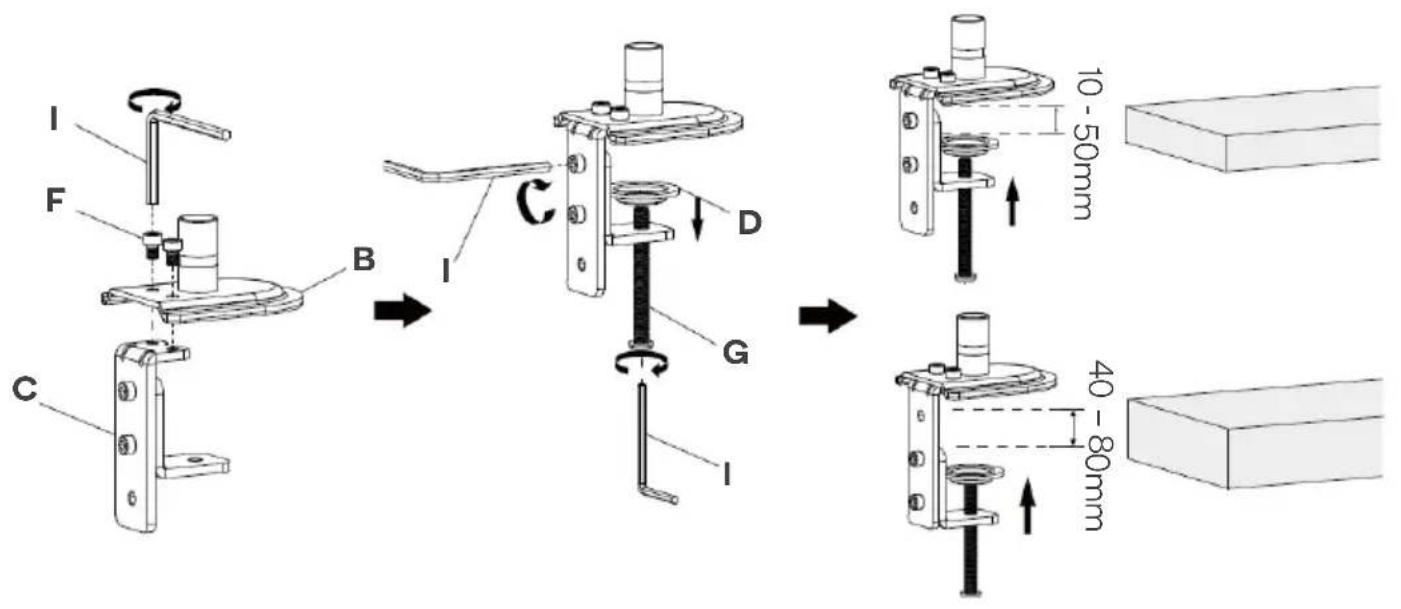
Support Plate Installation:
• Drill a 10mm hole in the desktop.
- Place the support plate (E) over the drilled hole. Place the long hex screws (G) in the middle hole of the support plate (E) and secure it using the Allen key (I).
Note: Do not overtighten the screw

Step 2.
Firmly hold the two havles of the spring arm (A) together and have another person cut off the cable tie from around the spring arm. Slowly release the pressure on the spring arm (A) and allow it to gradually stretch to its full extension.

Step 3.
Place the spring arm (A) on the corresponding connector on the desk bracket (B). Tighten the screw on the spring arm (A) using the Allen key (H).

Step 4:
- Insert the x2 short hex screws (F) into the VESA holes on the back of the monitor, ensuring there is 3mm of space between the base of the screw and the monitor.
- Align the holes on the spring arm (A) with the x2 short hex screws (F). Place the screws through the corresponding holes and shift the spring arm (A) upwards.

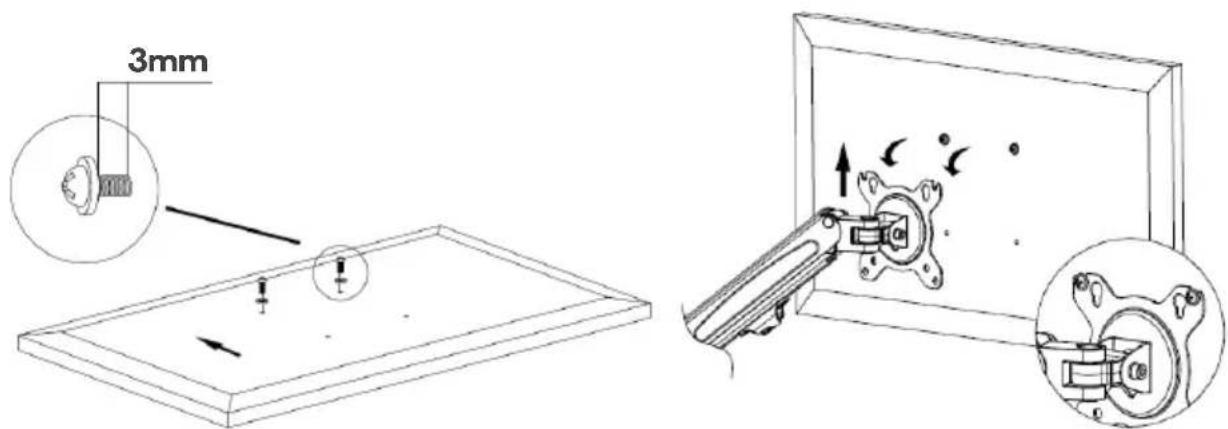
Step 5:
Secure the spring arm (A) to the monitor using the provided hardware and tighten using the Allen key (I).
Flat Monitor

Curved Monitor

Step 6:
If the monitors are not in your desired position, use the Allen key to loosen the screws as shown.

 | If the arm drops, turn the adjustment screw counter - clockwise until it stays in a horizontal position. |
 | If the arm rises, turn the adjustment screw clockwise until it stays in a horizontal position. |

CAUTION: DO NOT over tighten the screws.
NOTES
The Ground Truth image displays a single, solid horizontal line. According to Rule 2 (UNDERSCORE & LINE RULES), this is a stylistic or background line, not a placeholder underscore. Therefore, the OCR result must ignore it and output nothing or only meaningful text. The provided OCR content is "____", which consists of four underscores. This is an incorrect interpretation of the line as a fill-in-the-blank placeholder, violating the rule that stylistic lines must be ignored. The OCR has hallucinated underscores where none should exist based on the GT's visual context. Hence, the OCR result is inconsistent with the Ground Truth.
[Non-Text]
[Non-Text]
[EMPTY]
[Non-Text]
[Non-Text]
The Ground Truth image displays a single, continuous horizontal line, which is a stylistic or background element (like a ruled paper line). According to Rule 2, such lines must be ignored by the OCR result. The provided OCR content is "____", which consists of underscores. Underscores are not equivalent to a solid line and are not permitted under the “Stylistic/Background Lines (Ignore)” rule. Outputting underscores for a stylistic line is incorrect because it misinterprets the line as a fill-in-the-blank placeholder. Since the OCR output incorrectly rendered a stylistic line as underscores (which should be ignored), this violates the rule. Therefore, the OCR result is inconsistent with the Ground Truth.
[Non-Text]
[Non-Text]
[EMPTY]
[Non-Text]
[Non-Text]
[NO TEXT]
[Non-Text]
[Non-Text]
[NO TEXT]
[Non-Text]
[Non-Text]
____
[Non-Text]
[Non-Text]
[EMPTY]
[Non-Text]
[Non-Text]
____
[Non-Text]
[Non-Text]
The Ground Truth image displays a single, continuous horizontal line, which is a stylistic or background element (like a ruled paper line). According to Rule 2, such lines must be ignored by the OCR result. The provided OCR content is "____", which consists of underscores. Underscores are not equivalent to a solid line and are not permitted under the “Stylistic/Background Lines (Ignore)” rule. Outputting underscores for a stylistic line is incorrect because it misinterprets the line as a fill-in-the-blank placeholder. Therefore, the OCR result is inconsistent with the Ground Truth.
[Non-Text]
[Non-Text]
The Ground Truth image displays a single, solid horizontal line. According to Rule 2 (UNDERSCORE & LINE RULES), if the GT contains lines used for stylistic emphasis or as background elements (like ruled paper), the OCR result must ignore them. The line in the GT is clearly a stylistic/background line, not a placeholder for text. Therefore, the OCR should not have output any underscores. Outputting `____` constitutes an error under Rule 2, as it hallucinates placeholder symbols where none are semantically intended. Hence, the OCR result is inconsistent with the Ground Truth.
The Ground Truth image displays a single, solid horizontal line. According to Rule 2 (UNDERSCORE & LINE RULES), this is a stylistic or background line, not a placeholder underscore. Therefore, the OCR result must ignore it and output nothing or only meaningful text. The provided OCR content is "____", which consists of four underscores. This is an incorrect interpretation of the line as a placeholder, violating the rule that stylistic lines must be ignored. The OCR has hallucinated placeholder underscores where none exist in the GT. Hence, the OCR result is inconsistent with the Ground Truth.
[Non-Text]
The Ground Truth image displays a single, solid horizontal line, which is a stylistic or background element (like a rule line on paper). According to Rule 2, such lines must be ignored by the OCR result. The OCR content provided is "", which consists of no characters. Since the OCR output correctly ignores the stylistic line, it complies with Rule 2. Therefore, the OCR result is consistent with the Ground Truth.
[Non-Text]
[Non-Text]
[Non-Text]
The Ground Truth image displays a single, solid horizontal line. According to Rule 2 (UNDERSCORE & LINE RULES), this is a stylistic or background line, not a placeholder underscore. Therefore, the OCR result must ignore it and output nothing or only meaningful text. The provided OCR content is "____", which consists of four underscores. This is an incorrect interpretation of the line as a fill-in-the-blank placeholder, violating the rule that stylistic lines must be ignored. The OCR has hallucinated underscores where none should exist based on the GT's visual context. Hence, the OCR result is inconsistent with the Ground Truth.
[Non-Text]
[Non-Text]
[EMPTY]
[Non-Text]
[Non-Text]
The Ground Truth image displays a single, continuous horizontal line, which is a stylistic or background element (like a ruled paper line). According to Rule 2, such lines must be ignored by the OCR result. The provided OCR content is "____", which consists of underscores. Underscores are not equivalent to a solid line and are not permitted under the “Stylistic/Background Lines (Ignore)” rule. Outputting underscores for a stylistic line is incorrect because it misinterprets the line as a fill-in-the-blank placeholder. Since the OCR output incorrectly rendered a stylistic line as underscores (which should be ignored), this violates the rule. Therefore, the OCR result is inconsistent with the Ground Truth.
[Non-Text]
[Non-Text]
The Ground Truth image displays a single, solid horizontal line. According to Rule 2 (UNDERSCORE & LINE RULES), this is a stylistic or background line, not a placeholder underscore. Therefore, the OCR result must ignore it and output nothing or only meaningful text. The provided OCR content is "____", which consists of four underscores. This is an incorrect interpretation of the line as a placeholder, violating the rule that stylistic lines must be ignored. The OCR has hallucinated underscores where none should exist based on the GT's visual context. Hence, the OCR result is inconsistent with the Ground Truth.
Need more information?
We hope that this user guide has given you the assistance needed for a simple set-up.
For the most up-to-date guide for your product, as well as any additional assistance you may require, head online to help.kogan.com
kogan.com
Brand : Kogan
Model : KAMMTGASSAA
Category : Handrail Support