
Ethnic Flute Phrases - Sound program STEINBERG - Free user manual and instructions
Find the device manual for free Ethnic Flute Phrases STEINBERG in PDF.


| Product Type | Software Instrument (HALion) |
| Brand | Steinberg / Sonuscore |
| Model | Ethnic Flute Phrases |
| Category | Sound Library / Virtual Instrument |
| Compatibility | Steinberg HALion (latest version) |
| Number of Themes | 19 |
| Phrase System | Complete phrases with open, middle, and ending segments; short endings for root return |
| Legato Instruments | 3 included |
| Additional Articulations | Trill (C1, velocity >=120), Bend Up (D1, velocity >=120) |
| Effects | EQ (4-band), Delay, Reverb |
| EQ Bands | Low, Low-Mid, High-Mid, High (gain adjustable) |
| Delay Options | Sync to host tempo, Time (ms or note values), Feedback, Mix |
| Reverb | 7 impulse responses, Predelay, Mix |
| Keyswitches | C5 to F#6 for theme selection; C1, D1 for legato articulations |
| Playback Speed | Adjustable from 75% to 125% of original |
| Sample Start Offset | Adjustable per phrase; reset with Alt+Click or Alt+Shift+Click |
| System Requirements | Visit www.steinberg.net or www.sonuscore.com for latest |
| Installation | Download from Steinberg website; instructions at helpcenter.steinberg.de |
| Manual Pages | 13 (PDF format) |
| Language | English (manual available) |
Frequently Asked Questions - Ethnic Flute Phrases STEINBERG
User questions about Ethnic Flute Phrases STEINBERG
0 question about this device. Answer the ones you know or ask your own.
Ask a new question about this device
Download the instructions for your Sound program in PDF format for free! Find your manual Ethnic Flute Phrases - STEINBERG and take your electronic device back in hand. On this page are published all the documents necessary for the use of your device. Ethnic Flute Phrases by STEINBERG.
USER MANUAL Ethnic Flute Phrases STEINBERG
- For the latest system requirements, please visit www.steinberg.net, www.sonuscore.com or your trusted dealer's website.
SONUSCORE
TABLE OF CONTENTS
- INTRODUCTION 4 ....
- DOWNLOAD & INSTALLATION 4 ....
- ETHNIC FLUTE PHRASES 5 ......
3.1 THEME SELECTION BAR 6
3.2 PHRASE SYSTEM 6
3.3 KEYSWITCHES....6
3.4 PHRASE PROGRESS BAR 7
3.5 PAGE SELECTION....7
3.6 PLAYBACK SPEED....7
3.7 FX PAGE 8
3.7.1 EQ....8
3.7.2 DELAY 9
3.7.3 REVERB....9
- LEGATO INSTRUMENTS ......10
4.1 KEYSWITCHES/ADDITIONAL ARTICULATIONS....10
4.2 FX....11
4.2.1 EQ....11
4.2.2 DELAY 11
4.2.3 REVERB....12
- CREDITS......13
SONUSCORE
1. INTRODUCTION
Welcome to SONUSCORE ETHNIC FLUTE PHRASES. This HALion instrument makes it possible for you to integrate expressive ethnic flute phrases into your composition.
2. DOWNLOAD & INSTALLATION
For the latest download and installation instructions please check: https://helpcenter.steinberg.de/hc/en-us
SONUSCORE
- ETHNIC FLUTE PHRASES
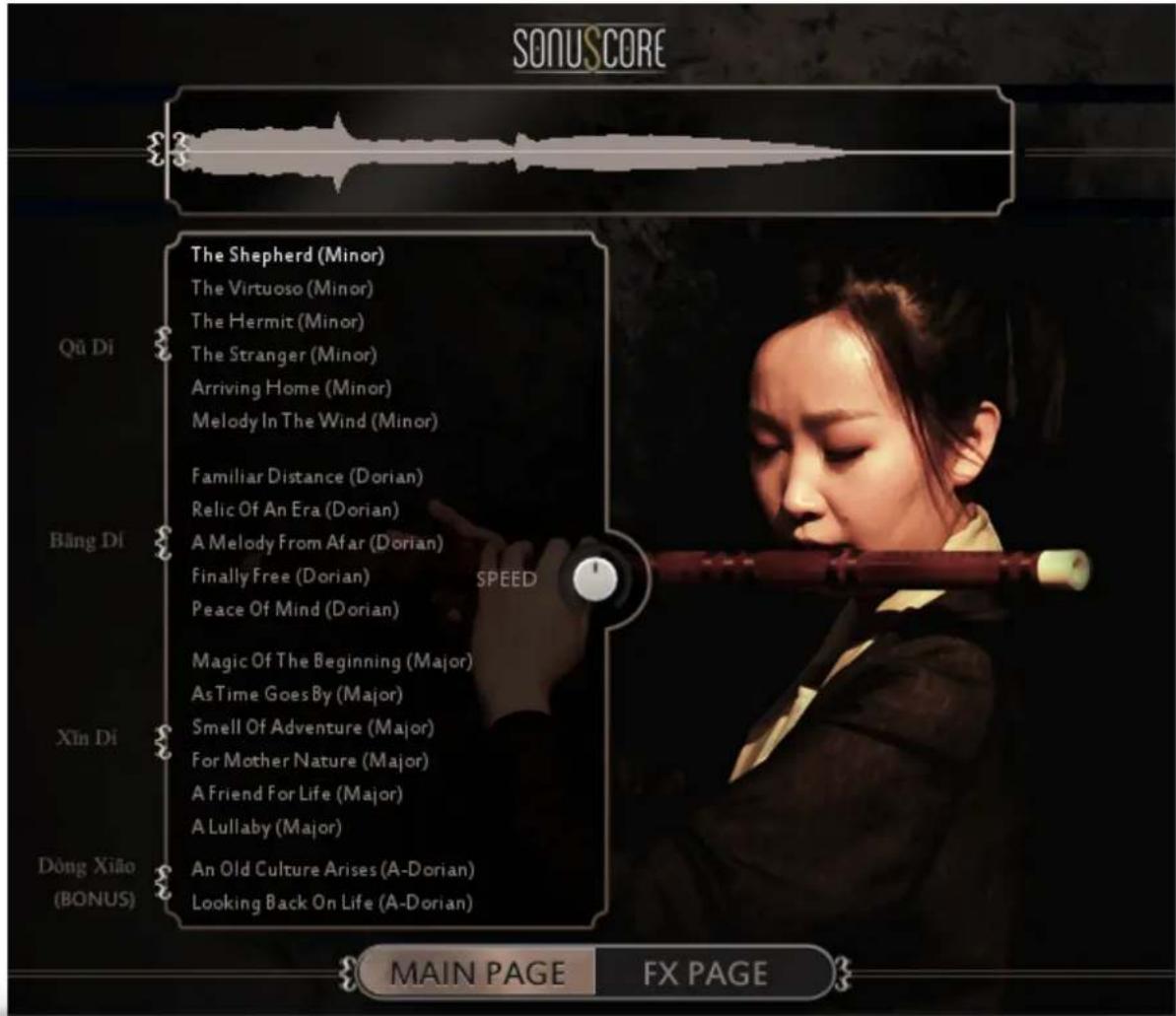
On the main page you can select a theme and access all the basic functions you need to get started.
SONUSCORE
3.1 THEME SELECTION BAR
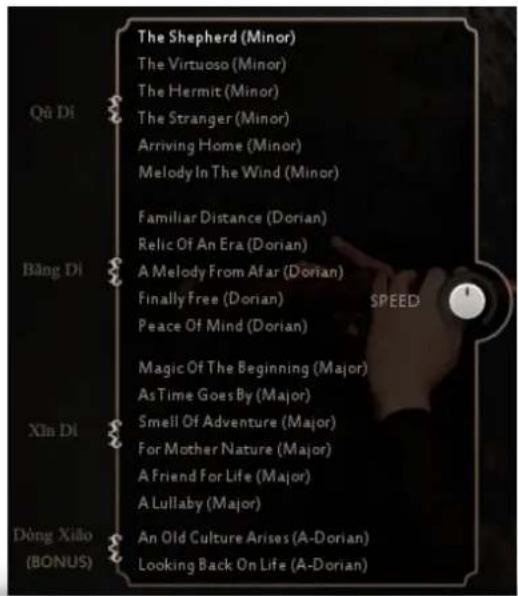
On the left side of the main page are nineteen themes that you can choose from. Simply click on the theme title to switch to that theme or select the theme via the key switches in the upper range of your keyboard (C5 - F#6).
3.2 PHRASE SYSTEM
Each theme consists of five complete phrases. You can play the opening, middle and endings of each phrase and combine them freely to create new phrases.
As an addition we created short endings that will take you back to the root at any time.
3.3 KEYSWITCHES

You can use the highlighted keys to play the phrases and combine them freely.
SONUSCORE
3.4 PHRASE PROGRESS BAR

The Phrase Progress Bar shows the waveform of the current phrase and the playback position the phrase is in.
You can drag the little sample start icon on the left to a different starting position within the phrase. That can be very interesting as some of the phrases are very long.

Use "Alt-Click" to reset the sample start offset in all phrases of the selected theme. "Alt-Shift-Click" will reset the offset in all phrases of all themes.
3.5 PAGE SELECTION

On the bottom of the GUI you can find the Main and FX page buttons. Use those to navigate between the two pages.
3.6 PLAYBACK SPEED

The speed knob allows you to change the playback speed of the phrases. It goes from a minimum of 75% up to 125% of the original speed.
SONUSCORE
3.7 FX PAGE

On the FX page you can access the advanced functions of the EQ, DELAY and REVERB settings.
3.7.1 EQ

EQ ON/OFF: Toggles the EQ on and off.
LOW: Adjusts the gain of the low frequency band of the equalizer.
LOW/MID: Adjusts the gain of the low-mid frequency band of the equalizer.
HIGH/MID: Adjusts the gain of the high-mid frequency band of the equalizer.
HIGH: Adjusts the gain of the high frequency band of the equalizer.
SONUSCORE
3.7.2 DELAY

DELAY ON/OFF: Toggles the DELAY on and off.
SYNC: Sync to host tempo on/off.
TIME: If SYNC is turned off you can select the delay time in ms. If SYNC is turned on you can select the delay time in note values.
FEEDBACK: Adjusts the FEEDBACK amount of the DELAY effect. Basically this parameter controls how many times a note will be audible via the DELAY.
MIX: Adjusts the MIX level of the DELAY effect.
3.7.3 REVERB

REVERB ON/OFF: Toggles the REVERB on and off.
IR MENU: Choose one of seven impulse responses from a variety of spaces.
PREDELAY: Adjusts the PREDELAY of the REVERB effect in ms. This parameter is helpful for simulating distance.
MIX: Adjusts the send level of the REVERB.
SONUSCORE
4. LEGATO INSTRUMENTS
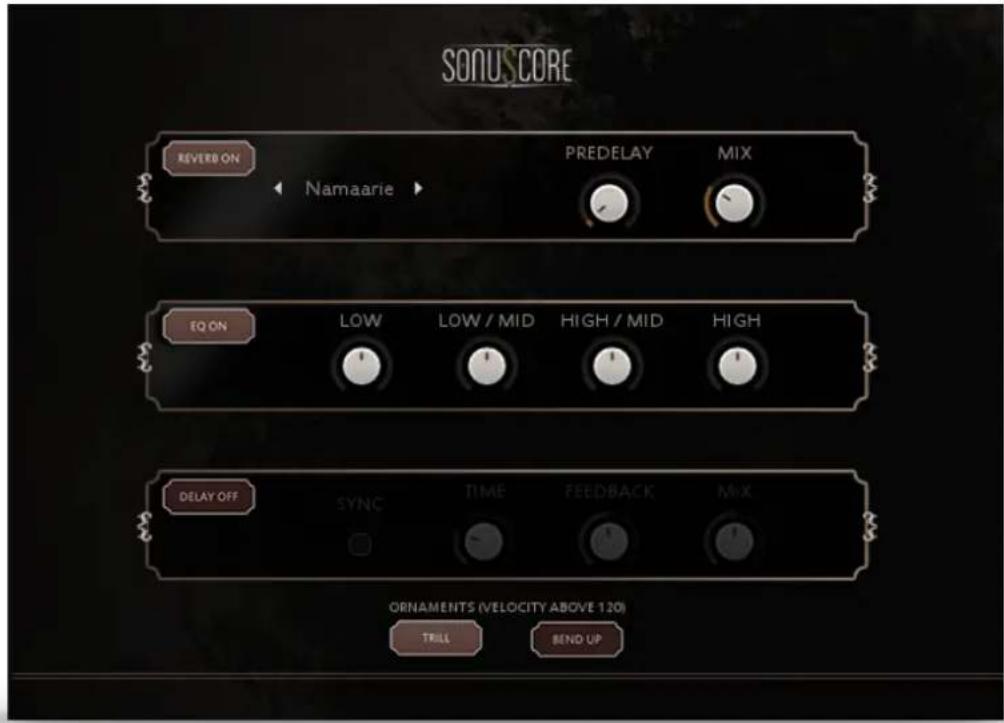
When opening one of the three included legato instruments you have all the controls you need right there in the GUI.
4.1 KEYSWITCHES/ADDITIONAL ARTICULATIONS
In the legato instruments you are able to choose between two additional articulations. They are triggered by hitting the notes in the higher velocities (120 and above). C1 will activate the Trill while D1 activates the Bend Up.

SONUSCORE
4.2 FX
4.2.1 EQ

EQ ON/OFF: Toggles the EQ on and off.
LOW: Adjusts the gain of the low frequency band of the EQ.
LOW/MID: Adjusts the gain of the low-mid frequency band of the EQ.
HIGH/MID: Adjusts the gain of the high-mid frequency band of the EQ.
HIGH: Adjusts the gain of the high frequency band of the EQ.
4.2.2 DELAY

DELAY ON/OFF: Toggles the DELAY on and off.
SYNC: Sync to host tempo on/off.
TIME: If SYNC is turned off you can select the delay time in ms. If SYNC is turned on you can select the delay time in note values.
FEEDBACK: Adjusts the FEEDBACK amount of the DELAY effect. Basically this parameter controls how many times a note will be audible via the DELAY.
MIX: Adjusts the send level of the DELAY effect.
SONUSCORE
4.2.3 REVERB

REVERB ON/OFF: Toggles the REVERB on and off.
IR MENU: Choose one of seven impulse responses from a variety of spaces.
PREDELAY: Adjusts the PREDELAY of the REVERB effect in ms. This parameter is helpful for simulating distance.
MIX: Adjusts the send level of the REVERB.
SONUSCORE
5. CREDITS
Product Concept and Design: SONUSCORE: Tilman Sillescu, Pierre Langer, Christian Wirtz, Stefan Kemler, Matthias Wolf
Project Lead: Christian Wirtz
Phrases performed by: Linfeng Fang
Recording: Yuan Zhang
KONTAKT Scripting: Stefan Kemler
Sample Editing & Mix: André Molkenthin, Christian Wirtz
User Interface Design: Jonas Meyer
Artwork: Felix Möbius
Videos: Felix Möbius
Marketing: Benedikt Huster, Andreas Hammann, Tobias Kunz, Felix Möbius,
Additional Content: Matthias Wolf, Tilman Sillescu, Christian Wirtz, Nico Dilz, Simon Schrenk, Andreas Hammann, Simon Wiebe, André Molkenthin
Recorded at „The Recording Studio of China Record (Shanghai) Co., Ltd.“.
- SONUSCORE
- TABLE OF CONTENTS
- INTRODUCTION
- DOWNLOAD & INSTALLATION
- 3.1 THEME SELECTION BAR
- 3.2 PHRASE SYSTEM
- 3.3 KEYSWITCHES
- 3.4 PHRASE PROGRESS BAR
- 3.5 PAGE SELECTION
- 3.6 PLAYBACK SPEED
- 3.7.2 DELAY
- 3.7.3 REVERB
- LEGATO INSTRUMENTS
- 4.1 KEYSWITCHES/ADDITIONAL ARTICULATIONS
- 4.2 FX
- 4.2.1 EQ
- 4.2.2 DELAY
- 4.2.3 REVERB
- CREDITS
Brand : STEINBERG
Model : Ethnic Flute Phrases
Category : Sound program