
AUX2 - FM Radio Rexing - Free user manual and instructions
Find the device manual for free AUX2 Rexing in PDF.


| Product Type | Bluetooth FM Radio Receiver with Dual USB Charger |
| Brand | Rexing |
| Model | AUX2 |
| Bluetooth Version | 5.1 |
| Bluetooth Profiles | AVRCP, HFP, A2DP |
| Receiver Input | 5V |
| Charger Input | 12-24V (car cigarette lighter) |
| Charger Output | QC3.0 and 5V/2.4A (dual USB ports) |
| Receiver Dimensions | 2 x 1.2 x 0.6 inches |
| Car Charger Dimensions | 1.3 x 1.3 x 2.8 inches |
| Cable Length | 3.25 feet |
| Weight | 2 oz (56 g) |
| Material | ABS plastic |
| Main Functions | Wireless music streaming, hands-free calling with noise cancellation, bass boost, voice assistant activation (Siri/Google Assistant), dual USB charging |
| Installation | Plug into car AUX jack and cigarette lighter; attach with hook-and-loop fastener |
| Controls | Buttons for media control, volume, bass, call handling, and voice assistant |
| Microphone | Integrated with isolated rubber cavity for noise suppression |
| Warranty | 12 months; extendable to 18 months with registration on official site |
| Cleaning | Wipe with a dry or slightly damp cloth; do not use liquids or abrasives |
| Safety Compliance | FCC Part 15; do not modify device |
| Spare Parts and Repairability | No user-serviceable parts; contact support for issues |
Frequently Asked Questions - AUX2 Rexing
User questions about AUX2 Rexing
0 question about this device. Answer the ones you know or ask your own.
Ask a new question about this device
Download the instructions for your FM Radio in PDF format for free! Find your manual AUX2 - Rexing and take your electronic device back in hand. On this page are published all the documents necessary for the use of your device. AUX2 by Rexing.
USER MANUAL AUX2 Rexing
Bluetooth Receiver AUX2
User Manual
The information in this manual is subject to change without notice. Rexing All Rights Reserved
www.rexingusa.com
Overview
Thank you for choosing REXING!
We hope you love your new products as much as we do. If you need assistance, or have any suggestions to improve it, please contact us.

care@rexingusa.com

(877) 740-8004
Our support team will respond you as soon as possible.
Always a surprise in Rexing.
Check us out here.
- https://www.facebook.com/rexingusa/
- https://www.instagram.com/rexingdashcam/
- https://www.rexingusa.com/support/registration/

Facebook Instagram Site Product Support







Introduction
Thanks for choosing our AUX2 Bluetooth Receiver. It works with almost all Bluetooth devices and all cars with a 3.5mm input. Stream audio through 3.5mm input in car stereo and enjoy your favorite music from phone/tablet/MP3. Just plug into your Aux port and sync it with your phone's Bluetooth. To have a better experience, please read this instruction carefully. Dual USB ports QC3.0 & 5V/2.4A could be used to charge the external device.
What's in the Box?
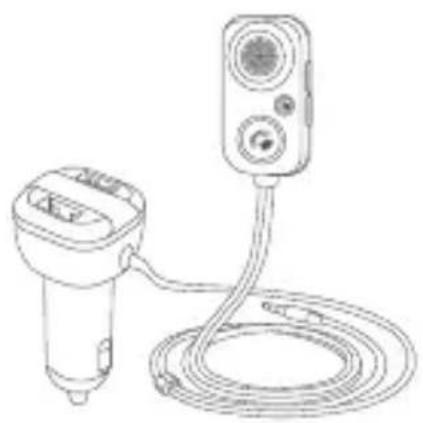
natural_image
Line drawing of a handheld device connected to a cylindrical cable with a mounted sensor or sensor unit (no text or symbols)
1

2
- AUX2 Bluetooth Receiver
- User Guide
Product Overview
Specifications
Bluetooth Version: 5.1
Bluetooth Protocol: AVRCP, HFP, A2DP
Receiver Input: 5V
Charger Input: 12-24V
Charger Output: QC3.0 & 5V/2.4A
Receiver Size: 2" X 1.2" X 0.6"
Car Charger Size: 1.3" X 1.3" X 2.8"
Length of Cable: 3.25 FT
Product weight: 2oz
Material: ABS
Installation Instruction
A
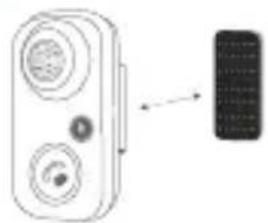
natural_image
Diagram of a device with two circular components and an arrow pointing to a rectangular component (no text or symbols)Attach the hook and loop fastener onto the suitable place of dashboard
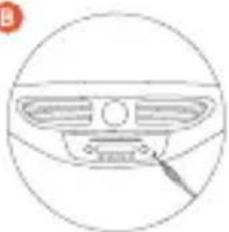
B
natural_image
Simple line drawing of a car dashboard with a circular outline and a pointer pointing to the grille (no text or symbols)Plug the AUX cable into the car AUX jack
©
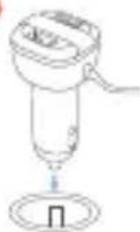
Plug the charger into the car cigarette lighter hole
D

Search the device AUX2, connect to your cellphone by Bleutooth
Features
- Wirelessly transmits phone call or music via Bluetooth and streaming to the car stereo system via an AUX cable.
- Switch to hands-free mode automatically from music streaming status when receiving phone call.
• Built-in noise cancellation algorithm guarantees clear talking in car. - Quick activation of Siri /Google Assistant and etc.
• One-button to enhance the bass of music
• Built-in 1M audio & USB power cord. - Stick on the car dashboard to operate easily.
- Bluetooth V5.1 with crystal clear sound quality
- Dual USB ports for QC3.0 & 5V/2.4A charging.
Basic Operations

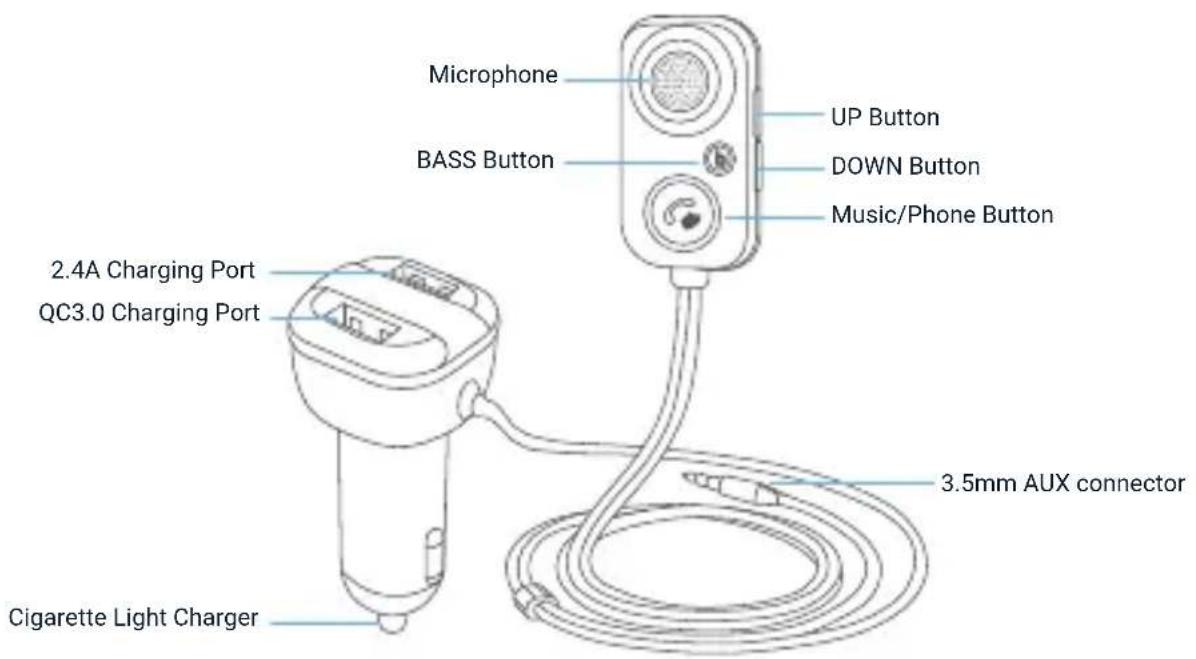
- Quick press: Previous song
- Press and hold: Vol +

- Quick press: Next song
- Press and hold: Vol -

Quick press: Active bass sound

Microphone (Isolated rubber microphone cavity for noise suppression)

Charging Port
3.5mm AUX cable

Music Mode:
Quick press: Pause/Play
Hands Free Mode:
- Quick press: Answer/hang off the call
- Double press: Dial the last number automatically
- Press and hold: Reject the call
- During a call, press and hold to switch the private calling
Voice Assistant (e.g. Siri/Google assistant)
Press and hold for 2 seconds
Warranty & Support
Warranty
The Rexing Bluetooth Receiver AUX2 comes with a full 12-month warranty. If you register your product on our official site (https://www.rexingusa.com/support/registration), you can extend the warranty to 18 months.
Support
If you have any questions regarding your product, please do not hesitate to contact us at care@rexingusa.com, or call us at (877) 740-8004. Queries are typically answered within 12-24 hours.
Your opinion matters
Rexing is firmly committed to always improving our products, services, and user experience. If you have any thoughts on how we can do even better, we welcome your constructive feedback and suggestions.
Connect with us today at care@rexingusa.com
Thank you for choosing Rexing!
FCC ID: 2AJ5B-BT61Q
This device complies with part 15 of the FCC Rules. Operation is subject to the following two conditions: (1) This device may not cause harmful interference, and (2) this device must accept any interference received, including interference that may cause undesired operation.
Changes or modifications not expressly approved by the party responsible for compliance could void the user's authority to operate this equipment.
REXING®




MADE IN CHINA
- Bluetooth Receiver AUX2
- User Manual
- Overview
- Thank you for choosing REXING!
- Check us out here.
- Introduction
- What's in the Box?
- Product Overview
- Specifications
- Installation Instruction
- Features
- Basic Operations
- Music Mode:
- Hands Free Mode:
- Warranty & Support
- Warranty
- Support
- Your opinion matters
- FCC ID: 2AJ5B-BT61Q
Brand : Rexing
Model : AUX2
Category : FM Radio