DTE622 - Camera Emerson - Free user manual and instructions
Find the device manual for free DTE622 Emerson in PDF.


| Product Type | 35mm Film Camera |
| Brand | Emerson |
| Model | DTE622 |
| Film Format | Standard 35mm film (24 x 36mm) |
| Lens | 25.3mm F/11 (1 element) |
| Focus Distance | 1.0 meter to infinity |
| Shutter Speed | 1/120 sec |
| Film Advance | Manual thumb wheel system |
| Built-in Flash | Electronic flash with ready indicator; recycle time approx. 8 seconds with fresh alkaline battery |
| Flash Range (ISO 100) | 1.0m – 1.2m |
| Flash Range (ISO 200) | 1.0m – 1.7m |
| Flash Range (ISO 400) | 1.0m – 2.2m |
| Viewfinder | Optical 2 element reverse Galilean viewfinder |
| Battery | 1 x AA 1.5V alkaline battery |
| Dimensions | 133 x 83 x 40 mm |
| Weight | Not specified (approx. 150g with battery) |
| Film Counter | Automatic reset to "S" when back cover opened |
| Safety Warnings | Choking hazard (small parts); not for children under 8; do not point flash at eyes |
| Care Instructions | Remove battery when not in use; avoid shock, extreme temperatures, dust, and chemicals; store in cool dry place |
| Battery Precautions | Adult replacement only; do not mix old/new or different battery types; do not short-circuit; dispose properly |
| Included Accessories | Hand strap |
| Warranty | 90 days limited warranty (labor and parts) from date of purchase in U.S. |
| Customer Support | Phone: 1-800-898-9020 (assistance), 1-800-695-0098 (service centers) |
| Copyright | 2005 Viacom International Inc. Licensed by Emerson Radio Corp. |
Frequently Asked Questions - DTE622 Emerson
User questions about DTE622 Emerson
0 question about this device. Answer the ones you know or ask your own.
Ask a new question about this device
Download the instructions for your Camera in PDF format for free! Find your manual DTE622 - Emerson and take your electronic device back in hand. On this page are published all the documents necessary for the use of your device. DTE622 by Emerson.
USER MANUAL DTE622 Emerson
35mm Flash Camera
OWNER'S MANUAL
DTE622
Copyright 2005 Viacom International Inc. All rights reserved. Nickelodeon, Nick Jr., Nicktronics, Dora the Explorer and all related titles, characters and logos are trademarks of Viacom International Inc.

WARNING
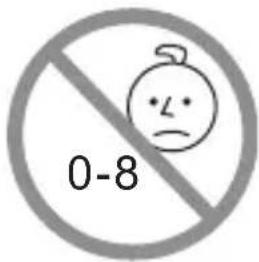
Choking Hazard–Small Parts and Packaging Materials. Not for children under 8 years.
- All materials for fastening or packing purposes are not part of the unit and should be discarded for children's safety.
- Please keep all information for future reference.
• This is not a toy.
FCC NOTICE:
This device complies with part 15 of the FCC Rules. Operation is subject to the following conditions:
(1) This device may not cause harmful interference, and
(2) This device must accept any interference received, including interference that may cause undesired operation.
Emerson Radio Corp. has produced this product under license from Nickelodeon. We have taken great care to make sure your unit was in perfect working order when it left our factory.
This product has been designed to give you many years of enjoyment and trouble-free operation. Read this manual before operating this unit to become familiar with its features. In the event you require technical assistance, please contact the Emerson Radio Customer Service hotline at 1-800-898-9020. Retain this manual for future reference.
LOCATION OF CONTROLS
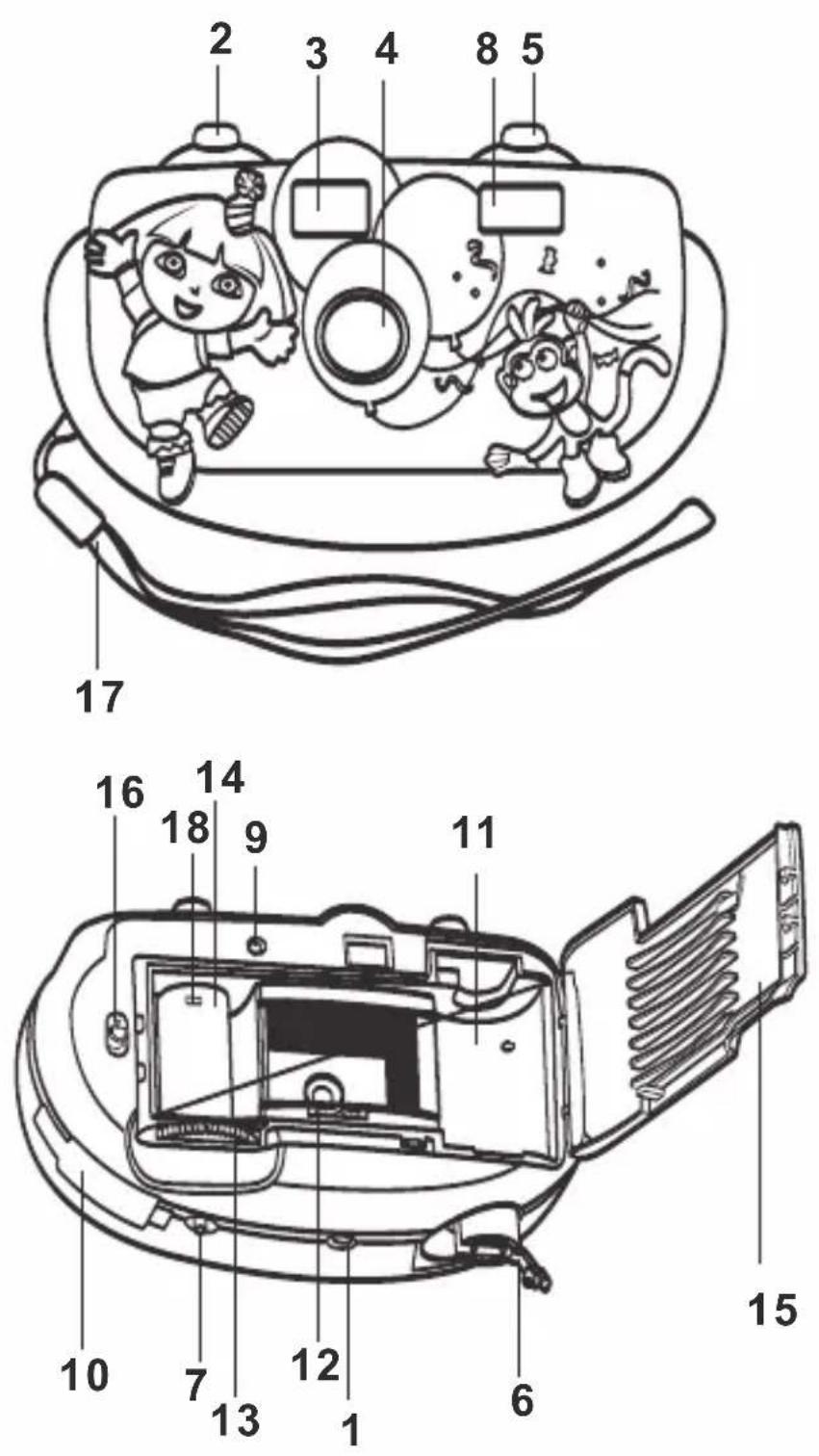
-
Film Counter
-
Shutter Release Button
-
Viewfinder Window
-
Lens
-
Flash Button
-
Film Rewind Crank
-
Film Rewind Button
-
Electronic Flash
-
Flash Ready Indicator
-
Battery Compartment Cover
-
Film Chamber
-
Film Sprocket Wheel
-
Film Advance Wheel
-
Film Take-up Spool
-
Back Cover
-
Back Cover Release
-
Hand Strap
-
Spool Hook
NOTE:
Throughout the manual, the controls are referred to by location number; i.e., on page 3, the Battery Compartment cover is listed as (10).
CAMERA CARE AND STORAGE
- When the camera is not in use, please remove the battery.
- Do not subject the camera to any shock or vibration.
- Never leave the camera in extreme high or low temperatures.
- Keep the camera in a cool and dry place, away from dust and chemicals.
- Unload the battery from the camera for extended storage.
INSTALLING THE BATTERY
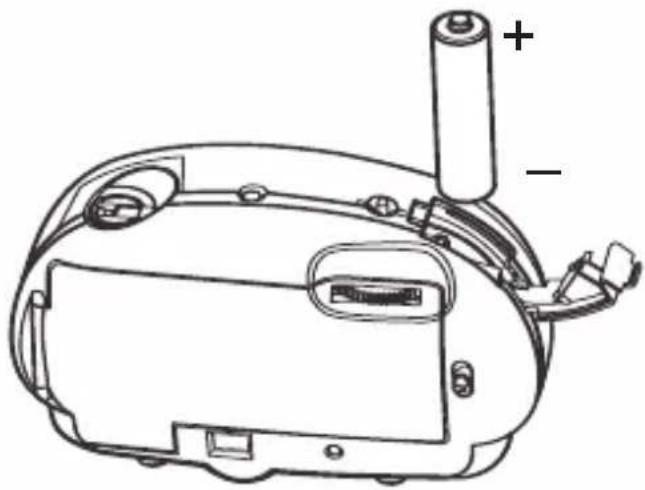
- Open the Battery Compartment cover (10) and insert one (1) AA battery into the compartment following the diagram in the compartment.
- Replace the Battery Compartment cover.
natural_image
Technical line drawing of a device casing with battery and adjustment knobs (no text or symbols)BATTERY PRECAUTIONS
* Replacement of batteries must be done by an adult.
* Do not mix old and new batteries.
* Do not mix alkaline, standard (carbon-zinc) or rechargeable (nickel-cadmium) batteries.
* The supply terminals are not to be short-circuited.
* Non-rechargeable batteries are not to be recharged.
* Exhausted batteries are to be removed.
* Only batteries of the equivalent type are to be used.
* Batteries are to be inserted with the correct polarity.
* Dispose of batteries properly.
Do not dispose of batteries in fire; batteries may explode or leak.
LOADING AND UNLOADING FILM
LOADING FILM
-
Push the Back Cover Release (16) to open the Back Cover (15); the Film Counter (1) will automatically reset to "S".
-
Insert standard 35mm film into the Film Chamber (11) by placing the film onto the Film Take-up Spool (14).
-
Turn the Film Advance Wheel (13), while making sure the film engages properly in the gear of the Film Sprocket Wheel (12).
-
Close the Back Cover (15).
-
Turn the Film Advance Wheel (13), then press the Shutter Release button (2).
-
Repeat step 5 until the Film Counter (1) indicates "1".

natural_image
Pure diagram of a rectangular object with internal lines and square markers, no text or symbols present.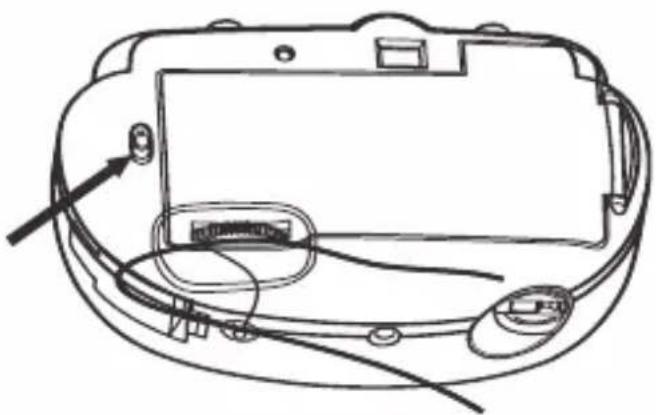
natural_image
Line drawing of a device casing with cable and connectors, no text or symbols presentUNLOADING FILM
-
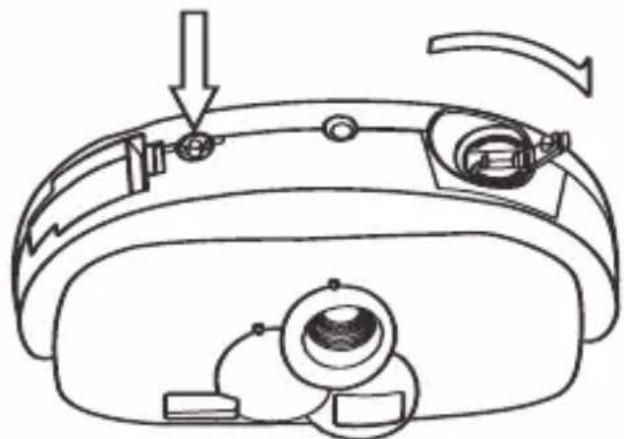
After taking the last picture, press and hold the Film Rewind button (7) on the bottom of the camera.
-
Lift the handle of the Film Rewind Crank (6) outward, then turn clockwise to rewind the film into the film case until no pressure is felt.
-
Push the Back Cover Release (16) to open the back cover (15), remove film and develop.
natural_image
Line drawing of a smart glasses headset with adjustment knobs and a circular lens (no text or symbols)TAKING PICTURES
-
To turn on the flash, press the Flash button (5) to the “” position; the Flash Ready indicator (9) will start blinking within a few seconds indicating you are ready to take a picture with the flash.
To turn off the flash, press the Flash button (5) to the opposite position; you are ready to take a picture without the flash. -
Press the Shutter Release button (2) to take a picture.
NOTE:
Never shoot the flash directly into the eyes of people or animals at close distance. It may cause serious injury.
SPECIFICATIONS
Camera Type ...35 mm focus camera with built-in electronic flash
Film Format......Film size 24 x 36mm (standard 35mm film)
Lens 25.3mm F/11 (1 element) lens
Focus distance ....1.0 meter to infinity focus
Viewfinder......Optical 2 element reverse Galilean viewfinder
Shutter speed 1/120 sec
Film Advance ....Manual thumb wheel system
Built-in Flash ......Ready light indication, recycle time
approximately 8 seconds with fresh alkaline battery
Battery....1 x "AA" 1.5 volt size alkaline battery
Dimensions 133 x 83 x 40mm
Range of flash shooting (ISO 100)....1.0m–1.2m
ISO 200....1.0m–1.7m
ISO 400....1.0m–2.2m

Emerson®
SERVICE
TO FIND THE LOCATION AND PHONE NUMBER OF YOUR NEAREST SERVICE CENTER PERMITTED TO PERFORM WARRANTY...
CALL TOLL FREE: 1-800-695-0098
FOR ADDITIONAL SET-UP OR OPERATING ASSISTANCE
PLEASE CALL:
1-800-898-9020
FOR CUSTOMER SERVICE, PLEASE WRITE TO:
Emerson Radio Corp.,
Consumer Affairs Dept.,
5101 Statesman Drive,
Irving, TX 75063.
EMERSON RADIO CORP. LIMITED WARRANTY
Emerson Radio Corp. warrants manufacturing defects in original material, including original parts and workmanship, under normal use and conditions, for a period of ninety (90) days from the date of original purchase in the U.S. With your dated proof of purchase, we will provide repair service at no charge for labor and parts at an authorized Depot Repair Facility, or replace the product in our discretion. For repair or replacement, pack your unit in a padded box, enclose your check or money order payable to Emerson Radio Corp. in the amount of \$9.00 (not required by California residents) to cover shipping and handling costs, and enclose a copy of your proof of purchase. Send your unit to:
Emerson Radio Corp. 5101 Statesman Drive Irving, TX 75063
This warranty does not cover damage from negligence, misuse, abuse, accident, failure to follow operating instructions, commercial use, rental, repairs by an unauthorized facility, or products purchased, used, serviced or damaged outside of the United States.
THIS WARRANTY GIVES YOU SPECIFIC LEGAL RIGHTS, AND YOU MAY ALSO HAVE OTHER RIGHTS WHICH VARY FROM STATE TO STATE.
AU898M
The serial number of your system is located on a label on the bottom cabinet. Please take a moment now to locate the serial number and write the number in the space provided below. You may be asked to provide this number when calling for product service.
Model Number: DTE622
Serial Number:

EMERSON
PART NO. 21-2086 Printed in China
508-01
Brand : Emerson
Model : DTE622
Category : Camera