
PGACLS83BLU - Musical instrument Pyle - Free user manual and instructions
Find the device manual for free PGACLS83BLU Pyle in PDF.


| Product Type | Acoustic Guitar |
| Brand | Pyle |
| Model | PGACLS83BLU |
| Body Style | Dreadnought |
| Top Material | Spruce |
| Back and Sides Material | Mahogany |
| Neck Material | Mahogany |
| Fretboard Material | Rosewood |
| Number of Frets | 20 |
| Scale Length | 25.5 inches |
| Overall Length | 41 inches |
| Body Width | 16 inches |
| Body Depth | 4-5 inches |
| Weight | 4.5 lbs (approx.) |
| Power Supply | Not required (acoustic) |
| String Material | Bronze wound |
| Number of Strings | 6 |
| Tuning Pegs | Die-cast sealed |
| Finish | Gloss polyurethane |
| Included Accessories | Guitar strap, tuning instructions |
| Care Instructions | Keep in a dry, temperature-controlled environment. Clean with a dry cloth. Avoid extreme humidity. |
| Safety Warning | Keep away from fire and excessive heat. Do not overtighten strings to avoid breakage. |
| Repairability | Replaceable strings, tuning pegs, and nut. Consult a professional for major repairs. |
| Warranty | 1 year limited (check manufacturer) |
Frequently Asked Questions - PGACLS83BLU Pyle
User questions about PGACLS83BLU Pyle
0 question about this device. Answer the ones you know or ask your own.
Ask a new question about this device
Download the instructions for your Musical instrument in PDF format for free! Find your manual PGACLS83BLU - Pyle and take your electronic device back in hand. On this page are published all the documents necessary for the use of your device. PGACLS83BLU by Pyle.
USER MANUAL PGACLS83BLU Pyle
natural_image
Acoustic guitar with wooden backrest against a warm-toned wall (no text or symbols visible)PYLE® GUITAR

natural_image
Abstract spiral logo with a central 'P' and concentric arcs on black background (no text or symbols)×☆*▼□*■* ◆○★▲** ★◆*▼□
Guitar Strap and Tuning in
Instructions Manual
Please take a few moments to read through this booklet.
In it you will find answers to many of your questions and other invaluable information about how to attach a guitar strap and how to tune a guitar.
Instructions:
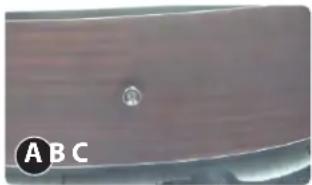
A. How to attach a guitar strap?
- Adjust your guitar strap to the correct size.
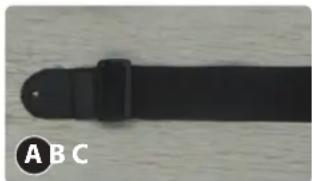
natural_image
Close-up of a black plastic belt with a circular label 'A B C' on the left (no other text or symbols visible)
natural_image
Close-up of hands holding a dark object on a white surface (no text or symbols visible)
natural_image
Close-up of a black belt with a circular inset showing a magnified view (no text or symbols visible)- Take the looped end of your string and thread it through the key hole on the front of your strap, tying a knot close to the hole.
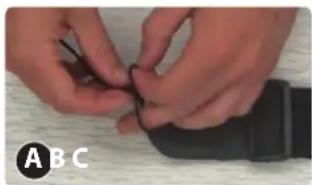
natural_image
Close-up of hands holding a black cable or wire on a wooden surface (no text or symbols visible)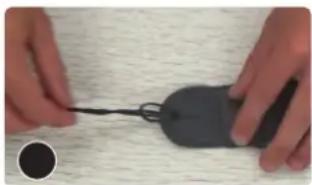
natural_image
Close-up of hands holding a black computer mouse with a string, on a textured surface (no text or symbols visible)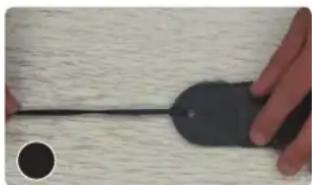
natural_image
Close-up of a hand holding a black computer mouse on a textured surface (no text or symbols visible)- Adjust your guitar strap to the correct size.
natural_image
Close-up of a wooden surface with a small circular mark and letter 'A' and 'B' label (no other text or symbols)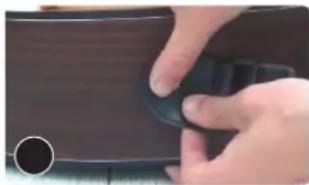
natural_image
Close-up of a hand pressing down on a dark brown surface with a circular mark (no text or symbols visible)
natural_image
Close-up of a dark mechanical component with a circular hole and a small circular inset (no visible text or symbols)- Run one side of the string through the headstock and tie a knot on the other side.
natural_image
Close-up of a hand forming a chord on a guitar fretboard (no text or symbols visible)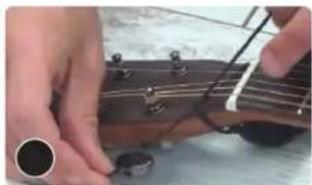
natural_image
Close-up of hands forming a guitar chord with strings and fretboard (no text or symbols visible)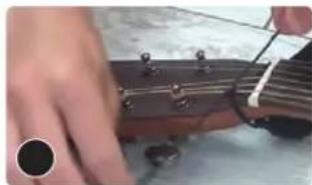
natural_image
Close-up of a hand pressing guitar strings on a wooden fretboard (no text or symbols visible)- Ready to Play now!

natural_image
Person wearing a black top and holding a guitar, viewed from behind (no text or symbols visible)
natural_image
Person playing acoustic guitar with strings, wearing a black shirt (no visible text or symbols)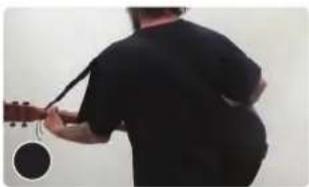
natural_image
Person playing a string instrument, viewed from behind (no text or symbols visible)B. How to tune a guitar (for first time user)
- Hold the strings down with your left hand while stretch the strings away from the body with your right. (image 1)
- Use some pressure to wiggle strings back and forth. You don't need to be gentle but make sure you don't pull too hard once you feel the string resisting or it can break. (image 2)

natural_image
Person playing acoustic guitar, no visible text or symbols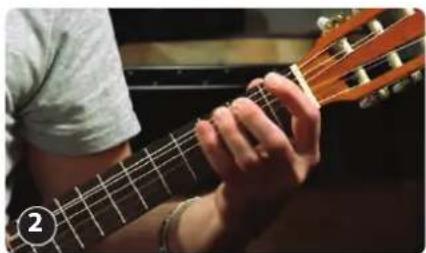
natural_image
Close-up of a person playing guitar with strings and fretboard (no visible text or symbols)BASIC RUNDOWN OF TUNING A GUITAR
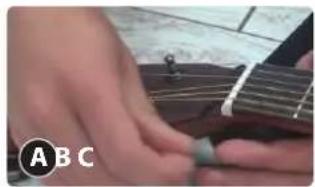
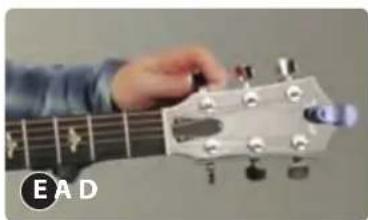
- Memorize what the strings are on the guitar. (E - Low version, A, D, G, B, E - High version) (image A, B)
- Look at the tuners of the guitar. (image C)


natural_image
Person playing acoustic guitar with strings and key (no visible text or symbols)
natural_image
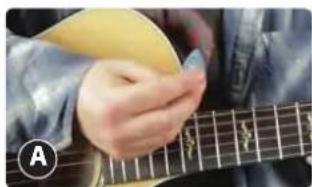
Close-up of a hand forming an acoustic guitar headstock (no text or symbols visible)- Pluck the string with a pick or if not with the pick then with your finger and when you move the tuner around, you can hear the pitch get lower. You can turn it the other way and tighten it and you hear the pitch get higher.
natural_image
Close-up of a hand playing acoustic guitar with fretboard (no visible text or symbols)
natural_image
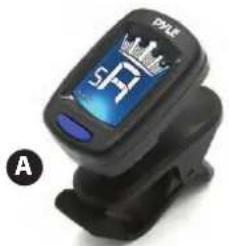
Person playing guitar with a hand and fretboard (no visible text or symbols)- You can also use clip-on tuners then put on the headstock because it reads the vibration off the guitar and tells what note it is or it's close to.
natural_image
Close-up of a black electronic device with a digital display showing 'SP' and 'A' (no readable text or symbols beyond the display)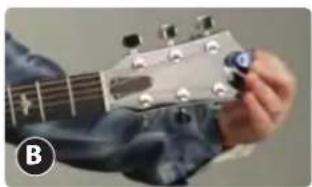
natural_image
Close-up of a hand playing guitar with a finger, showing fretboard and key (no text or symbols visible)- Move the needle of the tuner to get the right tune of the string. If the needle goes too far, bring it back down and even lower than the notes needs to be and then bring it back up until the needle hits the right tune of the strings.

natural_image
Person playing acoustic guitar with strings and keyboard (no visible text or symbols)- Once you've tuned all the strings, there's now more tension on the neck so you can tune all the strings again and then go back to the first string and fine tune it. Go through them all then play a chord which you may or may not know yet. This could be the first thing you're looking at.
natural_image
Close-up of a hand forming a chord on a guitar fretboard (no text or symbols visible)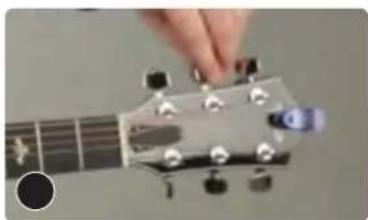
natural_image
Close-up of a hand pressing strings on a guitar headstock (no text or symbols visible)
natural_image
Close-up of a hand pressing guitar strings on the fretboard (no text or symbols visible)
natural_image
Close-up of a hand forming a GBE guitar chord on fretboard (no text or symbols visible)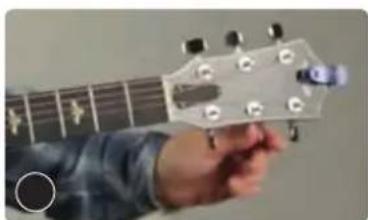
natural_image
Close-up of a hand forming an acoustic guitar headstock (no text or symbols visible)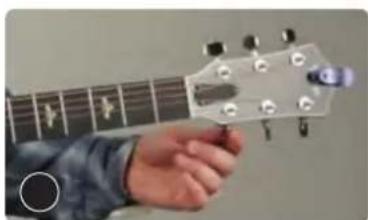
natural_image
Close-up of a hand forming a guitar headstock with tuning pegs (no text or symbols visible)PYLE® GUITAR
Questions? Issues?
We are here to help!
Phone: (1) 718-535-1800
Email: support@pyleusa.com
Brand : Pyle
Model : PGACLS83BLU
Category : Musical instrument