
PGACLS82.5 - Musical instrument Pyle - Free user manual and instructions
Find the device manual for free PGACLS82.5 Pyle in PDF.


| Product Type | 3/4 Scale Classic Guitar |
| Brand | Pyle |
| Model | PGACLS82.5 |
| Body Style | Traditional / Classic |
| Construction | Hand-Crafted Wooden with Protective Binding |
| Finish | High-Gloss Polished Body & Back |
| Rosette | Dyed Wood Design, Linden Laminate Finish |
| Scale Length | 22.83 inches (580 mm) |
| Total Length | 36 inches |
| Body Length | 17.32 inches (440 mm) |
| Neck Length (Nut to Body) | 18.5 inches (470 mm) |
| Headstock Material | Birch |
| Fretboard Material | Dyed Wood |
| Number of Frets | 18 |
| Body Material | Linden Wood |
| String Material | Nylon |
| Machine Heads | Chrome 3-in-Line |
| Included Accessories | Gig Bag, Picks, Strap, Digital Tuner, Cleaning Cloth, Spare Strings |
| Tuner Type | Clip-on Digital Tuner |
| Tuner Range | A0 - C8 (27.5 - 4186 Hz) |
| Tuner Response Time | <20 ms |
| Tuner Power | 1x CR2032 button cell (included) |
| Tuner Dimensions | 2.4 x 1.0 x 2.0 inches |
| Overall Dimensions | 35.83 x 13.39 x 3.35 inches |
| Recommended Use | Starter guitar for beginners and children |
| Safety Warning | Contains button cell battery; keep away from children |
| California Prop 65 | May expose chemicals known to cause cancer or birth defects |
Frequently Asked Questions - PGACLS82.5 Pyle
User questions about PGACLS82.5 Pyle
0 question about this device. Answer the ones you know or ask your own.
Ask a new question about this device
Download the instructions for your Musical instrument in PDF format for free! Find your manual PGACLS82.5 - Pyle and take your electronic device back in hand. On this page are published all the documents necessary for the use of your device. PGACLS82.5 by Pyle.
USER MANUAL PGACLS82.5 Pyle
Visit Our Website

SCAN ME
PyleUSA.com
36" -Inch 6-String Classic Guitar
USER GUIDE
Please take a few moments to read through this booklet.
In it you will find answers to many of your questions and other invaluable information about how to attach a guitar strap and how to tune a guitar.
Instructions
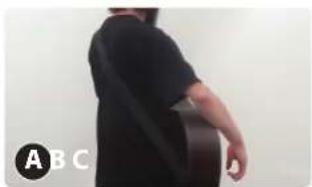
A. How to attach a guitar strap?
- Adjust your guitar strap to the correct size.

natural_image
Close-up of a black mechanical component with a circular label 'A B C' in the corner (no other text or symbols visible)
natural_image
Close-up of hands folding a dark object on a light surface (no text or symbols visible)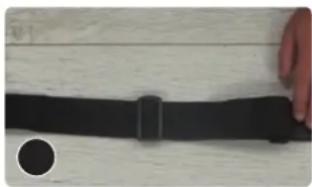
natural_image
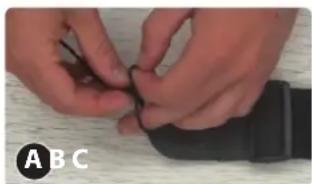
Close-up of a black horizontal bar with a circular mark on the left, placed on a wooden surface (no text or symbols visible)- Take the looped end of your string and thread it through the key hole on the front of your strap, tying a knot close to the hole.
natural_image
Close-up of hands holding a black cable or wire on a wooden surface (no text or symbols visible)
natural_image
Close-up of hands holding a black computer mouse with a cable, on a textured surface (no text or symbols visible)
natural_image
Close-up of a hand holding a black computer mouse on a wooden surface (no text or symbols visible)- Adjust your guitar strap to the correct size.

natural_image
Close-up of a textured surface with a small circular mark and label 'A B C' (no other text or symbols)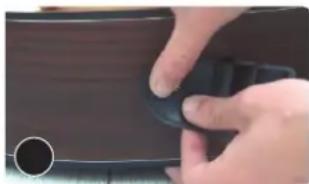
natural_image
Close-up of a hand holding a black circular object, possibly a device or tool, with no visible text or symbols.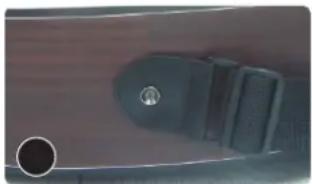
natural_image
Close-up of a black plastic bag with a circular hole and a small inset circle, against a textured brown background (no text or symbols visible)- Run one side of the string through the headstock and tie a knot on the other side.

natural_image
Close-up of a hand forming a chord on a guitar fretboard (no text or symbols visible)
natural_image
Close-up of hands forming a chord on an acoustic guitar fretboard (no text or symbols visible)
natural_image
Close-up of a hand pressing guitar strings on the fretboard (no text or symbols visible)- Ready to Play now!
natural_image
Person wearing a black top and holding a guitar, viewed from behind (no text or symbols visible)
natural_image
Person playing acoustic guitar, wearing a black T-shirt (no visible text or symbols)
natural_image
Person playing a string instrument, viewed from behind (no text or symbols visible)B. How to tune a guitar (for first time user)
- Hold the strings down with your left hand while stretch the strings away from the body with your right. (image 1)
- Use some pressure to wiggle strings back and forth. You don't need to be gentle but make sure you don't pull too hard once you feel the string resisting or it can break. (image 2)

natural_image
Person playing acoustic guitar in a studio setting (no visible text or symbols)
natural_image
Close-up of a person playing acoustic guitar with fretboard (no text or symbols visible)BASIC RUNDOWN OF TUNING A GUITAR
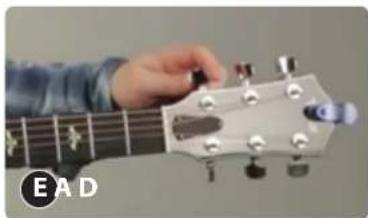
- Memorize what the strings are on the guitar. (E - Low version, A, D, G, B, E - High version) (image A, B)
- Look at the tuners of the guitar. (image C)


natural_image
Person playing acoustic guitar with visible fretboard and chord symbols (no text or labels)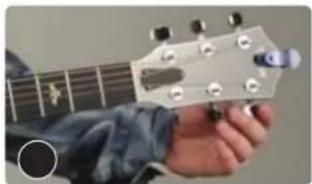
natural_image
Close-up of a hand forming a guitar headstock with fretboard (no text or symbols visible)- Pluck the string with a pick or if not with the pick then with your finger and when you move the tuner around, you can hear the pitch get lower. You can turn it the other way and tighten it and you hear the pitch get higher.

natural_image
Close-up of a hand playing acoustic guitar with fretboard (no visible text or symbols)
natural_image
Close-up of a person's hand pressing guitar strings on a fretboard (no text or symbols visible)- You can also use clip-on tuners then put on the headstock because it reads the vibration off the guitar and tells what note it is or it's close to.

natural_image
Close-up of a black analog compass with green indicator lights and a small clamp, labeled 'A' (no text or symbols on the device itself)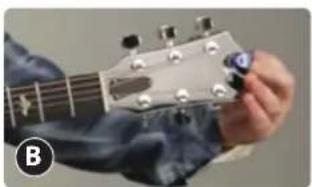
natural_image
Close-up of a hand forming a chord on a guitar fretboard (no text or symbols visible)▲WARNING
• INGESTION HAZARD: This product contains a button cell or coin battery.
• DEATH or serious injury can occur if ingested.
- A swallowed button cell or coin battery can cause Internal Chemical Burns in as little as 2 hours.
- KEEP new and used batteries OUT OF REACH of CHILDREN
- Seek immediate medical attention if a battery is suspected to be swallowed or inserted inside any part of the body.

- Move the needle of the tuner to get the right tune of the string. If the needle goes too far, bring it back down and even lower than the notes needs to be and then bring it back up until the needle hits the right tune of the strings.

natural_image
Person playing acoustic guitar with strings, no visible text or symbols- Once you've tuned all the strings, you can gently tug each string at the middle back and forth to help stretch it. When stretched the string will drop pitch and go out of tune. After stretching re-tune each string and repeat this process 6-8 times. This stretching process is only necessary for new strings and the instrument will hold better in tune after they are broken in.
natural_image
Close-up of a hand forming a chord on a guitar fretboard (no text or symbols visible)
natural_image
Close-up of a hand pressing guitar strings on the fretboard (no text or symbols visible)
natural_image
Close-up of a hand pressing guitar strings on the fretboard (no text or symbols visible)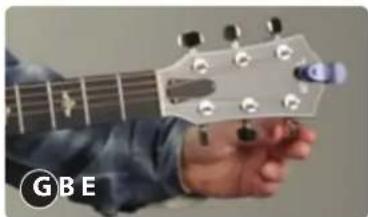
natural_image
Close-up of a person's hand forming a GBE guitar chord on the fretboard (no text or symbols visible)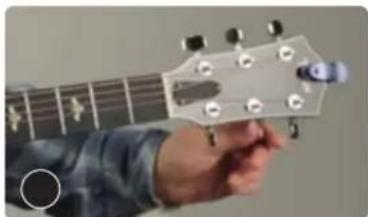
natural_image
Close-up of a hand forming a guitar headstock with visible tuning pegs (no text or symbols)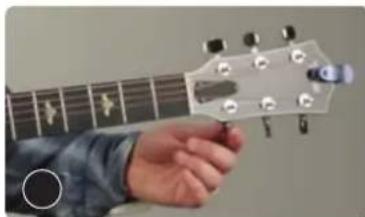
natural_image
Close-up of a hand forming a chord on a guitar fretboard (no text or symbols visible)Features:
• 3/4 Scale Size Guitar
• Traditional / Classic Body Style
• Hand-Crafted Wooden Construction
- Protective Binding
• High-Gloss Polished Body & Back
• Machine Head: Chrome 3-in-Line
• Dyed Wood Design, Rosette Linden Laminate Finish
- Starter Guitar Design Perfect for Beginners & Children
What's in the Box:
- Guitar
• Travel / Storage Guitar Gig Bag - Guitar Picks
- Detachable Guitar Shoulder Strap
• Digital Guitar Tuner - Cleaning Cloth
- Spare Guitar Strings
Digital Guitar Tuner:
- Convenient Clip-on Design
• Tuning Range: A0 - C8 (27.5 - 4186 Hz)
• Response Time: <20ms
• Used for Stringed Instruments: Guitars, Bass, Violins, Ukuleles - Battery Powered Tuner: Requires (1) x Button Cell (CR-2032), Included
- Tuner Size: 2.4" x 1.0" x 2.0" -inches

natural_image
Acoustic guitar with gradient orange-red body and visible fretboard (no text or symbols)Technical Specs:
• Total Guitar Length: 36" -inches
• Scale Length: 22.83" -inches (580mm)
• Total Body Length: 17.32" -inches (440mm)
• Total Neck Length (Nut to Body): 18.5" -inches (470mm)
• Headstock Material: Birch
- Fretboard/Fingerboard Material: Dyed wood
• Number of Frets: 18 Frets
• Guitar Body Material: Linden Wood
- Guitar String Material: Nylon String
• Total Guitar Dimensions (L x W x H): 35.83" x 13.39" x 3.35"-inches
California Prop 65 Warning

WARNING:
This product may expose you to chemicals, which is known to the state of California to cause cancer, birth defects and other reproductive harm. Do not ingest.
For more Info go to: www.P65warnings.ca.gov
Register Product
Thank you for choosing PyleUSA. By registering your product, you ensure that you receive the full benefits of our exclusive warranty and personalized customer support.
Complete the form to access expert support and to keep your PyleUSA purchase in perfect condition.
Start Here

Model Number: PGACLS82
PyleUSA.com/pages/register

natural_image
Abstract orange logo design with stylized letter 'P' and arrow-like shapes on black background (no text or symbols)
Questions or Comments
We are here to help!
Phone: 1.718.535.1800
PyleUSA.com/ContactUs
Brand : Pyle
Model : PGACLS82.5
Category : Musical instrument