
BPM 1.5 - Drum Machine MOTU - Free user manual and instructions
Find the device manual for free BPM 1.5 MOTU in PDF.


| Product Type | Rhythm Production Instrument (software) |
| Compatibility | Standalone and plug-in: MAS, VST, AAX, RTAS, Audio Units |
| System Requirements | Intel Core Duo 1.83 GHz or faster, 2 GB RAM (4 GB recommended), CD/DVD drive, Mac OS X 10.5.8+ or Windows 8/7/Vista (32/64-bit) |
| Sound Library | 19 GB core library, over 10,000 samples, 1,000 loops, Beat Box Anthology (80 legendary drum machines) |
| Sample Resolution | 24-bit, 96 kHz (on-the-fly sample rate conversion) |
| Polyphony | Up to 256 voices per pad (adjustable), virtually unlimited total |
| Banks | 4 independent banks (A, B, C, D), each with 16 pads |
| Racks | 2 rack modules for instruments, loops, and phrases (up to 64 MIDI channels) |
| Effects | Comprehensive: EQ, compressor, gate, filter, delay, reverb (convolution), phaser, chorus, drive, distortion, and more; unlimited inserts per pad/layer |
| MIDI Control | 64 MIDI channels (4 ports of 16), MIDI learn, Note Repeat, MIDI Select |
| Sampling | Quick sampling from external audio sources directly into pads |
| Grooves | Global groove application with preset grooves (MPC, LinnDrum, etc.) and custom grooves |
| Scene/Song Mode | 16 scenes, Song mode for arranging scenes, Live mode for real-time triggering |
| Export | Drag-and-drop audio export, export song as stereo WAV file |
| Copy Protection | Requires USB iLok Smart Key (sold separately) with licenses |
| Dimensions | N/A (software) |
| Weight | N/A (software) |
| Power | Computer power via USB (iLok connected to USB port) |
| Maintenance | Regular software updates from MOTU; keep hard drive free space for soundbanks |
| Safety | Use official iLok; do not copy or distribute software illegally |
| Spare Parts & Repairability | Software updates and technical support from MOTU (phone, online); register for support |
| General Information | Advanced urban rhythm production instrument; 266-page user manual included; supports collaboration across platforms (Mac/PC) |
Frequently Asked Questions - BPM 1.5 MOTU
User questions about BPM 1.5 MOTU
0 question about this device. Answer the ones you know or ask your own.
Ask a new question about this device
Download the instructions for your Drum Machine in PDF format for free! Find your manual BPM 1.5 - MOTU and take your electronic device back in hand. On this page are published all the documents necessary for the use of your device. BPM 1.5 by MOTU.
USER MANUAL BPM 1.5 MOTU
BEAT PRODUCTION MACHINE
User Guide
MOTI
About the Mark of the Unicorn License Agreement and Limited Warranty on Software
TO PERSONS WHO PURCHASE OR USE THIS PRODUCT: carefully read all the terms and conditions of the "click-wrap" license agreement presented to you when you install the software. Using the software or this documentation indicates your acceptance of the terms and conditions of that license agreement.
Mark of the Unicorn, Inc. ('MOTU') owns both this program and its documentation. Both the program and the documentation are protected under applicable copyright, trademark, and trade-secret laws. Your right to use the program and the documentation are limited to the terms and conditions described in the license agreement.
Reminder of the terms of your MOTU software license
This summary is not your license agreement, just a reminder of its terms. The actual license can be read and printed by running the installation program for the software. That license agreement is a contract, and clicking "Accept" binds you and MOTU to all its terms and conditions. In the event anything contained in this summary is incomplete or in conflict with the actual click-wrap license agreement, the terms of the click-wrap agreement prevail.
YOU MAY: (a) use the enclosed program on a single computer; (b) physically transfer the program from one computer to another provided that the program is used on only one computer at a time and that you remove any copies of the program from the computer from which the program is being transferred; (c) make copies of the program solely for backup purposes. You must reproduce and include the copyright notice on a label on any backup copy.
YOU MAY NOT: (a) distribute copies of the program or the documentation to others; (b) rent, lease or grant sublicenses or other rights to the program; (c) provide use of the program in a computer service business, network, time-sharing, multiple CPU or multiple user arrangement without the prior written consent of MOTU; (d) translate, adapt, reverse engineer, decomplete disassemble, or otherwise alter the program or related documentation without the prior written consent of MOTU.
MOTU warrants to the original licensee that the disk(s) on which the program is recorded be free from defects in materials and workmanship under normal use for a period of ninety (30) days from the date of purchase as evidenced by a copy of your receipt. If failure of the disk has resulted from accident, abuse or misapplication of the product, then MOTU shall have no responsibility to replace the disk(s) under this Limited Warranty. THIS LIMITED WARRANTY AND RIGHT OF REPLACEMENT IS IN LIEU OF AND YOU HEREBY WAIVE, ANY AND ALL OTHER WARRANTIES, BOTH EXPRESS AND IMPLIED, INCLUDING BUT NOT LIMITED TO WARRANTIES OF MERCHANTABILITY AND FITNESS FOR A PARTICULAR PURPOSE. THE LIABILITY OF MOTU PURSUANT TO
About the Ultimate Sound Bank License Agreement
DO NOT USE THIS PRODUCT UNTIL YOU HAVE READ THIS LICENSE AGREEMENT. BY USING THIS PRODUCT YOU ACCEPT THIS LICENSE AGREEMENT.
- License Grant, USB grants to you, subject to the following terms and conditions: a non-exclusive, nontranslational right to use each authorized copy of the enclosed product. The enclosed product is the property of USB and is licensed to you only for use as part of a musical performance. This licente expressly forbids resale or other distribution of these Sounds or their derivatives, either as they exist on disc, reformatted for use in another digital sampler, or mixed, combined, filtered, re synthesized or otherwise edited, for use as sounds, samples, multisamples, wavelets, programs or patches in a sampler, microchip or any hardware or software sample playback device. You cannot still them or give them away for use by others in their sampling or sample playback devices.
- Protection of Software. You agree to take all reasonable steps to protect this product and any accompanying documentation from unauthorized copying or use. You agree not to modify the enclosed product to circumvent any method or means adopted or implemented by USB to protect against or discourage the unlicensed use of copying of the enclosed product.
- Ownership. As between you and USB, ownership of, and title to, the enclosed digitally recorded sounds (including any copies) will be held by USB. Copies are provided to you only to enable you to exercise your rights under the license. Only this license is purchased by you.
- Term. This Agreement is effective from the date you open this package, and will remain in full force until termination. This Agreement will terminate if you break any of the terms or conditions of this Agreement. Upon termination you agree to destroy and return to USB all copies of this product and accompanying documentation.
- Restrictions. Except as expressly authorized in this Agreement, you may not rent, sell, lease, sublicense, distribute, transfer, copy, reproduce, display, modify or time share the enclosed product or documentation.
Update Policy
In order to be eligible to obtain updates of the program, you must complete and return to MOTU the Mark of the Unicom Purchaser Registration Card found at the beginning of the BPM User Guide.
Copyright Notice
Copyright © 2011, 2010, 2009 by Mark of the Unicorn, Inc. All rights reserved. No part of this publication may be reproduced, transmitted, transcribed, stored in a retrieval system, or translated into any human or computer language, in any form or by any means whatsoever, without express written permission of Mark of the Unicorn, Inc., 1280 Massachusetts Avenue, Cambridge, MA. 02138, U.S.A.
BPM, Digital Performer, MOTU, Mark of the Unicom and the unicom
Contents
5 Quick Reference
7 About BPM
11 Installation
15 Tutorial 1: QuickStart Guide
23 Tutorial 2: Building a Song
27 BPM Application
35 BPM Plug-in
49 BPM Window
109 Sound and Pattern Library
239 Effects
255 Troubleshooting
261 Index
Quick Reference

- The file menu provides commands for importing and exporting sounds, patterns, keys, and many other elements, including Performances, which are a "snapshot" of the entire BPM window.
- BPM, conveniently routes incoming MIDI data in the bank or part, you are worsening on, but you can also control where MIDI input goes.
-
BPM lets you sample external live audio signals, such as a microphone connected to your computer's audio interface, or audio track output from your host software. You can even sample directly into a pad.
-
Apply grooves globally to all EPM output, including all parts and loops. Many classic preset grooves are provided (NPC, LinnDrum, etc.) Save and apply your own, too.
- Master tune and volume.
- These tabs give you access to BPM's various main features, displayed to the left in the "virtual LCD display".
- These browser tabs give you direct access to BPM's extensive sound library, which includes kits, patterns, stops, samples and instruments.
-
The browser organizes BPM's sound library into stylistic categories. BPM
-
Most BFM presets indicate their original tempo (in beats per minute) in the name of the preset.
- When AutoLoad is enabled, items in the browser are loaded as soon as you click them. This makes for very fast, interactive browsing. The check box options let you control what gets loaded.
- This play/stop button lets you control AutoPreviewing in the browser. The pad matrix to the right lets you choose which pads get loaded (black) and which ones don't (gray) when auto loading a kit.
-
Quantize made for recording MDD
-
Each bank holds up to 16 patterns, one of which is active at a time.
- Build scenes and trigger them live or use them to build a song.
- Synth parameters for the currently selected bank part or rack part. Each one can have its own synth settings
- The bank pads are highly programmable, with unlimited sample layers and independent settings for volume, pan, FX, synth settings, etc.
- BPM provides four independent banks of 16 pads, which can all play simultaneously.
34 RPM nmalities ton ranks which hold
CHAPTER 1 About BPM
BPM is an advanced urban rhythm production instrument for Mac and Windows. RPM runs on Mac or Windows, either standalone or as an instrument plug-in for your favorite host software, including Digital Performer, Cubase, Live, Logic, Pro Tools, SONAR, and others via all major audio plug-in formats (MAS, VST, AAX, RTAS, and Audio Units).
Universal plug-in or standalone operation
As a standalone application, BPM turns your Mac or PC into a urban rhythm production powerhouse with 19 GB of all new, never before released sounds. Standalone operation also allows you to use BPM with music software applications that do not host third-party instrument plug-ins. Standalone operation is virtually identical to plugin operation, except for a few additional settings for audio/MIDI input and output.
As a plug-in, BPM can be used as a rhythm production center directly within your projects. You can save all BPM settings with the project for instant and total recall. Since all BPM settings are saved with your host application session, you enjoy the highest degree of convenience and speed because there is no separate application or associated documents to manage.
Collaborate across platforms
Because BPM supports every major audio production platform, you can effortlessly move
DP, Logic, or Cubase and then load it into BPM running in Pro Tools. All settings are exactly preserved, and BPM is ready to go.
Operation at a glance
BPM makes it easy to choose patterns and drum kits independently, and then mix and match them to quickly create your own unique beats simply by browsing the virtually infinite possible combinations. BPM displays all essential settings in one window, with a "virtual LCD screen" providing additional, contextual controls. Advanced settings are just one click away.
Included sounds, loops and instruments
To get you going right away, BPM provides hundreds of preset patterns and kits to choose from, built from an all-new 19 GB core sample library of never before released samples, loops, beats and multi-sample instruments. Included are over 10,000 individual samples and over 1,000 new loops — all recorded at 24-bit 96kHz resolution and mastered at Sterling Sound, New York by renowned urban mastering engineer Chris Gehringer. Included is Beat Box Anthology, a comprehensive collection of authentic sounds from 80 legendary drum machine models from the the 1970s, 80s, and 90s. From classic beat box to cutting-edge urban rhythms, you can use BPM's comprehensive selection of sounds for many musical styles, including R&B, hip hop, techno, electro, house, and even pop, rock and others.
24-bit 96kHz samples
BPM sampled sounds are provided in 24-bit 96kHz resolution. BPM also provides on-the-fly upsampling and downsampling, allowing you to play BPM sounds at any sample rate that your current project calls for, without the need for lengthy sample rate conversion operations.
Interactive browsing
Find and organize patterns and sounds with BPM's integrated browser and file management tools. BPM makes it easy to browse and locate exactly the sounds you are looking for. Quickly scan expandable folders to audition and select patterns, kits, kits+patterns, loops, individual drum samples and instrument presets. BPM plays — or even loads — items as you click them, so you can quickly find the right drum hit, loop or pattern. You can also drag and drop from the browser or desktop — including audio files, MIDI files and loops in all standard formats. BPM is designed to be live and interactive.
A complete rhythm production center
BPM is a powerful all-in-one rhythm instrument designed with smooth and seamless workflow in mind. Record individual samples or loops from any external source. Just click the Quick Sampling button to record directly into the currently selected drum pad. You can even record BPM's output back into itself. Mix and match multiple drum samples and drum synth sounds — even on the same pad via unlimited layers, where you can play them based on rules such as cycle, random or random cycle.
Building heats and kits
Each pad has dedicated solo, mute, gain and pan controls. Click the pad for more detailed controls, including velocity, fine/coarse tuning, fill, timeshift, filter cutoff, resonance, decay, and others. Each sample layer can be fine-tuned with its own amplitude envelope, filter, drive, aux sends, pitch envelope, and more. Plus, you can apply unlimited insert effects per layer and per pad.
If you need to edit the samples themselves, you can use the built-in waveform editor with fade in/out, normalize, silence, gain and more. RPM gives you unprecedented pin-point control within a beat production instrument.
Pattern programming with advanced features BPM's pattern programming feels so familiar, you can start using it right away. Use the independent step sequencer to program, record, overdub and quantize patterns interactively in real time from the on-screen pads. The Graph Sequencer produces ultra-dynamic expression for individual notes with just a few clicks. Or, record live from a MIDI keyboard or drum pad controller for that true, hands-on MPC-style experience with useful features such as Note Repeat, Record Undo, and MIDI Select. When you're done, you can apply grooves with independent control over timing and velocity. Choose among dozens of groove presets or create and apply your own. An advanced arpeggiator provides variations to your live or sequenced performance.
Are you a fan of the unique sound of the classic E-mu SP1200? BPM's exclusive SP Mode faithfully reproduces the edgy sound and beat box grit of this legendary rhythm machine.
up a scene. This is where you can add bass parts, rhythm guitar, audio phrases such as background vocals, breakbeat loops, and much more.
Loops and phrases
Just drag and drop to import any audio into a part, including REX files, Apple Loops, AIFF, WAV and all standard audio file formats. BPM will automat REX loop slices so you can work with them either as audio clips or individual MIDI-triggered slices. BPM time-stretches and grooves any audio file in real time with audio quality that sounds incredible, even at extreme tempos.
BPM provides a powerful set of tools for manipulating looped audio. Essential controls such as tempo, sync, audio drag and drop, MIDI mapping and MIDI drag and drop are accessed in the Loop Editor.
Multi-sample instruments
When it's time to add guitar, bass, keys, or other instrument sounds, BPM includes a great selection of instrument presets at your fingertips. Use BPM's familiar piano roll editor and pencil tool to sequence instrument parts, or record them live from up to 64 separate MIDI channels. Apply effects with unlimited effects slots per instrument part. The same goes for loops and phrases.
Compatibility with other UVI instruments
If you own another UVI-based instrument from MOTU, such as MachFive 2, Electric Keys, Ethno Instrument or Symphonic Instrument, you can load sounds from their libraries into BPM's two rack modules to incorporate them into your BPM rhythm productions.
Powerful synthesis engine
The central section of BPM window shows an amplitude envelope, filters, velocity response curves and LFO. These parameters let you carefully shape the sound of any individual sample, pad, loop or instrument. The award-winning UVI-Engine that powers BPM delivers virtually unlimited polyphony and ultra-low latency.
Complete mixing
Use BPM's graphic mixer to refine your mix with channel strips for all 64 pads, loops and instrument parts. BPM also provides stereo main outs plus 16 stereo aux channel outputs for sending sub-mixes to your host audio software.
Comprehensive effects processing
BPM provides the most comprehensive and flexible effects architecture ever devised in a rhythm instrument. You can apply professional quality effects at any point in the signal chain, from individual samples, pads, loops, and instruments, to entire drum kit banks, racks, aux returns and even BPM's master output.
You get dozens of effects, including EQ, compressor/gate, filter, delay, reverb, phaser, chorus, drive, distortion, reverb and many more.
Convolution reverb and real acoustic spaces
For the very best in reverb technology, BPM includes a convolution reverb processor to produce the most realistic acoustic spaces available. From directly in the BPM window, you can audition and choose plates, halls and authentic acoustic spaces, such as studio rooms, concert halls and cathedrals.
performance by clicking the on-screen pads or playing notes on your MIDI keyboard or controller — a unique and powerful performance feature.
Build an entire song in seconds by simply dragging and dropping multiple scenes and adjusting their length. Sync your song to your host audio software, or export the song as a stereo audio file.
BPM is complete beat production environment. BPM delivers the perfect balance of smooth operation, advanced features, fresh patterns and sounds, superb audio quality and across-the-board compatibility.
MIDI Remote Control
BPM and a drum pad controller give you a true beat box experience. Map hardware pads to BPM's sixteen on-screen pads and you are on your way. BPM includes template files that you can load into popular pad controller models to get going quickly. Or program your favorite MIDI keyboard to control BPM, both from the keyboard and any knobs, buttons, and sliders it may have. Then use BPM's MIDI Remote Control features to map additional controls such as knobs, buttons, and sliders.
CHAPTER 2 Installation
Thank you for purchasing BPM, the advanced urban rhythm instrument.
Package contents....11
Attention new users: an iLok is required.... 11
Preparing your iLok USB Smart Key.... 11
System requirements.... 12
Installation....13
Connect your iLok 14
Getting started 14
Familiarity with your computer 14
Please register your software.... 14
Visit motu.com for software updates 14
Technical support.... 14
PACKAGE CONTENTS
Your BPM package includes:
■ BPM installer CD-ROM disc
■ Two BPM soundbank DVD discs
■ One Beat Box Anthology soundbank DVD disc
■ BPM User Guide with tear-out registration card
ATTENTION NEW USERS: AN ILOK IS REQUIRED
If you are a new BPM user: this product requires an iLok Smart Key, a small USB device (sold separately) that holds the license for your MOTU software. Before you install and use your MOTU software, you must obtain an iLok, if you don't already have one.

natural_image
Two electronic devices labeled 'ILok 2' and 'ILok 1', showing different sizes and internal structures (no text or symbols on the devices themselves)Figure 2-1: BPM is compatible with iLok 1 and iLok 2 USB Smart Keys.
Do you already own an iLok?
You may already own an iI.ok if:
■ you upgraded from BPM 1.0
■ you own another MOTU instrument product
■ you own a 3rd-party product that uses iLok
If so, you can skip to "Preparing your iLok USB Smart Key".
Purchasing an iLok
If you do not already own an iLok, you can purchase one from your local music retail shop, an on-line music technology reseller, or iLok.com.
iLok compatibility
MOTU instrument products are compatible with iLok 1 or 2 (Figure 2-1).
PREPARING YOUR iLOK USB SMART KEY
BPM will not run unless it detects an iLok Smart Key plugged into any available USB port on your
package. Follow the instructions on the card to redeem each code and download the resulting two software licenses to your iLok.
BPM will not run without the downloaded BPM and Beat Box Anthology licenses in your iLok, so be sure to follow the important instructions on the card before proceeding to install and use BPM.
Managing iLok licenses
If you have multiple iLoks, you can consolidate all of your licenses onto a single iLok. Use iLok License Manager to move product licenses from one iLok to another, consolidate them onto one iLok, protect them from loss or damage, or otherwise manage your product license assets.
If you have further questions about your iLok, visit www.iLok.com, or contact MOTU Customer Service at +1 (617) 576-2760.
SYSTEM REQUIREMENTS
BPM 1.5.3 has the following minimum and recommended system requirements:
- Mac or PC with Intel Core Duo CPU 1.83 GHz or faster; multiple processors or a multi-core processor is required. Intel Core 2 Duo CPU 2.0 GHz or faster recommended. Macs with PowerPC CPUs are not supported.
■ 2 GB of RAM is required; 4 GB or more is highly recommended.
■ CD/DVD disc drive for installation.
■ Mac OS X version 10.5.8 or later, or Windows 8, 7 or Vista (32, or 64 bit Vista SD2 or later is
■ A digital audio workstation program or other program that hosts AU, VST, or RTAS instrument plug-ins. Alternatively, BPM can be used as a standalone application.
64-bit operation
For native 64-bit operation, BPM has the following additional requirements:
■ Mac OS X v10.6, Windows 8, or a 64-bit version of Windows 7 or Vista
■ 64-bit CPU
■ 64-bit plug-in host application, if using the 64-bit plug-in
Hard disk format
Due to the large size of BPM's factory soundbank UFS files, the disk containing the soundbank files must be able to support individual files larger than 4 GB. This is determined by the disk's file system format.
The default file system format for disk drives on Mac OS X and Windows are compatible with BPM's soundbank files:
■ Mac OS X: HFS+ (Mac OS Extended, journaled or unjournaled)
■ Windows: NTFS
The FAT32 format is not compatible with BPM's soundbank files, as it does not allow file sizes greater than 4 GB.
If you experience trouble copying the UFS files to your hard disk, refer to the troubleshooting chapter
INSTALLATION
Run the BPM installer
Run the BPM installer first before you copy the UFS soundbank files from the soundbank DVDs, as follows:
1 Insert the BPM Installer CD; or, if you have downloaded the BPM installer, locate the folder containing the download.
2 Double-click BPM Installer (Mac), Setup32.exe (Windows 32-bit), or Setup64.exe (Windows 64-bit).
3 Follow the directions the installer gives you.
Windows VST users: The BPM VST plug-in is installed in:
startup disk::Program Files\MOTUVstplugins
Point your host application to this folder, or copy the BPM.dll and BPMSampler.dll files to the Vstplugins folder of your choice.
Copy the UFS soundbank files to your hard drive
BPM version 1.5 includes two 8 GB (dual layer) soundbank DVDs that contain a total of 15 GB of drum samples, loops, phrases and multi-sampled instruments. These sounds are organized into two separate “UFS” soundbank files on these DVDs: BPM.ufs and BPM.ufs. Additionally, the Beat Box Anthology.ufs soundbank DVD contains another 4 GB of drum samples, loops, kits, and patterns.
Installing the BPM soundbank files To install the BPM.ufs and BPM.ufs1 soundbank
The term startup disk in the path names above is the name of your system hard drive (usually Macintosh HD or C).
Place the UFS files directly in this location. Alternatively, you can place the UFS files in another location (possibly on an external or second hard drive), create aliases (Mac OS X) or shortcuts (Windows) to them, and then place the aliases or shortcuts in this location.
If you create aliases or shortcuts, the names must be the same as their corresponding UFS files. If the alias or shortcut name includes the words alias or shortcut to, it will not work.
The BPM.ufs and BPM.ufs1 files must be placed in the same folder.
Installing the Beat Box Anthology soundbank file To install the Beat Box Anthology.ufssoundbank file, copy it from the Beat Box Anthology DVD to the following location:
Mac OS X
startup disk/Library/Application Support/UV|SoundBanks/
Windows
startup disk:\Program Files\UVISoundBanks\
Place the UFS files directly in this location, or create an alias or shortcut to the file in this location, as described for the BPM.ufs and BPM.ufs1 files.
Presets for hardware controllers
The BPM installer disc includes a folder of presets for popular hardware pad controller products, including the Akai MPD16, Akai MPD32, Korg
CONNECT YOUR ILOK
Connect your BPM USB iLok SmartKey to any available USB port.

natural_image
Close-up of a blue plastic tool with a metallic handle and metal casing (no visible text or symbols)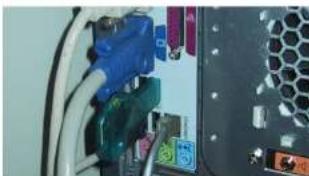
natural_image
Close-up of a computer drive showing cable, connectors, and ventilation slots (no visible text or symbols)Figure 2-2: BPM requires the USB II of SmartKey (included).
BPM will not run unless it detects that your iLok SmartKey is plugged into any available USB port on your computer.
If you wish to transfer the authorization in your BPM iLok to another iLok, or if you have questions about your iLok, visit www.ilok.com for further information, or contact MOTU Technical Support (as explained on page 259).
GETTING STARTED
Follow the directions in the next few chapters of this guide to successfully install and begin using BPM.
PLEASE REGISTER YOUR SOFTWARE
MOTU can only provide customer service and technical support to registered users. Therefore, it is important for you to register your software immediately after purchase.
To do so, visit www.motu.com/registration to register online. Or, fill out and mail in the registration card found at the beginning of the User Guide (leave the rest of the cardboard page in the manual for your future reference).
If you purchased an upgrade from an earlier version at motu.com, you are already registered and no further action is necessary.
VISIT MOTU.COM FOR SOFTWARE UPDATES
Software updates are periodically posted on our website, so check our web site for the latest updates at www.motu.com.
TECHNICAL SUPPORT
If you have questions, please review this manual carefully first. You can reach MOTU tech support as follows:
■24-hour online tech support database with search engine: www.motu.com
■ Online: www.motu.com/support
(9 a.m. - 6 p.m. Eastern)
■ Downloads: www.motu.com
CHAPTER 3 Tutorial 1: QuickStart Guide
Open BPM
1 After BPM installation, launch your audio sequencer or MIDI software.
2 Open BPM in the usual fashion, either as a standalone application or as a plug-in from within your audio sequencer.
Choose a kit+pattern
A pattern is a rhythm that can be applied to any kit. A kit is a collection of drum sounds assigned to BPM's sixteen drum pads. A kit+pattern is a combination of the two that BPM provides as a preset. All kit+pattern presets are also available as independent kit and pattern presets.
3 Click the Sequence Editor button (Figure 3-1) so you will be able to see the pattern that will be loaded.
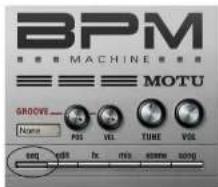
Figure 3-1: The Sequence Editor button.
4 Notice that the Sequence Editor is currently empty (Figure 3-2).

Figure 3-2: The empty Sequence Editor
5 Click the Kit+Pattern tab (Figure 3-3).
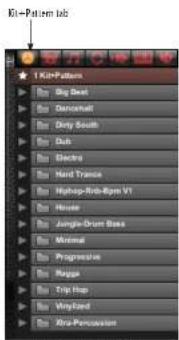
Figure 3-3: Browsing Kit+Pattern presets
If the browser is empty at this point, then BPM has lost the location of the BPM.ufs and/or BPM.ufs1 glass. Can "When I trust to access the
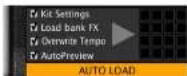
Figure 3.4: Make sure AutoLoad is enabled.
8 Click 076-Brick and Stick (Figure 3-5).
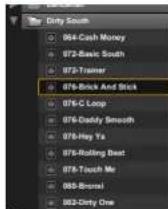
Figure 3-5: Loading the 'Brick And Stick' kit+pattern.
9 As soon as you click, the kit+pattern will load and you will see the notes in the Pattern Editor (Figure 3-6):
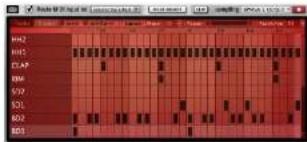
Figure 3-6: A pattern in the Sequence Editor.
Play the kit+pattern
10 If the kit + pattern is not playing, click the play button to hear it.
Check the audio output assignment
11 If you are running BPM as a plug-in inside your audio sequencer host, the BPM track has an audio output assignment. Make sure that it is assigned to the appropriate audio output in your system (the headphone outs, main outs, or whatever you are using for listening).
12 If you are running BPM as a standalone application, open the preferences (in the File menu) and click the Audio Device tab. Check the Output Device assignment and make sure the sample rate setting matches the setting on your audio hardware (or the built-in audio hardware of your computer, if that is what you are using).
If you don't hear anything
13 Check the audio output assignment for the track on which BPM is instantiated. Make sure it is assigned to your headphones, main speakers, or whatever you are listening to.
Try a different kit
BPM lets you choose kits and patterns independently so there are virtually unlimited possibilities. Let's keep the same pattern going, but try it with a different kit:
14 Click the Kits tab in the browser.
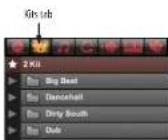
15 Open the Dancehall folder.
16 Click a few of the kits in the Dancehall folder to audition them. Notice that the pattern stays the same, but the drum sounds change as try different kits.
Try a different pattern
Once you find a kit that you like, let it play while you try different patterns with it.
17 Click the Patterns shortcut in the browser.
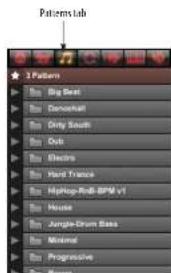
Figure 3.9: Patterns tab
18 Open the Hiphop-Rnb-Bpm V1 > Machine folder.
19 Click a few of the patterns in the Machine folder to audition them. Notice that the kit stays the same, but the pattern changes as try different patterns.
20 If you ever want to hear the "original" pattern that goes with a kit, or vice versa (the original kit
Replace a snare sound
As you've seen and heard so far, patterns and kits can be chosen independently. The same is true for individual drum pad sounds. For example, you might find a beat you like, but you might want to change the snare drum sound (or any other individual sound).
22 Make sure the pattern you are currently playing has a few snare drum 1 (SD1) hits. If not, you can add a few by clicking on the cells in the SD1 row in the pattern grid as shown below.
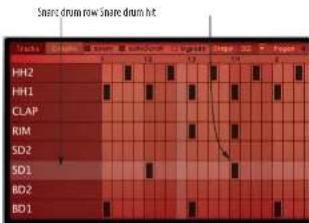
Figure 3-10: Snare drum hits in the pattern grid.
Click the SD1 pad in to select it.

Figure 3-11: The snare drum 1 pad.
23 Click the Sound tab in the browser.
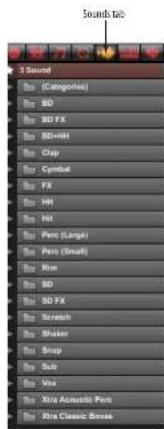
Figure 3.12: Sounds tab
24 Notice that individual sounds are organized by type (BD for bass drum, SD for snare drum, HH for hi hat, Clap, Shaker, etc.) In the (Categories) folder at the top of the list, the same sounds are organized by the same categories as the drum kits and patterns (Acoustic Mood, Beat City, etc.), so you can easily find an individual sound that is part of a Kit or Kit+Pattern.
25 Open the SD (Snare Drum) folder.
26 Click a few different snare sounds to audition
Add reverb to the snare
BPM lets you add effects processing to your beats in just about every way imaginable, from individual samples to your entire mix. Let's add a little reverb to your snare sound. For the purposes of this tutorial, it would be best to choose a snare sound that is fairly dry to begin with (there is not a lot of reverb on the original sample).
28 Make sure the SDJ pad is still selected (Figure 3-11 on page 17).
29 Click the Edit button.

Figure 3-13. Editing a drum pad.
30 You should now see a waveform display that represents the audio for the snare drum sample currently loaded into the SD1 pad. Click the FX button.
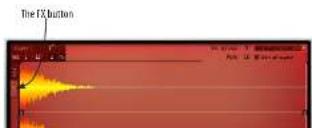
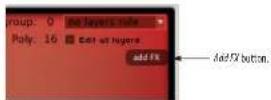
Figure 3-15: Adding an effect.
32 Choose a Simple Reverb, such as Jazz Club, as shown below.

Figure 3-16: Choosing a reverb.
33 If you don't hear the reverb very well, turn up the Mix parameter.
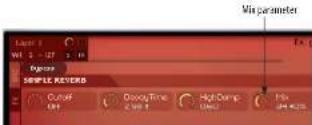
Figure 3-17: Adjusting the reverb mix.
Add a bass part
Now let's try recording in a bass line to go with your beat.
34 Switch from Bank A (the pattern and kit you are currently playing) to Rack A. These two racks are where you can add instruments like guitar and
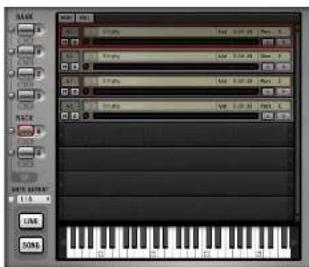
Figure 3-16: Click the Pack A button to switch to it.
35 Click the Instruments tab in the browser.
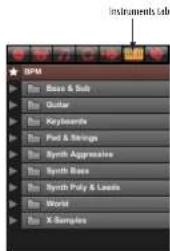
Figure 3-19: Instruments tab.
36 Open the Synth Bass folder.
37 Click DSP Bass. This loads the bass instrument sound into the first part.
38 Use the scroll arrow to the left of the small
Set up MIDI keyboard input to BPM
You could record the bass part by clicking on the on-screen keys with the mouse as you record them live, while the beat plays. However, for a bass part it might be more fun — and more musical — to record from your MIDI keyboard.
40 If you are running BPM as a plug-in inside your audio sequencer host, you'll see BPM as a virtual instrument destination for your MIDI controller. Set up your host software so that it sends live MIDI input from your controller to BPM.
41 If you are running BPM as a standalone application, open the Audio and MIDI Settings (in the File menu) and click the MIDI Devices tab.

Figure 3-20: Confirming that an available MIDI device is available for MIDI input.
42 Make sure that an available MIDI device connected to your system is chosen for MIDI Port A.
43 Set the Route MIDI input to menu to Selected Bank/Part and make sure the check box is checked, as shown below.

Figure 3-21: use these settings to route live MIDI input to the bass
Click anywhere on the bass part.
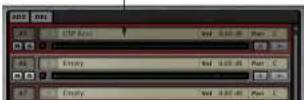
Figure 3-22: Selecting the bass part for MIDI recording.
Play the bass sound with your keyboard
controller
45 Try playing your MIDI controller. You should now hear the same bass sound you heard back in step 39.
46 If you hear it, you are ready to record the bass part.
If you don't hear anything
47 Check to see if the MIDI light for the bass part is blinking when you play notes on your MIDI controller. If it blinks, then MIDI is OK. If not, check your MIDI cables, connections and software settings again.
Recording a bass part
48 Press the play button (Figure 3-7 on page 16) to begin playing the drum loop again (if it is not already playing).
49 Switch back to the Sequence Editor, as shown in Figure 3-1 on page 15.
50 You'll see the playback wiper move across the note grid.
51 Use the scroll bar to the right of the note grid to scroll down to the C1 octave range so you can see

Figure 3-23: Scroll the empty note grid down to the C1 octave.
52 Press the red Record button to the right of the play button (Figure 3-7 on page 16) to engage recording. You'll hear a "blip" metronome sound when recording is engaged.
53 Wait for the wiper to come around to the beginning of the loop, and then play your bass part. For the purposes of this tutorial, play a bass line where the root note is C1.

Figure 3-24: The recorded bass part.
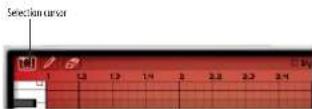
54 If you don't like what you played, use the selection cursor to select the notes and then hit the delete key to erase them. Then just record again.
Add a loop
BPM includes a large library of loops that you can freely mix and match with patterns, kits, instruments and other loops.
56 Back in the rack, click the empty part below the bass part to select it.
57 Click the Loops tab in the Browser.
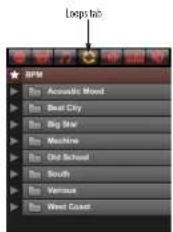
Figure 3-26: Loops tab.
58 Open the Various folder.
59 Open the 099-C-Martinik folder.
60 Click 099-Martinik DrmLoop.
61 Now let's add another loop. Click the empty part below the Martinik DrmLoop part to select it.
62 Click 099-C-Martinik Gtr+Vox.
Balance the parts in the mixer
BPM provides a complete mixing environment just a click away.
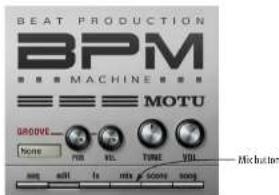
Figure 3-27: Opening the mixer.
64 Bring down the volume Part 2 (the drum loop) a little bit to settle it into the mix. Bring up Part 3 (the guitar and vocals) so you can hear them a little better.
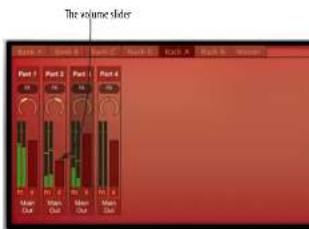
Figure 3-28: Mixing the parts.
65 To mix the individual elements of the Kit+Pattern that you currently have loaded in Bank A, click the Bank A button.

Export your mix
BPM provides many drag and drop tabs. To finish this tutorial, drag and drop the new mix to the desktop. Everything done so far is stored in Scene 1. A scene is a snapshot of the patterns and sequences loaded in each bank and rack.
66 To drag and drop Scene 1 to the desktop, press on the word SCENE above the scene menu and then drag to your computer desktop. There will be a short pause while BPM generates the audio, and then a WAVE file will appear on your desktop.

Figure 3-30: To export the current scene (in the Scene menu) as an audio file, drag the word 'SCENE' to your computer desktop.
Save a performance
A performance is a snapshot of all settings in BPM, including all scenes, plus all the kits, loops and instruments that might be loaded in the four banks and two racks, along with effects, mix settings — everything. Saving a performance at the end of a session is a good idea because it preserves all the work you have done in BPM in that session. You can save a performance to disk to archive it and share it with a colleague.
67 Choose Save Performance from the File menu in the BPM window, as shown below.

CHAPTER 4 Tutorial 2: Building a Song
Overview
The first tutorial focused on perfecting a single scene; this tutorial focuses on using multiple scenes to build a complete track entirely in BPM.
Scenes
A Scene is a snapshot of the patterns & sequences loaded in each bank & rack part. There are 16 scenes available in each instance of BPM.
Two important things to remember about scenes:
■ Only one scene is active at a given time.
■ The kits and instruments loaded in the Banks and Racks don't change when you change scenes — only the patterns/sequences change.
Scene Editor
The Scene Editor provides a simple display to show which patterns & sequences are assigned to each scene.
1 Click the Scene tab.

By default, each scene uses the patterns of the same number. That is, Scene 1 has pattern 1 loaded in each bank, Scene 2 has pattern 2 loaded in each bank, and so on. However, you can freely assign any pattern to any scene.

Figure 4.2: The Scene Editor.
In the Scene Editor, each bank and rack part has a column, and each scene has a row. The number shown at the intersection of a row and column is the pattern that will play for that bank/part in that scene. For example, if a 4 is shown at the intersection of Scene 3 and Bank C, that means Bank C's Pattern #4 will play during Scene 3.
To change the pattern in any cell, click it and choose the desired pattern from the pop-up menu.
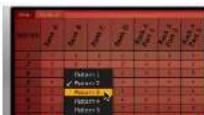
Loading the tutorial file
For this tutorial, you are going to load a performance that already has a few patterns programmed and assigned to a number of scenes.
Use the Load Performance command under the File menu to load the "Tutorial 2" performance file.
Song mode
In Song mode, scenes are placed end-to-end to create a sequential timeline.
2 To enable Song mode, press the Song button in the lower left corner.

Figure 4-4: The Song mode button.
Note that the pads have changed from BD1, BD2, etc. to Scene1, Scene2, etc.
Above the pads, you'll see the Song Editor, which is currently empty:

3 To add Scene1 to the song, click and drag the Scene1 pad to the Song Editor and drop it at bar 1.

Figure 4-6: Dragging Scene I Into the Song Editor
4 Scene1 is 4 bars long. Let's repeat it 2 times (ending at the beginning of bar 9).
When you hover the mouse near the right edge of Scene1, the cursor will change to the edge-edit cursor. Click and drag to stretch the Scene1 block to bar 9.
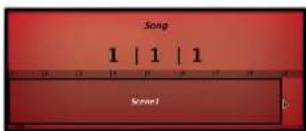
Figure 4-7: Stretching Scene1 to repeat it.
5 To zoom out to see more of the song, hover over the Song Editor timeline. When you see the hand cursor, click & drag upward to zoom out.
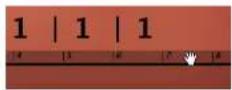

Figure 4-9: Building a song.
7 To hear the song, press Play: you'll see the playback wiper advance, as well as the playback position fields above the timeline.
If you're using BPM as a plug-in within a sequencer/DAW, the song playback position will follow the host.
8 To export the entire song as a new audio file, choose Export Song as Audio from the File menu.

Figure 4-10: Exporting a song
Live mode
Instead of planning out your scene changes in Song mode, you can trigger scenes on-the-fly using Live mode. In this mode, you change scenes using MIDI input (from a keyboard or a sequencer/DAW application) or by clicking on the 16 pads in the BPM user interface.
9 To enable Live mode, press the Live button in the lower left corner.

Figure 4-17: The Live mode button
As with Song mode, the pads are for Scene1, Scene2, etc.
10 Each scene is assigned a MIDI note chromatically beginning at C1: Scene 1 is triggered by C1, Scene 2 by C#1, and so on.
Play C1 on your MIDI controller keyboard: Scene 1 starts playing.
11 While Scene1 is playing, play C#1: Scene 2 plays.
12 Now click on the Scene3 pad: Scene 3 plays.
Sequencing Live mode from your host Live mode is also great for programming scene changes from your host sequencer. Since the scene changes are controlled by MIDI notes, you can insert MIDI notes in your host that can be cut, copied, pasted, repeated, etc. just like any other MIDI notes.
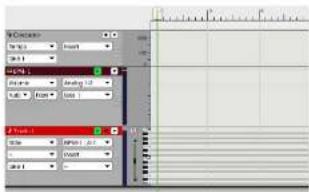
Figure 4-12: The BPM instrument and MIDI tracks
14 In BPM, load the "Tutorial 2" performance file in the same manner as before.
15 Open the Scene Editor and click on the Options tab. Change Latch to "False".

Figure 4-13: Turning off Latch mode
For details on Latch mode, see "Latch" on page 103.
16 Back in your sequencer, insert or record a CI from the beginning of bar 1 until bar 5.
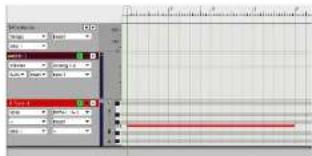
Figure 4-14: Inserting C1 to trigger Scene1
17 Insert a few more notes in the following measures, using C1, C#1, and D1.
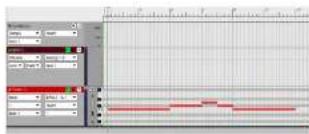
Figure 4-15. Inserting additional notes
18 Press Play in your host: as it reaches each MIDI note, BPM changes to the corresponding scene.
The next step
You're now ready to build your own songs with BPM. Keep reading for all of the details about BPM's powerful features.
CHAPTER 5 BPM Application
OVERVIEW
BPM is supplied in two forms:
■ As a standalone application
■ As a plug-in
This chapter explains how to use the BPM standalone application. For information about operating BPM as a plug-in, see chapter 6, "BPM Plug-in" (page 35).
Standalone operation 27
Managing latency with standalone operation ..... 30
Opening the standalone version.... 30
Audio and MIDI settings 31
Audio device tab....31
Routing tab 32
MIDI Devices tab.... 33
BPM can operate as a standalone instrument application, independent of a plug-in host, turning your Mac or PC into a streamlined urban rhythm production powerhouse. Standalone operation also allows you to:
■ play BPM from an external MIDI keyboard, pad controller or other MIDI controller, allowing you to use BPM as a live instrument
■ use BPM as a comprehensive rhythm instrument for an external MIDI sequencer or MIDI-capable music software running on another computer
These three scenarios are briefly described below. The rest of this chapter explains the settings in BPM necessary to establish MIDI and audio connections for these scenarios.
Playing BPM as a live instrument from MIDI controller
To play BPM as a live instrument from a MIDI controller, you need to route MIDI data from your controller to BPM via a MIDI interface connected to the computer, and then route the audio output from BPM to your computer's audio hardware, as shown below. The MIDI data triggers sounds in BPM, which then produces audio signal to be routed to your headphones or speakers in your studio:

flowchart
graph TD
    A[" MIDI keyboard or controller "] -->|MIDI data| B[" BPM running on a computer "]
    B --> C[" BPM audio output from the computer "]
Figure S-1: The flow of MIDI data and audio signal when playing BPM as a live instrument.
MIDI connections
■ A MIDI-equipped keyboard connected to a USB MDI interface, or to an audio interface that doubles as a MIDI interface, via a standard MIDI cable
Audio connections
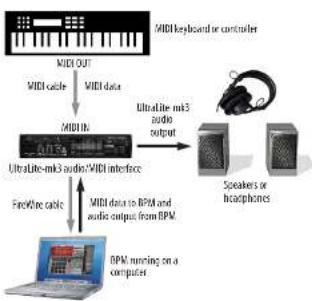
There are many ways to play audio from your computer. The simplest method is to use the computer's built-in audio capabilities. You can also use a third-party audio interface. A perfect example is the MOTU Ultral.itc-mk3, an affordable, bus-powered FireWire audio interface that also provides MIDI input and output, as shown below:
flowchart
graph TD
    A["MIDI OUT"] --> B["MIDI cable"]
    B --> C["MIDI data"]
    C --> D["MIDI IN"]
    D --> E["UltraLite-mi3 audio/WIDI interface"]
    E --> F["FireWire cable"]
    F --> G["MIDI data to RPM and audio output from RPM"]
    G --> H["BPM nursing on a computer"]
    H --> I["Speaker or headphones"]
    I --> J["Speaker's microphone"]
    J --> K["Audio output"]
    K --> L["MIDI keyboard or controller"]
Figure 5-2: An example setup for standalone operation using a MOTU UltraLite-mk3 audio interface. In this example, the UltraLite-mk3 is also handling MIDI data transmission from the keyboard controller to the computer and BPM.
Using BPM as a sound source for music software running on another computer
When running as a standalone application on a computer by itself, BPM can serve as a sound source for MIDI equipped music software, such as
performance of your audio sequencer, notation program or other MIDI authoring software running on your main computer.
The disadvantage to this setup is that you must manage the operational overhead of two (or more) computers. For example, you will need to save BPM settings on the satellite computer in a way that lets you easily cross-reference them to the corresponding file or project for your authoring software on your main computer. If you prefer to save BPM settings directly in your host authorizing software, you are better off running BPM as a plug-in. But if processing resources are at a premium, and you have an extra computer on which to run BPM, this "satellite" computing scenario can be very beneficial.
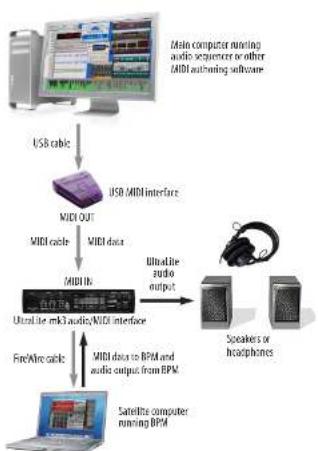
The setup for running BPM on a satellite computer is similar to the live keyboard scenario described in the previous section, except that audio sequencer software or other authoring software running on your main computer serves as the source of MIDI data being sent to BPM running on the satellite computer, as demonstrated in Figure 5-3. MIDI data is transmitted from the host computer via a FastLane MIDI interface and MIDI cable to the Ultralite-mk3 audio/MIDI interface connected to the laptop running BPM.
flowchart
graph TD
    A["Main computer running audio sequence or other MIDI authoring software"] --> B["USB cable"]
    B --> C["USB MIDI interface"]
    C --> D["MIDI OUT"]
    D --> E["MIDI cable"]
    E --> F["MIDI data"]
    F --> G["MIDI in"]
    G --> H["Ultrafine mk3 audio/MIDI interface"]
    H --> I["FreeWire cable"]
    I --> J["MIDI data to BPM and audio output from BPM"]
    J --> K["Speakers or headphones"]
    K --> L["Satellite computer running BPM"]
Figure 5-3: An example setup for standalone operation using a MOTU Ultralite-mk3 audio interface. In this example, the Ultralite-mk3 is also handling MIDI data transmission from the keyboard controller to the computer and BPM.
The example setup shown in Figure 5-3 shows one satellite computer. But you can use this same basic idea for two or more satellite computers, each running virtual instruments as well. For multiple satellite computer setups, you may also want to consider using just one or two computer monitors connected to a computer monitor switcher. These devices, available from your favorite computer supplies retailer, allow you operate multiple computers from the same screen, keyboard and
Running BPM standalone on the same computer as your host software
If you are planning to run BPM on the same computer as your audio sequencer, notation program or other MIDI authoring software, it will be most convenient for you to run BPM as a plug in inside your host software.
If, however, your authoring software does not have the ability to host instrument plug ins, it is possible that you might be able to run BPM in standalone mode and trigger BPM sounds from your host software using inter-application MIDI transmission, if your host software supports this feature. Inter-application MIDI transmission is when one program sends MIDI data to another program that is running at the same time. In essence, both programs are running side by side as standalone applications, and they pass MIDI data (and perhaps even audio streams) between each other.
Inter-application MIDI
On the Mac, inter-application MIDI functionality is supported by the Mac operating system (OS) itself, and many current music software packages support the Mac OS's inter-application features. Consult your host software documentation for details. On the Mac, you can set up a compatible host application to publish a virtual MIDI device (stream), which then appears in BPM's MIDI Device tab menus.
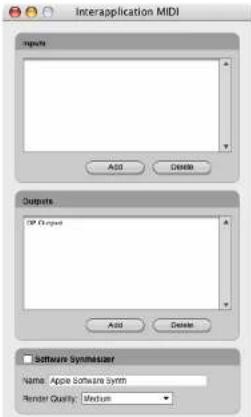
Figure 5-4: An example of the inter-application MIDI feature in a host program. This window in Digital Performer (Setup menu > inter-application MIDI lets you create a 'Virtual' MIDI output device (stream) from Digital Performer, as shown in this example by the name 'DP Output'. You can then choose this a virtual MIDI device (source) from within SPM (running standalone, not as a plug-in). If you then play a MIDI track to the MIDI channels on this virtual output device, they will trigger parts in BPM that are assigned to receive those same MIDI channels.
On Windows, there are third-party utilities available for Windows, such as LoopBe or MIDI Yoke, that allow MIDI programs to transmit MIDI data to each other.
Inter-application audio
The audio output from BPM can either play directly to your audio interface hardware connected (via the settings described later in this chapter), or you can use third-party downloadable utilities (such as Cycling 74's Sound Flower utility for Mac OS or other similar downloadable 3rd-party audio utility) to route BPM's audio output back into your host audio sequencer application (or any other audio software running on the same computer).
Latency is the time it takes for MIDI data from your controller to reach BPM and then for BPM to respond to it and produce sound. See "Managing latency" on page 36, which discusses ways to manage latency that apply to both plug-in operation and standalone operation.
OPENING THE STANDALONE VERSION
On the Mac, the standalone version of BPM can be found in your Applications folder. On Windows, it can be found under the Start menu> Programs>MOTU.
Standalone operation is identical to plug-in operation as described in chapter 7, "BPM Window" (page 49), with the exception of the additional standalone settings described in this chapter.
AUDIO AND MIDI SETTINGS
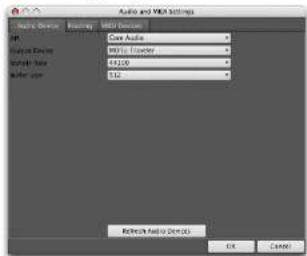
The standalone version of BPM has a few basic settings that can be found in File menu> Audio and MIDI Settings:
Audio and MIDI settings (Mac OS X)
Audio and MIDI settings (Windows)
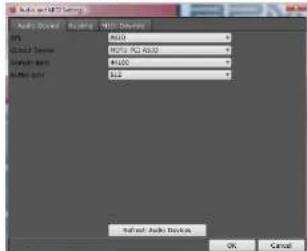
Figure 5-5: The standalone version Audio and MIDI settings.
AUDIO DEVICE TAB
The Audio Device tab settings (Figure 5-5) let you make several audio hardware device settings.
API
Choose the desired audio driver for the audio interface you are using for BPM. For Mac OS X, this will almost always be set to Core Audio. If your Windows audio device provides both MME and ASIO driver support, you are free to choose either driver for BPM, but ASIO is recommended.
Output device
Choose the desired audio hardware from the Output Device menu (Figure 5-5). For example, you could choose your computer's built-in audio hardware. If you have a third party audio interface installed or connected, and you do not see it in the menu, be sure that you have correctly installed its driver and that it is otherwise functioning properly, independently of BPM. For example, can you access the hardware from the system software (Mac OS or Windows) and other audio applications?
Sample Rate
Choose the desired Sample Rate (Figure 3-5) for playback. The choices in this menu are provided by your audio hardware driver, and the setting you choose here is the sample rate your hardware will be set to: 44.1 kHz is the standard rate for audio compact discs. BPM samples are all provided in 24-bit resolution at 96 kHz, but if you choose to operate at a different sample rate, they are sample-rate converted on the fly to match the rate you've chosen.
Buffer size (Mac)
ASIO Config (Windows only)
Click the ASIO config button to open the ASIO driver configuration window. Consult your audio hardware documentation for details about the settings in this window for configuring your hardware's ASIO driver.
Refresh Audio Devices
If you make changes to your audio device configuration (outside of BPM), click the Refresh Audio Devices button (Figure 5-5) to see those changes reflected in the BPM Audio Devices tab.
ROUTING TAB
The standalone version of BPM provides 17 independent stereo outputs (a main out pair, plus 16 additional separate output pairs numbered 2 through 17) to which you can freely assign each part (instrument), as explained in "Outputs" on page 98.
The Routings tab (Figure 5-6) provides a way for you to map each BPM output to a physical output connector on your audio hardware. For example, you might map the BPM's "Main Out Left/Right" output pair to the headphone output of your audio interface.
The connectors you see in the Physical Output menus (Figure 5-6) are provided by your hardware and its software driver. If you do not see the desired hardware device outputs in the menus, he sure that you have correctly installed its driver and that it is otherwise functioning properly, independently of BPM. For example, can you access the hardware from the system software (Mac OS X or Windows) and other audio applications?
Routing (Mac OS A)
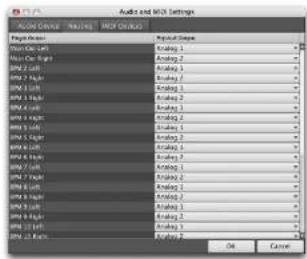
Routing [Windows]
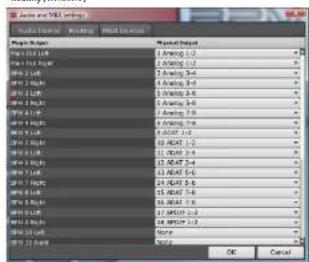
Figure 5-6: Mapping standalone version outputs to the physical connectors on your audio hardware.
MIDI DEVICES TAB
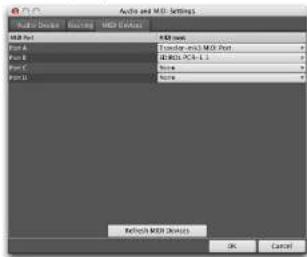
The MIDI Devices tab (Figure 5-7) lets you configure how external MIDI sources are mapped to BPM's 64 MIDI channels (four ports of 16 channels each).
MIDI Devices (Mar OS X)
(AIDI Devices (Windows)

Figure 5-7: MIDI devices.
As defined by the MIDI amplification, MIDI
This means that there is no such thing as MIDI channel 17, 18, 19, etc. So how does BPM provide 64 MIDI channels? The answer is by dividing them into four ports of 16 channels each: Port A, Port B, Port C and Port D. Each port represents one MIDI cable — or MIDI port on a MIDI interface. The MIDI Devices tab (Figure 5-7) lets you map external MIDI sources to each port. These sources could be any of the following:
■ A MIDI IN port on a MIDI interface that is connected to the computer
■ A "virtual" MIDI cable from MIDI software running concurrently with BPM (such as Digital Performer)
■ A USB MIDI controller (a keyboard controller that is connected directly to the computer via a USB cable)
■ An audio interface that also supplies one or more MIDI IN ports (such as the MOTU 828mk3 or Traveler-mk3)
When any of these devices are "on line" (that is, they are connected to your computer with their drivers properly installed — or in the case of MIDI software programs, they are running simultaneously with BPM), they will display their available MIDI ports in the four MIDI port menus shown in Figure 5-7.
You can choose any source you wish for each port. If you choose the same source for two or more port, just be aware that you will trigger the same MIDI channel on both port. For example, if you assign your controller to both Port A and Port B, and it
Refresh MIDI Devices
If you make changes to your MIDI device
configuration (outside of BPM), click the Refresh
MIDI Devices button to see those changes reflected
in the BPM MIDI Devices tab.
CHAPTER 6 BPM Plug-in
OVERVIEW
BPM is supplied in two forms:
■ As a standalone application
■ As a plug-in
This chapter provides basic setup and operation instructions for each supported plug-in format, with specific explanations for a variety of popular host audio software applications. After reading the first two sections (for all users), turn to the section that applies to you.
For information about operating the standalone application, see chapter 5, "BPM Application" (page 27).
When operating BPM as a plug-in inside a host audio program, you can open — or instantiate — BPM on two or more tracks at a time. Each independently operating BPM is referred to as an instance of BPM. For example, you could say that it is possible to open multiple instances of BPM in a project. Each one opens as a separate window and operates independently.
For all users
Conserving CPU resources....36
Managing latency....36
MAS
Digital Performer (Mac OS X) 38
AAX/RTAS
Pro Tools (Mac & Windows)....39
Audio Units
Logic (Mac OS X) 41
Other Audio Unit hosts (Mac OS X) 42
VST
Cubase and Nuendo (Mac & Windows)....43
Live (Mac & Windows) 46
Other VST hosts (Mac & Windows) 47
CONSERVING CPU RESOURCES
Regardless of your host application, BPM provides several settings that are crucial for managing your computer's precious processing (CPU) resources. Another setting, generally referred to as hardware buffer size, can also dramatically impact BPM performance. This last setting is not in BPM; instead, you'll find it either in your host application or in your audio hardware driver configuration settings.
The Polyphony setting
The Polyphony setting (see "Pad polyphony" on page 65) lets you control the maximum allowed number of stereo notes that can be played simultaneous by an individual pad. The upper limit is 256. This setting can be adjusted separately for each pad. Keep it as low as possible to conserve CPU bandwidth.
Here are three ways you can optimize BPM performance:
- The filter requires processing bandwidth, so disable the filter (click the Off button) when not using it.
- Long envelope times can increase the polyphony count — without being obvious. Make sure your amplitude envelope is set as short as necessary. For details, see "Amplitude Envelope" on page 87.
- BPM's effects will increase the CPU load. Reverb is the most CPU-intensive effect, particularly the convolution (IR) reverb.
Hardware buffer size
A crucial setting for managing your system's
software. For other Windows applications, such as Cubase and Pro Tools, it is managed by the audio hardware driver and is usually found in the driver configuration software for your audio hardware. In general, settings of 256, 128 or 64 samples produce better latency performance. But lower settings place higher demand on your computer's processor.
MANAGING LATENCY
Latency is a term used to refer to the very small delay that can occur between when a MIDI note is played and the resulting BPM sound is triggered. The discussion below explains how to best reduce — and in some cases completely eliminate — latency. However, regardless of which host application you use, there are two general situations that you should be aware of in which latency may be an issue:
■During live MIDI input
■During MIDI track playback
Live MIDI input
Live input latency can occur when you play your MIDI controller to trigger sounds "live" in BPM, as demonstrated below in Figure 6-1. The most important setting to control live input latency, regardless of your host application, is the "Hardware buffer size" on page 36. Lower hardware buffer settings (512 samples or below) make live input latency almost inaudible. The lower the setting, the more accurate live playing will feel. However, lower settings place higher demand on the computer, so if you are placing high demands on BPM, you may not want to go much
It is important to note that live input latency has no effect whatsoever on the accuracy with which the MIDI data is recorded. This is only a monitoring issue (i.e. what you hear when you play live).
MIDI track playback
MIDI sequencers store streams of MIDI data in their tracks. When you play back the sequence, this MIDI data is sent to BPM (and other MIDI instruments) to trigger sounds. The question is: how much time elapses between when a MIDI data event is played from the track and when BPM plays the sample being triggered? This period of time, if any, could be referred to as MIDI playback latency.
The latest versions of the host applications described in this chapter all have ways to completely eliminate MIDI playback latency for virtual instruments like BPM: their MIDI track playback is extremely accurate — even sample-accurate in some cases. (Host applications either send the MIDI data a little early or cue up BPM's audio playback a little early so that it plays exactly when the MIDI note plays.) For a few host applications, however, this period of time is affected by the "Hardware buffer size" on page 36: the higher the buffer size, the longer the playback latency. The following sections explain which applications are affected by this setting with regard to MIDI track playback. As with live input latency, lower buffer settings result in more accurate playback, but at the expense of increased processing load on your computer.

flowchart
graph LR
    A["MIDI Controller"] -->|MIDI or USB Cable| B["BPM"]
    B --> C["BPM audio output"]
DIGITAL PERFORMER (MAC OS X)
For Digital Performer, BPM operates as a standard MAS instrument plug-in. Alternatively, you may use BPM as an Audio Unit (AU) instrument; the process is the same as described for MAS.
For complete details about running instrument plug-ins in Digital Performer, refer to your DP documentation. Here is a brief overview of how to use BPM in DP.
Installation for DP
BPM Installer places BPM plug-in in the MAS plug-ins folder:
/Library/Audio/Plug-ins/MAS/
Calling up BPM on an instrument track
BPM is accessed from an instrument track in Digital Performer's Mixing Board. To create a new instrument track with BPM already instantiated on it, choose Project menu> Add Track> Instrument Track> RPM. To instantiate BPM on an existing instrument track, just choose it from the topmost insert menu.
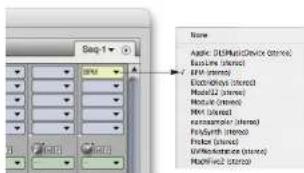
Figure 6-2: Opening BPM on an instrument track in Digital Performer.
Using BPM in a V-rack
If you are working with multiple sequences in a Digital Performer project document, and the sequences are making use of the same sounds in BPM, consider instantiating BPM in a V-rack. By doing so, you will only have to instantiate BPM once, in the V-rack, instead of multiple times in each individual sequence. This is a much more highly efficient way to work, as it speeds up the time it takes for the project to open and the amount of time to switch between sequences. It also takes up much less computer memory.
Initiating BPM operation
Before you can begin using BPM, you need to load a kit into a bank or load at least one instrument or loop into a rack. For details, see chapter 3, "Tutorial 1: QuickStart Guide" (page 15).
Specifying audio output
By default, BPM sends the output of all banks and parts to the audio output assignment of the instrument track on which it is instantiated. But it also supplies multiple independent outputs that let you send parts to different destinations in the Digital Performer mixing environment, including the separate outputs on your audio hardware. For details, see "Outputs" on page 98.

Working with multiple instances of PDM
Digital Performer. (Each instance of BPM publishes its own set of 64 channels.) These MIDI channels appear in the output assignment menus of DP's MIDI tracks.
BPM must be instantiated in the project before you'll see its MIDI channels displayed in the MIDI output menus in DP.
To send MIDI data from a DP track to a specific BPM bank or rack part, assign the MIDI track to the corresponding BPM MIDI channel for the bank or part. BPM banks A, B, C, and D respond to MIDI channels A1 through A4, respectively. The first part in Rack A defaults to MIDI channel A5, but rack parts can be assigned to any MIDI input channel you wish. For further important details about MIDI channel assignments in BPM, see "MIDI channel" on page 71).
Near sample-accurate MIDI playback
In regard to "Managing latency" on page 36, DP's MIDI track playback (the timing between MIDI tracks in Digital Performer and the audio being triggered in BPM) is accurate to within one sample. In other words, BPM audio will never trigger more than one sample earlier or later than the exact sample location prescribed by the MIDI data event triggering the sample. This is because both DP and BPM take advantage of Mac OS X's MIDI timestamping features. This allows DP to accurately pre-cue MIDI data for playback. BPM plays back in DP with the tightest timing possible.
Reducing live input latency
In regard to "Managing latency" on page 36, you can minimize live input latency with BPM by
PRO TOOLS (MAC & WINDOWS)
BPM operates as a standard AAX or RTAS plug-in. For complete details about running AAX or RTAS plug-ins in Pro Tools, refer to your Pro Tools documentation. Here is a brief overview of how to use BPM in Pro Tools.
Installation for Pro Tools
The BPM installer places the BPM plug-in here:
Platform Location
Mac OS X / Library/Application Support/Digidesign/Plug-ins
Windows\Program Files\Common Files\DAE\Plug-ins
Calling up BPM on an instrument track
BPM is accessed from the insert menus of any instrument track in Pro Tools. Just choose it from the insert menu and it will open as a plug-in.

Figure 6-4: Opening the BPM plug-in in Pro Tools (same for Mac and Windows).
Working with multiple instances of BPM
You can open as many instances of BPM in Pro Tools your computer's processing resources will allow. Keep in mind that BPM operates as a
Initiating BPM operation
Before you can begin using BPM, you need to load a kit into a bank or load at least one instrument or loop into a rack. For details, see chapter 3, "Tutorial 1: QuickStart Guide" (page 15).
Specifying audio output
By default, BPM sends the output of all banks and parts to the audio output assignment of the instrument track on which it is instantiated. But it also supplies multiple independent outputs that let you send parts to different destinations in the Pro Tools mixing environment, including the separate outputs on your audio hardware. For details, see "Outputs" on page 98.
MIDI I/O
MIDI I/O between BPM and Pro Tools is handled by Mac OS X's built-in MIDI services (Core MIDI). When you first instantiate a BPM plug-in, BPM publishes 64 MIDI channels to Pro Tools. (Each instance of BPM publishes its own set of 64 channels.) These MIDI channels appear in the output assignment menus of Pro Tool's MIDI tracks.
BPM must be instantiated in the session before you'll see its MIDI channels displayed in the MIDI output menus in Pro Tools (Figure 6-5) below.
To send MIDI data from a Pro Tools track to a specific BPM bank or rack part, assign the MIDI track to the corresponding BPM MIDI channel for the bank or part. BPM banks A, B, C, and D
respond to MIDI channels A1 through A4, respectively. The first part in Rack A defaults to MIDI channel A5, but rack parts can be assigned to any MIDI input channel you wish. For further important details about MIDI channel assignments in BPM, see "MIDI channel" on page 71).
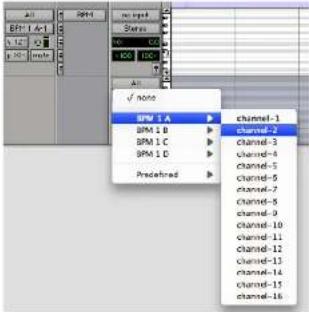
Figure 6-5: Assigning a Pro Tools MIDI track to a RPM MIDI channel.
Reducing buffer latency
In regard to "Managing latency" on page 36, you can minimize both live MIDI input latency and MIDI track playback latency by keeping your Pro Tools DAE Buffer. Size setting as low as possible. Consult your Pro Tools manual for details about adjusting the DAE buffer size. Lower settings produce higher processing demands on your computer's CPU resources.
LOGIC (MAC OS X)
For Logic, BPM operates as a standard Audio Unit (AU) plug-in.
Installation for Logic
BPM Installer places BPM AU plug-in in the Components plug-in folder:
/Library/Audio/Plug-ins/Components/
Opening BPM on an instrument track
In Logic, create an audio instrument track. Then open a stereo BPM on the instrument track.
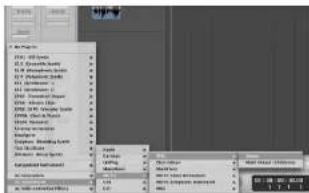
Figure 6-6: Opening BPM on a Logic instrument track (from the track settings panel in this example).
Working with multiple instances of BPM
You can open as many instances of BPM in Logic as your computer's processing resources will allow. Keep in mind that BPM operates as a multitimbral instrument, so each instance of BPM is capable of playing different instruments (triggered from separate MIDI channels).
Initiating BPM operation
Before you can begin using BPM, you need to load a kit into a bank or load at least one instrument or you send parts to different destinations in the Logic mixing environment, including the separate outputs on your audio hardware. For details, see "Outputs" on page 98.
MIDI I/O
MIDI I/O between BPM and Logic is handled by Mac OS X's built-in MIDI services (Core MIDI). When you first instantiate a BPM plug-in and choose a preset, BPM publishes 16 MIDI channels to Core MIDI and Logic. (Each instance of BPM publishes its own set of 16 channels.) These MIDI channels will automatically become available in Logic on BPM's instrument track. No extra preparation is necessary.
BPM must be instantiated in your Logic session before you'll see its MIDI channels displayed in the MIDI output menus in Logic.
To send MIDI data from a Logic track to a specific BPM bank or rack part, send MIDI data to the corresponding BPM MIDI channel for the bank or part. For further important details about MIDI channel assignments in BPM, see "MIDI channel" on page 71).
In the Logic instrument track for BPM (or any other tracks assigned to BPM instrument object), each MIDI data event is tagged with a MIDI channel. Use Logic's list editor to assign existing notes to a MIDI channel, and then assign that same MIDI channel to the desired part (or parts) in BPM (as explained in "MIDI channel" on page 71). Any notes in the instrument track that match a part's MIDI receive channel in BPM will play that part. The same is true for any new data recorded, or live
You can also route data from other MIDI tracks to BPM by assigning the track to BPM audio instrument and tag all notes in the track to the necessary MIDI channel for BPM.
Latency
In regard to "Managing latency" on page 36, Logic's I/O Buffer Size setting (as shown below in Figure 6-7) has no effect on either live MIDI input latency or MIDI track playback, as Logic has other ways of managing them. In general, BPM will perform as well as any other virtual instrument that you use in Logic.
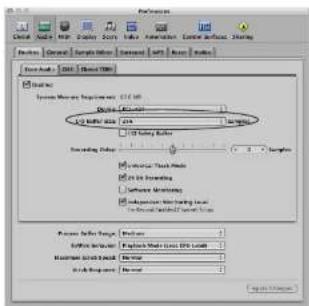
Figure 6-7: Logic's I/O Buffer Size setting.
OTHER AUDIO UNIT HOSTS (MAC OS X)
For Mac OS X audio/MIDI applications that support Audio Units (AU) plug-ins, BPM operates as a standard AU plug-in. The AU host application must also support MIDI sequencing and Mac OS X's built-in MIDI services (Core MIDI) to send MIDI data to BPM. BPM sounds are triggered by MIDI data received from the host application.
Installation for AU hosts
BPM Installer places BPM AU plug-in in the Components plug-in folder:
/Library/Audio/Plug-ins/Components
Calling up BPM on an audio track
BPM is accessed in an Audio Unit host application in the standard fashion as an AU plug-in.
Working with multiple instances of BPM
You can open as many instances of BPM in your host application as your computer's processing resources will allow. Keep in mind that BPM operates as a multitimbral instrument, so each instance of BPM is capable of playing different instruments (triggered from separate MIDI channels).
Initiating BPM operation
Before you can begin using RPM, you need to load a kit into a bank or load at least one instrument or loop into a rack. For details, see chapter 3, "Tutorial 1: QuickStart Guide" (page 15).
Specifying audio output
By default, BPM sends the output of all banks and parts to the audio output assignment of the
In addition, we can find that the concept of
MIDI I/O
MIDI I/O between BPM and an AU plug-in host application is handled by Mac OS X's built-in MIDI services (Core MIDI). When you first instantiate an BPM plug-in, BPM publishes itself as a MIDI destination to the AU host and appears in the output assignment menus of the AU host's MIDI tracks.
BPM must be instantiated in the AU host project before you'll see it displayed in the MIDI output menus in the host.
To send MIDI data from your AU host software track to a specific BPM bank or rack part, assign the host MIDI track to the corresponding BPM MIDI channel for the bank or part. BPM banks A, B, C, and D respond to MIDI channels A1 through A4, respectively. The first part in Rack A defaults to MIDI channel A5, but rack parts can be assigned to any MIDI input channel you wish. For further important details about MIDI channel assignments in BPM, see "MIDI channel" on page 71).
Reducing buffer latency
In regard to "Managing latency" on page 36, the hardware buffer size may or may not impact live MIDI input latency and MIDI track playback: it depends on the host software. Consult the documentation for your host software for information about using virtual instruments.
CUBASE AND NUENDO (MAC & WINDOWS)
For Cubase or Nuendo, BPM operates as a standard VST instrument (VSTi).
Installation for Cubase or Nuendo (Mac OS X)
BPM Installer places BPM VST plug-in here:
Platform Location
Mac OS X (Library/Audio Plug-Inq/VST
Windows\Program Files\MOTUVsplugins
If you want to install the VST in another
Vstplugins folder, copy the RPM VST files from this folder to the desired location.
LOE THE FORCE TO THE DESECESSION.
Opening a BPM VSTi
Go to the VST Instruments rack and choose BPM in a slot, as shown below:

Figure 6-8: Opening BPM in the VST Instruments window (same for Mac and Windows).
Alternatively, you can create an instrument track, as shown below:

Figure 6-9: Creating an instrument track for GPM (same for Mac and Windows).

Figure 6-10: Assigning BPM output to the desired output bus (same for Mac and Windows).
Working with multiple instances of BPM
You can open as many instances of BPM in the VST Instruments rack as your computer's processing resources will allow. Keep in mind that BPM operates as a multitimbral instrument, so each instance of BPM is capable of playing different instruments (triggered from separate MIDI channels).
MIDI I/O
MIDI I/O between BPM and Cubase or Nuendo is handled by VST. When you first instantiate a BPM plug-in, BPM publishes 16 MIDI channels to Cubase or Nuendo. (Each instance of BPM publishes its own set of 16 channels.) These MIDI channels automatically appear in the output assignment menus of Cubase or Nuendo's MIDI tracks:
Initiating BPM operation
Before you can begin using BPM, you need to load a kit into a bank or load at least one instrument or loop into a rack. For details, see chapter 3, "Tutorial 1: QuickStart Guide" (page 15).
Setting up audio outputs
Use the Device Setup window to enable VST outputs as usual. Then, add the desired output busses in the VST Connections window (Devices menu). For complete information about setting up
To send MIDI data from your Cubase or Nuendo MIDI track to a specific BPM bank or rack part, assign the MIDI track to the corresponding BPM MIDI channel for the bank or part. BPM banks A, B, C, and D respond to MIDI channels A1 through A4, respectively. The first part in Rack A defaults to MIDI channel A5, but rack parts can be assigned to any MIDI input channel you wish. For further important details about MIDI channel assignments in BPM, see "MIDI channel" on page 71).
Reducing buffer latency
In regard to "Managing latency" on page 36, Cubase and Nucendo provide ways to manage virtual instrument playback timing (consult your user guide for details). You can minimize live input latency with BPM by keeping their Audio Bagler Size setting as low as possible. Try values of 256 samples or lower, if your computer can handle them. Lower settings produce higher processing demands on your computer's CPU resources.
Under Mac OS X, the Audio Buffer setting is found in the Device Setup window under the VST Audio System list item (Figure 6-12).

Under Windows, open the Device Setup window and choose your audio hardware from the list on the left, found under VST Audio System (Figure 6-13). Click the Control Panel button to launch your audio hardware's configuration software.
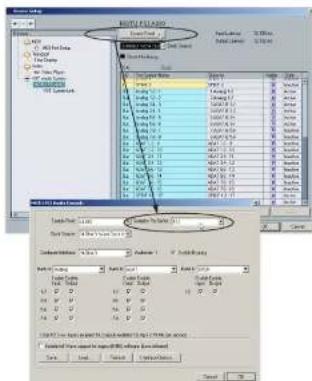
Figure 6-13: Setting the Audio Buffer Size in Cubase or Nuendo (Windows).
LIVE (MAC & WINDOWS)
For Ableton Live running on Mac OS X or Windows, BPM operates as a standard VST instrument (VSTi). Alternatively, you may use BPM as an Audio Unit (AU) instrument when running Live on Mac OS X; the process is the same as described for VST.
Installation for Live
The BPM Installer places the BPM VST plug-in here:
Platform Location
Mac OS X /Library/Audio/Plug-Ins/VST
Windows\Program Files\MOTUVstplugins
If you want to install the VST in another Vstplugins folder, copy the BPM VST files from this folder to the desired location.
Opening an BPM VSTi
Go to the Plug-in Device Browser and drag the BPM VST onto a MIDI track, or into the Clip/Device Drop Area, to create a new track.
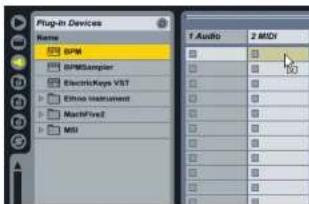
Figure 6-14: Opening SPM in the VST Instruments window.
Working with multiple instances of BPM
Initiating BPM operation
Before you can begin using BPM, you need to load a kit into a bank or load at least one instrument or loop into a rack. For details, see chapter 3, "Tutorial 1: QuickStart Guide" (page 15).
Setting up audio outputs
Use the Preferences > Audio window to enable outputs as usual. Once you've set up the desired outputs, assign the output of the BPM track to the desired bus. Choose Master to assign it to the master output bus, or choose Ext. Out and select a different output from the menu below.

Figure 6.15: Assigning the BPM output to the desired output bus.
MIDI I/O
When you first instantiate an BPM plug-in, BPM publishes itself as a MIDI destination to Live, which appears in the output assignment menus of Live's MIDI tracks.
BPM must be opened in your Live project
MIDI channels A1 through A4, respectively. The first part in Rack A defaults to MIDI channel A5, but rack parts can be assigned to any MIDI input channel you wish. For further important details about MIDI channel assignments in BPM, see "MIDI channel" on page 71).
Reducing buffer latency
In regard to "Managing latency" on page 36, Live provide ways to manage virtual instrument playback timing (consult your user guide for details). You can minimize live input latency with BPM by keeping the Audio Buffer Size setting as low as possible. Try values of 256 samples or lower, if your computer can handle them. Lower settings produce higher processing demands on your computer's CPU resources.
In Live, the Buffer Size setting is found in the Preferences > Audio window (Figure 6-16). On Mac OS X, you can directly change that setting. On Windows, click the Hardware Setup button to launch your audio hardware's configuration software.
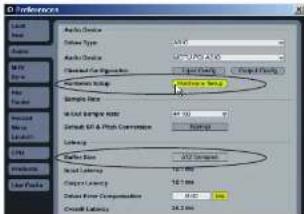
Finnon A.16 Sattlerthe Austin Ruffor Site in Line
OTHER VST HOSTS (MAC & WINDOWS)
For other VST hosts running on Mac OS X or Windows, BPM operates as a standard VST instrument (VSTi).
Installation for Your VST host
The BPM Installer places the BPM VST plug-in here:
Platform Location
Mac OS X Library/Audio/Plug-Ins/VST
Windows Program Files\MOTUVsplugins
If you want to install the VST in another Vstplugins folder, copy the BPM VST files from this folder to the desired location.
You can copy the BPM VST file from the directory listed above to the Vstplugins folder of your choice after installation completes. Or you can point your host application to the directory listed above.
Calling up BPM on an audio track
BPM is accessed in a VST host application in the standard fashion as an VST plug-in.
Working with multiple instances of BPM
You can open as many instances of BPM in your host application as your computer's processing resources will allow.
Initiating BPM operation
Before you can begin using BPM, you need to load a kit into a bank or load at least one instrument or loop into a rack. For details, see chapter 3, "Tutorial 1: QuickStart Guide" (page 15).
Specifying audio output
BPM sends its audio output to the audio output
MIDI I/O
When you first instantiate an BPM plug-in, BPM publishes itself as a MIDI destination to the VST host and appears in the output assignment menus of the VST host's MIDI tracks.
BPM must be instantiated in the VST host project before you'll see it displayed in the MIDI output menus in the host.
To send MIDI data from a VST host track to a specific BPM bank or rack part, assign the MIDI track to the corresponding BPM MIDI channel for the bank or part. BPM banks A, B, C, and D respond to MIDI channels A1 through A4, respectively. The first part in Rack A defaults to MIDI channel A5, but rack parts can be assigned to any MIDI input channel you wish. For further important details about MIDI channel assignments in BPM, see "MIDI channel" on page 71).
Reducing buffer latency
In regard to “Managing latency” on page 36, the hardware buffer size may or may not impact live MIDI input latency and MIDI track playback: it depends on the host software. Consult the documentation for your host software for information about using virtual instruments.
CHAPTER 7 BPM Window
OVERVIEW
Read this first: basic BPM concepts.... 50
Conventions and shortcuts....51 Using the RPM sound library....51
Banks and pads 55
Patterns....58
Step Sequencer....58
Graph Sequencer....61
Racks 69
Piano Roll Sequencer....72
Part Editor....74
Loop Editor....79 Synth Parameters....86
SP mode 89
Transport Control and Tempo 90
Master volume and tune....91
Groove....91
MIDI automation 92 MIDI modulation 92
Recording 93
Sampling....95
Mixing....97 Effects....90
Song arranging ....101
Scenes....101
Scene Editor....102
Live mode 105 Song mode 104
File menu....105
Preferences....107
Drag & Drop....108
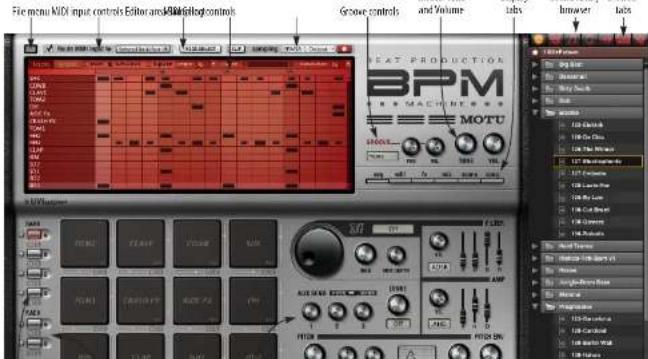
READ THIS FIRST: BASIC BPM CONCEPTS
Here are a few basic concepts that lay the groundwork for how BPM works.
Kits
A kit is a bank of 16 drum pads loaded with sounds. Each pad has its own name and settings, and it can hold an unlimited number of drum sound layers, each with their own settings. You can apply unlimited effects processing to the pad or its individual drum sound layers.
Pattern
A pattern is a series of notes in the drum pad Step Sequencer or the instrument Piano Roll Editor that together make up a rhythm. Patterns are recorded, imported and exported as MIDI note data. Patterns do not contain actual drum sounds. They consist of rhythmic information that can be applied independently to any kit (set of sounds).
Kit+Pattern
A kit+pattern is a combination of a pattern with a kit that can be saved and loaded together.
Kit+ patterns are especially convenient for layering using BPM's four banks. For example, you could load a basic beat (kit+pattern) in Bank A and then layer a conga kit+pattern in Bank B.
Loop
A loop is a short audio clip of anything (drums, percussion, an instrument sound such as guitar or bass, etc.) that is meant to be played over and over again. Most of the loops in BPM's included library of sounds are sliced loops, similar to REX files, which means they have predefined slices that can be accessed and played individually, if desired.
Sound
A sound is a short audio dip of anything, such as an individual drum hit (snare hit, bass drum hit, hi-hat, etc.), a sound effect or even an instrument note. BPM's included library has a Sounds category mostly made up of drum hits that are suitable for loading into individual drum pads to build custom kits. However, you could also load a sound into one of BPM's two instrument/loop racks.
Instrument
An instrument is a multi-sampled instrument such as a bass, guitar, piano, synth pad, etc. BPM lets you load and play instruments along with loops, patterns and kits.
Working with kits and patterns
At its most basic level, BPM lets you load a Kit+Pattern from its library, so you can hear a pattern with the original kit of sounds that goes with it. However, you can easily switch to a different kit to hear the same rhythmic pattern played by different drum sounds.
Conversely, you can keep playing the same kit (sounds), and try different patterns (rhythms) with that same kit.
BPM provides four separate banks (A, B, C and D), each of which can hold a different pattern and kit, allowing you to layer multiple kit+pattern combinations.
Working with sounds
Once you find a kit and pattern combination that you like, you might then decide that you would like to change individual drum pad sounds. Perhaps
You can also layer multiple sounds on a single pad and program BPM to switch between them via note velocity or other rules. This process is covered later in "Pad Editor" on page 63.
Adding loops and instruments
Once you've programmed your beat by choosing a kit, pattern and perhaps individual sounds, you can layer as many loops and instruments as you wish using BPM's two Rack modules. These racks hold an unlimited number of loops and instruments. For further details about rack operation, see "Racks" on page 69.
CONVENTIONS AND SHORTCUTS
BPM provides the following user interface conventions and shortcuts.
Scroll wheel support
BPM supports the scroll wheel on your mouse.
Right-clicking
There is extensive support for right-clicking in BPM. Except where noted, Mac users can use Control-clicking as an alternative to right-clicking.
Option/Alt key
In this manual, the convention Option/Alt is used for any operation or shortcut that involves the Option key on the Mac or the Alt key on a PC.
Shortcuts for changing BPM settings
Here are several shortcuts for changing settings for BPM's controls, knobs, sliders and so on:
Action Shortcut
Return to default Option/Alt-click
USING THE BPM SOUND LIBRARY
Of course, BPM allows you to build your own kits and patterns, either from the ground up or by modifying existing ones. But to get you going quickly, BPM's sound library provides a vast collection of pre-programmed patterns, kits, kit+patterns, loops, phrases, sounds and instruments. BPM allows you to freely browse and combine these elements independently, a degree of flexibility that produces infinite possible combinations. The browser gives you access to all of these elements in the BPM sound library.

Figure 7.2: Browser tabs
Navigating the browser
Double-click a folder or click its disclosure triangle to open it. To go back up one level, double-click the Parent Folder item at the top of the list, or click the path menu (Figure 7-3).
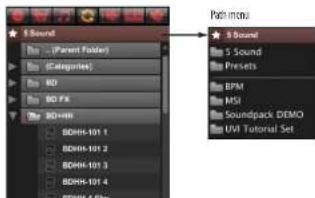
Figure 7-3: Navigating the browser.
Tempo indication
Most patterns and loops indicate their original tempo at the beginning of their name: a three digit number in beats per minute (BPM). But you can play them at any tempo you want.

Figure 7-4: Pattern and loop names indicate their original tempo.
individual elements separately, organized by the same name (Figure 7-5) so you can easily access the individual elements that make up the kit.

individual element. The Kit+Pattern will sound exactly like its corresponding loop, except that you have access to the individual notes in the Pattern Sequencer and the individual sounds in each pad.
Here's another example: if you find a Kit+Pattern that you like, and you'd like to hear some instrument parts that go with it, such as guitar, bass or vocals, BPM likely provides them as loops. Just go to the Loops sub-folder with the same name as the Kit+Pattern. For example, in Figure 7-5 you can see in the Loop elements sub-folder there is a bass loop and instrument loop that goes with the original Five Billion Kit+Pattern.
'Xtra' folders
BPM's sound library also includes "xtra" folders that provide a great deal of additional material, above and beyond the construction kit elements.
The User tab
The User tab (Figure 7-2) provides access to the rest of your computer system.
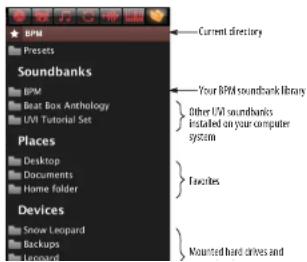
Soundbanks
The Soundbanks section of the User tab (Figure 7-6) displays UVI-based sample instrument libraries installed in your system. BPM can read presets from the libraries of these other products. See "UVI soundbanks" below.
Places
The Places section of the User tab (Figure 7-6) displays favorite locations. You can add your own favorites by navigating to a folder and then right-clicking on the folder. Then choose Add to favorites from the menu. To remove it from your favorites, navigate to the folder, right-click the Current Directory bar (Figure 7-6) and choose Remove from favorites.
UVI soundbanks
BPM can load loops and multi-sample instrument sounds from any MOTU instrument library or any other third-party UVI sounbank.
If the instrument libraries from your other MOTU instruments are placed in their proper locations (refer to each instrument's documentation), they will be available in BPM without any additional steps.
To access other UV1 soundbanks, place them (or an aliases to them) in your computer's UV1SoundBanks folder:
Mac:
/Library/Application Support/UVISoundBanks
Windows:
To access the Beat Box Anthology kits, select the Kits lab in the browser, click the path menu (as shown in Figure 7-7, below), and select Beat Box Anthology from the drop-down menu. The Kits tab will then display the Beat Box Anthology kits. The same process can be followed when other browser tabs are selected (Kit+Pattern, Loop, etc.).

Figure 7-7: Selecting the Beat Box Anthology soundbank
AutoLoad
When AutoLoad is on (yellow), items that you click in the browser load and play immediately, as soon as you click them. If the transport is engaged (figure Figure 7-60 on page 90), you will hear patterns and loops play as soon as you click them for fast and convenient browsing.
AutoLoad allows you to quickly "surf" different patterns with the same kit, or different kits with the same pattern. You can also quickly browse loops.
When AutoLoad is off, you need to drag and drop the item to any location in the BPM window that accepts that type of item to load it (explained later), or double-click the item.

AutoLoading patterns and kits To AutoLoad patterns and kits:
1 Click the Bank A button (Figure 7-1 on page 49).
2 Click the Kit+Pattern tab in the browser (Figure 7-2) and open any folder.
3 Each time you click a Kit+Pattern, it will load the kit and pattern combination. (Press play to listen it.)
4 Click the Pattern tab ((Figure 7-2), open any folder and preview different patterns with the same loaded kit.
Autoloading sounds
To replace a sound in a pad, Autoload works the same way as described above.
1 Click a pad to select it (it turns red).
2 Click the Sound tab in the browser (Figure 7-2) and open any folder.
3 Sounds load as soon as you click them.
Autoloading loops and instruments into a part
To autoload a loop or instrument into a rack part, the procedure is the same as described above.
AutoLoad options
When using AutoLoad, the AutoLoad options
(Figure 7-8) let you control what gets loaded into into banks when browsing patterns and kits.
AutoLoad option What it does
| Kit Settings When checked, all current kit settings are overwritten with those saved with the kit. Settings include pad volumes, pin settings, effects, etc. |
| Load bank FX When checked, all current bank effects are overwritten with any bank effects saved with the bank. |
| Overwrite Tempo When checked, IPM a global tempo setting is changed to be original, saved tempo of any kbp pattern when you load it. |
| AutoPreview Causes loops and phrases to play once when you click them in its browser. |
| Preview startstop Plays or stops AutoPreview playback. |
| Preview volume Preview playback level. |
| Pad selector Lets your "lock" pads so that they are not changed in any way when loading kits. |
BANKS AND PADS
A bank is a set of sixteen drum pads and their loaded kit sounds, pad settings and patterns. BPM provides four separate banks (A, B, C and D) that operate independently. All four banks can play simultaneously with each other. This allows you to load and play up to four independent Kit1 Pattern combinations.
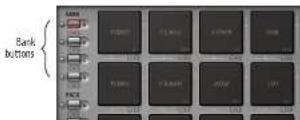
Four bank buttons
Click a bank button to view the pads and other settings for the bank. Below each bank button are Mute and Solo buttons that allow you to mute and solo the entire bank during playback. Each bank also has an SP Mode button next to it. For details, see "SP mode" on page 89.
Loading a kit into a bank
To load a kit sounds into a bank of pads:
1 Click the bank button (Figure 7-9) for the bank you wish to load.
2 Go to the browser and navigate to either a kit or a kit+pattern (Figure 7-2 on page 51).
3 If AutoLoad (Figure 7-8) is turned on, simply click the kit or kit-pattern to load it into the bank pads.
4 If AutoLoad is turned off, drag and drop the kit or kit+pattern from the browser onto the sixteen pads or onto the Step Sequencer window area (above the pads).
The target area highlights when you move the mouse over it to indicate that it can accept what you are dragging.
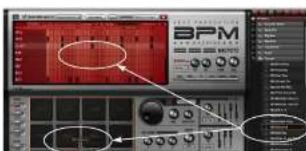
Loading a sliced loop into a bank
In addition to using loops in rack parts, you can load sliced loops as kits. When a sliced loop is loaded in a bank, the first 16 slices of the loop will be mapped to the pads.
You can load a sliced loop in a bank by selecting it in the browser while viewing a bank. If you want to load the entire loop on a single pad, turn off AutoLoad and drag & drop the file directly onto a single pad. To load a sliced loop as a kit via drag & drop, drag the sample to the areas between the pads, rather than directly onto a pad (the highlighted region will clue you in to which way it will load).
Drag and drop into the Step Sequencer
You can drag and drop patterns from the browser (with AutoLoad turned off), and MIDI files from your computer desktop, into the Step Sequencer. When importing MIDI files, drag and drop works best when using single-channel MIDI files of a reasonable length.
Loading a sound into a pad
The procedure for loading an individual sound into a pad is similar to loading a kit or kit + pattern.
1 Click the bank button (Figure 7-9) for the bank you wish to work with.
2 Click the pad you wish to load a sound into to select it (it turns red).
3 Go to the browser and navigate to any sound in the Sounds folder (Figure 7-2 on page 51).
4 If AutoLoad (Figure 7-8) is turned on, simply click consensus in the hardware load it into the
from your computer desktop. Either way, dragging directly to the pad replaces any sounds currently in the pad with the newly dropped sound.
To drag multiple samples onto separate pads, drag & drop the selected samples from the browser or computer desktop to the space between pad.
To load the sound as a new, independent layer (this preserves existing sounds already loaded in the pad), you can drag and drop a sound to the top portion of the Pad Editor (Figure 7-27). See "Loading multiple samples into a pad" on page 63 for details.
Playing a kit using the pads
Once you've loaded sounds into the pads as explained in the previous sections, click the pads to play the sounds. If a pattern is also currently loaded, press the play button (Figure 7-60 on page 90) to play the pattern using the sounds currently loaded in the pads. You can also play the pads from your MIDI controller and even record patterns this way. See "Recording" on page 93 for further details.
Recording a pattern using the pads
You can record patterns by clicking on the pads while recording in real time. For details, see "Recording" on page 93.
Pad settings
Each pad has its own name, volume slider, pan slider, mute button, solo button and synth section settings (see "Synth Parameters" on page 86 for details).
Selecting a pad
Click a pad to select it and view its synth settings, access the pad editor, and other tasks related to the pad.
Alternatively, pads can be selected by incoming MIDI notes. When MIDI Select is enabled (Figure 7-12), playing a note on your MIDI controller or playing back a note from your host software will select the pad that is assigned to that note.
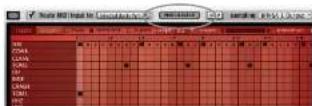
Figure 7-12: MIDI Select
Renaming a pad
Option/Alt-double-click the pad name to change it. Or right-click to access the Rename pad setting command (Figure 7-13). You can also double-click the pad name in the pattern Step Sequencer (Figure 7-16 on page 59).
Pad settings menu
Right-click to access further pad settings:
Figure 7-13: Pad settings menu.
Copying and pasting pad settings
Assigning a MIDI note to a pad
Each pad can be played via a corresponding MIDI note sent from your sequencer or MIDI controller. The sixteen pads adhere to standard general MIDI conventions for their factory default MIDI note assignments, starting at C1 for the bass drum (BD) pad and ending at A*3 for the shaker (SIK) pad. However, you can reassign a pad to any MIDI note you wish using the Learn MIDI Key command in the pad settings menu (Figure 7-15).
Assigning MIDI notes to all pads
To load a pad template, right-click in the space between pads and choose a template from the list — you'll see both factory and user-created pad templates in the list. To save the current pad assignments as a template, choose Save Pad Template from the contextual menu.

Figure 7-14: Pod template menu
Clearing a pad
Right-click to use the Clear Pad command to clear all settings and samples from the pad.
Assigning MIDI controllers to pad controls
To assign a MIDI controller to a pad volume, non
Pad synth parameters
BPM provides synth parameter settings for each pad (to the right of the pads). Click the pad to select it and then view and adjust its synth settings. See "Synth Parameters" on page 86. Also see "Edit All Layers" on page 65.
PATTERNS
A bank holds up to sixteen patterns, accessed via the Pattern menu (Figure 7-15). Only one pattern is active for the bank at a time (the currently chosen pattern in the menu). This is the pattern that accepts patterns from the browser, and it is the pattern you hear during playback. The sixteen pattern slots in the menu start out empty and you load them by choosing them from the menu and then loading a pattern from the browser. You can then freely switch among the sixteen patterns at any time by choosing them from the Pattern menu. To rename the currently selected pattern, double-click the name.
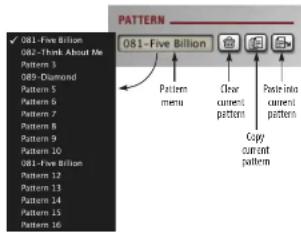
Figure 7-15: The Pattern menu.
Copying, pasting and clearing patterns
Sequences
When viewing a rack part, the Pattern menu changes to Sequences, a slightly different term for what is essentially the same thing: a sequence of MLDI data that plays the notes for the part (or the slices for a sliced loop).
Exporting a pattern
You can export a pattern as a WAVE file to your host software or your computer desktop with the following drag and drop technique: click the word Pattern above the Pattern menu (Figure 7-15) and then drag to your host or desktop.
To export the pattern as a MIDI file, hold Option/Alt, click the word Pattern above the Pattern menu, and then drag to your host or desktop.
STEP SEQUENCER
The Step Sequencer (Figure 7-16) provides a complete environment for programming a pattern for the current bank.
Accessing the Step Sequencer
To access the Step Sequencer, select a pad and then click the Seq (Sequencer) display tab in the BPM window (Figure 7-1 on page 49).
Two editors
The Step Sequencer has two editors accessed via their buttons (Figure 7-16): Tracks (Step Sequencer) and Graphs (Graph Sequencer). To access the Graph Sequencer, click the Graphs button (Figure 7-16).
Track Editor
The Track Editor shown in Figure 7-16 displays
Zoom
Click the Zoom button (Figure 7-16) to toggle between viewing eight pads at a time or all sixteen pads at once. Most patterns use the first eight pads, so this view gives you a convenient close-up of the first eight pads, with a scroll bar on the right-hand side to scroll between pads 1-8 and 9-16. When viewing all sixteen pads, the rows are smaller but you can see all sixteen at once (Figure 7-17).
Figure 7-17: The Track editor zoomed out to show all sixteen pads.
AutoScroll
If the number of steps exceeds the width of the editor display, BPM activates the Page scroll bar (Figure 7-16) and pages left and right to display all the steps. When AutoScroll is enabled, BPM
automatically scrolls left and right to follow playback. You can disable AutoScroll to focus on a page during playback, and scroll manually instead.
Bypass
Click Bypass (Figure 7-16) to turn off the Step Sequencer entirely. This lets you use the bank purely as a sound source for an external MIDI controller or sequencer.
Steps
The Steps menu (Figure 7-16) lets you specify the number of steps (overall length) of the pattern.
Resolution
The Resolution menu (Figure 7-16) lets you specify the duration of each step, as indicated below:
Resolution Metric value
| 8 Eighth note |
| 87 Eighth note triplet |
| 15 Sixteenth note |
| 161 Sixteenth note triplet |
| 32 Thirty second note |
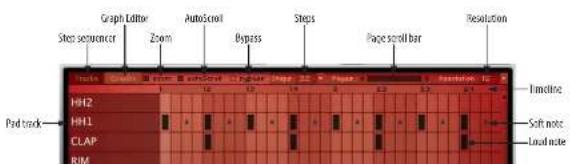
The pattern plays at the currently chosen resolution. You can freely change the resolution at any time, but doing so affects how the pattern plays. For example, if you start with a 16th note resolution and then switch to 32, the pattern will play twice as fast. If you switch to 161, it will play with a 16th-note triplet feel.
Time line
The Time line (Figure 7-16) indicates measure and beats. For example, 2.3 indicates measure 2, beat 3. The number of measures, as well as the number of cells per beat, are determined by the Steps and Resolution settings.
Working with the Step Sequencer grid
Click a cell to enter a hit. The size of the square indicates its velocity (strength). Here is a summary of techniques for working in the Step Sequencer:
Do this To do this
| Click an empty step enter a hit at the default velocity | |
| Click a step with a hit Remove the bit | |
| Option/Alt-click Enter a hit at a slower velocity | |
| Shift-click Enter a hit at maximum velocity | |
| Double-click pad name Recaise the pad | |
| Right-click > Fill Line Fill a line (all steps) at medium velocity | |
| Right-click > Copy Line Copy line | |
| Right-click > Paste Line Paste line | |
| Right-click > Fill a line with a pslicera templateLine Templates | |
| Right-click > Save Line Save your own line pattern | |
| Right-click > Clear Line Clear line |
Line templates
To fill a line in the Step Sequencer with a preset pattern from BPM's extensive collection of line pattern templates, right-click, choose Line Templates and then choose the desired template from the sub-menus (Figure 7-18).

GRAPH SEQUENCER
The Graph Sequencer (Figure 7-19) lets you edit note parameters one at a time, allowing you to program a great deal of expression for each individual note.
Accessing the Graph Sequencer
To access the Graph Sequencer, click the pad you wish to edit to select it and then click the Seq (Sequencer) display tab in the BPM window (Figure 7-1 on page 49), and then click the Graphs button Figure 7-16 on page 59).
Note menu
The Graph Sequencer displays parameters for the currently selected pad. Click the desired pad, or choose it from the note menu (Figure 7-19).
Note parameters
Various note parameters are displayed in the left column below the note menu. Click a parameter name to edit it. The Graph Sequencer displays one parameter at a time. In Figure 7-19 below, note Valocity (loudness) is currently being edited.
Roll
The Roll parameter (Figure 7-19) is the number of notes that will play within a step, to easily make rolls on any step. When roll is set to one (no graph bar visible, the default setting), entering a step (in the step row at the top of the grid) will trigger one
hit at that location. As you raise the graph bar, two, three, or more hits will occur during that step. Note that when you view other graphs (velocity, pan, etc.) the graph will be divided according to the Roll parameter which allows you to tweak each hit.

Figure 7-20: A roll value of live produces live subdivisions in that step for other parameters, such as velocity.
TimeShift
TimeShift (Figure 7-21) lets you advance the step ahead of the beat (above the center line) or delay it after the beat (below the line).
Figure 7.21: TimeShift.

Velocity
The Velocity parameter (Figure 7-19) is similar to MIDI note velocity and controls loudness.
Length
The Length parameter (Figure 7-19) lets you control the duration of the step.
Pan
The Pan parameter (Figure 7-19) controls the panning of each step.
Semi and Fine tuning
The Semi and Fine tuning parameters
(Figure 7-19) allow you to control the pitch of a step in semitones and cents (100ths of a semitone), respectively.
CutoffMod, ResonanceMod and DecayMod These three Graph Editor parameters
(Figure 7-19) control filter cutoff, resonance and decay, respectively.
Working with the Graph Sequencer grid
Click anywhere in a parameter cell to set the value for that cell. You can also drag vertically and/or horizontally to sweep across multiple steps and create smooth curves or lines (such as a crescendo for the velocity parameter).
Advanced graph programming
Right-click anywhere on the Graph Sequencer to access the Graph Sequencer menu (Figure 7-22).
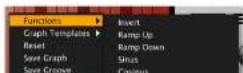
Functions and Graph Templates
The Functions and Graph Templates sub-menus (Figure 7-22) provide convenient preset patterns for the Graph Sequencer, such as the sinc wave pattern shown in Figure 7-23.

Figure 7-23: The sinus (sine wave) template for the Graph Sequencer.
The Graph Templates sub-menu (Figure 7-24) provides templates specifically designed for velocity and pitch, but they can be used for any parameter you wish.
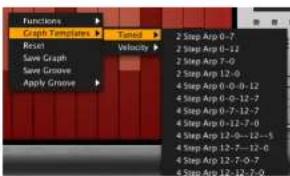
Figure 7-24: The Graph Templates sub-menu.
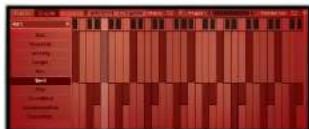
Saving your own Graph Sequencer patterns
Choose Save Graph from the Graph Sequencer menu (Figure 7-22) to save any Graph Sequencer pattern, which then appears by name at the bottom of the Graph Templates sub-menu (Figure 7-26).
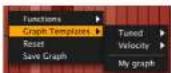
Figure 7-26: A saved graph can be applied to any parameter.
Saving your own grooves
When viewing either the Velocity or TimeShift parameters (Figure 7-19 on page 61), the Save Groove menu item appears in the Graph Sequencer menu (Figure 7-22 on page 62), allowing you to save the current velocity and timeshift settings as a custom groove, which then appears in BPM's Groove menu (Figure 7-62). See "Groove" on page 91.
Applying grooves
You can apply the factory groove presets as well as your own saved grooves to the Velocity and Time Shift graphs.
PAD EDITOR
The Pad Editor (Figure 7-27) provides in-depth programming of individual pads.
Accessing the Pad Editor
To access the Pad Editor, make sure a bank is currently selected, click the pad you wish to edit to select it and then click the Edit tab in the BPM window (Figure 7-1 on page 49).
Loading multiple samples into a pad
An unlimited number of samples can be loaded into a pad. When a pad is loaded with its first sample, this sample is placed in Layer 1, as shown in Figure 7-27.
To create additional, empty sample layers, right-click in the empty area to the right of Layer 1, above the waveform (Figure 7-28).
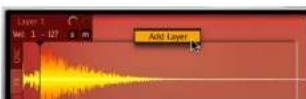
Figure 7.28: Right click to add sample layers.

Alternatively, you can drag and drop a sound from the desktop or the browser to this same empty space (Figure 7-29), and the new audio file is added as a new layer.

Figure 7-29: Drag and drop a sample to the empty space above the waveform to add the sample or audio clip as a new, separate layer.
When you drag and drop a sample or audio file directly onto a pad, as explained earlier in "Dragging and dropping into a pad" on page 56, all current layers are replaced by a new Layer 1 that holds the new sample.
Here are some basic techniques for working with multiple sample layers:
Do this To do this
| Click a layer Select the layer (to view its waveform and layer apacetic settings) | |
| Right click a layer >Dil Layer | Delete the layer |
| Right-click the empty space to the right of current layers >Add Layer | Add a new layer |
| Right-click a layer >Duplicate Layer | Duplicate the layer |
Sample layer settings
Each sample layer has its own relative volume, pan, solo/mute controls and velocity range (Figure 7-30).
Sample layer velocity programming
You can specify an independent velocity range for each layer (Figure 7-30) in a pad. Layers are triggered when the pad is played with within their velocity range. If samples share the same velocity range, or if their ranges overlap, they will play together when triggered at a shared velocity. In the example shown in Figure 7-30, there are three sample layers divided into three separate velocity ranges with no overlap: 1-39, 40-79 and 80-127. In this case, only one sample layer will play at a time, depending on the velocity played.
When programming velocity layers, be sure there are no gaps in the velocity range between sample layers. If there are any velocity ranges not assigned to at least one layer, you will hear silence when the pad is played at those orphaned velocity values.
Layer switching using layer rules
The Layer Rules menu (Figure 7-27) provides two modes for randomly triggering sample layers as you strike the pad to provide an extra dimension of realism and "human feel".
Random mode plays all layers randomly.
Random Cycle mode plays all layers randomly, but only once per cycle. When all layers have finally been played once, a new cycle begins. Random Cycle mode helps prevent repetition, as a sample is not played again until the current cycle is complete.
Here is a simple example with three layers:
■ random choice among (1,2,3) -> 2
Both modes can produce excellent results, depending on the samples involved and the effect you are trying to achieve. You can experiment with each mode to see which one sounds best.
Pad polyphony
The Polyphony setting (Figure 7-27) determines how many stereo notes the pad can play simultaneously. For example, a setting of 12 lets you play 12 stereo notes. You might think that for a stereo drum sample, you only need a polyphony of 1. However, the sample might overlap itself if you trigger it multiple times. Therefore, the default value of 16 is adequate for most typical situations. However, if you are working with multiple sample layers, you might need to raise it. The maximum settings is 256 stereo notes (per pad). Note that this is a per pad setting, and it controls the currently selected pad.
Caution: higher polyphony settings demand more of your host computer's processing power. For example, if you set the polyphony to 64 voices and played only 12 notes, then BPM would require much more computer processing power than it would when playing those same 12 notes with a polyphony setting of 12. Try to keep the polyphony setting as low as possible — only use what you know you'll need for the pad. This setting is one of the most significant ways of optimizing BPM CPU usage and managing your computer's processing resources.
Edit All Layers
As explained earlier, BPM provides synth parameter settings for each pad (to the right of the pads). Click the pad to select it and then view and
independently for each layer. For further details about synth parameters, see "Synth Parameters" on page 86.
Exclusive pad groups
An exclusive pad group is a group of two or more pads that cut each other off when they play. This allows you to create the classic open/closed hi-hat effect, where the closed hat sample cuts off the open hat sample. You can include as many pads as you want in a pad group. BPM allows you to define up to 32 different pad groups across all four banks.
The exclusive pad group setting applies to all layers in the pad; it cannot be set independently per layer.
Creating a pad group
To assign two or more pads to an exclusive pad group:
1 Click the desired bank and pad to select it.
2 Click the Edit button in the Window buttons portion of the BPM window (Figure 7-1 on page 49) to access the pad editor (Figure 7-27).
3 Double-click the Ex. Group (Exclusive Group) setting (Figure 7-27) and set it to any pad group you wish between 1 and 32.
4 Click the second pad you wish to include in the group to select it, and assign it to the same Exclusive Group number.
5 Repeat step 4 above for any other pads you wish to include in the group.
Sample Editor
Click the Sample/Oscillator Editor button to access the Sample Editor for the currently selected sample layer (Figure 7-27 on page 63). This is a basic waveform editor that lets you do basic editing on the actual sample data.
Setting sample and loop start/end points
Drag the "S" and "E" markers to set the sample start/end times (Figure 7-27). Similarly, you can drag the "L" and "R" markers to adjust the Loop Start and Loop End times for sample loops.
Making selections for editing
Drag across the waveform to select a portion of it. Double-click to Select All.
Insertion Point
Click anywhere on the waveform to place the Insertion Point. This is the location where sample material in the clipboard will be inserted.
Drag and drop in the sample editor
You can drag and drop audio selections into the sample editor. You can also drag and drop the current selection in the sample editor to any other portion of the BPM window that accepts audio clips. To do so, hold down Shift-Option/Alt and then drag and drop the current selection.
Sample Editor menu
Right-click to access the Sample Editor menu (Figure 7-31). Here is a brief summary of the menu operations.
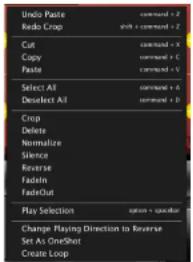
Figure 7-31: Right-click the waveform to access the Sample Editor menu
Unlimited Undo/Redo
The Sample Editor supports unlimited Undo/Redo. Use the Undo/Redo commands (Figure 7-31) to step forwards or backwards through the undo history.
Destructive editing
The standard Cut, Copy and Paste (Figure 7-31) commands operate in the standard fashion on the currently selected portion of the waveform. These destructive editing commands actually modify the waveform data. Remember, however, that editing only occurs in RAM. To permanently save your edits, you must use one of the various commands in the File menu that save samples.
Cut
The Cut command (Figure 7-31) removes the selected sample data and fills the gap. So Cut actually removes time and makes the sample shorter. If you wish to maintain sample length (and
Paste
To Paste sample data that you have just copied or cut into the clipboard (Figure 7-31), you must first determine where to paste, as follows:
Method for choosing
where to paste Result when you paste
| Click anywhere in the waveform to place the Insertion Point) | Clipboard data is inserted at the insertion point, and all data after the insertion point is moved later in the sample. |
| Make a selection. The selected portion of the waveform is replaced with the clipboard data, even if their lengths don't match. For example, if you select 1 second and paste 2 seconds, the 1-second portion of the waveform is replaced with the 2 seconds of material on the clipboard. |
Crop
The Crop command (Figure 7-31) removes all sample data that is not within the current selection. To use Crop, you must first make a selection over the sample data you wish to preserve. Then use Crop to remove everything else.
Delete
The Delete command (Figure 7-31) does the same thing as Cut, except that it does not place the deleted material on the clipboard. This command allows you to remove sample data without affecting any data currently on the clipboard.
Normalize
The Normalize command (Figure 7-31) boosts amplitude by whatever amount is needed to make the loudest peak reach digital full scale (zero dB).
Silence
The Silence command (Figure 7-31) gives all sample data within the current selection a value of
Fade In/Fade Out
The Fade In/Fade Out commands (Figure 7-31) apply a linear fade to/from zero dB.
PlaySelection
The PlaySelection command (Figure 7-31) plays
whatever is currently selected in the waveform.
Change Playing Direction to Reverse/Forward
The Change Playing Direction to Reverse command (Figure 7-31) makes the entire sample layer play in reverse. To make it play forward again, choose Change Playing Direction to Forward.
Set As One Shot
When Set As One Shot is enabled (Figure 7-31) and its amplitude envelope is configured as ADSR, the note-off event is ignored and the entire sample will be played.
Create Loop/Delete Loop
The Create Loop command (Figure 7-31) lets you make a selection in the waveform and then loop that selection. You can drag the loop points as needed to adjust them. To get rid of the loop, choose Delete Loop from the Sample Editor menu (Figure 7-31).
Pad Editor effects tab
Click the FX tab (Figure 7-27 on page 63) to access the sample layer effects list (Figure 7-32). The effects list provides unlimited effects slots for each sample layer.
Applying effects to a layer
To apply an effect to a sample layer, click the layer to select it, click the FX tab (Figure 7-32) and then click the Add FX button to open the effects browser.
Drum synthesizer
BPM provides a drum synthesizer (Figure 7-33) with dozens of preset sounds. You can use the drum synthesizer just like a sample layer and even mix and match drum synth layers with sample layers using all of the multi-layer features discussed earlier.
Accessing the drum synthesizer
To access the drum synthesizer, right-click the Sample/Oscillator tab (Figure 7-27 on page 63) to open the Change Oscillator Type menu (Figure 7-34) and choose DrumOscillator. You can use this menu to freely switch the layer between sample playback and the Drum Synth.
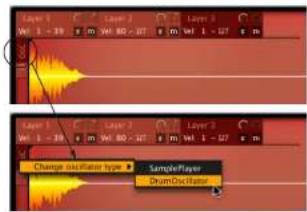
Figure 7-34. Accessing the drum synth.

Drum synth (osc) layers work just like sample layers
A drum synth layer operates in much the same way as a sample layer, as discussed earlier in this chapter. This includes velocity layering, layer switching by rules, polyphony and effects.
Drum synth presets
The drum synth preset menu (Figure 7-33) provides many useful preset sounds organized by category. These are a great place to start, even when you wish to program your own sound with the many available parameters.
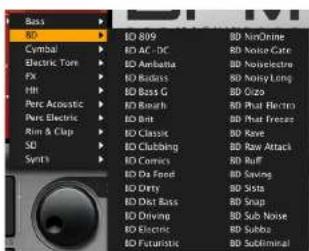
Figure 7-35: Drum synth presets.
Drum synth parameters
The Drum Synth provides straightforward oscillator settings (Figure 7-33), including basic waveform (sine, triangle, saw or pulse), oscillator frequency, simple two-stage attack/decay amplitude envelope and pitch modulation with rate and depth controls.
Use the Mix control (Figure 7-33) to blend the
RACKS
A rack (Figure 7-36) holds multi-sample instruments, loops and phrases. Each individual instrument, loop or phrase is loaded into the rack as a part. A part is like a channel on a mixing console or instrument track in your audio workstation software; it can have its own preset and settings.
Similar to banks, BPM provides two separate racks (A and B) that operate independently, but play simultaneously with each other and the four pad banks. You can load and play an unlimited number of instrument and loop parts in each rack.
Two rack buttons
Click a rack button (Figure 7-36) to view its parts list. Below each rack button are Mute and Solo buttons that allow you to mute and solo the entire rack during playback. Each rack also has an SP Mode button next to it. For details, see "SP mode" on page 89.
Selecting a part
Click a part to select it. A red border appears around it. The currently selected part is loaded with any loop, phrase or sound that you select in the browser with AutoLoad enabled. You can also select a part to view its synth parameter settings to the right of the part list.
Adding, deleting and clearing parts
To add a part, click the ADD button (Figure 7-36). You can also add a part by dragging and dropping an audio file onto any empty part in the list. If you are dragging a loop into the part list from the browser, be sure to turn off AutoLoad first.
To delete a part, select it and click the DEL button (Figure 7-36).
Browsing loops and instruments with AutoLoad
The basic procedure for browsing loops and instrument parts with AutoLoad mode enabled is described in "AutoLoad" on page 54. AutoLoad lets you hear loops as you browse, as long as BPM's main play button (Figure 7-60 on page 90) is engaged. When playback is stopped, you can still hear loops as you browse using the AutoPreview option ("AutoLoad options" on page 55), which plays loops as you click them. Use the Preview Start/Stop button (Figure 7-8 on page 54) to control preview playback.
Drag and drop into the part list
If AutoLoad is turned off, you can drag and drop a loop or instrument preset from the browser onto an existing part, or an empty part slot. Alterna-
tively, you can drag and drop an audio file from your computer desktop. Either way, dragging directly to a part replaces any loop or instrument currently in the part.
Playing a part using the keyboard
Once you've loaded a loop or instrument into a part as explained in the previous sections, select the part and then click the keyboard (Figure 7-36) to play the part. Use the left/right arrows to scroll to lower or higher octaves. The red line above the keys indicates the note range for the current slice loop or instrument preset. If you have loaded a preset from MachFive that includes key switches, key switch keys are indicated in blue.
Playing a part using the Piano Roll Sequencer
If a pattern is also currently loaded into the Piano Roll Sequencer for the part, press BPM's main play button (Figure 7-60 on page 90) to play the pattern

for the part. You can also play the part from your MIDI controller and even record patterns this way. See "Recording" on page 93 for further details.
Recording a pattern using the keyboard
You can record patterns by clicking on the keyboard while recording in real time. For details, see "Recording" on page 93.
Part settings
Each part has the following settings:
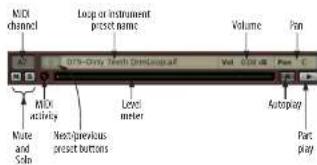
Figure 7 37: Part settings
MIDI (note) activity LED
The MIDI activity LED (Figure 7-37) lights up when the part receives MIDI data or note data from the Piano Roll Sequencer.
Next/previous preset buttons
The Next/Previous preset buttons (Figure 7-37) let you easily browse through a series of presets.
MIDI channel
Press the MIDI channel menu for a part (Figure 7-37) to choose the desired MIDI receive channel for the part (the channel from your sequencer or external MIDI keyboard or other controller).
the part list (as shown in Figure 7-37), you will always see them presented in this fashion (bank letter plus MIDI channel number). You can use any MIDI channel you wish for any of BPM's 64 parts. Parts (as many as you wish) can also share any MIDI channel.
This feature (multiple banks of MIDI I/O) is supported by the standalone, MAS and RTAS versions of BPM. As of this writing, the VST and Audio Unit (AU) standards do not support multiple banks of MIDI channels. If you are using BPM in one of these plug-in formats, and you need more than 16 parts, open a second instance of the plug-in.
Rack parts can be assigned to any MIDI input you want. By default, the first part in Rack A defaults to A5, the second part to A6, and so on. This is because pad banks A, B, C, and D respond to MIDI channels A1 through A4, so the parts start at channel A5 to avoid a MIDI channel conflict with the pad banks.
For details about setting up MIDI I/O with the standalone version of BPM, see "MIDI Devices tab" on page 33. For setting up MIDI I/O with the plug-in version running in your favorite host, see chapter 6, "BPM Plug-in" (page 35).
Creating instrument "stacks"
With 64 available MIDI channels, you can assign each part to its own MIDI channel, if you wish. But you can also assign multiple parts to the same channel to easily create layers ("stacks"), where all instruments that share the same MIDI channel play exactly the same notes.
Click the Mute button (Figure 7-37) to temporarily silence the part. When you mute a part, it no longer expends system resources.
Both volume and pan can be automated with the standard MIDI controllers #7 (volume) and #10 (pan), although you can use any controller you wish, as explained below. Mute and Solo can also be automated via MIDI.
Play/Autoplay
The Autoplay and Part Play buttons (Figure 7-37) are inactive and grayed out, unless a the part has a loop, and the loop is currently set to Slice mode without mapping. For details about these loop settings, see "Slice" on page 80.
If a loop has been loaded into the part and it is in Slice mode without mapping, the AutoPlay and Part Play buttons (Figure 7-37) become activated. Click the Part Play button to play or stop the loop.
Click the AutoPlay button to toggle the part's AutoPlay status. When AutoPlay is enabled for the part, the loop will follow BPM's main transports. When it is disabled, the loop will only play when you click the part's Play button. For complete details about the transports, see "Transport Control and Tempo" on page 90.
Assigning MIDI controllers to part controls
To assign a MIDI controller to a part volume, pan, mute or solo, right-click the item to either choose the desired controller from a menu or play it from your MIDI controller (Figure 7-63 on page 92).
Part synth parameters
BPM provides synth parameter settings for each part (to the right of the parts list). Click the part to select it and then view and adjust its synth settings. See "Synth Parameters" on page 86.
PIANO ROLL SEQUENCER
The Piano Roll Sequencer (Figure 7-38) provides a basic sequencer for the currently selected part.
Accessing the Piano Roll Sequencer
To access the Piano Roll Sequencer, select a part and then click the Seq (Sequencer) tab in the BPM window (Figure 7-1 on page 49).
Pitch Ruler
The Piano Roll grid is a simple grid with time going horizontally and pitch going vertically. The Pitch Ruler (Figure 7-38) indicates the pitch for each note, where C3 is middle C.
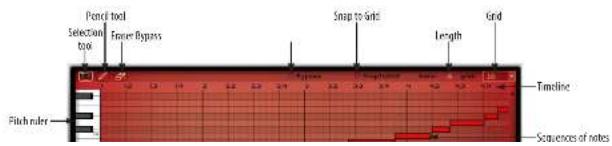
Timeline
The Timeline (Figure 7-38) indicates measure and beats. For example, 2.3 indicates measure 2, beat 3. The number of measures is determined by the Length (in bars).
Zooming the timeline
Click on the time line (Figure 7-38) and drag vertically to zoom the resolution of the piano roll grid.
Length
The length setting (Figure 7-38) lets you specify the length of the time line in the Piano Roll Sequencer for the part. Each part can have a unique length. Length is specified in a number of complete bars.
Grid
The Grid menu (Figure 7-38) lets you specify the grid resolution for editing, as indicated below:
Resolution Metric value
| 8 Eighth note |
| 8T Eighth note triplet |
| 16 Sixteenth note |
| 10T Sixteenth note triplet |
| 32 Thirty second note |
Snap to Grid
Enable the Snap to Grid option (Figure 7-38) to cause edits and note insertions to automatically conform to the current Grid resolution.
Bypass
Click Bypass (Figure 7-38) to turn off the Piano
Tools
The Selection tool, Pencil and Eraser (Figure 7-38) provide standard selection, insertion and deletion capabilities for the grid. Here is a summary of techniques:
To do this Do this
| Insert a note with the durationat the current grid | Click with the Pencil, orDouble-click with the Selection tool |
| Insert a note of any length Drag with the Pencil | |
| Change the pitch of a note. Drag it up or down | |
| Change the pitch of several notes | Select them and drag up or down |
| Change the velocity of one or more notes | Select them and Shift drag up or down |
| Delete a note. Double-click at, orclick it or drag over it with the Epsiscr, orselect it and hit delete. | |
Delete multiple notes Select them with the Selection tool and then hit delete.
Piano Roll Sequencer menu
Right-click to access the Piano Roll Sequencer menu (Figure 7-39).
Here is a brief summary of the menu operations:
Menu item What it does
| Selection Tool/Pencil/Eraser | Selects the corresponding tool. |
| Cut Places the currently selected MIDI data in the clapboard for pasting, removing the data from the sequence. | |
| Copy Places the currently selected MIDI data in the clapboard for pasting, leaving the data in the sequence. | |
| Paste Paper the MIDI data in the clapboard. | |
| Select All/Desect All Select or deselects all notes. | |
| Clear Selection Removes all currently selected notes. | |
| Clear All Removes all notes and other data. | |
| Delete All Notes Removes all notes. | |
| Delete All But Notes Removes all data except for notes. | |
| Quantize Moves all notes, or the currently selected notes, to nearest grid location. | |
| Apply Creove | Applies the chosen groove to all notes, or the currently selected notes. |
Drag and drop into the Piano Roll Sequencer. You can drag and drop patterns from the browser (with AutoLoad turned off), and MIDI files from your computer desktop, into the Piano Roll Sequencer. When importing MIDI files, drag and drop works best when using single-channel MIDI files of a reasonable length.
Applying grooves
The Apply Grooves menu item (Figure 7-39) provides many classic drum machine groove "feels", including MPC swing and LinnDrum presets (Figure 7-40). You can also create and apply your own grooves. See "Saving your own grooves"
Working with slice loops in the Piano Roll Sequencer
When you load a slice loop into a part, each slice is mapped to an individual note and the notes are automatically loaded into the Piano Roll Editor. The first loop slice is mapped to note C3 and from there slices are mapped sequentially in ascending order, chromatically, up the keyboard. The resulting cascade of notes is a similar to what is shown in Figure 7-38. You can edit the slice notes in the grid to modify the loop. You can play slices from the on-screen keyboard, a MIDI keyboard, a pad controller or any other MIDI controller. Essentially, these mapped slice notes give you a great deal of control over manipulating the loop.
PART EDITOR
The Part Editor (Figure 7-41) provides in-depth programming of individual rack parts. The Part Editor provides a wide range of controls (such as envelopes, multimode-filters, I.FOs, and pitch controls) that allow you to shape and mold the instrument sound or loop in the currently selected part.
Accessing the Part Editor
To access the Part Editor, make sure a rack is currently selected, click the part you wish to edit to select it and then click the Edit tab in the BPM window (Figure 7-1 on page 49).
MIDI automation of part editor parameters
Part Editor parameters can be automated by sending MIDI control messages to BPM. Right-click any parameter to either choose the desired controller from a menu or play it from your MIDI controller (as shown in Figure 7-63 on page 92).
LFO. Choose among nine different waveforms for each LFO, allowing for a great deal of control in shaping the part you are working with.

Figure 7 42: LFO types.
Retriggering
Retriggering causes each new note that is played to restart the LFO waveform. LFO 1 and 2 are retrigger. LFO 3 and 4 are non-retrigger.
Rale
Rate (Figure 7-41) controls the speed of the currently selected LFO.
Depth
Depth (Figure 7-41) controls the intensity of the LFO.
Sync
Sync (Figure 7-41) allows the LFO's rate to be synced to BPM's global tempo.
Transpose
The Part Editor Transpose section (Figure 7-41) provides general pitch controls for each part.
Bend
The Bend setting (Figure 7-41) controls the pitch bend range for the part. The range is from 0 to 24 semitones (2 octaves).
Constant pitch ("Const")
Enable the Constant Pitch (Const) button (Figure 7-41) if you would like to maintain the same pitch, regardless of what MIDI note is being played. Use the Octave and Semitone settings (below) to adjust the pitch as desired. This setting is especially useful for loops, phrases or drum hits that you do not wish to transpose.
MIDI
The Octave and Semitone (Semi) settings (Figure 7-41) transpose the current part in octaves and semitones, respectively. The octave range is from -2 to +2 octaves. The semitone range is from -24 to +24 semitones (two octaves).

Play
The Part Editor Play section (Figure 7-41) provides general controls for part playback.
Glide
Portamento is used to smooth the transition between played notes. When in Mono mode, the Glide setting (Figure 7-41) controls the length of the portamento transition. The portamento range is from 0.00 ms (milliseconds) to 10.00 second.
Polyphony
The Polyphony setting (Figure 7-41) determines how many stereo notes the currently selected part can play simultaneously. For example, a setting of 12 lets you play 12 stereo notes at a time. The maximum setting is 256 stereo notes (per part).
Polyphony is a per part setting. Higher polyphony settings demand and consume more of your host computer's processing power, so set this parameter only as high as needed for each part.
Mono
Click the Mono button (Figure 7-41) to make the currently selected part play like a monophonic synth, where only one note can play at a time. Each new note played replaces any currently sustaining note, with a degree of glide between them (see Glide above). Mono mode is ideal for solo instruments.
Velocity curve
Click the desired Velocity curve button (Figure 7-41) to set the note-on velocity response curve for the current part.
The flat line option plays all struck notes at the
to confirm the value. Now when you play the part, the notes will be played at the note-on velocity that you specified.
Choose the linear curve for a 1-to-1 response curve (all notes are played at the velocity at which the key is struck). This is the normal response for MIDI data.
The exponential curve produces medium velocity values that result in a lower volume than linear mode. This curve is well suited for soft keyboards that send high velocity M1D1 values with a light touch.
The logarithmic curve produces higher velocity values that result in a higher volume than linear mode. This curve is good for piano-action keyboards that require harder action to send high velocity values.
Modulations
You can modulate the pitch, pan, amplitude, and filter cut-off parameters to further mould the sound of the part. Use a parameter's modulator menu to choose the type of modulation for that parameter, and use the Depth control to set the amount of modulation that is applied. The modulator menu is shown below:
Here is a brief explanation of the modulation sources shown in Figure 7-43:
Modulation source Explanation
| Off Turns self-modulation. | |
| Pitch Env.Arap, RewFilter Env. | Those options use their corresponding dedicated envelope. |
| LFOs Those options use their corresponding dedicated LFO. | |
| KeyPitch BendAfter TeachVelocity | Modulation is controlled by the chosen type of MIDI chain. Key reads to MIDI pitch. |
| Wheel-> These options use the chosen LFO from the LFO section, with the addition that the mad wheel controls LFO depth. | |
| Organ PanWalledAlternateRandom | See below. |
External modulation via MIDI As shown in Figure 7-43, modulation can be controlled from a variety of MIDI sources, including notes (key number), pitchbend, etc.
Organ Pan modulation
The Organ Pan modulation option (Figure 7-43) is based on the way organ pipes are set in a church organ. This option is primarily for panning samples, but it can be used for other creative effects, too. This option determines modulation values depending on incoming MIDI pitch numbers. For pitches lower than 36, maximum and minimum values are sent alternately (i.e. note 32 will be generating a value of 0, 33 will generate 127). For pitches between 36 and 108, the alternating continues but with smaller and smaller
Alternate modulation
The Alternate modulation option (Figure 7-43) sends maximum and minimum modulation values alternately. For example, if applied to pan with a depth of 1, this modulation source would alternate between the hard-right and hard-left pan position. To lower the values, just lower the depth.
Random modulation
The Random modulation option (Figure 7-43) generates a new, random value each time a note-on is received.
Arpeggiator
Each rack part has an independent arpoggiator, as shown in Figure 7-44 on page 78.
Accessing the Arpeggiator
Select a rack part, click the Edit display tab, then select the Arp tab in the virtual LCD screen. To enable the arpeggiator, click the Enable button.
Steps
The number of steps is set with the NumSteps knob, from 1 to 128. The Resolution knob sets the value of the steps, in metric values from 32 bars to 64th note triplets.
You can manipulate each step in the following ways.
To do this Do this
Enable/disable step Click checkbox
Merge with previous step Shift-click checkbox
Change velocity Drag slider/up down
Change length Shift-drag slider left/right
The Vaßländknoh controls the depth of the steps' velocity. At 0%, the full velocity range is used; at 100%, a constant velocity is used (effectively making all steps the same velocity, regardless of their individual values).
Trigger Mode
TriggerMode determines where in the pattern of steps each note will start.
Note: Each played note restarts the from the first step.
Legato: the first played note starts on the first step, and the pattern of steps continues as additional notes are played. If all held notes are released, the pattern will restart from the first step when the next note is played.
Song Position: the position in the pattern is determined by the song position, regardless of how notes are being played.
Hold
When Hold is set to True, arpeggiated notes are held.
Mode
The Mode menu determines the order in which the arpeggiated notes are played.
Octave
The Octave knob determines how many octaves above or below the played notes will be arpeggiated.
Strike and Repeat
To further tailor the way in which each arpeggiated note is triggered, use the following settings:
Strike: the number of times the note is triggered before moving on to the next note.
RepeatBottom: the bottom note is repeated.
RepeatTop: the top note is repeated.
Swing
The Swing knob applies swing to the steps.
Arpeggiator presets
Arpeggiator settings can be saved and recalled with the arpeggiator preset controls.

Figure 7-45: Arpegglator presets

A variety of factory presets are included, and you can also save and recall your own. Presets can be loaded by selecting them from the menu, or with the next/previous preset buttons.
Disabling the arpeggiator
To temporarily disable the arpeggiator, click the Bypass button. To remove the arpeggiator, deselect the Enable button.
The arpeggiator returns to its default settings when the arpeggiator is removed. If you would like to recall your current arpeggiator settings, save an arpeggiator preset before removing it, or use Bypass instead.
LOOP EDITOR
The Loop Editor (Figure 7-46) provides in-depth programming of individual rack parts that are currently loaded with a loop. The Loop Editor provides a wide range of controls that allow you to control the playback behavior and other parameters of the loop in the currently selected part.
(Figure 7-1 on page 49) and then click the Loop Editor tab (Figure 7-41 on page 75). Note that the Loop Editor tab only appears when the currently selected part is loaded with a loop (not an instrument).
Loops versus phrases
In the following discussion, the terms phrase and loop have the following meaning:
- Loop — a pre-sliced audio file such as a ReCycle (REX) file, Apple Loop, UVI library Loop, etc. where each beat has been identified as its own slice. Almost all loops in BPM's included library are slice loops.
■ Phrase — any other audio file (WAVE, AIFF, Sound Designer II, etc.)
Loop waveform display
The loop waveform display (Figure 7-46) provides an overview of the loop's waveform. It is for display purposes only:
Accessing the Loop Editor
To access the Loop Editor, make sure a rack is currently selected, click the part you wish to edit to select it, click the Edit tab in the BPM window

Three loop modes
Click the desired loop mode button (Figure 7-46) to put the part into one of three possible loop modes:
Loop mode What it does
Sample Plays the loop like a regular sampler. As you play notes up and down the keyboard, both tempo and pitch change.
Stretch As you play notes up and down the keyboard, pitch changes but not tempo.
Slice Same as stretch mode, except that the loop can also be played as individual slices. Also, slice longs can be autopolyed (without being triggered from MIDI or the Piano Roll Sequencer).
A native "sliced" sound file (REX file, Apple Loop, etc.) can be switched to Stretch or Sample mode, but a "non-sliced" sound file cannot be switched to Slice mode.
As with other loop parameters, each part can have its own loop mode setting. The mode you use for a loop or phrase will depend on the nature of loop or phrase itself and how you would like to use it within a musical context.
Sample
Click the Sample mode button (Figure 7-46) to put the loop or phrase into Sample mode. In Sample mode, the loop or phrase is triggered like a traditional sampler: as you play the loop with different keys up and down your MLDI controller, both the pitch and the duration of the audio will change. The higher the note, the higher the pitch of the audio and the faster it plays. The lower the note, the lower and slower the audio plays. BPM's global tempo setting (and the tempo setting of the host Sample mode is good for material such as vocal phrases, where precise tempo control is not required. It is also good for producing the "sampler effect".
Stretch
Click the Stretch mode button (Figure 7-46) to put the loop or phrase into Stretch mode. In Stretch mode, the MIDI note you play to trigger the loop or phrase affects the sample's pitch, but not the tempo. For example, if you play a three-note chord, all three triggered loops (or phrases) will play at the same speed (but at the different pitches you played). Playback speed is determined by the speed controls. Stretch Mode locks the loop's tempo to BPM's global tempo setting (and/or the tempo setting of the host software, if any).
To ensure that Stretch mode produces high-quality results, BPM employs very high quality real-time audio time-stretching DSP technology.
Slice
Click the Slice mode button (Figure 7-46) to put the loop into Slice mode. If a "non-sliced" loop or other sound file is loaded in the currently selected part, slice mode is not available and so the Slice button is grayed out. Just about all of the loops in RPM's included loop library are slice loops. There are a few audio clips that are non-slice phrases (as indicated by "PIR" at the end of their name).
If you have your own loop material, and it is not yet in a slice loop format (such as a REX file), you can slice the loop using the Clip window, or use MachFive or other software. See "Slicing a loop" on page 85.
phrase affects its pitch, but not the tempo. For example, slice mode allows you to play chords, just like Stretch mode.
Slice mode differs from Stretch mode in that it allows the part to play the loop without any MIDI triggering. It's like having a very basic loop sequence for the part. For details, see "Sync menu" on page 83.
Map
In Slice mode, you can enable the Map button (Figure 7-46). The Map button splits up the loop into individual beat slices, mapped chromatically to MIDI notes starting at C3. This allows you to play each individual slice by itself from a note on your MIDI controller.
By playing the notes upwards chromatically, you can recreate the original loop. But you can mix up the notes to play the slices in any order you want, allowing you to create your own rhythms based on the slices of the original loop. Mapping opens up a world of possibilities for restructuring the beats of a loop, quantizing or groove quantizing loop slices, and so on.
To trigger a sliced loop that has been mapped, make sure that the part that currently holds the sliced loop is properly receiving MIDI. See “MIDI channel” on page 71.
Map mode also allows you to drag and drop the loop's MIDI data into a MIDI track in your host software. You can then manipulate the loop as MIDI data in your host. For details, see "Loop export via Drag & Drop" on page 84.
Loop mode summary
Here is a summary of the loop modes discussed above:
| Loop mode | Typically used with | MIDI note affects | Tempo is determined by |
| Sample Loops | Phrases | Pitch and duration | MIDI note |
| Stretch Loops | Phrases | Pitch only speed, tempo and loop sync controls | |
| Slice Loops only: Pitch only Speed, tempo and loop sync controls | |||
Slice with Map Loops only Slice played N/A
Sample Start
The Sample Start slider (Figure 7-46) lets you specify any location in the loop or phrase as the sample start time. This is the location at which the loop or phrase will begin playing.
In Sample mode or Stretch mode, the Sample Start slider provides a range from zero percent (0%) to 100%, where zero is the very beginning of the loop or phrase.
In Slice mode (without mapping), the Sample Start slider provides a range from the first slice (0) to the last slice. The number of the last slice depends on the length of the loop and the number of slices. For example, if a two-bar loop is divided into 16th note slices, it will have 32 slices total. This means that slice 17 is the downbeat of measure 2. So if you set the Sample Start slider to 17, the loop will start on the downbeat of measure 2.
The Sample Start parameter is disabled when
50% slower to 50% faster than the original tempo, which is represented by the center position of the slider. Option/Alt-click the slider to return to zero. Double-click to type in a value numerically.
The Speed parameter is disabled when the loop is in Sample mode (because speed is governed by the MIDI note that you play).
Half/Double
The Half and Double Speed buttons (Figure 7-46 on page 79) let you slow down the loop or phrase to one half (50%) or one quarter (25%) of the current tempo, or speed it up to twice (200%) or four times (400%) the current tempo. Similar to the Speed Control slider, this setting is applied relative to the other sync and tempo settings. It can be combined with the Speed Control slider, allowing you to specify any tempo within a range of 2.5% to 400% of the current tempo, giving you an extremely wide range of tempo control.
Half/Double speed parameter is disabled when the loop is in Sample mode (because speed is governed by the MIDI note that you play).
Latch
When the Latch button (Figure 7-46 on page 79) is off (disabled), a loop or phrase plays for as long as you hold down its corresponding note on your MIDI keyboard (or any other controller).
When Latch is on (enabled), a loop or phrase continues to play, even if you lift your finger from the key on your controller. If the loop or phrase is a loop in Slice mode (without mapping), it will continue to repeat indefinitely. If the loop or phrase
then stop. In either case, play the same key again to make the loop or phrase stop playing. You can also disengage the Latch button to stop all latched notes.
Loop mode Latch Off Latch On
| Sample Plays only when the note is held on. | Reports fit the sample has a loop). | |
| Stretch Plays only when the note is held on. | Plays once. | |
| Slice (without mapping) | Plays only when the note is held on. | Repeats indocitately until the same note is played again. Turning latch off steps all latched notes. |
Latch Start menu
The Latch Start menu (to the right of the Latch button in Figure 7-16 on page 79) lets you specify when the loop or phrase begins to play after you trigger it. Latch Start is different from the Sample Start control (explained above), which determines the point (in the actual loop) where the loop will start to play. Instead, Latch Start determines when a loop begins to play, relative to other loops currently playing in BPM.
Start menu setting What happens
| Immediate Plays immediately, as soon as the loop or phrase is triggered. |
| Next Beat Begins playing at the next beat |
| Next Bar Begins playing at the downbeat of the next measure. |
Latch is also governed by BPM's global tempo setting and/or your host software tempo (if BPM is synchronized to it).
In Stretch mode ("Stretch" on page 80), loops and phrases always begin playing at the beginning of
you are creating poly rhythms in this manner, this might be just what you want. But if you want the loop to come in on beat 3 playing its own beat 3, then use Slice mode ("Slice" on page 80) with Position sync (see "Position" below). The Position sync setting keeps the loop's beats aligned with the global tempo, regardless of when the loop begins playing (on the next beat or next bar). Position sync is only available for loops, not phrases.
Key
The Key display (Figure 7-46 on page 79) shows the root key for the loop or phrase, if any. This is for informational purposes and it cannot be changed. To transpose the key, put the loop or phrase into Sample mode and play a different note, or use the Pitch controls in the synth settings section (see "Pitch settings" on page 88).
Sync menu
The settings in the Loop Sync menu (Figure 7-46 on page 79) let you synchronize the loop or phrase to BPM's global tempo setting. If the Sync to Host option is enabled (Figure 7-60 on page 90), the loop or phrase will also synchronize to the tempo of your host software.
Sync menu setting What it does
| Off The loop or phrase does not sync to tempo. |
| Tempo The loop or phrase follows tempo, but not position. Loops and phrases always start at the beginning. |
| Position Nos. available for phrases. Loops follow both tempo and position (their beats and hartimes always align with the tempo). |
Tempo sync
When you choose Temina from the Sane menu
In addition, it begins to play at the instant it is triggered, so it is up to you to trigger it "on the beat". If you trigger it at between beats, it will play in tempo, but offset from the beat by what you played.
Position
The Position sync setting in the Sync menu (Figure 7-46 on page 79) only affects loops, and only when they are in Slice mode without mapping ("Slice" and "Map" on page 81). When a loop is in Slice mode with Position sync, it might be helpful to think of the loop as looping indefinitely, whether you are actually playing the loop or not.
When you play a note to "trigger" the loop, you are actually just "unmuting" it, and it begins to play at the position in the loop that currently matches BPM's tempo. For example, if the loop is two bars long, and you trigger it at the second measure of your music, then it plays starting at bar two of the loop.
Loop Sync summary
Putting a loop into Slice mode and choosing Position sync gives you the highest degree of tempo synchronization because the loop will not only play in tempo, but its beats and barlines will always match the beats and barlines prescribed by the tempo.
Here's a summary of the different loop modes and sync settings:
Sync off Tempo sync Position sync
| Sample | Sync setting has no effect. | Sync setting has no effect. | Sync setting has no effect. |
Loop export via Drag & Drop
The Drag & Drop button (Figure 7-46 on page 79) lets you export loops and phrases into the tracks of your host software, or onto your computer desktop.
Loops and phrases are transferred as a standard audio clip. Loops that are in Slice mode with mapping ("Map" on page 81) can be dragged as MIDI data (MIDI notes) into a MIDI track, which can then trigger the mapped loop in BPM.
In either case, once the loop is placed in your host software, it is completely independent of BPM at that point, and you can treat it as regular audio or MIDI data. This opens up a world of possibilities for manipulating the raw audio or MIDI data using the features in your host software.
Dragging audio data
When you see the audio data icons shown in Figure 7-47, this means that you are dragging a standard mono or stereo audio clip. You can drag and drop it anywhere into your host software that accepts audio clips via drag and drop.

Figure 7-47: Dragging and dropping an audio loop into a host audio track.
Here is a good rule of thumb: if it works from
display shown in Figure 7-46 on page 79 to determine if the loop or phrase you are dragging from BPM is mono or stereo.
Conforming to the host tempo
If the Sync to Host option is enabled ("Sync to Host" on page 90) when you perform the drag and drop operation, the loop or phrase will snap to the host's tempo when you place it in an audio track, such that it conforms to the host's time line. If your host software has the ability to snap the drag and drop operation to measures and/or beats, this will help produce rhythmically accurate results quickly.
If Sync to Host is disabled, the loop or phrase retains is original tempo when placed in the track.
Dragging MIDI data
When you see the MIDI data icon shown in Figure 7-48, this means that you are dragging a sliced, mapped loop in the form of MIDI data. Therefore, you should find a destination in your host software that accepts MIDI data, such as a MIDI track, although your host may also provide other possible destinations. For example, in Digital Performer, you could drag a MIDI loop into a clipping window.

Figure 7-48: Dragging and dropping a MIDI loop into a host MIDI track.
order, you'll play the individual slices but the result will sound quite different from (but similar to) the original loop.
Make sure that the MIDI track is assigned to play its MIDI data output to the BPM part that holds the mapped loop. Otherwise, the MIDI data from the track will not reach the sliced mapped loop. Also, clear or bypass the loop's Piano Roll Sequencer, so the part does not receive different MIDI input from two places at once.
Slicing a loop
The Clip window can be used to create slices in audio files that do not already have slices.

Figure 7-49: Clip window
Sample or drag some audio into the Clip window. You'll see controls for slicing in the lower left corner: the Slice on/off button to toggle slicing, and the pop-up menu to choose if slices will be determined by Transients or the Grid. When Transients is chosen, a sensitivity slider is shown (see Figure 7-30, below); when Grid is chosen, a menu with grid settings is shown (1/4, 1/8, 1/16, etc., including dotted and triplet options).

Figure 7.50: Slice controls
To manually edit slices:
To do this Do this
Create slice Double-click in the top ruler
Move slice Click and drag a slice
Lock slice Right-click a slice and choose Lock
Mute slice
(temporarily disable)
Right-click a slice and choose Mate
Delete slice Right-click a slice and choose Delete
To audition a selection in the waveform, press the Play button at the top, next to the Sampling button, or right-click the waveform and choose Play Selection from the contextual menu. You can easily select a slice to audition it by double-clicking on the slice's waveform.
After the loop is sliced, you can use the menu in the upper left to save the entire file as a sliced loop (Save as...) or export the slices as individual files (Export slices). Alternatively, you could export the slices directly to the current bank's pads by clicking the Map on Pads button in the lower left.

pads already contain samples and you don't want their contents to be overwritten, you can "lock" pads by using the Pad selector grid in the browser.

Figure 7-52: Use the Pod selector to "lock" pads.
Pads that are checked (black) will be overwritten; pads that are unchecked (empty/gray) will be locked. For example, you can use Map on Pads to map eight slices from one loop, lock those pads, then load eight slices from a second loop to fill all sixteen pads.
SYNTH PARAMETERS
The Synth Parameters section of BPM window (Figure 7-53) provides settings for the currently selected bank pad or rack part. (See "Selecting a pad" on page 57 and "Selecting a part" on page 69.) The parameters discussed below apply to any BPM material that is currently loaded in the pad or part (samples, instruments, loops and phrases).

Filter
The filter section (Figure 7-54) provides several filter types for shaping the sound of the pad or part.
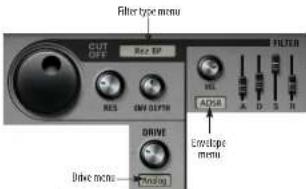
Figure 7-54: The Filter section.
Filter Type
Choose the type of filter you wish to apply from the menu (Figure 7-54). BPM provides the following filter types:

Figure 7-55: Filter types.
The filter type menu uses the following abbreviations:
Abbreviation Meaning
HP High Pass
LP Low Pass
Cutoff (Cutoff Frequency)
Turn the large Cutoff knob (Figure 7-54) to set the cutoff frequency of the filter. The cutoff frequency can be automated by sending a MIDI controller to BPM, as explained in "MIDI automation" on page 92.
Res (Resonance)
Resonance (Figure 7-54) emphasizes the cutoff frequency of the filter. Higher resonance values can significantly boost gain, so you may need to attenuate the volume of the pad or part to achieve a clean sound. Resonance can be automated by sending a MIDI controller to BPM, as explained in "MIDI automation" on page 92.
Drive
The Drive setting (Figure 7-54) sets the type and amount of distortion (if any) that's applied to the filter output. In addition to the default setting of Off, you have three different drive settings to choose from: Analog, Mild, and Strong. Once you set the distortion type, use the Drive knob to set the amount of distortion that is applied.
Filter envelope
BPM provides a dedicated envelope for filter modulation. Think of the filter envelope (Figure 7-54) as a hard-wired control signal for the filter cutoff frequency (although it can also be used as a modulation source for other parameters, too). The filter envelope provides the following conventional 4-stage controls:
Stage Name Unit range
A Attack time msec 0.00 msec to 10 seconds
1) Every time was 0.111 more to 24 seconds
Alternatively, you can choose a conventional AHD envelope from the envelope type menu (Figure 7-54):
| Envelope stage | unit | range |
| Attack (A) | msec | 0.00 msec to 10 seconds |
| Hold (H) | msec | 0.00 msec to 10 seconds |
| Decay (D) | msec | 0.00 msec to 20 seconds |
Env (Envelope) Depth
The Env Depth knob (Figure 7-54) is like a valve that governs the amount of envelope control signal you want to apply to the filter. Positive envelope depth values open up the filter relative to the cutoff frequency; negative values close (invert) it. A value of +1.00 applies the envelope in full, and -1.00 applies the envelope in full, but completely inverted.
Velocity
Vancity (Figure 7-54) allows you to control how much affect the MIDI note-on velocity has on the triggering of the envelope. This control has a range from 0 to 1. If you wish the filter envelope to be independent of velocity, set this control to zero (0).
Amplitude Envelope
The amplitude envelope (Figure 7-56) lets you control the attack (A), decay (D), sustain (S) and release (R) characteristics of the sample, instrument, loop or phrase loaded into the currently selected pad or part. Alternatively, you can choose an AHD envelope from the menu: attack (A), hold (H) and decay (D).
ADSR envelope
The attack, decay and release parameters are time-based parameters (a length of time), whereas the sustain parameter is a level (volume) parameter. When a note is played, the envelope generator begins to rise to its full level at the rate set by the attack parameter. Upon reaching peak attack level, it begins to fall at the rate set by the decay parameter down to the volume level set by the sustain parameter. The envelope remains at the sustain level as long as the note sustains. When the note stops, level returns to zero at the rate set by the release parameter.
Below is a summary:
Envelope stage unit range
| Attack (A) msec 0.00 msec to 10 seconds |
| Decay (D) msec 0.00 msec to 20 seconds |
| Sustain (S) percent zero to 1.00 (full scale) |
| Release (R) msec 0.00 msec to 20 seconds |
AHD envelope
The AHD envelope parameters (Figure 7-56) are all time-based parameters. When a note is played, the envelope generator begins to rise to its full level at the rate set by the attack parameter. Upon reaching peak level, it remains there for as long as the hold parameter specifies. At the end of this period, it begins to fall at the rate set by the decay parameter down to zero.
Envelope stage unit range
| Attack (A) | maxc 0.00 maxc to 10 seconds |
| Hold (H) | maxc 0.00 maxc to 10 seconds |
Pitch settings
The pitch settings (Figure 7-57) let you modify the pitch reference for the currently selected part.

Figure 7-57: The Pitch settings.
Global, Semi and Fine tune
The Global knob lets you adjust pitch in semitones over a two-octave range (-25.00 to +25.00) with the precision of one cent (one one-hundredth of a semitone). This is audio transposition (not MIDI). The Semi (semitone) and Fine (fine-tune) settings (Figure 7-57) provide more precise control, transposing the pad or part in only semitones or cents, respectively. The Semi range is from -24 to +24 semitones. The Fine Tune range is from -100 to +100 cents (one semitone). The Global setting essentially combines the functionality of the other two knobs into one: it provides the two-octave range of the semi knob combined with the precision (in cents) of the Fine knob.
Pitch envelope
The pitch envelope controls (Figure 7-57) let you apply a pitch bend envelope to the pad or part. The basic shape of the envelope is shown by the graph. The Depth knob sets the amount of pitch bend to be applied by the pitch envelope (in semitones). This is the amount of transposition above or below the root note that the pitch bend will begin. The Time knob sets the amount of time it takes for the pitch bend to go from the initial transposed (depth) setting to the final root pitch of the sample,

Figure 7-58: The Aux sends.
There are two kinds of aux effects: master and bank. A switch is provided to toggle the knobs between the master and bank aux sends. Both sets of aux sends are active simultaneously; that is, setting the switch to bank does not mute the master aux sends, or vice versa.
For details about how to set up the Aux effects, see "Effects" on page 99.
Master aux effects
Master aux effects busses are shared by all bank pads and rack parts, but the send levels to the busses are independent for each pad or part.
Bank aux effects
Bank aux effects provide a flexible way to utilize and save effects along with a kit. Bank aux effects operate similarly to the master aux effects, except bank aux effects are saved with the bank. This enables you to use an aux send to an effect from a single pad, for example, but still save the effect along with the bank.
SP MODE
BPM has four pad banks and two racks for loops and instruments. Each bank and rack has an SP Mode on/off switch:
SP made
Figure 7-59. SP mode can be enabled or disabled independently for each bank and rack.
When SP Mode is enabled for a bank or rack, BPM applies advanced DSP technology to emulate the "gritty" sound of the classic E-mu SP1200 rhythm machine, as well as the unique sample transposition behavior of the SP1200.
SP Mode only affects the bank(s) or rack(s) for which it is enabled, and it affects all audio output from the bank or rack.
TRANSPORT CONTROL AND TEMPO
BPM provides a Play and Stop button, along with a tempo setting, that allows you play all currently loaded patterns, sequences and loops in tempo with one another.

Figure 7-60: The transport and tempo controls.
Play and Stop buttons
Click Play and Stop (Figure 7-60) to start and stop playback. This includes all currently loaded banks (with kits and patterns loaded), all currently loaded instrument parts (with their accompanying sequences) and parts loaded with loops that have their individual AutoPlay setting enabled (see "Play/Autoplay" on page 72).
Record, Quantize and Overdub
The Record, Quantize and Overdub buttons (Figure 7-60) can be used for real-time MIDI recording directly into BPM. For complete details, see "Recording" on page 93.
Metronome
Click the metronome icon to toggle the metronome on or off, and drag the slider to set the metronome level.
Tempo (BPM)
RPM is syncing its tempo to your host software, this setting reflects the current host software tempo setting and it cannot be changed.
Host AutoPlay
When the host AutoPlay option (Figure 7-60) is enabled, the plug-in version of BPM follows the main transports of the host software. You can also still use BPM's Play and Stop buttons independently from the host. In other words, BPM's play button won't start the host, but the host's play button will start BPM.
In the standalone version of BPM, the AutoPlay option is disabled (because there is no host software present).
Sync to Host
When the Sync to Host option (Figure 7-60) is enabled in the plug-in version of BPM, the BPM setting becomes disabled (it cannot be directly modified) and instead displays the current tempo setting of the host software. BPM follows the tempo of the host software, so that all BPM loops play in tempo with your host software tracks. Use the tempo controls in the host software to control overall tempo of both BPM and the host software tracks.
In the standalone application, when the Sync button in the transport is enabled BPM will sync to MIDI Beat Clock messages received on any of its MIDI input ports (as chosen in the Audio and MIDI Settings > MIDI Devices tab).
Tap Tempo
Click the Tap Tempo button (Figure 7-60) to set
Loop tempos and authentic rhythmic feel
BPM loops have been recorded and prepared with the utmost care in programming a unique, original rhythmic feel for the loop. As a result, you may sometimes hear loops with different styles that sound like they are not playing in tempo with each other. This is not because the loops are being incorrectly played by BPM. The tempo settings of the loops themselves and BPM's tempo-matching features are extremely sophisticated, accurate and true. Instead, loops won't necessarily always "groove" with each other, due to their unique, and possibly irregular, timing. These timing variances are an essential musical component of the loop, dutifully preserved by BPM during playback.
In cases like these, you might try applying RPM's groove quantization or other tempo and beat matching features. These features can work wonders on loop tempos, giving you complete control over them. For example, you can quantize loops to a more precise rhythmic grid, apply the groove of one loop to another to match them, and many other beat and tempo-related operations. For details, see "Groove" on page 91 and "Saving your own grooves" on page 63.
MASTER VOLUME AND TUNE
The master section (Figure 7-61) provides general settings that affect the entire plug-in as a whole (all parts).
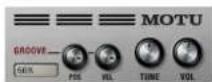
Tune
The Tone knob (Figure 7-61) is a global tuning stage for BPM window. It is applied to the entire plug-in as a whole, in addition to any other instrument-specific tuning adjustments that have been made. For example, you could tune BPM to reference A at 442 Hz (instead of 440). The range is from 420 Hz to 460 Hz. Option/Alt-click the knob to return to the default value of 440 Hz. Double-click it to enter the desired value numerically.
If you have multiple RPM plug-ins instantiated in your software, this global tune setting affects each plug-in separately.
GROOVE
A groove consists of slight variations in the timing of the beats, along with variations (emphasis and de-emphasis) of the loudness (velocity) of beats. The groove controls in the master section (Figure 7-61) let you apply an overall groove to BPM's playback. All patterns and slice loops are affected. Choose the desired groove from the Groove menu (Figure 7-62) and then adjust the amount of position and velocity to be applied with the Pos and Velknobs, respectively. The range of these settings is 0.00 to 1.00, where zero is no effect and 1.00 is full effect. This allows you to apply different amounts of timing and velocity.
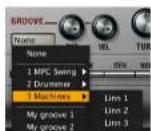
Custom grooves
If you have created and saved any custom grooves, they appear at the bottom of the Groove menu (Figure 7-62). See "Saving your own grooves" on page 63.
MIDI AUTOMATION
You can send MIDI continuous controller data to any BPM knob or slider to control it remotely from your MIDI controller or automate it from recorded controller data in a MIDI track in your audio sequencer.
To assign a MIDI controller to a knob or slider, right-click it. A window appears:
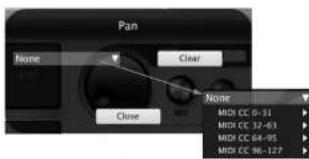
Figure 7-63: Assigning a MIDI controller to a control to automate it.
Choose the desired controller from the menu provided, or send the desired controller from your keyboard. As you move it, the controller data type is accepted and the window is dismissed.
To remove a controller, right-click the control and choose the None option (Figure 7-63).
Automation is assigned per pad/part
When you assign a MIDI controller as described above, it is connected to the control for the currently selected pad or part. This gives you the
Controlling the volume of each pad and part To control the volume of each bank pad and rack part individually, perhaps from a MIDI controller device with faders on it, control-click or right-click its volume slider in the mixer (Figure 7-74 on page 97) and then move the desired fader on your controller to complete the assignment. Repeat this procedure for each pad and/or part you wish to control.
Controlling synth parameters
MIDI automation is an ideal way to have hands-on, real-time dynamic control over the timbre of any bank pad or rack part. Here are just a few examples:
■Control the filter cutoff
■Control filter or amplitude envelope depth
Default MIDI controllers
By default, each bank and each rack part has MIDI controller numbers 7, 10 and 11 assigned to volume, pan and expression. These assignments can be edited or removed in the Mixer view.
MIDI MODULATION
MIDI Modulation is an extension of RPM's MIDI automation capabilities. MIDI Modulation works as a real time control that modulates a parameter's value without changing the parameter's setting itself. It can either add to or subtract from the parameter's current value, while at the same time preserving the original value of the parameter.
Option/Alt-right-click to bring up the MIDI Modulation window. The MIDI Modulation window looks very much like the MIDI Control window, except this window also has a slider. For a

Figure 7.64: Adding a MIDI modulator
This is useful to provide an extra degree of control and variance over the details of your sounds. For example, try using MIDI Modulation to modify the filter cutoff frequency. You can also use it to create crossfades between different controls. For example, you could assign two banks to the same controller: modulate volume on one bank with Expression (CC 11) and drag the slider to the right, and modulate volume on the other bank with Expression and drag the slider to the left. The result is that you could crossfade between the banks by moving your expression controller.
RECORDING
BPM lets you record into the Step Sequencer for a pad bank (Figure 7-16 on page 59), or the Piano Roll Sequencer for rack part (Figure 7-38 on page 72), from the following sources:
■ The on-screen pads
■ The on-screen keyboard
■ A MIDI controller
■ A host sequencer
Viewing your record pass
To view your record pass as you record it, click the Seq (Sequencer) display tab in the BPM window (Figure 7-1 on page 49).
MIDI input
If you will be recording from an external MIDI source (a MIDI controller or host sequencer), you need to route MIDI input to the bank or part you are recording.
The Route MIDI input to option in the top left corner of the BPM window (Figure 7-65) ensures that incoming MIDI data is always routed to the currently selected bank or rack part. Just make sure that the box is checked and the menu says Selected Bank/Part, as shown below. This convenient feature means you won't have to keep changing your controller's transmit channel as you move around in BPM.

Figure 7-65. Routing Incoming MIDI data.
The MIDI input menu shown in Figure 7-65 also lets you choose a specific MIDI channel. This allows you move around in BPM while always routing the incoming MIDI to a particular Bank or Rack part. Banks A, B, C, and D respond to MIDI channels A1 through A4. (See "MIDI channel" on page 71 for an explanation of BPM's four banks of MIDI channels.) Rack parts can be assigned to any MIDI input you want. By default, the first part in Rack A defaults to channel A5, the second part to A6, and so on, to avoid a MIDI channel conflict with the pad banks. See "MIDI channel" on
Quantize
If you would like to quantize your input as you record, enable the Quantize button in BPM's main transports (Figure 7-60 on page 90). Quantizing records the notes you play precisely on the step grid. When quantizing is off, notes are recorded exactly with the timing and feel you play them with. You can quantize them later using the TimeShift Graph Sequencer (see "TimeShift" on page 61).
Overdub
Each time BPM cycles back to the beginning of the pattern or sequence, a new record pass begins. If you would like to keep any data you have already recorded in previous passes and simply layer more new material on top of them, enable Overdub record mode in BPM's main transports (Figure 7-60 on page 90). If you would like to wipe out the previous record pass as you record each new one, disable Overdub.
Begin recording
To begin recording, press the Record button in BPM's main transports (Figure 7-60 on page 90). During recording, you'll hear a synthetic click sound on the beats to help you play in rhythm. This is also an audible indication that BPM is in record mode.
To record from the on-screen bank pads (Figure 7-9 on page 55), click them.
To record from the keyboard below the rack part list (Figure 7-36 on page 70), click its keys.
To record from a MIDI controller, play the
Note Repeat
The Note Repeat function repeats incoming notes in metric values. This can be a useful performance tool, as well as a helpful way to record repetitive note patterns into BPM's step sequencer.
Using Note Repeat
To enable Note Repeat, enable the Note Repeat checkbox (Figure 7-66).
The rate of the repeated notes is controlled by the Note Repeat rate menu, which ranges in metric values from 32 bars to 64th note triplets.

Figure 7.66: Note Repeat
Repeated note velocity
By default, the velocity of the repeated notes will be the same as the note-on velocity of the initially triggered note. However, you can use polyphonic aftertouch to vary the velocity of the repeated notes; this requires a MIDI controller or a plug in host which supports polyphonic aftertouch.
Akai MPD32 users: The MPD32's pads are configured to use monophonic (channel) aftertouch by default. To control the velocity of repeated notes in BPM, change the pads to use polyphonic aftertouch. Refer to the MPD32 User Guide for information on how to configure your
SAMPLING
In addition to its extensive drag and drop import capabilities, BPM also allows you to sample live audio input. You can sample any audio material you wish, including individual drum hits, loops or any audio phrase. Then newly sampled material can then be assigned to a pad as part of a kit, or you can load it into a part and use it as a loop or phrase. This opens a world of possibilities for creating truly unique rhythms with your own custom sounds.
BPM lets you sample audio from outside audio sources. You can also sample BPM's main output back into itself (self-sampling).
BPM provides two ways to sample audio:
■ Direct sampling into a pad
■ Sampling into the Clip window
The sampling controls
The sampling controls are located at the top of the BPM window:

Figure 7-67: The sampling controls.
The BPMSampler application
To sample outside sources, such as a microphone connected to your computer's audio interface, launch the BPMSampler application. This is located side by side with the BPM standalone application in your Applications folder (Mac) or
Figure 7-68: The BPMSampler application
Sampling from an external source
To set up sampling from an external source:
1 In BPMSampler, choose Stereo or Mono as desired from the Configuration menu.
2 Choose File menu> Audio and MIDI Settings (Figure 7-69):

Figure 7-69: Choosing an input to sample from.
3 Click the Audio Devices tab to specify the audio device driver for your audio interface (or other audio source). This is the audio input device
(1) 12 (2) 12
5 If you would like to monitor the inputs, choose the desired outputs from the Physical Inputs menus. Choose None if you don't want to monitor the input.
Make sure that the outputs you've chosen won't cause a feedback loop.
6 Click OK.
7 Use the level meters (Figure 7-68) to set the level for the input.
8 Leave the BPMSampler applet running during your sampling session. You can quit from it when you are done.
Sampling from an audio track in your host audio software
BPM can also sample the audio output of any track in your host audio sequencer or other software. To set up sampling from your host, instantiate the BPMSampler FX plug-in on the desired track, just as you would any standard FX plug-in. The plug-in should already be present in your host's effects plug-in menu:

Figure 7-70: To record the audio output of a track in you host software, instantiate the BPMSampler plug-in in the normal fashion from a standard effort that is
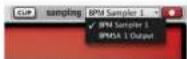
Figure 7-71: Choosing the BPMSampler as the source for sampling.
If you would like to sample BPM's output back into itself, choose BPMSA 1 Output, where SA refers to the standalone version. Alternatively, this could be MAS (for the MAS version), VST (for the VST version), etc.
The number (1, 2, etc.) in the name of the source refers to which instance when there are multiple instances running. For example, you might have the standalone BPMSampler running, as well as the plug-in version (within your host software).
Sampling into a pad
To sample into a pad, click the desired pad and click the sampling Record button (Figure 7-67). Click Done when you are finished, or click Cancel to discard the recording.
Figure 7-72: Sampling into a pad.
When sampling, be sure to use the sampling record button at the top of the window (Figure 7-67 on page 95), not the record button in BPM's main transports (which is used for MIDI recording into the Step Sequencer).
Sampling a clip
The clip window lets you record independently
1 Choose the desired input from the Source menu (Figure 7-71).
2 Click the Clip button (Figure 7-67 on page 95). The Clip window appears (Figure 7-73).
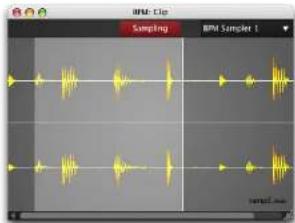
Figure 7-73: Sampling via the Clip window.
3 Confirm the source from the menu provided.
4 Click the Sampling button to begin sampling.
5 Click the Sampling button again to stop.
6 Select the desired portion of the waveform, or double-click to select all.
7 Press Command/Control-C to copy the selected waveform and then paste the selection into the sample editor (see "Paste" on page 67), OR
8 Hold down Shift-Option/Alt and then drag the selection to any destination in the BPM window that accepts audio clips.
MIXING
The Mixer (Figure 7-74) provides a complete environment for mixing all components of BPM output.
Accessing the mixer
To access the Mixer, click the Mix display tab in the BPM window (Figure 7-1 on page 49).
Bank and Rack mixer tabs
Click a Bank or Rack mixer tab (Figure 7-74) to view the individual mixer channel strips for the each bank pad or rack part. Each bank and rack has its own tab.
Channel strips
The pad and part channel strips (Figure 7-74) provide conventional mixer controls for volume, pan, mute (m), solo (s), and output assignment
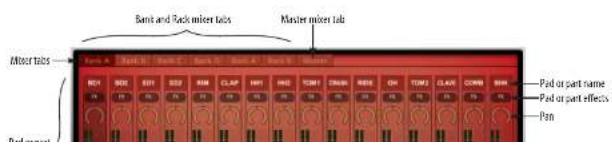
(see below). Signal flows from top to bottom. The FX button provides direct access to the part effects for the pad or part (see "Effects" on page 99).
Outputs
The Output channel strip setting (Figure 7-74) let you assign each part to one of 17 possible stereo output pairs (main outs plus 16 stereo aux outputs). Each output pair can be assigned to (or routed by your host audio software to) a pair of physical outputs on your audio hardware. This provides you with a great deal of flexibility in submixing BPM's four banks, two racks and unlimited parts.
The list of stereo pairs that you see in each Outputs menu depends on the situation in which you are running BPM.
Multiple outputs and standalone operation
If you are running BPM as a standalone application, the output menu displays a main out pair, plus 16 additional separate output pairs, numbered 2 through 17. To learn how to map these output pairs to the physical outputs on your audio hardware, see chapter 5, "BPM Application" (page 27) and "Outputs" on page 98.

Multiple outputs and plug-in operation
If you are running BPM as a plug-in, the output menu displays whatever outputs are made available to the plug-in by your host software. For example, in Digital Performer, you will see pairs of busses, as supplied by Digital Performer's current studio configuration (Setup menu). Your host software allows you to map the busses to the physical outputs on your audio hardware.
Master mixer tab
Click a Master mixer tab (Figure 7-74) to view the master channels for the each bank pad or rack part. This tab also displays BPM's master output channel and three Aux bus channels, as shown below.

Figure 7-76: The master channels.
Bank and rack master channels
The bank and rack master channels control the overall output of each bank and rack. The FX button provides direct access to the bank/rack effects. You can assign each bank or rack to its own independent audio output pair.
Aux channels
The three Aux (auxiliary) channels (Figure 7-76)
has no output assignment because it is fed back into the master channel (at the top of the channel, before master effects).
Master channel
The master channel (Figure 7-76) provides a final, global mix stage for BPM's main stereo output. The FX button provides direct access to the master effects (Figure 7-77 on page 99). The output assignment for the standalone version of BPM is made in the Audio and MIDI Settings window (Figure 5-6 on page 32). When running BPM as a plug-in, the master output assignment is handled by the host software.
EFFECTS
BPM provides unlimited effects slots at many points in its signal chain, from individual sample layers in a pad, all the way up to master effects on the master output fader. You can apply unlimited effects independently to the following BPM elements:
■ Pad layers
■ Pads
■ Rack parts
■ Rack presets
■ Banks
■Racks
■ Aux busses
■ Bank aux busses
■Master fader
Accessing effects
To access BPM's effects (Figure 7-77), click the FX display tab in the BPM window (Figure 7-1 on page 49).
Effects tabs
To view the effects for a pad, part, bank or rack, select it and then click its tab in the Effects display (Figure 7-77). To view the effects for the aux busses or master fader, click their corresponding tab at any time.
Bypassing a tab
Use the tab bypass button (Figure 7-77) to temporarily bypass all effects currently loaded in the tab.
Adding, deleting, bypassing and replacing effects slots
To add an effect to the list, click the Add FX button (Figure 7-77). Each effect slot has its own bypass and delete button. If an effect has more parameters than the slot can display at one time, use the slot's

next/previous parameter buttons to access them. To replace an existing effect with a different one, right-click its name to open the FX browser.
Unlimited effects slots
You can add an unlimited number of effects to the effect slot list. Use the scroll bar to access the entire list of effects. Note that signal flows from top to bottom in the list, so order your effects accordingly.
The effects browser
When you click the Add FX button (Figure 7-77), you'll see BPM's multi-column effects browser (Figure 7-78), where effect presets are conveniently organized by category and sub-category.
The effects
BPM provides dozens of included advanced, professional quality effects. For details about each effect and its presets, see Appendix B, "Effects" page (239).
Effect controls
Each effect has a unique set of controls. You can adjust them directly in the effect slot. Drag them to adjust their setting with the mouse. Double-click to enter values numerically. Right-click to assign automation, as explained in "MIDI automation" on page 92. For details on the settings for each specific effect, see Appendix B, "Effects" page (239).
Sync
Some effects have parameters, such as delay taps, that can be synced to BPM's tempo (or the tempo of your host). To do so, enable the Sync button (Figure 7-77). Doing so changes the Effect controls, allowing you to adjust timing via a linear time reference (such as seconds/milliseconds) or a beat-based time reference (fractions or multiples of BPM's beat and tempo).
Preset effects
Preset effects (Figure 7-77) are similar to pad/part effects in that they apply to the currently selected pad or part. However, they differ in that they represent any effects that have been saved as part of the preset loaded from BPM's preset library. The preset tab gives you access to these original, saved effects.
If you add preset effects to a preset, you must remember to save them as part of a bank (see "Banks" on page 106).
Pad layer effects
When you program multiple sample layers on a pad, BPM lets you apply independent effects to each pad layer, if you wish. Because pad layer effects are so intimately tied to layer programming, they are not accessed through the Effects tabs shown in Figure 7-77. Instead, you can access them in the Pad Editor effects tab (Figure 7-32 on page 68).

SONG ARRANGING
BPM provides advanced features for arranging rhythm beds for entire songs, for both studio production and live performance on stage. Before diving into these features, it will help to review the following terminology:
■ Pattern — programmed notes and controllers in a bank's Step Sequencer.
■ Sequence — programmed notes in a rack part's Piano Roll Sequencer.
■ Scene — a snapshot of the current pattern or sequence loaded in each bank or rack part. The scene includes all four banks and both racks.
■ Song — scenes strung together sequentially.
Patterns and sequences
Patterns and sequences are very similar: they are essentially short MIDI sequences that trigger drum sounds (in a kit) or notes in an instrument (or slices in a sliced loop). Therefore, for the rest of this discussion, we'll refer to banks and patterns to simplify the explanation, but note that the discussion also applies to both banks/patterns and rack parts/sequences, unless otherwise noted.
As explained in “Patterns” on page 58, each bank holds sixteen possible patterns, one of which is the current pattern. Similarly, each Rack Part can hold sixteen sequences.
Here's a summary:
■ Banks have sixteen possible patterns.
■ Rack parts have sixteen possible sequences.
rack part does not change when you change the pattern or sequence. Only the pattern or sequence changes.
The above concepts serve as a basis for the next element of song-building: Scenes.
SCENES
A Scene is a snapshot of the current pattern or sequence loaded in each bank or rack part. The scene includes all four banks and both racks. There are sixteen scenes available in each instance of BPM, accessed via the Scene menu (Figure 7-79). Only one scene is active at a given time.
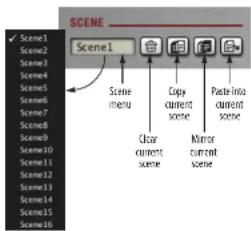
Figure 7-79: The Scene menu.
The controls for the Scene menu are similar to those in the Pattern menu ("Patterns" on page 58), except that there are two copy functions, explained below.
Copy Scene
The Copy Scene button (Figure 7-79) performs a "deep copy" that includes pattern mapping and pattern contents.
Exporting a scene
You can export a scene as a WAVE file to your host software or your computer desktop with the following drag and drop technique: click the word Scene above the Scene menu (Figure 7-79) and then drag to your host or desktop.
SCENE EDITOR
The Scene Editor (Figure 7-80) lets you program which pattern or sequence will play for each bank and rack part. You can set up different combinations for each scene, and then switch scenes on the fly to call up across-the-board combinations of bank patterns and part sequences.
Accessing the Scene Editor
To access BPM's Scene Editor (Figure 7-80), click the Scene tab in the BPM window (Figure 7-1 on page 49).
Mapping patterns and sequences
In the Scene Editor, each bank and rack part has a column, and each scene has a row. The number shown at the intersection of a row and column is the pattern (or sequence) that will play for that bank or part in that scene. For example, if a 4 is shown at the intersection of Scene 3 and Bank C, that means Bank C's Pattern #4 will play during Scene 3.
To change the pattern or sequence in any cell, click it and choose the desired pattern or sequence from the pop-up menu.
Alternatively, you can change the pattern or sequence for the current bank or rack part from the Pattern menu (Figure 7-15 on page 58). If so, you'll see the corresponding cell in the Scene Editor update as well.
By default, each scene contains the patterns of the same number — c.g., scene 1 has pattern 1 loaded in each bank, scene 2 has pattern 2 loaded in each bank, etc.
Using scenes to build songs
Scenes allow you to program up to sixteen "building blocks" for your song. Each scene can be completely different, although in most common applications, you will have common patterns and sequences among scenes. Certain elements may remain the same across different sections of your song, such as the basic kit (kick, snare, hat, etc.), whereas other elements, such as percussion, might change a lot across different scenes.

LIVE MODE
Once you've programmed two or more scenes, click the Live button (Figure 7-81) to enter Live mode. In Live mode, you can trigger scenes using either a MIDI keyboard or BPM's sixteen pads. Each pad displays its scene name. The scenes are assigned chromatically beginning at C1: Scene 1 is triggered by C1, Scene 2 by C#1, and so on. You can send these MIDI triggers on any MIDI channel.
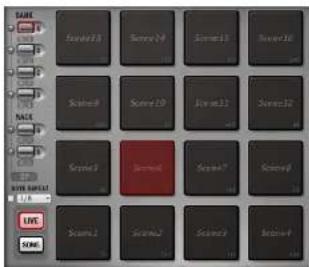
Figure 7-81:Live mode.
Scene trigger options
Click the options tab in the Scene Editor (Figure 7-80) to access the scene triggering options.

Trigger mode
The trigger mode menu (Figure 7-82) provides options that work similarly to Latch mode for loops.
Trigger Mode What happens
Immediate Plays immediately, as soon as the scene is triggered.
Next Beat Begins playing at the next beat
Next Bar Begins playing at the downbest of the next measure.
Sync position
The Sync menu (Figure 7-82) determines where scenes start when they are triggered.
sync setting What it does
Tempo: The scene follows tempa, but not position. Patterns and sequences always start at the beginning.
Position: The scene starts at the current playback position, wherever it is.
Latch
Choose True from the Latch menu (Figure 7-82) if you want the scene to continue playing, even after you lift your finger from the pad or MIDI controller key. Choose False if you only want it to play while you hold your finger down.
Exiting Live mode
To exit Live mode, disable the Live button (Figure 7-81). Doing so returns you to BPM's normal programming state, where only one scene plays at a time, continuously.
SONG MODE
Once you've programmed two or more scenes, click the Song button (Figure 7-83) to enter Song mode. In Song mode, scenes can be placed end-to-end to create a sequential timeline. One scene plays at a time, and each scene starts at its beginning.
Accessing the Song Editor
To access BPM's Song Editor (Figure 7-83), click the Song tab (Figure 7-1 on page 49).
Building a song
To build a song, drag and drop scenes from the sixteen pads into the Song Editor, as shown in Figure 7-83. When you first drop the scene, it snaps
to the timeline at its original length. If you position the cursor over the right edge of the scene, the cursor changes and you can drag the right edge of the scene to change its length (longer or shorter). To move the scene, drag it left or right. To delete a scene, click it to select it and hit the delete key. Or right-click and choose Delete from the menu.
Timeline
The song timeline displays time in measures. You can zoom the timeline in or out by clicking on it and then dragging vertically. The timeline is synchronized to the host when running BPM as a plug-in.
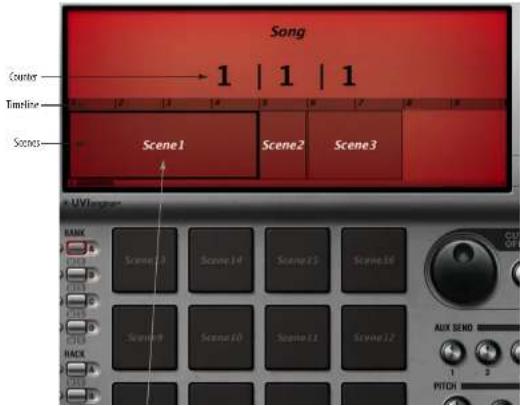
FILE MENU
The File menu (Figure 7-1 on page 49) provides extensive support for loading and saving BPM sounds, patterns, banks and other basic elements of BPM operation.
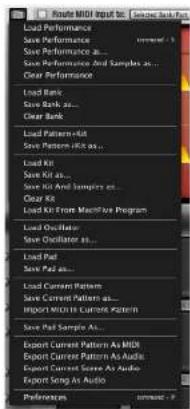
Figure 7-84: File menu.
Performances
A performance is like a "snapshot" of the BPM window. It saves the entire window in its current state, except for the actual samples being used. A performances includes all preset parameters and all global parameters. The performance includes the preset (sound) for each pad and part, all pad/part settings, all patterns and sequences, etc.
Because BPM operates as a plug-in, your host audio software will save all current BPM settings with the project (just like it does for other plugins). Only destructive edits made to the samples need to be saved independently.
Performances are a powerful and convenient way to transfer BPM settings to other projects, clients, colleagues, and even other host applications.
Load Performance
Load Performance (Figure 7-84) lets you locate and open a previously saved performance on disk.
Save Performance
Save Performance (Figure 7-84) saves any changes that have been made in the BPM window to the last-saved performance. If a Performance hasn't been saved yet, BPM prompts you name the new performance and choose a location on disk for saving.
Save Performance As
Save Performance As (Figure 7-84) lets you save the performance as a separate file on disk with a different name.
Save Performance And Samples As
Save Performance And Samples As (Figure 7-84) lets you save the performance as a separate file on disk with a different name, along with all of the audio files you're currently using.
Clear Performance
Clear Performance (Figure 7-84) removes the current performance settings from the BPM window.
Banks
The bank-related commands in the File menu (Figure 7-84) apply to BPM's four pad banks. The operate on the current bank (A, B, C or D), as determined by the currently selected bank button (Figure 7-9 on page 55). The operate similarly to the Load, Save As and Clear commands for Performances (above). Keep in mind that saved banks include the following data:
■ The bank's currently loaded kit (see "Kits" on page 50)
■ The bank's effects (see "Effects" on page 99)
■ The bank's sixteen patterns (see "Patterns" on page 58)
Patterns+Kits
The Load Pattern+Kit and Save Pattern+Kit commands (Figure 7-84) operate on the pattern and kit for the current bank. They allow you to load and save a pattern and kit combination as a single preset.
Kits
The Load Kit, Save Kit and Clear Kit commands (Figure 7-84) operate on the current bank. They allow you to save, load and clear your own kit presets. These commands do not include the actual sample data in the saved preset. Instead, they simply save pointers to the sample data in the BPM UFS libraries (or your own custom samples save on your hard drive, if any). The Save Kit and Samples As command allows you to include the actual samples in the saved kit preset. This makes the preset much larger on disk, but it ensures that the samples are present when the preset is reloaded.
Load from MachFive Program
The Load from MachFive Program command (Figure 7-84) lets you load kit sounds from a program created in MachFive (Version 2 or higher).
Oscillators
The Load Oscillator and Save Oscillator commands (Figure 7-84) operate on the oscillator (drum synth settings) for the currently selected bank pad. They allow you to load and save the drum synth sound as a preset on disk. If you save them in the default location (that first appears in the file navigator when you save the preset), the preset will appear at the bottom of the Drum Synthesizer preset menu (Figure 7-33 on page 68 and Figure 7-35 on page 69).
Pads
The Load Pad and Save Pad commands (Figure 7-84) operate on the currently selected bank pad. They allow you to load and save all the settings for the pad (including all layers, layer effects, volume, pan, pad effects, etc.) as a preset on disk.
Patterns
The Load Current Pattern and Save Current Pattern As commands (Figure 7-84) operate on the pattern for the current bank (or the sequence for the current rack part). They allow you to save and load your own patterns/sequences as presets. These commands do not include any actual kit sounds, just pattern data.
Import MIDI In Current Pattern
The Import MIDI In Current Pattern command
in "Drag and drop into the Step Sequencer" on page 56 and "Drag and drop into the Piano Roll Sequencer" on page 74.
Pad Sample
Save Pad Sample As saves the audio file loaded in the current pad's selected layer.
Export commands
The Export commands (Figure 7-84) allow you to export the various items either as MIDI or audio data, as indicated by the name of the command.
Preferences
See "Preferences", below.
PREFERENCES
There are three preference panes: Main, Mapping, and Remote.
Main
The Main Preferences command (Figure 7-84) provides several self-explanatory options for recording, scrolling and pads, as shown below in Figure 7-85.
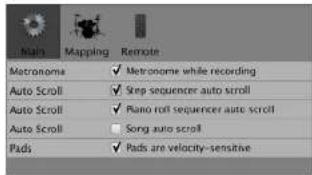
Figure 7-85: Main preferences
Mapping
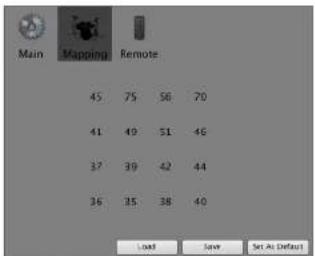
Figure 7-86: Mapping preferences
To apply a pad template to a bank without setting it as the default mapping, see "Assigning MIDI notes to all pads" on page 57.
MIDI Remote Control
MIDI Remote Control provides a way to control BPM from your MIDI controller. MIDI Remote Control assignments directly control the items currently shown in the BPM user interface, enabling extensive control over BPM's operations from your MIDI controller.
For example, you can use a single MIDI CC to control the Filter Cutoff knob regardless of which bank or rack part is currently selected. Additionally, many parts of BPM's user interface can be controlled remotely, such as the display tabs (Sequence, Edit, FX, etc.).
Configuring MIDI Remote Control To configure the MIDI Remote Control assignments, open the BPM Preferences window

Figure 7-87: Remote preferences
To change an assignment choose MIDI CC or MIDI Note as the Event Type, then type the CC number or note number in the Event Value column. Alternatively, press the MIDI Learn button, then send the desired MIDI CC or MIDI note from your MIDI controller.
When you wish to save your changes, press the Save button.
Disabling MIDI Remote Control
To disable MIDI Remote Control, deselect Enable MIDI remote.
When to use MIDI Remote Control and when to use MIDI Automation
MIDI Remote Control and MIDI Automation perform similar functions, but are used for different purposes.
■ If you want to use a single MIDI CC to always control the parameter that you're currently viewing, use MIDI Remote Control.
DRAG & DROP
BPM provides extensive support for drag & drop import and export of both MIDI and audio data.
Import
The following areas of the BPM window are targets for drag & drop import:
Drag & drop target Format For more information
| Individual sample layers Audio "Loading multiple samples into a pad" on page 63 |
| Individual pods Audio "Dragging and dropping into a pad" on page 56 |
| Sample Editor Audio "Drag and drop in the sample editor" on page 66 |
| Pod bank MIDI "Loading a kit into a bank" on page 55 |
| Step Sequencer MTDI "Drag and drop into the Step Sequencer" on page 56 |
| Piano Roll Editor | MIDI "Drag and drop into the Piano Roll Sequencer" on page 74 |
| Rack part list | Audio "Drag and drop into the part list" on page 70 |
Target areas that can accept what you are currently dropping into BPM will highlight with a border when the cursors hovers over them.
Export
BPM provides the following drag and drop export features:
Drag & drop export item Format For more information
| Loops | Audio & MIDI | “Loop export via Drag & Drop” on page 84 |
| Pattern | Audio & MIDI | “Exporting a pattern” on page 58 |
APPENDIX A Sound and Pattern Library
OVERVIEW
BPM provides an extensive 19 GB urban rhythm sound library. Here is a brief summary of this comprehensive collection of sounds:
■ Over 19 GB of all-new, never before released loops, samples and beats
■ Over 10,000 individual samples
■ Over 1,000 new drum and percussion loops
■ 24-bit 96 kHz audio quality
■ Mastered at Sterling Sound, NYC by top mastering engineer Chris Gehringer
■ Over 200 drum kits + patterns organized by style categories (Beat City, Old School, etc.)
■ Over 100 multi-sampled urban instruments, including piano, bass, guitars, synths, pads and others
■ Comprehensive percussion samples, patterns and loops
■ Includes Beat Box Anthology, a comprehensive library of sounds from 80 classic drum machines
■ Hundreds of patterns in many styles (hip hop, R'nB, house, electro, techno, funk, soul, pop, rock, etc.)
■ Play any pattern in any style with any drum kit (included or programmed) for virtually infinite combinations
CREDITS
Sound Design / Beat Production / Consulting
Eric K. Roz
for Black Rose Corporation
www.eric-k-roz.com
Mastering
Chris Gehringer
Sterling Sound, New York
www.sterling-sound.com
BPM PRESETS
This chapter provides a list of BPM presets. For information on how to access presets in the browser, see “Using the BPM sound library” on page 51.
1 — Kit+Pattern....110
2 — Kit....113
3 — Pattern....116
4—Loop....122
5 — Sound....132
6 — Instrument .....166
BEAT BOX ANTHOLOGY PRESETS
The following sections list Beat Box Anthology presets. For information on how to access these presets, see “Using Beat Box Anthology presets” on page 53.
7 — Anthology Kit+Pattern....169
8 — Anthology Kit .... 169
9 — Anthology Pattern....169
1 — Kit+Pattern
BIG BEAT
10.5-Invisible
110-Beat Hit
(10-Slee) Garage
12.50 C 30
1.15 Big Dog
15 Big Top
140-Bir Dschle
140-Flame Thrower
140-Lurupin
145-1 Scream
150-8 Stand
150 Straight
160 Blowing
170 Jungle June
DANCEHALL
112-Jam Store
112-Jungle Fever
114-Black Pom Pom
120-Bulá Todos
120-BJHSa
120-Bipper
120-3ml/Ch
120 Nance Whole 100 Navi G
120 O P A
120 Snow in July
DIRTY SOUTH
064-Cash Money
072-Basic South
0.2-1 transfer
076-Brick and Stuck
0.6-C Loop
076-Daddy Sissoin
076-Hcy Ta
0/6-Rooling Beat
073-14251 Me 069. Bauvi
682-Dirty One
(1) 2017年1月1日
DUB
0.58 Dub Indus
607 W. K.
ELECTRO
125- Elektrik (8 patterns)
126 Da Chic (7 patterns)
126 The Winner (8 patterns)
127 Electrophasic (8 patterns)
127-Evilastic (8 patterns)
128-Lovin Her (7 patterns)
129-By Law (7 patterns)
130-Cut Brazil (8 patterns)
130-Gameriz (7 peritemas)
130-Robotix (8 patterns)
HARD TRANCE
131-Hemisphere (7 patterns)
135 Venus (8 patterns)
136 After Hall (8 patterns)
136 Pacific (7 patterns)
- Clubtrance (7 patterns
138-Spice Fire (8 patterns)
140-Specialty (8 patterns)
143-Uranium (7 patterns)
145-Saruzland (8 patterns)
155-Overload (7 patterns)
HIP HOP-RNB-BPM V1
Acoustic Mood
1179 Red Pain A.htpt
1179 Red Pain N.btpk
182 CJA Smorch,brpk
1102 Secret FBLbrpk
085-Z Rock.btpk
089-One Way A.btpk
089-One Way E.3rpk
090-Blues Unity.btpk
090-Dark Soul.bps
090-Doctor Hyde A.Bppl
090-Doctor Hyde B.bipk.
090-Jazz Avenue,big
091-Pha.Rock.btpk
092-Jungle Westbtpk
1192-Street Light A.bipk
1192 Street Light Bhtpk
-
Underworld.html
-
Eden Power A.btp
-
Edna Power Ubpak
-
New Hero Shock brip
-
Very Deep bank
-
Swighta Worshe
100-Octal (8) 645
Beat City
081-Five Billion.btpk
082-[kan Live.btok
082-Massive Stone A.btpk
082-Massive Stone Robtak
092-Low Rick A.bark
092-Low Ride 3.bink
095-Kelly Mouth.bipk
095-Space Trive.htrk
098-Before the Show A.bnp
-
Before the Show 11btpk
-
Locks in the City A btpk
098 Locks in the City 11 btak
008 London 1m 2 break
008 London Jam Jipale
(2) a flow 4 bank
023-615-100
0.25-4.3kV 18.6JPa
100-Electro Tape A.6p3
100-Elecure Tape B.619
100-Fully Morris A. O'pK
100-Funny Moisha B.3prk
100-Killa System.bipl
100-LA Century.bipk
100-Military Dance.btpl
100-Routs Tree.btpk
101-Zapan Club A.hop
101 Zapan Club B.btpk
104 Clappin Tap.htm
104 Missile Command A.bptk
104 Missile Command B.html
-
Mr. Gomebck
-
Reosta Piano bmk
(2) 2018年1月1日
Big Star
080.Egyptian Tim A.btpk
080-Egyptian Tim B. brpk
082-Black Evil A.btpk
082-Black Evil Botpk
082-Shynesc.bptk
082-Veodoe Raddim A.btpk
082-Veodoe Rudlim B.bipk
085-Empire A.bipk
083-Empire B.bipk
083-Money Money.bipk
083-You and Me.bipl
085-Lizzle A.bipk
085 | Szle ll btpk
082 Candy Word A thrle
089 Candy Wood B http
- D: T 45.1
097-My Game Two A.bipk
097-My Game Two B.btpk
098-Chase the Car A.bipk
098-Chase the Car B.bipk
098-RETURN.https
098-Scotty Jacket. http://100.adaptim.html
100 Maritime.Bipk
100-Rational Attack A.Bike 100-County Attack R Btak
100-Lee John bank
- Divy Food A
107-Dirty Food Bhtak
107-Duty Rose Biopak 107-Obsession A.bptk
107-Obsession B.btpk
111-One One One A.btpk
111-One One One B.bpk
111-Palm Beach A.btpk
111-Palzn Beach Böstepk
132-Pretty Mad A. btpk
132-Pretty Mad B.60p5
Machine
079 Dirty Teeth A.htpk
079 Dirty Teeth B.btpk
- Pump the Rolls A.htptc
- Pump the Rolls B.htptb
082-Parap the rolls 1.6/px 083 Under Floor A. htnk
082-Under Floor A,B/ApK 082-Under Floor B,bptk
083-Loud Cloud.btpk
085-Queen Bridge,bptk
086-Dentist.btpk
086-White Line A.btpk
086-White Line B.btpk
089-Foay Night.blpk
090-Don't Play A.btpk
090-Don't Play B.5tpk 092-Clam My Dearborn
092-Cap My Door, Dip 092-Coffee Street, think
-
Don't Touch .htnk
-
Down with the King.htpk
092-Smake Road Mdn A.btpk
092-Smoke Road Mdn B.btplk
092-Smoke Road Vnl.htplc
092-Waiting Room.btpl 681.Boke Cnble Ahtuk
093-Baby Cycle A.01pk 093 Baby Cycle B.1otak
094-Baby Cycle Btupk 094-Steel Diamond & btok
094-Steel Diamond B.btok
096-Daddy Donkey A. btuk
1996-Dschle Donikov Rhtrek
105-First Splash A.btpk
105-First. Splash B.btpk
South
1175-4X4.bipk
1175-Ambassadnr.ltplk
079-Boam Heart A,btp
079-Boam Heart B.btpk
080-Hacienda A.htpt
080-Hacienda B.btpk
082-Not Guilty A. Brpk 091 Not Guilty B. Bank
082-Not Gmily BtJpk 082-Saint-Louis J btk
082-Saint-Louis B.btrek
085-Back the F up book
086-Slaske It.bipk
092-Las Palmas.bipk
093-For My Homies A.bipk
093-Fur My Homies II.btpk
195-Duty Ilass A.Bipk
195-Duty Base II.Bipk 195-Generiaktal
195-Generer's BIPK 196. All Stars break
- Electric Lva bt
096-Train Station.btpl
098-Let Me See A.btplk
098-Let Me See B.btpk
099-Tribuzone.btpk
100-Domi Nos Party.btpk
100-Fantasy Dream A.btpk
100-Fantasy Dream B.bcpk 107 Special Topic: Abstract
103-Special Tour A. Blipk 103-Special Tour B. Ixtek
103-Spasm Youl Botyk 118-Zino A btk
110-Zino B.btyk
115-Taop A.bipk
115-Taop B.bipk
120-Kentucky.btpk
132-Run Run A,btpk
132-Run Run H.btpk
139-K-Hilly A.Btpk
139-K-Billy B.Mrsk
Various
060-First Floor.btpk
064-Keishhally.btpk
076-Like This.btpk
082-On and On.btp
082-Tell Me Why. btpk
082-Think About Mc.btek
090-Classic Car A.btpk
090-Classic Car B.btpls
090-Gray Desert. A.btpl
090-Gray Desert B.https
090-Pretty Amelie A.bt
090 Pretty Amelle B. http 002.eleet15.html
- Snow Man A btpk
091-Snow Man Jubtak
092-Bronx A.btplk
092-Bronx B.btok
092-My Time.btok
096-Happf Ring.btpk
096-Wallup A.btpk
096-Wallup B.btpk
097-Urbanana A.bipk
097-Urbanana B.bipk
099-Fulth Avenue A.Bp 099-156th Avenue B.bp
099-Farth Avenue B.Bip 099-Martinik A.hpk
099-Martinik 1.8tpk
100-Arabic Lion A,bt
100-Arabic Lion B.btpk
100-Clap Dance A.btpk
100-Clap Dance Bhtpk
100-Harbour of Heaven A.btpk
100-Harbour of Heaven B.btpk
100-Lil Queen A,btpk
100-Lil Queen B.6tpk 100-Specir Rock A. btp3
100-Snack Back B.btpk
100-To the King A.btok
100-To the King B.btpk
101-Big Store.btpk
102-Faya A.btpk
102-1'aya B.btpk
104-Tahiti Stone A.btpk
104-Tahiti Stone Bbtpk
- Give to Me A.Bisk 102. Give it to Mr B. htnk
TO: CHAVE NO ME B. HYPK
West Coast
070-Mo A.btpk
070-Mo B.btpk
076-One Dollar A.btpk
076-One Dollar B.btpk
082-Reggae Like A.btpk
082-Reggae Like B.btps 085 - Flume 4. lute
085-Flame A.3tpk 085-Flame B.1tpk
096-GooDoc A.btpk
096-GooDiv B.b.pA
096-Salar.btpk
100-Bang Bang A.hupk
100-82ng bang h.Bipk 100 K2000 A latok
100 K2000 A,BISK 100 K2000 B,BASK
100 Relax.htm
- Time is Money A. btpk
100-Time is Money B.htpl
102-The Caire A.bprk
102-The Caire B.btpk
103-Years Ago.btplc
104-Get Out A.btpk
104-CX Oct B.6bps
116-Wind Tars A.BpK
116-Wind Tires 5.6fps.
120-17qenix A.01pk 120-17quib II.1ptek
120-1 equin. 17.06pt
HOUSE
120 Influence (8 patterns)
120 On Tour (7 patterns)
12) Dolly G (7 patterns)
(2) Old School (7 patterns)
- Deep House (7 patients)
- Letino House (7 partners)
(23) Laundry House (7 patterns) (24) Screen Light (8 patterns).
123-Tribal House (8 patterns)
124-Soft Club (8 patterns)
125-Survivor (8 patterns)
JUNGLE-DRUM BASS
160 Nir Wanna
163 BatJaxx
168 Lion Party
169 DR Demanda 120 Black Box
170-BluM. Box 170-De Bay
170-Density
170-Domicide
170-Fun Station
170-Homies Natu
170-Madison Av
170-Two Space
171-Go to
174-Jungle End
MINIMAL
- tea T/2 mM
PROGRESSIVE
125-llarcelona (8 patterns)
128 Cardiacid (7 patterns)
130 Berlin Wall (8 patterns)
138 Haban (7 patterns)
130 - Judge (8 Patterns) 130 - Last Road (8 Patterns)
130-Fast Road (8 patterns) 130-Morulation (7 patterns)
130-Oriental (7 patterns)
130-Progression (7 patterns)
131-Way Out (8 patterns)
RAGGA
189-Coolness
1196 FExpert
196 Field Csd
19th Hey You 90% Other Co
096-Prat-Sn 096-Bagerin Vader
096-Smoke a Bell
096-Tribal Muffia
100-Da Beat Udc
100-Drive Out
100-Fig Hall You
100-Sahara
TRIP HOP
152-Slow Night
153-Welcome Home
Inl-Pace
162 A Sim
-
Kashmir
-
Tazzer Best
070-Hope
077-Trv2
080-Outside
080-When It's Good
082-Organi
VINYLIZED
U80-You Too 2
084-1012
184-Waoming People 2
195- British Dutch 2
- Dorbidan 2
III. Bombay Loap 2
III. Fourty Cents 2
10) Black Dunes
Borgo 03.bipk
Borgo 04.bipk
Bonga 05.bipk
Banga (16,Bipk
Bargal 47.31pk
Icargi on. bnpk Icorgi 04 bnpk
Borga Ul.btpk
Borga 11.btpk
Bargo 12.btpk
Bongo 15.btpk
Bongo 14.btpk
Conga
Conga 16th 01.b:pk
Conga 16th 02.b;pl.
Conga 16th 03.b.pl.
Conga 16th (40.6x.p.)
Conga 18th 05.16.px (June 16th 05 hcp)
Conga 16th 97 bpk
Conga Lith 08.bpk
Conga 1rith (09.bepk
Conga Lith 10.bepk
Conga 16th 11.bspk
Conga 16th 12.bepk
Conga 16th 15.btpk
Conga 16th 14.b7pk
Conga 8th 01.6pfx Conga 8th 02.brk
Conga 8th 02.6.px Conga 8th 03 kpk
Conga 921 03.64p Conga 8th 05.brk
Conga 8th (05.bipk
Conga 8th (05.bip).
Conga 8th 07.bipk
Conga 8th (08.b;px)
Conga 8th (19.btp)
Conga Bth Hbipk
Longa fin 11,Bipx
Conga St 12 Bp# Congo St 15 bnp#
Conga St 14 bmpr
Conga Sto 15.btpk
Conga 8th 16.btpk
Conga 8th 17.btpk
Conga 8th 18.bipk
Conga Mise 1,btpk
Conga Mise 2.btpk
Crona Mise: 3 think
Cricket 4th btpk
Gairo 16th.bps
Guiro 8th. httpk
Maracas 1.89p Varacas 16th b
Maracas 2.btpk
Maracas 3.htpk
Maracas 4, btpk
Maracas WoodBlock btak
Maracas btok
Shaker Maracas L.btpk
Sinker Maracas 2,btpk
Sunkers 8th A.3tpk Sunkers 8th B.1brk
Shekere Maracas, birk
Shekere Sheker 1 btyk
Shekere Shaker 2.btpk
Sellekere Sticker 3.50pk
Tambourine 16th A. bnp
Tambaurine 16th 11bptk
Tambourine 8th.btpk
Tambourine.btpk
Triangles Inth. Brk Triangles 9th 4 h
Triangles 9th D bank
Triangles.brok
Woodblock.btpk
Small Perc Mix
All Peresbtpk
Maracas Mia Libpk
Maracas Mix.2.0tpk
Maracas Mix 4.htm
Maracas Mix 5.hrk
Maracas Mix 6. http:
Maracas Mix 7.htpk
Misc Small Ferc. http
Shekere Mix 1.hpk Shekere Mix 2.hpk
Shekere Mix 3 hrp
Shekere Mix ± bptk
Triangles Mix 1.btpl
Triangles Mix 2.btpl
Triangles Mix 30pA Triangles Mix 40pA
Triques Mix 5 btpk
Triamles Mix 6 bars
Udu 09.btok
Odu 10.bipk
Odu 11.61pk
Udu 13 bmk
Udu 14.btk
Udu 15.btpk
Odu 16.btpk
Olln 17.03pK
2—Kit
BIG BEAT
105-Invisible
110-Bear Hit 110 Steel Co
125-Cap USec
138-Hieb Joc
135-Bug Pop
135-Screen Here
100-Big Daddy
140-Pfize Tn/ner 140-harmin
145.1 September
150-8 Stand
150 Straight
160 Blowing
178 Jungle June
DANCEHALL
112-Jam Store
112-Jungle Fever
114-Black Point Point 12th
120-Italista
120-8ppper
12II-Club One
120 Dance Whole
120 Nori Ga
120 O.P.A.
120-Same in July
DIRTY SOUTH
064-Cash Money
072-Basic So
0/2-11916
0/6-Brick and Suck
050-Waiting
066-U Can S
057-Apartuna
075.126439
077 That's Good
080 Rall hi Tall Ir
123 Another Land
135-Blast
155-All Right
ELECTRO
125-Elektrik
125-Da Chic
125-135 Whiter 127-135
- Electrophoresis
128- Lowlyler
129-By Law
130-Cut Brazil
130 Gamerz
30 Rohotiv
HARD TRANCE
131-Hemis
135-Venus
136-Alter Hall
150-162K
095-Kelly Mouth, bps
095-Space Trive.btpk
098-Before the Show A.htpls
-
Before the Snow R.btpk
-
Locals in the City Almpo 600, Insign in the City Plots
098-1023 in the city 13.45pK 098 London Jam à btpk
098-London Jam B.bptok
099-4 Sky A btpk
069-4 Sky B.btpk
100-Electro Tape A btpk
100-Electro Tape B.btpx
100-Funky Mochas A.btpk
100-Funny Mochen B.3tpk
100-1000 System.0.pw 100-1 Adventure book
100 Military Dapax.bipk
100-Roots Tree.bipk
101-Zapan Club A.htpk
101-Zapan Club B.hepk
104 Clappin Tap.ntpk
104 Missile Command A.Bipk
104 Ms. M. H. R. and B. M. R.
- Ecarto Piano b
(5) Corson's Hospital
Big Star
080 Egyptian Tim A.btpk
080-Egyptian Tim B.btpk
082-Black Evil A,btpl
082-Black Evil B.03pk
062-Sivilneschstk
U90-Big LifeBook
090-Dark Hood.btpk
092-Kimmy.btpk
192-Sunset Trip A Btpk
192 Sunset Trip Route
19th Paralase A. Dipk 1996 Thorafia 2. hink
082 Leszo à bink
092 Jeezo Rbptok
092-La Belle 3.brnk
097-La Belle B.broir
097-My Game Two A.btpk
097-My Game Two B.btpk
098-Chase the Car Abtop
098-Chase the Car B.by
098-Return btpk
098-Scotty Jacket.btpk
100-Адмитие.Врк
100-BOVITY ATTACK A.56PK
The Honalty Attack Bar 100 Lbs (who stake)
- Biotech limited 4
107 Dirty: Jiood B bank
- Onsession à btpk
107-Ossession B.btak
111-One-One-One A.btpk
111-One-One-One-Btpk
111-Palm Beach A.bpr
111-Palm Beach B.btpk
132-Pretty Mad A.btpk
132-Pretty Mac B. btpk
Machine
079-Dirty Teeth A.btpk
079-Dirty Teeth B.htpk
182-Pump the Rolls A.6tpk
182-Pump the Ralls Bblp
102 Under Floor Name: 102 Under Floor
- Local Cloud.html
085 Queen Bridge bptk
086 Dentistbtnk
086-White Line A,btpk
086-White Line B.bptk
089-Foxy Night.btpk
090-Don: Pay A,bp
090-Don (Pay B.6ipk
092-Clap My Doctor.
092-Clance Street, Block 1882-13 (Front) Ltd.
10.1 Firm Shareholders 121. Executive Board
101 Serenity B htpis
103 Big Fire A. bank
103-Big Fire B.btok
105-Boya Dance.btpk
105-First Splash A,btpk
105-First Splash B.btpk
Old School
080-You Too Mdn.btpk
084: Next like That Mich. 51pk
2014 Group Market
084 Chong Halhtuk
084 Club A Mdo hr
084-Club B Mda.btpk
084-Club Valbtok
084-Copacabana Mdn.bptk
084-Copacabana Vulbpk
084-Enigmatic MdnLbp
081-Enigmatic Ynl.6tpk
081-Waiting People Men.Birk
08-Waiting People 7.13.2014
089-Craw: Horse II, Mda bink
089-Crazy Horse Valbrik
089 Golden Way Mdn.htptk
089 Golden Way Vrl.htpk
095 British Dub Mdn.btpk
095 British Dub Val. bfpk
095-Distribution Manager
025-60000000000
095-Shorter Volhtak
100 Rowley Leon Md
103-Beehoy, Loop Muineys, 104-Beechay Leon Volbank
100-Public School Münbruk
100-Public School Valbtek
100-Pursle barn A Main bird
112-Giorgia A Mdn.btpk
089-What do you Think.https
(19) All is Here A.hpks
1991-All is Here R.bipk
1991 Classic Car A. Btpk 080 Classic Car B. btkk
090-Gray Desert A. htp
090-Gray Desert B.bptok
090-Pretty Amelie A.btp
090-Pretty Amelie B.btpk
090-Sbut Up.btpk
091-Snow Man A.btpk
091-Saow Man B.bupk
092-Bronx A.btpk
092-MoTima
092-My Time:3pK (196-H www.Ring b/p)
(196-Wallup A.btak
1096-Wallup B.btpk
097-Urbanana A.btpk
097-Urbanana Bhtpk
099-Fifth Avenue A.btpk
099-Fifth Avenue B.btpk
199-Martinik A.btpk
099-Martinik B.3tpk 186-Anhia-Lion A.3
100-Arabic Lion A.36pk 100-Arabic Lion B.4brk
100-Clap Danee A. hprk
100-Clap Dance B.btpk
100-Harbour of Heaven A.btpk
100-Harbour of Heaven B.bipk
100-Lil Queen A.btpk
100-Lil Queen B.btpk
Hill-Smack Back A.btpk
Hill-Smack Back B.5tpk Hill To the King A.1ptk
Hill-To the King A.Bstep Hill-To the King B. htpk
Hill - For the King Batejak 1911. Big Store btrak
102-Faya A.brk
102-Faya B.btpk
104-Tahiti Stone A. htpk
104-Tahiti Stone B.btpk
107-Give ito Mc A.btpk
107-Giveito Mc B.btpk
West Coast
070-Mo A.b(p)
1178-Mn Bink
093-You Know.btpk
095-One Day A.bipk
095-One Day B.bipk
095-Spanish StreetLbtpk
095-Escalade A.bipk
095-1scalade II.btpk 006- GeoDex A.hrk
- GeoDes 7. Btpk
- GeoDes 7. btpk
096-Solar.htm
100-Bang Bang
100-Bang Bang B.bptak
100-K2000 A.btpk
100-K2000 B.btpk
100-Relax.btpk
100-Time is Money A.btpk
100-Time is Money B.btpk
102-The Caire A.btpk
102-The Caire B.btpk
105-Years Ago.bipk
104-Get Out A,Bpx 106-Cut-Out B.html
104-GEI Out Blpk 116-Wind Time A b
116 Wind Time Bptak
120-Tequila A.htpk
120-Tequila B.htplc
HOUSE
120-Influence
120-On Tour
121-DollyG
121-Old School
122-Deep House
122-Latino House 123-Senner Light
123-Screen Light 123-Tribal House
124-Soft Club
125-Survivor
JUNGLE-DRUM BASS
160-Nir Wanna
163-Bat Jazz
168-Lion Party
169-Un Demand
170-Blank Box 170-Do Box
170-Da Bull 170-Duosity
170-Density 170-Domicide
170-L'un Station
170-Homies Nati
120.Madison An
123-Mekanism
123-Mentalism
124-Minimal
124-The Place
120-Paris/Parla
PROGRESSIVE
125-Barcelona
128 Cardioid
130-Berlin Wall 170-Hechen
130-###
100 Judge 130 Last D
130-Motrustio
130-Oriental
130-Prograssii
[3] - Wave Out
RAGGA
089-Coalness
096-EXpert
USG-Field Old
096-Hey Tdu 60% Thafca
- Ragniu 1
096-Smoke a Bell
096-Tribal Muffin
100-Da Beat Udc
100-Drive Out
100-Fig Hall You
100-Sahara
TRIP HOP
052-Slow Night
053 Welcome Home
060.Face
060 Inside
062-A Simple Plan
063-Kaschir
(7) Hone
077-Tev2
080-Outside
080-When It's Good
082-Organic
VINYLIZED
080-You Too 2
084-1012
- W-sitima Davola 3
XTRA ACOUSTIC
Bengobtkit
Congas.htkit
Natural Drum Kit.btkit
Small Perc T.bekin
Small Perez Z.Baker
Oul. Onch Vigel bekit
,
XTRA CLASSIC BOXES
868 libux.bikan
969 HBEx.BXH
DrmTracks.bltkit
1TR Multiener.lickr
Q1 Ten.Bakin
XTRA ELECTRONIC
Note: these presets are constructed with
BPM's drum synthesizers only. They contain no sample data.
- 2017年1月1日
Basic Synth Drum Kit.btkit
Electro House.htkit
Euro Tonic.btkit
Gabbering,btkrit
Happy Crunch, bifit
Hell de France, Offit
Hot Tea Sante/Butit
Kitch Electrosin. Dukit
Mile Closing Stock
Play That Game. Book
Small Electro-Fele.014
Synin FX (not a dichok).bikit
3 — Pattern
BIG BEAT
115-Invisible
110-Beat 11it
Till-Steel Garage
125 Can U See
13th-High Jaz
-
Saram 1
-
Big Daddy
140-Flame Thr
140-Jumpin
145-1 Scram
120-Balisla
120-Bipper
120-Club One
120-Dance Whole
120-Non-G
120 O.P.A.
2017-04-19
DIRTY SOUTH
064-Cash Money
072-Basic South
072-Trainer
076-Brick and Suka
- Daidy
076 Hay Ye
076-Rolling Beat
078-Touch Me
OSO-Bronxi
082-Dirty One
DUB
058-Dub Indus
060-Waiting
065-U Can Sec
057-Apartment
- Blooming
077-That's Good
081-Rall hi Roll ho
123-Another Land
130-New One
135-Blast
155-All Right
ELECTRO
125-Elektrik (8 patterns)
126-Da Chic (7 patterns)
126-The Winter (8 patterns)
127-Electrophonic (8 patterns)
127 Evinburg (8) 128 Lewis Hor
120-DOUETRK (7 packets);
129-By Law (7) 130 Cut Book
130-Garcia (7 patterns)
130-Robotis (8 patterns)
HARD TRANCE
131-Hemisphere (7 patterns)
- Vancie (R. vanhares)
HIP HOP-RNB-BPM V1
Acoustic Mood
079-Red Pain A.btpk
079-Red Pair Blipk 082 - CTA Smooth k/w 3
082-Secret FBLbtpk
085-Z Rock.btpk
089-One Way A.btpk
089-One Way is Epc
090 Dark Seal btpk
090-Doctor Hyde A.btpk
090-Doctor Hyde B.htpk
OSO-Jazz Avenue.brp
091-Jawala West btp
092-Street Light A.btpk
092-Street Light B.btpk
092-Underworld.btpk
093-Eden Power A Btpk 093-Eden Power B Btpk
096-New Fexp Shack.birk
096-Very Deep.btpk
100-Straight Way.btpk
[01]-Rage Cave.btpk
104-Amazone A.Bipk 104-Amazone II.
104 Jamaitas A bank
104-Jamaitac R.btpk
11.5-Smile.http
128-Slow Keys A.bepk
128-Slow Keys B.6tprk
Beat City
081-Five Billion.btpl
082-Jean Live.bcpk
082-Massive Stone A.BpK 087-Massive Stone B.btuk
092-Low Ride 4 break
092-Low Ride B.bstk
095-Kelly Mouth.btpk
095-Space Trive.btpk
US-Before the Show A.Bcpk
098-Before the Show 13.10p. 098-Lock in the City A. Bank
098-Locks in the City B.btpk
098 London Jam A,btpk
098-London Jam 11.btpk
600 x 500 x 300
101-Zapon Club A.btpk
101-Zapan Club B.btpk
104-Clappin Tap.bipk
114-Missile Command A.Epk 114-Missile Command B
- Missie Carolina
- My Game book
120-Iloasta Piann.btpk
Big Star
080-Egyptian Tim A.htpl
080-Egyptian Tim B.btpk
082-Black Evil A.6tpk
-
Return notes
-
Scotty Jacket
100-Atlantime.btrks
100-Bounty Attack A.btpk
100-Bounty Attack B.btpk
100-Lee John.btpk
107-Dirty Food A.btps
107-Dirty Food B.btpk
107-Obsession A.Bipk
107-Ossession B. Blprk
- 2017年全球主要经济体
082-Pump the Rolls B.bipk
082-Under Floor A.bipk
082-Under Floor II.btpk
083-Loud Cloud.bipk
085 - Queen Bring 085 - Domicin htn
- White Line A htrk:
086-White Line B.hrk
089-Foxy Night.btpk
090-Don't Play A.btpk
090-Don't Play B.btplk
092-Clay My DoorBook
092-Code street.bps 093-Don't Touch basic
092-Down with the King book
092-Smoke Road Mdn A.btek
092-Smoke Road Mdn B.btpk
092-Smoke Road Vnl.bipk
092-Waiting Room.https
095-Italy Cycle A. Blprk
093-Harry Cycle Is. https://www.harrycycle.org/
094 Steel Diamond B. bptk
095 Daddy Donkey A. htrla
096-Daddy Donkey R.htpi
100-Farm Food A.btpk
100-Farm Food B.btpk
100-One Two A,btpk
100-One Two B.6tpk
103-108: Ischemerck 101. Serenity & brak
101-Serenity R. bhrk
103-Big Fire A.bstk
103-Big Fire 8.btpk
105-Baya Dance.bipk
105-First Splash A.bipk
105-First Splash II.btpk
Old School
080-You Toa Mdn.htpk
080-You Too Vnl.htpk
083-Pipe Line Mdn.htplc
083-Pipe Line VnI.btrpk
034-101 Multi-bps
084 Poor like Thor
084-Bear like That Val Iotak
084-Classe Mdn.btak
084-Classy Val.btok
084-Club & Midn bank
089-Crazy Horse Val.bipk
089-Golden Way Mdn.btpk
089-Golden Way VnlLtpk 005 British Deb Val bank
095-British Dub Valbink
095 Dnohidoo Mdr. http
095 Deohidoa Vnlhtpk
19.5 Shorter Market
100 Barabaz Looa Mdo hrls
100-Borabay Loon Velbrk
100-Public School Mdn.btpk
100-Public School Valbtpk
100-Purple Jam A Mdn.bipk
100-Purple Jam B Men.blpk
100-Furpic Jairi - H. 36pk
100-Shop Com. MuniBipk
10) - livertu Cervs Aldn b.p.
10)-Fourty Cents Vnlbark
101-Rock Party Main.bipk
101 Rock Party Volbipk
107 Casino Mdn.btpk
107 Casino Vnl.btpk
- Giorgia A Mdn.htple
112 Georgia B. Mdn.bepk
112-Georgia VSLBpK
119-Hartcore Melitipk 418-Hardone-Valhtuk
168-Ondie Tom A Mdu Drak
1975-Dirty Rose A think
100-Fantasy Dream B.b.pk
103-Special Tour A.btpk
103-Special Tour B.btpk
110-Zino A.bipk
110-Zino B.56PR
082-Off and Off. Bps
082-Tell Me Why.Eps
102 Think School, Meisspx 105 Midnight (2nd), 4. Instal
- Midnight (Glock B bank)
186 B.R.C.A.btpk
086 B.R.C. B.btpk
086 Jumpin Frog.bipk
- Diamond.btp
189-Nac Day strip
089-What do you think helps
090-All is Here B. Bank
090-Classic Car A,basic
090-Classic Car B.bipk.
090-Gray Desert A.bip
090-Gray Desert B.bipk.
090-Pretty Amelie A.https
190-Pretty Amelie B.Bipk
196-348. Op. https://www.hoc.cn/
-
Same Man R. hink
-
Ibrory & bptok
-
Henry Librak
092 My Time.htm
096-Happy Ring.bspk
096-Wallup A.btpk
096-Wallup B. btpk
097-Urbanana A BPK
097-Ур stabilizes В.Орк
093-Phil Avencic A.01pK 1986 Fifth Avencic B.104k
1994-Martimek A. latak
100-Smack Back B.bipk
100-To the King A.bipl.
100- to the King II.btpk
101-Big Store,baps
102-Taya A-Brk
102 Taya Bantip 104 Takifi Sanga
-
Tahiti Stone Bjptnk
-
Give it to Me A bptak
-
Give it to Me B.htm
(1) 本次股东大会的召集和召开程序
West Coast
070-Mo A btpk
070-Mo B.3tpk
075-One Dollar A.btpk
078-One Dollar B.E.P.S.
082-100000000000000000000000000000000000
085-117 mg A bmk
085-11ame B.hurk
087-Hond Child A.btpk
087-1 Lord Child B. atp
090 Cheese A. http
090 Cheese R.btpk
093 You Know. http:
(2) One Day Plated
02: freetich fortetih
096-Escalade à bmk
096-Facalade B.btok
096-GeoDec A,bptk
096-GeoDev-B.btpk
095-Solar btpk
100-Bang Bang A.bipk
100-Bang Bang H.bipk
100-K2000 A.51pk
100-Relax bink
100 Time is Money A htpia
100 Time is Money R.bpk
102 The Caire A.btp
102-The Caire B.btpk
103-Years Ago.btpk
104-Get Out A,bepi
104-Get Out 5.69pK
116-Wind Time Plot
120 Tewile 4 Intek
120-Tequila B.burk
125-Survivor (8 patterns)
JUNGLE-DRUM BASS
160-Nir Wanna
163-1921 192
168 Taxin Party 169 On Form
120 Blank Iloy
120 Da Bar
170-Density
170-Domicide
170-Fun Station
170-Homies Nation
170-Madison Av
170-Two Space
[71-Go To
174-Jungle End
MINIMAL
120-Ace T (7 patterns)
120-Precious (7 patterns)
[21] Arcadia (7 patterns)
(22-Morning Part 7 patients)
123-White Bear (5 percenters), 171. Makeaway (9 percenters)
123-Mentalism (8 patterns)
124-Minimal (7 patterns)
124-The Place (8 patterns
126-Panorama (6 patterns)
PROGRESSIVE
125-Barcelona (8 patterns)
128-Cardioid (7 patterns)
130-Berlin Wall (8 patterns)
130-Hahan (7 patterns)
130- Judge (8 pattern)
- Metration / 7/2018
130-Oriental (2 pattern)
130-Progression (7 patterns)
[31-Way Out (8 patterns)]
RAGGA
089-Coolness
096-EXper
096-Field Ola
096-Hey You
US6-Phil 50 606-Praxia U
030-Kargin Vader 005-Emule a Bell
[Non-Text]
U6U-Inside
U62-A Simple Plan
063-Kashmir
(165-Taxzer Bezi
11/11-11/06
11/7-11y2
080.347ban 1
- Organic
VINYLIZED
080-You Too 2
084-1012
084-Waiting People 2
089-Crazy Horse 2
095-British Club 2
095-Dobaloo 2
100-Bombay Loop 2
101-Routy Cents 2 101-105-3 (Note 2)
101-Kick Party 2 107 (Casing)
112-Giorvia?
119-Hardcore 2
XTRA-CLASSIC URBAN
(97 files)
075-DSouth 1.mid
U75-DSouth 2.mid
075-DSouth 3.mid
075-DSouth 4.miu
11/5-DSouth 3.1910
(80) Criminal mid
- In da Moad raid
080-One Day-mid
080-Slow.mid
080-Soulfull.m
085-Bezzilla.mid
085-BlackBerry.mid
085-Deep.mid
085-Five.mid
085-Hard. mld
065-Heavy.mid 1985.10.37:2011
063-Huster, Inc. U95. Illinois, MI.
[185-Smart mid]
1991-Busta-mid
1991-Chocolate.mid
1990-Crush.mid
090-Show.mid
090-Soft Mold.mid
090-South.mid
092-Dig it.rmid
092-James.Mid
092 Klex.Hid 003 NewSeda
092 White Boat raid
- Yeah mid
094-West Coast Lmid
094-West Coast 3-mid
094-West Coast 3.mid
094-West Coast 4.mid
094-West Coast 5.mid
095-Authentic.mid
095-Dynasty.and
095-East Coast Limited
095 East Coast 2 mill
095-First Coast 4 mill
095-East Coast 5-mid
095-Graff, mid
-
Herbie.mid
-
Large.mid
095-Pedal.mid
095-Rage.mid
100-Addict.Md
100-Biast.hld 100-Paramo#d
100-Fight mid
100-Ghctto.mid
100-Hcy D].mid
100-In da Hood-mid
100-Not Bad.mid
100-Play-mid
100-Race.mxd
103 Spring.mk 109 Stone mid
101 Twist mid
100 West In mid
100-XXLmid
105-In da West.mid
105-Old School.mid
110-Bed.mid
110-Doc.mid
110-Drum Box, mid
110-Electronic effect
110-Escalackfield 129-Cresd-mid
110-1(2) mic 3
120-Loopism.mid
120-North East.mid
120-Streets.mid
120-Tsch.mid
XTRA-FUNK, SOUL
(92 files)
Funk A 1.mid
Funk A 2.mid
Funk A 3.mid
Funk B 1.mid
Funk 5 Zamid
Funk C 1 mill
Funk C 7 mid
Funk C 3 mil
Funk D.mid
Funk II 1.mid
Funk 12.mid
Funk 1:3.mid
Funk P L mid
Pink P 2.104
Funk + 3.1m/s Tovels C 1 mid
Funk G 1.194
Funk G 3 raid
Funk G 4, raid
Funk H 1 mid
Funk H 2.mid
Funk H 3 mid
Funk H 4 mid
Funk 1.1.mid
Funk 12. Mild
Funk 14 mid
Funk 15 mid
Funk 11. mid
Funk 12.mid
Funk J 3.mid
Funk K 1.mid
Funk K 2.mid
Funk Limited
Funk L 2.110 Towke 1,3 mid
Fouk L. S. Hie. Evol M. I. mid
Frank M 2 mid
Funk N L mid
Funk N 2-mid
Funk N 3.mid
Funk P Limited
Funk P 2.mid
Funk P 3.mid
Funk P 4, mid
Park P 5.9mld
Park P, B, M, K
Park O.1 raid
Park O 2 mid
Park O 3-mid
Park O 4-mid
Park R 1, mid
Park R 2, amid
Funk R 3, mid
Funk R 4, mid
Funk R 5, mid
Full, R. 6. Child
Full 3.1 min time: 5.2 min 3
Rank 5.3 mid
Park 54 mid
Park S 5, mid
Park S 6.mid
Park S 7.mid
Park T Lmid
Park T 2.mid
Park 1.5.mid
Frank T. Smith
Fark U 1 said
Fark U 2 raid
Funk U 3.mid
Funk U 4.mid
Funk V Lmid
Funk V 2.mid
Funk V 3.mid
Park W Lim
Park W 2, Mild Frank W 3, ml
Park W 3, mid
Part 17-4.0.16
XTRA-NEW SCHOOL
080-Activated.mi
080-Around.mid
080-Down Tempo.mid
080-Fresh Air.mi
080-Hip Hop.mid
080-Leunge Rapamic
080-Ragga Dub. and
1881-Snow Windmill mid
100-Dance Floor, mid
100-Hypnotic.mid
100-Impression.mid
100-Last Chance.mid
100-Lave Song.
101-3619.14
100 Store India
10.3.1.2.
103-Parkhill
105 Rap 1-34
103 Rap 2 mid 105 Pen 1 mid
105 Day 4 mid
105-Five Stars paid
105-Fusion L-mid
105-Fusion 2-mid
110-Basic mail
110-Drummeranid
110-Roger.mid
110-Teddy.mid
115-Fast Track A.mid
115-Fast Tracks B-mid
115-Fast Track C, mid
115-Fast Track D.mid
[Non-Text]
XTRA-PERCUSSION
Bongo
Banga 01.bip
Barga (2.bip
Barga (13,bip
Barga (14,Bip
Barga (15,Bip
Bargatini,Bip
Banga 37.51p Range 28 btu
Borgo 08 btp
Bonga 10.btp
Bongo 11,bip
Bongo 12.bip
Bongo 13.bip
Bongo 14.bip
Bongo 15.bip
Conga
Conga 16th 01.mid
Conga 16th 02.mid
Conga 16th 03.mid
Conga 15th (94.mid
Conga 8th 02.mid
Conga 8th 03.mid
Conga 8th 05.mid
Conga 8th 06.mid
Conga 8th 07.mid Conga 8th 08.mid
Conga 8th 09.mid
Conga 8th 10.mid
Conga 8th 11.mid Conga 8th 17.mid
Conga 8th 13.mid
Conga 8th 14 mid
Conga 8th 15 mid Conga 8th 16 mid
Conga 8th 17.mid
Conga 8th 18.mid
Conga Misc 1.raid
Conga Misc 2,Haid Conga Misc 3,raid
Conga Misc 4.raid
Conga Misc 5.raid
Conga Misc 7 raid Conga Misc 7 raid
Single Revenue
Single Percussion
Afoxe 8th.mid
Afoxe Hl.btp Afoxe Maracas.btp
Cowbell MID
Cricket 4th.mai
Guiro 16th.mio Guiro 8th.mio
Maracas 1.bip
Maracas 16th.mid
Maracas 2.bip Maracas 3.bip
Maracas 3,bip Maracas 4,bip
Maracas 8th.m
Maracas WoodBlack.btp Maracas btp
Maracas.Bip Shaker Marac
Shaker Maracas 2.btp
Shakers 8th A.mid
Shakers Sta B.mid
Shekere Maracas,
Slockere Shaker 2.btp Slockere Shaker 2.btp
Shekere Shaker 3.btp
Shackere mid
Small Perc Mix
All Perc.btp
Marass Mix 1.btp
Maracas Mix 2.btp Maracas Mix 3.btp
Maracas Mix 3.btp Maracas Mix 4.btp
Maracas Mix 5.btp
Maracas Mix 6.btp Miss Small Library
Mise Small Percs Shelere Mix Lbtp
Shelere Mix 2.htp
Shekere Mix 3.htp Shekere Mix 4 mid
Shekere Mix 4.0mla Triangles Mix 1.btp
Triangles Mix 2.btp
Triangles Mix 3.btp
Triangles Mix 4.6bp Triangles Mix 5.btp
Triangles Mix 6.btp
Udu
Oau
Odu 01.mid Udu 02.mid
Udu 03.mid
Udu 04.mid
Udu 05.mid Udu 06.mid
Odu 06.mid Udu 07.mid
Udu 08.mid
Udu 09.mid
Udu 10.mid Udu 11.mid
Udu 12.mid
Udu 13.mid
Udu 14.mid
Pop Rock L 2, mid Pop Rock L 3, mid
Pop Rock L 3, mid Pop Rock L 4, mid
Pop Rock L 5.mid
Pop Rock M 1.mid
Pop Rock M 2.mid Pop Rock M 3.mid
| Pop Rock Q 4.mid | 130-Pure House C.mid | 140-Euro Trance 15.mid |
| Pop Rock F 1.mid | 130-Pure House D.mid | 140-Euro Trance 17.mid |
| Pop Rock F 2.mid | 130-Pure House E.mid | 140-Euro Trance 18.mid |
| Pop Rock F 3.mid | 130-Pure House F.mid | 140-Euro Trance 19.mid |
| Pop Rock F 4.mid | 130-Pure House G.mid | 140-Hard House A.mid |
| Pop Rock Q 1.mid | 130-Pure House H.mid | 140-Hard House Bmid |
| Pop Rock Q 2.mid | 130-Tek A.mid | 140-Hard House Cmid |
| Pop Rock Q 3.mid | 130-Tek B.mid | 140-Hard House Dmid |
| Pop Rock Q 4.mid | 130-Two Step MID | 140-Hard House E MID |
| Pop Rock Q 5.mid | 130-UK Garage A MID | 140-Hard House F MID |
| Pop Rock Q 6.mid | 130-UK Garage B MID | 140-Progressive A MID |
| Pop Rock R 1.mid | 135-Electro A MID | 140-Progressive B MID |
| Pop Rock R 2.mid | 135-Electro B MID | 140-Progressive C MID |
| Pop Rock R 3.mid | 135-Electro C MID | 140-Progressive D MID |
| Pop Rock R 4.mid | 135-Electro D MID | 140-Progressive E MID |
| Pop Rock R 5.mid | 135-Electro E MID | 140-Progressive F MID |
| Pop Rock S 1.mid | 135-House A MID | 140-Progressive G MID |
| Pop Rock S 2.mid | 135-House B MID | 150-Hard House A MID |
| Pop Rock S 3.mid | 135-House C MID | 150-Hard House B MID |
| Pop Rock S 4.mid | 135-House D MID | 150-Hard House C MID |
| Pop Rock T 1.mid | 135-Progressive A MID | 150-Hard House D MID |
| Pop Rock T 2.mid | 135-Progressive B MID | 150-Trance A MID |
| Pop Rock T 3.mid | 135-Progressive C MID | 150-Trance B MID |
| Pop Rock U 1.mid | 135-Progressive D MID | 160-Gahber L MID |
| Pop Rock U 2.mid | 135-Progressive E MID | 160-Gahber Z MID |
| Pop Rock U 3.mid | 135-Progressive F MID | 170-Drum in Bass A MID |
| Pop Rock U 4.mid | 135-Techno A MID | 170-Drum in Bass B MID |
| Pop Rock V 1.mid | 135-Techno B MID | 170-Drum in Bass C MID |
| Pop Rock V 2.mid | 135-Techno C MID | 170-Drum in Bass D MID |
| 139-Techno D MID | 170-Drum in Bass E MID | |
| XTRA-TRANCE, ELECTRO, HOUSE... (135 files) | 139-Techno E MID | 170-Drum in Bass F MID |
| 139-Trance A MID | 170-Drum in Bass G MID | |
| 139-Trance B MID | 175-Drum in Bass A MID | |
| 139-Trance C MID | 175-Drum in Bass B MID | |
| 125-Basic A MID | 135-Two Step A MID | 175-Drum in Bass C MID |
| 125-Basic B MID | 135-Two Step B MID | 175-Drum in Bass D MID |
| 125-Electro A MID | 135-Two Step C MID | 175-Drum in Bass L MID |
| 125-Electro B MID | 135-Two Step D MID | 175-Drum in Bass L MID |
| 125-Electro C MID | 135-Two Step E MID | 175-Drum in Bass G MID |
| 125-Electro D MID | 135-Two Step F MID | 175-Drum in Bass L MID |
| 125-Garage House A MID | 140-Electro Minimal A MID | 175-Drum in Bass L MID |
| 125-Garage House B MID | 140-Electro Minimal B MID | 175-Drum in Bass F MID |
| 125-Garage House C MID | 140-Electro Minimal C MID | 175-Drum in Bass K MID |
| 125-Garage House D MID | 140-Electro Minimal D MID | 180-Drum in Bass A MID |
| 125-Garage House E MID | 140-Electro Minimal E MID | 180-Drum in Bass B MID |
| 125-Garage House F MID | 140-Electro Minimal F MID | 180-Drum in Bass C MID |
| 125-Garage House G MID | 140-Euro Trauca 91 MID | 180-Drum in Bass D MID |
| 125-Garage House H MID | 140-Euro Trauca 92 MID | 180-Drum in Bass E MID |
| 130-Electro A MID | 140-Euro Trauca 93 MID | 180-Drum in Bass F MID |
| 130-Electro B MID | 140-Furn Trauca 94 MID |
079-Red Pain DrmLoop.aif 079-Red Pain HH.aif
082-C-Secret FBI
082-C-Secret L'BI Synth.aif 082-Secret FRI BD+SD.aif 082-Secret FRI DrmLoup.aif 082-Secret FRI HH.Laif
082-D#-CIA Smooth
082-CIA Smooth BD=SD.aif 082-CIA Smooth Drml.orp.aif 082-CIA Smooth HH.aif 082-D#-CIA Smooth Bass.aif 082-D#-CIA Smooth Gtr+Vox.aif 082-D#-CIA Smooth Instr.aif
085-E-Z Rock
085-E-Z Rock Effect+Syn.aif 085-E-Z Rock Instr.aif 085-Z Rock BD+SD.aif 085-Z Rock DrmLoop.aif 085-Z Rock III+Perc.aif
089-G#-One Way
089-G6-One Way Effect.aif 089-One Way BD+SD.aif 089-One Way DrmLuop.aif 089-One Way HII.aif
090-A-Dark Soul
090-A-Dark Soul Bass.aif 090-A-Dark Soul Instr.aif 090-Dark Soul BD+SD-Rim.aif 090-Dark Soul DrmLoop.aif
090-C#-Jazz Avenue
090-C#-Jazz Avenue Instr.aif 090-C#-Jazz Avenue Vox+Xylo.aif 090-Jazz Avenue BD+SD.aif 090-Jazz Avenue DmLoop.aif 090-Jazz Avenue HHaif
090-E-Doctor Hyde
090-Doctor Hyde BD+SD.aif 090-Doctor Hyde DrmLoup.aif 090-Doctor Hyde III.aif 090-E-Doctor Hyde Bass.aif 090-E-Doctor Hyde Instr.aif 090-E-Doctor Hyde Synth.aif
091-A-Phat Rock
091-A-Plat Rock Instr.aif 091-A-Plat Rock Synth.aif 091-Plat Rock BD+HH+SD.aif 091-Plat Rock DrmLoop.aif 091-Plat Rock HH.aif
092-C#-Street Light
092-Ca-Street Light Synth.aif 092-Street Light BD+SD+Clap+Rim.aif 092-Street Light DrmLong.aif 092-Street Light Shaker+HLLaif
092-F#-Underworld
092-F4-Underworld Instr.aif 092-Underworld BD+SD.aif 092-Underworld DrmLoap.aif 092-Underworld HH.aif
092-F-Jungle West
092-F-Jungle West Bass.aif 092-Jungle West BD+SD.aif 092-Jungle West DrmLoop.aif 092-Jungle West HH+Perc.aif 092-Jungle West HH.aif 092-Jungle West Perc.aif 092-Jungle West SD+Perc.aif
093-D#-Eden Power
093-DN-Eden Power Bass.aif 093-DN-Eden Power Insir.aif 093-DN-Eden Power Sample+Vox.aif 093-Eden Power BD+SD.aif 093-Eden Power DrmLoop.aif 093-Eden Power ULL.aif
096-B-New Fezo Shock
196-B-New Fezo Instr.aif 196-B-New Fezo Synth+Vox.aif 196-New Fezo BD+SD+Rim.aif 196-New Fezo Drml.aop.aif 196-New Fezo Shaker.aif
096-F-Very Deep 096-F-Very Deep Instr.aif 096-F-Very Deep Synth.aif 096-Very Deep BD+SD.aif 096-Very Deep DmLoop.ai 096-Very Deep HH+Perc.ai 096-Very Deep SD+Perc.ai
101-A-Rage Cave
101-A-Rage Cave Bass.aif 101-A-Rage Cave Instr.aif 101-A-Rage Cave Synth+FX.aif 101-Rage Cave BD+SD+Clap.aif 101-Rage Cave DmLoop.aif 101-Rage Cave HH.aif
104-A-Amazone
104-A-Amazone Instr.ail 104-Amazone BD+SD.aif 104-Amazone DremLovp.aif 104-Amazone III.aif
104-D-Jamaitac
104-D-Jamaitac Bass.aif 104-D-Jamaitac Instr.aif 104-D-Jamaitac Strings+Flute.aif 104-Jamaitac BD+SD.aif 104-Jamaitac DrmLoop.aif 104-Jamaitac HH+Perc+SD.aif 104-Jamaitac HH+Perc.aif 104-Jamaitac Perc.aif
115-G#-Smile
115-G#-Smile Instr.aif 115-Smile BD+SD.aif 115-Smile DrmLoop.ai 115-Smile HH.aif
128-G#-Slow Keys
128-Gd-Slow Keys Bass+Synth1.aif 128-Gd-Slow Keys Instr.aif 128-Slow Keys BD+SD.aif 128-Slow Keys DrmLoup.aif 128-Slow Keys HLLaif
BEAT CITY
081-A-Five Billion
081-A-Five Billion Boss.aif 081-A-Five Billion Instr.aiif 081-Five Billion BD+SD.aif 081-Five Billion DrmLoop.aiif 081-Five Billion HII.aiif
082-B-Jean Live
082-R-Jean Live Instr.aif 082-Jean Live RD+SD.aif
082-C3-Massive Stone Sample.aiif 082-Massive Stone BD+SD.aiif 082-Massive Stone DrmLoop.aiif 082-Massive Stone III.aiif
092-F-Low Ride
- F-Low Ride Bass.aif
- F-Low Ride Synth.aif
- Low Ride RD+SD+Clap.aif
- Low Ride DrmLoop.aif
092-Low Ride HH+Shaker.aif
095-D-Kelly Mouth
095-Kelly Mouth BD+SD.aif 095-Kelly Mouth DrmLoop.aif 095-Kelly Mouth HH+Shalter.aif
095-F#-Space Trive
095-F3-Space Trive Instr.aif 095-F3-Space Trive Synth 1.aif 095-F3-Space Trive Synth 2.aif 095-Space Trive B1+Clap.aif 095-Space Trive Drm.Loop.aif 095-Space Trive III.Laif
098-B-Before the Show
098-B-Bf the Shw Insir.aif
098-B-Bf the Shw Synch1.aif
098-B-Bf the Shw Synch2.aif
098-Bf the Shw BD-Clap.aif
098-Bf the Shw Drm1.oop.aif
098-Bf the Shw HH.aif
098-Bf the Shw Perc.aif
098-C-Locks in the City
098-C-Locks in the City Ctr+Pulse.aif
098-C-Locks in the City Synth+Bass+Gtr+Pulse.aif
098-Locks in the City RD+SD.aif
098-Locks in the City DmLoop.aif
098-Locks in the City HH.aif
098-G-London Jam
098-G-London Jam Sample.aif 098-London Jam BD+Clap+Rim.aif 098-London Jam DrmLoop.aif 098-London Jam Perc.aif 098-London Jam Shaker.aif
099-C-4 Sky
100-A- Military Dance Instraif 100-A- Military Dance Synth2.aif
100-B-Roots Tree
100-B-Roots Tree Instr.aif 100-B-Roots Tree Synth+IX.aif 100-Roots Tree BD+SD.aif 100-Roots Tree Drml.onp.aif 100-Roots Tree HH+Metal.aif
100-C-Electro Tape
100-C. Electro Tape Instr.aif 100-C. Electro Tape Synth.aif 100-Electro Tape BD+Clap.aif 100-Electro Tape Comb+Metlaif 100-Electro Tape DrmLoop.aif
100-C-Killa System
100-C-Killa System Bass.aif 100-C-Killa System Instr.aif 100-C-Killa System Synth+Piano.aif 100-Killa System BD+Clap.aif 100-Killa System DrmLoop.aif 100-Killa System III+Perc.aif 100-Killa System III Laif
100-C-LA Century 100-C-LA Century Bass.aif 100-C-LA Century Instr.aif 100-C-LA Century Piano+Synth.aif 100-LA Century BD+Clap.aif 100-LA Century Drm Loap.aif 100-LA Century HH.aif
100-F#-Funky Moicha
100-F#-Funky Moicha Synth1.aif 100-F#-Funky Moicha Synth2.aif 100-Funky Moicha BD+SD+Clap.aif 100-Funky Moicha DeanLoop.aif 100-Funky Moicha Perc.aif 100-Funky Moicha Shaker.aif
101-D-Zapan Club
101-D-Zapan Club Instr.aif 101-Zapan Club BD+SD+Clap.aif 101-Zapan Club DrmLoup.aif 101-Zapan Club Shaker+HLLaif
104-A#-Clappin Tap
114 A# Clappin Tap Instr.aif
106-D-My Game
106-D-My Game FX+Synth.aif 106-D-My Game Instr.aif 106-D-My Game PHR.aif 106-My Game BD+Clsp+Rim.a 106-My Game DrmLoup.aif 106-My Game HH+Shaker.aif
120-C-Boosta Piano
120-Beosta Piano BD+SD.aif 120-Beosta Piano DrmL.uop.aif 120-Beosta Piano ILL.aif 120-C-Boosta Piano Bass.aif 120-C-Boosta Piano Instr.aif 120-C-Boosta Piano F1IR.aif 120-C-Boosta Piano Fnx+Vnx FX.aif 120-C-Boosta Piano Fnx.aif 120-C-Boosta Piano Synth.aif
BIG STAR
080-A-Egyptian Tim
080-Egyptian Tim BD+Clap.aif 080-Egyptian Tim DrmLoup.aif 080-Egyptian Tim HH+Tim.aif 080-Egyptian Tim Rim+Perc.aif
082-A-Shynese
082-A-Shynese Instr.aif 082-Shynese BD+Clap.aif 082-Shynese DrmLoop.aif 082-Shynese HH+Shk.aif 082-Shynese Rim.aif
082-A-Voodoo Riddim
082-A-Veodoe Riddim Inst.aif
082-Veodoe Riddim BD+Clap.aif
082-Veodoe Riddim Drm.Leop.aif
082-Veodoe Riddim Perc.aif
082-F#-Black Evil
082-Black Evil BD+SD.aif 082-Black Evil DrmLoop.aif 082-Black Evil H1H+Crash+Roll.aif 082-1#-Black Evil Instr.aif 082-1#-Black Evil Synth.aif
083-A-Em
083-A-Empire Instr.aif 082-A-Empire South - Stellens aif
083-Money Money
083-Moncy Money BD + SD.aif 083-Moncy Money Clap + Tamb.aif 083-Moncy Money DrmLoop.aif
085-C#-Fizzle
083-C#-Fizzle Instr.tif 083-C#-Fizzle PHR.tif 083-C#-Fizzle Synth+Voa.tif 083-C#-Fizzle Synth.tif 085-Fizzle BD+SD.tif 085-Fizzle DrmLoop.tif 085-Fizzle III+Snap.tif
089-D-Candy Wood
089-Candy Wood BD=SD.aif
089-Candy Wood DrmLoop.aif
089-Candy Wood HH.aif
089-Candy Wood Perc+Shaker.aif
089-D-Candy Wood Inst.aif
089-D-Candy Wood Strings+Synth+Shk2.aif
089-D-Candy Wood Strings+Synth2.aif
089-D-Candy Wood Synth.aif
090-A#-Big Life
090-A#-Big Life Bass.aif 090-A#-Big Life Instr.aif 090-Big Life BD+SD.aif 090-Big Life DrmLoop.aif 090-Big Life HH.aif 090-Big Life Rim+Shk.aif
090-G#-Dark Hood
090-Dark Hood DrmLoop.aif 090-Dark Hood HH.aif 090-Gv-Dark Hood Instraaif 090-Gv-Dark Hood Sample+Synth.aif
092-A#-Kimmy
086-A-Dentist Synth+Effect.aif
086-A-Dentist Synth. alf
086-Dentist ED+SD+Run.out
086-Dentist DrinLoop,air 086-Dentist FH:Wind air
000-Dentist HA+VIIIyAll
086-A-White Line
086-A-White Line Bass.alf
086-A-White Line Effect.
086-A-White Line Instr.ail
086-White Line BD+SDail
086-White Line Drnl.cnop.ail 086-White Line DRNL.cip
0.86-White Time 1:11.5hr
089-A#-Foxy Night
089 A# Foxy Night Bell+Strings.ai
089 A# Foxy Night Instr. aif
089-A#-Foxy Night Strings.aif
089-Foxy Night BD+SD.aif
089-Foxy Night DrmLoop,air 089-FoxyNightLH+Sily-Dr
089-Foury Night: HH+Suk+Perc,mlr 089,Foury Night:HH oif
069-Fully Night HH:All 089-Fully Night HH:1-S
069-Poly Night: HFE2+Silk+PercAll
090-D-Don't Play
092-C-Coffee Street Panoalif
092-Coffee Street BD+SD.sif
092-Coffee Street DrnLuop.ai
1092-Coffee Street III,ail
1192-Coffee Street 11112.ai
092-D#-Down with the King
092-D#-Down with the King Harmon
ics.all
092-Dx-Down with the King Host Smith oil
092-14-Down with the King Israel 082-Dr-Denzo with the King Swath
FX.nif
092-D#-Down with the King Synth.aif
092-Down with the King BD+Rim.ai
092-Down with the King DrmLoop.aif
092-Down with the King HH.ai
092-D-Don't Touch
092-D-Don't Touch Bass.aif
092-D-Don't Touch Instr. aif
092-D-Don't Touch PHR.ai
092-D-Don't Touch System.at 087 Davis Touch RD:6D:Cl
092-DoR Touch BD+SD+Clsp.3H 092-Don's Touch Drrn.com ac
(92-Don't Teach HH+Perczif
092-Don't Touch HH.ai
092-G#-Clap My Door
1892-Clap My Door BD+SD.aiif
1192-Clap My Door Drmloup.aif
092-Clap My Door Hill Laif
092-G#-Clap My Door Bass+Effect.aif
0192-G#-Clap My Door Bass.aif 003-G#-Clap My Door Bass.aif
092-G#-Clap My Door Inst. All 081-C#-Clap My Door Smith, all
092-G4-Clap My Door Synthesis
092-Smoke Road
092-Smoke Road DrmLoop.aif
092-Smoke Road Perc.alf
092-Smoke Road Vnl
- Dubri & Tap & H. al. P02 Smoke Road Vnl
192-Smoke Road V-III (Drums, all
092-Waiting Room
092-Waiting Room BD+SD.aif
092-Waiting Room DrmLoop.aif
092-Waiting Room HH.air
092-Waiting Room Rim + HH.aif
092-Waiting Room Run-off
094-G#-Steel Diamond
094-C#-Steel Diamond Instr.aif
094-Gt-Steel Diamond Piano FX aif
094-Gt-Steel Diamond Piano+Vio-
lin.ai
094-G#-Steel Diamond Piano.ai
094-G#-Steel Diamond Violin FX.air 094-C#-Steel Diamond Violin cif
094-34-Steel Diamond Vioell Stl 094-Steel Diamond RD+SD+Clay
094-Steel Diamond DrraLova sif
094-Steel Diamond HHaif
094-Steel Diamond Vinyl 1.aif
094-Steel Diamond Vinyl 2.aif
094-Steel Diamond Vinyl 3.aif
096-D-Daddy Donkey
100-Farm Ford LII+Rsc xif
10.4 Part III (and III + Figure 3)
100-F-Tom Island
100 F-Tom Island Guitar FX.ai
100 F-Tom Island Guitar.ai 102 F-Tom Island Intra-af
100 F. Tom Island Hospital
100-F-Torn Island Synth. aif
100-Tom Island RD+SD+CI
100-Tom Island DrmLoop.aif
100-Tom Island HH+Shaker.ai
100-One Two
100-One Two BD+SD+Clap+Rim.sif
100-One Two DmLoop.ai
100-One Two HH+Perc+Clap+Rim.ai
100-One Two Hill+Perc.all
101-C-Serenity
101-C-Serenity Instr.ail
105-C-First Splash
105-C-First Splash Instr.aif
105-First Splash BD+SD.aif
105-First Splash DrmLoop.aif
105-First Splash HH+Shaker.ai
105-G-Baya Dance
105-Baya Dance BD+SD+Clsp.aif
105-Baya Dance DrmLoop.ai
105-Baya Dance EffectLail
105-Baya Dance Perc.al
105-G-Baya Dance Effect+Strings.m
103-G-Baya Darlice Thalm,an
OLD SCHOOL
080-F#-You Too
080-F?-You Too Instr. xif
080-You Too DrmLoop.ai
080-You Too HH-Shk+Rim.ai
USO-You Too Modern Drumsell
630-15a-15b-112: Dhu:154B14S13.àn
083-C-Pipe Line
083-C-Pipe Line Synth.ail
083-Pipe Line BD-SDaif
083-Pipe Line DrmLoop.ai
083 Pipe Line Modern Drums Art
OAS Pipe Time PercAir
0x3-Pipe Line Vinyl Drums+BD+SD.ai+
O&S-Pipe Line Vinyl DRumsall
084-A#-101
084-101 BD+SDaif
064-101 DmLoop.ai
084-101 HR + Cowbclair
084-101 Mochei Druhns31
084-101 Viny: Drums+BD+SD.mf
COI-101 Vlly, Drunsen
064-AS-191 Dirty Syntuzan 064-AS-191 Fornish
084-C#-Copacabana
084-C3-Copacabana Bass.ail
U84-C3-Copacabana Gir. al
084-C,7-C.6pa21b2na Thsir.an
US4-Copacabana Dritl.nop.aff
684 Coqalazanila T11+PEL-Metalanil
084 Copaziana Mozetti Drehira. alr 084 Copaziana Wind
084-C-Beat like That Bass Flute.ail
084-C-Beat like That Instr.ail
084-C-Club
184-C-Club Flute.ai
184 C. Club Instr. alf
184 C Club OutLair
194-C-CHS Old2 air
104.3.2017年1月1日
184 Club Molleri DHM. Sch 2004 (Clu) female (PD) PD
084 Club Simple 084 Club SD
084-Cleb Viwal
084-C-Enigmatic
084-C-Enigmatic Flute,air
084-C-Enigmatic Instr.alf
084-Engelistic Modern Drums.MI 1984, Executive & Clinical Supervision
064-English Very French.
084-F-Classy
1884-Classy DrrnL.nop.ai
184-Classy III.air
1864 Classy Modern Drums.21
III4-Classy Vinyl Drums+HD+SD.ai
084-Classy Vinyl Drums.ai
184-P-Classy Instr.air
084-G-Waiting People
184-G-Waiting People FX Pad.all
084-Waiting People Auto S.D. at 084-Waiting People Auto S.D. at
084 Waiting People DrillLoop:All 084 Waiting People HIV Loan, CD
Lown+UD+Span air
- Waiting People Modern Drums.
084 Waiting People Sub.aif
084-Waiting People Vinyl Drums.aif
089-A#-Crazy Horse
089-A#-Crazy Horse Bass+Gtr.aif
089-A#-Crazy Horse Bass,alf
089-A2-Crazy Horse Gtraif
089-A2-Crazy Horse Instr.32
089-Crazy Horse DrumLoop.ai
089-Crazy Horse HH+SD2.ml
089-Crazy Horse Modern Drums.31
089-Crazy Horse Vinyl
Drums+Hitai
089-Golden Way Vinyl
Drums+BD+KIM. al
089-Golden Way Valley Drumsall
095-C#-Doobidoo
095-CV-Deobidoo Bass.ail
095-CV-Deobidoo Drm-
Loop+Stress+Flt.,ml
095-C4-Deboxlos Hit+Brass,alt 025-C4-Deboxlos Instruif
093-C4-DOGMOI LHSIT. AL
095-Dobedoe BD-Vimyl Drums-Vimyl Drums Rim+BD+Rim-zif
- Doobidon Dzmlon
095-Doobidon HH.aif
095-Doobido Modern Drums.ai
095-Doobidoo Vinyl Drums.aif
095-E-British Dub
095-British Dub DrmLoop.aif
095-British Dub HH.aif
095-British Dub Modern Drums aif
095-British Dub Vin
- Reistic Deb Win
095 F British Dub Jones rif
- F. British Pub Ctr. 6
023-1-BH(De) DiaChai
095-G#-Shorter
095-1C#-Shorter Bass.alt
095-Shorter DrmLoop.ai
095-Shorter HHaif
095-Shorter Modern Drums.alf
095-Shorter Pere Vinyl Drums+SD Vinyl Drums+PD+SD+Zip+IF
- My: D/AmX+BD+3D+KHL54 2016, Chapter 3F and Deser's
093-Shothers Vilyi Deals,an
100-B-Public School
100-B-Public School EffectLaif
100-B-Public School Effect2.ai
100-B- Public School Inst. Air
100-Public School ED+SD.SER 100 Public School Dwy Loan al
100 Public School Modern Drw
100-Public School Music Edition 100-Public School Vinyl
Drums+BD+SD.aif
100-Public School Vinyl Drums.aif
100-F-Snoop Corn
100-F-Snoop Corn Bass.alf
100-F-Snoop Corn Synth.aif
100-Bombay Loop Vinyl
Drums+BD+SD.auf
100-Bombay Loop Vinyl Drums.tif
100-G-Bombay Loop Ethno Vox. alf
100-G-Bombay Loop Instr.aif
100-G-Purple Jam
100-G-Purple Jam Guitar.ai
100-Purple Jam DrmLoop.ai
100-Purple Jam HH-Shk.ai
100-Purple jam L1111-11112.aif
100-Purple lam U113-Sbk.ai
100 Purple Jam Modern Drums aif
100 Purple Jam Vinyl
Drums+BD+SD,aif
100-Purple [am Vinyl] Drums:af
101-E-Fourty Cents
101-E-Fourty Cents Instr. alf
101-E-Fourty Cents Organ.ail
101-Fourty Cents DrmLoop.aif
101-Fourty Cents III. lai
101-Fourty Cents Modern Drums,ail
[0]-Fourty Cents Vinyl
Drums+BD+SD.tif
101-Fourty Cents Vinyl Drums.aff
101-E-Rock Party
101-E-Rock Party Bassai
101-Rock Party DrmLoop.aif
101-Rock Party III Laif
101-Rock Party Modern Drums.aif
101 Rock Party Vinyl
Drums+BD+SD.xil
101-Rock Party Vinyl Drums.ail
107-G#-Casino
107-Casino DrinLoop.aif
107-Casino HHaif
107-Casino Modern Drumsai
107-Casino Vinyl Drums+BD=SD.aif
107-Casino Vinyl Drums,air
107-Ge-Casino Bass-zif
107-Gr-Casino Uit aif
112-E-Giorgia
112-E-Giorgia Bass.aif
112-Giorgia DrmLoop.aif
112-Giorgia HH+Shk.aif
112-Giorgia Modern Drums,alf
112-Giorgia Vinyl Drums+BD+SD.aif
168-G-Oncle Tom
168-G-Oncle Tom Insta:alf
168-Oncle Tom DmaLoop.aif
168-Oncle Tom HE+Perc-alf
168-Oncle Tom Modern Drums-sif
168-Oncle Torn Vinyl
Drums+BD+Clap.aif
168-Oncle Tom Vinyl Drums.tif
SOUTH
075-A-Ambassador
1175-A-Ambassador Instr.aif
II75-A-Ambassador Synth.ai
II75-Ambassador HD+SD.aif
075-Ambassador DrmLoop.aif
075-Ambassador HHLaff
075-C-4X4
075-4X4 BD+SD.tif
075-4X4 Dmaloon.aif
075-4X4 HH.aif
075-4X4 Pwr Effort aif
075-C-4X4 Instr. sif
079-F#-Boom Heart
079-Boom Heart BD+SD.aif
079-Boom Heart DrumLoop.sif
079-Boom Heart Snap+Percail
1179-F2-Beom Heart Bars-ail
1174-62-Bloom Heart Instr. al
1174-E2-Bpom Heart Stripes ail
(3) 5-14 Brown Family Housing Plan
080-E-Hacienda
180-E-11acienda Instraif
DBO-Hacienda RD+SD+Snap.aif
080-Hacienda Drml.nop.aif
080-Hacienda HH.aif
080-Hacienda Percaif
082-A-Saint-Louis
082-A-Saint-Louis Instr.aif
082-Saint-Louis BD+Clap.aif
082-Saint-Louis DrmLoop.aif
082-Saint-Louis HH-aif
082-Saint-Louis Tom. ai
002 COER LOGOY POME
082-E-Not Guilty
082-E-Not Guilty Bass+Synthaif
182-F-Not Guilty Instr. asif
085-G2-Back the F up Bass.aff
095-C#Duty Bass Synth Laif
095-Duty Bass BD+SD.aif
-
Duty Bass DrmLoon aif
-
Duty Bass HH+Sbk aif
095-Duty Bass Perc-alf
095-G-Generic
095-C-Generic Bassaif
095-G-Genetic Instr.aif
095-G-Genetic Synthail
095- Generic BD-SD-axif
095-Generic Drral Qya:
095-Generic HH+Shk ai
095-Generic Perc.ail
096-C-Electric Lya
09S-C-Electric Lya Bassail
095-Electric Lya BD-SD.aif
095-Electric Lya Drraloop,a
09S Electric Lya III, aif
095 Electric Lva Percaif
096-Train Station BD+SD+Rim.aif 096-Train Station DrmLoop.aif 096-Train Station HII.aif 096-Train Station Perc.aif
098-G#-Let Me See
098-Go-Let Me See Guitar.ai
098-Ge-Let Me See Instr.alf
098-G#-Let Me See Synth+Gtr.aif
098-G#-Let Me See Synth.aif
098-Let Me See BD+Clap.aif
098-Let Me See DrmLoop.nif
098-Let Me See HHalf
098-Let Me See Shk+Clave.ai
099-D#-Tribuzone
100 C. Darni Nos Party Synth FX.aif
100-C-Darni Nos Party Synthait
100-Domi Nas Party RD+SD.aif
100-Domi Nos Party DrmLoop.aiF 100-Domi Nos Party III+6hlo-if
100-DoMt Nos Party HH+Shk.SH
100-C-Fantasy Dream
100-C-Fantasy Dream Instraif
100-Fantasy Dream BD+SD.aif
100-Fantasy Dream DrmLoop.aiif
100-Fantasy Dream HH:df
103-C-Spacial Tour
103-C-Spacial Tour Bossaif
103-C-Spacial Tour Instr.ail
103-C-Spacial Tour Synth.ai
103-Spacial Tour BD+SD+Clap.ail
103-Spacial Tour DrmLaop.all 103-Spacial Tour LW-sif
103-Spacial Pedr. Fift. alr
110-C-Zino
110-C-Zino Instr.ai
110-Zina RD+SD.aif
110 Zina Drml.nop.ai
120-A-Kentooky
120-A-Kentooky Qtr+Sample.aif
120-A-Kentooky Instr.alf
120-A-Kenteoky Sample.aif
120-Kenteoky BD+SD.aif
120-Kentucky DrmLeop.ail
120-Kentucky HHail
132-D#-Run Run
132-Dw-Run Run Instr.ail
132-Dw-Run Run PHR Lail
132-Dw-Run Run PHR 2.ai
132-D#-Run Run PTR 3.alt
132-D#-Run Run Synchlan 132-Run Run 752-872-sf
132 Run Run DgmLoop avf
U64-F-Keishally PHR.xif
064-Keishally BD+SD+Rimail 064-Keishally Broadway of
084-KEBHally DHELOsp.211 1164-Krishally ULL1.pdf
0194-KEBIZZHY TIL231
076-D#-Like This
1176-Dw-Like This Instr.ail
1176-D#-Like This Strings+Synth.ai
II76-Like This BD+SD.aif
076-Like This Drm1.aop.ai
1176-Like This HH.air
082-D#-Tell Me Why
082-D#-Tell Me Why Instraif
082-D#-Tell Me Why Sample.aif
082-D?-Tell Me Why Synth.alf
082-Tell Mc Why BD+SD.ai
082-Tell Me Why DrmLoop.aif
082-Tell Me Why HHail
082-D#-Think About Me
082-D3-Think About Me Instr.ail
082-Think About Me BD+SD.ai
082-Think About Me DrmLoop.ai
082-Think About Me III.Lail
085-G-Midnight Glock
085 G Midnight Glock Bass.aff
085-G-Midnight Glock Instr.alf
085-G-Midnight Glock Synth.ai
085-Midnight Glock BD+Rim+Clap.air
085-Midnight Glock DrimLoop.air 085-MidnightClock Loan Pass-ief
083-Midnight Glock Loop Percut
086-D-B.R.C.
086-B.R.C. BD+Snap.sif
086-B.R.C. DrmLoop.aif
086-B.R.C. HH.at
OSB-L1-B.R.C. InsGr.Sit
086-E-Jumpin Frog
085-E-Jumpin Frog Instr. alf
085-[umpin Frog BD+SD.ai]
088-[jumpin Frog DrinLoop.al]
O83-1Himpin Prog 111 LEI
089-C-Diamond
089-C-Diamond Gur+Pizz+liPiano.ai
089-C-Diamond Instr.ail
089-Diamond BD+Clap.ai
089 Diamond DRH Corp. Air 089 Diamond UHI+Shh aif
089-15a/bond P11+36k.al
089-D-Sad Day
089-D-Sad Day Instr. a if
089-D-Sad D
089-Sad Day BD + SD.aif
089-Sad Day DrumLoop.aif
089-Sad Day Metal+Percat.
089-D-What do you Think
089-D-Wat do u Thk Instr.aif
090-At-Gray Desert Instr.aif 090-At-Gray Desert Oud.aif 090-Gray Desert BD+SD.aif 090-Gray Desert DrmLoop.aif 090-Gray Desert III.Laif 090-Gray Desert Rim+Perc.ai
090-A#-Pretty Amelle 090-A#- Pretty Amelie Hit,alf 090-A#- Pretty Amelie Instr,alf 090-A#- Pretty Amelie Sample a, 090-Pretty Amelie BD+Clsp+R 090-Pretty Amelie DrmLoop,alf 090-Pretty Amelie HH,alf
090-A-All is Here 090-A-All is Here Instr.aif 090-A-All is Here PHR.aif 090-All is Here BD+Clap.aif 090-All is Here DrmLoop.aif 090-All is Here HH.aif
090-A-Shut Up 090-A-Shut Up Insir.aif 090-A-Shut Up Piano.aif 090-A-Shut Up Pno+Strings=Vox.aif 090-A-Shut Up Sample.aif 090-Shut Up DrmaLoop.aif 090-Shut Up Piano FX.aif
090-G#-Classic Car 090-Classic Car BD+SD.aif 090-Classic Car DrmLoop.aif 090-Classic Car HH.aif 090-G#-Classic Car Instr.aif
091-G-Snow Man 091-G-Snow Man Instr.aif 091-Snow Man BD+Clap.aif 091-Snow Man DrmLoop.aif 091-Snow Man Shk+HH.aif
092-B-Bronx 092-B-Bronx Instr.aif 092-Bronx BD+SD+Clap.aif 092-Bronx DrmLaop.aif 092-Bronx H11.aif
092-B-My Time 092-B-My Time Instr.aif
096-Happy Ring HH.aif
096-D-Wallup
096-D-Wallup Bass.aif 096-D-Wallup Gte+Lit.aif 096-D-Wallup Instr.aif 096-Wallup BD+SD+Clap.aif 096-Wallup DrmLoep.aif 096-Wallup Ssk.aif
097-F#-Urbanana
097-Fe-Urbanana Blass.aif 097-Fe-Urbanana Instr.aif 097-Fe-Urbanana Vox-Synth.aif 097-Urbanana BD+Clap.aif 097-Urbanana DrmLoop.aif 097-Urbanana HH+Shk.aif 097-Urbanana Perc.aif
099-B-Fifth Avenue
099-B-Fifth Avenue Boss.aif 099-B-Fifth Avenue Instr.aif 099-Fifth Avenue BD+Clap.aif 099-Fifth Avenue DrmlLoup.aif 099-Fifth Avenue 1111+Shk.aif
099-C-Martinik
099-C-Martinik Blass.aif 099-C-Martinik Gtr+Vox.aif 099-C-Martinik Instr.aif 099-Martinik BD-SD+Rim.aif 099-Martinik Drvl.cep.aif 099-Martinik HH.aif 099-Martinik Perc.aif
100-A-Lil Queen
100-A-Lil Queen Gtr.aif 100-A-Lil Queen Instr.aif 100-A-Lil Queen Synth.aif 100-Lil Queen BD-Clap.aif 100-Lil Queen DrmLoop.aif 100-Lil Queen HH-Shk.aif 100-Lil Queen HH.aif 100-Lil Queen Shk.aif
100-C-To the King
100-C-To the King Bass.aif 100-C-To the King Gur+Vihes.aif 100-C-To the King Instr.aif 100-C-To the King Vihes.aif
100-DJ-Clap Dance Bass.ai
100-D3-Clap Dance Instr. alf
100-D3-Clap Dance Synthail
100-F#-Arabic Lion
100-Arabic Lion BD+Clap.aif 100-Arabic Lion DrmLoop.aif 100-Arabic Lion Perc.aif 100-Arabic Lion SHX.aif 100-F#-Arabic Lion Bass+Sub.aif 100-F#-Arabic Lion Instr.aif 100-F#-Arabic Lion Sample+Synth.aif 100-F#-Arabic Lion Synth.aif
100-G#-Harbour of Heaven
100-Ge-Harbour of Heaven Bass,alf 100-Ge-Harbour of Heaven Gr+Pizz+Effect,alf 100-Ge-Harbour of Heaven Instr,alf 100-Ge-Harbour of Heaven Pizz,alf 100-Harbour of Heaven BD+Clap,alf 100-Harbour of Heaven DrmLoop,alf 100-Harbour of Heaven HH+Metal, 100-Harbour of Heaven Perc,alf
100-G#-Smack Back
100-G2-Smack Back Bass+Sub.aif 100-G2-Smack Back Guitar.aif 100-G2-Smack Back Instr.aif 100-Smack Back BD+Clap.aif 100-Smack Back DrmLoop.aif 100-Smack Back UH1.aif 100-Smack Back Perc.aif
101-A#-Big Store
101-A4-Big Store Bass.alf 101-A4-Big Store Instr.alf 101-Big Store BD-Clap.alf 101-Big Store DrmLoop.alf 101-Big Store Perc.alf 101-Big Store Tamb.alf
102-F#-Faya
102-F#-Faya Bass.aif 102-F#-Faya Strings.aif 102-Faya BD+Clap.aif 102-Faya DrrnLoop.aif 102-Faya Perc+Loop Perc.aif 102-Faya Shaker.aif
104 All Tablal Cen...
107-Give ilo Me BD+Clap.aif 107-Give ilo Me DrmLoop.aif 107-Give ilo Me Perc.aif
WEST COAST
070-A#-Mo
070-At-Mo lastraif
070-Mo BD.al
- G. Head Child Histor, all 082. G. Head Child Varev
087-Hond Child BD+SD.aif
087-Hoad Child DrmLoep.aif
087-Hood Child HHaif
087-Hoist/Chitt/Loop.sh
090-G-Cheese
090-Chese DrilLoop,air 600-Class HV of watch
090-Close HA + Schuckel 090-Close Inert.
095-C-One Day
095-C-One Day lustraif
095-C-One Day Sample + Synth1 aif
095-C-One Day Sample:alf
095-C-One Day Synth1.aill
095-C-Uric Day Synth2.all 1995 (One Day) (7 Jan. 2)
095-One Day DropLong.ai
195-One Day III Laxif
095-D-Spanish Street
095-D-Spanish Street Hit.ail
195-D Spanish Street Insir.at 195-D Spanish Street Plas. a/c
195 Spanish Street RD+Clan+Snap xif
095 Spanish Street DrmLoop.aif
095-Spanish Street HH.aif
096-A-Escalade
096-A-Escalade Instr.alf
096-A-Escalade Puzzuit
096-A-Escalade Synth+Boss+Vox,air 086-Escalade RD-SD+Rim,air
096-Escalade BD+SD+ICHE.SIF 096-Escalade DuraL.oya.
096-Escalade HH-Shkaif
096-D#-GooDee
096-Dw-GeoDec FXBass+Synth.aiif
096-DW-GooDoc Instr.ail
096-GoDace BD+Clap.an 1186-Cant12x13rml-ww-pif
(896-GouDee 1111+Shk,aii
1896-GoulDee Perczil
096-E-Solar
096-E-Solar Bass.aif
096-E-Solar Instr.aif
(196-E-Solar Sample+Violin.aiF
096-E-Solar Stringsan 086 Solar BD-Water
096-Solar DropLoop.aif
096-Solar HH.aif
100-C-K200
100-C-K2000 B885.aif
100-C-K2000 Ethno.aif
100-C-K2000 Guitar.ai
100-C-K2000 LHSIF.3H 188-C-K2000 PHD -f
1111-K2E00-R14-S13.ai7
100-D-Relax
100-D-Relax Instr. alf
100-Relax BD+SD.aif
100-Relax DripLoop, all 100-Polar LPI vs.
103-1042-111.5M
100-G-Time is Money
100-G-Tune is Money Instr. alf
100-U-Time is Money Voices. All 100-Time in Money (R1+R2) nil
100-Time is Money (real) non-ai
100-Time is Money III.ail
102-B-The Caire
102-R-The-Caire Instr.aif
102-The Caire HD+Clap.ai
102-The Caire HH+Shr. aif
102-The Caire Percaif
103-A-Years Ago
103-A-Years Ago Instr.alf
105-Years Ago BD+SD-axi
105-Years Ago HH-aif
103-Years Ago Perc.aif
104-D-Get Out
104-D-Get Out Bass.alf
104-Get Out BD+SD.air
104-Get Out III ai
104-Get Out Perclai
104-Get Out Perc2.ai
104 - Get Out Tamb+Perc.air
116-G#-Wind Time
116-G#-Wind Time Effect+Sample.aif
116 Ge Wind Time Effect.
- Wind Time Dem Loan
116-Wind Time HH+Shlg.aif
120-G#-Tequ
120-G#-Tequila Bass.aif
120-G#-Tequila Instr.aif
120-Gr-Tequila PHR 1.38
120-Gr-Tequila PHR 2.5ml 120-Ca-Tertrile PHR 1.9ml
120-G3-Tremila PHR 4 aif
5—Sound
(CATEGORIES)
Acoustic Mood
079-A#-Red Pain
BD-Red Paint saf
FA-1081 P### L##
FX-Red Pain 2.91
HH-Red Psin 2.
HH-Red Pain 2P.alf
SCR-Red Pain I DM1 trial
SCR-Red Pain LP D31.ai
SCR-Red Pain 2 DM14
S.R-Red Pair 3 D7181
M.R Red Pain 37 (9)1.5m SGB Red Pain 42(+)
SCR Red Pair AP D#1 ai
SCR Red Pain 5.49
SCR-Red Pair SP.ai
SCR-Red Pain 6.aif
SCR-Red Pain 6P.aif
SD-Red Pain Flat
SD-Red Painoff
VOX-RSD Poll.air
082-C-Secret FBI
BI2-Secret FBL 2.pdf
BASS-CIA Srinole 2 D41.24
B) CFA SMALOAH
BDI11-Cl2,5min3.1ml
GTT, CTA Smooth LCA
GTR-CL3 Smooth 2 G5.
GTR-Z Rock IPC2.pdf
GTR-Z Rock 2 D32.aif
GTR-Z Rock 2P D#2.ai
III-Z Rock Tail
111-2 Rock 2 Open.
LITT 2. KICH T. SH
PERC 7 Rock Roif
PERC-Z Rock af
SD-Z Rockaif
SYN-Z Rock | E3.nif
SYN-Z Rock LP E3.aif
SYN-Z Rock 2 E3.alf
089-G#-One Way
BD-One Way Lail
BD-One Way 2.3th
MD (One Way 2011)
HY One 16(0)
FX One Way 2 all
HH-One Way Laif
HH-One Way 2aif
SD-One Way,alf
FOX-One Way 1.aif
FOX-One Way 2.aif
090-A-Dark Soul
BASS-Dark Soul 1 Detail
BASS-DARK SOIL 2.41
BASE Dark Sol 2 Acl. all
(1) Dave Sout, sit
BDFX, Darz Soul 1-zif
BDFX Dark Soul 2.aif
RDFX Dark Soul 3.21
BDHH-Dark Soul.aif
HH-Dark Soul laif
HH-Dark Soul 2 Opt. Air
HIT-Dark Soil TCSAR
HIT-Dark 3641 TP C5.9L
HIT-Dark Seal 2014-3
HIT-Dark Seal 3 xif
RIM-Dark Soulai
SD-Dark Soul.ai
090-C8-Jazz Avenue
RD Jazz Avenue Laif
BD-Jazz Avenue 2.aif
BDHH-Jazz Avenue.ai
HH-Jazz Avenue, air
BDFX-Doctor Hyde.ai
BDHR-Doctor Hyde,all
Hill-Doctor Hyde Paill
111-Doctor Hyde,ail
KIM-Dictor Hyde
KIM Deficor Hyde 211
SD Doctor Hyde, aif
SYN-Doctor Hyde | E3.aif
SYN-Doctor Hyde 2 G3,alf
SYN-Doctor Hyde 3 E5.aif
SYN-Doctor Hyde 4 D#3.a
SYN-Doctor Hyde 5 L03.48
STN-Doctor Hyde C65.81
090-G#-Blues Unity
BD-Mdes Daly,an BDUH, Thom-Ling et
GTP Illness Units & pit
Ull Blues Unity.it
UHT Wares Unity air
FERC Blues Unity.ai
SD-Blues Unity Paif
SD-Blues Unity,alf
SHK-Blues Unity,at
SYN-Elles Unit, TGP4.48
STN-Bull's Only 2 Gen.##
091-A-Phat Rock
BASS-PEAT ROCK T.81
BAS-Flat Rock 2.5ft B12-Phot flash
BDY Phat Rock air
BDIII. Phat Rock Lair
BDIII Phat Rock 2.aif
HH Phat Rock Laif
HH-Phot Rock 2 Opn.ai
SD-Phat Rock aif
SHK-Phatlock air
SYN-PEATROCK 1 Chair
STN-PLA ROCK 2 A3.ME CEN-PLA ROCK 2 A3.MF
SYN-PLM BOOK 3224
007 C# Street Light
BD Street Light Lait
BD Street Light 2.ai
BD Street Light 3.ai
CLAP Street Light Paint
CLAP-Street Light.aif
HH-Street Light,air
FERC-Street Light Fair
FX-Underworld 2.aif
FX-Underworld 3.aif
FX-Underworld 4.ai
FX-Underworld 5.2il
FX-Underworld SP.381
FX Underworld 6.21
HH Underworld air
HIT-Underworld aif
RIM-Underworld-aif
SD-Underworld 1.aif
SD-Underworld 2.aif
SYN-Underworld 1 E3.aif
SYN-Underworld 2 F92.alt
SYN-Underworld 3 F91.aff
SYN-CHICKSTONE TEXT.MI SYN-CHICKSTONE TEXT.MI
31N-Olden-Pollard 1754
092-F-Jungle West JASS Jungle West + 120 cif
103.53-Jungle West 170.28 BASS Jungle West 2 TO aF
BASS Jungle West 3 Fd. vif
BASS-Jungle West 4 F0-alf
BASS-Jungle West 5 C0.aif
BASS-Jungle West 6 F0.aif
BASS-Jungle Westaif
BD-Jungle West.aif
BDEX-Jungle West.ai
BDHH-Jungle West Ltd
BDHA-jungle West 2.3M BDHA-jungle West 2.4M
Hill-1-maly:Wet 3, rif
BASS-Eden Power 1 DW1.auf
BASS-Eden Power 2 Fe1. All
ED-Edch Power.sh
DATA-Each Power.
HFI-Edien Power.sh
HIT-Euell Power 1.a1 HIT-Euell Power 2.a1
SI-Eden Power Paif
SD-Eden Power pit
SYN Eden Power | B2 aif
SYN-Eden Power 2 B2.aif
CART 11.2...B.....0 Ma #
BASS-New Fezo 05 B1.aif
BASS-New Fezo 06 E2.ai
BASS-New Fezo 07 B1.aiif
BASS-New Fezo 08 D2.aif
BASS-New Fezo 09 Ill.ail
BASS-New Fezo TO Black
BAS- New Peds 11 Bullan PD-N-F-Guernic
CLAR New Energy
CLAP, New Eozo.
HIT. New Fano 1 cif
HIT-New Ezo 2 aif
RJM-New Fezo.ai
SHK-New Fczo.aif
SYN-New Fczo 1 B1.aif
SYN-New Fczo 2 A1.sif
VOX-New Fezo P.ail
VOX-New Pezo.ai
096-F-Very Deep
BASS-Very Deep Fit.air
RD-Very Deep Tail
BD-Very Deep 2.ai
BDFX-Very Decollin
BDHH-Vely Deep,air III-Very Deep,air
HE-Vely Deepall
PERC-Very Deep Plant PERC Very Deep visit
FLOO-Vry Bcrp.62 SD-Very Door bif
SYX-Very Dorn 1 E3-raf
SYN-Very Down 2 C4 xif
SYN-Vary [Deep 3 G3 ai]
SYN-Very Deep 4 C4.ai
SYN-Very Deep 513.ai
SYN-Very Deep 6 C4.ai
SYN-Very Deep 7 G3.ai
SYN-Very Deep 8 C4.tif
100-G-Straight Way
BASS-Straight Way 1 G0.aif
BASS-Straight Way 2
BD-Straight Way.all
BDFX- Straight Way. All
SDRH-Straight Way.all
GTK- Straight way P.all
GTR Straight Way, all HIL Sarnight Way 1, cif
III-Straight Way 2 (Open air)
LIFT Straight Way aif
SD Straight Way Paif
SD Straight Way aif
2017年1月1日
HH-Rage Case 1P,aii
HH-Rage Cave 2
SD-Range Cave.ai
SYN-Rage Cave 1 A#4.aif
SYN-Rage Cave IP A#M.aif
SYN-Rage Cave 2 A4.tif
SYN-Rage Cave 2P A4.ai
SYN-Ridge Cave 3 A44.21
STN-Rise Case = 14.5ml
104-A-Amazone
BASS-Amazone 1 A0. All
BAS-Amazon 2 A0. All
BD-AHSONC.MI
BDFX-Aliazone 1.51
BDI X-Alliazone 2.31 BIDU +
BDI 11:Artizzone.all UH 4:www.eif
-
Amoros (P)
-
Amazone 2, cf
111.4 months 3 of
SD. Amazone IR aif
SD. Amazones 2P.pdf
SYN-Amazone 1 A3.aif
SYN-Amazone IP A3.gif
SYN-Amazone 2 A2.aiif
SYN-Amazono 2P A3.91
104-D-Jamaitac
BASS-Jamaitac I D1.ai
BASS-Jarnaitac 2 D1.ai
BASS-Jarnaitac 3 F1Laif
BD-jamaitac.ajf
BDI III - Jamaica.
FI.UT-Jamaitac | A3.aif
FLUT-Jamaitac 2 A#3.air
FLUT-Jamaitac 3 C4.aif
HH-Jamaitac.aif
MTL-Jamaitac.sit
PERC-Jamaitac 1.Aif
PERC-Jamaitac 2.uit
SD-Jamaitacasil
STR-Jamaitac 2 A2.91
31R-Jamaalac 5 AM2.01
STR-Jamaitac 4 C3. al
51 K-Jamaitac 5 C3. al
TAMB-Jamalac.al
115-G#-Smile
BASS-Smith (14) 2 pp. BD. 6 mille. 65
BD-31:line,an
EDP-X-Silica, all
SYN-Smile 3P G43.xif
SYN-Smile 4 G/3.ai
SYN-Smile 4P G43.aif
VOX-Smile.ai
128-G#-Slow Keys
BASS-Slow Keys 1 G#0.aif
BASS-Slow Keys 2 D#1.aif
BD-Slow Keys.alf
BDFX-Slew Keys.aif
BDHH-Slow Keyour
HH-Slow Keys.aiF
HIT-Slow Keys.all
RIM-Slow Keys.al SYN Slow Key 1.03 cf
STN-Slow Keys 1 B3.51 SKN-Fluon-Kos 2B/42
SYN-Slow Keys IP 15.31 SYN-Slow Keys 2.242 xif
SYN-Slow Keys 2 A3.31 SYN-Slow Keys 2P A3.31
SYN-Slow Keys 3 G#3.zif
8
Beat City
081-A-Five Billion
BASS-Five Billion 1 A0.ai
BASS-Five Billion 2 F0.ai
BASS-Five Billion 3 E0.ai
BD-Five Billion Tail BD-Five Billion 2-
BD-Five Million 2.3E BIM-UL Five Billion sf
151 First Bill on 1 day
- Five Billion 2.49
RIM. Five Billion.
SYN-Five Billion A3.ai
SYN-Five Billion P A3.aif
082-B-Jean Live
BD-Jean Live.aif
BDHH-|can Live.ai
CLAP-Jean Live P.ail
CLAP-Jean Live.ai
HARP-Jean Live Lail
HARP-Jean Live 2.alt
TAKP-Jean Tive 3.5m
1111 Jean Live.aiF
SD-Jean Live 1.5ir SD-Jean Lives 1P a
082-C#-Massive Stone
BD-Massive Stone:alf
BDEX-Massive Stone:alf
HH-Massive Stone:alf
PNO-Massive Stone 1 C#1.aif
PNO-Massive Stone 2 All.ail
BD-Low Ride 2 xif
BDFX-Low Ride.ai
CLAP-Low Ride.ai
III-Low Ride Lai
1111-Low Ride 2.ai
RIM-Low Ride Pair
RJA-Low RideAir SUK Low Ride Air
SYN-Low Ride 1 F2 aif
SYN-Low Ride 2 G#2.pif
SYN-Low Ride 3 A#2,alf
SYN-Low Ride 4 C3-alf
SYN-Low Ride 5 C#3.alt
SYN-Low Ride 6 C3:alf
SYN-Low Ride 7 A/2.alf
SYN-Low Ride 8 G/2.ai
095-D-Kelly Mouth
BASS-Kelly Matha BD Kelly Month af
MD-Kelly Mouth, an BDEX-Kelly Mouth aif
SYN-Space Trive 03P 12.alt
SYN Space Trive 04 142.aff SYN Space Trive 04B 570.
31 N Space Trive14F P42.28r CVR: Super Train 05/720.16
SYN-Space Trive 13.ai
098-B-Before the Show
BD-Rf the Shw.ai
BDFX - If the Shw Laif
BDFX-Rf the Shw 2.a
BDHH-Br the Shw.ai
CLAP-Br the Slow Fair
CLAP-Bf the Szw.51 HH-Pf the Shw 1.6if
HH-Bf the Shw 2. aif
PERC-Rf the Slow Laif
PERC-Bf the Slw 1P.aif
PERC-B of the Shw 2.aif
SHK-Bf the Shw.aif
SYN-IM the Shw 1 B1.ai
SYN-B the Shw 1P B1.ai
SYN-10 the Show 2 (H).an
SYN-16 the Show 3 in .all SYN. If the Show 4 in .ai
SYN If the Show 4 in all SYN If the Show 5.41 Alf
SYN-If the Slow 6 R1.aif
098-C-Locks in the City
BASS-Locks in the City 1 Ft.
BASS-Locks in the City 2 G1.aif
BASS-Locks in the City 3 C2.alf
BASS-Locks in the City 4 A0.sif
BD-Locks in the City 1.1a
BD-Loeks in the City 2.3m BDUH-1 works in the City
BDFT1-licks in the City.21 EX-loc's in the City.21
GTR-Locks in the City C
GTR-Locks in the City P Cm.ai
HH-Locks in the City.ai
HIT-Locks in the City 1 C3.aif
HIT-Locks in the City 1P C3.aif
HIT-Locks in the City 2 C3.aif
HIT-Locks in the City 2P C3, at HIT-Locks in the City 147, if
HIT-Locks in the City 5 A*2.48 HIT-Locks in the City 3B A*1.6
HIT-Locks in the City SP A2.31 SD-Locks in the City 1 aif
SD-Locks in the City 1Rai
SD-locks in the City 17.42 SD-Lock in the City 2 rif
SYN-Locks in the City 1 C
SYN-Locks in the City 2 G2.aif
SYN-Locks in the City 3 A#2.ai
SYN-Locks in the City 4 C3.aif
098-G-London Jam
BD-London Jam 1.aif
ED-London Jam 2.aif
XYLO-London Jam 1 D4.sif
XYLO-London lam 2 D4.ail
XYLO-London Jam 3 A*3.21
X: LO-Linacor Jami 4 C4.31
X: LO-1.10.2007 (lan 3 X4. al. XXLO Lander, lon 6 D5. al.)
XY10 London Jam 2 D5 aif
XYLO-London Jama SA42it
099-C-4 Sky
BASS-4 Sky auf
BD-4 Sky.tif
BDFX-1 Skyall
ВДНН-1Sky.al
HH-45xy1.5m
111-45xy 7.52
111-4 She 5 sif
RIM-4 Sky-ax
SD 4 Sky.ai
SYN 4 Sky Laif
SYN 4 Sky IP. of
SYN-4 Sky 2.ai
SYN-4SKF2P.ai
100-A-Military Dance
BDFX- Military Dance 1.5il
BDFX-Military Dance 2.3ml
HDFX-Military Dance 3.3m
HIMX - Military Department
HJEX Military Dance 5 vif
INDEX Military Dance 5P-ail
FX Military Dance Lait
FX Military Dance 2.ai
FX- Military Dance 3.aif
HH Military Dance.pdf
SNAP - Military Dance at
SYN-Military Dance 1 P3.48
SYN Military Bank 2 E3.mf SYN Military Bank 2 E3. if
SYN, Military Dance: 4 E4 sif
SYN- Military Days 5.42 sif
100-B-Roots Tree
BASS-Roots Tree 10.24
HD Roots Tree Lait
BD Roots Tree 2.ai
BDFX Roots Tree.at
THE ATR-KRIS THEAL TV: Facts True to if
FX-RD015 TCE 1.1m
FX-10008 TKE.com
100-C-Electro Tape
BASS-Electro Tape Clail
BASS-Electro Tape P Clail
BD-Electro Tape.al
MDPS-HeCHO Tape.24
CLAP Electric Tape
COWA Electro-Tape Pair
COWB Electro Tape sif
HIT-Electro Tape.gif
MTL Electro Tape Rail
MTL-Electro Tape.Aif
SYX-Electro Tape 1.aif
SYN-Electro Tape 1P.alf
100-C-Killa System
BASS-Killa System I GI.ai
BASS-Killa System 2 Gell.ai
BASS-Killa System 3 GI.ai
BD Killa System.ai†
RDIII Killa System.ai
CLAP-ICilla System Plait
CLAP-Killa System.ai
HH-KIIA System Train
HH-Killa System I.P.
HE-Kila System 2.341
PERC-kuis System aif
DNO-Kille-Serum-LC1-raf
[INO-Kella System 2 GMI]
UNO-Killa Sogum 3CTa
PNO-Killa Sesamol GAD-ef
PNO-Killa System 5 GO.ai
SYN-Killa System Paif
SYX-Killa System.ai
100-C-LA Century
BASS-LA Century I Clarif
BASS-LA Century 2 G0.aif
BASS-LA Century 3 A40.nif
BASS-LA Century 4 Fua#
BASS-LA Century 5 Go.MI
BASS-2A Century C Avol.
BOWELL
CLARLA Corteur 8 oil
CLAP-LA Century al
III-LA Century Law
III-LA Century IP.ai
III 1.4 Century 2 Open
HII-1A Century 2P Opn.aff
SMO 12 Camaen (P21 F.12
PERC-Funky Moicha 2.aii
RUM-Funky Meicha Pail
RIM-Funky Meichzaal
SHK-Funky Moichai.
STN-Henky-Marcha T A3.28
SYN Fenny Malich 17 A3219 SYN Fenny Malich AD86
SYN, Tranky Moicha 2P D3 aif
SYN-Funky-Maicha 3 D1 laif
SYN-Funky-Moicha JP D3.019
SYN-Funky Moicha 4 F=3.2if
SYN-Funky Moicha 4P F#1 a/f
VOX-Funky Moichs Fe3.aif
101-D-Zapan Club
BASS-Zapan Club1 D1.ai
BASS-Zapan Club2 A0.ai
BASS-Zapan Club3 D1.ann
BASS Zepar C.1054 NO.88
ВД. Запан, юдип, ар
BOMT 7apab/Arba1
CLAP Zapan Club 1R
CLAP, Zapon Club 2 Alf
HH Zeroy Club 1 oif
HH-Zapan Club 2 Don aif
SD-Zapan Club of
SHK-Zapon Clubaf
SYN-Zapan Club A2.pdf
SYN-Zapan Club P A2.sil
VOX-Zapan Club.ai
104-A#-Clappin Tap
ВО Свартин Тар.а.и
BDFX 1.2ppm Tap 1.2ft BDFX Cleanin Top 2.1ft
RDEX Chappin Top Half
CLAP-Clappia Top Pair
CLAP-Clappin Tap. aif
GTR-Clappin Tap P.Aif
GTR-Clappin Tsp.aff
MTL-Clippin Tap Pad
MTI-Clippin Tap. alf
FERC-Chappin Tap 1.aui
FERC-Clappin Tap 17-51
FERO-Clappin Tap 2.48
SYN-Clarinia-Tar III, 4d
SYN Clappin Tar 12 C4-sil
SYN Clappin Tan 13 C4.
SYN Clappin Tap 04 C4.pdf
WMT-CLASIL-TES-06-C14K
SYN-Missle Command 1PF3.aif
SYN-Missile Command 2 CLaif
SYN-Missle Command 2P C4.all
SYN-Missile Command 3P.B3.ai
106-D-My Game
BASS-My Game D1.aif
BD-My Guide:31 BDEV, My Guide 1
RDEX-My Game 2.pdf
CLAP-My Game 1.sif
CLAP-My Game 1P.aiif
CLAP-My Game 2.tif
CLAP-My Game 2P3ail
FA-My Game.all
111 My Game 1.all 111 My Game 2.ai
111 My Game 3, aif
RIM: My Game, aif
SHK-My Game-aif
SYN-My Game 2 A3.aif
120-C-Boosta Piano
HH-Boosta Piano Lai
HH-BOCSB PISO 1P.3L HH-BOCSB PISO 2
HH-DOCSI PIAO 2021 HH-Bouchi Piano 3.49
HH-Bouyda Piano d. af
PNO-Buosta Piano 1 D
PNO-Buosta Piano 2 C2.ai
PNO-Buosta Piano 3 F2.ai
PNO-Baosta Piano 4 G2Laf
PNO-Bnosta Piano 5 C2.ai
PNO-Baosta Piano & F2.air
PNO-Martha Pianci / 1342.air (3) Poota Piano Fair
SD-Bacosta Piano 1945 SD-Feunte Piano 216
SYN-Reosra Piano 1 C7 aif
SYN-Boosta Piano 2 D#2.aif
SYN-Boosta Piano 3 F2.alf
SYN-Boosta Piano 4 A€1.aif
SYN-Boosta Piano 5 F1.3if
VOX-Boosta Piano.ai
Big Star
080-A-Egyptian Tim
BD-Egyptian Tim L.alf
BD-Egyptian Tim 1P.ai
BD-Egyptian Tim 2.auf
CLAR-Egyptian Tim T. al
INST-Egyptian Tim 05 CA.sif
INST-Egyptian Tim 06 A3.ai
INST-Egyptian Tim 07 A3.aif
INST-Egyptian Tim 08 A3.ail
INST-Egyptian Tim 195 A3, all
INST Equation Tim 11 G4.6
INST. feration Tim 12 D4 aif
INST Egyptian Tim 13 B3 aif
INST-Egyptian Tim 14 C4-aif
INST-Eration Tim 15 A3.aff
INST-Egyptian Tim 16 A3.aif
INST-Egyptian Tim 17 A3.aif
INST-Egyptian Tim 18 A3.aif
PERC-Egyptian Tim 1.3if
PERC-Egyptian Tum 2.3d
KIM-Egyptian The 1.5m
KM-Egyptian: Phil 23th
082-A-Synese
RD. Slowcase 2, aif
RDHH Shvocca
CLAP-Shynese Paif
CLAP-Shynese-sif
FX-Shynese.aif
GTR-Shynesc 1 F#2.aif
GTR-Shynesc 11 P F#2.aff
GTR-Shynesc 2 FN2.3a1
GTR-Sityltest-21-P/2.3L HH-Sheepore Roof
HH-Schweck 151
RIM-Shynese P. ai/
RIM-Shynese.aiif
SIUK-Shynese.ai
082-A-Voodoo Riddim
BD-Voodoo Riddim Laif
BD-Voodoo Riddim 2.aif
CLAP-Voodoo Riddim Paif
CLAP-Veodoo Riddim.all
FX-Voodoo Riddin P.84
FX-Ve### Ridu BETG V. K. 8
PERC-VDD0010000000000000000000000000000000000000000000
SYN-Veillon, Edelim 2, rif
- 5t. Black Evil
BASS-Black Evil GO zi
BD-Black Evil.aif
CC-Black Evil Paif
CC-Black Evil.aif
附件51 15页,
TOM-Black Evil 2.aif
TOM-Black Evil 3.aif
083-A-Empire
BASS-Empire A1.aif
BD-Empire.aif
HH-Empire Pair
FH-Empirean 2D Empireal
SD-Empire 1.5E SD-Empire 2.0IF
STR-Empire 1 R
STR-Equire 2 C3 aif
STR-Empire 3 D3-sif
STR-Empire 4 E3.aif
STR-Empire 5 G2.ai
STR-Empire 6 G2.ai
SYN-Empire 1 C4.ail
SYN-Empire IPC4.all
SYN-Empire 2 G3341
STN Empire 2P (3.5m)
085-A-You and Me BASS Yen and Me
BASS-You and Me 7 aif
BASS-You and Me 3-aif
BD-You and Mcaif
BDFX-You and Mc 1.aif
BDFX-You and Me 2.ai
BDHH-You and Me.ai
CLAP-You and Me P.ail
CLAP-You and Meish
Hill-Fol and Me F.31
HIT You and Me.1 D
HIT. You and Me LP D2 air
HIT-You and Me 2-aif
PERC-You and Me.aif
SYN-You and Me A3.aif
083-Money Money
BD-Moncy Money 1.ail
BD-Money Money 2.ai
BD-Money Money 3.all
BDI X-Money Money, all
CLAP-Molley Molley 12th CLAP-Molley Molley 13th
CL AP Money Money 2 rif
CLAP Money Money 2P.ai
SD-Money Money P.aif
SD-Money Money.aif
TAMB-Money Money Laif
TAMB-Money Money 2.aif
| SD-Fizzle,Paif | HH-Dark Hood,aif | HH-Paradise 2aif |
| SD-Fizzle,aiif | SD-Dark Hood Paif | INSI-Paradise 1 Comin.aif |
| SNAP-Fizzle Paif | SD-Dark Hood,aif | INSI-Paradise 2 Comin.aif |
| SNAP-Fizzle,aiif | STR-Dark Hood A43.aif | INSI-Paradise 3 B Maja.aiif |
| SYN-Fizzle 1 C#2.aif | STR-Dark Hood P A43.aif | INSI-Paradise 4 B Maja.aiif |
| SYN-Fizzle 2 A2.aiif | SYN-Dark Hood 1 D#3.aiif | INSI-Paradise 5 Amin.aiif |
| SYN-Fizzle 3 G#2.aiif | SYN-Dark Hood 1P D#3.aiif | INSI-Paradise 6 Amin.aiif |
| SYN-Fizzle 4 C#2.aiif | SYN-Dark Hood 2 D3.aiif | INSI-Paradise 7 Gmin.aiif |
| SYN-Fizzle 5 B43.aiif | SYN-Dark Hood 2P D3.aiif | INSI-Paradise 8 Gmin.aiif |
| SYN-Fizzle 6 G#2.aiif | SYN-Dark Hood 3 D43.aiif | SHK-Paradise Paif |
| VOX-Fizzle Vox G#3.aiif | SYN-Dark Hood 3P D43.aiif | SHK-Paradise.aiif |
| VOX-Fizzle Vox P C#3.aiif | 092-A#Kimmy | SYN-Paradise 1 G#3.aiif |
| 089-D-Candy Wood | BASS-Kimny Av1.aiif | SYN-Paradise 2 C#5.aiif |
| BASS-Candy Wood.aiif | BD-Kimny.aiif | SYN-Paradise 3 G#3.aiif |
| ID-Candy Wood.aiif | BDIX-Kimmy Laif | 097-C-My Game Two |
| BDIX-Candy Wood 1.aiif | BDIX-Kimmy 2.aiif | BASS-My Game Two 1 Cl.aiif |
| BDIX-Candy Wood 2.aiif | CLAP-Kimmy Paif | BASS-My Game Two 2 Cl.aiif |
| BDI-II Candy Wood.aiif | CLAP-Kimmy.aiif | BASS-My Game Two 3 Cl.aiif |
| I-II Candy Wood Paif | FX-Kimmy Laif | BD-My Game Two Laif |
| I-II Candy Wood.aiif | FX-Kimmy 1P.aiif | BD-My Game Two 2.aiif |
| PERC-Candy Wood Paif | FX-Kimmy 2.aiif | CLAP-My Game Two Paif |
| PERC-Candy Wood.Aiif | FX-Kimmy 2P.aiif | CLAP-My Game Two.aiif |
| SD-Candy Wood Paif | FX-Kimmy xaiif | HH-My Game Two.aiif |
| SD-Candy Wood.aiif | FX-Kimmy SP.aiif | FERC-My Game Two Laif |
| SHK-Candy Wood 1.aiif | HH-Kimmy.aiif | FERC-My Game Two 1P.aiif |
| SHK-Candy Wood 2.aiif | SD-Kimny Paif | FERC-My Game Two 2.aiif |
| STB-Candy Wood D2.aiif | SD-Kimny.aiif | 097-E-La Belle |
| STB-Candy Wood P D2.aiif | SYN-Kimny A91.aiif | BASS-La Belle 1 E1.aiif |
| SYN-Candy Wood 1 D2.aiif | SYN-Kimny P A7Laiif | BASS-La Belle 2 D3 LAif |
| SYN-Candy Wood 2 D2.aiif | 092-Cr-Sunset Trip | BASS-La Belle 2P D#1.aiif |
| SYN-Candy Wood 3 D2.aiif | BASS Sunset Trip 1 C#1.aiif | BD-La Belle.aiif |
| SYN-Candy Wood 4 D4.aiif | BASS Sunset Trip 2 Alt.aiif | CLAP-La Belle Paif |
| SYN-Candy Wood 5 D3.aiif | BD Sunset Trip.aiif | CLAP-La Belle.aiif |
| SYN-Candy Wood 6 D3.aiif | RDFX Sunset Trip.aiif | FX-La Belle.aiif |
| 090-A#Big Life | RDHH Sunset Trip.aiif | HH-La Belle Laif |
| BASS-Big Life 1 A4h.aiif | HH-Sunset Trip Paif | HH-La Belle 2.aiif |
| BASS-Big Life 2 A4h.aiif | HH-Sunset Trip.aiif | HH-La Belle 3.aiif |
| BASS-Big Life 3 A4h.aiif | SD-Sunset Trip.aiif | SD-La Belle Paif |
| BASS-Big Life 4 A4h.aiif | SNAP-Sunset Trip 1.aiif | SD-La Belle.aiif |
| BD-Big Life 1.aiif | SNAP-Sunset Trip 2.aiif | SYN-La Bclk 1 E2.aiif |
| BD-Big Life 2.aiif | SUP-Sunset Trip.aiif | SYN-La Bclk 2 E3.aiif |
| BPHH-Big Life.aiif | SYN-Sunset Trip 1 C#2.aiif | SYN-La Bclk 3 E2.aiif |
| HH-Big Life Paif | SYN-Sunset Trip 2 AI.aiif | SYN-La Bclk 4 E3.aiif |
| HH-Big Life.aiif | TAMB-Sunset Trip Paif | 097-Fr-Jezzo |
| RIM-Big Life.aiif | TAMB-Sunset Trip.aiif | BASS-Jezzo E1.aiif |
| SD-Big Life 1.aiif | TGL-Sunset Trip.aiif | BD-Jezzo Laif |
| SD-Big Life 1PAif | 096-C#-Paradise | BD-Jezzo 2.aiif |
| SD-Big Life 2.aiif | BASS-Paradise 1 Cr1.aiif | BD-Jezzo X.aiif |
| SD-Big Life 2PAif | BASS-Paradise 2 B4.aiif | RDFX-Jezzo.aiif |
| SYN-Jezen 1 EA.pdf | 100-A-Bounty Attack | HIT-Obsession 2.pdf |
| SYN-Jezen 2 1A.pdf | BD-Bounty Attack 4.pdf | PERG-Obsession 1.pdf |
| SYN-Jezen 3 8A.pdf | BD-Bounty Attack.pdf | PERG-Obsession 2.pdf |
| SYN-Jezen 4 4A.pdf | BDIIX-Bounty Attack.pdf | RIM-Obsession.pdf |
| SYN-Jezen 5 10A.pdf | FX-Bounty Attack.pdf | SD-Obsession 1.pdf |
| SYN-Jezen 6 14A.pdf | HII-Bounty Attack 1.pdf | SD-Obsession 2.pdf |
| SYN-Jezen 7 104.pdf | HII-Bounty Attack 2.pdf | SD-Obsession 29.pdf |
| VOX-Jezen P.pdf | PERC-Bounty Attack Lai | SYN-Obsession 1.pdf |
| VOX-Jezen.pdf | PERC-Bounty Attack 2.pdf | SYN-Obsession 2.pdf |
| 098-A-Return | SD-Bounty Attack P.pdf | SYN-Obsession 3.pdf |
| BASS-Return 1 F1.pdf | SD-Bounty Attack.pdf | SYN-Obsession 4.pdf |
| BASS-Return 2 A1.pdf | STR-Bounty Attack 1 A2.pdf | 107-Dirty Food |
| BASS-Return 3 A1.pdf | STR-Bounty Attack 2 A3.pdf | BD-Dirty Food.pdf |
| BD-Return.pdf | STR-Bounty Attack 3 G4.pdf | BDIHX-Dirty Food.pdf |
| CLAP-Return P.pdf | STR-Bounty Attack 4 G3.pdf | CC-Dirty Food L1.pdf |
| CLAP-Return.pdf | STR-Bounty Attack 5 33.pdf | CC-Dirty Food 2.pdf |
| FX-Return.pdf | STR-Bounty Attack 6 33.pdf | HII-Dirty Food L1.pdf |
| INST-Return G5.pdf | STR-Bounty Attack 7 F5.pdf | HII-Dirty Food 2.pdf |
| INST-Return P C5.pdf | 100-C-Atlantime | HII-Dirty Food 3 Oprn.pdf |
| PERC-Return 1.pdf | BD Atlantime 1.pdf | HII-Dirty Food 4 Oprn.pdf |
| PERC-Return 1P.pdf | BD Atlantime 1.pdf | FERC-Dirty Food L1.pdf |
| PERC-Return 2.pdf | BD Atlantime 2.pdf | FERC-Dirty Food 2.pdf |
| PERC-Return 3.pdf | BDHH-Atlantime.pdf | SD-Dirty Food.pdf |
| PERC-Return 4.pdf | HH-Atlantime 1.pdf | 111-A-Palm Beach |
| PERC-Return 5.pdf | HH-Atlantime 2.pdf | BASS-Palan Beach 60.pdf |
| SHK-Return.pdf | PERC-Atlantime 1.pdf | BASS-Palan Beach: P G1.pdf |
| SNAP-Return P.pdf | PERC-Atlantime 2.pdf | BD-Palan Beach.pdf |
| SNAP-Return.pdf | PERC-Atlantime 3.pdf | BDIHX-Palin Beach.pdf |
| SYN-Return 1 F1.pdf | PERC-Atlantime 2.pdf | HII-Palin Beach.pdf |
| SYN-Return 2 E1.pdf | PERC-Atlantime 3.pdf | SD-Palm Beach.pdf |
| SYN-Return 3 A2.pdf | PNO-Atlantime 1 C1.pdf | SD-Palm Beach.pdf |
| SYN-Return 4 A1.pdf | PNO-Atlantime 2 G3.pdf | 111-F-One One One |
| SYN-Return Sali | PNO-Atlantime 3 G1.pdf | BD-One One One.pdf |
| 098-F2-Chase the Car | PNO-Atlantime 4 D4.pdf | CLAP-One One One 1.pdf |
| BD-Chase the Car.pdf | PNO-Atlantime 5 D4.pdf | CLAP-One One One 1P.pdf |
| CLAP-Chase the Car.pdf | PNO-Atlantime 6 F4.pdf | CLAP-One One One 2.pdf |
| CLAP-Chase the Car.pdf | RIM-Atlantime.pdf | CLAP-One One One 2P.pdf |
| HH-Chase the Car.pdf | SNAP-Atlantime.pdf | CLAP-One One One 2P.pdf |
| PERC-Chase the Car.pdf | SYN-Atlantime 1 C1.pdf | EX-One One One P.pdf |
| PERC-Chase the Car.pdf | SYN-Atlantime 1P C2.pdf | EX-One One One.pdf |
| SHK-Chase the Car.pdf | SYN-Atlantime 2 C3.pdf | HII-One One One Lai |
| STB-Chase the Car.pdf | 100-Loc John | HII-One One One P.pdf |
| SYN-Chase the Car 1.pdf | BD-Loc John Lai | HII-One One One 2.pdf |
| SYN-Chase the Car 2.pdf | BD-Loc John 2.pdf | PNO-One One One 1 C0.pdf |
| 098-F-Scotty Jacket | PLRC-Lee John Pal | PNO-One One One 2.pdf |
| BD-Scotty Jacket.pdf | PLRC-Lee John.pdf | PNO-One One One 2P.pdf |
| CLAP-Scotty Jacket.pdf | SD-Lee John Pal$ | SCR-One One One.pdf |
| HIT-Scotty Jacket 1 F1.pdf | SD-Lee John.pdf | VOX-One One One.pdf |
| HIT-Scotty Jacket 1P F1.pdf | 107-B-Obsession | 132-D# Pretty Mad |
HH-Pretty Mad Paif
HH-Pretty Mad.ail
SD-Pretty Mad Paif
SD-Pretty Mad.ail
Machine
079-E-Dirty Teeth
BD-Dirty Tooth,air
HH-Dirty Teeth 1.aif
HH-Dirty Teeth 2.ail
HH-Dirty Teeth 3 Opn.all
RIM-Dirty Teeth.MI SI3-Dirty Teeth Lai(
SD-Dirty Teeth 2 ai
SYN Dirty Teeth 1 F2.aif
SYN-Dirty Teeth 2 F4.aif
SYN-Dirty Teeth 3 F3.aif
SYN-Dirty Teeth 4 E3.aif
SYN-Dirty Teeth 5 G3.aif
SYN-Dirty Teeth 6 B4.ai
082-1#-Under Floor
BD-Under Floor.all
EDH-Under Floor, all CC-Under Floor, all
EX-Under Floor, lai
FX-Under Floor 2.ai
1111-Under Floor.aif
11HT Under Floor 1.aif
HIT-Under Floor 2.aif
HIT-Under Floor 3.aif
PERC-Under Floor 1.5ft PERC Under Floor 2.5ft
PERC-ORDER FLOOR ZAH SD Under Floor Roif
SD-Older Floor: Plain SD-Under Floor: a/f
SYN-Under Floor 1.aif
SYN-Under Floor 2.aif
SYN-Under Floor 3.aif
082-Pump the Rolls
HD-Pump the Rolls.aif
IIDI III - Pump the Rolls, air
C.C. Pump the Rolls P.at CG. Pump the Rolls of
C.C. Pump the Rolls, all COWL, Ryan the Rolls
COWT. Run the Rolls of
CCAW-B-Pump the Rolls-in HH-Pump the Rolls 1 cif
HH-Pump the Rolls 2-af
HH-Pawon the Rolls 5 eif
RIM-Pump the Rolls.tif
083-D#-Loud Cloud
605-13+Bank cloud
HH-Loud Cloud Laif
HH-Loud Cloud 2.ai
HH-Load Cloud 2P.ai
LIFT-Loud Cloud.ai
SD-Load Cloud P.ai
SD-Lovan Cloud.aiFNN-Land Cloud.
31 N-Told Gold Tail 285 (6) (2000)
BAS-G-Queen Bridge PASS-Oxaca Bridge C#1
BA35-Queel Bridge O+1. All BD-Queen Brides aif
BDHH-Owen Bridge
BDHH-Queen Bridge 1.58 BDHH-Queen Bridge 2.59
CC-Quea Bridge Laif
CC-Queen Bridge LP.ai
CC-Queen Bridge 2.aif
CLAP-Queen Bridge P.aif
CLAP-Queen Bridge.ai
III-Queen Bridge.ai
SD Queen Bridge P.air SD Queen Bridge pif
SIQ Queen Bridge, aif SHK Queen Bridge, aif
1 2 3 4 5 6
BD-A-Demis BD-Dentist-alf
BDHH-Dentist
FX-Dentist 1.aif
FX-Dentist IP.sif
FX-Dentist 2.ai
FX-Dentist 2P.ai
FX-Dentist 3.ai
FX-Derlist 3P.all FX-Derlist 4
FX-Dentist 4.51
FX-Dentist 5 aif
FX-Dentist SP.ai
FX-Dentist 6.aif
FX-Dentist 6P,alf
FX-Dentist 7.aif
FX-Dentist 8.aif
FX-Dentist 9.alf
HH-Dentist 1.ai
HH-Dentist 17,ml HH-Dentist 2 ml
HH-Denlist 2. All HH-1Dnptix 3.
RIM-Dentist.ai
SD-Dentist Lai
SD-Dentist IP.aif
SYN-Dentist 1 A.aif
SYN-Dentist 2 G.aif
SYN-Dentist 3 A#.ai
m. and
SD-White Line.ai
SHK-White Line.ai
089-A#-Foxy Night
BASS Foxy Night I Cl. laif
BASS-Foxy Night 2 Cl.aif
BASS-Foxy Night 3 A0 laff
BD-Foxy Night air BDEX, Foxy Night
EDFX-Foxy Night 1.ai RDFY-Foxy Night 2.ai
BDFX-Foxy Night 2,all BDEX-Foxy Night 3,alf
BDHH-Foxy Night 3.ai
BDHH-Foxy Night 2.aif
BELL-Foay Night 1 A/3
BELL-Foay Night IP A3.ai
BELL-Foxy Night 2 A4Lzif
BELL-Foxy Night 2P AMLaif
111-Foxy Night Lait 111-Foxy Night 2
111-Foxy Night 2. aln 111-Form Night 2. aln
111 Foxy Night 3. All 111T. From Night off
HIT-Poxy Night.SR PERC-Tency Night |
PERC-Foury Night 2-alf
PERC-FOXY Night 2P.aif
PERC-Foxy Night 3.aif
SD-Foxy Night 1.aif
SD-Foxy Night 1P.aif
SD-Foxy Night 2.aif
SHK-Foxy Night P.ail
SHK-Foxy NightTail
090-D-Don't Play
BD Don't Play 1.tif BD Don't Play 2.tif
BDFX Don't Play La
BDFX-Don't Play 2.aif
FX-Don't Play.aif
PERC-Don't Play Laif
PERC-Don't Play 2.aif
PERC-Don't Play 3.aif
SD-Don't Play Paif
SD-Don't Play.air
SHK-Don (Play 1.m)
SHK-Don (Play 2. All SUB-Don 1 Plays will
092-C-Coffee Stre
092-C-Coffee Street BD. Coffee Street, aif
BDFX-Coffee Street.aif
BDHH-Coffee Street.
HH-Coffee Street Laif
HH-Coffee Street 2.aif
101.5.2.3.4.5.6.7.8.9.10
BDHH-Down with the Kingzif
HH-Down with the King Laif
HH-Down with the King 2.ai
PNO-Down with the King 1 AM, all
PNO-Down with the King 215.41
FAC/DBIN with the King 3 C.0.1.11 RIM. Down with the King air
SYN-Down with the King LD#4.aif
SYN-Down with the King IP D44.aif
SYN-Down with the King 2 D#3.aif
SYN-Down with the King 2P D#3.aif
SYN-Down with the King 5 F4.ai
SYN-Down with the King 5P Flat
SYN-Down with the King 4 F3.air SYN-Down with the King 4F3.air
SYN-Down with the King 5 FM air
SYN-Down with the King 5P Fed.ai
SYN-Down with the King 6 F3.aif
SYN-Down with the King 6P Fe3.all
SYN-Down with the King 7 G44.aif
SYN-Down with the King 7P G#4.aiif
SYN-Down with the King 8 G43.aiF
SYN-Down with the King 8P G43.2if
092-D-Don't Touch
BASS-Don+Touch 1 D1.ai2
BASE-DOI + Touch 2 D2.ai BD-Dopt Touch aif
RDFY-Desert Touch
BDH-Don't Touch
CL A1b-Don (Touch 1 sif
CLAP-Don + Touch 2 sif
III-Dun t Touch.ai
HIT-Don UTouch.ai
PERC-Don't Touch Paif
PERC-Don't Touch.air
SD-Don't Touch, aif
092-G#-Clap My Door
BD-Clap My Door,air
EDHH-Clap My Door 1.aff
EDHA-Clap My Door 2. All EX-Clap My Door Raif
FX-Clap My Door sif
HH-Clan My Door 1
HH-Clap My Door 2.ai
HIT-Clap My Done L.ai
HIT-Clap My Done 2.aif
SD-Clap My Door Paif
SD-Clap My Door.
SYN-Clap My Door | G#4.aif
CMA C12 M3 D20 9741.65
GTR-Smake Road 2 G3.aif
GTR-Smuke Road 2P G3.tif
GTR-Smake Road 3 A€2.aif
GTR-Smake Road 3P A#2.ai
GTR-Smake Road 4 (23ail)
GTR-Simalte Road 4PC3.aff PEFG-Simalte Road.pdf
PERC Stroke Road. SD. Smoke Road aif
- Writing Box
092-Waiting Room
BDHH-Waiting Room
BDHH-Waiting Room 2.alf
HH-Waiting Room 1.xif
HH-Waiting Room IP.pdf
HH-Waiting Room 2.aif
RIM-Waiting Room.ai
SD-Wailing Room P.all SD-Wailing Room P.
SD-Wailing Kohm.ann
093-B-Baby Cycle PD: Baby Cycle off
BD-Baby Cyclican BDEF-Baby Cycle 1 aif
BDFX-Baby Cycle 7.19
BDHX-Baby Cycle-2.aff BDHH-Baby Cycle-aif
HH-Baby Cycle Paif
HH-Baby Cyclol.
PNO-Baby Cycle 1 B4.ai
PNO-Baby Cycle 1P B4.aif
PNO-llaby Cycle 2 A4.azil
PNO-Italy Cycle 2 P A4.31
PNO-Isaby Cycle 3 CA4.211 SD-Isaby Cycle P.211
SD: Baby Cycle.alf
SHK-Baby Cycle.aif
SUB-Baby Cycle 1.aif
SUB-Baby Cycle 2.aif
094-G#-Steel Diamond
BD-Steel Diamond.aif
BDHH-Sleel Diamond.aif
CLAP-Steel Diamond P. al
CLAP-Steel Diamond.ai
HIT-Stel Diamond, all PNO-Stel Diamond, LLC
PNO-Sterl Diamond IP G#2.ai
PNO Steel Diamond 2 E3.aif
PNO-Steel Diamond 2P E3aH
SD-Steel Diamond Paif
SD-Steel Diamond.aif
VLN-Steel Diamond 1 E4.aif
VLN-Steel Diamond 2 D#4.Aif
SYN-Daddy Donkey 3 Ft.aff
SYN-Daddy Donkey Laif
SYN-Daddy Donkey 4P.ai
100-E-Farm Food
BD-Farm Food.aif
CLAP-Farm Food.aif
HH-Farm Food,alt HIT Farm Food,FA
HIT-Farm Food 1 E min. of
HIT-Farm Food 3 F min aif
HIT-Farm Food 4 E min aif
HIT-Farm Food 5 Emin.sif
HIT-Farm Food 6 E4.aif
HIT-Farm Food 7 E4.aif
PERC-Farm Food 1.aif
PERC-Farm Food 2.aif
100-F-Tom Island
BASS-Tom Island D#1.aff FR-Tom Island
BD-Tom Island.aff RDEX Tom Island
BDEX-Tom Island 7 aif
CL4R-Tom Island Raif
CLAP-Tom Island.aif
HH-Tom Island Paif
HH-Tom Island.əif
SD-Tom Island P.ail
SD-Tom Island.xif
SHK-Tom Island 1.xif
SHK-Tom Island 2.ai
SYN-Torn Island 1 F4,ait SYN-Torn Island 2 F4,ait
SYN-Tam Island 2104.51 SYN-Tam Island 3C+1 xil
SYN-Torn Island 4 C4 aif
100-One Two
BD-One Two lift
BDHH-One Two.tif
CLAP-One Two P.alf
CLAP-One Two.ai
HH-One Two Pair
HH-One Two,zil PE/G (One Two)
PERC-One Two 1.all PERC-One Two 2.ni
PERC-One Two 2.41 RIM-One Two aif
SD One Two-alf
101-C-Serenit
BASS-Serenity C0.aif
BD-Serenity.aif
BDFX-Serenity 1.aif
BDFX-Serenity 2.aif
| VOX-Secroly 2.aif | BDFX-You Too 2.aif | PERC-101 4.aif |
| 103-D-Big Fire | BDFX-You Too 4.aif | SD-101 1.aif |
| BD-Big Fire,aif | BDHH-You Too 1.aif | SD-101 1P.aif |
| BDHH Big Fire,aif | BDHH-You Too 2.aif | SD-101 2.aif |
| CLAP Big Fire 1.aif | BDHH-You Too 3.aif | SD-101 2P.aif |
| CLAP Big Fire 1P.aif | GTR-You Too 1 BMA,aif | SD-101 3.aif |
| CLAP Big Fire 2.aif | GTR-You Too 2 Demin,aif | SDFX-101 1.aif |
| HH-Big Fire P.aif | GTR-You Too 3 De3.aif | SDFX-101 2.aif |
| HH-Big Fire,aif | HH-You Too,alf | SDFX-101 1.aif |
| SHK-Big Frc,aif | HHFX-You Too,alf | SYN-101 1 Aft,aif |
| SYN-Big Fire D3,aif | PERC-You Too,alf | SYN-101 2 Aft,aif |
| SYN-Big Fire P D3,aif | RIM-You Too,alf | SYN-101 3 De2,aif |
| VOX-Big Fire P.aif | SD-You Too 1.aif | SYN-101 4 Ce2,aif |
| VOX-Big Frc,aif | SD-You Too 1P.aif | SYN-101 5 C2,aif |
| 105-C-First Splash | SD-You Too 2.aif | SYN-101 6 F5,aif |
| BD-First Splash,aif | SD-You Too 3.paf | SYN-101 7 F5,aif |
| BDFX-First Splash Laiif | SD-You Too 3P.aif | SYN-101 8 F4,aif |
| BDFX-First Splash 2.aif | SDFX-You Too 1.aif | SYN-101 9 F5,aif |
| BDFX-First Splash 3.aif | SDFX-You Too 2.aif | 084-Cr-Copacabana |
| GTR-First Splash 1 C2,aif | SDFX-You Too 2.aif | BASS-Copacabana 1 C1.aif |
| GTR-First Splash 2 C2,aif | SIJK-You Too,alf | BASS-Copacabana 2 A#1,aif |
| GTR-First Splash 2F C2,aif | 083-C-Pipe Line | BASS-Copacabana 3 C2.aif |
| HH-First Splash Laiif | BD-Pipe Line aif | BD-Copacabana 1.aif |
| HH-First Splash 1P.aif | BDFX-Pipe Line 1.aif | BD-Copacabana 2.aif |
| HH-First Splash 2.aif | BDFX-Pipe Line 2.aif | BD-Copacabana 3.aif |
| SD-First Splash Laiif | BDFX-Pipe Line 3.aif | BDHH-Copacabana 1.aif |
| SD-First Splash,aif | BDFX-Pipe Line 4.aif | BDHH-Copacabana 2.aif |
| SIJK-First Splash,aif | BDFX-Pipe Line 5.aif | BDHH-Copacabana 3.aif |
| SYN-First Splash C2,aif | HH-Pipe Line.1.aif | BDHH-Copacabana 4.aif |
| SYN-First Splash F C2,aif | HH-Pipe Line 2.aif | GTR-Copacabana 1 A2,aif |
| VOX-First Splash Paiif | PLRC-Pipe Line 1.aif | GTR-Copacabana 2 A3,aif |
| VOX-First Splash,aif | PLRC-Pipe Line 2.aif | GTR-Copacabana 3 A3,aif |
| 105-G-Baya Dance | PLRC-Pipe Line 3.aif | 101-Copacabana,aif |
| BD-Baya Dance 1.aif | SD-Pipe Line 1.aif | PRRC-Copacabana 1.aif |
| BD-Baya Dance 2.aif | SD-Pipe Line 2.aif | PRRC-Copacabana 2.aif |
| BD-Baya Dance 2P.aif | SD-Pipe Line 3.aif | PRRC-Copacabana 3.aif |
| BD-Baya Dance 3.aif | SDFX-Pipe Line aif | PRRC-Copacabana 4.aif |
| BDFX-Baya Dance 1.aif | SYN-Pipe Line C2.aif | RIM-Copacabana,aif |
| BDFX-Baya Dance 2.aif | SYN-Pipe Line G#2.aif | SD-Copacabana 1.aif |
| BDFX-Baya Dance 3.aif | SYN-Pipe Line G2.aif | SD-Copacabana 1P.aif |
| BDFX-Baya Dance 4.aif | TAMB-Pipe Line aif | SD-Copacabana 2.aif |
| CLAP-Baya Dance Paiif | 084-A#-101 | SD-Copacabana 3.aif |
| CLAP-Baya Dance,aif | BD-101,aif | SD-Copacabana 2P.aif |
| FX-Baya Dance 1.aif | BDFX-101 1.aif | SDFX-Copacabana 1.aif |
| FX-Baya Dance 2.aif | BDFX-101 2.aif | SDFX-Copacabana 2.aif |
| PERC-Baya Dance P.aiif | BDFX-101 3.aif | SHX-Copacabana,aif |
| PERC-Baya Dance,aif | BDFX-101 4.aif | 084-C-Beat like That |
| STR-Baya Dance D3,aif | BDHH-101 1.aif | BD Beat like That laif |
| STR-Baya Dance P D3,aif | BDHH-101 2.aif | BD Beat like That laif |
| INST-Box like That 1 C2.aiif | CLAP-Classy Pair | GTR-Crazy Horse 2 G4.aiif |
| INST-Box like That 2 C2.aiif | CLAP-Classy Pair | GTR-Crazy Horse 3 C2.aiif |
| INST-Box like That 3 A4.aiif | HH-Classy Pair | GTR-Crazy Horse 4 C4.aiif |
| INST-Box like That 4 C2.aiif | HH-Classy Pair | HH-Crazy Horse 1 Pair |
| SD-Beat like That Pair | HIT-Classy 1 Pair | HH-Crazy Horse 2 Pair |
| SD-Beat like That.aiif | HIT-Classy 2 Pair | HH-Crazy Horse 3 Pair |
| SDFX Bear like That Pair | HIT-Classy 3 G4.aiif | HH-Crazy Horse 4 Pair |
| SDFX Bear like That Pair | PERC-Classy Pair | HH-Crazy Horse 5 Pair |
| SHK Bear like That Pair | SD-Classy Pair | HH-Crazy Horse 6 Pair |
| VOX Bear like That Pair | SD-Classy Pair | HH-Crazy Horse 7 Pair |
| 084-C-Club | HIT-Crazy Horse A4&.aif | |
| ED-Club Pair | SD-Classy 2 Pair | SD-Crazy Horse 1 Pair |
| ED-Club Pair | SDFX-Classy Pair | SD-Crazy Horse 1P Pair |
| BDFX-Club Pair | SDFX-Classy Pair | SD-Crazy Horse 2 Pair |
| BDFX-Club Pair | SDFX-Classy Pair | SD-Crazy Horse 2P Pair |
| BDHH-Club Pair | SDFX-Classy Pair | SD-Crazy Horse 3 Pair |
| BDHH-Club Pair | SDFX-Classy Pair | SDFX-Crazy Horse 1 Pair |
| BDHH-Club Pair | SHK-Classy Pair | SDFX-Crazy Horse 2 Pair |
| CLAP Chin Pair | 084-G-Waiting People | |
| CLAP Chin Pair | RD-Waiting People.alf | SDFX-Crazy Horse 3 Pair |
| CLAP Chin Pair | RD-Waiting Room.aif | SDFX-Crazy Horse 4 Pair |
| CLAP Chin Pair | RD-Waiting Room.aif | SUB-Crazy Horse 4Aaiif |
| CLAP Chin Pair | RD-Waiting Room.alf | 089-Di-Golden Way |
| CLAP Chin Pair | RD-Waiting Room.alf | BASS-Golden Way 1 D41.aiif |
| HH-Club Pair | RD-Waiting Room.alf | BASS-Golden Way 2 A40.aiif |
| HH-Club Pair | RDHH-Waiting Room 1 Pair | BASS-Golden Way 3 C91.aiif |
| HH-Club Pair | RDHH-Waiting Room 2 Pair | BASS-Golden Way 4 D41.aiif |
| HH-Club Pair | HH-Waiting Room 1 Pair | ED-Golden Way.alf |
| INST-Club Pair | HH-Waiting Room 1P.alf | BDHH-Golden Way 1Lai' |
| INST-Club Pair | HH-Waiting Room 2 Pair | BDHH-Golden Way 2 Pair |
| SDFX-Club Pair | HDFX-Waiting Room.aif | BDHH-Golden Way 2P Pair |
| 084-C-Enigmatic | ||
| ID Enigmatic.alf | RIM-Waiting Room.alf | BDHH-Golden Way 3 Pair |
| BDFX Enigmatic.alf | SD-Waiting Room.alf | BDHH-Golden Way 4 Pair |
| BDFX Enigmatic.alf | SD-Waiting Room.alf | BDHH-Golden Way 4P Pair |
| BDFX Enigmatic.alf | SD-Waiting Room.alf | BDHH-Golden Way 5 Pair |
| BDHX Enigmatic.alf | SD-Waiting Room.alf | BDHH-Golden Way 6 Pair |
| CLAP-Enigmatic.alf | SD-Waiting Room Pair | BDHH-Golden Way 6P Pair |
| CLAP-Enigmatic.alf | SD-Waiting Room.aif | BDHH-Golden Way 7 Pair |
| CLAP-Enigmatic.alf | SDFX-Waiting Room.alf | BDHH-Golden Way 8 Pair |
| HH-Enigmatic.alf | SDFX-Waiting Room.alf | BDHH-Golden Way 8P Pair |
| HH-Enigmatic 2 Pair | SDFX-Waiting Room.3 Pair | CTR-Golden Way 1 D42.aiif |
| INST-Enigmatic 1 C2.aiif | SNA2-Waiting Room.alf | CTR-Golden Way 2 D42.aiif |
| INST-Enigmatic 2 C3.aiif | SNA2-Waiting Room.alf | HH-Golden Way 1 Pair |
| INST-Enigmatic 3 C3.aiif | SUB-Waiting Room. of1.alf | HH-Golden Way 1P.alf |
| SD-Enigmatic.alf | 089-Af-Crazy Horse | |
| SD-Enigmatic 1P.alf | BASS-Crazy Horse 1 A40.aiif | HH-Golden Way 2P Pair |
| SD-Enigmatic 2.aiif | BASS-Crazy Horse 2 G40.aiif | HH-Golden Way 3 Pair |
| SD-Enigmatic 2P.alf | BASS-Crazy Horse 3 A41.aiif | HH-Golden Way 3P Pair |
| SDFX Enigmatic.alf | BASS-Crazy Horse 4 A41.aiif | HIT-Golden Way 1 Pair |
| SYN Enigmatic C2.aiif | BASS-Crazy Horse 5 D41.aiif | HIT-Golden Way 2 Pair |
BDFX-Deobidoo.ai
BDHH-Deobidou 1.ai
BDHH-Deobidou 2.ai
BDI111-Deobidou 3.ai
BDI III-Deobidion 4.ait
1111-Drohldro Laif 1111-Drohldro Laif
111 Drobidco 2.àf 111 Drobidco 3.àf
HH-Drobido+aif
HIT-Doobidge 1 C#3.aif
HIT-Doebidge 2 C#3.aff
INST-Doobidoo C#3.tif
RIM-Docbideo.sif
SD-Doobidoo Paif
SD-Deobidoo.aif
SDFX-Deobidoo.ai
095-E-British Dub
BASS-British Dub I 130.aif
BASS-British Dub 2 Glt. alf
BASS-British Dub 3 Rll.aif
BASS-British Dub 4 E1.aif
BASS-British Dub S Plaif
BASS-British Dub b D1.air
BD-British Dub.auf BRIW. British Pub. aif
EDH-British Dub 1.3ff BDEH British Dub 7.6if
EDH-British Duo 2.911 BDH-British Duo 1.6
EDH-British Dub 3.511 HH-British Dub 1.49
HH-British Dub 1.32 HH-British Dub 2.49
HH-British Dub 3 aif
HH-British Dub 5.32 HH-British Dub 4.ai
SD-British Dub P.aif
SD-British Dub.ajif
SDFX-British Dub Laif
SDFX-British Dub 2.aif
095-G#-Shorter
BASS-Shorter 1 G#0.aif
BASS-Shorter 2 A#0.aif
BDFX-Shorter 1.aif
BDEX-Shorter 2.ai
EDFA-Shorter 3.all
BDFA-Shorter 4.all BMEX, Elvate 5.
BDPA-Shorter 5. all BIMEX-Shorter 6. at
BDPA-Shorter 0.ai BDU11-Shorter Lai
BDU11-Shorter 2.ai
FX-Shorter.ai 2
1111 Shorter Laif
HH-Shorter 2.aif
1177 Ch... v 0.5
SDFX-Shorter 2.aif
SDFX-Shorter 2P.aif
100-B-Public School
RD- Public School Laif
RD- Public School IP.aif
BD- Public School 2.air
BDFX- Public School T.air BDFX Public School 7-tif
BDFX- Public School 2, all RDHH- Public School 1, all
BDHH-Public School 2. aif
EX-Public School 1 B4-alf
FX-Public School 2 C45.aif
FX-Public School 3 ELaif
HH-Public School.ai
SD-Public School 1.ai
SD-Public School 2.ai
SD-Public School 3.ai
SD-Public School 3P.ait
SDPX - Public School.Laif
SOB Public School.
100-F-Snoop Corn
BASS-Snoop Corn 1 F0.air BASS-Snoop Corn 2 E1.ef
BASS-noop Corn 2 Fl. al. BD-Sapon Corn aif
BDHH-Snoop Corn Laif
BDHH-Snoop Corn 2.aif
BDHH-Snoop Corn 3.ai
BDHH-Snoop Corn 4.ai
111-Snoop Carn 1.ai
III-Snoop Carn 2.ai
III-Snoop Cam 3.aif
III-Snoop Corn 4 Opn.aif
HH-Snoop Corn 5 Opn.aif
RIM-Snoop Corn Paif
RIM-Snoop Corn.aiF
SD-Snoop Corn Lair
SD-Snoop Corn 1P,alt SD-Snoop Corn 2P,alt
SD-Snoop Corn 2,air SD-Snoop Corn 2D
SD-Snoop Corn 27:All SD-Snoop Corn 7:45
SD-Snoop Corn 3.aif SD-Snoop Corn 4.aif
BASS-Bombay Loop-alf
BD-Bombay-Loop-Laif
BD-Bombay Loop 1P.ai
BD-Bombay Loop 2.aif
BOPA 17
SD-Bombay Loop Laif
SD-Bombay Loop 2.ai
SD-Bombay Loop 3.ai
SD-Bombay Loop 3P.ai
SDP-X-Bombay Loop 2.ai
SJX-Bombay Loop 3.alt SJX-Bombay Loan + off
SHK-Hombay Loop 1.ai SHK-Bombay Leon 2.ai
100-G-Puzzle lamp
Red-Cy-Purple Jam BD-Purple Jam 1, sif
BD-Purple Jam 2, sif.
BD-1 Purple Jam 2.ai BDHH-Purple Jam 1.ai
BDHH-Purple Jam 2,aii
BDHH-Purple Jam 3.ai
BDHH-Purple Jam 4.ai
BD111-Purple Jarn 5.ait
BDI111-Purple Jarn 6.ail
FX-Purple Jam.ail
111 Purple Jam T.air
HH-Purple Jam 2.aif WW Purple Jam 2.aif
HH-Purple Jarn 3.aiF HH-Purple Jarn 4.aiF
HH-Purple Jarn 4.aff HH-Purple Jarn 5.aff
HH-Purple Jama 6.aff
HH-Purple Jam 7.aif
HHFX-Purple Jam 1.
HHFX-Purple Jam 2.aif
HHFX-Purple Jam 3.aif
HIT-Purple [am G3.ai]
SD-Purple Jam 1.ail
SD-Purple Jam 2.all SD Purple Jam 3.tif
SD-Purple lamp 3.all SUK-Purple lamp air
101-F-Eourty Con
BASS-Equity Cents E2.0
BD-Fourty Cents.alf
BDFX-Fourty Cuts Lai
BDFX-Fourty Cuts 2.ail
BDHH-Fourty Cents 1.alf
BDHH-Fourty Cents 2.91f
BDHH-Fourty Cats
FX-Fourty Central
HII-Fourly Genes 1.31 HII-Fluorry Genes 2.91
111-Fourty Cents 2.ai 111-Fourty Cents 3.ai
111-Fourty Cents 4.ai
INST-Fourty Cents 1 FA
INST-Fourty Cents 2 F#4.ai
SD-Fourty Cents | Paif
2D. Fennate Coats 9B old
BD-Rock Party 2.aif
BDFX-Rock Party Laif
BDFX-Rock Party 2.all BDFX-Rock Party 3.ai
BDFA-Rock Party 3.31 CL A B Rock Party D nif
CLAP Rock Party.ai
1111 Rock Party:aff
HHFX-Rock Party.aif
HIT-Rock Party.ai SDEX, Page 3001-5
SDFY Rock Party: Ro#
SDFX-Rock Party 2.aif
107-G#-Casino
BASS-Casino 1 Gd0.ail
BASS-Casino 2 E1.ai
BASS-Casino 3 DML.ai
BD-Casino Lal
BD-Casino 2.41
BIPX Cashflow
BDHH Casino 1
RDHH-Casino 2.aff
BDHH-Casino 3.aif
CLAP-Casino Paif
CLAP-Casino.aif
HH-Casino 1.aif
HH-Casino 2.ai
HH-Casino 3.31
HHPX-Casino Ltd HHFX-Guine 2-9
HHEX-Casino 2.41
HUIEX-Casino 4.ai
1HT-Casing D#3.ai
PERC-Casino Laif
PERC Casino 2.aif
PERC-Casino 3.aif
SD-Casino Laif
SD-Casino | P.aff
SDPA-Casino.ai
SHK-Castro,iii
112-E-Giorgia
BASS-GORGE PET.MI
BASS-Giorgia 2 B1.m
BAS-Chongfa 3 Av1.2h III: Giuwa Lai
III)-Gioves 2, al
JUDEY-Giovesia |
UDEX, Giorgia 2 aif
BDFX-Giorgia 3.aif
BREY CLAEL 4.15
PERC-Giorgia Laif
PERC-Giorgia 5.aif
SD-Giorgia P.ail
SD-Giorgia.ai
SDPA-Galpola T. alr
SIJPA (Georgia 2. al.)
SHK Giorgia 2 aif
SHK-Giorgia 3.aif
SHK-Giorgia 4.aif
U.S. D. Hardow
BASS-Hardcore 1 D1.sif
BASS-Hardcys 2 E1.ai
BASS-Hardcure 3 F1.ai
BASS-Hardcure 4 D1.ai
BD-Hardcore.ai
BIDPX-Hardcore 1.all
MDPX-Haracrole 2,air
MDPX-124acble 3. alr BDVIH Horizon 1. alr
RDHH Hardcore 2 aif
EX-Hardcore.aif
HH-Hardcore 1.aif
HH-Hardcore 2 Opn.ai
SD-Hardcore 1.aif
SD-Hardcore 1P,ail
SLI-Hardcore 2.ai
SD-Hardcore 2P.all
3D-Harulocore 3.42 EVIEX Hardware
SDPX-Hartecor 1.52 SDFX-1Harguera 2.01
SYN-1 hardware 1123 xif
SYN-Uardignore 2.124.aiif
SYN-1 hardcore 3 B4.aif
SYN-Hardcore 4 F4.aif
SYN-Hardcore 5 D3.aif
SYN-Hardcore 6 D4.ai
168-G-Oncle Tom
BD-Oncle Tom.ait
BDFX-Oncle Tom 1.54
DATA-Click 10th 2.m RDHH (Oracle Tom 1. vi)
BLHH-Only Term 2 xif
CLAP-Oncle Tom Laif
CLAP-Oncle Tom 2.ai
FX-Onele Tom.ai
III-Oncle Torn.ai
HIT-Oncle Tomai
PERC Oncle Tom. alf
(2) And-Tom. cf
South
075-A-Ambassador
BASS-Ambassador 1 A0.aif
BASS Ambassador 2 Al.aif
BD-Ambassador Laif
BD-Ambassador 2.aif
BDHH-Amhassadar T.air
EDHF-Annassator 2.41 WIL 4th avenue Ped
111-Allalshaoi P S. HH. Ambassador of
SD- Ambassador 1. aif
SD-Ambassador 2.aif
SYN-Ambassador 1 A
SYN-Ambassador 2 C5.aif
SYN-Ambassador 3 E5.ai
SYN-Ambassador 4 F5.aif
SYN-Ambassador 5 G2.all
075-C-4X4
BASS-4X41C.12ff
ED-4X4-6
BDHE-4X4
FY 4511 oil 2
FX-4X42.9if
FX-4X43.9if
FX-4X4 4.alf
HH-4XLaif
SD-4X4 P.ai
SD-4X4.zif
SYN-4X41CLail
SYN-4X4 2 C34.211
SYN-4X4 31#4.all
079-F3-Boom Heart
BD-Boom Heart Lair
ED-BOOD Heart 2,all ED-BOOD Heart 7,all
BD-BOOK HEAD 3.MI BIPC Room House
SD-Beora Heart aif
SNAP-Room Heart-alf
STR-Boem Heart 1 GA3
STR-Boem Heart (1P GM5.ai)
STR-Boem Heart 2 A3.ai
STR-Boum Heart 2P A3.ail
080-E-Hacienda
CLAP-Not Guilty, aif
GTR-Not Guilty 1 E2.aif
GTR-Not Guilty 2 C2.aif
GTR-Not Guilty 3 G2. au
SD-Not Guilty Law
SD-NO: Guilty 2. All S12 Nw+Cu#ltv-3 wi
STR-Not Guilty 1 C3 wi
STR-Not Guilty 2 E3 ai
STR-Not Guilty 3 D3.zif
STR-Not Guilty 4 G2Laff
STR-Not Guilty 5 B2.aif
SYN-Not Guilty E3.aif
085-G#-Back the F up
BASS-Back the F up 1 G#0.aff
BASS-Back the F up 2 GMO.alf
BASS-Back the F up 5 GMT all
BASS-Back the F up 4 GM1.5M
BAS-Back the 1 up 3 DN2.4h (1) Back the 1 up 4
1/D. Doch die 1 op. all 1/11. It is the Form 1 of
111-Back the F up 1-all 111-Back the F up 2-nif
BIPIC Res the "ion I
PURC Back the "up | Rain
PERC Back the F up 2-alf
PERC-Back the F up 2P.ai
SD-Back the Fup P.aif
SD-Back the F up.aif
SNAP-Back the F up, aif
CLAP-Shake [Lai]
HH-Shake 10.1.aif
HH-Shake II IP.ai
III-Shake It 2.ai
ORGN-Shake It 1 D42.ai
ORGN-Shake It 2 GaZaf
S.R. Shake Hall
SYX Shake It G+1 off
SYN Shake It P Get off
2024-1-23
BASS-Las Palmas 1 Cl. alf
BASS-Las Palmas 2 Cl. alf
BD-Las Palmas.ai
CLAP-Las Palmas Paif
CLAP-Las Palmas.zif
III-Las Palmas Tail
1111-1.23 Fairitas 2,58
111-94 My Thomas 2.àn BETG Far Mr Homin's
ST. Jing My Homing | 219
SD. For My Homies | P. air
SD-For My Homies 2-aif
SHK-For My Homies.aff
SYN-For My Homies 1 G3.aif
SYN-For My Homies 2 D4.alf
TAMB-For My Homies Paif
TAMB-For My Homes,af
VOX-For My Homes Paul
005 C# Duts Pass
695 C# Duty Bass
BASS Duty Bass P C#1
HH-Daty Blass Laif
HH-Duty Bass 2.aif
HIT-Duty Bass 1.aif
HIT-Duty Bass 2.alf
PERC-Duty Bass,alf
BASS-Generic 2 GMLaif
BASS-Generic 3 A02.ai
BASS-Generic 4 G2.aif
BASS-Generic 5 F2.ai
BD-Generic 1.ai
BD-Generic 2.24
BDFX: Generic Tair
HH Generic Roif
HH- Generic aif
HIT-Geveric-aif
PERC-Generc 1.aif
PERC-Generic 2.aif
SD-Genetic Paif
SD-Genericaif
SHK- Generic 1.ail
SHK-Generc 2.m
096-C-Electric Lya
BASS Electric Lya + C.T. all BASS Electric Lym 2 Gl. of
BASS Electric Lyn 3 Cl oil
BASS Electric Lva 4 Cl. alf
BASS-Electric Lyn 3 G1.aif
BD-Electric Lya.aif
BDHH-Electric Lya.aif
HIT-Electric Lys.ai
PERC-Electric Lys.aff
SD-Electric Lya 1.5f
SD-Electric Lys 2.5H
SD-Electric Lyra Zr. 51 SHK-Elvaris-Loy nif
006 Dx. All Stang
BASS-All Starz | G#| aif
BASS-All Starz 2 Gl. alif
BASS-All Starz 3 G#1.ai
BASS-All Starz 4 A#1.aif
BASS-All Starz 5 G1.aif
ED-All Starz BD.Aif
BDFX-All Starz.ait
PERC-All Starz Pall PERC-All Starz Pall
TEXO-All State SD. All State Prof
SD-All Stary xif
SYN-All Starz Gdai
SYN-All Starz P G4.ai
TAMB-All Starz Lai
TAMI-All Starz.2.aif
TAMI-All Starz.3.aif
096-E-Train Station
| SD-Train Station 2.aif | BASS-Fantasy Dream 4 D2.aif | FX-1sop 1P.aif |
| SD-Train Station 2P.aif | BASS-Fantasy Dream 5 D2.aif | FX-1sop 2.aif |
| 098-Gt-Let Me See | BD-Fantasy Dream.aif | HH-Tarp 1.aif |
| BD Let Me See.aif | BD/HH-Fantasy Dream.aif | HH-Tarp 1P.aif |
| BDFX Let Me See.aif | HH-Fantasy Dream Paif | HH-Tarp 2.aif |
| CLAP Let Me See Paif | HH-Fantasy Dream.aif | HH-Tarp 2P.aif |
| CLAP Let Me See.aif | SD-Fantasy Dream Paif | HH-Tarp 3.aif |
| CLAVE Let Me See Paif | SD-Fantasy Dream.aif | PFRC-Taop.aif |
| CLAVE-Let Me See.aif | SYN-Fantasy Dream 1 C3.aif | SD-Taop Paif |
| FX-Let Me See Laif | SYN-Fantasy Dream 2 C3.aif | SD-Taop.aif |
| FX-Let Me See 1P.aif | SYN-Fantasy Dream 3 A2a.af | SYN-Taop 1 C3.aif |
| FX-Let Me See 2aif | SYN-Fantasy Dream 4 G2a.af | SYN-Taop 2 D3a.af |
| FX-Let Me See 3aif | SYN-Fantasy Dream 5 G2.af | 120-A-Kentokovy |
| HH-Let Me See Laif | SYN-Fantasy Dream 6 D3a.af | BASZ-Kentokovy A1aif |
| HH-Let Me See Laif | SYN-Fantasy Dream 7 G2a.af | BD-Kentokovy.aff |
| SIK-Let Me See.aif | 103-C-Spacial Tour | BD/HH-Kentokovy.aff |
| SYN-Let Me See 1 B2.aif | BASS-Special Tour 1 G21.aif | GTR-Kentokovy 1Amin.aif |
| SYN-Let Me See 1P B2.aif | BASS-Special Tour 2 A41.aif | GTR-Kentokovy 1P Amin.aif |
| 099-De-Tribuzone | BASS-Special Tour 3 C2.aif | GTR-Kentokovy 2Amin.aif |
| BD-Tribuzone.aif | BASS-Special Tour 4 C2.aif | GTR-Kentokovy 2P Amin.aif |
| CLAP-Tribuzone Paif | BD-Special Tour.aff | GTR-Kentokovy 3Emin.aif |
| CLAP-Tribuzone.aif | CLAP-Special Tour Paif | GTR-Kentokovy 3P Emin.aif |
| FX-Tribuzone.aif | CLAP-Special Tour.aif | HH-Kentokovy.aff |
| HH-Tribuzone Laif | HB-Special Tour Laif | SD-Kentokovy Paif |
| HH-Tribuzone 2aif | HB-Special Tour 1Paif | SD-Kentokovy.aff |
| HH-Tribuzone 3 Oyn.aif | HB-Special Tour 2aif | SMPL-Kentokovy 1 E3.aif |
| SHK-Tribuzone.aif | SD-Special Tour Paif | SMPL-Kentokovy 2 E3.aif |
| SYN-Tribuzone 1 D3aif | SD-Special Tour.aff | 132-D#-Run Run |
| SYN-Tribuzone 2 A43.aif | SYN-Special Tour 1 C4aif | BASS-Run Run Laif |
| SYN-Tribuzone 3 G43.aif | SYN-Special Tour 2 D4aif | BASS-Run Run Laif |
| SYN-Tribuzone 4 F43.aif | SYN-Special Tour 3 G4aif | BD-Run Run Laif |
| SYN-Tribuzone 5 F43.aif | SYN-Special Tour 4 G4aif | BD-Run Run 2aif |
| 100-C-Domi Nos Party | 110-C-Zino | BD-Run Run 3aif |
| BASS-Donai Nos Party 1 C1aif | BASS-Zino 1 C1aif | BD/HF-Run Run.aif |
| BASS-Donai Nos Party 2 C1aif | BASS-Zino 2 C1aif | CC-Run Run Paif |
| BASS-Donai Nos Party 3 G2aif | BD-Zino.aff | CC-Run Run.aif |
| BD-Donai Nos Party.aff | BD/HH-Zino.aff | HH-Run Run 1aif |
| BD/HH-Donai Nos Party.aff | CLAP-Zino Paif | HH-Run Run 1P aif |
| CLAP-Donai Nos Party.aff | CLAP-Zino.aff | SD-Run Run Paif |
| CLAP-Donai Nos Party.aff | HH-Zino 1aif | SD-Run Run.aif |
| HH-Donai Nos Party Laif | HH-Zino 2aif | 139-D-K-Billy |
| HH-Donai Nos Party IP.aif | HH-Zino 2aif | BASS-K-Billy 1 C1aif |
| HH-Donai Nos Party 2aif | HH-Zino.aff | BASS-K-Billy 2 D1aif |
| HH-Donai Nos Party 3aif | PLKC-Zino Laif | BD-K Billy Laif |
| HH-Donai Nos Party 4aif | PLKC-Zino 2aif | BD-K Billy 2aif |
| SHK-Donai Nos Party Laif | PLKC-Zino 3aif | GTR-K Billy G4aif |
| SHK-Donai Nos Party 2aif | SD-Zino.aff | GTR-K Billy P C4aif |
| SYN-Donai Nos Party Laif | SIK-Zino.aff | HH-K Billy Laif |
| SYN-Donai Nos Party 1Paif | SYN-Zino 1 C3aif | HH-K-Billy 2aif |
BDEX-First Floor.pdf
BDHH-First Floor.ai
CLAP-First Flour.ai
FX-First Floor Laif
FX-First Flour 2.ai
1111 First Floor Last 1111 First Floor 2, cif
111 First Floor 249 SD. First Floor Rail
SD-First Floor, aif
SLB-First Floor E0.aff
SYN-First Floor 1 D3.aif
SYN-First Floor 2 C3 aif
064-F-Keishally
BASS-Keishally 1 D61.xif
BASS-Keishally 2 F1.aif
BASS-Keishally 3 A\$1.ai
BASS-Keishally 4 G#1.2ml
BASS-Krishally 5 Gram BASS-Krishally 6 Elm
BASS-Keishally 3 G1 aif
BASS-Keishally & aif
BD. Keishally aif
BDFX-Keishally.aif
BDHH-Keishally.ai
HH-Keishally 1,aif
HH-Keishally 2.aif
RIM-Keishally.aif
SD-Keishally Paif
SD-Keishally.aif
SUB-Keishally.ai
SYN-Keishally 1 DMLaif
SYN-Keishally 2 G4.ai
SYN-Keishally 314.ai
076-Dø-Like This
BASS-Like This D#1.aif
BD-Like This all
BDFX-Like This alf WLL-Like This D's
HH-Like This Pair HH-Like This cif
HH-Like This 90 RIM-Like This Pa if
2024.1.20
082-A-On and On
BASS-On and On 2 C#1.aff
BASS On and On 3 D1 sif
BASS On and On 4 E1-aif
BASS-On and On 5 ALaif
BD-On and On Laif
BD-On and On 2.aif
BDFX-On and On.aif
27.5 A 10 B 12
SYN-On and On 07 CLxif
SYN-On and On 08 A3.xif
SYN-On and On 09 A3.ai
SYN-On and On 10 A1,zif
SYN-On and On TIP A1.21
SYX-On and On 11:2.air
SYX On and On 12 D2 aif
SYX-On and On 12P D2-ai
SYN-On and On 13 A3-aif
SYN-On and On 13P A3-4
SYN-On and On 14 C4.tif
SYN-On and On 14P CA.ai
TOM-On and On Paif
TOM-On and On-sif
082-D#-Tell Me Why
BASS-Tell Me Why D41.aif
BD-Tell Me Why.aif
RD111-Tell Me Why.ai
HH-Tell Me Why Part
HH-Tell Me WhyAir SD. Tell Me WurRai
SD-Tell Me Why Pish SD-Tell Me Way of
SYN-Tell Me Why 1
SYN-Tell Me Why 1P E#4 ai
SYN-Tell Me Why 2 D#1.aif
SYN-Tell Me Why 2P D#1.ai
SYN-Tell Me Why 3 D92.alf
SYN-Tell Mc Why 3P D/2.aif
SYN-Tell Me Why 4 DMLaif
082-D#-Think About Me
BASS Think About Me De'l.aif
RD-Think About Me.air RDTK Think About Me.ish
ADPX Think About MeAir RDHH Think About Me air
SDAH-Think About Me Rail FX-Think About Me Rail
FX-Think About Me aif
HH-Think About Me Paif
HH-Think About Me.aif
SD-Think About Me.aif
SYN-Think About Me 1 CV3.aiif
SYN-Think About Me 1P CM3.ai
SYN-Think About Me 2 Av2.all
SYN-Think About Me 2P ANZ.31
085-G-Midnight Glock RD, Midnight Glock of
CLAP, Midnight Clock
CLAP-Midnight Glock-alf
PERC-Midnight Glock La
BRE: 12F11.01 1 a 17
SNAP-B.R.C.sif
SYN-B.R.C.01 D1.aif
SYN-B.R.C.01P D1.ai
SYN-B.R.C. 02 E1.ai
SYN-II.R.C. 02P 1:1.aii
SYN-B.R.C. 03 E1.aif SYN-B.R.C. 03E11-16
SYN-B.R.C. 03F E1 air SYN-B.R.C. 04 F2 pif
SYN-B.R.C.04P P2.2if
SYN-B.R.C. 05 D2.tif
SYN-B.R.C. 05P D2.ai
SYN-B.R.C. 06 G2.aif
SYN-B.R.C. 06P G2.ai
SYN-B.R.C. 07 F3.aif
SYN-B.R.C. 08 E3.aif
SYN-B.R.C. 09 C2.ai
SYN-B.R.C. 10 D2.MI SYN-B.R.C. 11 E2.mf
SYN-B.R.C. 17 F2.all SYN-B.R.C. 12 D2.tif
086-E-Jumpin Eros
BASS-Jurapin Frog E1
BD-Jumpin Frog-sif
BDFX-[jumpin Frog,aj]
BDHH-jumpin Frog.ai
FX-Jumpin Frog 1.aif
FX-Jumpin Frog 2.aif
HH-Jumpin Frog P.alf
HH-Jumpin Frog.tif
PERC-Jumpin Frog.ai
SD-Jumpin Frog.zif
VOA-Jumpin Frog P. al
089-C-Diamond
BASS-Diamonds (K-02a) BD Diamond's
BD-Diamond.ai RDEX Diamond
BDFA-Diamonds.ill BDHF-Diamonds.ill
CLAP-Diamond Paif
CLAP-Diamond.aif
GTR-Diamond 1 G2.aif
GTR-Diamond 1P G2.3
GTR-Diamond 2 G2.sif
GTR-Diamond 2P G2.aif
HH-Diamond Tail
HIT-Diamond 2.31
INST-Diamond D4 P.21 INST-Diamond D4 ai
PNO-Diamond Laif
PNO-Diamond IP.aif
PNO-Diamond 2.aif
TWO DIS...JND.3
BD-Sad Day 2.xif
MTL-Sad Day 1.aif
MTL-Sad Day 2.ail MTL-Sad Day 3.aif
MT1-Sad Day 3.aif MT1-Sad Day 4.aif
PERC-Sad Day.aif
PNO-Sad Day 1 F4.aif
PNO-Sad Day IP F4.aif
PNO-Sad Day 2 F4.air PNO-Sad Day 2 P4.air
SD-Sad Day Pa if
SD-Sad Day,air
SYN-Sad Day 1 A3.aif
SYN-Sad Day 2 G3.aff
SYN-Sac Day 3 Pd. al. SYN-Sac] Day 3P D4 si
089-D-What do you Think
BD-Wht do u Thk.aif
FX-Wht do u Thk Bass Paif
FX-What do a The Baskan HH-What do a Thk Raif
HH-Wht do n Thk aif
PERC-Wht do n Thk.aif
PNO-Wht do u Thk 1 E5aif
PNO-WEI do it Tbk IP Es alr PNO-WEI do n Tbk 2 Dr. ef
PNO-Wbt do u Tbk 2P D5.sif
PNO-What do u Tbk 3 A4.pdf
PNO-Whit do u Thk 3P ALaif
PNO-WEI do u Thk 4 Gt.sif
PNC-WH-60 a Tbk af G3.21 SD-Wb-1q u Tbk ai
SUB-Whu du Tbk.ai
090-AA-Gray Desert
BD-Gray Desert.aif
BAPA-City DesertCall VII Corp Revenue
INST-Gray Desert 01 A#3 aif
INST-Gray Desert 02 CA.alf
INST-Gray Desert 03 CMLaif
INST-Gray Desert Of ELSI
INST-Gray Desert 05 F4.all INST-Gray Desert 06 F4.
INST-Gray Desert 07 Gxi4.aif
INST-Gray Desert 08 CA3.aif
INST-Gray Desert 09 E3.aiif
INST-Gray Desert H1 C3.aff
FRX Gray Desert Lake JIM. Grey Desert oil
(1) Cem Dose B.4
RIM-Pretty Armelic.aif
SD-Pretty Amelie P.ail
SD-Pretty Amelise.atl
090-A-All is Here
BDHH-All is Here-aif
CLAP-All is Here Paif
CLAP-All is Here.nif
FA-All is Here, all PERC. 47 is Here 1 of
PERC-41 is Here 2 aif
090-A-Shut Up
BD-Shut Up P.ai
BD-Shut Up,aif
CLAP Shut Up Lat
CLAP Shut Up 1P.sh
CLAP-Shut Up 2P.aif
PNO-Shrt Up 1 Amin.aif
PNO-Shot Up 2 Amin.ai
FNO-Such Up S Rall STR-Shut Up 43 cif
STR-Shut Up PA3.9if
VOX-Shut Up 1.aif
VOX-Shut Up 2.aif
090-Gr-Classic Car BD: Classic Car zi
BDIII Classic Car
FX-Classic Car Laif
FX-Classic Car 2.aif
FX-Classic Car 3.aff FX-Classic Car 3.aff
GTR, Classic Car 1 A71 off
GTR-Classic Car 1P A#3.aif
GTR-Classic Car 2 C4.alf
GTR-Classic Car 2FCaif GTR-Chronic Car 1Cfaif
GTR-Classic Csr 3P GM.aif
HH-Classic Car P.aif
HH-Classic Car.ail
SD-Classic Car P.a
.1D-A classic Callan EVI: Classic Call
SYX Classic Car 2 G#2 rif
SYN-Classic Car 3 A#2 aif
SYN-Classic Car 4 A#3.aif
SYN-Classic Car 5 G#3.aiff
SYN-Classic Car 6 A#3.a#
091-G-Snow Man
SHK-Snow Man 2.ai
SHK-Snow Man 3.ai
SYN-Snow Man 1 C34Lal SYN-Snow Man 18 C34Li
STN-Snow Man IPC.54.all
SYN-Snow Man 2P A4-aif
SYN-Snow Man 3 34.ai
FX-My June 21, 2019 HH My Time: Do if
HH-My Time off
HIT-My Ticac 1
HIT-My Time 2 Bl.aif
HIT-My Time 3 BL.pdf
HIT-My Time 4 Ill. alif
PERC-My Time Lail
PERC-My Time 2:all
SD-My Time P.at
My Turean
096-D-Happy Ring
GTR-Happy Ring 3.ai
HH-Happy Ring P.aif
HH-Happy Ring,ail
096-D-Wallup
BASS-Wallup | D1.aif
BASS-Wamp Z P2.àr PD: Wellman 1.pdf
BD-Wellup 1.ai BD-Wellup 2.ai
CLAP-Wallup Laif
CLAP-Wallup 2.alf
GTR-Wallup DLaif
SD-Wallup.aif
SHK-Wallup.aiif
097-Fe-Urbanana
BASS-Urbanana.aif
HD-Urbanana Laif
HD-Urbanana 2.aiF RDFX-Urbanana 1.aiF
BDFX-Urbanana 1.aif BDFX-Urbapana 2.aif
CLAP-Urbogano Raif
CLAP-Urbanana-if
HH-Urbana,aif
PERC-Urbanana Paif
PERC-Urbananaalif
SHK-Urbolana.ai
SYN-Urbanana Lai
SYN-Urbanana 2.ail
VOX-Urbarelia.sii 200 P. Eifel, Arzovka
099-B-Fifth Avenue
BASS Fifth Avenue + C.T. Air BASS Fifth Avenue 2 Call
BASS-Fifth Avenue 2 C#1 Alf BASS-Fifth Avenue 3 D1 #f
BASS-Fifth Avenue 4 E1-alf
BD-Fifth Avenue,alf
BDFX-Fifth Avenue.
BDHH-Fifth Avenue,alf
CLAP-Fifth Avenue P.ai
CLAP-Fifth Avenue.pdf
HH-Fifth Avenue Pail
HH-Fifth Avenue.ail
PERC-Plur Avenue P. All BUPC-Lifth Avenue rif
PLK-15th Avenue air
SYN Fifth Avenue | 112.aif
SYN-Fifth Avenue 2 D3.aif
SYN-Fifth Avenue 3 E3.aif
SYN-Fifth Avenue 4 B2.aif
099-C-Martinik
BASS-Martinik 1 Cl.aif
HH-Martinik 1P.aif
HH-Martinik 2.azif
HH-Martinik 3 Opn.ai
PERC-Martinik.ai
RIM-Martinik P.ait
CLAP-Lal Queen TP.all
CLAP-1.5 Queen 2.5
GTR-Lil Queen A2.pif
GTR-Lil Queen P A2-aif
HH-Lil Queen Laif
HH-Lil Queen 2.aif
SHK-Lil Queen 1.aif
SHK-Lil Queen 2.aif
100-C-To the King
BD-To the King.ai
BDFX-To the King.ai
GTK-To the King FD33.iii GTR-To the King 12123.ii
GTX-1b the King 17 D43.all GTL To the King 2.4 d3 cif
GTR-To the King 234+3.2if GTR-To the King 234+3.2if
GTR To the King 3 D#3.ai
GTR-To the King 5 C4 aif
GTR-To the King 5P C4.aif
GTR-To the King 6 D#3.aif
GTR-To the King 61' D#3.air [P]. To the King's
HH-To the King P.34 HH-To the King sif
RIM-To-the King Path
RIM-To the King-alf
SD-To the King Paif
SD-To the King.ai
S11K-To the King 1.aif
SIIK-To the King 2.aif
SYN-To the King I F4.zif
SYN-To the King 2 D#4.aiF
BD-Cap Dance 1.ai
BD-Cap Dance 2.51
BDHH-Clap Dance P.aif
BDI III-Clap Dance.ai
CLAP-Clap Dance P.
CLAP-Clap Dance.at
CLAVTi-Clap Dance Pair CLAVTi-Clap Dance Pair
PERC-Clap Dance Laif
PERC-Clap Dance 1P-aif
RIM-Clap Dance Paif
RIM-Clap Dance:air
SYN-Clap Dance 1 C#4.aif
SYN-Clap Dance 2 D74.aif
SYN-Clap Dance 3 Av3.aif
VOX-Clap Dance P.sit
VOA-Clap Dance:an 100 Eta. Arabie Ile
100-P#-Arabic Lion
BASS-Arabic Lion 1 (40.2)IF BASS-Arabic Lion 2 (50.2)IF
BD-Arabic Lion.aiif
CLAP-Arabic Lion Paif
CLAP-Arabic Lion.aif
PERC-Arabic Lion 1.ai
PERC-Arabic Lion 2,alf
PERC-Arabic Lion 5,ait STJK-Arabic Lion of
SHK-Arabic Lion. All SUB-Arabic Lion Poi
SUB-Arabic LION 5E SUB-Arabic Lion xif
100 St. Harbors
100-G#-Harbour of Heaven BASS Harbours of Uwam | G#
BASS-Harbour of Heaven 2 Cd2-aif
BASS-Harbour of Heaven 3 D#2.aif
BD-Harbour of Heaven.aif
BDFX-Harbour of Heaven.
CLAP-Harbour of Heaven P. aif
CLAP-Harbour of Heaven.aif
FX-Harbour of Heaven Plair
FX-Harbour of Heaven.
CTR-Harbour of Heaven 1 Dominat CTR-Harbour of Heaven 2 Dominat
GTR-Harbour of Heaven 2 Central GTR-Harbour of Heaven 3 xif
HH-Harbour of Heaven-aif
INST-Harbour of Heaven 1 CM laif
INST-Harbour of Heaven 2 D43.ai
INST-Harbour of Heaven 3 F#3.aif
INST-Harbour of Heaven 4 R3.aiff
MTL Harbour of Heaven Paif
MTL-Harbour of Heaven.air ETRC-Hezhou of Heaven.1
1.2.1.1.1
BD-Smack Back 1.aif
BD-Smack Back 2.aif
BDFX-Smack Back.ai
BDI111-Smack Back 1.ai
BDI III-Smack Back 2,ail
CLAP-Smack Rack Lait CLAP-Smack Rack Lait
CLAP-Smack Rack 1.pdf
GTR-Smack Back | G3.0
GTR-Smack Back 2 G3.aif
GTR-Smack Back 3 G3.aif
GTR-Smack Back 4 D#4.aif
GTR-Smack Back 5 D4.aif
GTR-Smack Back 6 Ctaif
GTR-Smack Back 7 G3.ai
HH-Smack Back 1.ait HH-Smack Back 2.Qay
HH-Smack Back 2 Opt. all HH-Smack 1wk 2P(2)mm
HII-Smack Back 2F Opti.all HII-Smack Back 3 vif
HIT-Small Back rif
PURC-Spack Back Lai
PURC-Smack Back 2.ai
SUB-Smack Back.aif
101-A#-Big Store
BASS-Big Store 1 A#1.aif
BD-Big Store aif
BDFX-Big Store 1.aif
BDFX-Big Store 2:aif
CLAP-Big Store Pail
CLAP-Big Store.all EX-Big Store.wif
HX-Big Store.All HIT-Bie Store P.aif
HIT-Big Store.ai
PERC-Big Store 1.aif
PERC Big Store 2.aif
PERC- Big Store 3.aif
PERC-Rig Store 3P.ai
PERC-Big Store 4.aif
PERC-Big Store 4P art
SYN-Big Store 1 A#1 air SYN Rig Store 2 4 #3 cif
STN-Big Store 2 A*2 TAMB-Big Store sif
- F+ Faro
102-Fe-Payal BASS-Fava 1 E
BASS-Faya 2 Aell,aii
BASS-Faya 3 C#1.aif
BASS-Faya 4 BIL.aif
BD-Faya.aiif
CLAP-Faya P.aif
CFT a n n o o o o
104-A#-Tabiti Stone
BD-Tahiti Stone.ai
BDFX-Tahiti Stone.ai
CLAP-Tahiti Stone.aif
[11]-Tahiti Stone.ait
INST-Tahiti Stone 1 A2.aiF INST-Tahiti Stone 17 A2.ai
INST Tabiti Stone 2 G2 aif
INST-Tabiti Stone 2P G2 ai
PERC-Tahiti Stone Laif
PERC-Tabiti Stone LP.ai
PERC-Tahiti Stone 2.aif
PERC-Tahiti Stone 2P.ai
PERC-Tahiti Stone 3.aif
RIM-Tahiti Stone.tif
SHK-Tahiti Stone.ai
107-G-Give ito Me
BD-Give itn Me.aif
BIJPX Give it to Me.ill CLAP Give it to Me.ill
CLAP-Give ito Me Pal CLAP-Give ito Me rif
PERC-Give ito Me La
PERC-Give to Me | Paif
PERC-Give ito Me 2.aif
PERC-Give ito Me 3.aif
SYN-Give ito Me 1 G#2.aif
SYN-Give ito Me 2 C3.aif
SYN-Give ito Me 3 Dv3.aif
SYN-Give ilo Me 4 D3ail
SYN-Give 10 Me 5 G2.3d SYN-Give 10 Me 6 D2.4f
31 N-Give no Me o D2011
West Coast
070-Aδ-Mo
BD-Mo.alf
BDHH-Me.alf
FX-Mo Pail
FX-Mo.ail
HH-Mo 1.ai
HH-Mu IP.ail HH-Mu 2
TGL One Dollar 1 P. at TGL One Dollar 2 cif
TGL One Dollar 2P ai
082-G#-Reggae Like
BASS-Reggac Like 1 G#0
BASS-Reggae Like 2 B0.aif
BASS-Reggae Like 3 A70.aif
BD-Reggae Like 1.aif
BD-Reggae Like 2.aif
BDFX-Reggae Like.ai
PERC-Reggae Like 1.4m PERC-Human Like 2.9m
FERC-Reggie Like 2. al: SL)-Remyx Like P. vif
SD-Reggae Like.ai
SIUK-Reggae Like.ai
SYN-Reggae Like | G#2.aif
SYN-Reggae Lille 2 B2.aif
SYN-Reggae Like 3 D#3.aif
085-B-Flame
BD-Flame.sif
CLAP-Flame Lail
CLAP-Flame 1P, an CLAP, flame 2, cif
CLAP-Platte 2.41
Ulll-Vlarme 1.aif
III-Flame IPai
1111-Flame 2.aif
HH-Flame 3.aif
INSTR-Flame Laif
INSTR-Flame 2.aif
INSTR-Flame 3.aif
INSTIR-Flame 4.aff
BD-Hood Child.sif
BDFX-Dark Hood.ai
BDHH-Dark Hood.ai
FX-Hood Child Lair
FX-I food Child IP.ait
PA-Food Child 2.aff 1000 Dock Hand Reif
Hill Dark Hond Fair Hill Dark Hond aif
HH-Hood Child Lait
HH-Hood Child 2-aif
HH-Hood Child 3 Opn.sif
HH-Hood Child 4 Opn.sif
INSTR-Hood Child 1 D3.aif
INSTR-Heod Child 1P D3.aif
INSTR-Hood Child 2 G3.aif
INSTR-Head Child 21 G3.ail BEPG Head Child 10.9
PERC-Hood Child Pain PERC-Hood Child wif
PERC-Hood Child. at SD-Dark Hound P. rif
SD-Dark Lloyd,aii
SD-Hond Child Laif
SD-1 load Child 1P.aif
VOX-11nod Child Paif
VOX-Hnod Child.aif
090-G-Cheese
BD-Chese,alf
FX-Cheese 1.ai
FA-Choose 2.5μF EX: Choose 2R wi
FA-Clust 21.50 GTL-Chw: G2 a
GTR-Chese P (52 oil
1111-Cheese Lai
III-Cheese 2.aif
SCR-Cheese 1.aif
SCR-Cheese 2.aif
SD-Cheese Paif
SD-Cheese.aif
SYN-Cheese Grail
STN-Cheese P 03.air
093-D#-You Know PASS-You Know 1 D#
BASS-You Know PDF.pdf
BASS-You Know 3.ai
HD-You Know.ai
GTR-You Know D43.ai
GTR-You Know P ID#3.pdf
111-You Know Laif
1111-You Know 2.aif
PERC-You Know Paif PERC-You Know's
HH-One Day 2.aif
SYN-One Day 01 Cl. alif
SYN-One Day 02 G1.ai
SYN-One Day (13 F1.ai)
SYN-One Day 104 F1.all
SYN-One Day 15 FT.aff SYN-One Day 16 FT.aff
SYX-One Day 11:31:49 SYX-One Day 12:31:49
SYX-One Day 08 G2 aif
SYN-One Day 09 E2-aif
095-D-Spanish Street
BASS-Spanish Street | C1.ai
BASS-Spanish Street 2 C1.aif
RD Spanish Street.aif
CLAP Spanish Street P. alf
CLAP-Spanish Street.aif
HH-Spanish Street Laif
HH-Spanish Street 2.41
HH-Spanish Street 2P.31
HH-Spanish Street 5 all HH Spanish Street 4 off
HH-Spanish Street 4 aif HH-Spanish Street 5 aif
SNAP-Spanish Street air
SYN-Spanish Street 1 D4.aif
SYN-Spanish Street 2 B3.ai
SYN-Spanish Street 3 CV4.aif
096-A-Escalade
BASS-Escalade | A
BASS-Escalade 2 A1.aif
BD-Escalade.aif
HH-Escalade 1.48
HH-Escalade 2.auf HH-Escalade 1.0m
HH-Esteude 3 Opt. Air RIM, Escond. of
KIM-Escalade Pal
SD-Escalado sif
SHK-Escalbelvif
SYN-Escalade 1 B
SYN-Escalade LP B3.ai
SYN-Escalade 2 Amin.
SYN-Escalade 3 L4.aif
SYN-Escalade 4 P4.ai
SYN-Escalade 5 R3.aif
VOX-Escalade P.air
HH-GeoDec.aif
PERC-GouDee 1.aiif
PERC-GouDee IP.aif
PERC-GonDee 2.aif
PERC-GonDee 3.
PERC-GoDee 3P.aff PERC-GoDee 4
PERC GonDee 4.2if PERC GonDee 5.2if
PERC-GooDee 6.4if
SHK-GooDee.ai
SYN-GooDee 1 D44.nif
SYN-GooDce 1P D#4.aj
SYN-GooDce 2 E4.aif
SYN-GooDce 2P E4.alf
096-E-Solar
BASS-Solar 1 E1.ai
BD-Solar.at
CLAP-Solar P201 CLAP Solar oil
CLAP Solar air EX Solar air
HH-Solar Laif
HH-Solar 2-aif
INSTR-Solar 1 A3 aif
INSTR-Solar 2 E4.aif
INSTR-Solar P E4.aif
SYN-Solar 1 B4.aif
SYN-Solar 2 B3.aif
SYN-Solar 5 A3.aif SYN Solar 4 C1.
SYN-Solar 4 G3.5ml SYN-Solar 5 E43 yi
100 C K2000
100-C-K2000 BASS K2000 CJ
BD-F20001.pdf
BD-K2000 IP-aif
BD-K2000 2.aif
BD-K2000 2P aif
GTR-K20001 D#3.aif
GTR-K2000 2 CA.alf
HH-K2000.aif
PERC-K2000:all
SD-K2000 P-3H SD-K2000 wi7
SD-K2000.all SHK-K2001.1
SHK-K2000 1.ai SHUK-K2000 2.ai
100-D-Bang Ba
BASS-Bang Bang I Co
BASS-Rang Bang 2 B0.aif
BD-Bang Bangaif
BDHH-Bang Bang, aif
TAMB-Bang Bang.xif
100-D-Relax
BASS-Relax | All.aif
BASS-Relax 2 D1.aff
BD-Kelax.aif
BUDH-Relax,air
CLAP-Relax.at
HH-Rexel 1.98 WLL-Belen 7.66
HIT-RoR2.501 SYN, Pode C2-6
SYN-Relay DC7
100 G Tiomai
100-3-Time is Money BASS-Times is Money (52, a)
BASS-Time is Money P (G3 air)
III. Times is Money pit
BDUH-Time is Money.ai
HH Time is Money Paif
HH-Time is Money.ai
SD-Time is Money 1.aif
SD-Time is Money 1P.ai
SD-Time is Money 2.aif
SD-Time is Money 2P at
VOX-Time is Money off
102-B-The Caire
BD-The Caire Lail
HD-The Caire 2.ait
BD-The Caire 2P.ai
CLAP-The Caire Part
CLAP-The Caire.ai
HH-The Came Pair
HH-The Care.ai
Hill-The Careactor INSTR The Cancer Test of
HH-Years Ago 2P Open-off
SYN-Years Ago 2 GLaif
104-D-Get Out
BASS-Get Out Laif
BASS-Get Out 2.aif
BD-Get Out.aif
HH-Get Out Laif
HH-Get Out 2.gift
HIT-Get-Out of
PBT/C×Out+1 oif
PBT/Cvs/Out 2 cif
PERC Gas Out 7 oil
- ERO-CA, Oth J.
- C#O#R
32-Get Out.51
SD-GetOut.all
TAMB-GE, Out. Tall
TAMB-GE Out 2.m
116-G#-Wind Time
RD-Wind Time.aif
RDHH-Wind Time
BDHH-Wind Time 2.aif
HH-Wind Time.aif
SD-Wind Time Pair
SD-Wind Time.aif
SHK-Wind Time-alf
SYN-Wind Time:01 D#4 aif
SYN-Wind Time:01P DM ai
SYN-Wim 1 Time 02 DM ref
SYN Wim 1 Time 02/13/14
STN: Will Smith 021-DAAM EWN: Will Smith 021-DAAM
JYN-WEI Title 02 D9431 JYN-WEI 7TH 02H28A 1/2
31N-Wine Time 0.5 P 13:4.4h
31 N-White Time 04:04:31
SYN-W192 Time1/4P1D#4.
SYN-Wind Timella C#4.ai
SYN-Wind Time LLP (24.21)
SYN-Wind Time 16 D#4.aif
SYN-Wind Time 06P D#4.ai
SYN-Wind Time 07 D#4.aif
SYN-Wind Time 08 E4,aif
SYN-Wind Time 09 B3,alf
SYN-Wind Time 10 A€3.aif
120-G#-Tequila
BASS-Tequila 1 G#1.aif
BASS-Tequila 2 F#1.ai
BD-Tequila.ai
BD1III-Tequila.aif
CLAP-Tequila P-ait
CLAP. Tequila aif
HH. Tecuila P. alf
HH. Tequila cif
DET-3-T
FERC-1 Squen 138
BD-All is Here.pdf
BD-All Starz BD.sif
BD-Amazoule.zil
BD-Ambassador L.ail
BD-Ambassador 2.ai
BD-Arabic Lion-af
BD Atlantime Laif
BD Atlantime 2 aif
BD BRC Leif
ID: B.P.C. 2-IF
DD-BENZALAN ED-Pole-Cycle
DD-Baby Cyclotin
BD-BiK& the F up,311
ED-Bang Bang 3日
BD-Baya Dance Hall
BD-Baya Dance 2.ait
BD-Beat like That 1.a
BD-Beat like That. 2.ai
BD-BI the Shw.ail
BD-Big Fire.ai
BD-Big Life 1.aif
BD-Big Life 2.ai
BD-Big Store.aif
BD-Black Evil-aif
RD-Blues Unity a
BD-Bomby:lon Loif
BD. Bombay: Leon 12 oil
ED. Prowley Loon 1 of
JD. Box Host1.tif
BD Book From Time BD Room Host Time
BD-DOOLY FROIT 2.5ML BD-DOOLY FROIT 2.5ML
DD-DOOH TRUST 5.38
BD-Boyliny Attack P
BD-Bodily Attack.MI
BD-British Dub.
BD-Вропх.зл
BD-Candy Wood.ail
BD-Casino 1.ai
BD-Casino 2.zif
BD-Chase the Carail
BD-Cheese.ai
BD-CIA Smooth.aif
BD-Clap Dance laif
BD-Clap Dance 2-aif
BD-Cian My Door-aif
BD-Clappin Tap-sit
RD-Classic Cor. of
PD George
BD Clash : cf
BD-Cub 1-31 BD-Cub 2-5
BD-CAB 25H
BD-Collie street, NJ
| BD-Doctor Hyde.aif | BD-K2000 2.aif | BD-Publch School 2.aif |
| BD-Dumi Non Parly.aif | BD-K2000 2aif | BD-Pump the Rollsaif |
| BD-Dum't Play 1.aif | BD-Reihally.aif | BD-Purple Iam 1.aif |
| BD-Dum't Play 2.aif | BD-Kelly Mouth.aif | BD-Purple Iam 2.aif |
| BD-Dum't Touch.aif | BD-Kentukoy.aif | BD-Queen Bridge.aif |
| BD-Dohidoon 1.aif | BD-Killa System.aif | BD-Rape Cave.aif |
| BD-Dohidoon 2.aif | BD-Kimmy.aif | BD-Reel Pain.aif |
| BD-Dohidoon 3.aif | BD-La Belle.aif | BD-Regge Like 1.aif |
| BD-Dersom with the Ring.aif | BD-LA Century.aif | BD-Regge Like 2.aif |
| BD-Eden Power.aif | BD-Las Palmas.aif | BD-Relox.aif |
| BD-Egyptian Tim 1.aif | BD-Loe John 1.aif | BD-Returnaif |
| BD-Egyptian Tim 1aif | BD-Loe John 2aif | BD-Rock Party 1.aif |
| BD-Egyptian Tim 2.aif | BD-Let Mc Soc.aif | BD-Rock Party 2.aif |
| BD-Electric Lys.aif | BD-Like This.aif | BD-Roots Tree 1.aif |
| BD-Electro Tapc.aif | BD-Lil Queenaif | BD-Roots Tree 2.aif |
| BD-Eungix.aif | BD-Looks in the City 1.aif | BD-Run Run 1.aif |
| BD-Eungmatic.aif | BD-Looks in the City 2.aif | BD-Run Run 2.aif |
| BD-Biscalak.aif | BD-London Iam 1.aif | BD-Run Run 2.aif |
| BD-Fantasy Dream.aif | BD-London Iam 2.aif | BD-Sad Day 1.aif |
| BD-Farm Food.aif | BD-Lnail Cloud.aif | BD-Sad Day 2.aif |
| BD-Fays.aif | BD-Liny Ride 1.aif | BD-Saint Louis 1.aif |
| BD-Hith Avenue.aif | BD-Liny Ride 2.aif | BD-Saint Louis 2.aif |
| BD-First Floor.aif | BD-Martinik.aif | BD-Scotty Jacket.aif |
| BD-First Splash.aif | BD-Massive Stone.aif | BD-Secret FBI 1.aif |
| BD-Five Billion 1.aif | BD-Micknight Glock.aif | BD-Secret FBI 2.aif |
| BD-Five Billion 2.aif | BD-Mo.aif | BD-Serencyaif |
| BD-Fizzle.aif | BD-Money Money 1.aif | BD-Shake It.aif |
| BD-Flame.aif | BD-Money Money 2.aif | BD-Shut Up 1.aif |
| BD-For My Honies 1.aif | BD-Money Money 3.aif | BD-Shut Up aif |
| BD-For My Honies 2.aif | BD-My Game Two 1.aif | BD-Shyawse 1.aif |
| BD-Poultry Centsaif | BD-My Game Two 2.aif | BD-Shyawse 2.aif |
| BD-Poxy Nightaif | BD-My Gamea.alf | BD-Slow Keysaif |
| BD-Punky Moona.alf | BD-My Time.aif | BD-Smack Rock 1.aif |
| BD-Generic 1.aif | BD-New Pezoa.alf | BD-Smack Rock 2.aif |
| BD-Generic 2.aif | BD-Not Guilty 1.aif | BD-Smileaif |
| BD-Get Outaif | BD-Not Guilty 1aif | BD-Smoke Road.aif |
| BD-Giorgia 1.aif | BD-Not Guilty 2.aif | BD-Snoop Corn.alf |
| BD-Giorgia 2.aif | BD-Not Guilty 3.aif | BD-Snow Man.alf |
| BD-Give to Me.aif | BD-Obession 1.aif | BD-Solaraif |
| BD-Gelden Way.aif | BD-Obession 2.aif | BD-Space Trize.aif |
| BD-GooDee.aif | BD-Obession 2P.aif | BD-Special Touraif |
| BD-Gray Desert.aif | BD-On and On 1.aif | BD-Spanish Streetaif |
| BD-Harcinds.alf | BD-On and On 2.aif | BD-Steel Diamondaif |
| BD-Happy Ring.aif | BD-One Toma.alf | BD-Straight Wayaif |
| BD-Harbour of Heaven.aif | BD-One Day aif | BD-Street Light 1.aif |
| BD-Hardcore.alf | BD-One Dollar aif | BD-Street Light 2aif |
| BD-Hood Chalk.alf | BD-One One Onea.alf | BD-Street Light 3aif |
| BD-Humania.alf | BD-One Twoa.alf | BD-Sunset Trapaif |
| BD-Jaza Avenue 1.aif | BD-One Way 1.aif | BD-Ishalt Stoneaif |
| BD-Jaza Avenue 2.aif | BD-One Wave 2.aif | BD-Ishurt saif |
BD-Tribuzone.xif
BD-Under Flour.aif
BD-Underworld 1.ai
BD-Underworld 2.aill
BD-CHXANSHA T.ill
B) CHANANA 2. al
BD-Very Deep Fair
BD Vaeodoo Riddim L.19
BD-Voodoo Riddim 2-sif
PD. Waiting People cif
BD-Waiting Room aif
RD-Wellup 1 cif
RD-Wellup 2 cif
BD-What do Think aif
RD-White Line sif
BD-Wing Tung yi/
(1) Yuma Day of
[13]You and My yif
III)-Yin Kmow ai
BD-Yya Trg.aif
103-Z Rock xif
BD Zapan Club.aif
JD. Ziro.ai
BD+HH
(173 files)
RDHH-101.1 cif
PDHH 1012 cf
RDHH-1013-sif
RCHH-1014-sif
BH1H-4 Sky ai
H2H1-4X4.2if
BID111-All is Here.pdf
102111-Amazone.pdf
JUDU- Ambassador Lait
JIDUH Ambassador 2 ait
JEDUH Atlantime air
BDIHL, Baiw/Crda, a
ВИЛЯ ПОЧЕР, СУКЕЛЯ
MATH-Bing Bang'a
DIAH-DE3 like TBA(1.50)
BDHA-Beat like That 5.48
EDHA-Beat like That 4.5uf
BDHH-Beat like That 5.91
BDHH-Beat like That 6.5if
BDHH-BI the Shw.ail
JIDHH-Big Fire.ai
BDHH-CIA Smooth Laif
BDHH-CIA Smooth 2.ai
BDHH-Clar Dupe Pal
BDIII-Clap Dance.ai
BD111-Clap My Door 1.aif
BDIII-Clap My Door 2-aif
BDIII Classic Car air
RDVIH Classy air
RDHH Club 1 of
RDVIH Club 2, if
BDIII-Club 2.11
BDAH-Clob 3.m
BDHH-CCellc Street,All
BDIII Deposited 1 cif
DEVIH-DOOSICO S/H DEVIH-Po#id 10%
B3111P-005RKO4.5H
BHHP-DOW With the King at
BDHH-Eden Power.ai
BDHH-Electric Lytail
BDHH-Enigmatic:all
BDHH-Fantasy Dream.ai
BD1111-Fifth Avenue.ai
BD1111-First Hour.ai
BD1111-Five Billion-aif
BDUILL Fizzle air
BDHILL For My Homes 219
BDHH-Fourthy Cents Laif
RDHH. Feasry: Cents 2, aif
RDHH Equity Center 3 cif
BDHH Form Nights 1 cif
BDIII-10x; Night 3:49
BDHH-Golden Way 2P. al.
RTHH-Golden Wise 3.41
BDHH-)marsilac.aiif
BDHH-Jazz Avenue.ai
BDUH-Jean Live.ai
BDIII-Jumpin Frog.zif
BDU11-Jungle West Lai
BDIII-jungle West 2.ai
BDIII Jungle West 3 ai
BDHJ. Keighally aif
RDHH, Kelly Month
RDH: Kentoolwif
EDITH - Achaoloxylal EDITH: Kille, Cappes
DDH: -Kila System.
EDHR-LA Centur, 341
EDHR-LiI Queenham
EDHR-Locks in the City Hall
EDHR-Loud CloudJet
EDHR-Martinik Lail
BDHR-Martinik 2.aif
BDHH-Missile Command.ai
BDHH-Mo.ai
BDIII-Obsession.ai
BDI11-Oncle Tom Laif
BDI11-Onele Tom 2.aif
BDIII-One Two.pdf
BDHH One Way aif
RDHH, Palm Beach air
EDHY. Paradise of
EDHY Phot Rock 1 cif
EDUV. Phot Rock 1 cif
BDI1: 500 Rockwell BDI1: Post-Model
BDIII: 100% MA262
EDITH Public School Team
EDHR-PuOHC School 2,MI
EDHR-Pump the Rollback
BDHR-Purple Jam 1.ai
BDHR-Purple Jam 2.al
BDHH-Purple (arn 3.aill
BDI111-Purple Jarn 4.ail
BDI III-Purple Jarn 5.ail
BDI III-Purple Jarn 6.ail
BDIII Queen Bridge Laif
BDHH-Queen Bridge 2.aif
BDHH-Raze Cave-sif
BDHH-Relax.aif
BDHH-Roots Tree aif
EDHH-2001 Bup aif
RDHH-Soccer EPL of
BDHH, Shakra Jr. of
BDHF: CLASSIC R&D
BDIII-50013.92
BDPH-SL0192.251
BDHR-3Synesc.
ROPH-Sinac K Pex SII
BDHH-Taop.aif
BDHH-Tell Me Why.ai
BDHH-Tequila.aif
BDI III-Think About Meaif
BDI III-Time is Money.a
BDI-III-Train Station 1.aiF BMHL Train Station 2.aiF
BDH-Train Station 2.3 BDH-Under Flow 19
RDHH-Very Deep aif
BDEH-Waiting Room 1aif
BDHH-Waiting Room 2.aff
BDHH-White Line.aif
BDHH-Wind Time 1.aif
BDHH-Wind Time 2.aff
BDHH-You and Mc. alf
BDHH-You Too 1.aif
EDHH-You Too 2.ai
BDHH-You Too 5.
ВДПН-2 КОКЗИ
BDI III-Zapan Club. an JIM III 'Zin' ai/
BDA1:1-2.400.00
BD FX
BDFX- Military Dance 1.aif
BDFX- Military Dance 2.aif
BDEX- Military Dance 3aif
BDEX- Military Dance 4.aif
BDFX - Military Dance 4P.alf BDFX - Military Dance 5.alf
BDEX-Military Dance 5.31 BDEX-Military Dance 5Parif
BDFX-101.1.2if
H2FX-101 2.ai
BDFX-101 3.ai
BDFX-1014.pdf
HDFX-4 Sky.aif
BDFX-All Starx.aif
BDFX-Amazone Laif
BDFX-Amazone 2.aif
BDFX-B.R.C.
BDFX-Baby Cycle 1.aif
BDFX-Baby Cycle 2.4f BDFX-Baby Cycle 1.4f
BDFX-Boys Dance Talk
BDEX-Boya Dance 2.519 BDEX-Boya Dance 3.619
BDEX-Boya Dance 5.91 BDEX-Boya Dance 4.9
BDTX-Boys Dance that RIMEX. By the Show 1 of
BDFX-B(He Show 1.5) BDFX-B(He Show 2.5)
JUEX-Biu Store ↓ aif
DATA-Big Short Term
BDFX-Casino 2.ai
BDFX-Clappin Tap Lail
BDFX-Clappin Tap 2.aill
BD/FX-Clappin Tap 3.ail
BDFX-Classy T.ait
BDPX-Classy 2.aiF
MDPX-Classy 3.aiF RDEX-Classy 4.aiF
BDFX-Classy 5.pif
BDEX-Classy 6.alf
BDEX-Classy 7.aif
BDFX-Club 1.aif
BDFX-Club 2.aif
BDFX-Coffee Street.alf
BDFX-Crazy Horse 1.aif
BDFX-Crazy Horse 2.aif
BDFX-Crazy Horse 3.ai
BDFX-Crazy Horse 4ail
BDPX-Crazy Horse 5.all
BDPX-Crazy Course 8.all BDIX- Dark Hand rif
BDFX-Dark Soul 1.pdf
BDFX Dark Soul 2.pdf
RDFX Dark Soul 3.aif
RDFX-Diamond.aif
BDFX-Doctor Hyde.aif
BDFX-Don't Play 1.aif
BDFX-Don't Play 2.aif
BDFX-Don't Touch,air
BDFX-Doobidoo.MF RDFY, Electro-Tape
BDFX-Electro Tapean BDFX-Eniomatic 1 aif
BDFX-Enigmatic 1.aif BDFX-Epigenatic 2.aif
BLFX-Enigmatic 3.ai
BDFX-Fifth Avenue.ai
BDFX-First Flour.ai
BDFX-First Splash.ai
BDFX-Fizzle 1.ai
RDFX-Pizzle 2.aiF
RDFX-Par My Homes, Inc.
NDPX-RadHY-Cents 1.2if RDEX-Fourthy-Cents 2.2if
BDEX-Foxy Night 1 aif
BDFX-Foxy Night 2 aif
BDFX-Foxy Night 3 aif
BDFX-Genetic 1.aif
BDFX-Genetic 2.alf
BDFX-Giorgia 1.aif
BDFX-Giorgia 2.aif
RITEX-Guerría Trail
BDFX-Hardcore 3.xif
BDFX-[cezo.ai]
BDFX-jumpin Frog.aif
BDFX-[Jungle West.ai]
BDI'X-Keishally.ai
BDFX-Kelly Muth,air BDEFX-Kimmo 1.pdf
BDFX-Kimmy L2ff BDEX-Kimmy 2.pdf
BDFX-Kitney Man BDEX. Let Me See ait
BDFX-Like This.pdf
BDFX-Lil Queen L.ai
BDFX-Lil Queen 2.ai
BDFX-London Jamaif
BDFX-Loud Cloud 1.ai
BDFX-Loud Cloud 2.ai
BDFX-Low Ride:air
BDFX-Martinik.31
BDFX-Massive Software BODEX-Miscils Company
BDUX-Missile Command 2.aif
BDFX-Money Money.ai
BDFX-My Game | laif
BDFX My Game 2.aif
BDFX-My Time 1.aif
BDFX - My Time 2.aif
BDFX-My Time 3.aif
EDFX-Not Guilty.aif
BDFX-Ubsession.ai
BDFX-On and On all BDFX-Oncle Tom 1.
BDFX-Click Tom 2 aif
BDFX-Plat Rock.ai
BDFX-Pipe Line 1.aif
BDFX-Pipe Line 2.aif
BDFX-Pipe Line 3.ail
BD/FX-Pipe Line 4.ail
BDI/X-Pipe Line 5.ail
BDFX-Pretty Mad.aff
BDFX Public Service Ltd BDFX Public School 2.pdf
BDEX-Publie, School 2.2th BDEX-Reggae-Like aif
BDFX-Rock Party 1-aif
BDFX-Rock Party 2.aif
BDFX-Rock Party 3.aif
BDFX-Roots Tree.aif
BDFX-Saint-Louis Paif
BDFX-Saint-Louis.alf
BDFX-Serenity 1.sit
BDFX-Scremly 2.5ml
RDFX-SiRNA+1.561
BDEX-Sunset Trip.ai
BDFX-Tahili Stone.xif
BDFX-Tsup.aif
BDFX-Think About Me.all
BDFX-T is the King, all
BDFX-Tam Island 1.ai
BDEX Underworld air
BDEX-Urbapana Laif
BDEX-Urbapana 2.aif
BDEX-Very Deep-alf
BDEX-Waiting People Laif
BDEX-Waiting People 2.aif
BDEX-Waiting People 3.alf
BDEX-White Linc.sif
BDEX-You and Me 1.5if
BDFX-You and Me 2.51
BDFA-to-160.124
BDFX-16d 160 2.5h HMX-VoxTux 2.5f
IDEX YouTao 4.pdf
BUREX-Z Rock air
CLAP
(190 files)
CLAP-All is Here Paif
CLAP-All is Here, aif
CLAP-Arabic Lion P.alf
CLAP-Arabic Lion.aif
CLAI-Baya Dance P.ail
CLAP-Baya Dience.ill
CLAP-Best like That 1.all (7) All Best like That 10.
CL A Roll Beat Like That 2 ai
CLAP-If the Slow P.ai
CLAP. If the Show air
CLAP Big Fire 1.2if
CLAP-Big Fire IP.aif
CLAP-Big Fire 2.aif
CLAP-Big Store P.aif
CLAP-Big Store.ai
CLAP-Casino P.A.I.
CLAP-C38120.ME
CLAP-Chase the Car Pad
CLAP-Clase-like Carban
CL All Clap Dance rif
CLAP-Claspin Tan P
C1 A P of Chyrin Tan yi
(1) 2017年1月1日
CLAP-Diamond P.ai
CLAP-Diamond.aif
CLAP-Domi Nes Party P.ail
CLAP-Domi Nes Party.al
CLAP-Don't Touch 1.24
CLAP-130H Touch 22h CLAP Emotion Tim 1.5
CLAP Eymotion Tim | Raif
CLAP-Egyptian Tim 2 aif
CLAP-Egyptian Tim 2P.aif
CLAP-Electro Tape Paif
CLAP-Electro Tapcaif
CLAP-Enigmatic Paif
CLAP-Enigmatic, aif
CLAP-Farm Food.aif
CLAP-Faya Pail
CLAP-Faya.xif
CLAP-Fluor Avenue P.M.
CLAP-10th Avenue.All 61.43.15 at 12:00 a.m.
CLAP-1 4 -am-1, vif
CLAP-1Name IP 2i
CLAP-Flame 2.aif
CLAP-Flame 2P.ai
CI AP-Furley Moicha Paif
CLAP-Furley Moichai
CLAP-Give No Me Fair
CLAP-Give no Mesh
CLAP-GeoDecaif
CLAP-Happy Ring 1.aif
CLAP-Happy Ring 1P.aif
CLAP-Happy Ring 2.aif
CLAP-Harbour of Heaven Paif
CLAP-Harbour at Heaven.ail
CLAP-jean Live Paul
CLAP-jean Live,all
CLAP [e]
CLAP Jeeckman CLAP Kille Eust
CLAP-Killo System aif
CLAP-Kimmy Paif
CLAP-Kimmw.aif
CLAP-La Belle P.ai
CLAP-La Belleaif
CLAP-LA Century Paif
CLAP-LA Century.au
CLAP-Las Palmas Pal
CLAP-LiS P-###311 ClalP-let N-###D-###
CLAP-Money Money 1.aif
CLAP-Money Money 1P.aif
CLAP-Money Money 2.xif
CLAP-Money Money 2P.all
CLAP-My Game T.all
CLAP My Game 1P.2H CLAP My Game 2 CIF
CLAR My Game 2P kit
CLAP, My Game Two P
CLAP-My Game Two-aif
CLAP-New Fero Paif
CLAP-New Fezo.aif
CLAP-Not Guilty.aff
CLAP-On and On Pa
CLAP-On and On.sif
CLAP-Oncle Tom Lait
CLAP-Oncle 1 tom 2.3m
CLAP-One Day 1.5m (14B/2pc-12pc-3B+if
CL AP(One Day 2, rif
CLAP-One Day 2P xif
CLAP-One Dollar Lai
CLAP-One Dollar | Paif
CLAP-One Dollar 2.aif
CLAP-One Dollar 2P.aif
CLAP-One One One 1.5ft
CLAP-One One One 1 Pair
CLAP-One One One 2.5ml CLAP-One One One 3.0ml
CLAP-One One One 1 if
CL4P-One Two P-sif
CLAP-One Two.aif
CLAP-Paradise P.ail
CLAP-Paradise.tif
CLAP-Queen Bridge P.ai/
CLAP-Queen Bridge.zil
CLAP-Rage Cave Trail
C1. AF-Rage Cave, all C2. AP-Balogen a,c
CLAP Return Point
CLAP Return qif
CLAP-Rock Party Paif
CLAP-Rock Party.aif
CLAP-Saint-Louis Paif
CLAP-Saint-Louis.aif
CLAP-Scotty Jacket.aif
CLAP-Scremity Law
CLAP-Scremity 2.34
CLAP-Shake 1: P.51
- 2017年 ,中国银行股份有限公司
| CLAP-Snow Mara.Paif | FX-101.aif | FX-Led Me See 1P.aif |
| CLAP-Snow Man.aif | FX-4X4.1.aif | FX-Led Me See 2.aif |
| CLAP-Solar.Paif | FX-4X4.2.aif | FX-Led Me See 2.aif |
| CLAP-Solar.aif | FX-4X4.3.aif | FX-Locks in the City.aif |
| CLAP Space Trive.Paif | FX-4X4.4.aif | FX Loud Cloud 1af |
| CLAP Space Trive.aif | FX-All Is 1ter.aif | FX Loud Cloud 1P.aif |
| CLAP Special Tour.Paif | FX-Blang Hang.Paif | FX Loud Cloud 2af |
| CLAP Special Tour.aif | FX-Blang Hang.aif | FX Loud Cloud 2P.aif |
| CLAP Spanish Street.Paif | FX-Big Store.aif | FX Loud Cloud 3.aif |
| CLAP Spanish Street.aif | FX-Brontry Atraic.aif | FX-Mo.Paif |
| CLAP-Steed Diamond.Paif | FX-Cheese 1.aif | FX-Mo.aif |
| CLAP-Steed Diamond.aif | FX-Cheese 2.aif | FX-My Game.aif |
| CLAP-Street Light.Paif | FX-Cheese 2P.aif | FX-My Tunc 1af |
| CLAP-Street Light.aif | FX-Clip My Door.Paif | FX-My Tunc 1P.aif |
| CLAP-Tulati Stone.aif | FX-Clip My Door.aif | FX-My Tunc 2aif |
| CLAP-Toquila.Paif | FX-Classic Car 1.aif | FX-My Tunc 2P.aif |
| CLAP-Toquila.aif | FX-Classic Car 2.aif | FX-Onlyc 1om.aif |
| CLAP-The Caire.Paif | FX-Classic Car 3.aif | FX-One One One P.aif |
| CLAP-The Caire.calf | FX-Classic Car 4.aif | FX-One One One,aif |
| CLAP-Tom Island.Paif | FX-Dentiat 1.aif | FX-One Way 1af |
| CLAP-Tom Island.aif | FX-Dentiat 1P.aif | FX-One Way 2.aif |
| CLAP-Tribuzone.Paif | FX-Dentiat 2.aif | FX Public School 1 B4.aif |
| CLAP-Tribuzone.aif | FX-Dentiat 2P.aif | FX Public School 2 C4S.aif |
| CLAP-Urbanana.Paif | FX-Dentiat 3.aif | FX Public School 3 P4.aif |
| CLAP-Urbanana.aif | FX-Dentiat 3P.aif | FX Purple Jam.aif |
| CLAP-Voodoo Biddim.Paif | FX-Dentiat 4.aif | FX Red Pain 1.alf |
| CLAP-Voodoo Biddim.aif | FX-Dentiat 4P.aif | FX Red Pain 2.alf |
| CLAP-Wallup 1.aif | FX-Dentiat 5.aif | FX Red Pain 3.alf |
| CLAP-Wallup 2.aif | FX-Dentiat 5P.aif | FX-Retuo.aif |
| CLAP-You and Mo.Paif | FX-Dentiat 6P.aif | FX-Roots Tree 1af |
| CLAP-You and Mo.aif | FX-Dentiat 6P.aif | FX-Roots Tree 2.aif |
| CLAP-Zapun Club 1.aif | FX-Dentiat 7.aif | FX-Roots Tree 2P.aif |
| CLAP-Zapun Club 1P.aif | FX-Dentiat 8.aif | FX-Shorter.aif |
| CLAP-Zapun Club 2.aif | FX-Dentiat 9.aif | FX-Shynesc.aif |
| CLAP-Zimo.Paif | FX-Don't Play.aif | FX-Smike Rond.aif |
| CLAP-Zimo.aif | FX-Egyptian Tim.aif | FX-Sular.aif |
| FX-Raya Laif | FX-Taop 1.alf | |
| CYMBAL | FX-Raya 1P.aif | FX-Taop 1P.aif |
| FX-Raya 2.aif | FX-Taop 2.alf | |
| CG-Black Evil.Paif | FX-Raya 3.aif | FX Think About Me P.aif |
| CG-Black Evil.aif | FX-First Floor 1.aif | FX Think About Me aif |
| CG-Dirty Food Laif | FX-First Floor 2.aif | FX Train Station.aif |
| CG-Dirty Food 2.aif | FX-Fourty Centers.aif | FX Triburzone.aif |
| CG-Pretty Mad.Paif | FX-Haciersha.aif | FX-Under Floor 1af |
| CG-Pretty Mad[aif] | FX-Hadoun of Horwca Paif | FX-Under Floor 2aif |
| CG-Pump the Rolls.Paif | FX-Hadoun of Horwca.aif | FX-Underworld 1.alf |
| CG-Pump the Rolls.aif | FX-Hadocera.aif | FX-Underworld 2aif |
| CG-Queen Bridge 1.aif | FX-Hood Child Laif | FX-Underworld 3aif |
| CG-Queen Bridge 1P.aif | FX-Hood Child 1P.aif | FX-Underworld 4aif |
| CG-Queen Bridge 2.aif | FX-Hood Child 2aif | FX-Underworld 5 aif |
HH
(335 files)
HH-101.1.aif
HH-101 1P.aH HH 101 2.5if
HH-1013.aif
HH-4 Sky 1.a
HH-4 Sky 2.a1
HH-1 Say 54 HH-1Y4 wif
HH-Amazone 1.aif
HH-Amazone IP.ai
III-Amazone 2.all
III-Ambassador P. al. III-Ambassador al.
1111-Atlantime.aif
1111 Baby Cycle P.a
HH-Baby Cycle art WLL Books the Four
HH-Back the F up 2.0if
HH-Bf the Shw laif
HH-Bf the Shw 2.alf
HH-Big Fuc Palf HH Big Finc cif
HH-Big Life Paif
HH-Big Life.aif
HH-Black Evil 1.ai
HH-Black Evil 2.ai
111-Blues Only, Inc.
111-Bombay Looz 2,aii
1111-Barsta Piano Laif
1111 Barsta Piano 2.aif
HH-Beauty Attack 1.ai HH Bounty Attack 2.ai
HH-British Dub Laif
HH-British Dub 2.aif
HH-Broux 1.aif
HH-Broux 2.Aif
HH-Candy Wood,alf
HH-Casino 1.98 HH-Casino 1.99
HH-Claw: the C
HH-Cheese laif
HH-Cheese 2.ai
III-CIA Smooth.ai
111-Clap My Door 1.ai
111-Clap My Door 2.ai
1111 Classic C27 P. al
HH-Copakabana.iz
HH-Crazy Horse 1.ai
HH-Crazy Horse 2.all HH-Crazy Horse 3.all
III-Crazy Horse Stain III-Crazy lamp 4, aif
III-Crazy Horse 5.aif
III-Crazy Horse 6.aif
HH-Daddy Donkey Laif
HH-Daddy Donkey 2.ai HH-Daddy Donkey 3.ai
HH-David Hood Roif
HH-Dark Hood sif
HH-Dark Soul 1 aif
HH-Dark Soul 2 Opu.aif
HH-Dentist 1.ai
HH-Dentist IP,ail
HH-1Achist 2.98
HH-Detlist 3.all HH-Namond 1.vi
HH-Dirty Rand = Opt. All
HH-Diny Teeth 2-6
HH Dirty Teeth 1 One sif
HH-Doctor Hyde Palif
HH-Doctor Hydcaid
HH-Domi Nos Party 1.aif
HH-Domi Nos Party 2.aif
HH-Domi Nos Party 3.aif
HH-Don't Teach.ail
HH-Doebioe Lai
H1-Double 2.41
III-1206120 3.41
III-Down with the King Lait
III-Down with the King 2.ai
HH-Duty Bass Laif
HH-Duty Bass 2.aif
HH-Eden Power.aif
HH-Egyptian Tim Lair
HH-Egyptian Tinn Z.iii [1] Empire Reif
HH Empire Plan HH Empire of
HH-Enigmatic 1 aif
HH-Energetic 2.aif
HH-Escalade Laif
HH-Furalsbyr 2.51
HH-Five Billion 2.ai
HH-Fizzle Lai
H11-1Fizzle 2.ai
111-Flame Lail
111-Flame 2.3M
111 For My Homes 1, all 111 For My Homes 2, all
HH. Fourty Cents a/f
HH-Foxy Night Laif
HH-Foxy Night 2.aif
HH-Foxy Night 3.aif
HH-Generic Paif
HH-Genericaif
HH-Get Outalf
HH-Giorgia 1.31f
HH-Giorgis 2 Opt. All HH Golden Way 1, w/
HH-Golden Way 18
HH-Golden Way 2, vif
111-Golden Way 2P.ai
III-GuoDee P.ai
III-GnoDee.aif
111-Gray Desert.aif
HH-Happy Ring P.ai
HH-Happy King,art
HH-Harbour of Heaven, air WW-Harbour of
HH-Hardcore 1501 HH-Howden 2007
HH-Hood Child 1 aif
HH-Hood Child 2-aif
HH-Hood Child 3 Opn.aif
HH-Jemaitacalf
HH-1xxx Avenue.mil
FH-Jean Live.ai
HIT-jumpin Frog P.all
111-jumpa Program 111-jumpa W(ox 1, ni
111-Jungle West 2, aif
LIII Jungle West 3. ait
HH-K-Billy Laif
HH-K-Billy 2.aif
HH-K2000.aif
HH-Keishally 1.aif
HH-Keishally 2.air
HH-Kelly Mouth Taur HH-Kelly Mouth Taur
HIT-First Splash 1 oil
Hill-First Splash 2.5m
HIT-FOXY NIGHT
HIT-Genetic.in HIT-Genetic.in
UIT-Golden Way Lai
HIT-Golden Way 2.aif
HIT-Lacks in the City | C3.aif
HIT-Locks in the City IP C3.aif
HIT-Lacks in the City 2 C3.aif
HIT-Locks in the City 2F C3.ai
H11-Locks in the City 3 A#2 air
HIT-Locks in the City 3P #2,alt HIT-Land Cloud of
HIT-My Time 1 R1 oif
HIT-My Time? B1.tif
HIT-My Time 3 BL.ai
HIT-My Time 4 BL.ai
HIT-New Fezo 1.ai
HIT-New Fezo 2.ai
HIT-Obsession 1.ai
ITT-Obsession TP.ai
111-OBession 2.4n HIT Ondo Tom a'
HIT: Purple Jam G3
1974 Triple Jack Chairman HIT Rock Partners
HIT Scotty Jacket 1 E1 oif
HIT-Scotty Jacket 1P E1-aif
HIT-Scoty Jacket 2 F1.aif
HIT-Scotty Jacket 5 F3.aif
HIT You and Me IP Diet
HIT You and Me Zai
HIT 7 Rock 2 aif
PERC (LARGE)
(231 files)
MTL-Clappin Tap P.sif
MTL-Clappin Tap. alf
MTL-Electro Tape Pail
MTL-Electro Tape.ai
MTL-Harbour of Heaven Paul
MIL-Harbour of Heaven, an
MTL-Jamaitac.all
MTL Roots Tree 1.2ir MTL Roots Tree 1.2ir
MTL Roots Tree 2 vif
MTL-Roots Tree 2P a
MTL-Roots Tree 3.aif
MTL-Sad Day Laif
MTL-Sad Day 2.aif
MTL-Sad Day 3:alf
MTL-Sad Day 4.aif
PERC-101 1.sit
PERC-101 H-381 PERC-1012
PERC-1012.31
PERC-1014 sif
PERC-All is Here 1.aif
PERC-All is Here 2.aif
PERC-All Starx P.aif
PERC-All Starz.aif
PERC-Arabic Lion Laif
PERC-Arabic Lion 2.air
PERC-Arabic Lion 3. al
PERC-Atlantime 1,air
FERC-Atlantine 2,ml FERC-Atlantine 2,ml
PERC-ATLANTIC 3.48
PERC-4tlahtime 5 sif
PERC-B.R.C..sif
PERC-Back the F up 1.ai
PERC-Back the F up IP.ai
PERC-Back the F up 2.aif
PERC-Big Store 4.ai
PERC-Big Store 4P.ai
PERC-Blues Unity.ai
PERC-Bomhay Loop.aif
PERC-Iloam Heart.zil
PERCYBURY ATTACK T.alf
PERCHOLTRY ATTACK Z.SAR
PERC Buon 18 ai
PERC-Bourx 2 off
PERC-Candy Woc
PERC-Candy Wood.aif
PERC-Casino 1.aif
PERC-Casino 2.aif
PERC-Casino 3.ai
PERC-Chase the Car Pad
FERC-Chase the Car.MI
PEX-Clap Dance 1. All BE/IG: Chem. Phys. 113, cf
PERC-Chargin Tan Lai
PERC-Chargin Tan IP-aif
PERC-Clappin Tap 2.aif
PERC-Clappin Tap 2P.aif
PERC-Classy.aif
PERC-Copacabana
PERC-Copacabana Zait
FERC-Copacabana 3.48
PERC-Coprocatal 4.5hr PERC-Dictr Food 1 cif
PERC-Dirty Food 2.aif
PERC-Don't Play 1.ai
PERC-Don't Play 2.aif
PERC-Don't Play 3.aif
PERC-Don't Teach P.ai
PERC-Don Touch.ai
PERC-Duty Bassall
PERC-Egyptian Tim Tail
PERC-Egyptian Tim Z. al. PERC Electric Law
PERC-HELMK 1,ya.ah PERC-Form Food + rif
PERC-Farm Food 2 aif
PERC-Faya Laif
PERC-Fava 2.aif
PERC-Faya 2P.ai
PERC-Fifth Avenue Paif
PERC-Fifth Avenue.pdf
PERC-For My Homes.all
PERC-Foxy Night 1.5ml PERC-Tone Market
PERC-Foxy Night 2.5m PERC-From Night 3PM
• 2017-2018年全球主要经济体
PERC-Giorgia 3.aif
PERC-Giorgia 4.aif
PERC-Giorgia 5.ail JURIC Giourita Ma 1.91
PERC-Give itd Me 1.24 PERC-Give ita Mr. 18 ril
PERC-Give ita Me 2.aif
PERC Give it to Me 3.aif
PERC-GooDee Laif
PERC-GooDee 2 aif
PERC-GooDec 3.aif
PERC-GooDec 3P.aif
PERC-GooDec 4:aif
PERC-Goodice Sal
PERC-Goody's CEO PERC-Gray Desert air
PERC-Hacienda 1.aif
PERC-Hacienda IP.aif
PERC-Hacenda 2.al
PLRC-Harbour (I) Heaven 1.3m JURC-Harbour (I) Heaven 1.3m
PURC-Harbour of Heaven 2.aif
PERC Harbour of Heaven 2P.aif
PERC-Harbour of Heaven 3.aif
PERC-Hamball of Heaven SP249 PERC-Heroux of Heaven & CIF
PERC Head Child Board
PERC-Hood Child-aif
PERC-Jamaitac 1.aif
PERC-Jamaitac 2.aif
PERC-)eczo 1.aif
PERC-Joczo 2.ai
PERC-Jeczo 3.iii
PERC-Jeczo SP. al PERC-Jumanin Iwon avi
PERC-Jungle West P.ail
PERC-Jungle West.ai
PERC-K2III.aif
PIRC-Killa System P.aif
PERC.-Killa System.ai
PERC-Lee John Pa BTEG Lee John
PEPC London Jars
PERC-London Jan 1P a
PERC-London Jan 2-àif
PERC-London Jam 3.aif
PERC-Martinik.aif
PERC-Midnight Glock 1.aif
PERC-Midnight Glock 2.xif
PFRC-Mirginia Glauc 3 xil
PERC-One Two Laif
PERC-One Two 2.ai
PERC-Pipe Line 1.aif
PERC-Pipe Line 2.ai
PARC-Pipe Time 3.5m
PARK-Reggae like 1.24 PERC-Presse Like 2.69
PERC Return 1.67
PERC Return | P.ai
PERC-Return 2.aif
PERC-Return 3-aif
PERC-Return 4.aif
PERC-Return half
PERC-Sad Day,alf
PERC-Scotty Jacket Paif
PERC-Scotty jacket.ai
PERC-Serenity.ai
PERC-Shorter.all
PERC-Smack Back Tail
PERC-Smack back 2.5h
PERG-Smuke Road,an
PERC Street Light P.2 PERC Street Light
PARK-Ticket 1
PERC-Tahiti Stone 125
PERC Tabiri Grove 1 off
PERC-Tahiti Stone 2P.aif
PERC-Tabiti Stone 3 aif
PERC-Taop.aiif
PERC-Toquils 1 aif
PERC-Tequila 2.aif
PERC-The Caire Laif
PERC-The Caire 2.aif
PERC-The Caire 3.ail
PERC-You and Mr. ail
PERIC-You Know P. xif
TOM-Black Evil 2.aif
TOM-Black Evil 3.aif
TOM-On and On P.ai
TOM-On and On.all
PERC (SMALL)
CLAVE-Clap Dance P. xif
CLAVE-Clap Dance.all
CLAVE-Let Me See P. al
CLA + B-Let Me See all
CCWR-Electra Tape air
COWB Pump the Rolls P aif
COWB Pump the Rolls, aif
TAMB-All Starz Laif
TCL (One D) [2P, ni]
TGL-Sunset Trip.ai
。
RIM
RIM-4 Sky.ai
RIM-Atlantirne.aif
RIM-Big Life.pdf
| RIM-Down with the Kang.aif | SD-All Stara Paif | SD-Crazy Horse 2Paif |
| RIM-Egyptian Tim Laif | SD-All Stara.af | SD-Crazy Horse 2aif |
| RIM-Egyptian Tim 2aif | SD-Amazone 1Paif | SD-Dark Hood Paif |
| RIM-Iscalade.af | SD-Amazone 2Paif | SD-Dark Hood.af |
| RIM-Fins Splash Paif | SD-Ambassador Laif | SD-Dark Soul.af |
| RIM-Fins Splash.af | SD-Ambassador 2aif | SD-Dennis Laif |
| RIM-Five Billion.af | SD-Baby Cycle Paif | SD-Dennis 1Paif |
| RIM-Flame.af | SD-Baby Cycle.af | SD-Dirty Fond.aif |
| RIM-Punky Moicha Paif | SD-Back the Fup Paif | SD-Dirty Teeth 1aif |
| RIM-Punky Moicha.af | SD-Back the Fupyaif | SD-Dirty Teeth 2aif |
| RIM-Golden Way.af | SD-Bang Bang Paif | SD-Doctor Hyde Paif |
| RIM-Gray Desert.af | SD-Bang Bang.af | SD-Doctor Hyde.af |
| RIM-Jezzo.af | SD-Boat Like Tast Paif | SD-Don't Play Paif |
| RIM-Krishally.af | SD-Boat Like Tast.af | SD-Don't Play.af |
| RIM-Like This Paif | SD-Big Life 1aif | SD-Don't Toucha.af |
| RIM-Leondon Iana.af | SD-Big Life 1Paif | SD-Doobidoo Paif |
| RIM-Low Bale Paif | SD-Big Life 2aif | SD-Doobidoo.af |
| RIM-Low Bale.af | SD-Big Life 2Paif | SD-Duty Iana.af |
| RIM-Martinik Paif | SD-Black Eoll Paif | SD-Eden Power Paif |
| RIM-Martinik.af | SD-Black Eoll.af | SD-Eden Power.af |
| RIM-Midnight Gruck.af | SD-Blues Unity Paif | SD-Electric Lya 1aif |
| RIM-My Game.af | SD-Blues Unity.af | SD-Electric Lya 2aif |
| RIM-New Zezo.af | SD-Bomby Loop 1aif | SD-Electric Lya 2Paif |
| RIM-Obession.af | SD-Bomby Loop 2aif | SD-Empire Laif |
| RIM-One Twoa | SD-Bomby Loop 3aif | SD-Empire 2aif |
| RIM-Pretty Amelie.af | SD-Bomby Loop 3Paif | SD-Enigmatic Laif |
| RIM-Pump the Rolls.af | SD-Boom Heart.Paif | SD-Enigmatic 1Paif |
| RIM-Scotty Jacket.af | SD-Boosta Piano Paif | SD-Enigmatic 2aif |
| RIM-Shooter Paif | SD-Boosta Piano.af | SD-Enigmatic 2Paif |
| RIM-Shooter.af | SD-Bouarty Attack Paif | SD-Escolade Paif |
| RIM-Synosc Paif | SD-Bouarty Attack.af | SD-Escolade.af |
| RIM-Synosc.af | SD-British Dub Paif | SD-Fantasy Dream Paif |
| RIM-Snow Keys.af | SD-British Dub.af | SD-Fantasy Dream.af |
| RIM-Snoop Corn Paif | SD-Brona Paif | SD-First Floor Paif |
| RIM-Snoop Corn.af | SD-Brona.af | SD-First Floor.af |
| RIM-Street Light Paif | SD-Candy Wood Paif | SD-Uizele Paif |
| RIM-Street Light.af | SD-Candy Wood.af | SD-Uizele.alf |
| RIM-Tahiti Stone.af | SD-Casinn Laif | SD-Uizele Paif |
| RIM-Tequila Paif | SD-Casinn 1Paif | SD-Uizele.alf |
| RIM-Tequila.af | SD-Cheese Paif | SD-For My Homes Laif |
| RIM-To the King Paif | SD-Cheese.af | SD-For My Homes 1Pa |
| RIM-To the King.af | SD-Clap My Door Paif | SD-For My Homes 2aif |
| RIM-Train Station.af | SD-Clap My Door.af | SD-Fourty Coats 1Paif |
| RIM-Underworld.af | SD-Classic Car Paif | SD-Fourty Coats 2Paif |
| RIM-Wasting Room.af | SD-Classic Car.af | SD-Foxy Night Laif |
| RIM-You Know Paif | SD-Classy Laif | SD-Foxy Night 1Paif |
| RIM-You Know.af | SD-Classy 1Paif | SD-Foxy Night 2aif |
| RIM-You Too.af | SD-Classy 2aif | SD-Genetic Paif |
| SD-Classy 2Paif | SD-Genetic.af | |
| SD | SD-Collar Street Laif | SD-get That Paif |
| SD-Hardrobe 2.aiif | SD-Pretty Ameda.aiif | SD-Tom Island.aiif |
| SD-Hardrobe 2P.aiif | SD- Pretty Madi.Paif | SD-Train Station 1Aaiif |
| SD-Hardrobe 3.aiif | SD- Pretty Madi.aiif | SD-Train Station 1P.aiif |
| SD-Hood Child 1.aiif | SD-Public School 1Aaiif | SD-Train Station 2Aaiif |
| SD-Hood Child 1P.aiif | SD-Public School 2Aaiif | SD-Train Station 2P.aiif |
| SD-Jamaite.aiif | SD-Public School 3Aaiif | SD-Under Floor.4aif |
| SD-Jara Avenue.aiif | SD-Public School 3P.aiif | SD-Under Floor.5aif |
| SD-Jean Live.1.aiif | SD-Purple Jam 1.aiif | SD-Underworld.1aif |
| SD-Jean Live 1P.aiif | SD-Purple Jam 2.aiif | SD-Underworld 2Aaiif |
| SD-Jampin Frog.aiif | SD-Purple Jam 3.aiif | SD-Very Deep.aiif |
| SD-Jungle West.aiif | SD-Queen Bridge.4aif | SD-Waiting People 1.aiif |
| SD-K-Billy 1.aiif | SD-Queen Bridge.5aif | SD-Waiting People 2.5aif |
| SD-K-Billy 2.aiif | SD-Roge Cava.aiif | SD-Waiting People 3.5aif |
| SD-K-Billy 5.aiif | SD-Rol Puan.4aif | SD-Waiting People 4.5aif |
| SD-K2000.4aif | SD-Rol Puan.aiif | SD-Waiting Room.4aif |
| SD-K2000.aiif | SD-Reggae Like.4aif | SD-Waiting Room.5aif |
| SD-Koisnally.4aif | SD-Reggae Like.5aif | SD-Wallup.5aif |
| SD-Koisnally.aiif | SD-Routs Tree 1.aiif | SD-What do Ithank.aiif |
| SD-Kelly Mouth 1.aiif | SD-Routs Tree 2.aiif | SD-White Line.1aif |
| SD-Kelly Mouth 1P.aiif | SD-Run Run.4aif | SD-White Line.5aif |
| SD-Kelly Mouth 2.aiif | SD-Run Run.5aif | SD-Wind Time.5aif |
| SD-Kentoolisy.4aif | SD-Sad Day.4aif | SD-Wind Time.6aif |
| SD-Kentoolisy.aiif | SD-Sad Day.5aif | SD-Years Ago 1P.aiif |
| SD-Kimmy.4aif | SD-Secret FBI.1Aaiif | SD-Years Ago 2Aaiif |
| SD-Kimmy.aiif | SD-Secret FBI 1P.aiif | SD-Years Ago 3.5aif |
| SD-La Belle.4aif | SD-Secret FBI 2.5aif | SD-You Too.1Aaiif |
| SD-La Belle.aiif | SD-Shorter 1.5aif | SD-You Too 1P.5aif |
| SD-Lee John.4aif | SD-Shorter 2.5aif | SD-You Too 2.5aif |
| SD-Lee John.aiif | SD-Shorter 3.5aif | SD-You Too 3.5aif |
| SD-Locks in the City 1.5aif | SD-Shorter 4.5aif | SD-You Too 3P.5aif |
| SD-Locks in the City 1P.5aif | SD-Shorter 4P.5aif | SD-Z Rock.5aif |
| SD-Locks in the City 2.5aif | SD-Shorter 5.5aif | SD-Zapoun Club.5aif |
| SD-Loud Cloud.4aif | SD-Sanoke Road.5aif | SD-Zirou.5aif |
| SD-Loud Cloud.aiif | SD-Snoop Corn 1.5aif | |
| SD-Martinik.4aif | SD-Snoop Corn 1P.5aif | SD FX |
| SD-Martinik.aiif | SD-Snoop Corn 2.5aif | |
| SD-Massive Stone.4aif | SD-Snoop Corn 2P.5aif | SDEX-101.1.5aif |
| SD-Massive Stone.aiif | SD-Snoop Corn 3.5aif | SDEX-101.2.5aif |
| SD-Missile Command.4aif | SD-Snoop Corn 4.5aif | SDEX-101.3.5aif |
| SD-Missile Command.5aif | SD-Snoop Corn 4P.5aif | SDEX-8box like That 1.aiif |
| SD-Money Money.4aif | SD-Special Tour.5aif | SDEX-8box like That 1P.5aif |
| SD-Money Money.aiif | SD-Special Tour.5aif | SDEX-Bombay Loop.2.5aif |
| SD-My Time.4aif | SD-Steel Diamond.5aif | SDEX-Bombay Loop.3.5aif |
| SD-My Time.5aif | SD-Steel Diamond.5aif | SDEX-8drihs Dub 1.aiif |
| SD-Not Guilty.1.5aif | SD-Straight Way.5aif | SDEX-8drihs Dub 2.5aif |
| SD-Not Guilty.2.5aif | SD-Straight Way.5aif | SDEX-Casino.5aif |
| SD-Not Guilty.3.5aif | SD-Street Light.5aif | SDEX-Clasey 1.aiif |
| SD-Obsession 1.5aif | SD-Sunact Trip.5aif | SDEX-Clasey 2.aiif |
| SD-Obsession 2.5aif | SD-Toop.5aif | SDEX-Clasey 3.aiif |
| SD-Obsession 2P.5aif | SD-Toop.5aif | SDEX-Clasey 4.aiif |
SDFX-Fourly Cents L.ai
SDFX-Fourly Cents LP.ail
SDFX-Fourly Cents 2.aif
SDFX-Fourly Cents 3.all
SDP-X-4041y Cenis 4. All
SDFX Georgia 1.28
SDEX Golden Way P
SDEX-Golden Way aif
SDEX-Hardcore 1.aif
SDFX-Hardcore 2.aif
SDFX-Oncle Tom L. alf
SDFX-Ondie Tom 2.aif
SDFX-Ondie Tom 3.48
SDFX-Once Tom Lef
SDFX-Check Tool 5
SDFX-PTPE LLC. All S12EX-Publin Schwan], of
SDFX-Rock Parte 1.pdf
SDFX-Rock Party | P.ail
SDFX-Rock Party 2.aif
SDFX-Shorter Laif
SDFX Shorter 2.aif
SDFX Shorter 2P.aif
SDFX-Waiting People Ltd
SDFX-Waiting People 241
SDFX-Watching People 3.511 SDFX-Ver-Tax-Latif
SDEX-You Too 2 cif
SDEX-You Too 5.aif
[Non-Text]
SCRATCH
SCR-Bang Bang P.aif
SCR-Bang Bang,air
SCR-Choose 1.aft
SCR-CHOSCE Z-AIR
SCR-Missile Command Pair
SCR-Missie Construction
SCR-Red Pair 1 [MW]
SCR-Red Pair 1P10M yi
SCR-Red Pain 2 D+1.49
SCR-Red Pain 3 D#1.ai
SNAP-Military Address: xif
SNAP-Back the F up.aff
SNAP-Spanish Street.ai
SNAP-Sunset Trip 1.ai
SNAP-Sunset Trip 2.ail
SNAP-Waiting People P.alt
SNAP-Waiting People.all
SUB
SUB-Arabic Lian Paif
SUR-Arahic Lion.aif
SUB-Shake Itaif
SUB-Smack Back.aif
SUB-Sunset Trip.all
SUB-Tequila Al.aif
SUB-Waiting People G&Lail
SUB-What do Thinkant
VOX
VOX-Beat like That.ai
VOX-Big Fire P.ai
VOX-Big Fire.ai
VOX-Big Life.ai
VOX-Iloasta Piann.aif
VOX- Bronx P.aif
VOX-Bronx.aiF
VOX-CLA Smooth lift
VOX-Clap Dance Pair
VOX-Clap Dance,air VOX-Eda Power C*
VOX-Eckel Power G45.981 VOX Escalda Rolf
VOX-Escalde P.91 VOX-Escalde cif
VOX-First Splash
VOX-First Splash sif
VOX-Fizzle Vox G23.aif
VOX-Fizzle Vox P G63.ai
VOX-Fur My Homies P.ail
VOX-Fur My Homies.aiif
VOX-Funky Moicha 143.aif
VOX-11nod Child Paif
VOX-Hood Child.aif
VOX-Jazz.Avenue.aif
VOX-Jeezo Paif
VOX-Jeezo.aif
VOX-Jumpin Frog P. alf
VOX-Kelly Mouth 1.aif
VOX-Kelly Mouth 2.ai
VOX-Martinik.aif
VOX-New Fezo P
VOX-New Fezo.all
VOX-One One One.all
VOX-One Way 1.59 VOX-One Way 2.59
FOX-Chile Way 2511 FOX-Ⅱnd Prince
VOX-Red Pain.All VOX-Serenity Lai
VOX Security 2 air
VOX Shut Up 1aff
VOX-Shut Up 2-aif
VOX-Smile.ai
VOX-Snow Man.aif
Beagol-Big Tom, Fingertips Opn 2.ai
Bengol-Big Tom, Open Lai
Bengol-Big Tum, Open 2.ai
Bongo1-Small Turn, Lingertips Mt 1.aif
Bongo1-Small Turn, Fingertips Mt 2.ail
Bongo1-Small Tom, Palm 1aff Bongo1-Small Tom, Palm 2 off
Bongo | Small Tarn, Palm 2.24 Bongo1, Tom | Tinsering Open Leaf
Bongo2-Tom1 Fingerips Open 2 aif
Bongo2-Tom! Fingertips Mute 1-aif
Bongo2-Tom1 Fingertips Mute 2.aif
Bongo2-Tom1 Open 1.aif
Bongo2-Tom1 Open 2.aif
Bongo2-Tom1 Palm 1.aif
Bongo2-Tom! Palm 2.tif
Bongo2-Tem1 Slap 1.al
Bengo2-Tent Stap 2.5ml
Bongo2-Tuni2 Mute 1.31 Brany2-Tum2 Mung 2 xif
Bengos2-Turn2 Open Lai
Bongo2-Turn2 Open 2.ai
Bongo2-Tum2 Slap Laif
Bongo2-Tom2 Slap 2.aif
Rongo2-Tom3 Open Laif
Rongo2-Tom3 Open 2.aif
Bongo3-Fingertips Mute Laif
Bongo3-Fingertips Mute 2.ai
Bongo3-FingerLips Open 1.ai:
Bongo3-FingerLips Open 2.ai
Bougos-Fingetips Open 2.0m
Congas
Congal-Mute 1.aif
Congal-Mute 2.ai
Congal-On feet, slap open Lail
Congal-On feet, slap open 2.all
Congal-Slap mute Lail
Congal-Slap route 2.ai1 Congal-Flap open 1.ai6
Cng21-Snap open 1.all Cong11-Slan open 2.ai
Conga2-Map Open 2.41 Conga2-Mute v8.41
Conga2-Mute v9-af
Congs2- On feet, mute Laif
Conga2-On feet, mute 2.aif
Conga3-On feet, fingertips mute 1.alf
Conga3-On feet, fingertips mute 2.aif
Conga3-On foot, fingertips open 1.aif
Couga3—On feet, fingertips open 2.aif
Conga3-On feet, fingerlips side 1.5al
Conga3-On font, fingerlaps side 2.5ml (Group 1) (per foot, vol 1 w/
12 February 30, 2014. Washington St
Sm|Perc
Amax&Lai
A/pxy/© 2.ait
Chimes 1.aif
Chimes 2.aif
Cowbell Lai
Cowbell 2.ai
Cricket Tail
Cricket Z.21
Guino 1, aif Guino 2, aif
Maracas Lai
Maracas 2.aif
Shaker 1.aif
Shaker 2.aif
Shekere 1.aif
Shekere 2.aif
Shekere 3.aif
Tambourine 1.aif Tambourine 2.aif
Tambourine 2.91 Triampel 1.67
Thangc 1. al.
Triangle 2. All Woolblack 1. wi
Woolblack 2.ai
- Promoter: 2019
Udu
Cajon Big-Open Laif
Cajon Big-Open 2.ai
Cajon Big-Palm 1.aif
Cajon Big-Palm 2.all
Cajon Small Open 1.ai Cajon Small Open 2.ai
Cajon Small-Palm 1.pdf
Cajon Small-Palm 2-sif
Udu Flat Laif
Udu Flat 2.aif
Udu Flat 3.aif
Udu Flat 4.alf
Udu Flat 5.alf
Udu Flat 6.3alf
Udu Flat 7.5if
Cdu Flat 8.5ml
Cul Round 1.31 Udu Round 2.41
Ledu Round 3 aif
Udu Round 4.ai
Udu Round 5.aif
Udu Round 6.aif
Udu Round 7.aif
17.4.2.0.12
8o8BBx-CC-T03-D05.aif
8o8BBx-CC-T09-D05.aif
8o8BBx-Clap.ai/
8oBBBx-Clave.ai
SoBIBix-Cangal Ii-T05.ail
SoBix-Cangal II-109,air SoBRx-Cangal Ia T85,ai
SoBRAx Cangal B-Ti3a19 SoBBRx CangLo T08 aif
8o6BBx-CongoMd-Tf5-aif
8oBBx-CorgaMd-T09.aif
8o8BBx-Cowb.ai
8o\$BBx-HH1.aif
8o8BBx-Maracas.aif
8o8BBx-OH-D04aif
8o8BBx-OH-D09.ai
808BBx-RIM.ail
808BBX-SD-T01-D053E1 S-89Rb-S12-T04-1211
80BBX-SD-T04-D113E 8q8BBx-S12-T06-L02-πi
8o8BBx-S12-T09-D08.aif
8o8BBx-Toml E-Tll5.ai
SoBBBx-Toml E-T19.ai
SoBBx-TomLo-T15.aif
SoBBRx-TomLo-T19.aif
Molden Acoustic Risk
Rack mass Round Electric Bass
Seventies Combo
SuBass
Guitar
Clean Electric
Clean Strat Guitar
Crunch Strat Guitar
Gipsy Jazzy Guitar
Guild Acoustic LuciToris Glu
Lesp Twin Clean Martin Steel Cuites
March Steel Guitar Pure Guitar
Keyboards
Acoustic Grand Piano
Da Ham Organ
Lip Brite Piano
More than Old EP
My DREAM Piano My Duro
My Dyrt My Dyrot
Old Electric Piano
Soft & Zen Piano
Standard Organ
Pad & Strings
Analog Pad
Beauty Zen
Brian Juno CS70M Elaty Red
Custom Poly Pad Excessive Strings
Explosive Sui Give Me Fifth
I Saw You
IX Pressive
Mellow Choir
Other Strings
Pizzicati
Borival of Charley
Pha1 Mono Synh
Pha1 Poly Synth
Power Mono
Sync Five
Test of batch y1x
Synth Bass
Dirty Viral Blass
Double Evangel Bass
DSP Bass
Evangel Bass
June Biss
Kiluyc Analog
Reverse Acid Biss
Sally FERT DSS
Tactical MC
- 2018年
Synth Poly & Leads
Among School
C570M Sinc
Distly Bead Jumior Sunc
Lead in 2017
Plastic Tone
Poly Phaser
Soft Plug
Softy Brass
Square Lead
Tangerine Sequence
Vintage Brass
World
African Guitar
Africa Pluck
Chinese Log
Looms World Bell
Oriental Mono
Chemical Strings
Pine my bell
Yarniesk Sitar
(四)基金产品概况
X-Samples
Note: These sampled instruments are designed as urban-style "sample hits".
Presets that include (w) in their name
use the midwheel on your MLD control to switch between different types
Figure 30: Figure 2.1.1.
B
DEATH
Bass - Duty Bass [w]
Bass - Eden Power
Bass - Electro Tape
Bass - Fecalase
Bass - Puzzle
Mass Fourtyx.Ems Donn C#O###
Barr, GooDoe
Boss. Happy R
Bass - Eurapin Froa
Bass - K2000
Bass - Keishally
Bass - Kelly Mouth
Bass - La Belle
Bass - LA Century
Bass - Locks in the City
Bass - New Fuzu
Bass - One Day
Bass - Palm Beach
Bass - Fruit Rock
Bass - Kools Tree
Bass - Kft Kar Roo - Fddry
Dors: Slow-K
Boss. Smack Rock
Bass - Smoke Road (w)
Boss - Solar
Bass - Spacial Tour
Bass - Straight Way
Bass - Time is Money (w)
Bass - Wallup
Bass - You and Me
Bass - You Know
Bass - Zspan Club
Bass Round
Hass - Nicken Day
n
Bass - Aminavast Bass - Bess-Bass
Page: Black Eagle
Boas - British Dub
Bass - CIA Smooth
Bass - Coracabana
Bass - Crazy Horse
Bass - Dark Hood
Bass - Dark Seal
Bass - Diamond
Bass - Dumit Nos Party
Bass - Empire
(1) 2017年1月1日
Bass - Local Cloud
Bass - Martinis
Boss - My Game
Bass - Not Guilty
Bass - Oil and C
Base Paradine
I live. Recven
Bass Rock Pa
Bass - Spoon Corn
Bass-Snow Man
Pass - Sunset Trip
Pass - Tahiti Stone
Bass - Think About Me
Bass - Tom Island
Biss - Cramber.
Bass Very Deep
Bass Synth
Bass, Arabic Li
Bass D.R.C.
Bass - Back the F up
Basa - Ref the Shac |
Pass - Br the Shac 2
Pass - Big Life
Pass - Big Store
Bass - Boosta Plane
Bass-Cash20
Bosch Chip Guide Box - (Nor) Trust
Bass - (Corbinen)
Bass - Electric Lva
Bass - Fantasy Dream
Bass - First Floor
Bass Five Billion
Bass Generic
Bass-Glorpa
Miss Haralble Bos. Y Dilat
Bass: Kentucky
Basa - Killa Syste
Pass - Los Palmas
Boss - My Game Two
Boss - Rage Cave
Boss - Rogers Like
Bass - Relax
Bass - Sereml
Biss - Schott
10.30 - 2012 Banc - S###
Guitar - Copscabana
Guitar - Crazy Horse
Guitar - Diamond (w)
Guitar - First Splash
Guitar. Give it?a Me
Guitar Golden Way
Guitar Hacienda (w)
Guitar - Happy Ring [w]
Guitar - Harbour of Heaven
Guitar - Jezzo
Gn(3)-K-B(1)(8) Guine, Y-2000
Guitar - Kelly Mouth (wi)
Guitar - Kentucky (w)
Guitar - Lil Queen (w)
Guitar - Locks in the City (w)
Guitar - Martinik (w)
Guitar - Not Gully
Guitar - Oil and C
Guitar - Paradise
Guitar - Pretty Amelie (w)
Guitar Pretty Mad (w)
Guitar - Nynese (w)
Guitar - Snack Back Guitar - Smoke Road (wt)
Guitar - Solar
Guitar - Spatial Tour
Guitar - Straight Way (w)
Guitar - To the King (w)
Guitar - Wallup
Guitar - White Line (*)
Guitar - You Know (w)
Guitar - You Job
(###) 2014.17
Hit Hit Big Store (w)
Hit - Casino
Hit - Classy
Hit - Crazy Horse
Hit - Dark Soul (w)
Hit - Docideo
Hit - Enigma
Rt - FMH Food (%)
Hit: Cold-Wee
Hit - Locks in the City (w)
Hit - My Time [w]
Hit : (Obranion/so)
Mass synth - Big Fire (b)
Ethanis Elura, Egyptian Tira
Ethnic Flute - Epigenetic
Ethnic Reed - Gory Desert
Flute - Beat like That
Flate-Chub
Flute - Jamaica
Flute - Las Palmas
Fate - The Cure (w)
Harp - Diamond (w)
Harp - I can Live (w)
Vibes-Jazz Avenue
Vibes-To the King
Organ
Organic Classic Car
Organic First Path
Piano Baby Cycle (w)
Piano - Bang Bang (w)
Piano - Boosta Piano
Plano - Coffee Street Piano - Double-Box
E-mail: Daxley Dotkey (A)
Piano - Piano
Piano - Jeezo (A) Diano - Kille-Sun
Piano - 14 Century (ac)
Dinner-Massive Stone
Pisma - One One One (w)
Piano - Sud Day (s)
Piano - Shut Up (w)
Piano - Skew Keys (w)
Piano - Steel Diamond (w)
Piano - What do Think (w)
Piano FX Dorvidao
Sample
- 2017年1月1日
Strings
Strings - Baya Dance (w)
Strings - Boom Heart (w)
Strings - Bounly Attack
Simpfs - Hronix (W)
Sripps - Carly Woldt TW Strings - Ches the Gas
Strings Dark Hood (w)
Strings Empire
Strings - Jamaitac
Strings - LA Century
Strings - Massive Stone
Strings - Not Guilty
Strings - Scotty jacket (w)
Strings - Shut Up (w)
Strings - Solid
Strings - Stock Diamond
Strims Fix, Harbuer
Strings Pizza - Return (w)
Strings Pizz - Solar
Strings Synth Hardcore
Strings Synth Wind Time (w)
Synth Long
Synth - 101
Synth - Atlantime (W)
Synth - B.R.C. (W)
Synth • Big Score Smith Place, Full
South - Chancy
South - Dark Hotel (a)
South - Dentist
Synth - Dirty Teeth
Synth Doctor Hyde
Synth - Down with the King (w)
Synth Enigmatic
Synth Fantasy Dream
Synth. P124
Synth - K.M. McAlry Svath - Killa Surt
Synth - La Belle
Synth - Low Ride
Synth - Missile Command (w)
Synth - Mo (w)
Synth - New Fezo
Synth - On and On (w)
Synth - One Day
Synth - Return
Sonth - Sleep Time
Synth - Back the F up
Synth - Bf the Shw (w)
Synth - Blues Unity
Synth - Candy Wood
Synth - Cheese (w) Smith - Can Daney
Synth - Cap Dance Synth - Clan My Door
Synth - Daddy Donkey
Synth - Duty Bass
Synth - Electro Tape (w)
Synth - Escalade (w)
Synth - Fifth Avenue
Synth - First Splash (w)
Synth - Five Billion (W) Synth - For My Homies
Syndt • For My Hones Seath • GeoDec (w)
South - Jazz Avenue (w)
Synth - lcezo
Synth - Kimmy (w)
Synth - Locks in the City
Synth - My Game
Synth - Not Guilty
Synth - Obsession
Synth - Paradise Synth - Phot-Block
Synth - Bull Keer Svath - Pine Line
Synth - Pipe Line Synth - Rage Cove
Synth - Secret FBI
Synth - Shake It (w)
Synth - Smile (w)
Synth - Snoop Cor
Synth - Snow Man (w)
Synth - Spanish Street
Synth - Sunset Trip
Synth - Tarp Synth - Tell Me W
Seth - Think About Me (w)
Synth - Tom Island
Synth - Tribuzone
Synth - Underworld (w)
Synth - Very Deep (w)
Synth - Vaodon Riddim
Synth - Years Ago (Synth 7 Books/pc)
Synth - Z Rock (W) Synth - Zanou Club
Syndir - Zipani Club (w) Sroth - Zino (w)
c) and E## (w)
SMS Clap Beat.btpk
Synsonic Reggae.bipk
Tarn Star 500 Electro.btpk
YDD Ten FoxtrolLbtpk
8 — Anthology Kit
GM KITS
1 Classic
AccT1
AccT 6
Classic R-78
Classic R-8000
DR Tracks
Drain MX
Druff MX UR Sixteen
HR Sixteenβ
K-DDM Hundreds
- Drama
R Hundred
RZ One
SMS 400
SMS Clap 1
SMS Clap 2 The 606
The 707
The 808 Basi
The 808 Punch
The 909 Basic
The 909 Decay
The 909 Short
YRX Fix
2 Analog
AceT2
AceTR
Amik 100 Gesent M
Cancert White Dynamaker
ETLDay
ETI Drum Sport 2
KPR Fir
KPR Seven
KPR Three 2
Mini Pops
The 66
The 77
The Kit
Turn LD Toms only
TR Clane 805
TR Claire 909
UlmVax VermoDrums
Wers Motic
YMR Ten
3 Digital
Arranger Drums
Bhara Drums
D.Rhythm 110
D.Rhythm 220
D.Rhythm 220E
D.Rhythm Pad Vel Pitch
Drum Performer
Drumstar
Dyn ADDI Basic
Dyn ADDI Electro Dyn ADDI Tower
Dyn A3D1 Power KDDD One
K-DDD One 1 K-DDD On+2
K-DDD One 3 Las
K-DDD One Elect
K-DDD One Gate Reverb
K-MR Sixteen
K-S Three Acoustic
K-S Three Electronic
L9000
MDP Forty
OMB AVE E.I. Hum X
SMS 9
SMS M
SMS Trix
SR Drums
The 5n5
The 626
Wers Drims YP Two
YDD T
YOY Tep
YRX Eight
YRX Seven
9 — Anthology Pattern
| Breal G | Disco I | Latin |
| Breal H | Disco K | Baton A |
| Breal I | Disco L | Baton B |
| Breal J | Disco M | Baton C |
| Beetillox A | Disco N | Baton D |
| Beetillox B | Disco O | Baton E |
| Beetillox C | Disco P | Baton F |
| Beetillox D | Disco Q | Baton G |
| Beetillox E | Disco R | Baton H |
| Break A | Disco S | Baton I |
| Break B | Disco T | Baton J |
| Break C | Disco U | Baton K |
| Break D | Disco V | Balero A |
| Break E | Disco W | Balero R |
| Metro | Disco X | Bossa Nova A |
| Disco2 A | Bossa Nova B | |
| Caribbean | ||
| Bequine A | Disco2 B | Bossa Nova C |
| Bequine B | Disco2 C | Bossa Nova D |
| Bequine C | Disco2 D | Bossa Nova E |
| Bequine D | Disco2 E | Bossa Nova F |
| Bequine I | Disco2 F | Bossa Nova G |
| Bequine J | Disco2 G | Bossa Rock A |
| Bequine K | Ethnic | Bossa Rock B |
| Bequine L | Enza A | Bossa Rock C |
| Bequine M | Enza B | Chacha A |
| Bequine N | Enza C | Chacha II |
| Bequine O | Enza D | Chacha C |
| Bequine P | Enza E | Habanera A |
| Bequine Q | Tribol A | Habanera B |
| Calypso A | Tribol B | Habanera C |
| Calypso B | Tribol C | Habanera D |
| Calypso C | Tribol D | Habanera E |
| Calypso D | Tribol E | Habanera F |
| Calypso E | Tribol F | Habanera G |
| Calypso F | Tribol G | Habanera H |
| Calypso G | Western A | Habanera I |
| Calypso H | Western B | Habanera J |
| Calypso I | Western C | Habanera K |
| Roggae A | Western D | Habanera L |
| Roggae B | Shuffle A | Habanera M |
| Roggae C | Shuffle B | Habanera N |
| Roggae D | Shuffle C | Mambo A |
| Roggae E | Mambo B | |
| Roggae F | Mambo C |
| Samba C | Seoul I |
| Samba D | Seoul J |
| Samba E | |
| Samba F | Rock |
| Samba G | Ballad A |
| Samba H | Ballad B |
| Samba I | Ballad C |
| Tango A | Ballad D |
| Tango B | Ballad E |
| Tango C | Ballad F |
| Tango D | Rock A |
| Tango E | Rock B |
| Rock C | |
| Modern | Rock D |
| Dance A | Rock E |
| Dance B | Rock F |
| Dance C | Rock G |
| Dance D | Rock H |
| Dance E | Rock I |
| Electro A | Rock I |
| Electro B | Rock K |
| Electro C | Rock L |
| Rock M | |
| Oldies | Rock N |
| Bougie Woogie A | Rock O |
| Bougie Woogie B | Rock P |
| Bougie Woogie C | Rock Q |
| Bougie Woogie D | Rock R |
| Foxtrot A | Rock S |
| Foxtrot B | Rock&R |
| Foxtrot C | Rock&R |
| Foxtrot D | Rock&R |
| Foxtrot E | Rock&R |
| Foxtrot F | Rock&R |
| Foxtrot G | Rock&R |
| Foxtrot H | Rock&R |
| Foxtrot I | Rock&R |
| March A | Rock&R |
| March B | Slow Ro |
| March C | Slow Ro |
| March D | Slow Ro |
| Polka A | Slow Ro |
| Polka B | |
| Polka C | Waltz |
| Waltr A | |
| R'n B | Waltr B |
| Rythm&Blues A | Waltr C |
| Rythm&Blues B | Waltr D |
| Rythm&Blues C | Waltr E |
| Rythm&Blues D | Waltr F |
10 — Anthology Loop
1 CLASSIC
AceT 1
AceT1-Beguine.ai
Acet1-Bosa Nova.21
AceTT-Cha-cha.ait
Acet 1-Dixieland,21
ACETTAIX TOLAN
- aT1 Month of
NCETT-Marchan
10T1 DockinRoll if
Accr. 100%
AcoT1 Shuffle of
AccT1-Slow Rock sif
AcoT1-Swing sif
AccT1-Twoq-af
AccT1-Waltzaif
AccT1-Western.all
AceT 6
AceT6-Ballad A.ail
AceT6-Ballad B.ai
AceTS-Ballad C.ai
AceT6-Beguine A.ail
Acet a negume 15.24
Acet a negarne c. al!
Acel B-Rossa Nova S.Ait
Ace To-Waltz B. all A. T6, Waltz G. cf
Acetol-Wald-Clam
Classic R-78
cR78-Disco1.aif
cR78-Disco 2.aif
cR78-Disco 3.aif
cR78-Disco 4.ai
CR78-Carré T LoopAir
CR78-Callo 2 Doopair eP36-Reclet-if
cR78-Rock 1.eif
cR78-Rock 3.9if
cR78-Rock 4.aif
cR78-Rock 5.aif
cR78-Rock 6.ai
cR78-Rock 7.ai/
cR78-Rock 8.ai
cR78-Wallz Tail
CR/8-Waiz Z.201
Classic R-8000
Regular Intro
cR8K-Intro 1.aif
cR8K-Intro 2.aif
cR8K-Intro 3.aif
cR8K-Intro 4.aif
cR8K-Intro 5.ail
cR8K-Intro 5.ail
CRSK-INTRO 7.31
COK-THK 0.11
[Non-Text]
cR8K-Rock 1.xif
cR8K-Rock 2.ai
cR8K-Rock 3.ai
cR8K-Ro2s 4.2il
ERK-R025 5.21
ERK-ROZ 0.21
cR85. Sarpha 1, aif
cR8K-Sampha 2. aif
cR8K-Swing Laif
cR8K-Swing 2.4if
cR8K-Tango.aif
cR8K-Waltz.aif
With Shuffle Intros
cR8K-Sh-Intro L.aif
cR&K-Sh-Intro 2.aii
ERK-SH-TH(RO 3.41)
eR85. Sh Intm 5 ai
cR8K-Sh.Intro6.aif
cR8K-Sh-Intro 7.aif
cR8K-Sh-Intro 8 aif
With Shuffle
cR8K-Sh-Beguine.aif
c108K-Sh-Bossanova.ai
cl08K-Sh-Caschaul
CROK-5H-DISC0319
eRMC-Sh-LinRCA
-28% Eh Ushangwa
cP85. Sh. Mambo sif
cR8K-Sh Merengue-af
cR8K-Sh-Rhumba aif
cR8K-Sh-Rock | aif
cR8K-Sh-Rock 2.aif
cR8K-Sh-Rock 3.aif
cR8K-Sh-Rock 4.aif
cR8K-Sh-Rock 5.aif
ck8K-Sh-Rock 6.91
CROK-SH-Samba 1998
CROK-SH-3M258 2.51 cR97 Sh Termo cf
CLOK 51 Thangoma
2 ANALOG
AceT 2
AccT2-Bcguinc.aif
Acc12-Bossa Nova.ai
Acc12-Cha Cha.al
AceT2-Tango.ai
AceT2-Waltzaii
AceT2-Western.all
AceT 8
AceTB-Baion.aif
AceTB-Ballad.aif
AceTB-Bass 2bt.air
Acet B-Hass 4bt,air
Acet 8-Butoxy(IIare Zol. al.) Acet 9-Butyryl (the if
Accr 6-BAHOSHIPE 401.32 AccT8 Retuning if
AccT8-Belco if
AccT8-Boss Nova-lif
AccT8-Cha-Cha.ai
AccT8-Foxtret1.aif
AccT8-Footrot 2.ai
AceTB-Jazz Waltz.ai
Ace18-Mambu. al.
Acet 6-March.201
Acet B-Parade,an Acet B-Pharmine
Ac*TR Rock'n Roll 1.ai
AceTB Rock'n Roll 2 aif
AceTB-Samba.aif
AceT8-Shuffle.aif
AceT8-Slow Rock.aif
AceT8-Swing 1.aif
AceT8-Swing 2.auf
Accel 8-Swing 5air
Accr 6-Tangol. al Accr 8- Welto. of
Act 15-4023.52
Concert Mate
CMate-Bossa Rock.aif
CMate-Bosse Waltzaif
CMale-Boussall
C.Male-Fox Trot Waltz.all
C.Mate-Fox, T10c.all C.Mate Latin line Text oil
CMand Latin Rock at
CMate Latin Waltz-aif
CMate Latin.ai
CMate-Metro.ai
CMate-Rock Waltz.aif
CMate-Rock.aiif
CMate-Swing.aif
CMate-Waltz Swing,air GM to Walbani
KPR2-Boss, Nov 1.5ff KPR2-Ross, Nov 1.5ff
KPR2-Bossa Nova 3-aif
KPR2-Cha Chaai
KPR2-Disco 1.ai
KPR2-Disco 2.ai
KPR>10cm 3.5m
KPR2-Pops 2.ai
KPR2-Pops 3.ai
KPR2-Rock Lai
KPR12-Rock 2.all
KPR12-Rick 3.ai KPR12-Rock 4.ai
KPR2 Rock 5.aif
KPR2-Rock 6.aif
KPRf2-Rock 7.aif
KPRf2-Rock 8.aif
KPR2-Rock 9.aif
KPI2-Rock 10.317 KDP6: Rock 11:49
KPR2-Rock 11.98 KPR2-Rock 17 aif
KPR2-Rock 12.02 KPR2-Rock Waltz
KPRF2-Rumpa.sif
KPR2-Samba.ai
KPR2-Shuffle.ai
KPR2-Swing Lai
KPR2-Swing 2.ai
KPRI2-Swing 3.ai
KPRI2-Tango.aiF KPRI2-Walzt.aiF
NTRIZ-TREIDAH
KPR Three 2
KPRt2-5-4 Beat Laif
KPRt2-5-4 Beat 2.aif
KPIr2-5-4 Beat 3.alf
KPIr2-Afro.aif
KPI02-Balled 1.aif KPRt3-Balled 2.aif
KPR2-Bollad 2.aif KPR2-Bollad 3.aif
KPR2-Beguine.ai
KPRL2-Bossa Nova.1.ai
KPR2-Bossa Nova 2.ai
KPRI2-Bassa Nova 3.ai
KPR12-Chacha.al
KPRT2-Disco1.ai
KPR2-Discb 2.aif KPR3-Discn 2.nif
KPR2-Disco 3.ai KPR2-Disco 4.ai
KPRt2-Disco 5.aif
KPRt2-Disco 6.aif
KPRt2-Eaka.aif
KPRt2-Foxtrot.aif
KPIt2-Habanera.aif
KPRt2-Jazz Waltz.alf
KPR2-Mambo.ai
KPRU2-March.31
KPR12-Rock 9.ai
KPR12-Rock 10.ail
KPR12-Rock 11.ail
KPR12-Rock 12.ai
KPR12-Rick Waitz.all KPR12-Lumbo-iff
KPR12-Kinhizan KPR12-Samba aif
KPR12-Shuffle.aif
KPRt2-Swing 1.aif
KPR12-Swing 2.aif
KPR12-Swing 3.aif
KPRt2-Tango.aiif
KPRt2-Waltzaf
Mini Pops
M Pops-Ballad.ajif
MPups-Bossanova.pdf
MPups-Chacha.ai
MPups-Fox Trolail
MPups-Latin Bestail
MPups-Mambinaif
MPnps-Polka.aiF MPnps-Plack-LaiF
MPnps Rock 1 Alf MPnps Rock 2 alf
MPnps-Waltz.aif
1.0.10
OMB Two
OMB: Reguine Laif
OMBs-Reguine 2.aif
OMBt-Bossa Nova Laif
OMBI-Bossa Nova Zait OMBI-March Fan Test
OMRt-March Fox Trotair OMRt Rock oil
OMRt-Slow Rock air
OMBt-Slow Rockall OMBt-Swine.sif
OMB1-Tango.aif
OMBI-Waltzaalif
Октян Друпес
Organ Drums
OgnDr-Afro.ai
OgnDr-Beguine.ai
OgrDr-Roogie Wnogie.aif OgrDr-Box News.aif
OgrDr-Abaz Nova.air OgrDr Cha Cha. rif
OprDr. Jazz Rock aif
OgrDr-Mambo.aif
OgnDr-Marchaif
OgnDr-Rhumbra
OgnDr-Rhythm&Blues.aif
OenDr-Samba.aif
| T35-Bass 2bt.aif | The 66 | 189-March 0B.aif |
| T35-Bass 4bt.aif | T6e-Bass&Sn8 1A.aif | 189-March 1A.aif |
| T35-Bass&Sn 2bt-0.aif | T6e-Bass&Sn8 1B.aif | 189-March 1B.aif |
| T35-Bass&Sn 2bt-Faif | T6e-Bass&Sn8 2A.aif | 189-March 2A.aif |
| T35-Bass&Sn 2bt-Maif | 16e-Bass&Sn8 2B.aif | 189-March 2B.aif |
| T35-Bass&Sn 4bt 0.aif | 16e-Bass&Sn16 0.aif | 189-Parade 0A.aif |
| T35-Bass&Sn 4bt-Faif | 16e-Bass&Sn16 1A.aif | 189-Parade 0B.aif |
| T35-Bass&Sn 4bt-Maif | 16e-Bass&Sn16 1B.aif | 189-Parade 1A.aif |
| T35-Begnine Faif | 16e-Bass&Sn16 2A.aif | 189-Parade 1B.aif |
| T35-Begnine Faif | 16e-Bass&Sn16 2B.aif | 189-Parade 2A.aif |
| T35-Begnine-Maif | 16e-Begnine 1A.aif | 189-Parade 2B.aif |
| T35-Bossas Noms-0.aif | 16e-Begnine 0A.aif | 189-Routmo 0A.aif |
| T35-Bossas Noms-Faif | 16e-Begnine 1A.aif | 189-Routmo 0B.aif |
| T35-Bossas Noms-Maif | 16e-Begnine 1B.aif | 189-Routmo 1A.aif |
| T35-Cin Cha-0.aif | 16e-Begnine 2A.aif | 189-Routmo 1B.aif |
| T35-Cin Cha-Faif | 16e-Begnine 2B.aif | 189-Routmo 2A.aif |
| T35-Cin Cha-Maif | 16e-BossaNova 0A.aif | 189-Routmo 2B.aif |
| T35-Foutrot 1-0.aif | 16e-BossaNova 0B.aif | 189-Rock 10A.aif |
| T35-Foutrot 1-Faif | 16e-BossaNova 1A.aif | 189-Rock 10B.aif |
| T35-Foutrot 1-Maif | 16e-BossaNova 1B.aif | 189-Rock 1A Aif |
| T35-Foutrot 2-0.aif | 16e-BossaNova 2A.aif | 189-Rock 1 B.aif |
| T35-Foutrot 2-Faif | 16e-BossaNova 2B.aif | 189-Rock 1A Aif |
| T35-Foutrot 2-Maif | 16e-CharCha 0A.aif | 189-Rock 1B.aif |
| T35-Mambo Faif | 16e-CharCha 0B.aif | 189-Rock 20A.aif |
| T35-Mambo Faif | 16e-CharCha 1A.aif | 189-Rock 2B aif |
| T35-Mambo-Maif | 16e-CharCha 1B.aif | 189-Rock 2A Aif |
| T35-March-0.aif | 16e-CharCha 2A.aif | 189-Rock 2B aif |
| T35-March-Faif | 16e-CharCha 2B.aif | 189-Rock 2A aif |
| T35-March-Maif | 16e-FexTret 0A.aif | 189-Rock 2B aif |
| T35-Pazade-0.aif | 16e-FexTret 0B.aif | 189-Rock 30A.aif |
| T35-Pazade-Faif | 16e-FexTret 1A.aif | 189-Rock 30B.aif |
| T35-Pazade-Maif | 16e-FexTret 1B.aif | 189-Rock 3A aif |
| T35-Rhumbo-0.aif | 16e-FexTret 2A aif | 189-Rock 3B aif |
| T35-Rhumbo-Faif | 16e-FexTret 2B aif | 189-Rock 3A aif |
| T35-Rhumbo-Maif | 16e-FexTret 20A.aif | 189-Rock 3B aif |
| T35-Rock' in Roll-0.aif | 16e-FexTret 20B.aif | 189-Rock 40A.aif |
| T35-Rock' in Roll-Faif | 16e-FexTret 2A aif | 189-Rock 40B.aif |
| T35-Rock' in Roll-Maif | 16e-FexTret 2B aif | 189-Rock 4A aif |
| T35-Samha Faif | 16e-FexTret 2A aif | 189-Rock 4B aif |
| T35-Samha Faif | 16e-FexTret 2B aif | 189-Rock 4A aif |
| T35-Samha Maif | 16e-Uhanana 0A.aif | 189-Rock 4B aif |
| T35-Slow Rock-0.aif | 16e-Uhanana 0B.aif | 189-Rock 50A.aif |
| T35-Slow Rock-Faif | 16e-Uhanana 1A.aif | 189-Rock 50B aif |
| T35-Slow Rock-Maif | 16e-Uhanana 1B aif | 189-Rock 53A aif |
| T35-Swing 1-0.aif | 16e-Uhanana 2A aif | 189-Rock 5B aif |
| T35-Swing 1-Faif | 16e-Uhanana 2B aif | 189-Rock 5A aif |
| T35-Swing 1-Maif | 16e-JrWaltz 0A.aif | 189-Rock 5B aif |
| T35-Swing 2-0.aif | 16e-JrWaltz 0B aif | 189-Rock 60A aif |
| T35-Swing 2-Faif | 16e-JrWaltz 1A aif | 189-Rock 60B aif |
| T35-Swine 2-Maif | 16e-JrWaltz 1B aif | 189-Rock 6E 1A aif |
T66-Shuffle OB.zif
T66-Shuffle 1A.ai
T65-Shuttle 1B.zil T65-Kh-01a2+ai
TSS-Shuttle 2A.311
T66-SlwRock 0A.aif
T66-SlwRock 0B.aif
T66-SlwRock | A.aif
T66-ShuRock 2A aif
T66-SlyRock 2B aif
T66-Swing1 0A.ai
T66-Swing1 0B.aif
166-Swing][A.2]
T66 Swing 13
T66-Swing 2B air
T65-Swing2 0A.ai
T65-Swing2 0B.aif
T65-Swing2 [A.ail]
T66-Swing2 | Ball T66-Swing2 | 2
TSS Swing2 2B air
T66.Swing3.03.ai
T66-Swing3 0B.aif
T66-Swing3 LA.ai
Too-Swings [B.air
166-Swing>2A.at
T66-Tango QA aif
T66-Tango 0BaiF
T66-Tango 1A.3if
T66-Tango 1B.al
166-Tango 2A.al
T65-Waltz IIA-zif
T65-Waltz II3.ai
T66-Waltz 1A,aif
T66-Waltz.13.aif
106-Walt2.25.pdf
103-79 allz.215.allr
The 77
T77-6-8 March aif
T77-Baion.aif
T77-Bellad.aif
T77-Bass 2bt.tif
T77-Bass 4b3a1
177-Bass&Sn 26L3al
17) Release of ARF
177-Paradec.ail
177-Rhumba.ai
177 Nambo 2. al. TSS Shuffle cif
T27 Slow Rock air
T27-Swing Loif
T77-Spring 2.0if
T77-Swing 3.019
T77-Tango.ai
T77-Waltz.Aif
T77-Western.aif
The Kit
1K-HH Loop 1-3-4 detail
1K-HH Loop 1-3-4 8bLaif
tK-HH Laop 1-3-4 disco.aif
tK-1111 Laop 1-4-4 4bLail
1K-1111 Liop 1-4-4 8bLai
TK-1111.1hop 1-4-4 discitain AK-1111.1op 2-3-4-thet
16-1751-00-2-4 split
TK-1H1::rep 2-3-4 solan TK-1H1::rep 2-3-4 diox
tK HH1 on 2.4.4 bht aif
tK-HH1eop 2-4-4?8bt-ai
tK-HH Loop 2-4-4 disco.ai
tK-HH Loop 3-3-4 4bt aif
tK-HH Loop 3-3-48bt:alf
tK-HH Loop 3-3-4 disco.aff
TK-HH Loop 3-4-1 detail
UK-HH Loop 3-4-1 85Call
TK-HH Loop 3-4-4 disc6.3m TK-HH Loop 4-3-4 diff
1K-1111 var 4x3-d 8bl xif
1K-1111 nor 4-3-4 discn.
tK-1III loop 4-4-4 4bt.aiif
tK-III1.nop 4-4-48bt.aif
tK-HH1.nop 4-4-4 disco.aff
tK-HH Laop 5-3-4 4bt.ai
TK-HH Laop 5-3-4 80L/ft
tK-HH Loop 5-3-4 disc ball tK-HH Loop 5-4-4 bts if
tK-HH1 con 5-4-4 Sbt aif
tK-HH Leon 5-4-4 disco aif
tK-HH Loop 6-3-4 btaif
tK-HH Loop 6-3-48btalf
tK-HH Loop 6-3-4 discoatif
1K-HH 1 non-f-d-d dhl air
UniVx-Bal0-Latin Swing.aif
UniVx-Ba10-Mambu.aif
UniVx-Ba0-Meringue.aif
UniVx-Ball-Rock 1.ai
Civix-Rall-Rock 2.2m
CHTRX-Rall-RO2x 3.2ff UniMv-Boll-Deck 4.6f
UniVx Bell Pumba air
UniVx-Bell-Sorpha-alf
Univx-Ball-Slow Rock.aif
Univx-Ball-Swing.tif
UniVx-Bal0-Tango.aif
UniVx-Ba10-Waltz.aif
Balance F
UniVx-Balf-Beguine.ai
UniVx-Ball-Bossanova.aif
Umvx-Ball-Cha-Cha.all
Civix-Nali-Tianahera. al
Chris X-Hall-Jazz. Waitzah: UniMv, Polf Latin Spring
UniVx, Belf, Marmo si
UniVx-Bolf-Merigue.
UniVx-BalF-Rock 1.aif
UniVx-BalF-Rock 2.aif
UniVx-BalF-Rock 3.aif
UniVx-Balf-Rock 4.aif
UniVx-Balf-Rumba.sif
UniVx-Balf-Sembo3.91
UHVA-BAR-SLOW ROCKJI Unit No. Bally-Swim SL
Unit (x-Bal-Term-af)
UniXx-Bx]F-Wa]x-sif
Full
UniVx-Full-Beguine.aif
UniVx-Full-Bossanova.aif
UniVx-Full-Cha-Cha.ai
UniVx-Full-Habanera.
UniVx-Full-Jazz Waltz.aif
Unix-Full-Latin Swing.net
Univx-Full-Manbo3.9
UniVx-Full-Memingua
UniVxFull-Back 2.tif
UniVx-Full-Rock 3.ai
UniVx-Full-Rock 4.ai
UniVx-Full-Rumba.ai
UniVx-Full-SambaLaif
Unix-Full-Slow Knock.art
Chris X-Full-Swing,air Uniform Full-Texas-alf
| VranDr-Bhamboa.aiif | BhanD-Clas Cha Var2.aiif | X8t-Biol Box 1Caif |
| VranDr-Rock.aiif | BhanD-Clas Cha Var3.aiif | X8t-Biol Box 2Aiif |
| VranDr-Samba.aiif | BhanD-Disco Var1.aiif | X8t-Biol Box 2Blif |
| VranDr-Shuffle.aiif | BhanD-Disco Var2.aiif | X8t-Biol Box 2Caif |
| VranDr-Slow Ilexi.aiif | BhanD-Disco Var3.aiif | X8t-Beguline A.aiif |
| VranDr-Slow Rock.aiif | BhanD-Foxtrot Var1.aiif | X8t-Beguline B.aiif |
| VranDr-Slow Waltz.aiif | BhanD-Foxtrot Var2.aiif | X8t-Beguline C.aiif |
| VranDr-Tango.aiif | BhanD-Foxtrot Var3.aiif | X8t-Bossa 1Aiif |
| VranDr-Waltz.aiif | BhanD-Jazz Walz Var1.aiif | X8t-Bossa 1Blif |
| BhanD-Jazz Walz Var2.aiif | X8t-Bossa 1Caif | |
| Wers Matic | BhanD-Jazz Walz Var3.aiif | X8t-Bossa 2Aiif |
| WerMa-6-8 Marsch.aiif | BhanD-Jive R&B Var1.Laif | X8t-Bossa 2Blif |
| WerMa-Bisou.aiif | BhanD-Jive R&B Var2.aiif | X8t-Bossa 2Caif |
| WerMa-Boat.aiif | BhanD-Jive R&B Var3.aiif | X8t-ChlaCha 1A.aiif |
| WerMa-Bogancauf | BhanD-Mambo Var1.aiif | X8t-ChlaCha 1Baif |
| WerMa-Bosso Nova.aiif | BhanD-Mambo Var2.aiif | X8t-ChlaCha 1C.aiif |
| WerMa-Clas Cha.aiif | BhanD-Mambo Var3.aiif | X8t-ChlaCha 2A.aiif |
| WerMar-BoxtrotLaiif | BhanD-March Var1.Laif | X8t-ChlaCha 2Baif |
| WerMar-Mambaoui | BhanD-March Var2.aiif | X8t-ChlaCha 2Caif |
| WerMa-Marsch Beataiif | BhanD-March Var3.aiif | X8t-Cunury A.aiif |
| WerMa-Marsch Laif | BhanD-Polka March B. Var1.Laif | X8t-Cunury B.Ail |
| WerMa-Marsch Llaiif | BhanD-Polka March B. Var2.aiif | X8t-Cunury C.Ail |
| WerMa-Philii Laif | BhanD-Polka March B. Var3.aiif | X8t-Dance 1A.aiif |
| WerMa-Philii H.Ailif | BhanD-Pop 1 Var1.Laif | X8t-Dance 1Blif |
| WerMa-Rock n Rollaiaif | BhanD-Pop 1 Var2.aiif | X8t-Dance 1Caif |
| WerMa-Samba Bear.aiif | BhanD-Pop 1 Var3.aiif | X8t-Dance 2A.aiif |
| WerMa-Samba.aiif | BhanD-Pop II Var1.Laif | X8t-Dance 2Baif |
| WerMa-Shuffle.aiif | BhanD-Pop II Var2.aiif | X8t-Dance 2Caif |
| WerMa-Slow Rock.aiif | BhanD-Pop II Var3.aiif | X8t-Dance 3A.aiif |
| WerMa-Seal Boat.aiif | BhanD-Sumba Var1.aiif | X8t-Dance 3Baif |
| WerMar-Swing.aiif | BhanD-Sumba Var2.aiif | X8t-Dance 3Caif |
| WerMar-Tango.aiif | BhanD-Sumba Var3.aiif | X8t-Dance 4A.aiif |
| WerMar-Lwist Boat.aiif | BhanD-Shuffle Fox Var1.Laif | X8t-Dance 5Baif |
| WerMar-Lwist.aiif | BhanD-Shuffle Fox Var2.aiif | X8t-Dance 5CAif |
| WerMa-Walter.aiif | BhanD-Shuffle Fox Var3.aiif | X8t-Dance 5A.aiif |
| BhanD-Slow Rock Var1.aiif | X8t-Dance 5Blif | |
| YMR Ten | BhanD-Slow Rock Var2.aiif | X8t-Dance 5Caif |
| YMRt-16Blaiif | BhanD-Slow Rock Var3.aiif | X8t-Disco 1A.aiif |
| YMRt-Bossa Nova.aiif | BhanD-Slow Walz Var1.Laif | X8t-Disco 1Blif |
| YMRt-Disco.aiif | BhanD-Slow Walz Var2.aiif | X8t-Disco 1Caif |
| YMRt-Jazz Rock.aiif | BhanD-Slow Walz Var3.aiif | X8t-Disco 2A.aiif |
| YMRt-Mambaoui | BhanD-Swing Var1.aiif | X8t-Disco 2Blif |
| YMRt-Marsha.aiif | BhanD-Swing Var2.AIif | X8t-Disco 2Caif |
| YMRt-Rhumha.aiif | BhanD-Swing Var3.AIif | X8t-Disco 5A.aiif |
| YMRt-Samba.aiif | BhanD-Tango Var1.aiif | X8t-Disco 3B.aiif |
| YMRt-Slow Rock.aiif | BhanD-Tango Var2.aiif | X8t-Disco 3Caif |
| YMRt-Swing.aiif | BhanD-Tango Var3.aiif | X8t-Disco 4A.aiif |
| YMRt-Tango.aiif | BhanD-Twist Var1.aiif | X8t-Disco 4B.aiif |
| YMRt-Waltz.aiif | BhanD-Twist Var2.aiif | X8t-Disco 4Caif |
| BhanD-Twist Var3.aiif | X8t-Disco 5A.aiif | |
| XRc-Electro 3.Caif | XIR-Sambo 2.Caif | YDDr-Conga 2.aif |
| XRc-Electro 4.Aaif | XRr-Shuffle 1.Aaif | YDDr-Country.aff |
| XRc-Electro 4.Baif | XRr-Shuffle 1.Baif | YDDr-Disco Mambo.aff |
| XRc-Electro 4.Caif | XRr-Shuffle 1.Caif | YDDr-Disco Rap.aff |
| XRc-Electro 5.Aaif | XRr-Shuffle 2.Aaif | YDDr-Disco Shuffle.aff |
| XRc-Electro 5.Baif | XRr-Shuffle 2.Baif | YDDr-Disco.aff |
| XRc-Electro 5.Caif | XRr-Shuffle 2.Caif | YDDr-Plannasco.aff |
| XRr-Punk 1.Aaif | XRr-Shuffle 3.Aaif | YDDr-Pank Waltrz.aff |
| XRr-Punk 1.Baif | XRr-Shuffle 3.Baif | YDDr-Pank.aff |
| XRr-Punk 1.Caif | XRr-Shuffle 3.Caif | YDDr-Punky 12Baat.aff |
| XRr-Punk 2.Aaif | XRr-Slew Rock. Aaif | YDDr-Habanero.aff |
| XRr-Punk 2.Baif | XRr-Slew Rock. Baif | YDDr-Hard 16 Bcat.aff |
| XRr-Punk 2.Caif | XRr-Slew Rock. Caif | YDDr-Hard Funk.aff |
| XRr-Punk 3.Aaif | XIR-Swing. Aaif | YDDr-Hard Rock.aff |
| XRr-Punk 3.Baif | XIR-Swing. Baif | YDDr-Havy Funk.aff |
| XRr-Punk 3.Caif | XIR-Swing. Caif | YDDr-Havy Metal.aff |
| XRr-Punk 4.Aaif | XRr-Tribol. Aaif | YDDr-Hula Dansc.aff |
| XRr-Punk 4.Baif | XRr-Tribol. Baif | YDDr-Indian Beat.aff |
| XRr-Punk 4.Caif | XRr-Tribal. Caif | YDDr-Japanese 1aiko.aff |
| XRr-Punk 5.Aaif | XRr-Twist. Aaif | YDDr-Jazz Samba. Laif |
| XRr-Punk 5.Baif | XRr-Twist. Baif | YDDr-Jazz Samba 2.aif |
| XRr-Punk 5.Caif | XRr-Twist. Caif | YDDr-Jazz Waltrz.aff |
| XRr-Jazz. Aaif | XRr-Waltz. Aaif | YDDr-Jingnaif |
| XRr-Jazz. Raif | XRr-Waltz. Raif | YDDr-Latin Swing.1.aif |
| XRr-Jazz. Caif | XRr-Waltz. Caif | YDDr-Latin Swing.2.aif |
| XRr-Mambo. Aaif | YDDr-Light Rock.aff | |
| XRr-Mambo. Raif | YDD Ten | YDDr-Mambo. Laif |
| XRr-Mambo. Caif | YDDt-5Beat Bossa.aff | YDDr-Mambo. Zaif |
| XRr-Mocho. Aaif | YDDt-5Beat Fusk.aff | YDDr-Mambo Fast.aff |
| XRr-Mocho. Baif | YDDt-5Beat Rock.aff | YDDr-Mozch.aff |
| XRr-Mocho. Caif | YDDt-7Beat Bossa.aff | YDDr-Mercugue.aff |
| XRr-Reggae. Aaif | YDDt-7Beat Rock.aff | YDDr-Modern Jazz. Lauf |
| XRr-Reggae. Baif | YDDt-8Beat.aff | YDDr-Modern Jazz. Zauf |
| XRr-Reggae. Caif | YDDt-12Beat Jazz.aff | YDDr-Old 16 Beat.aff |
| XRr-Rhumbro. Aaif | YDDt-16 Beat.aff | YDDr-Pep Rock. Laif |
| XRr-Rhumbro. Raif | YDDt-16Shuffle Disco.aff | YDDr-Pep Rock. Zaif |
| XRr-Rhumbro. Caif | YDDt-16Shuffle Funk.aff | YDDr-Reggae. Laif |
| XRr-Rock 1.Aaif | YDDt-16Shuffle.aff | YDDr-Reggae. Zaif |
| XRr-Rock 1.Baif | YDDt-16Waltrz.aff | YDDr-Rhumba Fast.aff |
| XRr-Rock 1.Caif | YDDt-50s Rock 'n' Roll.aff | YDDr-Rhumba.aff |
| XRr-Rock 2.Aaif | YDDt-Afrn Dance.aff | YDDr-RhythmofBlues.aff |
| XRr-Rock 2.Baif | YDDt-Afrn Rock.aff | YDDr-Rock Waltrz.aff |
| XRr-Rock 2.Caif | YDDt-Baion.aff | YDDr-Rock-a-Balled.aff |
| XRr-Rock 5.Aaif | YDDt-Beguine.aff | YDDr-Rock-a-Waltrz.aff |
| XRr-Rock 5.Baif | YDDt-Big Band.aff | YDDt-Salsa.aff |
| XRr-Rock 5.Caif | YDDt-Bolero.aff | YDDr-Sambo Carniva.aff |
| XRr-Rock 4.Aaif | YDDt-Booga Woogic. Laif | YDDr-Sambo Conumbo 1.aif |
| XRr-Rock 4.Baif | YDDt-Booga Woogic. Zaif | YDDr-Sambo Conumbo 2.aif |
| XRr-Rock 4.Caif | YDDt-Booga Novaati. | YDDr-Shallca.aff |
| XRr-Rock 5.Aaif | YDDt-Booga Waltrz.aff | YDDr-Snow Blues.aff |
YDDt-Swing.aif
YDDt-Tamborito.ai
YDDt-Tango.ai
YDDt-Turkish March.ail
YQY Ten
YOYt-24 FU4 Buzz.aif
YQYt-25 FU4 Jammy.aif
YOYt-26 FU4 LA Pop.aif
YQYt-27 FU4 Slam.aif
YQYt-28 FU4 NY Pop.ai
YQYt-29 FU4 Kick A.aif
YQYt-30 FU2 Power.aif
YQYt-31 FU4 HiTcc.aif
YOYt-32 FU8 LA Fun. alf
YOYt-33 FU4 Brass.aif
YOY-34 EU4 Euro1.sif
YOY-35 EU4 Euro2 sil
YOY-36 FLU Hong xif
VOW-3711411. Pum si
VOW: 28 EU141000000
YOY: 2013 Q4
YOYs 40 USA Telecom
YQ: 41 FSA Gbsta
1Q10-41 1:54.5mm
1Q-11-42 P.S4 C.AH0.52%
TQYt-43 FS4 NY FullA17
YQYT-44 FS4 Srltullan
YQYT-45 ES4 Funq.aif
YQYt-46 FS4 Hipuit
YQYt-47 BA2 Dark.aif
YQYt-48 BA1 Slow1.ai
YQYt-49 BA1 Slow2.aif
YQYt-51 BA4 Soul2.ai
YOY-52 BA4 Funk1.ai
YOY-53 BA4 Funk2.ai
YOY-54 BA4 NuAve.ai
YOY-55 CR2 Latin ai
VON+56CF4Drons air
VOY+57SA2 Sale1.pdf
VOYs 58 FA4 (Fol)2 nIF
YOYs 50 FA + Eo12
VOC: (0.64+Exxon)
DEMA-TOM2-P2.9H D-IVX-TOM2-D1-6
DrMX-TOM2-P4-axif
DrMX-TOM2-P5.xif
DrMX-TOM2-P6.xif
DrMA-TOM2-P7.2ml
4 Tom 3
DrMX-TOM3-PLait DrMX-TOM3-Pe-off
DrMX-TOM3-P3.aif DrMX-TOM3-P3.aif
DrMX-TOM3-P4.aif
DrMX-TOM3-P5.aif
D-MA-TOM3-P6.pdf D-MS-TOM1-P7 -if
4 Tom 4
DrMIX-TOM4-P1-aif
DrMX-TOM4-P2aif
DrMX-TOM4-P3.aif
DrMX-TOM5-P6.ai
DrMX-TOM5-P7.ai
4 Tom 6
DrMX-TOM6-P1.ai+ DrMX-TOM6-P2.ai+
DrMX-TOM6-P3.aif
DrMX-TOM6-P4.aif
DrMX-TOM6-P5.aif DrMX-TOM6-P6.aif
DfMX-TOM6-P7.ajf
5 Hi Hat (Open)
DrMX-HHO-PLaif
DrMX-IIIIO-P2.ai
DrMX-IIIPO-PA-zif
DrMX-1HIO-P5.pdf
DrMX-HHO-P6.aif
DrMX-HHO-P7.31
5 Hi-Hat (Accented)
DIMX-AcCHH-P1.31 DrMY.AccHH.P1.21
DrMX-AxcHH-P3.ai
DrMX-AccHH-Plai
DrMX-AccHH-P5.ai
DrMX-Accl111-P6. al DrMX-Avc1111-P7. ai
5 Hi-Hat (Closed)
DrMX-HHC-P1.aif
DrMX-HHC-P2.aif
DrMX-HHC-P5.aff DrMY-HHC-P6.aff
DfMX-HHC-P5.aif
DrMX-HHC-P6.aif
DrMX-HHC-P7.aif
6 Crash Cymbal
DrMX-CC-P2-aif
DrMX-CC-P3.aif
DrMX-CC-P4.aif
DrMX-CC-P5.aif DrMY-CC-P6.aif
DrMX-CC-P7.aif
6 Ride 1
DrMX-RII-PIxil
DrMX-R11-P2.51
DrMX-R1]-P4-xil
DrMX-R11-P5.ai
DrMX-RI1-P6aH
7 Hand Claps
DrMX-CLP-P1.ai
DrMX-CLP-P2.all DrMX-CLP-P3.
DyMX-CLP-P6-nif
DrMX-CLP-P5.aif
DrMX-CLP-P6.aif
DrMX-CLP-P7.aif
7 Perc 1
DrMX-Perc1-P1.aif
DimX-Perc1-P2.ai
DIMA-Perci-P3.81
DIMX-PC1-F1.3L DcMS, P=1, B5 wi
DMS-13ox-1-P6-ai
DrMIX-Perc1-P7:ai
7 Perc 2
DrMX-P
DrMX-Perc2-P2.aif
DrMX-Perc2-P3.aif
DrMX-Perc2-P4.aif
DrMX-Perc2-P5.3if
DIMA-PEC2-PE.81
DIMA-14K2-17.36
/ Shaker 1
DfMx-SiIK1-FtAll F2-MX-IFUK1-P0-16
DfMX-31K1-F2aH DnMX-37JK1-P2-aF
DrMY SHK| PA qif
DrMX-SHK|P5-aif
DrMX-SHK1-P6.aif
DrMX-SHK1-P7.aif
7 Shaker 2
DrMX-SHK2-Pl.aif
DrMX-SHK2-P2.aii
DrMx-SHK2-P3.31
D1M-X-31K2-P4.51
DrMY-S1K2-P6-ai
DrMX-S1K2-P7 aif
广力云智慧零售收银系统
HR Sixteen
1 Bass Drum
HRsa-BDe1-Plxif
HRsa-BDe1-P2.aif
11Rsa-BDe1-P3.aif
[IRsx-BDe1-P4.zil
11Rsv-BDet-P5.2if
11KSA-13DE2-P+2m
HRsx-SD2-P1.xif
HRsx-SD2-P2.aif
HRsx-SD2-P3.aif
HRsx-S12-P4.zil
1TR5X-S172-P5.2fl
11RSx-51a+PT.ah 11Rmn-6Tb-73-ai
HRex SDib P3 nif
HRsx-SDh-P4-olf
HRsx-SDh-P5.aif
HRsx-SDx-P1.aif
HRsx-SDc-P2.aif
HRsx-SDc-P3.aif
HRsx-SDc-P4.aif
HRsx-SDc-P5.aif
3 Hand Clap
HRsx-CLP-P1.ai
HRsx-C1.P-P2.aif
HRsx-C1.P-P3.aif
HRsx-CJ.P-P4.ai†
HRsx-Cl.P-P5.ai#
3 Rimshot - Side Stick
Hlcsx-KLM-PT.ai
HRsx-RIM-12.ail
HRsx-RLM-13.all
- TRS-RLM-T4. All
HRSX-KLM-P5.all
HRSA-SSAR-P1.58 HRSA-SSAR-P2.91
11Bw SSab P2 zi
UPex SSale PA xif
URsx SStk F5.aif
4 Electro Tom
HRsx-cTOM-P1.aif
HRsx-cTOM-P2.aif
HRsx-cTOM-P3.aif
HRsx-cTOM-P4.aif
HRsx-cTOM-P5.aif
5 Hi-Hat
HRsx-1111CI-PI.aif
HRsx-1111C1-P2.aif
HRsx-HHC1-P3.aif
HRsx-HHC1-P4.aif
HKsx-HHCI-P5.ai
HRSx-HHC2-PT.alr
HlOx-HHC2-P2. alr
H1sx-HHC2-F3.41 [HP-]VHC2-P4-i5
[IP-1]HIC2-P5-1/
HRS-RHC2-15.31
HRα-HHO-Plaif
HRα-HHO-P2.aif
HRsx-HHO-P3.aif
11Rsx-IIIIO-P4.ai
11R36-11F10-P5.4H
6 Cymbals
HKas-CO-PI.All HPm-CO-P1-if
HRA-CC-T2.alf HPav-CC-D3. of
HRxy-CC-P4-alf
HPex-CC-P5 aif
HRsx-R] Bcl]-P1.sif
HRsa-RJ Bell-P2.ai
HRsx-RJ Bell-P3.ai
HRsx-RJ Bell-P4.aif
11Rsx-RJ Bell-P5.ai
11Rx-RI-PI.ai
11Rsx-R1-P2.aif
11Rsx-R1-P3.aif
HRsx-R1-P4.aif
HRsx-R1-P5.aif
7 Conga
HRαx-CαHβSL-PTαH
HRsx-CgaHi SL-P2.3a1
HRα-CgHI SL-PS-MI
Hikai-Cgani 32-4.5ml Hillay, Graphi SL, P5, cif
HBox-Cral n SL-p1.5if
URsx-Ceal n SL -P2 siF
11Rst-CWB1-P3.2M UPm-CWB1-P4.9F
HRSE-CWB1-P4.2if URSE-CWB1-P5.2if
HRst-CWB2-P1aif
HRst-CWB2-P2.aif
HRst-CWB2-P3.aif
HRsx-CWB2-P4.
HRsx-CWB2-P5.aif
HRsx-Tgl-P1.aif
HRsx-Tgl-P2.aif
HRsx-Tgl-P5.aif HRsx-Tel-P6.aif
HRSx-Tgl-P.M. al HRxs-Tel-15. xif
- Miss-Yel: 5. all
- Shalows
o Snakers URst Cbs PLait
HRst-Cbs-P2.aif
HRsr-Cbs-P3.aif
HRst-Cbs-P4.nif
HRsx-Cbs-P5.nif
HRsx-SHK-P1.ai
HRsx-SHK-P2.ai
HRsx-SHK-P3.at
HKsx-SHK-P4.ai HKsx-SHK-J5.ai
3.670
8 Snap
11Rsk-Snap-P1.2if UPcr-Snap-P2.2if
[IRsxII-Deep Wood BD-PT,ail]
HKsxII-Deep Wood BD-P2.aiF HKsxII-Deep Wood BD-P3.aiF
HRsxII Deep Word BD P3.aiF HRsxII Deep Word BD P4.aiF
HRsxB-Deep Wood BD-P5-aif
HRsxB-Monster BD-PLaif
HRsxB-Monster BD-P2.aif
HRsxB-Monster BD-F3.aif
HRsxB-Monster BD-P4.aif
HRsxB-Monster BD-P5-aif
HRsxB-Rap BD-P1.aif
HRsxB-Rap BD-P2.aif
HRsxB-Rap BD-P3.aif
HRsxB-Rsp BD-P4.all
HRSxII-Rsp BD-P5.all HRSxII-Techm [H]-P1
URsxII-Technip B2-P2-ai
URsxII-Techno HD-P3.aif
HRsxII-Techno HD-P4.aif
HRsxII-Techno HD-PS.aif
HRsxB-Tight RD-PLaif
HRsxB-Tight BD-P2.aif
HRsxB-Tight BD-P3.aif
HRsxB-Tight BD-P4.tif
H1x3B-Tight BD-P5.aiF H1x3B-Tiled Room BD-P1.aiF
HRsxB-Tiled Room BD-P1.aff HRsxB-Tiled Room BD-P2.aff
HRsxB-Tiled Room BD-P3.aif
HRsxB-Tiled Room BD-P4.ai
HRsxB-Tiled Room BD-P5.ai
2 Snare Drum
[HRsx] 90's Gated SD-PL.aif
HRsxII-90/s Gated SD-P2.aif
HRsxB-90's Gated SD-P3.aif
HRsxB-90's Gated SD-P4.aff
H13xB-90's Gated SD-P5, mF HTRxP: Aggressive SD 71. eif
HRsXB-Aggressive SD-P1.aff HRsXB-Aggressive SD-P2.aff
HRsaB-Mid Punch SD-PLaif
HRsxB-Mid Punch SD-P2.aif
HRsxB-Mid Punch SD-P3.aif
11RsxB-Mid Punch SD-P4.aif
TIRaxB-Mid Punch S1D-P5.ail
11RsxB-Rap SD-PT.aiF
TRaxIV Rap SD P2.5ir URexB Rap SD P3.5if
HRxyB-Rap SD-P4-raf
HRαB-Rap SD-P5.aif
HRaxB-Reverb SD-P1.
HRaxB-Reverb SD-P2.aif
HRaxB-Reverb SD-P3.aif
HRαB-Reverb SD-P4.aif
HRsxB-Reverb SD-P5.ai
HRsxB-Techno SD-PI.ai
HKsB-Techno S1-P2. All
HKxB-Techno SD-P3.ai HKxB-Techro SD-M4.ai
URsxB-Techno SD-P5.ai
3 Hand Clap
HRxB-Gated
HRaxB-Gated CLP-P2.aif
HRaxB-Gated CLP-P3.aif
HRaxB-Gated CLP-P4.aif
HRaxB-Gated CLP-P5.
3 Rimshot - Side Stick
HikxB-Gateu SSik-P1.31 URabR-Gateu SSik-P2.31
11RxB-GateJ SStk-P2.4m URexB-GateJ SStk-P3.4m
URsxB-Gated SStk-P4-af
HRsxB-Gated SStk-P5.aif
HRsxB-Hi Picolo RIM-PI.aif
HRaxB-Hi Picola RIM-P2.aif
HRaxB-Hi Picolo RIM-P3.aif
HRaxB-Hi Picolo RIM-P4.aif
HRaxB-Hi Picolo RIM-P5,alt HP-B-66th P1-6
HRaxB-SSK-PT.alf HD-W-66th D7.15
HKsb-B-35G-P2.aff HPsvB-SStk-P3. sif
HPsvB-SStk-J4-sif
HRαB-SS(1-1)5.
4 Tom
URaxB-Aggressive TOM-PLaif
HRsβ Aggressive TOM P2 aif
HRαB-Aggressive TOM-P3.aif
HRαB-Aggressive TOM-P4.aif
HRαB-Aggressive TOM-P5.aif
HRaxB-Hi Power TOM-P1.aif
115 BPF8 2041 No. 17
5 Hi-Hat
HRsaB-HHC-Plaif
HRssB-HHC-P2aif
11RsaB-11TC-P3ail
11RSXB-T11TC-P4ΔH
THRSB-THTC-F.SAH HD—R. LWHLL P+rf
URcvB, HUHL F2.
HRsR.HHH.P3.aif
HRstB-HHH-P4.aif
HRsrB-HHH-Ps.aif
HRsxB-HHO-P1.aif
HRsxB-HHO-P2.aif
HRsxB-HHO-P3.aif
HRsxB-HHO-P4.aif
HRsxB-HHO-15.ail
H36ab-1085 HHC-PT.51
HRSB-10&5 HHC-F2.31 HIFα-B, Rαβ-HHC-127, α-β
UPB-R-B&R-HUC-PA, vif
URssB-R&B UUC-P5-zif
11RsvB-Rock 111-P1.aif
11RsvB-Rock 1111-P2.aif
HRsB-Rock HH-P3.aif
HRsB-Rock HH-P4.aif
HRsR-B-Rock HH-F5.alt
6 Cymbals
HRsxB-CC-P1.sif
HRsxB-OC-P2.sif
HRsaB-CC-P3.xil
HRSaB-CC-P4.81
HRsxB-CC-P5.al
11R5K19-KI-PT,all
1:KACD-R1-2.4h
11RASB-R1-P3.48 HD—B, P1, P4, q6
UPcB R1 PS sif
7.1
7 Agogo
HKsB-AggHt-F1.9L
HKsAB-AggHt-P2.3u HP-B-4-ppb-P2.1/
HRsB-AggH-P3.51 HPcR-4ccHi-B4.ni
Hillwall 4.001-115 w/
ThiakD-AccR-1.5.42
7 Cabasa
HRsB-CAbs-PT,air
HRsR1-3x-P2.alf
HRsR-B-Chs-P3.aif
HKstoB-CD6-P4,air
HRsxB-C66-P5.alf
HRsxB-Bgo Ambient-P5.xif
HRsxB-CgaOP-PI.zif
HRsxB-CgaOP-P2.zif
HRsxII-CgaOP-P3.zil
1H3xII-Cg2OP-P4.2H
HK\$xH-C,gAOP=5.2H HK\$xH-GmE-Fl
HRexII CpnSL R2 aif
HRscB-CpaSL-P3-alf
HRsxB-CpaSL-P4.aif
HRsxB-CpASL-P5.aif
7 Tambourine
HRsxB-Tamb-P1
HRsxB-Tamb-P2.aif
HRsxB-Tamb-P3.aif
HRsxB-Tamb-P4.aif
[IKsxII-Tamb-P5.2a1]
8 FX Percussions
HRsxB-Bottles-P1.aif
HRsxB-Bottles-PZ,alt
Hl:3-Bolles-15,ml H:3-Bolles-15,ml
HBx3-Potles D5-ef
Hipp Glass Rock
HRxB-Clax Break-P2 aif
HRxxB-Glass Break-13.ai
Hill, T. Tens, W. W.
8 Voices
HRsxB-Ambient Puh-P1.aif
HRsxB-Ambient Puh-P2.ai
HRsxB-Ambient Pub-P3.ail
TIRaxiv-Airment Pin-P4,all
11RxsB-Airmenti-PurP-5,all HPwB-Lin Box 31.eIF
HPexB. Lin Pop P2 aif
HRxyB-Lip Pop-P3-alf
HRaxB-Lip Pop-P4.tif
HRαB-Lip Pop-P5-αif
1. 2017年
K-DDM2 Hundred
KDDM2b-AggHisif
KDDM2h-AggLo.aif
KDDM2b-Cbs.ai
KDDM2H-CgHt3a1
KDDM2H-Cg10.531 KJDM2b-GW8-ef
KDDM2b-Tamb-af
K12DM2b-Timb-aif
KIDM2b-Wbk.ai
10.2014
K-DDM Hundred
KDDMh-BD.ai
KDDMh-CX.aif
KDDMH-CLP.ai
КИДМИ-НГС.АИ
RHIc-Agg 102.31; RHd-4-207.61
RILK-Agg 103. al. BHar-4 or 104. af
RHm-488 195.3i
RHou-A## 1916.ai
RHnd-Agg P07.ai
RI Ind-Agg P08.ai
RI Ind-Agg P19.ai
RI Ind-Agg PIII.aif
RI Ind-Agg PTT. al!
KfHnd-Agg P12.alr B11a-4ac B12.a/c
BHyd, Age 214 aif
BHod Age P15 aif
RHod-Azz P16.aif
7 Conga
RHnd-Cga P01.xif
RHnd-Cga PO2.aif
RHnd-Cga P03.ai
R115u-Cga F04.51
KIFH-OPA PO5.aff BHL-1, Gm P26.
RJInd Cra P07 vif
RHod-Ora PDS aif
RHnd-Cra P09.pif
RHnd-Cga P10.aif
RHnd-Cga P11.nif
RHod-Cga P12.nif
RHnd-Cga P13.aif
JHnd-Cga P14.aff
RHnd-Cga P15.aff RHnd-Cga P16.
Kline-Cga1 10.4M
7 Tambourine
KIF142-TaPh-POT.5H THInd-TomP20-6F
RlHd Tarm P03 aIF
BHad-Tarm PO4 aif
RHod-Tamb P05.eif
RHod-Tamb P06.aif
RHnd-Tamb P07.nif
附件1版《修改》
7 Timbale
RHnd-Timb PO1.xif
RInd-Timb P02.ai
R1Ind-Timb P03.ai
R13d-TinB P04.SH
R1nd Timh PQ. al
Rlhd Timh P12 aif
RHnd-Timh P06.pif
RHnd-Timb P09.aif
RHnd-Timb P10.pdf
RHnd-Timb P11.aif
RHnd-Timb P12.aif
RHnd-Timb P13.aif
RHnd-Timb P14.sif
R-Hnd-Timb P15.sif
RFind-Timb P16.xit
RZ One
BZ1-BD.aif
RZ1-CC.aif
RZ1-ClP,af
RZ1-CWRaif
RZ1-HHCaif
RZ1-HHO.aif
RZ1-RI.aif
[RZ]-RIMaif
RZ1-SD,alf
RZ1-Simpl BD:alf
RZ1-Snupl CLP.aif
RZ1-Simpl HH.alf
RZ1-Simpl SD:alf
R21-TOM1.ai
RZ1-TOM2.ai
RZ1-TOM3.aif
SMS 400
1 Bass Drum
S400-BD01.aif
S400-BDO2.aif
S400-BDO3.Alf
S400-BD04.aif
S400-BD05.mf
3100-BD-05.mf
5100-BDO7.MI
S400-PLX39-if
S4BU-BU310.vif
S400-11311-sif
KABR-113V12-sif
3 Cycle Toms
TOM1
S400-TOM1-Laif
S400-TOM1-2.aif
S400-TOM1-3.aif
S400-TOM1-4.9if
3400-TOM1-5.92
3400-TOM1-6.92 6499 TOM1 7
S400-TOM1-7.52
TOMs
TOM2 S401 TX
S401 TOM2.2 aif
S400 TOM2 3 cif
S400-TOM2-4.aif
S400-TOM2-5.aif
S400-TOM2-6.aif
S400-TOM2-7.aif
S400-TOM2-8.aif
TOM3
S400-TOM3-1.ai
S400-TOM3-2.ai
S401-TOM3-3.ai
S401-1(7)5-4.2#
3401-17853-3.21 3409-70253-6-vi5
S400 TDM3 7 aif
S400-TOM3-8.aif
3 Toms
S400-CusTOM1.aif
S400-CusTOM2.ai
S400-CusTOM3.aif
S400-CusTOM4.xil
4 Hi-Hat
S401-HH1.aiF
S4011-HH2.31P
3400-HP3.ai
\$400 HHF. al
- Greek Cow
5 Crash Crystal
610-CC2-i
6 FY
S400-FX1.aif
S400.FX2 aif
S400-FX3.aif
S400-FX4.aif
S400-FX5.aif
S400-FX6.aif
SCp-BC-CP0-CD2.aif
SCp-BC-CPU-CD3FX.ai
SCp-BC-CPI-CDII.aif
SCp-BC-CPI-CD1.ail
S.p-BC-PT-G12.5H
SCp-BC-CP-CDS-X.ann SCp-BC-CP-CDRe
SCp BC CP2 CD1 aif
SCp-BC-CP2-CD2-alf
SCp-BC-CP2-CD3FX.aif
SCp-BC-CP3-CD0aif
SCp-BC-CP3-CD1.aif
SCp-BC-CP3-CD2.aif
SCp-BC-CP3-CD3FX.aif
SCp-BC-CP4-CD0.alf
SCp-BC-CM-CD1.ail
SCP-BC-CM-CD2.SH
Scp-BO-CP-CD3-X. All SCin-BC-CIF-G128-ai
SCp-BC-CP5-CD1 ai
SCp-BG-CP5-CD2-ai
SCp-BC-CP5-CD3FX.ai
SCp-BC-CP6-CDII.aif
SCp-BC-CP6-CD1.aif
SCp-RC-CP6-CD2.aif
SCp-BC-CP6-CD3PX.at
Balance Medium
Noise Pitch 0
SCp-RM-NPO-CPII-CDII.aif
S.p-RM-NFO-CPII-CD1.ai
SCp-BM-NPO-CP0-CD2.alt SCp-BM-NPO-CP0-CD2.
SCp-BM-NPO-CP0-CD3FX SCp-BM-NPO-CP1-CD8-αF
SCp-BM-NP0-CP1-CD1 aif
SCp-BM-NP0-CP1-CD2.aif
SCp-BM-NF0-CP1-CD3FX.aif
SCp-BM-NP0-CP2-CD0.aif
SCp-BM-NP0-CP2-CD1.aif
SCp-BM-NF0-CP2-CD2.ai
SCp-BM-NPO-CP2-CD3FX.all
SCp-BM-NPO-CP3-CD6.aff
SCp-BM-NPO-CF3-CD1. All SCp-BM-NPO-CF3-CD2. ni/
SCp.BM.NF0.CP3.CD3EX.ai
SCp BM NP0 CP4 CD8.aif
SCp-BM-NPO-CP4-CD1.aif
SCp-BM-NF0-CP4-CD2.aif
SCp-BM-NF0-CP4-CD3FX.aif
SCp-BM-NP0-CP5-CD0.aif
SCp-BM-NP1-CP0-CD2.tif
SCp-BM-NP1-CP0-CD3FX.aif
SCp-BM-NP1-CP1-CD0.xif
SCp-IMI-NP1-CP1-CD1.aii
SCp-HM-NPT-CPT-CD2.SH
SCp BM-NF1-CF1-CDSFX28 SCp BM-NT1-GF2-GF3-gf
SCp-BM-NPI-CP4-CD1.sit
3Cp-RM-NPI-CM-CD2.MI
SCp-IM-NPI-CPI-CDSFX.all SCp-IM-NII-CI5-CIX1-ef
SCp-1A-NF-CP5-CD5.34 SCp-1M-NF-CP5-CD1.2iC
SCn-IM-NP1-CP5-CD2-ziF
SCp-BM-NP1-CP5-CD3FX.
SCp-BM-NPI-CP6-CDO.aif
SCp-BM-NP1-CP6-CD1.aif
SCp-BM-NP1-CP6-CD2.aif
SCp-BM-NPT-CPG-CD3FX,air
Noise Pitch 2
SCp-BM-NP2-CP0-CD0.
3Cp-BM-NF2-CF0-CD1.MI 5Cp-BM-NF2-CF0-CD2-nf
SCp-IM-NF2-C19-CD2.31 SCp-HM-NH2-C19-CD2.31
SCn-IM-NP2-CP1-CD1-sif
SCp-BM-NP2-CP1-CD1.aif
SCp-BM-NP2-CP1-CD2.aif
SCp-BM-NP2-CP1-CD3FX.
SCp-BM-NP2-CP2-CD0.aif
SCp-BM-NP2-CP2-CD1.aif
SCp-BM-NP2-CP2-CD2.5IF
SCp-BM-NPZ-CPZ-CD3FX,air
SCp-BM-NF2-CF3-CD0,III SCp-RM-NF1-CP3-CD1-af
SCp-RM-NP2-CP3-CD2-if
SCn-RM-NP2-CP3-CD3FX.
SCp-BM-NP2-CP4-CD0.sif
SCp-BM-NP2-CP4-CD1.tif
SCp-BM-NP2-CP4-CD2.xif
SCp-BM-NP2-CP4-CD3FX.aif
SCp-BM-NP2-CP5-CD0.zif
SCp-IM-NP2-CP5-CD1.aii
Q. 1920, MD-1, DC-1, 147, sa
SCp-BM-NP3-CP1-CD0.aif
SCp-BM-NP3-CP1-CD1.aif
SCp-BM-NP3-CP1-CD2.aif
SCp-BM-NP3-CP1-CD3FX.all
SCp-NM-NP3-CP2-C10.4H
SCp-AM-NF3-CF2-CF1-SF1 SCp-PM-NF3-CF2-CF2-SF
SCp BM NP3 CP2 CD3FX
SCp-BM-NP3-CP3-CD0-aif
SCp-BM-NP3-CP3-CD1-aif
SCo-BM-NP3-CP3-CD2-aif
SCp-BM-NP3-CP3-CD3FX.aif
SCp-BM-NP3-CP4-CD0.aif
SCp-BM-NP3-CP4-CD1.aif
SCp-BM-NP3-CP4-CD2.aif
SCp-BM-NP3-CP4-CD3FX.aif
SCp-BM-NP3-CP5-CD0.aif
SCp-BM-NP3-CP5-CD1aif
SCp-BM-NP3-CP5-CD2.a1
SCp-HM-NP3-CP5-CD3PA3H
Scp-BM-NP3-CP6-CD0.11
SCp-NM-NP3-CP6-CD12H SCp-BM-NP3-CP6-CD28
©C-DM-NP-CT6-CDATEV
M.p. HMI-NF3-CF6-0.524X28
Noise Pitch 4
SCp-BM-NF4-CFO-CD0.91
SCp-BM-NP4-CF0-CD132 SCp-RM-NP4-CF0-CD132
SCn-BM-NP4-CFO-CD3FX +
SC-mBM-NP4-CP1-CU0-αi
SCn-BM-NP4-CP1-CU1,ai
SCp-BM-NP4-CP1-CD2.aif
SCp-BM-NP4-CP1-CD3FX.
SCp-BM-NP4-CP2-CD0.aif
SCp-RM-NP4-CP2-CD1aif
SCp-RM-NP4-CP2-CD2aif
SCp-RM-NP4-CP2-CD3FX.aif
SCp-BM-NP4-CP3-CD0.aif
SCp-BM-NP4-CP3-CD1a1f
SCp-BM-NP4-CP3-CD2.alf
SCp-BM-NF4-CP3-CD5FX38 SCp-BM-NF4-CP4-CD6-ef
SCP-DM-NP-CP-CP-CP
SCp-DM-NP-CP4-CD138 SCp-RM-NP-CP4-CD138
SCn-BM-NP4-CP4-CD3EX
SCP-RM-NP4-CR5-CUO-α/β
SCn-BM-NP4-CP5-C11aif
SCp-BM-NP4-CP5-CD2.aif
SCp-BM-NP4-CP5-CD3FX_xil
Qw.RM.MD.CBK.DTNH
SCp-BM-NP5-CP1-CD2.aif
SCp-BM-NP5-CP1-CD3FX.ai
SCp-BM-NP5-CP2-CD0.ai/
SCp-BM-NP5-CP2-CD1.aif
SCp-BM-NF5-CP2-CD2.aff SCp-BM-NF5-CP2-CD2.
SCp-BM-NF3-CP2-CD8-A1; SCp-BM-NF3-CP3-CD8-A1
SCp-BM-NP5-CP3-CD1aif
SCp-BM-NP5-CP3-CD2.aif
SCp-BM-NP5-CP3-CD3FX.aif
SCp-BM-NP5-CP4-CD0.aif
SCp-BM-NP5-CP4-CD1.aif
SCp-BM-NP5-CP4-CD2.alf
SCp-BM-NP3-CP4-CD3FX.ai
SCp-BM-NP5-CP5-CD0.aif SCp-BM-NP5-CP5-CD1.aif
SCp-BM-NP5-CP5-CD13aIF
SCp-BM-NP5-CP5-CD2.4E SCp-BM-NP5-CP5-CD3FX
SCp-BM-NP5-CP6-CD8,ai/
SCp-BM-NP5-CP6-CD1.aif
SCp-BM-NP5-CP6-CD2.aif
SCp-BM-NP5-CP6-CD3FX.
Noise Pitch 6
SCp-BM-NP6-CP0-CD0.aif
SCp-BM-NP6-CP0-CD1.aif
SCp-BM-NP6-CP0-CD2.at
SCp-BM-NP6-CP0-CD3FA-aii SCp-BM-NP6-CP1-CD8-aii
SCp-BM-NP6-CP1-CD1.ai
SCp-BM-NP6-CP1-CD2.ai
SCp-BM-NP6-CP1-CD3FX.ai
1915-BD/PDA at 10.28
Attack 2
T909-BD1-D6-A2-T1341
T969 RD1 D6 17 T12if
T9e9-PD1 D6 47 T4 aif
T9e9-BD1 D6 A2 T5 aif
T9a9-BD1 D6 A4 T2 aif
T9u9-BD1 D6 A4 T3.ai
T9a9-BD1 D6 A4 T4.ai
T9a9-BD1 D6 A4 T5.ai
T9a9-HD1 D6 A4 T6.ai
Attack 5
T9a9-BD1 D6 A5 T1.aif
T909-BD1 D6 A5 T2.aif
T909-BD1 D6 A5 T3.aif
T909-BD1 D6 A5 T4.aif
T909-BD1 D6 A5 15.aui
1909-BD1 D6 A5 16.32
Attack 6
T9a9-HD1 D6 A6 T1.ai
19a9-HD1 D8 Ab 12.a#
1969-1171 D6 Ab 13.41
1909-HD2 D1 A1 14.31
19.19-19.2 D1 A1 13.41
1945-01.
Attack 2
T909-BD2 D1 A2 T1.a15
1909-B12 D1 A2 12.3fT0-0 DP1 D1 A17 T1-if
T0:0 BD1 D1 A7 T4 cif
T9a0-PD2-D1-A7-T5-ef
T9a9-BD2 D1 A2 T6 aif
(1)
T9a4-1132 D1 A3 T1 ni
T9a9 JB2 D1 A3 T2 aif
T9a9-PD7-D4-A5-T5-eif
T909-RD2 D4 A5 T6 aif
1
T9a4-8132 134.671 wi
T9a4-B132 124.86 T2.aif
T9a9-HD2 D4 A6 T3.aif
T9a9-BD2 D4 A6 T4.aif
T9a9-BD2 D4 A6 T5.aif
T9a9-BD2 D4 A6 T6.aif
Decay 5
Attack 1
T9a9-HD2 D5 A1 T1.aif
T9a9-HD2 D5 A1 T2.aif
1989-4122 D.S A1 13.aH T0-8-PD6-P5-A1-T4-i5
T0:0 PD3 D + M T + cf
T9a0 PD3 D5 A1 T6 aif
40.1.2
Attack 2
1909-5D2 D3 A2 11.41 T8-41, B132-125 A2 77.47
T9-81-H32-135-A2-T3-nif
T9a4-B132 135 A2 T4 ai
T9a9-1H2 D5 A2 T5.ai
T9a9-HD2 D5 A2 T6.aif
Attack 3
T9o9-BD2 D5 A3 T1.aif
T9o9-BD2 D5 A3 T2.aif
T909-BD2 D5 A3 T3.ai
1909-SDI ST 1st T1.at
T9e9-SD1 S1 Tn2 T5.xif
1969-512.S3 Trn5 T2a4
1969-SD2 53 The 11.5th
T903-SD2 53 T10 T23H T904) S1D2 E3 Tn6 T3 -v
T4n9-S12 S3 Tr6 T4 -sif
T9p9-SD2 S3 Tn6 T5 aif
T9c9 SD2 S3 Tn6 T6aif
Snappy 4
117 Tou 4
T9:8-SD2 S4 Tr1 T1 r5
T9e9-SD2 S4 Tr1 T2-3if
T9n9 SD2 S4 Tn1 T3aif
T9n9-SD2-S4-Tn1-T4.aff
T9o9-HiTOM2 D1 T1aif
T9o9-HiTOM2 D1 T2.aif
T9c9-HiTOM2 D1 T3.aif
T9o9-HiTOM2 D1 T4.aif
T9c9-HITOM2 D1 T5aff
1969-НПОМ2 Д1 16.32
Decay 2
T9e9-1H1TOM2 D2 T1ail
1989-11HOM2 192 T23F T304-11HYOM2 192 T3 -r6
T9:9-1H10M2 1/2 T3:11 T3:4-1H7OM2 P2 T4:5
T9c8 HiTOM2 D2 T5 aif
T9o8-HiTOM2 D2 T6-af
Decay 3
T9e9-HiT
T9e9-HITOM2 D3 T2.alf
T9e9-HITOM2 D3 T3.aif
T9n9-HITOM12 133 Td aif
Decay 5
T9o9-HITOM2 D5 T1.ai
T9o9-HITOM2 D5 T2.ai/
T9a9-11F10M2 D5 T3.ai/
T9a9-11HOM2 D5 T4.aif
T9a9-1H7OM2 D5 T5.aif
T9a9-1HTOM2 D5 T6.aif
Decay 6
T9a9-HiTOM2 D6 T1 aif
T9o9-HITOM2 D6 T2 aif
T9a9-HITOM2 D6 T3 aif
T9a8-HiTOM2 D6 T4 aif
1909-ATTOM2 DE T3J T9-8 HITOM2 D5 T5 w/
T727-Whistle Sht-Acc.alf
T727-Whistle Sht.aif
YBX Five
21
Normal
YRXf-BD1.aif
YRXf-BD2.aif
YRXf-OC.aif
YRXf-Chi.aif
YRXf-CLP.sif
YRXf-CWB.aif
YRXF-HHCaif
YRXf-HHO.aif
YRX[-RI Be]Lai
YRX(-R1 ai)
YRX6-RIM1-sif
YRX6.PIM2.vif
YRX6.SDL.ai c
YBX6 ED2 aif
YBX6.5UK -i5
YRX-3H.K. al
†RXF-†amb,air
YRAX-TUM1-Lat
YI(Xr-TOM1-2,air
YRXf-TOM1-3.aif
YRXf-TOM1-4.ai2
YRXf-TOM2-1.aif
YRXf-TOM2-2.aif
YRXI-TOM2-3.ai
YRXI-TOM2-4.ai
Reverse
YRXf-BDI-xyaif
YRXf-BD2-rv.aif
YBXf-CC-rv.aif
YBXf-Cbi-xy-aif
VRX-CLP-xy aif
1042-CE: 1th
YRXf-Tamb-ry.ai
YRXI-TOM1-1-rv.ai
YR&F-TOM1-2-ry.ai
YRXI-TOM1-3-ry.ai
YRXF-TOM1-4-rv.ai
YRXF TOM2-1 ry.ai
YRXF TOM2 2 ry aif
YRXY TOM2 3 py aif
YRYS TOM 4 proif
TRAI-TOH2-4-19.iii
2 ANALOG
2 ANALOG
AeT 2
- α (T2, W2+W1, w)
ACET2-104-1111.31
Acet 2-NO4HNO3, air
Acet 2-104+SMBaH
Acet 2-Cl.V+HH.ai
AceT2-CWR+HHa#
AceT2-HH.aif
AceT2-HHO1.aif
AceT2-HHO3.aif
AccT2-SD.aif
AceT2-SD+HHO.aif
AccT2-TOM1.aif
AccT2-TOM1+BD.sif
AcvT2-TOM1+HH.aif
AcylT2-TOM2.ai
AcylT2-TOM2+HLLaif
Acyl2-TOM3+ClV-sif
SICET 2.1/437 P.O.N.
AceT 8
Δcr[T8-31] ai(
AcylTR-CLY ai
3cTR-CWB-zi
Acetylc-Clindan
ACETR-Guindo 1.41
Acetin-Guindo 2. al+
Acet H-Guino S. al.
Acet B-Guiro 4. al?
AceT8-HH1.aif
AceT8-HH2.aif
AccT8-HHO.aif
AceT8-RIM.aif
AccT8-SD:alf
AccT8-TOM1.aif
AccT8-TOM2.aif
AccT8-TOM3.ai
[Non-Text]
Amdk 100
Amdk100-BD-sif
a-milk 100.80±111°C si
Amck100-SD+HHF.aif
ETIDrS-TOM8.xif
MPups-TOM1.aif
Concert Mate
KPR Five 2
M203-1CM2.51
CMate-BD.aif
KPR2-BD.aif
OMB Two
C.Mate-BD+C.Cail
KPRI2-C1.V.ail
OMB-HD+1111.ail
CMate-BD+III+CLV-aiF
KPR2-1111.ajf
OMRs-III 111 aif
CMate-CC.aif
KPR2-HHO.aif
OMBs-HH2.aif
CMate-CLV.aif
KPRf2-R1.aif
OMBt-HHOaif
CMate-HH.aif CMay-SP.aif
KPRF2-RIMLaiF KPRF1-3D-iS
OMBt-SD+HETLair
Drumaker
KPR2-TOM1.aif
Organ Drums
DrMkr-BD.aif
KPR Seven 2
OgnDr-RD+CWBLaif
DrMkr-CLV,air DrMkr-CWTR,if
KPR Seven 2 KPR-7 PD 100%
OgnDr-BD+TOM1.aft
DrMkr-HH1.aif
KPRs2-BD.aif
OenDr-BD1.aif
DrMkr-HH2.aif
KPIrs2-CC1-Acc.sif
OgnDr-BD2.alf
DrMkr-HHO.aif
KPRs2-CC1.aif
OgnDr-BD3.alf
DrMkr-KIM.MI DrMkr-SD-i/
KPRG2-CC2-Acc.MI
OgnDr-CWB.al
DrMkr-SD.al. DrMkr-TOMI
KPR2-CC2.51 KPR2-C1-E1-A...
OgHDF-HH.ah (ouml)r=HH+Tf
DrMkr-TOM2.ai
KPRs2-CLP1.ai/
OgnDr-HH+TOM1+2.ai
DrMkr-TOM3.ai
KPRs2-CLP2-Acc.axil
OgrDr-III+TOM2.aif
ETI Drum Synth
KPRs2-C1.F2.ai
OgnDr-IIIIF1.ai
FTIDrS-BD1.aif
KPRs2-1HRC-Acclain KPRs2-1HIC-aif
OgrDr. IIUO xif
FTIDrS-BD2.aif
KPRs2-HHO-Acc.aif
OgnDr-SDI.aif
FTID/S-RD3.aiF FTID/S-RD1.aiF
KPR32-HFR3.2if KPR31-VRTom 4.0.016
OgDr-S12a4 OgDr-TOM1-if
ETIDrS-BD5.aif
KPRs2-HiTom.aiif
OenDr-TOM2.aif
ETIDrS-BD6.aif
KPRs2-LoTom-Acc.aif
p.51.14
ETIDrS-BD7.aif
KPRs2-LeTom.ai
P Fight
ETD13-BD6.MI ETD-0.5V-15
KPI62-MeIO 1.MI KPR-2-MoTPO 9
1 Bass Drum
ETIDrS-HH a1.aif
KPRs2-SD-Acc.aif
PFight-BID T1 D2.tif
ETID-S-HH 32.ail
KPIrs2-SD.xil
PFight-HD T1 D3.aif
ETUrs-S-HH 24.2if
KPR Three 2
FFight-HD T1 D4.2ff FFight-PD-T1 D4.2ff
ETIDrS-111 h1.aif
KPR2-BD1.ai
FFight-BD T2 D1-aif
ETIDrS-111 h2.aif
KPR2-BD2.ai
PFight-BD T2 D3.aif
ETD-ES-ITI h3.aif ETD-f-ITI h4.
KPRE2-CLN,air KPR2-CSTR,if
PFight-BD T2 D3.aif
ETIDrS-R1a-aif
KPRt2-HH1.aif
PFlight-BD T2 D4.5H PFight-PD T2 D5 - if
FTIDrS-R1b.aif
KPRt2-HH2.aif
PFight-BD T3 D1.2if
FTIDrS-SD1.aif
KPRr2-HHO.ai
PFight-BD T3 D2.tif
ETID/S-SD2.aif ETID/S-SD3.aif
KPR2-RIM37 KPR4: SD1.5if
PFight-BD T3 D3.ai
ETIDrS-SD4.aif
KPIr2-SD2.aif
PFlight-ID T3 D4.2if Plink-113 T3 D5.2if
ETIDrS-SD5.aif
KPRt2-TOM1.aif
P.Gialet, B13 TA 151 -sif
2 Snarc Drum
PFight-SD T1 D1.aiif
Pright-SD T1 D2.51
Flight-SD TI D3.5E Flight-SD TI IM xif
Flight-SD TI 194.2if Flight-SD TI 1D5.2if
PFlight-SD T2 D1-aif
PFight-SD T2 D2.aif
PFight-SD T2 D3.aif
PFight-SD T2 D4.aif
PFight-SD T2 D5.aif
PFight-SD T3 D1.aif
P Fight-SD 13 D2.aff P Fight-SD T1 D1.
Pright-SD T3 D3 aif Pright-SD T2 D4 aif
High-SD T3 D4.51 PEight-SD T3 D5.91
PEight-SD T4 D1 aif
PFight-SD T4 D2.tif
Plight-SD T4 D3.xif
Flight-SD T4 D4.xif
Plight-SD T4 D5.tif
P Flight-SD T5 D1Laf
Plight SD TS D2.aff
Plight SD TS D3.49 Plight SD TS D4.49
Flight-SD T5 D4 off
3 Floor Tom
3 Floor Top Right Floor T
High-Floor T1 D1.3f Fight-Flour T1 D2 xif
High: 100f T1 D2.4m High: 400g T1 D3.4f
High-Histor T1 D4, sif
Flight-1 floor T1 D5, aif
Flight-Ligor T2 D1.aif
Plight-Fluor T2 D2.aif
P Fight Floor T2 D3.aif
PFight-Floor T2 D4,aif
PPight-Floor T2 D5.aif
PFight-Floor T3 D1.aif
PFight-Floor T3 D2.aif
PFight-Floor T3 D3.aif
PFight-Floor T3 D4,alf
P Fight-Floor T3 D5.Ait
PFight-Floor T4 D1.aif
Pright-Floor T4 D2.àf
Fright-Floor TA DS. All
Fright-Floor TA D4.51
Phigh-150r T4 D3.tif Phigh-150gr T5 D1.tif
Plush-1/2024 T5 D2, sif
Pegin-1001 T5 D2.41 Winku-House T5 D3 sif
PFight-LoTOM T2 D3.aif
PFight-LoTOM T2 D4.aif
PFight-LoTOM T2 D5.aif
Plight-LoTOM T3 D1.ai
PBig-LoTOM T3 D2.tif
PFight-LOTOM T3 D3.aiF PFight-LoTOM T3 D4.aiF
PFight-LoTOM T3 D5.aif
PFight-LoTOM T4 D1.aif
PFight-LoTOM T4 D2.aif
PFight-LoTOM T4 D3.aif
PFight-LoTOM T4 D4.tif
PFight-LoTOM T4 D5.aif
PFight-LoTOM T5 D1.aif
PFight-LoTOM T5 D2.tif
PFlight-LOTOM T5 D3.mf PFight-LvTOM T5 D4. sif
Plight-LoiOM T5 D5 sif
5 Hi Tom
PFight-HITOM T1 D1.tif
PFight-HITOM T1 D2.tif
PFight-HITOM T1 D3.aif
PFight-HITOM T1 D4.tif
PFight-HITOM T1 D5.aff PFight-HITOM T1 D5.aff
PFlight-HITOM 12 D1 air PFlight-HITOM T3 D2
Flight-HIOM T2 D2.5H
PFight-H1TOM T2 D3af PFight-H1TOM T2 D4-if
PRight-HITOM T2 D5 xif
High-ITEM T2 D3.21 PHigh-HETOM T3 D1.21
Phebi-HETOM T3 D2 xf
PFight-LETOM T3 D3.tif
Plight-UITOM T3 D4.pdf
PFight-HITOM T3 D5.aif
PFight-1HTOM T4 D1.tif
PFight-HITOM T4 D2.tif
PFight-HITOM T4 D3.tif
PFight-HITOM T4 D4.tif
PFight-HITOM T4 D5.aif
PFight-HITOM T5 D1.tif
PFight-HITOM T5 D2.alf
Synse-TOMI III vs. all
4 Tom 2
Synse-TOM2 v1.1ml
Synse-TOM2 V2.381
Synse TOM2 wt.
TOMO
5 M-Ha
TR Clone
8o8 Clone
1 Bass Drum
TRc-8c8-BD01.aif
TRc-8c8-BD02.aif
TRc-8o8-BD03.aif
TRc-868-BD04.al
TRC-808-BD05.mil
TRC-803-BD06.all TF-803-BD07-wi
TRc-Ros-BDUR-ni
TRc-8nS-BD19.ai
TRc 8n8 BD11.air
TRc-8n8-BD11.aif
TRc-8n8-BD12.aif
TRc-80s-BD13.aif
TRc-808-BD14.aif
TKC-868-BD15.aiF
TRC-308-BD16,all TRC-9-8 BD17,if
TRc-908, RD19.
TRc-8o8-BD19.tif
TRc-8o8-BD20.aif
TRc-8o8-BD21.aif
TRc-8o8-BD22.ai
TRc-8o8-BD23.ai
TRc-8o8-BD24.ai
TRc-808-BD25.ai
TRC-MS-BD2h,air
TRc-8e8-BD28-ai
TRc-8o8-BD29 oif
TRc-8o8-BD30.aif
TRc-8o8-BD31.aif
2 Snare Drum
TRc-8o8-SDU1.ai
TRc-8o8-SDU2.ai
TRc-8o8-SDU3.ai
TRc-8os-SD114.ai
TRe-his8-S1015.all
TRC-1038-S10ml.ah TP: 8-8 SD207-ai
TRc 8e8 SD08 air
TRc-8o8-5D09.aif
TRc-8o8-SD10.aif
TRc-8o8-SD11.aif
TRc-8o8-SD12.aif
TRc-8c8-SD13.aif
TRc-8c8-SD14.ai
| TRc-8o8-Sd25.aif | 1Rc-9o9-SD06.aif | TS200-Tu0 SR0 ST5 DT1.aif |
| TRc-8o8-Sd26.aif | 1Rc-9o9-SD07.aif | TS200-Tu0 SR0 ST5 DT2.aif |
| 3 Hand Clap | 1Rc-9o9-SD08.aif | Tu0 Sweep Range 1 |
| TRc-8a8-Cl.P.aif | 1Rc-9o9-SD09.aif | TS200-Tu0 SR1 ST0 DT0.aif |
| 3 Rimshot | 1Rc-9o9-SD10.aif | TS200-Tu0 SR1 ST0 DT1.aif |
| TRc-8o8-RbM.aif | 1Rc-9o9-SD11.aif | TS200-Tu0 SR1 ST0 DT2.aif |
| 4 Tom (Hi) | 1Rc-9o9-SD12.aif | TS200-Tu0 SR1 ST1 DT0.aif |
| TRc-8o8-HiTOM 1.ai' | 1Rc-9o9-SD13.aif | TS200-Tu0 SR1 ST1 DT1.aif |
| TRc-8o8-HiTOM 2.ai' | 1Rc-9o9-SD14.aif | TS200-Tu0 SR1 ST1 DT2.aif |
| 4 Tom (Low) | 1Rc-9o9-SD15.aif | TS200-Tu0 SR1 ST2 DT0.aif |
| TRc-8o8-LrTOM 1.ai' | 1Rc-9o9-SD16.aif | TS200-Tu0 SR1 ST2 DT1.aif |
| TRc-8o8-LrTOM 2.ai' | 1Rc-9o9-SD17.aif | TS200-Tu0 SR1 ST2 DT2.aif |
| 4 Tom (Mid) | 1Rc-9o9-SD18.aif | TS200-Tu0 SR1 ST3 DT0.aif |
| TRc-8o8-MiTOM 1.ai' | 1Rc-9o9-SD19.aif | TS200-Tu0 SR1 ST3 DT1.aif |
| TRc-8o8-MiTOM 2.ai' | 1Rc-9o9-SD20.aif | TS200-Tu0 SR1 ST3 DT2.aif |
| 5 Hi-Hat (Closed) | 3 Hand Clap | TS200-Tu0 SR1 ST4 DT0.aif |
| TRc-8a8-UH11.ai' | 1Rc-9o9-Cl.P.ai' | TS200-Tu0 SR1 ST4 DT1.aif |
| TRc-8a8-UH22.ai' | 3 Rimshot | TS200-Tu0 SR1 ST4 DT2.aif |
| TRc-8a8-UH33.ai' | 1Rc-9o9-RIM.ai' | TS200-Tu0 SR1 ST5 DT0.ai' |
| TRc-8a8-UH44.ai' | 4 Toms | TS200-Tu0 SR1 ST5 DT1.ai' |
| TRc-8a8-UH55.ai' | 1Rc-9o9-HiTOM.ai' | TS200-Tu0 SR1 ST5 DT2.ai' |
| 5 Hi-Hat (Open) | 1Rc-9o9-Mi10M.ai' | Tu0 Sweep Range 2 |
| TRc-8o8-HiO1.ai' | 5 Hi-Hat | TS200-Tu0 SR2 ST0 DT0.ai' |
| TRc-8o8-HiO2.ai' | 1Rc-9o9-UH11.ai' | TS200-Tu0 SR2 ST0 DT1.ai' |
| TRc-8o8-HiO3.ai' | 1Rc-9o9-HH2.ai' | TS200-Tu0 SR2 ST1 DT0.ai' |
| 6 Crash Cymbal | 1Rc-9o9-HH3.ai' | TS200-Tu0 SR2 ST1 DT1.ai' |
| TRc-8a8-CC1.ai' | 1Rc-9o9-HH4.ai' | TS200-Tu0 SR2 ST1 DT2.ai' |
| TRc-8a8-CC2.ai' | 1Rc-9o9-HH5.ai' | TS200-Tu0 SR2 ST2 DT0.ai' |
| TRc-8a8-CC3.ai' | 1Rc-9o9-HHO.ai' | TS200-Tu0 SR2 ST2 DT1.ai' |
| 7 Congo | 1Rc-9o9-HHO2.ai' | TS200-Tu0 SR2 ST2 DT2.ai' |
| TRc-8o8-Cgah.ai' | 1Rc-9o9-HHO3.ai' | TS200-Tu0 SR2 ST3 DT0.ai' |
| TRc-8o8-Cgalo.ai' | 1Rc-9o9-HHO4.ai' | TS200-Tu0 SR2 ST3 DT1.ai' |
| TRc-8o8-Cgah.ai' | 6 Crash Cymbal | TS200-Tu0 SR2 ST3 DT2.ai' |
| 8 Claves | 1Rc-9o9-CC1.ai' | TS200-Tu0 SR2 ST4 DT0.ai' |
| TRc-8a8-CL.V.ai' | 1Rc-9o9-CC2.ai' | TS200-Tu0 SR2 ST4 DT1.ai' |
| 8 Cowbell | 6 Ride Cymbal | TS200-Tu0 SR2 ST4 DT2.ai' |
| TRc-8o8-CWP.ai' | 1Rc-9o9-R1.ai' | TS200-Tu0 SR2 ST5 DT0.ai' |
| 8 Shaker | 1Rc-9o9-R12.ai' | TS200-Tu0 SR2 ST5 DT1.ai' |
| TRc-8o8-SfK.ai' | TS200-Tu0 SR2 ST5 DT2.ai' | |
| 9o9 Clone | Tam Star 200 | Tu0 Sweep Range 3 |
| 1 Bass Drum | Tuo0 | TS200-Tu0 SR3 ST0 DT0.ai' |
| TRc-9o9-BD01.ai' | Tu0 Sweep Range 0 | TS200-Tu0 SR3 ST0 DT1.ai' |
| TRc-9o9-BD02.ai' | 1S200-Tu0 SR0 ST0 DT0.ai' | TS200-Tu0 SR3 ST1 DT0.ai' |
| TRc-9o9-BD03.ai' | 1S200-Tu0 SR0 ST0 DT1.1.ai' | TS200-Tu0 SR3 ST1 DT1.ai' |
| TRc-9o9-BD04.ai' | 1S200-Tu0 SR0 ST0 DT2.ai' | TS200-Tu0 SR3 ST1 DT2.ai' |
| TRc-9o9-BD05.ai' | 1S200-Tu0 SR0 ST1 DT0.ai' | TS200-Tu0 SR3 ST2 DT0.ai' |
| TRc-9o9-BD06.ai' | 1S200-Tu0 SR0 ST1 DT1.1.ai' | TS200-Tu0 SR3 ST2 DT1.1.ai' |
| TRc-9o9-BD07.ai' | 1S200-Tu0 SR0 ST1 DT2.1.ai' | TS200-Tu0 SR3 ST3 DT2.1.ai' |
Tu0 Sweep Range 4
| TS200-Tu0 SR4 S10 DT0-af |
| TS200-Tu0 SR4 S10 DT1-af |
| TS200-Tu0 SR4 S10 DT2-af |
| TS200-Tu0 SR4 S11 DT0-af |
| TS200-Tu0 SR4 S11 DT1-af |
| TS200-Tu0 SR4 S11 DT2-af |
| TS200-Tu0 SR4 S12 DT0-af |
| TS200-Tu0 SR4 S12 DT1-af |
| TS200-Tu0 SR4 S12 DT2-af |
| TS200-Tu0 SR4 S13 DT1-af |
| TS200-Tu0 SR4 S13 DT2-af |
| TS200-Tu0 SR4 S14 DT0-af |
| TS200-Tu0 SR4 S14 DT1-af |
| TS200-Tu0 SR4 S14 DT2-af |
| TS200-Tu0 SR4 S15 DT0-af |
| TS200-Tu0 SR4 S15 DT1-af |
| TS200-Tu0 SR4 S15 DT2-af |
| Tu0 Sweep Range: 5 |
| TS200-Tu0 SR5 S70 DT0-af |
| TS200-Tu0 SR5 S70 DT1-af |
| TS200-Tu0 SR5 S70 DT2-af |
| TS200-Tu0 SR5 S71 DT0-af |
| TS200-Tu0 SR5 S71 DT1-af |
| TS200-Tu0 SR5 S71 DT2-af |
| TS200-Tu0 SR5 S72 DT0-af |
| TS200-Tu0 SR5 S72 DT1-af |
| TS200-Tu0 SR5 S72 DT2-af |
| TS200-Tu0 SR5 S73 DT0-af |
| TS200-Tu0 SR5 S73 DT1-af |
| TS200-Tu0 SR5 S73 DT2-af |
| TS200-Tu0 SR5 S74 DT0-af |
| TS200-Tu0 SR5 S74 DT1-af |
| TS200-Tu0 SR5 S74 DT2-af |
| TS200-Tu0 SR5 S75 DT0-af |
| TS200-Tu0 SR5 S75 DT1-af |
| TS200-Tu0 SR5 S75 DT2-af |
| Tu0 Sweep Range: 6 |
| TS200-Tu0 SR6 S70 DT0-af |
| TS200-Tu0 SR6 S70 DT1-af |
| TS200-Tu0 SR6 S70 DT2-af |
| TS200-Tu0 SR6 S71 DT0-af |
| TS200-Tu0 SR6 S71 DT1-af |
| TS200-Tu0 SR6 S71 DT2-af |
| TS200-Tu0 SR6 S71 DT1-af |
| TS200-Tu0 SR6 S72 DT1-af |
| TS200-Tu0 SR6 S72 DT2-af |
| TS200-Tu0 SR6 S73 DT0-af |
| Tu0 Sweep Range: 7 |
| 1S200-Tu1 SR0 ST1 D1.0.1 |
| 1S200-Tu1 SR0 ST1 D1.1.1 |
| 1S200-Tu1 SR0 ST1 D1.2.1 |
| 1S200-Tu1 SR0 ST2 D1.0.1 |
| 1S200-Tu1 SR0 ST2 D1.1.1 |
| 1S200-Tu1 SR0 ST2 D1.2.1 |
| 1S200-Tu1 SR0 ST3 D7.0.1 |
| 1S200-Tu1 SR0 ST3 D7.1.1 |
| 1S200-Tu1 SR0 ST3 D7.2.1 |
| Tul Sweep Range.1 |
| TS200-Tu1 SR1 ST0 D7.0.1 |
| TS200-Tu1 SR1 ST0 D1.1.1 |
| TS200-Tu1 SR1 ST0 D1.2.1 |
| TS200-Tu1 SR1 ST1 D1.0.1 |
| TS200-Tu1 SR1 ST1 D1.1.1 |
| TS200-Tu1 SR1 ST1 D1.2.1 |
| TS200-Tu1 SR1 ST2 D7.0.1 |
| TS200-Tu1 SR1 ST2 D7.1.1 |
| TS200-Tu1 SR1 ST2 D7.2.1 |
| TS200-Tu1 SR1 ST3 D7.0.1 |
| TS200-Tu1 SR1 ST3 D7.1.1 |
| TS200-Tu1 SR1 ST3 D7.2.1 |
| TS200-Tu1 SR1 ST4 D7.0.1 |
| TS200-Tu1 SR1 ST4 D7.1.1 |
| TS200-Tu1 SR1 ST4 D7.2.1 |
| TS200-Tu1 SR1 ST5 D7.0.1 |
| TS200-Tu1 SR1 ST5 D7.1.1 |
| TS200-Tu1 SR1 ST5 D7.2.1 |
| Tul Sweep Range.2 |
| TS200-Tu1 SR2 ST0 D7.0.1 |
| TS200-Tu1 SR2 ST0 D7.1.1 |
| TS200-Tu1 SR2 ST0 D7.2.1 |
| TS200-Tu1 SR2 ST1 D7.0.1 |
| TS200-Tu1 SR2 ST1 D7.1.1 |
| TS200-Tu1 SR2 ST1 D7.2.1 |
| TS200-Tu1 SR2 ST2 D7.0.1 |
| TS200-Tu1 SR2 ST2 D7.1.1 |
| TS200-Tu1 SR2 ST2 D7.2.1 |
| TS200-Tu1 SR2 ST3 D7.0.1 |
| TS200-Tu1 SR2 ST3 D7.1.1 |
| TS200-Tu1 SR2 ST3 D7.2.1 |
| TS200-Tu1 SR2 ST4 D7.0.1 |
| TS200-Tu1 SR2 ST4 D7.1.1 |
| TS200-Tu1 SR2 ST4 D7.2.1 |
| TS200-Tu1 SR2 ST5 D7.0.1 |
| TS200-Tu1 SR2 ST5 D7.2.1 |
| Tul Sweep Range.3 |
| TS200-Tu1 SR3 ST0 D7.0.1 |
| TS20R-Tal SR3 ST3 DT1.2.tif |
| TS20R-Tal SR3 ST4 DT0.9.tif |
| TS20R-Tal SR3 ST4 DT1.1.tif |
| TS20R-Tal SR3 ST4 DT1.2.tif |
| TS20R-Tal SR3 ST5 DT0.9.tif |
| TS20R-Tal SR3 ST5 DT1.1.tif |
| TS20R-Tal SR3 ST5 DT2.2.tif |
| Tul Swap Rags 4 |
| TS20R-Tal SR4 ST0 DT0.9.tif |
| TS20R-Tal SR4 ST0 DT1.1.tif |
| TS20R-Tal SR4 ST0 DT2.2.tif |
| TS20R-Tal SR4 ST1 DT0.9.tif |
| TS20R-Tal SR4 ST1 DT1.1.tif |
| TS20R-Tal SR4 ST1 DT2.2.tif |
| TS20R-Tal SR4 ST2 DT0.9.tif |
| TS20R-Tal SR4 ST2 DT1.1.tif |
| TS20R-Tal SR4 ST3 DT2.2.tif |
| TS20R-Tal SR4 ST4 DT0.9.tif |
| TS20R-Tal SR4 ST4 DT1.1.tif |
| TS20R-Tal SR4 ST4 DT2.2.tif |
| TS20R-Tal SR4 ST5 DT0.9.tif |
| TS20R-Tal SR4 ST5 DT1.1.tif |
| TS20R-Tal SR4 ST5 DT2.2.tif |
| Tul Swap Rags 5 |
| TS20R-Tal SR5 ST0 DT0.9.tif |
| TS20R-Tal SR5 ST0 DT1.1.tif |
| TS20R-Tal SR5 ST0 DT2.2.tif |
| TS20R-Tal SR5 ST1 DT0.9.tif |
| TS20R-Tal SR5 ST1 DT1.1.tif |
| TS20R-Tal SR5 ST1 DT2.2.tif |
| TS20R-Tal SR5 ST2 DT0.9.tif |
| TS20R-Tal SR5 ST2 DT1.1.tif |
| TS20R-Tal SR5 ST2 DT2.2.tif |
| TS20R-Tal SR5 ST3 DT0.9.tif |
| TS20R-Tal SR5 ST3 DT1.1.tif |
| TS20R-Tal SR5 ST3 DT2.2.tif |
| TS20R-Tal SR5 ST4 DT0.9.tif |
| TS20R-Tal SR5 ST4 DT1.1.tif |
| TS20R-Tal SR5 ST4 DT2.2.tif |
| Tam Star 204 |
| Module 1-Synth |
| Downwards |
| TS20R-Down 1.aiif |
| TS20R-Down 2.aiif |
| TS20R-Down 3.aiif |
| TS201-Down3 88.aif | TS204-CLP Rv7 P3.aif | TS50II-Cat-TOM3.2.aif |
| TS201-Down3 89.aif | TS204-CLP Rv8 P1.aif | TS50II-Cat-TOM3.3.aif |
| TS201-Down3 10.aif | TS204-CLP Rv8 P2.aif | TS50II-Cat-TOM3.4.aif |
| TS201-Down3 11.aif | TS204-CLP Rv8 P2.aif | Electric |
| TS204-Down3 12.aif | Tam Star 500 | TS50II-Perc-BD.aif |
| TS204-Down3 13.aif | TS50II-Perc-SD.aif | |
| TS204-Down4 1.aif | Acoustic | TS50II-Elec-TOM1.aif |
| TS204-Down4 2.aif | TS500-Acou-BD.aif | TS50II-Elec-TOM2.aif |
| TS204-Down5 1.aif | TS500-Acou-SD.aif | TS50II-Elec-TOM3.aif |
| TS204-Down5 2.aif | TS500-Acou-TOM1.aif | Percussive |
| Flat | TS500-Acou-TOM2.aif | TS50II-Perc-BD.aif |
| TS204-Flu.1.aif | TS500-Acou-TOM3.aif | TS50II-Perc-SD.aif |
| TS204-Flu.2.aif | Custom | TS50II-Perc-TOM1.aif |
| TS204-Flu.3.aif | BD | TS50II-Perc-TOM2.aif |
| TS204-Flu.4.aif | TS500-Cst-BD Laii' | TS50II-Perc-TOM3.zif |
| TS204-Flu.5.aif | TS500-Cst-BD 2.aif | The 55 |
| TS204-Flu.6.aif | TS500-Cst-BD 3.aif | T65-BD.aif |
| TS204-Flu.7.aif | TS500-Cst-BD 4.aif | T65-CLY.aif |
| TS204-Flu.8.aif | TS500-Cst-BD 5.aif | T65-CWBAif |
| TS204-Flu.9.aif | TS500-Cst-BD 6.aif | T65-BH.aif |
| Noise | TS500-Cst-BD 7.aif | TS50-HBO.aif |
| TS204-Noise 1.aif | TS500-Cst-BD 8.aif | T65-RIM.aif |
| TS204-Noise 2.aif | TS500-Cst-BD 9.aif | T65-SD.aif |
| TS204-Noise 3.aif | CC | TS5-TOM1.aif |
| TS204-Noise 4.aif | TS500-Cst-CC Laii' | T65-TOM2.aif |
| Vib | TS500-Cst-CC 2.aif | The 66 |
| TS204-Vib 01.zif | III | T66-BD.aif |
| TS204-Vib 02.zif | TS500-Cst-IIIO Laii' | T66-CLY.aif |
| TS204-Vib 03.zif | TS500-Cst-IIIO 2.aif | T66-CWBAif |
| TS204-Vib 04.zif | TS500-Cst-IIIO 3.aif | T66-III.Laii' |
| TS204-Vib 05.zif | SD | T66-IIIO.aif |
| TS204-Vib 06.zif | TS500-Cst-SD1 Laii' | T66-RIM.aif |
| TS204-Vib 07.zif | TS500-Cst-SD1 2.aif | T66-SD.aif |
| TS204-Vib 08.zif | TS500-Cst-SD1 3.aif | T66-TOM1.aif |
| TS204-Vib 09.zif | TS500-Cst-SD1 4.aif | T66-TOM2.aif |
| TS204-Vib 10.aif | TS500-Cst-SD1 5.aif | T66-TOM3.aif |
| TS204-Vib 11.aif | TS500-Cst-SD1 6.aif | The 77 |
| Module 2-Clap | TS500-Cst-SD1 7.aif | T77-BD.aif |
| TS204-CLP no Verb.zif | TS500-Cst-SD1 8.aif | T77-CLY.aif |
| TS204-CLP Rvi P1.aif | TS500-Cst-SD1 9.aif | T77-CWBAif |
| TS204-CLP Rvi P2.aif | TS500-Cst-SD2 1.aif | T77-HBCaif |
| TS204-CLP Rvi P3.aif | TS500-Cst-SD2 2.aif | T77-III.Baif |
| TS204-CLP Rvi P1.aif | TS500-Cst-SD2 3.aif | T77-III.Baif |
| TS204-CLP Rvi P2.aif | TS500-Cst-SD2 4.aif | T77-III.Baif |
| TS204-CLP Rvi P3.aif | TS500-Cst-SD3.5.aif | T77-III.Baif |
| TS204-CLP Rvi P1.aif | TS500-Cst-SD3 6.aif | T77-Metro.aif |
| TS204-CLP Rvi P2.aif | TOM | T77-RLaif |
| TS204-CLP Rvi P3.aif | TS500-Cst-TOM1 Laii' | T77-III.Baif |
| TS204-CLP Rvi P1.aif | TS500-Cst-TOM1 2.aif | T77-III.Baif |
(K-BD v5.xif
(UK-BD v6.aiif
2 Snare Drum
tK-5D 1.aif
tK-SD 2.aif
tR-SD 3.aif
3 Toms
K-HIOM VI. al
K-HYOM V23H K-HYOM 2
К-ПЕТОМ УЗЕЛ
K-Lo[OM x] vif
K-LoTOM x2.2if
tK-LoTOM v3.aif
tK-LoTOM v4.ai
4 Hi-Hat
tK-HH 1,ai
tK-HH 2.aif
tK-OH 1:alf
tK-OH 2.91
(K-OH 3.0)
K-OH-Lml
5 Cymbals
tK-ox:TTI-Laif
tK-OCTII-2.aif
TK-1X.111-3.a17
tK-IX.T1-T.aif
K-UC[1-2.a]
tK-DC11-3.auf
TK-OC 12-1.317
K-CC 12-2.34
(K-CC 12-5.3)
Tom ED
TomED-TOM Laif
TomED-TOM 2.ai
TomED-TOM 3.aif
TomED-TOM 4.aif
TomED-TOM 5.aif
TomED TOM 6.aif
TomED-TOM 7.aif
TomED-TOM Rail
UniVox
UniVx-BD1.aif
UniVx-BD2.aif
UniVr-CC.aif
UniVx-CLV.aif
UniVx-CWB.ai
- 2017 年 6 月 1 日
VermoDrums
VomDr-BD-aif
VppDr-CLX-ai
VrmDr-CWRalf
VrnDr-HH.aif
VrrDr-OH.alf
VrmDr-SD.aif
VrmDr-SHK Lag.ai
VrrnDr-SIJK Loap 1.aif
VrrnDr-SI HK Loap 2.ai
VrrnDr-SITK Sht.
VrrnDr-TOML2it
VrrnDr-TOM2.ai
Wers Matic
WerMa-BD1.aif
WerMa-BD2.aif
WerMa-CgaHi.aif
WerMa-CgLoaif
WerMa-CLV.aif
WerMa-CWB.aif
WerMa-Guiro.ai
WerMa-HH.aif
WcrMa-HHO.sif
WerMa-RU.xil
WerMa-SD.al
WerMa-TOM Lail
Wema-TOM 2.11
Werma-TOM 3.aii
YMB Ten
1 Bass Drum
YMRt-BD-P1.aif
YMR(-BD)-P2.aif
YMR(-BD-P3.ai)
YMR(-BL)-Pd.ai
YMR1-BD-P5.ai
2 Snare Drum
YMRt-SD-PI.aif
YMRt-SD-P2.aif
YMRt-SD-P3.aif
YMRt-SD-P4.aif
YMRt-SD-P5.aif
3 Toms
YMRi-HITOM-PI.ai
YMRi-LETOM-P2.ai
YMRt-1HTOM-P3.ai
YMRt-1HTOM-P4.aif
YMRt-1HTOM-P5.aif
YMRU-CC-P5.xif
3 DIGITAL
Arranger Drums
ArgD-BD-Acc.aif
ArgD-BD.aif
ArgD-CC-Acc.aff
ArgD-CC.all
ArgD-CgaOP-Accail
ArgD - O6AlOP.
ArgD-OgM-Asc. All
ArgD-CgaM..all
ArgD-CWR-ACC.ill ArgD-CWR-AC
1 D HUG, 400.6
123D HWC 47
107 D. WIE, 1
1.4 D III of
HgO+H2+O3+
Al2D-H2O-M
Algdithome and HTOM
AlgD-ETOM-ACM
ArgD-HITOM.11
ArgD-DJ1OM-Acc.m
ArgD-BOTOMM
AlgD-MAC
AgD D4Cl. all
A D D-RIM-ACC.ann
ArgD-RIM2a1
HD1 (SD) ALCAM Arel-SD qi 2
2nd SUV 3c
123D SHK aif
AvgD-Tamh Acc aif
125D Torch oil
AvgD-Timb-Arc aif
AvgD-Timab-if
Bhm Drums
BhmD-BDaif
Bhmd-Beo,aif
BhmD-Cga.aif
Bhmd-CLV aif
Bhmd-CWB.aif
Bhmd-HHC.aif
Bhmd-HHF.ai
BamD-HHO.ai
BharnD-RL.aif
Bhmd-RIMail
Bhens12. Roll 65
D.R110-BD-Acc.tif
D.R110-BD-dAccatif
D.R110-BD.aif
D.R110-CC-Acc.ai
D.R110-CC-dAccail
D.K110-C.C21F D.F116-CLP
D.R110.CIP-Acc.aff D.R110.CIP.dAcc.aff
DR110-CLP-aif
D.R110-HHC-Acc.alf
D.R110-HHC-dAcc.aif
D.R110-HHC.aif
D.R110-HHO-Acc.aif
D.R110-HHO-dAcc.aif
D.R110-HHO.aif
D.R110-SD-Acc.sit D.R110-SD-Acc.sit
D1010-SD-aAcc.
D.R116-3D.5H
D.Rhythm 220
D.R220-BD-Acc.ai
D.R220-BD.aif
D.R220-CC-Acc.aiF
D.R220-ACI34F D.R226-CLR10059
D.R220.CLP-RELESH D.R220.CLP-RIF
D.R220-HHC-Acc-alf
D.R220-HHC.aif
DR220-HHO-Acc.aif
D.R220-HHO.aif
DR220-HiTOM-Accalf
DR220-HiTOM.aif
DJ220-LoTOM-Accail
DJ220-16TOMaI
k12501-B12 T1 D4.aff
K17201-BD2-T2-D1-SH
KD201-BD2-T2-D2.5H kD1-1-PD1-T2-D1-6
KD101-RD7 T2 D4 +if
KD2q1-BD2 T3 D1 -aif
kD2o1-SD1 T4 D2.aif
kD2o1-Si31-T4 D3.aii
kJ261-5101-14134.4m -1
k1261-3101-13-171.ah hD2-1-FD1-T5-D2-if
KD2o1, SD1, TS D3 aif
kD2o1-SDL-Ts-D4-aif
2 Snare Drum 2
kD2o1-SD2 T1 D1.aif
kD2o1-SD2 T1 D2.aif
kD2o1-SD2 T1 D3.aif
kD2o1-SD2 T1 D4.all
KD261-5D2 T2 D1.àli 132-1-F132-T2-T32
XD201-3132 12 132.all 132-1 5132 72 132.
H22e1-SI22-T2-DM-raf
kD2o1-5D2-T3-D1-aif
kD2o1-SD2 T3 D2.aif
kD2o1-SD2 T3 D3.aif
kD2o1-SD2 T3 D4.aif
kD2o1-SD2 T4 D1.aif
kD2o1-SD2 T4 D2.ai
KMI(Sx-CC)al KMI(Sx-Gu)H
KIMRS-Cgal-2019 KIMRS-Cgal-2019
KMRSx-CLP aif
KMRSx-CWILaii
KMRSx-111C.aif
KMRSx-1110.aif
KMRSx-HITOM.aif
KMRSx-LoTOMLaiF
KAFRSX-Metro T.air
KMRSX-Metro p.aft
KMRSA-R13H KMRSA-RIMoi
KMBSz-SD-aif
KMRSx-Tamb.sif
KMRSx-Timb.aif
KMRSx-Wbk.aif
K-S Three
1 Bass Drum
Acoustic
KStt-BD1.ail
K3H-BD2.5H
K3ch-BD5.2if FSth, 11124 -if
KSth-1025-3if
KSth-BI26.zif
KSth-BD7.zif
K5th-BDS.zif
KSth-BD9.aif
Electronic
KSth-BDc1.3i
KSth-BIXe2.31
KSH-BDA3.31
K3dP-B1X4.51 ESth 812-5 wi
3.600 D##
2 Share Drum
Acoustic
KsdI-SD1.MI
K3dP-SD2.41 ESth SD3.41
KSth-SD6 rif
KSth-SD5.nif
PSch-SPK-sif
KStb-S1bc6.ai
3 Rimshot
KSth-RIM1.aif
KSth-RIM2.aif
4 Toms
KSth-eTOM1-1.aif
KSh-cTOM1-2.aff
KSH-COM1-3.all Koth-COM2-1
KSH-CTOM2-1. al
KStb-pTOM2-3.
KStb-eTOM2-4.ai
KSth-eTOM3.aif
KSth-eTOM4.aif
KSth·TOMI·Lai
Ksth-TOMI-2.ai
KSB-TOMT-3.aft
KSH-TOMH-4.aH
KSH TOM 1.1
KStb-TOM2-3-alf
KSty-TOM7-4
KStb-TOM3-Laif
KSth-TOM3-2.aif
KSth-TOM3-3.aif
KSth-TOMFX.ai
5 Hi-Hat
KSth-Electro III Laif
KSth-Electro HHO2it
KSB-HHC.T.31F
KSH-HEC2.air KSH-HEC1.
KSH, HFE2, iF
KStb-HHO1-af
KStb-HHO2aif
KSta-HHO3aif
6 Cymbals
KSth-CCl.aif
KSth-CX2 Ling,aif
KSth-CC2 Sht.aif
KSh-CA3-HaIF
KSM-CAS-La. alr 5504-71-15
Kath-Christoph EStb. RLPellLng
KSty-RJ Bell Shr. of
KStb-RJ1.aif
KStb-RJ2.aif
KSth-RI3.aif
7 Percussions 1
KSH-SHK2.ai
KSh-SHK3.ai
8 Percussions 2
KSth-Bgn FX.aif
KSth-BgaHi.ai
KSth-Bgol.O.ai
KSth-EgoUpn.aft
K5th-Cgat. al. K5th-Cgat. al.
Koh-Cgazan KSth Electro P
Kath-Electro Bgoshim KSth-Electro Bgal o aif
KSth-Electro Timbasif
KSih-Electro TiambHi-
KSh-Electro TimbLo.ai
KSih-PERC1.aif
KSih-PERC2.ai
KSth-PBRC3.atl
KSH-PERCA
Ksh Timb 1
KSth Tirab aif
KSth-TirabHi-a
KSth-TimbLoaif
9 FX
KSth-FX CC 1.aif
KSh-FX CC 2.01
KSih-FX CC 3.aiif
KSh-FX CC 4.ai
KSH-FX CC 5.211
KSH-FX111L2H KSH-FX100-3
KSH-FX Lng 124 KSsh.FY Lng 2.25
KSh.FX Log 3.47
KSth-FX Long 4.aif
KSth-FX Lng 5 aif
KSth-FX Lng 6.aif
KSth-FX Log 7.aif
KSth-FX Lug 8.aif
K5th-FX SHK.aif
KSh-FX Slt 1.91
KSH-PX 5th 2:31 VSH-EX-Sht 1-9
KS(b)ky Sgn 1 yil
KSib-FX Sen 2.ai
KSth-FX Syn 3.ail
KSth-FXClick1.ai
KSth-FXClick2.ai
1 8000
25000
| L9000-SD-T3.aif | L9000-BI2-T3.aif | OMBF-CgaHia.aif |
| L9000-SD-T4.aif | L9000-BI2-T4.aif | OMBF-CgaHo.aif |
| L9000-SD-T5.aif | L9000-BI2-T5.aif | OMBF-CLP.aif |
| L9000-SD-T6.aif | L9000-BI2-T6.aif | OMBF-CLV.aif |
| 3 Rimshot | 8 Congas | OMBF-CW8.aif |
| 19000-RIM-T1.aif | L9000-Cga1-T1.aif | OMBF-Guim.aif |
| 19000-RIM-T2.aif | L9000-Cga1-T2.aif | OMBF-H111.aif |
| 19000-RIM-T3.aif | L9000-Cga1-T3.aif | OMBF-H12.aif |
| 19000-RIM-T4.aif | L9000-Cga1-T4.aif | OMBF-H17.aif |
| 19000-RIM-T5.aif | L9000-Cga1-T5.aif | OMBF-H10a.aif |
| 19000-RIM-T6.aif | L9000-Cga1-T6.aif | OMBF-RLaif |
| 4 Hand Clap | L9000-Cga2-T1.aif | OMBF-RIM.aif |
| L9000-CLP-T1.aif | L9000-Cga2-T2.aif | OMBF-SD1.aif |
| L9000-CLP-T2.aif | L9000-Cga2-T3.aif | OMBF-SD2.aif |
| L9000-CLP-T3.aif | L9000-Cga2-T4.aif | OMBF-SDx1.aif |
| L9000-CLP-T4.aif | L9000-Cga2-T5.aif | OMBF-SDx2.aif |
| L9000-CLP-T5.aif | L9000-Cga2-T6.aif | OMBF-Tamb.aif |
| L9000-CLP-T6.aif | 9 Percussions | OMBF-Igl.Laif |
| 5 Toms | L9000-Cxs-T1.aif | OMBF-IglS.aif |
| L9000-TOM-T1.aif | L9000-Cxs-T2.aif | OMBF-Tom1.aif |
| L9000-TOM-T2.aif | L9000-Cxs-T3.aif | OMBF-Tom2.aif |
| L9000-TOM-T3.aif | L9000-Cxs-T4.aif | OMBF-Tom3.aif |
| L9000-TOM-T4.aif | L9000-Cxs-T5.aif | |
| L9000-TOM-T5.aif | L9000-Cxs-T6.aif | P Drum X |
| L9000-TOM-T6.aif | L9000-CWB-I1.aif | 1 Bass Drum |
| 6 Hi-Hat | L9000-CWB-I2.aif | PDx-BD Kit1.aif |
| L9000-HH1-T1.aif | L9000-CWB-I3.aif | PDx-BD Kit2.aif |
| L9000-HH1-T2.aif | L9000-CWB-I4.aif | PDx-BD Kit3.aif |
| L9000-HH1-T3.aif | L9000-CWB-I5.aif | PDx-BD Kit4.aif |
| L9000-HH1-T4.aif | L9000-CWB-I6.aif | PDx-BD Kit5.aif |
| L9000-HH1-T5.aif | L9000-Tamb-T1.aif | PDx-BD Kit6.aif |
| L9000-HH1-T6.aif | L9000-Tamb-T2.aif | PDx-BD Kit7.aif |
| L9000-HH2-T1.aif | L9000-Tamb-T3.aif | PDx-BD Kit8.aif |
| L9000-HH2-T2.aif | L9000-Tamb-T4.aif | 2 Snare Drum |
| L9000-HH2-T3.aif | L9000-Tamb-T5.aif | PDx-SD Kit1.aif |
| L9000-HH2-T4.aif | L9000-Tamb-T6.aif | PDx-SD Kit2.aif |
| L9000-HH2-T5.aif | PDx-SD Kit3.aif | |
| L9000-HH2-T6.aif | MDP Forty | PDx-SD Kit4.aif |
| L9000-HHO-T1.aif | MDP5-BD.aif | PDx-SD Kit5.aif |
| L9000-HHO-T2.aif | MDP5-CLP.aif | PDx-SD Kit6.aif |
| L9000-HHO-T3.aif | MDP5-CWB.aif | PDx-SD Kit7.aif |
| L9000-HHO-T4.aif | MDP5-HHC.aif | PDx-SD Kit8.aif |
| L9000-HHO-T5.aif | MDP5-HHO.aif | 3 Toms |
| L9000-HHO-T6.aif | MDP5-RLaif | FDx-TOM1 Kit1a |
| 7 Cymbals | MDP5-RIM.aif | FDx-TOM1 Kit2a |
| L9000-CC-T1.aif | MDP5-SD.aif | FDx-TOM1 Kit3a |
| L9000-CC-T2.aif | MDP5-SILK.aif | FDx-TOM1 Kit4a |
| L9000-CC-T3.aif | MDP5-TOM.aif | FDx-TOM1 Kit5a |
| L9000-CC-T4.aif | OMR Five | |
| PDrX-TOM3 Kit1.aif | SMS9-RIM 07.aif | Sms9-HITOM 03.aif |
| PDrX-TOM3 Kit2.aif | SMS9-RIM 08.aif | Sms9-HITOM 04.aif |
| PDrX-TOM3 Kit3.aif | SMS9-RIM 09.aif | Sms9-HITOM 05.aif |
| PDrX-TOM3 Kit4.aif | SMS9-RIM 10.aif | Sms9-HITOM 06.aif |
| PDrX-TOM3 Kit5.aif | SMS9-RIM 11.aif | Sms9-HITOM 07.aif |
| PDrX-TOM3 Kit6.aif | SMS9-RIM 12.aif | Sms9-HITOM 08.aif |
| PDrX-TOM3 Kit7.aif | SMS9-RIM 13.aif | Sms9-HITOM 09.aif |
| PDrX-TOM3 Kit8.aif | SMS9-RIM 14.aif | Sms9-HITOM 10.aif |
| SMS9-RIM 15.aif | Sms9-HITOM 11.aif | |
| SMS 9 | SMS9-RIM 16.aif | Sms9-HITOM 12.aif |
| 1 Bass Drum | SMS9-RIM 17.aif | Sms9-HITOM 13.aif |
| SMS9-IBD 01.aif | SMS9-RIM 18.aif | Sms9-HITOM 14.aif |
| SMS9-IBD 02.aif | SMS9-RIM 19.aif | Sms9-HITOM 15.aif |
| SMS9-IBD 03.aif | SMS9-RIM 20.aif | Sms9-HITOM 16.aif |
| SMS9-IBD 04.aif | 4 Low Tom | Sms9-HITOM 17.aif |
| SMS9-IBD 05.aif | SMS9-LotOM 01.aif | Sms9-HITOM 18.aif |
| SMS9-IBD 06.aif | SMS9-LotOM 02.aif | Sms9-HITOM 19.aif |
| SMS9-IBD 07.aif | SMS9-LotOM 03.aif | Sms9-HITOM 20.aif |
| SMS9-IBD 08.aif | SMS9-LotOM 04.aif | |
| SMS9-IBD 09.aif | SMS9-LotOM 05.aif | SMS MTX |
| SMS9-IBD 10.aif | SMS9-LotOM 06.aif | Cabasa |
| SMS9-IBD 11.aif | SMS9-LotOM 07.aif | Snxtx-Cbs 1.aif |
| SMS9-IBD 12.aif | SMS9-LotOM 08.aif | Snxtx-Cbs 2.aif |
| SMS9-IBD 13.aif | SMS9-LotOM 09.aif | Snxtx-Cbs 3.aif |
| SMS9-IBD 14.aif | SMS9-LotOM 10.aif | Snxtx-Cbs 4.aif |
| SMS9-IBD 15.aif | SMS9-LotOM 11.aif | Snxtx-Cbs 5.aif |
| SMS9-IBD 16.aif | SMS9-LotOM 12.aif | Snxtx-Cbs FX.aif |
| SMS9-IBD 17.aif | SMS9-LotOM 13.aif | Clap |
| SMS9-IBD 18.aif | SMS9-LotOM 14.aif | Snxtx-CLP 1.aif |
| SMS9-IBD 19.aif | SMS9-LotOM 15.aif | Snxtx-CLP 2.aif |
| SMS9-IBD 20.aif | SMS9-LotOM 16.aif | Snxtx-CLP 3.aif |
| 2 Snare Drum | SMS9-LotOM 17.aif | Snxtx-CLP FX.aif |
| SMS9-SD 01.aif | SMS9-LotOM 18.aif | Clave |
| SMS9-SD 02.aif | SMS9-LotOM 19.aif | Snxtx-CLV 1.aif |
| SMS9-SD 03.aif | SMS9-LotOM 20.aif | Snxtx-CLV 2.aif |
| SMS9-SD 04.aif | 5 Mid Tom | Snxtx-CLV 3.aif |
| SMS9-SD 05.aif | SMS9-MITOM 01.aif | Snxtx-CLV FX.aif |
| SMS9-SD 06.aif | SMS9-MITOM 02.aif | Conga |
| SMS9-SD 07.aif | SMS9-MITOM 03.aif | Snxtx-Cpa 1.aif |
| SMS9-SD 08.aif | SMS9-MITOM 04.aif | Snxtx-Cpa 2.aif |
| SMS9-SD 09.aif | SMS9-MITOM 05.aif | Snxtx-Cpa 3.aif |
| SMS9-SD 10.aif | SMS9-MITOM 06.aif | Snxtx-Cpa 4.aif |
| SMS9-SD 11.aif | SMS9-MITOM 07.aif | Snxtx-Cpa 5.aif |
| SMS9-SD 12.aif | SMS9-MITOM 08.aif | Snxtx-Cpa 6.aif |
| SMS9-SD 13.aif | SMS9-MITOM 09.aif | Cowbell |
| SMS9-SD 14.aif | SMS9-MITOM 10.aif | Snxtx-CWII 1.aif |
| SMS9-SD 15.aif | SMS9-MITOM 11.aif | Snxtx-CWII 2.aif |
| SMS9-SD 16.aif | SMS9-MITOM 12.aif | Snxtx-CWII 3.aif |
| SMS9-SD 17.aif | SMS9-MITOM 13.aif | Snxtx-CWII 4.aif |
Timbale
Smix-Timb 1.ai
Smix-Timb 2.aif
Smix-Timb 3.all
Smitx-Tirish 4.5H
3.61x-1.09注5.48
Tom
Smtx-Dry TOM Lair
Smix-Dry TOM 2.air
Sintx-Dry TOM 3 air
Sintix-Dry TOM 4.38
Smix-Elec TOM 1.ai
Sintix-Elec TOM 2.41
Smix-Elec TOM 3.all Enerix Elon TOM 4.
Smix-Liec TOM 4.all Smax-Elway TOM 5. ni
Smyx-Eler TOM 6 ai
Smitx-Power TOM 1-2if
Smtx Power TOM 2.pdf
Smtx-Power TOM 3.pdf
Smtx-Power TOM 4.pdf
SMS Trix
No Reverb
Kit1 - Rock 1
SMSTx-Rk1 BD-T1.aif
SMSTx-Rk1 BD-T2.aif
SMSTx-Rk1 BD-T3.aif
SMS Tx-IUKI BD-T4.alf
SMSTX-RKI BD-15.3H CMT-BL-HYOM-T
SMS1x-RKI HITOM-11.34
SMSTX-IGF HITOM-12.3H SMST-8L1H7OM-72-ef
SMSTx-Pk1HJOM-T4-ef
SMSTx-Rkl UHOM-T5-aif
SMSTx-Rk|MiTOMI-TLai
SMSTx-Rk|MiTOMI-T2.ai
SMSTx-Rk1 MiTOM1-T3.ai
SMSTx-Rk1 MiTOM1-T4.ai
SMSTx-Rk1 MtOM1-T5.a
SMS IX-RK1 M1 [OM2-] [A]
SM31x-10k1 M10GM2-12a1 SM6T=1kt MTOM2 T1
SMSTx-Rk1 MITOM2-T3.82 SMSTx-Rk1 MITOM2-T4.9
SMSTx-Rk1-MITOM2-T5-ai
SMSTx-Rk1 SD-T1.sif
SMSTx-Rk1 SD-T2.xif
SMSTx-Rk1 SD-T3.aif
SMSTx-Rk1 SD-T4.aif
SMSTx-Rk2 HITOM-T4.ai
SMSTx-Rk2 HITOM-T5.ai
SMSTx-Rk2 MiTOM1-T1.ai
SMSTx-Rk2 MiTOM1-T2.ai
SMSTX-Rx2 M1TOM1-13.ai SMITF-P3.2 MITOM1-T6
SMTx-Rx2 MTOM1-T4.
SMSTx PI2 MITOM2 T1 ai
SMSTx-Rk2-MiTOM2-T2-ai
SMSTx-Rk2 MiTOM2-T3.ai
SMSTx-Rk2-MiTOM2-T4-ai
SMSTx-Rk2 MiTOM2-T5.ai
SMSTx-Rk2 SD-T1.aif
SMSTx-Rk2 SD-T1.aif
SMSTx-Rk2 SD-T3.aif
SMSTx-Rk2 SD-T4.51
SMSTx-Rk2 SD-T5.aif
Kit3 - Jazz
SMSTx-Jx HD-T1.ai
SMSTx-jx1H2-T2.air
SMTX-12-H12-T3,air
SMSTx-12 BD-T5.49
SMSTv-1x HITOM-T
SMSTx-lz HiTOM-T2.aif
SMSTx-1z HiTOM-T3.aif
SMSTx-1z HiTOM-T4.aif
SMSTx-1z HiTOM-T5.aif
SMSTx-|z MiTOM1-T1.xif
SMSTx-1z MfTOM1-T2.xif
SMS1x-1z M10M1-13.21
SMSTx-12 MTCM1-14.31
SM31x-12 SD-14.ann 62/STy-12 SD-T5 -iF
SM31X-2 SD-15.4ml
Kit4 - Electronic
SMSTX-LFD-T1.5E1 EMF-ELB2-T2-6
SMSTx-ⅡBD-T3-Ⅳ
SMSTx-FLBD-T4-af
SMSTx-El BD-T5-aif
CHIT. PHOTOM T1.2
SMSTa-El MiTOM2-T2.aif
SMSTx-El MiTOM2-T3.aif
SMSTx-El MiTOM2-T4.aif
SMSTx-14 MiTOM2-T5.ai
SMSTX-13 SD-11. All
SMST-13 SD+2.48
SMSTx, F1 SD, T4 nif
SMSTx.F1SD.T5.aif
With Reverb
Kit1 - Rock
SMSTx-Rk1 HD-T1 Rv.aif
SMSTx-Rk1 HD-T2 Rv.aif
SMSTx-Rk1 HD-T3 Rv.air
SMSTX-RK1 B12-14 Rv.air
SMSTX-RK|BL7-13RV,air 2MCT=Bl+VITOM,T+R
SMSTx Rk: HiTOM T2 By-if
SMSTx-Rk1 HiTOM-T3 Rv-sif
SMSTx-Rk1 HiTOM-T4 Rv-sif
SMSTx-Rk1 HiTOM-T5 Rv.aif
SMSTa-Rk1 MITOM1-T1 Rv.ai
SMSTa-Rk1 MiTOM1-T2 Rv.ai
SMSTx-Rk1 MITOM1-T3 Rv.ai
SMSTx-Rk1 MiTOM1-T4 Rv.ai
SMSTA-RE1 MITOMI-15 RV.20 (OMST - R) 1 AUTOMA T3 II
SMSTx-Rk1-MITC/M2-T1-Rv.21 SMSTx-Rk1-MITC/M2-T1-Rv.21
SMSTv PI-1 MITOMO T3 Pw
SMSTx-Rk1 MiTOM2-T4 Rv-ai
SMSTx-Rk1 MiTOM2-T5 Rv.ai
SMSTx-Rk1 SD-T1 Rv.aif
SMSTx-Rk1 SD-T2 Rv.aif
SMSTx-Rk1 SD-T3 Rv.aif
SMSTx-Rk1 SD-14 Rv.air
SMSTx-IokI SD-15 kV air
Kit2 - Rock 2
SMSTx-Rk2 HD-T1 Rv.ai
SMSTx-Rk2 HD-T2 Rv.ai
SMSTX-RK2 (HD-T3 R9,air
SMSTx-Rk2 H17-T4 R9.alf SMSTx-Pls0 RD T5 Prcvif
SMST= R12 HITOM T1 P
SMSTx-Rk2 HiTOM-T2 By aif
SMSTx-Rk2 HiTOM-T3 Rv.aif
SMSTx-Rk2 HiTOM-T4 Rv.aif
SMSTx-Rk2 HiTOM-T5 Rv.aif
SMSTx-Rk2 MiTOM1-T1 Rv.a
SMSTx-Rk2 MiTOM1-T2 Rv.a
| SMS Tx-Rk2 SD-T3 Rvaif | SRDr-BD 02.acf |
| SMS Tx-Rk2 SD-T4 Rvaif | SRDr-BD 03.acf |
| SMS Tx-Rk2 SD-T5 Rvaif | SRDr-BD 04.acf |
| Kit3 - Jazz | SRDr-BD 05.acf |
| SVSTx Jr BD-T1 Rvaif | SRDr-BD 06.acf |
| SVSTx Jr BD-T2 Rvaif | SRDr-BD 07.acf |
| SVSTx Jr BD-T3 Rvaif | SRDr-BD 08.acf |
| SVSTx Jr BD-T4 Rvaif | SRDr-BD 09.acf |
| SVSTx Jr BD-T5 Rvaif | SRDr-BD 10.acf |
| SVSTx Jr HITOM-T1 Rvaif | SRDr-BD 11.acf |
| SVSTx Jr HITOM-T2 Rvaif | SRDr-BD 12.acf |
| SVSTx Jr HITOM-T3 Rvaif | SRDr-BD 13.acf |
| SVSTx Jr HITOM-T4 Rvaif | SRDr-BD 14.acf |
| SVSTx Jr HITOM-T5 Rvaif | SRDr-BD 15.acf |
| SVSTx Jr HITOM-T1 Rvaif | SRDr-BD 16.acf |
| SVSTx Jr HITOM-T2 Rvaif | SRDr-BD 17.acf |
| SVSTx Jr HITOM-T3 Rvaif | SRDr-BD 18.acf |
| SVSTx Jr HITOM-T4 Rvaif | 2 Snare Drum |
| SVSTx Jr HITOM-T5 Rvaif | SRDr-SD1 01.acf |
| SVSTx Jr MTOM2 T1 Rvaif | SRDr-SD1 02.acf |
| SVSTx Jr MTOM2 T2 Rvaif | SRDr-SD1 03.acf |
| SVSTx Jr MTOM2 T3 Rvaif | SRDr-SD1 04.acf |
| SVSTx Jr MTOM2 T4 Rvaif | SRDr-SD1 05.acf |
| SVSTx Jr MTOM2 T5 Rvaif | SRDr-SD1 06.acf |
| SVSTx Jr SD-T1 Rvaif | SRDr-SD1 07.acf |
| SVSTx Jr SD-T2 Rvaif | SRDr-SD1 08.acf |
| SVSTx Jr SD-T3 Rvaif | SRDr-SD1 09.acf |
| SVSTx Jr SD-T4 Rvaif | SRDr-SD1 10.acf |
| SVSTx Jr SD-T5 Rvaif | SRDr-SD1 11.acf |
| Kit- Electronic | SRDr-SD1-12.acf |
| SVSTx BI HD T1 Rvaif | SRDr-SD2-01.acf |
| SVSTx BI HD T2 Rvaif | SRDr-SD2-02.acf |
| SVSTx BI HD T3 Rvaif | SRDr-SD2-03.acf |
| SVSTx BI HD T4 Rvaif | SRDr-SD2-04.acf |
| SVSTx BI HD T5 Rvaif | SRDr-SD2-05.acf |
| SVSTx BI HITOM-T1 Rvaif | SRDr-SD2-06.acf |
| SVSTx BI HITOM-T2 Rvaif | SRDr-SD2-07.acf |
| SVSTx BI HITOM-T3 Rvaif | SRDr-SD2-08.acf |
| SVSTx BI HITOM-T4 Rvaif | SRDr-SD2-09.acf |
| SVSTx BI HITOM-T5 Rvaif | SRDr-SD2-10.acf |
| SVSTx BI HMITOM-T1 Rvaif | SRDr-SD2-11.acf |
| SVSTx BI HMITOM-T2 Rvaif | SRDr-SD2-12.acf |
| SVSTx BI HMITOM-T3 Rvaif | SRDr-SDb.acf |
| SVSTx BI HMITOM-T4 Rvaif | 3 Hand Clap |
| SVSTx BI HMITOM-T5 Rvaif | ADMS-CLP 1.fr |
| SVSTx BI HMITOM-T1 Rvaif | ADMS-CLP 2.fr |
| SVSTx BI HMITOM-T2 Rvaif | ADMS-CLP 3.fr |
| SVSTx BI HMITOM-T3 Rvaif | ADMS-CLP 4.fr |
| SVSTx BI HMITOM-T4 Rvaif | ADMS-CLP 5.fr |
| SVSTx BI HMITOM-T5 Rvaif | ADMS-CLP 6.fr |
| 4 Tom Hi 1 |
| SRDr-HITOM1 Elec.aif |
| SRDr-HITOM1-1.aif |
| SRDr-HITOM1-2.aif |
| SRDr-HITOM1-3.aif |
| SRDr-HITOM1-4.aif |
| SRDr-HITOM1-5.aif |
| SRDr-HITOM1-6.aif |
| SRDr-HITOM1-7.aif |
| 4 Tom Hi 2 |
| SRDr-HITOM2 Elec.aif |
| SRDr-HITOM2-1.aif |
| SRDr-HITOM2-2.aif |
| SRDr-HITOM2-3.aif |
| SRDr-HITOM2-4.aif |
| SRDr-HITOM2-5.aif |
| SRDr-HITOM2-6.aif |
| SRDr-HITOM2-7.aif |
| 4 Tom Lo 1 |
| SRDr-LoTOM1 Elec.aif |
| SRDr-LoTOM1-1.aif |
| SRDr-LoTOM1-2.aif |
| SRDr-LoTOM1-3.aif |
| SRDr-LoTOM1-4.aif |
| SRDr-LoTOM1-5.aif |
| SRDr-LoTOM1-6.aif |
| SRDr-LoTOM1-7.aif |
| 4 Tom Lo 2 |
| SRDr-LoTOM2 Elec.aif |
| SRDr-LoTOM2-1.aif |
| SRDr-LoTOM2-2.aif |
| SRDr-LoTOM2-3.aif |
| SRDr-LoTOM2-4.aif |
| SRDr-LoTOM2-5.aif |
| SRDr-LoTOM2-6.aif |
| SRDr-LoTOM2-7.aif |
| 4 Tom Mid 1 |
| SRDr-MITOM1-Elec.aif |
| SRDr-MITOM1-1.aif |
| SRDr-MITOM1-2.aif |
| SRDr-MITOM1-3.aif |
| SRDr-MITOM1-4.aif |
| SRDr-MITOM1-5.aif |
| SRDr-MITOM1-6.aif |
| SRDr-MITOM1-7.aif |
| 4 Tom Mid 2 |
| SRDr-MITOM2-Elec.aif |
| SRDr-MITOM2-1.aif |
| SRDr-MITOM2-2.aif |
| SRDe-HHC 5.aif | SRDe-BgeLo.aif | SRDe-FX 12.aif |
| SRDe-HHC 6.aif | SRDe-Casianet Lng.aif | SRDe-FX 13.aif |
| SRDe-HHC 7.aif | SRDe-Casianet Shi.aif | SRDe-FX 14.aif |
| SRDe-HHC 8.aif | SRDe-Cga Ilec. Liif | SRDe-FX 15.aif |
| SRDe-HHC 9.aif | SRDe-Cga Ilec. 2.aif | SRDe-FX 16.aif |
| 5 Hi-Hat (Foot) | SRDe-Cga Ilec. 3.aif | SRDe-FX 17.aif |
| SRDe-HHF 1.aif | SRDe-CgaHI Mcaif | SRDe-FX 18.aif |
| SRDe-HHF 2.aif | SRDe-CgaHI Op.aif | SRDe-FX 19.aif |
| SRDe-HHF 3.aif | SRDe-Cgal o.aif | 8 Misc |
| SRDe-HHF 4.aif | SRDe-Cl Vaif | SRDe-Bottle H.aif |
| SRDe-HHF 5.aif | SRDe-Cutica Hlaif | SRDe-Bottle Lo.aif |
| 5 Hi-Hat (Half Open) | SRDe-Cutica Lo.aif | SRDe-HIT Hlaif |
| SRDe-III11.1.aif | SRDe-CWB Exc.caif | SRDe-HIT Lo.aif |
| SRDe-III11.2.aif | SRDe-CWB aif | SRDe-HIT Ma.aif |
| SRDe-III11.3.aif | SRDe-jingle Bell.aif | SRDe-Lener.aif |
| 5 Hi-Hat (Open) | SRDe-Batchct.aif | SRDe-Lip Pop.aif |
| SRDe-HHO 01.aif | SRDe-Snap 1.aif | SRDe-Purch.aif |
| SRDe-HHO 02.aif | SRDe-Snap 2.aif | SRDe-Scratch Pull.aif |
| SRDe-HHO 03.aif | SRDe-SOk.1.aif | SRDe-Scratch Push.aif |
| SRDe-HHO 04.aif | SRDe-SOk 2.aif | |
| SRDe-HHO 05.aif | SRDe-Tamb.aif | The SoS |
| SRDe-HHO 06.aif | SRDe-Tpl Ling.aif | TsoS-BD Acc.aif |
| SRDe-HHO 07.aif | SRDe-Tpl Sht.aif | TsoS-BD.aif |
| SRDe-HHO 08.aif | SRDe-TmblHlaif | TsoS-CC-Acc.aif |
| SRDe-HHO 09.aif | SRDe-TmblLo.aif | TsoS-CC-aif |
| SRDe-HHO 10.aif | SRDe-Vibrasalp.aif | TsoS-CgaOP-Acc.aif |
| 6 Chinese Cymbal | ||
| ADMs-Chi.1.aif | SRDe-WblHo.aif | TsoS-CgaOP.aif |
| ADMs-Chi.2.aif | 7 Shaker | TsoS-CgaSL-Acc.aif |
| ADMs-Chi.3.aif | SRDe-SltK.1.aif | TsoS-CLP-Acc.aif |
| ADMs-Chi.4.aif | SRDe-SltK.2.aif | TsoS-CLP.aif |
| 6 Crash Cymbal | ||
| SRDe-CC 01.aif | SRDe-SltK.4.aif | TsoS-CWBI Hi-Acc.aif |
| SRDe-CC 02.aif | SRDe-SltK.5.aif | TsoS-CWBI Hlaif |
| SRDe-CC 03.aif | SRDe-SltK.6.aif | TsoS-CWBI La-Acc.aif |
| SRDe-CC 04.aif | SRDe-SltK.7.aif | TsoS-HHC Acc.aif |
| SRDe-CC 05.aif | SRDe-SltK.8.aif | TsoS-HHCaif |
| SRDe-CC 06.aif | 7 Udu | TsoS-HHO Acc.aif |
| SRDe-CC 07.aif | SRDe-Udu Loif | TsoS-HHOaif |
| SRDe-CC 08.aif | SRDe-Udu 2.aif | TsoS-BI-Acc.aif |
| SRDe-CC 09.aif | SRDe-Udu 3.aif | TsoS-BIaif |
| SRDe-CC 10.aif | SRDe-Udu 4.aif | TsoS-BIM-Acc.aif |
| SRDe-CC 11.aif | SRDe-Udu 5.aif | TsoS-BIMaif |
| 6 Ride Cymbal | ||
| SRDe-R1.1.aif | SRDe-Udu 6.aif | TsoS-SD-Acc.aif |
| SRDe-R1.2.aif | SRDe-Udu 7.aif | TsoS-SDaif |
| SRDe-R1.3.aif | SRDe-Udu 8.aif | TsoS-Time-Acc.aif |
| SRDe-R1.4.aif | SRDe-Udu 9.aif | TsoS-Timeaif |
| SRDe-R1.5.aif | 8 Effects | TsoS-TOM1-Acc.aif |
| SRDe-FX 01.aif | TsoS-TOM1.aif | |
| SRDe-FX 02.aif | TsoS-TOM1-Acc.aif | |
| T626-BD1 P05.aif | 2 Snare Drum 3 | T826-LatOM1 P11.aif |
| T626-BD1 P08.aif | T626-SD3 P01.aif | T826-LatOM1 P12.aif |
| T626-BD1 P07.aif | T626-SD3 P02.aif | T826-LatOM1 P13.aif |
| T626-BD1 P08.aif | T626-SD3 P03.aif | T826-LatOM1 P14.aif |
| T626-BD1 P09.aif | T626-SD3 P04.aif | T826-LatOM1 P15.aif |
| T626-BD1 P10.aif | T626-SD3 P05.aif | 4 Tom 1 (Mid) |
| T626-BD1 P11.aif | T626-SD3 P06.aif | T826-MITOM1 P01.aif |
| T626-BD1 P12.aif | T626-SD3 P07.aif | T826-MITOM1 P02.aif |
| T626-BD1 P13.aif | T626-SD3 P08.aif | T826-MITOM1 P03.aif |
| T626-BD1 P14.aif | T626-SD3 P09.aif | T826-MITOM1 P04.aif |
| T626-BD1 P15.aif | T626-SD3 P10.aif | T826-MITOM1 P05.aif |
| 1 Bass Drum 2 | T626-SD3 P11.aif | T826-MITOM1 P06.aif |
| T626-BD2 P01.aif | T626-SD3 P12.aif | T826-MITOM1 P07.aif |
| T626-BD2 P02.aif | T626-SD3 P13.aif | T826-MITOM1 P08.aif |
| T626-BD2 P03.aif | T626-SD3 P14.aif | T826-MITOM1 P09.aif |
| T626-BD2 P06.aif | T626-SD3 P15.aif | T826-MITOM1 P10.aif |
| T626-BD2 P05.aif | 3 Rimshot | T826-MITOM1 P11.aif |
| T626-BD2 P06.aif | T626-RIM P01.aif | T826-MITOM1 P12.aif |
| T626-BD2 P07.aif | T626-RIM P02.aif | T826-MITOM1 P13.aif |
| T626-BD2 P08.aif | T626-RIM P03.aif | T826-MITOM1 P14.aif |
| T626-BD2 P09.aif | T626-RIM P04.aif | T826-MITOM1 P15.aif |
| T626-BD2 P10.aif | T626-RIM P05.aif | 4 Tom 2 (Ili) |
| T626-BD2 P11.aif | T626-RIM P06.aif | T826-HITOM2 P01.aif |
| T626-BD2 P12.aif | T626-RIM P07.aif | T826-HITOM2 P02.aif |
| T626-BD2 P13.aif | T626-RIM P08.aif | T826-HITOM2 P03.aif |
| T626-BD2 P14.aif | T626-RIM P09.aif | T826-HI COM2 P04.aif |
| T626-BD2 P15.aif | T626-RIM P10.aif | T826-HI COM2 P05.aif |
| 2 Snare Drum 1 | T626-RIM P11.aif | T826-HI COM2 P06.aif |
| T626-SD1 P01.aif | T626-RIM P12.aif | T826-HI COM2 P07.aif |
| T626-SD1 P02.aif | T626-RIM P13.aif | T826-HI COM2 P08.aif |
| T626-SD1 P03.aif | T626-RIM P14.aif | T826-HI COM2 P09.aif |
| T626-SD1 P04.aif | T626-RIM P15.aif | T826-HI COM2 P10.aif |
| T626-SD1 P05.aif | 4 Tom 1 (Hi) | T826-HITOM2 P11.aif |
| T626-SD1 P06.aif | T626-HITOM1 P01.aif | T826-HITOM2 P12.aif |
| T626-SD1 P07.aif | T626-HITOM1 P02.aif | T826-HITOM2 P13.aif |
| T626-SD1 P08.aif | T626-HITOM1 P03.aif | T826-HITOM2 P14.aif |
| T626-SD1 P09.aif | T626-HITOM1 P04.aif | T826-HITOM2 P15.aif |
| T626-SD1 P10.aif | T626-HITOM1 P05.aif | 4 Tom 2 (Low) |
| T626-SD1 P11.aif | T626-HITOM1 P06.aif | T826-LatOM2 P01.aif |
| T626-SD1 P12.aif | T626-HITOM1 P07.aif | T826-LatOM2 P02.aif |
| T626-SD1 P13.aif | T626-HITOM1 P08.aif | T826-LatOM2 P03.aif |
| T626-SD1 P14.aif | T626-HITOM1 P09.aif | T826-LatOM2 P04.aif |
| T626-SD1 P15.aif | T626-HITOM1 P10.aif | T826-LatOM2 P05.aif |
| 2 Snare Drum 2 | T626-HITOM1 P11.aif | T826-LatOM2 P06.aif |
| T626-SD2 P01.aif | T626-HITOM1 P12.aif | T826-LatOM2 P07.aif |
| T626-SD2 P02.aif | T626-HITOM1 P13.aif | T826-LatOM2 P08.aif |
| T626-SD2 P03.aif | T626-HITOM1 P14.aif | T826-LatOM2 P09.aif |
| T626-SD2 P04.aif | T626-HITOM1 P15.aif | T826-LatOM2 P10.aif |
| T626-SD2 P05.aif | 4 Tom 1 (Low) | T826-LatOM2 P11.aif |
| T626-METOM2 P06.aif | 6 Crash Cymbal | T826-AggH I P11.aif |
| T626-METOM2 P07.aif | T626-CC P01.aif | T826-AggH I P12.aif |
| T626-METOM2 P08.aif | T626-CC P02.aif | T826-AggH I P13.aif |
| T626-METOM2 P09.aif | T626-CC P03.aif | T826-AggH I P14.aif |
| T626-METOM2 P10.aif | T626-CC P04.aif | T826-AggH I P15.aif |
| T626-METOM2 P11.aif | T626-CC P05.aif | 7 Agogo (Low) |
| T626-METOM2 P12.aif | T626-CC P06.aif | T626-AggLo P01.aif |
| T626-METOM2 P13.aif | T626-CC P07.aif | T626-AggLo P03.aif |
| T626-METOM2 P14.aif | T626-CC P08.aif | T626-AggLo P05.aif |
| T626-METOM2 P15.aif | T626-CC P09.aif | T626-AggLo P04.aif |
| 5 HH-Hiat (Closed) | T626-CC P10.aif | T626-AggLo P05.aif |
| T626-HHC P01.aif | T626-CC P11.aif | T626-AggLo P06.aif |
| T626-HHC P02.aif | T626-CC P12.aif | T626-AggLo P07.aif |
| T626-HHC P03.aif | T626-CC P13.aif | T626-AggLo P08.aif |
| T626-HHC P04.aif | T626-CC P14.aif | T626-AggLo P09.aif |
| T626-HHC P05.aif | T626-CC P15.aif | T626-AggLo P10.aif |
| T626-HHC P06.aif | 6 Ride Cymbal | T826-AggLo P11.aif |
| T626-HHC P07.aif | T626-RI P01.aif | T826-AggLo P12.aif |
| T626-HHC P08.aif | T626-RI P02.aif | T826-AggLo P13.aif |
| T626-HHC P09.aif | T626-RI P03.aif | T826-AggLo P14.aif |
| T626-HHC P10.aif | T626-RI P04.aif | T826-AggLo P15.aif |
| T626-HHC P11.aif | T626-RI P05.aif | 7 Congo (Hi Mute) |
| T626-HHC P12.aif | T626-RI P06.aif | T626-CgHl Mt P01.aif |
| T626-HHC P13.aif | T626-RI P07.aif | T626-CgHl Mt P02.aif |
| T626-HHC P14.aif | T626-RI P08.aif | T626-CgHl Mt P03.aif |
| T626-HHC P15.aif | T626-RI P09.aif | T626-CgHl Mt P04.aif |
| 5 Hi-Hat (Open) | T626-RI P10.aif | T626-CgHl Mt P05.aif |
| T626-HHO P01.aif | T626-RI P11.aif | T626-CgHl Mt P06.aif |
| T626-HHO P02.aif | T626-RI P12.aif | T626-CgHl Mt P07.aif |
| T626-HHO P03.aif | T626-RI P13.aif | T626-CgHl Mt P08.aif |
| T626-HHO P04.aif | T626-RI P14.aif | T626-CgHl Mt P09.aif |
| T626-HHO P05.aif | T626-RI P15.aif | T626-CgHl Mt P10.aif |
| T626-HHO P06.aif | 6 Ride Cymbal (Cup) | T626-CgHl Mt P11.aif |
| T626-HHO P07.aif | T626-RI Cup P01.aif | T626-CgHl Mt P12.aif |
| T626-HHO P08.aif | T626-RI Cup P02.aif | T626-CgHl Mt P13.aif |
| T626-HHO P09.aif | T626-RI Cup P03.aif | T626-CgHl Mt P14.aif |
| T626-HHO P10.aif | T626-RI Cup P04.aif | T626-CgHl Mt P15.aif |
| T626-HHO P11.aif | T626-RI Cup P05.aif | 7 Congo (Hi Open) |
| T626-HHO P12.aif | T626-RI Cup P06.aif | T626-CgHl Op P01.aif |
| T626-HHO P13.aif | T626-RI Cup P07.aif | T626-CgHl Op P02.aif |
| T626-HHO P14.aif | T626-RI Cup P08.aif | T626-CgHl Op P03.aif |
| T626-HHO P15.aif | T626-RI Cup P09.aif | T626-CgHl Op P04.aif |
| 6 Chinese Splash | T626-RI Cup P10.aif | T626-CgHl Op P05.aif |
| T626-Chi P01.aif | T626-RI Cup P11.aif | T626-CgHl Op P06.aif |
| T626-Chi P02.aif | T626-RI Cup P12.aif | T626-CgHl Op P07.aif |
| T626-Chi P03.aif | T626-RI Cup P13.aif | T626-CgHl Op P08.aif |
| T626-Chi P04.aif | T626-RI Cup P14.aif | T626-CgHl Op P09.aif |
| T626-Chi P05.aif | T626-RI Cup P15.aif | T626-CgHl Op P10.aif |
| T626-Chi P06.aif | 7 Agogo (Hi) | T626-CgHl Op P11.aif |
WerDr-TOM4 P4.aif WerDr-TOM4 P5.aif
5 Hi-Hat
WerDr-HHC PI.aif
WerDr-HHC P2.aif
WerDr-HECP3.aif
WeyDr-HECP4.pdf
WeyDr-HHC P5 qif
WxDr.HHO P1 of
WEDP-HHO T.M. W→Dr. HHO D2-if
WEDI-HO 2. ml W→D→HJO D→if
WDFI-HO15.MI W-Dr [H2O]Pt-if
WcDF-HHO M.ill
WcrDr-HHO15.ai
6 Crash Cymbal
WerDr-CX:PI.aif
WerDr-CX.P2.aif
WerDr-CX.P3.aif
WerDr-CC P4.aif
WerDr-OC P5.aif
6 Ride Cymbal
WcrDrBUP1sif
WcrDr-R1P2-sif
World2113. vif
World's EU, if
Weld-PKF4.211 World 21135.97
VerD/F-KFP3.all
7 Congas
WerDr-Cgal Pl.aif
WerDr-Cgal P2.aif
WcrDr-Cgat P5.aif
WcrDr-Cgal P4.aif
WcrDr-Cgal P5.aif
WcrDr-Cg2 P1.aif
WcrDr-Cga2 P2.aif
WcrDr-Cga2 P3.aif
WcrDr-Cea2 P4.aif
WerDr-Cea2 P5.ai
WerDr-Coa3 P1 siF
WerDr-Coa3 P2 sil
Wardr-Cea3 P3 si
WenDr. Coa3 P4 nif
Wert D's Csa2 75.616
We find a 5.5 air
7 Tambourine
WerDr-Tamb P1.aif
WcrDr-Tamb P2.aif
WerDr-Tamb P3.aif
WcrDr-Tamb P4.sif
WerDr-Tamb P5.aif
7 Timpani
WerDr-Timp PO1aif
WerDe-Time P12.ai
Wer1r-Time '13.ai'
8 Cowball
8 Cowden WorDr GWI 71.66
Wertel-ACTBPT.ill Wertel-CMTB) .if
Wertp-A/C/B P2.51P
Wer(DP-CAWB P3.ai)
WerDr-CWB P4,air
WerDr-CWB P5.aif
8 Whistle
WerDr-Whistle Plaif
WerDr-Whistle P2.aif
WerDr-Whistle P3.aif
WerDr-Whistle P4.aif
WerDr-Whistle P5.aif
9 Voices
WerDr-Hoba P1 aif
WerDr-Hoba P2-if
WerDr: Hehe Pr. if
WorDr-Haba P4-if
WcDr-Halla P4.511
WcrDe-Halla P5.34
WerDe-Hey Ft. al
WerDr-Hey P2.ai
WerDr-Hey P3.ai
WerDr-Hey Pd.ai
WerDr-Iley P5.ai/
VDT
XR Ten
1 Bass Drum
XTt-BD01.sif
YH-BD02 sif
XII-BD013 wi
ART-BD-03.all XHL-BD-04 wiC
ART-BD04.all XIIA-BA295-wiC
ART-BD05.all XIIA-BMG-16
ART-BD05.all
ARI-BD01/.all
XRT-BDUR.ai
XRt-BD019.aif
XRt-BDHLaif
2 Snare Drum
Xlt-SD01.aif
Xlt-SD02.aif
XRT-SD03.aif
XRt-SD04.aif
XIU-SDU5.ai
XR1-SDU6.ai/
XR1-S1017 ai
XR1-S1208-ai
XPI-SDUR-ni
XRI-M3H9.ah XIIA-FIDH-ni
AKI-MOHAN
XRt-LeTOM3.aif
XRi-LvTOM4aif
XR-MITOM1 ai
KR-MITOM2 xi/
XP-MITOM3-ai/
XK-MITC/M3.ai YB-MITOM1-ni
XK2-M1/C7/M4,ai
5 Hi-Hat
XRt-HH1.aif
XRt-HH2.alf
XRt-HH3.9if
6 Cymbal
XRI-CCShLaif
XRt-CCl.aif
XRt-CC2aif
XRt-RLaif
7 Instruments
YD+, Ross Ctr. aif
AN-Pass Guit YP+ HIT aIF
AN-AT1,ml
8 Percussions
XRi-AggHi.ai
XRi-AggLo.ai
XRt-Chs.aif
XRt-CgaOP1li.aif
XRt-CgaOPLoaif
XRt-CgaSI.Hi.aif
XRt-CgaSI.Lo.aif
XRt-CLP.aif
XRt-CLV.aif
XRt-CWB.aif
XRt-Guiro Logaif
XRt-Guiro Sbt aif
YPt-1 save Hi aif
XR-25031100 YD+1 sec le aif
ANPLAST LUSH YRt Sven a/f
AKI-Snap.31 XII: Temple oil
AKI-19Hb.MI
AKI-1g/L.ill
XRi-1g Sail
XRt-Timblli.ai
XRt-Timbl.a.aif
XRt-Vibraslap.aif
XRt-Whistle.aif
YDPT...
YDD Ten
YDDt-AggHiaif
YDDt-AppLo.of
YDDr-BD.aif
YDDr-BDc-sif
YDDr-RecHi aif
YDDr PocLoaif
TDD-SgoLoM
YDDt-RIM.xif
YDDt-SD.ai
YDDt-SDe1.ai
YDDt-SDe2.ai
YIDC-SIDES.MI
YDD: TOM 1
YDDt TOM 2 -iF
YDDt-TOM3.pdf
YDDt-TOM+aif
[Non-Text]
YQY Ten
YQYt-AggHiaif
YQYt-AggLo.aif
YQYt-BD1.aif
YQYt-BD2.ai
1Q10-BD3.MI
1Q10-CCall VOW: Gohli ni/
YQY-Casalv rif
YOYt-CenM1.aif
YOYt-CLP.aif
YQYt-CWR.ai
YQYt-HH.laif
YQYt-HHC.aif
YQYt-HHCl
YQYt-HITOM.Mr
TQT(-LO)OM,all YOY-MTOV,if
YOYr-PLeif
YOYr-RIM
YOYt-SD1.aif
YQYt-SD2.aif
YQY(-SD3.aif
YQY(-SDM.ai)
YQYU-SHK.all
YQYU-Timbl II,ail
1Q10-19(2)3.54
YRX Eight
1 Bass Drum
YRXc-BD1-P1.aif
YRXc-BD1-P2.aif
YRXc-BD2-P1.aif
YRXC-BD2-P2.m1
YHCx-BD3-PT.31
TRAE-BD5-F2.3M TRE-100M-101-6
YRX-III-127-sif
VBY-1115-D1-sif
YRXe-SD5-PLaif
YRXe-SD5-P2.aif
3 Rimshot
YRXe-RIM-PI.aif
YRXe-RIM-P2.ai
4 Toms
YRAC-TOM 1-PT.air YRAC-TOM 1-PT.air
YRX-TOM 2 P1-2.4
YJXu-TOM 2-12 rif
YRXe-TOM 3-11 sil
YRXe-TOM 3-P2.ai
YRXe-TOM 4-PI.ai
YRXe-TOM 4-P2.ai
YRXe-TOM 5-PI.aif
YRXe-TOM 5-P2.ai
YRXe-TOM b-PT,air
YRXe-TOM-6-PZAir YRXe-TOM-6-PZAir
YRXa TOM 7 P2 cif
YRYe-TOM 8-P1 oif
VPXe-TOM 8-P2 oif
5 Hi-Hat
YRXe-HHC-P1.aif
YRXe-IIIIC-P2.nif
YRXe-IIIIO-P1aif
YRXe-1110-P2.aif
6 Cymbals
YR/Xe-CC-PL3a17
11Xe-CC-P2.3F
YBXe-PLCup-P2 cif
YRXe-PI Edoc-B1 aid
YRXe-RLEthec-P2.ai
7 Instruments
YRXe-Bass 1-PL
YRXe-Bass 1-P2.aif
YRXe-Bass 2-PI.aif
YRXe-Rass 2-P2.a
YRXe-HIT-P1aIF
YRxE-HIT-P234
YBX-Machib-P1.41
3.2.1.
o Percussions
YKXe-AggH-F1.51 YILXe-AmgH-E-P2-ef
YRXe-Arg1α-P1-vif
YRXe-ArgLo-P2-raf
YRXe-BgpUli-PLaif
YRXe-CLP-P2.xif
YRXe-Quica-Plait
YRXe-Cuica-P2LaiI
YRXe-CWB-PIail
TRXE-CWIB-PZJ11
TRXE-SITK-PT.alr VDX-ELIK-T2-nic
YRX•Tamb R1 oif
YRXe-Tamb-P2.0if
YRXe-TimbHi-Pl.aif
YRXe-TimbHi-P2.aif
YRXe-TimbLo-P1.aif
YRXo-TimbLo-P2.aif
YRXe-Whistle-Pl.air
YICx-Whists-P2.at
YRX Seven
01 Bass Drum
YRXs-BD1.aif
YRXs-BD2.aif
YRXs-BD3.aif
YRXs-Fusion BD1.aif
YICAS-Heavy BDTAir
TICKS-Heavy BD2.a
YRYS-12300000000000000000000000000000000000
YRS-s-Processed B132 xif
02 Sporo Drum
VPYr, Haver SDI
YRXs. Heavy SD2.aif
YRXs-Heavy SD3.aif
YRXs-PicolSD.aif
YRXs-Processed SD1.aif
YRXs-Processed SD2.aif
YRXs-Processed S13.ai
YKAS-SD1.91
YRXs-SD2.3a1
TRAS-SD501
03 Klimshot KRW TUMA 1/
YBX, JIM2.
04 Toms
YRX5-cTOM1.0if
YRXs-cTOM2.tif
YRXs-cTOM3.aif
YRXs-cTOM4.aif
YRXs-FM Perc 1.aif
YRXs-FM Perc 2.ail
YRXs-FM Perc 3.ail
| YRXs-1OM2.aiif | YRXs-Owl.aiif | KD265-BD2 12 D4.aiif |
| YRXs-1OM3.aiif | YRXs-Uhl.aiif | KD268-BD 12 D4.aiif |
| YRXs-1OM4.aiif | 11 Reverse | KD268-BD 12 D4.aiif |
| 05 Hi-Hat | YRXs-Rev BD.aiif | KDDMh-BD.aiif |
| YRXs-HFC.aiif | YRXs-Rev CC.aiif | KMRxS-BD.aiif |
| YRXs-HF7.aiif | YRXs-Rev TOM.aiif | KP8f2-BD.aiif |
| YRXs-HF0.aiif | YRXs-Rev RI Edge.aiif | KP8a2-BD-Acc.aiif |
| 06 Cymbals | YRXs-Rev SD.aiif | KP8t2-BD1.aiif |
| YRXs-CC.aiif | YRXs-Rev TOM.aiif | KP8t2-BD2.aiif |
| YRXs-Chi.aiif | KSh-BD1.aiif | |
| YRXs-RI Cup.aiif | SORTED ELEMENTS | KSh-BD5.aiif |
| YRXs-RI Edge.aiif | KSh-BD5.aiif | |
| 07 Instruments | 1 Bass Drum | KSh-BD7.aiif |
| YRXs-Brast.aiif | AocT1-BD.aiif | KSh-BDcl.aiif |
| YRXs-Clava.aiif | AocT2-BD+FH4.aiif | KSh-BDcl2.aiif |
| YRXs-eBass FI.aiif | AocT2-TOM1+BD.aiif | KSh-BDcfsxif |
| YRXs-eBass Lo.aiif | AocTe-BD2.aiif | KSh-BDcfsxif |
| YRXs-Qtr Cut Do.aiif | AocT8-BD.aiif | KSh-BDcfsxif |
| YRXs-Qtr Cut U.aiif | Anadlc100-BD.aiif | L9000-BD-12.aiif |
| YRXs-Gouter5.aiif | ArgD-BD-Acc.aiif | LDrum-BD1.aiif |
| YRXs-Gouter8.aiif | BkmD-BD.aiif | MDPf-BD4.aiif |
| YRXs-HT1.aiif | CMate-BD.aiif | MPnps-BD1.aiif |
| YRXs-Marcinius.aiif | CMate-BD+HH4.aiif | MPnps-BD2.aiif |
| YRXs-Vick Bass.aiif | cRBS-BD-Accaiif | OgeDr-BD1.aiif |
| YRXs-Steel Draif | cRBS-BD4.aiif | OgeDr-BD2.aiif |
| YRXs-Syn Bass.aiif | cRSH-BD4.aiif | OgeDr-BD3.aiif |
| 08 Percussions | D,R110-BD-Accaiif | OMR5-BD1.aiif |
| YRXs-AggHI.aiif | D,R220-BD-Accaiif | OMR5-BD2.aiif |
| YRXs-AggLo.aiif | D,R220F-BD-Accaiif | OMR5-BD1+H1.aiif |
| YRXs-Bellrce3.aiif | dADD1-BD01.aiif | FDX-RD Kit1.aiif |
| YRXs-BgoHi1xif | dADD1-BD03.aiif | FDX-RD Kit2.aiif |
| YRXs-BgoLo.aiif | dADD1-BD06.aiif | FDX-RD Kit7.aiif |
| YRXs-Costoccaif | dADD1-BD08.aiif | Phighl-BD T1 D1.aiif |
| YRXs-CgaHi Mi1xif | dADD1-BD10.aiif | Phighl-BD T1 D4.aiif |
| YRXs-CgaHi Op.aiif | DeMke-BD.aiif | Phighl-BD T4 D5.aiif |
| YRXs-CgaLo.aiif | Drmulator-BD.aiif | RhHighy-BD3.aiif |
| YRXs-CLP.aiif | DeMX-BD-P1.aiif | R1md-BD1 P08.aiif |
| YRXs-CLY.aiif | DePerf-BD1.aiif | R1md-BD2 P08.aiif |
| YRXs-Cuica.aiif | DePerf-BD2.aiif | R1md-BD3 P08.aiif |
| YRXs-CWR.aiif | Drsar-BD2.aiif | R21-BD3.aiif |
| YRXs-SUK.aiif | Drsar-BD2.aiif | R21-Smpf BD.aiif |
| YRXs-Tamh.aiif | DRik-BD 07.aiif | S400-BD01.aiif |
| YRXs-TimbHI.aiif | LTIDRs-BD8.aiif | S400-BD02.aiif |
| YRXs-TimbLo.aiif | LTIDRs-BD7.aiif | S400-BD03.aiif |
| YRXs-Tinyra.aiif | HRks-BDel P2.aiif | S400-BD04.aiif |
| YRXs-Vibraslep.aiif | HRks-BDe2 P2.aiif | S400-BD05.aiif |
| YRXs-Whistle.aiif | HRksB Big Foot P3.aiif | S400-BD06.aiif |
| 09 FX | HRksB Deep Wood BD-P3.aiif | S400-BD07.aiif |
| YRXs-Camera.aiif | HRksB-Mounter BD-P3.aiif | S400-BD08.aiif |
| SMS-Tx-kt BD-T1.aiif | WerMar-BD2.aiif | H3sx-SDc-P2.aiif |
| SMS-Tx-RK1 BD-T1 Rva.aiif | XRt-BD01.aiif | HRaxB-90's Guard SD-P1.aiif |
| SMS-Tx-RK1 BD-T1.T2.aiif | XRt-BD02.aiif | HRaxB-Aggressive SD-P3.aiif |
| SMS-Tx-RK2 BD-T1 Rva.aiif | XRt-BD03.aiif | HRaxB-Combination SD-P3.aiif |
| SMS-Tx-RK2 BD-T1.T2.aiif | YDDt-BD.aiif | HRaxB-Fat SD-P3.aiif |
| SMS-Tx-RK2 SD-T1 Rva.aiif | YDDt BDe.aiif | HRaxB-Mid Plenic SD-P3.aiif |
| MSVY-BD1.aiif | YMRs-RD 1PLAif | HRaxB-Mid Punch SD-P3.aiif |
| MSVY-BD2.aiif | YMRs-RD 9PS.aiif | HRaxB-Rap SD-P3.aiif |
| MSVY-BD3.aiif | YQYt-BD1.aiif | HRaxB-Reverh SD-P3.aiif |
| MSVY-BD4.aiif | YQYt-BD2.aiif | HRaxB-Tecno SD-P3.aiif |
| S8De-BD 01.aiif | YQYt-BD3.aiif | KD20s1-SD1 T2 D4.aiif |
| S8De-BD 07.aiif | YRXe-BD1-PLAif | KD20s1-SD2 T2 D4.aiif |
| S8De-BD 13.aiif | YRXe-BD2-PLAif | KD20s1-SD1 T2 D4.aiif |
| S8De-BD 16.aiif | YRXe-BD3-PLAif | KD20s1-SD2 T2 D4.aiif |
| Sysv-BD.aiif | YRXe-BD4-PLAif | KD20s1-SD1 T3 D4.aiif |
| T50s-BD-Acc.aiif | YRXe-SU5-PLAif | KD20s1-SD2 T3 D4.aiif |
| T60s-BD-Acc.aiif | YR3G-BDLAIif | KD20s1-SD1 T2 D4.aiif |
| T70s-BD1.aiif | YR3G-BD2.aiif | KD20s1-SD1 T2 D4.aiif |
| T70s-BD2.aiif | YRXe-BD1.aiif | KD20s1-SD2 T2 D4.aiif |
| T60s-BD-T01-D02.aiif | YRXe-Fusion BDL1.aiif | KD20s1-SD3 T2 D4.aiif |
| T60s-BD-T02-D06.aiif | YRXe-Jaze BDL1.aiif | KDDMb-SD3.aiif |
| T60s-BD-T04-D07.aiif | YRXe-Processed BDL1.aiif | KMRXs-SD3.aiif |
| T60s-BD-T07-D05.aiif | KP8d2-SD3.aiif | |
| T60s-BD-T09-D01.aiif | 2 Snare Drum | KP8a2-SD-Acc.aiif |
| T60s-BD-T11-D09.aiif | AcrT1-SD1.aiif | KP8t2-SD1.aiif |
| T60s-BD1-D1 A3 T3.aiif | AcrT2-SD3.aiif | KP8t2-SD2.aiif |
| T60s-BD1-D1 A5 T6.aiif | AcrT6-SD1.aiif | KSh-SD1.aiif |
| T60s-BD1-D5 A2 T5.aiif | AcrT6-SD2.aiif | KSh-SD3.aiif |
| T60s-BD1-D5 A5 T6.aiif | AcrT8-SD3.aiif | KSh-bSD5.aiif |
| T60s-BD1-D6 A1 T6.aiif | Amdk100-BD1-SD shr.aiif | KSh-bSD7.aiif |
| T60s-BD2-D1 A1 T2.aiif | Amdk100-BD1-SD.aiif | KSh-bSD9.aiif |
| T60s-BD2-D4 A1 T9.aiif | Amdk100-SD2.aiif | KSh-bSD11.aiif |
| T60s-BD2-D6 A1 T1.aiif | ArgL-D-SD-Acc.aiif | KSh-bSD14.aiif |
| T60s-BD2-D6 A6 T6.aiif | BhimD-SD3.aiif | KSh-bSD16.aiif |
| T55-BD3.aiif | CMate-SD3.aiif | LN000-SD-T2.aiif |
| T66-BD3.aiif | cR8X-SD-Acc.aiif | LiBram-SD-P4.aiif |
| T77-BD3.aiif | cR78-SD13.aiif | MDP1-SD3.aiif |
| T62s-BD1 P06.aiif | cR78-SD23.aiif | MPPps-SD13.aiif |
| T62s-BD2 P06.aiif | D.R.P pb SD1-P3.aiif | MPPps-SD23.aiif |
| tK RD e2.aiif | D.R.P pb SD2-P3.aiif | OgrDr-SD13.aiif |
| tK RD e6.aiif | D.R110-SD-Acc.aiif | OgrDr-SD23.aiif |
| Tlc-8o8-BD01.aiif | D.R220-SD-Acc.aiif | OMBf-SD13.aiif |
| Tlc-8o8-BD02.aiif | D.R220F-SD-Acc.aiif | OMBf-SD23.aiif |
| Tlc-8o8-BD21.aiif | dADD1-SD01.aiif | OMBf-SDet3.aiif |
| Tlc-8o8-BD22.aiif | dADD1-SD03.aiif | OMBf-SDc23.aiif |
| Tlc-9o9-BD01.aiif | dADD1-SD07.aiif | FDxS-SD Kit1.aiif |
| Tlc-9o9-BD02.aiif | dADD1-SD10.aiif | FDxS-SD Kit83.aiif |
| Tlc-9o9-BD04.aiif | DrMks-SD3.aiif | Phight-SD-T3-D1.aiif |
| T5500-Asou-BD3.aiif | DrmIaster-SD3.aiif | Phight-SD-T4-D1.aiif |
| T5500-Cat-BD1.aiif | DrAxx-SD-P13.aiif | Phight-SD-T5-D4.aiif |
SMSTx-El SD-T1 Rv.aif
SMSTx-El SD-T1.aif
SMSTx-Jz SD-T1 Retail
SMSTx-Jz SD-T1.all
SMSTX-RK1 SD-TTRV.all
SMSTx-KR1.SD-T1.2H SMSTp-Rh2.SD-T1-ef
SMSV STD1 -iF
SMSV.STO.pdf
SMSV-SD3.aif
SMSV-SD4.aif
STUDr-SD1-02.aif
SRDr-SD1-09.aif
SIUDr-SD2-05.aif
SICDr-SD2-09.aff
Synsc-SD v1.all S### EID 4.4
T5a5-S13-4 cm, nif
T8sf6-SD-4cv: vif
T7q7-SD1.aif
T7a7-S1D2.aif
T8a8-SD-T01-D112if
T8a8-SD-T12-D06.pdf
TSa8-SD-Tin-DO72if
TSa8-STD-THR-1003.24
18a8-5D-[11f-103.2]
T0:0,6D15:Trn1Tr1cif
T904-SD1 S5 Tn3 T4 qif
T9a9-SD1 S6 Tn7 T3 aif
T9o9-SD2 S2 Tn4 T4.aif
T909-SD2 S2 Tn6 T6.alf
T9o9-SD2 S5 Tn3 T2.aif
T9o9-SD2 S6 Tn4 T6.aif
T55-SD.aill
168-5D.all
T77-SD.all
T628-5131 Port,air T626-5120 TR6-4/6
T626, FD3, FD6, i6
eF, ED, eIF
•E SD 3 oif
TR-809 SI
Tf1c-8e9-SD16 cif
TRc-So8-SD25.aif
TRc-9e9-SD01.aif
TRc-9e9-SD02.aif
TRc-9e9-SD13.aif
TS500-Acou-SD.ai
TS501-F XI-SDT 6.9il
XIU-SDU3.ai
YDDt-SD.aif
YDDt-SDelail
YMR(-SD-PI,ail)
TQYI-SDT.àr
YQH-SD2.àr YOYA, FID3 -iC
YOYt-SD4.aif
YRXe-SD1-P1.aif
YRXe-SD2-P1.aif
YRXe-SD3-P1.aif
YRXe-SD4-P1.aif
YlXe-SD5-P1.alf
FRAI-SDL.alr HPE6.0Dn
TRAP-3D2.41 YBY-Ho###S
YDYS-ESCLSD1.91
YRXs-Processa] SDI si[
YRXs-SD1.ai
3 Hand Clap
ADM5-CLP | laif
ADM5-CLP3.aif
EKN-CIP-ABC.
D.R.P.-CLP-F.S.211 D.R.P.-CLP-R
D.P110.CIP.Acr.eif
D.R220-CLP-Acc aif
D.R220E-CLP-Acc.aif
dADD1-CLP 1.aif
dADD1-CLP 2.aif
Drillator-CLP:alf
DrMX-CLP-P1aII
DePerf-CLPail
Drs.MF-CLP.MI
DAR-CEP OF 521
[HK\$X-CIF+PZ-ml]
kYol-CLRT2D4qif
KDDMb-CLP aif
KMRSx-CLP.aif
KPRs2-CLP1-Accatif
KPRs2-CLF2-Acc.aif
KStb-CLP2.aif
KSth-CLP3.aif
L9000-CLP-13.327
EDIom-CLF 51
MDP-CLP. al.
ОМЫ-СЛР.91
2.1.1 2017年1月1日
T7e7-CLP.aif
T8e8-CLP.aif
T9e9-CLP.aif
T\$25-CLP POS.ai
TRc-HMS-CLP.2M
TRE-919-C1.P.2H TE204-GI Bn-Va
TS204, CIE Pvl, P3 pif
TS204-CLFRx4PLaif
TS204-CLP Rx4 P2.aif
TS204-CLP R26 P2.ajf
TS204-CLP Rv7 P2.aif
WerDr-CLP P3.Aif
XRt-CLP.aif
YDDt-CLP.aif
YQY1-CLP
YRXe-CLP-P1.xil
TRAI-CLP31
TRAS-CLP.M.
3 Rimshot
AceT6-RIM.ai
AceTB-RIM.aif
AngiD-KIM-Acc.air
Barrillo-Krimlan
CROK-RIM-31 P78. RIM - if
DR220-RIM.
DrMkr-RTM.aif
Dulator-RIM.aif
DrPerf-RIM.aif
Dstar-RIMaif
Druck-RIM 07.aill
HRsx-RIM-P2.m1
Hik8x-550k-P2.ann
11.3.2017年1月1日
KD201-KEM T2194.2ml KIM2M4b, DIM-αC
KMPSe, PDM
KPRO RIM pif
KPR12-RIML.aif
KSth-RIM1.aif
L9000-RIM-T4.tif
LDrum-RIM P4.aif
MDPf-RIMaif
OMET-KIM,ai
RZT-KLM.MI
SM35-KIM 01.32 SPD= R/M1 w/
SR13-rB1M 3.4i
| T626-RIM.P06.aif | HRxx-c-TOM-P2.aif | SM59-HITOM01.aif |
| TRc-8ot-RIM.aif | HRxx-d-Aggressive-TOM-P3.aif | SM59-LeTOM01.aif |
| TRc-9ot-RIM.aif | HRxx-d-Hi Power-TOM-P3.aif | SM59-MITOM01.aif |
| XRc-RIM.Laif | HRxx-d-Mid Power-TOM-P3.aif | SM5800-TOM04.aif |
| YDD-RIM.aif | KD2ol-TOM1-T2.D4.aif | SM5800-TOM10.aif |
| YQV-RIM.aif | KD2ol-TOM2-T2.D4.aif | SMSTx-EHITOM-T1.aif |
| YRXe-RIM.P1.aif | KD2ol-TOM3-T2.D4.aif | SMSTx-EHITOM1-T1.aif |
| YRX1-RM1.aif | KD2ol5-TOM1-T2.D4.aif | SMSTx-EHITOM2-T1.aif |
| YRX1-RM2.aif | KD2ol5-TOM2-T2.D4.aif | SMSTx-Jr-HITOM-T1.aif |
| YRXs-RIM1.aif | KD2ol6-TOM1-T2.D4.aif | SMSTx-Jr-MITOM1-T1.aif |
| YRXs-RIM2.aif | KD2ol6-TOM2-T2.D4.aif | SMSTx-Jr-MITOM2-T1.aif |
| KD2ol8-TOM1-T2.D4.aif | SMSTx-Rk1-HITOM-T1.aif | |
| 4 Tom | SMSTx-Rk1-MITOM1-T1.aif | |
| AccT1-TOM1.aif | KDDMb-HITOM.aif | SMSTx-Rk1-MITOM2-T1.aif |
| AccT1-TOM2.aif | KDDMb-LeTOM.aif | SMSTx-Rk2-HITOM-T1.aif |
| AccT1-TOM3.aif | KMIRsa-HI TOM.aif | SMSTx-Rk2-MITOM1-T1.aif |
| AccT2-TOM1.aif | KMIRsa-LoTOM.aif | SMSTx-Rk2-MITOM2-T1.aif |
| AccT2-TOM2.aif | KPR2-TOM1.aif | MSY-V-TOM1-1.aif |
| AccT6-TOM1.aif | KPR2-TOM2.aif | MSY-V-TOM1-2.aif |
| AccT6-TOM2.aif | KPR2-HITOM-Acc.aif | MSY-V-TOM1-3.aif |
| AccT8-TOM1.aif | KPR2-LnTom-Acc.aif | MSY-V-TOM1-4.aif |
| AccT8-TOM2.aif | KPR2-TOM1.aif | MSY-V-TOM2-1.aif |
| AccT8-TOM3.aif | KPR2-TOM2.aif | MSY-V-TOM2-2.aif |
| ArgD-HITOM-Acc.aif | KStb-etOM2-aif | MSY-V-TOM2-3.aif |
| ArgD-LeTOM-Acc.aif | KStb-etOM2-4.aif | MSY-V-TOM2-4.aif |
| Bhmd-TOM.aif | KStb-TOM1-2.aif | MSY-V-TOM3-1.aif |
| cR28-KITOM-Acc.aif | KStb-TOM1-4.aif | MSY-V-TOM3-2.aif |
| cR28-LeTOM-Acc.aif | KStb-TOM2-2.aif | MSY-V-TOM3-3.aif |
| cR78-TOM.aif | KStb-TOM2-4.aif | MSY-V-TOM3-4.aif |
| Dr.R220-HITOM-Acc.aif | L9000-HEO-T3.aif | Smtrx-Dry-TOM1-aif |
| Dr.R220-LeTOM-Acc.aif | L9000-TOM-T3.aif | Smtrx-Elec-TOM1-aif |
| Dr.R220-MiTOM-Acc.aif | LDrun-TOM-P1.aif | Smtrx-Power-TOM1-aif |
| Dr.R220-HITOM-Acc.aif | MDIF-TOM1.aif | SRDe-HITOM1-Elec.aif |
| Dr.R220-LeTOM-Acc.aif | MPops-TOM1.aif | SRDe-HITOM1-Laf |
| Dr.R220-MiTOM-Acc.aif | MPops-TOM2.aif | SRDe-HITOM2-Elec.aif |
| dADD1-HITOM-Laif | OgnDr-TOM1.aif | SRDe-HITOM2-Laf |
| dADD1-HITOM2.aif | OgnDr-TOM2.aif | SRDe-LoTOM1-Elec.aif |
| dADD1-LnTOM-Laif | OMBI-Torn1.aif | SRDe-LoTOM1-Laf |
| dADD1-LnTOM2.aif | OMBI-Torn2.aif | SRDe-LoTOM2-Elec.aif |
| DrBlter-TOM1.aif | OMBI-Torn3.aif | SRDe-LoTOM1-Laf |
| DrBlter-TOM2.aif | PDX-TOM1-Ktt1.aif | SRDe-MITOM1-Elec.aif |
| DrBlter-TOM3.aif | PDX-TOM1-Kt6.aif | SRDe-MITOM1-Laf |
| Drblster-TOM1.aif | PDX-TOM2-Ktt1.aif | SRDe-MITOM2-Elec.aif |
| Drblster-TOM2.aif | PDX-TOM3-Ktt1.aif | SRDe-MITOM2-Laf |
| Drblster-TOM3.aif | PDX-TOM3-Kt7.aif | Synoc-TOM1-To6-v3.aif |
| DrMX-TOM1-Plaf | PFlag-Rloir-T1-D1.aif | Synoc-TOM2-v3.aif |
| DrMX-TOM2-Plaf | PFlag-HITOM-T1-D1.aif | TSe2-TOM1-Acc.aif |
| DrMX-TOM3-Plaf | PFlag-LoTOM-T1-D1.aif | TSe2-TOM2-Acc.aif |
| DrMX-TOM4-Plaf | Rlalighy-TOM1.aif | TSe2-TOM3-Acc.aif |
| DrMX-TOM5-Plaf | Rlalighy-TOM2.aif | TSe6-HITOM-Acc.aif |
| T0x9-LoTOM2 D6 T1.aif | YRxE-TOM 1-P1.aif | H8aaB-block HH-P3.aif |
| T0x9-MiTOM1 D6 T1.aif | YRxE-TOM 2-P1.aif | kD2o1-HH:CI T2 D4.aif |
| T0x9-MiTOM2 D6 T1.aif | YRxE-TOM 3-P1.aif | kD2o1-HH:CI T2 D4.aif |
| T55-TOM1.aif | YRxE-TOM 4-P1.aif | kD2o8-HH:II 1 T2 D4.aif |
| T55-TOM2.aif | YRxE-TOM 5-P1.aif | kD2o8-HH:II 2 T2 D4.aif |
| T66-TOM1.aif | YRxE-TOM 6-P1.aif | KDDMb HHC.calf |
| T66-TOM2.aif | YRxE-TOM 7-P1.aif | KMRSx HHC.calf |
| T66-TOM3.aif | YRxE-TOM 8-P1.aif | KP82-HH:II.aif |
| T77-TOM1.aif | YRxF-TOM1-Laif | KP82-HHC Acc.aif |
| T77-TOM2.aif | YRxF-TOM1-2.aif | KP82-HH:II.aif |
| T77-TOM3.aif | YRxF-TOM1-3.aif | KP82-HH:II.aif |
| T626-HITOM1 P06.aif | YRxF-TOM1-4.aif | KSh-Electro HH.aif |
| T626-HITOM2 P06.aif | YRxF-TOM2-Laif | KSh-EHC1.aif |
| T626-LoTOM1 P06.aif | YRxF-TOM2-2.aif | KSh-EHF1.aif |
| T626-LoTOM2 P06.aif | YRxF-TOM2-3.aif | L9000-HH1-T3.aif |
| T626-MiTOM1 P06.aif | YRxF-TOM2-Laif | L9000-HH2-T3.aif |
| T626-MiTOM2 P06.aif | YRxE-TOM1.aif | LDrana-HHC D1.aif |
| iK-HITOM v1.aif | YRxE-TOM2.aif | MDP-HHC1.aif |
| iK-LoTOM v1.aif | YRxE-FM Perc Laif | MPops-HH:II.aif |
| TomLD-TOM 2.aif | YRxS-Fusion TOM1.aif | MPops-HH:II2.aif |
| TomLD-TOM 4.aif | YRxS-Fusion TOM3.aif | OgnDr-HH:II.aif |
| TomLD-TOM 6.aif | YRxS-I Heavy TOM2.aif | OgnDr-HH:II1.aif |
| TRc 8a8-HITOM1.Laif | YRxS-Processed TOM1.aif | OgnDr-HH:II2.aif |
| TRc 8a8-HITOM2.aif | YRxS-TOM3.aif | OMB5-HH:II.aif |
| TRc 8a8-1eTOM1.Laif | OMB5-HH:II2.aif | |
| TRc 8a8-1eTOM2.Aif | 5 Hi-Hat (Closed) | OMB5-HHP.Aif |
| TRc 8a8-MiTOM Laif | AccT1-HH2.aif | OMBp-HH:II aif |
| TRc 8a8-MiTOM 2.aif | AccT2-HH2.aif | OMBp-HH:II2.aif |
| TRc 9a9-HITOM,aif | AccTe-HH1.aif | PFight-HH D1.aif |
| TRc 9a9-LoTOM,aif | AccTe-HH2.aif | RHEgley-HH:II.aif |
| TRc 9a9-MiTOM,aif | AccTe-HH1.aif | RHEgley-HH:II2.aif |
| T5500-Acou-TOM2.aif | AccTe-HH2.aif | RHad-HHC P08.aif |
| T5500-Csf-TOM1 2.aif | AmkLJ00-HHC.aif | RZ1-HHC.aif |
| T5500-Elcc-TOM3.aif | ArgD-HHC-Acc.aif | RZ1-Sangl Ht:Aif |
| T5500-Perc-TOM3.aif | ArgD-HIIP-Acc.aif | S400-HH:IIaif |
| UniVs-TOM1.aif | ArgD-HIIO-Acc.aif | SMS800-HH:II2.aif |
| UniVs-TOM2.aif | Bhmd-HHC.aif | SRDe-HHC I1.aif |
| UniVs-TOM3.aif | Bhmd-HI11.aif | SRDe-HIIF Laiif |
| VrrDr-TOM1.aif | CMate IHI.aif | Synsc HII v2.aif |
| VrrDr-TOM2.aif | cR8X-HHC Acc.aif | T5n5-HHC Acc.aif |
| WerDr-TOM1 P3.aif | D.R1H-DHC Acc.aif | T6n6-HHC Acc.aif |
| WerDr-TOM2 P3.aif | D.R220-HHC Acc.aif | T7n7-HHC1.aif |
| WerDr-TOM3 P3.aif | D.R220E-HHC Acc.aif | T7n7-HHC2.aif |
| WerDr-TOM4 P3.aif | dADD1-HH.aif | T8n8-HHC.aif |
| WerMa-TOM 1.aif | DeMku-EHI.aif | T9n9-HHC D1.aif |
| WerMa-TOM 2.aif | DeMku-EHC.aif | T9n9-HHC D3.aif |
| WerMa-TOM 3.aif | Dentatoo-HHC.aif | T55-HH:aif |
| XRc-HITOM1.aif | DeMX-HHC-P1.aif | T66-HH:aif |
| XRc-HITOM2.aif | DePerf-HHC.aif | T77-HHC.aif |
| XRc-LoTOM1.aif | DePerf-HHC.aif | T77-HH:sif |
WcrDr-HHC P3.aif
WerMa-HH.aif
XR1-HH1.all 812-1112-ai/
AR-1112.ah YP-1113.ai
YDDt-111C 1.aif
YDDt-IIIIC 2.aif
YDDe-HHP.aif
YOYr-HHC aif
YRXe-HHC-P1.ai
YRXf-HHC.aif
YRXs-HHC.Aif
YKAS-HRFall
5 Hi-Hat (Open)
AccT2-HHO1.aif
AccT6-HHO.ai
Ace18-H2O.
A##k100-1110.2if IbmpD-1110.2if
cRSK-IIIIO-Acc
D.R110-1110-Acc.aif
D.R220-HHO-Acc.aff
12.K220F-HFAO-ACLall DeMlo IIIIO cf5
Drilator-HHO.ai
DrMX-HHO-P1.aif
DrPerf-HHO:alf
Dstar-HHO.aif
DRG-HHO 07.32 HRsr-HHO-12.91
HRs:B-HHO-P3.ai
kD2o1-HHO1T2 D4.aif
kD2v1-HHO2 T2 D4.aif
KDDMH-1110.ai
KMRJX-THPO.21 KPR/2-UUC.vif
KPR≤2.1110 Ac
KPRt2-HHClaf
KSth-Electro HHO.aif
K5th-HHO1.aif
K301-HHO3.mf LDynu-HHO2.ajf
MDPf-HHO.aif
OgnDr-HHO.aif
OMBt-HHU.au OMR: HUO, if
OMS-110.32 PEich-HH D5.ai
RHml-HHPOIR.si
177-HHO.aif
1626-HHO P06.xif
TK-OH 2.aii
TRC-808-HUC231
UniVx-IIIIO.ai
VrmDr-OHLaif
WerDr-HHO P3.aif
YOYt-HHO aif
YRXe-HHO-P1
YRXf-HHO.aif
YRXs-HHO.aif
6 Crash Cymbal
ADM5-Chi 1.aif
ArgD-CC-AccaiI
Cmate-C338 求88-674...nif
cR8K-CCai
D.R.P-CX-P3.aif
D.RTR-CC-Accaih D.R22R-CC-Accaih
D.R220F.CC.Accai
dADD1-CC2.aif
DrMX-CC-P1.aif
DePerf-CC.Aif
DRsH-CC,91 DRtk-CC 07
HRsx-CC-P2.aif
HRsxB-CC-P3.aif
KD2o1-CC T2 D4.aif
KD204-Spl1 12 D4.3ml LIM-4-Spl212124.vif
kD2o4-Swi T2 DLaif
KDDMh-CCaif
KMRSx-CX.ai
KPRS2-C1-Acc.aff KPRs2-CC3-Acc.aff
KStb-GC2 Ling,aif
KStb-GC3 La.aif
L9001-CC-T3aif
DMRf-CC-if
PFlight-OC.aif
RHnd-CC1 P08.aif
RHnd-CC2 P08.aff RUnd-1 Ch-P60.
RZ1-CC-sif
SdBB-CT:1 xif
T626-Chi P06.ai
IK-CCT0-Laif
TRc-808-CC2.all TRc-808-CX1.ai
TRE-909-CCT.All TS5III-Cr1-CY1
UniVx-CX.ai
WerDr-CCP3.ai
XRt-CCLaif
YMBt-CC-P3-pif
YOYt-CCaif
YRXe-CC-P1.nif
YRXf-CC.Aif
YKAI-CEI.ai YRX-CC-aif
YRXs-Cluail
6 Ride Cymbal
ArgD-R1-Acc. al
Bhmd-R1.aif
D.R220-R1-Axc.ai/
D.R220R-R1-ACC. Drgalator: R1 aif
DrMX-RI-P1.ai
DrMX-RI2-PIaIF
DrPerf-RLait
DRk-R107.4
HRax-RJ Bell-P2.aif
HRsx-RJ-P2.aif
HRsxB-RJ-P3.ai
XD201-RJ 12LM3U XD203-RJ 17LM4 wi
3D2o3-RJ2 T2 D4.aif
KMRSx-Rl.ai
KPR12-RLail
KSh-Kf Bell Ling,2H KSth-F11 pit
KSth. R13.ai
19000-R11-T3.aif
1.9000-R12-T3.aif
1.Draw-RLaIF MDRPLaIF
OMBf-BLaif
PFight-RLaif
R(Hnd-R)1 P08.aif
RCHD-RJ2 P08.mf BZ1-PL-sf
SR[Ir-B]1_xif
SR11r-R1 Roll 1:aif
YDDU-RJai
YQYt-RLaif
YRXe-R1 Cup-PI.ai
YRXe-R1 Edge-PLail
YRXI-RI Bell.ai
YKX†-RL±if
YRXs-RT Cap.aff
YKXS-R1Edge.ai
MDPf-CWB.aif
OgnDr-CWIll.ai/
OMBf-Agg.Hi.ai
OMBI-Agg1a.ai
OMBF-CLV2a1
O'Alst-C.Will,air
Knighty C.V.
R.H.1917-0.14 Main R.H.1917-0.14
RHnd-CLV P09 aif
RHnd-CWR P08.pdf
RZ1-CWB.aif
SMS800-CLV.aif
Smtx-CLV 3.aif
Smtx-CWB 3.aif
SRDr-AggHi Tail
SKDF-AggDO 1.5M
3KDP-CLV.all SHD-CWPE 1
SDP-CWB-2if
SRDr-Tel Long.ai
SRDr-Tel Shtaif
T5o5-CWB1li Acc.
T5o5-CWBLo-Acc.aiF
T707-CWR.aif
T80S-CLV,air
180S-CWBAir
135-CLV.6H Tec CWP. of
T66-CLV -if
T66-CWR-ai
T77-CLV.aif
T77-CWBail
1626-AggHi P05.xil
T626-AggLu P05.ail
T626-CLV P06.all
T626-CWB Pllb.all
1723-Anglih-Abcan
TPs for CLV, if
TRc-SoB-CWB ai
UniVx-CLY-aif
UniVx-CWR.aif
VrmDr-CLV, aif
VimDr-CWBaif
WerDr-CWB P3.aif
WcrMa-CLV.alf
Ferma-CWB.3d FRA-GW-6
Xia-CLV.m
YRXs-CWB.ai
7 Misc Percussion
AceTB-Guiro L.ai
ArgD-CgaOP-Accarif
ArgD-CgaSl-Acc.alf
ArgD-Tamh Acc.
AngiD-TimB-Ace.ai
Bam D. Covif
Bened S8th
EbroD-Tamb aif
Bhmd-Tamb CLP.aif
Bhmd-Timb.aif
cRSK-Bgo.aif
cR8K-CgaHi-Acc.ai
cR8K-CgaLo-Acc.ail
D.R.P-pb-13mb-P5.ml
D.R.P-pb-THFp-P5.311 D.R.L.Tw-86.4%
D.R.P-Timp-F.S.all.
dAID1-Real q ait
dADD1-Cgal[fi.aif
dADD1-Cgalo.aif
dADD1-TimbHi.aif
dADD1-TimbLoaif
DrMX-Perc1-Fl.aif
DrMX-Perc2-Fl.alt
Dipen-BgoHai
Dr. C#-SgoLoSh DrRoof CoHicif
DrPzf-CeJLo-af
DrP=if-Tarab-axif
Drstar-Bou Acc.ail
Drstar-Bgo.Hi.aiif
Drstar-Bgolc.ai
Drstar-CgaAuc.ai
Drstar-CgalTi.alt
Distal+Cgal.n. al
Distal-Aml-Ra. al Droster-Tamb-af
Drstar-Tel Laif
Drstar-Tel S. alf
DRtk-Tamb 07.ai
HRax-Agg-P2aif
HRαx-CαHi SL-P2.aif
HRax-CgoLo SL-P2.aif
HRsx-Snap-12.ai
HRsa-SU-12.ail
P.2023-1:49:18-P/31
| HRoxB-Scratch-P3.aif | SADr-TmbHi.aif | YDUt-CgaLo.aif |
| HRoxB-S8Ks-P3.aif | SADr-TmbLo.aif | YQYt-AgglHi.aif |
| HRoxB-Symb-Ibloc-P3.aif | SADr-VibrasLap.aif | YQYt-AgglLo.aif |
| HRoxB-Tamh-P3.aif | S8Dr-WbkI.Haif | YQYt-CgaII.aif |
| HRoxB-Torque Wrench-P3.aif | S8Dr-WbkLo.aif | YQYt-CgaLo.aif |
| HRoxB-Trash Can P3.aif | T50S-CgaOP Acc.aif | YQYt-CgaMt.aif |
| Id2o1-Tamb T2 D4.aif | T50S-CgaSI Acc.aif | YQYt-TimbiH.aif |
| KDDM2h-CgaHI.aif | T50S-Timb Acc.aif | YQYt-TimbiLo.aif |
| KDDM2h-CgaLo.aif | T7o7-Tamb.aif | YRXe-AgglHi-P2.aif |
| KDDM2h-Tamb.aif | T8o8-CgaHi-T01.aif | YRXe-BgaHi-P1.aif |
| KDDM2h-Timb.aif | T8o8-CgaLo-T01.aif | YRXe-BgaLo-P1.aif |
| KMRSx-CgaHI.aif | T8o8-CgaMI-T01.aif | YRXe-CgaHi Mr-P1.aif |
| KMRSx-CgaLo.aif | T626-CgaHI Mr P06.aif | YRXe-CgaHi Op-P1.aif |
| KMRSx-Tumb.aif | T626-CgaHI Op P06.aif | YRXe-CgaLo-P1.aif |
| KMRSx-Timb.aif | T626-CgaLo P06.aif | YRXe-Cuice-P1.aif |
| KSh-Bgo FX.aif | T626-Tanb P06.aif | YRXe-Tanb-P1.aif |
| KSh-BgoHI.aif | T626-TanbHi P06.aif | YRXe-Tanblii-P1.aif |
| KSh-BgoLo.aif | T626-TanbLo P06.aif | YRXe-TanbLo-P1.aif |
| KSh-BgoOpn.aif | T727-BgolIr-Acc.aif | YRAf-Tamb.ai |
| KSh-CgaLaiif | T727-Bgolr-Acc.ai | YRxAs-AgglLaiif |
| KSh-Cga2.aiif | T727-Cgal Hi Mt-Acc.aiif | YRxAs-AgglLo.aiif |
| KSh-Timb.aiif | T727-Cgal Hi Op-Acc.aiif | YRxS-Helltree.aiif |
| KSh-TimbHI.aiif | T727-CgaLo Acc.aiif | YRxS-IgbyLaiif |
| KSh-TimbHI.aiif | T727-Qurjida Acc.aiif | YRxS-IgbyLo.aiif |
| 19000-Cga1-T3.aiif | T727-Star Chime Acc.aiif | YRxS-Castneta.aiif |
| 19000-Cga2-T3.aiif | T727-TinbHI.aiif | YRxS-CgaHi Mt.aiif |
| 19000-Tanb-T3.aiif | T727-Whistle Lag-Acc.aiif | YRxS-CgaHi Op.aiif |
| LDevun-Cga Ps.aiif | T727-Whistle Sht-Acc.aiif | YRxS-CgaLo.aiif |
| LDevun-Tamb.aiif | TXc-8o8-CgaHI.aiif | YRxS-Cuica.aiif |
| OMBf-BgoAcc.aiif | TXc-8o8-CgaLo.aiif | YRxS-Tanbab.aiif |
| OMBf-BgoHI.aiif | TXc-8o8-CgaMI.aiif | YRxS-TanbHi.aiif |
| OMBf-BgoLo.aiif | UviVx-Guiro 2.aiif | YRxS-TanbLo.aiif |
| OMBf-CgaAccaiif | UviVx-Guiro 2.aiif | YRxS-Tamp.aiif |
| OMBf-CgaLI.aiif | UviVx-Guiro 2.aiif | YRxS-VibrasLap.aiif |
| OMBf-CgaLo.aiif | WerDr-CgaI P2.aiif | |
| OMBf-Guirraaiif | WerDr-Cga2 P2.aiif | 7 Shaker and co |
| OMBf-Tamh.aiif | WerDr-Cga3 P2.aiif | ArgD-SILK-Acc.aiif |
| OMBf-Tpl LAif | WerDr-Tamb P2.aiif | BhmD-SILK.aiif |
| OMBf-Tpl SAif | WerDr-Timp PIIa.aiif | cR/8-Guirra Ling.aiif |
| RHNd-Cga P08.aiif | WerMa CgaFI.aiif | cR/8-Guirra Sht LAif |
| RHNd-Tamh P08.aiif | WerMa CgaLO.aiif | DrMX-SHK1-P1.aiif |
| RHNd-Timb P08.aiif | WerMa Guivo.aiif | DrMX-SHK3-P1.aiif |
| Sarix-Cga 3.aiif | XRt-AggHI.aiif | Dretar-Chs.aiif |
| Sarix-Tamb 3.aiif | XRt-AggLo.aiif | DRk-Cbs 07.aiif |
| Sarix-Timb 3.aiif | Xlt-CgaOP HI.aiif | HRax-Cbs-P2.aiif |
| SRDs-BgoHL.aiif | Xlt-CgaOP Lo.aiif | HRax-Mcr1-P2.aiif |
| SRDs-BgoLo.aiif | Xlt-CgaSL HAIiif | HRax-Msr2-P2.aiif |
| SRDs-Casture Ling.aiif | Xlt-CgaSL Lo.aiif | HRax-SHK-P2.aiif |
| SRDs-Casture Sklaiif | Xlt-Guiro Ling.aiif | HRaxB-Cns-P3.aiif |
| SHIR-Cgs Box AI.ajif | Xlt-Guiro Shi.aiif | HRaxF-Fast Che-DS.aiif |
RHnd-SHK P08.xif
Smix-Cbs 3.ai
SRDr-SHK Laif
SRDr-SITK 4.ai
SKDF-SHK 72 T8-8, Mavif
T626-S1UK Pd6 aif
T727-Cos-Acc-alf
T727-Mar-Accait
TRc-8a8-SHK.aif
VrmDr-SHK Lingaif
XRt-Cbs.aif
YDDt-SHK.aif
YQYt-SHK.aif
YIKX-SHK-PT-M
YRXs-SHKai
8 FX and more
dADD1-FX1.aif
dADD1-FX2.aif
ETIDrS-FX.aif
ETIDrS-R1 a.aif ETIDrS-5D3-aif
Tun Star 500 Percussive
The 55
The 66
The 77
The Ki
Turn I.D Toms only
TR Clane 808 TR Clane 402
TR Clance 509 Univox
Сптах Усмо!
Wers Matic
YMR Ten
-
Arranger Du
Bhara Drums
D.Rhythm 110
D.Rhythm 220
D.Rhythm 220E
D.Rhythm Pad Vel Pitch
Drum Performer
Drumstar Dom. A25N
Dyn ADDI basic Dyn ADDI Electric
Dyn ADDI PROPER
K-DDD One |
K-DDD One 2 Hi
K-DDD One 3 Lat
K-DDD One Electro
K-DDD One Gate Reverb
K-MR Sixteca
K-S Three Acoustic
K-S Three Electronic Laser
L 9000
MILIP FATH
YDD Ten
YQY Ten
YRX Eight
YRX Seven
KIT MENU
1 Classic
DR Tracks Menu
DR Tracks BD+SD+RIM+CLP+CWB
DR Tracks HH+CC+RI
DR Tracks TOM+Chs+Tamb
Drum MX Menu
Drum MX Menu 1
Drum MX Mebl 2
HK SixteenB Menu
11K Sixteen Men 1 UP Sixteen Men 2
HD Green D Mean?
108 (67) 400, Mowu
11K Sixteen Menu HP Sixteen Menu 1
HR Sixteen Menu 2
HR Sirleya Menul 3
R Hundred Menu
R-Hundred Menu 1
R-Hundred Menu 2
R-Hundred Menu 3
R-Hundred Menlo 4
R-Furksafei Mencl S
SMS Clap Menu
SMS Cap Hunsizer SMS Gas Number
SMS Cap Mena 1 SMS Cap Mena 2
SMS (Can Meru 3
The 808 Menu
The Soft All BD Menu 1
The 808 All BD Menu 2
The 808 All CC Menu 1
The 808 All OC Menu 2
The 809 All EHA Mena
The \$0.9 All SD Mew 1
The 808 All SD Menu 2
The 808 All Tom Menu.
The 909 Menu
The 909 All BD Menu 1
The 909 All BD Menu 2
The 909 All BD Menu 3
T. 0.01111111
The 909 Low Tom Menu
The 909 Mid Turn Menu
......
AceTI
AceT6
Classic R-78
Classic R-8000
DR Tracks
Drimplator
Drum MX
HR Sixtoen
HR SixtoenB
K-DDM Hundreds
L Drum
R Hundred
RZ One
SMS 400
SMS Clap 1
SMS Clap 2
The 606
The 307-727
The Bos Basis
The 808 Punch
The 909 Basic
The 909 Decay
The 909 Short
YRX Five
24
2 Analog
P Fight Menu
P Fight All BD+SD
P Fight All HH and Cymbals
P Fight All Toms
TR Clone Menu
TR Clone 808
TR Clone 905
Tam Star 200 Menu
Tara Star 200 Tru1 Menu 1
Taro Star 200 Tr30 Menu 2
Tom Star 200 Trial Menu 1
Toro Star 200 Tri1 Menu 2
Tam Star 500 Percussive
The 55
The 65
The 77
The Kit
Tom ED Toms only
TR Clone 808
TR Clone 909
UniVox
VermoDrums
Wers Mati
YMIL Tea
a. Dis it is
3 Digital
K-DDD One Extensions Menu
K-DDD One Ext 1 All BD
K-DDD One Ext 2 All SD
K-DDD One Ext 3 All BD+SD
K-DDD One Ext 3 All HH+TOM
K-DDD One Ext 4 All Ride Crambels
K-DDD One Ext 4 All Solsah and Sw
K-DDD One Est 5 All Flex BD
K-DDD One Ext 5 All Elec SD
K-DDU Omy Est 5 All Fluv TX
K. DDI2 Only List 6, All Cuts R121
K. DINDO: First of All Guts TGN
K-DDD Oil EAT 0 All Chile TOM
K-DDD ONE EX? All CX4TH
K-1010 One Ext / Air K+10A
K-DDD One Menu
K-DDD One | All BD
K-DDD One 2 All SD
K-DDD One 3 All RIM
K-DDD One 4 All TOM
K-DDD One 5 All HH
K-DDD One 6 All Cymbals
K-DDD One 7 All Petc
K-S Three Menu
K.S Terms Very
K.S Times Many 2
7.000025
- АКИ МЕЦА
L 9000 MCLU T
L9000Menu2
SMS 9 Menu
SMS 9 All BD+SD+RIM
SMS 9 All Turns
SMS Trix Menu
SMS Trix All No Rvb
The 626 All BD
The 626 All Cga+Tumb
The 626 All HH+Cymbals
The 625 All RIM+CLV+CWB+CLP
The 625 All SD
The 625 All Toms
Wers Drums Menu
Wers Drums All BD+SD+CLP+TOM
Wes Drums All Cga + Tamb + Tinop
Wers Drums All HH + CWB + Whistle + Voices
YRX Seven Menu
YRX Seven Menu 1
YRX Seven Menu 2
[Non-Text]
Arranger Drums
Blom Drums
D.Rhythm 110
D.Rhythm 220
D.Rhythm 220E
D. Rhythm Pad Vel Pitch
Drum Performer
Druckman
Den ADJ11 Basic
12cn A12131 Electr
Den ADDI Power
K-DDD One
K-DDD One 21 Hi
K-DDD One 3 Low
K-DDD One Electro
K-DDD One Gate Reverb
K-MR Sixteey
K.S. Three Acoustic
X.S. Three Electronic
1 9000
MDP
OMP Flows
B. D. 1000 X
SMS 9
SMIS R
SMX Tria
SIL-12
28 5 5
THE 3D
THE 625
Werts Drums
XR Ten
YIDITen
YQY Ten
YRX Eight
ANTHOLOGY ABBREVIATIONS
The following abbreviations are used for BeatBox
Anthology presets.
General
| RD Bass Drum | |
| SD Snare Drum | |
| SDe Electronic Snare Drum | |
| HHC Closed Hi-Hat | |
| BHF Foot Closed Hi-Hat | |
| IHI Hi Hat (Generic) | |
| RJ Cap Ride (Cup) | |
| RJ Bell Ride (Bell) | |
| TOM Tom (Generic) | |
| HITOM Hi Tom | |
| METOM Mid Turn | |
| PERC Misc. Porc | |
| CWB Cwebell | |
| CLP Hard Caps | |
| Stk. Sticks | |
| Mar Macacas | |
| Tamh Tambourine TimbHi: Hi Tinabule | |
| Timp Tinpani | |
| CgaOP Open Gonga | |
| CgaHi | Hi Couga |
| CgaLo | Low Coug |
| Tgl S | Triangle Short |
| AggLo | Low Agungo |
| Bgo Bougo (Generic) | |
| BgaHi | Hi Bongo |
| SIK | Shaker |
| Spl | Splash Cymbal |
| Cai | Chinese Splash |
| Metro p Metronome piano | |
Tam Star 200
SMS CLAP
| BM Balance Medium |
| BN Balance Noise |
| CP Clap Pitch |
| H Humanizer |
Misc
| Acc Accounted | |
| Sat Short | |
| P Pitch | |
| Hi High | |
| Mi Mid | |
| By Reverb | |
| Cp Open | |
| Ride Electronic Bass Drum | |
| SDs Break Snee Drum | |
| RIM Runshot | |
| H1IO Open Hi Hat | |
| H1II Half Open Hi-Hat | |
| RI Ridge (Genetic) | |
| RI Edge Ride (Edge) | |
| CC Grash Cymbal | |
| eTOM Electronic Tom | |
| LoTOM Low Tom | |
| HIT Orchestra Hit | |
| CLV | Claves |
| SSik | Sidestick |
| Wok | WoodBlock |
| Obs Cohara | |
| Turb | Timbales (Generic) |
| Timble Low Timble | |
| Cpa Couga (Generic) | |
| CgaSt. | Couga Step |
| CgaMl | Vid Couga |
| Tgj Triangle (Generic) | |
| TgJ | Triangle Loep |
| DT Decay Time | |
| Tr Tone | |
| BC Balance Clap | |
| NP Noise Pitch | |
| CD | Clap Decay |
| dAcc | Delayed Accent |
| T | Tune |
| D | Decay |
| Lo Low | |
| Lng Long | |
| Mt Mute | |
| Stapi | Sampled |
APPENDIX B Effects
OVERVIEW
BPM provides dozens of included DSP effects (Figure B-1). Each effect is described briefly in this appendix, along with a list of factory presets for each effect. You can also create as many of your own user presets as you wish.
For general information about using effects processing in BPM, see "Effects" on page 99.
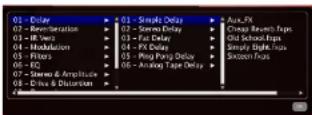
Figure B-1: Double-click on an effects slot menu to open the effects browser.
Delays 240
Reverberation 241 IDVerb 242
Modulation 246
Filters 247
EQ 248
Stereo & Amplitude....249
Drive & distortion....250
Dynamics 251
3 Band Processors 252
Miscellaneous 253
Sync
Some effects have parameters, such as delay taps, that can be synced to BPM's tempo (or the tempo of your host). To do so, enable the sync button provided, as demonstrated with the Simple Delay effect (page 240). When the sync button is engaged, the time line is specified in note values, rather than in seconds or milliseconds (msec).
This is the same setting as explained in "Sync" on page 100.
DELAYS
Simple Delay
This is a basic all-purpose delay. The delay time can be entered in seconds or synchronized to the host application's tempo. Use cutoff to add a low-pass or high-pass filter to the delay feedback.
Simple Delay presets
| Cheap Re-verb.faps |
| Old School.faps |
| Simply Eight.faps |
| Sixteen.faps |
Stereo Delay
This delay has all the capabilities of the simple delay, including the feedback filter, plus independent left- and right-channel delay times. As the name implies, it only supports stereo signals.
Stereo Delay presets
| Cycle-faps |
| Everywhere faps |
| Xperiment faps |
Fat Delay
Fat delay is a versatile effect. It is in fact four delays with their parameters initially linked; your signal is mixed and sent to the two first delays (one left and one right). The result of this first delay stage is then mixed with the original signal being again delayed in a left/right delay with two different delay times. Each delay pair has an independent left and right delay time that is calculated from the diffusion
This simple scheme, combined with the feedback parameter and the ubiquitous delay filter, allows you to create advanced delays with incredible repeating patterns and even reverb like sounds.
Fat Delay presets
| Delayweb.fops |
| Dreamland.fops |
| Far Fight.fops |
| Warna Fight.fops |
FX Delay
This effect is phunky! Built on the simple delay, a bit of magic is added that sounds a lot like a distorted filter inside the delay.
FX Delay presets
| Nice one.fips |
| One bar pain.fips |
| Robotic.fips |
| Shake it.fips |
Ping Pong Delay
This effect is a simple stereo ping-pong delay in which you can easily set how much stereo effect you want just by adjusting the stereo spread parameter. Of course, the filter is still there, as well as the ability to sync it to your host application's tempo.
Ping Pong Delay presets
| Before Eight.fqps |
| Doubling.fqps |
| Eight MF or fqps |
Analog Tape Delay
The Analog Tape Delay effect is modeled after classic analog tape delays. In addition to the standard controls for controlling wet/dry mix, delay and feedback, this delay adds several additional settings: Trash adds an element of "dirt" to the sound, as you might experience with dust on a piece of magnetic tape. Spread adds stereo spread to the delay lines. Dist Mode lets you choose between three distinct vintage sounds: tape, tape/tube and analog.
Analog Tape Delay presets
| Eight Tape fxps |
| Four Tube fxps |
| Radio Delay fxps |
| Retro Sixteen fxps |
REVERBERATION
Fast reverbs
If your computer cannot handle the convolution reverb acoustic spaces provided by IR Verb (page 243), try using the fast reverbs described in this section. These are non-convolution (synthesized) reverbs that place a negligible load on your host computer.
Fast reverb settings
Fast reverbs have the following settings:
Fast
setting Unit Range Explanation
| Decay time | sec 0-11 Reverb time controls the length of the reverb load (the portion of the sound as it trails off to silence). Longer reverb times make your music sound like it is in a larger space; shorter times sound like a smaller space. The maximum allowed time varies and depends on the specific acoustic space you have chosen. |
| High | -0-1 A low pass filter that reduces |
| Damp | high frequencies as you increase the high damp setting. |
Max dB -∞ to 6 A signal with no reverb applied
to it is commonly referred to as being dry. Therefore, a signal that is being processed with reverb is referred to as being wet. The Mix setting controls the amount (volume) of the treated (wet) signal. If you want more reverb, turn up this setting, if you want less reverb, turn it down.
Simple Reverb
This is a musically useful reverberation effect. Of course, a filter has been added, so that you can control which part of the signal gets affected (for example, you can get rid of muddy bass). The filter, combined with the dampening parameter, will keep your reverberated sound fresh and clean.
Simple Reverb presets
| Background Verbs.faps |
| Big Cathedral.faps |
| Big Room.faps |
| Canyon Percussion.faps |
| Ceacert Hall.faps |
| Jazz Cab.faps |
| Large Hall.faps |
| Opera Cosmic.faps |
| Plano Room.faps |
| Short Verbs.faps |
| Warm Quartet Room.faps |
| Warm Room.faps |
Predelay Reverb
This effect is built on the simple reverb, but it's been tweaked it a bit with delay lines to produce a predelay reverb. Again, the predelay time can be synced to your host application's tempo.
Predelay Reverb presets
| Madness.fxps |
| Perc Room.fxps |
| Roommate.fxps |
| Subtle.fxps |
Gate Reverb
This effect takes the Predelay & reverb effect a bit further by adding a gate effect to the reverberated sound, producing a gated reverb right out of the 1980s. As usual, tweaking the knobs will get you some new incredible sounds from it, not just the usual "thump" gated drums.
Gate Reverb presets
| Drum Gate/lxps |
| Radical/lxps |
Sixteen HiHats.faps
IR VERB
BPM is equipped with convolution (sampled) reverb processing called IR Verb. Convolution is a process where the characteristics of a real acoustic space are directly sampled, such as a church, concert hall, theater, or outdoor space. The resulting impulse response (IR) consists of an audio file that holds the actual sound decay characteristics of the acoustic space. By sophisticated signal processing, that impulse response can then be applied to any audio material, making it sound exactly as if it were being heard in the acoustic environment captured by the impulse response.
Convolution reverb is the most realistic type of reverb ever developed because it faithfully reproduces the actual characteristics of real acoustic spaces. As a result, it requires intense processing. Therefore, when you use IR Verb, be mindful of the amount of processing demands it imposes on your computer.
Computer performance
Because of the intensive processing required to produce a convolution reverb in real time, a fast PC or Mac computer is highly recommended when using IR Verb. The processing demands of convolution reverb can be reduced by the following techniques:
- Shorter reverb times require less processing power. Choose shorter reverbs. You can also simply turn down the reverb (see "Time (0-100%)" in the next section).
- Raise the buffer size of your hardware as explained in "Hardware buffer size" on page 36.
■If your host audio application has a track freeze or bounce-to-disk feature, you can use it to "print" CPU-intensive BPM tracks and then take them off line.
IR Verb settings
Here is a brief summary of the reverb settings for IR Verb.
PreDelay is the amount of time before you hear the very first reflections. For example, if you are in a large room, it takes longer for the first reflections return. PreDelay is useful for clarifying the original sound. For example, if you apply a larger amount of prodelay to an instrument, the reflections won't start until after a note has been played.
To conserve CPU bandwidth, try to keep the predelay setting to 40 mscc or longer. Shorter predelay times impose a much larger hit on the computer's processor.
Time (0-100%)
Time controls the length of the reverb tail (the portion of the sound as it trails off to silence). Longer reverb times make your music sound like it is in a larger space; shorter times sound like a smaller space.
The maximum allowed time varies and depends on the specific acoustic space you have chosen.
Longer reverb times cause your computer to work harder. So you can conserve computer resources by choosing shorter reverb times.
12.0000000/14:11
DampingHigh (-1 to +1)
DampingHigh is a low pass filter that reduces high frequencies as you increase the LP damp setting. Positive values damp low frequencies; negative values expand low frequencies.
Width (-1 to +1)
Width controls the stereo imaging of the reverb. If you turn this control down, the reverb effect will become mono.
Wet (-∞ to +6dB)
A signal with no reverb applied to it is commonly referred to as being dry. Therefore, a signal that is being processed with reverb is referred to as being wet. The Wet setting does what its name implies: it controls the amount (volume) of the treated (wet) signal. If you want more reverb, turn up this setting; if you want less reverb, turn it down.
Dry (- ∞ to +6dB)
Dry controls the volume of the original dry (unprocessed) signal. This allows you to precisely control the amount of the original dry signal that is mixed in with the wet (processed) signal.
IR Verb presets
Real acoustic spaces throughout the world were carefully selected and recorded to be included with BPM. A wide variety of spaces are provided, and each space can be fine-tuned even further by adjusting the reverb settings. These reverbs were captured in cathedrals, temples, concert halls, forests, canyons, caves and other locations.
Remember, the longer the reverb time, the more processing it requires, and the greater the demand placed on your computer.
IR Verb organizes its factory supplied convolution reverb presets into five sub-menus.
Cathedrals & Churches
Big Chapel Hall.fxps
Bright Cathedral.
Cathedral Hall fxps
Church Organ Hall.fxps
Church Reflections.fxps
Huge Church.fxps
Mystic Canyon.fxps
Requiem Room.fips
Small Chapel.frps
Concert Halls
Bright Concert Hall.fqps
Concert Half. frps
Concert Hall.fxps
Large Ensemble Room.fxps
Majestic Roorn.fxps
Open Opera Space.fxps
Symphonic Hallfaps
Warm Ambience.fxps
Other Rooms
Capital Hall.flops
Close Piano Room.fxps
Pink Concert Room.fxps
Quartet Room.fxps
Small Concert Hall.fxps
Small Concert Room.fxps
Warm and Small Room.fxps
Wood Ambience.fxps
Deluxe Reverb
Flat Room.fxps
Large Hall.Fvps
Large Plate.fxps
Medium Hall.1xps
Medium Plate.fxps
Small Hallcaps
Small Plate.Exps
Warm Room fixps
Wood & Large.flops
Temple & Co
Calm And Beauty.fxps
Hypnotic Reflections.fxps
Meditation Temple.fxps
Small Temple Ambiance.fxps
Spacious Church.faps
THE Cathedral.faps
Wama Chapel.fxps
MODULATION
Chorus
There is no such thing as a multi-effect section without a chorus. BPM is no exception and provides a nice 4-stage stereo chorus that you can even sync to your host application's tempo.
Chorus presets
| Deep Chorus.faps |
| Deep Slow.faps |
| Dimension.faps |
| Ensemble.faps |
| Mild Chorus.fips |
Flanger
This flanger can give you a varied palette of sounds, from smooth to deadly to synced and fast flange.
Flanger presets
| Boulart.faps |
| Cool Flange.faps |
| Extremcfaps |
Phaser
In the phaser you can control the minimum and maximum frequency of the sound on which the phaser will operate. You can also set the speed — syncable to your host application's tempo as usual — of the feedback and the depth of this 6-stage phaser.
Phaser presets
| My phase laps |
Cross Phaser
The Cross Phaser is essentially an enhanced double phaser with stereo cross-feedback in between the 12 stages of the effect.
Cross Phaser presets
| Low phase.fips |
| Stereo phase.fips |
| Synchrn.fips |
| Whistle.fips |
Analog Chorus
The Analog Chorus is modeled after a very popular chorus/flanger guitar pedal. It produces smooth analog sound with pleasing, authentic transient shaping.
Analog Chorus presets
| Analog Feel.fps |
| Chorus Deluxe.fps |
| Make it Big.fps |
| My Pedal.fps |
| Nice and Slow.fps |
Analog Flanger
Similar to the Analog Chorus, the Analog Flanger is modeled after a very popular chorus/flanger guitar pedal.
Analog Flanger presets
| Anos Flange.fxps |
| Flanger Mania.fxps |
| My P Pedal.fxps |
FILTERS
Analog Filter
The Analog Filter is modeled after the filter section of a very popular American synth.
Analog Filter presets
| IIP.fxps |
| IIP.fxps |
| LP.fxps |
| Synth.fxps |
Rez Filter
The Rez Filter is modeled after the filter section of a very popular Japanese synth.
Rez Filter presets
| HP.fxps |
| HP.fxps |
| LP.fxps |
| Synth.fxps |
TalkBox Filter
The TalkBox Filter is a vowel filter with lowpass, highpass and bandpass capability as well.
TalkBox Filter presets
| HP Words.fps |
| Roger.fps |
| TalkBoxing.fps |
| Vocal Filter.fps |
UVI Filter
This is a simple resonant filter that can be used in two ways: low-pass and high-pass. You can change the resonance of the filter to sharpen any sound.
UVI Filter presets
The BPM Autowah can be used in sync or in free mode. In free mode the input level will drive the wah filter frequency. When synchronized, an internal LFO will change this frequency over time. You can change the level of sensibility with the input gain and sens parameters, and the color of the effect can be changed thanks to the resonance and the amount of overdrive to add to the filter output.
Autowah presets
| Disco Wah fxps |
| Metro Wah fxps |
| Orange fxps |
EQ
2-band EQ
This two-band equalizer can adjust the frequency content of any instrument — or even a complete mix as a master effect.
2-band EQ presets
Iloos, Bass.
Hi-FiLaps
High Guitar exps
Penchy fxps
Telephonic.fxps
3-band EQ
This is a simple, effective 3-band equalizer. You can adjust the low and high frequencies by controlling the two shelving filters, and the third band is a parametric middle filter with adjustable resonance, frequency and gain.
3-band EQ presets
Bass fixps
Medium Airfreps
Not Flat fps
Percussion.fips
Phone.fxps
Vocal.fxps
8-band EQ
Use the scroll bar to access all of the 8-band EQ's parameters in the left-hand column.
8-band EQ presets
All On Flat Exps
Boost a Sub.fips
Clean Guitar taps
Dark Bass.fxps
Dig a Loop.fxps
EQ my bass exps
Telephone 1.5px
Telephone 2.5ps
Vocal Female.aps
Vocal Make fops
Vinyl Refresh fps
Tube Tape
The Tube Tape effect combines the emulation of analog tape saturation and classic aural exciter effects.
Tube Tape presets
Mix Tape,fxps
Tube Rules, fpx
Tubissimo.fps
STEREO & AMPLITUDE
Tremolo
This very simple volume effect from the sixties lets you control the depth and speed — and synchronize it to your host application's tempo using the Sync button.
Tremolo presets
Fast Tremolo.Laps
FX TramoloLaps
Sixteen Deep.Exps
Autopan
This easy-to-use autopan effect modulates the signal across the stereo spectrum.
Autopan presets
FX Tremokl/fxps
Slowly.fxps
Sync Rhodes.fxps
Rotary Speaker
This double-rotating speaker simulation will work miracles on all vintage keyboards and guitar sounds. Even the microphone distance is simulated.
Rotary Speaker presets
Full.fcps
Good A Organ.fvps
Like it.fxps
Rotary Simple
The simple version of our rotary speaker emulation contains only one speaker, but is still very effective.
Rotary Simple presets
For Fun fixps
JK Organ.fxps
Make Big.fxps
Try It.fxps
UVI Wide
UVI Wide is a stereo enhancer that employs phase and delay to produce a unique widening effect.
UVI Wide presets
Extension.Exps
Mono.fips
More Stereo.fxps
Pacific Time fxps
Really Wide.fxps
DRIVE & DISTORTION
UVI Drive
This unique combination of an analog overdrive simulation and a UVI Filter can give a nice tone to most guitars, drums and keyboards.
UVI Drive presets
Bad Radio.faps
Bass drive.faps
Color exps
Electric fixps
Out da Club.fxps
Double Drive
The Double Drive combines an analog drive simulation, followed by a UVI Filter that is reinjected into a strong digital distortion effect.
Double Drive presets
Animal Style.Exps
Double Double.faps
Extremely fixps
Hard Drive.fxps
Guitar Amps (boxes)
The Guitar Amps effect emulates the sound of fourteen popular guitar cabinets.
Guitar Amps presets
Beas Deluxe.flops
Cheap Radio.fxps
Chelsea.fxps
Chipped Glass.fxps
Classic.fxps
Combo.fxps
Electric Shock fxps
JazzLxps
Leicester Combo.fxps
Lincoln Standard.fxps
Metal Bowl fxps
Northbridge.fcps
Sweep.fxps
Tin Can.fxps
Vintage.fxps
Analog Crunch
The Analog Crunch effect emulates classic
"crunchy" guitar distortion.
Analog Crunch presets
Crunchy.fxp
Hardcore.fqps
Hornest.fxps
Subtle.fxps
Fuzz
The Fuzz effect emulates classic "fuzz" guitar distortion.
Fuzz presets
| Fuzz Mania.fips |
| Middle.fips |
| Rasta Fuzz.fips |
| Strong.fips |
Overdrive
The Overdrive effect emulates classic "overdrive" guitar distortion.
Overdrive presets
| Driving.fqps |
| For my Gutan.fqps |
| No Limit fqps |
| Overdrive.fqps |
DYNAMICS
Compressor
The RPM compressor provides conventional controls and superior sonic performance.
Compressor presets
| Good for Drums.lxps |
| Guitar Compression.lxps |
| Power Mix.lxps |
Gate & Expander
The BPM Gate & Expander has also provides conventional controls and exceptional sonic performance.
Gate & Expander presets
| Cut Me.fxps |
| More Attack.fxps |
| Slow Attack.fxps |
Studio Limiter
The BPM Studio Limiter is a high-performance limiter with three basic controls. It performs as effectively as the very best software limiters available, on a wide variety of audio material.
Studio Limiter presets
| Hard Limiting fxps |
| Soft Limiter fxps |
3 BAND PROCESSORS
3 Band Compressor
The 3 Band Compressor provides classic three-band compression.
3 Band Compressor presets
Bass and High.fxps
Discrete Punchy Peres.lxps
Focus in High fxps
Focus In Low fxps
More NRI exps
Subtle HiFiExps
3 Band Limiter
The 3 Band Limiter provides classic three-band limiting.
3 Band Limiter presets
Bass Saving.fxps
Extreme Boarding.faps
Hardware Limiting.fxps
Peres Efficiency.faps
Sweety Punchay exps
UVI Master
UVI Master provides advanced mastering processing with combined 3-band compression, limiting, EQ and tape emulation.
UVI Master presets
Classical Piece.fxps
Extreme Makeover.fups
Grunge Tube.fxps
Hip Hop.fxps
Jazz Club laps
Lanitube.Laps
Master Proflops
Mix Tape Master .flops
More Bass fxps
Phat and Subtle fxps
Punchy Mix.fxps
Rock Master/fxps
Techno System .fsp
Ultra Compression fxps
MISCELLANEOUS
UVInyl
UVInyl makes audio sound like it is being played from a vinyl record on a turntable. Settings include (needle) wear amount, dust amount, year (era) and turntable RPM (33, 45 or 78).
UVinyl presets
Maxi Vinylaps
Seventies.Laps
Sustes faps
Too Old fixps
UVI Destructor
The UVI Destructor has it all in one package:
■ Bit reduction. You can simulate any number of bits, from (almost) 0 to 24 bits.
■ Sample rate reduction from 2,000Hz to 48kHz.
■ An Analog overdrive.
■ A UVI Filter.
■ All of the above in series.
UVI Destructor presets
Abuse.frps
Crushy.fxps
Insect.hyps
Mirage.fxps
\$900.faps
Ring Modulator
This is a very basic ring modulator. A ring modulator has the ability to add harmonics to a signal in an odd fashion. For example, if you play a 1000Hz signal into a ring modulator at 100Hz, you will obtain a signal that contains the original 1000Hz signal mixed with a composited 900Hz and 1100Hz signal (1000-100 and 1000+100, respectively). It is very effective for creating special effects on drums and even guitars and synth sounds. You can set the frequency of the composited signal from 0.1Hz to 1000Hz.
Ring Modulator presets
Parasite.fvps
Pure ring.lxps
Useless.Exps
Robotizer
The Robotizer is a ring modulator with a twist: it adds a frequency modulation parameter (that distorts the frequency of the ring modulator) and a UVI filter to smoothen the resulting sound.
Robotizer presets
Brotomoto.fips
Cricket.Erps
Ulysse.https
Vocalise.lxps
FreezBeat
The best way to learn about FreezBeat is to try it!
FreezBeat presets
Mister Envoilical Fore
APPENDIX C Troubleshooting
OVERVIEW
BPM FAQ....255
Improving performance....257
General troubleshooting 257
MIDI troubleshooting....258
Audio troubleshooting 259
Preventing Catastrophe 259
Technical support....259
BPM FAQ
When installing BPM, should I install those huge UFS files?
BPM ships with 19 gigabytes (GB) of included sounds. All of these sounds are stored in the .ufs/.ufs1 files, so to use BPM, you must also install those files on your hard drive. You can place them on any available drive. The faster the hard drive, the better, as sounds will load faster.
Where should I put my BPM UFS files? Can I change the location later?
It doesn't matter where you put the .ufs/.ufs1 files on your hard drive. The only thing that matters is that there are Mac OS X aliases or Windows shortcuts to them, with exactly the same names, in the correct folder or directory.
For the BPM .ufs/.ufs1 files, those locations are:
Mac
Win
When I try to copy the UFS files to my hard drive, I get an error message and it won't copy successfully. What should I do?
First, make sure that you have enough free disk space; the .ufs/.ufs1 files are up to 8 GB each, for a total of 19 GB. Next, check the format of your hard drive. The UFS files cannot be copied to a FAT32 formatted hard drive, as the FAT32 format has a 4 GB file size limit.
For Macs, you should copy the UTFs files to a hard drive formatted as Mac OS Extended (also called HIS+) or Mac OS Extended (Journaled). To check the format of your drive, go to /Applications/ Utilities and launch Disk Utility. Select the drive from the list on the left, and check the Format item in the info strip along the bottom of the window. Mac OS Extended (Journaled) is the default drive format for OS X.
For Windows, you should copy the UFS files to a hard drive formatted as NTFS. To check the forma of your drive, go to My Computer, right-click the drive, and choose Properties. In the Properties window, check the File system item. NTFS is the default file system for Windows XP and later.
When I try to access the browser, the browser is empty. Why is it empty?
If the preset menu is empty, then BPM has lost the location of the BPM soundbank files. These are the .ufs/.ufs1 files in which BPM stores all of its sounds. If this happens, quit your host application. Search
Mac
Win
Then repeat these steps with the BPM.ufs1 file.
How do I make BPM work in my sequencer? BPM is an audio instrument plug-in. You will call up BPM in your sequencer on an audio track, aux track, or instrument track, depending on how your sequencer handles virtual instruments.
To get MIDI into BPM, you need a MIDI track (or instrument Track). The MIDI or instrument track must be record-enabled in order to receive MIDI from an external source into BPM. For complete setup details, see chapter 6, "BPM Plug-in" (page 35).
I have a kit / instrument sound loaded, but I don't hear anything.
If you are playing notes from an external controller, make sure the MIDI track or instrument track in your host software is record-enabled. For other MIDI troubleshooting tips, see "MIDI troubleshooting" on page 258.
BPM's MIDI activity LEDs are flashing, so it's receiving MIDI data successfully, but I still don't hear any sound.
Be sure you are playing within the kit or instrument's note range. If you are not sure what the note range is, try playing some notes through the entire range of the keyboard. If you still don't hear any sound, it's time to check audio. See "Audio troubleshooting" on page 259.
complete details, see "Managing latency" on page 36. Also refer to the section in chapter 6, "BPM Plug-in" (page 35) that refers to your host software.
When I load a loop, it plays but sounds weird, as if the pitch of the loop starts low and keeps going up. The loop's map mode is turned off and the entire loop is being triggered by the slice notes in the Piano Roll Sequencer. Click the Sequencer button and then click Bypass button above the grid. Stop BPM's main transports and start again. Now the loop should play normally. Alternatively, you can enable map mode for the loop.
When I click a loop in the browser to AutoLoad it into a part, it sounds like two loops are playing instead of just one, and their tempos don't match. This can happen when both AutoLoad and AutoPreview are enabled. AutoLoad causes the loop to load and begin playing, as usual, but the browser's AutoPreview option also causes the loop to play — at its original tempo, which may be different than BPM's current tempo setting. The result is two loops playing at the same time, out of tempo with each other. To avoid this, turn off AutoPreview when using AutoLoad while BPM is playing back.
How do I get BPM to send each pad or part to a different audio output? See "Outputs" on page 98.
When I move the cutoff frequency knob for the Filter, nothing happens. Make sure the envelope depth in the filter section is set to a value where you can actually hear the envelope. For example, if you have set the depth to
Why is the output of BPM distorted? It is possible for BPM to output more than unity gain. This can happen if you layer presets, or in some cases, if you use filter resonance that adds gain. Keep an eye on the output level of BPM track and attenuate that signal if it gets too hot.
How do I record the audio output of BPM? Some sequencers have a freeze function that renders the output of BPM as an audio file. If your sequencer doesn't have this feature, bus the output of BPM track to another audio track, and record the audio output of BPM onto that track. Here is a step by step procedure for sequencers without a freeze function:
1 Create a new stereo audio track (not the one where BPM is used) and name it Record BPM.
2 Route BPM track to an unused bus (e.g.: Bus 1-2).
3 Select Bus 1-2 as the input pair for your Record BPM track.
4 Record-enable the Record BPM track, and start recording.
If you wish to hear BPM while recording, select auto-input monitor in the Operations menu.
That's it! BPM audio output will be recorded into the new track.
Everything is working fine, except that intermittently, samples don't play for no apparent reason. Why? Check your polyphony setting for the pad or part.
shouldn't load more than about 70% of the total amount of RAM your computer has (±10%). For example, if your computer is equipped with 1 GB, don't load more than around 700 MB of samples into BPM.
Note to Mac OS X users: because of Mac OS X's built-in memory management features, there is potentially an unlimited amount of "virtual RAM", but when Mac OS X runs out of real RAM, it starts caching the overflow to disk. This can wreak havoc on BPM performance. Unfortunately, Mac OS X doesn't provide any means for applications to know — or report to the user — that it has run out of real RAM, so there is no way for BPM to alert you if Mac OS X is caching BPM samples to disk. Therefore, if you are loading lots of presets, you need to keep an eye on how much RAM they use up. There are third-party utilities available that can help you keep tabs on your RAM usage.
IMPROVING PERFORMANCE
See "Conserving CPU resources" on page 36 and "Managing latency" on page 36 for tips on how to to get the best performance from BPM.
GENERAL TROUBLESHOOTING
Troubleshooting is always simplest and most effective when the exact problem can be specified clearly and concisely. If you are surprised by an error message or by seemingly erratic behavior in the program, take a moment to jot down the relevant details: exactly what the error message said (including any error ID numbers), what actions were done just before the problem occurred, what kind of file you were working with, how you recovered from the problem, and any unusual
If the problem you are encountering seems inconsistent, try to determine what the necessary pattern of actions are that will cause it to occur. Genuine bugs in application software like BPM are almost always consistent in their manifestation: the same set of actions under the same conditions invariably brings about the same results. Determining the exact cause of a bug often requires experiments that replicate the problem situation with one factor changed: choosing a different (smaller) preset, opening BPM in a different host application, etc.
If the problem is truly inconsistent, then it is likely to be a hardware problem: a faulty hard drive, a failing computer motherboard, a loose connection, etc.
Isolate the problem...
One of the best troubleshooting techniques is to try to isolate the problem. If you can whittle down a complicated setup or scenario to a much simpler case, chances are you'll zero in on the problem more quickly. For example, you could try running BPM in a different host application to see if the problem persists. If it does, it may have to do with the actual samples, presets, and/or performances being used.
Simplify your setup...
One of the most common causes of problems is a conflict with other software in the system. Run BPM by itself, with no other plug-ins or virtual instruments, and see if the problem you are having still happens.
Check the 'Read Me First'...
If you cannot open a particular BPM project or session in your host application...
First try opening other existing files, or a new file, to be sure BPM is working at all. If other files work fine, try temporarily removing BPM plug-in, or disable audio in your host application. If other files also exhibit similar behavior, then you know that the problem is not specific to one file.
MIDI TROUBLESHOOTING
The most important tool for tracking down MIDI input problems are the MIDI activity indicators for each pad or part (pads will darken when receiving MIDI, and rack parts have special MIDI input LEDs). If there is a hardware problem, or if your channel assignments are wrong, the problem should be apparent by looking at the MIDI LEDs.
In order for external MIDI to get to BPM, the MIDI track or Instrument track must be record-enabled. A quick test to determine whether MIDI is reaching the track is to hit record and tap a few notes on your controller. If no MIDI appears in the track, check that your controller and MIDI interface are set up properly. If MIDI data does show up in the track, and your sequencer uses a separate MIDI and audio track for virtual instruments, make sure the MIDI track output is assigned to BPM and is assigned to a part that has a preset sound ready to go.
If BPM is unable to play any MIDI data...
Does your host software receive MIDI data from your MIDI controller? Does MIDI play back successfully to other MIDI instruments? If the answer is no to either question, double-check your cable connections and MIDI controller settings.
If you are trying to play BPM from your MIDI controller, make sure that BPM MIDI track or instrument track in your host software is record-enabled.
Often only A/B tests will reveal the source of the problem. It may be necessary to switch your MIDI cables, and if possible, to try using a different MIDI interface or synthesizer for input/output. The easiest way to test if MIDI data is actually getting to BPM is to look at the MIDI activity LEDs in the Parts section.
AUDIO TROUBLESHOOTING
In order for audio to be heard from BPM, the output of the audio, aux, or instrument track in your host software must be sent to an output that is connected to speakers or headphones. Can you play back any pre-recorded audio? That's always a good way to check that the rest of the audio system is set up correctly. In some cases, a sequencer requires an available voice for BPM playback. Make sure all outputs and voice assignments are correct for BPM track.
If you still don't hear sound, check the following things:
■ Make sure the volume is turned up on the pads or parts you are playing, as well as BPM's global volume setting.
■ Make sure that the appropriate faders are up in your host application.
■ Make sure you have cables connected to the correct plugs on the outputs of your audio hardware.
Keep plenty of free space on your hard drives. This will prevent the computer from running out of disk space.
TECHNICAL SUPPORT
We are happy to provide customer support to our registered users. If you haven't already done so, please take a moment to complete the registration card in the front of the manual and send it in to us, or visit motu.com to register on line. When we receive your card, you'll be properly registered for technical support.
Registered users who are unable, with their dealer's help, to solve problems they are encountering with BPM may contact our technical support department in one of the following ways:
■Phone: (617) 576-3066
■ Online: motu.com/support
■ Web site (for information, tech support database and downloads): www.motu.com
Technical support is staffed Monday through Friday 9 AM to 6 PM, Eastern Time.
If you decide to contact technical support, please have your BPM manual at hand, and be prepared to provide the following information to help us solve your problem as quickly as possible:
- The serial number of the program. This is printed on the cardboard page (at the front of the manual) that holds the registration card. (If you purchased BPM as an upgrade, your manual won't have this cardboard page. Instead, MOTU will have
■ The host application software you are using to run BPM.
■ A brief explanation of the problem, including the exact sequence of actions that cause it, and the contents of any error messages that appear on the screen. It is often very helpful to have brief written notes to refer to.
■ The pages in the manual that refer to the parts of the program that you are having trouble with.
We're not able to solve every problem immediately, but a quick call to us may yield a suggestion for a problem that you might otherwise spend hours trying to track down.
Our technical support telephone line is dedicated to helping registered users solve their problems quickly. In the past, many people have also taken
the time to write to us with their comments, criticism and suggestions for improved versions of our software. We thank them. If you have features or ideas you would like to see implemented in our music software, we'd like to hear from you. Please log on to motu.com/suggestions, or write to BPM Development Team, MOTU Inc., 1280 Massachusetts Avenue, Cambridge, MA 02138.
Although we do not announce release dates and features of new versions of our software in advance, we will notify all registered users immediately by mail as soon as new releases become available. If you move or otherwise change your mailing address, please send us a note with your change of address so that we can keep you informed of future upgrades and releases.
2-band EQ effect 248
3 hand compressor effect 252
3 band limiter effect 2
5-Danu 1.0/ effect 243 64 bit 17
8-band EQ effect 248
A
AAX 39 MIDI channel support 71
Ableton Live 46-47
Audio Buffer Size 47
BPM audio output 4
Dr. M. M231 Input 15
opening BPM 46
Add button (Part list) 70
Add FX button 67
Add to Favorites 5
ADSK 87
Akai MPD32 94
modulation source 77
AHD envelope 87, 88
AHDSR (envelope modulation) 88
八、备注
MPD14 15
MPT32 13, 94
THE WORLD
ation course 27
Amp. Buy 77
Amplitude envelope 87
velocity modulation 88
Analog Chorus effect 246
Analog Circuit sheet 2.90 Analog Film effect 247
Analog Flanger effect 246
Analog Tape delay effect 241
API 31
Apply Groove 74
Apply Grooves 74
Arpeggator 17-79
ASIO51,32
Attack 87 Attack time 97
ALL (see Audio Units)
Audio
Devices tab 31
drivers 31
inter-application 30
Others (VST) 47
Pro Tools 40
standalone operation 28,31
Audio Units
Ableton Live setup 46
BPM studio output 42
BPM MIDI input 43
Digital Performer setup 38
latency 43
Logic setup 4
MIDI channel support 71
opening BPM 42
Others setup 42
plug-in location 41, 42
Authorization
transferring
Authorization (see I.0k)
A##1.34
instruments 70
In our 70
options 55
many 60
Automation 92
op ellrcl 249
AutoPlay 72, 80, 90, 94
AutolPreview 55,70
AutoScroll 59
Autowah effect 247
Aux
channel sends 89
mixer channels 98
B
Backup copies of files 259
Bandwidth,conserving 36,60
Bam
button 55
defined 5:
loading a kit into 55
MIDI receive channel 71
mixing 97
muting 55
nothing 52
SP mode 55
step sequencer 38
viewing 32
Beat Box Anthology
DVD II
installation 13
presets 53, 109
ufs file 13,255
n ...
version number 259
BPM (Heats Per Minute) 90
BPM5ampler 95
Browser 51
AutoLoad 54
categories 52
soundbanks 53
tabs 51
tempos 52
xtra folders 53
Buffer size (see Hardware buffer size)
Bypass 59, 73, 99
C
Change Oscillator Type 68
Change Playing Direction to Reverse/For-
y prm
Chorus effect 246
Clear
All (Plano Roll Sequence) 74
Fig. 106
pad command 57
Performance 115 Selection (Tianu Hall Summary) 74
(2) Li = (6 - 5) / 50
Clear Tare (Aep. Sequential) of Glove Pattern (Fam Fosummon) 60
clear Pattern (Inter-frequency) to
cmp
Batham A
Convolution reserb 243
Copy 6
Line (Step Sequencer) 60
pad command 57
Core Audio 31
Core MIDI 38, 40, 41, 42, 43
CPU, conserving resources 36, 65
Create Loop 67
Crop 67
CrossPhaser effect 246
Cubase 7,43-45
Audio Buffer Size 45
BPM audio output 44
BPM MIDI input 44
latency 45
opening BPM 43
Customer support 14, 259
contacting 14
registration 14
Delete 67
All But Notes 74
All Notes 74
loop 67
Depth 75
Deselect All 74
Destructive editing 66
Digital Performer
BPM audio output 38
BPM MIDI
Buffer Size 39
inter-application MIDI 29
latency 39
opening BPM 38
Disks, keeping enough free space 259
Dist Mode 241
Double button
Double drive effect 250
DP (see Digital Performer)
Drag and drop
exporting patterns 58
instrument presets into part list 70
into a pad 64
kit+patterns 55
loops (exporting) 84
loops into part list 70
MIDI files 74
pads 56
patterns into Piano Roll Sequencer
74
patterns into Step Sequencer 55
sample layers 64
summary 108
Drive 8
Driver selection 31
Drum oscillator 68
saving 106
Drum synthesizer (see Drum oscillator)
Dry 244
DVDs 13
C
E
Edit All Layers 65
Edit button 7
Effects 99-100
accessing 99
aux sends 88
bypassing 99
conserving bandwidth 36
controls 100
presets 100
sample layer effects 67
...4...020.95
depth (amplitude) 87
filter 87
modulation 88
release time 87
sustain level 87
Eraser 74
Errors 257, 258
file 258
system 260
o Instrument
reading sounds from 53
Ex. Group (exclusive pad groups) 65
Exclusive pad groups 65
rting 107
patterns 58
via drag and drop 108
External modulation 77
F
Trade Inv/Out 67
Fat density effect 2(1)
Pat denny effect 240 Tilagarns 1/15
The men's Audio
AUDI and AMDI settings 31 performances 105
40% of the 125
Hill Line (Stem Se
For time (step sequenced) of little
Pfizer
cui)IT frequency 87
catch frequency of drive: 87
atve
envelope of modulation
cyclopro depth 87
envelope velocity
resistance 87
section 86
trace 86
Filter Ery. 77
Fine SS
Fine (Graph Sequencer) 62
Fine-tune
parts/presets 88
Flanger effect 246
lineex/heat effect 25
Functions (Graph Sequencer) 62
[1]uxz effect 25
lix delay effect 240
EX Section 239-253
FX tab (Pad Editor) 67
G
Gate & Expander effect 251
Grid menu 73
Grooves 91
applying globally 91
applying in Piano Roll Sequencer 74
saving a custom groove 63
Guitar Amps (boxes) effect 250
“
H
Halfbutton 82
Hardware buffer size 31, 36, 39, 40, 42, 45,
47,48
Hi-hat programming (see Exclusive pad
groups)
1
I/O buffer size (see Hardware buffer size)
iLck
installing 14
transferring authorization 11.14
Import MIDI In Current Pattern 106
Japporting
via drag and drop 108
Impulse response (see IR Verb)
Installation 11.13
(1)基因通过控制 通过控制
Instantiate
[Non-Text]
Instruments
browsing 70
defined 50
using 51
Inter-application
audio 30
MIDI 29
IR Verb 243
dry 244
width 244
K
Key (modulation source) 77
Key (Institutional Source) 77 Kumming 80, 93
Key Setting 50, 60 Kit Settings (Auto
Kit+patterns | 5
browsing 5
construction kits 52
defined 50
Kits
browsing51
clearing 106
defined 15,5
loading 55, 106
playing with pads 56
compensation 37
Cubase/Nuendo 45
Digital Performer 39
Logic 42
Others (Audio Units) 43
Others (VST) 48
Pro Tools 40
Launching BPM 30
Layer Rules 64
Learn MIDI Key 57
Length (Graph Sequencer) 62
Length (Piano Roll Sequencer) 73
LFOs 77
Part Editor 74
retriggering 75
sync mode 75
Line templates (Step Sequencer) 60
Live (see Ahleton Live)
Live input latency 36
Live mode 103
Load
bank FX (AutoLoad) 55
current pattern 1
from MachFive Program 106
kit 106
oscillator 106
pad 106
pattern+kit 106
Performance 105
Logic 7,41-42
Audio Unit plug-in 41
BPM audio output 41
BPM MIDI input 41
latency 42
opening BPM 41
Loop Editor 79
LoopRe 31
Loops
Autol. loading 54
browsing 51,70
construction kits 53
defined 50,79
effects 99
exporting as audio 84
exporting as MIDI 84
latch mode 82
map mode 81
mode summary 81
modes 80
playing 72, 90
sample mode 80
slice mode 80
alisa in Diana Tall Cammarar 7d
basic knowledge is required 14
inter-application MIDI 30
shortcuts 51
MachFive
creating slice loops 80
Load from MachFive program 106
reading sounds from 5
Map button 81
MAS
Digital Performer operation 38
MIDI channel support 71
plug-in location 38
Master channel 99
effects 99
Master mixer tab 98
Master output 91
Master section (drum oscillator) 69
M-Audio
Trigger Finger 13
Metronome 90
MIDI
activity LED 71
between applications 29
channel assignment 71
controllers (automating with) 92
Devices tab 27,
importing MLDI file 106
input 27, 33, 93
Ableton Live 46
Cubasc/Nuendo 44
Digital Performer 38
keyboard 70
Logic 41
Others (Audio Units) 43
Others (VST) 48
parts 711
Pro Tools 40
standalone application 27, 33
learn
playback latency 37
settings (part editor) 75
setup 2
timing accuracy 36, 37
Ableton Live 47
Cubase/Nuendo 45
Digital Perfor
Logic 42
Others (Audio Units) 43
Others (VST) 48
Pro Tools 40
MIDI automation
pads 57
wav adi+ov 74
MIDI Select 49,57
MIDI Yoke software 30
Mix 241
Mix control (drum oscillator) 69
Mixer 97
accessing 97
channel strips 97
master channel 99
master tab 98
outputs 98
Modulation 76
alternate 77
envelope 88
envelope depth 87
external (MIDI) 77
organ pan 77
random 77
velocity 87, 88
wheel 77
Mono button 76
Multi-stage envelopes 88
Multi-timbral operation
Ahleton Live 46
Audio Units 42
Cubase/Nuendo 44
Digital Performer 38
Logic 41
Pro Tools 39
VST47
Mute
banks 55
parts 71
racks 69

Normalize 67
Note: Repeat 49, 94
Nurdo 43-45
Audio Buffer Size 45
BPM audio output 44
BPM MIDI import 44
latency 45
opening BL

0
Octave
parts/presets 75
One Shot 67
Opening BPM
in Ableton Live 46
in Audio Units host 42
in Cubase/Nuendo 43
Cubase/Nuendo 44
Device menu 28,31
Digital Performer 38
Logic (Audio Units) 41, 42
Pro Tools 40
VST hosts 47
Overdrive effect 251
lub 94
button 50 Overwrite Tempo (AutoLoad) 55

P mode
racks 69
Packing list 11
Pad Editor 63 accessing 57, 63
Pads
assigning a MIDI note to 57
AutoLoad 56
automating 9
aux sends 88
clearing settings 57
copying and pasting settings 57
drag and drop into 56, 61
effects 99
envelope modulation 88
exclusive groups 65
leading multiple samples 63
leading settings 106
playing a kit 56
polyphony 65
recording 56
renaming 57,60
sample layers 63
sampling into 96
saving settings 106
selecting 57
settings 56
synth parameters 58
velocity programming 64
Pan
Graph Sequencer 62
parts 71
Part Editor 74
accessing 74
MIDI automation 74
play section 76
Parts
adding 69
alternate modulation 77
audio output
4.1.1.1.1.1.1.1.
deleting 69
drag and drop into 70
effects 99
envelope modulation 88
external (MIDI) modulation 77
Line-tune 88
layering 71
LFO sync mode 75
MIDI activity LED 71
MIDI automation 72
MIDI channel assignment 71
MIDI input
Ableton Live 46
Cubase/Nuendo 44
Digital Performer 38
Logic 41
Others (Audio Units) 43
Others (VST) 48
Pro Tools 40
mute 71
octave 7
organ pan modulation 77
pan 71
parameters 86-89
play parameters?
playing using keyboard 70
random modulation 77
selecting 69
sequences 58
settings 71
volume 71
wheel modulation 77
Paste 66, 67
line (Step Sequencer) 60
nad command 57
Patterns 58
AutoLoading 54
browsing 51
clearing 60
defined 15.50
experting 58
leading 106
recording via pads 56
resolution 59
saving 106
using 50
Pencil 74
Perform
clearing 105
defined 105
folders 105
loading 105
vanishing 1105
Piano Roll Sequencer 72
accessing 72
drag and drop into 74
loop slices 74
tools
Ping pong delay effect 240
Pitch Bend
modulation source 77
Pitch envelope 77, 88
Pitch settings 99
Play button 90
individual parts 72
PlaySelection 67
in formats
supported formats 7
Polyphony 36, 7
pads 65
Portamento 76
Pos knob (groove position) 91
Position sync 83
PreDelay 243
Predelay Reverb effect 242
Preferences 107
18 109-257
Bend range 75
effects 100
Line-Tune 88
octave 75
tempo 32 vol.7,20
Pro Tools 7, 39 TDM on line output 42
BPM studio output 40
ВРМ МИЛЯ ШЕРЕТ 40
latency 40
opening BPN Processing 238, A53
Processing 239-253

Quantize
button 91
Piano Roll Editor 74
real-time input 94
Start Guide 15

Rocks 64
button 69
defined 69
drag and drop into 70
effects 99
layering parts 71
MIDI channel assignment 71
missing 97
… ”
Random modulation source 77
Rate 75
Record button 91
Record Unde 94
Recording 93
MIDI input 93
overhub mode 94
patternus via pads 56
Recording (see Sampling)
Redo 66
Iletresh
Audio Devices 32
MIDI Devices 34
Registration 14
card 11,259
number 254
Release
Release time (envelope) 87
Remote Control (see VIDI Remote Con
(tral)
Rename (pad settings menu) 57
Reset (Graph Sequencer) 62
Resolution (sample format) 8
Resolution menu 59
Resonance 87
Resonance Mod 62
Retriggerine 75
Reverb
DampingHigh 244
DampingLow 243
mix 241
PreDelay 243
time 241, 243
wet 244
Reverse
Rez Filter effect 247
Right-clicking 51
King modulator effect 253
Robotizer effect
Roll 61
Rotary simple effect 249
Rotary speaker effect 249
Route MIDI input 93
Routines lab 32
ETAS
MIDI channel surgery: 71
Pro Tools operation 39
s
S button (see Solo)
Sample button 80
Sample Editor 66
Sample accurate timing 39
Sampling 95
from host software 56
into a pad 96
menu 95
Save
current pattern 106
graph
kit 106
Line (Step Sequencer) 60
oscillator 106
pad 106
Performance 105
Performance As 105
Scene Editor 102
accessing 102
options [0]
Scenes 101-102
trigger options 103
Scroll wheel support 51
Select All 74
Selection Tool 74
Semi (Pitch) 88
Graph Sequencer 62
Seq button 58,61
Sequence Editor 15
Sequences 58
Serial number 259
Set As One Shot 67
Shortcuts 5
Silence 66, 67
Simple delay effect 240
Simple reverb effect 242
Slice button 80
Slicing loops 8
SmartKey
transferring authorization 11
SmartKey (see iLok)
Snap to Grid 72
Solo
banks 20
racks 6
Song Editor 104
accessing 104
building a song 104
Song mode 104
building a song 104
overview 101
Sound Library 51, 53, 109
construction kits 52
DVDs
presets 119-237
2014.42.15
Speed control 81
Spread
analog tape delay 241
Standalone operation 27
multiple outputs 9
setup 27
Step Sequencer 58
accessing 58
AutoScroll 59
Bypass 59
drag and drop MIDI file into 56,74
drag and drop pattern into 55
resolution menu 59
Steps menu 59
time line 60
Steps men: 59
Stereo delay effect 240
Stop button 911
Stretch button 81
Studio Limiter effect 251
Sustain 87
Sustain level (envelope) 87
honic instrument
reading sounds from 53
Syna
effects 239
effects parameters 100
LFO sync 75
loop sync 83
position sync 83
scene editor options 103
Sync to Host 90, 94
Synth parameters 86
pads 58
System
errors 257, 260
troubleshooting 258
T
TalkBox Filter effect 247
Tap Tempo 50
Tape/tube 241
Technical support 14, 259
contacting 1
Tempo 90
preset tempos 52
setting in sync menu 83
syncing to host 90
Time (reverb) 243
Time line
piano roll sequencer 73
step sequencer 60
甲(二)甲(乙)
error messages 257, 260
file errors 258
MIDI activity LED 71
system errors 260
Tube Tape effect 248
Tune setting (global section) 91
Tutorial (QuickStart Guide) 15

les
installing 13
Undo (Record Undo) 94
Undo/Redo 66
Unlimited Unde/Redo 66
Updates 14
USB Key (sec iLok)
USB MIDI controller 33
UVI destructor effect 253
UVT drive effect 250
UVT filter effect 247
UVT instruments
soundhanks 53
UVT Master effect 252
UVI Wide effect 249
UVInyl 253
V
Vel knob (groove velocity) 91
Velocity 61, 62, 87, 88
curves /b
Amidization source 77
Version numbers
BPM 260
Volume
global (Global section) 91
Mixer view 97
parts 71
VST
Ableton Live setup 46
BPM audio output 47
BPM MIDI input 48
Cabase/Nuendo setup 43
I/O Buffer Size 48
latency 48
MIDI channel support 71
opening BPM in a VST host 47
other host setup 47
plug-in location 43, 46, 47
W
Wet 244
->modulation source 77
modulation source 77
Wheel modulation 77
Width 244
Windows
audio driver selection 31
basic knowledge is required 14
inter-application MIDI 30

X
Xtra folders 53

Z
Zoom (Sep Sequencing) 53

- About the Mark of the Unicorn License Agreement and Limited Warranty on Software
- Reminder of the terms of your MOTU software license
- About the Ultimate Sound Bank License Agreement
- Update Policy
- Copyright Notice
- Contents
- CHAPTER 1 About BPM
- Universal plug-in or standalone operation
- Collaborate across platforms
- Operation at a glance
- Included sounds, loops and instruments
- 24-bit 96kHz samples
- Interactive browsing
- A complete rhythm production center
- Loops and phrases
- Multi-sample instruments
- Compatibility with other UVI instruments
- Powerful synthesis engine
- Complete mixing
- Comprehensive effects processing
- Convolution reverb and real acoustic spaces
- MIDI Remote Control
- CHAPTER 2 Installation
- PACKAGE CONTENTS
- ATTENTION NEW USERS: AN ILOK IS REQUIRED
- Do you already own an iLok?
- Purchasing an iLok
- iLok compatibility
- PREPARING YOUR iLOK USB SMART KEY
- Managing iLok licenses
- SYSTEM REQUIREMENTS
- 64-bit operation
- Hard disk format
- INSTALLATION
- Run the BPM installer
- Copy the UFS soundbank files to your hard drive
- Presets for hardware controllers
- CONNECT YOUR ILOK
- GETTING STARTED
- PLEASE REGISTER YOUR SOFTWARE
- VISIT MOTU.COM FOR SOFTWARE UPDATES
- TECHNICAL SUPPORT
- CHAPTER 3 Tutorial 1: QuickStart Guide
- Open BPM
- Choose a kit+pattern
- Play the kit+pattern
- Check the audio output assignment
- If you don't hear anything
- Try a different kit
- Try a different pattern
- Replace a snare sound
- Add reverb to the snare
- Add a bass part
- Set up MIDI keyboard input to BPM
- Play the bass sound with your keyboard
- controller
- Recording a bass part
- Add a loop
- Export your mix
- Save a performance
- CHAPTER 4 Tutorial 2: Building a Song
- Overview
- Scenes
- Scene Editor
- Loading the tutorial file
- Song mode
- Live mode
- The next step
- CHAPTER 5 BPM Application
- Playing BPM as a live instrument from MIDI controller
- Audio connections
- Using BPM as a sound source for music software running on another computer
- Running BPM standalone on the same computer as your host software
- Inter-application MIDI
- Inter-application audio
- OPENING THE STANDALONE VERSION
- AUDIO AND MIDI SETTINGS
- AUDIO DEVICE TAB
- API
- Output device
- Sample Rate
- ASIO Config (Windows only)
- Refresh Audio Devices
- ROUTING TAB
- MIDI DEVICES TAB
- Refresh MIDI Devices
- CHAPTER 6 BPM Plug-in
- For all users
- MAS
- AAX/RTAS
- Audio Units
- VST
- CONSERVING CPU RESOURCES
- The Polyphony setting
- Hardware buffer size
- MANAGING LATENCY
- Live MIDI input
- MIDI track playback
- DIGITAL PERFORMER (MAC OS X)
- Installation for DP
- Calling up BPM on an instrument track
- Using BPM in a V-rack
- Initiating BPM operation
- Specifying audio output
- Near sample-accurate MIDI playback
- Reducing live input latency
- PRO TOOLS (MAC & WINDOWS)
- Installation for Pro Tools
- Platform Location
- Working with multiple instances of BPM
- MIDI I/O
- Reducing buffer latency
- LOGIC (MAC OS X)
- Installation for Logic
- Opening BPM on an instrument track
- Latency
- OTHER AUDIO UNIT HOSTS (MAC OS X)
- Installation for AU hosts
- Calling up BPM on an audio track
- CUBASE AND NUENDO (MAC & WINDOWS)
- Installation for Cubase or Nuendo (Mac OS X)
- Opening a BPM VSTi
- Setting up audio outputs
- LIVE (MAC & WINDOWS)
- Installation for Live
- Opening an BPM VSTi
- OTHER VST HOSTS (MAC & WINDOWS)
- Installation for Your VST host
- CHAPTER 7 BPM Window
- READ THIS FIRST: BASIC BPM CONCEPTS
- Kits
- Pattern
- Kit+Pattern
- Loop
- Sound
- Instrument
- Working with kits and patterns
- Working with sounds
- Adding loops and instruments
- CONVENTIONS AND SHORTCUTS
- Scroll wheel support
- Right-clicking
- Option/Alt key
- Shortcuts for changing BPM settings
- Action Shortcut
- USING THE BPM SOUND LIBRARY
- Navigating the browser
- Tempo indication
- 'Xtra' folders
- The User tab
- Soundbanks
- Places
- UVI soundbanks
- Mac:
- AutoLoad
- Autoloading sounds
- Autoloading loops and instruments into a part
- AutoLoad options
- BANKS AND PADS
- Four bank buttons
- Loading a kit into a bank
- Loading a sliced loop into a bank
- Drag and drop into the Step Sequencer
- Loading a sound into a pad
- Playing a kit using the pads
- Recording a pattern using the pads
- Pad settings
- Selecting a pad
- Renaming a pad
- Pad settings menu
- Assigning a MIDI note to a pad
- Assigning MIDI notes to all pads
- Clearing a pad
- Assigning MIDI controllers to pad controls
- Pad synth parameters
- PATTERNS
- Sequences
- Exporting a pattern
- STEP SEQUENCER
- Accessing the Step Sequencer
- Two editors
- Track Editor
- Zoom
- AutoScroll
- Bypass
- Steps
- Resolution
- Time line
- Working with the Step Sequencer grid
- Line templates
- GRAPH SEQUENCER
- Accessing the Graph Sequencer
- Note menu
- Note parameters
- Roll
- TimeShift
- Velocity
- Length
- Pan
- Semi and Fine tuning
- CutoffMod, ResonanceMod and DecayMod These three Graph Editor parameters
- Working with the Graph Sequencer grid
- Advanced graph programming
- Functions and Graph Templates
- Saving your own Graph Sequencer patterns
- Saving your own grooves
- Applying grooves
- PAD EDITOR
- Accessing the Pad Editor
- Loading multiple samples into a pad
- Sample layer settings
- Sample layer velocity programming
- Layer switching using layer rules
- Pad polyphony
- Edit All Layers
- Exclusive pad groups
- Creating a pad group
- Sample Editor
- Setting sample and loop start/end points
- Making selections for editing
- Insertion Point
- Drag and drop in the sample editor
- Sample Editor menu
- Unlimited Undo/Redo
- Destructive editing
- Cut
- Paste
- Method for choosing
- Crop
- Delete
- Normalize
- Silence
- Fade In/Fade Out
- PlaySelection
- Change Playing Direction to Reverse/Forward
- Set As One Shot
- Create Loop/Delete Loop
- Pad Editor effects tab
- Applying effects to a layer
- Drum synthesizer
- Accessing the drum synthesizer
- Drum synth presets
- Drum synth parameters
- RACKS
- Two rack buttons
- Selecting a part
- Adding, deleting and clearing parts
- Browsing loops and instruments with AutoLoad
- Drag and drop into the part list
- Playing a part using the keyboard
- Playing a part using the Piano Roll Sequencer
- Recording a pattern using the keyboard
- Part settings
- MIDI (note) activity LED
- Next/previous preset buttons
- MIDI channel
- Creating instrument "stacks"
- Play/Autoplay
- Part synth parameters
- PIANO ROLL SEQUENCER
- Accessing the Piano Roll Sequencer
- Pitch Ruler
- Timeline
- Zooming the timeline
- Grid
- Snap to Grid
- Tools
- Piano Roll Sequencer menu
- Working with slice loops in the Piano Roll Sequencer
- PART EDITOR
- Accessing the Part Editor
- MIDI automation of part editor parameters
- Retriggering
- Rale
- Depth
- Sync
- Transpose
- Bend
- Constant pitch ("Const")
- MIDI
- Play
- Glide
- Polyphony
- Mono
- Velocity curve
- Modulations
- Organ Pan modulation
- Alternate modulation
- Random modulation
- Arpeggiator
- Accessing the Arpeggiator
- To do this Do this
- Trigger Mode
- Hold
- Mode
- Octave
- Strike and Repeat
- Swing
- Arpeggiator presets
- Disabling the arpeggiator
- LOOP EDITOR
- Loops versus phrases
- Loop waveform display
- Accessing the Loop Editor
- Three loop modes
- Loop mode What it does
- Sample
- Stretch
- Slice
- Map
- Loop mode summary
- Sample Start
- Half/Double
- Latch
- Latch Start menu
- Key
- Sync menu
- Tempo sync
- Position
- Loop Sync summary
- Loop export via Drag & Drop
- Dragging audio data
- Conforming to the host tempo
- Dragging MIDI data
- Slicing a loop
- SYNTH PARAMETERS
- Filter
- Filter Type
- Abbreviation Meaning
- Cutoff (Cutoff Frequency)
- Res (Resonance)
- Drive
- Filter envelope
- Stage Name Unit range
- Env (Envelope) Depth
- Amplitude Envelope
- ADSR envelope
- AHD envelope
- Pitch settings
- Global, Semi and Fine tune
- Pitch envelope
- Master aux effects
- Bank aux effects
- SP MODE
- TRANSPORT CONTROL AND TEMPO
- Play and Stop buttons
- Record, Quantize and Overdub
- Metronome
- Tempo (BPM)
- Host AutoPlay
- Sync to Host
- Tap Tempo
- Loop tempos and authentic rhythmic feel
- MASTER VOLUME AND TUNE
- Tune
- GROOVE
- Custom grooves
- MIDI AUTOMATION
- Automation is assigned per pad/part
- Controlling synth parameters
- Default MIDI controllers
- MIDI MODULATION
- RECORDING
- Viewing your record pass
- MIDI input
- Quantize
- Overdub
- Begin recording
- Note Repeat
- Using Note Repeat
- Repeated note velocity
- SAMPLING
- The sampling controls
- The BPMSampler application
- Sampling from an external source
- Sampling into a pad
- Sampling a clip
- MIXING
- Accessing the mixer
- Bank and Rack mixer tabs
- Channel strips
- Outputs
- Multiple outputs and standalone operation
- Multiple outputs and plug-in operation
- Master mixer tab
- Bank and rack master channels
- Aux channels
- Master channel
- EFFECTS
- Accessing effects
- Effects tabs
- Bypassing a tab
- Adding, deleting, bypassing and replacing effects slots
- Unlimited effects slots
- The effects browser
- The effects
- Effect controls
- Preset effects
- Pad layer effects
- SONG ARRANGING
- Patterns and sequences
- Copy Scene
- Exporting a scene
- Accessing the Scene Editor
- Mapping patterns and sequences
- Using scenes to build songs
- Scene trigger options
- Trigger Mode What happens
- Sync position
- sync setting What it does
- Exiting Live mode
- Accessing the Song Editor
- Building a song
- FILE MENU
- Performances
- Load Performance
- Save Performance
- Save Performance As
- Save Performance And Samples As
- Clear Performance
- Banks
- Patterns+Kits
- Load from MachFive Program
- Oscillators
- Pads
- Import MIDI In Current Pattern
- Pad Sample
- Export commands
- Preferences
- Main
- Mapping
- Disabling MIDI Remote Control
- When to use MIDI Remote Control and when to use MIDI Automation
- DRAG & DROP
- Import
- Export
- APPENDIX A Sound and Pattern Library
- CREDITS
- Mastering
- BPM PRESETS
- BEAT BOX ANTHOLOGY PRESETS
- — Kit+Pattern
- BIG BEAT
- DANCEHALL
- DIRTY SOUTH
- DUB
- ELECTRO
- HARD TRANCE
- HIP HOP-RNB-BPM V1
- Acoustic Mood
- Beat City
- Big Star
- Machine
- South
- West Coast
- HOUSE
- JUNGLE-DRUM BASS
- MINIMAL
- PROGRESSIVE
- RAGGA
- TRIP HOP
- VINYLIZED
- Conga
- Small Perc Mix
- 2—Kit
- Old School
- XTRA ACOUSTIC
- XTRA CLASSIC BOXES
- XTRA ELECTRONIC
- — Pattern
- XTRA-CLASSIC URBAN
- XTRA-FUNK, SOUL
- XTRA-NEW SCHOOL
- XTRA-PERCUSSION
- Bongo
- Single Percussion
- Oau
- 082-C-Secret FBI
- 082-D#-CIA Smooth
- 085-E-Z Rock
- 089-G#-One Way
- 090-A-Dark Soul
- 090-C#-Jazz Avenue
- 090-E-Doctor Hyde
- 091-A-Phat Rock
- 092-C#-Street Light
- 092-F#-Underworld
- 092-F-Jungle West
- 093-D#-Eden Power
- 096-B-New Fezo Shock
- 101-A-Rage Cave
- 104-A-Amazone
- 104-D-Jamaitac
- 115-G#-Smile
- 128-G#-Slow Keys
- 081-A-Five Billion
- 082-B-Jean Live
- 092-F-Low Ride
- 095-D-Kelly Mouth
- 095-F#-Space Trive
- 098-B-Before the Show
- 098-C-Locks in the City
- 098-G-London Jam
- 100-B-Roots Tree
- 100-C-Electro Tape
- 100-C-Killa System
- 100-F#-Funky Moicha
- 101-D-Zapan Club
- 104-A#-Clappin Tap
- 106-D-My Game
- 120-C-Boosta Piano
- 080-A-Egyptian Tim
- 082-A-Shynese
- 082-A-Voodoo Riddim
- 082-F#-Black Evil
- 083-A-Em
- 083-Money Money
- 085-C#-Fizzle
- 089-D-Candy Wood
- 090-A#-Big Life
- 090-G#-Dark Hood
- 092-A#-Kimmy
- 086-A-White Line
- 089-A#-Foxy Night
- 092-D#-Down with the King
- 092-D-Don't Touch
- 092-G#-Clap My Door
- 092-Smoke Road
- 092-Waiting Room
- 094-G#-Steel Diamond
- 096-D-Daddy Donkey
- 100-F-Tom Island
- 100-One Two
- 101-C-Serenity
- 105-C-First Splash
- 105-G-Baya Dance
- 080-F#-You Too
- 083-C-Pipe Line
- 084-A#-101
- 084-C#-Copacabana
- 084-C-Club
- 084-C-Enigmatic
- 084-F-Classy
- 084-G-Waiting People
- 089-A#-Crazy Horse
- 095-C#-Doobidoo
- 095-E-British Dub
- 095-G#-Shorter
- 100-B-Public School
- 100-F-Snoop Corn
- 100-G-Purple Jam
- 101-E-Fourty Cents
- 101-E-Rock Party
- 107-G#-Casino
- 112-E-Giorgia
- 168-G-Oncle Tom
- 075-A-Ambassador
- 075-C-4X4
- 079-F#-Boom Heart
- 080-E-Hacienda
- 082-A-Saint-Louis
- 082-E-Not Guilty
- 095-G-Generic
- 096-C-Electric Lya
- 098-G#-Let Me See
- 099-D#-Tribuzone
- 100-C-Fantasy Dream
- 103-C-Spacial Tour
- 110-C-Zino
- 120-A-Kentooky
- 132-D#-Run Run
- 076-D#-Like This
- 082-D#-Tell Me Why
- 082-D#-Think About Me
- 085-G-Midnight Glock
- 086-D-B.R.C.
- 086-E-Jumpin Frog
- 089-C-Diamond
- 089-D-Sad D
- 089-D-What do you Think
- 096-D-Wallup
- 097-F#-Urbanana
- 099-B-Fifth Avenue
- 099-C-Martinik
- 100-A-Lil Queen
- 100-C-To the King
- 100-F#-Arabic Lion
- 100-G#-Harbour of Heaven
- 100-G#-Smack Back
- 101-A#-Big Store
- 102-F#-Faya
- 070-A#-Mo
- 090-G-Cheese
- 095-C-One Day
- 095-D-Spanish Street
- 096-A-Escalade
- 096-D#-GooDee
- 096-E-Solar
- 100-C-K200
- 100-D-Relax
- 100-G-Time is Money
- 102-B-The Caire
- 103-A-Years Ago
- 104-D-Get Out
- 116-G#-Wind Time
- 120-G#-Tequ
- 5—Sound
- (CATEGORIES)
- 090-C8-Jazz Avenue
- 090-G#-Blues Unity
- C# Street Light
- 079-E-Dirty Teeth
- 082-1#-Under Floor
- 082-Pump the Rolls
- BAS-G-Queen Bridge PASS-Oxaca Bridge C#1
- 079-F3-Boom Heart
- BD+HH
- BD FX
- CLAP
- PERC (LARGE)
- PERC (SMALL)
- RIM
- SCRATCH
- SUB
- VOX
- Congas
- Sm|Perc
- Udu
- Guitar
- Keyboards
- Pad & Strings
- Synth Bass
- Synth Poly & Leads
- World
- — Anthology Kit
- GM KITS
- Classic
- Analog
- Digital
- — Anthology Pattern
- — Anthology Loop
- AceT 1
- AceT 6
- Classic R-78
- Classic R-8000
- With Shuffle Intros
- With Shuffle
- AceT 2
- AceT 8
- Concert Mate
- KPR Three 2
- Mini Pops
- OMB Two
- Октян Друпес
- Organ Drums
- The 77
- The Kit
- Balance F
- YQY Ten
- Hand Claps
- Perc 1
- Perc 2
- / Shaker 1
- Shaker 2
- HR Sixteen
- Electro Tom
- Hi-Hat
- Cymbals
- Conga
- Agogo
- Cabasa
- Tambourine
- Voices
- 2017年
- K-DDM2 Hundred
- K-DDM Hundred
- Balance Medium
- Noise Pitch 6
- Attack 5
- Attack 6
- 1945-01.
- Attack 2
- (1)
- Tou 4
- Decay 5
- Decay 6
- YBX Five
- 21
- Normal
- Reverse
- AeT 2
- Amdk 100
- KPR Five 2
- Drumaker
- KPR Seven 2
- ETI Drum Synth
- P Fight
- Snarc Drum
- Floor Top Right Floor T
- Hi Tom
- TR Clone
- Tom ED
- UniVox
- VermoDrums
- Wers Matic
- YMB Ten
- Arranger Drums
- Bhm Drums
- D.Rhythm 220
- K-S Three
- Bass Drum
- Timbale
- SMS Trix
- No Reverb
- Kit1 - Rock 1
- Kit3 - Jazz
- SM31X-2 SD-15.4ml
- Kit4 - Electronic
- With Reverb
- Kit1 - Rock
- Kit2 - Rock 2
- YRX Eight
- YRX Seven
- Hand Clap
- Rimshot
- Hi-Hat (Open)
- Crash Cymbal
- Ride Cymbal
- Misc Percussion
- Arranger Du
- KIT MENU
- HK SixteenB Menu
- 24
- a. Dis it is
- K-DDD One Extensions Menu
- ANTHOLOGY ABBREVIATIONS
- APPENDIX B Effects
- DELAYS
- Simple Delay
- Stereo Delay
- Fat Delay
- FX Delay
- Ping Pong Delay
- Analog Tape Delay
- REVERBERATION
- Fast reverbs
- Fast reverb settings
- Fast
- Simple Reverb
- Predelay Reverb
- Gate Reverb
- IR VERB
- Computer performance
- IR Verb settings
- Time (0-100%)
- DampingHigh (-1 to +1)
- Width (-1 to +1)
- Wet (-∞ to +6dB)
- Dry (- ∞ to +6dB)
- IR Verb presets
- Cathedrals & Churches
- Concert Halls
- Other Rooms
- Deluxe Reverb
- Temple & Co
- MODULATION
- Chorus
- Flanger
- Phaser
- Cross Phaser
- Analog Chorus
- Analog Flanger
- FILTERS
- Analog Filter
- Rez Filter
- TalkBox Filter
- UVI Filter
- EQ
- 2-band EQ
- 2-band EQ presets
- 3-band EQ
- 3-band EQ presets
- 8-band EQ
- 8-band EQ presets
- Tube Tape
- Tube Tape presets
- STEREO & AMPLITUDE
- Tremolo
- Tremolo presets
- Autopan
- Autopan presets
- Rotary Speaker
- Rotary Speaker presets
- Rotary Simple
- Rotary Simple presets
- UVI Wide
- UVI Wide presets
- DRIVE & DISTORTION
- UVI Drive
- UVI Drive presets
- Double Drive
- Double Drive presets
- Guitar Amps (boxes)
- Guitar Amps presets
- Analog Crunch
- Analog Crunch presets
- Fuzz
- Overdrive
- DYNAMICS
- Compressor
- Gate & Expander
- Studio Limiter
- BAND PROCESSORS
- Band Compressor
- Band Compressor presets
- Band Limiter
- Band Limiter presets
- UVI Master
- UVI Master presets
- MISCELLANEOUS
- UVInyl
- UVinyl presets
- UVI Destructor
- UVI Destructor presets
- Ring Modulator
- Ring Modulator presets
- Robotizer
- Robotizer presets
- FreezBeat
- FreezBeat presets
- APPENDIX C Troubleshooting
- BPM FAQ
- Mac
- Win
- IMPROVING PERFORMANCE
- GENERAL TROUBLESHOOTING
- Isolate the problem...
- Simplify your setup...
- MIDI TROUBLESHOOTING
- If BPM is unable to play any MIDI data...
- AUDIO TROUBLESHOOTING
- A
- B
- C
- V
- W
- X
Brand : MOTU
Model : BPM 1.5
Category : Drum Machine