ST-D700VP3.6-W - Security Camera Security Tronix - Free user manual and instructions
Find the device manual for free ST-D700VP3.6-W Security Tronix in PDF.


| Type | Vandal-proof Dome Color Camera |
| Image Sensor | 1/3" Pixel Plus Color CMOS Sensor |
| Pixels (HxV) | 728 x 488 |
| Scanning System | NTSC |
| Horizontal Resolution | 600 TV Lines |
| Minimum Illumination | 0.1 lux |
| Lens | 3.6mm fixed lens |
| Video Output | 1 Vp-p composite, 75 ohms |
| Sync System | Internal, Negative Sync |
| Power Supply | 12 VDC, 150 mA (minimum) |
| Power Connector | DC barrel plug |
| Dimensions (approx.) | 110 mm (dia.) x 80 mm (H) |
| Weight (approx.) | 300 g |
| Package Contents | Camera, mounting hardware, installation manual |
| Safety | CE, RoHS compliant; use only specified power supply |
Frequently Asked Questions - ST-D700VP3.6-W Security Tronix
User questions about ST-D700VP3.6-W Security Tronix
0 question about this device. Answer the ones you know or ask your own.
Ask a new question about this device
Download the instructions for your Security Camera in PDF format for free! Find your manual ST-D700VP3.6-W - Security Tronix and take your electronic device back in hand. On this page are published all the documents necessary for the use of your device. ST-D700VP3.6-W by Security Tronix.
USER MANUAL ST-D700VP3.6-W Security Tronix
THE IMAGE OF QUALITY
INSTALLATION MANUAL
ST-D700VP3.6-B-W Vandal-proof Dome Color Camera
PACKAGE CONTENTS
This package contains:
One ST-D700VP3.6 vandal-proof color camera
Mounting hardware
One installation manual
Note: The ST-D700VP3.6 requires a minimum12VDC 150mA power supply such as the ST-PS12VDC1A or ST-PS12VDC2A.
PRODUCT DESCRIPTION
The ST-D700VP3.6 is a vandal-proof dome color camera designed around a 1/3" Pixel Plus Color CMOS sensor with 700TVL of resolution. The camera's 3.6mm lens provides an optimal field of view. The ST-D700VP3.6 size and packaging allow it to be easily and discretely installed. Its rich color, high definition and stability make it attractive for CCTV security applications.
SPECIFICATIONS
ST-D700VP3.6
Specifications (Typical)
| 1. Image Sensor | 1/3" Pixel Plus Color CMOS Sensor |
| 2. Pixels (HxV) | 728 x 488 |
| 3. Scanning System | NTSC |
| 4. Horizontal Resolution | 600TV Lines |
| 5. Synchronization | Internal, Negative Sync |
| 6. Minimum Illumination | 0.1lux |
INSTALLATION AND OPERATION

This symbol is intended to alert the user to the presence of important operating and maintenance (servicing) instructions.

This symbol is intended to alert the user to the presence of un-insulated “dangerous voltage” within the product’s enclosure that may be of sufficient magnitude to constitute a risk of electrical shock.
CAUTION: To reduce the risk of electrical shock do not remove the cover or back of this unit. No user serviceable parts are inside.
CAUTION: To prevent electric shocks and risk of fire hazards, do not use other than specified power source.
1. UNPACKING and HANDLING
Each unit is shipped assembled and factory tested.
Ensure that all accessories are removed from the container before discarding packing material
2. MECHANICAL INSPECTION
Inspect the front and rear of the equipment for shipping damage. Make sure the equipment is clean, and no connectors are broken, damaged, or loose. If equipment appears to be damaged or defective please contact your distributor or Securitytronix at 1-610-429-1511 for assistance.
3. SPECIAL ATTENTION
a. The installer must comply with electrical safety standards. There must be sufficient space between the camera's power supply and video line and any high voltage equipment and/or cables.
4. WIRING CONNECTIONS
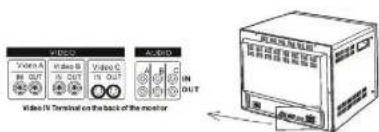
a. Connect the power supply's DC plug to the camera's power port.
b. Connect the camera to the monitor with a 75Ω coaxial video cable.
c. Connect power supply's AC plug to a suitable AC power outlet.
d. Adjust the lens direction according to the required surveillance area and environment.

5. TROUBLESHOOTING
Brand : Security Tronix
Model : ST-D700VP3.6-W
Category : Security Camera