Tripp Lite DMTBD413 - Tablet stand

DMTBD413 - Tablet stand Tripp Lite - Free user manual and instructions

Find the device manual for free DMTBD413 Tripp Lite in PDF.

📄 8 pages English EN Download 💬 AI Question 10 questions ⚙️ Specs
Notice Tripp Lite DMTBD413 - page 5
Pick your language and provide your email: we'll send you a specifically translated version.
Product Type Tablet Stand
Brand Tripp Lite
Model DMTBD413
Compatible Tablet Sizes 4.7 to 12.9 inches
Mount Type Desk Stand with Cylindrical Base
Material Steel and Plastic
Weight Capacity Up to 2.2 lbs (1 kg)
Adjustment Height, Tilt, Swivel, Rotation
Tilt Range Adjustable via Tension Screws
Swivel Range 360 Degrees
Rotation (Portrait/Landscape) Yes, 360 Degrees
Clamp Range Not Applicable (Base Mount)
Base Diameter Approximately 6 inches (15 cm)
Arm Length Approximately 12 inches (30 cm)
Included Components Base, Arm, Tablet Holder, Screws, Mounting Hardware
Color Black/Silver
Installation Simple Assembly, No Tools Required
Warranty Tripp Lite Warranty (See Manufacturer)
Special Features Adjustable Tension Screws for Custom Positioning
Weight (Product Only) Approximately 2 lbs (0.9 kg)

Frequently Asked Questions - DMTBD413 Tripp Lite

What tablet sizes are compatible with the Tripp Lite DMTBD413?
The DMTBD413 supports tablets from 4.7 to 12.9 inches, including most iPads and Android tablets. For optimal fit, remove thick cases.
How do I install the tablet stand?
Attach the cylindrical base to the desk using the provided screws or place it as a standalone base. Then assemble the arm and tablet holder according to the manual.
Can I rotate my tablet between portrait and landscape?
Yes, the mount allows 360-degree rotation, so you can easily switch between portrait and landscape orientations.
How do I adjust the arm tension?
If the display does not stay in position, tighten the tension screws on the arm joints using a suitable tool until the desired resistance is achieved.
Is this stand compatible with tablets in heavy cases?
The stand fits tablets up to 12.9 inches, but very thick or bulky cases may need to be removed to ensure a secure hold.
What is the weight capacity of the DMTBD413?
Although not explicitly stated, the stand can typically support tablets up to 2.2 lbs (1 kg), covering most devices in the 4.7 to 12.9 inch range.
Does the stand come with a warranty?
Yes, Tripp Lite provides a warranty. Register your product at tripplite.com/warranty for details and to enter a monthly drawing.
Can I mount this stand on a wall?
No, the DMTBD413 is designed as a desk stand with a cylindrical base. It is not suitable for wall mounting.
How do I clean the tablet stand?
Use a soft, damp cloth to wipe the stand. Avoid harsh chemicals or abrasive materials that may damage the finish.
Is assembly required?
Yes, some assembly is required. The component checklist includes base, arm, tablet holder, and screws. Follow the installation diagrams in the manual for quick setup.

User questions about DMTBD413 Tripp Lite

0 question about this device. Answer the ones you know or ask your own.

Ask a new question about this device

The email remains private: it is only used to notify you if someone responds to your question.

No questions yet. Be the first to ask one.

Download the instructions for your Tablet stand in PDF format for free! Find your manual DMTBD413 - Tripp Lite and take your electronic device back in hand. On this page are published all the documents necessary for the use of your device. DMTBD413 by Tripp Lite.

USER MANUAL DMTBD413 Tripp Lite

Installation Instructions
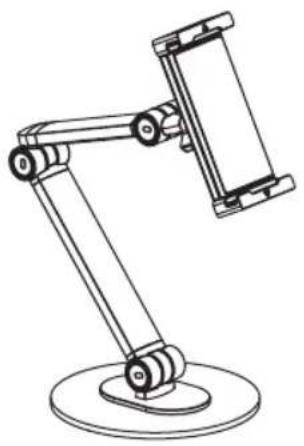
Tripp Lite DMTBD413 - Installation Instructions - 1

natural_image Line drawing of a mechanical arm with a cylindrical base (no text or symbols)

Tablet Mount for 4.7 to 12.9" tablets

Model: DMTBD413

Register your product today and be automatically entered to win an ISOBAR® surge protector in our monthly drawing!

tripplite.com/warranty

Tripp Lite DMTBD413 - Tablet Mount for 4.7 to 12.9" tablets - 1

QR code image containing encoded data, no visible human-readable text

TRIPP·LITE

1111 W. 35th Street, Chicago, IL 60609 USA • tripplite.com/support

Copyright © 2022 Tripp Lite. All rights reserved.

Component Checklist
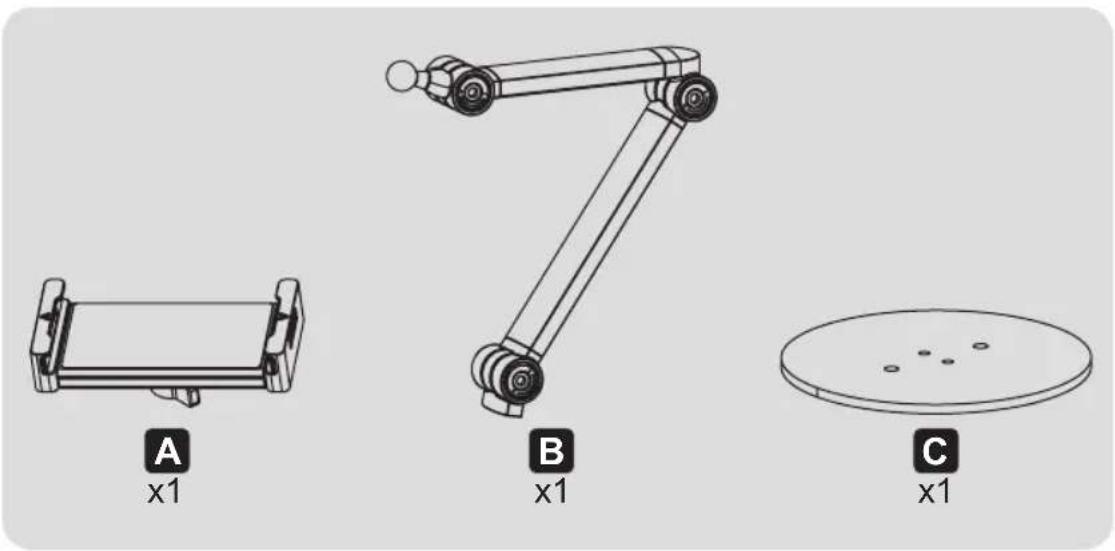
Tripp Lite DMTBD413 - Component Checklist - 1

Package P

Tripp Lite DMTBD413 - Package P - 1
D
x1

Tripp Lite DMTBD413 - Package P - 2
E
x2

Tripp Lite DMTBD413 - Package P - 3
F
x1

Tripp Lite DMTBD413 - Package P - 4
G
x1

Installation

1

Technical diagram of a robotic arm with labeled parts including base, arm, and wheel components

Installation

2

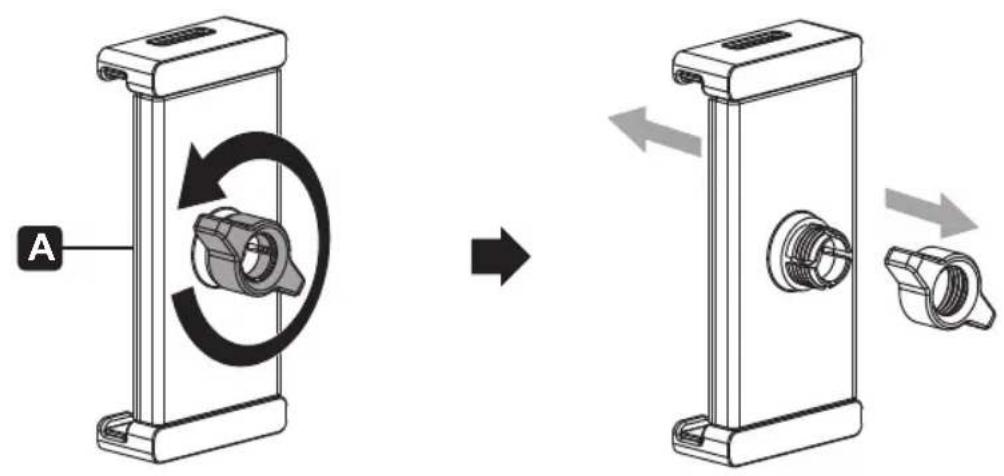
A

Technical diagram illustrating a mechanical assembly process with labeled components and motion arrows

Installation

3
Tripp Lite DMTBD413 - Installation - 1

natural_image Illustration of hands holding a device with directional arrows indicating movement (no text or symbols)

Tripp Lite DMTBD413 - Installation - 2

For 4.7" to Tablets and Phones

Installation

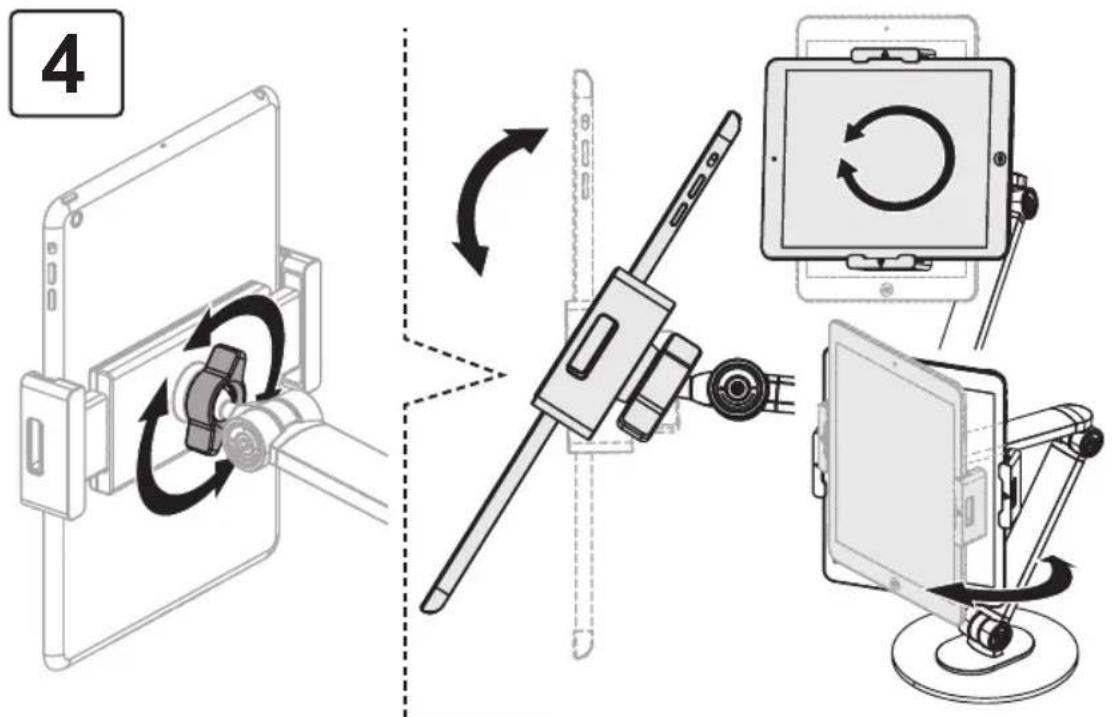
4

Technical diagram showing mechanical assembly with labeled component 'G' and rotation arrow indicating rotational motion

Note: If the display does not stop at your desired position, tighten the screws, as shown.

Installation

Tripp Lite DMTBD413 - Installation - 1
Note: If the display does not stop at your desired position, tighten the screws, as shown.

TRIPP·LITE

1111 W. 35th Street, Chicago, IL 60609 USA • tripplite.com/support

Manual assistant
Powered by Anthropic
Waiting for your message
Product information

Brand : Tripp Lite

Model : DMTBD413

Category : Tablet stand