
DC-T1833WHR - Security Camera IDIS - Free user manual and instructions
Find the device manual for free DC-T1833WHR IDIS in PDF.


| Product Type | Security Camera |
| Model | DC-T1833WHR |
| Brand | IDIS |
| Category | Dome Security Camera |
| IR Capability | Yes, with anti-IR reflection design |
| Construction Material | Vandal-resistant metal housing |
| Dimensions (Approx.) | 150 mm (D) x 120 mm (H) |
| Weight (Approx.) | 1.0 kg |
| Power Supply | PoE (802.3af) or 12V DC |
| Mounting Type | Ceiling mount |
| Cleaning Method | Air blower, compressed air, micro fabric |
| Protective Film | Remove only after installation to avoid scratches |
| Spare Parts | Replacement bubble for scratched dome |
| Security Features | Safety screw to secure top cover |
| Installation Considerations | Avoid IR reflection from nearby walls/columns (20-30 cm) |
| Operating Environment | Indoor |
| Included Accessories | Manual, mounting hardware |
| Manufacturer | IDIS Co., Ltd. |
| Website | www.idisglobal.com |
Frequently Asked Questions - DC-T1833WHR IDIS
User questions about DC-T1833WHR IDIS
0 question about this device. Answer the ones you know or ask your own.
Ask a new question about this device
Download the instructions for your Security Camera in PDF format for free! Find your manual DC-T1833WHR - IDIS and take your electronic device back in hand. On this page are published all the documents necessary for the use of your device. DC-T1833WHR by IDIS.
USER MANUAL DC-T1833WHR IDIS
Anti-IR Reflection IR Camera
Example 1
Cause
Scratches or foreign matters inside or outside the bubble

natural_image
Close-up of a circular metallic object with reflective surface, possibly a mechanical component or window (no visible text or symbols)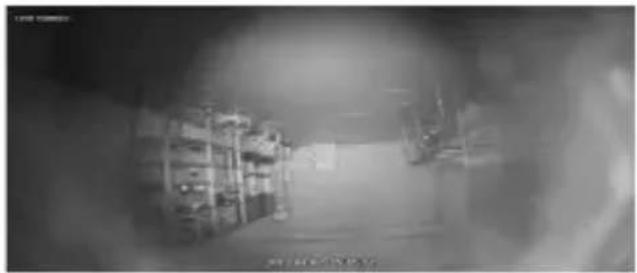
natural_image
Interior view of a dimly lit room with shelves and equipment (no visible text or symbols)Solution
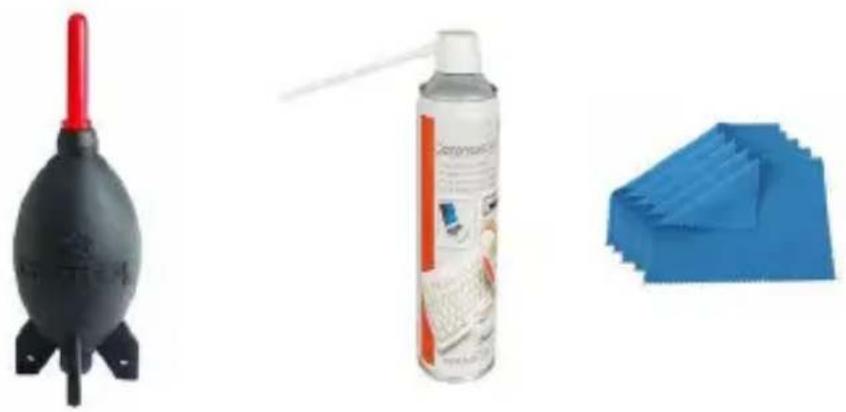
- Change the big scratched bubble with the new one.
- Remove the dust, dirt, stains, and spots.
- Use an air blower, a compressed air, or micro fabric to remove the dust and dirt.
natural_image
Three cleaning products: a red-and-white shuttle, a spray can with a white label, and a blue cloth (no visible text or symbols)
Avoid touching the dome during the installation and try to keep the protective film on the camera unit the very end.
Causes and solutions of IR reflection
Example 2
Cause
When the position of the IR LED is inside the top cover

natural_image
Close-up of a black dome-shaped object with reflective surface, possibly a security camera or sensor device (no visible text or symbols)
natural_image
Interior view of a modern retail store with visible signage and interior shelves (no readable text or symbols)(The screen when the position of the IR IED is inside the top cover>
Solution
- Be careful of the tilt angle so that the IR LED should not enter the inside of the top cover.
- Install carefully for the IR LED not to enter the inside of the top cover due to the rotate angle.

natural_image
Close-up of a white surveillance camera dome with red arrows pointing to the lens (no text or symbols visible)
natural_image
Close-up of a surveillance camera lens with a red arrow pointing to the lens area (no text or symbols visible)Example 3
Cause
• Eva Cushion and the set assembly issues
- If the circular shape is distorted by incorrect assembly of the Eva Cushion.
• Top cover fastening is incomplete.

natural_image
Close-up of a circular mechanical component with concentric rings and central lens (no visible text or symbols)
natural_image
Close-up of a mechanical component with concentric rings and a central hole, no visible text or symbolsSolution
• Make sure that Eva Cushion is firmly pressed against the bubble.
- Make sure that the plastic top cover and the bottom cover are fully tightened.
- Make sure that the vandal top cover and the safety screw are fully tightened.
Example 4
Cause
If the IR light is reflected by the column or wall in the direction in which the camera is installed and enters the lens.

natural_image
Interior view of an office with desk, printer, and equipment (no visible text or symbols)
Solution
- Avoid direct reflections from nearby objects about 20\~30cm(7.87"\~11.8") away.
- If there is a wall or pillar near the camera, adjust the angle.
Example 5
Cause
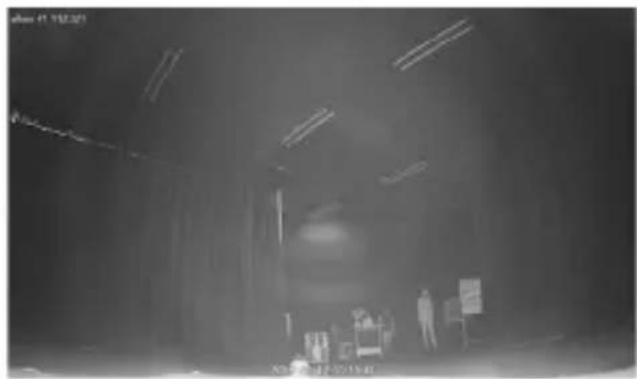
When the camera mounting surface (ceiling) is the same color as the gypsum board and the ceiling is visible with the tilt angle toward the limit.
natural_image
Interior view of a dimly lit room with ceiling lights and a person standing near a display (no visible text or symbols)Solution
- Adjust the tilt angle not to cause IR reflection.
IDIS
IDIS Co., Ltd.
For more information, please visit at
www.idisglobal.com
Brand : IDIS
Model : DC-T1833WHR
Category : Security Camera