
SFF-8639 - Power adapter StarTech.com - Free user manual and instructions
Find the device manual for free SFF-8639 StarTech.com in PDF.


| Product Type | Power Adapter |
| Brand | StarTech.com |
| Model | SFF-8639 |
| Input Voltage | 100-240 V AC |
| Input Frequency | 50/60 Hz |
| Output Voltage | 12 V DC |
| Output Current | 2 A |
| Power Output | 24 W |
| Connector Type | SFF-8639 |
| Dimensions (L x W x H) | 100 x 50 x 30 mm |
| Weight | 200 g |
| Cable Length | 1.5 m |
| Operating Temperature | 0°C to 40°C |
| Storage Temperature | -20°C to 60°C |
| Safety Certifications | CE, FCC, RoHS |
| Overload Protection | Yes |
| Short Circuit Protection | Yes |
| Compatible Devices | SFF-8639 compatible drives and enclosures |
| Cleaning | Wipe with a dry cloth; avoid liquids |
| Storage | Store in a cool, dry place |
Frequently Asked Questions - SFF-8639 StarTech.com
User questions about SFF-8639 StarTech.com
0 question about this device. Answer the ones you know or ask your own.
Ask a new question about this device
Download the instructions for your Power adapter in PDF format for free! Find your manual SFF-8639 - StarTech.com and take your electronic device back in hand. On this page are published all the documents necessary for the use of your device. SFF-8639 by StarTech.com.
USER MANUAL SFF-8639 StarTech.com
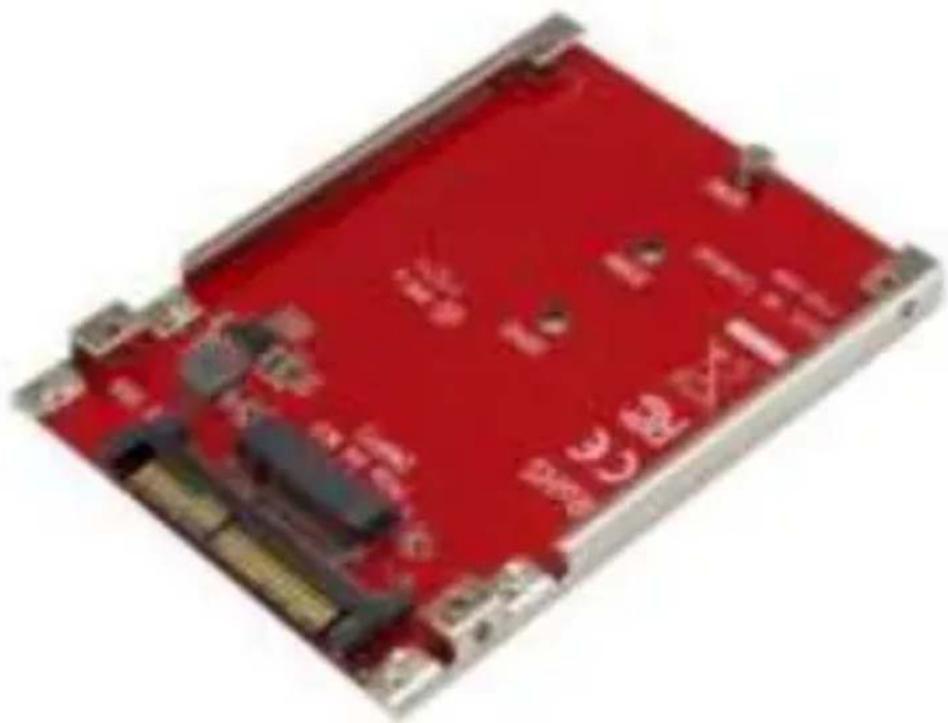
M.2 Drive to U.2 (SFF-8639) Host Adapter for M.2 NVMe SSDs
U2M2E125
natural_image
Red electronic component with visible pins and connectors (no readable text or symbols)*actual product may vary from photos
For the latest information, technical specifications, and support for this product, please visit www.StarTech.com/U2M2E125.
FCC Compliance Statement
This equipment has been tested and found to comply with the limits for a Class B digital device, pursuant to part 15 of the FCC Rules. These limits are designed to provide reasonable protection against harmful interference in a residential installation. This equipment generates, uses and can radiate radio frequency energy and, if not installed and used in accordance with the instructions, may cause harmful interference to radio communications. However, there is no guarantee that interference will not occur in a particular installation. If this equipment does cause harmful interference to radio or television reception, which can be determined by turning the equipment off and on, the user is encouraged to try to correct the interference by one or more of the following measures:
• Reorient or relocate the receiving antenna.
- Increase the separation between the equipment and receiver.
- Consult the dealer or an experienced radio/TV technician for help
- Connect the equipment into an outlet on a circuit different from that to which the receiver is connected.
This device complies with part 15 of the FCC Rules. Operation is subject to the following two conditions: (1) This device may not cause harmful interference, and (2) this device must accept any interference received, including interference that may cause undesired operation.
Changes or modifications not expressly approved by StarTech.com could void the user's authority to operate the equipment.
Use of Trademarks, Registered Trademarks, and other Protected Names and Symbols
This manual may make reference to trademarks, registered trademarks, and other protected names and/or symbols of third-party companies not related in any way to StarTech.com. Where they occur these references are for illustrative purposes only and do not represent an endorsement of a product or service by StarTech.com, or an endorsement of the product(s) to which this manual applies by the third-party company in question. Regardless of any direct acknowledgement elsewhere in the body of this document, StarTech.com hereby acknowledges that all trademarks, registered trademarks, service marks, and other protected names and/or symbols contained in this manual and related documents are the property of their respective holders.
Table of Contents
Product diagram ....1
Package contents....1
Requirements 2
Connect an M.2 NVMe SSD 2
Install the adapter....3
Technical support......4
Warranty information....4
Product diagram

Package contents
- 1 x M.2 drive to U.2 adapter
- 4 x adapter-mounting screws
• 1 x set of drive-mounting hardware - 1 x quick-start guide
Requirements
• M.2 NVMe SSD
- Computer or server with a 2.5" SSD or HDD mounting bay
• Computer or server with an SFF-8643 port
• SFF-8643 to SFF-8639 cable
- Screwdriver
- Pliers
This adapter is OS independent and doesn't require any additional drivers or software.
Note: To determine if the drive and motherboard that you're using are compatible, consult the technical specifications that came with the drive and motherboard.
Requirements are subject to change. For the latest requirements, please visit www.StarTech.com/U2M2E125.
Connect an M.2 NVMe SSD
Warning! Drives should be handled carefully, especially when you transport them. If you're not careful with your drives, you may experience lost or corrupted data. Make sure that you're properly grounded by wearing an anti-static strap when you install any computer component. If an anti-static strap isn't available, touch a large, grounded metal surface for several seconds to discharge any built-up static electricity.
- Depending on the length of the drive, you may need to move the preinstalled drive-mounting hardware. Place the drive next to the adapter and note the drive-mounting hole that matches the length of your drive. If the drive-mounting hardware is already installed in the correct position, proceed to step 4.
- Use a small pair of pliers to remove the nut from the reverse side of the converter.
- Place the nut and standoff that you removed in the previous step in the drive-mounting hole that matches the length of the drive, and use a screwdriver to tighten them.
- Gently slide the connector on the drive into the M.2 NVMe connector on the adapter.
- Insert the drive-mounting screw through the drive and into the standoff, and use a screwdriver to tighten the drive-mounting screw.
To remove a drive, use a screwdriver to remove the drive-mounting screw that is holding the drive in place and slide the drive out of the adapter.
Install the adapter
Warning! Computer components can be severely degraded by static electricity. If an anti-static strap isn't available, discharge any built-up static electricity by touching a large, grounded metal surface for several seconds.
- Turn off your computer and any devices or peripherals that are connected to it (for example, printers, external storage, and so on).
- Unplug the power cable from the back of your computer.
- Disconnect any peripheral devices that are connected to your computer.
- Open your computer case.
For more information about how to do this, consult the documentation that came with your computer system. - Connect an SFF-8643 to SFF-8639 cable to the U.2 SFF-8639 connector on the adapter and to the system motherboard or controller card.
- The top or side mounting holes and provided adapter-mounting screws may or may not be required to secure the adapter.
For more information about how to secure the adapter to the motherboard or controller card, consult the documentation that came with the system motherboard or controller card. - Place the cover back onto your computer case.
- Reconnect the power cable to the back of your computer.
- Reconnect the peripheral devices.
- Turn on your computer.
Technical support
StarTech.com's lifetime technical support is an integral part of our commitment to provide industry-leading solutions. If you ever need help with your product, visit www.startech.com/support and access our comprehensive selection of online tools, documentation, and downloads.
For the latest drivers/software, please visit www.startech.com/downloads
Warranty information
This product is backed by a two-year warranty.
StarTech.com warrants its products against defects in materials and workmanship for the periods noted, following the initial date of purchase. During this period, the products may be returned for repair, or replacement with equivalent products at our discretion. The warranty covers parts and labor costs only. StarTech.com does not warrant its products from defects or damages arising from misuse, abuse, alteration, or normal wear and tear.
Limitation of Liability
In no event shall the liability of StarTech.com Ltd. and StarTech.com USA LLP (or their officers, directors, employees or agents) for any damages (whether direct or indirect, special, punitive, incidental, consequential, or otherwise), loss of profits, loss of business, or any pecuniary loss, arising out of or related to the use of the product exceed the actual price paid for the product. Some states do not allow the exclusion or limitation of incidental or consequential damages. If such laws apply, the limitations or exclusions contained in this statement may not apply to you.
Hard-to-find made easy. At StarTech.com, that isn't a slogan. It's a promise.
StarTech.com is your one-stop source for every connectivity part you need. From the latest technology to legacy products — and all the parts that bridge the old and new — we can help you find the parts that connect your solutions.
We make it easy to locate the parts, and we quickly deliver them wherever they need to go. Just talk to one of our tech advisors or visit our website. You'll be connected to the products you need in no time.
Visit www.startech.com for complete information on all StarTech.com products and to access exclusive resources and time-saving tools.
StarTech.com is an ISO 9001 Registered manufacturer of connectivity and technology parts. StarTech.com was founded in 1985 and has operations in the United States, Canada, the United Kingdom and Taiwan servicing a worldwide market.
- M.2 Drive to U.2 (SFF-8639) Host Adapter for M.2 NVMe SSDs
- FCC Compliance Statement
- Use of Trademarks, Registered Trademarks, and other Protected Names and Symbols
- Table of Contents
- Product diagram
- Package contents
- Requirements
- Connect an M.2 NVMe SSD
- Install the adapter
- Technical support
- Warranty information
- Limitation of Liability
Brand : StarTech.com
Model : SFF-8639
Category : Power adapter