Z6 - Vacuum Cleaner Kogan - Free user manual and instructions
Find the device manual for free Z6 Kogan in PDF.


| Product Type | Cordless Stick Vacuum Cleaner |
| Brand | Kogan |
| Model | Z6 |
| Battery | Lithium-ion 29.6V / 2200mAh |
| Motor Power | 130W |
| Dust Capacity | 700ml |
| Rated Voltage | 100-240V, 50/60Hz |
| Adaptor Input | AC 100-240V, 50/60Hz, 0.5A |
| Adaptor Output | DC 36V, 500mA |
| Net Weight | 2.4kg |
| Gross Weight | 3.25kg |
| Display | Digital screen showing battery, mode, motor speed |
| Modes | Auto, Eco, Max |
| Floor Brush | Motorized with brush roller |
| Filtration | Washable filter element and screen |
| Accessories Included | Crevice tool, Sofa brush, Hairbrush, Charging stand |
| Construction | Aluminium alloy tube |
| Brush Roller | Removable PP hair roller, optional cloth roller for hard floors |
| Safety Features | Overheat protection, automatic shut-off on blockage |
| Disposal | Battery must be removed and recycled separately |
Frequently Asked Questions - Z6 Kogan
User questions about Z6 Kogan
0 question about this device. Answer the ones you know or ask your own.
Ask a new question about this device
Download the instructions for your Vacuum Cleaner in PDF format for free! Find your manual Z6 - Kogan and take your electronic device back in hand. On this page are published all the documents necessary for the use of your device. Z6 by Kogan.
USER MANUAL Z6 Kogan
natural_image
Line drawing of a vacuum cleaner with attached lever and base mount (no text or symbols)V6 CORDLESS 29.6V STICK VACUUM CLEANER
KAVACSTV06A
SAFETY & WARNINGS
Please read all safety instructions below and follow all general safety measures before use, any incompliant operation may cause damage of product. Retain this user guide for future reference.
This appliance can be used by children aged from 8 years and above and persons with reduced physical, sensory or mental capabilities or lack of experience and knowledge if they have been given supervision or instruction concerning use of the appliance in a safe way and understand the hazards involved. Children shall not play with the appliance. Cleaning and user maintenance shall not be made by children without supervision.
Ensure this appliance is disposed of in an environmentally friendly manner. Do not throw in general waste. Check your local council regulations for information regarding the correct disposal.
Do not use the appliance to pick up the high temperature goods (matches, cigarette butts, hot ashes, etc), micro dust (lime, cement, bits of wood, land plaster, ashes, carbon dust, etc), large sharp objects (broken glass, nails, pins, etc), dangerous goods (disinfectant, solvents, etc), chemical substances (acidic substances, detergent, etc), or flammable liquids (gasoline, alcohol, etc). The items listed here are examples and not a complete list.
- WARNING: For recharging the battery, use only the removable power supply unit supplied with the device.
- Keep the air outlet of appliance away from hair, loose clothing, fingers or other body parts. Do not use suction tube, tube extension handle or other accessories while directed at eyes, ears, or inside someone's mouth.
- If large pieces of paper, paper balls, plastic sheets, sharp objects, or anything that is thicker than a straw, please remove them in advance in case that the suction tube is blocked. Attempting to vacuum these items will affect the use of the product.
- In the case of leakage, high temperature of the appliance, strange odour, or abnormal sounds during operation, cease using the appliance immediately and contact help.kogan.com for support.
- Check the dust cup regularly. If the dust cup is full, empty it. Keep the air outlet unblocked to avoid loss of suction power or motor overheating, which may lead to the reduction of vacuum cleaner service life.
- Check the aluminium alloy tube regularly. If there is a blockage, clear it to avoid the reduction of suction. Failure to do this will affect the performance of appliance.
- When cleaning the appliance, do not use lubricants, cleaners, or polishes to clean any part.
- The plug must be removed from the power outlet before performing any maintenance or cleaning on the appliance.
- Do not perform electrical repairs by yourself, contact help.kogan.com for support.
-
The appliance is only to be used with the power supply unit provided with the appliance.
-
The battery must be removed from the appliance before it is disposed of;
- The appliance must be disconnected from the supply mains when removing the battery;
The battery is to be disposed of safely and in an environmentally conscious manner.
- Remove the battery pack by holding the vacuum cleaner handle with the right hand, pressing the battery pack release button with the left hand.
- This appliance contains internal batteries that are only replaceable by authorised service agents.
OVERVIEW
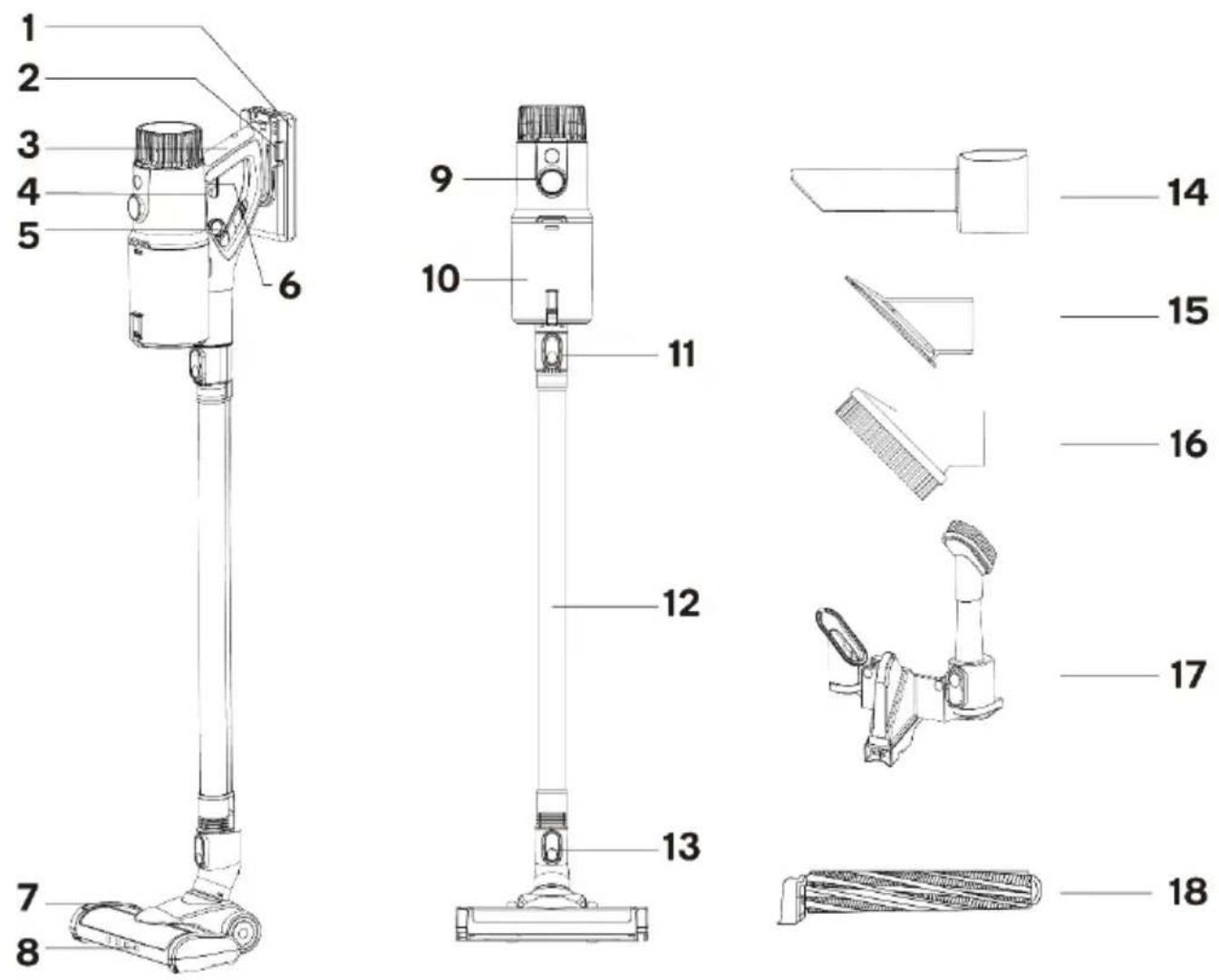
1 Battery set
2 Metal tube battery release button
3 Handle
4 On/off switch
5 Release for dust container
6 Fix for on/off switch
7 Release for brush roller
8 Motorised floor brush
9 Digital screen
10 Dust container
11 Release for metal tube
12 Metal tube
13 Release for floor brush
14 Crevice tool
15 Sofa brush
16 Hairbrush
17 Stand for charging and accessory holder
18 Brush roller
INSTALLATION
Usage of Vacuum Cleaner
- Connect into position the metal tube to the handy body.
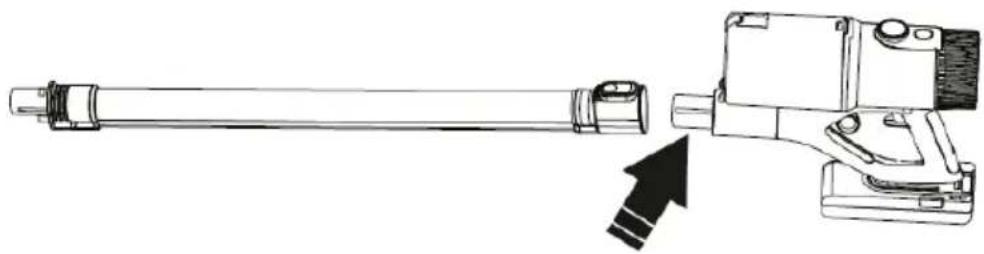
natural_image
Technical line drawing of a mechanical assembly with a shaft and housing, showing an arrow indicating assembly direction (no text or symbols present)- Connect into position the floor brush to the body.
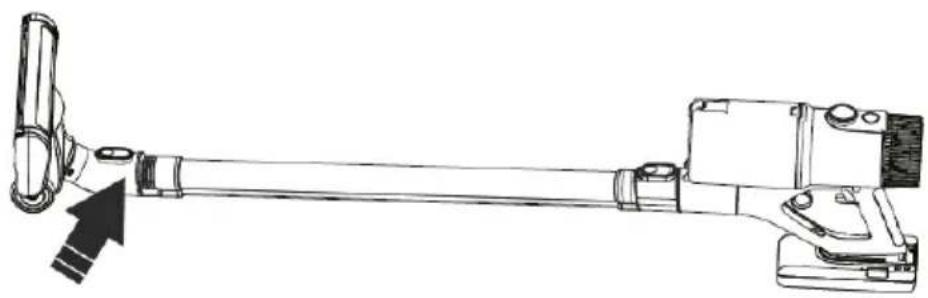
natural_image
Technical line drawing of a mechanical lever assembly with no visible text or symbols- Put vacuum cleaner and accessories on charging stand.
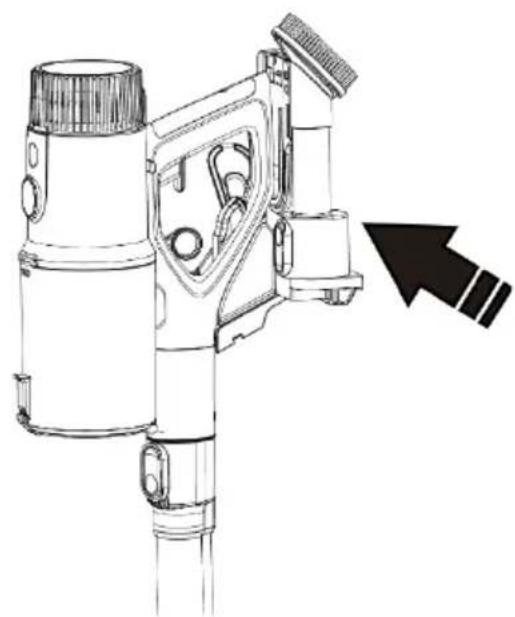
natural_image
Technical line drawing of a mechanical device with a directional arrow pointing to the component (no text or symbols present)OPERATION
Vacuum floor operation
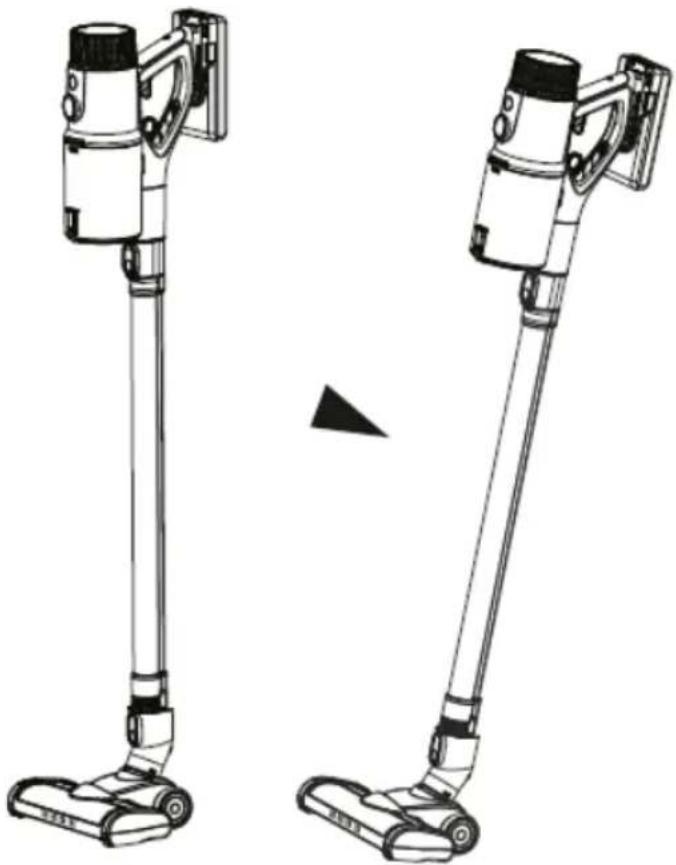
- Step on floor brush and pull-down vacuum cleaner to start cleaning work.
natural_image
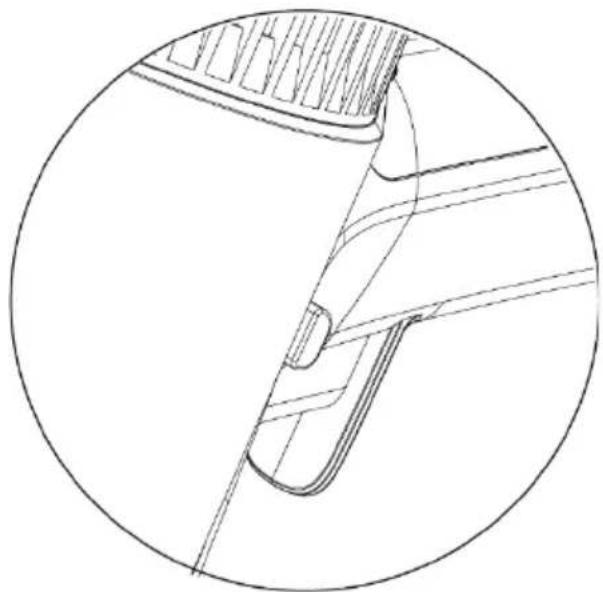
Technical line drawing of two different vacuum cleaner designs, shown from different angles (no text or symbols present)- Turn on the switch and press the upper button to fix the switch if necessary.
natural_image
Technical line drawing of a mechanical component or bracket, showing internal structure and no text or symbolsVacuum cleaner smart display
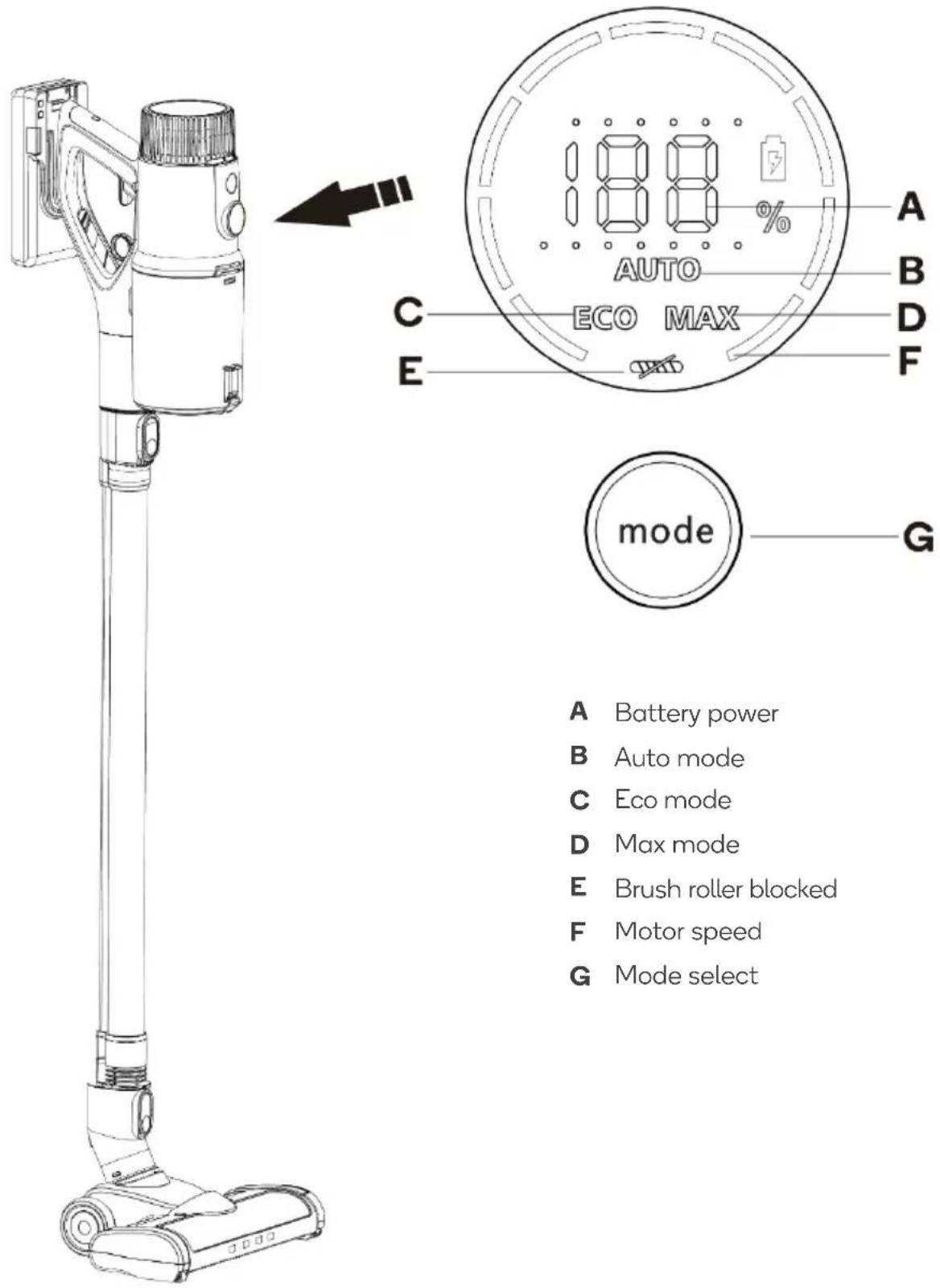
A Battery power
B Auto mode
C Eco mode
D Max mode
E Brush roller blocked
F Motor speed
G Mode select
Using the accessories
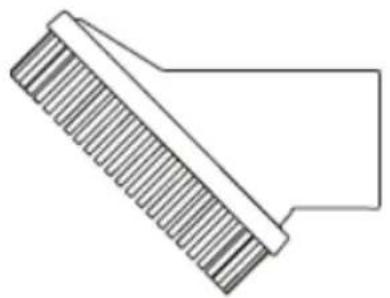
Instruction for the use of basic accessories:
natural_image
Simple line drawing of a comb with no text or symbolsHairbrush
Ideal for: curtains, keysets, cold air outlets, etc.
natural_image
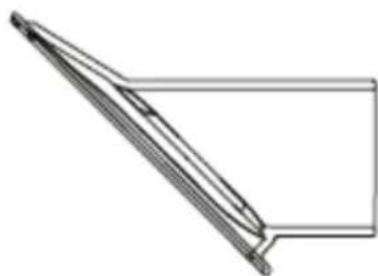
Pure technical line drawing of a mechanical component without any text, numbers, or symbolsSofa brush
Ideal for: bed, sofa, cushions, etc.
natural_image
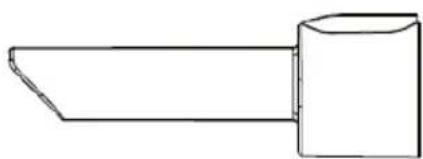
Simple line drawing of a tool or component with a handle and base (no text or symbols)Crevice tool
Ideal for: crevices, doorjambs, window frame, etc.
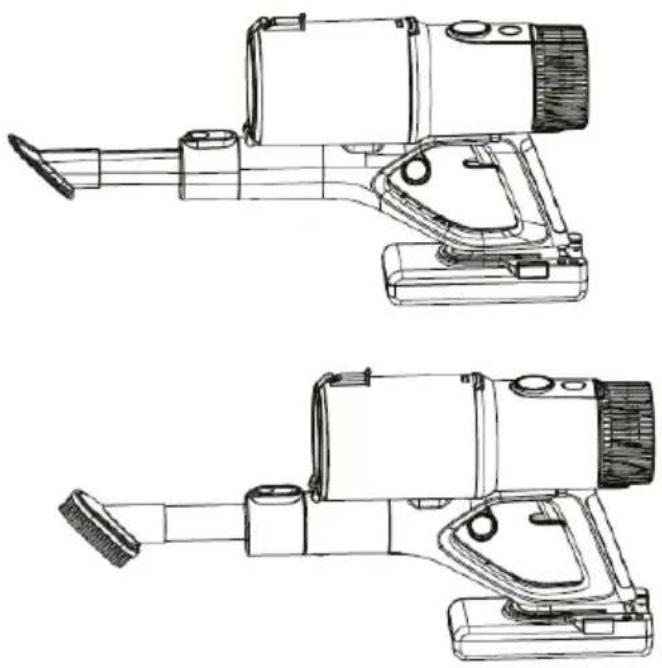
Optional accessories can be used interactively with basic accessories:
natural_image
Technical line drawings of two mechanical device assemblies (no text or symbols)Ideal for:
Interior and interior cracks and dead corners, narrow areas, drawers, wardrobes, lockers, lockers under upholstery, etc.
Before replacing accessories, please separate the cleaner handle from the floor brush and turn off the power supply.
CLEANING & CARE
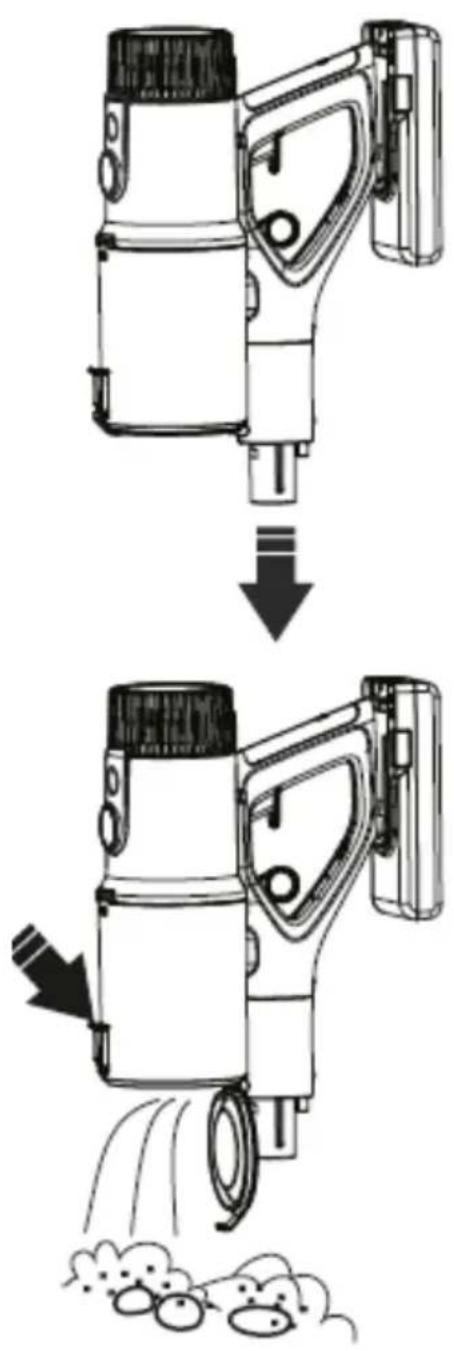
Cleaning the dust cup
Turn off the device and unplug before cleaning. Push the release button, then fall off the dust vacuum cleaner can only be used after the dust cup is closed.
Clean and maintain filters
-
Please stop working at first before cleaning.
-
Scrubbing with water or neutral detergent, the cleaning cloth must be wrung before scrubbing. Do not penetrate the water into the interior of the vacuum cleaner electrical component.
-
After cleaning, take care not to place the cleaner in the sun or a damp place.
-
Pull the release ring and remove the dust cup. Contra rotate, get out the filters, then cleaning.
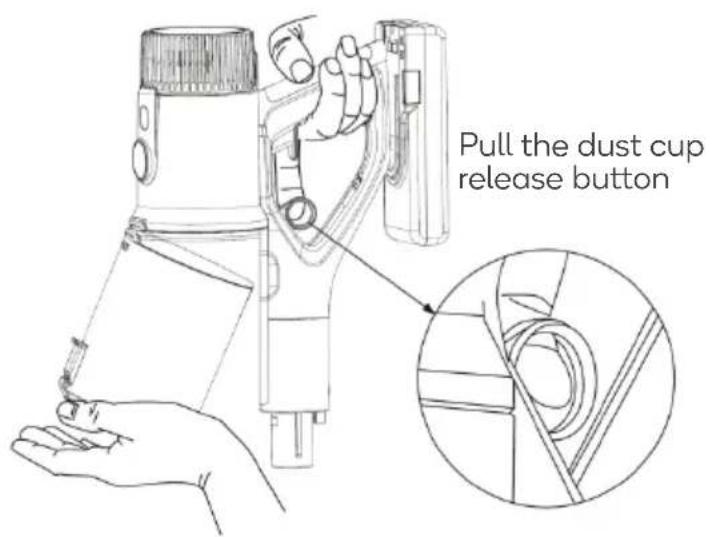
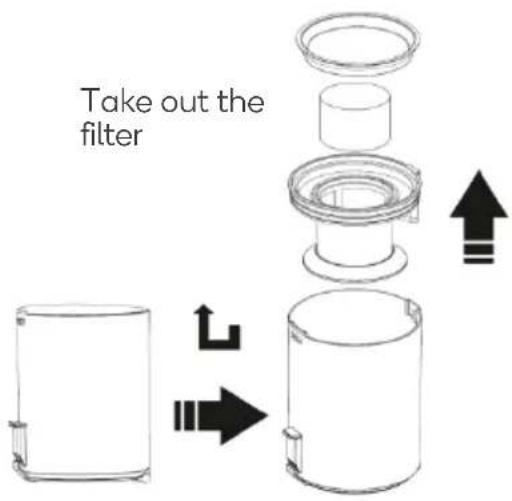
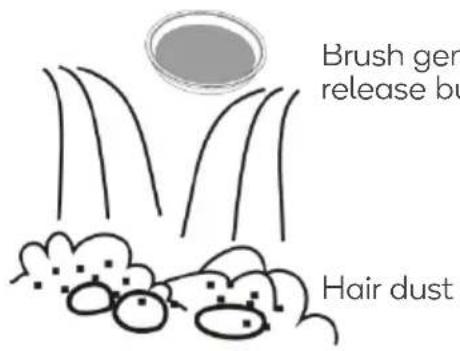
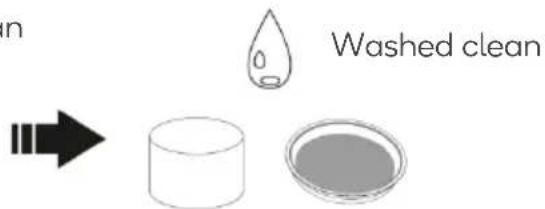
Important! Filter element and screen cannot be washed by the washing machine, cannot be blown by a hairdryer.
natural_image
Simple line drawing of a droplet, a petri dish, and a brush inside a circle (no text or symbols)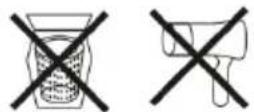

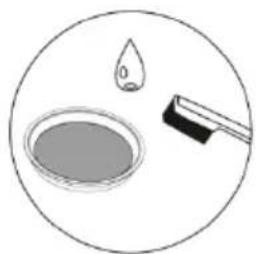
Attention! Do not use the brush while washing the filter element.
Scrub to avoid damage to the filter element. The filter element should be washed after washing Make sure it is dry before loading it into the vacuum cleaner.
Takedown floor brush
-
Please make sure the power switch is turned off.
-
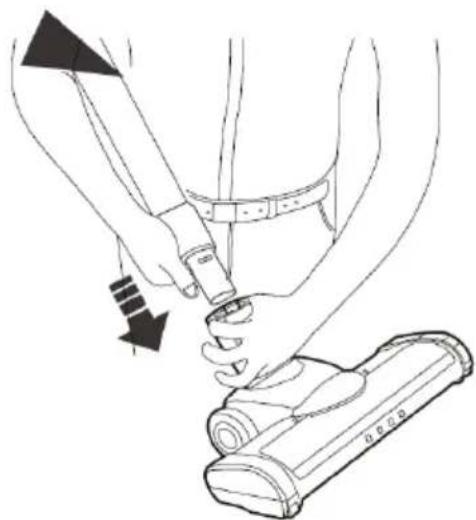
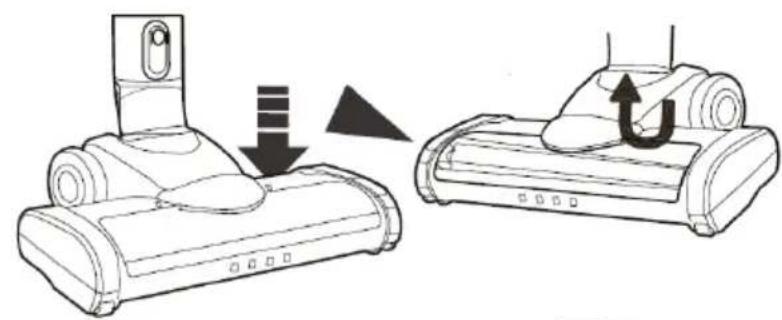
According to the manual of taking down the brush, take down the brush.
-
Get out the transparent cover of brush from brush top and then get out the roller to clean.
natural_image
Line drawing of a person using a medical device to adjust the knee joint (no text or symbols present)Remove the brush
natural_image
Diagram showing a device being removed from a mounted vacuum cleaner, with no text or symbols present.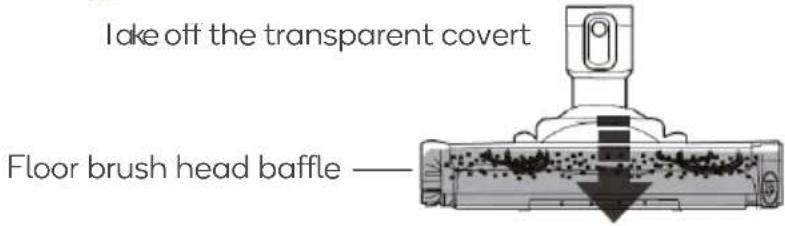

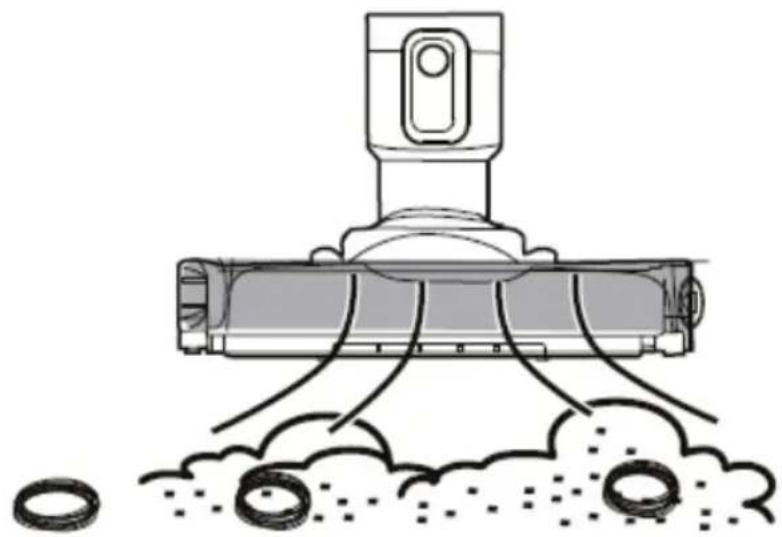
Clean the brush
- Clean inside brush head
- Clean the roller
natural_image
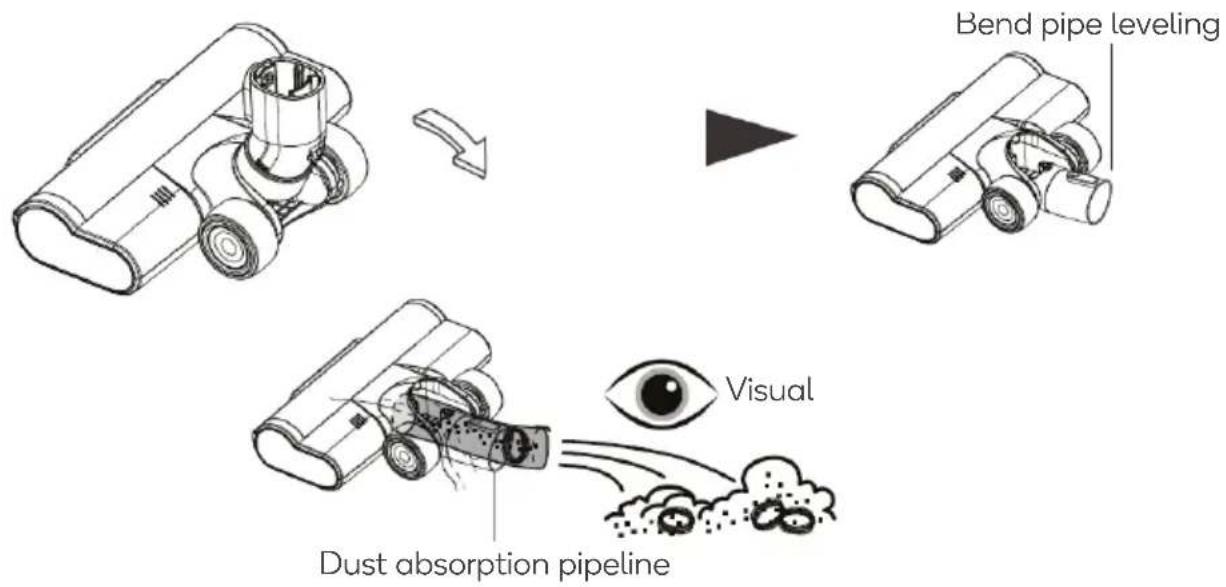
Diagram of a vacuum cleaner emitting particles from a pile of dust (no text or symbols)Clean neck of the floor brush
- Push down the neck to a straight position.
- Clean dirt inside the neck regularly to make sure a stable suction power.
Clean the PP Hair Roller Brush
- In order not to affect the rotating flexibility of the roller brush, the hair can be cut and removed if there have hair is wrapped both sides of the shaft.
- Put the roller brush into the floor brush after cleaning the hair.
- Pic. 1, cloth roller is only used for the hard floor: Can be used on a variety of hard floors and can be used interchangeably with a hair roller brush.
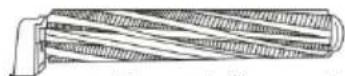
Figure 1 (for option)
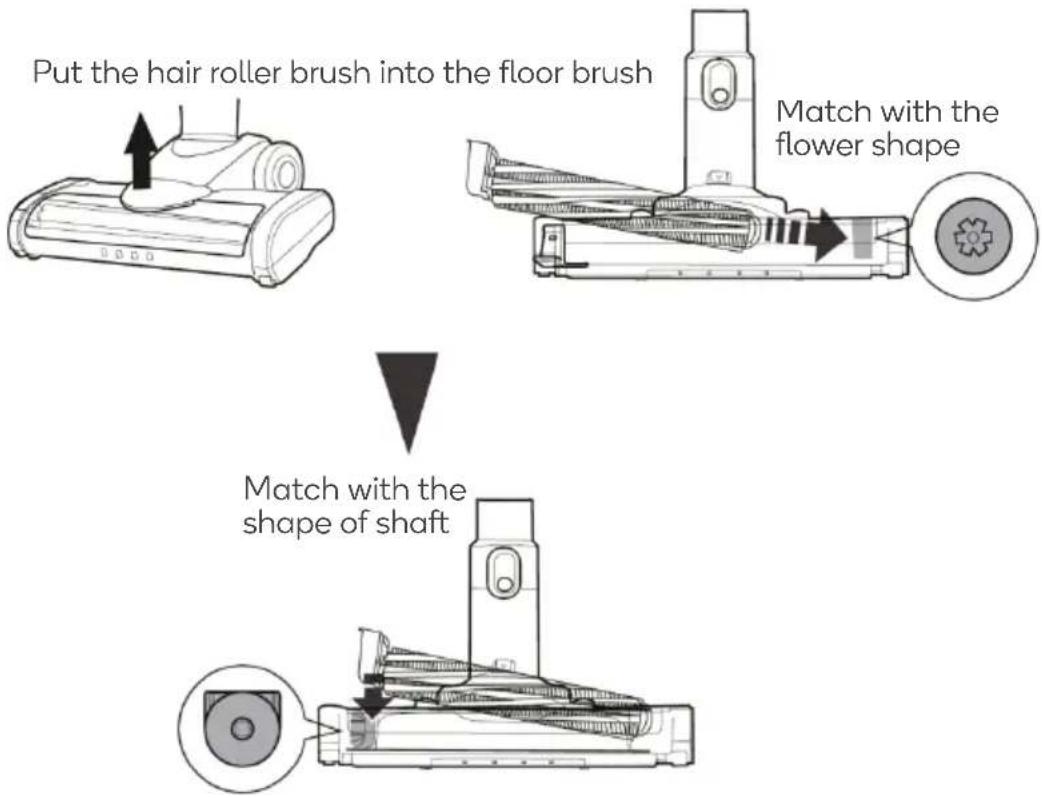
flowchart
graph TD
    A["Put the hair roller brush into the floor brush"] --> B["Match with the flower shape"]
    B --> C["Match with the shape of shaft"]
Attention! The roller brush is installed into the floor brush and the installation must be accurate, otherwise, the roller brush cannot move on.
SPECIFICATIONS
Battery Lithium 29.6V / 2200mAh
Motor Power 130W
Dust Capacity 700ml
Rated Voltage 100-240V, 50/60Hz
Adaptor Input: AC 100-240V, 50/60Hz, 0.5A;
Output: DC 36V, 500mA
Product Net Weight 2.4Kg
Product Gross Weight 3.25Kg
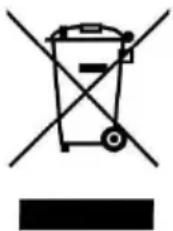
Disposal
If disposing of this product, take care to dispose of the battery correctly. Do not throw battery in general waste. Please take the device to a recycling centre and ensure the battery is recycled separately. For further information, please contact your local council office or waste disposal service.
natural_image
Symbol of a trash bin crossed with no text or numbers, representing waste sorting or disposal (no text present)TROUBLESHOOTING
Treatment of common problems:
Attention! If you find that the vacuum cleaner is not working properly, turn off the power of the vacuum cleaner before performing the inspection.
| Trouble phenomenon | Cause | Treatment method |
| The product does not work | Battery no power.Battery ageing.Motor abnormal. | Charging the battery.Buy one new battery and replace it.Return the product to the retailer or after sales for repair. |
| A vacuum cleaner cannot suck or has low suction power | Filter blocked. | Wash the filter, can be cleaned, with detergent and toothbrush. Dry before use, to prevent breeding bacteria. |
| Dust cup with full dust. | Clean the dust cup. | |
| The dust cup is not installed correctly. | Install the dust cup correctly. | |
| Roller brush blocked. | Clean the roller brush. | |
| Filter used too long. | Buy new filter and replace every six months. | |
| Roller brush stopped working during vacuuming | Roller brush blocked. | Clean the roller brush. |
| The battery cannot be charged | Poor contact of the shrapnel on the charging base. | Do not bump or move the charging stand before the charging indicator is keeping light. |
| Poor contact of the shrapnel on the charging base. | Toggle shrapnel by hand. | |
| The charging indicator does not light up | The circuit inside the charging, the base is damaged. | Return the product to the retailer or after-sales for repair. |
| Charging dock power is not plugged into the socket. | Check the adaptor power cord if plugged into the socket. | |
| Odour from the air outlet of the vacuum cleaner | The filter is not cleaned. | Wash the filter, can be cleaned with detergent and toothbrush. Dry before use, to prevent breeding bacteria. |
| Buy new filter. | ||
| The vacuum cleaner has a plastic smell | New product. | The plastic smell will fade after a while use. |
Need more information?
We hope that this user guide has given you the assistance needed for a simple set-up.
For the most up-to-date guide for your product, as well as any additional assistance you may require, head online to help.kogan.com
kogan.com
- V6 CORDLESS 29.6V STICK VACUUM CLEANER
- SAFETY & WARNINGS
- OVERVIEW
- INSTALLATION
- Usage of Vacuum Cleaner
- OPERATION
- Vacuum floor operation
- Vacuum cleaner smart display
- Using the accessories
- CLEANING & CARE
- Cleaning the dust cup
- Clean and maintain filters
- Takedown floor brush
- Clean the brush
- Clean neck of the floor brush
- Clean the PP Hair Roller Brush
- SPECIFICATIONS
- Disposal
- TROUBLESHOOTING
- Treatment of common problems:
- Need more information?
Brand : Kogan
Model : Z6
Category : Vacuum Cleaner