KAURVAC900A - Vacuum Cleaner Kogan - Free user manual and instructions
Find the device manual for free KAURVAC900A Kogan in PDF.


| Product Type | Upright Vacuum Cleaner |
| Brand | Kogan |
| Model | KAURVAC900A |
| Color | Purple and Silver |
| Dust Collection | Bagless Dust Container |
| Dust Container Release | Button-operated |
| Filter Type | Washable Filter and Filter Holder |
| Filter Cleaning | Rinse under running water (max 40°C); air dry for 24 hours |
| Filter Assembly | Removable cap and holder for thorough cleaning |
| Accessories Included | Crevice Tool, Extension Hose, Handle Hose |
| Power Cord | Detachable with cord hook; twist-to-release |
| Control | Foot Pedal Switch |
| Brush Assembly | Included with brush cover |
| Safety Warnings | Do not vacuum liquids, hot items, or flammable materials; avoid cord damage |
| Maintenance | Empty dust container regularly; clean filters periodically |
| Troubleshooting | Check filters and brush head for blockages if performance decreases |
| User Manual | Available for download at kogan.com/usermanuals |
Frequently Asked Questions - KAURVAC900A Kogan
User questions about KAURVAC900A Kogan
0 question about this device. Answer the ones you know or ask your own.
Ask a new question about this device
Download the instructions for your Vacuum Cleaner in PDF format for free! Find your manual KAURVAC900A - Kogan and take your electronic device back in hand. On this page are published all the documents necessary for the use of your device. KAURVAC900A by Kogan.
USER MANUAL KAURVAC900A Kogan
Kogan Upright Vacuum Cleaner
KAURVAC900A
USER MANUAL
natural_image
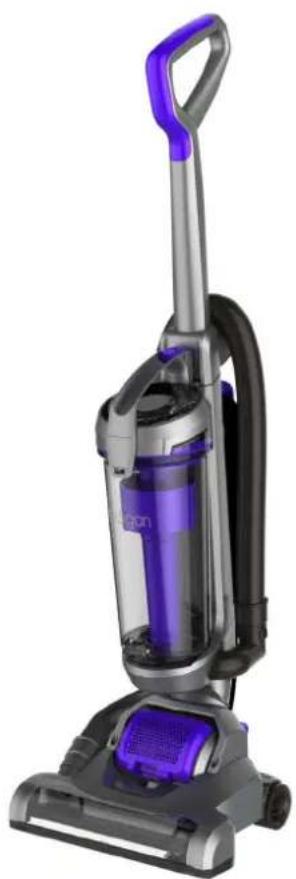
Exterior view of a purple and silver RV vacuum cleaner (no text or symbols visible)Table of Contents
Safety & Warnings....1
Product Overview....2
Assembly 2
Operation 3
Cleaning and Care 5
Troubleshooting 6
Safety & Warnings
- Read all instructions before using the appliance
- Before the first operation, make sure the dust cup or the dust bag is properly installed.
- Only use the vacuum cleaner indoors on dry surfaces and keep the area your cleaning well lit.
- Don't use this vacuum cleaner if it has been dropped, damaged or left outdoors.
- Don't handle the plug or use the vacuum cleaner with wet hands.
- Don't pull or carry this vacuum cleaner by the power cord. Don't use the power cord as a handle, pull the power cord around corners, sharp edges or close a door over the Power cord. Don't unplug vacuum cleaner by pulling on the power cord.
- Don't vacuum up any flammable or combustible materials (lighter fluid, petrol, kerosene etc.) or use the vacuum cleaner in an area with explosive vapours or liquid.
- Don't vacuum up hot coals, cigarette butts, matches or smoking hot burning items or use in an area where there may be harmful fluids (chlorine, bleach, and ammonia drain cleaner).
- Don't attempt to remove blockages with sharp objects as this may cause damage to your vacuum cleaner.
- Don't attempt to remove blockages with sharp objects as this may cause damage to your vacuum cleaner.
- If abnormal noise, smell, smoke or any other failure or breakage, including any issue with the power cord is found during the operation, cease use immediately and contact Kogan Support.
- This appliance is not intended for use by persons (including children) with reduced physical, sensory or mental capabilities, or lack of experience and knowledge, unless they have been given supervision or instruction concerning use of the appliance by a person responsible for their safety.
- Children should be supervised to ensure that they do not play with the appliance.
Product Overview
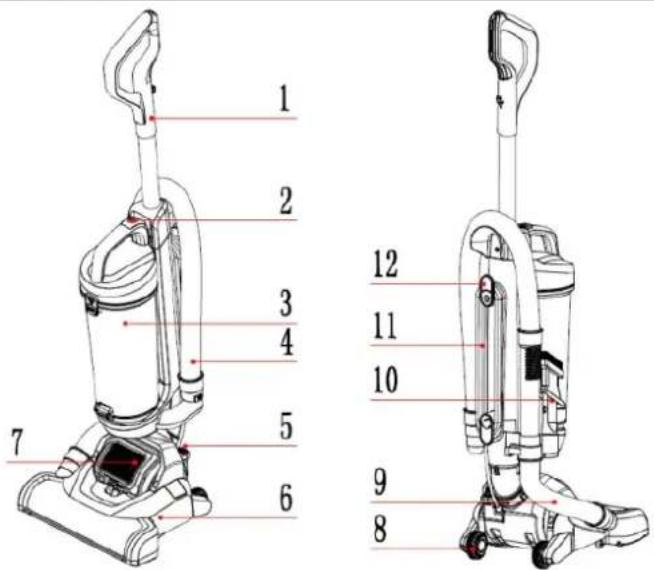
| 1. Handle 4. Handle hose 7. Air out et plate 10. Crevice tube | |
| 2. Dust container re ease 5. Switch pedal 8. Wheel 11. Power cord | |
| 3. Dust container assembly 6 Brush assembly 9. Brush hose 12. Power cord holder |
Assembly
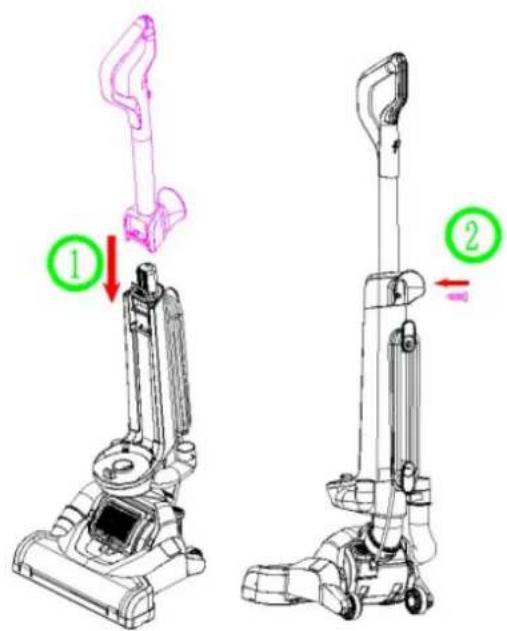
Insert the handle into the body, then affix with screw.
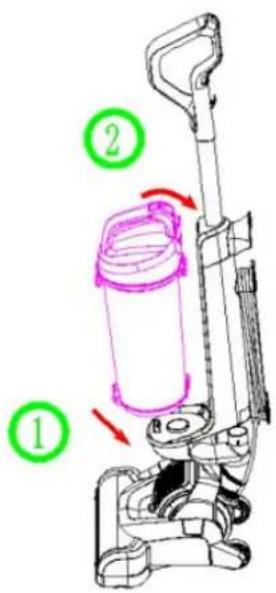
Align the dust container onto the machine and press until it clicks into place.
natural_image
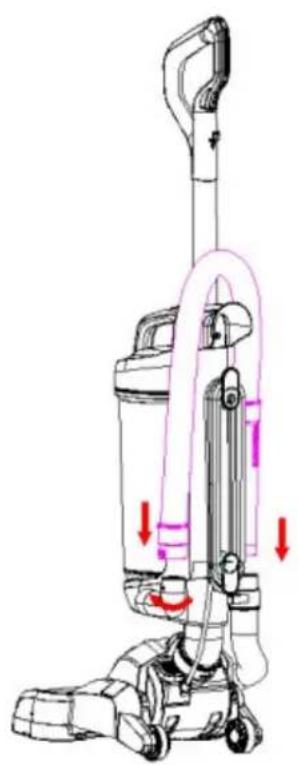
Line drawing of a vacuum cleaner with red arrows indicating motion or force direction (no text or symbols)Insert the handle hose end into the connector hose and rotate the connectors clockwise. Then insert the other hose connector into the body.
natural_image
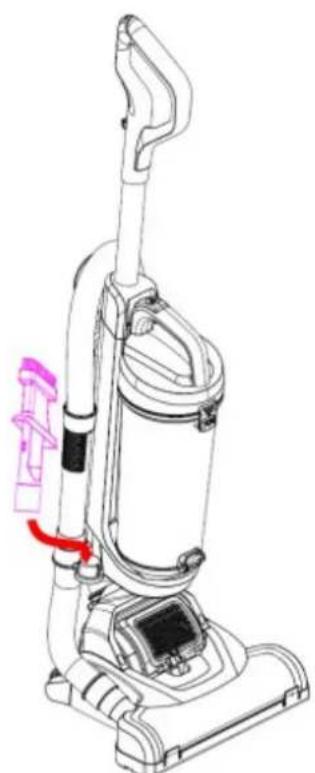
Line drawing of a vacuum cleaner with attached tubing and a red arrow indicating motion (no text or symbols)Insert the crevice tube into the machine.
Operation
natural_image
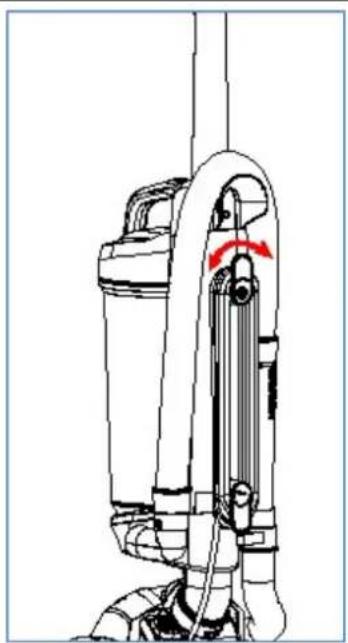
Technical line drawing of a mechanical device with a red arrow indicating rotation or movement (no text or symbols)Twist the quick-release cord hook to release the power cord.
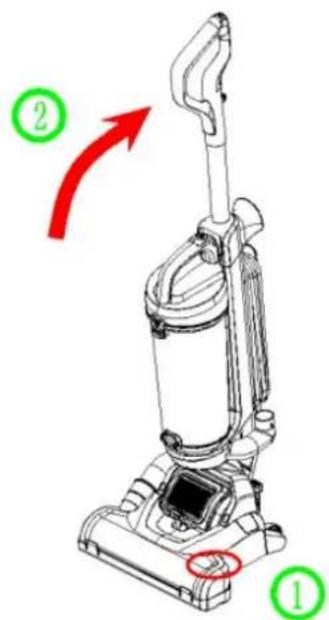
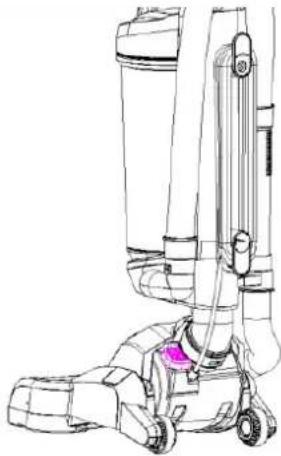
Step on the brush cover, then turn the machine along the arrow.
 | 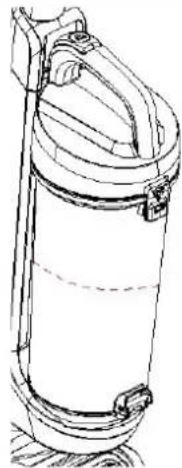 |
| Connect the appliance to a power outlet and turn on. | Do not overfill the dirt container |
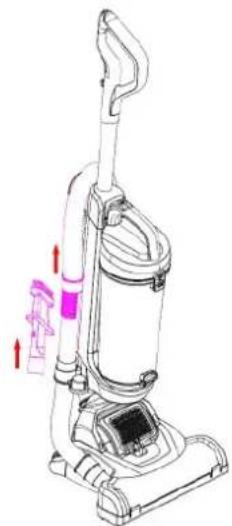 | 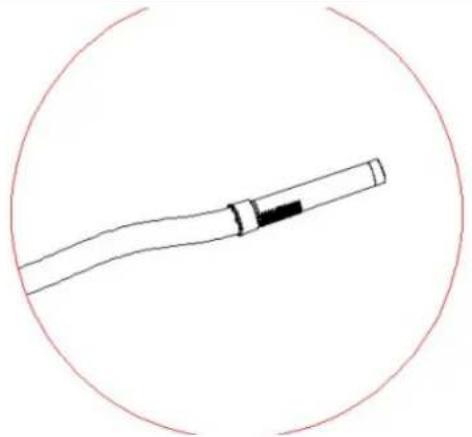 |
| Remove the hose handle and crevice tube from the machine. | The extension hose can be used as-is |
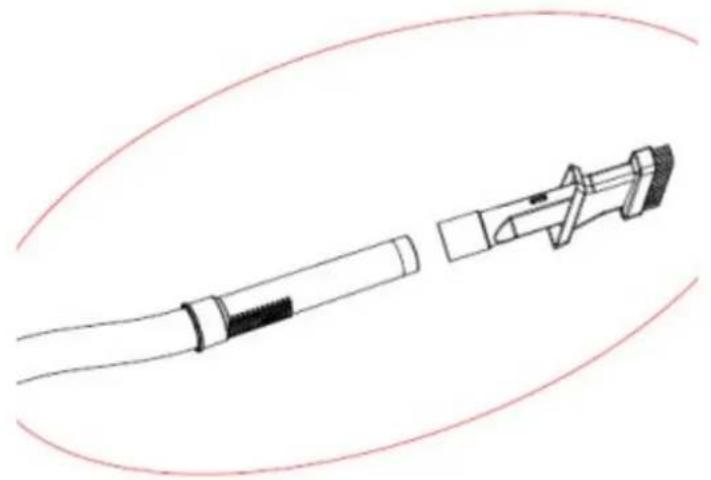 | |
| The crevice tube can be added to extend the distance. | |
Cleaning and Care
Emptying and cleaning the dust container
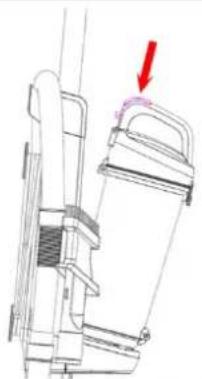 | 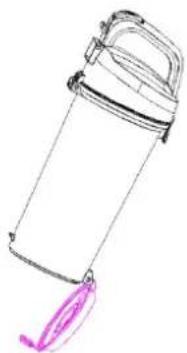 | 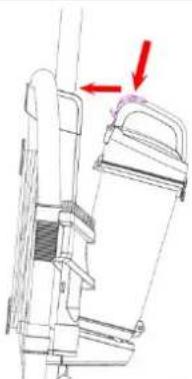 |
| Press the dust container release button. | Hold dust container over a bin and unclip the lock, allowing dust to fall out the bottom. | Align the base onto the machine and press until it clicks into place. |
Cleaning the dust filter
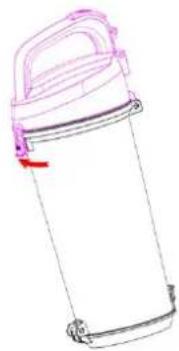 | 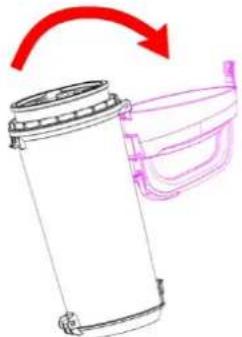 | 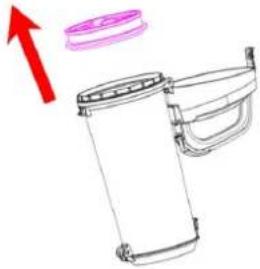 | 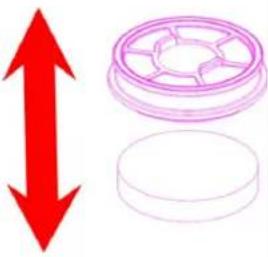 |
| Pull the just container lock to open the handle | Turn the dust container handle to remote. | Tap the filter to remove the dust cap | Tap the filter to remove the filter holder. |
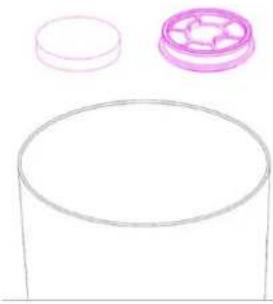 | 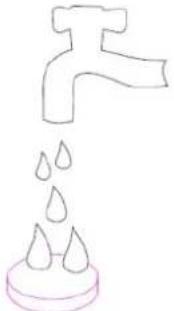 |  | 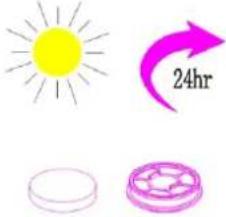 |
| Tap the filter over a bin to release the dust. | Wash the filter and filter holder under running water (40°C maximum). | Leave to fully dry for 24 hours before replacing. | |
Cleaning the filter assembly
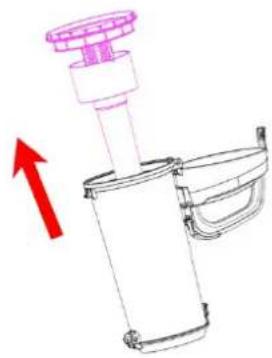 | 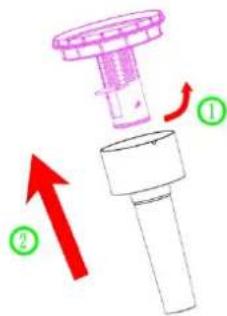 | 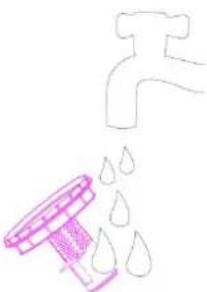 | 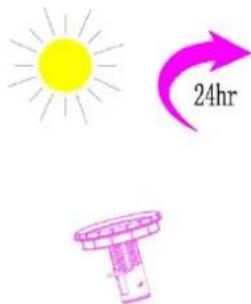 |
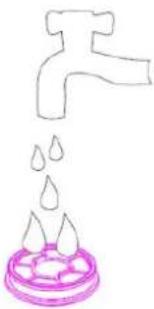
| Remove the filter assembly from the dust container. | Turn the cap and tap to remove. | Wash the head under running water. | Leave to fully dry for 24 hours before replacing. |
Troubleshooting
IMPORTANT: If you are experiencing any issue with the appliance whatsoever, first inspect the filters and all parts of the brush head carefully and ensure there is no buildup of dust or dirt.
This is the most common cause of vacuum cleaner faults and problems including powering on and suction strength.
If you experience any issues, contact Kogan Support.
User manual is subject to change without notice. For the latest version of your user manual, please visit https://www.kogan.com/usermanuals/
Brand : Kogan
Model : KAURVAC900A
Category : Vacuum Cleaner