
Atlas 2-in-1 - Laptop Kogan - Free user manual and instructions
Find the device manual for free Atlas 2-in-1 Kogan in PDF.


| Product Type | 2-in-1 Tablet PC with detachable keyboard |
| Operating System | Windows 10 |
| Display | Touchscreen (size not specified) |
| Processor | Not specified |
| RAM | Not specified |
| Storage | Not specified |
| Cameras | Front CCD camera, Back CCD camera |
| Ports | Micro USB, Mini HDMI, USB 3.0, 3.5mm Audio Jack, Micro SD card slot |
| Keyboard | Full-size QWERTY with touchpad and left/right buttons; detachable via magnetic interface |
| Touch | Capacitive multi-touch support |
| Battery | Rechargeable (capacity not specified) |
| Charging | Via DC indicator (likely micro USB or dedicated port) |
| Connectivity | Wi-Fi, Bluetooth (not explicitly specified, but typical); supports most 3G dongles |
| Audio | Built-in loudspeaker, microphone |
| Dimensions | Not specified |
| Weight | Not specified |
| Care | Clean with dry soft cloth; avoid extreme temperatures, humidity, dust, and strong magnetic fields |
| Safety | Do not disassemble; use original batteries only (risk of explosion if replaced incorrectly) |
| Spare Parts / Repairability | Battery is replaceable (use original); keyboard is detachable; other parts not user-serviceable |
| General | For non-tropic areas below 2000m; back up data regularly; software updates available at kogan.com |
Frequently Asked Questions - Atlas 2-in-1 Kogan
User questions about Atlas 2-in-1 Kogan
0 question about this device. Answer the ones you know or ask your own.
Ask a new question about this device
Download the instructions for your Laptop in PDF format for free! Find your manual Atlas 2-in-1 - Kogan and take your electronic device back in hand. On this page are published all the documents necessary for the use of your device. Atlas 2-in-1 by Kogan.
USER MANUAL Atlas 2-in-1 Kogan
INTRODUCTION
Thank you for choosing our new Tablet PC.
This guide serves to enable users to get to know the features of the Tablet PC as quickly as possible.
CONTENTS
Precautions before Use 3
Key Layout and Definitions.... 4
Key Descriptions and Applications.... 5
Introduction to Desktop....6
Windows 10 Start Screen 6
Image Slide Application 6
Apps Introduction....8
Start menu 9
Multitasking operating interface....10
Basic Operations 11
Sleep, Restart, and Power off 11
- This production is suitable for use in non-tropic areas below 2,000 meters, and the mark in the nameplate indicates the product is suitable for use in non-tropic areas.
- Do not drop or shake the Tablet PC.
- Do not use the Tablet PC in extreme temperatures, or in humid or dusty environments. Do not expose the Tablet PC to sunlight.
- Avoid use of the Tablet PC near strong magnetic fields as much as possible.
- Once any water or other liquid splashes onto the Tablet PC, turn it off immediately and do not use until it dries out.
- Do not clean the Tablet PC with any detergent containing chemical element or other liquid to avoid causing damage due to corrosion and becoming damp. If cleaning is really necessary, clean with dry soft cloth
- Kogan.com does not bear any and all responsibilities for loss or deletion of material inside the machine caused due to abnormal software and hardware operation, maintenance or any other accident.
- Please back up your important data to an external device regularly to avoid loss.
- Please do not disassemble the Tablet PC by yourself; doing so will void the warranty.
- This product supports the majority of 3G Dongles. We cannot guarantee complete compatibility with all 3G Dongles.
- Quick Use Guide and software may be updated at any time. For updated software version, visit www.kogan.com
- Replacement with incorrect type batteries may cause explosion. Make sure to use original batteries.
KEY LAYOUT AND DEFINITIONS
- Power button: Press to start or close the touch screen panel. You can also put the computer into sleep mode using this button or wake from sleep mode.
- Sound-/sound+: Lower/raise volume.
Loudspeaker: The built-in loudspeaker enables you to hear the sound without having to connect external speakers.
- Front CCD camera: take photos, and record pictures.
- Windows key: Press to return to the Start screen.
CCD camera indicator: The CCD camera indicator will be on when the built-in CCD camera is used.
- Movable base keyboard interface: This interface is magnetic, which is convenient for alignment and firmly linking the Table PC and the keyboard.
- 3.5mm audio jack: This socket can transmit the audio signals of Tablet PC to external speakers or headphones.
- Micro USB Interface: Access data from an external source via micro USB.
- Mini HDMI Interface: High-Definition Multimedia Interface.
- USB 3.0 Interface: For direct connections of USB drives, or a USB mouse or keyboard.
- DC Indicator: Becomes brighter when charging.
- Microphone: For recording audio.
- Back CCD camera: take photos, and record pictures.
- Micro SD card slot: The built-in storage card reader slot supports MicroSD and MicroSDHC format.
KEY DESCRIPTIONS AND APPLICATIONS
- Movable base keyboard interface: This interface is magnetic, which is convenient for alignment and firmly linking the Table PC and the keyboard.
- Keyboard group: The keyboard group provides full size QWERTY keyboard layout.
- Touch Tablet: Used to control the cursor on the Tablet PC, with the same function as a mouse.
- Left key
- Right key
- Base: Folding base of Tablet PC.
INTRODUCTION TO DESKTOP
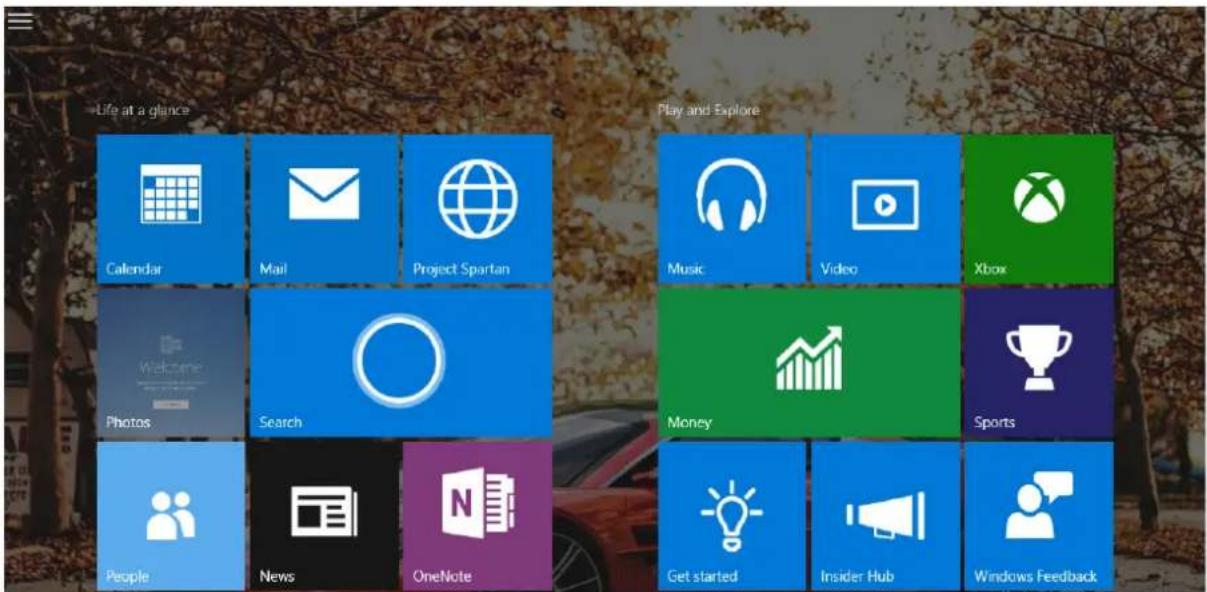
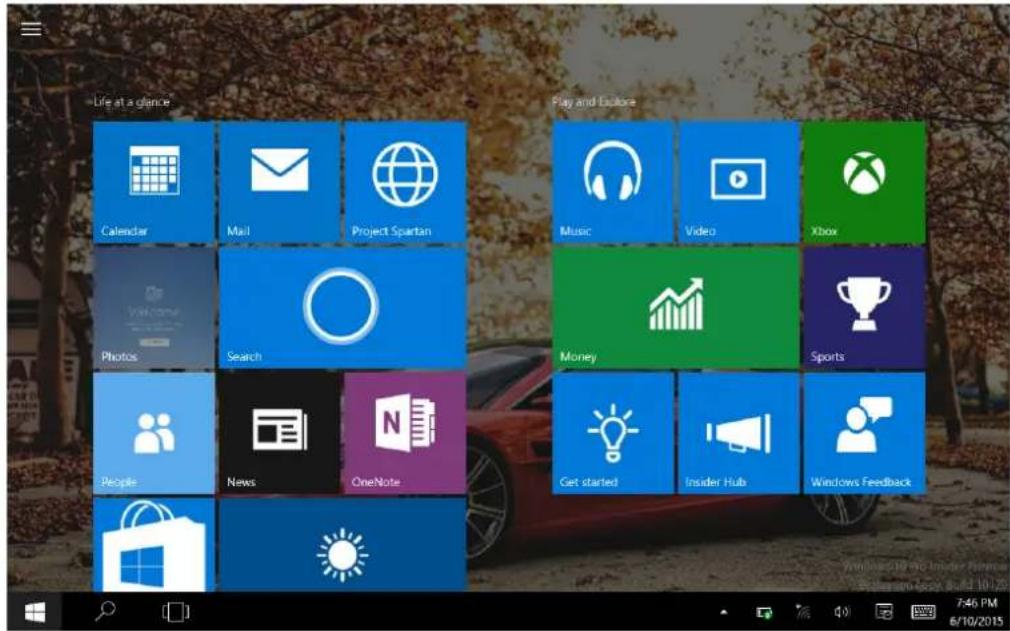
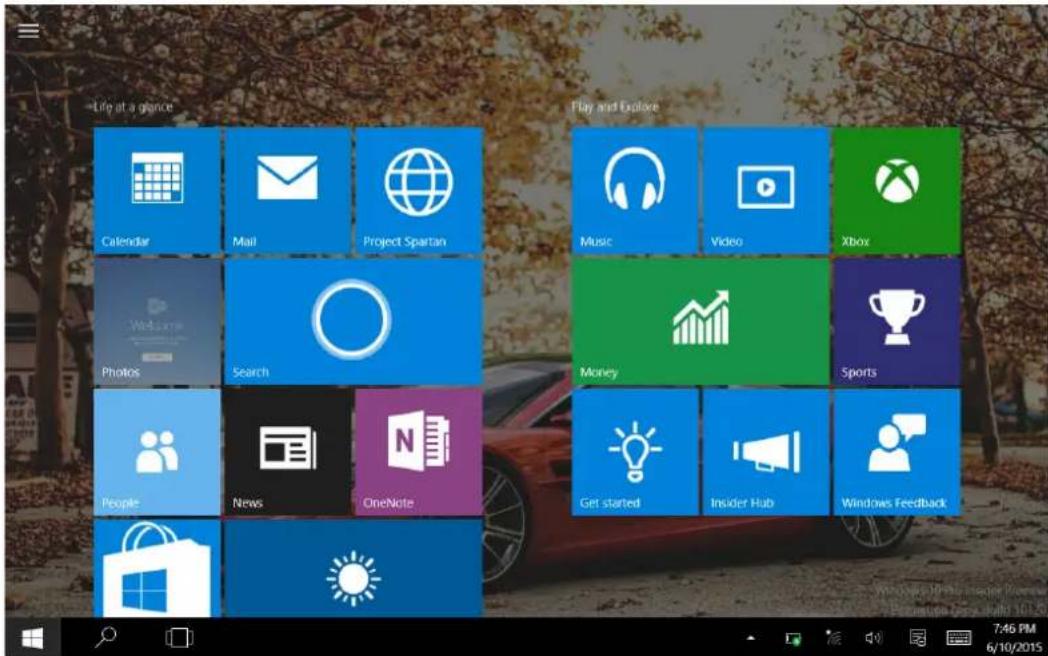
Windows 10 start image
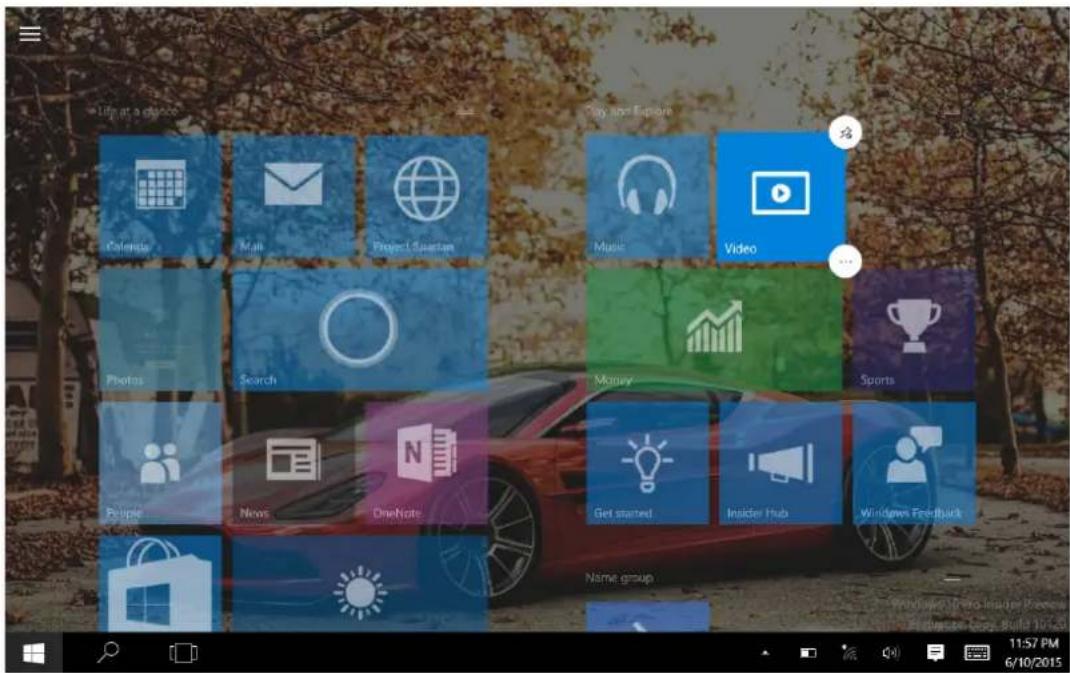
On the start screen, you will see many programs.
You may be prompted to log on to your Microsoft account before launching applications.
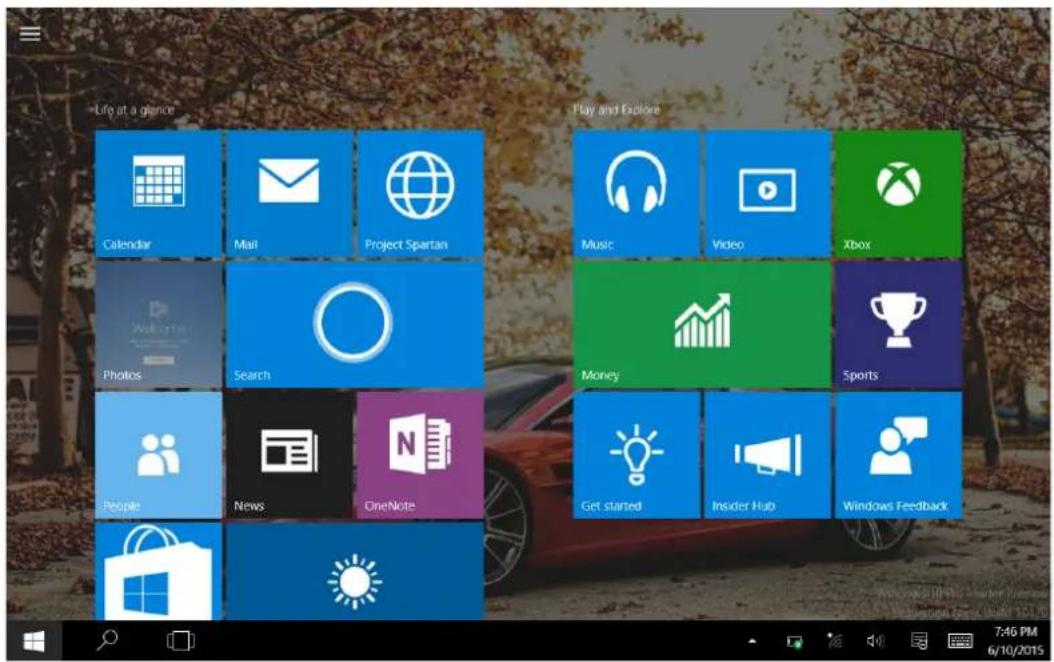
Image slide applications
Slide to right
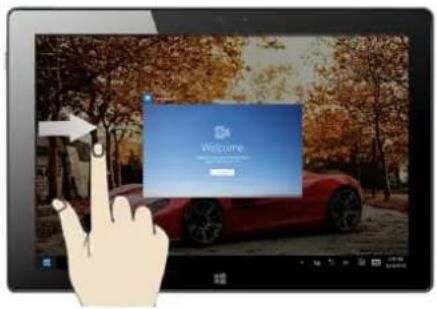
Slide to the right from the left side of the screen to scan the application program in running.
Slide to left

Slide to the left from the right side of the screen to setting Action Center.
Slide down
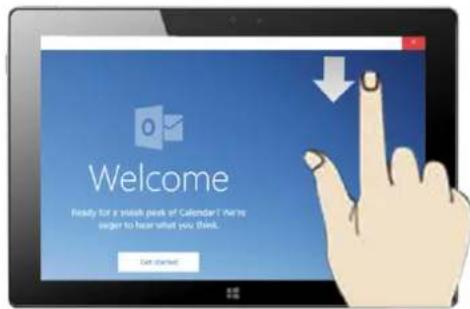
Slide up or down
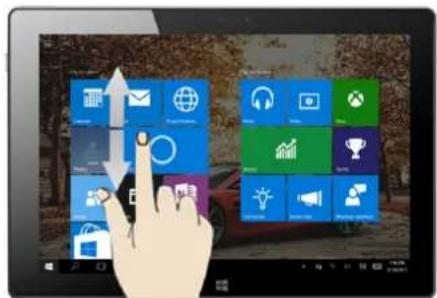
In start screen, slide from the top of the screen In start screen, slide finger up and down to view application programs to move the image.
Introduction to app Interface
Besides the application programs already installed on the start screen, you can also start other application programs via the “All Applications” button, such as other software application programs installed on the Tablet PC.
If you want to place more applications on the start screen, sfollow the instructions below, (1) Click the properties icon(2) press and hold the application program icon for about one second and then let go (3) Click the Pin to start.
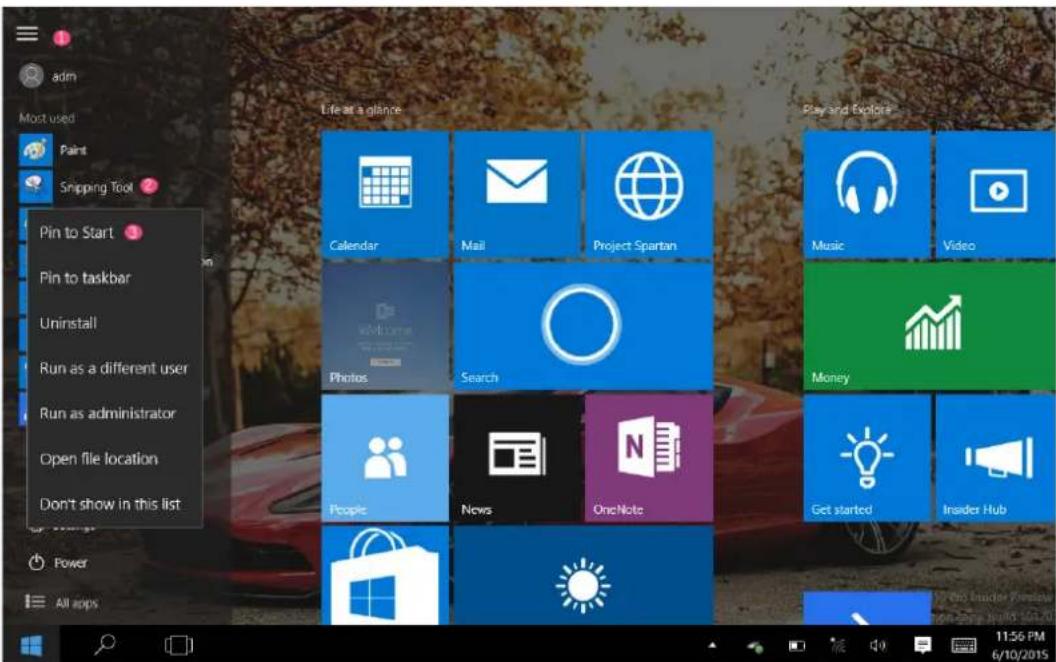
Conversely, if you want to cancel or delete a certain application in the start screen, (1) press and hold the application icon for about one second and then let it go and run, and select
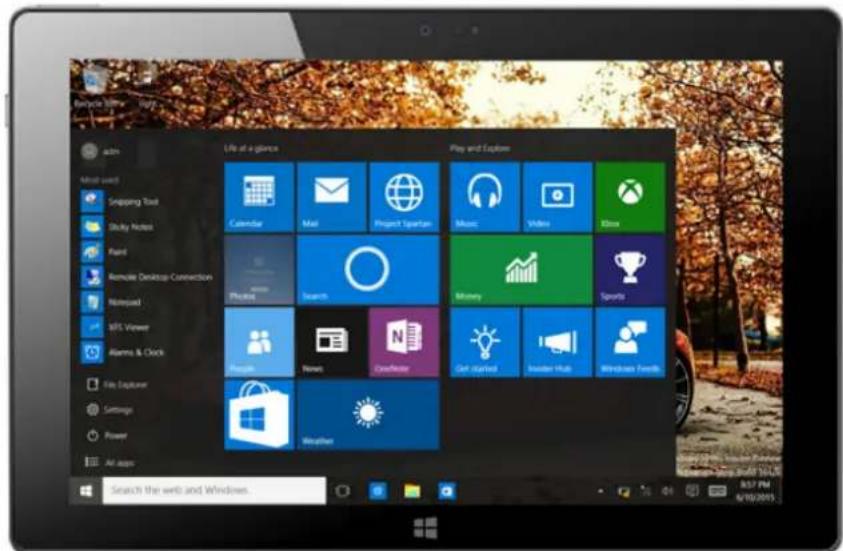
Start Menu
In PC mode, press Start icon, Start Menu will display, including: Start, Device, Setup, Share, and Search Program.
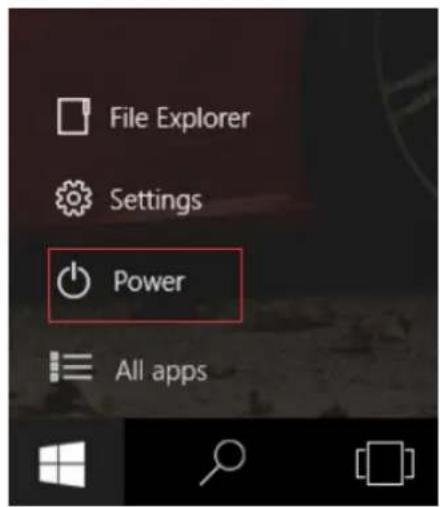
File Explorer, Settings, Power, and All apps

Can Sleep/Shut down/Restart the Tablet PC
Search for files and application programs in the Tablet PC.
Can let you set up the Table PC.

Can scan more apps
Search menu

Action Center
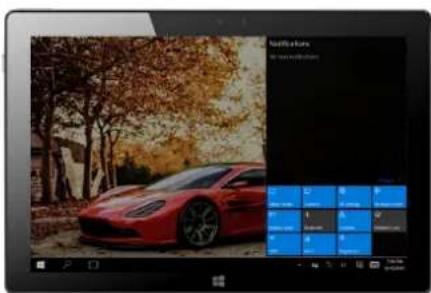
Setup Menu
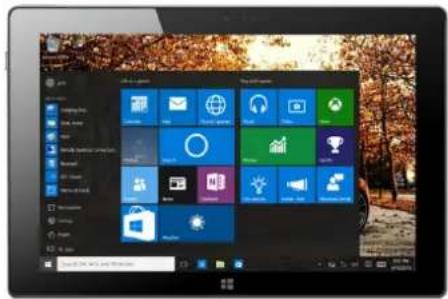
Multitasking operating interface
Slide right from the left side of the screen, Let go when you can see the running applications. We can enter the application, also can be deleted.

BASIC OPERATIONS
Sleep, Restart and Power Off

Brand : Kogan
Model : Atlas 2-in-1
Category : Laptop