
PK1-169 - Loudspeaker MB QUART - Free user manual and instructions
Find the device manual for free PK1-169 MB QUART in PDF.


| Brand | MB Quart |
| Model | PK1-169 |
| Product Type | 6x9-inch Coaxial Speaker |
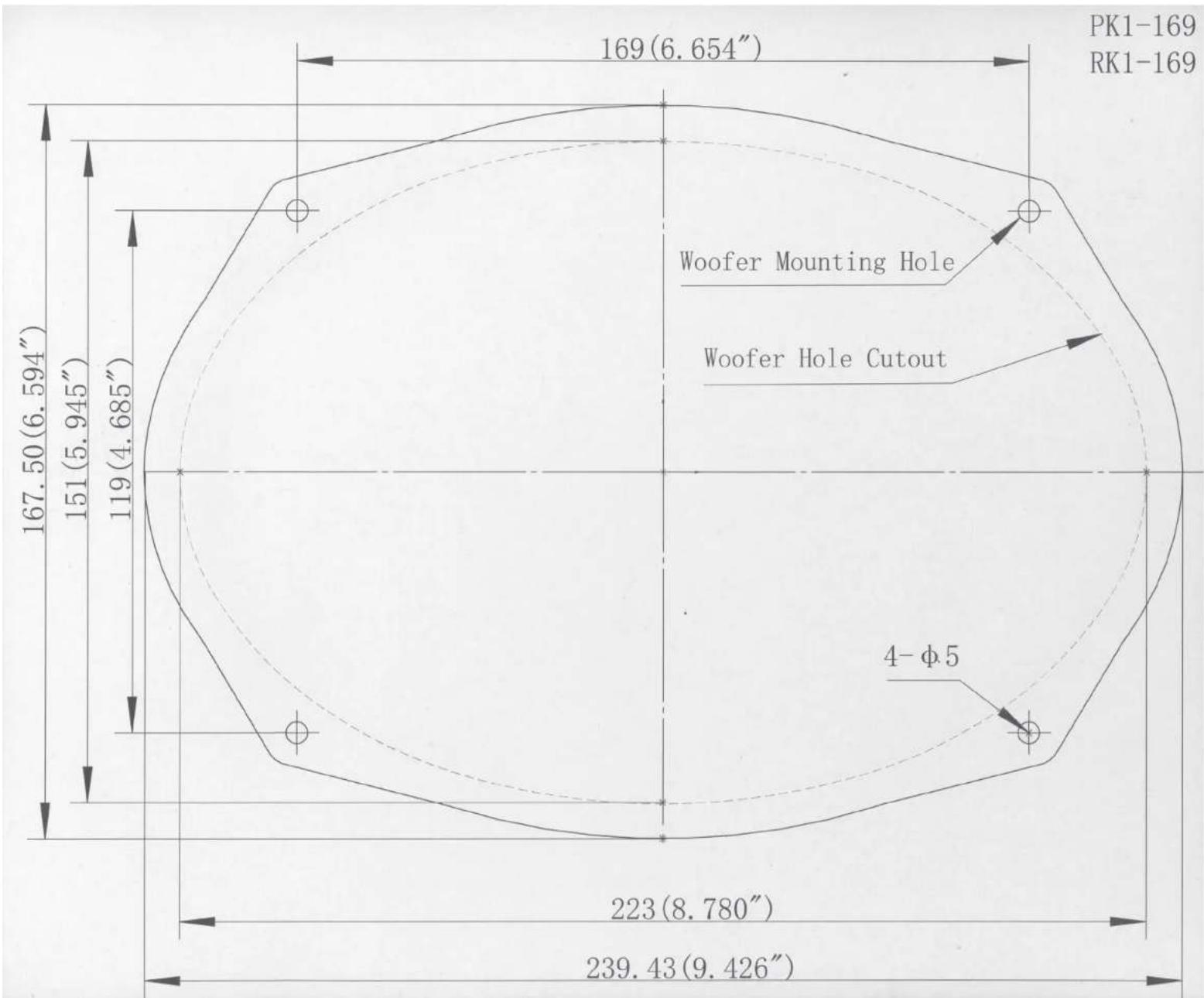
| Dimensions (A) | 6.9 in (175 mm) / 9.7 in (246.9 mm) |
| Dimensions (B) | 3.0 in (77 mm) |
| Dimensions (C) | 3.5 in (88 mm) |
| Dimensions (D) | 3.6 in (91 mm) |
| Dimensions (E) | 5.9 in (150 mm) / 8.7 in (222 mm) |
| Dimensions (F) | 6.6 in (167 mm) / 9.4 in (239 mm) |
| Recommended Mounting Depth | 3.6 in (91 mm) |
| Speaker Configuration | 2-way Coaxial |
| Warranty | 1 year limited |
| Designed in | USA by Maxxsonics |
| Installation | Professional recommended for panel removal |
| Included Accessories | Quick start installation guide |
Frequently Asked Questions - PK1-169 MB QUART
User questions about PK1-169 MB QUART
0 question about this device. Answer the ones you know or ask your own.
Ask a new question about this device
Download the instructions for your Loudspeaker in PDF format for free! Find your manual PK1-169 - MB QUART and take your electronic device back in hand. On this page are published all the documents necessary for the use of your device. PK1-169 by MB QUART.
USER MANUAL PK1-169 MB QUART
natural_image
Two black speaker speakers with visible sound waves and mounting holes (no text or symbols)PK1-113 PK1-116
PK1-168 PK1-169
PS1-213 PS1-216
PS1-316
Congratulations on your choice of a MBQuart speaker. This “Quick Start Installation” guide is meant to help you “hook up” and play music. For more detailed information on system setting, speaker and subwoofer configuration, and full specifications by model, visit the website at MBQuart.com

CAUTION

Always consider consulting a professional audio installer before installing new speakers. Many car manufacturers locate speakers behind interior panels that require special tools to remove those panels to access the speakers. Some panels will be screwed in, some will use plastic fasteners, many will have both. Be careful and take your time.
If you are using the speaker wire supplied with your new speakers make sure that you run the speaker wires through the factory boot. Do not let speaker wire make contact with metal edges of doors or other access holes.
Speaker dimensions
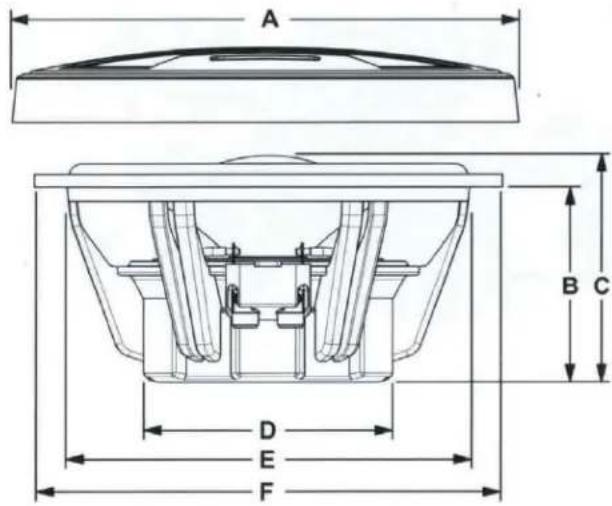
| A | B | C | D | E | F | |
| PK1-113 | 6.3"(161) | 2.5"(63) | 3.3"(84) | 2.9"(74) | 4.5"(114) | 5.0"(128) |
| PK1-116 | 6.8"(173) | 2.5"(64) | 3.3"(84) | 3.5"(89) | 5.6"(142) | 6.6"(167) |
| PK1-168 | 2.6"(66) | 3.3"(84) | 3.5"(89) | 5"/7.1"(127/181) | 5.5"/8.7"(139.7/221) | |
| PK1-169 | 6.9"/9.7"(175/246.9) | 3.0"(77) | 3.5"(88) | 3.6"(91) | 5.9"/8.7"(150/222) | 6.6"/9.4"(167/239) |
| PS1-213 | 6.3"(161) | 2.5"(63) | 3.3"(84) | 2.9"(74) | 4.5"(114) | 5.0"(128) |
| PS1-216 | 6.8"(173) | 2.5"(64) | 3.4"(86) | 3.5"(89) | 5.6"(142) | 6.6"(167) |
| PS1-316 | 2.0"(52) | 2.4"(60) | 2.8"(70) | 3.6"(91) | 4.0"(102) |
Before you start
It's a good idea to confirm that you have purchased the correct size speakers to fit your vehicle. If you have any reservations about being able to complete the installation yourself, we recommend contacting a professional. The removal of interior panels can be tricky and may require special tools. Be careful as you go.
Factory speaker removal

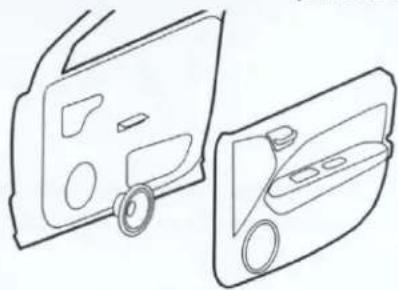
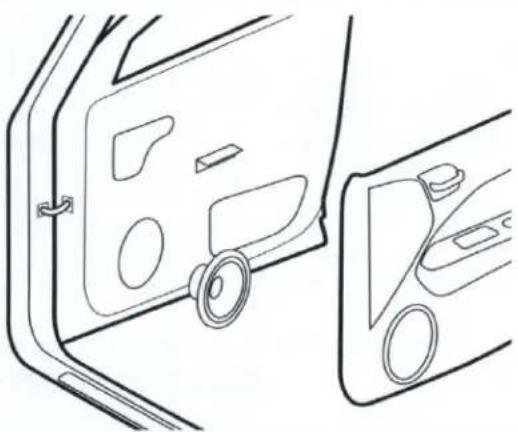
Access and remove factory door speakers
Most modern vehicles have speakers that are mounted directly to the structure of the door. Access is achieved by the removal of the door panel. Some vehicles may only require the removal of a small panel around the speaker itself.
natural_image
Line drawing of a car door with side panels and a close-up view showing the interior door (no text or symbols)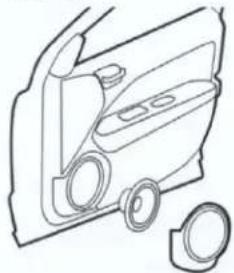
natural_image
Line drawing of a car door frame with two circular components and a separate ring (no text or symbols)
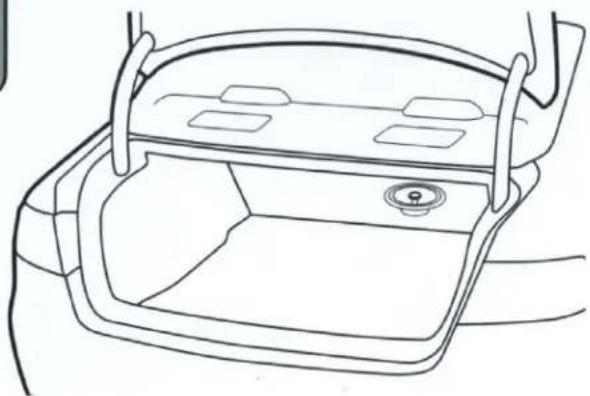
Access and removal of rear factory speakers
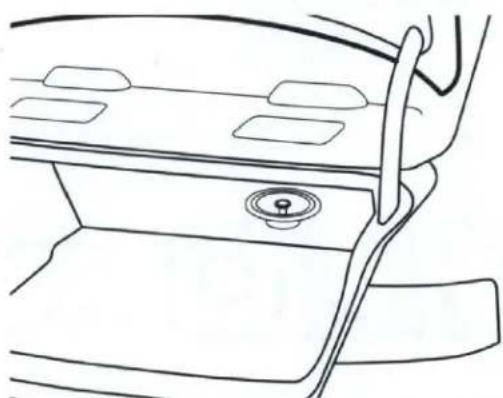
Most rear speakers are accessed from within the trunk. Some may require the removal of the rear package tray. Hatchbacks and SUV's will usually require the removal of a side panel.
natural_image
Line drawing of a car interior showing the dashboard and seat area (no text or symbols)
Fit and Wiring
Once the factory speakers are removed, check the fit and determine if there is enough depth clearance for the new speaker. A good way to do this is to roll the window down and back up while holding the speaker in place. If you decide to run wires, make sure to use factory harness boots and grommets where ever possible.
natural_image
Line drawing of a car interior showing the door, dashboard, and side view (no text or symbols)Coax installation

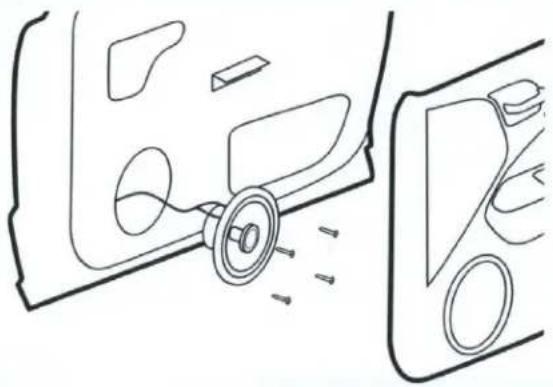
Factory location behind door panel
Once you are sure the speaker fits and has adequate clearance, connect the positive and negative wires to the proper terminals. Securely screw the speaker into place. Replace door panel.
natural_image
Diagram showing car interior components with arrows indicating movement or force (no text or symbols)
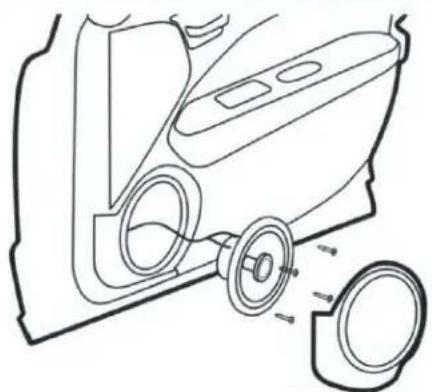
Factory location behind small panel
Once you are sure the speaker fits and has adequate clearance, connect the positive and negative wires to the proper terminals. Securely screw the speaker into place. Replace speaker cover panel.
natural_image
Technical line drawing of a car interior showing wheel assembly and mounting bracket (no text or symbols)
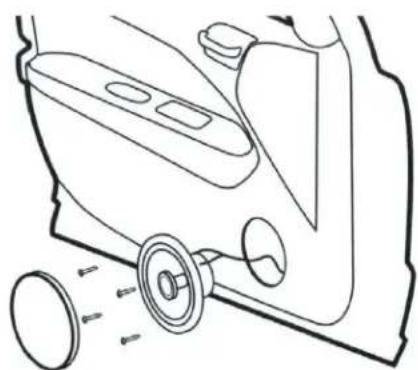
Custom location
Some vehicles may not have a door speaker location. While it is possible to install the speakers in this situation, it is more difficult. Consider using a professional for custom installations.
natural_image
Line drawing of a car interior showing wheel and seat components (no text or symbols)
Rear factory locations
Mount the speakers in same way that the factory speaker was mounted. Attach the positive and negative wires to the proper terminals. Make sure any wires are secured properly.
natural_image
Line drawing of a car interior showing the seat, dashboard, and exhaust pipe (no text or symbols)Component installation

Factory location behind door panel
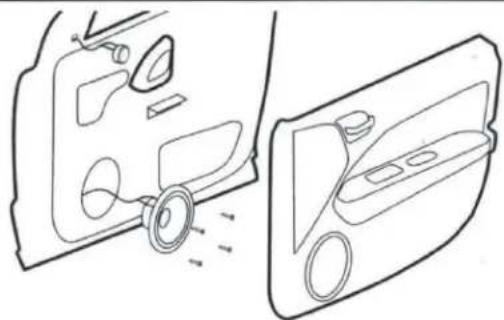
Vehicles that have premium sound systems will often have separate tweeters in a dash or door location. Try to use this location for mounting the component tweeter if possible.
natural_image
Diagram showing two views of a car door handle and side panel, no text or symbols present
Custom location
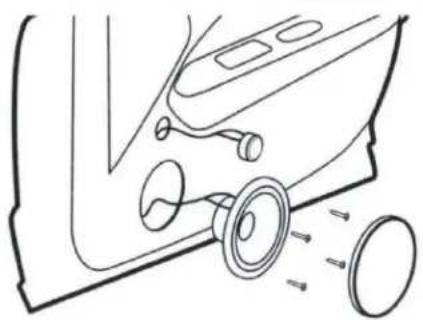
If there is not a suitable factory location for woofer or tweeter to be mounted, custom mounting may be necessary. Before making any permanent changes to your vehicle make sure there is adequate mounting depth.
natural_image
Diagram of a car interior showing wheel and seat components with directional arrows indicating movement (no text or labels)
Crossover wiring
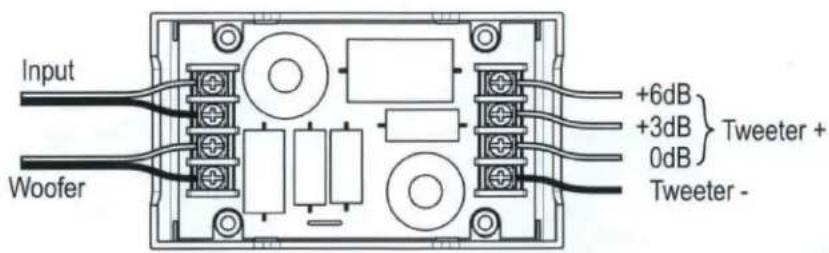
The crossover is necessary for the proper operation of the component speaker system. Make sure the wires are securely attached and that there are no stray strands of wire contacting other terminals. Mount the crossover to a secure surface that is free of interference from window mechanisms and excessive moisture. You have the option of three tweeter attenuation settings. Connect the positive tweeter wire to the terminal that best fits your system or personal preference.



MBQuart.com
MUSIC DEFINED

Tweeter mounting
There are two primary ways the tweeter can be mounted. Surface and Flush mounting. Make sure to check for any obstructions before cutting into any panel.
Surface Mount
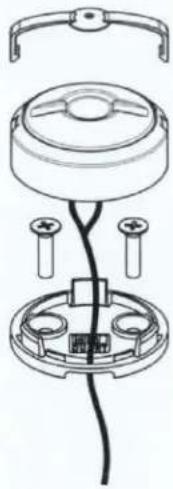
natural_image
Technical line drawing of a mechanical assembly with no visible text or symbolsFlush Mount
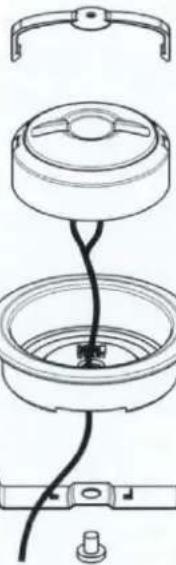
natural_image
Technical line drawing of a mechanical assembly with no visible text or symbols
Dispersion tuning
The phase lens can be removed to fine tune the sound characteristics. Narrow is better when the tweeter is pointed at the listener. Wide is better when the tweeter is off-axis.
Narrow Dispersion
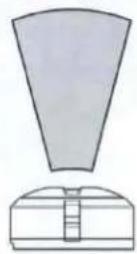
Wide Dispersion
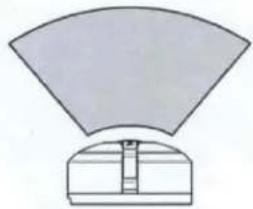
natural_image
Simple diagram of a fan-shaped object above a rectangular base with internal lines (no text or symbols)
WARRANTY
Maxxsonics USA Inc. warrants this product, to the original consumer purchaser, to be free from defects in material and workmanship for a period of one (1) year from the date of purchase. Maxxsonics USA Inc. will, at its discretion, repair or replace defective products during the warranty period. Components that prove to be defective in materials and workmanship under proper installation and use must be returned to the original authorized Maxxsonics USA Inc. retailer from where it was purchased. A photocopy of the original receipt must accompany the product being returned. The costs associated with removal, re-installation and freight are not the responsibility of Maxxsonics USA Inc. This warranty is limited to defective parts and specifically excludes any incidental or consequential damages connected therewith. To view the full warranty, please visit the website.
MBQuart products are designed and engineered in the USA by
MAXXSONICS®
Brand : MB QUART
Model : PK1-169
Category : Loudspeaker