DA-EC1101T - Surveillance Camera IDIS - Free user manual and instructions
Find the device manual for free DA-EC1101T IDIS in PDF.


| Product Type | Ethernet over Coax Transceiver (EOC) |
| Model | DA-EC1101T (Transmitter) |
| Dimensions (W x D x H) | 100 x 43 x 39 mm |
| Weight | 150 g |
| Power Supply | 48V DC via included adapter (DA-EC1101R only) |
| PoE Support | IEEE 802.3af, IEEE 802.3at |
| Data Transfer Speed | 10/100Base-T, up to 95 Mbps |
| Maximum Distance | Up to 800 m (dependent on cable quality and PoE class) |
| Connectors | 1 x RJ45 (UTP), 1 x BNC (coaxial) |
| LED Indicators | Power, BNC connection, RJ45 connection |
| Compatible Cameras | DirectIP cameras with RJ45 port |
| Compatible NVRs | DirectIP NVRs with coaxial video input |
| Power over Coax | Supports power transmission over BNC cable (from DA-EC1101R) |
| PoE Switch | Toggle to enable/disable PoE output on RJ45 port |
| Installation | Plug & Play; no IP configuration needed |
| Accessories Included | Main unit, 48V DC adapter & power cable (DA-EC1101R only), operation manual, MAC address sticker |
| Regulatory Compliance | FCC Part 15 Class A |
| Operating Environment | Indoor commercial use; avoid gas stations or combustible substances |
| Maintenance | Keep dry, avoid dust and extreme temperatures; clean with soft dry cloth |
| Spare Parts / Repairability | Contact IDIS support; no user-serviceable parts inside |
Frequently Asked Questions - DA-EC1101T IDIS
User questions about DA-EC1101T IDIS
0 question about this device. Answer the ones you know or ask your own.
Ask a new question about this device
Download the instructions for your Surveillance Camera in PDF format for free! Find your manual DA-EC1101T - IDIS and take your electronic device back in hand. On this page are published all the documents necessary for the use of your device. DA-EC1101T by IDIS.
USER MANUAL DA-EC1101T IDIS
Ethernet over Coax Transceiver
Operation Manual
DA-EC1101R
DA-EC1101T
FCC Compliance Statement
This device complies with part 15 of the FCC Rules.
Operation is subject to the following two conditions:
(1) This device may not cause harmful interference, and
(2) This device must accept any interference received,
including interference that may cause undesired operation.
Note: This equipment has been tested and found to comply with the limits for a Class A digital device, pursuant to part 15 of the FCC Rules. These limits are designed to provide reasonable protection against harmful interference when the equipment is operated in a commercial environment.
This equipment generates, uses and can radiate radio frequency energy and, if not installed and used in accordance with the instructions, may cause harmful interference to radio communications. Operation of this equipment in a residential area is likely to cause harmful interference in which case the user will be required to correct the interference at his own expense.
User's Caution Statement
Caution: Any changes or modifications to the equipment not expressly approved by the party responsible for compliance could void your authority to operate the equipment.
Product Overview
DA-EC1101R / DA-EC1101T is a networking device(EOC: Ethernet Over Coax) that uses coaxial cables. It makes it possible to supply Power over Ethernet and transmit data between a network camera that uses RJ45 port and a DVR using coaxial cables.
Product Features
- Makes it possible to install Full-HD network cameras using existing coaxial cables.
- 10/100Base-T two-way communication allows use of the product as a transmitter or a receiver.
• Supports PoE (IEEE 802.3af, IEEE 802.3at) - Supports Plug & Play without setting up special IP addresses.
• Supports up to 800 meters in distance.
Accessories
The product consists of the following components.
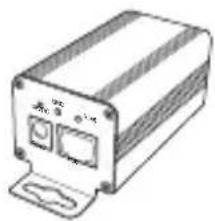
natural_image
Line drawing of a rectangular electronic device with ports and a base (no text or symbols)Main unit (DA-EC1101R / DA-EC1101T)
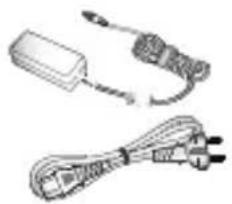
natural_image
Two types of electrical connectors shown in line drawings: a rectangular device and a multi-pin cable (no text or symbols)48V DC adapter & 220V power cable (DA-EC1101R only)

Operation Manual MAC address sticker


MAC Address is required for warranty services. Please keep the sticker attached on the product.

First, connect the adapter to the product. Then, turn the device On. If the adapter is connected while the switch is turned On, it may cause an electric spark. Be careful when using the product at a gas station or near combustible substances.
Front
DA-EC1101T DA-EC1101R
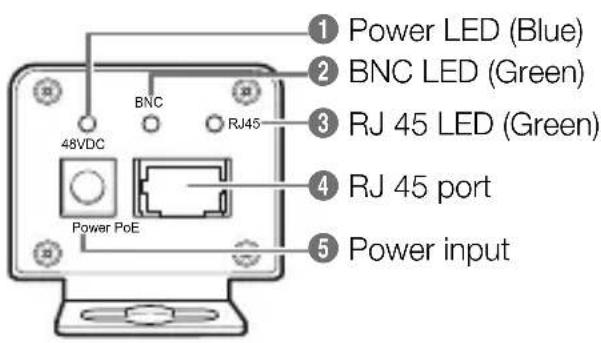
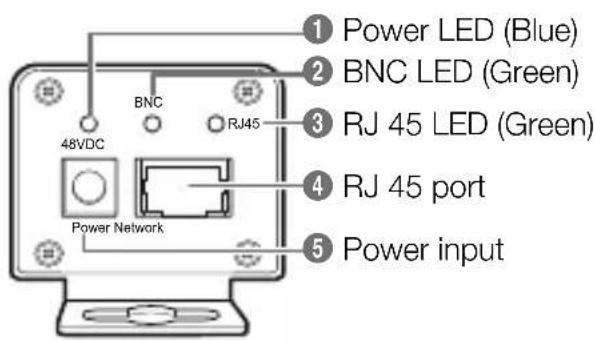
Back
DA-EC1101T DA-EC1101R
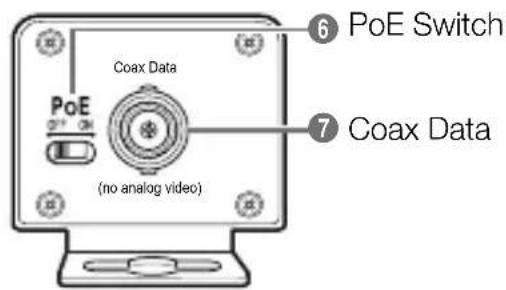
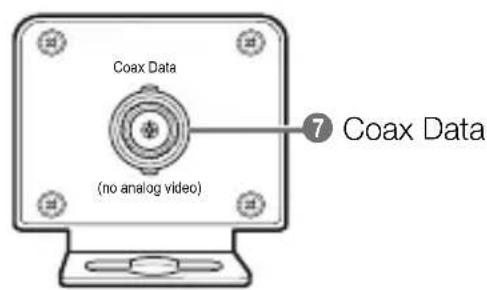
| 1 | Power LED | LED turns on when power is connected. |
| 2 | BNC LED | LED turns on when BNC cable is connected. |
| 3 | RJ 45 LED | LED turns on on when a RJ45 UTP cable is connected. |
| 4 | RJ 45 port | Use the RJ45 port to connect the UTP cable. |
| 5 | Power input | Connect a 48V DC adapter. Connect the adapter first before turning the device On. |
| 6 | PoE Switch | Turns PoE On or Off.Turn PoE Off if the product connected to the RJ45 port does not support PoE power input. Its factory default is set to Off. |
| 7 | Coax Data | Connect BNC cable. |
1 Connect DA-EC1101R's RJ45 port to the Video In port or a hub attached to a Video In port of DirectIP™ NVR using a network cable.
2 Connect DA-EC1101T's RJ45 port to the network port of DirectIP™ camera using a network cable.

If DA-EC1101T EOC requires PoE power supply, turn the PoE Switch of DA-EC1101T to On.
3 Connect DA-EC1101R and DA-EC1101T using a coaxial cable.
4 Connect the included 48V DC adapter to the Power Input port of DA-EC1101R.

First, connect the adapter to the product. Then, turn the device On. If the adapter is connected while the switch is turned On, it may cause an electric spark. Be careful when using the product at a gas station or near combustible substances.
5 DA-EC1101R and DC-EC1101T will turn on at the same time and the 48V DC LED on the product will be lit.
6 Refer to the installation layout and install the product.
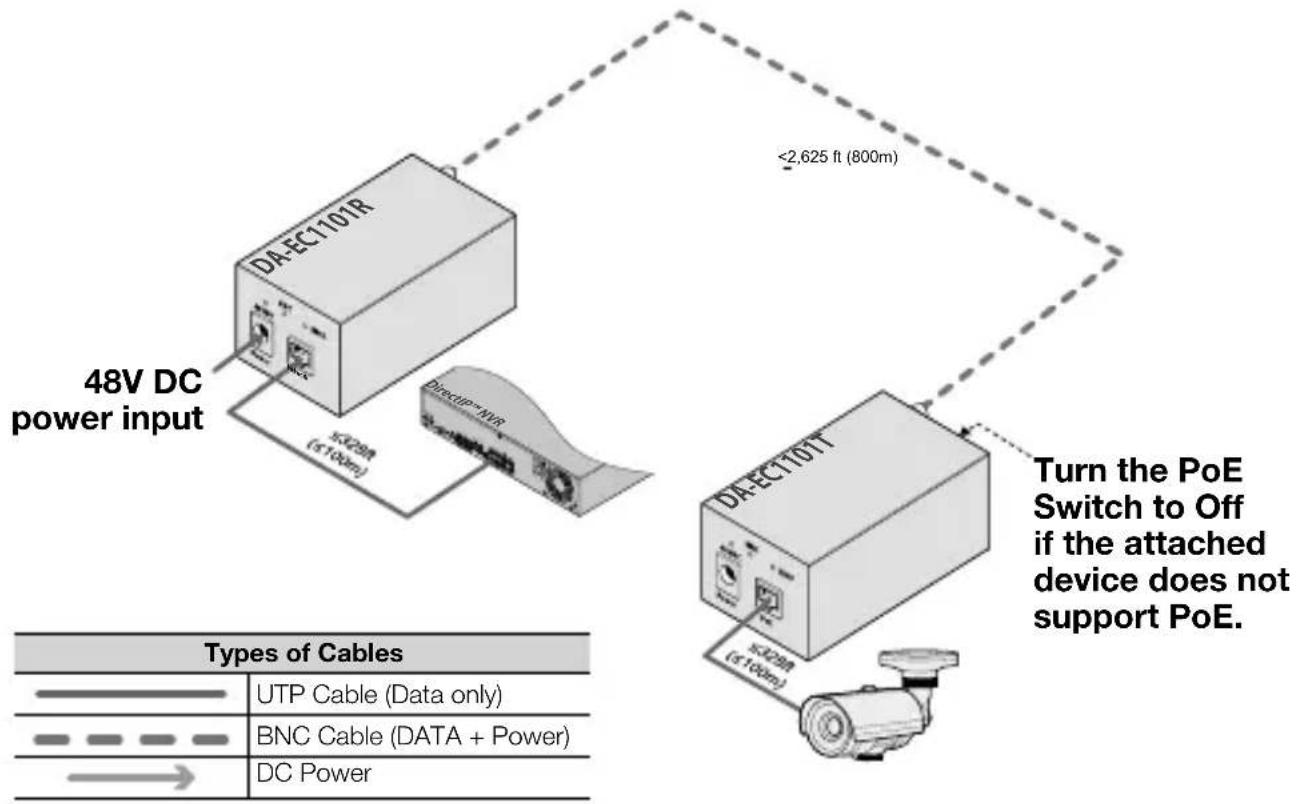
flowchart
graph TD
    A["48V DC power input"] --> B["DA-EC110TR"]
    B --> C["DC Power"]
    D["DA-EC110TT"] --> E["Turn the PoE Switch to Off if the attached device does not support PoE."]
    style A fill:#f9f,stroke:#333
    style D fill:#f9f,stroke:#333
    note right of A: <2,625 ft (800m)
    note right of D: <2,625 ft (800m)
    note bottom table:
        UTP Cable (Data only)
        BNC Cable (DATA + Power)
        DC Power
Specifications
| Model | DA-EC1101R / DA-EC1101T |
| RJ45 | 10/100 |
| Coaxial cable | 3C or higher |
| Power | 48V |
| Maximum data transfer distance | 800m (Distance varies by class when using PoE transmission.) |
| Maximum data transfer speed | 95Mbps |
| PoE | IEEE802.3af, IEEE 802.3at |
| Weight | 150g |
| Dimensions (W)X(D)X(H) | 100 X 43 X 39 (mm) |
IDIS
IDIS Co., Ltd.
For more information, please visit at
www.idisglobal.comVer. 1.00
Brand : IDIS
Model : DA-EC1101T
Category : Surveillance Camera