
IHD-210PT - AV Decoder Planet - Free user manual and instructions
Find the device manual for free IHD-210PT Planet in PDF.


| Type of Product | HDMI Extender over IP (Transmitter) |
| Model | IHD-210PT |
| Brand | Planet |
| Dimensions (approx.) | 140 mm × 80 mm × 25 mm |
| Weight (approx.) | 200 g |
| Power Supply | DC 5V/2A or PoE (IEEE 802.3af/at) |
| Power Consumption | Max 10W |
| Video Interface | 1 × HDMI Input (Type-A female), 1 × HDMI Output (Type-A female) |
| Ethernet Interface | 1 × RJ-45 Gigabit with PoE (802.3af/at) |
| IR Control | 3.5mm jack for IR emitter cable (included) |
| RS-232 | DB-9 female for bi-directional extension |
| Group Configuration | 6-bit DIP switch for 64 stream channels |
| Reset Button | Press >1s to restore factory defaults |
| Maximum Transmission Distance | 100 m over Cat5e/6 |
| Supported Video Resolution | Up to 1080p (Full HD) |
| Supported Audio | PCM, Dolby Digital, DTS (via HDMI) |
| Temperature Range | Operating: 0°C to 50°C |
| Humidity | 10% – 90% (non-condensing) |
| Included Accessories | IR emitter cable, Quick Installation Guide |
| Certifications | CE, FCC |
Frequently Asked Questions - IHD-210PT Planet
User questions about IHD-210PT Planet
0 question about this device. Answer the ones you know or ask your own.
Ask a new question about this device
Download the instructions for your AV Decoder in PDF format for free! Find your manual IHD-210PT - Planet and take your electronic device back in hand. On this page are published all the documents necessary for the use of your device. IHD-210PT by Planet.
USER MANUAL IHD-210PT Planet
Quick Installation Guide
Digital Signage
IHD-210 Series
High Definition HDMI Extender over IP
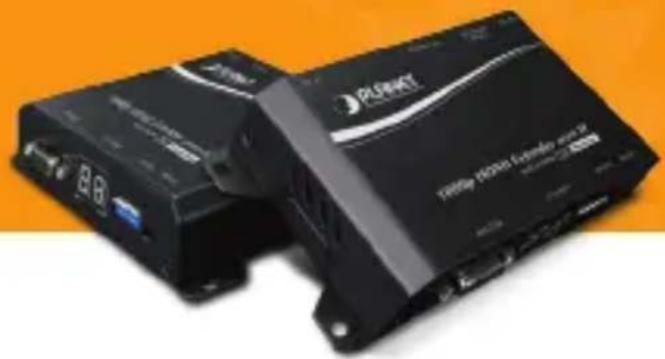
Verify The Contents Inside Package Box
The package should contain the following items plus IHD-210 series. If any item is missing or damaged, please contact the seller immediately.

Quick Installation Guide
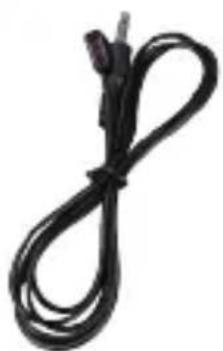
IR Emitter Cable (Comes with Transmitter)

IR Receiver Cable (Comes with Receiver)
Product Outlook & Functions

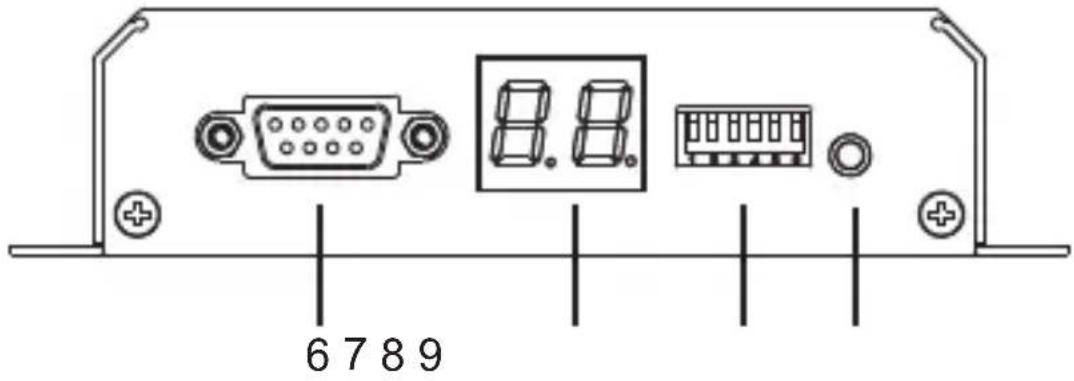
Transmitter (IHD-210PT)
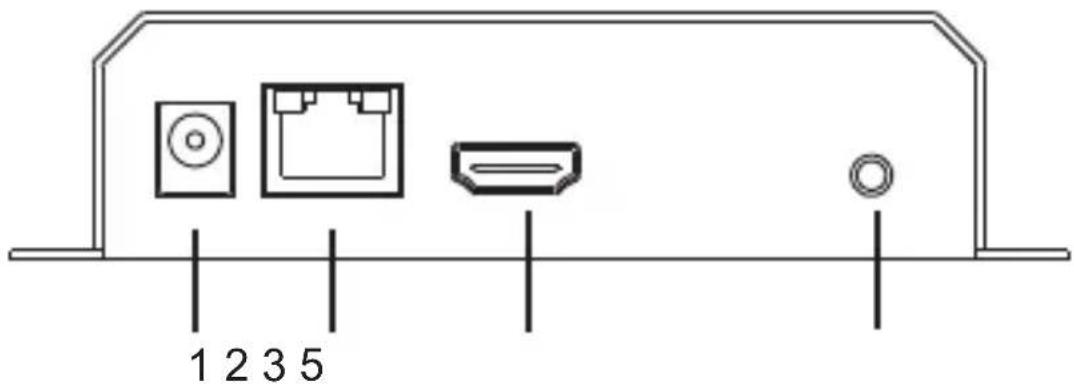
Receiver (IHD-210PR)
| Position | Description Function | |
| 1 DC | 5V | 5V/2A DC power input.Only use one power source, either from DC or from 802.3af/at PoE+ Ethernet switch. |
| 2 | Ethernet (PoE) | ● Connect to a LAN Switch.IGMP snooping and Jumbo Frame supported Gigabit IEEE 802.3af/at PoE+ Ethernet switch is recommended.● LED:1. LAN LED (green color):This LED will be flashing while network accessing via Ethernet.2. Power LED (orange color):When the device is powered on, and the device is connected to Ethernet switch, the LED will be always on. |
| 3 HDMI Out | HDMI Type-A female connector for video output. | |
| 4 HDMI In | HDMI Type-A female connector for connecting to the HDMI source. (Only built-in on Transmitter) | |
| 5 IR | Transmitter: 3.5mm jack for IR emitter cable to control video source device.Receiver: 3.5mm jack for IR receiver cable to receive signal from remote controller. | |
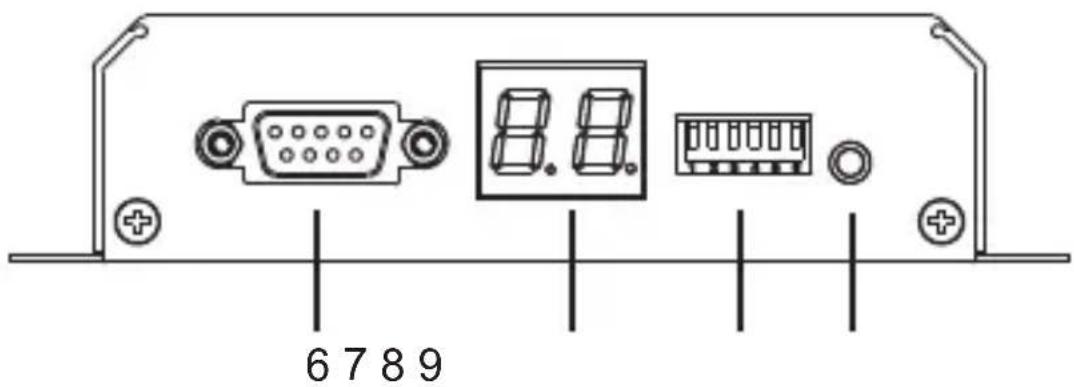
| 6 | RS-232 | DB-9 female connector for RS-232 bi-directional remote extension. |
| 7 | Channel | Display group indication. |
| 8 | Group | Group configuration, 6-bit switch for 64 stream channel selection. |
| 9 | Reset | Power on the device and press the reset button for over one second to restore it to factory default settings. |
Installation
- Connect the video source to the Transmitter/Sender (IHD-210PT) Unit's HDMI In interface.
- Connect the monitor to the Receiver (IHD-210PR) Unit's HDMI Out interface.
- Use Cat5e/6 cables (EIA/TIA 568B industry standard compliant) for connection between Transmitter/Receiver and the IEEE 802.3af/at PoE+ switch.
- Set an identical ID number on DIP switch for all units of the same group.
- Apply the proper power to all connecting devices.

Note
- It is suggested using the Gigabit IEEE 802.3af/ at PoE+ Ethernet switch with IGMP snooping and Jumbo Frame to ensure optimal transmission quality. - If users encounter no screen display in computer connection:
- Make sure the device cables are correctly and firmly attached.
- Set your display device's (TV, monitor, etc.) input source as HDMI.
- Check the PC BIOS configuration about the video output setting.
- Connect your computer to the HDMI Display DIRECTLY to check if the video signal gets through.
1. Video Extender: Point to Point
Video Extender
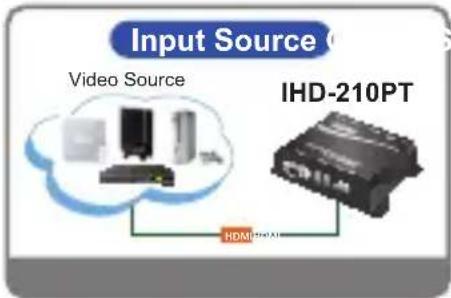


* More PoE switches and RXs (Receivers) can be used to distribute a single video signal to multi-monitors.
2. Video Extender: Multicasting
![graph TD A["Video Source"] --> B["PC"] B --> C["IHD-210PT (ID: 00)"] C --> D["Gigabit PoE Switch (with IGMP Snooping and Jumbo Frame)"] E["DVD Player"] --> F["IHD-210PT (ID: 01)"] F --> D G["Blu-ray Player"] --> H["IHD-210PT (ID: 02)"] H --> D D --> I["IHD-210PR (ID: 01)"] D --> J["IHD-210PR (ID: 01…](/content/2026/06/1189862/images/f264026a12950d359b6bd401e91bcd7f86fe25ce976922163797697e2ecf43a3.jpg)
Video Extender: Many to Many
Further Configuration
For detailed configuration, please refer to user manual downloadable from the web site (http://www.planet.com.tw/en/support/download.php).
| Utility User's Manual | |
 |  |
If you have any other question, please contact the dealer where you purchased this product or you can contact PLANET directly at the following email address: support@planet.com.tw
www.PLANET.com.tw
Brand : Planet
Model : IHD-210PT
Category : AV Decoder