
IRTO55-100 - Audiovisual support Peerless-AV - Free user manual and instructions
Find the device manual for free IRTO55-100 Peerless-AV in PDF.


| Product Type | Audiovisual Support (TV Wall Mount) |
| Brand | Peerless-AV |
| Model | IRTO55-100 |
| Compatible Screen Size | 32" to 55" |
| VESA Compatibility | Up to 400 x 400 mm |
| Maximum Weight Capacity | 50 kg (110 lbs) |
| Material | Cold-rolled steel with powder coating |
| Dimensions (W x H x D) | 600 x 400 x 50 mm |
| Net Weight | 5.2 kg (11.5 lbs) |
| Color | Black |
| Tilt Adjustment | +5° / -15° |
| Swivel Adjustment | ±90° (maximum) |
| Level Adjustment | ±3° after installation |
| Distance from Wall | 55 mm (minimum) |
| Cable Management | Yes, built-in cable cover |
| Installation | Wall mount (stud required) |
| Included Hardware | Mounting brackets, screws, anchors, and manual |
| Maintenance | Clean with a dry or slightly damp cloth; avoid solvents |
| Safety | Do not exceed weight limit; mount to concrete or wood studs |
| Spare Parts Availability | Contact Peerless-AV support for replacement screws or parts |
| Warranty | 5 years limited warranty |
| Certification | UL listed, TUV approved |
Frequently Asked Questions - IRTO55-100 Peerless-AV
User questions about IRTO55-100 Peerless-AV
0 question about this device. Answer the ones you know or ask your own.
Ask a new question about this device
Download the instructions for your Audiovisual support in PDF format for free! Find your manual IRTO55-100 - Peerless-AV and take your electronic device back in hand. On this page are published all the documents necessary for the use of your device. IRTO55-100 by Peerless-AV.
USER MANUAL IRTO55-100 Peerless-AV
natural_image
Isometric line drawing of a rectangular frame with a diagonal bracing and corner cutout (no text or symbols)WARNING
ENG - Before installing make sure the supporting surface will support the combined load of the equipment and hardware. Screws must be tightly secured. Do not overtighten screws or damage can occur and product may fail. Never exceed the Maximum Load Capacity. Always use an assistant or mechanical lifting equipment to safely lift and position equipment. Be careful not to pinch fingers when operating the mount. For support please call customer care at 1-800-865-2112.
ADVERTENCIA
natural_image
Line drawing of a handheld electric drill (no text or symbols)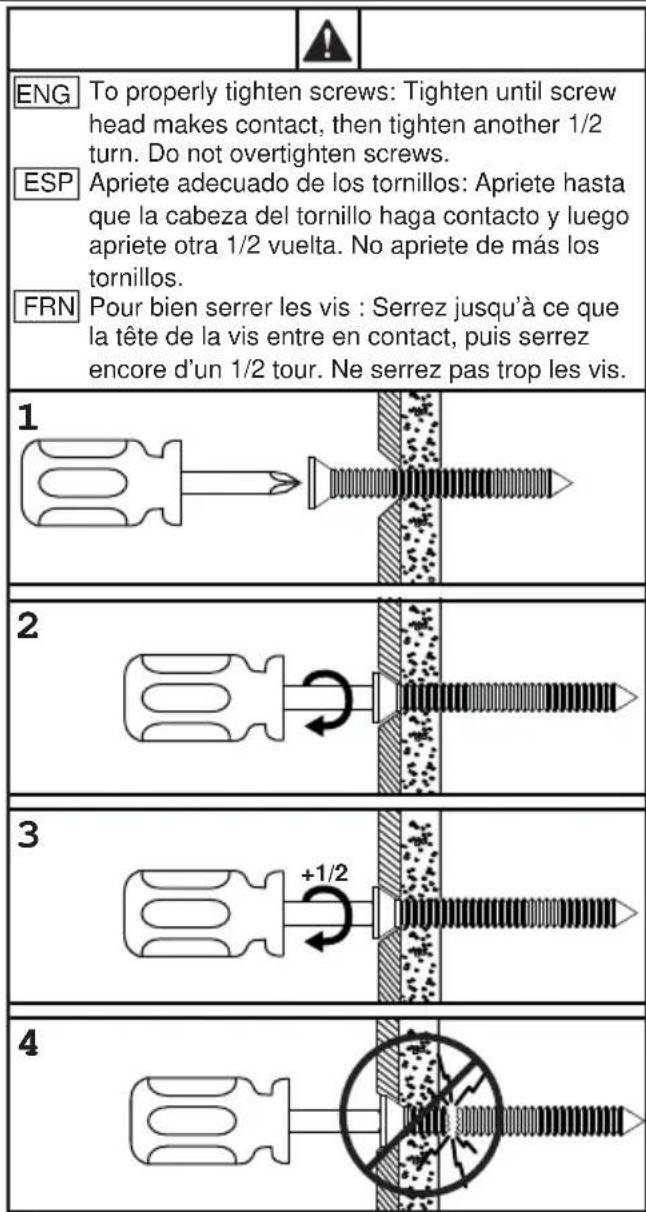
| Parts List | |||||
| IRTO49-100 Part # | IRTO49-S-100 Part # | IRTO55-100 Part # | IRTO55-S-100 Part #Description Qt | ||
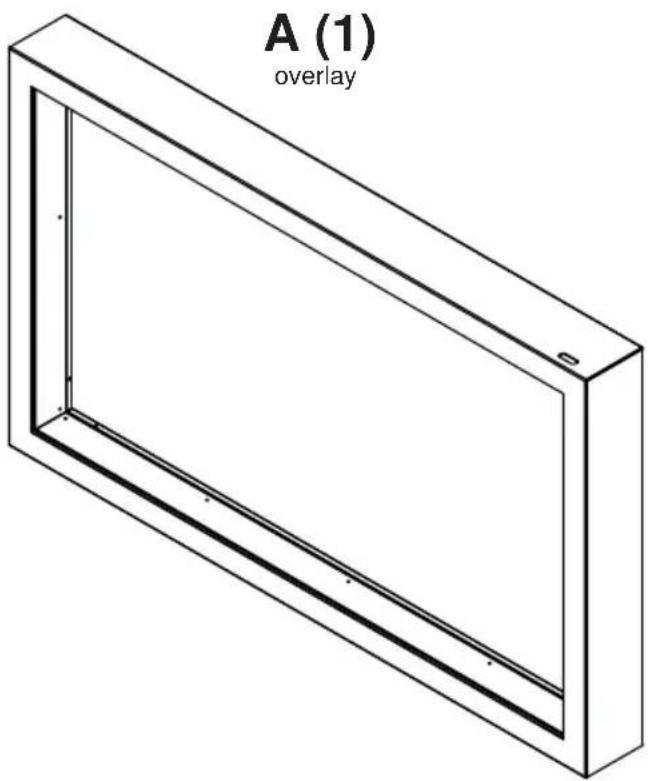
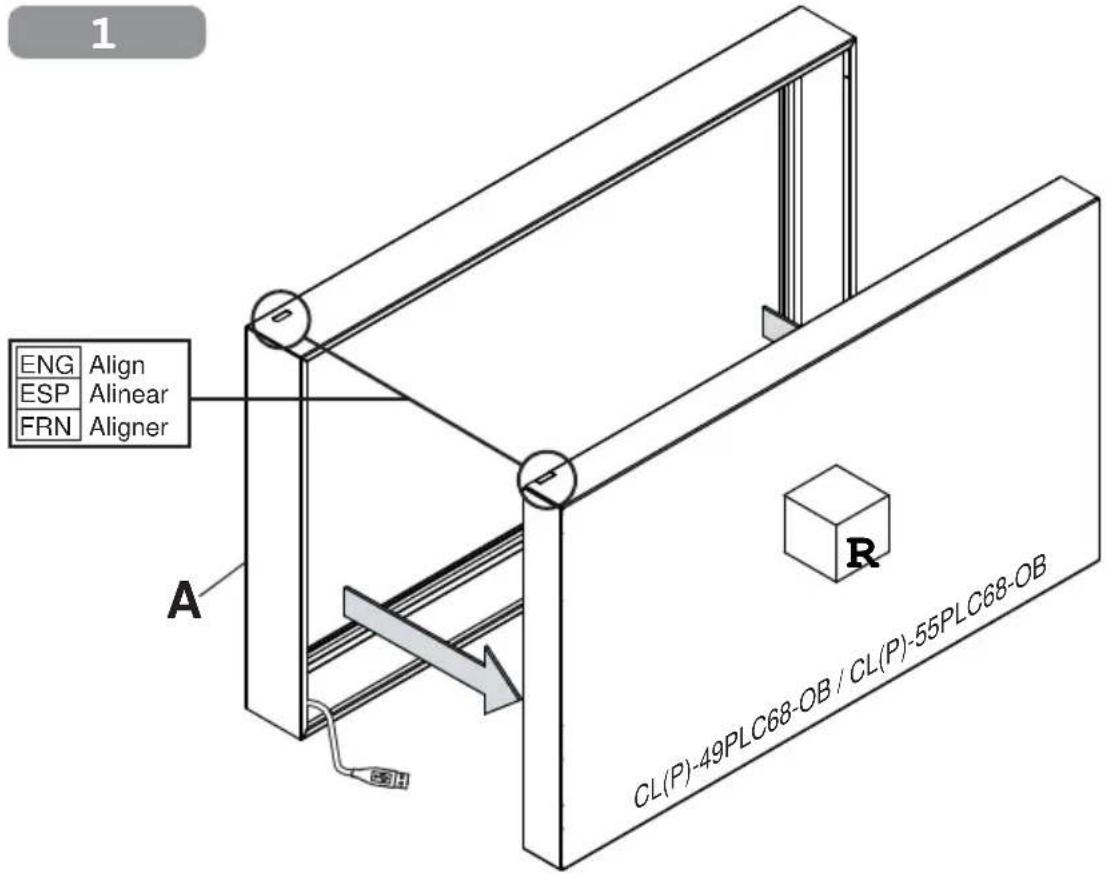
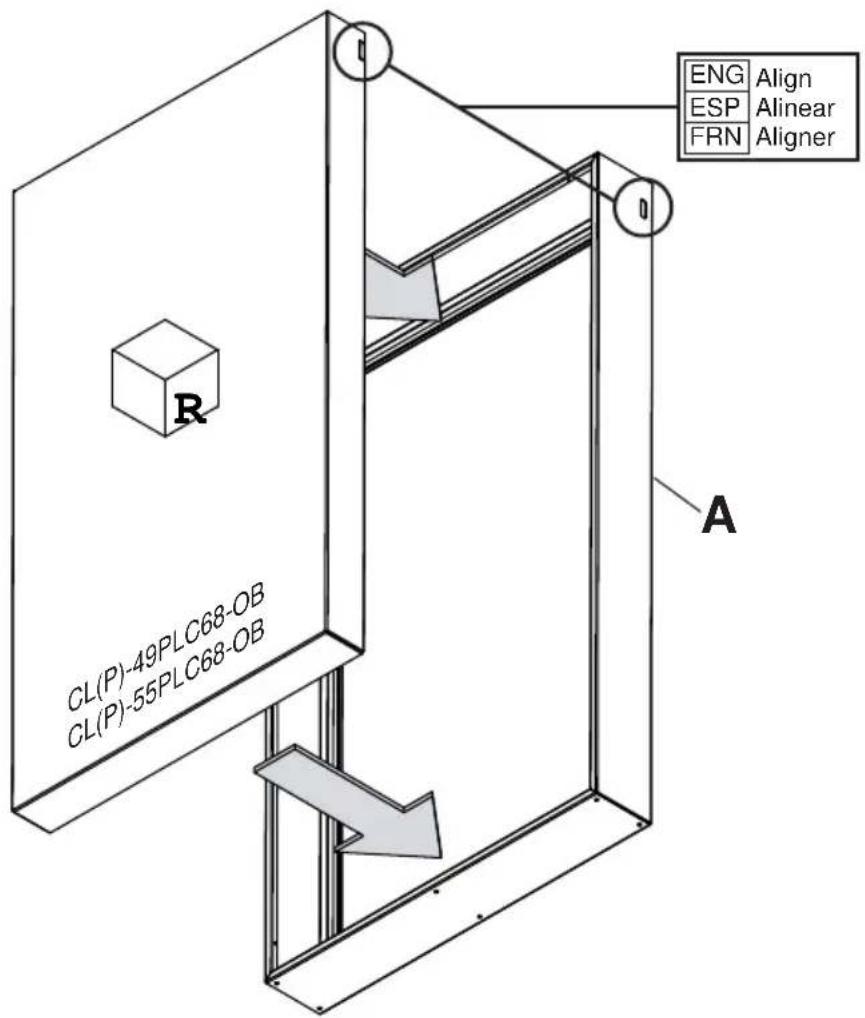
| A overlay 1 180-T1280 180-4280 180-T1281 180-4281 | |||||
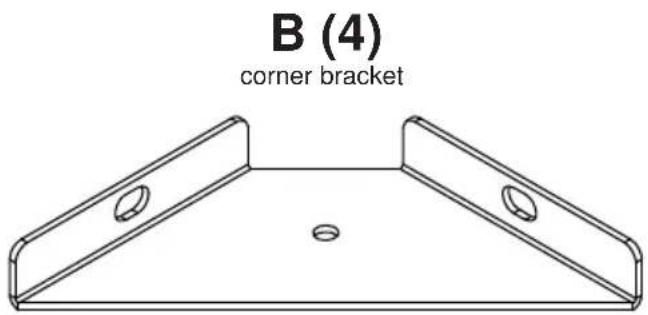
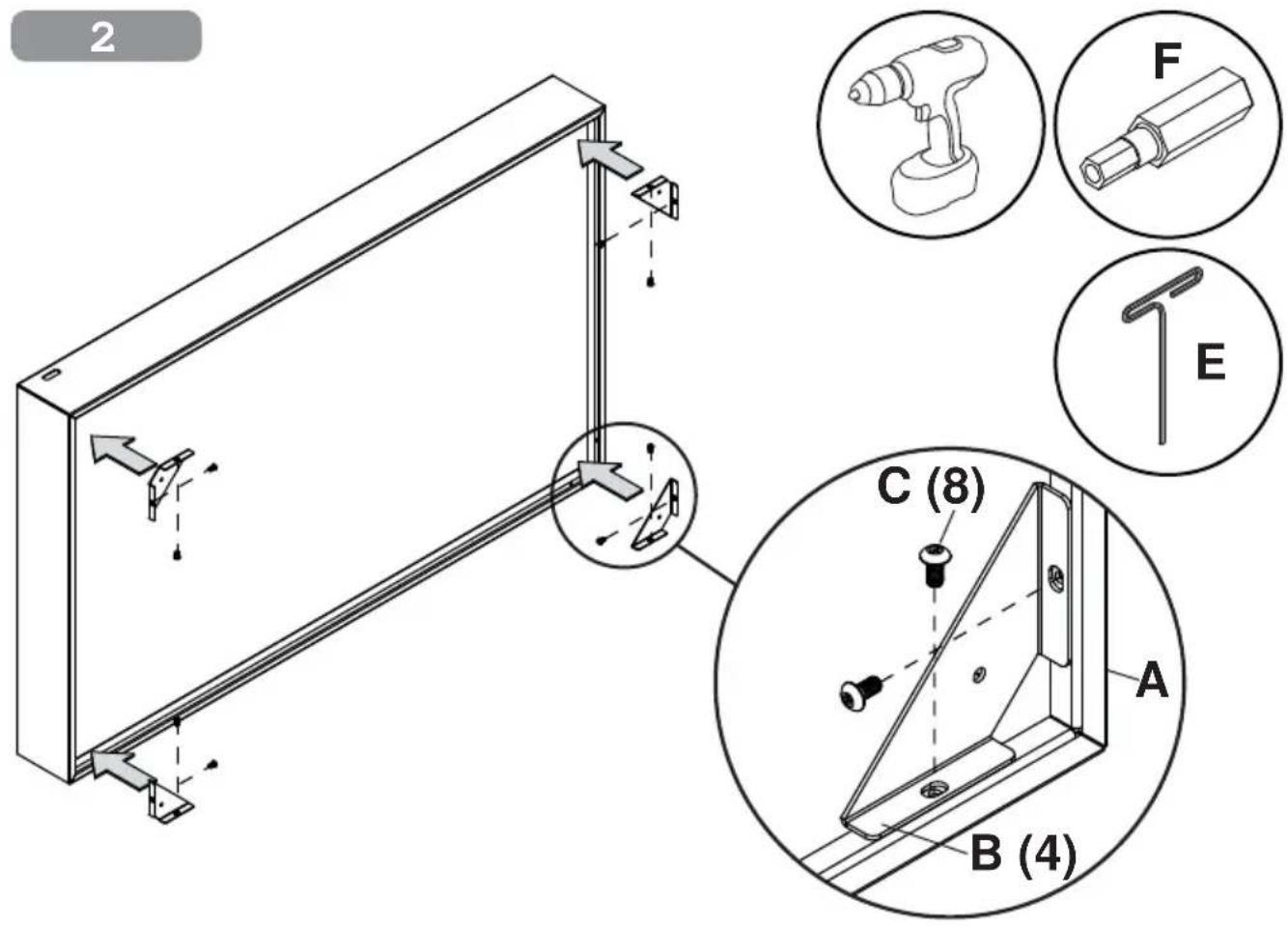
| B corner bracket 4 180-T1428 180-T1428 180-T1428 180-T1428 | |||||
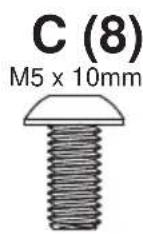
| C M5 x 10mm self-tapping screws 8 520-D1164 520-D1164 520-D1164 520-D1164 | |||||
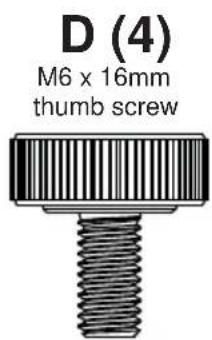
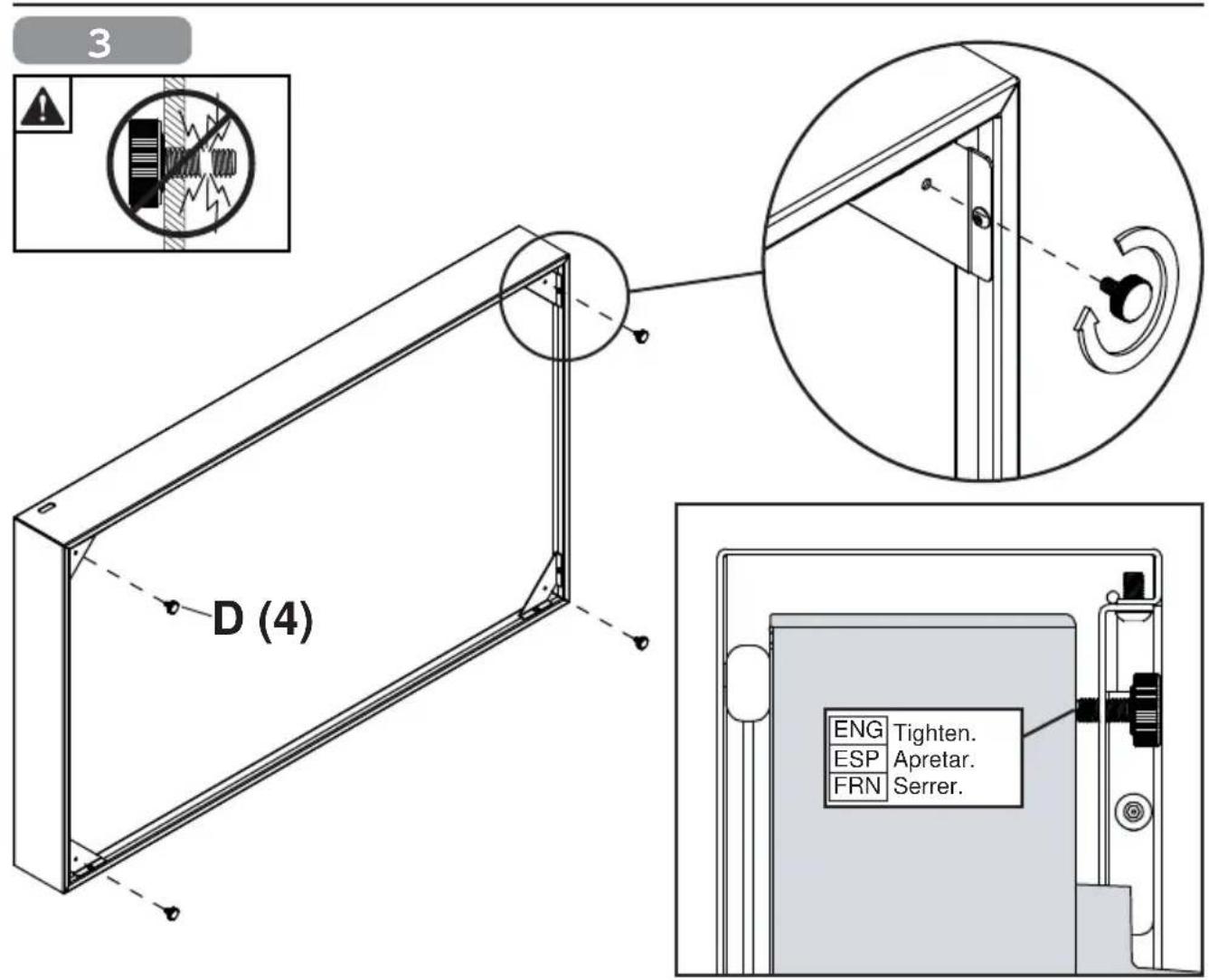
| D M6 x 16mm thumb screws 4 560-1397 560-1397 560-1397 560-1397 | |||||
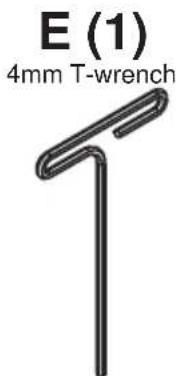
| E 4mm T-wrench | 1 560-1718 560-1718 560-1718 560-1718 | ||||
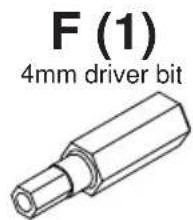
| F 4mm driver bit | 1 | 560-1133 | 560-1133 | 560-1133 | 560-1133 |
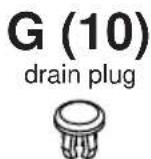
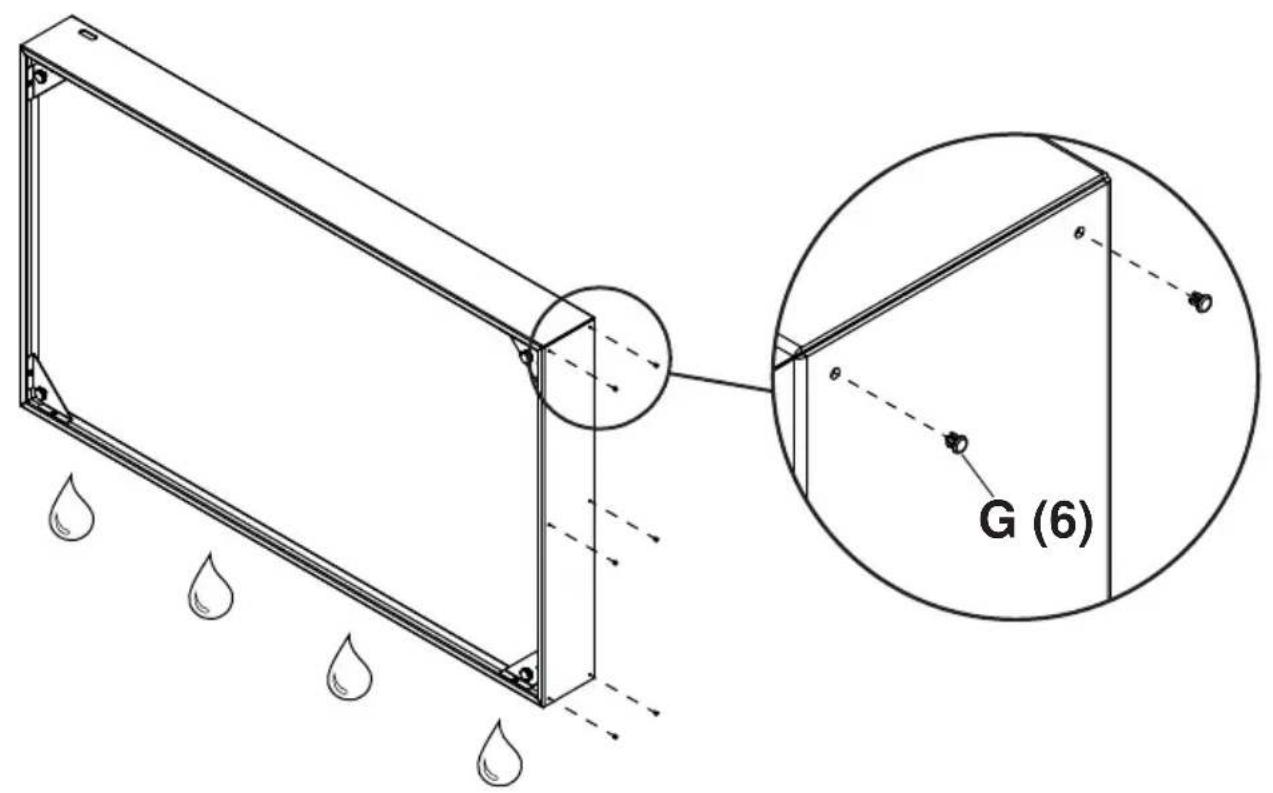
| G drain plug | 10 | 560-0923 | 560-0923 | 560-0923 | 560-0923 |
| H USB extension cable (not shown) | 1 | 600-0435 | 600-0435 | 600-0435 | 600-0435 |
4

5
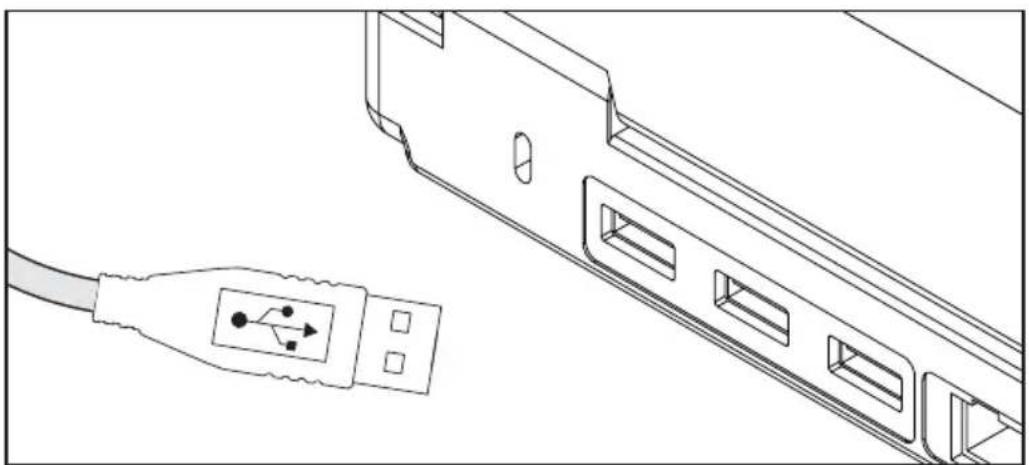
ENG Connect source device, and waterproof USB extensions with electrical tape or heat-shrinking tube.
natural_image
Line drawing of a USB cable connector with a separate USB port icon (no text or symbols)For most operating systems and display orientations calibration is not required. If the touch points are not being registered accurately please follow the instructions below for calibrating your IR Touch Overlay. You will need to connect a mouse until your IR Touch Overlay is calibrated properly.
- Please go to the following website xxxx and download the calibration software for the operating system that you are using.
-
Plug the USB from the IR Touch Overlay into the computer or media player that is being used.
-
Install the software on the computer or media player being used with the IR Touch Overlay.
-
Open the Zaagtech Multi-Touch software.
-
Select the language of your choice.
-
Select "Agree" on the License Agreement Page.
-
A prompt will appear to install the Universal Serial Bus Controllers. Check the box that says "Always trust software from Multi-Touch Surface Inc." and then click "Install". After the installation is complete it will automatically launch the software. Restart the connected pc or windows based media player.
-
Using your connected mouse open the ZinFrame Panel Software by either selecting the shortcut placed on the desktop or by going to the Start Menu, applications, ZaagTech and then clicking on the ZinFrame Panel icon.
-
Click on the "Calibration" button.
-
Spinning targets will appear on the screen. Touch and hold the spinning targets until they stop spinning and display the next target. After all targets have registered it will take you back to the main screen in the software.
-
If your connected pc or Windows based media player supports multi-touch, leave the HID Windows Icon at the top menu selected and then click "Ok" at the bottom of your configuration panel. If your pc or Windows based media player only supports single touch, click the mouse button in the top menu of the ZinFrame Panel software and then click "Ok" at the bottom of the calibration panel. Touch on your desktop to make sure that the touches are registering accurately. If the touches are registering accurately the calibration process is completed. If they are not registering accurately restart the connected pc or Windows based media player. Once fully booted verify that the touches are registering accurately. If they are still not registering accurately please contact Peerless-AV Customer Care at 800-865-2112 and ask to speak with one of our "PeerTech Pros" for further assistance.
For most operating systems and display orientations calibration is not required. If the touch points are not being registered accurately please follow the instructions below for calibrating your IR Touch Overlay. You will need to connect a mouse until your IR Touch Overlay is calibrated properly.
- Please go to the following website xxxx and download the calibration software for the operating system that you are using.
- Plug the USB from the IR Touch Overlay into the computer or media player that is being used.
- Install the software on the computer or media player being used with the IR Touch Overlay.
-
Open the Zaagtech Multi-Touch software.
-
If the Zaagtech Multi-Touch software is not detecting the IR Touch Overlay, please restart your computer or media player.
-
Once the computer or media player is rebooted all touches should be registering accurately. If this is not the case please open the Zaagtech Multi-Touch Software and click on calibration.
-
Spinning targets will appear on the screen. Touch and hold the spinning targets until they stop spinning and display the next target. After all targets have registered it will take you back to the main screen in the software.
-
If the connected Mac or Mac OS based media player support multi-touch, Click "Ok" at the bottom of the calibration panel. If the connected Mac or Mac OS based media player only supports single touch, click the mouse button in the top menu of the Zaagtech Multi-Touch software and then click "Ok" at the bottom of the calibration panel. Touch on the desktop to make sure that the touches are registering accurately. If the touches are registering accurately the calibration process is complete. If the touches are not registering accurately restart the connected restart the connected Mac or Mac OS based media player. Once fully booted verify that the touches are registering accurately. If the touches are still not registering accurately please contact Peerless-AV Customer Care at 800-865-2112 and ask to speak with one of our "PeerTech Pros" for further assistance.
Terms of Peerless-AV®
The Peerless-AV IR touch overlay is warranted to be free of defects in material and workmanship from the time of purchase by the original owner. If this product is found and proved to be defective under the terms and conditions of this warranty, Peerless-AV will repair or replace defective parts with new and/or reconditioned parts at no charge for the parts and labor to the original owner, subject to the terms and conditions of this Limited Warranty. This Limited Warranty covers failures due to defects in material and workmanship that occur during normal residential or commercial use as follows:
- Parts – the warranty period for parts is: two (2) years from the date of original purchase. During the applicable Limited Warranty period for parts, defective parts will be replaced at no charge. Parts used for the replacement will be warranted for the remainder of the original warranty period for those parts.
- Labor – the warranty period for labor is: two (2) years from the date of original purchase. During the applicable Limited Warranty period for labor, Peerless-AV will provide the labor for warranty repair at no charge for a period of two (2) years from the date of original purchase.
- Original owner must provide verification of the date of purchase when requesting Limited Warranty Services. A copy of the original Dated Sales Receipt is required together with the product to obtain service under this Limited Warranty.
- All repairs must be performed by a Peerless-AV Authorized Service Provider.
- Customer is responsible for returning (including any freight and shipping costs) defective unit to a Peerless-AV Authorized Service Provider. If the product is found to have no defects, the customer will be responsible for return shipping costs as well.
THIS LIMITED WARRANTY DOES NOT COVER:
• Labor to uninstall and reinstall the IR touch overlay
• Shipping damage.
- Damage caused during customer unpacking, and/or removal of packing materials.
- Damage due to power surges or lightning strikes.
- Damages which results from fire, flood, lightning, tornado, hurricane, large hail, extremely gusty winds, sand storms, vandalism, terrorism or other acts of nature.
- Any unit which has been modified or damaged due to improper installation or failure to obey the operating instructions in the User Manual.
- Any failure, loss, damage or personal injury due to accident, neglect, misuse, abuse, improper orientation, improper maintenance, improper storage, alteration to the unit, or failure by the consumer to follow operating instructions provided by the user manual.
- Any owner other than the original owner.
- Any unit purchased from an unauthorized seller.
- If the original product serial number has been removed, defaced or tampered with in any way.
- Any packaging or transportation charges incurred in connection with warranty services.
- Indirect, consequential, or special damages except as required by federal or state laws.
- Any unit tampered with, modified, adjusted or repaired by any party other than the Peerless-AV Authorized Service Provider.
- Any cosmetic damages to the surface or exterior that has been defaced or faded, or caused by normal wear and tear or exposure to chemicals, acid rain, large hail or adverse weather conditions.
- Return shipping when no defect is found.
Peerless-AV and its representatives or agents shall in no event be liable for any general, indirect or consequential damages arising out of/or caused by the use of /or the inability to use this product.
This warranty is made in lieu of all other warranties, expressed or implied, and all other liabilities on the part of Peerless-AV. Any other warranties, including the warranties of merchantability and fitness for a particular purpose are hereby disclaimed by Peerless-AV and its representatives and/or agents.
All warranty inspections and repairs must be performed by Peerless-AV or its authorized service representations.
Customer Care: 800.865.2112 or 630.375.5100
Website: www.peerless-av.com
© 2017 Peerless Industries, Inc. All rights reserved.
peerless-AV®
Peerless-AV
2300 White Oak Circle
Aurora, IL 60502
Email: tech@peerlessmounts.com
Ph: (800) 865-2112
Fax: (800) 359-6500
www.peerless-av.com
Peerless-AV Europe
Unit 3 Watford Interchange,
Colonial Way, Watford, Herts,
WD24 4WP, United Kingdom
Customer Care
44 (0) 1923 200 100
www.peerless-av.com
Peerless-AV de Mexico
Brand : Peerless-AV
Model : IRTO55-100
Category : Audiovisual support