
SimpleNet - Power adapter MANHATTAN - Free user manual and instructions
Find the device manual for free SimpleNet MANHATTAN in PDF.


| Product Type | Powerline Adapter (HomePlug AV500) |
| Model | SimpleNet |
| Part Number | 506663 |
| Dimensions (L x W x H) | 64 x 46.5 x 24.5 mm (2.5 x 1.8 x 1.0 in) |
| Weight | 0.3 kg (0.66 lbs) |
| Power Input | 100-240 VAC, 50/60 Hz |
| Power Consumption | 3 watts (maximum) |
| Network Speed | Up to 500 Mbps PHY rate |
| Encryption | 128-bit AES Link Encryption with key management |
| LED Indicators | Power, Power line Link/Activity, Ethernet Link/Activity |
| Ports | 1 x RJ45 10/100 Mbps Ethernet, 1 x AC power line |
| Chipset | Qualcomm Atheros AR7420 |
| Standards | IEEE 1901 / HomePlug AV, IEEE 802.3 10Base-T, IEEE 802.3u 100Base-TX |
| Modulation | OFDM with 1024/256/64/16/8-QAM, QPSK, BPSK, ROBO |
| Frequency Band | 2 – 50 MHz |
| Operating Temperature | 0°C to 40°C (32°F to 104°F) |
| Operating Humidity | 10% to 90% non-condensing |
| Storage Temperature | -10°C to 70°C (14°F to 158°F) |
| Storage Humidity | 10% to 90% non-condensing |
| Certifications | FCC Part 15 Class B, CE, RoHS, HomePlug AV Powerline |
| Warranty | Three-Year Limited Warranty |
| Package Contents | 1 x SimpleNet Adapter, 1 x Setup CD, 1 x Ethernet cable, 1 x Quick Install Guide |
| Compatibility | HomePlug 1.0 adapters, gaming consoles, smart TVs, computers, routers |
| System Requirements | Existing Manhattan SimpleNet adapter (for pairing), home network with router, Windows XP/Vista/7/8 for configuration utility |
Frequently Asked Questions - SimpleNet MANHATTAN
User questions about SimpleNet MANHATTAN
0 question about this device. Answer the ones you know or ask your own.
Ask a new question about this device
Download the instructions for your Power adapter in PDF format for free! Find your manual SimpleNet - MANHATTAN and take your electronic device back in hand. On this page are published all the documents necessary for the use of your device. SimpleNet by MANHATTAN.
USER MANUAL SimpleNet MANHATTAN
natural_image
White wireless router device with two black terminal pins (no visible text or symbols)SimpleNet
SimpleNet HomePlug AV500 Adapter
Part No.: 506663
The easiest way to create a high-speed network.
The Manhattan SimpleNet lets you to create a high-speed network for your home by simply plugging the adapters into any electrical outlet. You immediately create a high-speed, multi-stream, entertainment-oriented network over existing AC home wiring. Ideal for Web-ready gaming consoles, Smart TVs, computers and other digital media devices; there is simply no easier way to connect these to your network or the Internet.
Multimedia Streaming over Your Power Lines!
Network your PCs and share the high-speed Internet connection using existing electrical outlets. No need to drill holes in walls, pull cable through the attic or basement, or pay for a contractor. Just plug the SimpleNet into the wall, connect it to your router, and you have now created a network within your home. Attach multiple computers to the network by simply plugging them into additional SimpleNet adapters.
High Performance
SimpleNet complies with HomePlug AV standards and provides a network connection speed of up to 500 Mbps. It automatically senses the speed of the router or computer device, and adjusts to accommodate the correct Ethernet devices.
Cost Effective
Because there is no special wiring required, SimpleNet can be installed with minimal expense. And you can move them to different locations without having to reconfigure the adapter or your network. Plus, SimpleNet uses 128-bit encryption for the protection of you and your family.
* SimpleNet is compatible with HomePlug 1.0 adapters, but not the Powerline Turbo Ethernet Bridge. However, the two products can co-exist on the same power system without interfering with one another.
Kit includes one SimpleNet adapter
Features:
- Creates a high-speed 500 Mbps home network via your home's power lines
- Provides network access for gaming consoles, Web-ready TVs, computers and more
• Uses the latest in HomePlug AV technology for faster speeds and enhanced security -
Ideal for HD-quality video streaming and online gaming
-
Up to 500 Mbps network data rates and data security through 128-bit encryption
- Plug and play — installs in minutes with no drivers
- Compatible with HomePlug 1.0 adapters
• Three-Year Warranty
Specifications:
Standards
• IEEE 1901 / HomePlug AV
- IEEE 802.3 10Base-T
• IEEE 802.3u 100Base-TX
General
• 10/100 Mbps RJ45 port
- AC power line port
- Chipset: Qualcomm Atheros AR7420
- 500 Mbps PHY rate max.
• 128-bit AES Link Encryption with key management for secure power line communications
- OFDM modulation
• 1024/256/64/16/8 - QAM, QPSK, BPSK, ROBO carrier modulation
• Frequency band: 2 – 50 MHz
LEDs
- Power
• Power line Link/Activity - Ethernet Link/Activity
Power
- Internal: 100 – 240 VAC, 50 – 60 Hz
• Power consumption: 3 watts (maximum)
Environmental
- Dimensions: 64 (L) x 46.5 (W) x 24.5 (H) mm (2.5 x 1.8 x 1.0 in.)
• Weight: 0.3 kg (0.66 lbs.) - Operating temperature: 0 - 40°C (32 - 104°F)
- Operating relative humidity: 10 – 90%, non-condensing
- Storage temperature: -10 – 70°C (14 – 158°F)
- Storage relative humidity: 10 – 90%, non-condensing
Certifications
• HomePlug AV Powerline certification
• FCC Part 15, Part B, Class B
• CE
- RoHS
Minimum System Requirements
• Existing Manhattan SimpleNet Ethernet Adapter
• Established home network including router and Internet connection
- Configuration utility requires Windows XP, Vista, Windows 7 or Windows 8
Works With
• Gaming Consoles (Xbox 360, Playstation 3, Wii)
• Web-ready TVs and Blu-ray players
- Desktop or notebook computers
Package Contents
- SimpleNet Adapter
- Setup CD with user manual
- Ethernet network cable
- Quick install guide
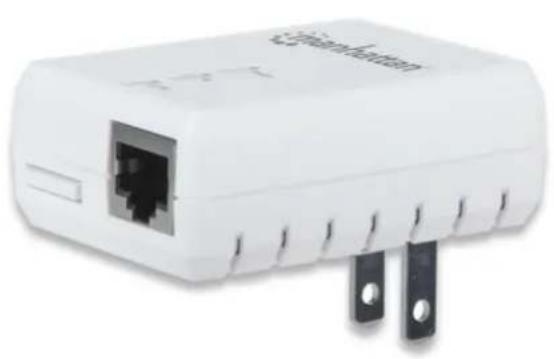
natural_image
White wireless router device with two black metal pins (no visible text or symbols)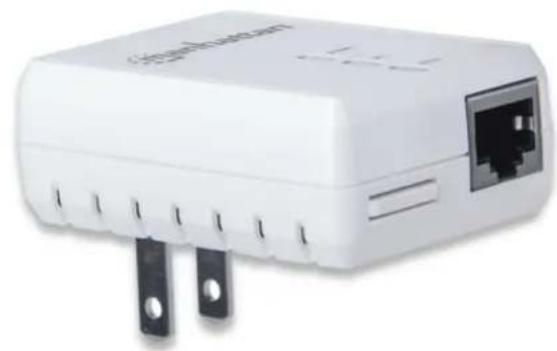
natural_image
White wireless router device with black terminal pins and a port outlet (no visible text or symbols)
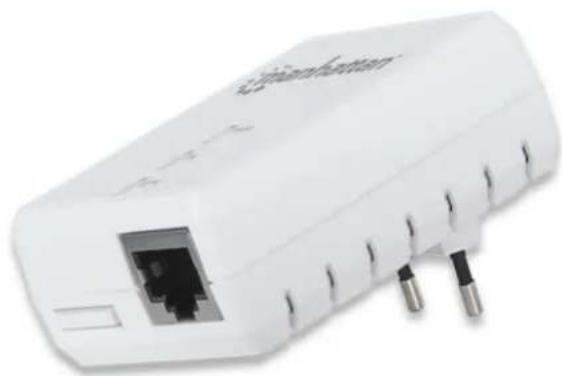
natural_image
White wireless router device with visible ports and internal socket (no text or symbols)
Brand : MANHATTAN
Model : SimpleNet
Category : Power adapter