
Juno CF1325 - Storage furniture Crosley - Free user manual and instructions
Find the device manual for free Juno CF1325 Crosley in PDF.


| Product Type | Record Storage Cube Bookcase |
| Brand | Crosley |
| Model | Juno CF1325 |
| Finish | Natural |
| Number of Drawers | 1 |
| Number of Shelves | 2 fixed shelves (upper and lower) plus top and bottom panels |
| Number of Legs | 5 (4 corners + 1 center) |
| Assembly Required | Yes (11 steps) |
| Tools Required | Phillips head screwdriver (not included); Allen wrench (included) |
| Hardware Included | Screws (short, long), bolts (round head, long), wood dowels, handle, Allen wrench, back brackets, safety strap kit |
| Safety Features | Tipover restraint (safety strap kit) included; warning label |
| Recommended Use | Record storage (LP vinyl records); not for clothing or TV |
| Warning | Never place TV; never allow children to climb; always install tipover restraint |
| Material | Engineered wood (MDF/particleboard) |
| Number of Parts | 22 (A2 to O2 plus legs and hardware) |
| Back Panels | 2 pieces (E2) that slide into grooves |
| Drawer Construction | 5-piece (front, left, right, back, bottom) |
| Assembly Note | Power tools not recommended; wood dowels for alignment |
| Care Instructions | Adjust levelers after assembly; clean with damp cloth |
| Partitions | 1 vertical partition panel (F2) |
| Leg Type | 4 corner legs + 1 center leg |
| Drawer Handle | Included (part #8) |
Frequently Asked Questions - Juno CF1325 Crosley
User questions about Juno CF1325 Crosley
0 question about this device. Answer the ones you know or ask your own.
Ask a new question about this device
Download the instructions for your Storage furniture in PDF format for free! Find your manual Juno CF1325 - Crosley and take your electronic device back in hand. On this page are published all the documents necessary for the use of your device. Juno CF1325 by Crosley.
USER MANUAL Juno CF1325 Crosley
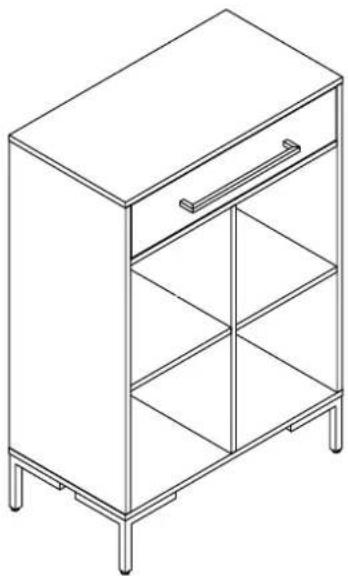
Record Storage Cube Bookcase CF1325
natural_image
Line drawing of a cabinet with shelves and legs (no text or symbols)PART LIST
A2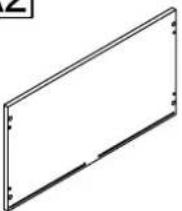 | B2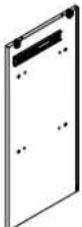 | C2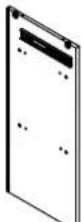 | D2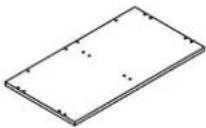 | E2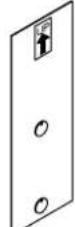 |
| Top Panel1 PC | Left Panel1 PC | Right Panel1 PC | Bottom Panel1 PC | Back Panel2 PCS |
F2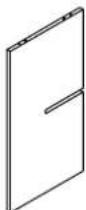 | G2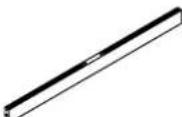 | H2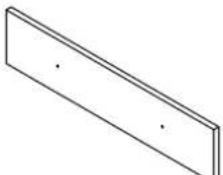 | I2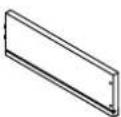 | J2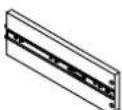 |
| Partition Panel1 PC | Back Rail1 PC | Drawer Front Panel1 PC | Drawer Left Panel1 PC | Drawer Right Panel1 PC |
K2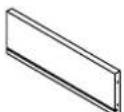 | L2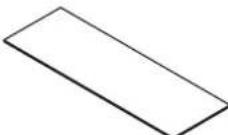 | M2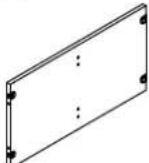 | N2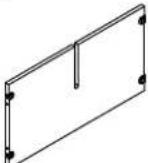 | O2[086X] |
| Drawer Back Panel1 PC | Drawer Bottom Panel1 PC | Upper Fixed Shelf Panel1 PC | Lower Fixed Shelf Panel1 PC | Back Slat1 PC |
P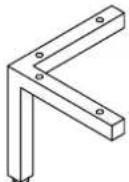 | Q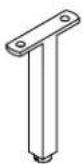 | |||
| Leg4 PCS | Center Leg1 PC | |||
HARDWARE LIST
| #1 | [∅4WC]∅3*15mm | #2 | [K43W]∅3*30mm | #3 | 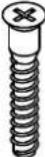 ∅7*38mm ∅7*38mm | #4 |  ∅5/32"*22mm ∅5/32"*22mm | #5 |  ∅1/4"*15mm ∅1/4"*15mm |
| Short Screw8 PCS (Extra 1) | Long Screw4 PCS | Screw10 PCS (Extra 2) | Round HeadBolt2 PCS | Bolt2 PCS | |||||
| #6 | [BACH]∅1/4"*30mm | #7 | [∅3*3]∅8*30mm | #8 | 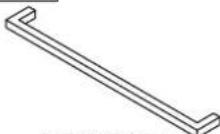 350*35*11mm 350*35*11mm | #9 | 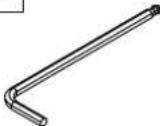 4mm 4mm | #10 | [ZZDH] |
| Long Bolt16 PCS (Extra 2) | Wood Dowel26 PCS (Extra 2) | Handle1 PC | Allen Wrench1 PC | Back Bracket8 PCS | |||||
| #11 | 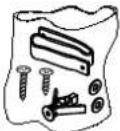 | ||||||||
| Safety Strap Kit1 SET | |||||||||
ADDITIONAL TOOLS (Not Provided)
Note: It is not recommended to use power tools during assembly.
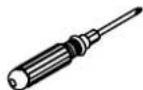
Phillips Head Screwdriver
Note: Wood dowels are intended for alignment. Additional clearance between wood dowel and pre-drilled hole is intentional for ease of assembly.
Please do not use tools to assemble this unit unless specifically indicated.
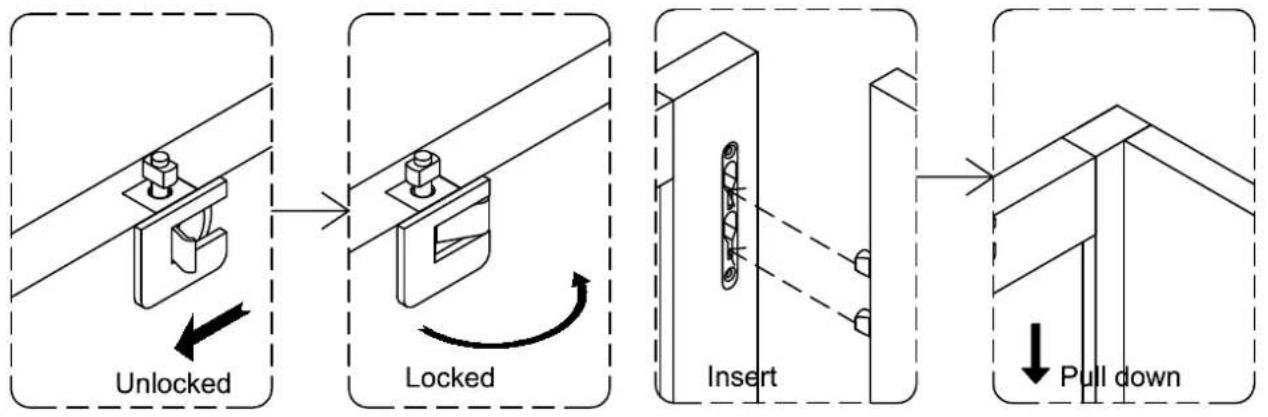
flowchart
graph TD
    A["Unlocked"] --> B["Locked"]
    B --> C["Insert"]
    C --> D["Pull down"]
Reference the images above any time the instructions state "lock the hardware" or "insert hardware and pull down to lock".
Be sure to check all hardware is locked when complete.
Step 1. Insert drawer left panel (part I2) and drawer right panel (part J2) into drawer front panel (part H2) pull down to lock. Slide drawer bottom panel (part L2) into grooves of assembled unit (parts H2, I2 & J2). Attach drawer back panel (part K2) to assembled unit (parts I2, J2 & L2) using long screws (part #2) and phillips head screwdriver. Attach handle (part #8) to drawer front panel (part H2) using round head bolts (part #4) and phillips head screwdriver.
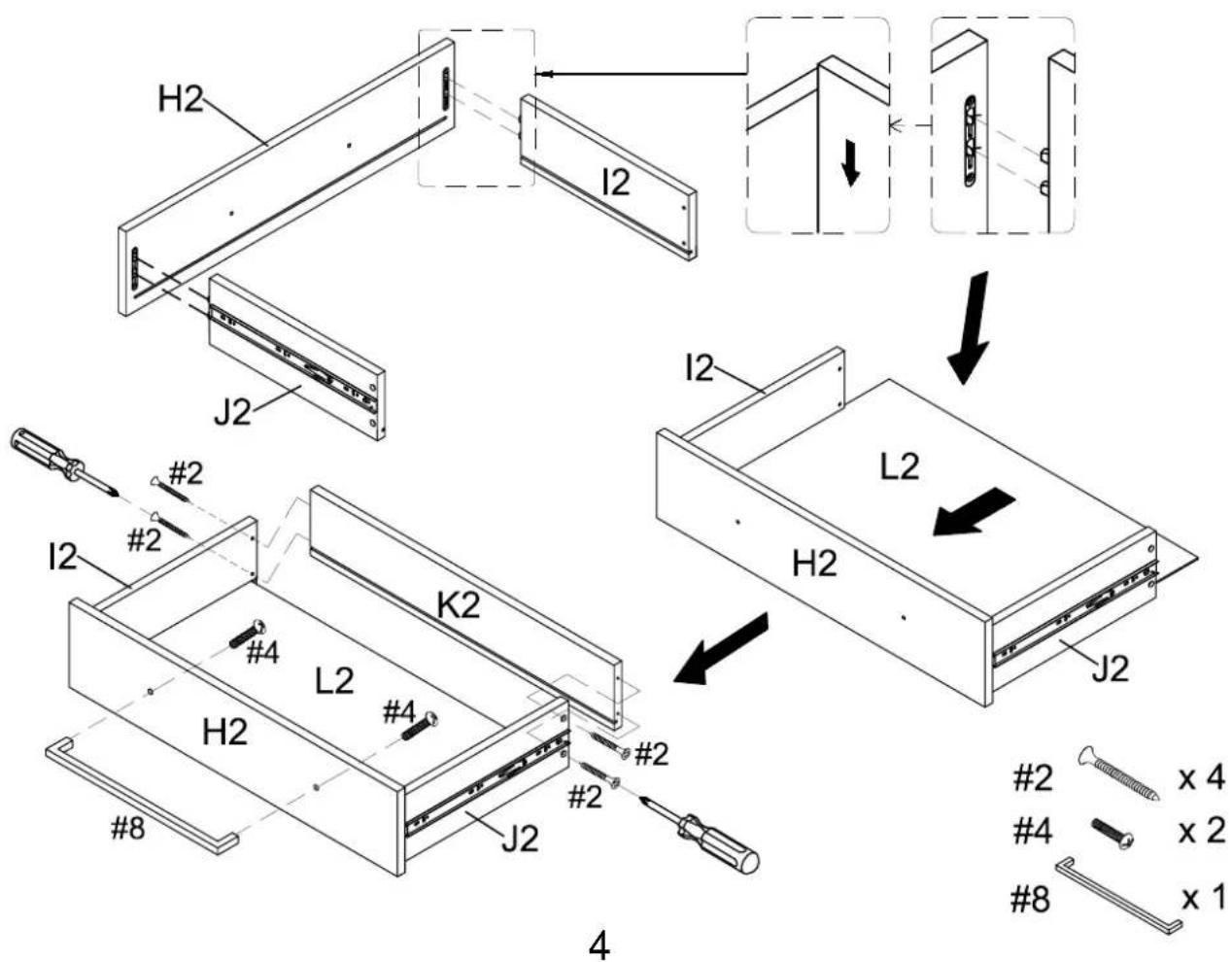
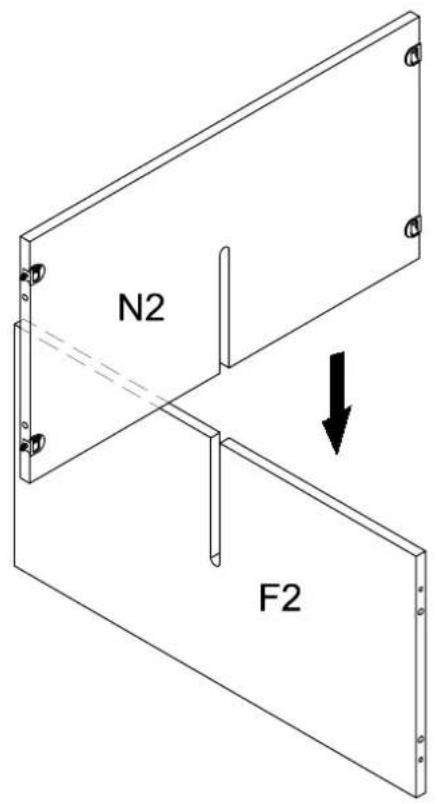
Step 2. Insert lower fixed shelf panel (part N2) to partition panel (part F2).
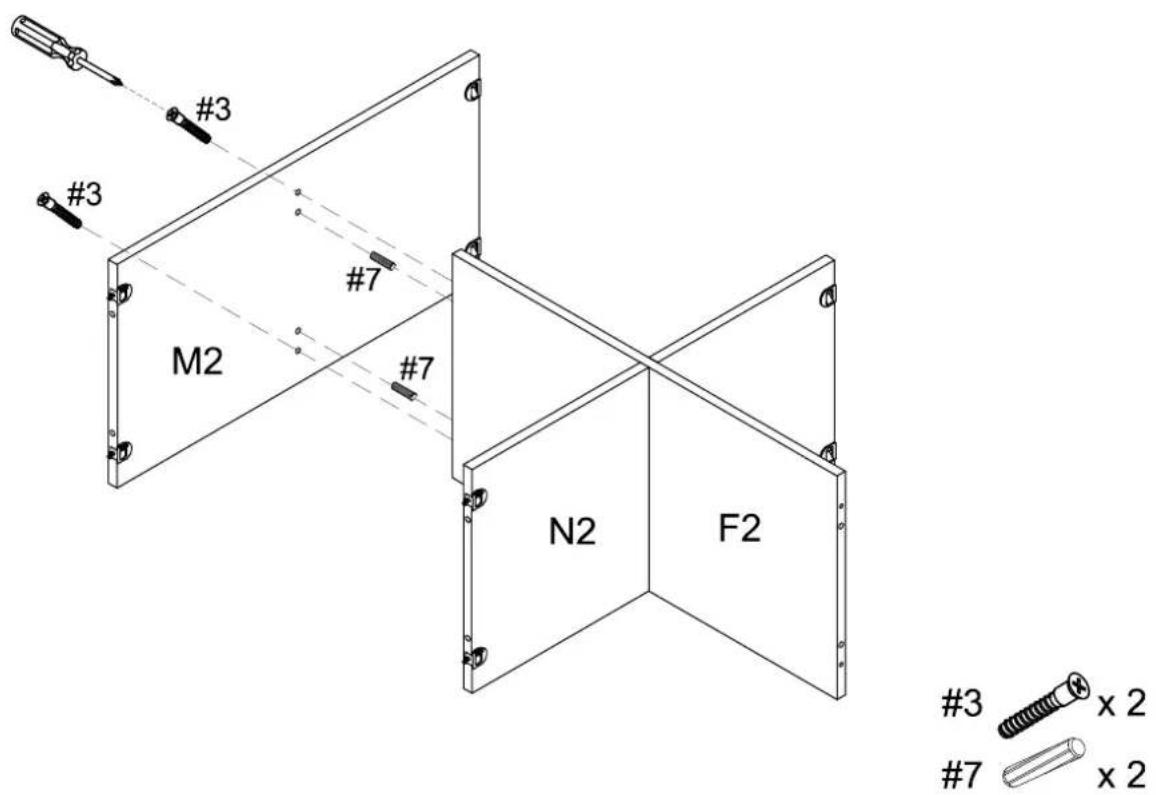
Step 3. Attach upper fixed shelf panel (part M2) to partition panel (part F2) using wood dowels (part #7), screws (part #3) and phillips head screwdriver.
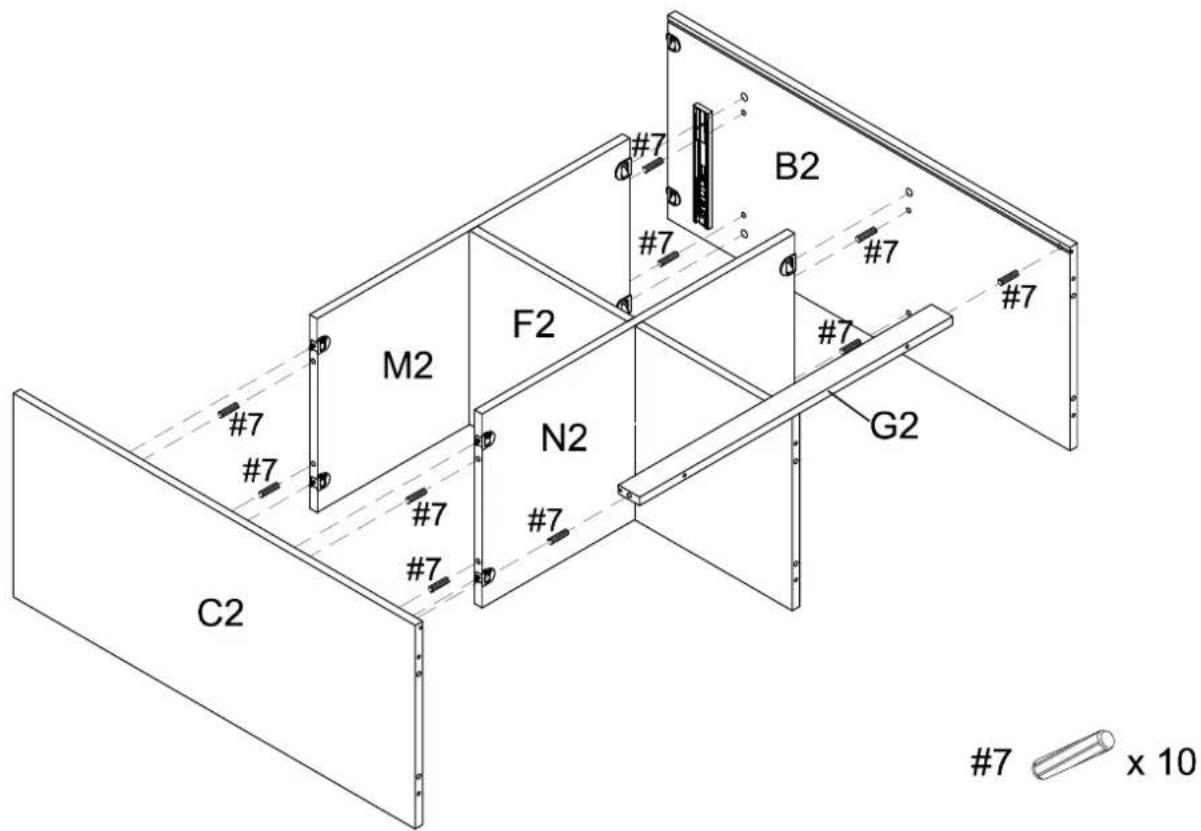
Step 4. Attach panels (parts B2 & C2) and back rail (part G2) to panels (parts F2, M2 & N2) using wood dowels (part #7) and lock the hardware.
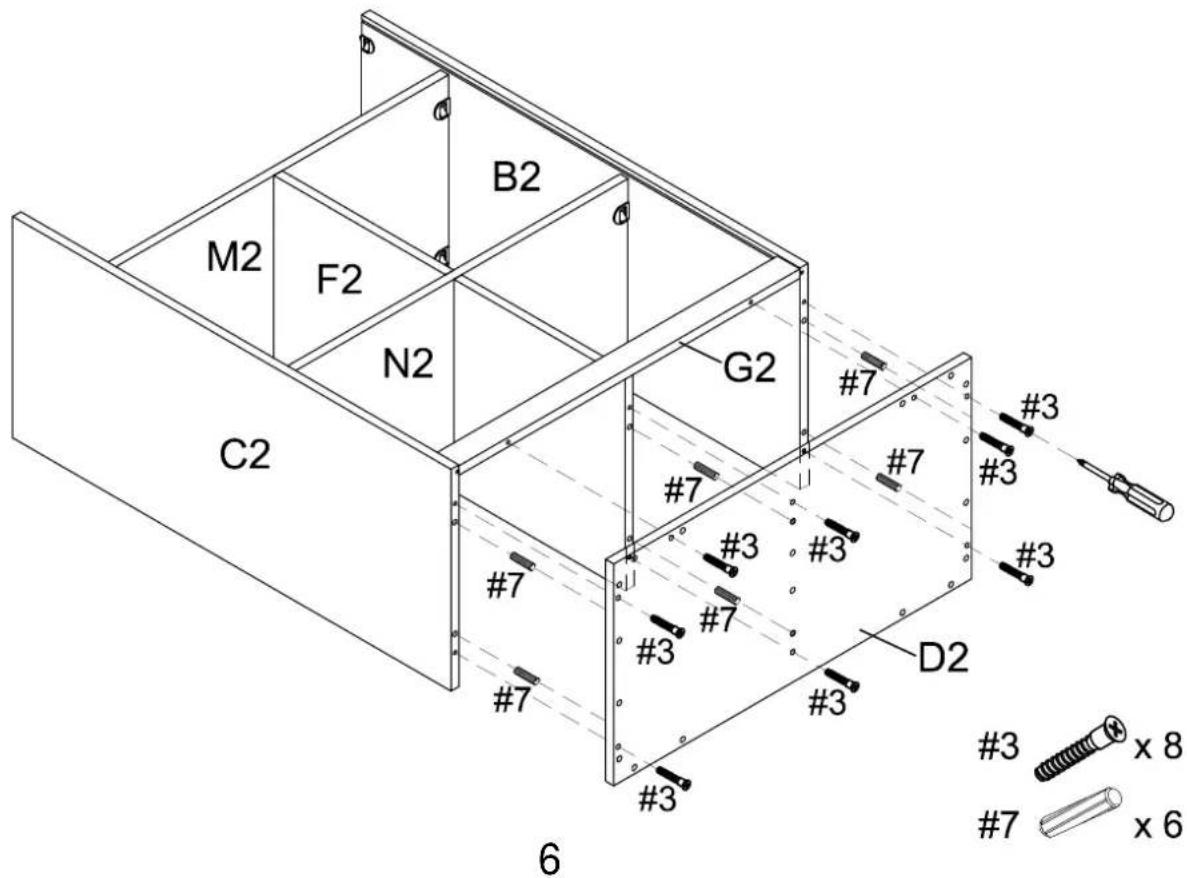
Step 5. Attach bottom panel (part D2) to assembled unit (parts B2, C2, F2 & G2) using wood dowels (part #7), screws (part #3) and phillips head screwdriver.
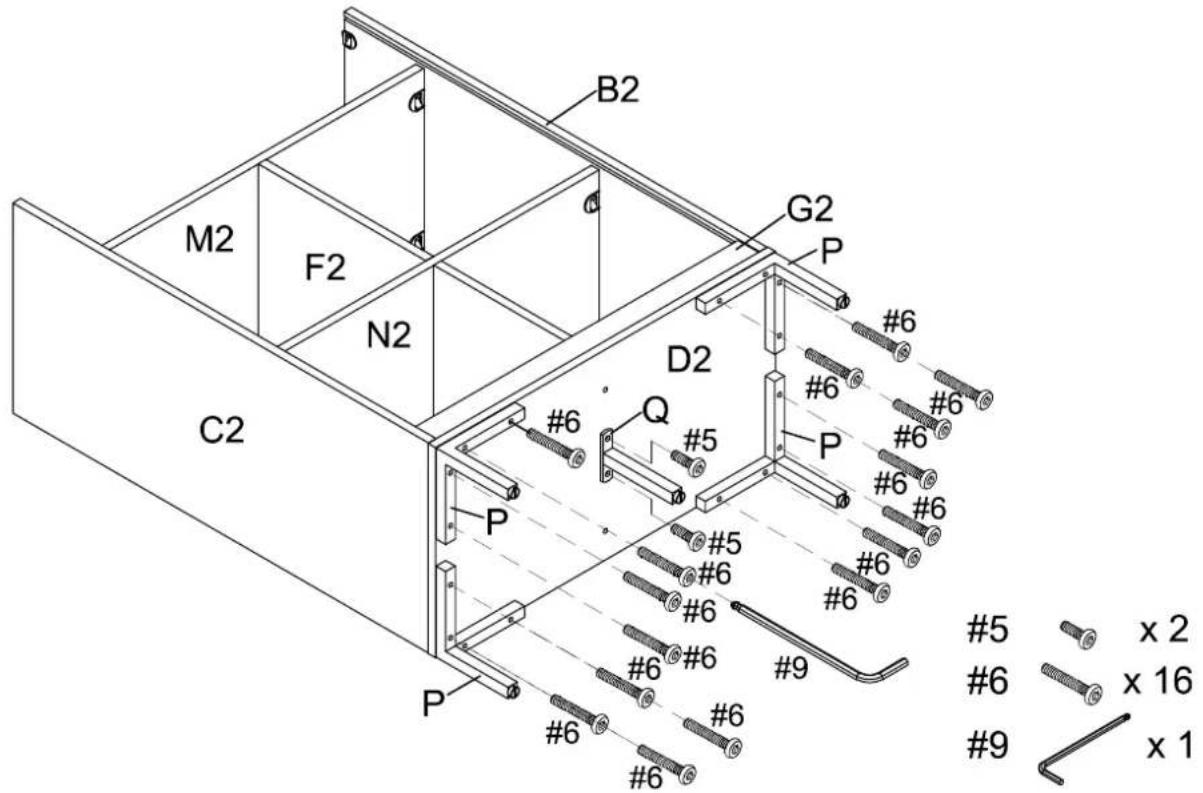
Step 6. Attach legs (parts P & Q) to bottom panel (part D2) using bolts (parts #5 & #6) and allen wrench (part #9).
Step 7. Carefully turn unit upright. Attach back slat (part O2) to back rail (part G2) using wood dowels (part #7).
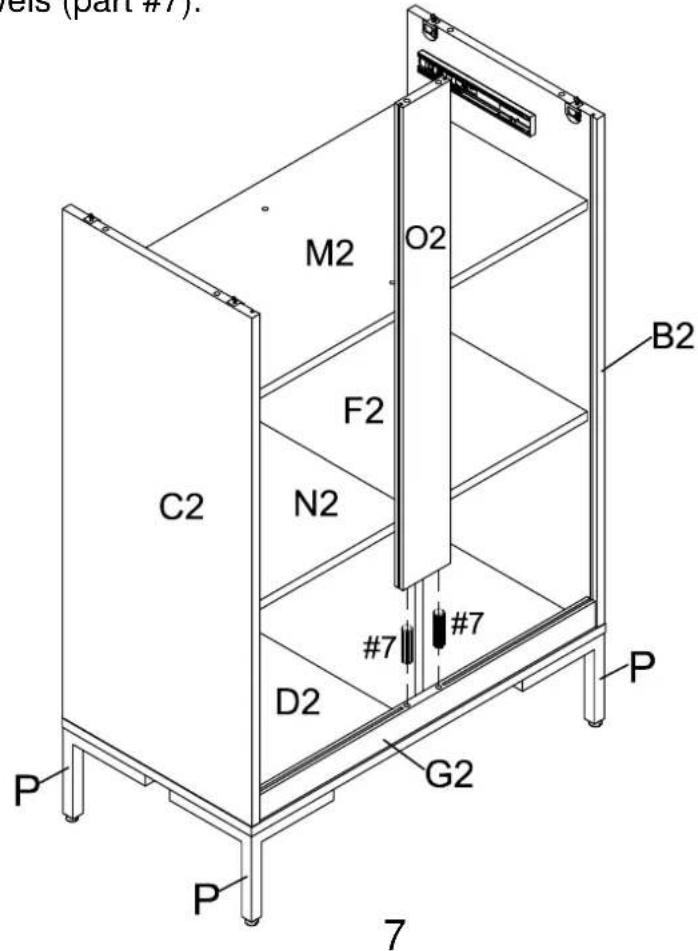
7 ×2
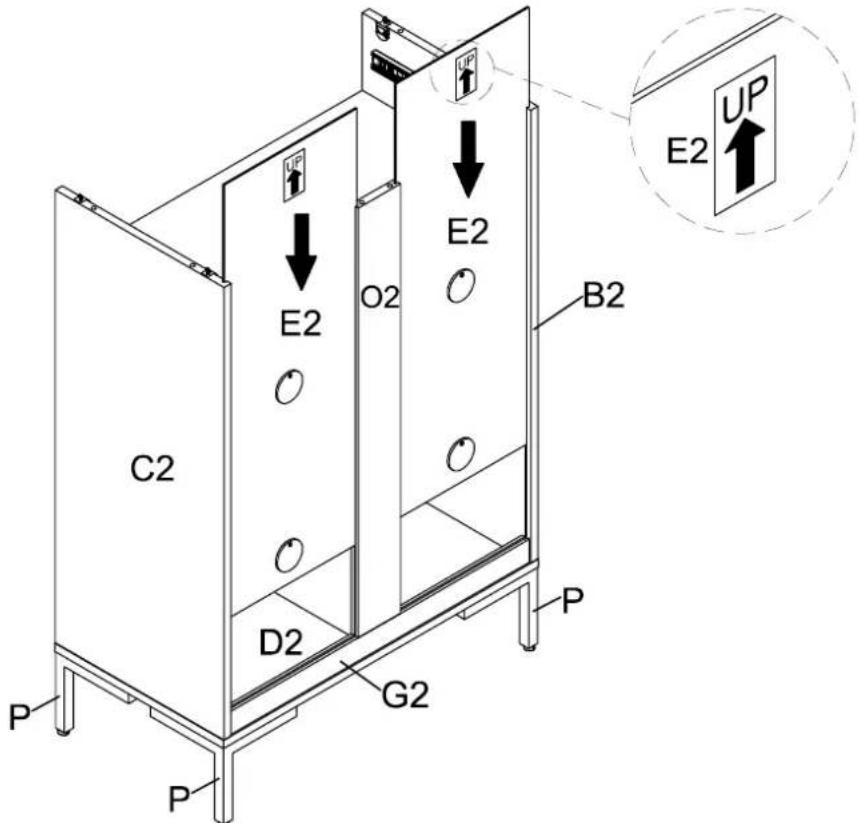
Step 8. Insert back panels (part E2) into grooves of assembled unit (parts B2, C2, G2 & O2).
Step 9. Attach top panel (part A2) to assembled unit (parts B2, C2 & O2) using wood dowels (part #7) and lock the hardware.
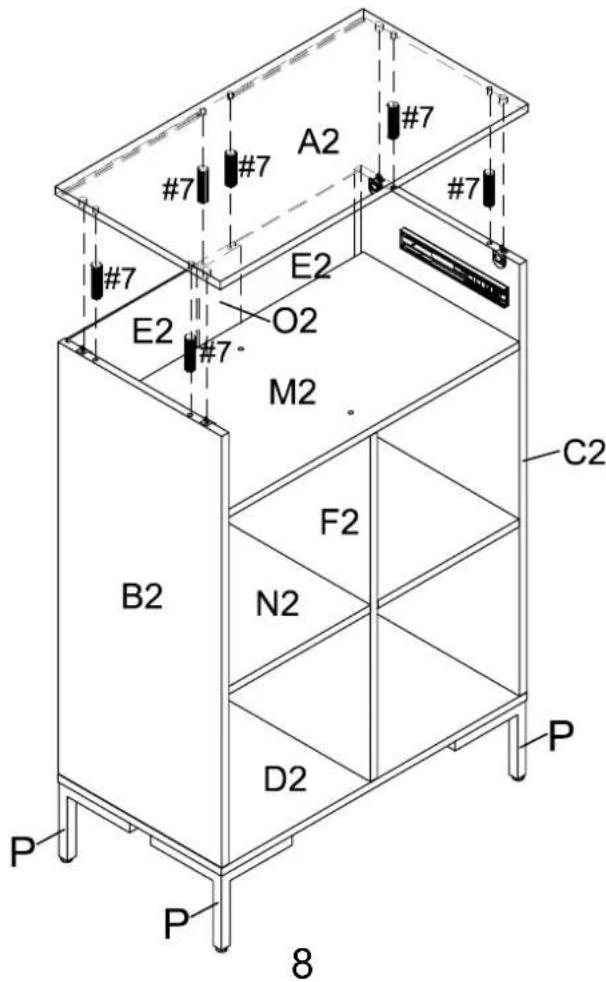
7 × 6
Step 10. Slide assembled drawer into place.
Note: To release trigger disconnect levers push one side up and the other down.
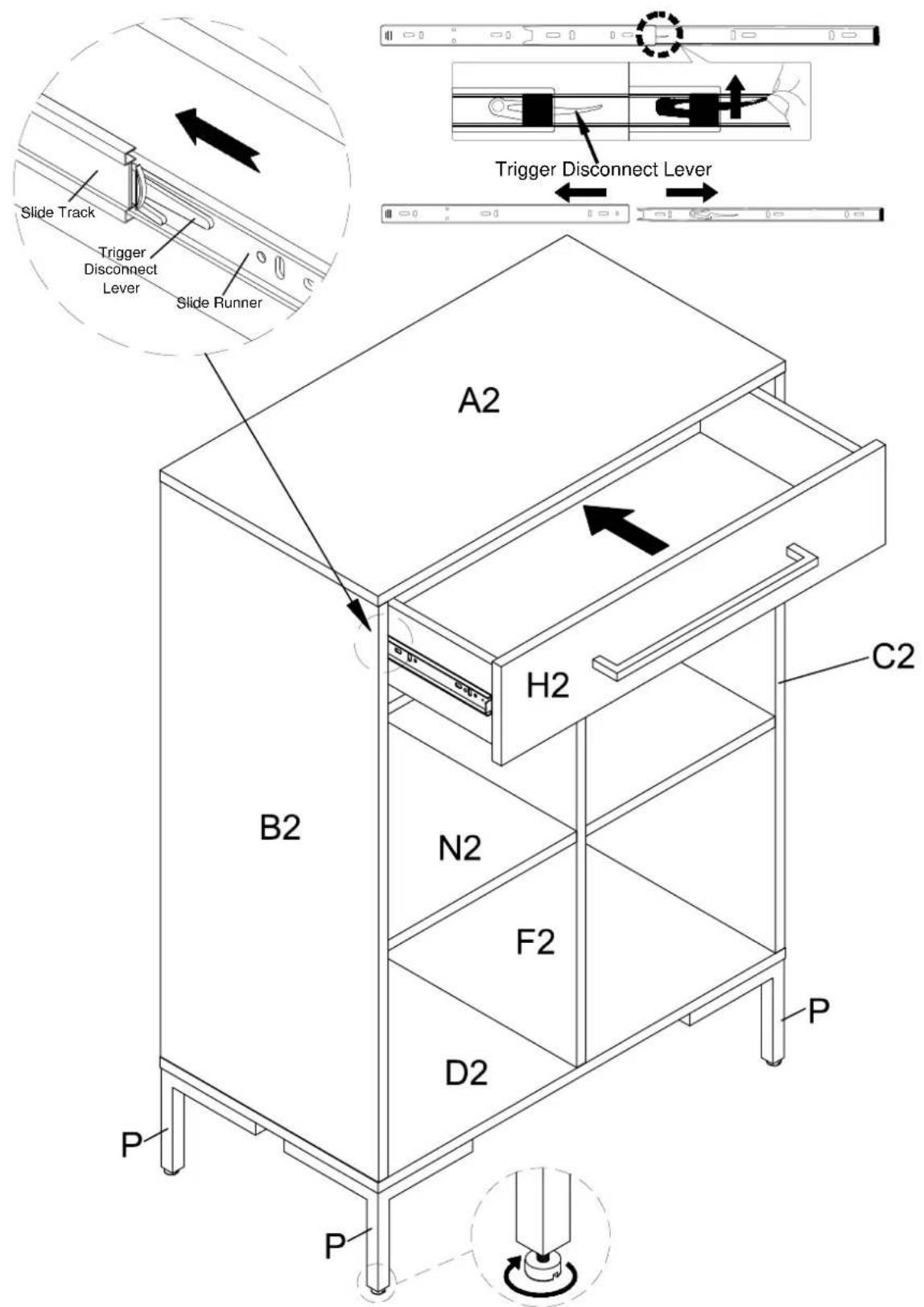
Note: It is important to adjust levelers once fully assembled and upright. Extend adjustable leveler until it's firmly in contact with the floor. If relocating, adjust leveler as needed until it's firmly in contact with the floor in new location.
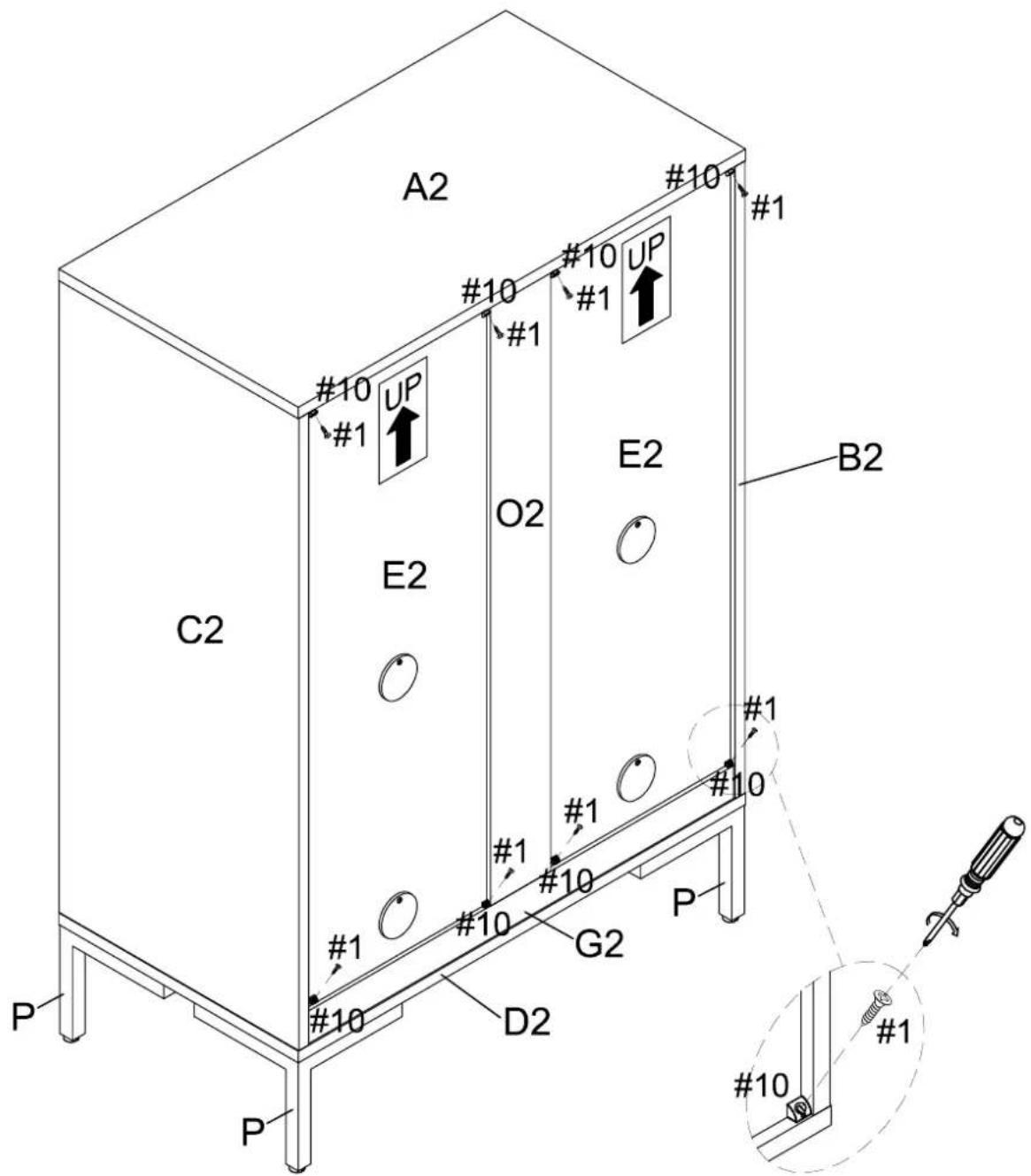
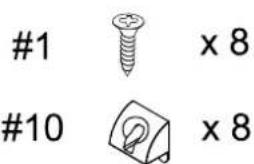
Step 11. Secure back brackets (part #10) at the corner of back panels (part E2) using short screws (part #1) and phillips head screwdriver.
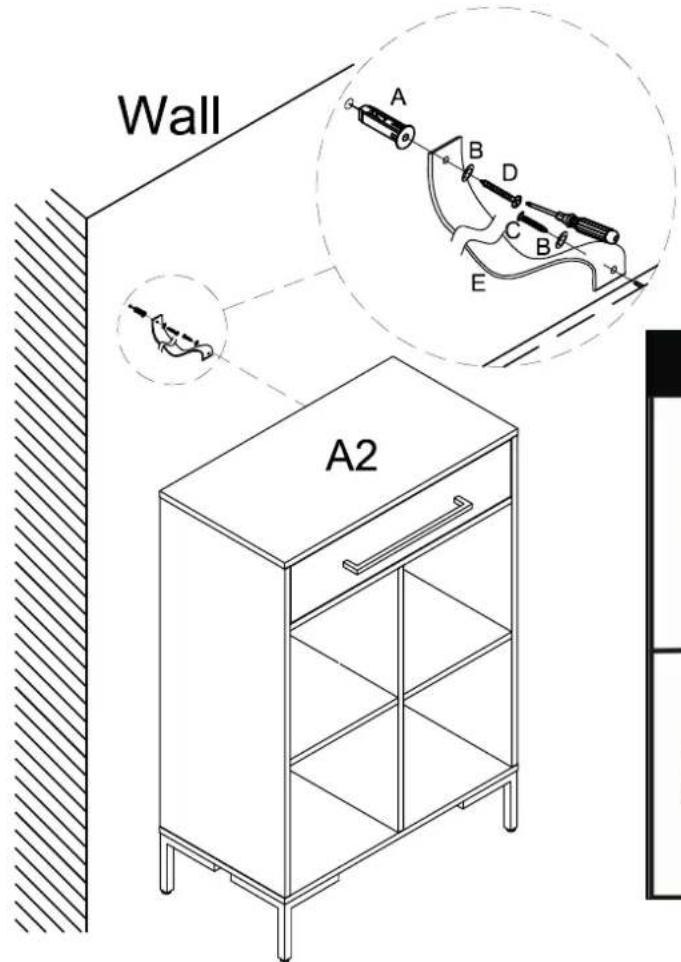
Important: Safety strap kit (part #11) must be installed to prevent tipping, damage and/or injury.
#11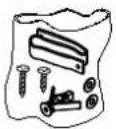 | A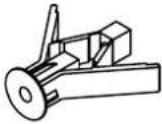 | B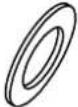 | C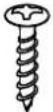 D8*3/4" D8*3/4" | D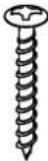 D8*1-1/2" D8*1-1/2" | E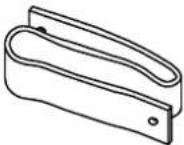 |
| Safety Strap Kit1 SET | Wall Anchor1 PC | 2 PCS | Short ScrewWasher1 PC | Long Screw1 PC | Safety Wall Strap1 PC |
SAFETY WALL STRAP INSTALLATION
Note: It is highly recommended to install this safety strap kit to prevent tipping, damage and/or injury.
- Insert short screw (C) through washer (B) and safety wall strap (E) and attach to top panel (part A2) using phillips head screwdriver.
-
Drill a 11/32" hole where you want to secure the unit. The drilled hole will be at the same height as the hole in top panel (part A2) where the safety wall strap (E) is attached. Tap wall anchor (A) into the hole.
-
Insert long screw (D) through washer (B) and safety wall strap (E) into wall anchor (A) using phillips head screwdriver.
Note: This item is not intended for clothing storage use.
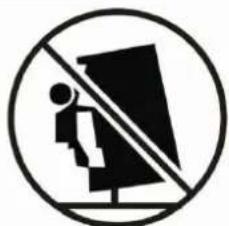
WARNING
natural_image
Prohibition sign with a person standing on a chair and a diagonal line crossing over a screen (no text or symbols)Children have died from
furniture tipover. To reduce the risk of furniture tipover:
- ALWAYS install tipover restraint Provided.
• NEVER put a TV on this product.
• NEVER allow children to stand, climb or hang on drawers, doors, or shelves. - NEVER open more than one drawer at a time.
- Place heaviest items in the lowest drawers.
This is a permanent label. Do not remove!



Brand : Crosley
Model : Juno CF1325
Category : Storage furniture