CCO07DB - Air conditioner Consul - Free user manual and instructions
Find the device manual for free CCO07DB Consul in PDF.


Pick your language and provide your email: we'll send you a specifically translated version.
| Product Type | Air Conditioner |
| Brand | Consul |
| Model | CCO07DB |
| Cooling Capacity | 7000 BTU |
| Power Supply | 115V / 60Hz |
| Power Consumption (Cooling) | 650 W |
| Air Flow (High) | 200 CFM |
| Noise Level (Indoor) | 50 dB |
| Noise Level (Outdoor) | 55 dB |
| Dimensions (W x H x D) | 45 x 35 x 30 cm |
| Weight | 22 kg |
| Refrigerant Type | R410A |
| Control Type | Remote Control |
| Timer | 24-hour programmable |
| Sleep Mode | Yes |
| Filter Type | Washable mesh filter |
| Self-Cleaning Function | Yes |
| Dehumidification | Yes (up to 1.5 L/h) |
| Installation Type | Window / Portable (dual hose optional) |
| Energy Efficiency Ratio (EER) | 10.8 |
| Warranty | 1 year (parts and labor) |
| Included Accessories | Remote control, window kit, exhaust hose |
Frequently Asked Questions - CCO07DB Consul
How do I clean the air filter?
Turn off the unit and unplug it. Remove the front panel, take out the filter, and wash it with warm water and mild detergent. Let it dry completely before reinstalling. Clean every 2 weeks for optimal performance.
Can I use an extension cord?
No, do not use an extension cord. Plug the air conditioner directly into a grounded outlet. Using an extension cord can cause voltage drop and overheating.
How to set the timer?
Press the Timer button on the remote. Use the +/- buttons to set the desired time (1-24 hours). The unit will turn off automatically after the set time.
What does the error code 'E1' mean?
Error code E1 indicates a problem with the room temperature sensor. Clean the sensor and restart the unit. If the error persists, contact customer service.
How often should I drain the water?
In cooling mode, the unit self-evaporates most water. However, in humid conditions, you may need to drain the water tank manually. Check every few days and empty if full.
Can I use the air conditioner without installing the exhaust hose?
No, the exhaust hose must be installed to vent hot air outside. Without it, the unit will not cool effectively and may overheat.
What is the minimum window opening required?
The minimum window opening is 40 cm (16 inches) wide. The window kit can be adjusted for heights up to 120 cm (47 inches).
How to switch between cooling and fan mode?
Press the Mode button on the remote or control panel. Cycle through Cool, Fan, and Dry modes. The indicator light shows the selected mode.
The unit is not cooling properly. What should I check?
Ensure the filter is clean, the exhaust hose is not blocked, and the thermostat is set lower than room temperature. Also, check that all windows and doors are closed.
Does the unit have a sleep mode?
Yes, press the Sleep button. The unit will gradually adjust the temperature and fan speed for quieter operation during the night.
User questions about CCO07DB Consul
0 question about this device. Answer the ones you know or ask your own.
Ask a new question about this device
No questions yet. Be the first to ask one.
Download the instructions for your Air conditioner in PDF format for free! Find your manual CCO07DB - Consul and take your electronic device back in hand. On this page are published all the documents necessary for the use of your device. CCO07DB by Consul.
USER MANUAL CCO07DB Consul

5. Dark Experiences
bar
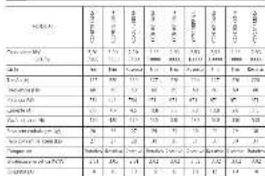
| Category | Value 1 (%) | Value 2 (%) | Value 3 (%) | Value 4 (%) | Value 5 (%) | Value 6 (%) | |---|---|---|---|---|---|---| | Other items | 1.0 | 1.0 | 1.0 | 1.0 | 1.0 | 1.0 | | Cash and cash equivalents | 1.0 | 1.0 | 1.0 | 1.0 | 1.0 | 1.0 | | Cash and cash equivalents (net) | 1.0 | 1.0 | 1.0 | 1.0 | 1.0 | 1.0 | | Cash and cash equivalents (net + tax) | 1.0 | 1.0 | 1.0 | 1.0 | 1.0 | 1.0 | | Cash and cash equivalents (net + tax + tax) | 1.0 | 1.0 | 1.0 | 1.0 | 1.0 | 1.0 | | Cash and cash equivalents (net + tax + tax + tax + tax + tax + tax + tax + tax + tax + tax + tax + tax + tax + tax + tax + tax + tax + tax + tax + tax + tax + tax + tax + tax + tax + tax + tax + tax + tax + tax + tax + tax + tax + tax + tax + tax + tax + tax + tax + tax + tax + tax + tax + tax + tax + tax + tax + tax + tax + tax +□

Consul

Consul


Consui

Table of contents
Click a title to access it
Manual assistant
Powered by Anthropic
Waiting for your message
Product information
Brand : Consul
Model : CCO07DB
Category : Air conditioner