
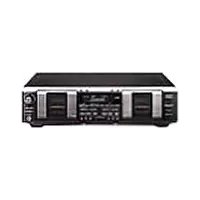
SLV-N650 - Tape recorder SONY - Free user manual and instructions
Find the device manual for free SLV-N650 SONY in PDF.


| Product Type | Video Cassette Recorder (VCR) |
| Brand | Sony |
| Model | SLV-N650 |
| Dimensions (approx.) | 430 x 95 x 350 mm (16.9 x 3.7 x 13.8 inches) |
| Weight (approx.) | 4.5 kg (9.9 lbs) |
| Power Supply | 120V/240V AC, 50/60 Hz |
| Power Consumption | 20 W (typical) |
| Video Heads | 4-head helical scan system |
| Audio System | Hi-Fi stereo, mono linear track |
| Recording Time (max) | 120 minutes (SP mode) with T-120 tape |
| Functions | Play, Record, Rewind, Fast Forward, Stop, Eject, Pause, Timer Recording, Index Search, Auto Tracking |
| Inputs | Antenna (RF), Composite video/audio (RCA), S-Video |
| Outputs | RF out, Composite video/audio (RCA), S-Video |
| Remote Control | Infrared remote included |
| Timer Recording | Up to 8 events, with on-screen programming |
| VCR Plus+ | Yes (for easy timer setting) |
| Maintenance | Clean video heads with cleaning cassette; avoid dust and moisture |
| Safety Precautions | Do not expose to moisture or heat; unplug during storms; use only specified power source |
| Spare Parts / Repairability | Common parts include belts, pinch roller, heads; repairs by qualified technician recommended |
Frequently Asked Questions - SLV-N650 SONY
User questions about SLV-N650 SONY
0 question about this device. Answer the ones you know or ask your own.
Ask a new question about this device
Download the instructions for your Tape recorder in PDF format for free! Find your manual SLV-N650 - SONY and take your electronic device back in hand. On this page are published all the documents necessary for the use of your device. SLV-N650 by SONY.
USER MANUAL SLV-N650 SONY
Video Cassette Recorder
Operating Instructions
For customers in the USA
Many solutions to common problems and service information can be found at www.sony.com/vcrhelp or contact Sony VCR service at 1 (800) VHS-SONY.
To register your purchase of this product, visit:
www.sony.com/productregistration
For all other Sony product questions, please call Sony Customer
Information Services Company at 1-800-222-SONY (7669).
For Customers in Canada
If this product is not working properly, please call 1-877-602-2008 for
Peace of Mind Warranty Replacement service.
For other product related questions please contact our Customer
Information Service Centre at 1-877-899-7669 or write to us at: Customer
Information Service 115 Gordon Baker Road, Toronto, Ontario, M2H 3R6
VHS
Hi-Fi

SLV-N750
SLV-N650
WARNING
To prevent fire or shock hazard, do not expose the unit to rain or moisture.
To prevent fire or shock hazard, do not place objects filled with liquids, such as vases, on the apparatus.
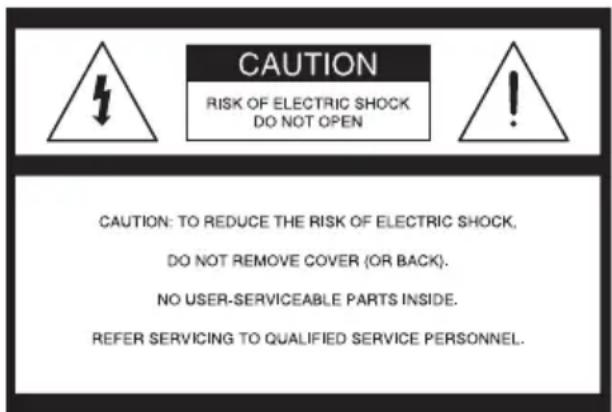

This symbol is intended to alert the user to the presence of uninsulated “dangerous voltage” within the product’s enclosure that may be of sufficient magnitude to constitute a risk of electric shock to persons.

This symbol is intended to alert the user to the presence of important operating and maintenance (servicing) instructions in the literature accompanying the appliance.
CAUTION:
TO PREVENT ELECTRIC SHOCK, MATCH WIDE BLADE OF PLUG TO WIDE SLOT, FULLY INSERT.
Precautions
Safety
- Operate the unit only on 120 V AC, 60 Hz.
- If anything falls into the cabinet, unplug the unit and have it checked by qualified personnel before operating it any further.
- This unit is not disconnected from the AC power source (mains) as long as it is connected to the wall outlet, even if the unit itself has been turned off.
- Unplug the unit from the wall outlet if you do not intend to use it for an extended period of time. To disconnect the cord, pull it out by the plug, never by the cord.
- One blade of the plug is wider than the other for the purpose of safety and will fit into the power outlet only one way. If you are unable to insert the plug fully into the outlet, contact your Sony dealer.
Installing
- Do not install the unit in a confined space such as a book or similar unit.
- Allow adequate air circulation to prevent internal heat buildup.
- Do not place the unit on surfaces (rugs, blankets, etc.) or near materials (curtains, draperies) that may block the ventilation slots.
- Do not install the unit near heat sources such as radiators or air ducts, or in a place subject to direct sunlight, excessive dust, mechanical vibration or shock.
- Do not install the unit in an inclined position. It is designed to be operated in a horizontal position only.
- Keep the unit and cassettes away from equipment with strong magnets, such as microwave ovens or large loudspeakers.
- Do not place heavy objects on the unit.
- If the unit is brought directly from a cold to a warm location, moisture may condense inside the VCR and cause damage to the video head and tape. When you first install the unit, or when you move it from a cold to a warm location, wait for about three hours before operating the unit.
Information
For customers in the USA
CAUTION
You are cautioned that any changes or modifications not expressly approved in this manual could void your authority to operate this equipment.
NOTE:
This equipment has been tested and found to comply with the limits for a Class B digital device, pursuant to Part 15 of the FCC Rules.
These limits are designed to provide reasonable protection against harmful interference in a residential installation.
This equipment generates, uses, and can radiate radio frequency energy and, if not installed and used in accordance with the instructions, may cause harmful interference to radio communications. However, there is no guarantee that interference will not occur in a particular installation. If this equipment does cause harmful interference to radio or television reception, which can be determined by turning the equipment off and on, the user is encouraged to try to correct the interference by one or more of the following measures:
- Reorient or relocate the receiving antenna.
- Increase the separation between the equipment and receiver.
- Connect the equipment into an outlet on a circuit different from that to which the receiver is connected.
- Consult the dealer or an experienced radio/TV technician for help.
Owner's record
The model and serial numbers are located at the rear of the unit.
Record these numbers in the spaces provided below.
Refer to them whenever you call upon your Sony dealer regarding this product.
Model No. ____
Serial No.
Important Safeguards
For your protection, please read these safety instructions completely before operating the appliance, and keep this manual for future reference. Carefully observe all warnings, precautions and instructions on the appliance, or the one described in the operating instructions and adhere to them.
Use
Power sources
This set should be operated only from the type of power source indicated on the marking label. If you are not sure of the type of electrical power supplied to your home, consult your dealer or local. For those sets designed to operate power, or other sources, refer to the instructions.

Grounding or Polarization
This set is equipped with a polarized ac power cord plug (a plug having one blade wider than the other), or with a three-wire grounding type plug (a plug having a third pin for grounding). Follow the instructions below:
For the set with a polarized ac power cord plug:
This plug will fit into the power outlet only one way. This is a safety feature. If you are unable to insert the plug fully into the outlet, try reversing the plug. If the plug should still fail to fit, contact your electrician to have a suitable outlet installed. Do not defeat the safety purpose of the polarized plug by forcing it in.
For the set with a three-wire grounding type ac plug:
This plug will only fit into a grounding-type power outlet.
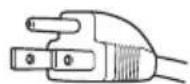
This is a safety feature. If you are unable to insert the plug into the outlet, contact your electrician to have a suitable outlet installed. Do not defeat the safety purpose of the grounding plug.
Overloading
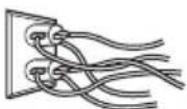
Do not overload wall outlets, extension cords or convenience receptacles beyond their capacity, since this can result in fire or electric shock.
Object and Liquid Entry
Never push objects of any kind into the set through openings as they may touch dangerous voltage points or short out parts that could result in a fire or electric shock.
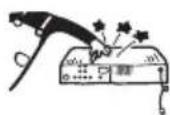
Never spill liquid of any kind on the set.
Attachments
Do not use attachments not recommended by the manufacturer, as they may cause hazards.
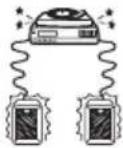
Cleaning
Unplug the set from the wall outlet before cleaning or polishing it. Do not use liquid cleaners or aerosol cleaners. Use a cloth lightly dampened with water for cleaning the exterior of the set.
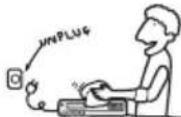
Installation
Water and Moisture
Do not use power-line operated sets near water - for example, near a bathtub, washbowl, kitchen sink, or laundry tub, in a wet basement, or near a swimming pool, etc.
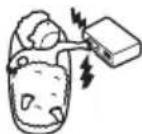
Power-Cord Protection
Route the power cord so that it is not likely to be walked on or pinched by items placed upon or against them, paying particular attention to the plugs, receptacles, and the point where the cord exits from the appliance.

Accessories
Do not place the set on an unstable cart, stand, tripod, bracket, or table. The set may fall, causing serious injury to a child or an adult, and serious damage to the set. Use only a cart stand tripod, bracket, or table recommended by the manufacturer.
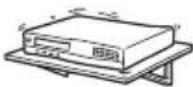
An appliance and cart combination should be moved with care. Quick stops, excessive force, and uneven surfaces may cause the appliance and cart combination to overturn.

Ventilation
The slots and openings in the cabinet are provided for necessary ventilation. To ensure reliable operation of the set, and to protect it from overheating, these slots and openings must never be blocked or covered.
- Never cover the slots and openings with a cloth or other materials.

- Never block the slots and openings by placing the set on a bed, sofa, rug or other similar surface.
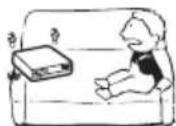
- Never place the set in a confined space, such as a bookcase, or built-in cabinet, unless proper ventilation is provided.
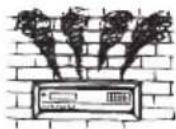
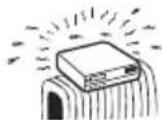
- Do not place the set near or over a radiator or heat register, or where it is exposed to direct sunlight.
Antennas
Outdoor antenna grounding
If an outdoor antenna or cable system is installed, follow the precautions below.
An outdoor antenna system should not be located in the vicinity of overhead power lines or other electric light or power circuits, or where it can come in contact with such power lines or circuits. WHEN INSTALLING AN OUTDOOR ANTENNA SYSTEM, EXTREME CARE SHOULD BE TAKEN TO KEEP FROM CONTACTING SUCH POWER LINES OR CIRCUITS AS CONTACT WITH THEM IS ALMOST INVARIABLY FATAL. Be sure the antenna system is grounded so as to provide some protection against voltage surges and built-up static charges. Section 810 of the National Electrical Code provides information with respect to proper grounding of the mast and supporting structure, grounding of the lead-in wire to an antenna discharge unit, size of grounding conductors, location of antenna-discharge unit, connection to grounding electrodes, and requirements for the grounding electrode.
Antenna Grounding According to the National Electrical Code
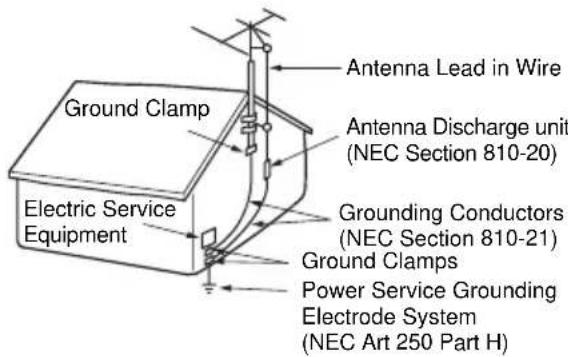
NEC-NATIONAL ELECTRICAL CODE
Lightning
For added protection for this set during a lightning storm, or when it is left unattended and unused for long periods of time, unplug it from the wall outlet and disconnect the antenna or cable system. This will prevent damage to the set due to lightning and power-line surges.
Service
Damage Requiring Service
Unplug the set from the wall outlet and refer servicing to qualified service personnel under the following conditions:
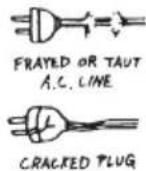
- When the power cord or plug is damaged or frayed.
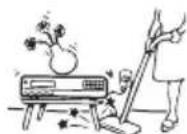
• If liquid has been spilled or objects have fallen into the set.
- If the set has been exposed to rain or water.

- If the set has been subject to excessive shock by being dropped, or the cabinet has been damaged.
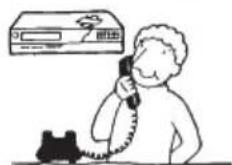
- If the set does not operate normally when following the operating instructions. Adjust only those controls that are specified in the operating instructions. Improper adjustm controls may result in damage require extensive work by a qu to restore the set to normal ope
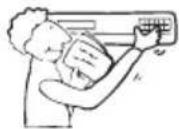
- When the set exhibits a distinct change in performance - this indicates a need for service.
Servicing
Do not attempt to service the set yourself as opening or removing covers may expose you to dangerous voltage or other hazards.
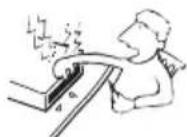
Refer all servicing to qualified service personnel.
Replacement parts
When replacement parts are required, be sure the service technician has used replacement parts specified by the manufacturer that have the same characteristics as the original parts.
Unauthorized substitutions may result in fire, electric shock, or other hazards.
Safety Check
Upon completion of any service or repairs to the set, ask the service technician to perform routine safety checks (as specified by the manufacturer) to determine that the set is in safe operating condition.

Table of contents
Getting Started
7 Step 1 : Unpacking
8 Step 2: Setting up the remote commander
11 Step 3 : Hookups
18 Step 4 : Selecting a language
19 Step 5 : Setting the clock
24 Step 6 : Presetting channels
Basic Operations
28 Playing a tape
31 Recording TV programs
34 Setting the timer
37 Locking the VCR (Child Lock)
Additional Operations
38 Playing/searching at various speeds
40 Quick Timer Recording
41 Checking/changing/canceling timer settings
43 Recording stereo and bilingual programs
44 Searching using various functions
46 Adjusting the picture (tracking)
47 Changing menu options
49 Editing with another VCR
Additional Information
51 Antenna information
52 Troubleshooting
54 Specifications
55 Index to parts and controls
60 Index
Back Cover
Quick reference to using the VCR
Caution
Television programs, films, video tapes and other materials may be copyrighted.
Unauthorized recording of such material may be contrary to the provisions of the copyright laws. Also, use of this recorder with cable television transmission may require authorization from the cable television transmission and/or program owner.
Step 1 : Unpacking
Check that you have received the following items with the VCR:
- Remote commander

natural_image
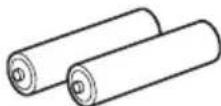
Line drawing of a remote control with button and scroll (no text or symbols)- Size AA (R6) batteries
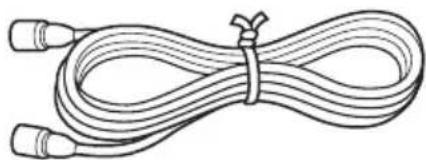
- 75-ohm coaxial cable with F-type connectors
natural_image
Line drawing of a coiled cable with two connectors tied at the end (no text or symbols)Note
- The supplied remote commander is for the exclusive use of this VCR.
Check your model name
The instructions in this manual are for the 2 models: SLV-N750 and SLV-N650. Check your model name by looking at the rear panel of your VCR. SLV-N750 is the model used for illustration purposes.
Step 2 : Setting up the remote commander
Inserting the batteries
Insert two size AA (R6) batteries by matching the + and - on the batteries to the diagram inside the battery compartment.
Insert the negative (−) end first, then push in and down until the positive (+) end clicks into position.

natural_image
Diagram of a battery pack and its open casing, showing battery arrangement and battery drop (no text or symbols)Using the remote commander
You can use this remote commander to operate this VCR and a Sony TV. Buttons on the remote commander marked with a dot (•) can be used to operate your Sony TV.
If the TV does not have the R symbol near the remote sensor, this remote commander will not operate the TV.
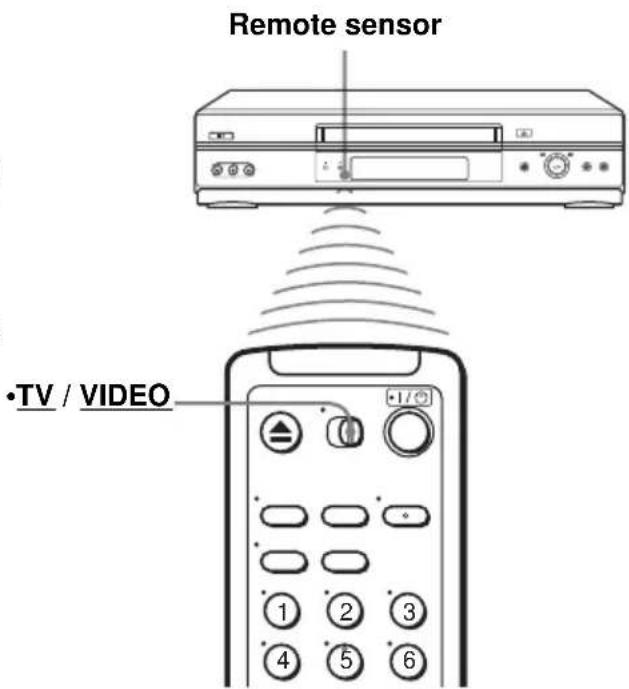
| To operate Set | •TV / VIDEO to |
| the VCR VIDEO | ____ and point at the remote sensor at the VCR |
| a Sony TV •TV | ____ and point at the remote sensor at the TV |
Notes
- With normal use, the batteries should last about three to six months.
- If you do not use the remote commander for an extended period of time, remove the batteries to avoid possible damage from battery leakage.
- Do not use a new battery with an old one.
- Do not use different types of batteries.
- Do not leave the remote commander in an extremely hot or humid place.
- Do not drop any foreign object into the remote casing, particularly when replacing the batteries.
- Do not expose the remote sensor to direct light from the sun or lighting apparatus. Doing so may cause a malfunction.
Controlling other TVs with the remote commander
The remote commander is preprogramed to control non-Sony TVs. If your TV is listed in the following table, set the appropriate manufacturer's code number.
1 Set •TV / VIDEO at the top of the remote commander to •TV.
2 Hold down I/☐, and enter your TV's code number using the number buttons. Then release I/☐.
Now you can use the I/ ^① , VOL +/-, CH +/-, and TV/VIDEO buttons to control your TV. You can also use the buttons marked with a dot (•) to control a Sony TV. To control the VCR, reset •TV / VIDEO to VIDEO.
Code numbers of controllable TVs
If more than one code number is listed, try entering them one at a time until you find the one that works with your TV.
| TV brand Code number | |
| Sony 01 | |
| Akai 04 | |
| AOC 04 | |
| Centurion 12 | |
| Coronado 03 | |
| Curtis-Mathes 12 | |
| Daytron 12 | |
| Emerson 03, 04, 14 | |
| Fisher 11 | |
| General Electric 06, 10 | |
| Hitachi 02, 03 | |
| J.C.Penney | 04, 12 |
| JVC | 09 |
| KMC | 03 |
| LG/Gold Star | 03, 04, 17 |
| Magnavox | 03, 08, 12 |
| Marantz | 04, 13 |
| MGA/Mitsubishi | 04, 12, 13, 17 |
| NEC 04, 12 | |
| TV brand Code number | |
| Panasonic | 06, 19 |
| Philco 03, 04 | |
| Philips | 08 |
| Pioneer | 16 |
| Portland | 03 |
| Quasar | 06, 18 |
| Radio Shack | 05, 14 |
| RCA 04, 10 | |
| Sampo | 12 |
| Sanyo | 11 |
| Scott 12 | |
| Sears | 07, 10, 11 |
| Sharp | 03, 05, 18 |
| Sylvania | 08, 12 |
| Teknika 03, 08, 14 | |
| Toshiba | 07 |
| Wards 03, 04, 12 | |
| Yorx | 12 |
| Zenith | 15 |
Notes
- If you enter a new code number, the code number previously entered will be erased.
- If the TV uses a different remote control system from the one programmed to work with the VCR, you cannot control your TV with the remote commander.
- When you replace the batteries of the remote commander, the code number may change. Set the appropriate code number every time you replace the batteries.
- When you press the AUDIO MONITOR button, your TV's menu may appear on the TV screen. To exit the TV menu, press the MENU button on the TV remote commander or wait until the menu disappears automatically.
Step 3 : Hookups
Selecting the best hookup option
There are many ways in which your VCR can be hooked up. To hook up your VCR so that it works best for you, first scan through the table below. Then use the accompanying diagrams and procedures on the following pages to set up your VCR.
If your TV has audio/video inputs, refer to page 12 for audio/video (A/V) hookup. Then follow one of the hookups below. If your TV does not have A/V inputs, perform directly one of the hookups below.
| If you have Use Refer to | ||
| Antenna only, no cable TV Hookup 1 | (Plug and Play) | Pages 13 and 14 |
| No cable box or cable box with only a few scrambled channels | Hookup 2(Plug and Play) | Pages 15 and 16 |
| Cable box with many scrambled channels | Hookup 3 Page 17 |
After you have completed the connections, follow the instructions for setup.
After you have completed the setup, you are ready to use your VCR. Procedures differ depending on the hookup you used. For an overview, refer to “Quick reference to using the VCR” on the back cover.
Before you get started
- Turn off the power to all equipment.
- Do not connect the AC power cords until all of the connections are completed. If you connect the AC power cord before the connections are completed, you may not be able to use the Plug and Play function.
- Be sure you make connections firmly. Loose connections may cause picture distortion.
- If your TV does not match any of the examples provided, see your nearest Sony dealer or qualified technician.
Caution
Connections between the VCR's VHF/UHF connector and the antenna terminals of the TV receiver should be made only as shown in the following instructions. Failure to do so may result in operation that violates the regulations of the Federal Communications Commission regarding the use and operation of RF devices. Never connect the output of the VCR to an antenna or make simultaneous (parallel) antenna and VCR connections at the antenna terminals of your receiver.
Note to CATV system installer (in USA)
This reminder is provided to call the CATV system installer's attention to Article 820-40 of the NEC that provides guidelines for proper grounding and, in particular, specifies that the cable ground shall be connected to the grounding system of the building, as close to the point of cable entry as practical.
Audio/video (A/V) hookup
If your TV has audio/video (A/V) input jacks, you will get a better picture and sound if you hook up your VCR using these connections. For a true “home theater” experience, you should connect the audio outputs of your VCR or TV to your stereo system. If your TV does not have A/V inputs, see the following pages for antenna or cable hookups.
If you are not planning to use your VCR to record programs, you finished setting up the VCR after you have made the connections shown on this page. If you want to record regular or cable TV programs, complete these connections first, and then go to the following pages for antenna or cable hookups.
A Use this hookup if your TV has stereo jacks

flowchart
graph LR
    A["TV"] -->|Audio OUT| B["Audio cable (not supplied)"]
    A -->|IN| C["Audio video cable (not supplied)"]
    A -->|AUDIO| D["Audio cable (not supplied)"]
    A -->|AUDIO| E["Stereo receiverVCR"]
    F["Audio/Video cable (not supplied)"] --> A
    G["AUX IN"] --> H["Audio cable (not supplied)"]
B Use this hookup if your TV does not have stereo jacks

flowchart
graph LR
    A["TV"] -->|IN| B["Audio cable (not supplied)"]
    A -->|IN| C["Audio cable (not supplied)"]
    D["Stereo receiverVCR"] -->|AUX IN| E["Audio cable (not supplied)"]
    A --> F["Video cable (not supplied)"]
    A --> G["Video cable (not supplied)"]
Notes
• To play a tape in stereo, you must use the A/V connection.
- If you do not have a stereo receiver, connect the white LINE OUT/AUDIO L jack to the AUDIO IN jack on your TV.
Hookup 1 (Plug and Play)
Antenna hookup
Make the following connections if you are using an antenna (if you do not have cable TV).
A Use this hookup if you are using:
• VHF/UHF antenna (you get channels 2–13 and channels 14 and higher)
• UHF-only antenna (you get channels 14 and higher)
- Separate VHF and UHF antennas

flowchart
graph TD
    A["VCR"] -->|IN| B["OUT"]
    B --> C["Rear of TV VHF/UHF"]
    C --> D["A Match the type of connector on your TV: A, B, or C."]
    C --> E["VHF B UHF"]
    C --> F["VHF C UHF"]
    style A fill:#f9f,stroke:#333
    style D fill:#ccf,stroke:#333
    style E fill:#cfc,stroke:#333
    style F fill:#fcc,stroke:#333
B Use this hookup if you are using a VHF-only antenna (you get channels 2–13 only)
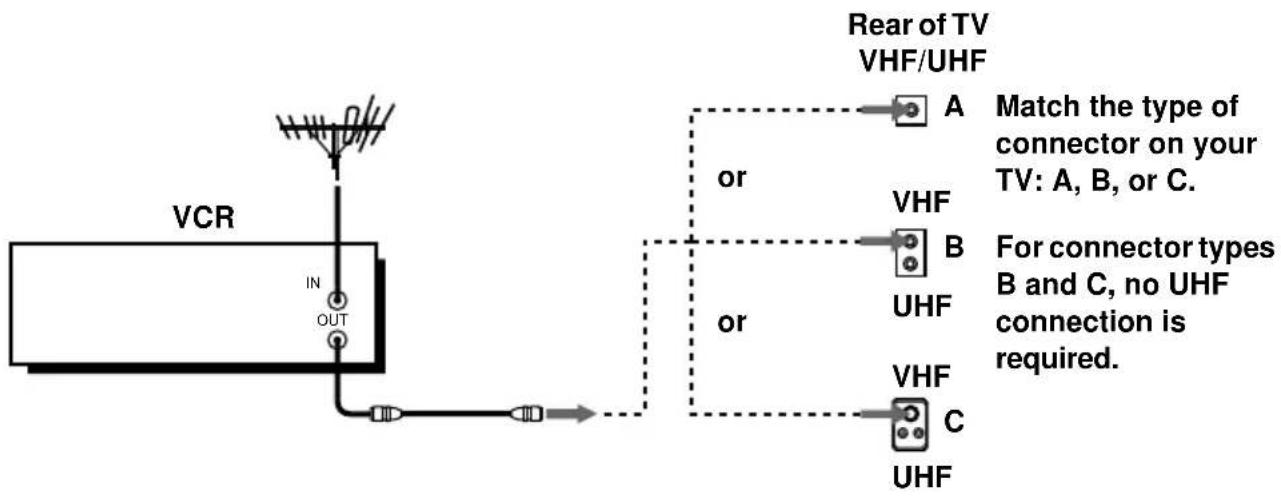
flowchart
graph TD
    A["VCR"] -->|IN| B["OUT"]
    B --> C["Rear of TV VHF/UHF"]
    C --> D["A"]
    C --> E["B"]
    C --> F["UHF"]
    C --> G["C"]
    style D fill:#f9f,stroke:#333
    style E fill:#f9f,stroke:#333
    style F fill:#f9f,stroke:#333
    style G fill:#f9f,stroke:#333
    note right of D: Match the type of connector on your TV: A, B, or C.
    note right of E: For connector types B and C, no UHF connection is required.
If you cannot connect your antenna cable to the VCR directly
If your antenna cable is a flat cable (300-ohm twin lead cable), attach an external antenna connector (not supplied) so you can connect the cable to the RF IN connector. If you have separate cables for VHF and UHF antennas, you should use a U/V band mixer (not supplied) (page 51).
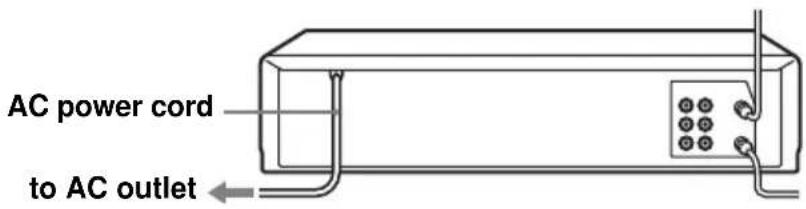
Hookup 1 : VCR setup
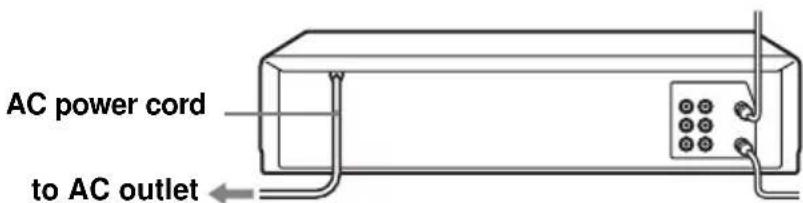
Plug the VCR into the AC outlet.
The VCR automatically presets the VCR's clock and TV channels when the VCR is plugged into the AC outlet.
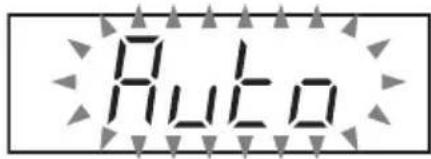
The VCR starts presetting the clock and channels.
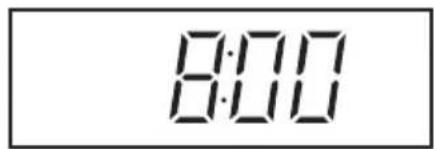
When Auto preset is completed, the current time appears in the display window.
You have now completed VCR setup.
To change the on-screen display language to French or Spanish, see "Step 4: Selecting a language" on page 18.
The clock is set using a time signal provided by some TV channels. If the clock is incorrect, or “--:--” appears in the display window, see “Using Manual Clock Set” on page 22.
To add or disable channels manually, see “Presetting/disabling channels manually” on page 26.
Notes
- If you connect the AC power cord before the antenna connections are completed, the channels may be incorrectly set. If this happens, see “Step 6: Presetting channels” on page 24.
- Do not press any buttons on the VCR or remote commander during Auto preset.
- Auto preset starts automatically only when you plug in the AC power cord for the first time after you purchase the VCR.
- Auto preset can be performed by pressing ■ STOP on the VCR continuously for 5 seconds or more with the VCR power turned off.
Hookup 2 (Plug and Play)
You have no cable box, or a cable box with only a few scrambled channels
Recommended use
Use this hookup if you do not have a cable box. Also use this hookup if your cable system scrambles only a few channels.
What you can do with this hookup
- Record any unscrambled channel by selecting the channel on the VCR
What you cannot do
- Record scrambled channels that require a cable box
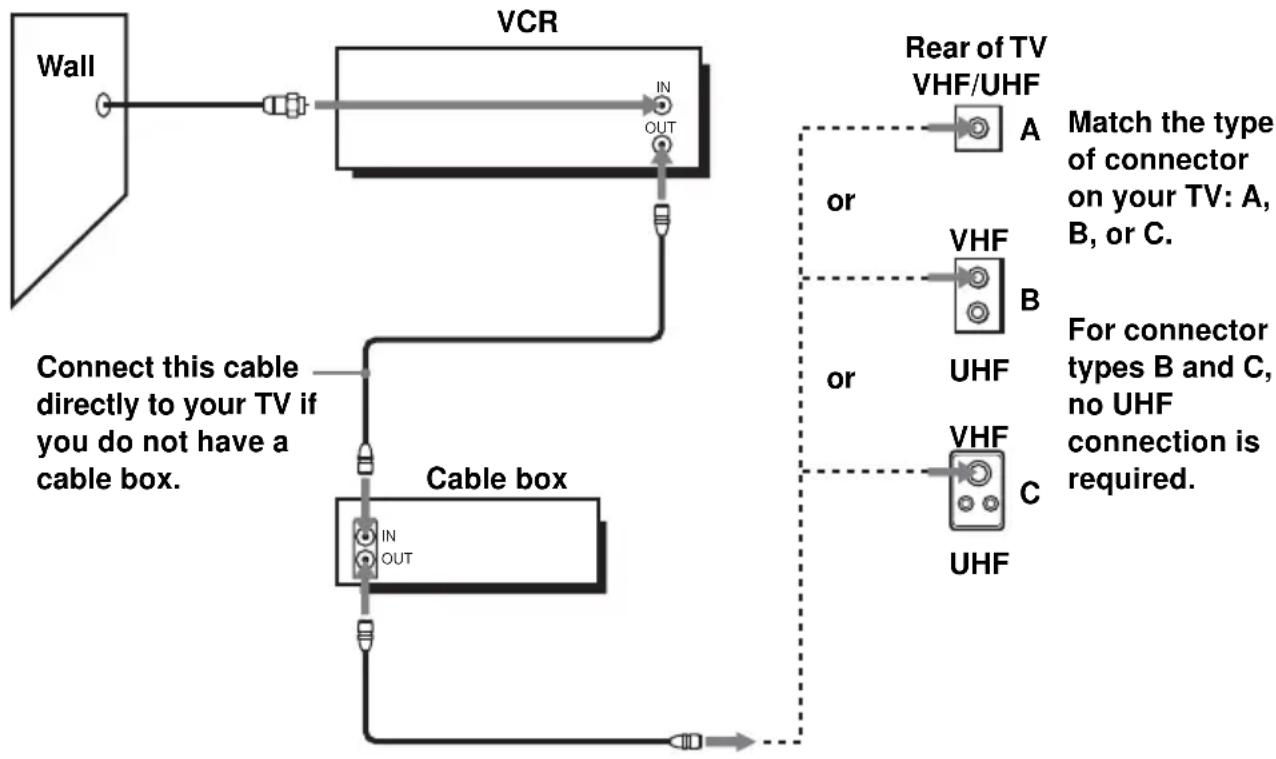
flowchart
graph TD
    A["Wall"] --> B["VCR"]
    B --> C["Cable box"]
    C --> D["Rear of TV VHF/UHF"]
    D --> E["A"]
    D --> F["B"]
    D --> G["C"]
    E --> H["Match the type of connector on your TV: A, B, or C."]
    F --> I["VHF"]
    F --> J["UHF"]
    G --> K["VHF"]
    G --> L["UHF"]
    C --> M["IN OUT"]
    style A fill:#f9f,stroke:#333
    style B fill:#ccf,stroke:#333
    style C fill:#cfc,stroke:#333
    style D fill:#fcc,stroke:#333
    style E fill:#cff,stroke:#333
    style F fill:#ffc,stroke:#333
    style G fill:#fcc,stroke:#333
    style H fill:#fff,stroke:#333
    style I fill:#fff,stroke:#333
    style J fill:#fff,stroke:#333
    style K fill:#fff,stroke:#333
    style L fill:#fff,stroke:#333
Hookup 2 : VCR setup
Plug the VCR into the AC outlet.
The VCR automatically presets the VCR's clock and TV channels when the VCR is plugged into the AC outlet.
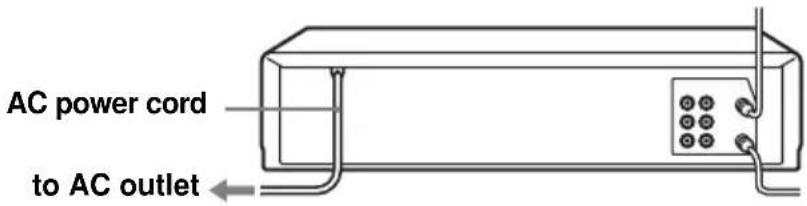
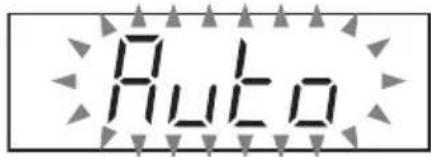
The VCR starts presetting the clock and channels.
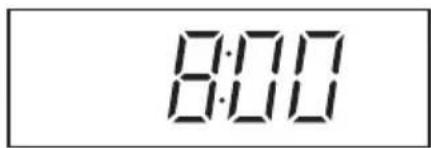
When Auto preset is completed, the current time appears in the display window.
You have now completed VCR setup.
To change the on-screen display language to French or Spanish, see "Step 4: Selecting a language" on page 18.
The clock is set using a time signal provided by some TV channels. If the clock is incorrect, or “--:--” appears in the display window, see “Using Manual Clock Set” on page 22.
To add or disable channels manually, see “Presetting/disabling channels manually” on page 26.
Notes
- If you connect the AC power cord before the antenna connections are completed, the channels may be incorrectly set. If this happens, see “Step 6: Presetting channels” on page 24.
- Do not press any buttons on the VCR or remote commander during Auto preset.
- Auto preset starts automatically only when you plug in the AC power cord for the first time after you purchase the VCR.
- Auto preset can be performed by pressing ■ STOP on the VCR continuously for 5 seconds or more with the VCR power turned off.
Hookup 3
Connecting a cable box with many scrambled channels
Recommended use
Use this hookup if your cable system scrambles all or most channels.
What you can do with this hookup
- Record any channel by selecting the channel on the cable box
What you cannot do
- Record with the cable box turned off
- Record one channel while watching another channel

flowchart
graph TD
    A["Wall"] --> B["Cable box"]
    B --> C["VCR"]
    C --> D["Rear of TV VHF/UHF"]
    D --> E["A"]
    D --> F["B"]
    D --> G["C"]
    style A fill:#f9f,stroke:#333
    style B fill:#ccf,stroke:#333
    style C fill:#cfc,stroke:#333
    style D fill:#fcc,stroke:#333
    note right of D Match the type of connector on your TV: A, B, or C.
    note right of F For connector types B and C, no UHF connection is required.
    note right of G VHF
    note right of H UHF
After you have completed hookup...
After you have completed hookup, plug the VCR into the AC outlet and see "Step 4: Selecting a language" on page 18.
Step 4 : Selecting a language
You can change the on-screen display language.
Before you start...
• Turn on the VCR and the TV.
- Set the “VCR Output CH” to “3CH” or “4CH” in ADVANCED OPTIONS menu (page 47). If both are used, set the “VCR Output CH” to either channel. If your TV is connected to the VCR using A/V connections, set the TV to video input.
- Press TV/VIDEO to display the VCR indicator in the VCR's display window.

1
MENU

Press MENU.
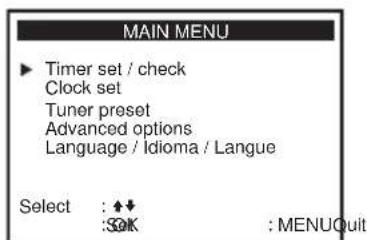
2
Press ↑/↓ to move the cursor (▶) to "Language/Idioma/Langue."

3
Press to select the desired language, French or Spanish.
4
MENU

Press MENU to exit the menu.
Step 5 : Setting the clock
Using the Auto Clock Set feature
Some TV and cable channels transmit time signals with their broadcasts. Your VCR can pick up this time signal to automatically set the clock.
The Auto Clock Set feature works only if a channel in your area is broadcasting a time signal. If broadcasters in your area are not yet sending time signals, set the time manually (page 22).
Before you start...
- Turn on the VCR and the TV. When using a cable box, turn it on.
- Set the “VCR Output CH” to “3CH” or “4CH” in ADVANCED OPTIONS menu (page 47). If both are used, set the “VCR Output CH” to either channel. If your TV is connected to the VCR using A/V connections, set the TV to video input.
- Press TV/VIDEO to display the VCR indicator in the VCR's display window.

1
MENU

Press MENU.

2
Press ↑/↓ to move the cursor (▶) to “Clock set,” then press OK.
3
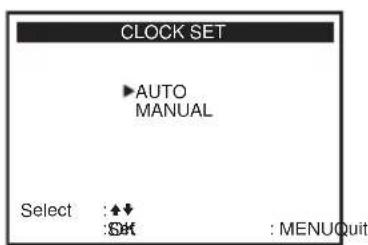
Press ↑/↓ to select AUTO, then press OK.
![CLOCK SET ▶ Clock set CH: [ AUTO ] Time zone: [ AUTO ] Daylight Saving: [ AUTO ] Select : ◆↓ Set : ↔ : Edit : MENUQuit](/content/2026/06/1168739/images/f6fe6f181af4975cdb3573e0e8d9f55cb70bb8656f4df93730d6e6ffb985d240.jpg)
4
Press / to select the item you want. Then press / to make the setting and press OK.
- For "Clock set CH"
Leave the setting to AUTO to have the VCR automatically search for a channel that carries a time signal. Press / to select a channel that carries a time signal. Use this option if you know of a channel that carries a time signal. Most PBS member stations broadcast a time signal. For the fastest response, select your local PBS station.
- For "Time zone"
Select the time zone of your area, or select AUTO to have the VCR automatically set your time zone.
The options are:
AUTO Atl. (Atlantic) East (Eastern)
←→ Cen. (Central) ←→ Mtn. (Mountain) ←→
Pac. (Pacific) ↔ Alas (Alaska) ↔
Haw. (Hawaii) ↔ AUTO
- For "Daylight Saving"
Select YES or NO (standard time), or AUTO to have the VCR automatically set the daylight saving time.
![CLOCK SET ▶ Clock set CH: [123] Time zone: [AUTO] Daylight Saving: [AUTO] Select : ◆◆ Set : ◆◆ : OK : MENUQuitEnd](/content/2026/06/1168739/images/c8e1d943423077693506175fc2d4982b878fbcdb02df4529261ec2a7e33328cd.jpg)
![CLOCK SET Clock set CH: [ AUTO ] Time zone: [ Pac. ] Daylight Saving: [ AUTO ] Select : ⬆️ Set : ↔ : Edit : MENU Quit](/content/2026/06/1168739/images/158eed89a85f853c2c909163cf3bd854b0f2b62160d2fc216421f694ece27b4f.jpg)
![CLOCK SET Clock set CH: [ AUTO ] Time zone: [ AUTO ] Daylight Saving: [ NO ] Select : ◆◆ Set : ◆◆ : OK : MENUQuitEnd](/content/2026/06/1168739/images/2ad2e198f49aea42e0d23c5abc8759f6d40674a50c2a89159f9648a011b3783c.jpg)
5
MENU

Press MENU to exit the menu.
6
To activate the Auto Clock Set function, turn off the VCR.
Notes
- The clock cannot be set automatically if you do not receive a channel that carries a time signal in your area. If so, set the clock manually (page 22).
- If there are only a few channels in your area that carry time signals, setting the clock automatically may take up to about 20 minutes. If nothing happens even after you wait about 20 minutes, set the clock manually (page 22).
- If you made Hookup 3, make sure you leave the cable box on.
Using Manual Clock Set Before you start...
• Turn on the VCR and the TV.
- Set the “VCR Output CH” to “3CH” or “4CH” in ADVANCED OPTIONS menu (page 47). If both are used, set the “VCR Output CH” to either channel. If your TV is connected to the VCR using A/V connections, set the TV to video input.
- Press TV/VIDEO to display the VCR indicator in the VCR's display window.
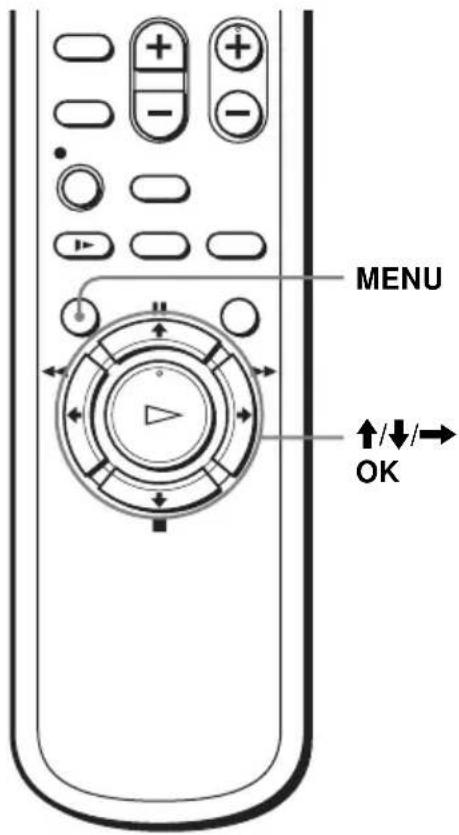
1
MENU

Press MENU.

2

Press ↑/↓ to move the cursor (▶) to “Clock set,” then press OK.
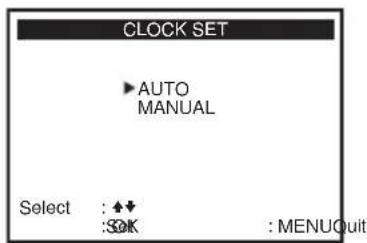
3
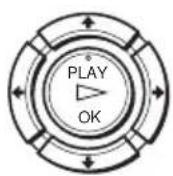
Press ↑/↓ to select MANUAL, then press OK.

4
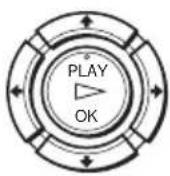
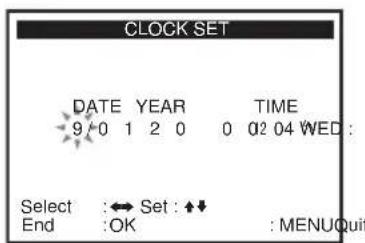
Press / to set the month.
5
Press to flash the day and press / to set the day.

6
Set the year, hour, and minutes in the same way as the day. The day of the week is set automatically.
7
Press OK or MENU to start the clock.
Step 6 : Presetting channels
This VCR is capable of receiving VHF channels 2 to 13, UHF channels 14 to 69 and unscrambled CATV channels 1 to 125. First, we recommend that you preset the receivable channels in your area using automatic presetting methods. Then, if there are any unwanted channels, disable them manually. If you have already decided which channels you wish to preset, set them directly using manual presetting methods (page 26).
Presetting all receivable channels automatically
Before you start...
- Turn on the VCR and the TV. When using a cable box, turn it on.
- Set the “VCR Output CH” to “3CH” or “4CH” in ADVANCED OPTIONS menu (page 47). If both are used, set the “VCR Output CH” to either channel. If your TV is connected to the VCR using A/V connections, set the TV to video input.
- Press TV/VIDEO to display the VCR indicator in the VCR's display window.

1
MENU

Press MENU.

2
Press ↑/↓ to move the cursor (▶) to “Tuner preset,” then press OK.
![TUNER PRESET ► Ant / Cable: [ CABLE ] Auto preset Channel add / erase Select : ◆↓ Set : ↔ : Edit : MENUQuit](/content/2026/06/1168739/images/2e6be3ef3e2c85ba02c9976c5630746eb5c00da60b88969c2db8dc7f083a4af1.jpg)
3
Press ↑/↓ to move the cursor (▶) to "Ant/Cable."
4
- To preset cable TV channels: Press / to select CABLE.
![TUNER PRESET ► Ant / Cable: CABLE [ ] Auto preset Channel add / erase Select :◆◆ Set : ◀◆ : End : MENUQuit](/content/2026/06/1168739/images/e994ca35dca6b8b870bced27137a851b7b1d3f34188a04d2b9c81e29756358cd.jpg)
- To preset VHF and UHF channels: Press / to select ANTENNA.
![TUNER PRESET ► Ant / Cable: ANTE[INA ] Auto preset Channel add / erase Select :◆◆ Set : ◀◆ : End : MENUQuit](/content/2026/06/1168739/images/3da29007ea263cb0b695211ca398f364e6b92407a0afaecd9b1e2a3ebb52d98c.jpg)
5
Press ↑/↓ to move the cursor (▶) to “Auto preset,” then press OK.
All receivable channels are preset in numerical sequence. When no more receivable channels can be found, presetting stops and the picture from the lowest numbered channel is displayed on the TV screen.

02CHAuto preset
Presetting/disabling channels manually Before you start...
- Turn on the VCR and the TV. When using a cable box, turn it on.
- Set the “VCR Output CH” to “3CH” or “4CH” in ADVANCED OPTIONS menu (page 47). If both are used, set the “VCR Output CH” to either channel. If your TV is connected to the VCR using A/V connections, set the TV to video input.
- Press TV/VIDEO to display the VCR indicator in the VCR's display window.

1
MENU

Press MENU.

2

Press ↑/↓ to move the cursor (▶) to “Tuner preset,” then press OK.
![TUNER PRESET ► Ant / Cable: [ CABLE ] Auto preset Channel add / erase Select : ◆↓ Set : ◆◀ : End : MENUQuit](/content/2026/06/1168739/images/474bd51bd3478af482f3204c2ec693655c80ad7d24e8b400f107a1fd4e5cacf1.jpg)
3
Press ↑/↓ to move the cursor (▶) to “Channel add/erase,” then press OK.
4
• To preset a channel:
1 Press the number buttons to enter the channel number, then press ENTER.
2 Press →, then press OK or MENU.

Channel to be preset
![CHANNEL ADD / ERASE Select channel: [ 1 and press to ADD[ ] * press to ERASE[ ] End : OK : MENUQuit](/content/2026/06/1168739/images/1b1fdfad30e4fa9fff05df4d27396fcb3e1003cb745894408ef6908caa47d0ef.jpg)
MENU

• CH

• To disable a channel:
1 Press CH +/- to select the channel number.
2 Press ←, then press OK or MENU.
MENU

Channel to be disabled
![CHANNEL ADD / ERASE Select channel: [ 5 and press to ADD[ ] * press to ERASE[ ] End :OK :MENUQuit](/content/2026/06/1168739/images/f742cff50b446626f1e8f8d756c6984a8b00aaaca06e0753bd86dacfc52fb862.jpg)
Playing a tape
1
Turn on your TV and set it to the video channel.
2
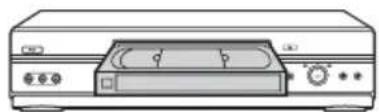
Insert a tape.
The VCR turns on and starts playing automatically if you insert a tape with its safety tab removed.
natural_image
Line drawing of a portable electronic device with control knobs and indicator lights (no text or symbols)3
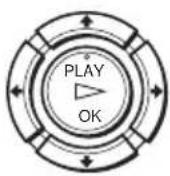
Press ▷PLAY.
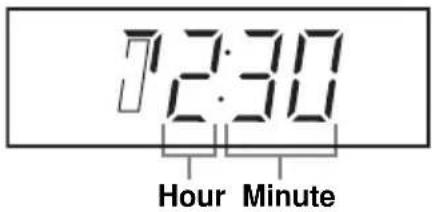
The display window shows the playback time and playback direction.
When the tape reaches the end, it will rewind automatically.
Additional tasks
| To Do this | |
| Stop play Press ■STOP | |
| Pause play Press ▪PAUSE | |
| Resume play after pause | Press ▪ PAUSE or ▷ PLAY |
| Fast-forward the tape Press ▶▶FF during stop | |
| Rewind the tape Press ◀◀REW during stop | |
| Eject the tape Press ▲EJECT | |
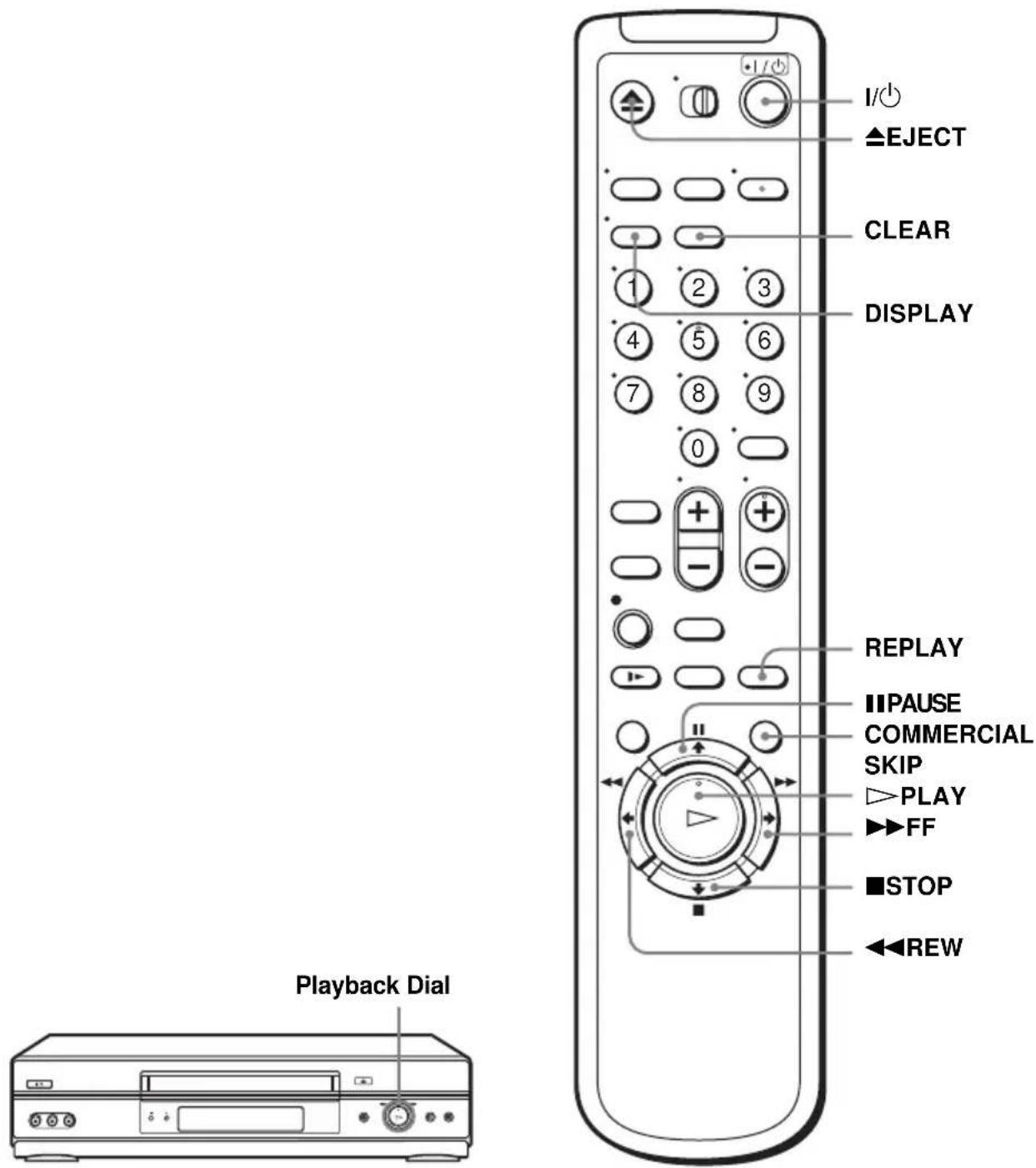
Using Playback Dial on the VCR
With Playback Dial, you can operate the following playback options.
| To Do this | |
| Resume play after pause Press ▷ | PLAY |
| Fast-forward the tape | Quickly turn and release Playback Dial to the right (▶▶FF) during stop |
| Rewind the tape Quickly turn and | release Playback Dial to the left (◀◀REW) during stop |
Note
- Do not turn Playback Dial forcibly. It may damage Playback Dial.
To play a recently watched scene
You can immediately rewind and playback the scene you want to watch again.
During playback, press REPLAY. The VCR rewinds the tape about ten seconds on the counter for each press of the button, and restarts playback.
To skip playback
You can skip a portion of playback you do not want to watch (such as a commercial) and restart playback.
During playback, press COMMERCIAL SKIP up to four times. The VCR skips the tape 30 seconds on the counter for each press of the button, and restarts playback.
To turn off the power while rewinding (Rewind Shut Off)
Press I/While the tape is rewinding. The power will turn off but the tape will keep rewinding until it reaches the end.
continued
To use the time counter
Press CLEAR at the point on the tape that you want to find later. The counter in the display window resets to “00:00” or “0:00.” To search for the counter 0:00:00 point automatically, see “To search for the counter 0:00:00 point” on page 45.
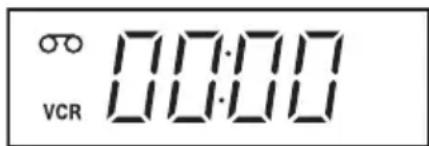
To display the counter on the TV screen, press DISPLAY.
Notes
- Tapes recorded in the LP mode on other VCRs can be played back on this VCR but the picture quality cannot be guaranteed.
- While displaying a menu on the TV screen, you cannot use ▷ PLAY, ■ PAUSE, ▶ FF, ◀ REW, or ■ STOP buttons.
- The counter resets to “00:00” or “0:00” (in the display window) or “0:00:00” (on the TV screen) whenever a tape is reinserted.
- The counter stops counting when it comes to a portion with no recording.
- When 10 hours have passed, the counter in the display window returns to “0:00” and the count starts over again.
- When playback does not start even if you insert a tape with its safety tab removed, set “Auto play” in the ADVANCED OPTIONS menu correctly (page 47).
- This VCR can also play S-VHS tapes. The VCR will automatically identify the type of tape inserted in the VCR (either VHS or S-VHS). When S-VHS tapes are played in the VCR, the enhanced resolution will not be visible on screen; there may also be picture distortion while playing the S-VHS tape in slow motion or while utilizing other special playback modes. The VCR will not record in S-VHS mode on an S-VHS tape.
Recording TV programs
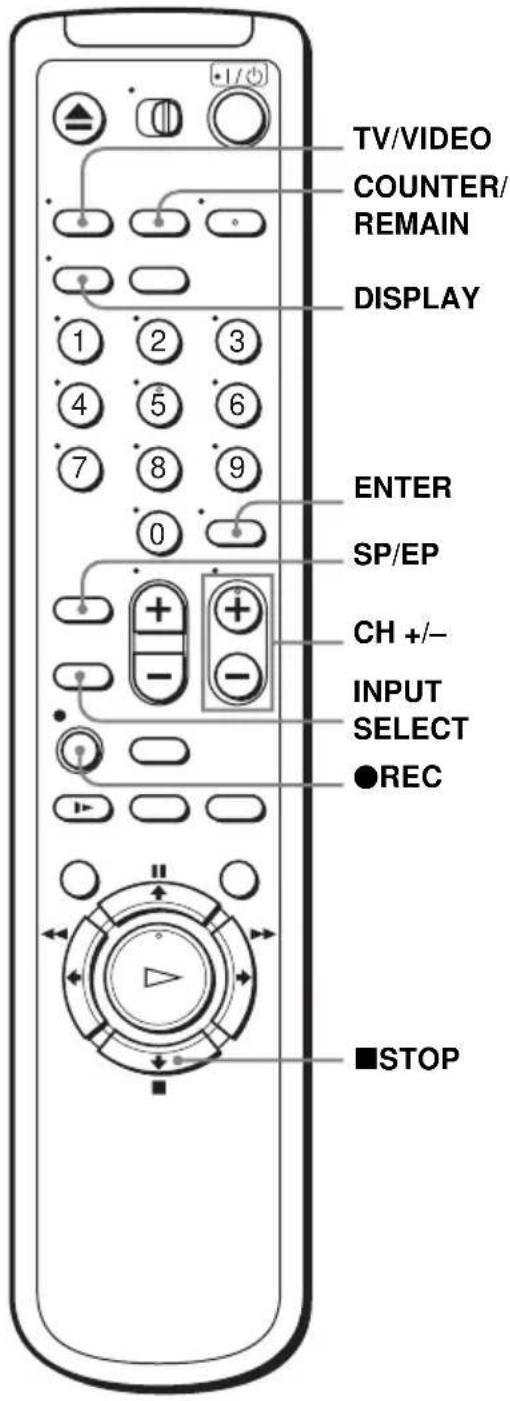
1 Turn on your TV and set it to the video channel. To record from a cable box, turn it on.
2 Insert a tape with its safety tab in place.
3
• CH

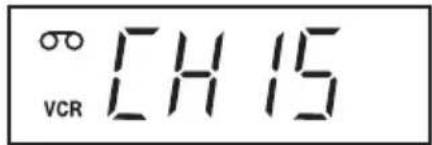
Press CH +/- to select the channel or line input video source you want to record.
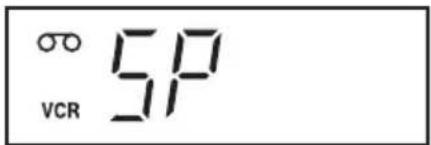
Press SP/EP to select the tape speed, SP or EP.
EP (Extended Play) provides recording time three times as long as SP (Standard Play). However, SP produces better picture and audio quality.
5
REC

Press ●REC to start recording.
"REC" appears in the display window.

To stop recording
Press ■STOP.
To check the remaining tape length
Press DISPLAY. With the display on, press COUNTER/REMAIN to check the remaining time. Each time you press COUNTER/REMAIN, the time counter and the remaining tape length appear alternately. The white bar indicates the current location in relation to the entire tape length. The remaining time also appears in the display window.
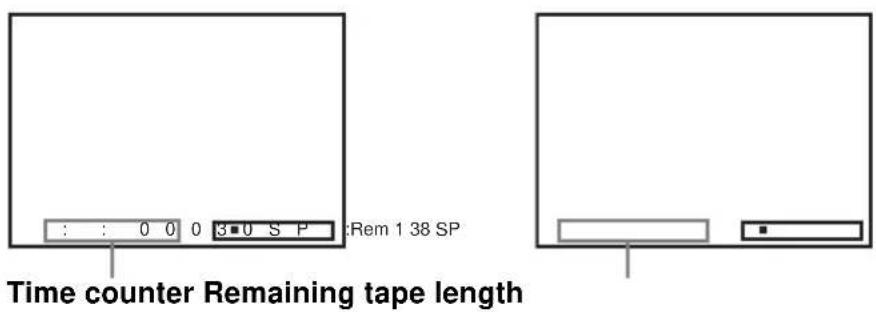
To check the remaining tape length of a tape, set “Tape select” in the ADVANCED OPTIONS menu correctly (page 47).
To watch another TV program while recording
1 Press TV/VIDEO to turn off the VCR indicator in the display window.
2 If your TV is connected to the VCR using A/V connections, set the TV to the TV's antenna input; if not, skip this step.
3 Select another channel on the TV.
To save a recording
To prevent accidental erasure, break off the safety tab as illustrated. To record on the tape again, cover the tab hole with adhesive tape.
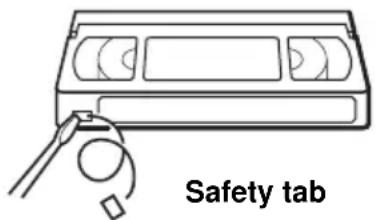
Tips
- To select a channel, you can use the number buttons on the remote commander. Enter the channel number, then press ENTER.
- You can select a video source from the LINE IN 1 or LINE-2 IN jacks using the INPUT SELECT button.
- The display appears on the TV screen indicating information about the tape, but the information will not be recorded on the tape.
- If you do not want to watch TV while recording, you can turn off the TV. When using a cable box, make sure to leave it on.
Notes
- The remaining tape length may not be indicated accurately for short tapes such as T-20 or T-30, or tapes recorded in the LP mode.
- The display does not appear during still (pause) mode or slow-motion playback.
- It may take up to one minute for the VCR to calculate and display the remaining tape length after you press DISPLAY.
Setting the timer
You can preset up to eight programs at one time.
Before you start...
- Check that the VCR clock is set to the correct time.
- Turn on the VCR and the TV and set it to the video channel. When using a cable box, turn it on.
- Insert a tape with its safety tab in place. Make sure the tape is longer than the total recording time.
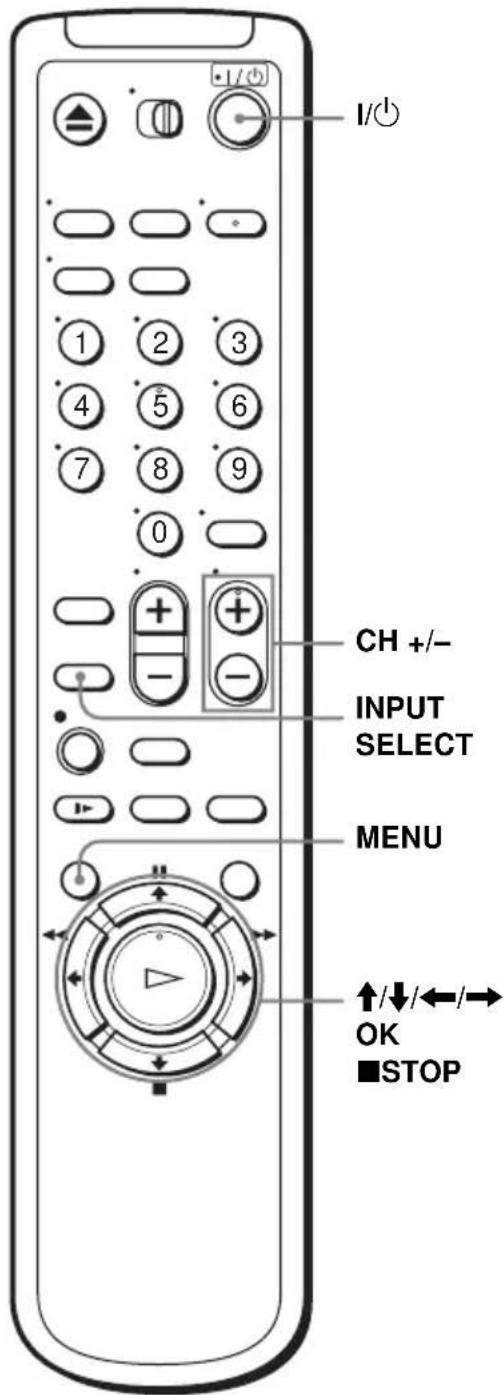
1
MENU

Press MENU.

2
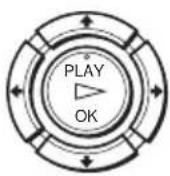
Press ↑/↓ to move the cursor (▶) to "Timer set/check," then press OK.
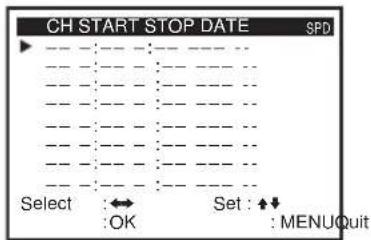
End
3
If necessary, press / to move the cursor (▶) to the row that is to be set.
4
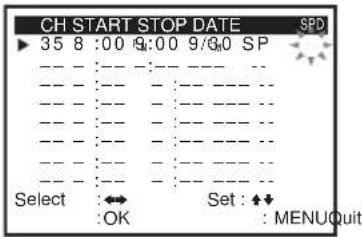
Set the channel number, start and stop time, date, and tape speed:
1 Press to flash each item in turn.
2 Press / to set each item.
To correct a setting, press ← to return to that setting and reset.
INPUT SELECT

To record from a source connected to the LINE IN 1 or LINE-2 IN jacks, press INPUT SELECT or ↑/↓ to display “L1” or “L2” in the “CH” position.
To record the same program every day or the same day every week, press ↓ while the date is flashing. For details, see “Daily/weekly recording” below.
To use the Auto Tape Speed function, press ↓ to display “AUTO” in the “SPD” position. For details, see “To use the Auto Tape Speed function” on page 36.
5
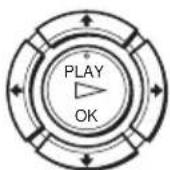
Press OK to confirm the setting.
To enter another setting, press / to select the next row and repeat step 4.
6
MENU

Press MENU to exit the menu.
7
•1/

Press I/ ^1 to turn off the VCR.
The TIMER indicator appears in the display window and the VCR stands by for recording. When using a cable box, leave it on.
To stop recording
To stop the VCR while recording, press ■STOP.
Daily/weekly recording
In step 4, press ↓ to select the recording pattern. Each time you press ↓, the indication changes as shown below. Press ↑ to change the indication in reverse order.
MO\~FR → SUN'S → MON'S → ..... → SAT'S → 1 month later → (dates count down) → the current date
To use the Auto Tape Speed function
When you are recording a program in the SP mode and the remaining tape becomes shorter than the recording time, the tape speed is automatically changed to the EP mode. Note that some noise will appear on the picture when the tape speed is changed. If you want to keep the tape speed, select SP. To operate this function, set “Tape select” in the ADVANCED OPTIONS menu correctly (page 47).
To use the VCR after setting the timer
To use the VCR before a timer recording begins, just press I/☐. The TIMER indicator disappears from the display window and the VCR switches on. Remember to press I/☐ to reset the VCR to the timer recording standby mode after using the VCR.
You can also do the following tasks while the VCR is recording:
- Reset the counter (page 30).
- Display tape information on the TV screen (page 32).
- Check the timer settings (page 41).
- Watch another TV program (page 33).
Note
- In step 7, make sure a tape is inserted before turning off the VCR. The TIMER indicator appears in the display window even if no tape is inserted.
Tips
- To set the channel, you can also use the number buttons.
- If the indicator appears, the timer settings overlap. To check, change or cancel the program setting, see “Checking/changing/canceling timer settings” on page 41.
Locking the VCR (Child Lock)
After you have set the timer, you can lock all of the buttons on the VCR so that the settings are not canceled by mistake.
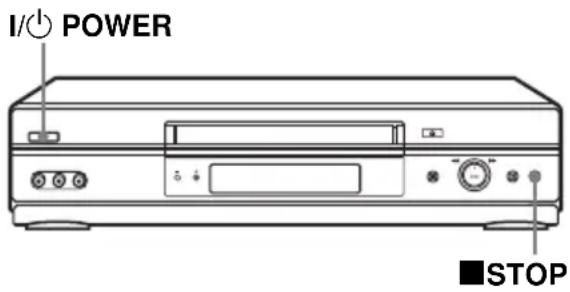
To lock the VCR
When the VCR is turned on, hold down I/ ^① POWER on the VCR until “LOC” appears in the display window. The VCR turns off and the TIMER indicator remains lit if there is a timer setting. The VCR will not work except for timer recordings.
To unlock the VCR
Hold down I/POWER on the VCR until “LOC” disappears from the display window. The VCR is unlocked and turns on.
To stop timer recording while the VCR is locked, press ■ STOP. The recording stops and the VCR is unlocked.
Note
• The VCR will be unlocked when:
- You stop timer recording by pressing ■ STOP.
- You insert a tape.
- The AC power cord is disconnected or power supply stops.
Playing/searching at various speeds
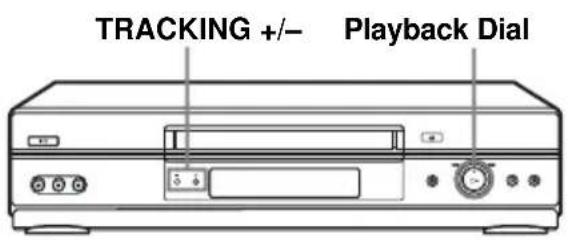
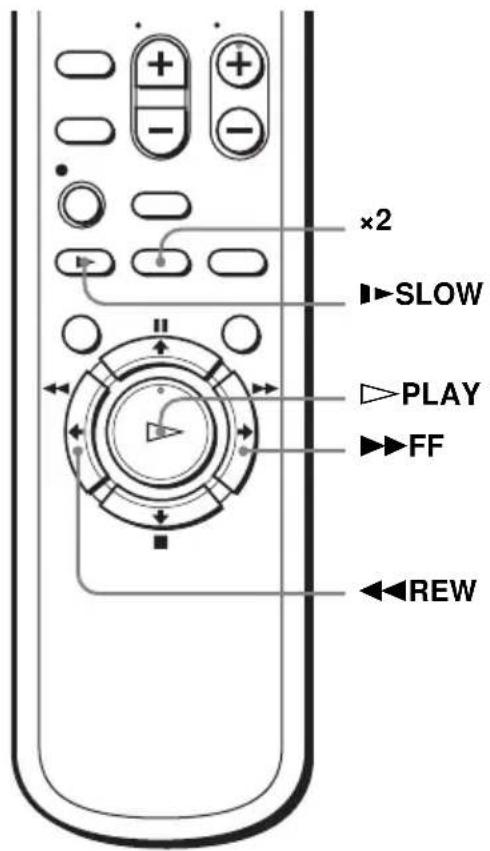
Playback options
| To Do this | |
| View the picture during fast-forward or rewind | During fast-forward, hold down ▶FF. During rewind, hold down ◀REW. |
| Play at high speed | ·During playback, briefly press ▶FF or ◀REW. The tape continues to play at high speed. ·During playback, hold down ▶FF or ◀REW. When you release the button, normal playback resumes. |
| Play at twice the normal speed | During playback, press ×2. |
| Play in slow motion | During playback or pause, press ▶SLOW. |
| Play frame by frame During pause | se, press ▶FF. |
To resume normal playback
Press PLAY.
Using Playback Dial on the VCR
With Playback Dial, you can operate the following playback options.
| To Do this | |
| View the picture during fast-forward or rewind | During fast-forward, turn and hold Playback Dial to the right (▶▶ FF). During rewind, turn and hold Playback Dial to the left (◀◀ REW). |
| Play at high speed • During playback, quickly turn and release Playback Dial to the right (▶▶ FF) or left (◀◀ REW). The tape continues to play at high speed. • During playback, turn and hold Playback Dial to the right (▶▶ FF) or left (◀◀ REW). When you release Playback Dial, normal playback resumes. | |
Tips
- Adjust the picture using the TRACKING +/- buttons if:
– Streaks appear while playing in slow motion.
– The picture shakes during pause.
- The VCR turns on and starts playback automatically by pressing ▷ PLAY on the VCR with the VCR power turned off.
Notes
- The sound is muted during these operations.
- Tapes recorded in the LP mode on other VCRs can be played back on this VCR but the picture quality cannot be guaranteed.
- The picture may show noise when playing at high speed in reverse.
- Do not turn Playback Dial forcibly. It may damage Playback Dial.
Quick Timer Recording
After you have started recording, you can have the VCR stop recording automatically after a specified duration.

1 While recording, press ●REC.
The TIMER indicator appears in the display window.

2 Press ●REC repeatedly to set the duration time.
Each press advances the time in increments of 30 minutes.

flowchart
graph LR
    A["0:30 1:00"] --> B["3:30 4:00"]
    B --> C["Normal recording"]
The tape counter decreases minute by minute to 0:00, then the VCR stops recording and turns off automatically.
To extend the duration
Press ●REC repeatedly to set a new duration time.
To cancel the duration
Press ● REC repeatedly until the TIMER indicator disappears and the VCR returns to normal recording mode.
To stop while recording
Press ■STOP.
Note
- You cannot display the current tape time in the display window when setting the recording duration time.
Checking/changing/canceling timer settings
Before you start...
- Turn on the TV and set it to the video channel.
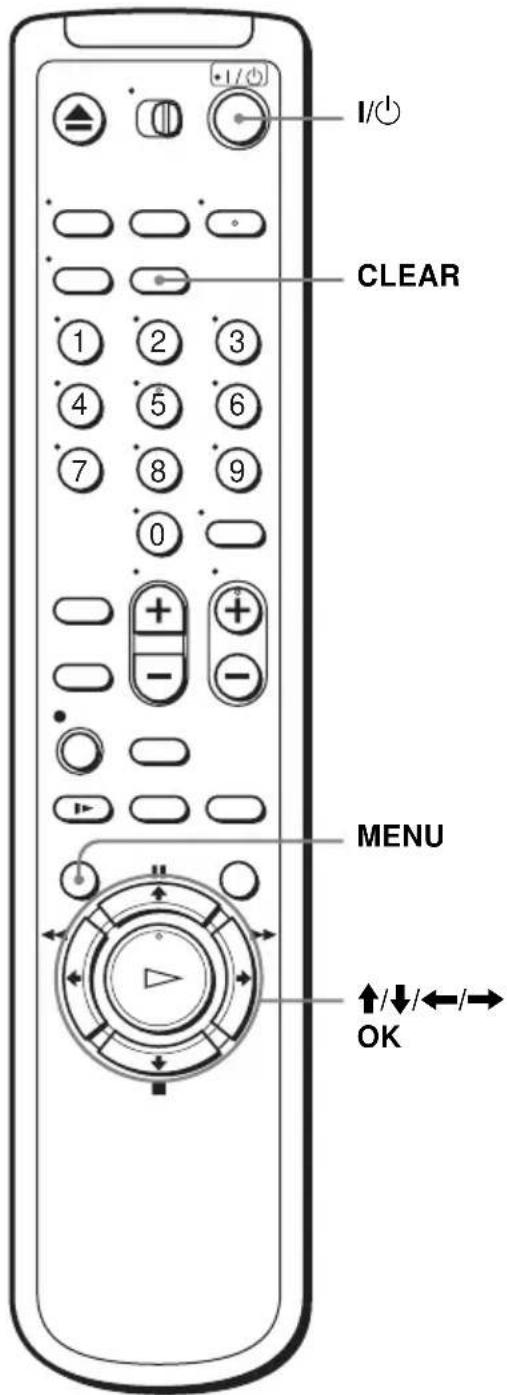
1 Press I/⏻ to turn on the VCR.
2 Press MENU.
continued
3 Press ↑/↓ to move the cursor (▶) to “Timer set/check,” then press OK.
- If you want to change a setting, go on to the next step.
- If you do not need to change the settings, press MENU, then turn off the VCR to return to recording standby.
4 Press ↑/↓ to move the cursor (▶) to the setting you want to change or cancel.
- To change the setting, press / to flash the item you want to change, and press / to change it.
- To cancel the setting, press CLEAR.
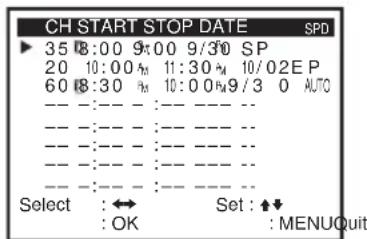
5 Press OK to confirm the setting.
6 Press MENU to exit the menu.
If any timer settings remain, turn off the VCR to return to recording standby.
When the timer settings overlap
The program that starts first has priority and the second program starts recording only after the first program has finished. If the programs start at the same time, the program listed first in the menu has priority.
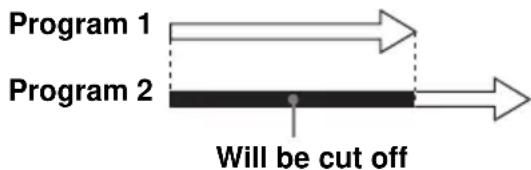
flowchart
graph LR
    A["Program 1"] --> B["Program 2"]
    B --> C["Will be cut off"]
Recording stereo and bilingual programs
Recording stereo programs
When you receive a program broadcast in stereo, press AUDIO MONITOR to display STEREO on the TV screen. You can also select LEFT, RIGHT, or MONO. If there is noise in the stereo program, select MONO. The sound will be recorded in monaural (on both hi-fi and normal audio tracks) but with less noise.
Recording bilingual programs
Press AUDIO MONITOR to display “SAP” on the TV screen. When a SAP (Second Audio Program) is received, “SAP” appears on the TV screen. When MAIN is selected, the VCR records only the main sound.
Selecting the sound during playback
During playback, press AUDIO MONITOR to select the sound you want.
| To listen to On-screen display | Display window | |
| Stereo HI-FI Hi-Fi | ||
| Left channel LEFT Hi-Fi | ||
| Right channel RIGHT Hi-Fi | ||
| Monaural sound on the normal audio track | MONO No indicator |
How sound is recorded on a video tape
The VCR records sound onto two separate tracks. Hi-fi audio is recorded onto the main track along with the picture. Monaural sound is recorded onto the normal audio track along the edge of the tape.

Notes
- To play a tape in stereo, you must use the A/V connections.
- When you play a tape recorded in monaural, the sound is heard in monaural regardless of the AUDIO MONITOR setting.
Searching using various functions
The VCR automatically marks the tape with an index signal at the point where each recording begins.
You can easily find a specific point using various search functions.

To search using the index function (Scan and Play)
The VCR automatically marks the tape with an index signal at the point where each recording begins. Use these signals as references to find a specific recording.
1 Insert an indexed tape into the VCR.
2 Press SEARCH.
![Scan and play: Press [←] or [→] Go to [0 0 0 : ] 0 0 Press [◆] End search: Press [↓] : : 0 0 1 3·0 S P](/content/2026/06/1168739/images/ffcda5ae697ed3aee8b054c258d8fa585997a4cea60ecc5873a521e1e84807b2.jpg)
3 Press → to scan ahead, or ← to scan backwards. The VCR searches and then plays back for about five seconds.

4 Press ▷ PLAY to view that program. If you do not press ▷ PLAY, the VCR automatically searches for the next index mark, or until it reaches the end of the tape.
To search for the counter 0:00:00 point
To mark a point on the tape that you want to find later, reset the tape counter to "0:00:00."
The VCR automatically fast-forwards or rewinds to the 0:00:00 point on the tape counter.
1 Press SEARCH.
2 Press ↑.
The VCR starts searching and automatically stops at the 0:00:00 point.
![Go to [0 0 0 : ] 0 : : 0 0 1 S•U S P](/content/2026/06/1168739/images/180e2bd431e9fae94ff41fa4ed95bcec7450f2bb5eaf042cd0de61e7dd2b034e.jpg)
To search for a blank portion of the tape
The VCR automatically searches for the beginning of a blank portion. You can easily find a point you can start recording from.
1 Press SEARCH.
2 Press ↓.
The VCR starts searching and automatically stops at the beginning of a blank space. If no blank space is found, the VCR reaches the end and the tape will stop.

Note
- Once in recording mode, if the VCR is put in pause and then released to start the recording, no index mark will be inserted. An index mark will be inserted if the channel is changed while VCR is put in pause.
Adjusting the picture (tracking)
Although the VCR automatically adjusts the tracking when playing a tape, distortion may occur if the recording is in poor condition. In this case, manually adjust the tracking.
Press TRACKING +/- on the VCR to display the tracking meter. The distortion should disappear as you press one of the two tracking buttons. To resume automatic tracking adjustment, eject the tape and reinsert it.

Note
- The auto tracking adjustment cannot be guaranteed to work with tapes recorded in the LP mode on other VCRs.
Changing menu options
1 Press MENU.
2 Press ↑/↓ to move the cursor (▶) to “Advanced options,” then press OK.
2 Press ↑/↓ to move the cursor (▶) to “Advanced options,” then press OK.
![ADVANCED OPTIONS ► Tape select: [T120] Auto play: [ON] Auto repeat: [OFF] Auto power off: [OFF] Power save: [OFF] VCR Output CH: [3CH] Select :◆◆ Set : ◀◀ :OK Quit : MENU](/content/2026/06/1168739/images/c4006e41e9dbafb530bfb6c202fe78dced9d2c3e07ad7ec4443e2b47074a0643.jpg)
3 Press ↑/↓ to move the cursor (▶) to the option to change.
4 Press ←/→ to change the setting.
5 Press MENU to exit the menu.
Menu choices
Initial settings are indicated in bold print.
| Menu option Set this option to | |
| Tape select | T-120 when using a T-120 or shorter length tape.T-160 when using a T-160 length tape.T-180 when using a T-180 or longer length tape.For details, see page 32. |
| Auto play | ON to start playback automatically, when you insert a tape with its safety tab removed.OFF to turn off Auto play. You need to press ▷ PLAY to start playback, even if you insert a tape with its safety tab removed. |
| Auto repeat • ON to play back a tape repeatedly. The VCR rewinds a tape to the beginning and restarts playback automatically.OFF to turn off Auto repeat. | |
| Auto power off • 1Hr to turn off the VCR automatically one hour after the last operation.2Hr to turn off the VCR automatically two hours after the last operation.OFF to set no specific time to turn off. | |
| Power save • ON to turn off the indicators in the display window during standby mode to reduce the VCR’s power consumption to a minimum.OFF to turn on the indicators in the display window while the VCR is standing by. | |
| VCR Output CH | 3CH when using channel 3 to receive the VCR signal.4CH when using channel 4 to receive the VCR signal.For details, see page 48. |
Setting the RF Output channel
When connecting the VCR to the TV using only the antenna cable, you must set the “VCR Output CH” in the ADVANCED OPTIONS menu so that the TV can receive the correct signal from the VCR.

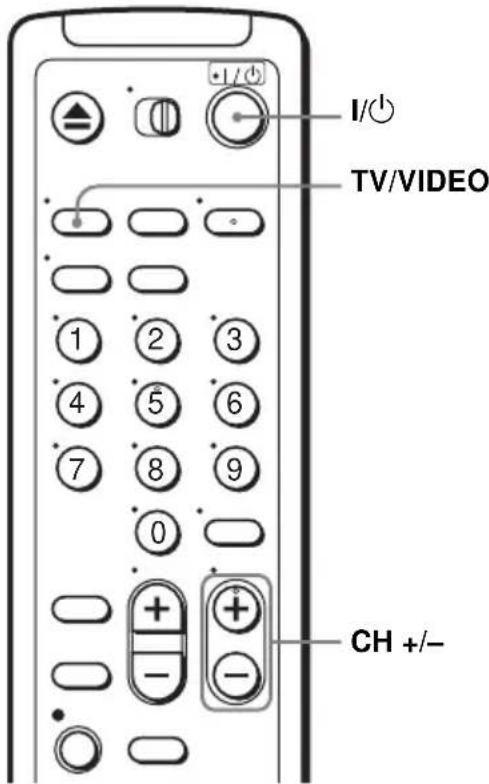
1 Set the “VCR Output CH” to “3CH” or “4CH” (see page 47 to set the channel), whichever channel is not used in your area. If both are used, set the “VCR Output CH” to either channel.
2 Press I/ ^1 to turn on the VCR.
3 Press TV/VIDEO to turn on the VCR indicator in the VCR's display window.
4 Press CH +/- to display a channel number in the display window.
Select an active channel number in your area.
5 Turn on your TV and set it to the channel you selected in step 1 (3CH or 4CH).
The channel you selected in step 4 appears on the TV screen. If the channels change when you press CH +/-, you have made the correct setting.
Whenever you use the VCR, set the TV to the channel selected in step 1.
Editing with another VCR
How to connect to record on this VCR
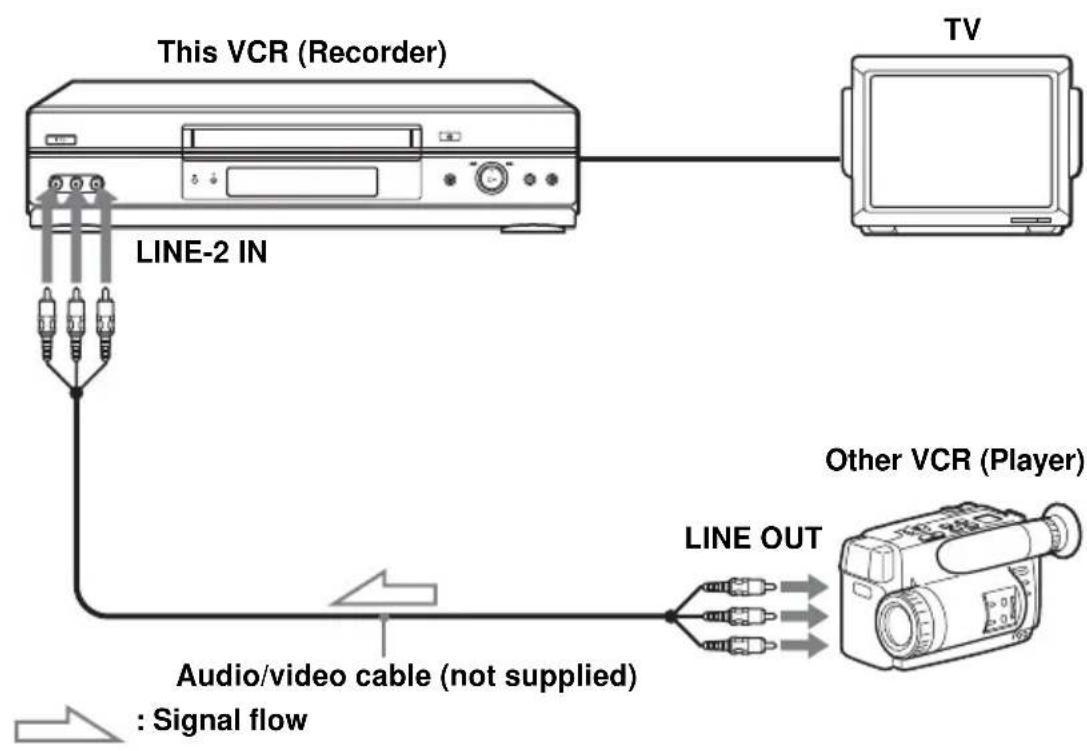
flowchart
graph TD
    A["This VCR (Recorder)"] --> B["TV"]
    A --> C["LINE-2 IN"]
    C --> D["Audio/video cable (not supplied) : Signal flow"]
    D --> E["Other VCR (Player)"]
    E --> F["LINE OUT"]
Notes
• Make sure you connect the plugs to jacks of the same color.
- If the other VCR is a monaural type and connected to this VCR's LINE-2 IN jacks, connect the audio plug to the AUDIO L (white) jack. The sound is recorded on both right and left channels. If you connect to the AUDIO R (red) jack, the sound is recorded only on the right channel.
- If you connected this VCR to both the LINE IN and LINE OUT jacks of the other VCR, select the input correctly to prevent a humming noise.
- You can use the LINE IN 1 jacks for editing. If the other VCR is a monaural type the sound is recorded only on the channel whose jack is connected to the audio plug. To record on both right and left channels, connect the audio plugs to the AUDIO R/L jacks using an audio/video cable (not supplied).
Operation (when recording on this VCR)
Before you start editing
- Turn on the VCR and the TV and set it to the video channel.
- Press INPUT SELECT or CHANNEL +/- to display “L1” or “L2” in the display window.
- Press SP/EP to select the tape speed, SP or EP.
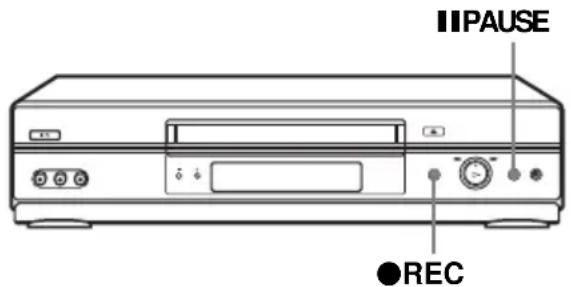
1 Insert a source tape with its safety tab removed into the other ( playback) VCR. Search for the point to start playback and set it to playback pause.
2 Insert a tape into this (recording) VCR. Search for the point to start recording and press IIPAUSE.
3 Press ●REC on this VCR to set it to recording pause.
4 To start editing, press the II PAUSE buttons on both VCRs at the same time.
To stop editing
Press the ■STOP buttons on both VCRs.
Tip
- To cut out unwanted scenes while editing, press || PAUSE on this VCR when an unwanted scene begins. When it ends, press || PAUSE again to resume recording.
Antenna information
Attaching the external antenna connector
When using a 300-ohm twin lead cable for a VHF/UHF antenna, use an antenna connector (not supplied) to connect the antenna to the VCR.

1 Loosen the screws on the antenna connector.
2 Wind the twin leads around the screws on the antenna connector.
3 Retighten the screws.
Attaching a UHF/VHF band mixer
When using both a 75-ohm coaxial cable and a 300-ohm twin lead cable for a VHF/UHF antenna, use a UHF/VHF band separator/mixer (not supplied) to connect the antenna to the VCR.
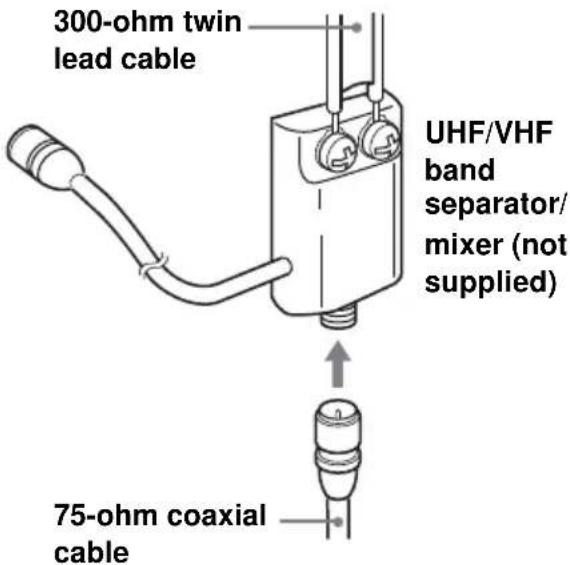
1 Loosen the screws on the mixer.
2 Wind the twin leads around the screws on the mixer.
3 Retighten the screws.
4 Connect the 75-ohm coaxial cable to the mixer.
Troubleshooting
If you have any questions or problems not covered below, please consult your nearest Sony dealer.
| Symptom Remedy | ||
| Power | The I/⏻ (on/standby) switch does not function. | Connect the AC power cord securely.Make sure the VCR is not locked. To unlock, hold down I/⏻ (on/standby) POWER on the VCR until “LOC” disappears. |
| The power is turned on but the VCR does not operate. | Moisture condensation has occurred. Turn the power off, unplug the AC power cord and leave the VCR to dry for over three hours. | |
| Clock | The clock has stopped and “--:--” appears in the display window. | The clock stops if the VCR is disconnected from the wall outlet for more than one minute. Reset the clock (and timer). |
| Playback | The playback picture does not appear on the TV screen. | Make sure the TV is set to the channel for the VCR. If you are using a monitor, set it to video input. |
| The picture is not clear. • Adjust the tracking with the TRACKING +/- buttons.The video heads are dirty (see the last page of “Troubleshooting”). Clean the video heads using a Sony video head cleaning cassette. If a Sony cleaning cassette is not available in your area, have the heads cleaned at your nearest Sony dealer (a standard service fee will be charged). Do not use a commercially available liquid type cleaning cassette, as it may damage the video heads.The video heads may have to be replaced. Consult your local Sony dealer for more information. | ||
| The picture rolls vertically during picture search. | Adjust the vertical hold control on the TV or monitor. | |
| The picture has no sound. • The tape is defective.If you made A/V connections, check the audio cable connection. | ||
| Recording | A TV program does not appear on the TV screen. | Make sure the TV is set to the channel for the VCR. If you are using a monitor, set it to video input.Select the correct source with the INPUT SELECT or CH +/- buttons. Select a channel number when recording TV programs; select “L1” or “L2” when recording from other equipment. |
| TV reception is poor. • Adjust the TV antenna. | ||
| The tape starts playing as soon as it is inserted. | The safety tab has been removed. To record on this tape, cover the tab hole. | |
| The tape is ejected when you press●REC. | Check that the safety tab has not been removed. | |
| Nothing happens when you press●REC. | Make sure the tape is not at its end. | |
| Timer recording | The timer does not operate. • Check that the clock is set.Make sure a tape has been inserted.Check that the safety tab has not been removed.Make sure the tape is not at its end.Make sure a program has been set for timer recording.Make sure your timer settings are past the current time.Check that the cable box is turned on.The clock stops if the VCR is disconnected from the wall outlet for more than one minute. Reset the clock and timer.Turn the power off and unplug the AC power cord. | |
| Others | A tape cannot be inserted. • Check that a tape is not already in the tape compartment. | |
| The remote commander does not function. | Make sure you are pointing the remote commander at the remote sensor on the VCR.Replace all the batteries in the remote commander with new ones if they are weak.Make sure the •TV/VIDEO switch is set correctly. | |
| The tracking meter does not appear on the screen. | The recording condition of the tape is very poor and tracking cannot be adjusted. | |
| You cannot control other TVs. • Set your TV's code number. The code number may change when you replace the batteries of the remote commander. | ||
| The VCR needs to be cleaned. • Clean | the cabinet, panel and controls with a dry, soft cloth, or a soft cloth slightly moistened with a mild detergent solution. Do not use any type of solvent, such as alcohol or benzine. | |
Symptoms caused by contaminated video heads
- Normal picture • Unclear picture • Rough picture
• No picture (or black & white screen appears)


initial contamination
terminal
Specifications
System
Format
VHS NTSC standard
Video recording system
Rotary head helical scanning FM system
Video heads
Double azimuth four heads
Video signal
NTSC color, EIA standards
Tape speed
SP: 33.35 mm/s (1 38 inches/s)
EP: 11.12 mm/s ( 716 inches/s)
LP: 16.67 mm/s ( ^11/_16 inches/s), playback only
Maximum recording/playback time
8 hrs. in EP mode (with T-160 tape)
Rewind time
Approx. 1 min (with T-120 tape)
Tuner section
Channel coverage
VHF 2 to 13
UHF 14 to 69
CATV A-8 to A-1, A to W, W+1 to W+84
Antenna
75-ohm antenna terminal for VHF/UHF
Inputs and outputs
LINE IN 1 and LINE-2 IN
VIDEO IN, phono jack (1 each)
Input signal: 1 Vp-p, 75 ohms, unbalanced, sync negative
AUDIO IN, phono jacks (2 each)
Input level: 327 mVrms
Input impedance: more than 47 kilohms
LINE OUT
VIDEO OUT, phono jack (1)
Output signal: 1 Vp-p, 75 ohms, unbalanced, sync negative
AUDIO OUT, phono jacks (2)
Standard output: 327 mVrms
Load impedance: 47 kilohms
Output impedance: less than 10 kilohms
Timer section
Clock
Quartz locked
Timer indication
12-hour cycle
Timer setting
8 programs (max.)
General
Power requirements
120 V AC, 60 Hz
Power consumption
16 W
Operating temperature
0^ to 45^ (32°F to 113°F)
Storage temperature
-20^ to 60^ (-4^ to 140^)
Dimensions including projecting parts and controls (w/h/d)
SLV-N750
Approx. 430 × 96 × 262 mm
(Approx. 17 × 3^7 × 10 inches)
SLV-N650
Approx. 360 × 95 × 260 mm
(Approx. 14 12 x 3 × 3 14 0 inches)
Mass
SLV-N750
Approx. 2.8 kg (Approx. 6 lb 3 oz)
SLV-N650
Approx. 2.6 kg (Approx. 5 lb 12 oz)
Supplied accessories
Remote commander (1)
Size AA (R6) batteries (2)
75-ohm coaxial cable with F-type connectors (1)
Design and specifications are subject to change without notice.
ENERGY STAR ^® is a U.S. registered mark.
As an ENERGY STAR ^® Partner, Sony Corporation has determined that this product meets the ENERGY STAR ^® guidelines for energy efficiency.
Index to parts and controls
Refer to the pages indicated in parentheses () for details.
Front panel

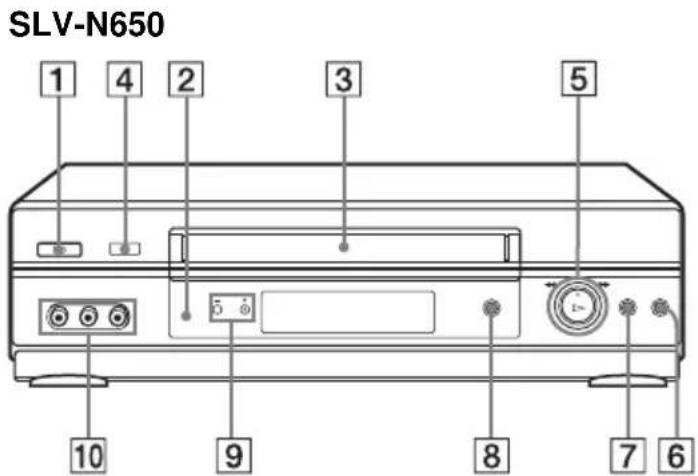
1 I/ (on/standby) POWER switch (35)
2 Remote sensor (8)
3 Tape compartment
4合EJECT button (29)
5 ▷ PLAY button* (29)/▶▶ FF (fast-forward)/◀◀REW (rewind) (29) (39)/Playback Dial (29) (39)
6 ■ STOP button (29) (50)
7 | | PAUSE button (29) (50)
8●REC (record) button (32) (40) (50)
9 CHANNEL/TRACKING +/- buttons*
(32) (46)
10LINE-2 IN VIDEO/AUDIO L/R jacks (49)
* The ▷PLAY and CHANNEL + buttons have a tactile dot.
Display window

1 Tape indicator (32)
2 TIMER indicator (35)
3 Hi-Fi indicator (43)
4 Time counter/clock/line/channel indicator (30) (32) (50)
5 VCR indicator (33)
Rear panel
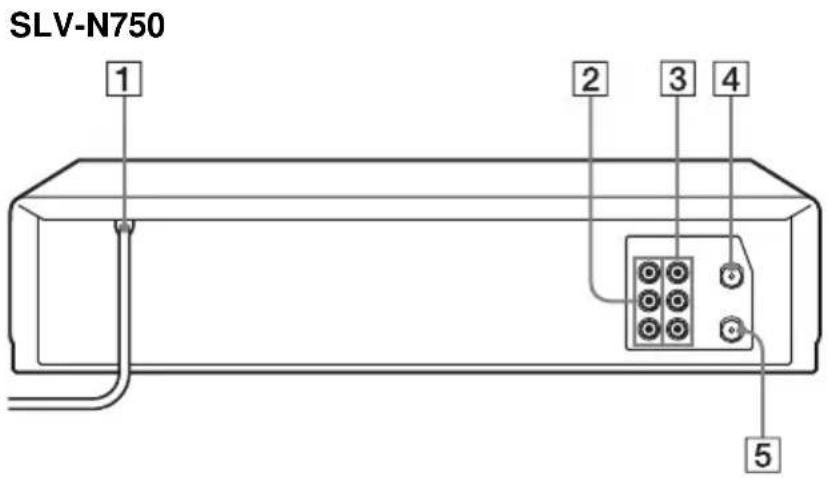

1 AC power cord (11) (14) (16)
2LINE OUT AUDIO R/AUDIO L/VIDEO jacks (12)
3LINE IN 1 AUDIO R/AUDIO L/VIDEO jacks (49)
4 RF IN (FROM ANT.) connector (13) (15) (17)
5RF OUT (TO TV) connector (13) (15) (17)
Remote commander
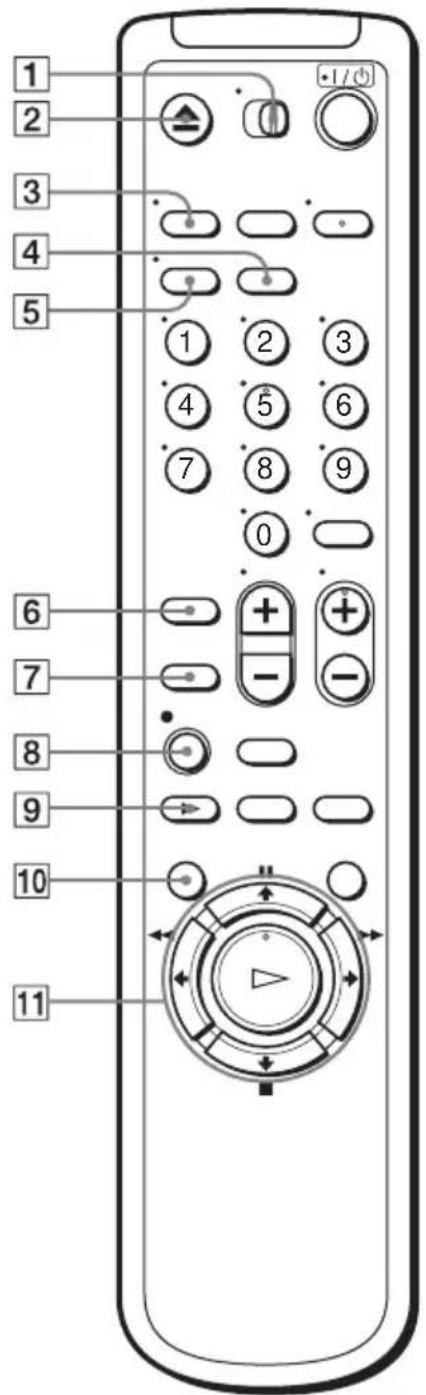
1•TV / VIDEO switch (8)
2▲EJECT button (29)
③ TV/VIDEO button (9) (33)
4 CLEAR button (30) (42)
5DISPLAY button (32)
6 SP (Standard Play)/EP (Extended Play) button (32)
7 INPUT SELECT button (33) (50)
8●REC (record) button (32) (40)
9▶SLOW button (38)
10 MENU button (18) (34) (41) (47)
11 II PAUSE/↑ button (18) (29)
■STOP/↓ button (18) (29)
◀◀ REW (rewind)/ ← button (29) (38)
▶▶ FF (fast-forward)/ → button (29) (38)
▷PLAY/OK button* (19) (29)
* The ▷PLAY button has a tactile dot.
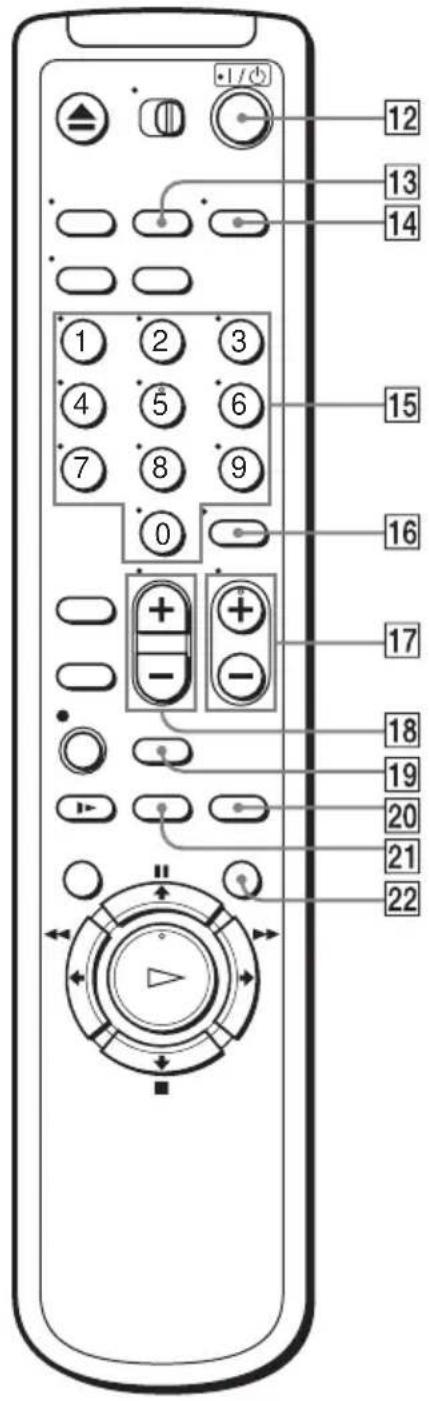
12 I/ (on/standby) (power) switch (9) (35)
13 COUNTER/REMAIN button (32)
14 AUDIO MONITOR button* (43)
15Number buttons* (33)
16 ENTER button (33)
17CH (channel) +/- buttons* (9) (32)
18 VOL (volume) +/- buttons (9)
19 SEARCH button (44)
20REPLAY button (29)
21×2 button (38)
22 COMMERCIAL SKIP button (29)
* The AUDIO MONITOR, number 5 and CH + buttons have a tactile dot.
Index
A
Adjusting
picture 46
tracking 46
Advanced option 47
Antenna hookup 13
Audio track 43
Audio/video (A/V) hookup 12
Auto Clock Set 19
Auto Tape Speed 36
C
Cable hookup 11
Child Lock 37
Cleaning the video heads52
Clock setting 19
Commercial Skip 29
Connecting
Cable TV 17
external antenna connector 51
UHF/VHF band mixer 51
Counter 30
D
Disabling channels 26
Dubbing. see Editing
E
Editing 49
EP mode 32
H
Hi-fi audio track 43
L
Language selecting 18
Locking the VCR 37
LP mode 33
M
Monaural 43
Monitoring audio during
playback 43
N
Normal audio track 43
P
Picture adjustment 46
Playback 28
at various speeds 38
frame by frame 38
selecting the sound 43
skip 29
slow motion 38
Presetting channels 24
Q
Quick Timer Recording 40
R
Recording 31
bilingual programs 43
SAP broadcasts 43
saving 33
stereo broadcasts 43
timer setting34
while watching another
program 33
RF channel 48
S
Safety tab 33
SAP (Second Audio Program)
43
Searching
at various speeds 38
for a blank portion 45
for the counter 0 point 45
Scan and Play 44
SP mode 32
Stereo 43
T
Timer setting 34
canceling 41
changing 41
checking 41
daily/weekly recording 36
Tracking adjustment. see
Adjusting
Tuner presetting24
Quick reference to using the VCR
Hookup 1
To play a tape
1 Set the TV to channel 3 or 4 (or to video input, if you made A/V connections).
2 Insert a tape and press ▷PLAY. If there is no picture on your TV, press the VCR's TV/VIDEO button until the VCR indicator appears in the display window.
To record a program
1 Press MENU and select "Timer set/check."
2 Set the channel, time, date, and tape speed.
3 Press OK.
4 Insert a tape.
5 Press I/ ^① to turn off the VCR.
To watch TV
1 Turn off the VCR, or press the VCR's TV/VIDEO button until the VCR indicator in the display window turns off.
2 Set the TV to the channel you want to watch.
Hookup 2
To play a tape
1 If you made A/V connections, set the TV to video input. If you did not use A/V hookup:
- Turn on the cable box.
- Set the cable box to channel 3 or 4.
- Set the TV to the output channel of the cable box (usually 2, 3, or 4).
2 Insert a tape and press ▷PLAY.
To record a program
1 Press MENU and select "Timer set/check."
2 Set the channel, time, date, and tape speed.
3 Press OK.
4 Insert a tape.
5 Press I/⏻ to turn off the VCR.
To watch TV
1 Turn off your VCR, or press the VCR's TV/VIDEO button until the VCR indicator in the display window turns off.
2 Select the channel with your cable box (if you have one) or with your TV.
Hookup 3
To play a tape
1 Set the TV to channel 3 or 4 (or to video input, if you made A/V connections).
2 Insert a tape and press ▷PLAY.
To record a program
1 Turn on the cable box.
2 Set the cable box to the channel you want to record.
3 Press MENU and select "Timer set/check."
4 Set the channel, time, date, and tape speed.
5 Press OK.
6 Insert a tape.
7 Press I/ ^① to turn off the VCR.
Leave the cable box on.
To watch TV
1 Turn off your VCR, or press the VCR's TV/VIDEO button until the VCR indicator in the display window turns off.
2 Turn on your cable box.
3 Set the TV to the cable box output channel (usually 2, 3, or 4).
4 Set the cable box to the channel you want to watch.
- Video Cassette Recorder
- For customers in the USA
- For Customers in Canada
- WARNING
- CAUTION:
- Precautions
- Safety
- Installing
- Information
- CAUTION
- NOTE:
- Owner's record
- Important Safeguards
- Use
- Power sources
- Grounding or Polarization
- For the set with a polarized ac power cord plug:
- For the set with a three-wire grounding type ac plug:
- Overloading
- Object and Liquid Entry
- Attachments
- Cleaning
- Installation
- Water and Moisture
- Power-Cord Protection
- Accessories
- Ventilation
- Antennas
- Outdoor antenna grounding
- Antenna Grounding According to the National Electrical Code
- Lightning
- Service
- Damage Requiring Service
- Servicing
- Replacement parts
- Safety Check
- Table of contents
- Getting Started
- Basic Operations
- Additional Operations
- Additional Information
- Back Cover
- Step 1 : Unpacking
- Note
- Check your model name
- Step 2 : Setting up the remote commander
- Inserting the batteries
- Using the remote commander
- Notes
- Controlling other TVs with the remote commander
- Code numbers of controllable TVs
- Step 3 : Hookups
- Selecting the best hookup option
- Before you get started
- Note to CATV system installer (in USA)
- Audio/video (A/V) hookup
- Hookup 1 (Plug and Play)
- Antenna hookup
- A Use this hookup if you are using:
- If you cannot connect your antenna cable to the VCR directly
- Hookup 1 : VCR setup
- Plug the VCR into the AC outlet.
- Hookup 2 (Plug and Play)
- You have no cable box, or a cable box with only a few scrambled channels
- Recommended use
- What you can do with this hookup
- What you cannot do
- Hookup 2 : VCR setup
- Hookup 3
- Connecting a cable box with many scrambled channels
- After you have completed hookup...
- Step 4 : Selecting a language
- Before you start...
- Step 5 : Setting the clock
- Using the Auto Clock Set feature
- 3
- 4
- 5
- 6
- Using Manual Clock Set Before you start...
- 7
- Step 6 : Presetting channels
- Presetting all receivable channels automatically
- Presetting/disabling channels manually Before you start...
- Playing a tape
- Using Playback Dial on the VCR
- To play a recently watched scene
- To skip playback
- To turn off the power while rewinding (Rewind Shut Off)
- To use the time counter
- Recording TV programs
- To stop recording
- To check the remaining tape length
- To watch another TV program while recording
- To save a recording
- Tips
- Setting the timer
- 2
- Daily/weekly recording
- To use the Auto Tape Speed function
- To use the VCR after setting the timer
- Locking the VCR (Child Lock)
- To lock the VCR
- To unlock the VCR
- Playing/searching at various speeds
- Quick Timer Recording
- To extend the duration
- To cancel the duration
- To stop while recording
- Checking/changing/canceling timer settings
- When the timer settings overlap
- Recording stereo and bilingual programs
- Recording stereo programs
- Recording bilingual programs
- Selecting the sound during playback
- How sound is recorded on a video tape
- Searching using various functions
- To search using the index function (Scan and Play)
- To search for the counter 0:00:00 point
- To search for a blank portion of the tape
- Adjusting the picture (tracking)
- Changing menu options
- Menu choices
- Setting the RF Output channel
- Editing with another VCR
- Operation (when recording on this VCR)
- Before you start editing
- To stop editing
- Tip
- Antenna information
- Attaching the external antenna connector
- Attaching a UHF/VHF band mixer
- Troubleshooting
- Symptoms caused by contaminated video heads
- Specifications
- System
- Tuner section
- Inputs and outputs
- Timer section
- General
- Supplied accessories
- Index to parts and controls
- Front panel
- Display window
- Rear panel
- Index
- A
- C
- D
- E
- H
- L
- M
- N
- P
- Q
- R
- S
- T
- Quick reference to using the VCR
- Hookup 1
- To play a tape
- To record a program
- To watch TV
- Hookup 2
Brand : SONY
Model : SLV-N650
Category : Tape recorder