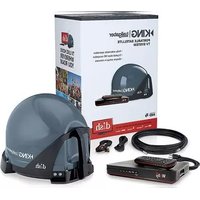
Tailgater Controls VQ4550 - Satellite antenna KING - Free user manual and instructions
Find the device manual for free Tailgater Controls VQ4550 KING in PDF.


| Product Type | Portable Satellite Antenna System |
| Brand | KING |
| Model | Tailgater VQ4550 (also covers VQ4500) |
| Compatible Receivers | DISH Wally, ViP 211z, ViP 211k, ViP 211, 411 |
| Satellites Supported | 110°, 119°, 129° West Longitude |
| Power Input (Receiver) | 110-120 VAC |
| Coaxial Cable Length | 50 ft RG-6 (supplied) |
| Main Features | Automatic satellite acquisition; portable design; supports HD and SD programming; DVR-ready with external USB hard drive; RF remote control (works through walls) |
| Setup | Unobstructed southern sky view; point handle north; hand-tighten coax; activate receiver via DISH (1-800-963-DISH) |
| Signal Loss Causes | Obstructions (trees, buildings, people); heavy rain/snow; moving the antenna during use |
| Care & Cleaning | Hand wash with mild soap and water; do not power wash; do not submerge; apply KING Dome Magic for snow/rain |
| Safety Instructions | Do not open cover; unplug receiver in damp conditions; use only supplied coax; avoid heat sources; do not overtighten connections |
| Accessories (sold separately) | TR1000 Tripod Mount, CB1000 Carry Bag, AL1000 Alarm, MB500 Mounting Bracket, MB600 Removable Mounting Feet |
| Warranty | 2 years parts, 1 year labor (manufacturer); extended warranty available |
| Package Contents | (3) Rubber feet, 50 ft RG-6 coax, Owner's Manual, Quick Reference Guide, Registration Card |
| Dimensions (approx) | 12 x 12 x 6 inches (estimated) |
| Weight (approx) | 5-7 lbs (estimated) |
Frequently Asked Questions - Tailgater Controls VQ4550 KING
User questions about Tailgater Controls VQ4550 KING
0 question about this device. Answer the ones you know or ask your own.
Ask a new question about this device
Download the instructions for your Satellite antenna in PDF format for free! Find your manual Tailgater Controls VQ4550 - KING and take your electronic device back in hand. On this page are published all the documents necessary for the use of your device. Tailgater Controls VQ4550 by KING.
USER MANUAL Tailgater Controls VQ4550 KING
VQ4500 & VQ4550
KING
Thank you for choosing the KING Tailgater!
NEW AND UNACTIVATED RECEIVERS
First-time use of your KING® Tailgater® should be at your residence or a location where you have good phone reception, as you will need to call a DISH® mobile antenna specialist at 1-800-963-DISH (3474) to activate your receiver and begin viewing your satellite programming (do this at the end of step 5).

The KING Tailgater is compatible with the following DISH receivers: Wally™ • ViP®211z • ViP211k • ViP211 • 411
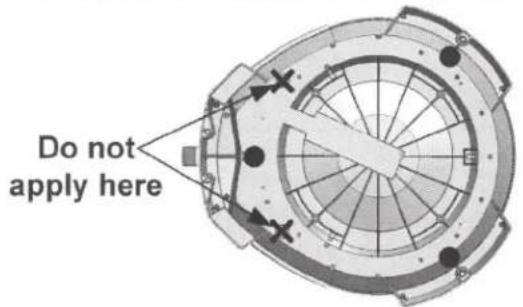
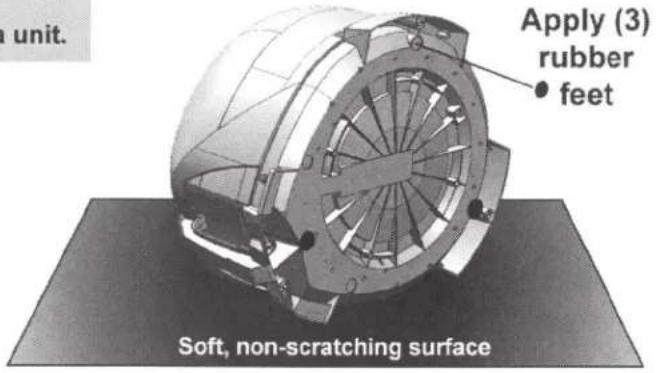
1 Lay the KING Tailgater on a soft, non-scratching surface and apply the (3) rubber feet.
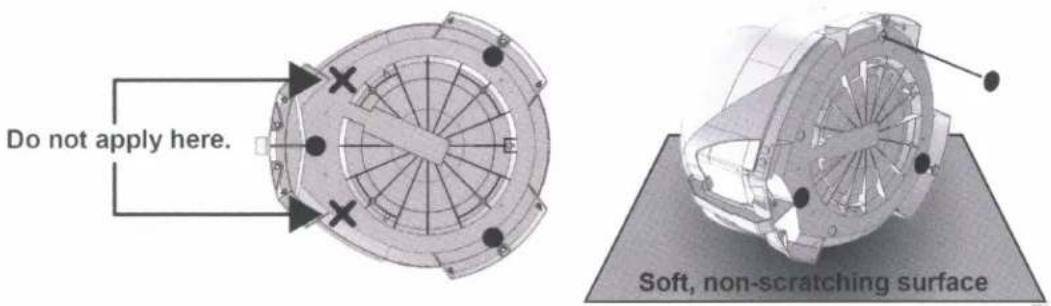

Do not apply rubber feet if you will be roof ting the antenna unit.
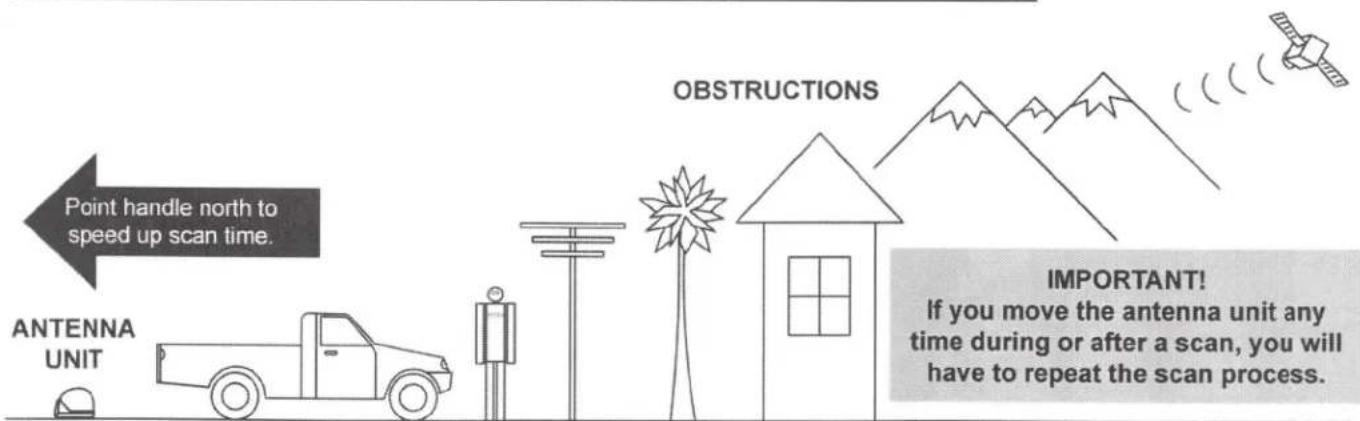
2 Place the KING Tailgater in a location with an unobstructed view of the southern sky.
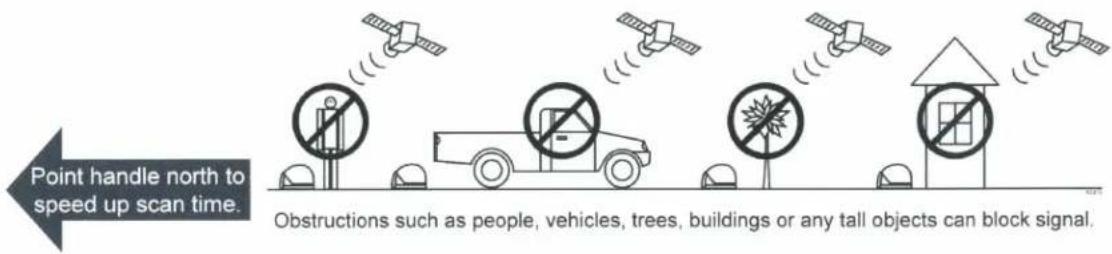

If you move the KING Tailgater during or after can process, you will to perform a new scan acquire signal.
3 Make connections in the following order: A, B and C.
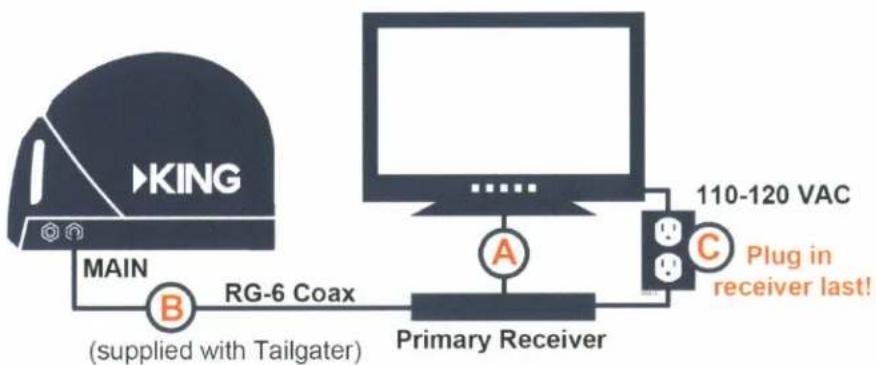
flowchart
graph LR
    A["King"] -->|MAIN| B["RG-6 Coax (supplied with Tailgater)"]
    B --> C["Primary Receiver"]
    C --> D["110-120 VAC Plug in receiver last!"]
    D --> E["A"]
    D --> F["C"]
Do not overtighten coax connections!

When you plug in the receiver (make sure outlet is powered), the green light on the front of the receiver and illuminate or begin cycling on and off.
Wait for the green light to turn solid. This may take up to two minutes.
If it does not turn solid, power on your receiver using the front panel POWER button.*
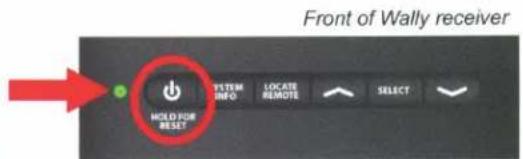
*On ViP211z models, this is located behind the door panel.
4 Turn on your TV.
The Mobile Antenna Setup screen should appear. (Make sure your TV is on the correct input that your Tailgater is connected to. Check input by pressing Source/Input button located on the side, back or front of your TV, or on your TV's remote.)
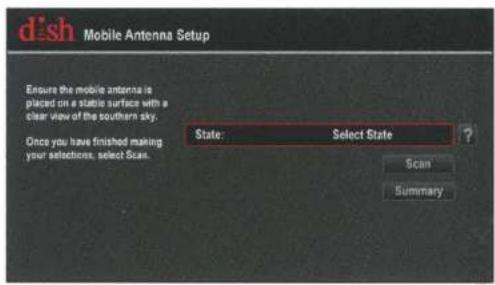
If the Mobile Antenna Setup screen does not appear:
Wally receivers: Unplug the Wally for 10 seconds, and then plug back in. (It may take several minutes for screen to appear.)
ViP receivers: Press MENU, 6, 1, 1. When Point Dish screen appears, highlight "Check Switch" and press Select.
Wally receiver screen shown. Other receiver screens will vary.
5 Follow the on-screen instructions to perform a scan.
When scan is complete:

NEW UNACTIVATED RECEIVERS: The on-screen instructions will guide you through an initial setup and activation procedure. Upon completion, you will need to call a DISH mobile antenna specialist at 1-800-963-DISH (3474) to activate your receiver.
ACTIVATED RECEIVERS: Watch TV. Enjoy!
Owner's Manual:
For more information on operation, troubleshooting, roof installation, the warranty and accessory options for your KING Tailgater, please refer to the KING Tailgater Owner's Manual for your specific receiver at kingconnect.com/product/king-tailgater:
KING Tailgater with Wally Receiver or KING Tailgater with ViP Receiver
Wally is a trademark, and DISH and Tailgater are registered trademarks of Dish Network, L.L.C. KING is a registered trademark of Electronic Controlled Systems, Inc. PN 22434 Rev A © 2016 KING
VQ4500 & VQ4550 Owner's Manual
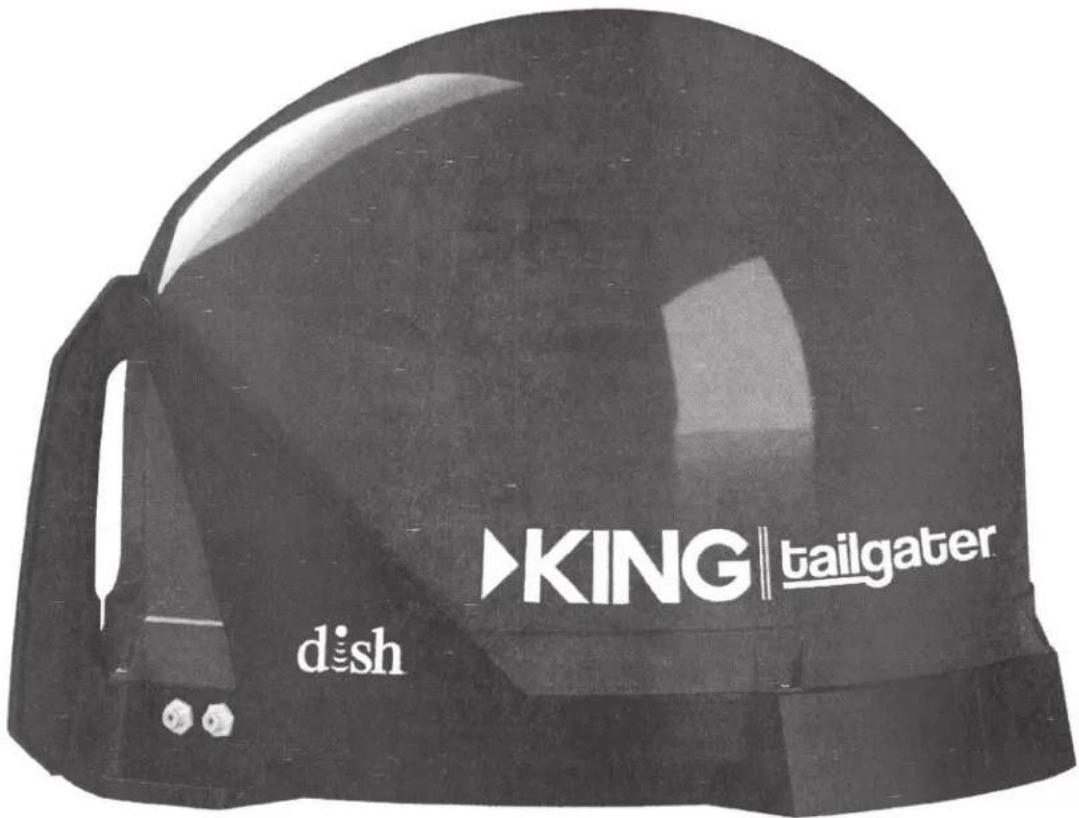
This manual contains detailed information on your KING Tailgater.
To start using your KING Tailgater right away, see the Quick Reference Guide.
To subscribe to programming or for assistance with using the KING Tailgater, call 1-800-963-DISH (3474).
PRODUCT REGISTRATION
To provide ongoing technical support and to better facilitate warranty processing, please register your product at www.kingconnect.com/products/product-registration/.
NOTE: If you have a ViP model receiver, please refer to the KING Tailgater with ViP Receiver Owner's Manual at kingconnect.com/product/king-tailgater.
TABLE OF CONTENTS
INTRODUCTION 2
IMPORTANT SAFETY INSTRUCTIONS 2
KING TAILGATER PACKAGE CONTENTS 2
APPLY RUBBER FEET TO ANTENNA UNIT 3
ABOUT SIGNAL LOSS....3
ABOUT SATELLITE TV RECEPTION 4
CONNECT RECEIVER TO TV 4
KING TAILGATER SETUP 5
KING TAILGATER OPERATION WITH NEW AND UNACTIVATED RECEIVER 6-13
KING TAILGATER STANDARD OPERATION 14-16
ROOF INSTALLATION 20-23
TROUBLESHOOTING 24-25
MANUFACTURER'S LIMITED WARRANTY 26
FCC GUIDELINES 27
INTRODUCTION
Thank you for choosing DISH and the KING Tailgater Portable HDTV System!
You are about to experience the excitement of DISH satellite television programming and the convenience of the KING Tailgater portable antenna, which delivers the very best HD picture and sound quality wherever you go.
NEW AND UNACTIVATED RECEIVERS: First-time use of your KING Tailgater should be at a location with good phone service, as you will need to call DISH to activate your receiver (page 12).
IMPORTANT SAFETY INSTRUCTIONS
- Please read this Owner's Manual thoroughly before using the KING Tailgater.
- Keep this Owner's Manual and the included Quick Reference Guide in a safe place for future reference.
- Follow all instructions and warnings. Set up and operate the KING Tailgater in accordance with the instructions.
- Do not power wash the KING Tailgater. Do not submerge the KING Tailgater or place in standing water. Hand wash only with mild soap and water. See page 18 for additional care instructions.
- Do not operate near any indoor or outdoor heat source such as radiators, heat registers, stoves, barbecues, campfires, or other items that produce heat.
- Servicing may be required if the unit has been dropped or damaged in any way or if the unit does not operate normally. Call the KING Service Department at (952) 345-8147.
- Tighten all of the coax cable connections only by hand. If you use a wrench, you may overtighten the connections and damage your equipment.
- To avoid risk of electric shock, unplug your receiver before connecting the KING Tailgater in damp or wet conditions.
KING TAILGATER PACKAGE CONTENTS
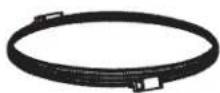
(3) Rubber Feet

50' RG-6
Coax Cable
Owner's Manual

Quick
Reference
Guide
Registration Card
You will also need (sold separately):
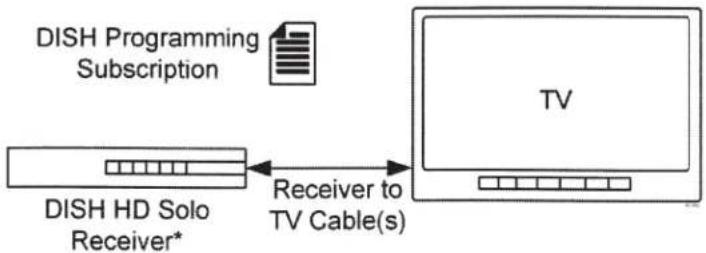
flowchart
graph LR
    A["DISH HD Solo Receiver*"] -->|DISH Programming Subscription| B["TV"]
    B -->|Receiver to TV Cable(s)| A
NOTE: The VQ4550 includes the receiver and cables.
*Model ViP® 211z, ViP211k, ViP211, 411 or Wally™ receiver
Receiver models compatible with the KING Tailgater may change. This list may not be complete.
Please visit www.kingconnect.com/dish-receivers for the most up-to-date receiver information.
APPLY RUBBER FEET TO ANTENNA UNIT
IMPORTANT!
Do not apply rubber feet if roof mounting the antenna unit.
ABOUT SIGNAL LOSS
OBSTRUCTIONS
The KING Tailgater requires an unobstructed view of the southern sky for the best signal reception.
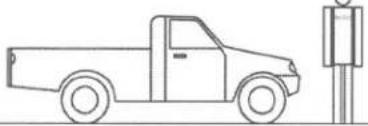
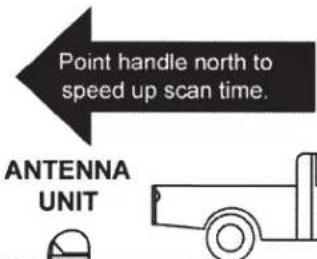
Be sure to place the KING Tailgater in a location free from obstructions such as people, trees, buildings, vehicles, etc. This will allow for the strongest signal and will help prevent any interruption to your programming. Point the handle approximately north to speed up scan time.

DO NOT BLOCK THE KING TAILGATER'S LINE OF SIGHT TO THE SATELLITES IN THE SOUTHERN SKY AT ANY TIME!
PLACE KING TAILGATER ON A REASONABLY LEVEL SURFACE.
SATELLITES IN SOUTHERN SKY
RAIN AND SNOW FADE
Though rare, heavy rain, snow, or dense cloud cover can reduce the satellite signal, which may interrupt your programming. Your programming should return as conditions improve.
ABOUT SATELLITE TV RECEPTION
Satellite television uses satellites in a geostationary orbit over the earth. This type of orbit enables the satellites to stay aligned over one place on the surface of the earth and to transmit your television programming to the KING Tailgater when pointed at the appropriate satellite.
Your television programming is delivered from up to 3 satellites located at the 110°, 119°, and 129° west longitudes. The KING Tailgater will automatically find and then switch between satellites as you change channels to offer you the ideal viewing experience.
Due to the low look angle for the 129 satellite in the northeastern region of the United States, you may experience difficulty viewing programming from the 129 satellite while in this area. (Programming from the 110 and 119 satellites should still be available.)
CONNECT RECEIVER TO TV

DO NOT PLUG IN OR TURN ON RECEIVER AT THIS TIME.
- Connect your DISH HD Solo Receiver (ViP211z, ViP211k, ViP211, 411 or Wally) to your TV using the best connection type supported by your TV. (See your TV owner's manual for its connection options. Connection type and location may vary by model.)
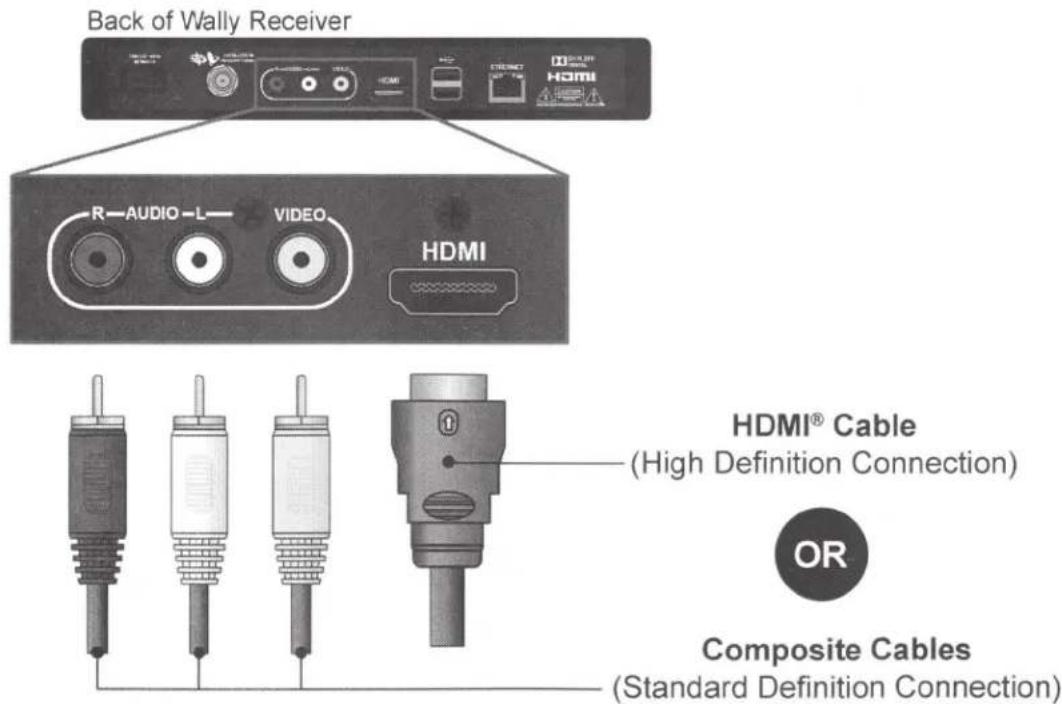
* Receiver models compatible with the KING Tailgater may change. This list may not be complete. Please visit www.kingconnect.com/dish-receivers for the most up-to-date receiver information.
** Your receiver may also have standard definition "TV SET OUT" and "S-VIDEO" ports, and high definition "COMPONENT" ports to view video. See your receiver's Owners Manual for more information.
Images shown may vary by receiver model.
Compatible receiver models on KING website
KING TAILGATER SETUP
The KING Tailgater requires an unobstructed view of the southern sky for signal reception. Be sure to place the KING Tailgater in a location free from obstructions such as trees, buildings, etc. (See page 3.) Point the handle approximately north to speed up scan time.

HAND TIGHTEN COAX. OVERTIGHTENING CAN DAMAGE CONNECTIONS.
- Connect one end of the supplied RG-6 coax cable to the MAIN port on the KING Tailgater and place in position. It is recommended you use only the supplied RG-6 coax cable.
- Connect other end of the supplied RG-6 coax cable to the SATELLITE IN port on your receiver.

natural_image
3D rendered helmet with visible structural lines and mounting bracket (no text or symbols)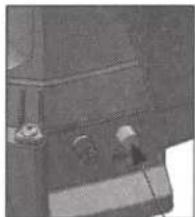
natural_image
Close-up of a mechanical component with no visible text or symbolsRight Rear of KING Tailgater
Back of Wally Receiver
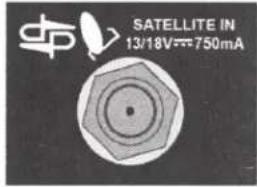
Connect to SATELLITE IN only!

- Do not put the KING Tailgater where it can be bumped, knocked over or struck by a person or vehicle.
- Do not put the KING Tailgater near any heat sources.
- Do not route coax cable where it can be tripped on or run over by a vehicle.
- Do not overtighten coax cable connections.
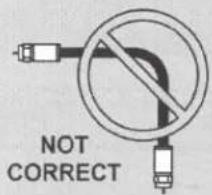
- Do not put sharp bends or kinks in coax cable.
NOTE: Place the KING Tailgater on a stable and reasonably level surface with a clear view of the southern sky. When placing the KING Tailgater in position, be sure surface is dry and free of loose dirt or sand.
- Plug your receiver into a 110 volt AC power source.
• The green power light on your receiver should illuminate or begin cycling on and off.
- Wait for the green light to turn solid. This may take up to two minutes.
- If it does not turn solid, power on your receiver using the front panel POWER button. (On ViP211z models, this is located behind the door panel.)
- Plug in and turn on your TV.
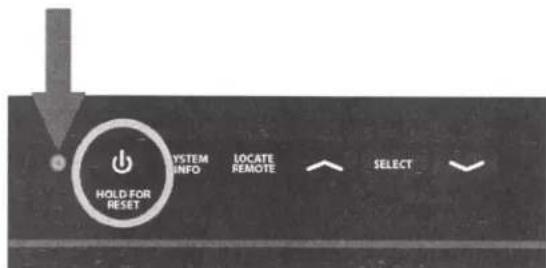
Front of Wally Receiver
In your TV's input selection menu, choose the input that matches the connection from your receiver. (Example: If using an HDMI cable from your receiver, choose the HDMI input on your TV.) See your TV's Owners Manual for details.
KING TAILGATER OPERATION WITH NEW AND UNACTIVATED RECEIVER

IF YOUR RECEIVER IS NEW AND UNACTIVATED, START HERE.
Otherwise go to STANDARD OPERATION on page 14.


WHILE IN USE, DO NOT BLOCK THE KING TAILGATER'S LINE OF SIGHT TO THE SATELLITES IN THE SOUTHERN SKY AT ANY TIME!
SATELLITES IN SOUTHERN SKY
nt handle north to ed up scan time.
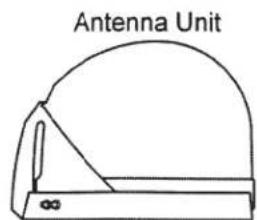
ANTENNA UNIT
natural_image
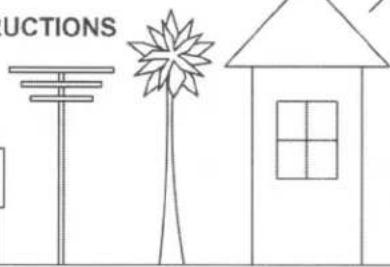
Line drawing of a pickup truck parked next to a parking meter (no text or symbols)OBSTRUCTIONS
natural_image
Simple line drawing of a house with a palm tree and a flagpole, no text or symbols presentIMPORTANT!
If you move the antenna unit any time during or after the scan, you will have to repeat steps 1-11.
NOTE: If you have a ViP model receiver, please refer to the KING Tailgater with ViP Receiver Owner's Manual at kingconnect.com/product/king-tailgater.
IMPORTANT!
Your TV screen may look different from what is shown in this manual. For best results, follow the on-screen instructions.
- After connecting and turning on your equipment as instructed on pages 4-5, the Wally Startup screen will appear (this may take several minutes).
You will be prompted to pair your remote.

Starting Up...
dish
Mobile Antenna Setup
-
Ensure the mobile antenna placed on a stable surface with clear view of the southern s applicable, point the handle facing north
-
Choose the state of you in location and then select Sea
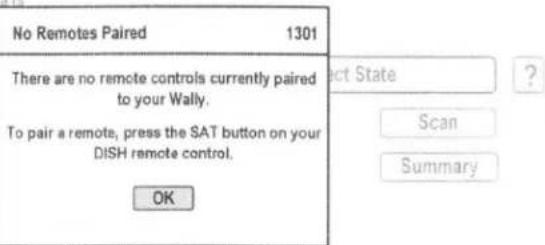
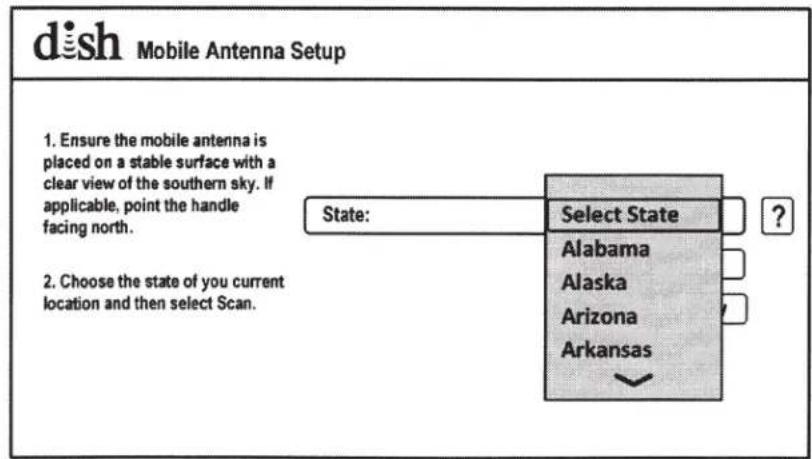
- After pairing your remote, the Mobile Antenna Setup screen will appear. Press Select on your remote to open the state selection menu.
Use the arrow buttons on your remote to highlight the state you are currently in.
Press Select. (State selection will be saved.)
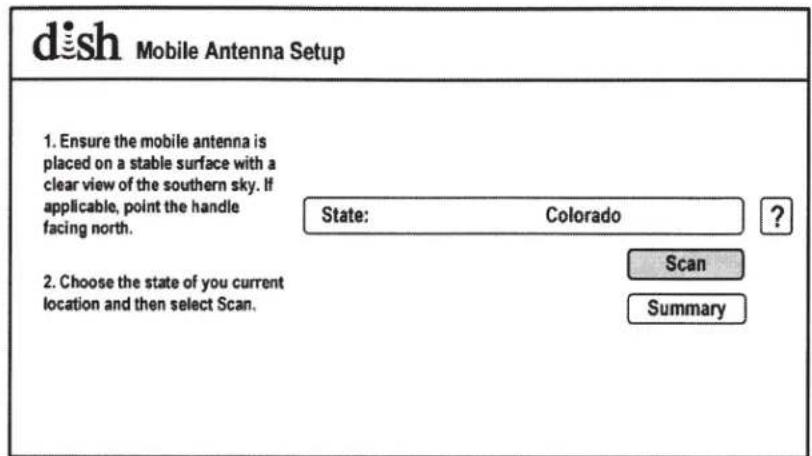
- Use the arrow buttons to highlight "Scan" and press Select.
This screen will appear while the antenna scans for satellites.
The satellite signals are being acquired. When complete, the system will proceed to the next step automatically.
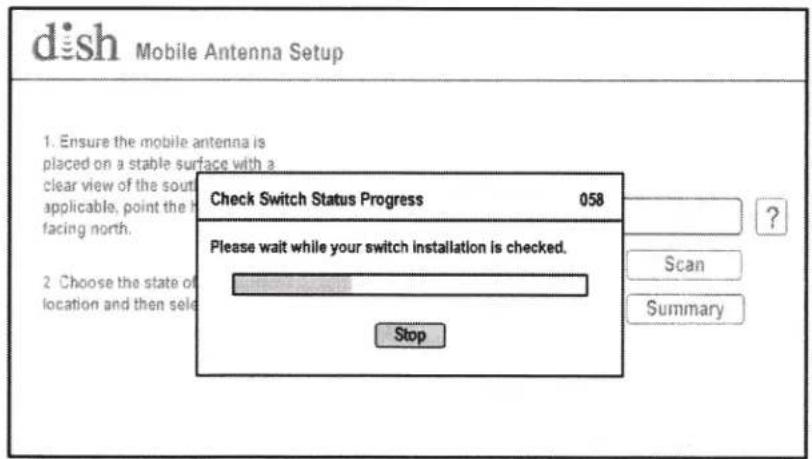
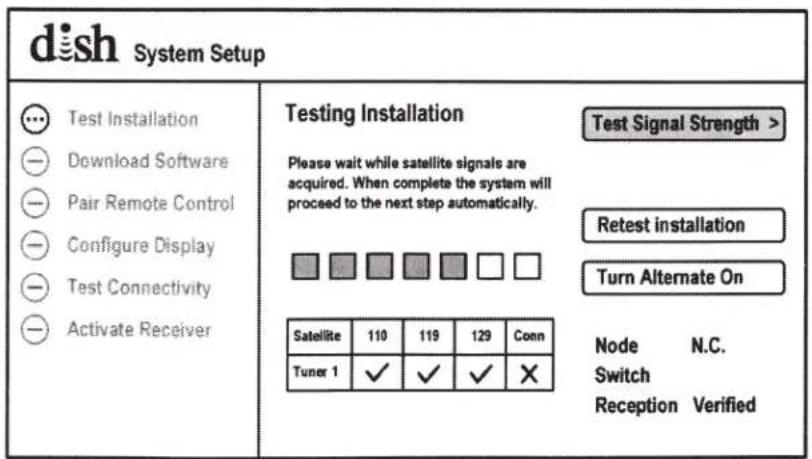
A software download will begin.
When the download is complete, the receiver will start up again (this may take several minutes).
- When the Mobile Antenna Setup screen appears, highlight "Scan" and press Select.
This screen will appear while the antenna scans for satellites.
| dish System Setup | |
| Test InstallationDownload SoftwarePair Remote ControlConfigure DisplayTest ConnectivityActivate Receiver | Downloading Wally software.Do not disturb your DISH receiver during the download, which requires approximately 20 minutes to complete. When done, the receiver will reboot automatically.Waiting to download... |

Starting Up...
| dish Mobile Antenna Setup | ||
| 1. Ensure the mobile antenna is placed on a stable surface with a clear view of the southern sky. If applicable, point the handle facing north. | State: | Colorado |
| ? | ||
| Scan | ||
| Summary | ||
| Check Switch Status Progress 058 | |
| Please wait while your switch installation is checked. | |
| Stop |
The satellite signals are being acquired. When complete, the system will proceed to the next step automatically.
A software download will begin.
Do not disturb or unplug your receiver!
When the download is complete, the receiver will start up again (this may take several minutes).
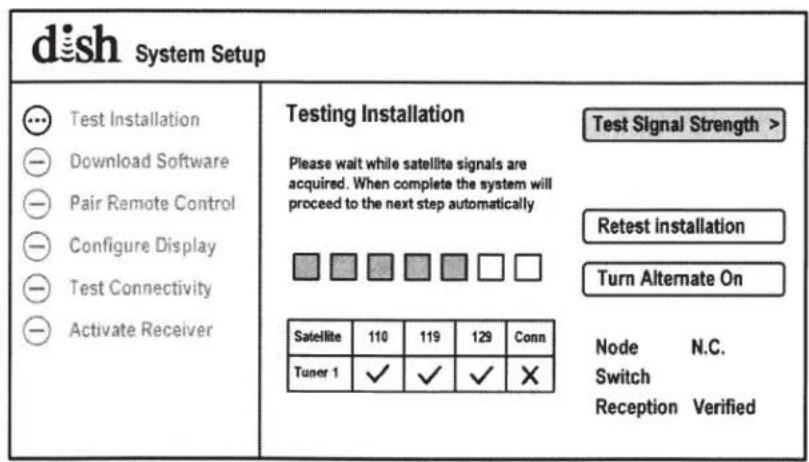
| dish System Setup | |
| ✓ Test Installation ●Download Software - Pair Remote Control - Configure Display - Test Connectivity - Activate Receiver | Downloading Wally software. Do not disturb your DISH receiver during the download, which requires approximately 20 minutes to complete. When done, the receiver will reboot automatically. 50% complete... |
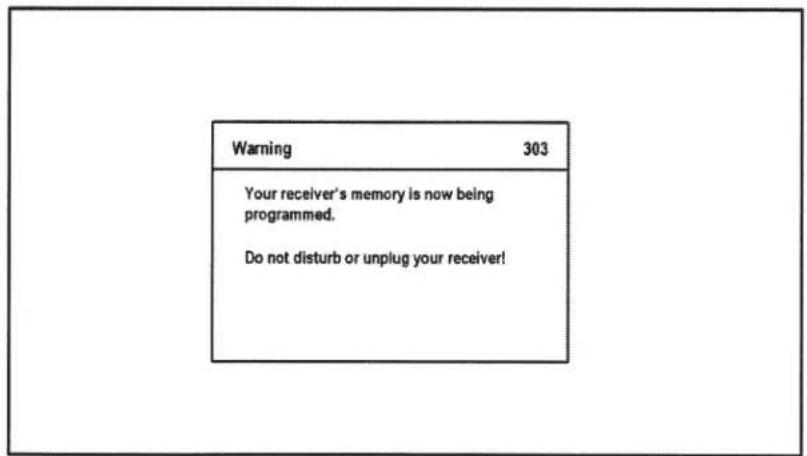
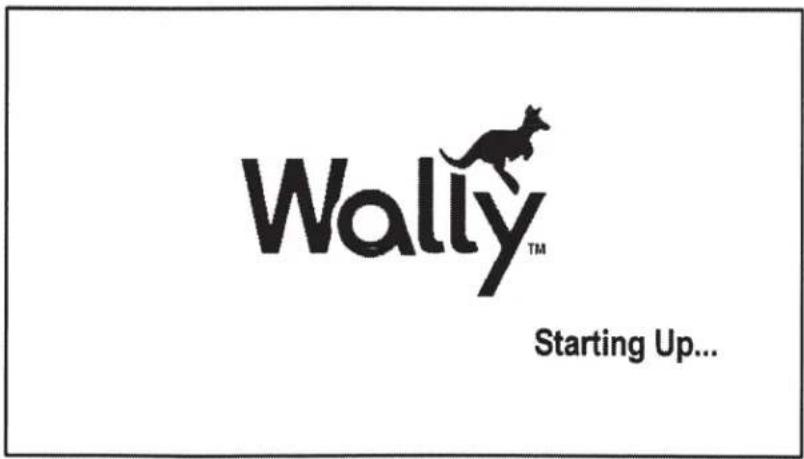
This screen will appear briefly.
- When the Mobile Antenna Setup screen appears, highlight "Scan" and press Select.
This screen will appear while the antenna scans for satellites.
A software download will begin.
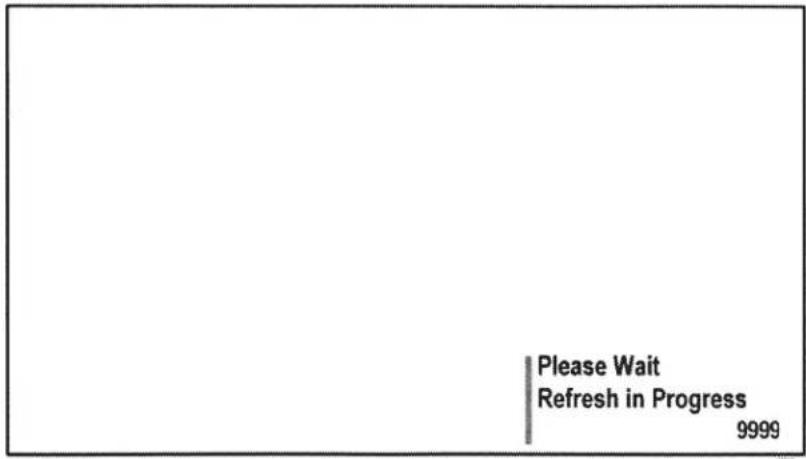
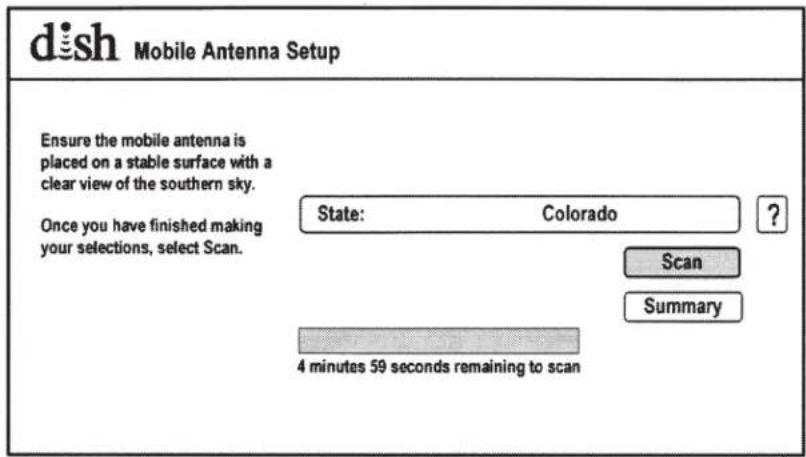
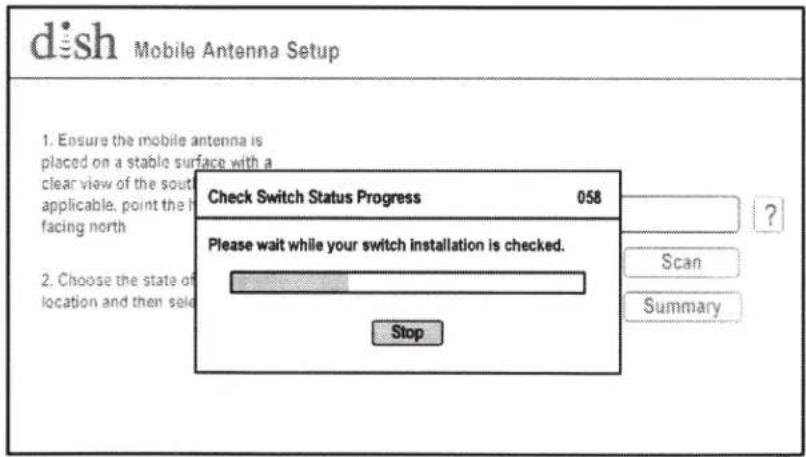
| dish System Setup | |
| ✓ Test Installation ● Download Software - Pair Remote Control - Configure Display - Test Connectivity - Activate Receiver | Downloading Wally software. Do not disturb your DISH receiver during the download, which requires approximately 20 minutes to complete. When done, the receiver will reboot automatically. Waiting to download... |
-
When complete, this screen appears. Press Select.
-
Use the arrows to highlight your TV's resolution.
-
Highlight "Next" and press Select.
-
If this is your desired setting, highlight "Keep" and press Select.
| dish System Setup | |
| ✓ Test Installation ✓ Download Software 😞 Pair Remote Control - Configure Display - Test Connectivity - Activate Receiver | Pair Your DISH Remote Control Receiver ID R1912181295-98 Smart Card ID S2341400152-53 Remote 1 FW E0007T502E321 HW UM13 Battery Level □ Good Next > |
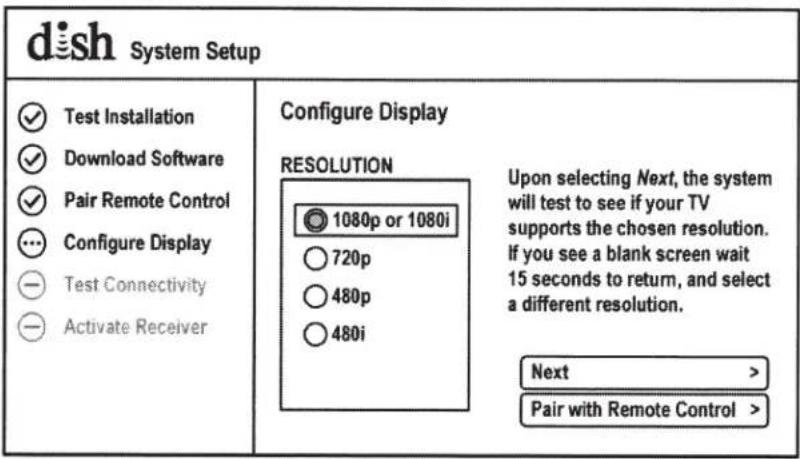

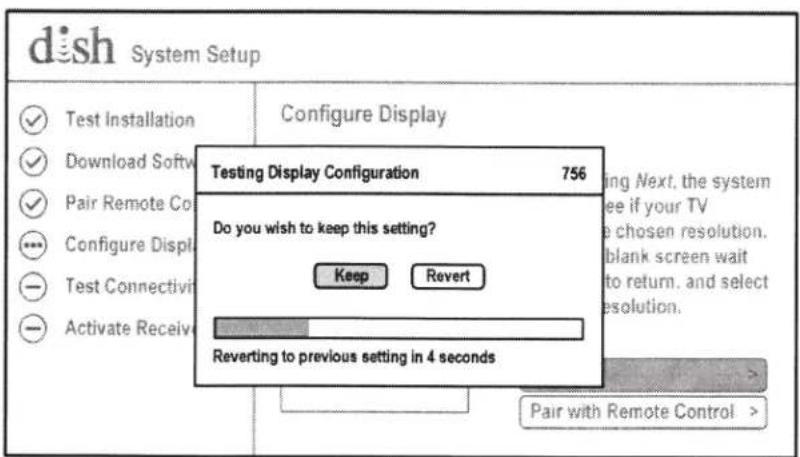
The receiver will now test your internet connectivity.
-
With "Next" highlighted, press Select.
-
You are now ready to activate your receiver. Call a DISH mobile antenna specialist at 1-800-963-DISH (3474) to activate your receiver.
Congratulations! Your Wally is now ready to use.
| dish System Setup | |
| Test InstallationDownload SoftwarePair Remote ControlConfigure DisplayTest ConnectivityActivate Receiver | Testing ConnectivityThe system is testing your Internetconnectivity.Do not disturb or unplug your Hopperduring this test, which should requireapproximately 1-3 minutes to complete.When done, the system will proceed tothe next step automatically. |
| dish System Setup | ||
| Test InstallationDownload SoftwarePair Remote ControlConfigure DisplayTest ConnectivityActivate Receiver | Connectivity TestedInternet Not ConnectedConnection Type Ethernet Bottom | Next >RetestInternet Settings > |
| dish System Setup | |
| Test InstallationDownload SoftwarePair Remote ControlConfigure DisplayTest ConnectivityActivate Receiver | Activate Your Receiver Test ConnectivityPlease call 1-800-333-DISH (3474) to activate your receiver.Receiver ID R1912181295-98Smart Card ID S2341400152-53Software Version ACM 1Receiver Location Name R1912181295-98Remote Control NameTV Brand & Code LG, 2731TV Resolution and Aspect Ratio 1080, 16:9Internet Connectivity Not ConnectedNode N.C.Switch MobileSatellites 110, 119, 129 |
| dish System Setup | |
| Test InstallationDownload SoftwarePair Remote ControlConfigure DisplayTest ConnectivityActivate Receiver | Receiver AuthorizedCongratulations! Your Wally in now ready for use.Watch TV >Settings >Please not that parental controls are not in place.To set up these controls, select Settings, followed by Parental Controls. |
Once activated, your program guide will download.
Watch TV! Enjoy!
Guide Download
330
This should take no more than 10 minutes to complete. If longer, unplug your receiver for 10 seconds and plug back in. The reset process should take no more than 5 minutes to complete.
NOTE: You can now use STANDARD OPERATION on page 14.
KING TAILGATER STANDARD OPERATION

IF YOUR RECEIVER IS NEW AND UNACTIVATED, MAKE SURE TO DO THE FIRST-TIME SETUP PROCEDURE ON PAGES 6-13 FIRST.


WHILE IN USE, DO NOT BLOCK THE KING TAILGATER'S LINE OF SIGHT TO THE SATELLITES IN THE SOUTHERN SKY AT ANY TIME!
SATELLITES IN SOUTHERN SKY

OBSTRUCTIONS

natural_image
Simple line drawing of a house with a sunburst tree beside it (no text or symbols)
natural_image
Simple line drawing of two mountain peaks with jagged edges and a small sun icon (no text or symbols)IMPORTANT! If you move the antenna unit any time during or after the scan, you will have to repeat steps 1-2.
NOTE: If you have a ViP model receiver, please refer to the KING Tailgater with ViP Receiver Owner's Manual at kingconnect.com/product/king-tailgater.
IMPORTANT! Your TV screen may look different from what is shown in this manual. For best results, follow the on-screen instructions.
After connecting and turning on your equipment as instructed on pages 4-5, the Mobile Antenna Setup screen will appear. (It may take up to two minutes to appear.)
NOTE: If the Wally Standby screen appears, press any button on your remote to continue.
dish
Mobile Antenna Setup
Ensure the mobile antenna is placed on a stable surface with a clear view of the southern sky.
Once you have finished making your selections, select Scan.
State:
Select State
Scan
Summary

- Press Select on your remote to open the state selection menu.
Use the arrow buttons on your remote to highlight the state you are currently in.
Press Select on your remote. (State selection will be saved.)
dish
Mobile Antenna Setup
Ensure the mobile antenna is placed on a stable surface with a clear view of the southern sky.
Once you have finished making your selections, select Scan.
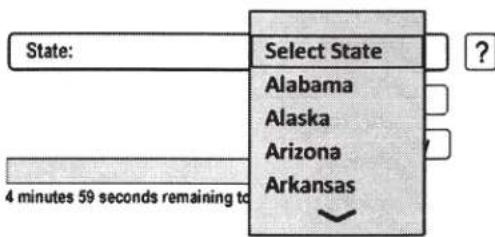
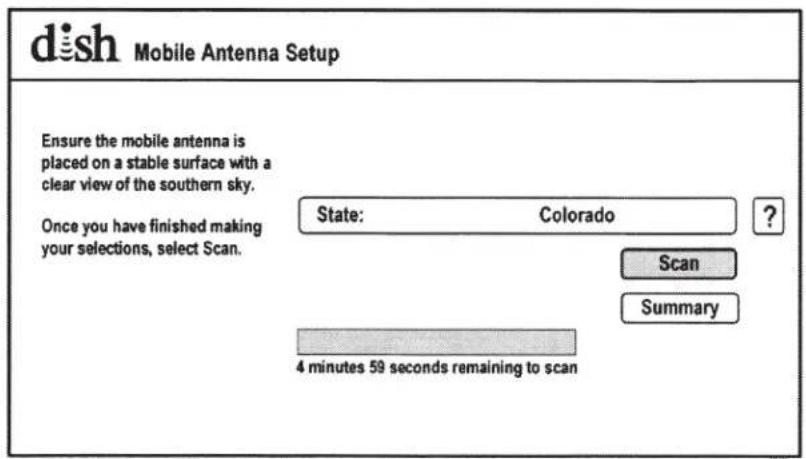
- Use the arrow buttons to highlight "Scan."
Press Select.
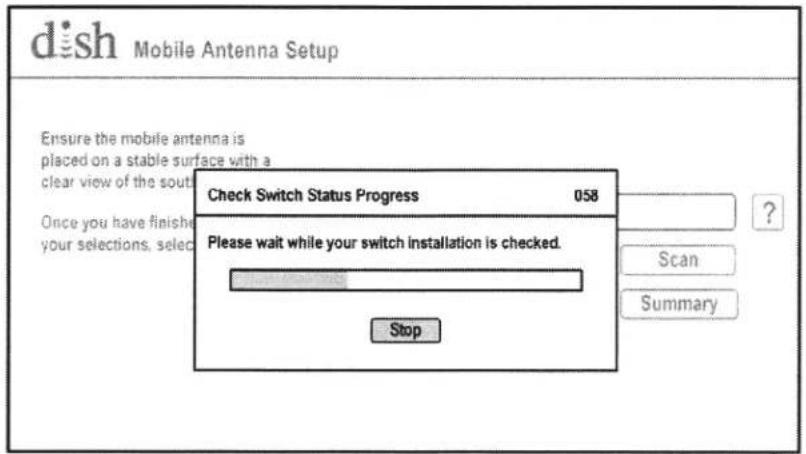
The scan will begin and may take up to several minutes to complete.
This screen will appear during the scan.
When the scan is complete, the Acquiring Signal screen will appear.
After your receiver has acquired the signal, the electronic program guide will download. This may take up to 10 minutes to complete (potentially longer if an external hard drive is connected).
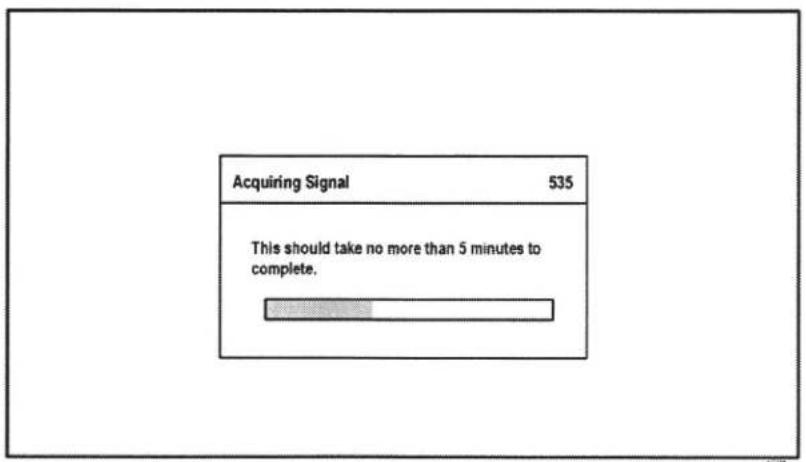
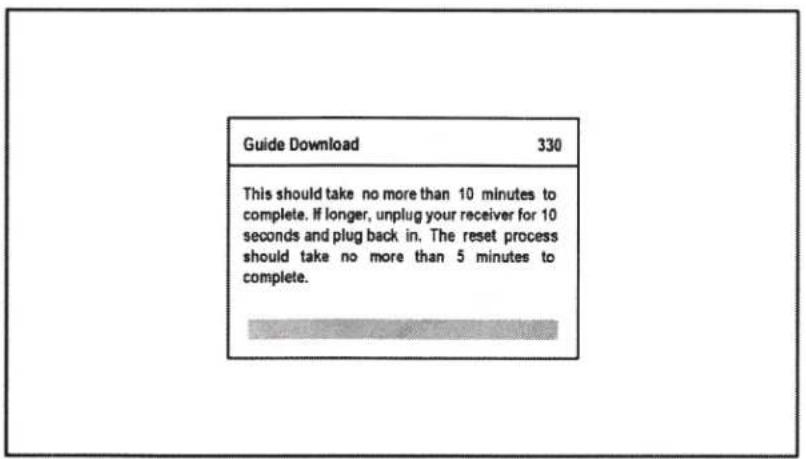
When the guide has downloaded, live TV will appear.
Enjoy!

natural_image
Black-and-white close-up of a sunflower with visible petals and dense foliage against a cloudy sky (no text or symbols)OPERATING NOTES:
If you move the KING Tailgater while in use, you will have to perform a new scan to restore programming. To return to the Mobile Antenna Setup screen, unplug your receiver for 10 seconds, then plug it back in. (It may take several minutes for screen to appear.)
When in the northeastern United States, television programming from the 129 satellite may not be available (see page 4).
If your system is inactive for an extended period of time, you may have to call DISH Customer Service at 1-800-333-DISH (3474) to reauthorize your receiver.

If your receiver has not been used for a while the 013 error message may appear. Call 1-800-333-DISH (3474) and follow the prompts to reauthorize your receiver. Note that if channel 101 appears, scroll channel up or down to make sure 013 error message does not appear.
You can view your programming when your receiver has been authorized and the guide has finished downloading.
- With the antenna locked on the satellite and the second receiver connected to the antenna unit's AUX port, run a check switch test.
- When test is complete, save the results.
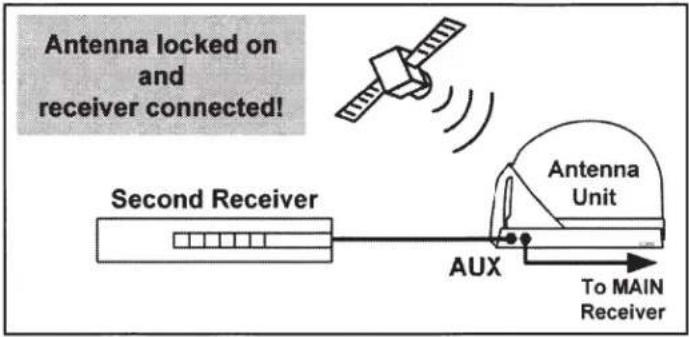
DOWNLOADING PROGRAMMING TO THE SECOND RECEIVER
- After completing the check switch test, reset the second receiver by pressing the POWER button on the front panel for 10 seconds. The TV picture will go away and should reappear within two minutes.
The receiver will then download the program guide to show only the channels available on the current satellite as determined by the channel selected on the main receiver. Downloading the new program guide can take up to five minutes to complete.
The channels available on the second receiver are determined by the channel/satellite selected on the main receiver. For example, if you select a channel on the main receiver that is broadcast from the 119 satellite, then the second receiver will be able to view any channel broadcast from the 119 satellite.
If you switch channels on the main receiver to one that is broadcast from a different satellite, (for example, your channel was broadcast from satellite 119 but your new channel is broadcast from the 110), the antenna will automatically switch to the 110 satellite and programming will be lost on the second receiver until you either:
- Select a channel on the main receiver that is broadcast from the previous satellite (satellite 119 in this example).
(or) - Reset the second receiver by running another check switch test to download the program guide for the newly selected satellite (satellite 110 in this example).
NOTE: If you choose a channel on the main TV that causes the antenna to switch satellites, you may have to run a check switch on the second receiver.
PROPER CARE OF YOUR EQUIPMENT
- Always handle the KING Tailgater product carefully. Do not drop the KING Tailgater. Avoid excessive shock or vibration to the KING Tailgater.
- Use caution when carrying the KING Tailgater. Always carry the KING Tailgater by the handle.
- Do not remove the cover of the KING Tailgater without authorization. Doing so will void the Limited Warranty.
- Do not stack the KING Tailgater on top of or below other electronic devices as this can cause heat build-up or block the satellite signal from reaching the KING Tailgater.
- Never power wash the KING Tailgater. Keep the enclosure clean from dirt, bugs, and other debris by hand washing with mild soap and water.
- Do not coat or paint the KING Tailgater with any substance. KING Dome Magic® (KING #1830 & 1830-SP) may be applied to the KING Tailgater to help keep snow and rain from building up on the surface.)
The KING Tailgater has been designed to be maintenance and trouble free. If not using the KING Tailgater for long periods of time, it is recommended that you set up the system on a quarterly basis (every three months) to keep all moving parts of the KING Tailgater in good working order.
If you have any comments or questions, please contact the KING Service Department at (952) 345-8147, or by email at help@kingconnect.com.
SECURITY

natural_image
Technical illustration of a helmet with visible structural lines and a label pointing to 'To a se' (no other text or symbols)The KING Tailgater can be secured to an object by looping a cable thru the handle.
NOTE: The optional KING AL1000 Alarm is also available (see next page).
Cable sold separately.
ACCESSORIES (Sold separately - see www.kingconnect.com/products/accessories/)
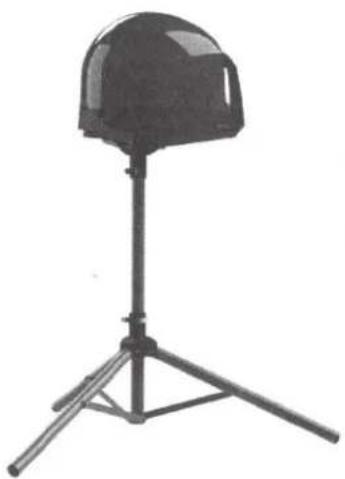
TR1000
Tripod Mount
Allows you to position your KING Tailgater almost anywhere for best line of sight to satellite. Keeps antenna off the ground away from moisture.
KING Tailgater not included.
natural_image
Black hard hat mounted on a tripod stand (no text or symbols visible)CB1000
Carry Bag
KING Tailgater fits securely inside. Features include zippered cover, foam padding, carry handles and pockets for cables, receiver and remote.
KING Tailgater not included.

natural_image
Top-down view of a baseball cap with 'KING' branding on the front face (no additional text or symbols visible)AL1000
Alarm
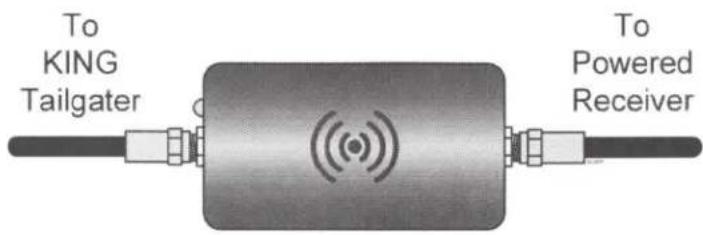
The KING AL1000 Alarm goes in-line between your powered receiver and the KING Tailgater.
It will sound an alarm if the coax is disconnected from the KING Tailgater.
KING Tailgater not included.
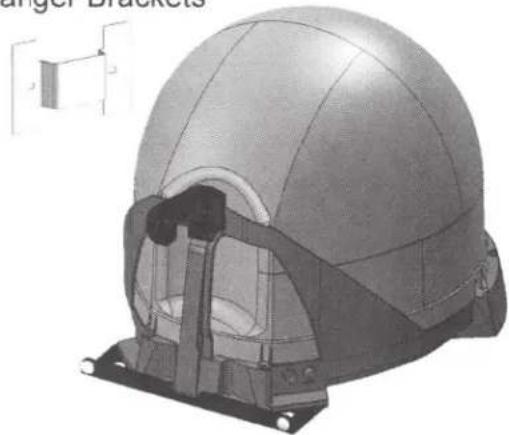
MB500
Mounting Bracket
Includes (2)
Hanger Brackets
natural_image
3D rendering of a helmet assembly with internal components and mounting brackets (no text or symbols visible)Allows hanging of antenna unit on vehicle window or included hanger bracket.
For stationary use only. Vehicle must not be in motion while antenna unit is on window or hanger bracket.
KING Tailgater not included.
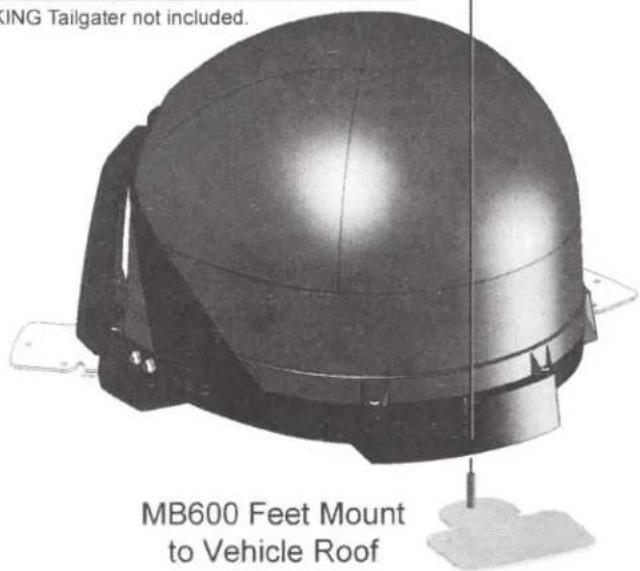
MB600
Removable Mounting Feet
The MB600 removable mounting feet allow semi-permanent mounting of your KING Tailgater on your vehicle roof.
KING Tailgater not included.
Mounting Bracket

MB160 Mounts to Back of Vehicle
The KING Tailgater is not compatible with the MB100 Mounting Bracket. Use of the MB100 will void warranty.
The use of any unauthorized mounting bracket will void warranty.
KING Tailgater not included
ROOF INSTALLATION
natural_image
Line drawing of a military-style ambulance with two windows and side panels (no text or symbols)- Make sure you have the following tools and materials before starting.
natural_image
Illustration of a handheld electric drill (no text or symbols)Drill

Drill Bit Set

7/16" Open End Wrench (for coax connections)
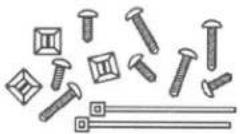
Appropriate Fasteners to install all Components and Wiring (to be determined and supplied by installer)
Optional MB600 Mounting Feet
The MB600 Mounting Feet allow you to semi-permanently mount the antenna unit (see page 19).
NOTE: Many RVs are prewired with RG-6 coax cable for satellite antennas. Contact the manufacturer of your RV or your local dealer to verify where this cable is located.
If prewired, run the existing coax cable from the prewired location in the roof to the antenna unit. When choosing the antenna unit location, make sure the prewiring will reach the antenna unit.
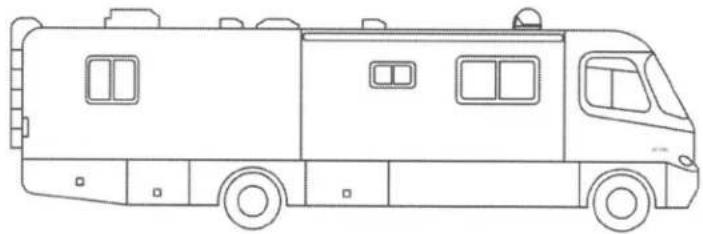
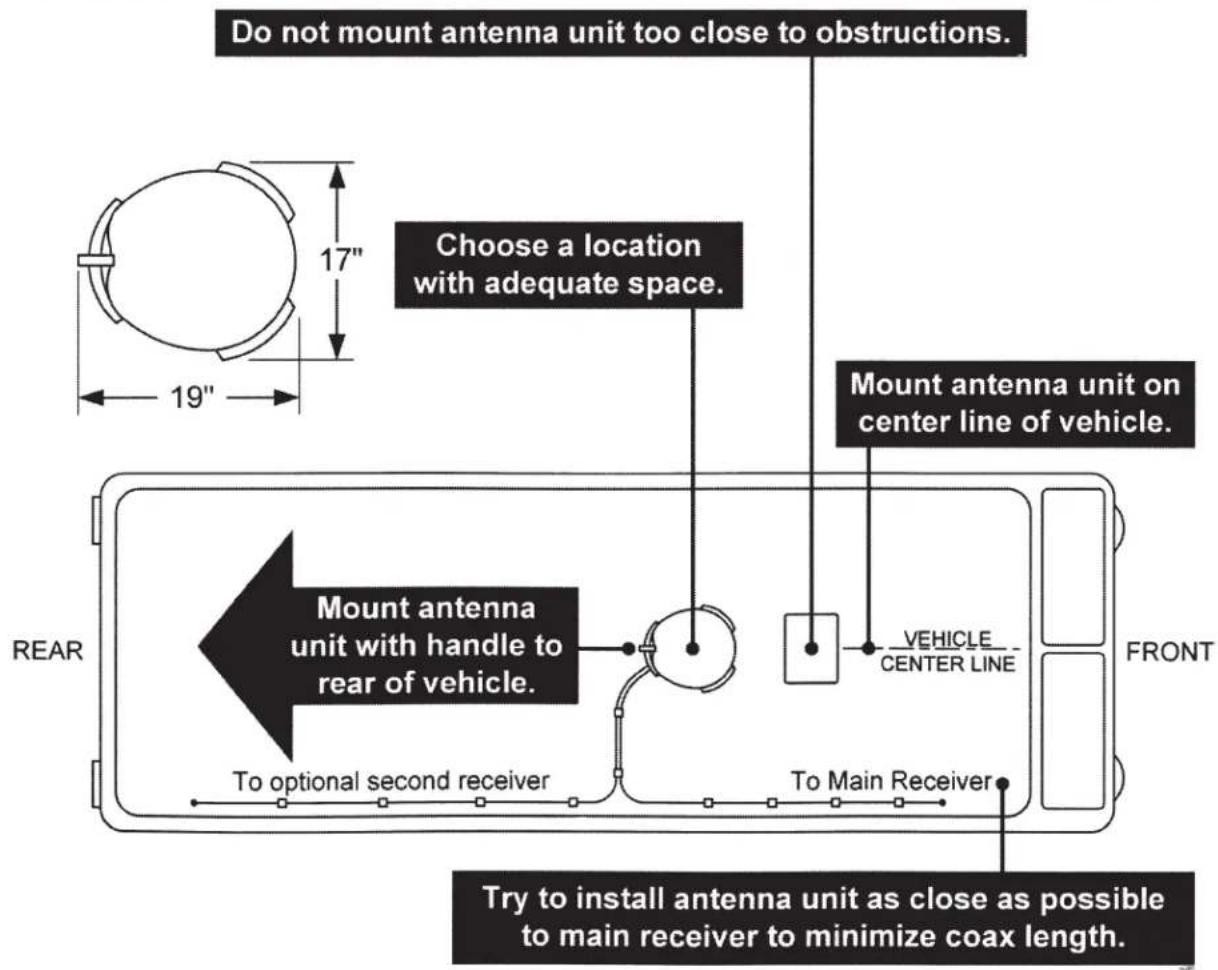
ANTENNA UNIT LOCATION (see illustration on next page)
-
Select an area on the roof for the antenna unit and the location where the wiring will enter the vehicle through the roof to the satellite receiver inside using the following criteria:
-
A shorter distance between the antenna unit and the satellite receiver is most desirable.
• Make sure you have enough room to mount the antenna unit. - The antenna unit should be mounted on the center line of the vehicle, and not tilted more than 2 degrees in any direction.
- There must be no "line of sight" obstructions. Air conditioning units, other antennas, and storage areas that are too close to the antenna unit may prevent the satellite signal from reaching the antenna unit.
- Mount the antenna unit with the handle to rear of the vehicle.
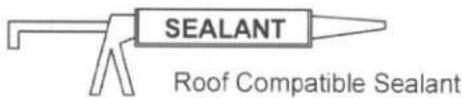
The installer is responsible for determining the most appropriate fastener to secure the antenna unit to the roof. Depending on the roof material, fasteners such as lag screws, well nuts, sheet metal screws, toggle bolts and T anchors may be used, and should always be used in combination with a roof compatible sealant.
IMPORTANT! The installer is responsible for weatherproofing all holes (except drain holes) with sealant.
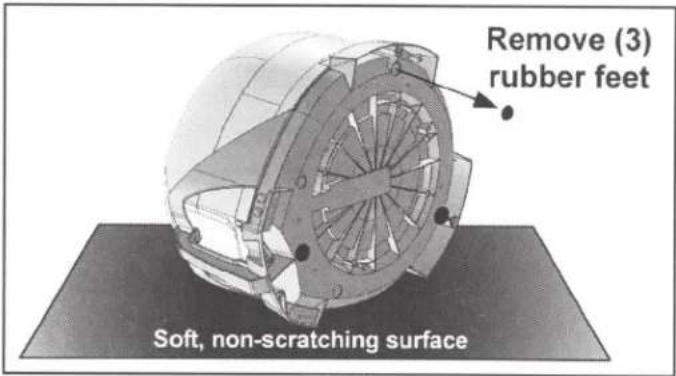
- If the rubber feet have been installed, lay the unit on a soft, non-scratching surface and remove them from the bottom of the unit. DO NOT INSTALL UNIT ON ROOF WITH RUBBER FEET IN PLACE.
For roof mounting, do not apply the rubber feet. If present, remove rubber feet. MOUNTING TO ROOF WITH RUBBER FEET VOIDS WARRANTY.
- Mount the antenna unit using the (4) mounting holes. Make sure to seal mounting holes with roof compatible sealant.
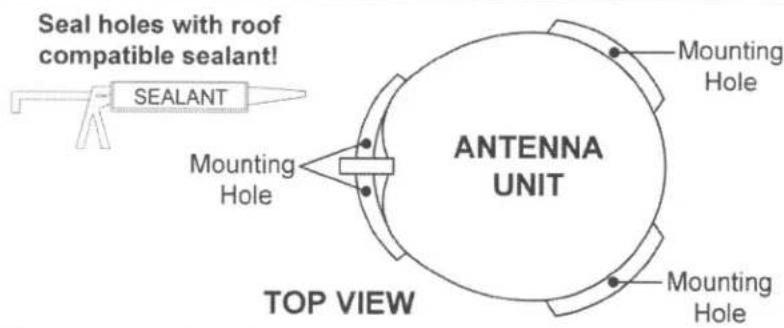
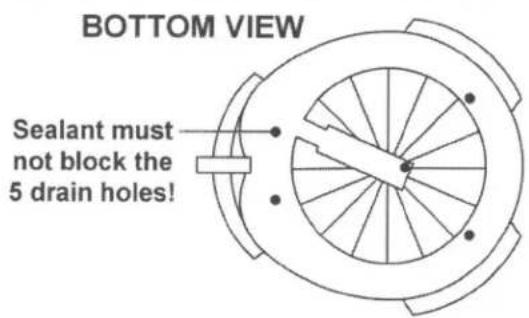
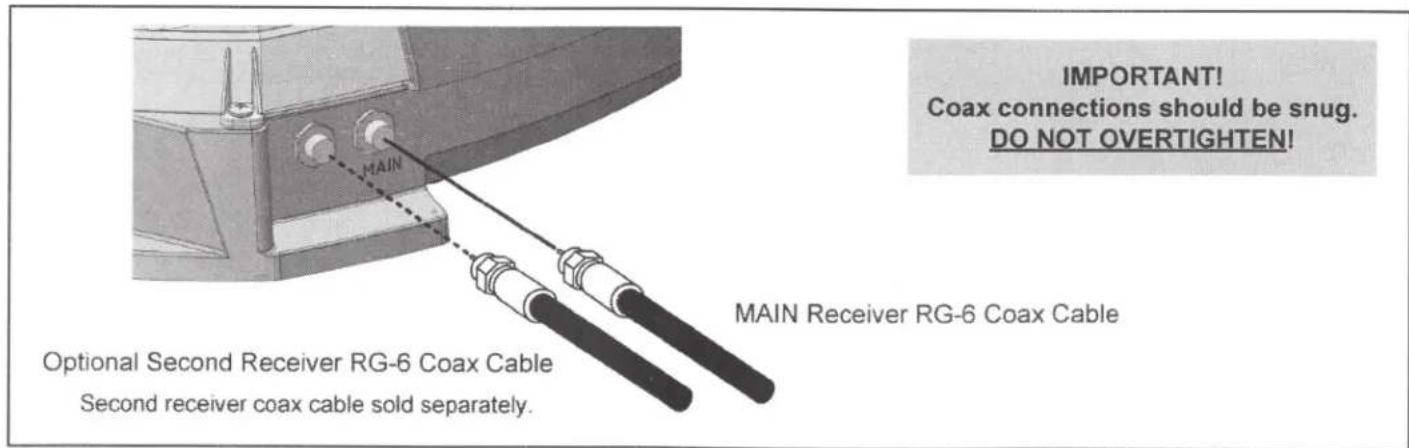
There are two coax ports on the back of the antenna unit. The one labeled "MAIN" MUST be connected to the main receiver in vehicle. The one labeled "AUX" can be used for an additional receiver if desired.
- Connect one end of 50 foot coax cable to the MAIN port and tighten connection (see below). DO NOT OVERTIGHTEN.
If using a second receiver, connect end of second coax (sold separately) to the AUX port. Tighten connection. DO NOT OVERTIGHTEN.
AVOID SHARP BENDS WHEN ROUTING COAX!
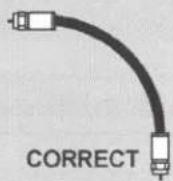
- Run coax from the antenna unit to the roof edge, then along edge to location where coax will be fed into the vehicle. If installing an optional second receiver, run second coax to location where it will enter the vehicle. Secure (both) coax to roof every 12-18 inches (see below).
- Drill 3/4" hole through the roof and into the cabinet where receiver is stored. Feed coax down through hole. Seal opening with roof compatible sealant so that it is completely waterproof (inside and outside of the 3/4" hole). Repeat for second coax if present.
TYPICAL ROOF INSTALLATION - OVERHEAD VIEW
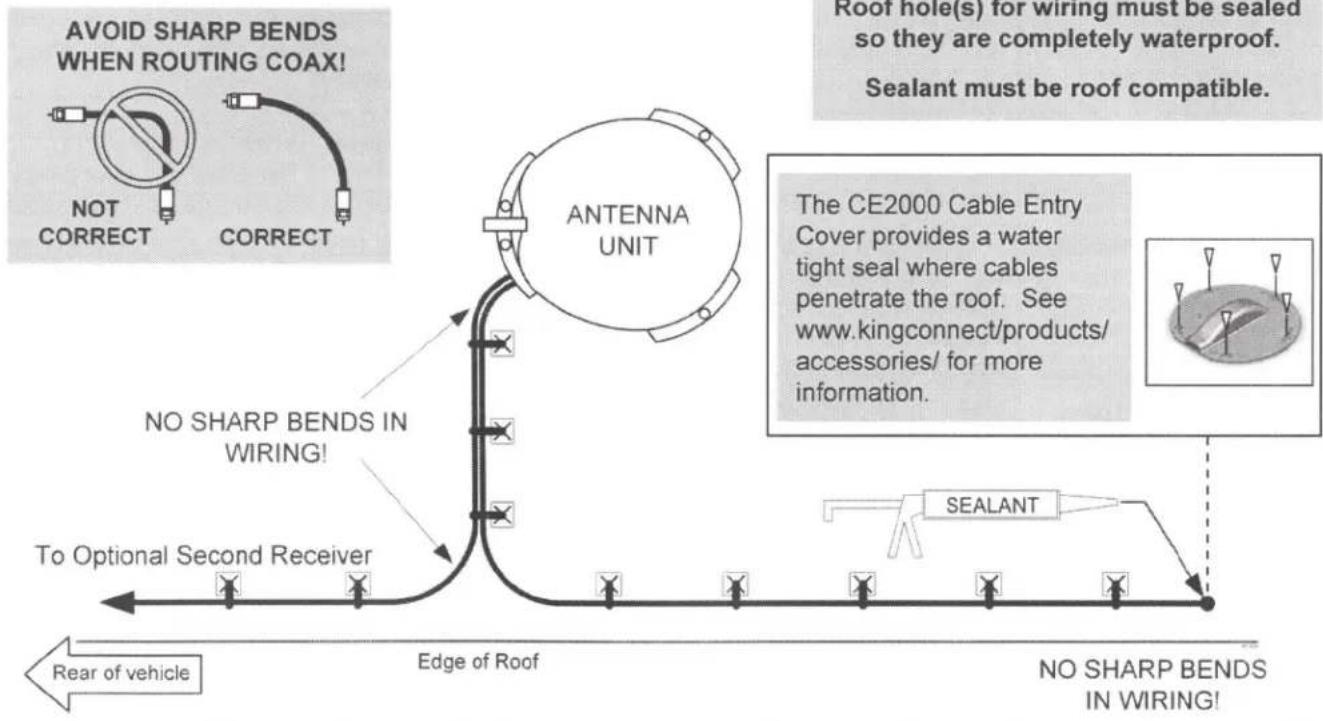
flowchart
graph TD
    A["ANTENNA UNIT"] --> B["NO SHARP BENDS IN WIRING!"]
    B --> C["TO Optional Second Receiver"]
    C --> D["Edge of Roof"]
    D --> E["No SHARP BENDS IN WIRING!"]
    E --> F["Rear of vehicle"]
    G["SEALANT"] --> H["See www.kingconnect/products/accessories/ for more information."]
    I["Root hole(s) for wiring must be sealed so they are completely waterproof. Sealant must be roof compatible."] --> J["The CE2000 Cable Entry Cover provides a water tight seal where cables penetrate the roof. See www.kingconnect/products/accessories/ for more information."]
- Inside vehicle, connect coax cable(s) to the receiver(s).
IMPORTANT!
You can cut the coax to length but you must terminate the coax with Snap-n-Seal Connectors.
SNAP-N-SEAL® CONNECTOR
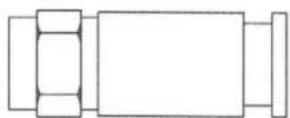
Thomas and Betts part # SNS 1P6
CRIMPER
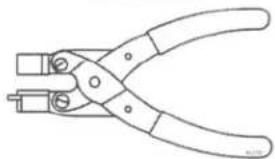
natural_image
Line drawing of a pair of pliers (no text or symbols)Thomas and Betts part # SNSUTL
Connector and crimper sold separately.
- Go to KING TAILGATER OPERATION Section.
TROUBLESHOOTING
| Symptom/Message | Possible Cause | Troubleshooting |
| "SmartCard Not Inserted" message (021) on startup | SmartCard is not fully seated in Wally slot. | Your SmartCard is located on the left side of the Wally. Pull out the SmartCard and insert it back into the slot. Make sure the arrow on the SmartCard is facing up and is inserted first into the receiver. If there is not a SmartCard in your receiver please call 1-800-333-DISH. |
| My remote is not working. | Remote is in wrong mode. | If you think the remote is paired, but in the wrong mode, press the "SAT" button on the left side of the remote. |
| Your batteries may need to be replaced. | Check to make sure the batteries are properly inserted in your remote. If "SAT" on the front top of the remote does not light up when you press the SAT button on the left side of the remote, replace the batteries. | |
| Your remote is not currently paired with your receiver. | To pair your remote, press the "SYS INFO" button on the front of the Wally and then press the "SAT" button on the left side of your remote. | |
| Complete Signal Loss - 015A | Obstructions to the KING Tailgater's view of the southern sky, such as tree branches, severe rain, etc. | Make sure nothing is blocking the KING Tailgater's view of the southern sky, such as tree branches, severe rain, or other obstructions. |
| Coax cable not connected properly between your Wally and the KING Tailgater. | Check that the coax cable between your Wally and the KING Tailgater is connected properly and hand tightened. | |
| You have selected a local channel but are outside of its spot beam area. | First, verify you have reception by selecting a nationally broadcast channel (CNN, ESPN, etc.). Then call DISH at 1-800-333-DISH to have your locals switched to your current area. | |
| KING Tailgater has been moved. | If KING Tailgater has been moved, initiate a new scan. | |
| Channel Signal Loss - 004 | KING Tailgater has not tracked to the appropriate orbital slot upon channel change. | There may be an obstruction blocking signal from the newly chosen satellite.Verify there are no obstructions, or move KING Tailgater to have a better view of southern sky and initiate a new scan. Once your system has found its satellites, it may take a few minutes to download the electronic program guide and acquire signal before live TV appears. |
| Unable to Access Feature - 024 | Feature not downloadable. | Keep receiver in standby for 1 hour. |
| Sporting Event Blackout - 744 | Blackout patterns are applied based on the physical address on your account. Events outside the area surrounding your physical address may not be available. | N/A |
| OTA Tuner Module Not Detected - 978 | An over-the-air (OTA) tuner module has been removed. | Reinstall OTA tuner module. When this is complete the Wally will request to be reset. Select YES to reset the Wally. |
| OTA Channel Signal Lost - 739 | The signal has been lost for this over-the-air channel. This can be due to relocation or realignment of the antenna. | Reposition antenna into optimal position to get clearest signal. May need to scan again for OTA channels. |
| Possible obstruction of the signal. | Remove obstruction from signal path. | |
| Outside of Viewing Area - 120 | You are outside of the viewing area of currently available channels. | Call DISH at 1-800-333-DISH to have your locals switched to your current area. |
| Local Channels Interrupted - 536 | Call DISH at 1-800-333-DISH to have your locals switched to your current area. | |
| Missing Channels. | The electronic program guide may not be set to “My Channels.” | Press the GUIDE button on your remote twice to display the “Favorite Channels” menu. Select “None” or one of your favorite channels list. |
| You may not have the orbital slots required to view the missing television programming. | Confirm that you subscribe to the missing channel by using dish.com/mychannels. | |
| Low signal strength | Because of the small size of the highly portable KING Tailgater, signal strength may not be as strong as with a fixed home antenna. | N/A |
MANUFACTURER'S LIMITED WARRANTY
Every new KING Tailgater Satellite System is thoroughly inspected and tested before leaving the factory, and is covered by the following two year parts and one year labor limited warranty from the date of original purchase:
- Two year parts warranty: The customer is not responsible for the cost of replacement parts if the original part is determined to be defective under the terms of the warranty. The customer is responsible for the cost of replacement parts after two years.
- One year labor warranty: The customer is not responsible for labor costs to repair unit if unit falls under the terms of the warranty. The customer is responsible for all labor costs after one year.
Only KING may perform warranty evaluations and repairs. Depending upon the problem, KING may authorize a dealer to perform the necessary repairs. Any warranty labor outside of that performed at the factory is not covered unless 1) the product has been installed by an authorized dealer/installer or OEM manufacturer and 2) the dealer/installer receives prior authorization to perform the repair.
Should any trouble develop during the warranty period, contact KING at (952) 922-6889. You must contact KING before the warranty period expires. The customer must supply proof of purchase (such as a dated sales receipt) when requesting warranty service. If the customer cannot supply proof of purchase, warranty period shall start 30 days after date of manufacture.
If it is determined that the unit needs to be returned to KING, customer must return COMPLETE product, freight prepaid, to: KING, 11200 Hampshire Avenue South, Bloomington, MN 55438-2453.
If inspection shows the trouble is caused by defective workmanship or material, KING will repair (or at its option, replace) without charge.
When returning product, KING will supply an RMA number (Return Merchandise Authorization). This number must be clearly written on the box. Failure to clearly write RMA number on box will result in delays in processing claim. Along with product, the customer should include in the box: his/her name, address, daytime phone number, proof of purchase and description of the problem.
This warranty does not cover installation and external wiring, or remanufactured units. This warranty does not cover damage caused by the use of a mounting bracket other than a KING mounting bracket designed for the product. This warranty is not transferable from the original owner.
Due to the expanding and changing TV market, KING cannot be held responsible for changes made to satellite services. Software updates to address such issues are not covered under warranty. This warranty also does not apply where:
• The product has been abused, misused, improperly installed or improperly maintained.
• The product has been installed on a bracket that is not a KING bracket designed for the product.
• Repairs have been made or attempted by others that are not certified by KING to do such repairs.
• Repairs are required because of normal wear and tear.
• Alterations have been made to the product.
• The antenna unit has been opened without authorization.
• Damage has been caused by power washing.
- Circumstances beyond the control of KING cause the product to no longer operate correctly.
- Customer is not the original owner.
In no event shall KING be liable for any indirect, incidental, or consequential damages from the sale or use of the product. This disclaimer applies both during and after the term of the warranty.
KING disclaims liability for any implied warranties, including implied warranties of "merchantability" and "fitness for a specific purpose," after the two year term of this warranty.
This warranty gives you specific legal rights, and you may also have other rights, which vary from state to state. Some states do not allow the exclusion or limitation of incidental or consequential damages, so the above limitation or exclusion may not apply to you. Some states do not allow limitations on how long an implied warranty lasts, so the above limitation may not apply to you.
FCC GUIDELINES
This equipment has been tested and found to comply with the limits for a Class B digital device, pursuant to part 15 of the FCC Rules. These limits are designed to provide reasonable protection against harmful interference in a residential installation. This equipment generates, uses and can radiate radio frequency energy and, if not installed and used in accordance with the instructions, may cause harmful interference to radio communications. However, there is no guarantee that interference will not incur in a particular installation. If this equipment does cause harmful interference to radio or television reception, which can be determined by turning the equipment off and on, the user is encouraged to try to correct the interference by one or more of the following measures:
- Reorient or relocate the receiving antenna.
- Increase the separation between the equipment and the receiver.
- Connect the equipment into an outlet on a circuit different from that to which the receiver is connected.
- Consult the dealer or an experienced radio/TV technician for help.
Simply better, by design.™

11200 Hampshire Avenue South, Bloomington, MN 55438
PH 952.922.6889 || FAX 952.922.8424 || kingconnect.com
Getting Started With Your Receiver and Remote
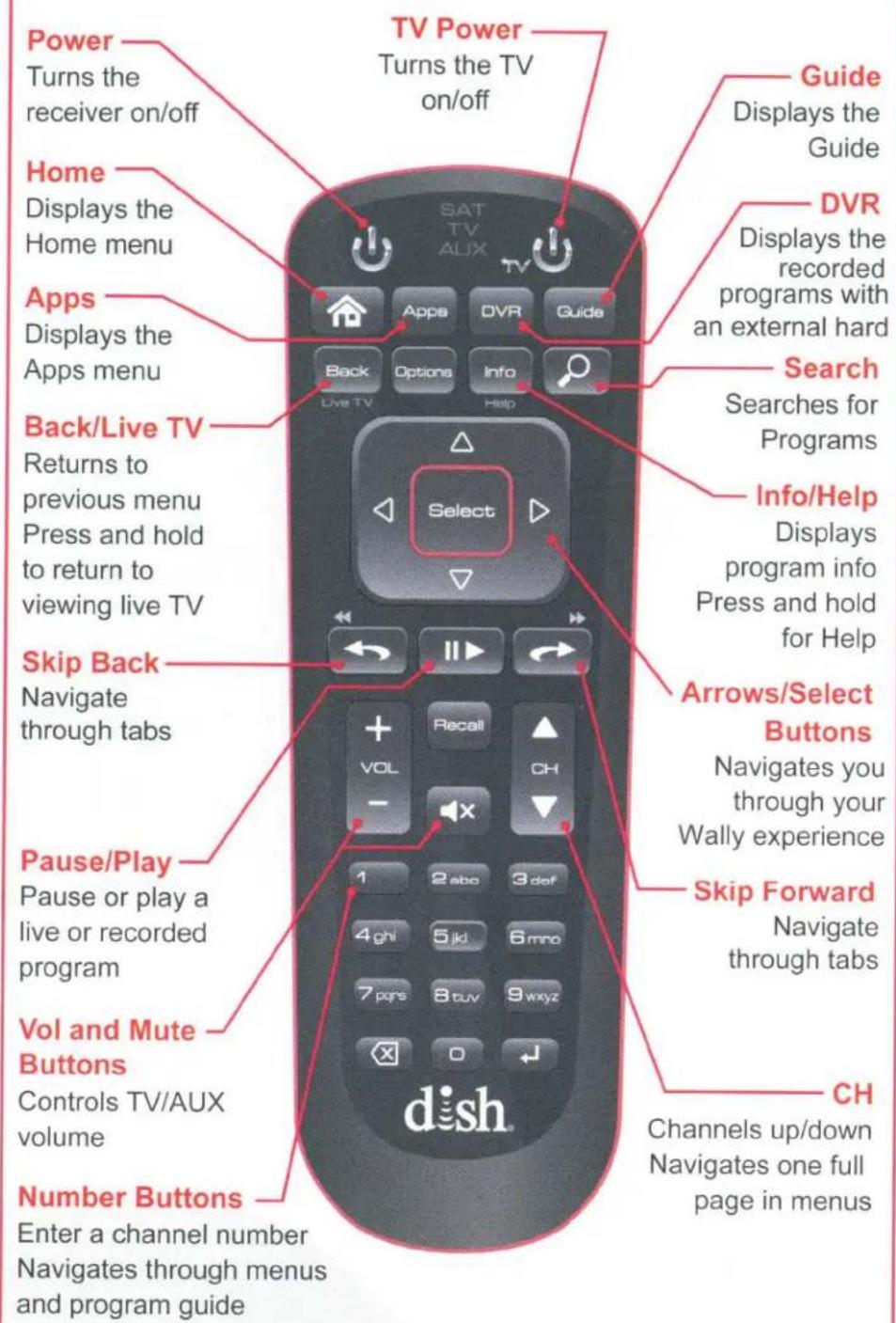
To ensure you are in SAT mode, press the SAT button located on the side of the remote (see page 13) to display programming and to use the features described in this section.
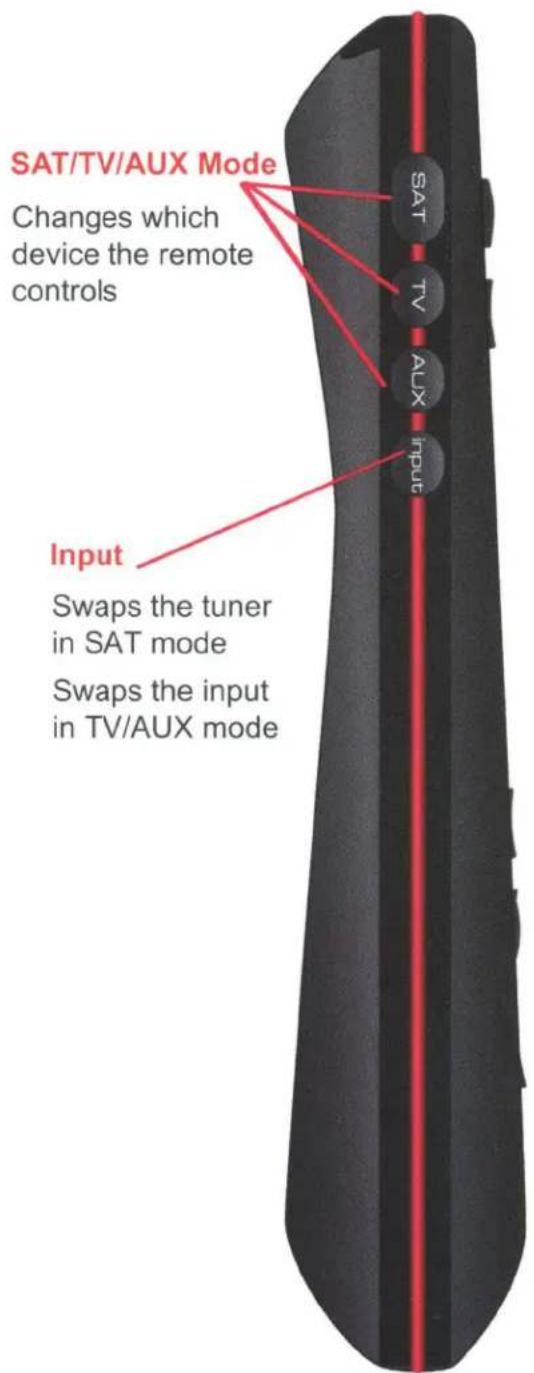
Table of Contents
Turning Your TV and Receiver On and Off Pg. 3
Using the Arrows on Your Remote Pg. 4
Changing Channels Pg. 5
Exiting Onscreen Menus Pg. 6
Search for Content Pg. 7
Accessing Your Receiver Settings Pg. 8
Creating a Favorites List Pg. 9
Setting Parental Controls Pg. 10
Using Apps on Your Receiver Pg. 11
Accessing Help On Your Receiver Pg. 12
Fixing a Black, Blue, or Snowy Screen Pg. 13
DISH Contact Information Pg. 14
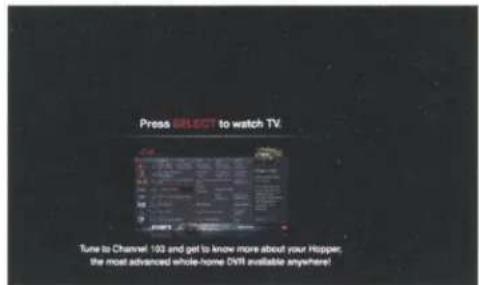
Turning Your TV and Receiver On and Off
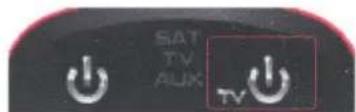
a. To turn your TV on, press TV POWER on your DISH remote.
TV off

natural_image
Dark background with scattered white specks, no visible text or symbolsb. To turn your TV off, press TV POWER on your DISH remote again.
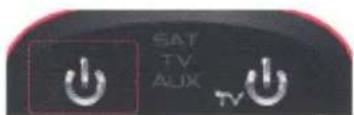
TV on and receiver off
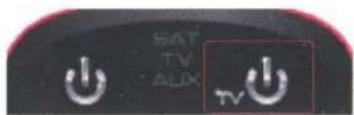
C. To turn your receiver on, press the POWER button on your DISH remote.
TV on and receiver on
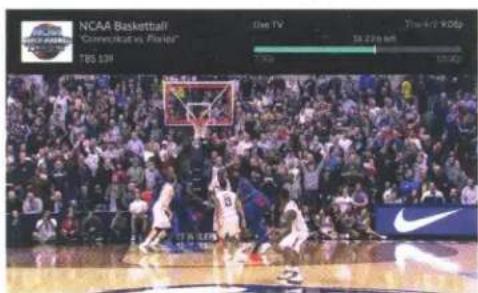
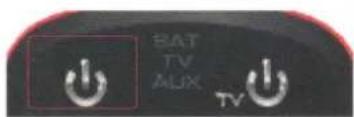
d. To turn your receiver off, press the POWER button on your DISH remote again.
Using the Arrows on Your Remote
a. Use the ARROWS on your remote to highlight a certain channel, option, or onscreen button.
b. Press SELECT to choose that channel, option, or onscreen button.
Changing Channels
a. Enter a channel number using the number buttons on the keypad.
- OR -
b. Press the CHANNEL UP/DOWN buttons.
- OR -
C. Press GUIDE on your remote to make the Guide appear.
d. Use the ARROWS to highlight the channel you want to watch and press SELECT, or enter the channel number you want to watch, and then press SELECT.
e. Use the CHANNEL UP/DOWN buttons to navigate through the Guide one page at a time.
Exiting Onscreen Menus
a. Press BACK to return to the previous screen.
b. Press and hold BACK/LIVE TV to return live TV.
Search for Content
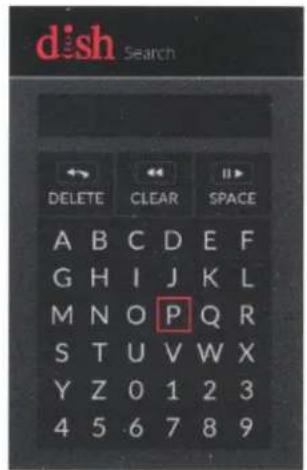
a. Press SEARCH on your remote.
b. You can now search by title, actor, or keyword to find the program you are looking for.
C. Use the ARROWS on your remote to highlight the letters you wish to select. The most popular search results will appear on the right side of the screen.
d. Press the number on your remote keypad that corresponds with the program you want to select.
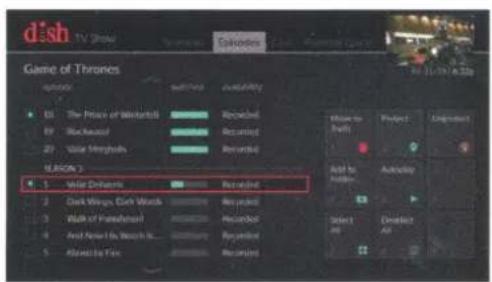
e. To see all live, upcoming, recorded, and On Demand events, press SKIP FORWARD on your remote to access the "Episodes" tab.

Accessing Your Receiver Settings
a. Press HOME twice.
b. Use the ARROWS on your remote to highlight "Settings," and then press SELECT.
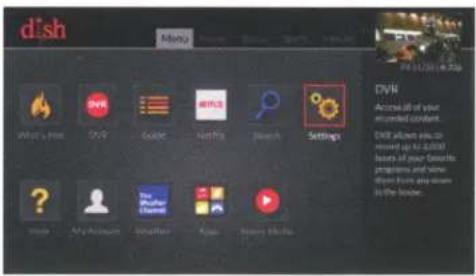
For more instructions on your Settings, visit mydish.com/wallyhowto
Creating a Favorites List
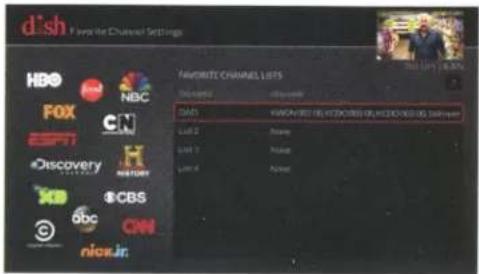
a. From the Settings screen, highlight "Favorite Channels," and then press SELECT.
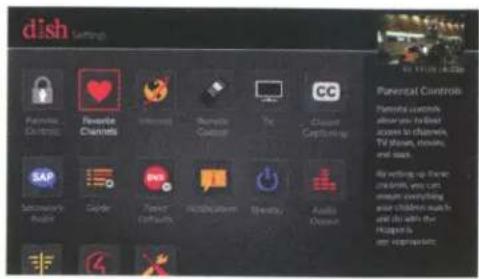
b. Highlight the list you wish to edit/create, and then press SELECT.
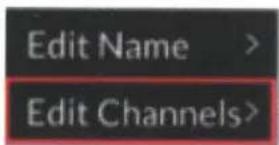
C. Highlight "Edit Channels," and then press SELECT.
d. Highlight the channel you wish to add to your list and press SELECT or use the keypad to enter the channel you wish to add.
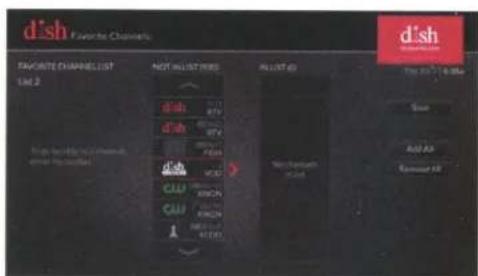
e. Repeat step "d" until your list is complete. Then highlight "Save" and press SELECT.
Setting Parental Controls
a. From the Settings screen, highlight "Parental Controls," and then press SELECT.
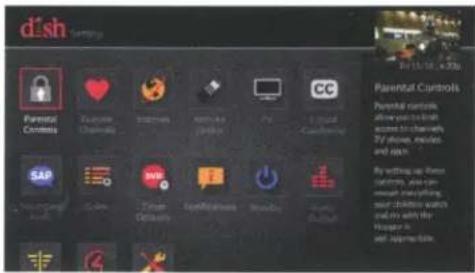
b. To turn your parental controls on or off, highlight "Parental Controls," and then press SELECT.
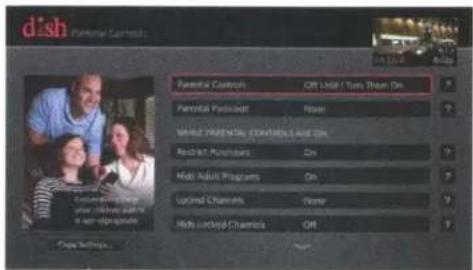
C. Use this screen to set or change your preferences.
Using Apps on Your Receiver
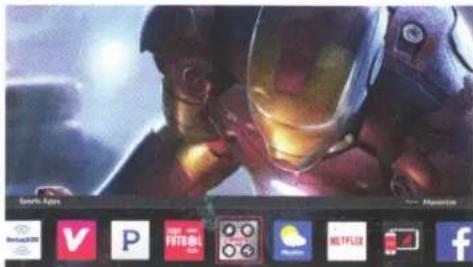
a. Press APPS to make the Apps bar appear while in live TV.
- OR -
b. Press APPS to make the Apps menu appear while in every other environment.
C. Use the ARROWS on your remote to highlight the app you wish to use and press SELECT.
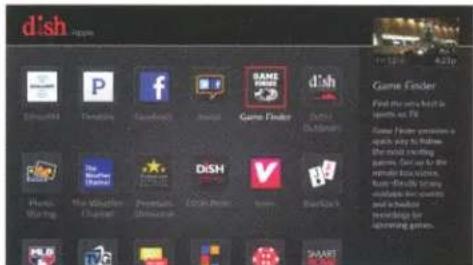
To use apps on your receiver you must be connected to the internet.
Accessing Help on Your Receiver
a. Press and hold INFO/HELP for help on any screen.
- OR -
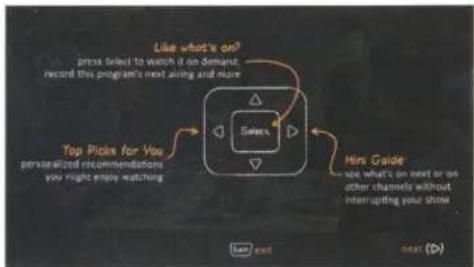
flowchart
graph TD
    A["Select"] --> B["Top Picks for You"]
    B --> C["Mini Guide"]
    C --> D["Like what's on? press selected to watch it on demand record this program's next aiming and more"]
    D --> E["see what's on next or on other channels without interrupting your show"]
b. To access Frequently Asked Questions (FAQs), press HOME twice.
C. Use the arrow buttons on your remote to highlight "Help," and then press SELECT.
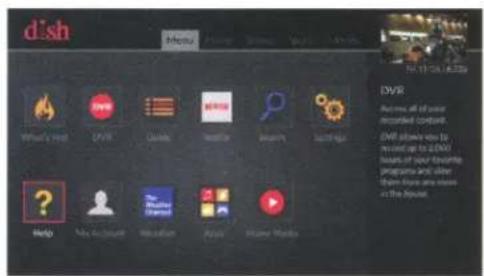
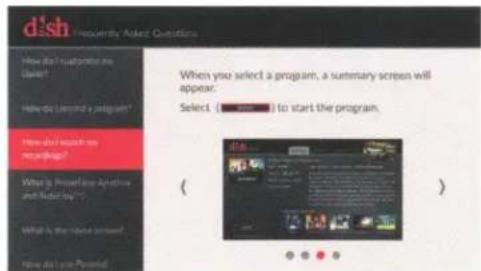
d. Use the ARROWS to view the FAQs.
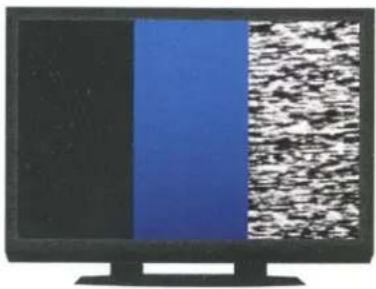
Fixing a Black, Blue, Snowy Screen
Your TV needs to remain on the correct input or channel to watch your DISH service. If your TV is not on the correct input or channel, your TV may display a black, blue, or snowy screen.
a. Press the TV button located on the side of your remote. Press INPUT located on the side of your remote to cycle through your TV's inputs.
- OR -
b. Cycle through TV inputs by pressing the Input, Source, or TV/Video button on your TV remote or the TV itself.
C. Once your TV picture is restored, press the SAT mode button on your DISH remote to ensure you're in the proper mode for controlling your receiver.
d. If your issue is not resolved, make sure all of the cables are plugged into to your receiver, TV, and wall.
natural_image
Computer monitor displaying two vertical color blocks: black on the left and blue on the right, with a textured white-and-black pattern on the right (no text or symbols visible)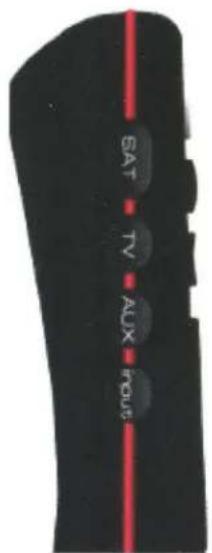
DISH Contact Information
Visit us at: dish.com/chat Select "Chat Now" for assistance
Call our 24/7 Toll Free customer service: 1-800-333-DISH (3474)
View more instructions at: mydish.com/wallymanuals
Tune in to: Channel 103
Read your: Hopper Features Guide
View your DISH account at: mydish.com/myaccount
Troubleshooting:
75% of all technical problems that an agent can help you with can be solved by following these five easy steps:
-
Make sure your DISH remote is in SAT mode.
-
Make sure your TV is on the correct input.
-
Make sure you're on the correct Favorites List.
-
Check for anything obstructing the signal to your satellite dish, such as tree branches, severe rain, or snow build-up. If it is safe to do so, remove the obstruction or wait for it to pass.
-
Reset your receiver by unplugging it from the wall for 10 seconds. Plug it back in and turn it back on.
Wally ____ INPUT/CHANNEL ROOM ____
Other ____ INPUT/CHANNEL ROOM ____
Other ____ INPUT/CHANNEL ROOM ____

ATTENTION
In order to receive the best customer experience and any current promotional offers with your outdoor TV solution, call this number to activate your DISH receiver:
1-800-970-9623
Before calling, make sure:
- Your DISH receiver(s) and mobile satellite antenna are connected correctly according to the associated instruction manual.
- Your TV screen displays "receiver not activated" – do NOT call the number on the TV screen to activate.
- Have your smart card and CAID # ready when you call 1-800-970-9623 to activate.
Once activated through our dedicated DISH Outdoors mobile activation line, enjoy DISH HD programming. Thank you for your business!
Wally™ HD TV satellite receiver for
HD TV satellite receiver for DISH-compatible antennas
• Perfect for RVs, tailgating and camping
• Supports both HD & SD programming
- DVR-compatible, just add an external USB hard drive (not included)*
*Requires one-time \$40 activation fee
- Compact and lightweight design
• Includes radio frequency remote control that works through walls & cabinets
- Locate your remote with the push of a button
Access the Netflix App (requires broadband connection)
3 SIMPLE STEPS TO GET SATELLITE HD TV
1 Select a DISH-compatible HD mobile antenna
2 Get this HD TV satellite receiver
3 Activate your TV service
CHOOSE AN OPTION BELOW
Get DISH for
your RV & your Home
in one bill!
Pay-As-You-Go
Pay only for the months you use
No commitment or term contract require
Already a
DISH customer?
Add to your
existing service
for only \$7 monthly.
CALL 1-800-970-9623 TO ACTIVATE
NETFLIX
Access Netflix programming
using the Netflix App.
Subscription required

RVING

TAILGATING

OUTDOOR


TRUCKING
dish
SIGN UP FOR DISH AT HOME AND SAVE!
FREE
\$50 Visa
Prepaid Card
Mention DHA50 to receive this special offer.


CALL 1-866-827-1759
GetDishAtHome.com
See reverse side for complete details.
CALL NOW TO GET DISH AT HOME:
1-866-827-1759

Save on outdoor TV when you have DISH home service
only \$7/mo.
All offers require credit qualification, 24-month commitment with early termination fee and e-bill autopay.
To learn more, visit: GetDishAtHome.com
Call today and save BIG!
1-866-827-1759
dish
AUTHORIZED RETAILER
Important Terms and Conditions: Visa Prepaid Card: Must be a new DISH customer, \50 Visa Prepaid Card will be mailed to the billing address on the account 2-3 weeks after a successful installation has been confirmed. Card is issued by The Bancorp Bank, Member FDIC, pursuant to a license from Visa U.S.A. Inc. Promotional Offers: Advertised price requires credit qualification and e-bill autopay. Upfront activation and/or receiver upgrade fees may apply based on credit qualification. After 12-month promotional period, then-current monthly price applies and is subject to change. 2 Year Commitment: Early termination fee of \20/mo. remaining applies if you cancel early. Hopper: Monthly fees: Hopper, \15; Joey, \7; Super Joey, \10. With PrimeTime Anytime record ABC, CBS, FOX and NBC plus two channels. With addition of Super Joey record two additional channels. Commercial skip feature is available at varying times, starting the day after airing, for select primetime shows on ABC, CBS, FOX and NBC recorded with PrimeTime Anytime. Recording hours vary; 2000 hours based on SD programming. Equipment comparison based on equipment available from major TV providers as of 1/01/16. Watching live and recorded TV anywhere requires an Internet-connected, Sling-enabled DVR and compatible mobile device. Installation/Equipment Requirements: Free Standard Professional Installation only. Leased equipment must be returned to DISH upon cancellation or unreturned equipment fees apply. Other: All prices, fees, charges, packages, programming, features, functionality and offers subject to change without not ice. After 6 mos., you will be billed \8/mo for Protection Plan unless you call to cancel. Taxes or reimbursement charges for state gross earnings taxes may apply. Additional restrictions and taxes may apply.
IMPORTANT
PRODUCT
INFORMATION

natural_image
Red silhouette of a kangaroo in motion (no text or symbols)Wally™
dish
Table of Contents
Warning and Attention Symbols 1
Important Safety Instructions....2
Limited Warranty 6
DISH Exchange Program 8
Residential Customer Agreement....9
DISH Network L.L.C. Privacy Notice 33
FCC Compliance 42
Agreement on Internet Usage 43
If You Need Help....44
Software Notice 44
DISH Recycling 44
Copyright Notice 45
Warning and Attention Symbols
This document provides various instructions. If you do some of these instructions carelessly, you could injure or kill yourself or damage equipment or property. Instructions that require your special attention are indicated by the following symbols:
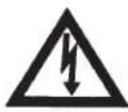
The lightning-flash-with-arrowhead symbol within an equilateral triangle is intended to alert the user to the presence of uninsulated "dangerous voltage" within the product's enclosure that may be of sufficient magnitude to constitute a risk of electric shock to persons.

The exclamation-point symbol within an equilateral triangle is intended to alert the user to the presence of important operating and maintenance (servicing) instructions in the literature accompanying the appliance.
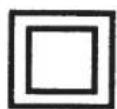
The Class II equipment symbol means that the equipment has additional insulation and does not need to be grounded.
For Your Safety
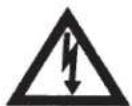
Warning: Do not try to open the case of the apparatus. There is risk of electrical shock, which may cause damage to the apparatus and/or personal injury or death to you. There are no user-serviceable parts inside the apparatus. Opening the case of the apparatus or making unauthorized changes will void the warranty.
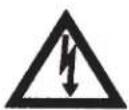
Warning: To reduce the risk of fire or electric shock, do not expose this appliance to rain or moisture.
Important Safety Instructions
You must be aware of safety when you install and use the apparatus:
1 Read these instructions.
2 Keep these instructions.
3 Heed all warnings.
4 Follow all instructions.
5 Do not use the apparatus near water.
6 Clean the apparatus only with a dry cloth.
7 Do not block any ventilation openings on the apparatus. Install the apparatus in accordance with the manufacturer's instructions.
8 Do not install the apparatus near any heat sources, such as radiators, heat registers, stoves, or other apparatuses (including amplifiers) that produce heat.
9 Do not defeat the safety purpose of the polarized or grounding-type plug. A polarized plug has two blades with one wider than the other. A grounding-type plug has two blades and a third grounding prong. The wide blade or third prong are provided for your safety. If the provided plug does not fit into your outlet, consult an electrician for replacement of the obsolete outlet.
10 Protect the power cord from being walked on or pinched, particularly at plugs, convenience receptacles, and the point where they exit from the apparatus.
11 Use only attachments/accessories specified by the manufacturer.
12 Use only with the cart, stand, tripod, bracket, or table specified by the manufacturer, or sold with the apparatus. When a cart is used, use caution when moving the cart/apparatus combination to avoid injury from tip-over.
13 Refer all servicing to qualified service personnel. Servicing is required when the apparatus has been damaged in any way, such as the power supply cord or plug is damaged, liquid has been spilled or objects have fallen into it, the apparatus has been exposed to rain or moisture, does not operate normally, or has been dropped.
14 Unplug the apparatus during lightning storms or when unused for long periods of time.
15 The power plug must be readily accessible so that the apparatus can be easily disconnected from AC power.
16 The apparatus is still connected to AC power whenever it is plugged in to a live power outlet, even if it is turned off using the remote control or front panel buttons.

natural_image
Silhouette of a person climbing a ladder inside a circular frame with a diagonal line (no text or symbols)Important Safety Instructions, cont.
17 No objects, including flame sources such as lit candles, should be placed on the apparatus.
18 The apparatus shall not be exposed to dripping or splashing, and no objects filled with liquids, such as vases, shall be placed on the top of it.
19 Use only the power supply provided with the apparatus. Unplug the apparatus power cord by gripping the power plug, not the cord.
20 Do not overload wall outlets or extension cords; this can result in a risk of fire or electrical shock.
21 Never insert objects of any kind into the apparatus through openings, as the objects may touch dangerous voltage points or may short-out parts. This could cause fire or electrical shock.
22 Do not locate the antenna near overhead light or power circuits, or where it can fall into such power lines or circuits. When installing the antenna, take extreme care to avoid touching such power lines or circuits, as contact with them can be fatal.
23 Do not attempt to service the apparatus yourself, as opening or removing covers may expose you to dangerous voltage and will void the Limited Warranty. Refer all servicing to authorized service personnel.
24 Unplug the apparatus from the AC power outlet before cleaning.
25 Do not place the apparatus in an enclosure, such as a cabinet, without proper ventilation.
26 Do not install the apparatus in any area where the temperature can be less than 40^ F or more than 113^ F. If the apparatus is cold to the touch, do not plug it in immediately. Let it sit unplugged at room temperature for at least 45 minutes before plugging it in.
27 Use an outlet that contains surge suppression or ground-fault protection. When installing equipment, unplug everything that will be connected to the coaxial network prior to making any connections. During an electrical storm or when the apparatus is left unattended and unused for long periods of time, unplug the power cord from the wall outlet for everything connected to the coaxial network, disconnect the satellite input and coaxial cable lines from the receiver, and if connected, disconnect your Ethernet or broadband connection. These actions provide additional protection against damage caused by lightning or power-line surges.
28 Tighten all coaxial cable connections only by hand. If you use a wrench, you may overtighten the connections and damage the equipment.
Important Safety Instructions, cont.
Proper Care of Your Equipment
• Always handle the apparatus carefully. Excessive shock and vibration can damage it.
- If the equipment is turned on and needs to be moved, unplug the equipment and let it sit for at least 30 seconds before moving it.
- The use of accessories or attachments not recommended by the apparatus manufacturer voids the Limited Warranty.
- Do not stack the apparatus on top of or below other electronic devices, as this can cause heat buildup and vibration.
- Do not expose the remote control batteries to excessive heat or fire.
- On some TVs, the presence of fixed images for extended periods of time may cause them to be permanently imprinted on the screen. Consult your TV user guide for information on whether this is a problem for your TV, what operating/viewing restrictions apply to avoid this problem, and associated TV warranty coverage.
Important Safety Instructions, cont.

Note to Antenna Installer: This reminder is provided to call the antenna installer's attention to the National Electrical Code® (NEC), which provides guidelines for proper bonding and grounding of antennas and their associated cabling.
Limited Warranty
This Limited Warranty is a legal document. Keep it in a safe place. Remember to retain your Bill of Sale for warranty service! Any items returned without a copy of the Proof of Purchase will be considered out of warranty.
What the Warranty Covers
This warranty extends only to the original user of the equipment and is limited to the purchase price of each part. DISH Network L.L.C. and its affiliated companies ("DISH") warrant this system against defects in materials or workmanship as follows:
- Labor: For a period of one (1) year from the original date of purchase, if DISH determines that the equipment is defective subject to the limitations of this warranty, it will be replaced at no charge for labor. DISH warrants any such work done against defects in materials or workmanship for the remaining portion of the original warranty period.
- Parts: For a period of one (1) year from the original date of purchase, DISH will supply, at no charge, new or remanufactured parts in exchange for parts determined to be defective subject to the limitations of this warranty. DISH warrants any such replacement parts against defects in materials or workmanship for the remaining part of the original warranty period. Note: "Parts" means items included in this package, which may include the satellite dish assembly, receiver, LNBF, remote control, power supply, or dish mounting hardware. It does not include other parts purchased separately.
What the Warranty Does Not Cover
This warranty does not cover installation of the system. If applicable, such installation will be warranted under a separate installation agreement.
This warranty does not cover consumer instruction, physical setup or adjustment of any consumer electronic devices, remote control batteries, signal reception problems, loss of use of the system, or unused programming charges due to system malfunction.
This warranty does not cover cosmetic damage, damage due to lightning, electrical or telephone line surges, battery leakage, fire, flood, or other acts of Nature, accident, misuse, abuse, repair or alteration by other than authorized factory service, use of accessories not recommended by the receiver manufacturer, negligence, commercial or institutional use, or improper or neglected maintenance.
This warranty does not cover equipment sold AS IS or WITH ALL FAULTS, shipping and handling, removal or reinstallation, shipping damage if the equipment was not packed and shipped in the manner prescribed, nor equipment purchased, serviced, or operated outside the continental United States of America.
Limited Warranty, cont.
Legal Limitations
REPLACEMENT AS PROVIDED UNDER THIS WARRANTY IS YOUR EXCLUSIVE REMEDY. ECHOSTAR SHALL NOT BE HELD LIABLE FOR ANY INCIDENTAL OR CONSEQUENTIAL DAMAGES FOR BREACH OF ANY EXPRESSED OR IMPLIED WARRANTY ON THIS SYSTEM, NOR FOR ANY INCIDENTAL OR CONSEQUENTIAL DAMAGES RESULTING FROM THE USE OF, OR INABILITY TO USE, THIS SYSTEM. SOME STATES MAY LIMIT OR EXCLUDE THE FOREGOING LIMITATION, SO THE ABOVE EXCLUSION OR LIMITATION MAY NOT APPLY TO YOU. EXCEPT TO THE EXTENT PROHIBITED BY APPLICABLE LAW, UNDER NO CIRCUMSTANCES SHALL ECHOSTAR'S LIABILITY, IF ANY, EXCEED THE PURCHASE PRICE PAID FOR THIS SYSTEM. ANY IMPLIED WARRANTY OF MERCHANTABILITY OR FITNESS FOR A PARTICULAR PURPOSE ON THIS SYSTEM IS LIMITED IN DURATION TO THE PERIOD OF THIS WARRANTY. SOME STATES DO NOT ALLOW LIMITATIONS ON HOW LONG A STATUTORY OR IMPLIED WARRANTY LASTS, SO THE ABOVE LIMITATION MAY NOT APPLY TO YOU. ECHOSTAR RESERVES THE RIGHT TO REFUSE TO HONOR THIS WARRANTY IF ECHOSTAR DETERMINES ANY OF THE ABOVE EXCEPTIONS TO HAVE CAUSED THIS SYSTEM NOT TO HAVE PERFORMED PROPERLY. THIS WARRANTY SHALL BE VOID IF ANY FACTORY-APPLIED IDENTIFICATION MARK, INCLUDING BUT NOT LIMITED TO SERIAL OR CONDITIONAL ACCESS NUMBERS, HAS BEEN ALTERED OR REMOVED. THIS WARRANTY SHALL ALSO BE VOID IF THE RECEIVER HAS BEEN OPENED BY AN UNAUTHORIZED PERSON.
If You Need Assistance
- Call the Customer Service Center at 1-800-333-DISH (3474). Have the date of purchase and either your customer account number, the receiver conditional access number, or the receiver model number ready. Display the System Info screen to find these numbers.
- A Customer Service Representative will assist you.
- If the Representative determines you should return any equipment, you will be directed to call a Return Authorization representative. Before shipping any equipment, you must talk to a Return Authorization representative and must obtain a Return Authorization (RA) number.
- You will be given the appropriate address for which to return your equipment. Whether under warranty or not, you will be responsible for the cost of shipping back the defective equipment. For faster service, see the Advance Exchange Program on the next page.
- Returned equipment must be packaged properly, using either the original shipping materials or the packaging in which the replacement equipment is shipped. Include a copy of the Bill of Sale. Any items returned without a copy of the Proof of Purchase will be considered out of warranty. Follow the instructions given to you by the Customer Service Representative.
- Write the RA number in large, clearly visible characters on the outside of the shipping box that you use to return the equipment. To avoid confusion and misunderstandings, shipments without an RA number clearly visible on the outside of the box will be returned to you at your expense.
DISH Exchange Program
DISH offers two options if you need to replace your satellite receiver equipment or its accessories.
Advance Exchange Program
The Advance Exchange Program allows you to have replacement equipment shipped immediately to you (depending upon where you live, it could take three to five business days). Along with replacement equipment, you will receive a prepaid shipping label and instructions on how to return the defective equipment. The shipping charge, for receiving replacement equipment and returning the defective equipment, is a one-time fee based on DISH's competitive bulk shipping rates (additional charges may apply outside of the continental US). This fee will be charged to your billing account or your valid credit card. If you do not ship the defective equipment to DISH within ten days after receiving the replacement, your billing account or credit card will be charged the market price of the replacement. If you return the defective equipment after ten days, you will receive a full refund, less an administrative fee.
If your equipment is out of warranty and can be repaired, your billing account or credit card will be charged the standard repair fee for the replacement. If damage to the defective equipment is found, which DISH in its sole discretion determines has voided the warranty or makes the equipment unrepairable, your billing account or credit card will be charged the market price of the replacement.
Post Receipt Exchange Program
You may choose to ship the equipment to us at your cost. To provide faster service, upon receipt of your equipment you will be shipped a replacement. Your original equipment will not be available for return.
If the defective equipment is covered under this warranty, a replacement will be shipped back to you at no additional cost (additional charges may apply outside the continental US).
If your equipment is not covered under warranty and can be repaired your billing account or credit card will be charged the standard repair fee for the replacement. If damage to the defective equipment is found, which DISH in its sole discretion determines has voided the warranty, or makes the equipment unrepairable, your billing account or credit card will be charged the market price of the replacement.
Accessory Warranty
An accessory is any DISH-branded equipment displaying the DISH logo, excluding the receiver, cables and hookups, and non-mechanical components. A one-year warranty becomes effective upon the activation of the DISH system or date of purchase, if bought separately. A proof of purchase is required to verify the purchase date. If an accessory has an expired warranty, no exchange will be issued. You may purchase replacement accessories from DISH or your local retailer.
Residential Customer Agreement
To view this Residential Customer Agreement (this "Agreement") in Spanish, please visit dish.com/legal or call us at 800-333-DISH (800-333-3474) and we will send you a copy. Para ver este acuerdo en español por favor visite dish.com/legal o llame all 888-599-DISH (888-599-3474) y le enviaremos una copia.
1. DISH CUSTOMER SERVICE CONTACT INFORMATION
DISH is delighted to answer any questions that you may have (including questions regarding billing, installation, equipment and service) and to provide you with technical and other customer support. You may contact us twenty-four (24) hours a day, any day of the year:
Telephone Number: 800-333-DISH (800-333-3474)
Customer Service E-mail Address: care@dish.com
General Customer Service Mailing Address: DISH NETWORK L.L.C. CUSTOMER SERVICE CENTER P.O. BOX 9033 LITTLETON, CO 80160-9033
Legal Dispute Resolution Notice Address: DISH NETWORK L.L.C. ATTN: DISPUTE RESOLUTION P.O. BOX 9040 LITTLETON, CO 80120-9040
Website: dish.com
Do not contact us at the address to which you mail your payments, as that address is for a payment processing center operated by a third party. You must send all Dispute Resolution Notices (as defined in Section 12(C)) and any notice of election to opt-out of Section 12, to the Legal Dispute Resolution Notice Address set forth above.
2. SCOPE OF THIS AGREEMENT
For purposes of any agreement(s) applicable to the promotion(s) and plans(s) under which you are receiving Services (as defined below) and/or Equipment (as defined below) from DISH (each, a "Promotion Agreement") and this Agreement: (i) "you" and "your" refer to you, the DISH subscriber; and (ii) "DISH", "we," "us" and "our" refer to DISH Network L.L.C. (formerly known as EchoStar Satellite L.L.C.) or, where applicable under the particular circumstances, third-party billing representatives.
THIS AGREEMENT, TOGETHER WITH YOUR APPLICABLE PROMOTION AGREEMENT(S), SETS FORTH THE TERMS AND CONDITIONS UNDER WHICH DISH WILL PROVIDE SERVICES AND EQUIPMENT TO YOU. THIS AGREEMENT IS EFFECTIVE UNTIL WE CHANGE IT. YOU ACKNOWLEDGE AND AGREE THAT WE MAY CHANGE ALL OR ANY PORTION OF THIS AGREEMENT AT ANY TIME AND FROM TIME TO TIME UPON NOTICE TO YOU (INCLUDING, WITHOUT LIMITATION, BY PUBLISHING A CHANGED AGREEMENT
Residential Customer Agreement, cont.
TO DISH.COM/LEGAL OR OTHER WEBSITE) AND, FOR THE AVOIDANCE OF DOUBT, SUCH CHANGED AGREEMENT WILL BE EFFECTIVE IMMEDIATELY UPON NOTICE TO YOU.
3. YOUR ACCEPTANCE OF THIS AGREEMENT
IN THE EVENT THAT YOU ARE A NEW DISH CUSTOMER, THEN YOUR ACTIVATION OF A DISH ACCOUNT OR RECEIPT OF SERVICES OR EQUIPMENT SHALL CONSTITUTE YOUR ACCEPTANCE OF THIS AGREEMENT.
IN THE EVENT THAT YOU ARE AN EXISTING DISH CUSTOMER, THEN YOUR CONTINUED RECEIPT OF SERVICES OR EQUIPMENT FOLLOWING NOTICE TO YOU OF A CHANGE TO THIS AGREEMENT SHALL CONSTITUTE YOUR ACCEPTANCE OF SUCH CHANGED AGREEMENT. EXCEPT AS OTHERWISE SET FORTH IN SECTION 12, IN THE EVENT THAT YOU ARE AN EXISTING DISH CUSTOMER AND DO NOT WISH TO ACCEPT ANY CHANGED AGREEMENT, THEN YOU MUST IMMEDIATELY SEND A NOTICE TO US AT THE LEGAL DISPUTE RESOLUTION ADDRESS AND WE WILL, AT OUR OPTION, EITHER CANCEL YOUR SERVICES OR ALLOW YOU TO CONTINUE TO RECEIVE YOUR SERVICES UNDER THE PREVIOUS VERSION OF THIS AGREEMENT.
SUBJECT TO CERTAIN EXCEPTIONS SET FORTH IN THIS AGREEMENT, THIS AGREEMENT REQUIRES THE USE OF MANDATORY AND BINDING ARBITRATION ON AN INDIVIDUAL BASIS TO RESOLVE DISPUTES (AS THAT TERM IS DEFINED IN SECTION 12(B)), RATHER THAN, AMONG OTHER THINGS, JURY TRIALS OR CLASS ACTIONS (SEE SECTION 12).
4. SERVICES
A. Services Defined. "Services" means any and all video, audio, data, Internet, interactive and other programming services and all other services that are available now or in the future from DISH (whether subscription, pay-per-view or otherwise).
B. Minimum Programming Levels. In the event that your applicable Promotion Agreement(s) requires specific minimum programming, then you must subscribe to such programming. Otherwise, you must subscribe to one (1) or more of the following programming packages: (i) Welcome Pack, DishLATINO Básico, DISH America or another programming package approved by DISH; or (ii) an international package approved by DISH plus one of the following: International Basic Package or Chinese Basic Package. We may change such minimum programming requirements without notice at any time and from time to time. In the event that you subscribe to Racetrack TV but do not subscribe to applicable minimum programming, then a Service Access Fee (as set forth in Exhibit 1 attached hereto and incorporated herein by reference) will apply.
Residential Customer Agreement, cont.
C. Programming Restrictions. Certain Services (including, without limitation, some subscription Services, sporting events and broadcast network Services, may be blacked out in your viewing area without notice at any time and from time to time. In the event that you circumvent or attempt to circumvent any blackout, then you may be subject to legal action. In the event that you are receiving Services at a wagering location, then you are not eligible to receive certain channels (including, without limitation, Racetrack TV). You may only order or receive adult-oriented programming services in certain geographic areas and if you are at least eighteen (18) years of age, or the applicable age of majority where you reside.
D. Changing Your Programming Selection. In the event that you elect to change your programming selection, then you must notify us and comply with all of the terms and conditions specified in this Agreement and your applicable Promotion Agreement(s) (including, without limitation, those terms and conditions that may prevent you from making such changes under certain circumstances). A Programming Change Fee (as set forth in Exhibit 1) may apply to such programming changes.
E. Ordering Pay-Per-View. You may order DISH pay-per-view Services by calling 877-DISH-PPV (877-347-4778) and using our automated system, by visiting dish.com/orderppv or by speaking with a live customer service representative. Except as otherwise set forth below, provided that your receiver is properly connected to a land-based telephone line or a broadband home network, then you may also use your remote control and on-screen program guide to order pay-per-view Services through your television. In the event that you are receiving Services and/or Equipment pursuant to a Promotion Agreement that requires you to pay in full for all Services and/or Equipment prior to receiving such Services and/or Equipment (each, a "Pre-Pay Promotion"), then you may only order pay-per-view Services by calling 877-DISH-PPV (877-347-4778).
F. Accessing the Internet Through Your Receiver. Some of our receivers can be used to access third-party applications, websites and information via the Internet. DISH does not have any control over such third-party applications, websites or information, and we do not make any representations, warranties or guarantees as to the availability or content of such third-party applications, websites or information, including, without limitation: (i) their accuracy, availability, sequence, completeness, timeliness, copyright compliance, legality, content, validity, or quality; or (ii) whether accessing them may result in the display of unintended, inappropriate or objectionable content. We may change, limit, suspend, disable and/or remove your ability to access the Internet using your receiver without notice at any time and from time to time. We may also limit or restrict the applications, websites and/or information that you may access via the Internet using your receiver without notice at any time and from time to time.
Residential Customer Agreement, cont.
G. Private, Non-Commercial Viewing Only. We provide Services to you solely for (i) private, noncommercial viewing, use and enjoyment by you, members of your household and your guests and (ii) any other form of viewing permitted by the "fair use" or other applicable provisions of the U.S. copyright laws or by DISH's agreements with third parties. You agree that no Services provided to you may be used for public or commercial viewing. In the event that you use the Services for public or commercial viewing, then, without limitation to any of our rights at law, in equity, under contract (including, without limitation, this Agreement and your applicable Promotion Agreement(s)) or otherwise (all of which are hereby expressly reserved): (1) we may disconnect your Services without notice at any time; and (2) in addition to all other applicable prices, fees and charges, you agree to pay us the difference between the price actually paid for the Services and the full, non-discounted applicable price that DISH charges for public or commercial viewing of the Services.
H. Changes in Services, Features and Functionalities Offered. We have the right to, without notice at any time and from time to time (including, without limitation, during any term commitment to which you have agreed), add, delete, rearrange, alter, change and/or eliminate: (i) any and all prices, fees and/or charges; and/or (ii) packages, programming, programming suppliers, services offered by suppliers, software, applications, features and/or functionalities. In the event that we add, delete, rearrange, alter, change and/or eliminate any packages, programming, programming suppliers, services offered by suppliers, software, applications, features and/or functionalities, then you acknowledge and agree that we have no obligation to replace or supplement such packages, programming, programming suppliers, services offered by suppliers, software, applications, features or functionalities. You further acknowledge and agree that you are not entitled to any credits, refunds, price reductions or any other form of compensation because of any such addition, deletion, rearrangement, alteration, change and/or elimination. You further acknowledge and agree that such additions, deletions, rearrangements, alterations, changes and/or eliminations are not a discretionary act by DISH if they are due, in whole or in part, to the termination, suspension or expiration of DISH's legal right to provide such packages, programming, programming suppliers, services offered by suppliers, software, applications, features or functionalities.
I. Promotional Offers and Items. In the event that a third party, such as an independent DISH retailer, integrator or private cable operator, offered you a promotional offer or item in connection with your subscription to the Services and such promotional offer or item is not offered by such third party at the direction of DISH, then such third party is wholly responsible for fulfilling such promotional offer or providing such promotional item, and DISH is not in any way responsible for such fulfillment.
Residential Customer Agreement, cont.
5. BILLING POLICIES; PAYMENTS FOR SERVICES; FEES
A. Payments. You agree to pay all prices, fees and/or charges billed for Services, as well as all taxes that are now or in the future assessed in connection with any Services that you receive from us. You acknowledge and agree that such prices, fees and/or charges may include, without limitation, reimbursement charges for certain taxes and/or governmental fees imposed on DISH and/or one or more of its affiliates. Unless you prepay for all Services as a Pre-Pay Promotion customer, we will bill you monthly in advance for most Services and in arrears for other Services (including, without limitation, pay-per-view ordered by you or anyone who uses your Equipment). In the event that you are a Pre-Pay Promotion customer, then you will be billed on a monthly basis and you must make all payments on or before the due date on your bill in order to continue receiving Services; you must also pre-pay for all other Services (including, without limitation, pay-per-view ordered by you or anyone who uses your Equipment). For the avoidance of doubt, you are responsible for and agree to pay for all prices, fees and charges for pay-per-view Services ordered by anyone who uses your Equipment, even if you did not authorize such persons to order such pay-per-view Services using your Equipment.
B. Billing Policies. Your bills will show the total amount due, the payment due date, payments, credits, refunds, purchases, prices, fees and charges to your account. You may submit your payment by mail, on our website, through our E-bill AutoPay program, by calling a DISH customer service representative or by any other means that we may designate from time to time. Partial payments will be applied first to the oldest outstanding bill. You must make your payment regardless of whether you receive a bill. We do not assume the risk of undelivered mail. In the event that you send checks or money orders marked with a designation such as “payment in full,” then we may accept them without waiving any of our rights (including, without limitation, our right to collect any other amounts owed by you), notwithstanding your characterization of such payment. DISH does not extend credit to customers, and the Late Payment Fee (as set forth in Exhibit 1) is not interest, a credit service charge or a finance charge. Certain prices, fees and/or charges may apply in certain circumstances to your payment for Services and/or Equipment (including, without limitation, those set forth in Exhibit 1).
C. E-bill AutoPay. In the event that you accept a promotion that requires you to sign up for and maintain paperless billing and automatic payment (known, as of September 1, 2015, as E-bill AutoPay, and any other name by which the same or similar promotions may be known in the future), and you fail to maintain paperless billing and automatic payment, then you may lose the promotional benefits related to such promotion.
Residential Customer Agreement, cont.
D. Alterations to Payment Terms. In the event that your account is past due on more than one (1) occasion, then we may at any time require that you pay for all Services and Equipment before you receive them and you will be deemed to be receiving your Service under a Pre-Pay Promotion, at which point, all terms and conditions of such Pre-Pay Promotion will apply to you.
E. Restarting Your Services. In the event that you do not pay your bill in full by its due date, or you at any time otherwise fail, neglect or refuse to make timely payment for your Services or any other payments under this Agreement or your applicable Promotion Agreement(s) as and when due, then we may disconnect your Services without notice at any time, and in such event will be wholly relieved from any and all of our duties and obligations under this Agreement and your applicable Promotion Agreement(s). In the event that your Services are disconnected for non-payment or any other reason, then before we reconnect your Services, DISH may require that you pay, and you agree to pay: (i) all past-due prices, fees and charges; (ii) all outstanding prices, fees and charges accrued through the date of such disconnection; and (iii) a deposit equal to a minimum of one month of prices, fees and charges for the Services and other services that you received prior to disconnection. In the event that your Services are disconnected for non-payment or any other reason, then, even if you pay to restart your Service, you will no longer be eligible to receive any credits, refunds, price reductions or any other form of compensation, including, without limitation, any remaining credits, refunds, price reductions or any other form of compensation that you would have been eligible to receive had your Services not been disconnected. Unless required by applicable law, deposits will not be segregated from other funds and will not earn or accrue interest. Promotional pricing is valid only at the time of installation.
F. Billing Errors. You must pay all prices, fees and charges set forth in any bill by the due date of such bill, or among other things, you will be subject to a Late Payment Fee (as set forth in Exhibit 1). All payments for Services must be made directly to us, unless we authorize otherwise. DISH shall have no obligation to provide Services for which payment is made to a third party, unless we agree otherwise.
G. Billing Representative Payments Terms. In the event that we authorize a third-party billing representative (including, without limitation, a telephone company) to bill you for Services and/or Equipment, then different or additional payment and billing terms, conditions, options, prices, fees and charges may apply.
H. Early Termination Fees. Depending on your applicable Promotion Agreement(s), you may incur prices, fees and/or charges for disconnecting your Service before the expiration of a term commitment or downgrading your programming below any applicable minimum programming requirement during a term commitment (each, an "Early Termination Fee"). Please reference your applicable Promotion Agreement(s) for details regarding any Early Termination Fee that may apply.
Residential Customer Agreement, cont.
6. CANCELLATION OF SERVICE
A. Continuation of Services. Your subscription to Services will automatically continue unless and until you cancel your Services or we otherwise disconnect your Services, in each case as provided in this Agreement or in your applicable Promotion Agreement(s).
B. Cancellation Policies. Although you may cancel your Services at any time by notifying us at the telephone number set forth in Section 1, you may be subject to certain prices, fees and/or charges (including, without limitation, an Early Termination Fee) and you will continue to have obligations with respect to the return of Equipment and certain other obligations as set forth in this Agreement and your applicable Promotion Agreement(s). Any cancellation will be effective no sooner than the date that DISH actually receives notice that has been provided in accordance with this Agreement.
C. Disconnection of Services. In addition to all other rights that DISH may have to disconnect your Services, DISH may without notice at any time disconnect your Services in the event that: (i) you fail to pay any bill in full when it is due; (ii) we receive confirmation that you have received Services, or any part of the Services, without paying for them, whether through theft of Services, piracy or otherwise; (iii) you encumber the Equipment leased by us to you pursuant to your applicable Promotion Agreement(s) (the "Leased Equipment"); (iv) you assign or attempt to assign any of your rights, duties or obligations under this Agreement or your applicable Promotion Agreement(s); (v) you are receiving Services through a third-party billing representative and become ineligible to receive applicable services provided by such third-party billing representative; (vi) you commence any act or filing of bankruptcy, or bankruptcy proceedings are commenced against you; or (vii) you otherwise violate the terms and conditions of this Agreement or your applicable Promotion Agreement(s).
D. No Credits, Refunds, Price Reductions or Other Forms of Compensation. In the event that your Services are canceled or disconnected for any reason, then you still must pay all unbilled and outstanding billed balances. Prices, fees and charges, once charged to your account, are non-refundable, and no credits, refunds, price reductions or any other form of compensation will be provided in connection with the cancellation of Services. In the event that you received discounted prices, fees or charges in connection with a promotion, and you cancel your Services prior to the expiration of such promotion, then you will not be entitled to any credits, refunds, price reductions or any other form of compensation for the unused portions of such discounted prices, fees or charges.
Residential Customer Agreement, cont.
7. EQUIPMENT
A. Equipment. In order to receive Services, you must purchase or lease certain reception equipment consisting primarily of a DISH-compatible receiver(s) and applicable Smart Card(s), remote control(s), satellite antenna(s), and low-noise block converter feed(s) (LNBF) with integrated feed(s) (collectively, "Equipment").
B. Additional Tuners and Receivers. We may choose to allow you to place additional receivers on your account. In the event that we allow you to do so, then each additional receiver will be authorized to receive the same Services as your initial receiver, subject to the limitations of your television equipment and Equipment. All of your receivers must be located at the same residence and continuously connected to the same land-based telephone line and/or broadband home network (with the exception of Tailgater receivers). In the event that you wish to have receivers at two (2) or more different residential locations, then you must open a separate account for each location. You may not directly or indirectly use a single account for the purpose of authorizing Services for multiple receivers that are not all located in the same residential location and connected to the same land-based telephone line and/or broadband home network. In the event that we determine that you used a single account for the purpose of authorizing Services for multiple receivers that are not all located in the same residential location and connected to the same land-based telephone line and/or broadband home network, then we may disconnect your Services without notice at any time and, in addition to all other applicable prices, fees and charges, you agree to pay us the difference between the amounts actually received by us and the full, non-discounted applicable price that DISH would have charged for the Services authorized for each receiver for the appropriate number of separate accounts.
C. Smart Cards. Receiver(s) are equipped with a conditional access card ("Smart Card") inserted into a slot or otherwise installed in such receiver. Not all receivers with a Smart Card slot require a Smart Card for proper authorization. Smart Cards remain the property of DISH at all times and must be returned to us upon cancellation or disconnection of your Services, or sooner upon our request. Smart Cards are not transferable. Your Smart Card will only work in the receiver to which it was assigned by DISH. In the event that you report to our customer service center that your Smart Card is defective or that your Smart Card has been lost, damaged or stolen, then we will replace it, unless there is evidence of unauthorized tampering or modification; in such circumstances, a Smart Card Replacement Fee (as set forth in Exhibit 1) will apply. In addition, in order to minimize downtime for your Equipment, DISH will, upon your request, deliver a replacement Smart Card to you via overnight delivery, in which case an Overnight Delivery Fee (as set forth in Exhibit 1) will apply.
Residential Customer Agreement, cont.
D. DVR. DISH's digital video recorder ("DVR") functionality allows you to record programming in digital format. Total available recording time varies depending on your receiver and the nature of the programs being recorded. DISH does not guarantee access to or recording of any particular programming or that any such programming will not be deleted from your DVR. Some programming is the copyrighted material of the third party that supplies it, is protected by copyright and other applicable laws and may not be reproduced, published, rebroadcast, rewritten or redistributed without the written permission of the third party that supplied it (except as permitted by the "fair use" or other applicable provisions of the U.S. copyright laws) or by DISH's agreements with such third parties.
E. Telephone/Broadband Connection. To optimize the operation of your Equipment, you must continuously connect each receiver on your account to the same land-based telephone line or broadband home network. Failure to connect each receiver to the same land-based telephone line or broadband home network may result in interruption or disconnection of Services. We may charge you a TV2 Receiver Connection Fee (as set forth in Exhibit 1) for each dual tuner receiver that is not connected to a land-based telephone line or broadband home network.
F. Receiver Alterations. DISH may, without notice at any time and from time to time, through periodic downloads or other means, add, delete, rearrange, alter, change and/or eliminate the software, applications, features and/or functionalities in (or accessed or received through) your receivers; provide data and content to products with DVR functionality; store and remove data and content on the hard drives of products with DVR functionality; and send electronic counter-measures to your receivers without notice at any time and from time to time (including, without limitation, during any term commitment to which you have agreed). DISH will use commercially reasonable efforts to schedule these downloads (or by other means) to minimize interference with or interruption to your Services, but, you acknowledge and agree that DISH shall have no liability to you for any interruptions in Services arising out of, relating to or in connection with such downloads (or other means). DISH may, without notice at any time and from time to time, cease supporting one or more receiver models. In the event that we add, delete, rearrange, alter, change and/or eliminate the software, applications, features and/or functionalities of a receiver or cease supporting your receiver model, then you further acknowledge and agree that you are not entitled to any credits, refunds, price reductions or any other form of compensation because of any such addition, deletion, rearrangement, alteration, change and/or elimination.
G. Proprietary Components and Software. Receivers and Smart Cards contain components and software that are proprietary to DISH and its licensors. You agree that you will not try to reverse-engineer, decompile, disassemble, tamper with or modify, any software or hardware contained within any receiver or Smart Card. Such actions are strictly prohibited and may result in the termination of this Agreement and your applicable Promotion Agreement(s), disconnection of your Services and/or legal action.
Residential Customer Agreement, cont.
H. Software License. Subject to the terms and conditions of this Agreement and your applicable Promotion Agreement(s), you are licensed to use the software provided in your receiver(s), as updated by DISH, its licensors and/or its suppliers without notice at any time and from time to time, solely in executable code form, solely in conjunction with lawful operation of the receiver(s) that you purchased or leased, and solely for the purposes permitted under this Agreement and your applicable Promotion Agreement(s). You may not copy, modify or transfer any software provided in your receiver(s), or any copy of such software, in whole or in part. You may not reverse-engineer, disassemble, decompile or translate such software, or otherwise attempt to derive its source code, except to the extent allowed under any applicable laws. You may not rent, lease, load, resell for profit or distribute any software provided in your receiver(s), or any part thereof. Such software is licensed, not sold, to you for use only under the terms and conditions of this license, and DISH, its licensors and its suppliers reserve all rights not expressly granted to you. Except as stated above, this license does not grant to you any intellectual property rights in the software provided in your receiver(s). Any attempt to transfer any of the rights, duties or obligations of this license is null and void. In the event that you breach any term or condition of this license, then this license will automatically terminate.
I. Stolen Equipment. In the event that any of your Equipment is stolen or otherwise removed from your premises without your authorization, then you must notify our customer service center by telephone or in writing (via the telephone number, Customer Service E-mail Address or General Customer Service Mailing Address set forth in Section 1) immediately, but in any event not later than three (3) business days after such theft or removal, to avoid liability for payment for unauthorized use of your Equipment. You will not be liable for unauthorized use of your Equipment that occurs after we have received your notification.
8. LEASED EQUIPMENT
A. Lease Terms. We may choose to lease certain Equipment to subscribers. Unless otherwise specified in this Agreement or your applicable Promotion Agreement(s), Leased Equipment shall at all times remain the sole and exclusive property of DISH, and we may, without notice at any time and from time to time, replace Leased Equipment with new or reconditioned Leased Equipment, and upon cancellation or disconnection of your Services, remove or require the return of such Leased Equipment. The satellite antenna and mounting hardware (but not the LNBF) are your fixtures, are not Leased Equipment and should not be returned to DISH. None of the Leased Equipment (or any portion thereof) will be deemed a fixture or part of your real property. We may make such filings and recordings that we may consider necessary to evidence our ownership rights in Leased Equipment, and you agree to execute any and all documents that we may consider necessary for us to make such filings. Our ownership of Leased Equipment may be displayed by notice contained on it.
Residential Customer Agreement, cont.
You have no right at any time to pledge, sell, mortgage, otherwise encumber, give away, alter or tamper with Leased Equipment, to remove or relocate Leased Equipment from your residence or to tamper with or alter any notice of our ownership on Leased Equipment. Any removal or relocation of such Leased Equipment from your residence must be performed consistent with our instructions or by DISH or our designee(s) at our then-current service rates. You may not attach any electrical or other devices to, or in any way alter, any Leased Equipment without our prior written consent. You are responsible for preventing the loss or destruction of Leased Equipment and we recommend that Leased Equipment be covered by your homeowners, renters or other insurance policy.
B. Return of Leased Equipment. You must return all Leased Equipment in good operating condition, normal wear and tear excepted, within thirty (30) days following cancellation or disconnection of your Services or disconnection of your Leased Equipment. In the event that you acquired the Leased Equipment from a retailer, then you must return all Leased Equipment to: (i) your original retailer, in the event that such cancellation or disconnection of your Services or disconnection of your Leased Equipment occurs during the first thirty (30) days following your initial activation of programming; or (ii) DISH, in the event that such cancellation or disconnection of your Services or disconnection of your Leased Equipment occurs after such thirty (30) day period. You are responsible for and shall bear all costs, expenses and risk of returning the Leased Equipment, including, without limitation, risk of loss during shipment. You are not responsible under the terms and conditions of this Agreement for the return of equipment other than the Leased Equipment. Following cancellation or disconnection of your Services or disconnection of your Leased Equipment (unless you acquired the Leased Equipment from a retailer and the cancellation or disconnection of your Services or disconnection of your Leased Equipment occurs during the first thirty (30) days following your initial activation of programming and you returned Leased Equipment to such retailer within thirty (30) days following cancellation or disconnection of your Services or disconnection of your Leased Equipment), DISH will send you one or more return labels and empty boxes (depending on your Leased Equipment) to be used by you in returning the Leased Equipment and DISH will charge you a Box Return Fee (as set forth in Exhibit 1) for each such return label and empty box. You also have the option of contacting DISH by calling the telephone number set forth in Section 1 (i.e., 800-333-DISH (800-333-3474)) to request that DISH or our designee(s) perform an in-home service call to remove the Leased Equipment at DISH's then-current in-home service call rate (may not be available in all areas; geographic restrictions apply). Leased Equipment will not be deemed returned until received by DISH. In the event that you do not return such Leased Equipment undamaged and in working order, normal wear and tear excepted, and in accordance with the procedures set forth in this Agreement, then you are responsible for, and must pay us, certain prices, fees and charges as described in your applicable Promotion Agreement(s).
Residential Customer Agreement, cont.
IN THE EVENT THAT YOU DECLINE TO HAVE DISH OR OUR DESIGNEE(S) PERFORM AN IN-HOME SERVICE CALL TO REMOVE THE LEASED EQUIPMENT AND YOU ELECT TO REMOVE THE LEASED EQUIPMENT, THEN YOU ASSUME ALL RISKS ASSOCIATED WITH THE REMOVAL OF THE LEASED EQUIPMENT (INCLUDING, WITHOUT LIMITATION, FALL HAZARDS RELATED TO THE REMOVAL OF THE LNBF(S)).
C. Defects and Damages. You must notify us immediately of any defect in, damage to or accident involving your Leased Equipment. All maintenance and repair of Leased Equipment must be performed by us or our designee(s). In addition to any applicable Service Call Fee (as set forth in Exhibit 1), DISH may charge you for any repairs that are necessitated by any damage to, or misuse of, Leased Equipment.
9. TRANSFER OF ACCOUNT, SERVICES OR EQUIPMENT
You may not assign or transfer your Services or Equipment without our written consent, which will not be unreasonably withheld. For the avoidance of doubt, in the event that you lease Equipment or your account has an outstanding balance, then the withholding of consent to assign or transfer your Services or Equipment shall be deemed reasonable.
10. LIMITATION OF OUR LIABILITY
A. INTERRUPTIONS AND DELAYS. YOU ACKNOWLEDGE AND AGREE THAT NONE OF THE RELEASED PARTIES (AS DEFINED BELOW) WILL BE LIABLE FOR ANY INTERRUPTION IN ANY SERVICE OR FOR ANY DELAY OF PERFORMANCE, INCLUDING, WITHOUT LIMITATION, IN THE EVENT THAT SUCH INTERRUPTION OR DELAY ARISES IN CONNECTION WITH ANY OF THE FOLLOWING: (i) THE TERMINATION OR SUSPENSION OF DISH'S ACCESS TO ALL OR ANY PORTION OF SERVICES; (ii) THE RELOCATION OF ALL OR ANY PORTION OF THE SERVICES TO DIFFERENT SATELLITE(S); (iii) A CHANGE IN THE SOFTWARE, APPLICATIONS, FEATURES AND/OR FUNCTIONALITIES AVAILABLE WITH YOUR EQUIPMENT; (iv) ANY SOFTWARE OR OTHER DOWNLOADS INITIATED BY US; (v) ANY ACTS OF GOD, FIRES, EARTHQUAKES, FLOODS, POWER OR TECHNICAL FAILURE, SATELLITE OR UPLINK FAILURE, ACTS OF ANY GOVERNMENTAL BODY; OR (vi) ANY CAUSE BEYOND OUR REASONABLE CONTROL. "RELEASED PARTIES" MEANS DISH, DISH'S PAST AND PRESENT AFFILIATES (INCLUDING, WITHOUT LIMITATION, DISH NETWORK CORPORATION AND ITS DIRECT AND INDIRECT SUBSIDIARIES AND ECHOSTAR CORPORATION AND ITS DIRECT AND INDIRECT SUBSIDIARIES), DISH'S THIRD-PARTY VENDORS AND BILLING REPRESENTATIVES, AND THE PREDECESSORS, SUCCESSORS AND ASSIGNS OF ALL OF THE FOREGOING PERSONS AND ENTITIES, AND THE PAST AND PRESENT OFFICERS, DIRECTORS, EMPLOYEES, PARTNERS, AGENTS, ATTORNEYS, SHAREHOLDERS AND LEGAL REPRESENTATIVES OF ALL OF THE FOREGOING PERSONS AND ENTITIES.
Residential Customer Agreement, cont.
B. ALTERATIONS TO EQUIPMENT. NONE OF THE RELEASED PARTIES WILL BE LIABLE FOR ANY ALTERATION TO ANY EQUIPMENT, INCLUDING, WITHOUT LIMITATION, REMOVING OR DISABLING SOFTWARE, APPLICATIONS, FEATURES AND/OR FUNCTIONALITIES.
C. LOSS OF RECORDED MATERIAL. NONE OF THE RELEASED PARTIES WILL BE LIABLE FOR ANY DAMAGE RESULTING FROM LOSS OF RECORDED MATERIAL OR THE FAILURE OF RECORDING, INCLUDING, WITHOUT LIMITATION, ANY LOSS OR FAILURE OF RECORDING DUE TO ANY FAULT, FAILURE, DEFICIENCY OR DEFECT IN SERVICES OR EQUIPMENT.
D. NO WARRANTIES. EXCEPT AS EXPRESSLY PROVIDED TO THE CONTRARY BY APPLICABLE STATE LAW, NONE OF THE RELEASED PARTIES MAKES ANY WARRANTY, EITHER EXPRESS OR IMPLIED, REGARDING YOUR DISH EQUIPMENT OR ANY OTHER EQUIPMENT OR ANY SERVICES FURNISHED TO YOU. ALL SUCH WARRANTIES (INCLUDING, WITHOUT LIMITATION, ANY IMPLIED WARRANTY OF MERCHANTABILITY OR FITNESS FOR A PARTICULAR PURPOSE) ARE HEREBY EXPRESSLY DISCLAIMED AND EXCLUDED.
E. CONTENT RESTRICTIONS. IT IS YOUR RESPONSIBILITY TO IMPOSE ANY PROGRAMMING, INTERNET AND OTHER CONTENT RESTRICTIONS (INCLUDING, WITHOUT LIMITATION, PARENTAL CONTROLS) ON YOURSELF, MEMBERS OF YOUR FAMILY AND HOUSEHOLD AND GUESTS, AS YOU DEEM APPROPRIATE. NONE OF THE RELEASED PARTIES SHALL HAVE ANY LIABILITY WHATSOEVER TO ANYONE ARISING OUT OF, RELATING TO OR IN CONNECTION WITH, ANY CONTENT (INCLUDING, WITHOUT LIMITATION, ANY INACCURACIES, ERRORS IN OR OMISSIONS FROM SUCH CONTENT): (i) CONTAINED IN ANY OF THE SERVICES FURNISHED TO YOU; OR (ii) ACCESSED USING THE SERVICES OR EQUIPMENT FURNISHED TO YOU.
F. DAMAGES LIMITATION. IN THE EVENT THAT ANY OF THE RELEASED PARTIES ARE DETERMINED TO BE LIABLE TO YOU, THEN THE RELEASED PARTIES WILL BE LIABLE TO YOU ONLY FOR YOUR DIRECT DAMAGES. NONE OF THE RELEASED PARTIES SHALL HAVE ANY LIABILITY WHATSOEVER FOR ANY SPECIAL, INDIRECT, INCIDENTAL OR CONSEQUENTIAL DAMAGES.
11. PIRACY AND INFRINGEMENT
A. Piracy. Receiving all or any portion of the Services without paying for them and/or any direct or indirect act or attempted act to engage or assist in any unauthorized interception or reception of all or any portion of the Services is a violation of various U.S. federal and state laws and of this Agreement. The penalties for violating such laws can include imprisonment and civil damage awards of up to \$110,000 per violation.
Residential Customer Agreement, cont.
B. Infringement. Section 605(e)4 of Title 47 of the United States Code makes it a federal crime to modify Equipment to receive encrypted (scrambled) television programming without payment for required subscriptions. Conviction can result in a fine of up to \$500,000, imprisonment for five (5) years or both. Any person who procures Equipment that has been so modified is an accessory to that offense and may be punished in the same manner. Investigative authority for violations lies with the Federal Bureau of Investigation. The Equipment may incorporate copyright protection technology that is protected by U.S. patents and other intellectual property rights. Reverse engineering and/or disassembly is prohibited.
12. DISPUTE RESOLUTION, MANDATORY AND BINDING ARBITRATION AND CLASS ACTION WAIVER
A. Mandatory and Binding Arbitration. In the event that you or we have a Dispute (as defined below) that cannot be resolved through informal dispute resolution pursuant to Section 12(C), then you and we agree (unless you opt out of Section 12 in accordance with Section 12(H)) to resolve such Dispute in an individual action, either through binding arbitration or in small claims court, instead of in courts of general jurisdiction. You acknowledge and agree that, in the event that you or DISH commences an individual action in small claims court in accordance with Section 12 and it is determined that the applicable small claims court cannot adjudicate such individual action (e.g., such small claims court lacks jurisdiction over such individual action), then such Dispute may only be resolved through an arbitration proceeding pursuant to Section 12. Arbitration is more informal than a lawsuit in court. Arbitration means that you will have a fair hearing before a neutral arbitrator rather than before a judge or jury in a court. Arbitrators can award the same damages that a court can award. Proceeding in arbitration may result in limited discovery and is subject to limited review by courts. Arbitration means that you waive your right to a trial by a jury or a trial by a judge (other than in small claims court). Any arbitration under this Agreement will take place on an individual basis; class arbitrations and class or representative claims are not permitted. BY ENTERING INTO THIS AGREEMENT, YOU AND DISH ARE EACH AGREEING TO WAIVE THE RIGHT TO A TRIAL BY JURY OR A TRIAL BY A JUDGE (OTHER THAN IN SMALL CLAIMS COURT) AND THE RIGHT TO PARTICIPATE IN A CLASS ACTION OR TO BRING A CLAIM IN A REPRESENTATIVE CAPACITY. You and DISH also each agree that this Agreement evidences a transaction in interstate commerce and, thus, that the Federal Arbitration Act (the "FAA") governs the interpretation and enforcement of this provision. Nothing in this Agreement precludes you from bringing issues to the attention of federal, state or local agencies (including, without limitation, the Federal Communications Commission). Such agencies can, in the event that the law allows, seek relief against us on your behalf.
Residential Customer Agreement, cont.
B. Dispute Defined. The term “Dispute” means, subject to the exceptions set forth in Section 12(K), any and all past, present or future disputes, claims or controversies between you and DISH, whether based in contract, statute, regulation, ordinance, tort (including, without limitation, fraud, misrepresentation, fraudulent inducement, negligence or any other intentional tort) or any other legal or equitable theory, and includes, without limitation, the validity, enforceability and/or scope of Section 12. The term “Dispute” is to be given the broadest possible meaning that will be enforced and includes, without limitation, any and all claims between you and DISH in any way arising out of, relating to or in connection with: (i) this Agreement and your applicable Promotion Agreement(s); (ii) DISH’s services (including, without limitation, Services); (iii) DISH’s devices or products (including, without limitation, Equipment); (iv) billing, collection and credit reporting; (v) telephone calls, texts, faxes and e-mails that you claim you received from DISH and/or a party acting or purporting to act on DISH’s behalf; and/or (vi) DISH’s and/or its agents’ collection, retention and/or disclosure of personally identifiable information. For purposes of Section 12 only, “DISH,” “we,” “us,” or “our” means DISH Network L.L.C., DISH Network Corporation and its past and present direct and indirect subsidiaries, and the predecessors, successors and assigns of all of the foregoing persons and entities, and the past or present officers, directors, employees, partners, agents, attorneys, shareholders and legal representatives of all of the foregoing persons and entities.
C. Informal Dispute Resolution; Notice and Opportunity to Cure. You and DISH agree to first try to resolve any Dispute informally. Accordingly, neither you nor DISH may start an individual action, either through binding arbitration or in small claims court, for at least sixty (60) calendar days after you or DISH notifies the other of a Dispute by sending a written document titled "dispute resolution notice" (each, a "Dispute Resolution Notice"). You may, but are not required to, download a form Dispute Resolution Notice at http://www.dish.com/downloads/legal/dispute-resolution-notice.pdf. You must send your Dispute Resolution Notice to the Legal Dispute Resolution Notice Address (i.e., DISH Network L.L.C., Attn: Dispute Resolution, P.O. Box 9040, Littleton, Colorado 80120-9040), and we must send our Dispute Resolution Notice to your billing address then appearing in our records. The Dispute Resolution Notice must: (i) state your name, account number and contact information; (ii) describe the nature and basis of the Dispute; and (iii) set forth the specific relief sought in connection with the Dispute. In the event that you and DISH do not reach an agreement to resolve the Dispute within sixty (60) calendar days after the Dispute Resolution Notice is received, then you or DISH may commence an individual action, either through binding arbitration or in small claims court, in accordance with Section 12.
Residential Customer Agreement, cont.
D. Arbitration Procedures. Unless you and DISH agree otherwise in writing, the arbitration will be governed by the then-current Consumer Arbitration Rules (collectively, the "AAA Rules") of the American Arbitration Association ("AAA") excluding any rules for class or collective actions, as modified by this Agreement, and will be administered by the AAA and conducted before a single, neutral arbitrator. The AAA Rules are available online at the AAA's website (as of August 7, 2015, www.adr.org), by calling the AAA (as of August 7, 2015, 1-800-778-7879) or by submitting a written request to the Legal Dispute Resolution Notice Address (i.e., DISH Network L.L.C., Attn: Dispute Resolution, P.O. Box 9040, Littleton, Colorado 80120-9040). The arbitration will be held at a location in the county of your billing address then appearing in our records unless you and we both agree to another location or a telephonic or "desk" arbitration (i.e., an arbitration conducted solely on the basis of written submissions by the participants). The arbitrator will be bound by the terms and conditions of this Agreement, including, without limitation, DISH's and your waiver of the right to a trial by jury or a trial by a judge (other than in small claims court) and the right to participate in a class action or to bring a claim in a representative capacity.
The arbitrator, and not any federal, state or local court or agency, shall have exclusive authority to adjudicate the merits of any Dispute. In the event that you and/or DISH elect to submit a Dispute to arbitration pursuant to Section 12, then the party initiating arbitration must open a case by filing with the AAA: (i) a demand for arbitration; (ii) the administrative filing fee; and (iii) a copy of the applicable arbitration agreement (i.e., Section 12)—(collectively, the “Demand for Arbitration”). The filing may be made through “AAA WebFile,” located on the AAA’s website (www.adr.org), or by filing the Demand for Arbitration with any AAA office, regardless of the intended locale of any hearing.
E. The Arbitrator's Award. An arbitrator's award will consist of a written statement of the disposition of each Dispute and a concise written statement of the essential findings and conclusions on which the award is based. The arbitrator's decision and award are final and binding, subject only to the limited court review permitted under the FAA, and judgment on the award may be entered in any court of competent jurisdiction.
F. Costs of Arbitration. In the event that you initiate arbitration and agree that you will receive less than \75,000 in damages, then, after DISH receives notice that you have initiated arbitration, DISH will promptly reimburse you for your payment of the filing fee and DISH will directly pay the AAA any case management fees associated with the arbitration and the professional fees for the arbitrator's services. However, in the event that you initiate an arbitration in which you seek \75,000 or more in damages, then the payment of these fees will be governed by the AAA Rules.
Residential Customer Agreement, cont.
G. Class Action Waiver. NEITHER YOU NOR DISH SHALL BE ENTITLED TO JOIN OR CONSOLIDATE CLAIMS BY OR AGAINST OTHER INDIVIDUALS OR ENTITIES, OR ARBITRATE ANY CLAIM IN A REPRESENTATIVE CAPACITY, INCLUDING, WITHOUT LIMITATION, AS A REPRESENTATIVE MEMBER OF A CLASS OR IN A PRIVATE ATTORNEY GENERAL CAPACITY, IN CONNECTION WITH ANY DISPUTE (as defined above). Further, unless both you and DISH agree otherwise in writing, the arbitrator may not consolidate more than one (1) person's claims, and may not otherwise preside over any form of a representative or class proceeding. In the event that any portion of this Section 12(G) is found to be unenforceable, then the entirety of Section 12 shall be null and void.
H. Right to Opt Out. In the event that you do not wish to be bound by Section 12, then you must notify DISH in writing within thirty (30) days following the date that we first give you notice of your right to elect to opt out of Section 12 by: (i) completing the Opt Out Form located at http://www.dish.com/downloads/legal/arbitration-opt-out.pdf and sending it to the Legal Dispute Resolution Notice Address (i.e., DISH Network L.L.C., Attn: Dispute Resolution, P.O. Box 9040, Littleton, Colorado 80120-9040); or (ii) otherwise providing written notification to DISH at the Legal Dispute Resolution Notice Address that includes: (1) your name and account number; (2) your service address; and (3) a clear statement that you do not wish to resolve Disputes with DISH through arbitration. Your decision to opt out of Section 12 will have no adverse effect on your relationship with DISH or DISH's delivery of Service(s) to you. Any opt-out not received within the thirty (30) day period set forth above will not be valid and you must pursue your Disputes (if any) as an individual action, either through binding arbitration or in small claims court, pursuant to and in accordance with Section 12 (excluding this Section 12(H), which in such event will no longer apply). In the event that you are a new DISH customer, then your activation of a DISH account or receipt of Services or Equipment and failure to notify DISH in writing within thirty (30) days following the date of activation of your account shall constitute your acknowledgment and agreement that you are bound by Section 12. In the event that you are an existing DISH customer, then your continued receipt of Services or Equipment and failure to notify DISH in writing within thirty (30) days following the date that we first give you notice of your right to elect to opt out of Section 12 shall constitute your acknowledgment and agreement that you are bound by Section 12. We will be deemed to have given you notice of your right to elect to opt out of Section 12 as follows: (a) in the event that we send you notice by U.S. mail (including, without limitation, on a mailed bill, bill insert, notice, letter or postcard), then it will be considered given three (3) days after it is first deposited in the U.S. mail, addressed to you at your billing address then appearing in our records; (b) in the event that we send you notice electronically (including, without limitation, via an e-mail, electronic bill, social media message or attachment), then it will be considered given at the time we first send an electronic communication containing such notice or notifying you of the availability of such notice (or the electronic bill in which it is included) to the electronic contact information
Residential Customer Agreement, cont.
(including, without limitation, e-mail address or social media (e.g., Facebook, Twitter) identifier) then appearing in our records; and (c) in the event that we send you notice via broadcast on a television channel, or on your receiver(s) (including, without limitation, through pop-up messages sent to your receiver) or through publication on dish.com, mydish.com, dish.com/legal or other website, then it will be considered given when first broadcast, sent or published.
I. Miscellaneous. Notwithstanding any provision in this Agreement to the contrary, in the event that DISH makes any future change to Section 12 (other than a change to the Legal Dispute Resolution Notice Address), then you may reject any such future change as follows: (i) in the event that we elect to provide notice of such change, then by sending written notice to DISH at the Legal Dispute Resolution Notice Address of your rejection of such change within thirty (30) days following the date that we first give you our notice; or (ii) in the event that we elect not to provide notice of such change, then by sending written notice to DISH at the Legal Dispute Resolution Notice Address of your rejection of such change at any time. By rejecting any future change, you are agreeing that you will resolve any Dispute between you and DISH in accordance with the unmodified language of Section 12, unless you have previously opted out of Section 12 in a timely manner. Except as otherwise set forth in Section 12 or under applicable law, each of you and DISH shall bear and be solely responsible for its respective attorneys' fees, costs and expenses incurred in connection with any Dispute.
J. Expenses Outside of Arbitration. Except as otherwise expressly set forth in this Agreement, in the event that either party files a judicial or administrative action asserting a claim that is subject to arbitration (other than an individual action in small claims court) and the other party successfully compels arbitration, then the party filing that judicial or administrative action must pay the other party's costs and expenses incurred in seeking to compel arbitration (including, without limitation, reasonable attorneys' fees, expenses and court costs).
K. Exceptions. The following Disputes are excluded from Section 12 (including, without limitation, the informal dispute resolution provision set forth in Section 12(C)) and may only be decided by a court of competent jurisdiction: (i) any Dispute based on your receipt of all or any portion of the Services without paying for them, whether though theft of Services, piracy or otherwise; and (ii) any Dispute based on a violation of the Communications Act of 1934, 47 U.S.C. § 1201 et seq., or the Electronic Communications Privacy Act, 18 U.S.C. §§ 2510-2521 et seq., or any federal or state law relating to signal theft or theft of service.
L. Survival. Section 12 shall survive expiration or earlier termination of this Agreement for any reason or no reason indefinitely.
Residential Customer Agreement, cont.
13. GENERAL
A. Notice. Expect as otherwise provided by Section 12, any notice that we are required or permitted to give under this Agreement may be given via U.S. mail, electronically (including, without limitation, via an e-mail, electronic bill or social media message), on your bill, as a bill insert, via broadcast on a television channel, on your receiver(s) (including, without limitation, through pop-up messages sent to your receiver) through publication on dish.com, mydish.com, dish.com/legal or other website, by telephone, or by any other reasonable means. In the event that we give you notice by U.S. mail (including, without limitation, on a mailed bill, bill insert, notice, letter or postcard), then it will be considered given three (3) days after it is first deposited in the U.S. mail, addressed to you at your billing address then appearing in our records. In the event that we give you notice electronically (including, without limitation, via an e-mail, electronic bill, social media message or attachment), then it will be considered given at the time we first send an electronic communication containing such notice or notifying you of the availability of such notice (or the electronic bill in which it is included) to the electronic contact information (including, without limitation, e-mail address or social media (e.g., Facebook, Twitter) identifier) then appearing in our records. In the event that we give you notice via broadcast on a television channel, or on your receiver(s) (including, without limitation, through pop-up messages sent to your receiver) or through publication on dish.com, mydish.com, dish.com/legal or other website, then it will be considered given when first broadcast, sent or published. In the event that we give you notice by telephone, then it will be considered given when personally delivered to you or when left as a message at your telephone number then appearing in our records. Unless otherwise specified in this Agreement, any notice required or permitted to be given by you under this Agreement shall be in writing and shall be sent by first-class mail addressed to us at DISH Network L.L.C., Customer Service Center, P.O. Box 9033, Littleton, CO 80160-9033, and shall be deemed given when received by us at such mailing address.
B. Physical Address/Change of Address. When setting up your DISH account, you must provide us with the physical address where your Equipment will be located and your Services will be provided. A post office box does not meet this requirement. You must give us immediate notice of any change of name, mailing address, e-mail address, telephone number, physical address where your Equipment is located or other contact information. You may do this by notifying us at the telephone number, Customer Service E-mail Address or General Customer Service Mailing Address set forth in Section 1.
C. Consent to Call Your Telephone Number. You authorize DISH and its affiliates, and its and their third-party representatives, to contact you: (i) regarding your account; (ii) to recover any unpaid portion of any obligation to DISH or its affiliates; and/or (iii) for any other purpose not prohibited by applicable law. In each case, such contact may be made by any means not prohibited by applicable law (including, without limitation, an automated dialing or prerecorded messaging system) at the telephone number(s) that you provide
Residential Customer Agreement, cont.
to DISH, including, without limitation, any mobile telephone number(s). You acknowledge and agree that you do not need to provide a mobile telephone number to receive Services. For the avoidance of doubt, with respect to any land-based telephone number(s) that you provide to DISH, you acknowledge and agree that DISH and its affiliates, and its and their third-party representatives, may contact you by any means not prohibited by applicable law (including, without limitation, an automated dialing or prerecorded messaging system) with offers, solicitations and promotions, except as prohibited by applicable law.
D. Account Information. In the event that you have an online account with us, then you are responsible for maintaining the confidentiality of your account username and password and for all activities that occur under your account username and/or password. You must: (i) keep your account username and password confidential and not share them with anyone else (including, without limitation, any person claiming to be a DISH customer service representative); and (ii) immediately notify us of any unauthorized use of your password and/or account username or other breach of security. You can only be sure you are speaking with DISH when you place a telephone call to the telephone number set forth in Section 1 or posted on www.dish.com, or utilize DISH's online customer service chat at www.mydish.com/chat.
E. Third-Party Billing Representatives. We may enter into relationships with third parties to provide billing and other services on our behalf, in which case the terms and conditions of this Agreement shall apply to such third parties as applicable under the circumstances. Additional terms and conditions imposed by our third-party billing representatives may apply. For example and without limitation: (i) late fees and charges imposed by our third-party billing representatives may be administered according to our third-party billing representative's billing procedures and applicable state tariffs and regulations; (ii) our third-party billing representatives may require that you pay all past-due prices, fees and charges for Services, a restart price, fee or charge and/or a prepayment before we reconnect your Services; and (iii) other services provided by our third-party billing representatives (including, without limitation, local telephone service) may need to be restored before Services can be restored, and a restoral fee and/or deposit may be required to restore third-party billing agent representative services. Partial payments on third-party billing representative bills may be applied first to the balance due for other services billed on your third-party billing representative bill (including, without limitation, telephone service) according to the third-party billing representative's billing procedures and applicable state statutes and regulations. Please contact your third-party billing representative for details. Failure to pay all or any part of your third-party billing representative bill may result in disconnection of Services. In the event that your account is assigned by us to a third-party billing representative, then we will provide you notice of such assignment.
F. Credit Checks. You authorize DISH to investigate your financial responsibility and creditworthiness (including, without limitation, acquiring credit reports and histories) and to
Residential Customer Agreement, cont.
report any payment defaults to credit reporting agencies. Such credit checks may require you to provide DISH with your Social Security number. Under the Fair Credit Reporting Act, you have the right to notify DISH in the event that you believe we have reported inaccurate information about your account to any credit reporting agency. You may do this by notifying us at the Customer Service E-mail Address or General Customer Service Mailing Address set forth in Section 1. Please include in any such notice: (i) you name and account number; (ii) your service address; and (iii) a description of why you believe we have reported inaccurate information about your account to any credit reporting agency.
G. Applicable Law. This Agreement and all matters relating to its validity, construction, performance and enforcement, and any claim, complaint or dispute (including, without limitation, any Dispute) arising out of, relating to or in connection with any aspect of this Agreement, the Services or the Equipment shall be governed by the laws and regulations of the State of Colorado without giving effect to its conflict of law provisions.
H. Remedies Cumulative. The rights and remedies provided under this Agreement to DISH in case of your default or breach of this Agreement are cumulative and without prejudice to any other rights and remedies that DISH may have by reason of such default or breach at law, in equity, under contract (including, without limitation, this Agreement and your applicable Promotion Agreement(s)) or otherwise (all of which are expressly reserved).
I. Waiver. DISH's failure to exercise or delay in exercising any of its rights at law, in equity, under contract (including, without limitation, this Agreement and your applicable Promotion Agreement(s)) or otherwise (all of which are hereby expressly reserved) will not operate as a waiver by DISH of such rights. DISH will not be deemed to have waived any of its rights at law, in equity, under contract (including, without limitation, this Agreement and your applicable Promotion Agreement(s)) or otherwise unless such waiver is in writing. In the event that DISH waives any of its rights pursuant to this Agreement in one instance, then such waiver will not be deemed a continuing waiver and will not preclude DISH from exercising such rights in another instance.
J. Severability. Except as otherwise set forth in Section 12(G), each provision of this Agreement is separable and divisible from every other provision and the enforceability of any one (1) provision does not limit the enforceability, in whole or in part, of any other provision. In the event that any provision of this Agreement or your applicable Promotion Agreement(s) is declared to be invalid, illegal, void or less than fully enforceable as to time, scope or otherwise, then (except as otherwise set forth in Section 12) such provision must be construed by limiting, reforming and reducing it so that such provision is valid, legal and fully enforceable while preserving to the greatest extent permissible the original intent of the parties; the remaining terms and conditions of this Agreement and your applicable Promotion Agreement(s) will not be affected by such alteration, and shall remain in full force and effect.
Residential Customer Agreement, cont.
K. Other Policies. You agree that you will comply with all policies related to this Agreement, your applicable Promotion Agreement(s), your Services and/or your Equipment, including, without limitation, any and all applicable privacy notices (which are available at dish.com/legal). You acknowledge and agree that the use of your Services and/or Equipment is subject to each such policy.
L. Other. No salesperson, installer, customer service representative, authorized retailer, or other similarly situated individual is authorized to change or override this Agreement or your applicable Promotion Agreement(s). DISH may, however, change this Agreement without any notice at any time and from time to time. The terms and conditions of this Agreement and your applicable Promotion Agreement(s) that either are expressly stated to survive or by their nature would logically be expected to survive its expiration or termination will continue thereafter. This Agreement is in addition to any other written agreement(s), if any, between you and DISH (including, without limitation, your applicable Promotion Agreement(s)) and except as provided to the contrary in this Agreement, all such written agreements shall remain in full force and effect. Except as expressly set forth in this Agreement to the contrary, this Agreement replaces and supersedes any and all prior DISH Residential Customer Agreements in their entirety, and such prior DISH Residential Customer Agreements shall be of no further force or effect whatsoever. In the event of any ambiguity between this Agreement and your applicable Promotion Agreement(s), then DISH shall have the sole and exclusive authority to interpret and/or make a final determination concerning any issue arising from such ambiguity.
Residential Customer Agreement, cont.
EXHIBIT 1 - FEES
In addition to any amounts due for your Services and any other amounts due under this Agreement or your applicable Promotion Agreement(s), you agree to pay the prices, fees and charges listed in the table below ("Fees") if and when applicable. DISH may change these Fees, increase or decrease these Fees or impose additional Fees without notice at any time and from time to time. Discounts on certain Fees may be available from time to time in the event that you subscribe to certain programming packages and/or use certain Equipment. Additional Fees may apply for non-standard installations or in the event that you upgrade your Equipment after installation. You may call 800-333-3474 to request an itemization of any cost that you will incur in order to purchase and/or lease Equipment or receive Services.
| Type of Fee | Amount | Description of When Fee Applies |
| Monthly Fees: | ||
| Additional Receiver Fee: In determining the Additional Receiver Fee amount (charged in the event that you have more than one (1) receiver on your account), the receiver with the highest associated fee shall be deemed activated prior to all other receivers on your account.) | 7.00 | Per additional Solo Non-DVR receiver and Joey |
| 10.00 | Per additional Super Joey | |
| 10.00 | Per additional Solo DVR receiver | |
| 12.00 | Per additional Hopper and Hopper with Sling | |
| 14.00 | Per additional Duo Non-DVR receiver | |
| 17.00 | Per additional Duo DVR and HD Duo DVR SlingLoaded receiver | |
| DISH 500 Upgrade Fee | 5.00 | You receive Services in Alaska (AK) or Hawaii (HI). |
| DISH Pause | 5.00 | You participate in DISH Pause. |
| DVR Service Fee | 7.00 | Solo DVR and Duo DVR receiver |
| 10.00 | HD Duo DVR SlingLoaded receiver | |
| 12.00 | Hopper and Hopper with Sling (Whole Home DVR) | |
| Protection Plan | 8.00 | You participate in the Protection Plan. |
| Service Access Fee | 10.00 | You subscribe to Racetrack TV, but do not subscribe to applicable required minimum programming. |
| TV2 Receiver Connection Fee | 5.00 | You purchase or lease a dual-tuner receiver and it is not connected to a telephone line and/or a broadband home network. |
Residential Customer Agreement, cont.
Transactional Fees
| Type of Fee | Amount | Description of When Fee Applies |
| Box Return Fee | 10.00 | DISH delivers return boxes and labels to return Leased Equipment. |
| External Hard Drive Activation Fee | 40.00 | One-time fee charged in the event that you have a ViP receiver and you choose to connect an external hard drive to that receiver. |
| Late Payment Fee | 8.00 | You do not pay your bill in full on or before its due date (not applicable if you are receiving Services pursuant to a Pre-Pay Promotion). |
| No Qualifying Card Fee | 99.00 | You are eligible for and accept a promotion but do not provide DISH with a valid credit card or debit/check card. |
| Out of Warranty Receiver Replacement Fee | 75.00 | You need to replace or repair an out-of-warranty receiver. |
| Overnight Delivery Fee | 20.00 | DISH delivers an item to you via overnight delivery (not available in Alaska, Hawaii, Puerto Rico, or the U.S. Virgin Islands). |
| Programming Change Fee | 5.00 | You change your programming selection within thirty (30) days following the same service being added (excluding adult programming). |
| 20.00 | Changes to your programming selection include adult programming. | |
| Protection Plan Change Fee | 30.00 | You cancel the Protection Plan within one-hundred-eighty (180) days following the commencement of your participation in the Protection Plan. |
| Returned Payment Fee | 10.00 | You make an EFT or check payment to DISH and it is subsequently returned. |
| Service Call Fee | 95.00 | We send a certified technician to you. (Service calls are not available in all areas; geographic restrictions apply.) |
| Shipping and Handling Fee | 15.00 | DISH delivers hardware to you via regular delivery. (A 20.00 Extended Delivery Fee also applies to AK, HI, Puerto Rico or Virgin Islands.) |
| Smart Card Replacement Fee | 50.00 | We replace your Smart Card because it was lost, damaged, stolen, tampered with or modified. |
DISH Network L.L.C. Privacy Notice
This Privacy Notice (“Notice”) explains how DISH Network L.L.C. (“DISH”) collects, uses and discloses information about DISH subscribers. In the Notice, the terms “DISH”, “DISH Network”, “we”, “us”, or “our” refer to DISH Network L.L.C., which owns and/or operates the DISH® direct broadcast satellite television service and related services (the “Service”). The term “you” refers to you as a subscriber to our satellite television service. Your use of the Service including through a set-top box or satellite receiver, any device authorized to receive our services or any software or mobile application constitutes your acceptance of this Notice.
This Notice does not apply to the areas of DISH websites that are available to the general public, the dishNET satellite service or the dishNET wireline service, all of which are covered by separate privacy policies. These policies can be found at dish.com/legal.
Protection of Subscriber Information Under the Communications Act
As a subscriber to the DISH satellite television service, you are entitled under Section 338(i) of the Communications Act of 1934 (the "Communications Act") to know the following:
- How DISH is limited in how we collect, use and disclose personally identifiable information about you;
• What personally identifiable information we collect about you and how we use it; - How, why and when we disclose personally identifiable information about you and to whom;
• How long we keep your personally identifiable information;
• How you can access your personally identifiable information; and - Your rights concerning personally identifiable information and its collection, use and disclosure.
In this notice, the terms "DISH", "DISH Network", "we", "us", or "our" refer to DISH Network L.L.C., which owns and/or operates the DISH® direct broadcast satellite television service. The term "you" refers to you as a subscriber to our satellite television service.
DISH Privacy Notice, cont.
The Communications Act applies to personally identifiable information that you have given us, or that we have collected in connection with your use of the Service. Personally identifiable information is information that identifies you specifically; it does not include aggregate data, anonymized data or data that does not identify you or other particular persons. This Notice includes the information required to be disclosed under the Communications Act as well as certain additional privacy-related information for DISH satellite television subscribers.
What Information We Collect About You
The Communications Act allows DISH to use our satellite facilities to collect personally identifiable information about you to obtain information necessary to provide our satellite television service or other services to our subscribers and to detect unauthorized reception of satellite signals. The Communications Act prevents us from using our satellite television system facilities to collect personally identifiable information about you for any other reason without your prior written or electronic consent.
A. Personally Identifiable Information
In order to provide reliable, high-quality service to you, we keep regular business records containing information about you that may constitute personally identifiable information. These records generally include the following information, among other things: your name, service address, billing address, e-mail address, telephone number, Social Security number, bank account and/or credit card number, and other account information.
We may also collect and maintain other information about your account, such as billing and payment history, service information, customer correspondence and communications records, records indicating the number of television sets and devices connected to our satellite facilities and the programming service options you have chosen.
B. Usage and Service Information
When you use the Service, our distribution systems automatically collect certain information regarding your use of these services. If, for example, you watch a pay-per-view program or purchase a product or service the system may collect certain personally identifiable information such as account and billing-related information related to the pay-per-view programs or other products or services ordered so that you may be properly billed for them. Most of the information that is collected is used to carry out a particular request that you made in connection with the Service and is not
DISH Privacy Notice, cont.
personally identifiable information. This information may include information required to change your television channel, review listings in an electronic program guide, and pause or fast forward through certain programs, among other information. It may also include other information such as the time you actually use our services and the use of other features of our services, and which menus and menu screens are used most often and the time spent using them, among other information. DISH also obtains data related to your viewing choices and advertisements selected for you. We periodically summarize, anonymize, aggregate, and/or remove certain data elements from data sets that can be used to uniquely identify you, and employ other similar methods designed to inhibit direct association with your identity.
C. Third-Party Information
We may also combine your personally identifiable information with personally identifiable information obtained from third parties such as programmers, business partners and affiliates, consumer reporting agencies and other data companies for the purpose of creating enhanced databases, business records, products or service offerings. We may use these databases and these business records in marketing, advertising and other activities related to the Service and other products and services. We also maintain records of research concerning subscriber satisfaction and viewing habits, which are obtained from subscriber interviews and questionnaires.
D. Third-Party Services and Websites
When you click on a link to a third-party service, application or website, even when doing so through a DISH set-top box or website, this Notice no longer applies. You should review the privacy policy of the third parties operating any such services, applications or websites prior to providing your personal information.
E. Cookies and Other Technologies
The Service may be provided through Internet websites or other platforms operated by us, our affiliates and/or other companies. For example, you can access the Service from our websites and apps and by using certain Internet-connected devices and other similar platforms that are not operated or maintained by us. We are not responsible for the information, security or privacy practices of such third parties or any third-party platforms. If you are using the Service on a third-party-operated platform, you should check the privacy policy of the applicable third party to determine how it handles any information it collects from or about you.
DISH Privacy Notice, cont.
We may use cookies, web beacons, tags, and other technologies to make your use of the Service more convenient and to support and improve our business, marketing, and advertising activities: these technologies expand our and third parties' abilities to collect data and other information. For example, we may use cookies to remember your e-mail address so that you will not have to re-enter this information each time you visit any of our websites or apps. Most browsers are initially set up to accept cookies, but you can set up your browser to alert you every time a cookie is offered, letting you decide whether or not to accept it. You can access the Service even when you've disabled certain cookies, but you may not be automatically recognized by the Service upon revisiting.
Some of our websites and HTML-formatted e-mails and e-newsletters use web beacons to compile statistics about our website usage. You may be able to disable some web beacons by rejecting their associated cookies. We also collect information that includes data such as IP addresses, browser type, device type, Internet Service Provider, referring/exit pages, platform type, date/time stamp, and number of clicks. DISH, our business partners, and our service providers use this information to analyze trends, administer the Service, track usage and users' movement in the aggregate, as well as to gather broad demographic information.
We may use cookies, web beacons, tags and other technologies to track, transmit, and analyze usage information and to compile statistical information about our Users in order to improve the quality and performance of the Service. DISH reserves the right to publish non-personal information regarding the Service for promotional purposes and as a representative audience. DISH does not recognize “Do Not Track” requests from Internet browsers.
From time to time, we may allow you to use the Service with social networking services and connect your Membership Account with accounts that you have with third parties including with certain third-party social networks ("Third-Party Accounts"). If you consent to share information about your activities with Third-Party Accounts, then DISH may send information about you to such third parties.
DISH places advertisements on the Service and on third-party platforms and also places advertisements from third-party advertisers on the Service. Advertisers, advertising technology companies and service providers that perform advertising-related services for us and our business partners may use cookies, web beacons, tags and other technologies, to collect information from or about you in order to tailor advertisements, measure advertising effectiveness, and enable other enhancements.
DISH Privacy Notice, cont.
DISH may also permit third parties to collect certain information related to your usage of our Services, such as viewer measurement and other data related to your activities for market research, ratings, viewer measurement and other analytical and reporting purposes. Our agreements with business partners and service providers that collect information limit the types and use of information shared with these companies.
III. How We Use Your Information
We use personally identifiable information as permitted by the Communications Act and this Notice.
Among other things, we use this information primarily to conduct business activities related to providing you the Service and to help us detect theft of service.
Generally speaking, we use the information that we collect in connection with billing and collections, administration, surveys, marketing, service delivery and customization, maintenance and operations, and fraud prevention. We may also use the personal and aggregate information about you to deliver addressable or customized advertising, offers and other services to you. We also use personally identifiable information to, among other things:
• Install, operate, provide, and maintain our satellite television service and other services;
- Confirm that you are receiving the level(s) of service requested and are properly billed;
- Identify when changes are made to your account or services;
• Inform you of products, programming or services that may be of interest to you;
• Make programming recommendations;
- Understand the use of, and identify improvements to, our services;
• Detect unauthorized reception of our services;
- Determine whether applicable policies and terms of service are being violated;
- Configure satellite television service-related devices;
• Perform statistical or qualitative research and analysis;
- Maintain our do not contact list;
- Comply with law; and
• As otherwise necessary to provide the service.
DISH Privacy Notice, cont.
IV. Disclosure of Information to Others
DISH considers the personally identifiable information contained in our business records to be confidential. The Communications Act authorizes us to disclose personally identifiable information concerning any subscriber if the disclosure is:
necessary for us to provide or conduct a legitimate business activity related to our satellite television service or other services provided to you; required by law or legal process (as described below); or of the names and addresses of subscribers for “mailing list” or other purposes (subject to each subscriber’s right to prohibit or limit this disclosure as described below).
A. When DISH is Permitted to Disclose Personally Identifiable Information
1. To conduct business activities related to providing you with our satellite television services or other services
We may disclose personally identifiable information about you to our affiliates or to others who work for us, such as outside auditors, professional advisors, service providers and vendors; potential business merger, acquisition, or sale partners; and regulators when the disclosure is necessary to render or conduct a legitimate business activity related to the satellite television service or other services that we provide to you. Generally, these disclosures involve billing and collections, administration, surveys, marketing, service delivery and customization, maintenance and operations, and fraud prevention. We may also share your information with third parties that provide content or technologies used in our services to report on and account for the use of such content or technologies by our subscribers. We may also disclose information about you in non-personally identifiable or aggregate formats, such as ratings surveys and service usage and other statistical reports, which do not personally identify you, your particular viewing habits, or the nature of any transaction that you have made over the satellite television system. We may also use and share data in aggregate or anonymized formats with programmers, advertisers and others for advertising and other purposes. If we (or our parent company) enter into a merger, acquisition, or sale of all or a portion of our assets, in most instances our subscribers' personally identifiable information will be one of the items transferred as part of the transaction.
DISH Privacy Notice, cont.
2. For "mailing list" or other purposes
The Communications Act permits us to disclose limited personally identifiable information to others, such as charities, marketing organizations, or other businesses, for satellite or non-satellite “mailing list” or other purposes. From time to time we may disclose your name and address for these purposes. Any “mailing list” and related disclosures that we may make are limited by the Communications Act to disclosures of subscriber names and addresses where the disclosures do not reveal, directly or indirectly, (i) the extent of any viewing or other use by the subscriber of a satellite service or other service provided by us; or (ii) the nature of any transaction made by the subscriber over any facilities used by us.
B. When DISH is Required to Disclose Personally Identifiable Information
We make commercially reasonable efforts to protect your privacy as described in this Notice. Nevertheless, we may be required by law to disclose personally identifiable information about you without your consent and without notice in order to comply with a valid legal process such as a subpoena, court order, or search warrant.
The Communications Act requires us to disclose personally identifiable information to a third party or governmental entity in response to a court order. If the court order is sought by a governmental entity, the Communications Act requires that you are afforded the opportunity to appear and contest in a court proceeding relevant to the court order any claims made in support of the court order. At such a proceeding, the Communications Act requires the governmental entity to offer clear and convincing evidence that the subject of the information is reasonably suspected of engaging in criminal activity and that the information sought would be material evidence in the case. In addition, under the authority of an administrative subpoena, state welfare agencies may obtain the names, addresses, and certain other information of individuals as they appear in the subscriber records of the satellite company with respect to those who owe, or are owed, welfare or child support, for example. This information may be obtained without a court order and does not require that a subscriber be given notice of and the opportunity to contest the disclosure.
We may also use or disclose personally identifiable information about you without your consent to protect our customers, employees or property; in emergency situations; and to enforce our rights under our terms of service and policies, in court or elsewhere.
DISH Privacy Notice, cont.
V. How to Limit DISH's Use and Disclosure of Your Personally Identifiable Information
You may at any time request us to prohibit or limit: 1) disclosure of your personally identifiable information for “mailing list” purposes; 2) collection of viewer measurement data from your set-top box; or 3) delivery of addressable advertisements to your set-top box which were selected for you using your personally identifiable information. However, your request for us to prohibit or limit addressable advertisements will not limit the quantity of advertisements in our services, but may reduce the relevancy of such advertisements to you. To limit any of these uses, you must contact us in writing, at DISH Network L.L.C., Attn: PRIVACY, P.O. Box 6663, Englewood, CO 80155-6663. Be sure to include your name, address, telephone number and your DISH account number. The written request should be signed by the person who is identified in our billing records as the subscriber. If you have a joint account, a request by one party will apply to the entire account. If you have multiple accounts, your notice must separately identify each account covered by the request.
VI. How We Protect Your Personally Identifiable Information
We use commercially reasonable efforts to prevent unauthorized access to personally identifiable information by anyone other than you or DISH. However, we cannot guarantee that these practices will prevent every unauthorized attempt to access, use or disclose personally identifiable information.
VII. How Long We Maintain Your Personally Identifiable Information
DISH maintains personally identifiable information about you in our regular business records while you are a subscriber to our satellite television service or other services and for a period of time after you are no longer a subscriber if the information is necessary for the purposes for which it was collected, to satisfy legal or tax requirements or for business purposes. If there are no pending requests or court orders for access to this personally identifiable information, no other legal reasons to retain such information and no open items on a subscriber's account (e.g., balances due, credit balances, unreturned or damaged equipment, etc.), then DISH destroys Social Security number and bank account and/or credit card number information two (2) years after a former subscriber's last account disconnect date or last payment transaction date, and other personally identifiable information three (3) years following a subscriber's termination of DISH services.
DISH Privacy Notice, cont.
VIII. Examining Personally Identifiable Information
You may examine your personally identifiable information that we collect and maintain in our regular business records (generally, billing and account information). If you wish to obtain a copy of the information, please mail a written notarized request for a copy of your personally identifiable information to DISH Network L.L.C., Attn: PRIVACY, P.O. Box 6663, Englewood, CO 80155-6663, giving us a reasonable period of time to locate and prepare the information for your review. All requests must include your DISH account number. We will mail the information to you at your current billing address. You will only be permitted to request records that contain personally identifiable information about you and no one else. In order to protect you and ensure that the request is being made by the true person to whom the information pertains, we will only process notarized requests. You will be provided a reasonable opportunity to correct errors if any of the personally identifiable information is inaccurate.
IX. Your Recourse for Violation of Your Privacy Rights
If you believe that you have been aggrieved by any act of ours in violation of the Communications Act, with respect to your personally identifiable information, you may bring an action seeking damages, attorney's fees, and litigation costs reasonably incurred. Any dispute relating to your privacy rights or arising out of this Notice is subject to any dispute resolution procedures or provisions provided in your Residential Customer Agreement.
X. Changes to This Notice
We may modify this notice at any time. We will notify you of any material changes through written, electronic, or other means as permitted by law.
Version: January 2015
FCC Compliance
The following text is extracted from Federal Communications Commission (FCC) regulations, as of the publication date of this document. Contact the FCC (see the following) or your library for the complete text of the regulations.
This device complies with Part 15 of FCC Rules. Operation is subject to the following two conditions:
- This device may not cause harmful interference; and
- This device must accept any interference received, including interference that may cause undesired operation.
This equipment has been tested and found to comply with the limits for a Class B digital device, pursuant to Part 15 of the FCC Rules. These limits are designed to provide protection against harmful interference in a residential installation. This equipment generates, uses, and can radiate radio frequency energy and, if not installed and used in accordance with the instructions, may cause harmful interference to radio communications. However, there is no guarantee that interference will not occur in a particular installation. If this equipment does cause harmful interference to radio or television reception, which can be determined by turning the equipment off and on, the user is encouraged to try to correct the interference by following one or more of the following measures:
• Reorient or relocate the receiving antenna.
- Increase the separation between the equipment and receiver.
- Connect the equipment into an outlet on a circuit different from that to which the receiver is connected.
- Consult the dealer or an experienced radio/TV technician for help.
If none of these remedies stops the radio interference, you should contact a licensed radio/television technician, your satellite dealer, or call the Customer Service Center at 1-800-333-DISH (3474), for assistance.
Do not make changes or modifications to this equipment. This could void the user's authority to operate the equipment.
Product must be installed at least 20 cm (\~8 inches) from typical person locations per FCC RF exposure regulations.
Operation of Wi-Fi on channels within 5150–5250 MHz is restricted to indoor use only.
Agreement on Internet Usage
The software contained in the receiver may reference, display, link to, and provide users access to web services, sites, and information located worldwide through the Internet. Because EchoStar and DISH have no control over such sites and information, we make no representations, warranties or guarantees as to such sites and information, including but not limited to:
(a) The accuracy, availability, sequence, completeness, timeliness, copyright compliance, legality, content, validity, or quality of any such sites or information; or
(b) Whether using the software may result in locating unintended, inappropriate, or objectionable content.
Because some of the content on the Internet consists of material that is adult-oriented, restricted to viewers at least 18 years of age or the age of majority where you live, or otherwise objectionable to some people or viewers, under the age of 18, the results of using the software may automatically and unintentionally result in the generation or display of sites, links, or references to such objectionable and/or adult-oriented material.
By using the software, you acknowledge that neither EchoStar Technologies L.L.C. nor DISH Network L.L.C. makes any representations, or warranties, or guarantees with regard to any sites or information displayed by or accessed by in connection with use of the software. EchoStar Technologies L.L.C., DISH Network L.L.C., their respective direct and indirect subsidiaries and parents, and the officers, directors, and shareholders of any of the foregoing companies shall not, directly or indirectly, be liable in any way to you or to any other person or entity for the content you receive using the software or for any inaccuracies, errors in, or omissions from the content. EchoStar Technologies L.L.C., DISH Network L.L.C., and their respective affiliates and licensors reserve the right to change, suspend, remove, or disable access to any services at any time without notice. In no event will EchoStar Technologies L.L.C., DISH Network L.L.C., their respective direct and indirect subsidiaries and parents, or the officers, directors, and shareholders of any of the foregoing companies be liable for the removal of or disabling of access to any such services. EchoStar Technologies L.L.C., DISH Network L.L.C., and their respective affiliates and licensors may also impose limits on the use of or access to certain services, in any case, and without notice or liability.
If You Need Help
- Review the Wally™ user guide available at mydish.com/manuals.
- On your receiver, select the Help tile from the Main Menu.
- Visit mydish.com/chat for 24/7 support.
- Call the Customer Service Center at 1-800-333-DISH (3474).
For additional information, refer to the Residential Customer Agreement in this document and also available at mydish.com/legal.
Software Notice
As with all software-controlled products, unexpected behavior could arise if the user tries to perform operations in a non-routine manner. This product, like almost any other high-tech product, is subject to bugs and hence EchoStar CANNOT AND DOES NOT GUARANTEE OR WARRANT THAT ALL FEATURES, SUCH AS PARENTAL CONTROLS, WILL WORK AS INTENDED UNDER ALL CIRCUMSTANCES. EchoStar endeavors to improve such conditions and will periodically download improvements.
DISH Recycling
DISH encourages recycling of electronic devices. Please visit our website (dish.com/recycle or mydish.com/recycle) for information concerning the proper disposal of this equipment.
Copyright Notice
Copyright © 2015 EchoStar Technologies L.L.C., Englewood, Colorado 80112. All rights reserved. The information in this document may change without notice. We may issue revisions to tell you about such changes.
Please send questions or comments about this document to techpubs@echostar.com or the following mailing address:
Technical Publications
EchoStar Technologies L.L.C.
90 Inverness Circle East
Englewood, Colorado 80112
Part Number: 209731
DISH is a registered trademark of DISH Network L.L.C. For information about DISH, please visit our website at mydish.com.
We acknowledge all product names, trade names, or corporate names that we mention in this document to be the proprietary property of the registered owners.
Manufactured under license from Dolby Laboratories. Dolby and the double-D symbol are registered trademarks of Dolby Laboratories.

HIGH-DEFINITION MULTIMEDIA INTERFACE
HDMI, the HDMI logo, and High-Definition Multimedia Interface are trademarks or registered trademarks of HDMI Licensing L.L.C.
MoCA and the MoCA logo are registered trademarks of Multimedia over Coax Alliance in the U.S. and other countries.
This equipment may incorporate copyright protection technology that is protected by U.S. patents, patent applications, and/or other intellectual property rights. Use of such copyright protection technology is intended for home and other limited pay-per-view uses only unless otherwise authorized. Reverse engineering or disassembly is prohibited.
For all your customer needs, go to mydish.com/chat or call the Customer Service Center at 1-800-333-DISH (3474)
dish
Wally™
11 00000000000000000000000000000
209731
dish
GO ONLINE TO REGISTER YOUR PRODUCT
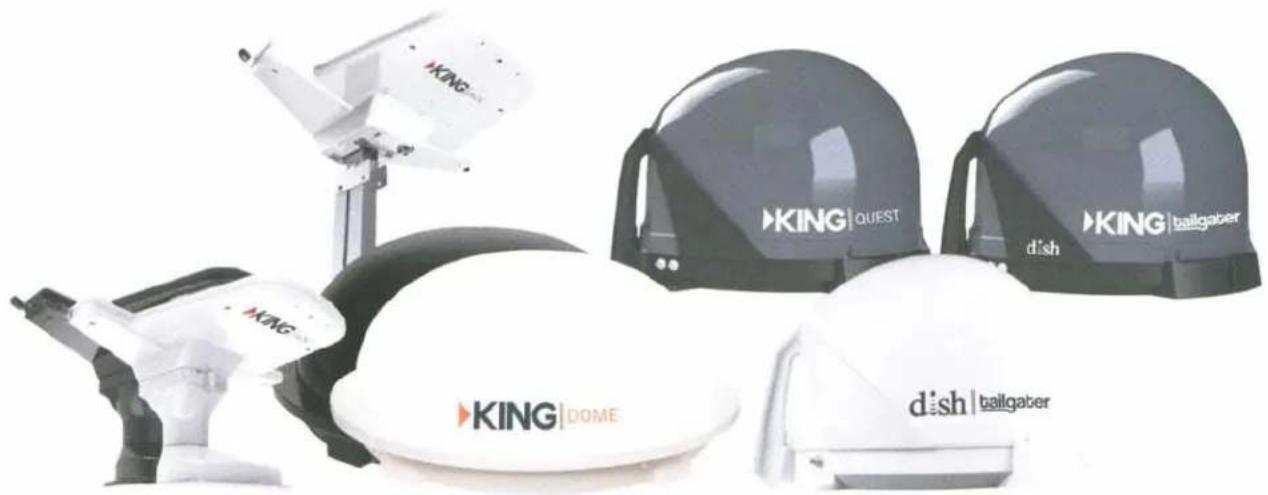
natural_image
Exterior view of industrial robotic devices including King, KING, and dish with brand logos (no readable text beyond branding)Simply better, by design.
Visit kingconnect.com to register
KING
IMPORTANT INFORMATION
To activate service, call
1-800-963-3474
Pay-as-you-go, watch as you please:
- No commitment
- No contract
• No charge to start or stop monthly service
DID YOU KNOW?
You can get DISH for your home and take your favorite channels from the couch to the campsite, for LESS! Ask how.
Factory Extended Warranty
Increase Your Warranty Protection a Full Year!
| Year 1 | Year 2 | Year 3 | |
| Parts | Standard | Standard | Extended |
| Labor* | Standard | Extended |
KING® now offers an optional extended warranty providing one year additional warranty coverage for both factory parts and factory labor.*
Call KING at: 952.922.6889
for more information or to purchase your extended warranty (Hours: 8am - 5pm CST)
1 Year Factory Extended Warranty
| Model | Cost | Warranty P/N | |
| KING tailgater | VQ4500 Stationary Automatic | $39 | VQ4500EW |
Terms and Conditions of Extended Warranty
Should any trouble develop during the extended warranty period, contact KING. You must contact KING before the warranty period expires. The customer must supply proof of purchase, (such as a dated sales receipt) and serial number when requesting warranty service. If customer cannot supply proof of purchase, warranty period shall start 30 days after date of manufacture.
Only KING will perform Extended Warranty service.
If it is determined that the unit needs to be returned to KING, customer must return complete product, freight prepaid, to: KING, 11200 Hampshire Avenue South, Bloomington, MN 55438-2453 If inspection shows the trouble is caused by defective workmanship or material, KING will repair (Or at its option, replace) without charge.
When returning product, KING will supply an RMA number (Return Merchandise Authorization). This number must be clearly written on the box. Failure to clearly write the RMA number on the box may result in delays in processing claim. Along with product, customer should include in the box: his/her name, address, daytime phone number, proof of purchase, and description of the problem.
This warranty does not cover installation and external wiring. This warranty is not transferable from the original owner.
Due to the expanding and changing TV market, KING cannot be held responsible for changes made to satellite services. Software updates to address such issues are not covered under warranty.
This warranty also does not apply where:
-The product has been abused, misused, improperly installed, or improperly maintained
-Repairs have been made or attempted by others that are not certified by KING to do such repairs
-Repairs are required because of normal wear and tear
-Alterations have been made to the product
-The dome cover has been removed without authorization
-Damage has been caused by power washing
-Circumstances beyond the control of KING cause the product to no longer operate correctly
-Customer is not the original owner
In no event shall KING be liable for any indirect, incidental, or consequential damages from the sale or use of the product. This disclaimer applies both during and after the term of the warranty.
KING disclaims liability for any implied warranties, including implied warranties of “merchantability” and “fitness for a specific purpose”, after the one year term of this warranty.
This warranty gives you specific legal rights, and you may also have other rights, which vary from state to state. Some states do not allow the exclusion or limitation of incidental or consequential damages, so the above limitation or exclusion may not apply to you. Some states do not allow limitations on how long an implied warranty lasts, so the above limitation may not apply to you.

Simply better, by design.™
11200 Hampshire Avenue South, Bloomington, MN 55438-2453
Phone: 952.922.6889 Fax: 952.922.8424
- Thank you for choosing the KING Tailgater!
- NEW AND UNACTIVATED RECEIVERS
- Lay the KING Tailgater on a soft, non-scratching surface and apply the (3) rubber feet.
- Place the KING Tailgater in a location with an unobstructed view of the southern sky.
- Make connections in the following order: A, B and C.
- Turn on your TV.
- Follow the on-screen instructions to perform a scan.
- Owner's Manual:
- VQ4500 & VQ4550 Owner's Manual
- PRODUCT REGISTRATION
- TABLE OF CONTENTS
- INTRODUCTION
- Thank you for choosing DISH and the KING Tailgater Portable HDTV System!
- IMPORTANT SAFETY INSTRUCTIONS
- KING TAILGATER PACKAGE CONTENTS
- APPLY RUBBER FEET TO ANTENNA UNIT
- ABOUT SIGNAL LOSS
- OBSTRUCTIONS
- RAIN AND SNOW FADE
- ABOUT SATELLITE TV RECEPTION
- CONNECT RECEIVER TO TV
- DO NOT PLUG IN OR TURN ON RECEIVER AT THIS TIME.
- KING TAILGATER SETUP
- HAND TIGHTEN COAX. OVERTIGHTENING CAN DAMAGE CONNECTIONS.
- KING TAILGATER OPERATION WITH NEW AND UNACTIVATED RECEIVER
- IMPORTANT!
- dish
- KING TAILGATER STANDARD OPERATION
- OPERATING NOTES:
- DOWNLOADING PROGRAMMING TO THE SECOND RECEIVER
- PROPER CARE OF YOUR EQUIPMENT
- SECURITY
- ACCESSORIES (Sold separately - see www.kingconnect.com/products/accessories/)
- TR1000
- CB1000
- ROOF INSTALLATION
- Optional MB600 Mounting Feet
- ANTENNA UNIT LOCATION (see illustration on next page)
- AVOID SHARP BENDS WHEN ROUTING COAX!
- MANUFACTURER'S LIMITED WARRANTY
- FCC GUIDELINES
- Simply better, by design.™
- Turning Your TV and Receiver On and Off
- Using the Arrows on Your Remote
- Changing Channels
- Exiting Onscreen Menus
- Search for Content
- Accessing Your Receiver Settings
- Creating a Favorites List
- Setting Parental Controls
- Using Apps on Your Receiver
- Accessing Help on Your Receiver
- Fixing a Black, Blue, Snowy Screen
- DISH Contact Information
- Troubleshooting:
- ATTENTION
- 1-800-970-9623
- Before calling, make sure:
- Wally™ HD TV satellite receiver for
- HD TV satellite receiver for DISH-compatible antennas
- SIMPLE STEPS TO GET SATELLITE HD TV
- CHOOSE AN OPTION BELOW
- CALL 1-800-970-9623 TO ACTIVATE
- SIGN UP FOR DISH AT HOME AND SAVE!
- FREE
- \$50 Visa
- Prepaid Card
- CALL NOW TO GET DISH AT HOME:
- 1-866-827-1759
- Save on outdoor TV when you have DISH home service
- only \$7/mo.
- IMPORTANT
- PRODUCT
- INFORMATION
- Warning and Attention Symbols
- For Your Safety
- Important Safety Instructions, cont.
- Limited Warranty
- What the Warranty Covers
- What the Warranty Does Not Cover
- Limited Warranty, cont.
- Legal Limitations
- If You Need Assistance
- DISH Exchange Program
- Advance Exchange Program
- Post Receipt Exchange Program
- Accessory Warranty
- Residential Customer Agreement
- DISH CUSTOMER SERVICE CONTACT INFORMATION
- SCOPE OF THIS AGREEMENT
- Residential Customer Agreement, cont.
- YOUR ACCEPTANCE OF THIS AGREEMENT
- SERVICES
- BILLING POLICIES; PAYMENTS FOR SERVICES; FEES
- CANCELLATION OF SERVICE
- EQUIPMENT
- LEASED EQUIPMENT
- TRANSFER OF ACCOUNT, SERVICES OR EQUIPMENT
- LIMITATION OF OUR LIABILITY
- PIRACY AND INFRINGEMENT
- DISPUTE RESOLUTION, MANDATORY AND BINDING ARBITRATION AND CLASS ACTION WAIVER
- GENERAL
- EXHIBIT 1 - FEES
- DISH Network L.L.C. Privacy Notice
- Protection of Subscriber Information Under the Communications Act
- DISH Privacy Notice, cont.
- What Information We Collect About You
- Personally Identifiable Information
- Usage and Service Information
- Third-Party Information
- Third-Party Services and Websites
- Cookies and Other Technologies
- How We Use Your Information
- Disclosure of Information to Others
- When DISH is Permitted to Disclose Personally Identifiable Information
- To conduct business activities related to providing you with our satellite television services or other services
- For "mailing list" or other purposes
- When DISH is Required to Disclose Personally Identifiable Information
- How to Limit DISH's Use and Disclosure of Your Personally Identifiable Information
- How We Protect Your Personally Identifiable Information
- How Long We Maintain Your Personally Identifiable Information
- Examining Personally Identifiable Information
- Your Recourse for Violation of Your Privacy Rights
- Changes to This Notice
- FCC Compliance
- Agreement on Internet Usage
- If You Need Help
- Software Notice
- DISH Recycling
- Copyright Notice
- GO ONLINE TO REGISTER YOUR PRODUCT
- IMPORTANT INFORMATION
- 1-800-963-3474
- Pay-as-you-go, watch as you please:
- DID YOU KNOW?
- Factory Extended Warranty
- Increase Your Warranty Protection a Full Year!
- Call KING at: 952.922.6889
- Terms and Conditions of Extended Warranty
- Only KING will perform Extended Warranty service.
- This warranty also does not apply where:
Brand : KING
Model : Tailgater Controls VQ4550
Category : Satellite antenna