
1092 - Kitchen Rommer - Free user manual and instructions
Find the device manual for free 1092 Rommer in PDF.


Pick your language and provide your email: we'll send you a specifically translated version.
| Product Type | Digital Kitchen Scale |
| Brand | Rommer |
| Model | 1092 |
| Dimensions | 20 x 15 x 2 cm |
| Weight | 300 g |
| Power Supply | 2 x AAA batteries |
| Measurement Units | g, kg, lb, oz, ml, fl.oz |
| Maximum Capacity | 5 kg |
| Accuracy | 1 g |
| Tare Function | Yes |
| Auto-off | After 2 minutes of inactivity |
| Low Battery Indicator | Yes |
| Platform Material | Tempered glass |
| Display | LCD |
| Cleaning | Wipe with a damp cloth; do not immerse |
| Safety | Overload protection |
| Spare Parts Availability | Available on request from Rommer |
| General Information | Compact and easy to store |
Frequently Asked Questions - 1092 Rommer
How do I change the battery in the Rommer 1092 scale?
Open the battery compartment on the bottom, remove old batteries, and insert two new AAA batteries with correct polarity.
What is the maximum weight capacity of the Rommer 1092?
The scale has a maximum capacity of 5 kg (11 lb).
Can I use the Rommer 1092 to measure liquids?
Yes, it has a ml and fl.oz mode for measuring liquids. Use a container and tare the scale first.
How do I switch between units?
Press the UNIT button to cycle through g, kg, lb, oz, ml, and fl.oz.
Why does my scale turn off automatically?
The scale has an auto-off feature to save battery. It turns off after 2 minutes of inactivity.
How do I clean the Rommer 1092 scale?
Wipe the surface with a damp cloth. Do not immerse in water or use abrasive cleaners.
What does 'Err' or 'O-Ld' mean on the display?
'Err' indicates an error; 'O-Ld' means overload. Remove the weight to avoid damage.
How do I use the tare function?
Place an empty container on the scale, press TARE to zero the display, then add ingredients.
Is the Rommer 1092 accurate?
Yes, it has an accuracy of 1 g, suitable for most kitchen tasks.
Where can I find spare parts for my Rommer 1092?
Contact Rommer customer support or visit the official website to order spare parts.
User questions about 1092 Rommer
0 question about this device. Answer the ones you know or ask your own.
Ask a new question about this device
No questions yet. Be the first to ask one.
Download the instructions for your Kitchen in PDF format for free! Find your manual 1092 - Rommer and take your electronic device back in hand. On this page are published all the documents necessary for the use of your device. 1092 by Rommer.
USER MANUAL 1092 Rommer
natural_image
Technical line drawing of mechanical components including a spring, shaft, and housing (no text or symbols)Fig. 6
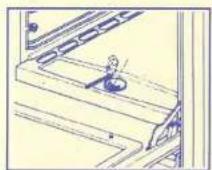
Fig. 7
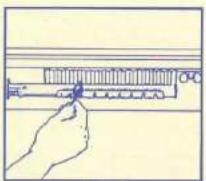
Fig. 8

Fig. 9
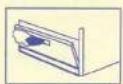
Fig. 10
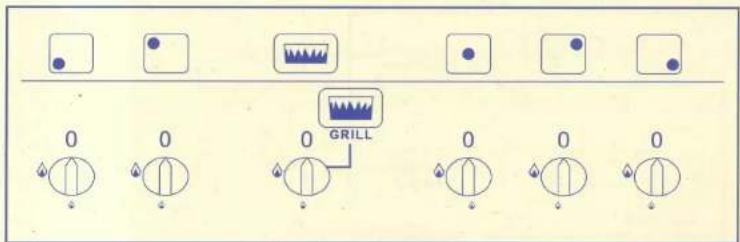
Fig. 11 (Painel)
natural_image
Two simple line drawings of a cooking pot with a wavy base and two upright containers (no text or symbols)Fig. 5
Manual assistant
Powered by Anthropic
Waiting for your message
Product information
Brand : Rommer
Model : 1092
Category : Kitchen