
FMT 200 - Mp3 player Sunstech - Free user manual and instructions
Find the device manual for free FMT 200 Sunstech in PDF.


| Product Type | FM Transmitter & MP3 Player |
| Model | FMT200 (FMT200USB) |
| Brand | Sunstech |
| Display | 1.1-inch screen |
| Power Input | 12-24V DC |
| Charger Output | 5V / 2.1A (dual USB, total 2.1A) |
| Music Formats | MP3, WMA |
| USB Capacity | Up to 32GB |
| Micro SD Capacity | Up to 32GB |
| Frequency Range | 87.6 - 107.9 MHz |
| Transmit Distance | Approx. 10 meters (open space) |
| Connectivity | USB, Micro SD, AUX-IN |
| Control | Remote control, front panel buttons, volume knob |
| Playback Modes | Folder switch, 4 loop modes |
| Warranty | 2 years |
| Voltage Support | 12-24V (cigarette lighter) |
| Dimensions (approx.) | 5 x 3 x 3 cm |
| Weight (approx.) | 50 g |
| Cleaning | Soft cloth, slightly dampened; no abrasives |
| Safety | Do not disassemble; keep away from heat, magnets, moisture |
| Certifications | CE, RoHS, R&TTE |
Frequently Asked Questions - FMT 200 Sunstech
User questions about FMT 200 Sunstech
0 question about this device. Answer the ones you know or ask your own.
Ask a new question about this device
Download the instructions for your Mp3 player in PDF format for free! Find your manual FMT 200 - Sunstech and take your electronic device back in hand. On this page are published all the documents necessary for the use of your device. FMT 200 by Sunstech.
USER MANUAL FMT 200 Sunstech
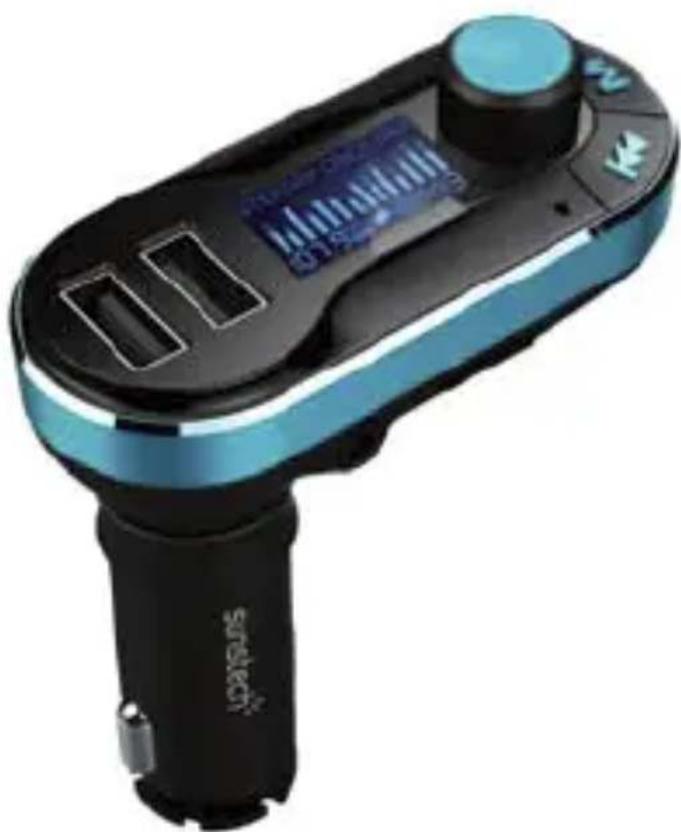
Model No.: FMT200USB FM Transmitter
natural_image
Close-up of a Sunitech electric guitar controller with digital display and control buttons (no text or symbols visible on body)Features:
- 1.1"Large screen displays information
- Dual USB charging Port for charging rechargeable devices.
- Supports USB disk/Micro-SD/AUX-IN;
- 87.6-107.9MHz frequency.
- Supports 12-24V voltage.
- Supports folder switch & 4 loop modes
- Big button and volume knob for easy operation
- Remote control;
Specifications:
| Frequency: | 87.6-107.9MHZ |
| Frequency stability: | ±10ppml |
| Product Input: | 12-24V |
| Charger output: | 5V/2.1A |
| Music Format: | MP3/WMA |
| USB(Max capacity): | 32GB |
| Card( Max capacity): | 32GB |
| Transmit Distance: | about 10m in open spaces. |
Using FM Transmitter Function:
- Plug the FM transmitter into your vehicle's cigarette lighter or power port.
- Tune your radio to an unused FM frequency, then match the same frequency of this unit.
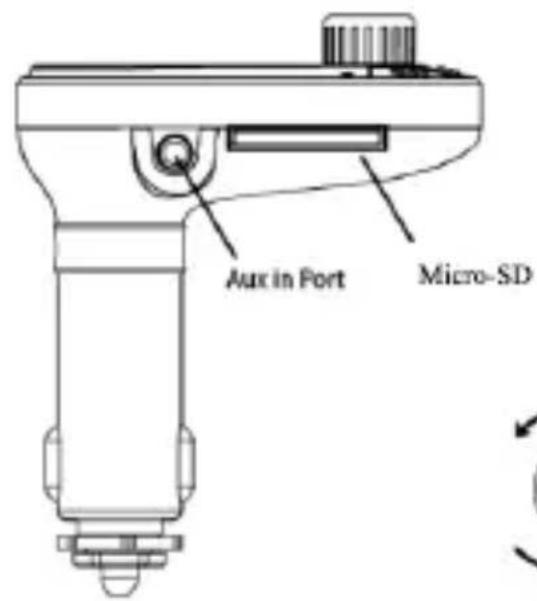
- Insert a USB flash drive into the Micro-SD card or the inward USB port which containing MP3 files into USB port or memory card slot of this unit accordingly. It will play and transmit the MP3 files automatically.(Pay attention, only the inward USB Port can serve as a USB Reader!)
- Line-in function: Use the provided audio cable to connect an MP3/MP4 players or another external device to the AUX input of this unit. When using this function, please stop playback of USB or memory card, and all functions will be controlled by the external device.
Using USB Charger Function:
When this unit is powered by a car lighter socket, connect the USB port of this unit to your mobile phone with a special USB cable (not included). This unit will serve as a mobile phone charger.
ATTENTION:
The Dual USB port outputs 2.1A together and the smart chip will divide the voltage based on the need of device automatically. But only the outward USB port can charge the iPad or Tablets.
Appearance:
Volume+
Volume-
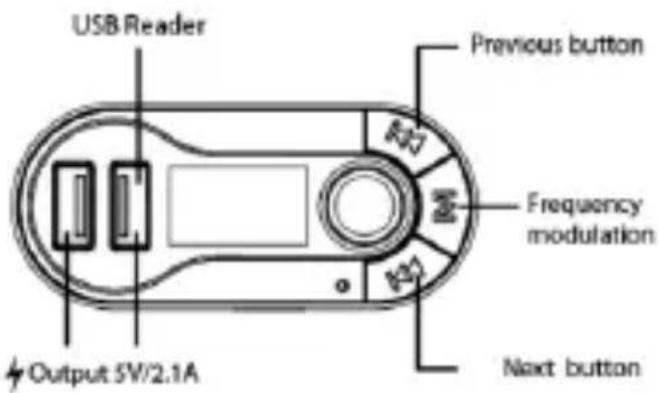

Play / Pause
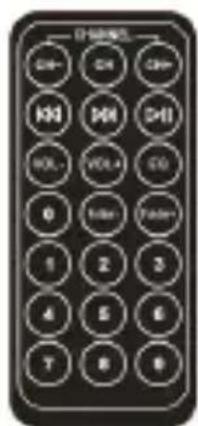
Remote control
QUICK GUIDE:
| Operation Guide | On FM transmitter | On Remote Controller |
| 1. Play and Pause music: | Press * 📋 Button: Play musicPress * 📋 Button again: Pause playing | Press * 📋 *Button |
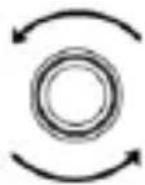
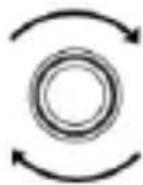
| 3. Adjust the Volume: | Rotate in clockwise to increase VolumeRotate counter-clockwise to decrease Volume | Press "Vol+" to increase the Volume;Press "VOL-" to decrease the Volume; |
| 4.Adjust the Playtime | Long Press" 🔊 "to fast forwardLong press" 🔊 "to fast rewind | Long Press" 🔊 "to fast forwardLong press" 🔊 "to fast rewind |
| 5.Set frequency: | Press "M" button first, then press "▶": increase the frequencyPress "◀": decrease the frequency | Press "CH+" button: Increase 0.1MHzPress "CH-" button: decrease 0.1MHzOr press the numbers of the frequency what you desired, press "CH+" to confirm. |
| 6.Choose music: | Press "▶" Button: Play the next songPress "◀" Button: Play the previous song | Press ➕ button: Play the next song; Press ➕ button: Play the previous song;Or press the number of the song then press ➕/1 to confirm |
| 7.Choose EQ: | Support by remote controller only | Press "EQ" button to choose your favorite EQ |
| 8.Switch folder: | Support by remote controller only | Press "folder" button to switch folder |
Made in China



(English)
Warranty conditions
- The warranty of this product is for 2 years since the purchase date.
- The warranty will exclude breakdowns caused by bad use of the product, wrong installation or installation in not desirable places for a proper maintenance of the product, rips, updates of the products
that are not the supplied by the brand, pieces wore away for its use or for not domestic or inappropriate use. Also are excluded breakdowns caused for manipulations of the products by people or companies alien to our company.
- For any request regarding the warranty terms, the purchase receipt must be attached.
Correct disposal of this Product
(Waste Electrical & Electronic Equipment(WEEE)
Your product is designed and manufactured with high quality materials and components which can be recycled and reused.
This symbol means that electrical and electronic equipment, at their end of life should be disposed of separately from your household waste.
Please dispose of this equipment at your local community waste collection/recycling centre.
In the European Union there are separate collection systems for used electrical and electronic products. Please help us to conserve the environment we live in!
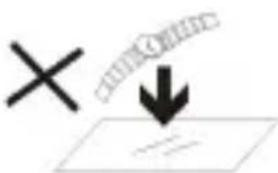
- DO NOT place objects on top of the device, as objects may scratch the device.
natural_image
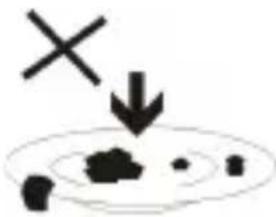
Simple diagram with a cross and downward arrow, no text or symbols present- DO NOT expose the device to dirty or dusty environments.
natural_image
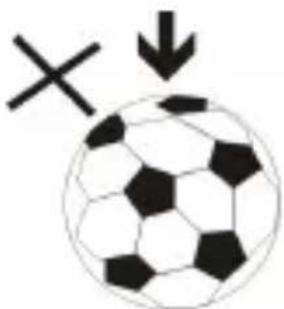
Black and white soccer ball with a cross symbol and downward arrow, no text or labels present- DO NOT place the device on an uneven or unstable surface.
natural_image
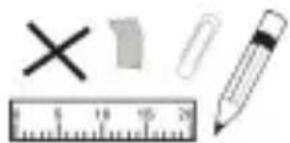
Illustration of a ruler, pencil, eraser, eraser, and a cross symbol (no text or labels)- DO NOT insert any foreign objects into the device.
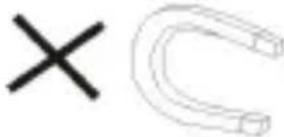
- DO NOT expose the device to strong magnetic or electrical field.
natural_image
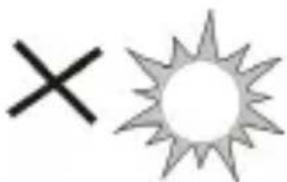
Simple graphic with a black X and a sunburst shape (no text or symbols)- DO NOT expose the device to direct
sunlight as it can damage the device. Keep it away from heat sources.
60°C(140°F)

- DO NOT store your device in
temperatures higher than 40°C(104°F).

The internal operating temperature for
this device is from 20°C(68°F) to
20°C(68°F) 60°C(140°F).

natural_image
Simple weather icon showing a cloud with raindrops and a black X symbol (no text or labels)- DO NOT use the device in the rain.

natural_image
Illustration of a hand holding a mobile phone inside a circle (no text or symbols)- Please check with your Local
Authority or retailer for proper
disposal of electronic products.
natural_image
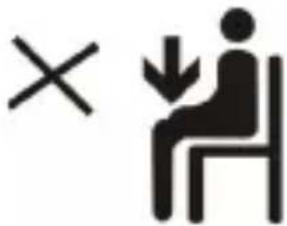
Symbolic illustration of a person sitting on a chair with an 'X' mark and a downward arrow, no text present.- The device and adaptor may
product some heat during normal
operation of charging. To prevent
discomfort or injury from heat exposure, DO NOT leave
the device on your lap.
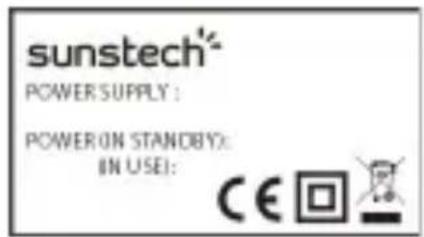
- POWER INPUT RATING: Refer to the rating label on the device and be sure that the power adaptor complies with
the rating. Only use accessories specified by the manufacturer.

natural_image
Simple line drawing of a hand cleaning a cloth with a spray bottle and a cross mark (no text or symbols)- Clean the device with a soft cloth. If needed, dampen the cloth slightly
before cleaning. Never use abrasives or cleaning solutions.
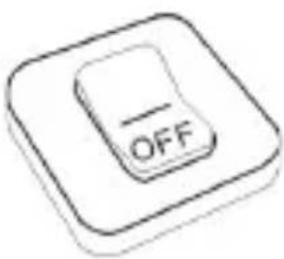
- Always power off the device to install or remove external devices that do not support hot-plug.
14.
flowchart
graph LR
    A["Input Image"] --> B["Process Box"]
    B --> C["Document Icon"]
    C --> D["Processed Paper Icon"]
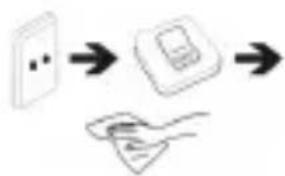
Disconnect the device
from an electrical outlet and power off before cleaning the device.
natural_image
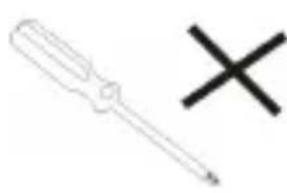
Simple line drawing of a screwdriver and a cross symbol (no text or labels)- DO NOT disassemble the device. Only a certified service technician should perform repair.

- The device has apertures to disperse heat. DO NOT block the device ventilation, the device may become hot and malfunction as a result.

flowchart
graph TD
    A["Input Unit"] --> B["Processing Unit"]
    B --> C["Output Unit 1"]
    B --> D["Output Unit 2"]
    B --> E["Output Unit 3"]
- Risk of explosion if battery replaced by an incorrect type. Dispose of used batteries according to the instruction.
natural_image
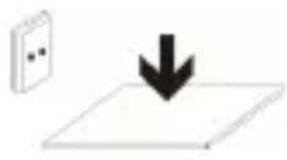
Simple diagram showing a download arrow pointing downward on a flat surface, with a wall-mounted device nearby (no text or symbols)- PLUGGABLE EQUIPMENT: the socket-outlet shall be installed near the equipment and shall be easily
accessible.
DECLARATION OF CONFORMITY
Council Directive(s) to which conformity is declared:
Directive (1999/5/EC) - R&TTE
Directive (2004/108/EC) - EMC
Directive (2006/95/EC) - LVD
Directive (2011/65/EU) - RoHS
Application of the Standards:
EN 61000-3-2:2006+A1:2009+A2:2009
EN 60950-1:2006+A11:2009+A1:2010+A12:2011
EN 300 328 V1.8.1:2012
EN 301 489-9 V1.4.1:2007
EN 301 357-2 V1.4.1:2008
EN 62479:2010
EN 50498:2010
EN 61000-3-3:2013
EN 301 489-1 V1.9.2:2011
EN 301 357-1 V1.4.1:2008
EN 301 489-17 V2.2.1:2012
EN 55024:2010
EN 55022:2010+AC:2011
EN 62321:2009
Manufacturer's name:
AFEX SUNS, S.A.
Manufacturer's address:
C/Pallars 189, 08005 Barcelona
Type of equipment:
FM TRANSMITTER
Trade:
SUNSTECH
Model no.:
FMT200USB
We, the undersigned, hereby declare under our sole responsibility that the specified equipment is in conformity with the above Directive(s) and Standard(s)
Place: Barcelona
(Signature)
Victor Planas Bas
Full name
Date: 9 - February - 2015
General Manager
Positior
Características:
chemical
Chemical symbol for lead (Pb) with three crossed recycling bins and a horizontal bar, likely representing a battery or reduction mechanism.natural_image
Black and white soccer ball with a cross symbol and downward arrow, no text or labels present.natural_image
Illustration of a pencil, ruler, eraser, eraser cross, and plastic sheet (no text or symbols)natural_image
Simple graphic with a black X and a sunburst shape (no text or symbols)natural_image
Simple weather icon showing a cloud with raindrops and a black 'X' symbol (no text or labels)natural_image
Illustration of a hand holding a mobile phone inside a circle (no text or symbols)natural_image
Simple line drawing of a hand cleaning a surface with a spray bottle and a cross mark (no text or symbols)flowchart
graph TD
    A["Printer"] --> B["Document"]
    B --> C["Hand with Card"]
natural_image
Simple line drawing of a screwdriver and a black X symbol (no text or labels)natural_image
Simple line drawing of a download arrow pointing downward on a flat surface, with a small inset panel nearby (no text or symbols)Directive (1999/5/EC) - R&TTE
Directive (2004/108/EC) - EMC
Directive (2006/95/EC) - LVD
Directive (2011/65/EU) - RoHS
Alimentation: 12-24 V
chemical
Chemical symbol for lead (Pb) with three crossed cross symbols representing different components or conditions.natural_image
Simple diagram with a cross and downward arrow, no text or symbols presentnatural_image
Black and white soccer ball with a cross symbol and downward arrow, no text or labels presentnatural_image
Illustration of a pencil, ruler, eraser, eraser cross, and sheet of paper (no text or symbols)natural_image
Simple graphic with a black X and a sunburst shape (no text or symbols)natural_image
Simple weather icon showing a cloud with raindrops and a black X (no text or symbols)natural_image
Illustration of a hand holding a mobile phone with a screen, enclosed in a circle (no text or symbols)natural_image
Simple line drawing of a hand cleaning a cloth next to a spray bottle with an X mark (no text or symbols)natural_image
Simple line drawing of a screwdriver and a black X symbol (no text or labels)natural_image
Simple diagram showing a rectangular object with an arrow pointing to four parallel gray rectangular blocks below (no text or symbols)natural_image
Simple diagram showing a download arrow pointing downward on a flat surface, with a small inset panel nearby (no text or symbols)DÉCLARATION DE CONFORMITÉ
Directive (1999/5/EC) - R&TTE
Directive (2004/108/EC) - EMC
Directive (2006/95/EC) - LVD
Directive (2011/65/EU) - RoHS
natural_image
Simple diagram with a cross and downward arrow, no text or symbols presentnatural_image
Black and white soccer ball with a cross symbol and downward arrow, no text or labels presentnatural_image
Illustration of basic geometric shapes including a cross, pencil, ruler, and eraser (no text or symbols)natural_image
Simple graphic with a black X and a sunburst shape (no text or symbols)natural_image
Two black arrows pointing up and down, stacked vertically (no text or symbols)20°C(68°F)
natural_image
Simple weather icon showing a cloud with raindrops and a black X (no text or symbols)natural_image
Illustration of a hand holding a mobile phone inside a circle (no text or symbols)natural_image
Symbolic icon showing a person sitting on a chair with an 'X' mark and a downward arrow, indicating no text or numbers present.natural_image
Simple line drawing of a hand cleaning a spray bottle with a 'X' mark (no text or symbols)natural_image
Simple 3D icon of a toggle switch with 'OFF' label on the button (no additional text or symbols)flowchart
graph LR
    A["Device"] --> B["Digital Display"]
    B --> C["Hand with Document"]
natural_image
Simple line drawing of a screwdriver and a black X symbol (no text or labels)natural_image
Simple line drawing of a download arrow pointing downward on a flat surface, with a wall-mounted device nearby (no text or symbols)acesso.
Directive (1999/5/EC) - R&TTE
Directive (2004/108/EC) - EMC
Directive (2006/95/EC) - LVD
Directive (2011/65/EU) - RoHS
Brand : Sunstech
Model : FMT 200
Category : Mp3 player