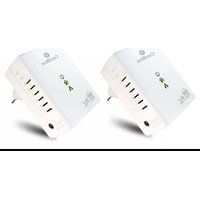
REDCOOPLC500D - Powerline Adapter CoolBox - Free user manual and instructions
Find the device manual for free REDCOOPLC500D CoolBox in PDF.


Pick your language and provide your email: we'll send you a specifically translated version.
| Product Type | Powerline Adapter |
| Model | REDCOOPLC500D |
| Brand | CoolBox |
| Data Transfer Rate | Up to 500 Mbps |
| Standard | HomePlug AV |
| Ethernet Ports | 1 x Gigabit Ethernet (10/100/1000) |
| Power Consumption | ≤ 3W (typical), ≤ 0.5W (standby) |
| Range | Up to 300m over household electrical wiring |
| Security | 128-bit AES encryption |
| Dimensions (each unit) | Approx. 10 x 6 x 4 cm (3.9 x 2.4 x 1.6 in) |
| Weight (each unit) | Approx. 150 g (5.3 oz) |
| Power Supply | Plug-in directly to wall socket, no external power adapter |
| Operating Temperature | 0°C to 40°C (32°F to 104°F) |
| Storage Temperature | -20°C to 70°C (-4°F to 158°F) |
| Compatibility | Works with any HomePlug AV device |
| Easy Setup | Plug and play, no configuration needed |
| Indicators | Power, Ethernet, Powerline status LEDs |
| Maintenance | Wipe with dry cloth, keep away from moisture |
| Safety | Complies with CE, RoHS standards |
| Spare Parts and Repairability | No user-serviceable parts; contact support for repairs |
| Package Contents | 2 x Powerline adapters, 2 x Ethernet cables, quick start guide |
| Warranty | 2 years limited |
Frequently Asked Questions - REDCOOPLC500D CoolBox
How do I set up the CoolBox REDCOOPLC500D powerline adapter?
Plug one adapter into a wall socket near your router and connect it via Ethernet cable. Plug the second adapter into a socket in the room where you need internet. They will pair automatically within a few seconds.
What is the maximum speed of this adapter?
The CoolBox REDCOOPLC500D supports data transfer rates up to 500 Mbps, ideal for HD streaming, gaming, and browsing.
Can I use this adapter with other brands?
Yes, it is compatible with any device that supports the HomePlug AV standard, regardless of brand.
Does the adapter consume power when not in use?
Yes, it has a standby mode consuming less than 0.5W, and typical operation uses under 3W.
How secure is the connection?
The adapter uses 128-bit AES encryption to secure data transmitted over your home electrical wiring.
What should I do if the adapters are not connecting?
Ensure both adapters are plugged directly into wall sockets (not power strips). Press the Pair button on each if needed. Check LED indicators.
Can I use more than two adapters?
Yes, you can add extra adapters to extend your network. Each additional adapter pairs with the existing network.
Does this work in apartments with shared electricity?
It may work but performance can vary if you are on a different electrical phase. Using a filter may help reduce interference.
How do I clean the adapter?
Unplug the device and wipe it with a soft, dry cloth. Do not use liquids or abrasive cleaners.
What is the warranty period?
The CoolBox REDCOOPLC500D comes with a 2-year limited warranty against manufacturing defects.
User questions about REDCOOPLC500D CoolBox
0 question about this device. Answer the ones you know or ask your own.
Ask a new question about this device
No questions yet. Be the first to ask one.
Download the instructions for your Powerline Adapter in PDF format for free! Find your manual REDCOOPLC500D - CoolBox and take your electronic device back in hand. On this page are published all the documents necessary for the use of your device. REDCOOPLC500D by CoolBox.
USER MANUAL REDCOOPLC500D CoolBox
natural_image
White Coolbox device with indicator lights and ports (no readable text or symbols beyond branding)flowchart
graph TD
    A["STA"] --> B["STA"]
    B --> C["STA"]
    style A fill:#fff,stroke:#000
    style B fill:#fff,stroke:#000
    style C fill:#fff,stroke:#000
    note1["A and B form an AVLN"]
    note2["C wants to join the AVLN"]
    note3["Press button on B less than 3 seconds"]
    note4["Press button on C less than 3 seconds"]
    note5["B becomes 'older'"]
    note6["C becomes 'older'"]
    note7["C accepts NML from B"]
flowchart
graph TD
    A["A STA"] --> C["C STA"]
    B["B STA"] --> C["C STA"]
    style A fill:#fff,stroke:#000
    style B fill:#fff,stroke:#000
    style C fill:#fff,stroke:#000
    note1[" A. B and C form an AVLN "]
    note2[" A wants to leave the AVLN "]
    note3[" Please better on A name than 50 seconds "]
    note4[" A computer version NWK "]
    note5[" A results and restarts "]
Manual assistant
Powered by Anthropic
Waiting for your message
Product information
Brand : CoolBox
Model : REDCOOPLC500D
Category : Powerline Adapter